Every successful interview starts with knowing what to expect. In this blog, we’ll take you through the top Simulation (HSPICE, Cadence) interview questions, breaking them down with expert tips to help you deliver impactful answers. Step into your next interview fully prepared and ready to succeed.
Questions Asked in Simulation (HSPICE, Cadence) Interview
Q 1. Explain the difference between transient and AC analysis in HSPICE.
Transient and AC analyses are two fundamental simulation types in HSPICE (and other simulators like Cadence) used to characterize the behavior of circuits under different conditions. Think of it like this: transient analysis is like watching a movie of your circuit’s behavior over time, while AC analysis is like taking a snapshot of its frequency response.
Transient Analysis: This analysis simulates the circuit’s response to time-varying inputs. It’s crucial for understanding how a circuit behaves when driven by signals that change over time, such as square waves, sine waves with changing amplitude, or digital pulses. You define a time range and the simulator calculates voltages and currents at each time step. This is essential for evaluating the speed of your circuit, rise/fall times, propagation delays, and overall dynamic performance. For example, you’d use transient analysis to analyze the switching behavior of a flip-flop or the slew rate of an op-amp.
AC Analysis: This analysis determines the circuit’s response to sinusoidal inputs at various frequencies. It’s primarily used to analyze the frequency-domain characteristics, providing insights into the gain, phase shift, and impedance of the circuit as a function of frequency. You typically specify a frequency sweep, and the simulator calculates the magnitude and phase of the output signal at each frequency point. This is essential for designing filters, oscillators, amplifiers, and other frequency-dependent circuits. For instance, you’d use AC analysis to determine the bandwidth of an amplifier or the cutoff frequencies of a filter.
In short: Transient analysis looks at the circuit’s behavior in the time domain, while AC analysis examines it in the frequency domain.
Q 2. How do you perform a DC sweep analysis in Cadence?
Performing a DC sweep analysis in Cadence involves systematically varying a DC input source (voltage or current) over a specified range and observing the resulting changes in other circuit parameters. It’s a powerful tool for understanding the static behavior of your circuit and is typically done using the Spectre simulator within the Cadence environment.
Here’s a general approach:
- Create your schematic: Design the circuit in Cadence’s schematic editor, ensuring your input source is clearly identifiable.
- Open the simulation environment: Create a new Spectre simulation.
- Define the DC sweep: Within the simulation setup, you’ll specify the DC sweep parameters:
- Sweep type: Linear, logarithmic, or other options based on your needs. A logarithmic sweep is often preferred for wide frequency ranges.
- Sweep variable: Select the DC voltage or current source you’ll be varying.
- Start, stop, and step values: Define the range and resolution of your sweep. The step size will determine how many data points you’ll get.
- Define outputs: Specify the nodes or parameters you want to monitor during the sweep. For example, you might want to monitor the output voltage of an amplifier as you sweep the input voltage.
- Run the simulation: Execute the simulation, and Cadence will generate results showing how your chosen parameters change as the DC source varies.
- Analyze the results: Cadence provides various tools to visualize the data, such as graphs showing voltage versus input voltage, or current versus input voltage. This helps understand the circuit’s transfer characteristics, operating points, and other relevant static behaviors.
For example, you might perform a DC sweep on the gate voltage of a MOSFET to obtain its drain current vs. gate-source voltage (ID-VGS) characteristic curve.
Q 3. Describe your experience with noise analysis in HSPICE or Cadence.
Noise analysis is critical for designing low-noise circuits, especially in high-frequency applications. In HSPICE and Cadence, noise analysis helps quantify the inherent noise generated within the circuit components and its impact on the overall signal integrity. I’ve extensively used both simulators for noise analysis in various projects.
The process typically involves specifying a frequency range and then the simulator calculates the output noise spectral density (often expressed in V2/Hz or A2/Hz). We can then integrate the spectral density to determine the total output noise power. This allows me to evaluate the contribution of different noise sources within the circuit (e.g., thermal noise in resistors, shot noise in transistors, flicker noise in MOSFETs). Both HSPICE and Cadence offer different types of noise analysis like spectral noise analysis, and integrated noise analysis.
In one project designing a low-noise amplifier for a wireless sensor application, I used Cadence’s Spectre simulator to perform a comprehensive noise analysis. By identifying the dominant noise sources (primarily thermal noise from resistors and transistors), we could optimize the circuit design (e.g., changing component values, optimizing transistor sizing) to minimize the overall output noise while meeting the other performance requirements. I often compare simulated noise results with measured data to validate the accuracy of my models and identify potential discrepancies.
Q 4. How do you model parasitic effects in your simulations?
Parasitic effects, those unintended components and effects that aren’t explicitly designed into a circuit, significantly influence high-frequency performance. Ignoring them can lead to inaccurate simulations and design failures. Modeling them accurately is crucial.
I typically model parasitic effects in several ways:
- Using extracted parasitics from layout: Layout tools (like Cadence Virtuoso) can extract parasitic elements like interconnect capacitance, inductance, and resistance. This data is then imported into the simulator (HSPICE or Cadence Spectre) to create a more realistic representation of the actual physical circuit.
- Manual addition of parasitic elements: For simpler circuits or where layout extraction isn’t readily available, I might manually add these parasitic elements to the schematic based on estimations from datasheets, rules of thumb, or previous design experience. For instance, adding interconnect capacitance based on trace lengths and widths.
- Using parameterized models: Some advanced models allow for parameterized inclusion of parasitics. This offers flexibility in exploring the impact of different process variations.
- Employing compact models: These models integrate parasitic effects internally, simplifying the simulation process while retaining accuracy.
For example, in a high-speed digital design, neglecting interconnect inductance can lead to signal reflections and ringing, which can severely impact performance. Incorporating these effects during simulation allows me to proactively mitigate these issues. Similarly, neglecting parasitic capacitance can lead to unexpected delays and signal attenuation.
Q 5. What are the different types of MOSFET models available in HSPICE and their applications?
HSPICE offers a variety of MOSFET models, each with varying complexity and accuracy. The choice depends on the simulation requirements and the level of detail needed.
- Level 1 (Schichman-Hodges): This is a simple model, suitable for quick simulations and initial design explorations. However, it lacks accuracy at higher frequencies and for various operating conditions.
- Level 2 (Meyer): An improvement over Level 1, incorporating channel-length modulation and other second-order effects. It’s more accurate but still relatively simple.
- Level 3 (BSIM): Berkeley Short-channel IGFET Model is a highly accurate and complex model that includes many physical effects relevant to modern MOSFETs, including short-channel effects, velocity saturation, and drain-induced barrier lowering (DIBL). Different versions (BSIM3, BSIM4, BSIM-SOI) offer varying levels of complexity and accuracy.
- EKV: Enz-Krummenacher-Vittoz model, a compact model suitable for analog design. It prioritizes ease of use and efficiency over extreme accuracy.
In my experience, I most often use BSIM models for accurate simulations, especially in advanced node technology. For quick estimations or initial design phases, simpler models like Level 2 might suffice. The choice depends on the trade-off between accuracy and simulation time. If the application is sensitive to high frequency effects then a BSIM model would be preferred.
Q 6. Explain the concept of convergence failure in simulations and how to troubleshoot it.
Convergence failure in simulations occurs when the simulator cannot find a stable solution that satisfies all the circuit equations. This manifests as error messages, non-sensical results, or simulations that simply don’t finish. It’s often a frustrating but common issue.
Troubleshooting convergence failures requires a systematic approach:
- Check for obvious errors: Start by inspecting the schematic for simple mistakes: open circuits, short circuits, improperly connected components, or incorrect device parameters.
- Review initial conditions: Ensure that the initial conditions (DC operating point) are reasonable and consistent with the circuit’s expected behavior. Poor initial guesses can lead to convergence problems.
- Adjust simulation parameters: Experiment with the simulator’s convergence settings. Options like tightening the tolerance, changing the iteration limits, or using different algorithms can often resolve convergence issues. Adding a DC operating point solution before a transient simulation can aid convergence.
- Simplify the circuit: If the circuit is complex, try simulating a simplified version to isolate the source of the problem. This helps pinpoint which portion of the circuit causes convergence difficulties.
- Examine device models: Ensure that the device models are appropriate for the simulation type and operating conditions. Incorrect or mismatched models can lead to convergence failure.
- Check for numerical instability: High gain circuits or those with high impedance nodes are prone to numerical instability. Modifying the circuit (e.g., adding damping resistors) can sometimes stabilize the simulation.
- Look at the error messages: Carefully review any error messages the simulator generates. They often contain valuable clues about the cause of the problem.
In practice, resolving convergence failures often involves a combination of these techniques. It’s a skill honed through experience and careful attention to detail.
Q 7. How do you use Spectre to simulate a high-speed amplifier?
Spectre, Cadence’s advanced simulator, is well-suited for simulating high-speed amplifiers. The process involves several key steps:
- Schematic Capture: Create the amplifier schematic in Cadence’s schematic editor, accurately representing the transistors, resistors, capacitors, and other components. Pay close attention to component values and device models (e.g., BSIM models for accurate MOSFET representation).
- Model Selection: Choose appropriate device models for accurate simulation of high-frequency effects. BSIM models are commonly used for MOSFETs in these applications, and consider using advanced models that capture parasitic effects.
- Simulation Setup: Create a Spectre simulation, defining appropriate analysis types:
- Transient Analysis: Simulate the amplifier’s response to fast input signals, analyzing the output waveform, rise/fall times, and other time-domain characteristics. Accurate modeling of parasitic elements is critical for high-speed accuracy.
- AC Analysis: Determine the amplifier’s frequency response, including its gain, bandwidth, and phase shift. This is essential for understanding its high-frequency performance limitations.
- Noise Analysis: Assess the amplifier’s noise performance at high frequencies, identifying dominant noise sources and quantifying their contributions to the overall noise level.
- Parasitic Extraction: If using a layout, extract parasitics and include them in the simulation. This significantly improves simulation accuracy for high-speed circuits.
- Simulation and Analysis: Run the simulation and analyze the results using the provided tools. Analyze the output waveforms, Bode plots, and noise spectral densities to assess the amplifier’s performance.
For instance, in a recent project designing a high-speed operational amplifier, I utilized Spectre’s transient and AC analyses to validate the amplifier’s bandwidth, slew rate, and gain. Using extracted parasitics from the layout was critical to accurately predicting the amplifier’s high-frequency behavior.
Q 8. Describe your experience with creating and using custom models in Cadence or HSPICE.
Creating custom models in Cadence or HSPICE is crucial for accurately simulating components not readily available in the simulator’s libraries. This often involves Verilog-A or Verilog-AMS for behavioral modeling, or subcircuit creation for more detailed transistor-level descriptions. For instance, I’ve developed a custom model for a novel high-speed amplifier using Verilog-A, incorporating behavioral equations for its gain, bandwidth, and noise characteristics. This allowed me to simulate the amplifier’s performance within a larger system without needing to model each transistor individually, significantly speeding up the simulation process. Another example involves creating a compact model for a specific memory cell to evaluate its performance at various operating conditions within a larger memory array. The process typically involves:
- Understanding the component’s characteristics: Thoroughly reviewing datasheets, application notes, and potentially experimental data to determine the essential parameters and behavior.
- Choosing the modeling technique: Selecting Verilog-A/AMS for behavioral modeling, or creating a subcircuit model using transistors, if a transistor-level accuracy is needed.
- Writing the model code: Implementing the behavioral equations or netlist within the chosen modeling language. This requires a good understanding of the simulator’s language syntax and simulation flow. I’ve used advanced techniques such as parameterization and hierarchical modeling to make the models reusable and adaptable.
- Verification and Validation: Rigorous testing of the custom model against measured data or simulations using more detailed models. This is done through comparison plots and statistical analysis.
Q 9. How do you verify the accuracy of your simulations?
Verifying simulation accuracy is paramount. My approach involves a multi-pronged strategy. Firstly, I always compare simulation results against available experimental data. This might involve comparing simulated waveforms, DC operating points, or AC characteristics to measured data. Discrepancies need careful investigation, possibly leading to model refinement or adjustments to simulation settings. Secondly, I use multiple verification techniques within the simulation environment itself. For instance, I might run the same simulation with different simulators (like comparing HSPICE and Spectre results) to identify potential discrepancies or inconsistencies. Moreover, I employ different simulation methods: for example, I might run a transient simulation and a harmonic balance simulation for the same circuit to compare the results under different conditions. Finally, I perform sanity checks. This involves verifying the circuit’s behavior makes sense intuitively, for instance, checking if voltage and current values adhere to Kirchhoff’s laws. Think of it like checking your math in multiple ways to ensure accuracy – this approach ensures high confidence in the simulation results.
Q 10. How do you handle large-scale simulations?
Handling large-scale simulations requires strategic planning and efficient techniques. Simply increasing computing resources isn’t always the solution. I start by employing hierarchical modeling, breaking down a large circuit into smaller, manageable subcircuits. This allows for parallel simulations, significantly reducing overall runtime. Techniques like model order reduction (MOR) are employed when appropriate, simplifying complex models without sacrificing significant accuracy. MOR effectively reduces the number of variables needed to simulate a system, decreasing computational load. Furthermore, I optimize simulation settings. This involves carefully choosing the appropriate simulation algorithms and tolerances based on the specific requirements of the simulation. Unnecessary simulation points or overly tight tolerances significantly increase runtime, which I avoid. For truly massive simulations, distributed computing across multiple processors or cloud-based solutions become necessary; I have experience leveraging these approaches effectively.
Q 11. What are the advantages and disadvantages of using different simulators (e.g., HSPICE vs. Spectre)?
HSPICE and Spectre are both industry-standard simulators, but they have strengths and weaknesses. HSPICE is renowned for its speed and accuracy in transient simulations, particularly for digital circuits. Its mature algorithm and extensive model libraries make it a popular choice for many applications. However, Spectre boasts superior capabilities for analog mixed-signal designs, providing powerful harmonic balance and noise analysis. It often has better convergence behavior for complex analog circuits. The choice depends heavily on the specific application. For instance, I’d likely choose HSPICE for a fast verification of a digital circuit’s timing performance, while Spectre would be preferred for a detailed noise analysis of an analog front-end. In some cases, I’ve used both simulators to cross-verify results, leveraging the strengths of each.
Q 12. Explain your experience with statistical corner analysis.
Statistical corner analysis is vital for assessing the robustness of a design under process, voltage, and temperature (PVT) variations. My experience involves using Monte Carlo analysis extensively. This statistical technique involves running numerous simulations, each using a different combination of PVT parameters sampled from their respective distributions (e.g., Gaussian, uniform). The resulting data reveals the distribution of performance metrics, helping identify potential failure modes or areas needing design optimization. I’ve used this technique to identify weak points in high-speed serial link designs, ensuring they meet specifications even with component variations. Moreover, I’ve used statistical corner analysis in conjunction with yield prediction models to estimate the probability of a successful product. By analyzing the distribution of key performance parameters, we can determine the expected yield, giving valuable insights into the manufacturing process and its impact on the product’s success.
Q 13. How do you optimize simulation runtimes?
Optimizing simulation runtimes is a constant focus. As mentioned before, hierarchical modeling and model order reduction are key. Other strategies include:
- Appropriate tolerance settings: Relaxing tolerances where accuracy isn’t critical can dramatically speed up simulations. For example, in a quick timing verification, I’ll use looser tolerances compared to a detailed noise analysis.
- Efficient simulation algorithms: Selecting the most appropriate simulation algorithm (e.g., trapezoidal vs. Gear method for transient simulations) is vital. Some algorithms are faster for certain types of circuits.
- Smart use of waveform compression: Reducing the amount of data stored during the simulation reduces memory consumption and increases speed. This is especially important for long simulations.
- Parallel processing: Breaking up simulations into parallel tasks allows us to take advantage of multi-core processors or clusters.
- Careful selection of simulation points: Only simulating the necessary conditions—not more. For instance, sweeping a parameter only over a relevant range avoids unnecessary computations.
Using a combination of these techniques, I’ve achieved significant reductions in simulation time, which is crucial in meeting project deadlines.
Q 14. Describe your experience using different types of probes in Cadence or HSPICE.
Probes are essential for monitoring signals and extracting useful data during simulations. I’ve extensively used various probe types in Cadence and HSPICE:
- Voltage and current probes: These are fundamental for measuring voltages and currents at specific nodes within the circuit. I use these constantly to verify circuit operation and identify potential issues.
- Transient and AC probes: These provide time-domain and frequency-domain analyses, respectively, which are critical for understanding circuit behavior in different contexts. I often use them to create frequency responses or to examine signal waveforms over time.
- Noise probes: These assess the noise performance of circuits, calculating noise figures and spectral densities, extremely valuable for analog designs. I used these to assess noise impact on the performance of low-noise amplifiers.
- Power probes: These evaluate power consumption at various nodes, useful for optimizing power efficiency in integrated circuits. I often use these during the system-level power analysis to improve battery life in portable electronics.
The appropriate choice of probes depends heavily on the type of simulation and the information sought. Mastering the usage of these different probes enables a comprehensive analysis of the simulated circuit.
Q 15. How do you debug simulation results?
Debugging simulation results in HSPICE or Cadence involves a systematic approach. It’s like detective work – you need to gather clues, form hypotheses, and test them. First, I always visually inspect the waveforms. Are there unexpected voltage levels, timing issues, or oscillations? This often reveals the area of the problem. Next, I analyze the netlist (the description of the circuit) to understand the circuit’s topology and component values. Discrepancies between the schematic and the netlist are a common source of errors. Then I zoom in on the problematic waveforms, using cursors to pinpoint specific times and voltages. If the issue is related to timing, I’ll examine the propagation delays and setup/hold times of the gates. If there’s a problem with the DC operating point, I’ll check the biasing of transistors. Tools like waveform probes, node voltage monitors, and signal tracing are crucial here. Sometimes, I’ll add extra probes to monitor internal nodes to isolate the faulty part. If the problem persists, I may simplify the circuit by temporarily removing parts to see if that eliminates the issue. It’s a bit like removing parts of a car engine to find a faulty component.
For example, if I see unexpected ringing in a high-speed signal, I’d suspect issues with impedance mismatches or parasitic capacitance. I would then analyze the transmission line models and refine the design, perhaps adding termination resistors. If simulations fail to converge, I would carefully check my circuit for problems such as a floating node or inconsistent component models.
Career Expert Tips:
- Ace those interviews! Prepare effectively by reviewing the Top 50 Most Common Interview Questions on ResumeGemini.
- Navigate your job search with confidence! Explore a wide range of Career Tips on ResumeGemini. Learn about common challenges and recommendations to overcome them.
- Craft the perfect resume! Master the Art of Resume Writing with ResumeGemini’s guide. Showcase your unique qualifications and achievements effectively.
- Don’t miss out on holiday savings! Build your dream resume with ResumeGemini’s ATS optimized templates.
Q 16. Explain your experience with different types of simulation solvers.
I’m proficient in several simulation solvers within HSPICE and Cadence. The choice of solver depends heavily on the specific type of simulation and the circuit’s characteristics. For example, Transient analysis simulates the circuit’s behavior over time, useful for analyzing dynamic performance. I use this extensively for timing verification and signal integrity analysis. DC analysis determines the operating point of the circuit, useful for checking bias conditions and finding DC transfer functions. AC analysis simulates the circuit’s response to small-signal AC inputs, providing information about frequency response and gain. I’ve used this for amplifier design and filter characterization. Noise analysis helps determine the noise contribution of various circuit components. This is critical in low-noise amplifier design. Then there’s Spectral analysis (FFT), which allows me to view the frequency components of a transient simulation waveform. Finally, Spectre’s advanced solvers like Analog FastSPICE for fast simulation and elliptical solvers for particularly complex circuits are within my experience. The choice often involves trade-offs between accuracy and simulation time. For example, for large circuits, a fast SPICE solver might be preferred for initial simulations, while a more accurate solver might be used later for detailed analysis.
Q 17. How do you choose the appropriate simulation method for a given design?
Selecting the appropriate simulation method is crucial for efficient and accurate results. It depends on the design’s goals and characteristics. For instance, if I’m designing a high-speed digital circuit, a transient simulation is essential to analyze signal propagation delays, timing closure, and signal integrity. If I need to understand the circuit’s response to different frequencies, I’d use an AC analysis. For low-power designs, noise analysis is critical to meet low-noise requirements. When analyzing the impact of process variations, Monte Carlo analysis is indispensable. For verifying the circuit’s DC operating point and bias conditions, a DC analysis is required. Consider a design for a low-noise amplifier; you’d initially use DC analysis to set the bias points, AC analysis to determine gain and bandwidth, and noise analysis to characterize the noise figure. If timing is critical, you’d follow with a transient simulation to verify timing performance. Choosing the right simulation type often involves an iterative process – starting with a faster, less accurate method for quick feedback, then refining with more accurate simulations as needed.
Q 18. Describe your experience with electromagnetic simulation.
My experience with electromagnetic (EM) simulation is primarily focused on its application in high-speed digital design and package design. Tools like HFSS and ADS complement SPICE simulations to model signal integrity concerns and electromagnetic interference (EMI). EM simulation is invaluable when dealing with high-frequency signals where parasitic effects are significant. It allows me to account for effects like signal reflections, crosstalk, and radiation. For example, I’ve used EM simulation to optimize the layout of high-speed PCB traces, ensuring signal integrity and minimizing EMI. I’ve also used it to model the electromagnetic coupling between components on a PCB. In package design, I might use EM simulation to analyze signal transmission and reflections within the package itself. EM simulations are computationally intensive, but offer a crucial level of accuracy that SPICE simulations alone can’t provide. Typically, I’ll use EM simulations to validate or refine models created using simpler techniques like SPICE, creating a cohesive flow between the two simulation approaches. Results from EM simulations inform my design choices, helping to achieve optimal performance and meet stringent requirements.
Q 19. Explain how to set up and run a Monte Carlo simulation.
A Monte Carlo simulation is crucial for assessing the impact of process variations on circuit performance. It involves running multiple simulations, each with slightly different component values, based on their statistical distributions. This allows us to understand the variability in the circuit’s behavior. To set up a Monte Carlo simulation in HSPICE or Cadence, you need to define the statistical distributions for each component. This involves specifying the mean, standard deviation, and type of distribution (e.g., Gaussian, uniform). The software then generates random component values based on these distributions for each simulation run. The number of runs is a critical parameter, balancing accuracy and computational cost. Usually a few hundred runs provides sufficient data for statistical analysis, however, the choice can depend on the precision requirements for the particular circuit being analyzed. After running the simulations, the results are analyzed to determine the statistical variation in key parameters such as gain, bandwidth, or timing. You can analyze the resulting dataset using histograms, cumulative distribution functions, or other statistical measures to quantify the impact of variations. For example, I might use this for a critical timing path in a digital circuit, verifying that even with process variations, the timing remains within the acceptable margin.
Q 20. How do you analyze simulation results to identify design issues?
Analyzing simulation results to identify design issues is a critical part of the design process. It’s like examining a medical scan for anomalies. First, I’ll always start with visual inspection of waveforms to look for obvious problems. Unexpected voltage levels, oscillations, or slow rise/fall times are easy to spot. Next, I’ll look at key parameters. For example, in a amplifier design, I would check gain, bandwidth, distortion, and noise performance. In a timing analysis, I’ll examine setup and hold times, propagation delays and clock skew. If I spot a problem, I use the simulation results to find its cause. For instance, if a timing violation occurs, I can use simulation results to isolate the critical path. Then I might use tools like what-if analysis to evaluate the impact of design changes. Statistical analysis of Monte Carlo simulation results helps to quantify design robustness and identify potential failure modes. In cases of unexpected behavior, I often use probes to monitor internal nodes and signal paths. Each tool helps refine the problem and enables a step-by-step approach to identification and resolution.
Q 21. What is the significance of using accurate component models?
Using accurate component models is paramount for reliable simulation results. Think of it like using precise ingredients in a recipe – inaccurate ingredients will lead to a poor outcome. Inaccurate models can lead to significant errors in simulations, resulting in designs that fail in reality. Accurate component models incorporate parameters that capture the device’s behavior more realistically, including temperature dependence, process variations, and parasitic effects. Using simplified models can mask crucial details. For example, using an ideal transistor model will ignore effects like channel length modulation or base width modulation. This can lead to inaccurate predictions of circuit performance and may lead to unexpected behavior in the final product. Accurate models, although more complex and computationally expensive, provide significantly more realistic results. They help ensure that the simulation accurately reflects the actual behavior of the circuit. This reduces the risk of design failures and expensive redesign cycles later in the development process. My approach is to always choose the most accurate model appropriate for the simulation and the design requirements, balancing accuracy with simulation runtime.
Q 22. Explain your experience with different types of noise analysis (e.g., thermal noise, shot noise).
Noise analysis is crucial in ensuring the reliable operation of electronic circuits. It involves simulating the impact of various noise sources on circuit performance. Two common types are thermal noise and shot noise. Thermal noise, also known as Johnson-Nyquist noise, is inherent to any resistive element and is directly proportional to temperature and resistance. It’s a broadband noise source, meaning it’s present across a wide range of frequencies. Shot noise, on the other hand, arises from the discrete nature of charge carriers (electrons or holes) in a current. It’s prevalent in semiconductor devices like diodes and transistors, where current flow is not continuous but rather a stream of individual charges. The amount of shot noise is proportional to the square root of the current.
In HSPICE and Cadence, I routinely perform noise analysis using dedicated simulators. For instance, to analyze thermal noise in an amplifier, I’d specify the noise analysis type and the desired frequency range. The simulator then calculates the noise spectral density (how much noise power is present per unit frequency) at the output, allowing me to assess the amplifier’s noise figure. Similarly, for shot noise analysis in a diode, I’d consider the diode current and temperature parameters to model the noise accurately. I often use these results to optimize circuit design, for example, by choosing components with lower noise figures to minimize the noise impact on the signal. I’ve used these techniques extensively to improve the signal-to-noise ratio (SNR) in high-sensitivity applications like low-noise amplifiers (LNAs) used in wireless communication systems.
Q 23. Describe your familiarity with different types of distortion analysis.
Distortion analysis assesses how much a circuit alters the shape of an input signal. Different types of distortion exist, broadly categorized as harmonic distortion and intermodulation distortion. Harmonic distortion occurs when the circuit generates new frequencies that are integer multiples (harmonics) of the input frequency. For example, if the input is a 1kHz sine wave, harmonic distortion might produce 2kHz, 3kHz, and higher-order harmonics. Intermodulation distortion, on the other hand, happens when two or more input frequencies are mixed within the circuit, producing new frequencies that are sums and differences of the input frequencies and their harmonics. This is especially relevant in systems with multiple signals, like communication systems. Total Harmonic Distortion (THD) and Total Intermodulation Distortion (TIMD) are commonly used metrics to quantify these distortions.
In my work, I extensively utilize Cadence and HSPICE’s harmonic balance and transient simulations to analyze distortion. For example, in designing a high-fidelity audio amplifier, I’d use harmonic balance simulation to efficiently assess the harmonic distortion levels at different output power levels. To assess the intermodulation distortion, I’d typically use a two-tone test – injecting two sine waves at different frequencies – and analyze the output spectrum for intermodulation products. This allows me to identify non-linear components causing distortion and optimize the design for improved linearity. I have successfully used this approach to meet stringent distortion specifications in multiple audio and RF amplifier designs.
Q 24. How do you use simulation results to guide design iterations?
Simulation results are my compass during design iterations. I don’t just run simulations; I actively interpret the data and use it to refine my designs. A typical workflow involves creating a simulation plan – defining the parameters to be tested and the key performance indicators (KPIs) to track. The results then directly inform decisions. For instance, if a transient simulation shows excessive ringing in a digital circuit, I’d investigate the cause (maybe parasitic capacitance or inductance) and adjust the layout, component values, or add damping elements to mitigate it. Similarly, if the noise analysis reveals a higher-than-expected noise figure, I’d explore different component choices or circuit topologies to reduce noise. I then iterate on the design, performing new simulations until I reach a satisfactory level of performance.
Think of it like sculpting: The initial design is the rough clay, and simulations are the tools that allow me to shape it into the desired form. Each simulation run provides feedback, helping me identify areas for improvement and converge on an optimal design. This iterative process is critical for efficient design optimization.
Q 25. How do you utilize simulation to ensure meeting specifications?
Meeting specifications requires a rigorous simulation strategy. I begin by clearly defining the specifications – these could relate to frequency response, gain, noise figure, power consumption, distortion levels, etc. These become the targets for my simulation efforts. I then develop a test plan that covers different operating conditions and stresses. This might include simulations at various temperatures, supply voltages, and input signal levels. Each simulation is set up to measure the KPIs relevant to the specifications.
If a simulation reveals that a specification is not met, I systematically troubleshoot. This involves examining the circuit behavior, looking for areas of weakness or bottlenecks. I might need to tweak component values, change the circuit topology, or optimize the layout to improve performance. The iterative process continues until all the specifications are consistently met across the defined operating conditions. This approach helps ensure the circuit functions reliably and meets all the intended requirements before fabrication.
Q 26. What are the limitations of circuit simulation?
While circuit simulation is an invaluable tool, it has limitations. One key limitation is the accuracy of the models used. Component models are approximations of the real-world behavior, and inaccuracies in these models can lead to simulation results that deviate from actual measured results. Parasitic effects like stray capacitances and inductances are often difficult to model precisely, particularly in high-speed circuits. The simulation environment also simplifies certain aspects. It typically neglects effects like temperature gradients across a chip, electromagnetic interference (EMI), or mechanical stress, which can influence performance in real-world applications.
Another limitation is the complexity of large circuits. Simulating extremely large circuits can be computationally expensive and time-consuming. This might necessitate simplifications or the use of model order reduction techniques, which introduce further approximations. Finally, simulation cannot capture all aspects of manufacturing variations. Real-world circuits inevitably have variations in component parameters, which can affect performance; this variability is difficult to fully capture in simulation.
Q 27. Explain your experience with transient simulation of high-speed digital circuits.
Transient simulation is essential for high-speed digital circuits, where timing accuracy is paramount. It simulates the circuit’s response to time-varying inputs, allowing me to analyze signal propagation delays, rise and fall times, and glitches. I use transient analysis to verify that the circuit operates within the specified timing constraints, ensuring proper functionality. In HSPICE and Cadence, this involves setting up the simulation with the appropriate input waveforms, defining the simulation duration, and selecting suitable analysis options. I’ve often used this to investigate timing violations in digital circuits, identifying critical paths and optimizing the layout for improved performance.
For example, when designing a high-speed data bus, I would use transient analysis to measure the signal propagation delay between different points on the bus. If the delay exceeds the timing budget, I would examine the results to pinpoint the cause (e.g., excessive capacitance or long traces) and modify the design or layout accordingly. I might use techniques such as buffering or using optimized transmission lines to reduce propagation delays. I also use this for eye diagram analysis to verify signal integrity and ensure reliable data transmission.
Q 28. How do you use simulation to optimize power consumption?
Power optimization is critical in modern electronics. Simulation plays a vital role in achieving this. In HSPICE and Cadence, I use various techniques to analyze and reduce power consumption. One is transient simulation, where I can measure the current drawn by the circuit under different operating conditions. This helps identify power-hungry components or operational modes. I can then explore different circuit topologies, component choices, or clock-gating techniques to reduce power. Another approach is using power analysis tools built into the simulators to assess average and peak power dissipation. These tools often provide a detailed breakdown of power consumption by different parts of the circuit, assisting in targeted optimization.
For instance, while designing a low-power microcontroller, I’d use power analysis simulations to identify the components or operational modes that contribute most significantly to power consumption. I’d then explore power-saving techniques such as clock gating, power-down modes, and the use of low-power components. By iteratively simulating and refining the design, I would aim to meet the specified power budget while maintaining the desired performance levels. In many projects, this has led to significant power reductions without compromising functionality.
Key Topics to Learn for Simulation (HSPICE, Cadence) Interview
- DC Analysis: Understanding operating points, transfer characteristics, and voltage/current calculations. Practical application: Analyzing circuit behavior under various bias conditions.
- Transient Analysis: Simulating time-domain behavior, understanding waveforms, and analyzing circuit response to time-varying signals. Practical application: Designing and verifying the timing behavior of digital circuits.
- AC Analysis: Analyzing frequency response, gain, and phase shift. Practical application: Designing and optimizing filters and amplifiers.
- Noise Analysis: Understanding noise sources and their impact on circuit performance. Practical application: Minimizing noise in sensitive analog circuits.
- Monte Carlo Analysis: Assessing the impact of process variations on circuit performance. Practical application: Ensuring robust circuit design across manufacturing variations.
- Schematic Capture and Netlist Generation: Proficiency in creating and managing circuit schematics and generating netlists for simulation. Practical application: Efficiently setting up simulations and managing complex designs.
- Simulation Results Interpretation and Debugging: Analyzing simulation outputs, identifying errors, and refining designs based on results. Practical application: Iterative design refinement and optimization.
- Advanced Techniques: Explore topics such as distortion analysis, electromagnetic interference (EMI) simulations, and custom model creation depending on your experience level.
Next Steps
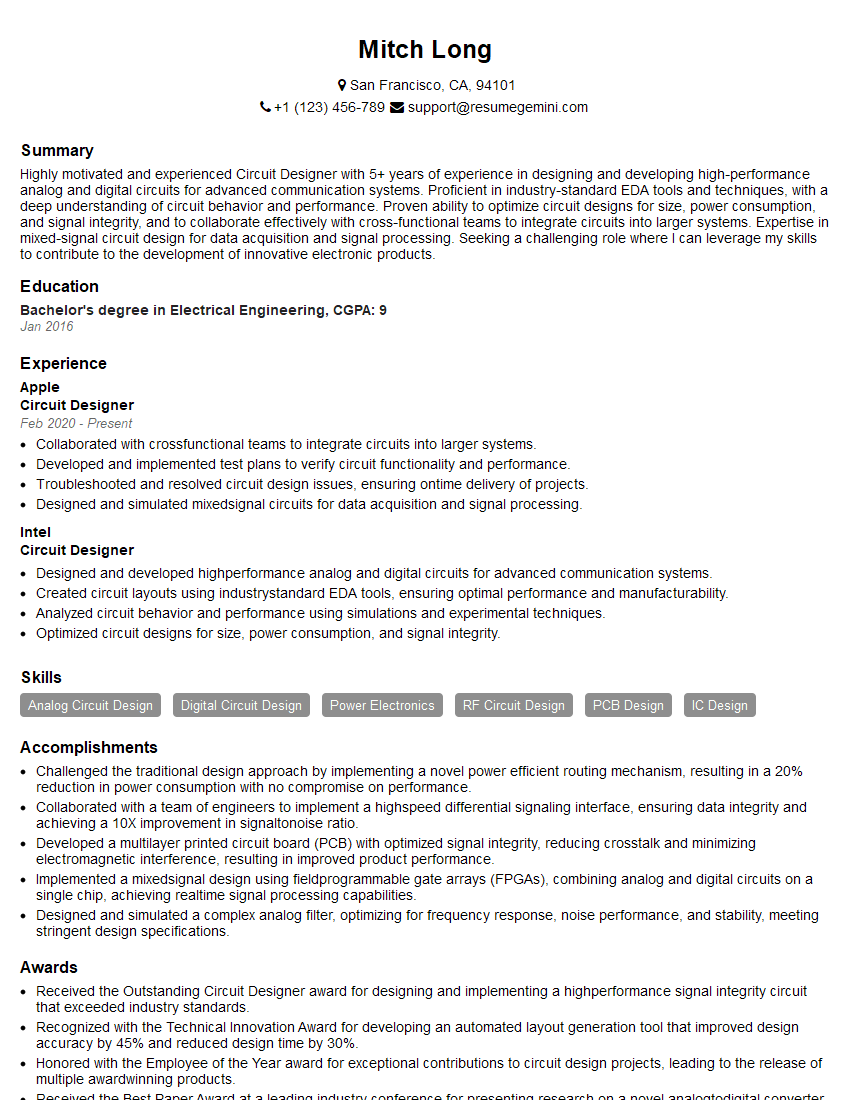
Mastering simulation tools like HSPICE and Cadence is crucial for a successful career in electronics design and verification. These skills are highly sought after, opening doors to challenging and rewarding roles. To maximize your job prospects, create a compelling and ATS-friendly resume that highlights your expertise. ResumeGemini is a trusted resource to help you build a professional resume that stands out. Take advantage of the examples of resumes tailored to Simulation (HSPICE, Cadence) expertise provided to refine your application materials and significantly increase your chances of landing your dream job.



Explore more articles
Users Rating of Our Blogs
Share Your Experience
We value your feedback! Please rate our content and share your thoughts (optional).
What Readers Say About Our Blog
Very informative content, great job.
good