Preparation is the key to success in any interview. In this post, we’ll explore crucial Software Development for Embedded Systems interview questions and equip you with strategies to craft impactful answers. Whether you’re a beginner or a pro, these tips will elevate your preparation.
Questions Asked in Software Development for Embedded Systems Interview
Q 1. Explain the difference between a hard real-time system and a soft real-time system.
The core difference between hard and soft real-time systems lies in how they handle deadlines. A hard real-time system requires tasks to be completed within strictly defined deadlines. Missing a deadline has catastrophic consequences, potentially leading to system failure or dangerous situations. Think of a flight control system – a delay in processing sensor data could lead to a crash. In contrast, a soft real-time system prioritizes timely task completion, but missing a deadline doesn’t cause immediate system failure. A missed deadline might result in degraded performance or a less optimal user experience, but not a complete system collapse. An example would be a video streaming app; a slightly delayed frame might affect viewing quality, but the system won’t crash.
Imagine two scenarios: a traffic light controller (hard real-time) and a media player (soft real-time). The traffic light must switch precisely on time to prevent accidents; the media player can handle brief audio or video glitches without catastrophic failure.
Q 2. What are the advantages and disadvantages of using an RTOS?
Real-Time Operating Systems (RTOS) offer significant advantages in embedded systems development, but they also have drawbacks.
- Advantages:
- Preemptive multitasking: RTOS allows multiple tasks to run concurrently, efficiently using the processor’s time. This is crucial for responsive systems needing to handle multiple events simultaneously.
- Deterministic behavior: The timing of tasks is predictable, essential for real-time applications requiring guaranteed response times.
- Modular design: Tasks are independent modules, simplifying development, testing, and maintenance.
- Resource management: RTOS provides robust mechanisms for memory management, inter-process communication (IPC), and device drivers.
- Disadvantages:
- Increased complexity: RTOS adds overhead and requires more sophisticated programming skills compared to bare-metal development.
- Higher memory footprint: The RTOS itself consumes memory, reducing the space available for application code and data.
- Real-time overhead: Context switching and task scheduling introduce a small but potentially significant delay, impacting performance in critical applications.
The choice of using an RTOS depends on the project’s specific requirements. For simple applications, the added complexity might not be justified. However, for complex real-time systems, the advantages of an RTOS outweigh its disadvantages.
Q 3. Describe your experience with different microcontrollers (e.g., ARM Cortex-M, AVR, MSP430).
My experience spans several microcontroller architectures. I’ve extensively used ARM Cortex-M microcontrollers, specifically the Cortex-M4F for applications demanding significant floating-point processing, such as sensor fusion and motor control. I appreciate its flexibility, extensive peripheral support, and rich ecosystem. I’ve also worked with AVR microcontrollers, known for their simplicity and low power consumption, making them suitable for battery-powered applications. My experience with MSP430 microcontrollers primarily involved low-power, energy-efficient applications where minimizing power draw was paramount. Each architecture has its strengths and weaknesses. Selecting the appropriate MCU depends on factors like processing power, memory requirements, power budget, and peripheral needs.
For example, in a project involving a wearable health monitor, the MSP430’s low-power capabilities were crucial for maximizing battery life. Conversely, in a robotics project requiring complex calculations, the ARM Cortex-M4F’s processing power and floating-point unit were essential for real-time control.
Q 4. Explain the concept of memory management in embedded systems.
Memory management in embedded systems is critical due to the limited resources available. Unlike desktop or server systems, embedded systems typically have much less memory (RAM and Flash). Effective memory management prevents errors like segmentation faults, buffer overflows, and memory leaks.
Key aspects include:
- Static Memory Allocation: Memory is allocated at compile time. Simple but limits flexibility.
- Dynamic Memory Allocation: Memory is allocated during runtime using functions like
malloc()andfree(). Offers flexibility but requires careful management to prevent leaks. - Memory Pools: Pre-allocate blocks of memory for specific purposes, improving efficiency and reducing fragmentation.
- Memory Mapping: Mapping peripherals or external memory into the processor’s address space for direct access.
- Heap Management: Strategies like first-fit, best-fit, or buddy systems determine how to allocate memory from the heap.
Effective strategies involve careful consideration of data structures, memory allocation techniques, and runtime checks to ensure efficient and safe memory usage. Ignoring memory management can lead to crashes and unpredictable behavior. Proper allocation and deallocation are paramount.
Q 5. How do you handle memory leaks in embedded C code?
Memory leaks in embedded C code occur when dynamically allocated memory is not properly deallocated using free(). This leads to a gradual depletion of available memory, eventually causing the system to crash or malfunction. Debugging memory leaks can be challenging in embedded systems because debugging tools might be limited.
Here’s a strategy for handling them:
- Careful Coding Practices: Always pair every
malloc()with afree(). Use a consistent approach to memory management. - Static Analysis Tools: Employ static code analyzers to identify potential memory leaks during the development process. These tools can flag functions that allocate but don’t free memory.
- Memory Debugging Tools: Use specialized memory debugging tools (if available for your platform) to track memory allocation and deallocation during runtime. These tools can pinpoint the location of the leak.
- Reference Counting: Maintain a count of how many pointers refer to a dynamically allocated block. When the count reaches zero, deallocate the memory.
- Memory Leak Detectors: Some RTOSes provide built-in memory leak detection capabilities.
A simple example illustrating a memory leak:
void myFunction() { int *ptr = (int *) malloc(sizeof(int)); /* ... use ptr ... */ } // ptr is never freed, causing a leakAlways ensure you free the allocated memory when it’s no longer needed to avoid this problem. Testing with various memory allocation patterns is also essential to detect subtle memory leaks.
Q 6. Describe your experience with different communication protocols (e.g., SPI, I2C, UART).
I have experience working with various communication protocols, each tailored to specific needs. SPI (Serial Peripheral Interface) is a full-duplex synchronous protocol, ideal for high-speed communication with peripherals like sensors and flash memory. Its simplicity and speed make it a popular choice. I2C (Inter-Integrated Circuit) is a multi-master, multi-slave serial communication protocol typically used for shorter distances and lower data rates. Its ability to address multiple devices on a single bus makes it convenient for applications like connecting multiple sensors. UART (Universal Asynchronous Receiver/Transmitter) is an asynchronous serial communication interface often employed for human-machine interfaces (HMIs), debugging, and communication with PCs or other devices. Its simplicity and wide support make it a versatile option.
For instance, in a project integrating multiple sensors, I used I2C because of its ability to handle multiple devices efficiently. In another project requiring high-speed data transfer from a sensor, SPI was the preferred choice due to its speed and simplicity. UART was used for debugging and logging information during development.
Selecting the right protocol depends on factors such as data rate requirements, distance, number of devices, power consumption, and complexity.
Q 7. Explain the importance of interrupt handling in real-time systems.
Interrupt handling is fundamental in real-time systems because it enables the system to respond promptly to external events without halting its primary operations. Interrupts are signals that temporarily suspend the normal program execution to handle urgent events, such as sensor readings, button presses, or network activity. Proper interrupt handling ensures timely responses to these events, preventing potential data loss or system malfunctions. Consider a system monitoring temperature. If an interrupt is not handled efficiently, the system may miss critical temperature changes which could result in disastrous consequences.
Key aspects of effective interrupt handling:
- Interrupt Service Routines (ISRs): Short, efficient functions that handle interrupts. They must be written to minimize execution time to avoid delaying other processes.
- Interrupt Prioritization: Assigning priorities to different interrupts to ensure that critical events are handled first.
- Interrupt Latency: The time between an interrupt occurring and the start of its service routine. Minimizing latency is crucial for real-time performance.
- Context Switching: The process of saving and restoring the processor’s state before and after an interrupt to seamlessly transition between tasks.
- Reentrancy: Ensuring that an ISR can be interrupted and called again without causing data corruption or undefined behavior.
Poor interrupt handling can lead to timing issues, data corruption, and system instability. Designing robust and efficient interrupt handling mechanisms is crucial for building reliable real-time systems.
Q 8. How do you debug embedded systems?
Debugging embedded systems is significantly different from debugging typical desktop applications because you lack the luxury of a full-fledged debugger with rich breakpoints and variable inspection capabilities. The process often involves a blend of hardware and software techniques.
Print Statements (printf debugging): This classic method involves strategically placing
printfstatements (or equivalents depending on the system) throughout your code to print variable values or status updates to a serial terminal or other output device. This provides a rudimentary way to track the flow of execution and identify problematic areas. For instance, if you suspect a sensor reading is incorrect, you would print the raw sensor value at various points in the processing chain. Remember to remove or comment out these statements in production code.Logic Analyzers and Oscilloscopes: These hardware tools are invaluable for examining signals directly on the hardware. A logic analyzer allows you to observe the state of multiple signals at a time, helping you identify timing issues or incorrect data transfers between components. An oscilloscope is used to analyze analog signals, assisting in troubleshooting analog circuits or sensor interactions. For example, you might use an oscilloscope to check for signal integrity issues in a communication bus or the output of an analog-to-digital converter (ADC).
JTAG Debuggers: JTAG (Joint Test Action Group) debuggers offer a more powerful approach. They provide in-circuit debugging capabilities, allowing you to step through code, inspect variables, and set breakpoints, even in the embedded system itself. These debuggers typically require a JTAG interface on the target hardware. Imagine you have a complex state machine controlling an embedded motor; a JTAG debugger lets you pause execution and analyze the internal states of the machine at various points.
Memory Inspection: If you encounter memory corruption or unexpected behavior, inspecting memory contents using the debugger or specialized memory analysis tools is crucial. This helps in pinpointing areas where memory is overwritten or accessed incorrectly.
Simulation: Simulating portions of the embedded system in a software environment can help in isolating and reproducing errors early in the development process. For instance, if you are dealing with complex real-time constraints, a simulator can allow you to test your code under specific conditions.
The specific debugging approach is strongly influenced by the hardware platform, available tools, and the nature of the bug itself. Often, it’s a combination of these methods that leads to a successful solution.
Q 9. What are your preferred methods for testing embedded systems?
Testing embedded systems needs to be thorough and cover various aspects, including functionality, performance, and robustness. My preferred methods include:
Unit Testing: Testing individual modules or functions in isolation. This ensures that each component works correctly before integration. I often use unit testing frameworks tailored to the embedded environment to achieve this. I’d use mocks to simulate dependencies when needed. For instance, when testing a function reading sensor data, I might mock the sensor readings to allow testing with known inputs.
Integration Testing: Testing the interaction between different modules once they are integrated. This helps in identifying integration issues that might not be apparent during unit testing. This might involve creating a simulated environment that incorporates different modules and tests their interaction.
System Testing: Testing the complete embedded system as a whole. This includes verifying the system meets functional requirements and performance goals. This usually involves testing on actual hardware.
Stress Testing: Pushing the system to its limits to identify performance bottlenecks or potential failures under heavy load. I might use custom tools or scripts to continuously feed data to the system or simulate high usage conditions.
Regression Testing: Retesting previously tested functionality after making changes to the code to ensure that existing features still work as expected. This is critical, especially during iterative development.
Automated testing is crucial for efficiency and thoroughness, particularly for regression testing. I also strive to have comprehensive test cases that cover a wide range of inputs and scenarios.
Q 10. Describe your experience with version control systems (e.g., Git).
I have extensive experience with Git, utilizing it daily in both personal and professional projects. My proficiency goes beyond basic branching and merging. I understand and employ advanced concepts like:
Branching Strategies: I use feature branches for managing new development, and I’m comfortable with various branching models like Gitflow. I know when to use feature, hotfix, release, and develop branches and how to manage them effectively.
Merging and Rebasing: I can efficiently merge and rebase branches to integrate code changes cleanly. I understand the differences and implications of each approach and choose the appropriate method based on the context.
Conflict Resolution: I am adept at resolving merge conflicts efficiently, understanding the importance of carefully examining and fixing conflicts before merging.
Code Reviews: I actively participate in code reviews, providing constructive feedback and improving code quality collectively. I leverage Git’s review and commenting features extensively.
GitHub/GitLab/Bitbucket: I am proficient in using various Git hosting platforms, leveraging their features for collaboration, issue tracking, and CI/CD integration.
For example, in a recent project involving a complex firmware update, I leveraged Git’s branching capabilities to manage concurrent development of multiple features while maintaining a stable main branch. This ensured a smooth and efficient update process without jeopardizing the existing functionality.
Q 11. Explain your understanding of different software development methodologies (e.g., Agile, Waterfall).
I’m familiar with both Agile and Waterfall methodologies, having worked on projects utilizing each approach. My understanding encompasses their strengths and limitations, and I adapt my approach based on the project’s size, complexity, and requirements.
Waterfall: A sequential approach where each phase (requirements, design, implementation, testing, deployment, maintenance) must be completed before the next begins. It’s suitable for projects with well-defined and stable requirements. However, it can be less adaptable to changing requirements.
Agile (Scrum, Kanban): An iterative and incremental approach emphasizing flexibility and collaboration. It works well for projects with evolving requirements. Scrum uses sprints, while Kanban focuses on visualizing workflow. Agile is advantageous when adaptability is essential, but it requires strong communication and collaboration within the team.
In practice, I often see hybrid approaches that combine elements of both Agile and Waterfall. For instance, we might use an Agile approach for the development of a critical feature while using a more structured Waterfall approach for the overall system architecture. The choice of methodology depends heavily on the specific needs of the project.
Q 12. How do you ensure the security of your embedded systems?
Security is paramount in embedded systems, especially when deployed in safety-critical applications or those connected to networks. Ensuring security involves a multi-layered approach:
Secure Boot: Implementing a secure boot process to verify the integrity of the system’s firmware before execution. This prevents unauthorized code from running.
Memory Protection: Using memory protection units (MPUs) to isolate different parts of the system, preventing unauthorized access or modification of critical data.
Secure Communication: Employing secure communication protocols (e.g., TLS/SSL) to protect data transmitted to and from the embedded system.
Input Validation: Thoroughly validating all inputs to prevent buffer overflows, injection attacks, and other vulnerabilities. This is fundamental to preventing exploitation.
Regular Security Audits and Updates: Conducting regular security audits to identify and address vulnerabilities, and releasing regular software updates to patch identified issues. This proactive approach is vital.
Secure Coding Practices: Adhering to secure coding guidelines to minimize vulnerabilities in the codebase.
For example, in a medical device project, a secure boot process would ensure that only authorized firmware is executed, mitigating the risk of malfunction or compromise.
Q 13. What is your experience with power management techniques in embedded systems?
Power management is crucial in embedded systems, especially battery-powered devices. My experience encompasses various techniques:
Clock Gating: Disabling clock signals to inactive modules or components to reduce power consumption.
Power-Down Modes: Utilizing low-power sleep modes or power-down modes when the system is idle or not actively processing data. This is particularly critical for battery life.
Voltage Scaling: Adjusting the operating voltage of components to reduce power dissipation. Lowering voltage reduces power consumption, but it may affect performance.
Power Budgeting: Carefully analyzing the power consumption of each component to identify areas for improvement. This usually involves careful hardware design and software optimization.
Software Power Optimization: Utilizing techniques such as code optimization, efficient data structures, and algorithms to reduce power consumption at the software level.
For instance, in a wearable device project, implementing efficient sleep modes and clock gating was essential in extending the device’s battery life to several days on a single charge.
Q 14. Explain your understanding of different types of memory (e.g., RAM, ROM, Flash).
Embedded systems utilize various types of memory with distinct characteristics:
RAM (Random Access Memory): Volatile memory; data is lost when power is removed. Used for storing actively running programs and data. Faster access speeds than other types of memory.
ROM (Read-Only Memory): Non-volatile memory; data is retained even when power is off. Used for storing firmware, bootloaders, and other permanent code. Typically slower than RAM.
Flash Memory: Non-volatile memory; data is retained when power is off. Can be written to and erased in blocks (unlike ROM, which is usually written once). Used for storing larger code blocks, configuration data, and user data. Offers a balance between speed, non-volatility, and the capability for updates.
EEPROM (Electrically Erasable Programmable Read-Only Memory): Non-volatile memory that can be erased and written to electrically, byte by byte. Used for storing configuration settings that may need infrequent modification.
Understanding the trade-offs between memory types, in terms of speed, capacity, and volatility, is crucial for efficient system design. For example, you might use Flash memory for storing the main application code and EEPROM to persistently store user settings.
Q 15. How do you handle concurrency issues in embedded systems?
Concurrency in embedded systems involves managing multiple tasks or threads that execute seemingly simultaneously. This is crucial in systems needing to handle various events or operations concurrently, like sensor readings, communication protocols, and control loops. Mismanaging concurrency leads to race conditions, deadlocks, and other unpredictable behavior.
I handle concurrency through several key techniques:
- RTOS (Real-Time Operating System): Using an RTOS like FreeRTOS or Zephyr is the most common approach. The RTOS provides mechanisms like task scheduling, mutexes, semaphores, and message queues to manage concurrent tasks efficiently. For instance, a sensor reading task might use a semaphore to signal when data is ready for a processing task.
- State Machines: For simpler systems without an RTOS, well-defined state machines can handle concurrency elegantly. Each state represents a specific task or mode of operation, and transitions between states are carefully controlled. This eliminates the need for complex synchronization primitives.
- Interrupt Handling: Interrupt Service Routines (ISRs) are used to handle time-critical events asynchronously. Careful design is crucial to ensure that ISRs are short, avoid blocking operations, and use appropriate synchronization mechanisms to interact with other tasks safely. Imagine an ISR triggered by a button press; it quickly sets a flag for the main task to handle the button press event later.
- Atomic Operations: Using atomic operations, which are guaranteed to be executed indivisibly, prevents race conditions in specific cases where only a small portion of code needs to be protected from concurrent access.
Choosing the right concurrency management technique depends heavily on the system’s complexity, resource constraints, and real-time requirements. Often, a combination of these approaches is employed.
Career Expert Tips:
- Ace those interviews! Prepare effectively by reviewing the Top 50 Most Common Interview Questions on ResumeGemini.
- Navigate your job search with confidence! Explore a wide range of Career Tips on ResumeGemini. Learn about common challenges and recommendations to overcome them.
- Craft the perfect resume! Master the Art of Resume Writing with ResumeGemini’s guide. Showcase your unique qualifications and achievements effectively.
- Don’t miss out on holiday savings! Build your dream resume with ResumeGemini’s ATS optimized templates.
Q 16. Describe your experience with different debugging tools (e.g., JTAG, debuggers).
Debugging embedded systems requires specialized tools due to their limited interfaces and real-time constraints. My experience includes extensive use of JTAG debuggers, alongside other tools.
- JTAG (Joint Test Action Group): JTAG is a standard interface that allows for in-circuit debugging and programming. I’ve used JTAG debuggers to set breakpoints, step through code, inspect variables, and analyze memory content in real-time. For example, I used a JTAG debugger to pinpoint a memory corruption issue in a complex driver for a motor control system.
- Integrated Development Environments (IDEs): IDEs like IAR Embedded Workbench, Keil MDK, and Segger Embedded Studio provide sophisticated debugging capabilities integrated with compilers and linkers. I leverage their features like real-time tracing, watchpoints, and profiling tools.
- Logic Analyzers: For complex hardware/software interactions, I use logic analyzers to capture and analyze digital signals. This has proven invaluable in understanding timing issues, bus protocols, and other hardware-related debugging scenarios.
- Oscilloscope & Multimeter: Beyond the digital tools, basic analog instruments are still essential. Using an oscilloscope to check signal integrity or a multimeter for voltage measurements is crucial in hardware troubleshooting.
The choice of debugging tool depends on the hardware architecture, complexity of the system, and the nature of the bug. Effective debugging frequently involves a combination of these techniques.
Q 17. What is your experience with embedded operating systems (e.g., FreeRTOS, Zephyr)?
I possess considerable experience with several embedded operating systems (RTOS), particularly FreeRTOS and Zephyr. These RTOSs provide essential services for managing concurrent tasks and system resources in resource-constrained environments.
- FreeRTOS: I’ve worked extensively with FreeRTOS in numerous projects, from simple control systems to more complex applications. Its lightweight nature and extensive documentation make it a popular choice. A notable project involved using FreeRTOS to manage multiple sensor data acquisition tasks and a communication protocol simultaneously on a low-power microcontroller.
- Zephyr: Zephyr offers a modern, modular architecture well-suited for IoT and other resource-constrained devices. Its support for various hardware platforms and its focus on security and real-time performance are key advantages. I used Zephyr in a project requiring secure communication over Bluetooth Low Energy (BLE) for a medical device.
My experience extends beyond just using the RTOS APIs. I understand the underlying concepts like task scheduling algorithms, interrupt handling, memory management, and inter-process communication within these systems. Choosing between FreeRTOS and Zephyr, or another RTOS, relies on the specifics of the project: real-time requirements, hardware support, security concerns, and community resources.
Q 18. How do you optimize code for performance in embedded systems?
Optimizing code for performance in embedded systems requires a multifaceted approach focusing on both algorithm efficiency and code generation. The limited resources of embedded systems—memory, processing power, and energy—demand careful attention to detail.
- Algorithm Optimization: Selecting efficient algorithms is crucial. For instance, using a faster sorting algorithm like quicksort instead of a slower one like bubble sort can significantly improve performance. This is often more impactful than micro-optimizations.
- Data Structures: Selecting appropriate data structures greatly impacts performance. Arrays offer fast access, while linked lists offer flexibility, but the choice should be tailored to the application’s specific needs.
- Compiler Optimizations: Modern compilers offer various optimization flags. Using flags like
-O2or-Os(size optimization) can significantly improve code efficiency. However, it’s important to understand the trade-offs; optimization levels sometimes increase code size. - Code Profiling: Profiling tools identify performance bottlenecks. They show which parts of the code consume the most CPU cycles or memory. Addressing these bottlenecks directly maximizes the return on optimization efforts.
- Memory Management: Minimizing memory usage is crucial. Techniques like static memory allocation when possible, careful use of pointers, and avoidance of unnecessary dynamic allocations can free up resources.
- Loop Unrolling and Inline Functions: These compiler-level optimizations can reduce function call overhead and improve instruction-level parallelism.
Optimization is an iterative process. Profiling, measuring, and then refining the code based on results is essential for maximizing performance without sacrificing readability and maintainability.
Q 19. Explain your understanding of different design patterns in embedded systems.
Design patterns offer reusable solutions to recurring design problems. Several patterns are particularly relevant in embedded systems.
- State Machine: This pattern handles complex control logic by organizing code into distinct states with transitions between them. It’s excellent for event-driven systems like those managing motor control or user interfaces.
- Singleton: This pattern ensures only one instance of a class exists, which is useful for managing shared resources like peripherals or sensors, preventing multiple access conflicts.
- Observer: This pattern facilitates communication between components, enabling one component to notify others about changes in its state. This is ideal for systems with numerous sensors or actuators. An example is a temperature sensor that updates the main application when a temperature threshold is crossed.
- Producer-Consumer: This pattern effectively handles asynchronous data transfer between components. One component produces data (e.g., sensor readings) while another consumes it (e.g., data processing). This helps improve concurrency and responsiveness. A queue could act as a buffer between the producer and consumer.
- Factory: This pattern creates objects without specifying their concrete classes, making it simpler to manage object creation and adapt to different hardware configurations.
Applying design patterns improves code modularity, maintainability, and reusability. However, the right pattern should be chosen based on the complexity and constraints of the embedded system.
Q 20. What is your experience with static and dynamic memory allocation?
Static and dynamic memory allocation are crucial aspects of embedded software development, and understanding their implications is essential.
- Static Memory Allocation: Memory is allocated at compile time. Variables declared globally or as static members have their memory reserved before the program runs. This is simple and efficient, with no runtime overhead. However, it can lead to wasted memory if the actual memory needs are not known beforehand. Example:
static int myStaticVar; - Dynamic Memory Allocation: Memory is allocated and deallocated at runtime using functions like
malloc()andfree(). This provides flexibility; the memory amount is decided during execution. However, it introduces runtime overhead and the risk of memory leaks if not managed correctly. It’s crucial to always free the allocated memory to avoid fragmentation and system instability. Example:int* myDynamicVar = (int*) malloc(sizeof(int));free(myDynamicVar);
The choice between static and dynamic allocation depends on the specific use case. Static allocation is preferred for variables with a known and fixed size, while dynamic allocation is used for data structures with varying sizes, like linked lists or dynamically sized buffers. In embedded systems with limited memory, careful management of both types is crucial for efficiency and stability.
Q 21. Explain your experience with low-power design techniques.
Low-power design is paramount in many embedded systems, particularly battery-powered devices. Several techniques can significantly reduce power consumption.
- Clock Gating: Disabling clock signals to inactive components reduces power dissipation significantly. Many microcontrollers offer built-in clock gating mechanisms.
- Power Modes: Microcontrollers typically offer various power modes (sleep, low-power, etc.). Entering low-power modes when the processor is idle can dramatically reduce current consumption. Wake-up mechanisms, like timers or interrupts, can be used to resume normal operation when needed.
- Peripheral Power Management: Similarly, disabling or powering down unused peripherals also reduces power consumption. Only activate peripherals when required.
- Software Optimization: Optimizing the software itself reduces the CPU time and consequently reduces power usage. Techniques mentioned earlier, such as algorithm optimization, help here.
- Hardware Selection: Choosing the right microcontroller with a low-power architecture is crucial. Consider microcontrollers specifically designed for low-power operation.
- Asynchronous Operations: Utilizing techniques such as interrupts and DMA (Direct Memory Access) can allow the CPU to enter low-power modes while peripherals continue functioning.
The most effective approach is often a combined strategy, applying several techniques in coordination. A proper understanding of power consumption characteristics of individual components and the software’s operation is critical for optimizing a low-power embedded system.
Q 22. How do you manage data integrity in embedded systems?
Data integrity in embedded systems is paramount because these systems often control critical functions where data corruption can have severe consequences. Think of a medical device – incorrect data could be life-threatening! We ensure data integrity through a multi-pronged approach.
- Redundancy and Error Detection: We use techniques like checksums (e.g., CRC32), parity bits, and cyclic redundancy checks to detect errors introduced during data transmission or storage. If a checksum doesn’t match the expected value, we know there’s a problem and can take corrective action, like re-transmitting data.
- Data Validation: Before using any data, we rigorously validate it against expected ranges and types. For example, if a sensor reading should always be between 0 and 100, we check if the value falls within this range. Values outside the range trigger an error.
- Flash Memory Management: In systems using flash memory, wear leveling techniques are crucial to prolong its lifespan and maintain data integrity. We employ algorithms that distribute write operations evenly across memory blocks to prevent premature wear and tear in specific areas.
- Secure Boot Process: This ensures only authorized software is loaded at startup, preventing malicious code from corrupting data or the system itself. We use digital signatures and cryptographic techniques to verify the authenticity of the firmware.
- Data Logging and Auditing: In many embedded systems, keeping a log of critical data changes is important for debugging and compliance purposes. A well-structured logging system can help pinpoint the source of data integrity problems.
For instance, in a project involving a motor controller, we used CRC32 checksums to verify the integrity of the control parameters received from the host system. This prevented faulty commands from causing motor damage.
Q 23. Describe your experience with different development environments (e.g., Keil, IAR, Eclipse).
I have extensive experience with several popular embedded systems development environments. Each has its strengths and weaknesses.
- Keil MDK: Known for its excellent support for ARM Cortex-M processors, Keil is a mature IDE with a user-friendly interface. Its debugger is particularly powerful, simplifying the debugging process. I’ve used it extensively for projects involving low-power microcontrollers.
- IAR Embedded Workbench: Similar to Keil, IAR offers robust support for various architectures. I found its code optimization capabilities to be quite effective, leading to smaller and faster code. I’ve used IAR for projects requiring high performance and code size efficiency.
- Eclipse with various plugins: Eclipse, being a powerful and flexible IDE, is often enhanced with plugins for embedded development (e.g., GNU ARM Eclipse). Its open-source nature and extensibility make it a versatile choice. I particularly appreciate the flexibility of using custom build systems and tools within Eclipse. I’ve utilized this setup for larger, more complex projects benefiting from its plugin ecosystem.
The choice of IDE often depends on project requirements and team preferences. For instance, if a project is based on a specific ARM chip, Keil might be the preferred choice due to its extensive library support for that particular architecture.
Q 24. What is your experience with unit testing and integration testing in embedded systems?
Unit and integration testing are critical for ensuring robust and reliable embedded systems. Without them, you’re essentially building on shaky ground.
- Unit Testing: We use unit tests to isolate individual software modules (functions or classes) and verify their functionality in isolation. Tools like Unity or CppUTest are frequently used for this purpose. A well-written unit test focuses on one specific aspect of a module, making debugging significantly easier.
- Integration Testing: Once unit tests pass, we move to integration testing. This involves testing the interactions between different modules to ensure they work together correctly. We often use a combination of techniques like stubs (simulated modules) and mocks (simulated dependencies) to isolate the integration points being tested.
Consider an example of a motor control system. A unit test might verify that a specific function accurately calculates the motor speed based on given input parameters. An integration test would then verify that this function integrates correctly with other modules responsible for sending commands to the motor driver and reading feedback from sensors.
We strive for high test coverage, aiming to test as many code paths as possible to minimize the chances of hidden bugs escaping to production. We also integrate automated testing into the build process, running tests after every code change to detect problems early.
Q 25. How do you approach troubleshooting complex hardware/software issues in embedded systems?
Troubleshooting complex hardware/software issues in embedded systems requires a systematic approach. It’s like being a detective!
- Reproduce the Problem: The first step is consistently reproducing the issue. This often involves detailed logging and potentially specialized test setups. If you can’t reliably reproduce the problem, fixing it becomes nearly impossible.
- Gather Data: Use debugging tools like JTAG debuggers, logic analyzers, and oscilloscopes to collect data about the system’s behavior. This data is crucial for identifying the root cause. For example, a logic analyzer might reveal timing issues or unexpected signal levels.
- Divide and Conquer: Isolate the problem to either hardware or software. A systematic process of elimination is key here. If the problem persists even with minimal software, it’s likely a hardware issue and vice-versa.
- Utilize Debugging Techniques: Use breakpoints, single stepping, and watchpoints in your debugger to track variables and the program’s flow. Print statements to the console (or a serial port) can also be valuable.
- Consult Documentation and Specifications: Thoroughly review the datasheets of components and the specifications of the system. Unexpected behavior might be due to an overlooked constraint or misunderstanding of component specifications.
- Leverage Simulation: When possible, simulate the system’s behavior in software. This allows testing different scenarios without affecting the physical hardware.
For instance, I once spent days debugging a seemingly random crash in a network communication stack. Through careful analysis of the network traffic captured by a logic analyzer, I discovered that the problem stemmed from a timing issue in the interrupt handling routine. Addressing this timing conflict solved the random crashes.
Q 26. Explain the concept of context switching and its implications in embedded systems.
Context switching is the process of saving the state of a currently running task and loading the state of a different task, allowing the system to switch between multiple tasks. In embedded systems, it’s crucial for multitasking, but comes with its own set of challenges.
Imagine a chef preparing multiple dishes. Context switching is like the chef pausing one dish (saving its state – the position of the knife, ingredients being used), moving to another dish, and then returning to the first one later, picking up where they left off.
- RTOS (Real-Time Operating Systems): RTOSes handle context switching efficiently. They manage tasks and their execution, including switching between them based on priorities and scheduling algorithms. This ensures that time-critical tasks are completed within their deadlines.
- Overhead: The process of saving and restoring the context of a task consumes resources (CPU cycles, memory). The more context switches, the greater the overhead. This is a key consideration in resource-constrained embedded systems.
- Interrupt Handling: Interrupts are a common source of context switching. When an interrupt occurs, the CPU suspends the currently executing task, handles the interrupt, and then resumes the original task. The efficiency of interrupt handling is essential for real-time performance.
- Implications: Improperly managed context switching can lead to timing issues, missed deadlines, or even system crashes. For instance, if a high-priority task is delayed due to excessive context switching overhead, it can lead to serious problems.
In a project controlling a robotic arm, we used a real-time operating system (RTOS) to manage tasks responsible for motor control, sensor readings, and user interface updates. Careful design of task priorities and context switching was crucial to ensure smooth and precise movement of the robotic arm.
Q 27. What are your experiences with different build systems (e.g., Make, CMake)?
Build systems automate the compilation, linking, and other steps required to build software. In embedded systems development, a robust build system is essential for managing the complexities of hardware-software interactions.
- Make: Make is a classic build system known for its simplicity and portability. It uses a Makefile to define dependencies between files and the commands needed to build them. It’s a very flexible and powerful tool for managing build processes but can become complex for larger projects.
- CMake: CMake is a more modern build system that generates Makefiles (or other build system files) based on a platform-independent configuration file (CMakeLists.txt). This allows you to write a single configuration file that can be used to build the project on different platforms (e.g., Linux, Windows, macOS) without significant modifications. CMake is better suited for larger and more complex projects.
For example, in a project using multiple microcontroller libraries and peripheral drivers, CMake’s ability to manage dependencies and platform-specific settings was crucial for streamlining the build process and ensuring consistency across development platforms.
The choice between Make and CMake often depends on project size and complexity. For smaller projects, Make might be sufficient. However, for larger projects, CMake offers a better way to manage complexity and build consistency.
Q 28. How do you ensure code quality in embedded systems development?
Ensuring high code quality in embedded systems is crucial due to the safety and reliability requirements. It’s not just about the code working; it’s about it working reliably and safely under pressure.
- Coding Standards: We adopt strict coding standards (e.g., MISRA C for automotive applications) to improve readability, maintainability, and reduce errors. These standards often dictate rules for variable naming, function lengths, and the use of specific language features.
- Code Reviews: Peer code reviews are an essential part of our process. Multiple developers review each other’s code to identify potential bugs, style violations, or areas for improvement. It’s like having a second pair of eyes on your work.
- Static Analysis Tools: Tools like Lint and Coverity can automatically analyze code for potential errors, vulnerabilities, and compliance violations. These tools help catch problems early, before they become major issues.
- Testing: Thorough unit, integration, and system testing, as discussed earlier, is vital for ensuring code quality. Test-driven development (TDD) can be particularly useful in preventing bugs from creeping in.
- Version Control: Using a version control system (e.g., Git) is essential for tracking changes, collaborating effectively, and reverting to earlier versions if necessary.
In a medical device project, adhering to MISRA C standards and performing rigorous static analysis were critical for ensuring the safety and reliability of the software. This helped us avoid potential issues that could have led to dangerous malfunctions.
Key Topics to Learn for Software Development for Embedded Systems Interview
- Real-Time Operating Systems (RTOS): Understanding concepts like scheduling algorithms (e.g., Round Robin, Priority-based), task synchronization (mutexes, semaphores), and interrupt handling is crucial. Practical application includes designing a system where multiple tasks need to run concurrently, like controlling motors and sensors in a robotics application.
- Embedded C Programming: Mastering pointers, memory management, bit manipulation, and working with hardware registers is essential. Practical application involves directly interacting with hardware peripherals, like configuring GPIO pins or reading data from an ADC.
- Hardware Architecture: Familiarity with microcontrollers (MCUs), microprocessors, memory types (RAM, ROM, Flash), and bus systems is vital. Understanding the underlying hardware helps optimize code for performance and resource consumption.
- Device Drivers: Developing and understanding device drivers allows interaction with specific hardware components. Practical application involves writing code that allows communication with sensors, actuators, displays, etc.
- Debugging and Testing: Mastering debugging techniques (using JTAG, debuggers, logic analyzers) and testing methodologies (unit testing, integration testing) is paramount. Effective debugging is essential for identifying and resolving issues in embedded systems.
- Low-Power Design: In many embedded systems, minimizing power consumption is a key design constraint. Understanding low-power design techniques is critical. Practical applications involve choosing suitable components, optimizing code for power efficiency, and implementing power management strategies.
- Software Design Patterns: Applying appropriate design patterns (e.g., state machines, observer pattern) improves code organization, reusability, and maintainability, especially in complex embedded systems.
Next Steps
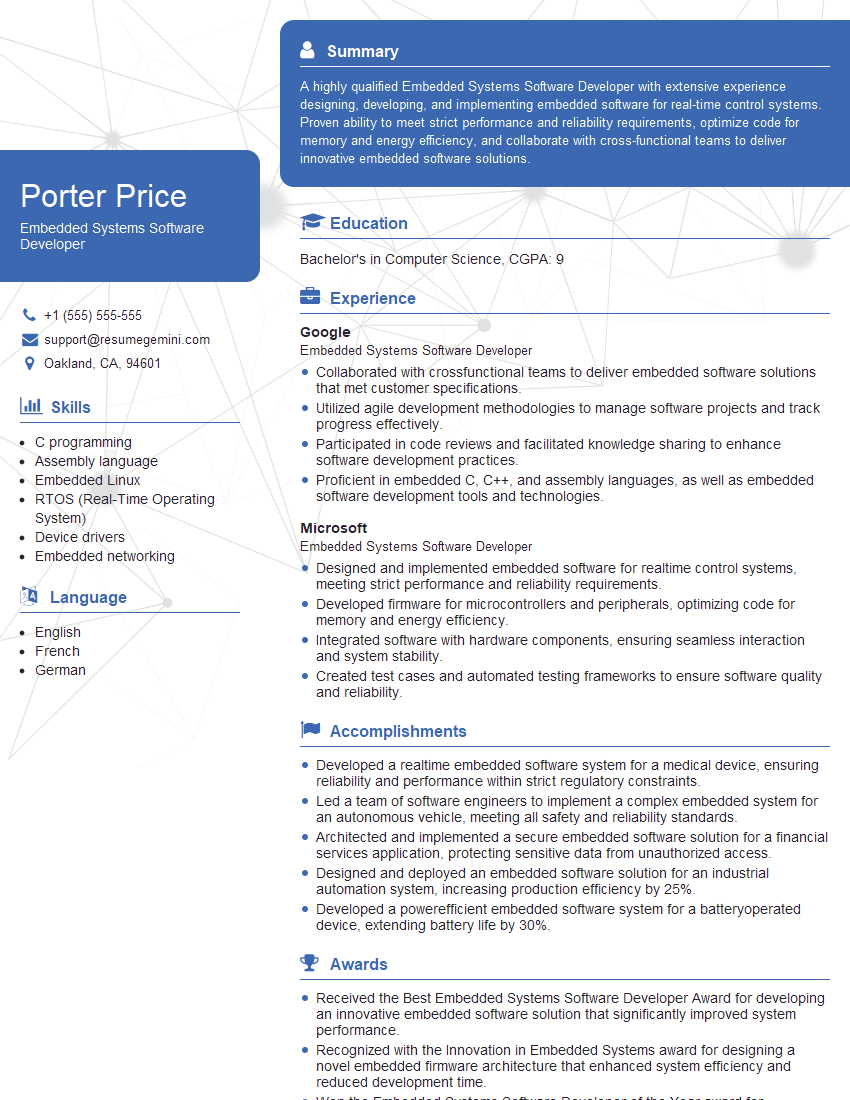
Mastering Software Development for Embedded Systems opens doors to exciting and challenging careers in various industries, from automotive and aerospace to consumer electronics and medical devices. Building a strong foundation in these key areas significantly enhances your job prospects. To maximize your chances, focus on creating an ATS-friendly resume that highlights your skills and experience effectively. ResumeGemini is a trusted resource that can help you build a professional and impactful resume tailored to your specific skills. Examples of resumes tailored to Software Development for Embedded Systems are available to help you get started. Invest in your resume—it’s your first impression to potential employers.


Explore more articles
Users Rating of Our Blogs
Share Your Experience
We value your feedback! Please rate our content and share your thoughts (optional).
What Readers Say About Our Blog
Hello,
we currently offer a complimentary backlink and URL indexing test for search engine optimization professionals.
You can get complimentary indexing credits to test how link discovery works in practice.
No credit card is required and there is no recurring fee.
You can find details here:
https://wikipedia-backlinks.com/indexing/
Regards
NICE RESPONSE TO Q & A
hi
The aim of this message is regarding an unclaimed deposit of a deceased nationale that bears the same name as you. You are not relate to him as there are millions of people answering the names across around the world. But i will use my position to influence the release of the deposit to you for our mutual benefit.
Respond for full details and how to claim the deposit. This is 100% risk free. Send hello to my email id: [email protected]
Luka Chachibaialuka
Hey interviewgemini.com, just wanted to follow up on my last email.
We just launched Call the Monster, an parenting app that lets you summon friendly ‘monsters’ kids actually listen to.
We’re also running a giveaway for everyone who downloads the app. Since it’s brand new, there aren’t many users yet, which means you’ve got a much better chance of winning some great prizes.
You can check it out here: https://bit.ly/callamonsterapp
Or follow us on Instagram: https://www.instagram.com/callamonsterapp
Thanks,
Ryan
CEO – Call the Monster App
Hey interviewgemini.com, I saw your website and love your approach.
I just want this to look like spam email, but want to share something important to you. We just launched Call the Monster, a parenting app that lets you summon friendly ‘monsters’ kids actually listen to.
Parents are loving it for calming chaos before bedtime. Thought you might want to try it: https://bit.ly/callamonsterapp or just follow our fun monster lore on Instagram: https://www.instagram.com/callamonsterapp
Thanks,
Ryan
CEO – Call A Monster APP
To the interviewgemini.com Owner.
Dear interviewgemini.com Webmaster!
Hi interviewgemini.com Webmaster!
Dear interviewgemini.com Webmaster!
excellent
Hello,
We found issues with your domain’s email setup that may be sending your messages to spam or blocking them completely. InboxShield Mini shows you how to fix it in minutes — no tech skills required.
Scan your domain now for details: https://inboxshield-mini.com/
— Adam @ InboxShield Mini
Reply STOP to unsubscribe
Hi, are you owner of interviewgemini.com? What if I told you I could help you find extra time in your schedule, reconnect with leads you didn’t even realize you missed, and bring in more “I want to work with you” conversations, without increasing your ad spend or hiring a full-time employee?
All with a flexible, budget-friendly service that could easily pay for itself. Sounds good?
Would it be nice to jump on a quick 10-minute call so I can show you exactly how we make this work?
Best,
Hapei
Marketing Director
Hey, I know you’re the owner of interviewgemini.com. I’ll be quick.
Fundraising for your business is tough and time-consuming. We make it easier by guaranteeing two private investor meetings each month, for six months. No demos, no pitch events – just direct introductions to active investors matched to your startup.
If youR17;re raising, this could help you build real momentum. Want me to send more info?
Hi, I represent an SEO company that specialises in getting you AI citations and higher rankings on Google. I’d like to offer you a 100% free SEO audit for your website. Would you be interested?
Hi, I represent an SEO company that specialises in getting you AI citations and higher rankings on Google. I’d like to offer you a 100% free SEO audit for your website. Would you be interested?
good