Feeling uncertain about what to expect in your upcoming interview? We’ve got you covered! This blog highlights the most important Software Testing Techniques interview questions and provides actionable advice to help you stand out as the ideal candidate. Let’s pave the way for your success.
Questions Asked in Software Testing Techniques Interview
Q 1. Explain the difference between Verification and Validation.
Verification and validation are two crucial processes in software testing that ensure the quality of a software product, but they address different aspects. Think of it like building a house: verification checks if you’re building the house *according to the blueprints*, while validation checks if the house you’ve built actually meets the *intended purpose* (e.g., provides comfortable living).
Verification is the process of evaluating software at each development stage to ensure it meets the specified requirements. It focuses on the process and asks, “Are we building the product right?” This involves activities like inspections, reviews, walkthroughs, and static analysis. For instance, verifying that the code adheres to coding standards or that the database schema matches the design document.
Validation, on the other hand, is the process of evaluating the software at the end of the development process to determine if it meets the user needs and requirements. It focuses on the product and asks, “Are we building the right product?” This is primarily achieved through dynamic testing methods, such as unit, integration, system, and user acceptance testing. For example, validating that the system accurately processes customer orders or that the user interface is intuitive and easy to navigate.
In essence, verification confirms that the product is developed correctly, while validation confirms that the correct product is being developed.
Q 2. Describe the various levels of software testing.
Software testing is typically organized into several levels, each focusing on a different aspect of the software. These levels are often hierarchical, building upon each other.
- Unit Testing: This is the lowest level of testing, focusing on individual components or modules of the software in isolation. It verifies that each unit functions correctly according to its specifications. Imagine testing a single function that calculates the area of a circle – this would be unit testing.
- Integration Testing: Once individual units are tested, integration testing combines them to verify that they work correctly together. This might involve testing the interaction between the circle area calculation function and a function that draws the circle on the screen.
- System Testing: This involves testing the entire system as a whole, including all its integrated components. It focuses on verifying that the system meets its requirements and functions as specified. For a drawing application, system testing might involve checking features like saving, loading, and printing.
- Acceptance Testing: This is the final level of testing, performed by the end-users or stakeholders to determine if the software meets their needs and expectations. It validates that the software is ready for deployment. This is where real users try out the drawing app to ensure its usability and functionality in a real-world scenario.
Q 3. What are the different types of software testing?
Software testing encompasses a wide range of types, each serving a specific purpose. Here are some key categories:
- Functional Testing: This verifies that the software functions according to its specified requirements. Examples include testing specific features (e.g., login functionality), business processes, and user stories.
- Non-functional Testing: This assesses aspects of the software that are not directly related to specific functions, but are critical for usability and performance. Examples include:
- Performance Testing: Evaluating response times, scalability, and resource usage under different load conditions.
- Security Testing: Identifying vulnerabilities and ensuring the software is protected against unauthorized access and attacks.
- Usability Testing: Assessing how easy and intuitive the software is to use for the intended users.
- Reliability Testing: Evaluating the software’s ability to perform consistently over time without failures.
- White Box Testing: This involves testing the internal structure and logic of the software, requiring knowledge of the code. It’s often used for unit testing.
- Black Box Testing: This focuses on testing the software’s functionality without knowledge of its internal workings. This is commonly used for integration, system, and acceptance testing.
Q 4. Explain the importance of test planning.
Test planning is essential for effective and efficient software testing. It’s the blueprint for your testing efforts, providing a roadmap for success. A well-defined test plan ensures that testing is:
- Scope Defined: Clearly outlines what will be tested and what will not be tested.
- Resource Allocation: Identifies the resources (personnel, tools, time) required for testing.
- Risk Mitigation: Addresses potential risks and issues that could impact testing.
- Schedule Defined: Establishes a realistic timeline for completing testing activities.
- Measurable Objectives: Sets specific, measurable, achievable, relevant, and time-bound (SMART) objectives for the testing process.
Without a proper test plan, testing can become haphazard, leading to missed defects, delays in release, and increased costs. Think of a construction project – building without a blueprint would be chaotic and prone to errors. Similarly, testing without a plan can be highly inefficient.
Q 5. How do you create a test case?
Creating a test case involves defining a specific set of actions and expected outcomes to verify a particular functionality. A well-structured test case typically includes the following elements:
- Test Case ID: A unique identifier for the test case.
- Test Case Name: A brief description of the functionality being tested.
- Objective: The purpose of the test case.
- Preconditions: Any conditions that must be met before the test can be executed (e.g., specific data setup).
- Test Steps: A step-by-step guide on how to execute the test.
- Expected Result: The anticipated outcome of the test.
- Actual Result: The actual outcome of the test, recorded after execution.
- Pass/Fail: An indication of whether the test passed or failed.
- Remarks: Any additional comments or observations.
Example: Let’s say we’re testing a login functionality. A test case might look like this:
Test Case ID: TC_Login_001
Test Case Name: Verify Successful Login
Test Steps:
- Navigate to the login page.
- Enter valid username: “testuser”
- Enter valid password: “password123”
- Click the “Login” button.
Expected Result: User is successfully logged in and redirected to the home page.
Q 6. What is test case design techniques?
Test case design techniques are systematic approaches to creating effective test cases that maximize test coverage and identify defects efficiently. Different techniques cater to various aspects of software testing. Some common techniques include:
- Equivalence Partitioning: Dividing input data into groups (partitions) that are expected to be treated similarly by the software. Testing one representative value from each partition can improve efficiency.
- Boundary Value Analysis: Focusing on the boundaries of input values. This technique identifies potential defects that occur at the edges of input ranges.
- Decision Table Testing: Creating a table that outlines all possible combinations of input conditions and their corresponding outputs. This is useful for testing complex logic with multiple conditions.
- State Transition Testing: Modeling the different states of the software and the transitions between them. This approach helps in identifying defects related to state changes.
- Use Case Testing: Designing test cases based on typical user scenarios or use cases. This ensures that the software meets user needs and expectations.
The choice of technique depends on the specific software being tested and the type of defects being targeted. Often, a combination of techniques is employed for comprehensive testing.
Q 7. Describe your experience with test automation frameworks.
Throughout my career, I’ve had extensive experience with various test automation frameworks, including Selenium, Appium, and Cypress. My experience encompasses not just using these frameworks but also designing and implementing robust automation strategies within them.
For example, in a recent project involving a web application, I utilized Selenium WebDriver to create a comprehensive suite of automated tests covering various aspects of the application’s functionality. I structured the tests using a page object model (POM) to promote code maintainability and reusability. This approach involved creating separate classes for each page of the application, encapsulating the page’s elements and actions. This significantly improved the organization and readability of my automation code, making it easier to maintain and update as the application evolved.
Furthermore, I’ve integrated these automated tests into our continuous integration/continuous delivery (CI/CD) pipeline, enabling automated test execution with each code commit. This provided immediate feedback on the impact of code changes, enabling faster detection and resolution of defects. My experience also extends to using reporting tools like ExtentReports to provide comprehensive and visually appealing reports of test results, facilitating efficient defect tracking and analysis.
I’m proficient in choosing the right framework based on the application’s technology stack and testing requirements. For mobile applications, Appium has been my go-to framework, while Cypress has proven highly effective for front-end testing.
Q 8. What is the difference between black box and white box testing?
Black box testing and white box testing are two fundamental approaches in software testing, differing primarily in their knowledge of the internal workings of the software being tested. Think of it like this: black box testing is like testing a vending machine – you interact with it from the outside, but you don’t know the mechanics inside. White box testing, on the other hand, is like having the schematics of the vending machine; you know exactly how it’s built and can test its internal components directly.
- Black Box Testing: This method focuses solely on the functionality of the software. Testers provide inputs and verify outputs without considering the internal code structure. Techniques include equivalence partitioning, boundary value analysis, and decision table testing. It’s excellent for finding inconsistencies between expected and actual behavior.
- White Box Testing: This approach requires knowledge of the source code and internal structure. Testers can analyze code paths, control flow, and data structures to identify potential bugs. Techniques include statement coverage, branch coverage, and path coverage. It’s powerful for ensuring code quality and identifying vulnerabilities that black box testing might miss.
Example: Imagine testing a login form. Black box testing would focus on providing valid and invalid usernames and passwords and checking if the system behaves as expected (e.g., successful login with valid credentials, appropriate error messages with invalid credentials). White box testing would involve examining the code that handles password encryption, input validation, and database interactions to identify potential vulnerabilities like SQL injection or weak password handling.
Q 9. Explain your experience with Agile methodologies in testing.
My experience with Agile methodologies in testing is extensive. I’ve worked on several projects employing Scrum and Kanban, where testing is integrated throughout the development lifecycle rather than being a separate phase at the end. This iterative approach allows for early detection of bugs and facilitates faster feedback loops.
In a Scrum project, I’ve participated in sprint planning, daily stand-ups, sprint reviews, and retrospectives. As part of the sprint planning, I collaborate with developers to create comprehensive test plans and define acceptance criteria for user stories. During the sprint, I perform continuous testing, ensuring that the code developed meets the defined quality standards and promptly reporting any defects discovered. Sprint reviews provide the opportunity to demonstrate the tested functionality to the stakeholders and gather feedback. Retrospectives are crucial for identifying areas for improvement in the testing process.
In Kanban, the focus is on continuous flow, and testing is integrated seamlessly into the workflow. I use techniques like test-driven development (TDD) where tests are written before the code, ensuring that the code meets the defined requirements and that the functionality works as intended. This approach reduces the risk of errors and increases the overall quality of the software. Constant communication and collaboration with the development team is essential in both Scrum and Kanban.
Q 10. How do you handle defects/bugs?
My approach to handling defects or bugs involves a systematic process ensuring thorough documentation and effective communication. The process generally involves these steps:
- Reproduce the bug: I meticulously try to reproduce the bug consistently using the same steps reported by the user or as identified during testing. Detailed steps are essential.
- Isolate the bug: I determine the root cause of the problem by analyzing log files, examining the code (if possible), and reviewing test results. This often involves collaboration with the development team.
- Report the bug: I create a detailed bug report, including steps to reproduce, expected behavior, actual behavior, severity level, and screenshots or screen recordings where appropriate. I use a bug tracking system (like Jira or Bugzilla) to submit the report and assign it to the relevant developer.
- Verify the fix: Once the developer has fixed the bug, I retest the affected areas to verify that the bug has been successfully resolved and that no new bugs have been introduced (regression testing).
- Close the bug report: Once verification is complete, I close the bug report in the bug tracking system.
Throughout this entire process, clear and concise communication with the development team is crucial for efficient bug resolution.
Q 11. What is regression testing and why is it important?
Regression testing is the process of retesting software after making changes to ensure that new code hasn’t introduced unintended side effects or broken existing functionality. Imagine building with Lego bricks; if you add a new section, you need to make sure that the existing structure remains stable and doesn’t collapse.
Importance: Regression testing is crucial for maintaining software quality. As software evolves through updates and new features, the risk of introducing bugs increases. Regression testing helps mitigate this risk by verifying that existing functionalities continue to work as expected after each modification. Without regression testing, seemingly minor changes can lead to cascading failures and severe problems in production environments.
Techniques: There are several techniques to perform regression testing, including rerunning the entire test suite, prioritizing test cases based on risk, and using test automation tools. Automation is especially important for large software projects, as it significantly reduces testing time and effort.
Q 12. What are some common software testing metrics?
Several common software testing metrics help assess the quality and effectiveness of the testing process. Some key metrics include:
- Defect Density: The number of defects found per lines of code or per module. A lower defect density indicates better code quality.
- Defect Severity: A classification of defects based on their impact on the software. Critical, major, minor, and trivial are common categories.
- Test Coverage: The percentage of code or requirements covered by test cases. High coverage indicates more comprehensive testing.
- Test Execution Time: The time taken to execute a test suite. This metric helps to track testing efficiency.
- Defect Leakage: The number of defects that escape into production. A low leakage rate is a sign of effective testing.
- Test Case Pass/Fail Ratio: The ratio of passed test cases to failed test cases. A higher ratio indicates better software quality.
These metrics provide valuable insights into the testing process and help identify areas for improvement.
Q 13. Explain your experience with performance testing tools.
I have extensive experience using various performance testing tools, including JMeter, LoadRunner, and Gatling. My experience spans from setting up test environments and scripting test scenarios to analyzing performance results and identifying bottlenecks.
JMeter: I’ve used JMeter extensively for load testing web applications, simulating thousands of concurrent users to assess the application’s performance under stress. I’m proficient in creating test plans, defining user behavior, and configuring various listeners to monitor key performance indicators (KPIs) like response time, throughput, and error rate.
LoadRunner: My experience with LoadRunner includes creating realistic load simulations for complex enterprise applications. I’m comfortable using its scripting capabilities to model various user interactions and analyzing performance data to pinpoint performance bottlenecks.
Gatling: I’ve utilized Gatling for its Scala-based scripting and its ability to generate detailed reports. Its focus on high performance and scalability makes it suitable for large-scale load testing.
The choice of tool often depends on the specific requirements of the project, including the application type, budget, and desired level of detail in the performance analysis.
Q 14. How do you prioritize test cases?
Prioritizing test cases is essential for efficient and effective testing, especially when dealing with limited time and resources. My approach typically combines risk-based prioritization with business value considerations.
Risk-based prioritization: I consider the potential impact of a failure on the business and the likelihood of a failure. Test cases covering critical functionalities with high failure probability are prioritized higher. For example, a test case for a core payment processing feature would have higher priority than a test for a minor cosmetic UI element.
Business value: I align test case priorities with the business objectives. Functionalities deemed crucial for business success and customer satisfaction receive higher priority in testing. For example, in an e-commerce site, the checkout process would have a higher priority than the product recommendations.
Techniques: I use various techniques for prioritization such as using a risk matrix, employing MoSCoW method (Must have, Should have, Could have, Won’t have), and incorporating stakeholder feedback. Using a combination of these strategies enables comprehensive testing coverage with a focus on delivering highest business value.
Q 15. What is risk-based testing?
Risk-based testing is a strategic approach to software testing where we prioritize testing efforts based on the potential impact and likelihood of risks. Instead of testing everything equally, we focus on the areas most likely to cause significant problems if they fail. Think of it like this: if you’re building a house, you’d spend more time inspecting the foundation (high impact, high likelihood of failure) than the paint color (low impact, low likelihood of failure).
It involves identifying potential risks throughout the software development lifecycle (SDLC), analyzing their likelihood and impact, and then developing test cases to mitigate those risks. This risk assessment often involves collaboration between testers, developers, and stakeholders. The result is a more efficient testing process, focusing resources on the areas that matter most. A common technique is to use a risk matrix, which visually represents the likelihood and severity of each risk, allowing prioritization.
Example: In an e-commerce application, processing payments correctly is a high-impact, high-likelihood risk. Therefore, we’d dedicate significant testing resources to ensure the payment gateway functions flawlessly. Conversely, testing the color of a ‘Add to Cart’ button would be lower priority.
Career Expert Tips:
- Ace those interviews! Prepare effectively by reviewing the Top 50 Most Common Interview Questions on ResumeGemini.
- Navigate your job search with confidence! Explore a wide range of Career Tips on ResumeGemini. Learn about common challenges and recommendations to overcome them.
- Craft the perfect resume! Master the Art of Resume Writing with ResumeGemini’s guide. Showcase your unique qualifications and achievements effectively.
- Don’t miss out on holiday savings! Build your dream resume with ResumeGemini’s ATS optimized templates.
Q 16. Describe your experience with security testing.
My security testing experience spans several areas, including penetration testing, vulnerability scanning, and security code reviews. I’m proficient in using tools like OWASP ZAP and Burp Suite to identify vulnerabilities in web applications. I have experience with various testing methodologies, including black-box, grey-box, and white-box testing approaches within security contexts. I’m familiar with common vulnerabilities like SQL injection, cross-site scripting (XSS), and cross-site request forgery (CSRF). In my previous role, I played a key role in identifying a critical SQL injection vulnerability just before the release of a major update, preventing a potential data breach. This involved working closely with the development team to implement effective remediation strategies. Beyond automated tools, I understand the importance of manual testing to assess the effectiveness of security controls and identify vulnerabilities that automated tools might miss.
My experience also includes reviewing security aspects of the architecture and design early in the development lifecycle, helping to ‘build security in’ rather than just ‘test it in’.
Q 17. What is the difference between unit, integration, and system testing?
These three testing levels focus on different aspects of the software and are performed at different stages of development.
- Unit Testing: This is the lowest level of testing, focusing on individual components (units) of the software, typically individual functions or classes. The goal is to verify that each unit performs its intended function correctly. Unit tests are usually written by developers and are often automated. Example: Testing a single function that calculates the total price of items in a shopping cart.
- Integration Testing: This level tests the interaction between different units or modules after they’ve been unit tested. It aims to verify that these units work together as expected. Integration tests can be done using various strategies like top-down, bottom-up, or big-bang approaches. Example: Testing the interaction between the shopping cart module and the payment gateway module.
- System Testing: This is the highest level of testing, encompassing the entire system as a whole. It verifies that the system meets all specified requirements and functions correctly as an integrated unit. System testing involves testing the entire system’s functionality, performance, security, and usability. Example: Testing the entire e-commerce website to ensure all functionalities like browsing, adding to cart, payment, and order tracking work correctly together.
Think of it like building with Lego blocks: unit testing tests individual blocks, integration testing tests how the blocks connect, and system testing tests the completed structure.
Q 18. How do you handle conflicting priorities in testing?
Conflicting priorities are a common challenge in testing. My approach involves a combination of prioritization, communication, and negotiation. First, I understand the different priorities by carefully documenting all requirements, deadlines, and risks. Then, I prioritize based on risk. High-risk features get tested first, even if they have later deadlines. I often use a risk matrix to visualize and communicate these priorities. I clearly communicate all constraints and potential impacts to stakeholders, explaining the trade-offs involved in prioritizing one task over another. This often involves suggesting alternative solutions, such as reducing the scope of less critical features, or securing additional resources to meet all deadlines. Through open communication and collaboration, I ensure that we make informed decisions about how to best allocate testing resources.
For instance, if a high-priority feature has a tight deadline that conflicts with comprehensive testing of lower-priority features, I’ll communicate this clearly and suggest prioritizing critical test cases for the high-priority feature while using techniques like risk-based testing to focus on the most critical aspects of lower-priority ones.
Q 19. Explain your approach to test data management.
My approach to test data management involves a structured process that ensures we have the right data, at the right time, in the right format, without compromising security or privacy. This includes several key aspects:
- Data identification and categorization: We first identify what types of data are needed for testing and categorize them based on their sensitivity and usage. This informs our approach to creating, managing, and securing the data.
- Data creation and generation: Depending on the context, we may use manual methods, automated scripts, or specialized tools to create test data. This often includes data masking or anonymization techniques to protect sensitive information.
- Data storage and management: Data is stored securely, either in dedicated test databases or using virtualization techniques. We have processes for data version control, backups, and recovery.
- Data cleansing and maintenance: Regular data cleansing ensures data integrity and consistency. We have defined processes to identify and handle outdated or corrupted data.
- Data security and privacy: We adhere to strict security and privacy policies, especially when dealing with sensitive personal data. This includes data encryption, access controls, and regular security audits.
In a recent project, we utilized a test data management tool that allowed us to generate synthetic test data based on specific parameters, ensuring data privacy while achieving the necessary coverage.
Q 20. What is your experience with different testing methodologies (e.g., Waterfall, Agile)?
I have significant experience working within both Waterfall and Agile methodologies. In Waterfall, testing typically occurs in a later phase, often with a dedicated testing phase. The approach is more structured and well-defined upfront, but less adaptable to changing requirements. However, a clear and comprehensive test plan ensures thorough coverage. In Agile, testing is integrated throughout the entire SDLC, with continuous testing and feedback loops. This allows for quicker adaptation to changes and faster iterations, but demands greater collaboration and flexibility from the testing team.
My experience includes using various Agile testing techniques like Test-Driven Development (TDD) and Behavior-Driven Development (BDD). I am comfortable working in Scrum and Kanban environments and have contributed to developing testing strategies aligned with the chosen Agile framework. Regardless of the methodology, my focus is always on ensuring the quality of the software.
Q 21. How do you ensure test coverage?
Ensuring test coverage involves measuring how much of the software’s functionality has been tested. It’s about more than just running tests; it’s about strategically designing tests to cover various aspects of the application. There are multiple ways to measure test coverage:
- Requirement Coverage: Verifying that test cases have been developed for all requirements, ensuring that every functionality specified has been tested.
- Code Coverage: Measuring the percentage of code that has been executed during testing. Tools can track statement, branch, and path coverage.
- Decision Coverage: Ensuring each decision point in the code (like if-else statements) has been tested for both true and false outcomes.
- Data-Flow Coverage: Covering the paths a piece of data follows within the code.
Achieving high test coverage doesn’t guarantee bug-free software, but it significantly reduces the risk of undiscovered defects. A comprehensive test strategy, combined with appropriate test cases and coverage analysis tools, allows a systematic approach to ensure thorough testing. Furthermore, reviewing test cases regularly and adapting them to changes in the code is crucial for maintaining good coverage throughout the software’s lifecycle.
Q 22. Describe a challenging testing situation you faced and how you overcame it.
One of the most challenging testing situations I faced involved a legacy system with limited documentation and a tight deadline. The application, responsible for processing high-volume financial transactions, was exhibiting intermittent errors. The initial investigation revealed a complex interplay between several modules, making pinpointing the root cause difficult. My approach involved a multi-pronged strategy:
- Prioritization: I started by focusing on the most critical functionalities impacting the highest volume of transactions, prioritizing test cases based on risk assessment.
- Collaboration: I collaborated closely with the development team, using pair programming and code walkthroughs to understand the application’s architecture and logic. This helped significantly in understanding the codebase’s intricacies.
- Log Analysis: Deep diving into application logs revealed patterns associated with the errors. I used log analysis tools to identify trends and correlate errors with specific user actions and system conditions.
- Test Data Management: I created comprehensive test data sets that replicated real-world scenarios, which significantly aided in reproducing the errors. This approach helped isolate the issues quicker and more effectively.
- Root Cause Analysis: Through careful analysis of the logs, data, and code, we identified a concurrency issue in the database interaction layer. The issue stemmed from a lack of proper synchronization mechanisms.
Ultimately, by combining meticulous investigation, collaborative problem-solving, and a systematic approach, we successfully identified and resolved the root cause. This experience underscored the importance of thorough planning, proactive communication, and a deep understanding of the system’s architecture when dealing with complex testing situations.
Q 23. What is your experience with API testing?
I have extensive experience in API testing, utilizing various tools and techniques. My experience spans various API types, including RESTful, SOAP, and GraphQL. I’m proficient in using tools like Postman and REST-assured for testing API functionalities.
My approach to API testing typically involves:
- Defining Test Cases: Based on the API specifications (Swagger, OpenAPI), I design comprehensive test cases covering various scenarios, including positive and negative tests, boundary conditions, and error handling.
- Automation: I leverage automation frameworks to execute API tests efficiently and repeatedly. This includes scripting tests to send requests, validate responses, and assert expected outcomes.
- Data-Driven Testing: Using tools and techniques, I implement data-driven testing to cover a wider range of input values and scenarios.
- Performance Testing: I employ tools to evaluate the performance of APIs under different load conditions, identifying potential bottlenecks.
- Security Testing: I perform security tests to identify vulnerabilities such as SQL injection, cross-site scripting (XSS), and unauthorized access.
For example, in a recent project, I used REST-assured in Java to automate the testing of a RESTful API. A simple example using REST-assured would be:
import io.restassured.RestAssured;
import io.restassured.response.Response;
import org.junit.Test;
import static io.restassured.RestAssured.*;
import static org.hamcrest.Matchers.*;

public class ApiTest {
    @Test
    public void testGetUser() {
        given()
                .when()
                .get("/users/1")
                .then()
                .statusCode(200)
                .body("id", equalTo(1));
    }
}
This code snippet demonstrates a simple GET request to retrieve a user with ID 1, verifying the status code and the ID in the response.
Q 24. Explain your understanding of test automation best practices.
Test automation best practices are crucial for creating maintainable, reliable, and efficient automated tests. Key aspects include:
- Modular Design: Breaking down tests into smaller, independent modules improves readability, maintainability, and reusability. Think of it like building with LEGO bricks—smaller, interchangeable pieces are easier to manage than one massive structure.
- Data-Driven Testing: Separating test logic from test data allows for easy modification and expansion of test cases without altering the core test script. This reduces redundancy and improves efficiency.
- Version Control: Using a version control system like Git to track changes in test scripts and data ensures collaboration and facilitates rollback if necessary. It’s like having a backup of your work, protecting against accidental loss or conflicts.
- Continuous Integration: Integrating automated tests into the CI/CD pipeline ensures early detection of defects and provides feedback during the development process.
- Robust Error Handling: Implementing mechanisms for handling exceptions and errors gracefully ensures test stability and prevents unexpected failures. Think of it as adding safety nets to your tests.
- Maintainability: Writing clean, well-documented code, using consistent naming conventions, and adhering to coding standards ensures long-term usability and maintainability of test scripts.
- Reporting and Analytics: Utilizing reporting mechanisms to track test execution, identify failures, and analyze test results provides valuable insights into the quality of the software.
Ignoring these best practices can lead to brittle tests that are difficult to maintain, leading to increased costs and reduced effectiveness of the testing process.
Q 25. What are your preferred scripting languages for automation?
My preferred scripting languages for automation are Java and Python.
Java: I find Java particularly well-suited for larger, more complex automation projects due to its robustness, extensive libraries (like Selenium and TestNG), and strong object-oriented programming capabilities. Java’s maturity and widespread adoption ensure community support and readily available resources.
Python: Python is excellent for rapid prototyping and scripting due to its concise syntax and readability. It’s easier to learn than Java and has powerful libraries like pytest and requests for testing purposes. Python’s versatility extends to other aspects of the development pipeline, making it a valuable asset.
The choice between Java and Python often depends on project-specific requirements and team expertise. For smaller projects or situations needing faster development, Python might be preferred. For large, complex applications needing maintainability and scalability, Java may be a better fit.
Q 26. How do you stay updated with the latest testing trends and technologies?
Staying current with testing trends and technologies is paramount in this ever-evolving field. I employ several strategies:
- Online Resources: I regularly follow industry blogs, websites (such as InfoQ, DZone), and online communities (such as Stack Overflow) dedicated to software testing.
- Conferences and Webinars: Attending industry conferences and webinars allows for direct engagement with experts and learning about the latest advancements through presentations and workshops.
- Certifications: Pursuing relevant certifications, such as ISTQB, keeps my knowledge aligned with industry best practices and provides a formal framework for continuous learning.
- Professional Networks: Actively participating in professional networks like LinkedIn and engaging with other testers provides valuable insights and opportunities for knowledge sharing.
- Open-Source Projects: Contributing to or examining open-source projects provides valuable practical experience in different testing methodologies and technologies.
- Experimentation: I continuously experiment with new tools and techniques, trying them out on personal projects to stay hands-on with the latest advancements. This hands-on approach reinforces learning and highlights practical applications.
This multi-faceted approach ensures I am not just passively absorbing information but actively engaging with the community and applying new knowledge to real-world scenarios.
Q 27. Describe your experience with database testing.
Database testing is critical for ensuring data integrity and the overall reliability of an application. My experience includes testing various database systems, including relational databases (like MySQL, PostgreSQL, and SQL Server) and NoSQL databases (like MongoDB).
My approach to database testing generally involves:
- Data Validation: Verifying that data is correctly inserted, updated, deleted, and retrieved from the database. This includes checks for data types, constraints, and referential integrity.
- Data Integrity: Ensuring that data remains accurate, consistent, and reliable throughout the application lifecycle. This includes checks for duplicates, inconsistencies, and missing data.
- Performance Testing: Evaluating the performance of database queries and transactions under different load conditions to identify bottlenecks.
- Security Testing: Identifying vulnerabilities in database security, such as SQL injection, unauthorized access, and data breaches.
- Backup and Recovery Testing: Verifying that data can be backed up and restored effectively in case of failures.
I typically utilize SQL queries and specialized database testing tools to perform these tests. For example, I might use SQL queries to validate data against expected values or use a database administration tool to monitor performance metrics.
Q 28. Explain the concept of Continuous Integration/Continuous Delivery (CI/CD) in the context of testing.
Continuous Integration/Continuous Delivery (CI/CD) is a software development practice that automates the process of building, testing, and deploying software. In the context of testing, CI/CD significantly improves the efficiency and effectiveness of the testing process.
Here’s how CI/CD impacts testing:
- Automated Testing: Automated tests are integrated into the CI/CD pipeline, executed automatically upon every code commit. This ensures early detection of defects and provides rapid feedback to developers.
- Faster Feedback Loops: The automated nature of CI/CD provides quick feedback on the quality of the software, enabling developers to address issues promptly and reducing the time spent on debugging.
- Increased Test Coverage: Because of the ease of running tests, it becomes easier to expand the test coverage, leading to more comprehensive testing.
- Reduced Risk: Frequent integration and testing reduce the risk of integration issues and significantly lower the chances of major problems arising later in the development lifecycle.
- Improved Collaboration: CI/CD facilitates better collaboration between developers and testers, promoting a culture of shared responsibility for quality.
Imagine a scenario where a developer makes a change. In a traditional workflow, testing might only happen much later. With CI/CD, the tests run immediately, flagging any issues early, preventing them from compounding.
Key Topics to Learn for Software Testing Techniques Interview
- Test Planning & Strategy: Understanding how to design effective test plans, including scope definition, resource allocation, and risk assessment. Practical application: Creating a test plan for a specific software feature, considering different testing levels.
- Test Design Techniques: Mastering various techniques like equivalence partitioning, boundary value analysis, decision table testing, and state transition testing. Practical application: Applying these techniques to design test cases for a login functionality, ensuring comprehensive coverage.
- Black Box Testing: Focusing on functional testing methods without knowledge of the internal code. Practical application: Performing user acceptance testing (UAT) to validate software meets user requirements.
- White Box Testing: Understanding techniques like statement coverage, branch coverage, and path testing, requiring knowledge of the internal code structure. Practical application: Using white box testing to identify potential code vulnerabilities.
- Test Automation: Exploring different automation frameworks and tools, along with the scripting languages used in test automation. Practical application: Designing and implementing automated tests for regression testing.
- Performance Testing: Learning about load testing, stress testing, and endurance testing to ensure software scalability and stability. Practical application: Conducting performance tests to identify bottlenecks and optimize system performance.
- Security Testing: Understanding common vulnerabilities and penetration testing techniques to ensure software security. Practical application: Identifying potential security flaws in a web application.
- Defect Reporting and Tracking: Mastering the process of reporting and tracking bugs effectively using tools like Jira or Bugzilla. Practical application: Writing clear and concise bug reports with steps to reproduce the issue.
- Software Development Life Cycle (SDLC): Understanding different SDLC models (Agile, Waterfall) and how testing integrates within each. Practical application: Explaining the role of testing in an Agile sprint.
Next Steps
Mastering Software Testing Techniques is crucial for career advancement, opening doors to senior roles and higher earning potential. A strong resume is your key to unlocking these opportunities. Make sure yours is ATS-friendly to maximize its impact on recruiters. ResumeGemini is a trusted resource to help you build a professional and impactful resume that showcases your skills and experience effectively. Examples of resumes tailored to Software Testing Techniques are available to help guide your creation.
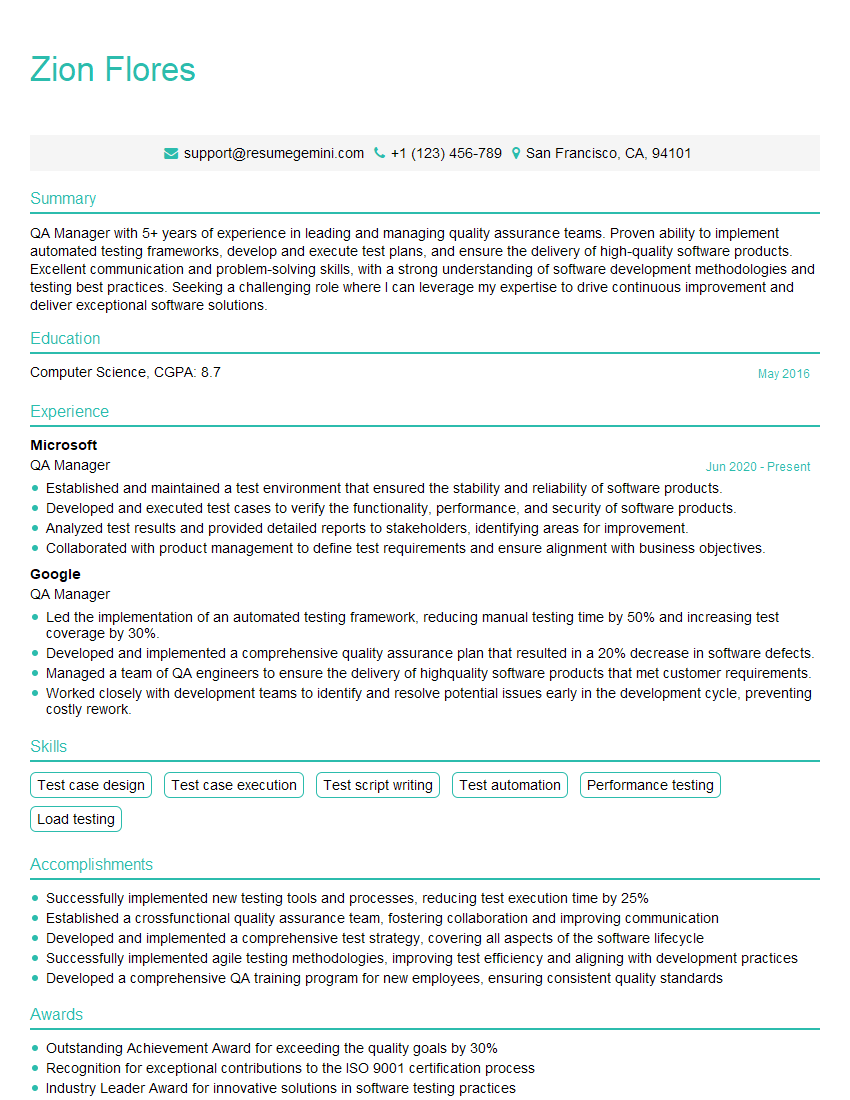

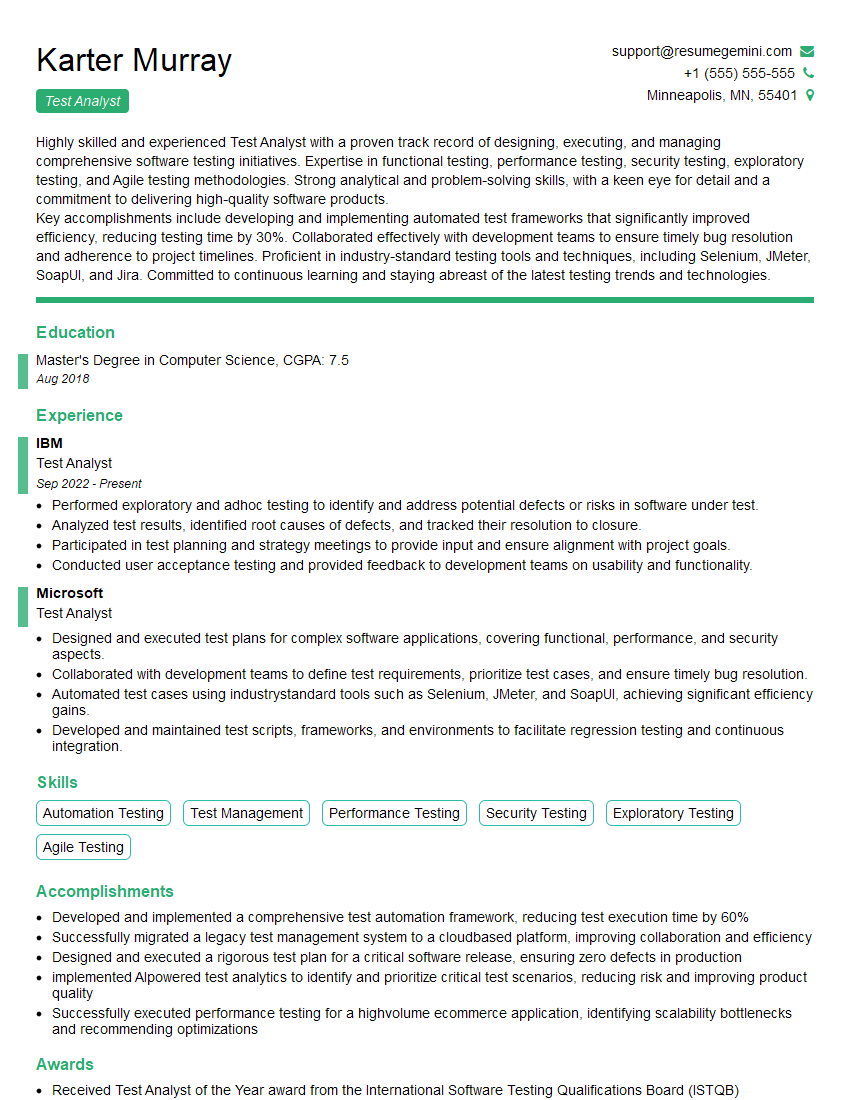
Explore more articles
Users Rating of Our Blogs
Share Your Experience
We value your feedback! Please rate our content and share your thoughts (optional).
What Readers Say About Our Blog
Hello,
we currently offer a complimentary backlink and URL indexing test for search engine optimization professionals.
You can get complimentary indexing credits to test how link discovery works in practice.
No credit card is required and there is no recurring fee.
You can find details here:
https://wikipedia-backlinks.com/indexing/
Regards
NICE RESPONSE TO Q & A
hi
The aim of this message is regarding an unclaimed deposit of a deceased nationale that bears the same name as you. You are not relate to him as there are millions of people answering the names across around the world. But i will use my position to influence the release of the deposit to you for our mutual benefit.
Respond for full details and how to claim the deposit. This is 100% risk free. Send hello to my email id: [email protected]
Luka Chachibaialuka
Hey interviewgemini.com, just wanted to follow up on my last email.
We just launched Call the Monster, an parenting app that lets you summon friendly ‘monsters’ kids actually listen to.
We’re also running a giveaway for everyone who downloads the app. Since it’s brand new, there aren’t many users yet, which means you’ve got a much better chance of winning some great prizes.
You can check it out here: https://bit.ly/callamonsterapp
Or follow us on Instagram: https://www.instagram.com/callamonsterapp
Thanks,
Ryan
CEO – Call the Monster App
Hey interviewgemini.com, I saw your website and love your approach.
I just want this to look like spam email, but want to share something important to you. We just launched Call the Monster, a parenting app that lets you summon friendly ‘monsters’ kids actually listen to.
Parents are loving it for calming chaos before bedtime. Thought you might want to try it: https://bit.ly/callamonsterapp or just follow our fun monster lore on Instagram: https://www.instagram.com/callamonsterapp
Thanks,
Ryan
CEO – Call A Monster APP
To the interviewgemini.com Owner.
Dear interviewgemini.com Webmaster!
Hi interviewgemini.com Webmaster!
Dear interviewgemini.com Webmaster!
excellent
Hello,
We found issues with your domain’s email setup that may be sending your messages to spam or blocking them completely. InboxShield Mini shows you how to fix it in minutes — no tech skills required.
Scan your domain now for details: https://inboxshield-mini.com/
— Adam @ InboxShield Mini
Reply STOP to unsubscribe
Hi, are you owner of interviewgemini.com? What if I told you I could help you find extra time in your schedule, reconnect with leads you didn’t even realize you missed, and bring in more “I want to work with you” conversations, without increasing your ad spend or hiring a full-time employee?
All with a flexible, budget-friendly service that could easily pay for itself. Sounds good?
Would it be nice to jump on a quick 10-minute call so I can show you exactly how we make this work?
Best,
Hapei
Marketing Director
Hey, I know you’re the owner of interviewgemini.com. I’ll be quick.
Fundraising for your business is tough and time-consuming. We make it easier by guaranteeing two private investor meetings each month, for six months. No demos, no pitch events – just direct introductions to active investors matched to your startup.
If youR17;re raising, this could help you build real momentum. Want me to send more info?
Hi, I represent an SEO company that specialises in getting you AI citations and higher rankings on Google. I’d like to offer you a 100% free SEO audit for your website. Would you be interested?
Hi, I represent an SEO company that specialises in getting you AI citations and higher rankings on Google. I’d like to offer you a 100% free SEO audit for your website. Would you be interested?
good