Every successful interview starts with knowing what to expect. In this blog, we’ll take you through the top Surface Scanning interview questions, breaking them down with expert tips to help you deliver impactful answers. Step into your next interview fully prepared and ready to succeed.
Questions Asked in Surface Scanning Interview
Q 1. What are the different types of surface scanning technologies?
Surface scanning technologies utilize various principles to capture the three-dimensional shape of an object. They can be broadly categorized into several types:
- Structured Light Scanning: Projects a known pattern of light (e.g., stripes or dots) onto the object and analyzes the distortion of the pattern to determine surface geometry. This is a very popular method for its speed and accuracy.
- Laser Scanning: Employs a laser beam to measure distances to points on the surface. This can be time-of-flight (measuring the time it takes for the laser to return) or triangulation-based (measuring the angle of reflection).
- Photogrammetry: Uses multiple overlapping photographs taken from different angles to reconstruct a 3D model. This is particularly useful for large objects or scenes where other methods might be impractical.
- Contact Scanning: Uses a physical probe to directly measure the surface, like a CMM (Coordinate Measuring Machine). This offers high accuracy but is slower and can damage delicate objects.
- Time-of-Flight (ToF) Cameras: These cameras measure the time it takes for light to travel to and from the surface, allowing for the creation of a depth map. They are increasingly common in consumer-grade 3D scanners.
Each technology has its strengths and weaknesses regarding speed, accuracy, range, cost, and suitability for different object types and sizes. Choosing the right technology depends heavily on the specific application.
Q 2. Explain the principle behind structured light scanning.
Structured light scanning relies on projecting a known pattern of light onto the object’s surface and analyzing the deformation of that pattern. Imagine shining a grid of lines onto a sphere. The lines will appear distorted on the curved surface. A camera captures this distorted pattern, and sophisticated algorithms compare it to the original projected pattern. By measuring the degree of distortion at each point, the system calculates the 3D coordinates of that point. This process is repeated across the entire surface, creating a dense point cloud representing the object’s shape.
Different patterns, such as sinusoidal fringes or random dot patterns, offer varying levels of robustness to noise and ambiguity. The accuracy depends on the precision of the projector, camera, and the algorithms used for pattern matching.
Q 3. Describe the process of data acquisition in surface scanning.
Data acquisition in surface scanning involves several steps. First, the object is positioned within the scanner’s range. The scanner then captures the data, which might involve multiple scans from different angles to cover the entire surface. For structured light, this involves projecting the pattern and capturing images; for laser scanning, it involves emitting the laser pulses and recording the return times; for photogrammetry, it involves taking numerous photographs. During this process, various parameters are set depending on the scanner and the object. These parameters might include scan resolution, scan speed, and exposure time.
Once the data is acquired, it is typically stored as a point cloud – a set of 3D coordinates representing points on the object’s surface. The point cloud might also include color information, depending on the scanner capabilities. The raw data often requires further processing to remove noise and artifacts and to create a usable 3D model.
Q 4. How do you handle noise and artifacts in point cloud data?
Noise and artifacts in point cloud data are common challenges. Noise can manifest as random variations in point positions, while artifacts can be systematic errors, such as holes or spurious points. Handling these requires a combination of filtering techniques:
- Statistical Outlier Removal: Identifies and removes points that significantly deviate from their neighbors based on distance or density.
- Spatial Filtering: Applies smoothing algorithms (e.g., moving average) to reduce noise and smooth the surface.
- Hole Filling: Uses interpolation or surface reconstruction algorithms to fill in missing data caused by occlusion or other issues.
- Noise Reduction Filters: Employ techniques like median filtering or bilateral filtering to remove noise while preserving sharp features.
The choice of method depends on the type and severity of the noise and artifacts. Often, a combination of techniques is necessary to achieve satisfactory results. In some cases, manual editing of the point cloud might be required.
Q 5. What software packages are you familiar with for processing surface scan data?
I am familiar with a range of software packages for processing surface scan data, including:
- Geomagic Design X: A powerful software for reverse engineering, 3D modeling, and inspection.
- Meshlab: An open-source software with a broad set of tools for processing and visualizing mesh data and point clouds.
- CloudCompare: Another open-source option, particularly well-suited for point cloud processing and analysis.
- PolyWorks: A comprehensive software suite for 3D metrology, including inspection, reverse engineering, and CAD integration.
- Autodesk Recap Pro: Software used for processing reality capture data, including point clouds from laser scanners and photogrammetry.
The choice of software depends on the specific needs of the project, the type of data being processed, and the desired outcome. Some software packages specialize in specific tasks, while others offer a more comprehensive suite of functionalities.
Q 6. Explain the concept of point cloud registration.
Point cloud registration is the process of aligning multiple point clouds acquired from different viewpoints into a single, coherent coordinate system. This is crucial when scanning large or complex objects that require multiple scans. Think of it like assembling pieces of a jigsaw puzzle. Each scan is a piece, and registration is the process of correctly fitting them together.
Several methods are used for registration, including:
- Iterative Closest Point (ICP): A widely used algorithm that iteratively refines the alignment by finding the closest points in overlapping scans and minimizing the distance between them.
- Feature-based Registration: Identifies distinctive features (e.g., edges, corners) in each scan and aligns them based on these features.
- Global Registration: Uses global information (e.g., GPS data) to align scans, often used in large-scale outdoor scanning projects.
Accurate registration is critical for creating a complete and accurate 3D model. Incorrect registration can lead to gaps, distortions, or inaccuracies in the final model.
Q 7. How do you ensure the accuracy and precision of surface scan data?
Ensuring accuracy and precision in surface scan data is crucial for reliable results. Several strategies contribute to this:
- Calibration: Regularly calibrating the scanner according to the manufacturer’s instructions is essential. This ensures that the measurements are accurate and consistent.
- Control Points: Placing known points (control points) in the scan area helps to verify the accuracy and allows for alignment and correction if necessary.
- Target Selection: Choosing appropriate targets for registration and calibration is crucial. These targets need to have clearly defined features for accurate measurement and tracking.
- Scan Strategy: Employing an appropriate scanning strategy (e.g., overlapping scans, sufficient scan resolution) minimizes errors and ensures complete coverage of the object’s surface.
- Data Processing: Rigorous data processing, including noise filtering, artifact removal, and proper registration, is essential to improve data quality.
- Environmental Control: Minimizing external factors that could affect the scanning process, such as temperature fluctuations or vibrations, is also crucial for ensuring accuracy.
By carefully considering these factors throughout the scanning and processing workflow, one can significantly improve the accuracy and precision of the resulting 3D data.
Q 8. What are the limitations of surface scanning technologies?
Surface scanning, while incredibly powerful, isn’t without limitations. Think of it like taking a photograph – you can capture a lot of detail, but there are always constraints. Some key limitations include:
- Occlusion: Scanners can’t ‘see’ behind objects. If a part of the surface is hidden, it won’t be captured. Imagine trying to scan a complex sculpture – you might need to move the scanner multiple times to capture all sides.
- Accuracy and Resolution: The accuracy of a scan depends on several factors, including the scanner’s technology, the distance to the object, and the surface’s texture. Highly reflective or very dark surfaces can be challenging. Resolution impacts the level of detail captured; finer details might be lost with lower resolutions.
- Data Processing: Processing large scan datasets can be computationally intensive and time-consuming, especially for high-resolution scans. Powerful computers and specialized software are necessary.
- Surface Characteristics: Certain surface properties, such as transparency, extreme roughness, or highly reflective materials (like mirrors), can significantly impact scan quality. These surfaces can lead to noisy data or incomplete scans.
- Environmental Factors: External factors like vibrations, temperature fluctuations, or even strong lighting can interfere with the scanning process, leading to inaccuracies.
Understanding these limitations is crucial for planning effective scanning projects and managing expectations regarding the quality of the final data.
Q 9. Describe your experience with different types of surface scanners (e.g., laser, structured light, photogrammetry).
I’ve extensive experience with various surface scanning technologies. Each has its strengths and weaknesses:
- Laser Scanners: I’ve used these extensively for precise measurements and capturing high-resolution data, particularly on objects with complex geometries. They are great for capturing fine details, but can be sensitive to surface reflectivity and susceptible to environmental factors like dust.
- Structured Light Scanners: These are faster than laser scanners and offer good accuracy for a wider range of materials. I’ve found them particularly useful for scanning objects with intricate details, but they can struggle with highly reflective or transparent surfaces. The projected light patterns can be affected by ambient lighting conditions.
- Photogrammetry: This technique, using multiple photographs from different angles, is ideal for large objects or areas where a single scanner might not suffice. I’ve used it for architectural scanning, creating 3D models of buildings or large industrial components. While highly versatile and relatively inexpensive, it requires careful planning of camera positions and robust image processing to achieve high accuracy.
My experience allows me to select the optimal scanning technology based on the specific project requirements, considering factors like object size, surface properties, desired accuracy, and budget.
Q 10. How do you perform quality control checks on scanned data?
Quality control is paramount in surface scanning. My QC process typically includes:
- Visual Inspection: A thorough visual check of the point cloud for any obvious artifacts, holes, or distortions. Think of it like proofreading a document – spotting errors early on saves time later.
- Alignment Verification: For multiple scans of the same object, I meticulously check the alignment to ensure there are no mismatches or gaps between the datasets. This involves using registration software to precisely align the scans.
- Statistical Analysis: I analyze the point cloud data for noise and outliers using statistical methods. Outliers are data points that significantly deviate from the expected values, often caused by reflections or errors during the scanning process. These need to be removed or corrected.
- Mesh Quality Check: Once the point cloud is processed into a mesh (a collection of interconnected polygons), I assess the mesh quality for issues like holes, non-manifold geometry (where polygons share edges incorrectly), or excessive polygon density.
- Comparison with CAD Models (if available): When a CAD model exists, I compare the scanned data to the CAD model to identify any discrepancies. This allows for the assessment of accuracy and the identification of potential design flaws.
By employing these checks, I ensure the scanned data meets the project’s accuracy and quality requirements. Any identified issues are addressed through appropriate cleaning, filtering, and reconstruction techniques before proceeding to further analysis or modeling.
Q 11. How do you handle large datasets acquired from surface scanning?
Handling large datasets efficiently is crucial. My approach involves:
- Optimized Data Acquisition: Planning the scan strategy carefully to minimize data redundancy. For example, employing a structured approach to avoid overlapping scans unnecessarily.
- Data Reduction Techniques: Using techniques like decimation (reducing the number of points) or simplification to reduce file sizes without compromising critical information. This helps manage the memory usage and processing time.
- Specialized Software: Employing software designed for handling large point clouds, such as CloudCompare or Geomagic, which are optimized for managing and processing massive datasets.
- High-Performance Computing: For extremely large datasets, I leverage high-performance computing resources to distribute the processing load across multiple processors, significantly reducing processing time.
- Data Compression: Utilizing efficient file compression formats like LAS or LAZ to reduce storage space and transfer times.
Effective management of large datasets prevents bottlenecks and allows for efficient processing and analysis of the scanned data.
Q 12. What is the role of GD&T in surface scanning applications?
Geometric Dimensioning and Tolerancing (GD&T) plays a vital role in surface scanning applications, particularly in quality control and manufacturing. GD&T provides a standardized language for specifying the allowable variations in a part’s geometry. In surface scanning, this allows for:
- Precise Measurement: GD&T ensures the accuracy of measurements extracted from the scanned data, providing clear tolerance zones for various geometric parameters like form, orientation, and location.
- Quality Control: By comparing the scanned data to the GD&T specifications, we can objectively assess the part’s conformance to design requirements, identifying deviations and potential defects.
- Reverse Engineering Validation: When creating a CAD model from a scan, GD&T allows for a direct comparison between the scanned model and the designed model, providing a rigorous assessment of the accuracy of the reverse-engineered model.
- Manufacturing Process Improvement: By analyzing the variations detected through GD&T, we can pinpoint areas where the manufacturing process might be improved, leading to better quality control and more efficient manufacturing.
In essence, GD&T is crucial for bridging the gap between the scanned data and the engineering design, enabling the accurate and reliable assessment of part quality and conformance.
Q 13. Explain your experience in reverse engineering using surface scanning data.
Reverse engineering using surface scanning is a core part of my work. It involves creating a CAD model from a physical object using scanned data. This process typically involves:
- Data Acquisition: Scanning the object using appropriate techniques, considering factors like size, surface properties, and desired accuracy.
- Data Processing: Cleaning and processing the scan data to remove noise, fill holes, and ensure accurate alignment of multiple scans.
- Model Reconstruction: Generating a 3D model from the processed data. This could involve creating a mesh or point cloud model.
- CAD Model Creation: Converting the 3D model into a usable CAD model using specialized software. This may involve manual editing and refinement to ensure the model is suitable for manufacturing or analysis.
- Model Validation: Checking the accuracy of the generated CAD model by comparing it with the original object or with available design specifications, often using GD&T principles.
I’ve used this process in various projects, from creating CAD models of antique parts for restoration to designing replacement components for obsolete machinery. The ability to quickly and accurately create CAD models from scanned data is crucial in industries where original designs are lost or need to be adapted.
Q 14. Describe your experience with different file formats used in surface scanning (e.g., .ply, .stl, .obj).
I have experience with a variety of file formats commonly used in surface scanning. Each format has its strengths and weaknesses:
- .ply (Polygon File Format): A versatile format supporting various data types, including points, polygons, and normals. It’s often used for storing point cloud data and mesh data, and it supports different levels of detail.
- .stl (Stereolithography): A widely used format in 3D printing and CAD software, primarily for representing mesh data. It’s relatively simple, but lacks information about color or texture.
- .obj (Wavefront OBJ): Another popular mesh format, supporting vertices, faces, normals, and texture coordinates. It’s often used for exchanging mesh data between different software packages. It’s widely compatible, but can sometimes be less efficient for very large meshes.
- Other formats: Beyond these, I’m familiar with formats like .pts (point cloud), .las (LiDAR), and various proprietary formats used by specific scanning systems. My expertise allows me to seamlessly handle various formats and convert between them as needed.
Understanding the nuances of each file format is important for selecting the most appropriate one for a given application and ensuring seamless data exchange between different software tools.
Q 15. How do you create a CAD model from surface scan data?
Creating a CAD model from surface scan data involves several steps, essentially transforming a point cloud into a usable 3D model. Think of it like sculpting a digital statue from a pile of tiny pebbles. First, the raw point cloud data needs to be processed. This involves noise reduction (removing spurious points), alignment (if multiple scans are involved), and potentially meshing (connecting the points to form a surface). Popular software packages like Geomagic Design X, SolidWorks, or Autodesk Meshmixer provide tools for this. Then, the mesh is usually cleaned up – holes are filled, and the geometry is smoothed to reduce imperfections inherent in the scanning process. Finally, the mesh can be converted into a CAD-compatible format (like STEP or IGES) and imported into a CAD system for further editing and design work. For instance, in automotive design, we’d use this process to create a digital twin of a car part, allowing for precise measurements and design modifications before physical prototyping.
A crucial step is choosing the right meshing algorithm. For complex geometries, a high-resolution mesh is essential, which increases file size, but improves accuracy. Conversely, a simpler mesh is useful for rapid prototyping or when computational resources are limited.
Career Expert Tips:
- Ace those interviews! Prepare effectively by reviewing the Top 50 Most Common Interview Questions on ResumeGemini.
- Navigate your job search with confidence! Explore a wide range of Career Tips on ResumeGemini. Learn about common challenges and recommendations to overcome them.
- Craft the perfect resume! Master the Art of Resume Writing with ResumeGemini’s guide. Showcase your unique qualifications and achievements effectively.
- Don’t miss out on holiday savings! Build your dream resume with ResumeGemini’s ATS optimized templates.
Q 16. What are the key considerations when selecting a surface scanning system for a specific application?
Selecting a surface scanning system depends heavily on the application’s specific needs. Key considerations include:
- Accuracy: How precise do the measurements need to be? For medical applications, micrometer accuracy might be critical, while in construction, centimeter accuracy may suffice.
- Range: What is the size and distance of the object you need to scan? A short-range system is suitable for small, intricate objects, while long-range systems are better for large structures like buildings.
- Resolution: How much detail is required? Higher resolution means more data points and a more detailed model, but also increased processing time.
- Scan speed: How quickly do you need to capture the data? Real-time scanning is beneficial for dynamic processes, while slower, higher-accuracy scans are suitable for static objects.
- Portability: Is the scanner needed on-site or in a controlled environment? Portable scanners are essential for on-site scanning of large objects.
- Cost: Scanners vary significantly in price. The budget directly impacts the capabilities of the system.
For example, a handheld laser scanner is ideal for quickly scanning a large statue outdoors, while a structured-light scanner is better for capturing high-resolution detail on a small component in a controlled lab setting.
Q 17. Describe your experience with different surface scanning applications (e.g., automotive, aerospace, medical).
My experience spans diverse applications. In the automotive industry, I’ve used surface scanning for reverse engineering car parts, enabling the creation of digital models for manufacturing and design improvements. This involved scanning intricate parts like engine components, requiring high-resolution scanners and meticulous post-processing to ensure accuracy. In aerospace, I’ve worked on scanning large aircraft components for damage assessment, utilizing long-range scanners with robust data processing techniques to account for the size and scale of the object. Finally, in the medical field, I’ve been involved in scanning patient anatomy for custom implant design. Here, accuracy and safety are paramount, necessitating the use of medical-grade scanners and strict adherence to data privacy regulations.
Q 18. How do you troubleshoot common problems encountered during surface scanning?
Troubleshooting surface scans involves systematic checks. Common problems include:
- Incomplete scans: Caused by occlusion (parts of the object blocked from view), insufficient scan coverage, or poor scanner settings. Solution: Adjust scanner parameters, reposition the scanner, or use multiple scans to cover the entire object.
- Noise and artifacts: Caused by reflections, ambient light, or scanner malfunction. Solution: Employ noise filtering techniques in post-processing software. Verify the calibration of the scanner.
- Alignment issues: Multiple scans might not align correctly. Solution: Use appropriate registration algorithms and target markers to ensure proper alignment.
- Low resolution: Insufficient detail in the resulting model. Solution: Increase the scan resolution or use a higher-resolution scanner.
A methodical approach, starting with a visual inspection of the raw scan data and gradually investigating potential causes, is crucial for effective troubleshooting.
Q 19. What safety precautions do you follow when operating surface scanning equipment?
Safety is paramount. Laser scanners, in particular, present potential eye hazards. I always wear appropriate laser safety eyewear when operating laser scanners. Additionally, I ensure the area is clear of obstructions and that everyone in the vicinity is aware of the scanner’s operation. For contact-based scanners, I take care to avoid damaging the surface of the object being scanned. I also adhere to the manufacturer’s safety guidelines and always disconnect the scanner from power when not in use.
Q 20. How do you interpret surface scan data to identify defects or deviations?
Interpreting surface scan data to identify defects often involves comparing the scan data to a CAD model or a nominal surface. Software tools can highlight deviations from the expected geometry. For example, using color-coded deviation maps, where red indicates larger deviations and blue indicates smaller ones, makes it easy to visualize where discrepancies exist. These deviations can represent manufacturing defects (like burrs, scratches, or pitting) or design inconsistencies. Additionally, I leverage software analysis to quantify the size and location of these defects. Precise measurement tools within the software allow for precise defect characterization. This information is then used to improve manufacturing processes or refine the design.
Q 21. Explain your experience with colorizing point cloud data.
Colorizing point cloud data enhances visualization and helps identify different materials or features on the scanned object. The process typically involves either directly capturing color information during the scanning process (using a color scanner) or applying texture mapping. Texture mapping involves projecting a color image onto the point cloud based on the geometric surface information. Software like Meshlab and CloudCompare provide tools for colorizing point clouds. This is particularly useful in applications like archaeology where the color information on a statue is valuable for restoration or in manufacturing where different colored components need to be identified in the assembly process. The key is to accurately align the color information with the point cloud geometry to produce a realistic and informative representation.
Q 22. How do you manage and archive surface scan data?
Managing and archiving surface scan data is crucial for long-term accessibility and project integrity. It involves a multi-step process focusing on data organization, storage, and backup. Think of it like meticulously organizing a vast library – you need a system to find specific books quickly and ensure they’re safe from damage.
Data Organization: I typically use a hierarchical folder structure, categorizing scans by project, date, and scan type. Metadata, including scan parameters (e.g., resolution, scan angle), are embedded within the file names or stored in accompanying text files. This allows for easy identification and retrieval.
Storage: The choice of storage depends on data size and accessibility needs. For smaller projects, a local network drive with RAID redundancy is sufficient. For larger projects or long-term archival, cloud storage solutions with version control (like AWS S3 or Azure Blob Storage) are preferable. They offer scalability and redundancy, protecting against data loss.
Data Backup: Regular backups are essential. I employ a 3-2-1 backup strategy: three copies of data, on two different media types, with one copy offsite. This minimizes the risk of data loss due to hardware failure or disaster.
Data Format: Choosing the right file format is critical. Popular formats like PLY, STL, and OBJ offer varying levels of detail and compatibility with different software. The choice often depends on the downstream application, such as 3D printing or CAD modelling.
For example, a recent project involving scanning a historical artifact involved creating a detailed metadata file for each scan, documenting the scanner used, environmental conditions, and any pre-processing steps taken. This ensures complete traceability and facilitates future analysis or replication of the work.
Q 23. What are the differences between contact and non-contact surface scanning methods?
Contact and non-contact surface scanning methods differ fundamentally in how they acquire data. Contact methods physically touch the surface, while non-contact methods use sensors to measure the surface from a distance. Imagine measuring the length of a table: a ruler is contact, while a laser rangefinder is non-contact.
Contact Scanning (e.g., CMM, structured light): High accuracy, detailed surface geometry, but can damage delicate objects, slower scanning speed, and limited accessibility to complex geometries. Examples include Coordinate Measuring Machines (CMMs) that use probes to touch the surface and structured light scanners which project patterns onto the object.
Non-Contact Scanning (e.g., laser scanning, photogrammetry): Faster scanning, suitable for delicate objects, good for large objects and complex geometries, but accuracy might be lower compared to contact methods depending on the technique and setup. Examples include laser scanners that use a laser beam to measure distances and photogrammetry that uses multiple images to reconstruct 3D models.
Choosing between methods depends heavily on the object being scanned, required accuracy, and available resources. A delicate antique would benefit from non-contact scanning to avoid damage, while precise measurements of a manufactured part might demand the accuracy of a CMM.
Q 24. Explain the concept of mesh processing and simplification.
Mesh processing and simplification are crucial steps in post-processing surface scan data. The raw data from a scan is often a dense mesh – a complex collection of interconnected triangles representing the object’s surface. Processing and simplification aim to refine and reduce this mesh for easier handling and visualization.
Mesh Processing: This involves cleaning up the raw mesh, addressing issues like noise, holes, and inconsistencies. Techniques include smoothing, noise filtering, hole filling, and remeshing to improve the mesh quality and remove artifacts from the scanning process.
Mesh Simplification: This reduces the number of polygons (triangles) in the mesh while preserving the overall shape and features. This is crucial for reducing file size, improving rendering performance, and making the model more manageable for downstream applications. Algorithms like Quadric Edge Collapse Decimation are commonly used for this purpose.
For instance, a scan of a human face might generate a mesh with millions of polygons. Mesh simplification can reduce this to thousands, making it suitable for real-time rendering in a video game, without noticeably impacting visual fidelity. The balance between detail and simplification depends entirely on the application.
Q 25. Describe your experience with surface texture analysis.
Surface texture analysis is a critical component of many projects, focusing on the detailed surface characteristics beyond overall shape. It involves quantifying parameters like roughness, waviness, and anisotropy. Imagine examining a piece of fabric: surface texture analysis would describe the weave, thread density, and overall smoothness.
My experience includes using various techniques, both directly from the scanner’s output and through dedicated texture analysis software. I have worked with parameters like Ra (average roughness), Rz (peak-to-valley height), and different fractal dimension calculations to characterize surface texture for applications like quality control in manufacturing, forensics, and material science. For example, I once analyzed the texture of ancient pottery shards to determine the manufacturing techniques used and potentially identify their origin.
I am also familiar with different optical techniques for surface texture measurement such as confocal microscopy and multi-spectral imaging that can provide higher resolution analysis than what is typically possible with most surface scanners. The choice of method depends on the scale and characteristics of the surface being analyzed.
Q 26. How do you address challenges associated with scanning complex geometries?
Scanning complex geometries presents significant challenges. Occlusions (hidden surfaces), highly reflective or transparent materials, and intricate details can all lead to incomplete or inaccurate scans. Consider scanning a statue with many folds in its clothing – parts will be hidden from the scanner’s view.
Multiple Scan Positions: Addressing occlusions often requires scanning from multiple viewpoints and then merging the resulting scans. This ensures the capture of all surfaces.
Target Placement: Strategic placement of targets (small, uniquely identifiable markers) on the object helps software align scans accurately.
Post-Processing Techniques: Mesh editing software allows for manual filling of holes or gaps that may remain after merging scans.
Choice of Scanning Technology: Different technologies are better suited for certain object types. For example, structured light excels for close-range scanning of smaller objects with intricate details but may struggle with very large or complex geometries. Laser scanning is better suited for large-scale objects.
A recent project involved scanning a highly detailed architectural model. To overcome occlusions, we used a combination of structured light and photogrammetry scans and strategically employed numerous targets to facilitate alignment. Careful post-processing was then crucial in producing a complete and accurate 3D model.
Q 27. What are the advantages and disadvantages of different surface scanning technologies?
Various surface scanning technologies offer unique advantages and disadvantages. The optimal choice depends on the specific application and priorities.
Structured Light:
- Advantages: High accuracy, good detail capture, relatively fast scanning.
- Disadvantages: Limited range, susceptible to surface texture and reflectivity issues, difficulty scanning highly reflective surfaces.
Laser Scanning:
- Advantages: Large scanning range, relatively fast, can handle various surface types.
- Disadvantages: Lower resolution compared to structured light in some applications, susceptible to environmental conditions.
Photogrammetry:
- Advantages: Relatively inexpensive, can handle large objects and complex geometries, non-contact, and doesn’t require specialized equipment.
- Disadvantages: Requires multiple images, accuracy depends on image quality and processing, can be challenging in low-light conditions.
CMM (Coordinate Measuring Machine):
- Advantages: Extremely high accuracy, excellent for precise dimensional measurements.
- Disadvantages: Slow scanning speed, contact method, not suitable for delicate objects.
For example, a project requiring precise measurement of a manufactured component would benefit from a CMM. However, for creating a digital model of a large statue, photogrammetry or laser scanning may be more efficient and less damaging. A balance of factors must be considered.
Key Topics to Learn for Surface Scanning Interview
- Data Acquisition: Understanding different scanning technologies (e.g., laser scanning, structured light, photogrammetry), their strengths, weaknesses, and appropriate applications. Consider factors like accuracy, resolution, and speed.
- Point Cloud Processing: Familiarize yourself with techniques for cleaning, filtering, and registering point cloud data. Learn about noise reduction, outlier removal, and alignment algorithms.
- Mesh Generation & Modeling: Explore the process of converting point cloud data into 3D meshes. Understand different meshing algorithms and their implications on model quality and file size.
- Software Proficiency: Demonstrate familiarity with industry-standard software packages used for surface scanning, processing, and modeling (mention specific software if appropriate for your target audience, e.g., Geomagic, MeshLab, CloudCompare). Highlight your experience with specific functionalities.
- Practical Applications: Be prepared to discuss real-world applications of surface scanning, such as reverse engineering, 3D printing, quality control, virtual reality, and heritage preservation. Have specific examples ready.
- Troubleshooting & Problem-Solving: Practice identifying and resolving common issues encountered during the scanning process, such as data artifacts, alignment errors, and incomplete scans. Show your analytical skills.
- Data Formats & File Management: Be comfortable working with various 3D data formats (.ply, .stl, .obj, etc.) and understanding efficient file management strategies for large datasets.
Next Steps
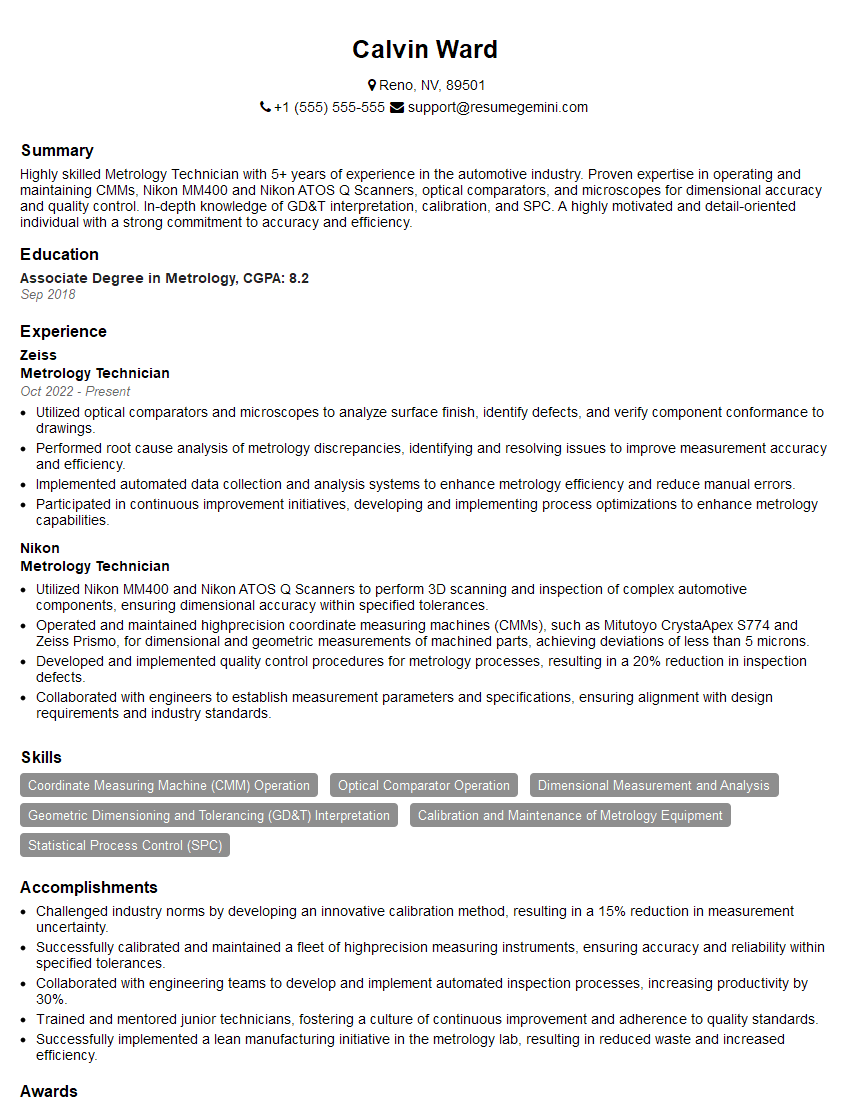
Mastering surface scanning opens doors to exciting and rewarding careers in diverse fields. To maximize your job prospects, it’s crucial to present your skills effectively. Creating an ATS-friendly resume is key to getting your application noticed. ResumeGemini is a trusted resource to help you build a professional and impactful resume that highlights your unique qualifications. We provide examples of resumes tailored to Surface Scanning to help guide you. Take the next step towards your dream career – craft a compelling resume that showcases your expertise!
Explore more articles
Users Rating of Our Blogs
Share Your Experience
We value your feedback! Please rate our content and share your thoughts (optional).
What Readers Say About Our Blog
Attention music lovers!
Wow, All the best Sax Summer music !!!
Spotify: https://open.spotify.com/artist/6ShcdIT7rPVVaFEpgZQbUk
Apple Music: https://music.apple.com/fr/artist/jimmy-sax-black/1530501936
YouTube: https://music.youtube.com/browse/VLOLAK5uy_noClmC7abM6YpZsnySxRqt3LoalPf88No
Other Platforms and Free Downloads : https://fanlink.tv/jimmysaxblack
on google : https://www.google.com/search?q=22+AND+22+AND+22
on ChatGPT : https://chat.openai.com?q=who20jlJimmy20Black20Sax20Producer
Get back into the groove with Jimmy sax Black
Best regards,
Jimmy sax Black
www.jimmysaxblack.com
Hi I am a troller at The aquatic interview center and I suddenly went so fast in Roblox and it was gone when I reset.
Hi,
Business owners spend hours every week worrying about their website—or avoiding it because it feels overwhelming.
We’d like to take that off your plate:
$69/month. Everything handled.
Our team will:
Design a custom website—or completely overhaul your current one
Take care of hosting as an option
Handle edits and improvements—up to 60 minutes of work included every month
No setup fees, no annual commitments. Just a site that makes a strong first impression.
Find out if it’s right for you:
https://websolutionsgenius.com/awardwinningwebsites
Hello,
we currently offer a complimentary backlink and URL indexing test for search engine optimization professionals.
You can get complimentary indexing credits to test how link discovery works in practice.
No credit card is required and there is no recurring fee.
You can find details here:
https://wikipedia-backlinks.com/indexing/
Regards
NICE RESPONSE TO Q & A
hi
The aim of this message is regarding an unclaimed deposit of a deceased nationale that bears the same name as you. You are not relate to him as there are millions of people answering the names across around the world. But i will use my position to influence the release of the deposit to you for our mutual benefit.
Respond for full details and how to claim the deposit. This is 100% risk free. Send hello to my email id: [email protected]
Luka Chachibaialuka
Hey interviewgemini.com, just wanted to follow up on my last email.
We just launched Call the Monster, an parenting app that lets you summon friendly ‘monsters’ kids actually listen to.
We’re also running a giveaway for everyone who downloads the app. Since it’s brand new, there aren’t many users yet, which means you’ve got a much better chance of winning some great prizes.
You can check it out here: https://bit.ly/callamonsterapp
Or follow us on Instagram: https://www.instagram.com/callamonsterapp
Thanks,
Ryan
CEO – Call the Monster App
Hey interviewgemini.com, I saw your website and love your approach.
I just want this to look like spam email, but want to share something important to you. We just launched Call the Monster, a parenting app that lets you summon friendly ‘monsters’ kids actually listen to.
Parents are loving it for calming chaos before bedtime. Thought you might want to try it: https://bit.ly/callamonsterapp or just follow our fun monster lore on Instagram: https://www.instagram.com/callamonsterapp
Thanks,
Ryan
CEO – Call A Monster APP
To the interviewgemini.com Owner.
Dear interviewgemini.com Webmaster!
Hi interviewgemini.com Webmaster!
Dear interviewgemini.com Webmaster!
excellent
Hello,
We found issues with your domain’s email setup that may be sending your messages to spam or blocking them completely. InboxShield Mini shows you how to fix it in minutes — no tech skills required.
Scan your domain now for details: https://inboxshield-mini.com/
— Adam @ InboxShield Mini
Reply STOP to unsubscribe
Hi, are you owner of interviewgemini.com? What if I told you I could help you find extra time in your schedule, reconnect with leads you didn’t even realize you missed, and bring in more “I want to work with you” conversations, without increasing your ad spend or hiring a full-time employee?
All with a flexible, budget-friendly service that could easily pay for itself. Sounds good?
Would it be nice to jump on a quick 10-minute call so I can show you exactly how we make this work?
Best,
Hapei
Marketing Director
Hey, I know you’re the owner of interviewgemini.com. I’ll be quick.
Fundraising for your business is tough and time-consuming. We make it easier by guaranteeing two private investor meetings each month, for six months. No demos, no pitch events – just direct introductions to active investors matched to your startup.
If youR17;re raising, this could help you build real momentum. Want me to send more info?
Hi, I represent an SEO company that specialises in getting you AI citations and higher rankings on Google. I’d like to offer you a 100% free SEO audit for your website. Would you be interested?
Hi, I represent an SEO company that specialises in getting you AI citations and higher rankings on Google. I’d like to offer you a 100% free SEO audit for your website. Would you be interested?