Unlock your full potential by mastering the most common Technical Troubleshooting and Problem Solving interview questions. This blog offers a deep dive into the critical topics, ensuring you’re not only prepared to answer but to excel. With these insights, you’ll approach your interview with clarity and confidence.
Questions Asked in Technical Troubleshooting and Problem Solving Interview
Q 1. Describe your process for troubleshooting a network connectivity issue.
Troubleshooting network connectivity issues requires a systematic approach. I always start by understanding the scope of the problem: Is it affecting one device, a group of devices, or the entire network? Then, I follow a layered approach, moving from the simplest checks to more complex ones.
- Verify the basics: Check if the device is turned on, cables are properly connected, and Wi-Fi is enabled (if applicable). This often solves the issue surprisingly frequently. Think of it as the ‘are the lights on’ check before diving into anything else.
- Check the physical layer: Examine cables for damage, ensure they’re securely plugged into both ends, and try different ports on the router/switch. A simple loose connection is a surprisingly common culprit!
- Test local connectivity: Ping the device’s IP address or hostname. A successful ping indicates that the device can communicate on the local network. If it fails, the problem is likely within the local network segment.
- Check the default gateway: If the local ping fails, the next step is to check the default gateway (usually your router’s IP address). If this fails, the problem lies between the device and the router.
- Test internet connectivity: Try pinging an external website (e.g.,
google.comor8.8.8.8). A successful ping indicates internet connectivity; failure suggests a problem with your internet service provider (ISP) or router’s internet connection. - Check network configuration: Verify IP address configuration (static vs. DHCP), subnet mask, and default gateway on the affected device. Incorrect settings can prevent network access.
- Examine router/firewall logs: Look for error messages or unusual activity in your router or firewall logs. These logs can provide valuable clues about the issue’s cause.
- Utilize network diagnostic tools: Tools like
traceroute(ortracerton Windows) can pinpoint network bottlenecks or points of failure along the path to a destination. - Escalate if necessary: If the problem persists after trying these steps, it might be necessary to contact your ISP or a network administrator for assistance.
Q 2. Explain the difference between reactive and proactive troubleshooting.
Reactive and proactive troubleshooting differ significantly in their approach and timing.
Reactive troubleshooting addresses problems *after* they occur. It’s a response to a reported issue or system failure. Imagine a fire alarm going off – you react to the immediate problem and extinguish the fire. This approach is often less efficient as you’re spending time fixing the damage rather than preventing it.
Proactive troubleshooting, on the other hand, focuses on preventing issues *before* they arise. This involves regularly monitoring systems, performing preventative maintenance, and implementing robust security measures. This is like installing a sprinkler system to prevent fires before they start. It’s much more efficient in the long run, reducing downtime and improving overall system stability.
Q 3. How do you prioritize multiple technical issues simultaneously?
Prioritizing multiple technical issues demands a structured approach. I use a combination of factors to determine urgency and impact:
- Impact: How many users or systems are affected? A widespread outage affecting critical services takes precedence over a minor issue impacting a single user.
- Urgency: How quickly does the issue need to be resolved? A system failure preventing a critical business operation needs immediate attention.
- Severity: How significant is the impact of the problem? Data loss or security breaches are higher priority than minor performance issues.
I often use a ticketing system or prioritization matrix to manage multiple issues. This helps ensure that I address the most critical problems first, even when dealing with multiple concurrent incidents. It prevents me from getting bogged down in less important tasks while critical ones wait. I also leverage a system of categorising issues to easily filter and track things across all severity levels.
Q 4. What tools and techniques do you use for remote troubleshooting?
Remote troubleshooting relies on a variety of tools and techniques. My toolkit includes:
- Remote Desktop Software: Tools like TeamViewer or Microsoft Remote Desktop allow me to access and control a user’s computer remotely, allowing me to diagnose and resolve problems directly.
- Screen Sharing: Sharing my screen with a user lets me guide them through troubleshooting steps or demonstrate solutions. It’s effective for situations where direct access isn’t possible or necessary.
- Command-Line Interfaces (CLI): SSH (Secure Shell) provides a secure way to access and manage remote servers. I frequently use commands like
ping,traceroute, andnetstatto diagnose network and server issues. - Monitoring Tools: Network monitoring tools provide real-time visibility into network performance and health. This can help identify the root cause of issues quickly.
- Logging and Monitoring Software: Accessing logs from a server or application remotely allows me to see events leading up to a failure, helping pinpoint the cause of errors.
- Collaboration Tools: Tools like Slack or Microsoft Teams allow for efficient communication and collaboration during remote troubleshooting sessions.
I always prioritize clear and concise communication with the remote user to guide them effectively and ensure a smooth process.
Q 5. Describe a time you had to troubleshoot a complex technical problem. What was your approach?
I once faced a situation where our company’s e-commerce website experienced a sudden and complete outage during a major sales event. Initial checks pointed to a database server issue, but the problem proved more complex than anticipated.
My approach involved a systematic investigation:
- Gather information: I started by collecting logs from the web server, database server, and load balancer. I also spoke with the development and operations teams to understand the system architecture and recent changes.
- Isolate the problem: Analysis of the logs revealed an unusual spike in database queries coinciding with the outage. This narrowed the problem to the database server, but the cause remained elusive.
- Reproduce the issue (if possible): We couldn’t reproduce the exact scenario, but we were able to simulate high load on the database to observe its behaviour.
- Test different solutions: We tried restarting the database server, optimizing database queries, and increasing server resources. None of these immediately resolved the outage.
- Analyze database performance: Finally, a detailed examination of the database revealed a critical table with a corrupted index. Repairing this index restored database performance and resolved the website outage.
This experience taught me the importance of detailed log analysis, methodical testing, and effective teamwork in complex troubleshooting situations.
Q 6. How do you handle situations where you don’t have all the necessary information to troubleshoot a problem?
When faced with incomplete information, my strategy is to systematically gather the missing data while simultaneously attempting to make progress with what I have.
This involves:
- Asking clarifying questions: I thoroughly question the user or stakeholders to obtain any relevant information. This includes details about the environment, recent changes, and the exact error messages.
- Reviewing existing documentation: I check system documentation, user manuals, and troubleshooting guides for clues about the issue.
- Searching online resources: I leverage online forums, knowledge bases, and documentation to find similar problems and their solutions.
- Using monitoring tools: Real-time monitoring tools often provide clues even without complete information about the issue.
- Creating temporary workarounds: If the problem is critical, I may create a temporary solution to restore partial functionality while gathering more information.
A methodical approach to information gathering and a willingness to explore different avenues are crucial when faced with incomplete information.
Q 7. How do you document your troubleshooting steps and findings?
Documentation is paramount in troubleshooting. My approach includes:
- Detailed logs: I maintain a detailed log of every step taken during troubleshooting, including the timestamps, actions performed, and observed results. This helps track progress and facilitates future troubleshooting.
- Ticketing systems: For organizational consistency, I utilize ticketing systems to record the issue, steps taken, and the final resolution. This allows for easy searching and review of previous incidents.
- Screenshots and screen recordings: Visual documentation can be invaluable, especially for complex issues. Screenshots of error messages or screen recordings of the troubleshooting process provide context and clarity.
- Knowledge base updates: For recurring issues, I update the knowledge base to provide information to prevent similar problems in the future. This saves time and effort down the line.
- Root cause analysis: I perform a root cause analysis, focusing on the underlying cause, not just the symptoms. This allows for better prevention of recurrence.
Thorough documentation ensures continuity and learning, allowing others to benefit from past experiences.
Q 8. What are some common causes of application crashes?
Application crashes, or unexpected terminations, are a common frustration for both users and developers. They can stem from a variety of sources, broadly categorized as programming errors, resource issues, and external factors.
- Programming Errors: Bugs in the application’s code are a major culprit. This includes things like null pointer exceptions (trying to access memory that isn’t allocated), array index out of bounds errors (accessing an array element beyond its size), and logic errors leading to unexpected behavior. Imagine a recipe with a missing step – the final dish won’t turn out right!
- Resource Issues: Applications need system resources like memory (RAM) and processing power (CPU). If an application tries to consume more resources than available, it can crash. This is especially common in resource-intensive applications like video games or video editing software. Think of it like trying to fit too many people into a small elevator – it’ll overload.
- External Factors: Problems outside the application itself can also cause crashes. These include hardware failures (a failing hard drive), operating system errors, conflicts with other software, or even power surges. It’s like a sudden power outage interrupting a critical process in your kitchen.
Identifying the specific cause often requires debugging tools and careful analysis of error logs.
Q 9. How do you identify the root cause of a recurring technical problem?
Pinpointing the root cause of a recurring problem is crucial for preventing future occurrences. My approach involves a structured process:
- Reproduce the Problem: First, I meticulously document the steps to reliably reproduce the issue. This is like following a recipe to ensure you get the same results each time.
- Gather Data: This involves collecting relevant information such as error messages, system logs (more on this later), network activity, and the application’s state at the time of the failure. The more data I have, the clearer the picture becomes.
- Analyze the Data: I systematically examine the collected data, searching for patterns and correlations. This might involve using tools to analyze memory dumps or network traffic to identify bottlenecks or unusual activity.
- Isolate the Cause: Based on the analysis, I form hypotheses about the root cause and test them through experimentation. This could involve disabling certain features, changing settings, or even temporarily replacing hardware components.
- Implement a Solution: Once the root cause is identified, I develop and implement a solution. This might involve a code fix, a configuration change, or replacing faulty hardware.
- Verify the Solution: I thoroughly test the solution to ensure it resolves the problem without introducing new issues. This includes retesting under various conditions to confirm its effectiveness.
This iterative process, akin to scientific method, allows for a systematic and effective approach to resolving persistent technical problems.
Q 10. Describe your experience with using diagnostic tools.
I have extensive experience using a wide array of diagnostic tools, tailored to the specific problem and operating system. My toolbox includes:
- Debuggers (e.g., gdb, lldb): These are invaluable for stepping through code line by line, inspecting variables, and identifying the exact point of failure within a program. I often use them to analyze core dumps (memory snapshots of a crashed application).
- Memory Profilers (e.g., Valgrind, YourKit): These tools help analyze memory usage, identifying memory leaks, excessive memory allocation, or other memory-related problems which can lead to crashes or performance issues.
- Network Analyzers (e.g., Wireshark, tcpdump): These are crucial for examining network traffic to troubleshoot networking problems, such as connectivity issues, slow response times, or security vulnerabilities.
- Performance Monitors (e.g., perf, System Monitor): I regularly use these to monitor CPU usage, memory usage, disk I/O, and other system performance metrics to identify bottlenecks and optimize system performance.
- Log Analyzers: Dedicated tools can sift through large log files, identify patterns, and alert on specific events, making it easier to spot recurring problems.
My experience encompasses using these tools across various platforms, from embedded systems to large-scale cloud environments. Choosing the right tool depends heavily on the context of the issue.
Q 11. Explain your understanding of system logs and how they aid in troubleshooting.
System logs are essentially detailed records of system events, providing a chronological account of activities and errors. They are indispensable for troubleshooting. Think of them as a detailed diary of your system’s activities.
They contain information about:
- Application Errors: Logs record application-specific errors, crashes, and warnings, often including timestamps and error codes, making it easy to pinpoint the time and nature of the problem.
- System Events: Logs capture significant system events such as boot-up, shutdowns, hardware changes, and security events. This allows you to track the context surrounding a problem.
- Security Events: Logs help track security-related events like login attempts, access violations, and suspicious activity. They are crucial for investigating security incidents and breaches.
Analyzing system logs often involves searching for specific error messages, correlating events across different logs, and looking for patterns to identify the root cause of a problem. Tools like grep (Linux) or specialized log management systems simplify this process. For example, searching a log for the string "java.lang.NullPointerException" might reveal the exact time and location of a null pointer exception within a Java application.
Q 12. How do you ensure the security of your troubleshooting process?
Security is paramount throughout the troubleshooting process. My approach emphasizes:
- Principle of Least Privilege: I only access the systems and data necessary to resolve the issue, avoiding unnecessary access to sensitive information. This minimizes the risk of accidental data compromise.
- Secure Remote Access: When troubleshooting remotely, I use secure connections (e.g., SSH) and multi-factor authentication to protect access to the target system.
- Data Protection: Any data collected during troubleshooting, such as logs or screenshots, is handled with care, adhering to relevant data privacy regulations and organizational policies. Sensitive information is anonymized or redacted when necessary.
- Regular Security Updates: Ensuring the troubleshooting tools themselves are up-to-date with the latest security patches is essential to prevent vulnerabilities from being exploited.
- Incident Response Plan: If a security incident is suspected during troubleshooting, I follow established incident response procedures to contain and investigate the issue appropriately.
Security is an ongoing consideration, not an afterthought. It’s woven into every step of the process.
Q 13. What is your preferred method for escalating unresolved issues?
Escalation is a necessary step when I’ve exhausted my troubleshooting efforts. My preferred method is a structured approach:
- Document Everything: Before escalation, I thoroughly document the problem, the steps taken, the results obtained, and any remaining questions. This ensures that whoever takes over has all the necessary context.
- Choose the Right Channel: I select the appropriate escalation channel based on the issue’s severity and urgency. This might be an internal ticket system, a direct communication with a senior colleague, or contacting the vendor if a third-party component is involved.
- Clear and Concise Communication: My escalation report is concise, factual, and focuses on the key information needed to quickly understand the issue. I avoid unnecessary technical jargon.
- Collaboration: I actively participate in the resolution process, even after escalation, providing support and information as needed.
Effective escalation involves clear communication, comprehensive documentation, and a collaborative spirit to ensure a swift resolution.
Q 14. Describe your experience working with different operating systems.
My experience spans a broad range of operating systems, including:
- Windows: From Windows Server to various client versions, I’m proficient in troubleshooting issues related to application compatibility, driver conflicts, network configuration, and user account management.
- Linux (various distributions): I’m experienced with various Linux distributions (Ubuntu, CentOS, RHEL), adept at managing processes, analyzing system logs, and troubleshooting network and security issues using command-line tools.
- macOS: I’ve worked with macOS for both application development and system administration, handling issues related to user accounts, permissions, network connectivity, and application conflicts.
- Embedded Systems: I’ve also worked with embedded systems, troubleshooting low-level issues related to hardware interactions, firmware updates, and real-time operating system (RTOS) behavior.
This diversity in OS experience allows me to adapt quickly to different environments and effectively resolve issues regardless of the underlying platform.
Q 15. How do you stay up-to-date with the latest technologies and troubleshooting techniques?
Staying current in the rapidly evolving tech landscape requires a multi-pronged approach. I actively participate in online communities like Stack Overflow and Reddit’s technology-specific subreddits, engaging in discussions and learning from others’ experiences. I subscribe to several reputable tech newsletters and podcasts that cover emerging trends and best practices in troubleshooting. Furthermore, I dedicate time to hands-on learning through online courses (Coursera, Udemy, etc.) and by experimenting with new technologies in personal projects. This allows me to not only learn the theoretical aspects but also to gain practical experience applying new troubleshooting techniques. Finally, attending industry conferences and webinars provides invaluable exposure to leading experts and the latest advancements. This holistic approach keeps my skills sharp and ensures I’m equipped to tackle the challenges of tomorrow.
Career Expert Tips:
- Ace those interviews! Prepare effectively by reviewing the Top 50 Most Common Interview Questions on ResumeGemini.
- Navigate your job search with confidence! Explore a wide range of Career Tips on ResumeGemini. Learn about common challenges and recommendations to overcome them.
- Craft the perfect resume! Master the Art of Resume Writing with ResumeGemini’s guide. Showcase your unique qualifications and achievements effectively.
- Don’t miss out on holiday savings! Build your dream resume with ResumeGemini’s ATS optimized templates.
Q 16. How do you handle pressure and tight deadlines when troubleshooting?
Pressure and tight deadlines are inherent parts of troubleshooting, especially in production environments. My strategy involves a calm and methodical approach. I begin by prioritizing tasks, focusing on the most critical issues first. This often involves a quick assessment to determine the impact of the problem and establish a clear path to resolution. I break down complex problems into smaller, manageable tasks, which makes the overall process less daunting. Effective communication with stakeholders is crucial; I proactively provide updates on my progress and any potential roadblocks. Finally, I utilize time management techniques like the Pomodoro Technique to maintain focus and prevent burnout. This structured approach allows me to work effectively under pressure and consistently meet deadlines.
Q 17. Explain your experience with different debugging tools and techniques.
My experience with debugging tools and techniques is extensive, spanning a wide range of platforms and programming languages. For application debugging, I frequently use debuggers like GDB (GNU Debugger) for C/C++, and integrated debuggers within IDEs such as Visual Studio and IntelliJ. These tools allow me to step through code line by line, inspect variables, and identify the root cause of errors. For network troubleshooting, I rely on tools like Wireshark for packet analysis, enabling me to identify network bottlenecks and connectivity issues. In system administration, I utilize tools like top, htop, ps, and netstat to monitor system performance and identify resource contention. Logging frameworks like Log4j and Serilog play a critical role in tracing errors and identifying patterns. Beyond specific tools, I employ debugging techniques like rubber ducking (explaining the issue aloud) and binary search (dividing the problem space in half) to efficiently isolate problems.
Q 18. Describe a situation where you had to explain a technical issue to a non-technical audience.
During a recent incident, our CRM system experienced unexpected downtime. While I was able to diagnose the issue as a database connection problem (due to a misconfigured firewall rule), explaining this to non-technical stakeholders required a different approach. I avoided technical jargon and instead used an analogy: “Imagine the CRM as a library. The database is the collection of books, and the firewall is the librarian. The librarian had a rule that prevented us from accessing the books. We fixed the librarian’s rule so everyone can now access the information.” This simplified explanation conveyed the core problem without overwhelming the audience with technical details. Visual aids, like a simple diagram illustrating the connection between the CRM, the database, and the firewall, were also highly beneficial.
Q 19. How familiar are you with common networking protocols (TCP/IP, etc.)?
I am very familiar with common networking protocols, particularly TCP/IP. I understand the layered architecture of TCP/IP (physical, data link, network, transport, application), the roles of different protocols at each layer (e.g., Ethernet at the data link layer, IP at the network layer, TCP and UDP at the transport layer), and the differences between TCP (connection-oriented) and UDP (connectionless) protocols. This knowledge is essential for troubleshooting network connectivity issues. For example, understanding TCP’s three-way handshake helps diagnose connection failures, while comprehending UDP’s unreliability is key to understanding why certain applications might experience packet loss. Beyond TCP/IP, I have working knowledge of other protocols like HTTP, HTTPS, DNS, and FTP, and how they function within the broader network infrastructure.
Q 20. Describe your experience with different database systems.
My experience encompasses several database systems, including relational databases like MySQL, PostgreSQL, and SQL Server, as well as NoSQL databases such as MongoDB and Cassandra. I’m proficient in writing SQL queries for data retrieval, manipulation, and analysis. My experience extends to database administration tasks, including user management, performance tuning, and backup and recovery. I understand the different data models (relational vs. NoSQL) and can choose the appropriate database system based on the specific needs of the application. For instance, I would choose a relational database for applications requiring ACID properties (atomicity, consistency, isolation, durability), and a NoSQL database for applications requiring high scalability and flexibility. I also have experience with database tools like pgAdmin for PostgreSQL and phpMyAdmin for MySQL.
Q 21. How do you approach troubleshooting problems in a cloud environment?
Troubleshooting in a cloud environment requires a systematic approach. I leverage cloud-specific monitoring and logging tools, such as CloudWatch (AWS), Cloud Monitoring (Google Cloud), and Azure Monitor, to identify performance bottlenecks and errors. These tools provide detailed insights into resource utilization, network traffic, and application performance. I employ a top-down approach, starting with a high-level overview of the system’s health and then drilling down to identify the root cause of the problem. Understanding cloud architecture, including virtual machines, load balancers, and databases, is critical for effective troubleshooting. Furthermore, I utilize cloud provider documentation and support resources extensively. Experience with infrastructure-as-code tools like Terraform and CloudFormation is valuable for analyzing the environment’s configuration and ensuring consistency. A methodical process, using the tools at hand and utilizing cloud documentation, is key to effective troubleshooting in these dynamic environments.
Q 22. How would you troubleshoot a slow database query?
Troubleshooting a slow database query involves a systematic approach. Think of it like diagnosing a car problem – you wouldn’t just randomly replace parts; you’d check the engine, fuel system, etc., in a logical order. Similarly, we need to isolate the bottleneck.
Analyze the Query: Begin by examining the SQL query itself. Look for inefficient joins (e.g., using
CROSS JOINwithout a clear purpose), missing indexes, or operations that process large datasets without optimization (likeSELECT *instead of selecting only necessary columns).Check the Execution Plan: Most database systems provide tools to visualize the query execution plan. This shows the steps the database takes to execute the query, revealing potential bottlenecks. A poorly optimized plan will often show full table scans instead of index lookups.
Examine the Database Server: Consider server resource usage – CPU, memory, and I/O. High CPU might indicate insufficient indexing or complex calculations. High I/O could mean issues with disk performance or insufficient caching. Tools like
top(Linux) or Resource Monitor (Windows) can help here.Inspect Indexes: Indexes are crucial for speed. If your query lacks appropriate indexes on frequently filtered columns, it will perform full table scans, significantly slowing it down. Use database-specific tools to check existing indexes and create new ones where needed.
Review Database Statistics: Outdated database statistics can lead to poorly optimized query plans. Run
UPDATE STATISTICS(SQL Server) or similar commands to ensure the database has up-to-date information about data distribution.Optimize the Application Code: The problem might not lie solely within the database. Inefficient application logic, excessive database calls, or poorly structured data retrieval can also impact query performance. Profiling your application code can identify these issues.
For instance, I once debugged a slow query by identifying a missing index on a frequently joined column. After adding the index, the query execution time dropped from minutes to milliseconds.
Q 23. What is your experience with scripting and automation in troubleshooting?
Scripting and automation are essential for efficient troubleshooting. They allow for repeatable tasks, automated monitoring, and faster problem resolution. My experience spans various languages, including Python and Bash.
Automated Monitoring: I’ve built scripts to monitor server logs, system metrics (CPU, memory, disk space), and database activity. These scripts send alerts when thresholds are exceeded, allowing for proactive problem identification.
Automated Response: I’ve created scripts to automatically respond to certain events, such as restarting a failing service or escalating an issue to the appropriate team. This minimizes downtime and accelerates remediation.
Data Analysis: Scripts are crucial for analyzing large log files to pinpoint patterns and identify root causes of recurring issues. Python, with libraries like Pandas, is particularly useful here.
Testing and Validation: Automated tests can be implemented to verify the effectiveness of fixes and prevent regressions.
For example, I used Python to automate the process of checking database backups, verifying their integrity, and sending alerts if any issues were found. This saved significant time and manual effort compared to doing these checks manually.
# Python example: simple log file analysis import re with open('server.log', 'r') as f: for line in f: if re.search(r'error', line, re.IGNORECASE): print(line.strip()) Q 24. How do you determine whether a problem is hardware or software related?
Determining whether a problem is hardware or software-related often involves a process of elimination and careful observation. It’s similar to a doctor diagnosing an illness – they start with symptoms and conduct tests to pinpoint the cause.
Check System Logs: Both hardware and software problems often leave traces in system logs. Error messages, resource exhaustion warnings, or driver issues can be indicative of either hardware or software problems.
Monitor Hardware Metrics: Use system monitoring tools to check CPU, memory, disk usage, and temperature. Unusual spikes or consistently high utilization could signal hardware limitations or failures.
Run Hardware Diagnostics: Many systems include built-in hardware diagnostics or allow the use of third-party tools to test memory, hard drives, and other components. This can confirm whether the hardware is functioning correctly.
Test with Different Software: If suspecting software issues, try running different applications or operating systems to see if the problem persists. If the problem only occurs with specific software, the issue is likely software-related.
Isolate Components: If dealing with a physical machine, try swapping out components (e.g., RAM, hard drives) to see if the problem moves with the component. This can help narrow down the cause significantly.
For example, I once dealt with a system experiencing random crashes. By monitoring hardware metrics, I noticed unusually high disk temperatures. Replacing the faulty hard drive resolved the issue.
Q 25. How familiar are you with version control systems (Git, etc.)?
I’m highly familiar with version control systems, primarily Git. I use Git daily for managing code, tracking changes, collaborating with teams, and ensuring code integrity. I’m comfortable with branching, merging, rebasing, and resolving merge conflicts.
Code Management: Git allows me to track changes to code, revert to previous versions if needed, and collaborate effectively with others on projects.
Collaboration: I regularly use Git’s features for collaborative development, including pull requests and code reviews, to ensure code quality and consistency.
Backup and Recovery: Git serves as a crucial backup mechanism for my work, providing a history of changes and allowing for quick recovery in case of data loss.
Experimentation: I use branches extensively to experiment with different approaches to solving problems without affecting the main codebase.
I find Git essential for documenting changes made during troubleshooting, allowing me to easily retrace steps and share information with colleagues if necessary.
Q 26. Explain your process for verifying that a solution has effectively resolved the problem.
Verifying a solution’s effectiveness is crucial. It’s not enough to simply implement a fix; you need to ensure it addresses the root cause and doesn’t introduce new problems. I use a structured approach:
Retest the Original Problem: First, I reproduce the original problem to ensure it no longer occurs.
Monitor System Metrics: I track key system metrics (CPU usage, memory, I/O, network traffic) to see if the solution has any unintended performance impacts.
Test Related Functionality: I check if the fix has affected related systems or functionality. Unexpected side effects can sometimes arise.
Regression Testing: For software changes, I conduct regression testing to ensure the solution hasn’t inadvertently introduced new bugs or broken existing features.
Document Findings: I meticulously document the troubleshooting process, the solution implemented, and the results of the verification steps. This aids future troubleshooting efforts.
For instance, after resolving a network connectivity issue, I wouldn’t just assume it’s fixed. I’d ping various servers, test file transfers, and monitor network traffic to ensure consistent connectivity before declaring the problem resolved.
Q 27. Describe a time you had to troubleshoot a problem with limited resources.
I once faced a critical production issue with limited resources – minimal documentation, no dedicated on-call support outside of business hours, and a geographically dispersed team. The issue was a server crash during peak usage. My approach was:
Prioritize Information Gathering: Given limited documentation, I focused on gathering information from available system logs, monitoring tools, and communication with colleagues. Every piece of data, however small, was valuable.
Isolate the Problem: Through careful analysis of logs and metrics, I narrowed down the cause to a memory leak in a specific application. This required careful examination of memory usage patterns using available tools.
Implement a Quick Fix: Since immediate resolution was paramount, I implemented a temporary fix by restarting the affected application. This was better than leaving the application unstable and providing limited service.
Develop a Long-Term Solution: Once the immediate issue was addressed, I collaborated with the development team (remotely) to identify the root cause of the memory leak and implement a permanent solution. This involved code review and debugging.
Improve Documentation: Following the resolution, I documented the entire process, including the cause, the temporary fix, and the long-term solution. This made sure future teams would have access to this information if needed.
This experience highlighted the importance of resourcefulness, efficient communication, and a systematic troubleshooting approach, even when constraints are significant.
Q 28. How do you balance speed and accuracy when troubleshooting?
Balancing speed and accuracy in troubleshooting is a delicate act. While rapid resolution is often desired, rushing can lead to overlooking crucial details and implementing ineffective or even harmful solutions. My approach uses a risk-based strategy:
Prioritize Critical Issues: I focus first on problems with the most immediate and significant impact. Triaging based on urgency is crucial. A critical system outage needs immediate attention, while a minor bug can wait.
Quick Checks: I start with quick checks and simple solutions to rule out obvious causes. This is like checking the fuses before investigating complex circuitry. Fast, low-risk checks can save a lot of time if they reveal the problem.
Gather Information Systematically: I collect information methodically, avoiding assumptions and focusing on factual data. Jumping to conclusions can lead to wasted time and ineffective fixes.
Document Every Step: Thorough documentation ensures accuracy and helps in replicating the issue later if needed. It also allows for collaboration with others.
Escalate When Necessary: I know when to escalate complex issues to a team or an expert to avoid making errors. Seeking help is a sign of strength, not weakness.
It’s a constant balance. In critical situations, speed might be prioritized, but even then, a systematic approach helps ensure accuracy and prevents errors. In less critical situations, thorough investigation takes precedence.
Key Topics to Learn for Technical Troubleshooting and Problem Solving Interviews
- Understanding the Problem: Clearly defining the issue, gathering all relevant information, and identifying the symptoms accurately. This involves active listening and precise questioning.
- Systematic Troubleshooting Methodologies: Applying structured approaches like the divide-and-conquer method, binary search, or elimination to isolate the root cause. Practical application includes explaining your thought process when debugging code or resolving network issues.
- Root Cause Analysis: Going beyond surface-level fixes to identify the underlying problem. This includes understanding error logs, using diagnostic tools, and applying critical thinking to determine the “why” behind the “what”.
- Prioritization and Time Management: Effectively managing multiple problems, prioritizing critical issues, and estimating resolution times. This demonstrates organizational skills and the ability to work under pressure.
- Documentation and Communication: Clearly documenting troubleshooting steps, findings, and solutions. This includes effectively communicating technical information to both technical and non-technical audiences.
- Problem Prevention: Discussing strategies to anticipate and prevent future issues, leveraging your understanding of systems and potential failure points.
- Using Diagnostic Tools: Demonstrating familiarity with common debugging tools and techniques relevant to your field (e.g., network analyzers, log viewers, debuggers).
Next Steps
Mastering technical troubleshooting and problem-solving is paramount for career advancement in any technical field. It demonstrates crucial skills employers highly value: critical thinking, analytical abilities, and the capacity to handle pressure effectively. To increase your chances of landing your dream role, invest time in crafting an ATS-friendly resume that showcases these skills. ResumeGemini is a trusted resource that can help you build a professional and impactful resume, highlighting your problem-solving abilities and technical expertise. Examples of resumes tailored to Technical Troubleshooting and Problem Solving are available to help guide you. Take the next step towards a successful career today!

Security Engineer Resume Sample

Data Analyst Resume Sample

Software Engineer Resume Sample

Network Administrator Resume Sample

Technical Project Manager Resume Sample

Network Engineer Resume Sample

Systems Administrator Resume Sample

Solutions Architect Resume Sample
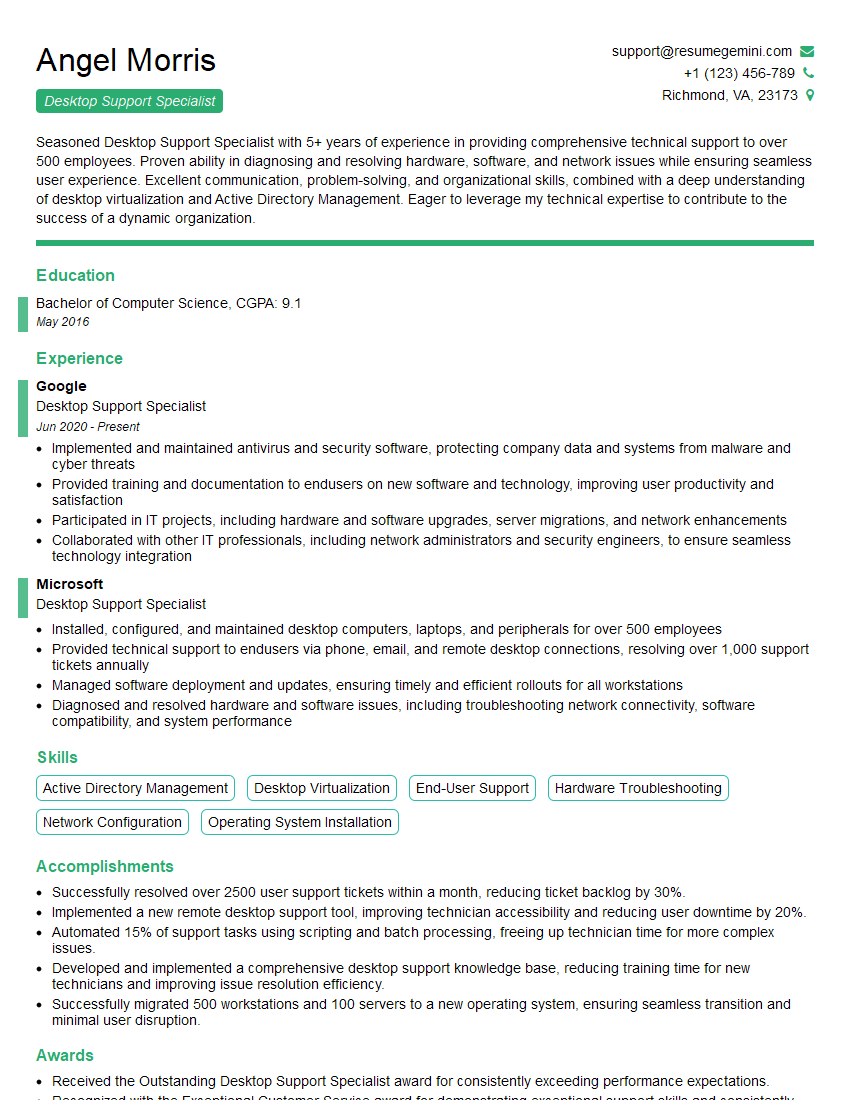
Desktop Support Specialist Resume Sample
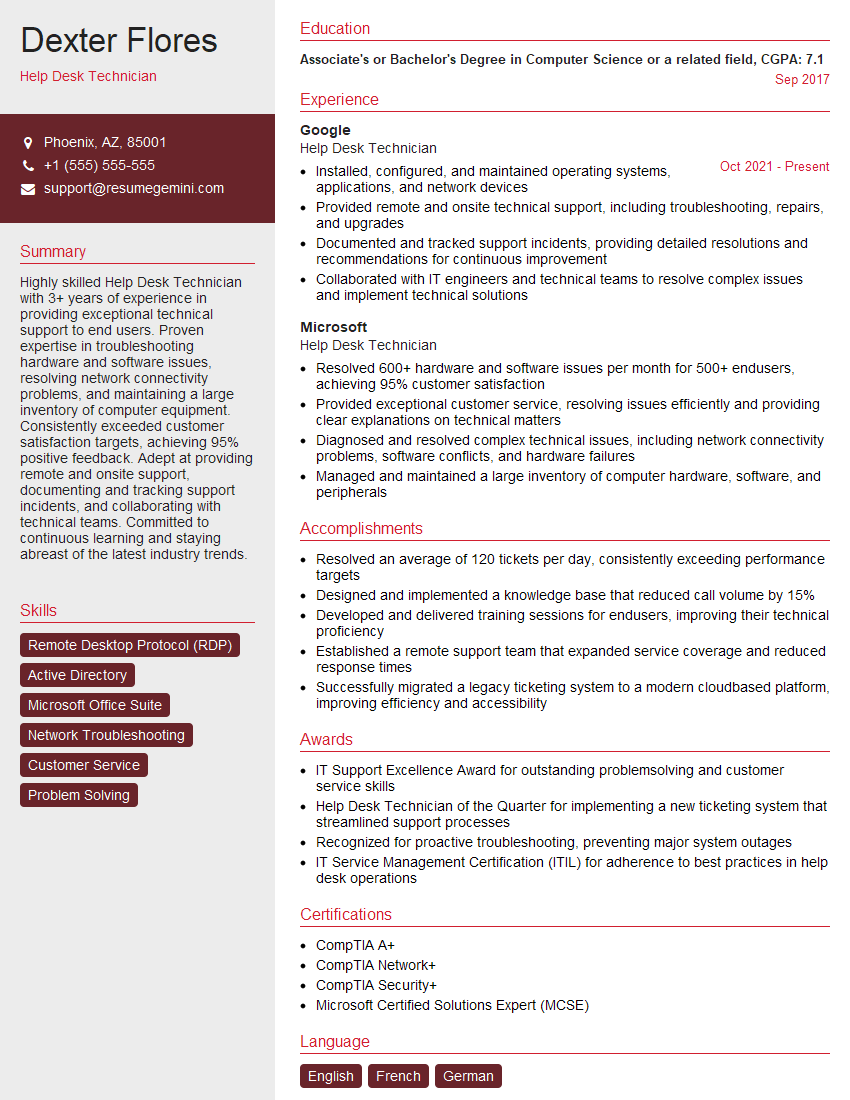
Help Desk Technician Resume Sample
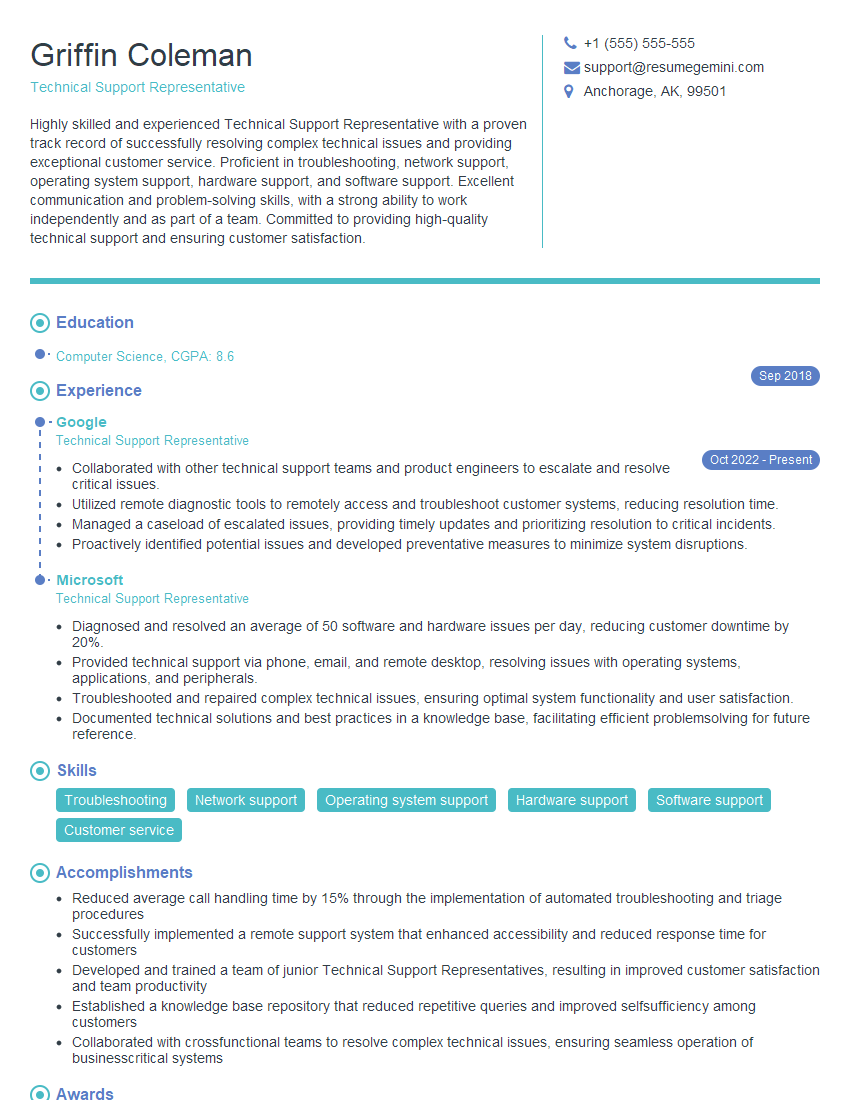
Technical Support Representative Resume Sample

IT Manager Resume Sample

Field Service Engineer Resume Sample

Quality Assurance Engineer Resume Sample

Technical Writer Resume Sample

Database Administrator Resume Sample

DevOps Engineer Resume Sample

Cloud Engineer Resume Sample
- Security Engineer
- Data Analyst
- Software Engineer
- Network Administrator
- Technical Project Manager
- Network Engineer
- Systems Administrator
- Solutions Architect
- Desktop Support Specialist
- Help Desk Technician
- Technical Support Representative
- IT Manager
- Field Service Engineer
- Quality Assurance Engineer
- Technical Writer
- Database Administrator
- DevOps Engineer
- Cloud Engineer
Explore more articles
Users Rating of Our Blogs
Share Your Experience
We value your feedback! Please rate our content and share your thoughts (optional).
What Readers Say About Our Blog
Hello,
we currently offer a complimentary backlink and URL indexing test for search engine optimization professionals.
You can get complimentary indexing credits to test how link discovery works in practice.
No credit card is required and there is no recurring fee.
You can find details here:
https://wikipedia-backlinks.com/indexing/
Regards
NICE RESPONSE TO Q & A
hi
The aim of this message is regarding an unclaimed deposit of a deceased nationale that bears the same name as you. You are not relate to him as there are millions of people answering the names across around the world. But i will use my position to influence the release of the deposit to you for our mutual benefit.
Respond for full details and how to claim the deposit. This is 100% risk free. Send hello to my email id: [email protected]
Luka Chachibaialuka
Hey interviewgemini.com, just wanted to follow up on my last email.
We just launched Call the Monster, an parenting app that lets you summon friendly ‘monsters’ kids actually listen to.
We’re also running a giveaway for everyone who downloads the app. Since it’s brand new, there aren’t many users yet, which means you’ve got a much better chance of winning some great prizes.
You can check it out here: https://bit.ly/callamonsterapp
Or follow us on Instagram: https://www.instagram.com/callamonsterapp
Thanks,
Ryan
CEO – Call the Monster App
Hey interviewgemini.com, I saw your website and love your approach.
I just want this to look like spam email, but want to share something important to you. We just launched Call the Monster, a parenting app that lets you summon friendly ‘monsters’ kids actually listen to.
Parents are loving it for calming chaos before bedtime. Thought you might want to try it: https://bit.ly/callamonsterapp or just follow our fun monster lore on Instagram: https://www.instagram.com/callamonsterapp
Thanks,
Ryan
CEO – Call A Monster APP
To the interviewgemini.com Owner.
Dear interviewgemini.com Webmaster!
Hi interviewgemini.com Webmaster!
Dear interviewgemini.com Webmaster!
excellent
Hello,
We found issues with your domain’s email setup that may be sending your messages to spam or blocking them completely. InboxShield Mini shows you how to fix it in minutes — no tech skills required.
Scan your domain now for details: https://inboxshield-mini.com/
— Adam @ InboxShield Mini
Reply STOP to unsubscribe
Hi, are you owner of interviewgemini.com? What if I told you I could help you find extra time in your schedule, reconnect with leads you didn’t even realize you missed, and bring in more “I want to work with you” conversations, without increasing your ad spend or hiring a full-time employee?
All with a flexible, budget-friendly service that could easily pay for itself. Sounds good?
Would it be nice to jump on a quick 10-minute call so I can show you exactly how we make this work?
Best,
Hapei
Marketing Director
Hey, I know you’re the owner of interviewgemini.com. I’ll be quick.
Fundraising for your business is tough and time-consuming. We make it easier by guaranteeing two private investor meetings each month, for six months. No demos, no pitch events – just direct introductions to active investors matched to your startup.
If youR17;re raising, this could help you build real momentum. Want me to send more info?
Hi, I represent an SEO company that specialises in getting you AI citations and higher rankings on Google. I’d like to offer you a 100% free SEO audit for your website. Would you be interested?
Hi, I represent an SEO company that specialises in getting you AI citations and higher rankings on Google. I’d like to offer you a 100% free SEO audit for your website. Would you be interested?
good