The thought of an interview can be nerve-wracking, but the right preparation can make all the difference. Explore this comprehensive guide to Test Setup and Execution interview questions and gain the confidence you need to showcase your abilities and secure the role.
Questions Asked in Test Setup and Execution Interview
Q 1. Explain your experience in setting up test environments.
Setting up a test environment involves creating a replica of the production environment where testing can be performed without impacting live systems. This includes replicating the hardware, software, network configurations, and data. My approach begins with a thorough understanding of the production environment’s specifications. This involves reviewing documentation, collaborating with system administrators, and potentially using environment discovery tools.
For example, in a recent project involving a web application, I worked with the DevOps team to provision a virtual environment using AWS. We used Terraform to automate the infrastructure-as-code, ensuring consistency and repeatability across various environments. We mirrored the production database structure, configuring different user roles and data sets for different testing phases.
After provisioning, I perform rigorous verification steps. This includes validating network connectivity, confirming software versions, and verifying data integrity using checksums or database comparison tools. This meticulous approach helps prevent inconsistencies that can lead to inaccurate test results.
Q 2. Describe your process for configuring test data.
Configuring test data is crucial for accurate and comprehensive testing. My process focuses on creating realistic data that represents various scenarios and user behaviors without compromising sensitive production information. I usually start by identifying the data elements needed for testing specific functionalities. This involves collaborating with developers and business analysts to understand the application’s data requirements.
I prefer using techniques like data masking, where sensitive data is replaced with realistic but non-sensitive substitutes, or data anonymization, to protect privacy. I might also utilize data generation tools to create large volumes of realistic test data. For example, I’ve used SQL scripts to populate databases with realistic customer data, including names, addresses, and transaction histories, while ensuring that the data is compliant with privacy regulations.
Another approach is to extract subsets of anonymized data from production for use in testing. This ensures the test data reflects real-world scenarios. However, strict governance processes must be implemented to manage access and prevent data leakage. The key is to balance the need for realistic data with the need to maintain data security and integrity.
Q 3. How do you handle test environment inconsistencies?
Inconsistencies in test environments are a major challenge that can lead to inaccurate test results and delayed releases. My approach to handling such inconsistencies involves a multi-pronged strategy. Firstly, I strive for robust and repeatable environment setup procedures using infrastructure-as-code (IaC) tools like Terraform or Ansible. These tools allow me to define and automate the provisioning and configuration of environments.
Secondly, I implement rigorous verification processes including automated scripts and checks to confirm that the test environment accurately reflects the production environment. For instance, I use automated checks to validate database schema, software versions, and network configurations. Discrepancies are reported and addressed promptly.
Finally, if inconsistencies cannot be avoided completely, I document them carefully and incorporate them into the test plan. This transparency ensures that the testing team is aware of limitations and takes appropriate steps to mitigate the risks. For example, if a specific library version differs between environments, I might design tests to account for potential behavioral differences.
Q 4. What tools and techniques do you use for test setup?
I employ various tools and techniques for efficient test setup, depending on the project requirements and technology stack. For infrastructure provisioning, I leverage tools like Terraform and Ansible for automation, ensuring consistent environment setup across different platforms. For database management, I utilize SQL scripting to populate and manipulate test data, and tools like pgAdmin or SQL Developer for database administration.
For virtual machine management, I work with VMware vSphere or other virtualization technologies. Docker and Kubernetes are valuable tools for containerization and orchestration of applications within the test environment. Moreover, I use test data management tools like Informatica or IBM DataStage for generating, masking, and managing large datasets.
Beyond technical tools, the key is in utilizing a structured approach. This might involve creating detailed checklists, employing configuration management techniques, and adopting a version control system (such as Git) to track changes to the test environment configuration.
Q 5. Explain your approach to managing test data for different environments.
Managing test data across different environments requires a robust strategy that ensures data consistency, security, and compliance. My approach involves creating a central repository for test data, utilizing techniques like data virtualization or creating separate data copies for each environment. This allows us to maintain specific data sets for each stage (development, testing, staging).
For example, I might use a separate database instance for each environment, populated with specific data sets. The development environment could contain sample data, the testing environment could have a larger dataset mimicking production conditions but with masked sensitive information, and the staging environment could have a near-replica of production data (again with appropriate masking).
Data version control is also critical. Using tools like Git LFS helps track changes made to the data and allows for easy rollback in case of errors. This structured approach guarantees data integrity and enables traceability, essential for debugging and auditing purposes.
Q 6. How do you ensure test environment security?
Ensuring test environment security is paramount to protect sensitive data and prevent unauthorized access. My approach combines technical and procedural measures. Technically, this involves using strong passwords, access control lists (ACLs), encryption at rest and in transit, and regular security scans to identify vulnerabilities.
I also utilize virtual private networks (VPNs) or other network security measures to isolate test environments from the production network and the public internet. Furthermore, I regularly review and update security configurations to reflect best practices and address any identified vulnerabilities.
From a procedural standpoint, I establish strict access controls, only granting access to authorized personnel. I maintain detailed documentation on security policies and procedures. Regular security audits and penetration testing are essential components of our security strategy. These are all part of building a robust security posture for our test environments.
Q 7. Describe your experience with CI/CD pipelines and their integration with testing.
CI/CD pipelines are integral to modern software development, and testing is seamlessly integrated throughout. My experience involves designing and implementing automated test execution as part of the CI/CD pipeline. This involves configuring automated build tools (like Jenkins, GitLab CI, or Azure DevOps) to trigger tests automatically whenever code is committed.
Typically, I’ll integrate automated unit, integration, and system tests into the pipeline. Each stage of the pipeline will trigger corresponding tests. If tests fail, the pipeline stops, alerting developers to potential issues early in the process. This prevents bugs from reaching later stages of development.
Furthermore, I advocate for using tools that support parallel test execution to reduce overall testing time. We also utilize test result analysis tools to identify trends and patterns in test failures, allowing for proactive improvements in the development process. The integration of testing into the CI/CD pipeline allows for faster release cycles and higher quality software.
Q 8. How do you troubleshoot test environment issues?
Troubleshooting test environment issues requires a systematic approach. Think of it like diagnosing a car problem – you need to isolate the issue before fixing it. I begin by gathering information: checking logs for error messages, reviewing the environment setup documentation, and talking to other team members who might have encountered similar problems. My process usually involves these steps:
- Reproduce the issue: Document the exact steps to reproduce the error consistently. This helps eliminate random occurrences.
- Isolate the problem: Determine if the issue stems from hardware (servers, network), software (configurations, dependencies), or data (incorrect database setup, missing files). Tools like network monitoring utilities, system performance monitors, and log analyzers are crucial.
- Verify configurations: Check all relevant configuration files, environment variables, and database connections to ensure they align with the specifications. A mismatch can easily lead to unexpected behavior.
- Test with a known good configuration: If possible, compare the problematic environment to a known working environment to pinpoint the differences. This often isolates the root cause.
- Rollback changes: If the problem arose after recent changes, rolling back to a previous stable version can quickly resolve it.
- Escalate when necessary: If the problem persists after thorough investigation, don’t hesitate to escalate to the infrastructure team or other specialists.
For example, I once encountered a test failure due to a database connection issue. By meticulously checking the database connection string in the configuration files and comparing it to a working environment, I identified a typo in the password. A simple correction resolved the problem.
Q 9. What are your preferred methods for test case execution?
My preferred methods for test case execution depend on the project’s complexity and requirements. For smaller projects, manual execution might suffice, especially when user experience or exploratory testing is crucial. However, for larger projects or those requiring frequent regression testing, automation is essential. I often utilize a combination of techniques:
- Manual Testing: Ideal for exploratory testing, user interface (UI) testing, and usability evaluations. It provides flexibility and allows for human observation of subtle issues. I use well-structured test cases to ensure consistency.
- Automated Testing: I leverage tools like Selenium (for web applications), Appium (for mobile apps), and JUnit/TestNG (for unit and integration tests). Automation increases efficiency, speed, and repeatability, especially for regression testing.
- Test Management Tools: I use tools such as Jira, TestRail, or Azure DevOps to manage test cases, track execution, and generate reports. These tools provide centralized control and better collaboration.
A recent project involved API testing. We used a combination of automated tests using Postman for API validation and manual testing for edge-case scenarios. This hybrid approach ensured both comprehensive testing and efficient execution.
Q 10. How do you track and manage test execution progress?
Tracking and managing test execution progress is critical for on-time project delivery and effective risk management. I rely heavily on test management tools, coupled with regular status meetings and visual dashboards. Here’s my approach:
- Test Management Tools: Tools like Jira, TestRail, or Azure DevOps provide features for test case assignment, status updates, and progress tracking. They allow for real-time monitoring of test execution progress and identification of bottlenecks.
- Test Execution Matrices: I use spreadsheets or the built-in reporting features of the test management tool to create test execution matrices that visually represent the progress of different test suites.
- Regular Status Meetings: I conduct regular meetings with the testing team to discuss progress, challenges, and risks. Open communication is key to addressing issues promptly.
- Visual Dashboards: I create dashboards to visualize key metrics such as test case execution status, pass/fail rates, and remaining effort. These dashboards provide a high-level overview of the progress and allow for proactive intervention.
For example, during a recent project, using a TestRail dashboard to monitor the execution of over 500 test cases allowed us to identify a critical bottleneck early on. This enabled the team to re-prioritize and dedicate additional resources to complete the testing on time.
Q 11. How do you handle test failures during execution?
Handling test failures is a crucial part of the testing process. It’s not just about identifying the failure but also about understanding the root cause and taking corrective action. My approach involves:
- Reproduce the failure: The first step is to reproduce the failure consistently. This confirms the issue is not intermittent and allows for thorough investigation.
- Document the failure: Detailed documentation is essential. I record the steps to reproduce the failure, the actual result, the expected result, and any error messages or logs. Screenshots or screen recordings are invaluable.
- Analyze the logs: Examine the application, system, and database logs for any clues about the cause of the failure.
- Debug the code (if applicable): If I have access to the code, I’ll debug the application to pinpoint the exact location of the failure.
- Isolate the root cause: Determine whether the failure is due to a defect in the application, a problem in the test environment, or an issue with the test case itself.
- Report the defect: Submit a detailed bug report with all the necessary information to the development team.
- Retest after fixing: Once the defect is fixed, I retest the affected areas to ensure the issue is resolved.
For instance, I recently encountered a test failure in a web application due to an unexpected behavior in a specific browser. After thorough investigation involving debugging tools and browser developer console, we found a compatibility issue with a specific JavaScript library. This issue was documented and fixed by the developers, and the test case passed after retesting.
Q 12. Explain your experience with test reporting and analysis.
Test reporting and analysis are crucial for demonstrating the effectiveness of testing efforts and identifying areas for improvement. My experience involves creating comprehensive reports that go beyond simple pass/fail metrics. I focus on presenting data in a clear, concise, and actionable manner:
- Test Summary Reports: These reports provide a high-level overview of the testing process, including the total number of test cases executed, pass/fail rates, and overall test coverage.
- Defect Reports: Detailed reports on discovered defects, including their severity, priority, and status, are crucial for tracking progress and prioritizing fixes.
- Test Metrics Analysis: I analyze various test metrics such as defect density, test execution time, and test coverage to identify trends, bottlenecks, and areas requiring improvement.
- Visualizations: I utilize charts and graphs to visually represent test data, making it easier to understand and communicate findings to stakeholders.
- Trend Analysis: I analyze data from multiple test cycles to identify recurring issues and trends, providing insights for preventative measures.
In a recent project, we used a detailed test report with trend analysis to demonstrate the effectiveness of our automation efforts in reducing the time required for regression testing. The data clearly showed a significant improvement in testing efficiency, which allowed the team to focus on other critical tasks.
Q 13. How do you ensure test coverage?
Ensuring adequate test coverage is paramount to delivering high-quality software. It’s about verifying that all aspects of the application are tested sufficiently. My approach involves:
- Requirement Traceability Matrix (RTM): I create an RTM that maps test cases to specific requirements. This ensures that all requirements have corresponding test cases, avoiding gaps in coverage.
- Risk-Based Testing: I prioritize testing efforts based on the risk associated with different functionalities or components. High-risk areas receive more rigorous testing.
- Test Case Design Techniques: I utilize various test case design techniques, such as equivalence partitioning, boundary value analysis, and decision table testing, to ensure comprehensive coverage.
- Code Coverage Tools: For unit and integration tests, I use code coverage tools to measure the percentage of code that is executed during testing. This helps identify untested code sections.
- Review and Peer Review: Regular review of test cases and test plans by peers helps identify gaps and improves overall coverage.
For example, in a recent project involving a complex e-commerce application, using a requirement traceability matrix allowed us to ensure that every feature and function was tested thoroughly. We avoided missing important use cases by explicitly linking each requirement to related test cases.
Q 14. How do you prioritize test cases for execution?
Prioritizing test cases for execution is crucial for maximizing the value of testing within time and resource constraints. I employ a multi-faceted approach:
- Risk-Based Prioritization: Test cases related to high-risk areas (e.g., critical functionalities, security features) are prioritized. This approach ensures that the most important aspects are tested first.
- Business Value Prioritization: Test cases related to functionalities with high business value are prioritized. This ensures that the most impactful features are tested thoroughly.
- Dependency Prioritization: Test cases with dependencies on other components or functionalities are prioritized based on their dependencies. This ensures a logical sequence of testing.
- Severity and Priority: Test cases are often assigned severity (impact) and priority (urgency) levels, informing the order of execution. Critical and high-priority cases are tackled first.
- Test Case Categorization: Categorizing test cases by type (unit, integration, system, regression) provides structure for prioritization. For example, critical unit tests might be executed first before moving to system-level tests.
In a recent project, we used a combination of risk-based and business value prioritization. This allowed us to focus our testing efforts on the most critical features, ensuring a timely release while mitigating potential risks.
Q 15. What are your strategies for managing test execution risks?
Managing test execution risks involves proactive planning and mitigation strategies. It’s like building a house – you wouldn’t start construction without blueprints and safety precautions! My approach is threefold: Proactive Risk Identification, Mitigation Planning, and Contingency Management.
Proactive Risk Identification: This begins with a thorough understanding of the system under test. I analyze requirements, design documents, and identify potential failure points. For instance, if a system relies on external APIs, I’d immediately recognize the risk of API downtime and plan accordingly. I use risk assessment matrices to categorize risks by likelihood and impact.
Mitigation Planning: Once risks are identified, I develop mitigation strategies. This could involve creating robust test data, implementing error handling within tests, or employing techniques like canary deployments to gradually introduce changes. If API downtime is a risk, we might build mock APIs for testing.
Contingency Management: Even with the best planning, unexpected issues arise. I have a plan B, C, and sometimes even D! This includes fallback testing methods, escalation paths, and communication protocols. For example, if a test environment becomes unstable, we might have a backup environment ready to go. We also track risk occurrences and their resolutions to improve future planning.
Ultimately, my goal is to minimize disruptions and deliver reliable test results.
Career Expert Tips:
- Ace those interviews! Prepare effectively by reviewing the Top 50 Most Common Interview Questions on ResumeGemini.
- Navigate your job search with confidence! Explore a wide range of Career Tips on ResumeGemini. Learn about common challenges and recommendations to overcome them.
- Craft the perfect resume! Master the Art of Resume Writing with ResumeGemini’s guide. Showcase your unique qualifications and achievements effectively.
- Don’t miss out on holiday savings! Build your dream resume with ResumeGemini’s ATS optimized templates.
Q 16. Describe your experience with parallel test execution.
Parallel test execution is crucial for accelerating the testing process and maximizing efficiency. Imagine testing a website – instead of checking one page at a time, you can test multiple pages simultaneously! I have extensive experience using tools like Selenium Grid and TestNG to implement parallel test execution.
In one project, we had a large suite of integration tests. Running them sequentially took hours. By implementing parallel execution using TestNG and a Selenium Grid setup across multiple machines, we reduced the execution time by 75%, significantly shortening our release cycles. This allowed for quicker feedback and faster identification of defects. The key to successful parallel execution is careful test case design, to ensure independence and avoid resource contention issues. This often requires refactoring tests to ensure they don’t share state or dependencies.
//Example TestNG parallel execution configuration <suite name="ParallelSuite" parallel="methods" thread-count="5"> <test name="Test1"> <classes> <class name="Testcase1"/> <class name="Testcase2"/> </classes> </test> </suite>
Q 17. How do you manage dependencies between test cases?
Managing dependencies between test cases is critical for maintaining test order and avoiding false positives or failures. Think of it as a recipe – you wouldn’t try to bake a cake without first mixing the ingredients! I usually manage dependencies using two main approaches: Test Case Ordering and Test Data Management.
Test Case Ordering: This ensures that prerequisites are met before dependent tests are executed. Many test frameworks (like TestNG or JUnit) offer features for controlling execution order. This can be done through annotations, priorities, or custom listeners.
Test Data Management: Dependencies can stem from shared data. Properly managing test data is crucial. Creating a dedicated test data setup and teardown process is essential. For instance, I often use database setups and tear-downs to ensure data consistency and avoid conflicts between tests. This might involve creating unique test data sets for each dependent test and then cleaning them up afterwards.
For example, if a test case requires data created by a preceding test case, we can implement a mechanism where the creation of the necessary data is handled in a setup method of the dependent test. We could use a database transaction to roll back any data changes made by a failed test.
Q 18. What is your experience with different testing frameworks?
I’ve worked with a variety of testing frameworks, each suited to different needs and programming languages. My experience includes:
Selenium: For web UI automation testing. I’m proficient in using Selenium WebDriver with various programming languages like Java and Python to automate browser interactions and verify functionality.
RestAssured: For API testing. RestAssured allows efficient and elegant testing of RESTful APIs, verifying HTTP requests and responses.
JUnit/TestNG: These Java-based testing frameworks provide structures for creating and running unit and integration tests. TestNG offers enhanced features for parallel test execution and data-driven testing.
pytest (Python): A robust Python testing framework offering strong support for plugins, fixtures, and various testing styles.
The choice of framework depends on the project’s requirements and the technologies used. For instance, for a web application, Selenium is essential, while API-heavy applications might benefit most from RestAssured.
Q 19. Explain your experience with different test management tools.
My experience encompasses several test management tools, each bringing its own strengths:
Jira: For managing bugs and tracking progress. Its integration with various development tools is invaluable for effective collaboration and issue tracking.
TestRail: Specifically designed for test case management. TestRail allows for organizing test cases, assigning them to testers, tracking execution status, and generating comprehensive reports. Its reporting features have been invaluable for communicating test progress and results.
Zephyr: Another strong test management tool, offering features similar to TestRail and integrating well with other Atlassian products.
The selection of a test management tool depends heavily on project size, team structure, and existing infrastructure. Larger teams and complex projects often benefit from the scalability and comprehensive reporting capabilities offered by TestRail or Zephyr. Smaller teams might find Jira sufficient.
Q 20. How do you integrate testing into the software development lifecycle?
Integrating testing into the software development lifecycle (SDLC) is paramount for delivering high-quality software. I advocate for a shift-left approach, incorporating testing early and often. This prevents the accumulation of defects and reduces the cost of fixing them later.
Unit Testing (Development Phase): Developers write unit tests to validate individual components of the software. This ensures that each building block functions correctly before integration.
Integration Testing (Integration Phase): Tests verify the interactions between different components. This is where I often use frameworks like TestNG or JUnit.
System Testing (Testing Phase): End-to-end tests validate the complete system against requirements. This often involves tools like Selenium and manual testing.
User Acceptance Testing (Deployment Phase): Real users test the system to ensure it meets their expectations. This feedback loop is vital for successful product launches.
Continuous Integration and Continuous Delivery (CI/CD) pipelines are essential for automating this process, ensuring that each stage of the SDLC incorporates testing and providing rapid feedback. This results in faster release cycles and higher-quality software.
Q 21. How do you ensure the quality of test results?
Ensuring the quality of test results requires a multi-faceted approach. It’s like checking the accuracy of a weather forecast – you wouldn’t rely on a single source!
Test Data Quality: Using realistic and representative test data is vital. Inaccurate or incomplete data can lead to misleading results.
Test Environment Stability: A consistent and stable test environment is essential for reproducibility and reliability of results. This minimizes the risk of false positives due to environmental issues.
Test Case Design: Well-designed test cases with clear objectives and expected outcomes are fundamental. This ensures that the results accurately reflect the system’s functionality.
Result Verification and Analysis: Thorough review of test results is crucial, considering both passed and failed tests. Anomalies in pass/fail rates require investigation and root cause analysis.
Automated Reporting: Test management tools provide reports that help track progress and identify trends. These reports should be reviewed regularly to highlight areas needing improvement.
By implementing these measures, we can significantly enhance the confidence and trustworthiness of our test results, ultimately contributing to the delivery of robust and reliable software.
Q 22. Describe your experience with automated test execution.
Automated test execution is the process of running tests automatically, without manual intervention. This significantly speeds up the testing process, improves accuracy, and allows for more frequent testing cycles. My experience encompasses a wide range of automated testing tools and frameworks, including Selenium for web applications, Appium for mobile apps, and REST-assured for APIs. I’ve worked on projects employing various Continuous Integration/Continuous Delivery (CI/CD) pipelines, such as Jenkins and GitLab CI, integrating automated tests seamlessly into the software development lifecycle. For example, in a recent project involving a large e-commerce platform, I automated over 80% of our regression test suite using Selenium and Java, reducing our testing time from several days to a few hours.
This allowed the development team to release new features much more frequently while maintaining a high level of software quality. I’m also proficient in creating and maintaining test automation frameworks, ensuring they are robust, maintainable, and scalable to accommodate future growth. I focus on designing modular and reusable test scripts to maximize efficiency and minimize redundancy.
Q 23. How do you handle test data cleanup after execution?
Test data cleanup is crucial for maintaining the integrity and reliability of automated tests. Neglecting this can lead to test failures due to data inconsistencies or conflicts between different test runs. My approach involves a multi-pronged strategy. First, I employ techniques like using unique data sets for each test run. This avoids interference and ensures that each test operates in an isolated environment. This often involves generating test data dynamically using tools or scripts. Secondly, I leverage database transactions (ROLLBACK) or database cleanup scripts to restore the database to a known clean state after each test run. This ensures the database is not cluttered with residual data from previous tests, preventing conflicts and maintaining data accuracy.
For example, in a recent project involving a CRM system, I used SQL scripts to delete all records created during test execution immediately after the test suite completed. This was done in a separate transaction, ensuring atomicity and integrity of the database. Finally, I always thoroughly document my data cleanup processes to allow any team member to understand and maintain them. For particularly complex scenarios, I might integrate the cleanup processes directly into the test automation framework to ensure the process is automated and reliable.
Q 24. How do you measure the effectiveness of your test setup and execution processes?
Measuring the effectiveness of test setup and execution processes is vital for continuous improvement. I use several key metrics, including:
- Test execution time: This reflects the efficiency of the setup and execution processes. Reductions indicate improvements in automation and efficiency.
- Test coverage: Indicates the percentage of the application covered by tests, signifying the comprehensiveness of the test suite.
- Defect detection rate: The number of defects found during testing relative to the number found in production – a higher rate means more effective testing.
- Test automation rate: The percentage of tests automated, showing the progress towards reducing manual effort.
- Mean Time To Failure (MTTF): This helps to identify the stability and reliability of the test environment.
- Test execution stability: This metric captures the consistency and reliability of test results. Frequent failures indicate problems in the test environment or test scripts.
By regularly tracking and analyzing these metrics, I can pinpoint areas for improvement and optimize the overall testing process. For instance, a low defect detection rate might indicate a need for more comprehensive test cases or improved testing strategies. Similarly, a high MTTF indicates a stable and reliable testing process, while a low value points to instability in the test environment.
Q 25. How do you deal with conflicting priorities during test execution?
Conflicting priorities during test execution are a common challenge. My approach involves prioritizing test execution based on several factors: risk, business impact, and deadlines. I start by collaborating with stakeholders such as product managers and developers to understand the relative importance of each feature under test. This often involves prioritization matrices that consider the impact of a failure and the likelihood of a failure. Then, I create a prioritized test plan that focuses on critical features first. This often involves identifying a critical path of tests that need to be completed to allow for critical functionality to be validated.
If time constraints prevent us from covering all tests, we’ll focus on the highest-priority tests, while still providing a clear report outlining the scope and limitations of the testing. Open communication with all stakeholders regarding trade-offs and compromises is critical. Finally, I advocate for using risk-based testing techniques where the most critical features are tested first, and other features can be tested after based on time constraints.
Q 26. How do you communicate test results to stakeholders?
Communicating test results effectively to stakeholders is crucial. My strategy involves using a combination of clear, concise reports and visual dashboards. I usually present a summary of test execution, including key metrics such as the number of tests executed, passed, failed, and blocked. I also include a detailed analysis of any failures, highlighting their root causes and impact on functionality. This frequently involves using screenshots or video recordings of failed test scenarios to assist in understanding the issues.
I leverage tools such as Jira, TestRail or custom dashboards to present test results in a user-friendly format. I prefer to use visual aids, such as charts and graphs, to showcase key findings and trends, making it easier for stakeholders to understand the overall health of the application under test. Finally, I always provide recommendations for further action based on the findings, ensuring clarity and actionable insights for the stakeholders.
Q 27. What are some best practices for test setup and execution?
Best practices for test setup and execution center around efficiency, repeatability, and maintainability. These include:
- Modular Test Design: Creating independent and reusable test components to improve efficiency and maintainability.
- Version Control: Using a version control system (like Git) to track changes to test scripts and data.
- Continuous Integration/Continuous Delivery (CI/CD): Integrating automated tests into the CI/CD pipeline for continuous feedback.
- Test Data Management: Employing strategies for creating, managing, and cleaning up test data effectively.
- Test Environment Management: Setting up and maintaining consistent and reliable test environments.
- Comprehensive Test Reporting: Generating clear and concise reports summarizing test results and findings.
- Regular Reviews: Reviewing test scripts and processes periodically to identify areas for improvement.
- Collaboration: Fostering close collaboration between testers, developers, and other stakeholders.
Following these best practices leads to a more robust, efficient, and reliable testing process, ultimately improving software quality and reducing time to market.
Q 28. Describe a time you had to troubleshoot a complex test environment issue.
In a previous project involving a complex microservices architecture, we encountered an intermittent failure in our automated tests. The tests would sometimes fail mysteriously in the staging environment, but would always pass in the development environment. After several days of investigation, we discovered that a specific microservice was relying on a shared caching mechanism, and the cache was being unexpectedly purged in the staging environment under high load conditions. This purge interrupted the interaction between the microservice and the main application under test.
Our troubleshooting involved detailed logging, performance monitoring, and careful analysis of the staging environment configuration. We systematically ruled out different components and eventually isolated the caching problem using the logs. The solution involved configuring the caching mechanism to be more resilient and less prone to purging under high load. This case highlighted the importance of meticulous logging, performance monitoring, and collaboration across teams to resolve complex test environment issues. The experience strengthened my skills in debugging, problem solving, and understanding the intricacies of distributed system architecture.
Key Topics to Learn for Test Setup and Execution Interview
- Test Environment Setup: Understanding different testing environments (development, staging, production), configuration management, and the importance of replicating real-world scenarios.
- Test Data Management: Strategies for creating, managing, and cleaning test data, including data masking and anonymization techniques to ensure data integrity and security.
- Test Execution Strategies: Mastering various execution methods (manual, automated), understanding the benefits and drawbacks of each, and selecting the appropriate approach based on project needs.
- Defect Tracking and Reporting: Proficiency in using bug tracking systems, writing clear and concise bug reports, and effectively communicating issues to development teams.
- Test Automation Frameworks: Familiarity with popular frameworks (e.g., Selenium, Appium, Cypress) and their application in automating test execution and reducing manual effort.
- Continuous Integration/Continuous Delivery (CI/CD): Understanding how test setup and execution integrate into CI/CD pipelines for efficient and automated testing processes.
- Performance and Load Testing: Knowledge of performance testing tools and techniques to assess application stability and scalability under various load conditions.
- Test Result Analysis and Reporting: Analyzing test results, identifying trends, generating insightful reports, and communicating key findings to stakeholders.
- Problem-solving and Troubleshooting: Developing strong troubleshooting skills to identify and resolve issues encountered during test setup and execution, demonstrating a proactive and solution-oriented approach.
Next Steps
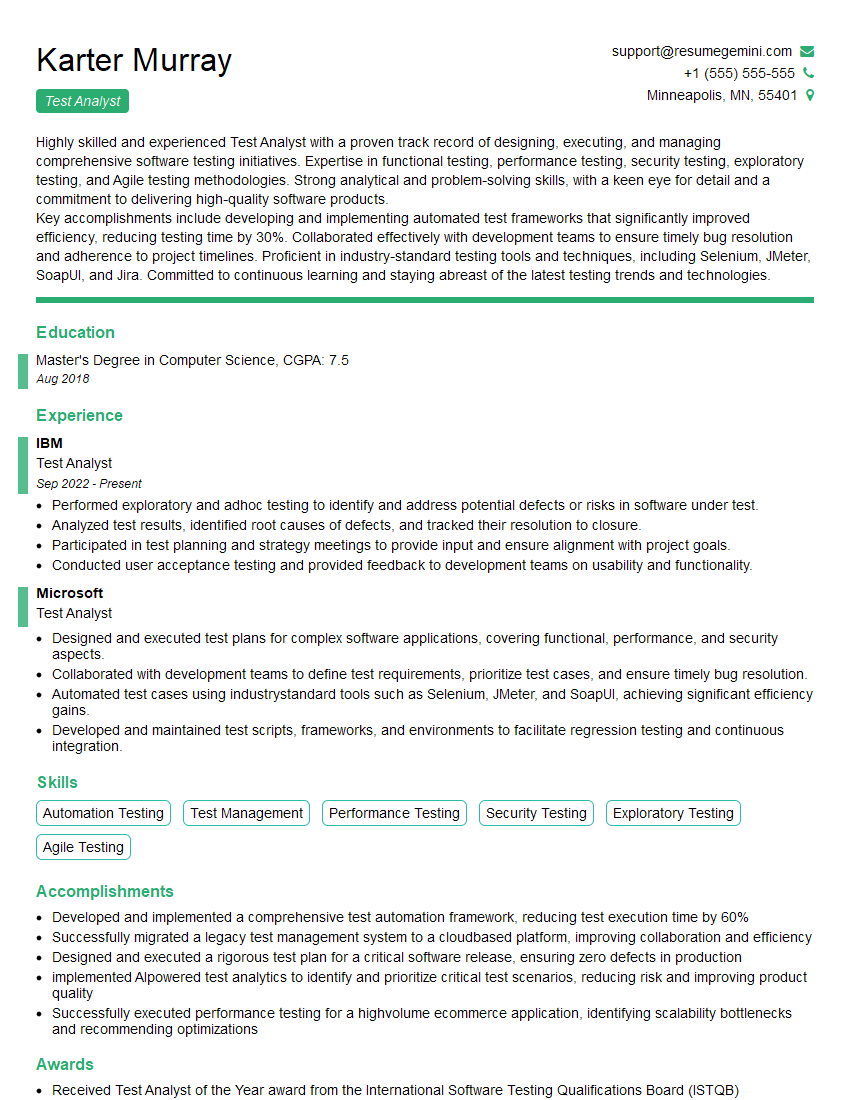
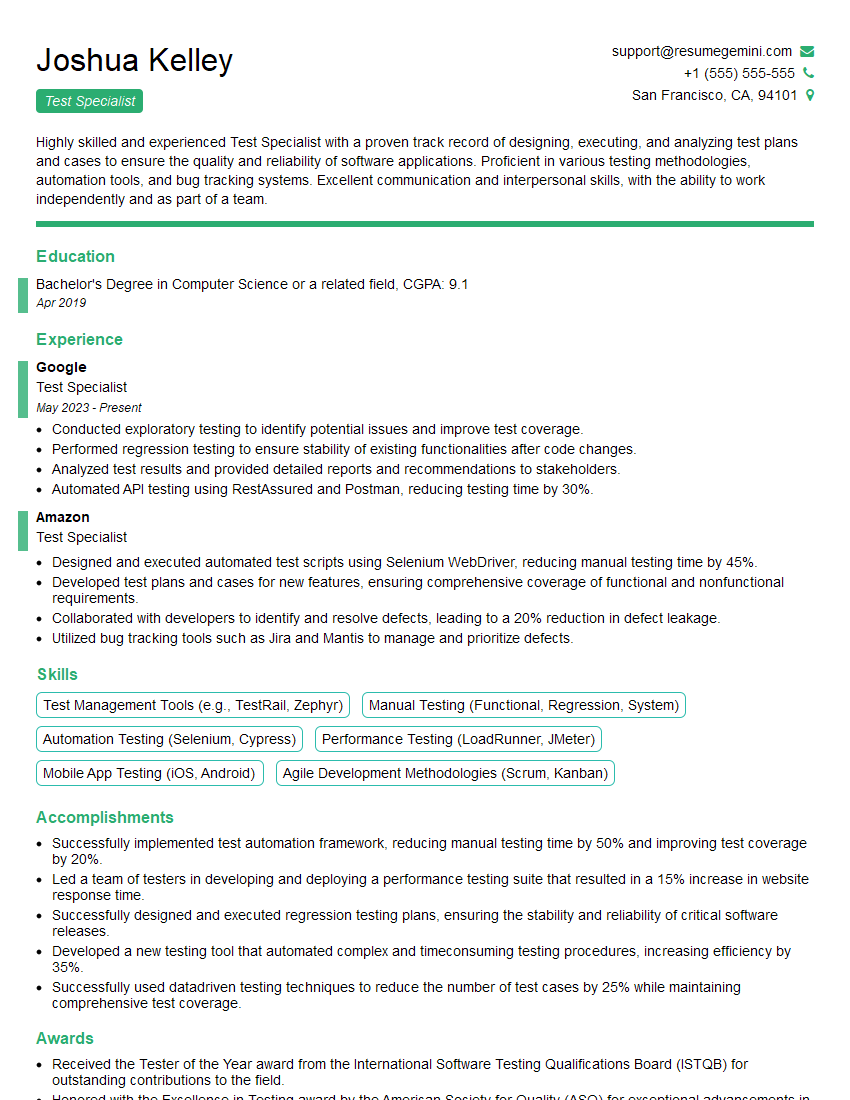
Mastering Test Setup and Execution is crucial for career advancement in software quality assurance. It demonstrates your ability to contribute significantly to software development lifecycle, ensuring high-quality, reliable software releases. To maximize your job prospects, it’s essential to craft a compelling and ATS-friendly resume that showcases your skills and experience effectively. ResumeGemini is a trusted resource that can help you build a professional and impactful resume, tailored to your specific skills and experience in Test Setup and Execution. Examples of resumes tailored to this field are available to help guide you. Invest the time to create a strong resume – it’s your first impression and a key factor in landing your dream job.

Explore more articles
Users Rating of Our Blogs
Share Your Experience
We value your feedback! Please rate our content and share your thoughts (optional).
What Readers Say About Our Blog
Attention music lovers!
Wow, All the best Sax Summer music !!!
Spotify: https://open.spotify.com/artist/6ShcdIT7rPVVaFEpgZQbUk
Apple Music: https://music.apple.com/fr/artist/jimmy-sax-black/1530501936
YouTube: https://music.youtube.com/browse/VLOLAK5uy_noClmC7abM6YpZsnySxRqt3LoalPf88No
Other Platforms and Free Downloads : https://fanlink.tv/jimmysaxblack
on google : https://www.google.com/search?q=22+AND+22+AND+22
on ChatGPT : https://chat.openai.com?q=who20jlJimmy20Black20Sax20Producer
Get back into the groove with Jimmy sax Black
Best regards,
Jimmy sax Black
www.jimmysaxblack.com
Hi I am a troller at The aquatic interview center and I suddenly went so fast in Roblox and it was gone when I reset.
Hi,
Business owners spend hours every week worrying about their website—or avoiding it because it feels overwhelming.
We’d like to take that off your plate:
$69/month. Everything handled.
Our team will:
Design a custom website—or completely overhaul your current one
Take care of hosting as an option
Handle edits and improvements—up to 60 minutes of work included every month
No setup fees, no annual commitments. Just a site that makes a strong first impression.
Find out if it’s right for you:
https://websolutionsgenius.com/awardwinningwebsites
Hello,
we currently offer a complimentary backlink and URL indexing test for search engine optimization professionals.
You can get complimentary indexing credits to test how link discovery works in practice.
No credit card is required and there is no recurring fee.
You can find details here:
https://wikipedia-backlinks.com/indexing/
Regards
NICE RESPONSE TO Q & A
hi
The aim of this message is regarding an unclaimed deposit of a deceased nationale that bears the same name as you. You are not relate to him as there are millions of people answering the names across around the world. But i will use my position to influence the release of the deposit to you for our mutual benefit.
Respond for full details and how to claim the deposit. This is 100% risk free. Send hello to my email id: lukachachibaialuka@gmail.com
Luka Chachibaialuka
Hey interviewgemini.com, just wanted to follow up on my last email.
We just launched Call the Monster, an parenting app that lets you summon friendly ‘monsters’ kids actually listen to.
We’re also running a giveaway for everyone who downloads the app. Since it’s brand new, there aren’t many users yet, which means you’ve got a much better chance of winning some great prizes.
You can check it out here: https://bit.ly/callamonsterapp
Or follow us on Instagram: https://www.instagram.com/callamonsterapp
Thanks,
Ryan
CEO – Call the Monster App
Hey interviewgemini.com, I saw your website and love your approach.
I just want this to look like spam email, but want to share something important to you. We just launched Call the Monster, a parenting app that lets you summon friendly ‘monsters’ kids actually listen to.
Parents are loving it for calming chaos before bedtime. Thought you might want to try it: https://bit.ly/callamonsterapp or just follow our fun monster lore on Instagram: https://www.instagram.com/callamonsterapp
Thanks,
Ryan
CEO – Call A Monster APP
To the interviewgemini.com Owner.
Dear interviewgemini.com Webmaster!
Hi interviewgemini.com Webmaster!
Dear interviewgemini.com Webmaster!
excellent
Hello,
We found issues with your domain’s email setup that may be sending your messages to spam or blocking them completely. InboxShield Mini shows you how to fix it in minutes — no tech skills required.
Scan your domain now for details: https://inboxshield-mini.com/
— Adam @ InboxShield Mini
support@inboxshield-mini.com
Reply STOP to unsubscribe
Hi, are you owner of interviewgemini.com? What if I told you I could help you find extra time in your schedule, reconnect with leads you didn’t even realize you missed, and bring in more “I want to work with you” conversations, without increasing your ad spend or hiring a full-time employee?
All with a flexible, budget-friendly service that could easily pay for itself. Sounds good?
Would it be nice to jump on a quick 10-minute call so I can show you exactly how we make this work?
Best,
Hapei
Marketing Director
Hey, I know you’re the owner of interviewgemini.com. I’ll be quick.
Fundraising for your business is tough and time-consuming. We make it easier by guaranteeing two private investor meetings each month, for six months. No demos, no pitch events – just direct introductions to active investors matched to your startup.
If youR17;re raising, this could help you build real momentum. Want me to send more info?
Hi, I represent an SEO company that specialises in getting you AI citations and higher rankings on Google. I’d like to offer you a 100% free SEO audit for your website. Would you be interested?
Hi, I represent an SEO company that specialises in getting you AI citations and higher rankings on Google. I’d like to offer you a 100% free SEO audit for your website. Would you be interested?