The thought of an interview can be nerve-wracking, but the right preparation can make all the difference. Explore this comprehensive guide to Troubleshoot and Resolve Issues interview questions and gain the confidence you need to showcase your abilities and secure the role.
Questions Asked in Troubleshoot and Resolve Issues Interview
Q 1. Describe your approach to troubleshooting a complex technical issue.
My approach to troubleshooting complex technical issues is systematic and methodical. I utilize a structured problem-solving framework, often starting with a thorough understanding of the issue. This involves gathering as much information as possible – error messages, logs, user reports, system configurations, and environmental factors. Think of it like investigating a crime scene; every detail matters.
Next, I break down the problem into smaller, more manageable components. This allows me to focus on specific areas and prevents me from getting overwhelmed. I use a process of elimination, testing hypotheses and ruling out potential causes one by one. This could involve checking network connectivity, verifying software configurations, or even examining hardware components.
I always document each step, recording my findings, the actions taken, and the results. This detailed documentation aids in tracking progress, identifying patterns, and facilitating efficient escalation if needed. Finally, once the root cause is identified and resolved, I perform thorough testing to ensure the problem is truly fixed and doesn’t reappear.
Q 2. Explain your experience using diagnostic tools.
I’m proficient with a wide range of diagnostic tools, depending on the specific technology involved. For network issues, I rely on tools like Wireshark for packet analysis and ping/traceroute for network path tracing. For server problems, I use tools like top, htop, and systemd-journalctl to monitor resource usage and system logs. For application-level debugging, I frequently employ debuggers, profilers, and logging frameworks specific to the programming language used (e.g., gdb for C++, pdb for Python). Database issues often require using tools such as SQL Developer or MySQL Workbench to query and analyze database performance and integrity.
For example, when troubleshooting a slow-performing web application, I might use a profiler to identify bottlenecks in the code and then use logs to pinpoint the specific functions causing the delays. This combined approach allows for precise identification and resolution of performance issues.
Q 3. How do you prioritize multiple issues simultaneously?
Prioritizing multiple issues simultaneously requires a structured approach. I use a combination of factors to determine urgency and impact: severity, business impact, and dependencies. Severity considers the criticality of the issue (e.g., system outage vs. minor UI glitch). Business impact assesses the effects on users or business operations. Dependencies identify issues that block other tasks or require immediate resolution.
I typically use a matrix or a Kanban board to visualize the issues and their priorities. High-severity, high-impact issues with no dependencies are addressed first. I then address issues based on their overall impact and workflow dependencies, ensuring efficient and effective resolution of all problems within a reasonable timeframe.
Q 4. How do you document troubleshooting steps and solutions?
Documentation is paramount. I maintain a detailed record of every troubleshooting step, including the initial symptoms, actions taken, results observed, and the final solution. This documentation serves several critical purposes.
- Reproducibility: If the issue recurs, the documentation helps to quickly identify and address it.
- Knowledge sharing: It allows others to understand the issue and its resolution, improving team knowledge and efficiency.
- Auditing: It provides a record of troubleshooting efforts for auditing and compliance purposes.
I often use a combination of ticketing systems (e.g., Jira, ServiceNow), internal wikis, and even plain text files to document my troubleshooting efforts, selecting the method that best fits the context and complexity of the issue.
Q 5. How do you escalate issues effectively?
Escalation is a crucial part of effective troubleshooting. I escalate issues when my expertise is insufficient, when the issue requires specialized skills or tools, or when the issue impacts a critical system or service. Before escalating, I gather all relevant information – clear description of the problem, troubleshooting steps already taken, and the current status.
I communicate the issue concisely and clearly to the appropriate team or individual, ensuring that they have all the context they need to address it effectively. I also follow up to ensure that the escalated issue is being addressed and provide any further assistance that might be needed. Clear and proactive communication is key to efficient escalation.
Q 6. Describe a time you identified the root cause of a recurring problem.
I once encountered a recurring problem with a web application where users intermittently experienced database connection errors. Initial troubleshooting pointed to database server issues, but after thorough investigation including examining database logs, server resource utilization and network latency, I discovered the root cause wasn’t with the database itself.
Instead, it was a memory leak in the application code that gradually consumed available server resources, eventually impacting database connections. Identifying this memory leak required using a profiler to analyze the application’s memory usage over time and pinpoint the specific code sections causing the leak. Once the memory leak was fixed, the recurring database connection errors disappeared, illustrating the importance of thorough investigation beyond initial assumptions.
Q 7. What methods do you use to systematically isolate problems?
I employ several methods to systematically isolate problems. A common approach is the “divide and conquer” strategy – breaking down the system into smaller components and testing each individually to identify the faulty part. I also use binary search – systematically narrowing down the possible causes by halving the search space with each test. Another useful approach is the top-down approach, starting with the most likely causes and working my way down to less likely ones.
For network-related problems, I might utilize packet capture analysis (using Wireshark) to pinpoint the location of the failure within the network infrastructure. When dealing with software problems, I might use debugging tools to step through the code execution and identify the point of failure. The specific techniques employed depend on the nature and complexity of the issue.
Q 8. Explain your experience with remote troubleshooting.
Remote troubleshooting is a crucial skill in today’s interconnected world. It involves diagnosing and resolving technical issues on systems and devices located remotely, often without physical access. My experience spans several years, encompassing various technologies and environments. I’ve used a variety of remote access tools such as TeamViewer, AnyDesk, and VNC to connect to users’ machines and perform troubleshooting. A typical workflow involves initial communication to understand the problem, followed by remote access, diagnostics (using tools like event viewers, resource monitors, and network diagnostics), implementing solutions, and verifying the fix. For example, I once remotely resolved a user’s network connectivity issue by identifying a faulty network driver, downloading the correct driver, and guiding the user through the installation process.
I’m adept at using remote tools to access logs, system information, and even manipulate files on a remote machine. Furthermore, I’m skilled at providing clear and concise instructions to non-technical users, ensuring they understand each step of the process and can take ownership of the solution.
Q 9. How do you handle user frustration during troubleshooting?
User frustration is a common challenge in troubleshooting. I approach this with empathy and a focus on clear communication. Think of it like being a detective; understanding the user’s perspective is the first step to solving the mystery. I begin by actively listening to the user’s description of the problem, asking clarifying questions to understand the context and impact. I avoid technical jargon, instead explaining issues in plain language. Regular updates on progress are key – letting the user know what I’m doing and when they can expect a resolution helps manage expectations.
For instance, if a user is experiencing slow performance, I might say, “I understand this is frustrating; let’s work together to figure this out. First, I’ll check your system resources to see if anything is using up too much memory.” Maintaining a calm and positive demeanor helps de-escalate situations. If I’m unable to immediately resolve the issue, I communicate a realistic timeframe for resolution and ensure the user knows they’re not alone in this process.
Q 10. How do you stay up-to-date on new technologies and troubleshooting techniques?
Staying current in this rapidly evolving field requires a proactive approach. I regularly subscribe to industry newsletters and blogs, attend webinars, and participate in online communities dedicated to troubleshooting and IT support. Certifications (like CompTIA A+, Network+, Security+) are also a vital part of my strategy, ensuring my knowledge aligns with the latest best practices and technologies. I actively seek out online courses and training materials relevant to emerging trends, like cloud computing and cybersecurity. Following influential figures and organizations on platforms like LinkedIn provides valuable insights into current industry trends. Additionally, I always try to learn from my mistakes and document troubleshooting experiences to refine my techniques.
Participating in professional organizations allows for networking and knowledge sharing. For example, recently I completed a course on troubleshooting cloud-based applications, directly benefiting my ability to assist clients utilizing cloud services.
Q 11. What is your experience with ticketing systems?
Ticketing systems are essential tools for managing and tracking troubleshooting requests. My experience includes extensive use of systems such as Jira, ServiceNow, and Zendesk. I’m proficient in creating, updating, and closing tickets, accurately categorizing issues, and assigning priorities based on severity and impact. I use the ticketing system’s features for tracking resolution time, escalating issues to appropriate teams when necessary, and documenting the entire troubleshooting process, ensuring a complete audit trail. This detailed documentation is invaluable for future reference, knowledge base creation, and performance analysis.
For example, in Jira, I’m adept at utilizing workflows, custom fields, and reporting features to improve team efficiency. Proper ticket management ensures transparency and accountability, which is especially important in collaborative environments.
Q 12. How familiar are you with common network protocols (e.g., TCP/IP, HTTP)?
I have a strong understanding of common network protocols, including TCP/IP, HTTP, HTTPS, DNS, and FTP. TCP/IP forms the foundation of most modern networks, defining how data is transmitted between devices. I understand the concepts of ports, sockets, and IP addressing. HTTP and HTTPS are crucial for web communication, enabling the transfer of web pages and data securely. I can use tools like Wireshark and tcpdump to capture and analyze network traffic to diagnose connectivity problems. For example, I can identify the cause of slow website loading by analyzing HTTP requests and responses. My experience troubleshooting network issues involving DNS resolution, firewall rules, and routing problems is extensive. Understanding these protocols is essential for diagnosing network connectivity issues, analyzing network performance, and ensuring secure data transmission.
Q 13. Describe your experience troubleshooting database issues.
My database troubleshooting experience encompasses relational databases (like MySQL, PostgreSQL, and SQL Server) as well as NoSQL databases. I’m familiar with querying databases (using SQL), analyzing performance metrics (query execution times, memory usage, disk I/O), and identifying bottlenecks. I’ve tackled issues ranging from simple syntax errors in SQL queries to complex performance problems caused by inefficient database design or insufficient indexing. Troubleshooting often involves reviewing database logs for errors and warnings, examining query plans, and utilizing database monitoring tools. A recent experience involved optimizing a slow-running query by adding an appropriate index, significantly improving database performance. Knowing how to read and interpret database logs is vital for identifying the root cause of issues.
Q 14. How do you ensure the security of systems during troubleshooting?
Security is paramount during troubleshooting. My approach involves adhering to strict protocols to protect sensitive data and prevent unauthorized access. This includes using secure remote access tools with strong authentication, minimizing the time spent with elevated privileges, and avoiding unnecessary data exposure. I follow least privilege principles, only accessing the necessary system components. I regularly update and patch the software used during the troubleshooting process to minimize vulnerabilities. When dealing with sensitive data, I’m particularly careful to comply with relevant data privacy regulations. If access to sensitive information is required, I always follow established security protocols and ensure proper authorization. Documenting all actions undertaken, including access times and activities, is critical for auditing purposes.
Q 15. What is your process for verifying a solution’s effectiveness?
Verifying a solution’s effectiveness is crucial; it’s not enough to simply implement a fix. My process involves a multi-step approach focusing on observation, measurement, and validation. First, I carefully monitor the system to see if the symptoms have disappeared. This involves checking logs, system metrics, and user feedback. Second, I use relevant monitoring tools to quantitatively measure the system’s performance against established baselines or service level agreements (SLAs). For example, if the issue was slow database queries, I’d track query execution times before and after the solution. Third, I perform regression testing to ensure that the solution hasn’t introduced new problems or negatively impacted other functionalities. This might involve running automated test suites or manually testing various scenarios. Finally, I document the entire process, including the initial problem, the implemented solution, the verification steps, and the results. This documentation is essential for future reference and troubleshooting similar issues.
For instance, if a web application was experiencing slow load times, I wouldn’t just assume that increasing server resources fixed the problem. Instead, I’d use performance monitoring tools to track response times before and after the upgrade and compare them to established SLAs. I would also check server logs for any errors or performance bottlenecks that might persist.
Career Expert Tips:
- Ace those interviews! Prepare effectively by reviewing the Top 50 Most Common Interview Questions on ResumeGemini.
- Navigate your job search with confidence! Explore a wide range of Career Tips on ResumeGemini. Learn about common challenges and recommendations to overcome them.
- Craft the perfect resume! Master the Art of Resume Writing with ResumeGemini’s guide. Showcase your unique qualifications and achievements effectively.
- Don’t miss out on holiday savings! Build your dream resume with ResumeGemini’s ATS optimized templates.
Q 16. How do you handle situations where a solution is not immediately apparent?
When a solution isn’t immediately apparent, my approach is systematic and methodical. I start by gathering as much information as possible. This includes reviewing logs, talking to users, and examining system configurations. I then use a structured troubleshooting approach, such as the five whys technique, to drill down to the root cause. This iterative process involves repeatedly asking “why” until the underlying problem is identified. If I’m still stumped, I leverage online resources, engage with communities, or consult colleagues with expertise in relevant areas. Sometimes, reproducing the issue in a controlled environment (like a sandbox) helps me isolate the problem. Importantly, I maintain detailed notes throughout this process to track my progress and avoid repeating steps.
For example, if a server is unexpectedly unresponsive, I wouldn’t just reboot it. I’d first check the server logs for error messages, examine resource utilization (CPU, memory, disk I/O), and check network connectivity. The five whys might lead me to discover a faulty hard drive or a resource leak in an application.
Q 17. Describe your experience with performance monitoring and tuning.
I have extensive experience with performance monitoring and tuning, using tools like Prometheus, Grafana, and New Relic. My experience spans various technologies, including databases (MySQL, PostgreSQL), web servers (Apache, Nginx), and application servers (Tomcat, JBoss). My approach involves identifying performance bottlenecks, analyzing resource utilization, and optimizing system configurations. This often includes database query optimization, caching strategies, load balancing, and code optimization. I understand the importance of setting up appropriate monitoring alerts to proactively identify performance issues before they impact users.
In a recent project, a web application experienced performance degradation due to inefficient database queries. Using database monitoring tools, I identified slow-running queries and optimized them by adding indexes and rewriting inefficient queries. This resulted in a significant improvement in response times.
Q 18. How do you use logs and error messages to diagnose problems?
Logs and error messages are invaluable for diagnosing problems. I approach log analysis strategically. First, I identify the relevant logs based on the reported issue. Then, I filter and sort the logs based on timestamps and error levels to pinpoint the events surrounding the problem. I pay close attention to error codes, stack traces (if available), and any other contextual information provided in the logs. I use log aggregation and analysis tools (like the ELK stack) to effectively manage and analyze large volumes of log data. This helps me create a timeline of events, identify patterns, and correlate events across different systems.
For instance, a network connectivity problem might reveal errors in the system logs related to DNS resolution, firewall rules, or network interfaces. By meticulously examining timestamps and error messages, I could trace the sequence of events leading to the connectivity failure.
Q 19. Explain your experience with scripting or automation for troubleshooting.
Scripting and automation are essential for efficient troubleshooting. I’m proficient in several scripting languages, including Python and Bash. I use scripts to automate repetitive tasks such as log analysis, system checks, and automated remediation. This increases efficiency, reduces human error, and enables proactive monitoring. For example, I’ve created scripts to automatically check server status, monitor resource utilization, and send alerts when thresholds are exceeded. I also leverage configuration management tools like Ansible to automate deployments and manage system configurations, helping to prevent configuration errors that can lead to problems.
A recent example includes a script that automatically parsed server logs, identified recurring error messages, and generated a report highlighting potential issues. This saved significant time compared to manually reviewing the logs.
Q 20. Describe your experience troubleshooting hardware issues.
My experience troubleshooting hardware issues encompasses various scenarios, including server hardware failures, network device malfunctions, and peripheral problems. My approach combines methodical testing and the use of diagnostic tools. First, I gather information about the symptoms, such as error messages or unusual behavior. I then visually inspect the hardware for any physical damage. Next, I utilize diagnostic tools, such as POST (Power-On Self-Test) utilities and hardware monitoring tools, to identify faulty components. I often replace suspected faulty components (after proper backup and documentation) and verify the solution. When dealing with network devices, I use network monitoring tools to diagnose connectivity issues, and when it comes to servers I utilize tools like IPMI to access the system’s BIOS and perform diagnostics remotely.
Once, I was able to quickly resolve a server outage by replacing a failing hard drive after identifying it as the culprit through system logs and SMART (Self-Monitoring, Analysis and Reporting Technology) data.
Q 21. How do you collaborate with other teams during troubleshooting?
Collaboration is vital during troubleshooting. My approach is to establish clear communication channels with all relevant teams. This typically involves regularly scheduled meetings or the use of collaboration tools such as Slack or Microsoft Teams. I ensure that everyone involved understands the problem, the current status, and the proposed solutions. I also maintain detailed documentation shared with everyone involved, to keep everyone informed and to maintain a shared understanding of the progress. I actively seek input from other teams, especially those with expertise in areas outside my own, to leverage their knowledge and perspective. Clear and concise communication is paramount, and I strive to avoid technical jargon whenever possible to facilitate effective collaboration.
For example, when troubleshooting a cross-functional issue impacting both the application and database teams, I actively involved both teams in the troubleshooting process, ensuring a unified understanding and coordinated effort to resolve the issue promptly.
Q 22. What metrics do you use to measure your troubleshooting success?
Measuring troubleshooting success isn’t just about fixing the immediate problem; it’s about evaluating the entire process. I use a multi-faceted approach, focusing on both quantitative and qualitative metrics.
- Mean Time To Resolution (MTTR): This quantifies the time taken to resolve an issue. A lower MTTR indicates efficiency. For example, if I consistently resolve network outages within 15 minutes, that’s a strong indicator of my effectiveness.
- First Call Resolution (FCR): This measures the percentage of issues resolved on the first attempt. A high FCR shows my ability to accurately diagnose and fix problems quickly, preventing repeated calls.
- Customer Satisfaction (CSAT): While subjective, feedback from users is crucial. Post-resolution surveys help gauge their satisfaction with the speed, clarity, and helpfulness of my support. Positive feedback means I’m not just fixing the issue but also improving their overall experience.
- Root Cause Analysis Effectiveness: This assesses my ability to identify and address the underlying causes of problems, preventing recurrence. Tracking the number of recurring issues helps evaluate this aspect. If a particular server keeps crashing, identifying and fixing the root cause (e.g., insufficient RAM) improves system reliability significantly.
- Knowledge Base Contribution: Documenting solutions and adding them to internal knowledge bases helps others and improves overall team efficiency. The number of helpful articles contributed reflects this contribution to collective knowledge.
Q 23. How do you handle pressure when troubleshooting critical systems?
Troubleshooting critical systems under pressure requires a calm and methodical approach. Panic only exacerbates the situation. My strategy involves:
- Prioritization: Quickly assess the impact and prioritize the most critical issues first. Imagine a system failure impacting thousands of users – that takes precedence over a minor software glitch.
- Deep Breaths & Focused Attention: Taking a moment to breathe and focus my attention on the problem, rather than reacting emotionally, significantly helps in methodical troubleshooting.
- Structured Approach: I adhere to established troubleshooting methodologies, like the five whys, to systematically identify the root cause.
- Escalation & Collaboration: I’m not afraid to escalate if I need help; it’s more efficient than wasting time on something outside my expertise. Collaboration with other teams is crucial for faster resolution.
- Regular Communication: Keeping stakeholders informed of my progress and challenges is vital for managing expectations and maintaining confidence. Transparency minimizes anxiety and fosters trust.
Q 24. Describe a time you had to troubleshoot a problem outside your area of expertise.
Once, our company’s database experienced severe performance degradation. While my primary expertise lies in network infrastructure, I was tasked with assisting in troubleshooting the database issue, due to limited personnel. I didn’t know SQL or database administration, but I applied my systematic problem-solving skills.
- Information Gathering: I began by speaking with the database administrator, gathering information on error logs, recent changes, and performance metrics. This gave me some context to begin my investigation.
- Online Research & Documentation: I used online resources like Stack Overflow and official database documentation to understand the specific error messages and performance bottlenecks I was seeing in the logs.
- Process of Elimination: I ruled out network-related issues by carefully checking network connectivity and analyzing network performance metrics. This allowed the database team to focus their efforts elsewhere.
- Collaboration: I worked closely with the database team, providing them with the information I’d gathered to help them focus their effort on a likely root cause.
Although I didn’t directly fix the database problem, my contribution helped narrow down the search, expediting the final resolution. This experience underscored the importance of transferable skills in problem-solving and the value of collaborative troubleshooting.
Q 25. How do you balance speed and accuracy during troubleshooting?
Balancing speed and accuracy during troubleshooting is crucial. Rushing can lead to mistakes, while excessive caution delays resolution. My approach involves:
- Prioritization and Assessment: Identify the immediate impact and prioritize critical issues. A quick assessment of the symptoms can help decide if a fast solution or deeper investigation is needed.
- Structured Investigation: Using a systematic approach, such as the 5 Whys or a decision tree, ensures a thorough investigation without getting lost in unnecessary details.
- Use of Monitoring Tools: Leveraging monitoring tools and logs can provide insights quickly, allowing me to validate assumptions and avoid unnecessary steps.
- Hypothesis Testing: I formulate hypotheses about the cause of the problem and then test them systematically. This approach combines speed with accuracy.
- Documentation: Documenting every step, both successful attempts and dead ends, helps to keep track of progress and ensures that I don’t repeat mistakes.
For example, if a web server is down, I wouldn’t start by reinstalling the OS; instead, I’d quickly check logs for error messages, which may point to a simple configuration issue, allowing for a quicker resolution.
Q 26. What is your approach to preventing future occurrences of the same issue?
Preventing future occurrences requires a proactive approach that goes beyond simply fixing the immediate problem. My strategy involves:
- Root Cause Analysis: Conducting a thorough root cause analysis is paramount. This involves investigating not just the symptoms but the underlying causes of the issue. The ‘five whys’ technique can be particularly effective here.
- Documentation: Detailed documentation of the problem, its resolution, and the root cause is crucial for future reference and knowledge sharing. This information can be added to the internal knowledge base.
- Process Improvements: Identify any process flaws or weaknesses that contributed to the issue and work to improve them. This might involve changing workflows or enhancing security protocols.
- Automated Monitoring & Alerting: Implementing proactive monitoring and alerting systems can help detect potential problems before they escalate. This allows for early intervention and prevents major outages. For instance, setting thresholds for CPU usage or memory consumption on servers helps identify potential problems before they impact performance.
- Training & Awareness: Educating relevant teams about the issue and preventative measures improves overall awareness and reduces the likelihood of recurrence. A brief training session could focus on proper configuration or handling of specific software.
Q 27. How do you utilize knowledge bases and online resources during troubleshooting?
Knowledge bases and online resources are invaluable during troubleshooting. My approach includes:
- Strategic Search Terms: Using precise and relevant search terms is crucial to finding the most helpful information quickly. I avoid vague terms and instead use specific error codes, software versions, or technical details.
- Credibility Assessment: I evaluate the credibility of sources. I prefer official documentation, reputable forums, and peer-reviewed articles over less reliable sources. This ensures accurate and trustworthy information.
- Contextual Application: I ensure that the information I find is relevant to my specific situation. Solutions found online often need to be adapted to the unique context of the issue at hand.
- Verification & Validation: I never blindly trust information from online resources. I always verify information by testing and validating it in my environment before implementing any changes. This prevents potential damage.
- Contribution: If I find solutions or information that aren’t readily available, I actively contribute to knowledge bases and communities, sharing my knowledge to help others.
Q 28. Describe your experience with change management related to troubleshooting and resolution.
Change management is critical in troubleshooting and resolution, particularly when implementing fixes or updates. My experience highlights the importance of a structured approach:
- Impact Assessment: Before implementing any change, I thoroughly assess its potential impact on the system and users. This involves identifying potential risks and developing mitigation strategies.
- Communication & Collaboration: I clearly communicate the proposed changes to relevant stakeholders, explaining the rationale and potential consequences. Collaboration ensures everyone is informed and involved in the process.
- Testing & Validation: I always test changes in a non-production environment before deploying them to production. This ensures that the fix works correctly and doesn’t introduce new problems. A thorough testing phase, perhaps even a staging environment test, is crucial for success.
- Documentation: I document all changes, including the rationale, implementation steps, and any relevant metrics, for future reference and auditing purposes. This detailed documentation is part of a robust change management policy.
- Rollback Plan: Having a rollback plan in place is essential. If a change introduces unexpected issues, a well-defined rollback strategy helps quickly revert to the previous stable state. This minimizes downtime and reduces risk.
Key Topics to Learn for Troubleshoot and Resolve Issues Interview
- Problem Decomposition: Breaking down complex issues into smaller, manageable parts. This includes identifying root causes effectively.
- Diagnostic Techniques: Mastering methods like the 5 Whys, process of elimination, and using diagnostic tools relevant to your field (e.g., network analyzers, debuggers).
- Log Analysis: Understanding how to interpret and extract meaningful information from system logs to pinpoint problems.
- Root Cause Analysis (RCA): Moving beyond symptom identification to uncover the underlying reasons for failures. This involves using various RCA methodologies.
- Solution Implementation and Verification: Not only finding the solution but also carefully implementing it and validating its effectiveness to prevent recurrence.
- Documentation and Communication: Clearly documenting troubleshooting steps, solutions, and lessons learned. This also includes effective communication with stakeholders.
- Preventive Measures: Discussing strategies to prevent similar issues in the future, such as implementing monitoring systems or improving processes.
- Troubleshooting Methodologies: Understanding different approaches, such as iterative troubleshooting, top-down vs. bottom-up approaches.
- Risk Assessment and Mitigation: Considering potential risks associated with implementing a solution and planning for mitigation strategies.
Next Steps
Mastering troubleshooting and problem-solving skills is paramount for career advancement in virtually any technical field. Employers highly value candidates who can efficiently identify, analyze, and resolve issues. To significantly improve your job prospects, invest time in creating a strong, ATS-friendly resume that showcases your abilities. ResumeGemini is a trusted resource that can help you build a professional and impactful resume tailored to highlight your troubleshooting and problem-solving expertise. Examples of resumes specifically designed for candidates with troubleshooting and resolving issues skills are available through ResumeGemini.

Product Manager Resume Sample

Project Manager Resume Sample

Compliance Officer Resume Sample
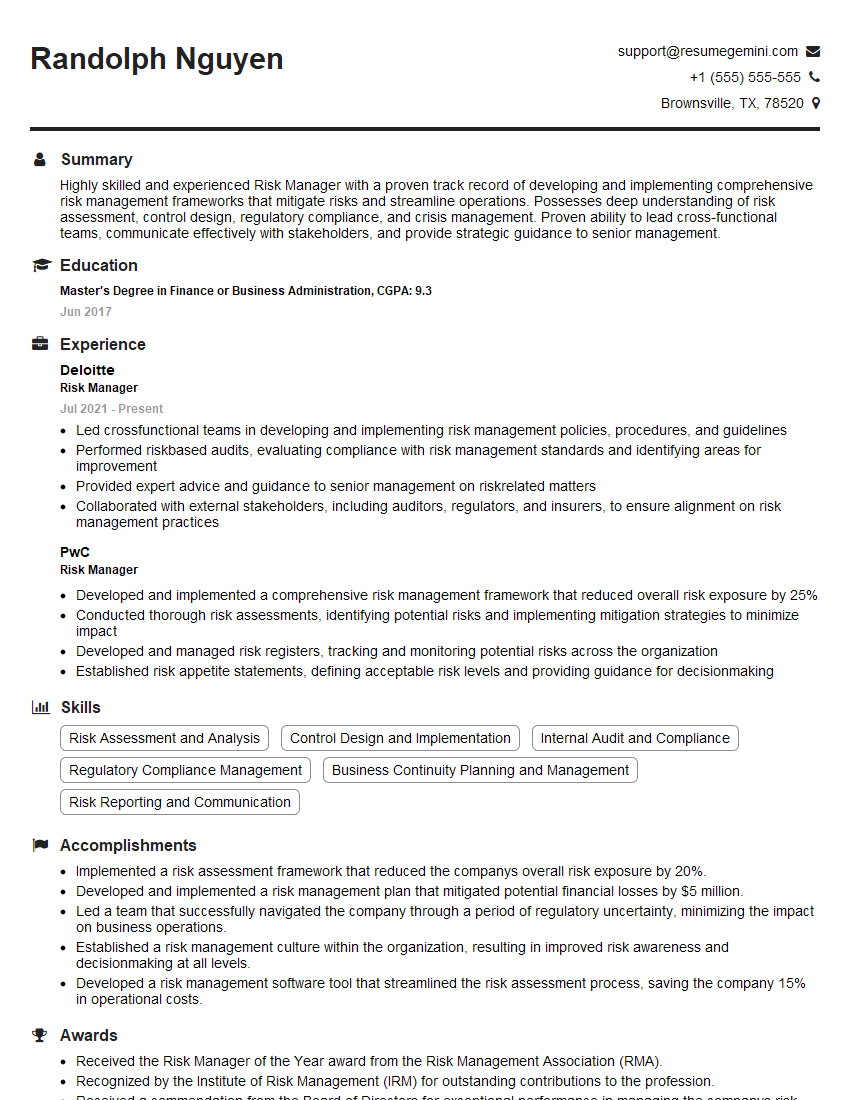
Risk Manager Resume Sample

Business Analyst Resume Sample

Security Analyst Resume Sample

Data Analyst Resume Sample

Software Engineer Resume Sample

Network Engineer Resume Sample

Solutions Architect Resume Sample

Technical Support Engineer Resume Sample

System Administrator Resume Sample
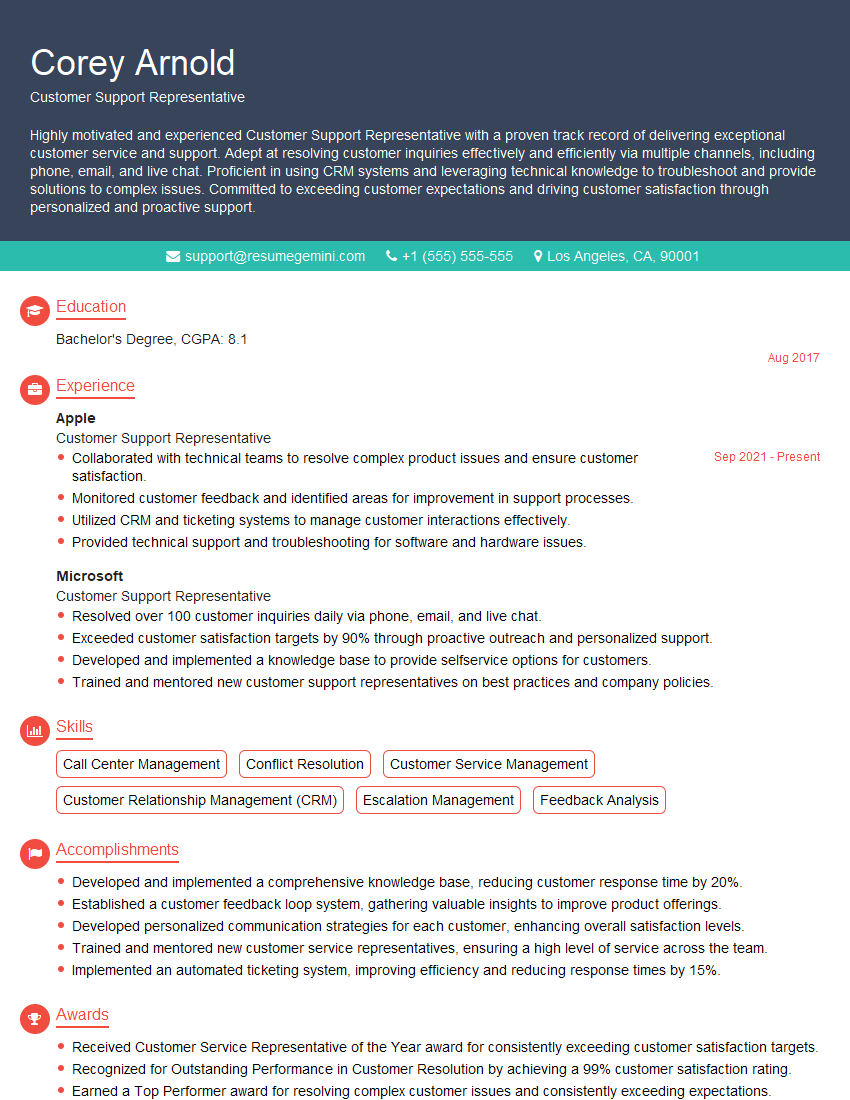
Customer Support Representative Resume Sample

Help Desk Analyst Resume Sample

IT Manager Resume Sample

Field Service Engineer Resume Sample

Quality Assurance Engineer Resume Sample

Technical Writer Resume Sample

Database Administrator Resume Sample

DevOps Engineer Resume Sample
- Product Manager
- Project Manager
- Compliance Officer
- Risk Manager
- Business Analyst
- Security Analyst
- Data Analyst
- Software Engineer
- Network Engineer
- Solutions Architect
- Technical Support Engineer
- System Administrator
- Customer Support Representative
- Help Desk Analyst
- IT Manager
- Field Service Engineer
- Quality Assurance Engineer
- Technical Writer
- Database Administrator
- DevOps Engineer
Explore more articles
Users Rating of Our Blogs
Share Your Experience
We value your feedback! Please rate our content and share your thoughts (optional).
What Readers Say About Our Blog
Attention music lovers!
Wow, All the best Sax Summer music !!!
Spotify: https://open.spotify.com/artist/6ShcdIT7rPVVaFEpgZQbUk
Apple Music: https://music.apple.com/fr/artist/jimmy-sax-black/1530501936
YouTube: https://music.youtube.com/browse/VLOLAK5uy_noClmC7abM6YpZsnySxRqt3LoalPf88No
Other Platforms and Free Downloads : https://fanlink.tv/jimmysaxblack
on google : https://www.google.com/search?q=22+AND+22+AND+22
on ChatGPT : https://chat.openai.com?q=who20jlJimmy20Black20Sax20Producer
Get back into the groove with Jimmy sax Black
Best regards,
Jimmy sax Black
www.jimmysaxblack.com
Hi I am a troller at The aquatic interview center and I suddenly went so fast in Roblox and it was gone when I reset.
Hi,
Business owners spend hours every week worrying about their website—or avoiding it because it feels overwhelming.
We’d like to take that off your plate:
$69/month. Everything handled.
Our team will:
Design a custom website—or completely overhaul your current one
Take care of hosting as an option
Handle edits and improvements—up to 60 minutes of work included every month
No setup fees, no annual commitments. Just a site that makes a strong first impression.
Find out if it’s right for you:
https://websolutionsgenius.com/awardwinningwebsites
Hello,
we currently offer a complimentary backlink and URL indexing test for search engine optimization professionals.
You can get complimentary indexing credits to test how link discovery works in practice.
No credit card is required and there is no recurring fee.
You can find details here:
https://wikipedia-backlinks.com/indexing/
Regards
NICE RESPONSE TO Q & A
hi
The aim of this message is regarding an unclaimed deposit of a deceased nationale that bears the same name as you. You are not relate to him as there are millions of people answering the names across around the world. But i will use my position to influence the release of the deposit to you for our mutual benefit.
Respond for full details and how to claim the deposit. This is 100% risk free. Send hello to my email id: lukachachibaialuka@gmail.com
Luka Chachibaialuka
Hey interviewgemini.com, just wanted to follow up on my last email.
We just launched Call the Monster, an parenting app that lets you summon friendly ‘monsters’ kids actually listen to.
We’re also running a giveaway for everyone who downloads the app. Since it’s brand new, there aren’t many users yet, which means you’ve got a much better chance of winning some great prizes.
You can check it out here: https://bit.ly/callamonsterapp
Or follow us on Instagram: https://www.instagram.com/callamonsterapp
Thanks,
Ryan
CEO – Call the Monster App
Hey interviewgemini.com, I saw your website and love your approach.
I just want this to look like spam email, but want to share something important to you. We just launched Call the Monster, a parenting app that lets you summon friendly ‘monsters’ kids actually listen to.
Parents are loving it for calming chaos before bedtime. Thought you might want to try it: https://bit.ly/callamonsterapp or just follow our fun monster lore on Instagram: https://www.instagram.com/callamonsterapp
Thanks,
Ryan
CEO – Call A Monster APP
To the interviewgemini.com Owner.
Dear interviewgemini.com Webmaster!
Hi interviewgemini.com Webmaster!
Dear interviewgemini.com Webmaster!
excellent
Hello,
We found issues with your domain’s email setup that may be sending your messages to spam or blocking them completely. InboxShield Mini shows you how to fix it in minutes — no tech skills required.
Scan your domain now for details: https://inboxshield-mini.com/
— Adam @ InboxShield Mini
support@inboxshield-mini.com
Reply STOP to unsubscribe
Hi, are you owner of interviewgemini.com? What if I told you I could help you find extra time in your schedule, reconnect with leads you didn’t even realize you missed, and bring in more “I want to work with you” conversations, without increasing your ad spend or hiring a full-time employee?
All with a flexible, budget-friendly service that could easily pay for itself. Sounds good?
Would it be nice to jump on a quick 10-minute call so I can show you exactly how we make this work?
Best,
Hapei
Marketing Director
Hey, I know you’re the owner of interviewgemini.com. I’ll be quick.
Fundraising for your business is tough and time-consuming. We make it easier by guaranteeing two private investor meetings each month, for six months. No demos, no pitch events – just direct introductions to active investors matched to your startup.
If youR17;re raising, this could help you build real momentum. Want me to send more info?
Hi, I represent an SEO company that specialises in getting you AI citations and higher rankings on Google. I’d like to offer you a 100% free SEO audit for your website. Would you be interested?
Hi, I represent an SEO company that specialises in getting you AI citations and higher rankings on Google. I’d like to offer you a 100% free SEO audit for your website. Would you be interested?