The right preparation can turn an interview into an opportunity to showcase your expertise. This guide to Type Setup and Assembly interview questions is your ultimate resource, providing key insights and tips to help you ace your responses and stand out as a top candidate.
Questions Asked in Type Setup and Assembly Interview
Q 1. Explain the process of setting up type for a print job.
Setting up type for a print job is a meticulous process involving several key steps. It begins with understanding the project’s requirements – the document’s length, style, target audience, and desired aesthetic. This informs font selection, point size, leading (line spacing), kerning (space between individual letters), and tracking (space between words).
- Font Selection: Choosing the right typeface is crucial. Serif fonts (like Times New Roman) are often preferred for body text due to their readability, while sans-serif fonts (like Arial) might be better suited for headlines. The specific font will also depend on the brand guidelines or overall design aesthetic.
- Point Size and Leading: Point size determines the height of the characters. Leading controls the vertical space between lines. A good balance ensures comfortable reading. For example, 10-point text with 12-point leading provides a comfortable reading experience.
- Kerning and Tracking: Kerning adjusts the space between individual letter pairs for better visual balance. Tracking adjusts the overall spacing between words. Overuse can lead to a cramped or overly spaced look.
- Paragraph Styles and Formatting: This includes setting indentations, spacing before and after paragraphs, and using styles to ensure consistency throughout the document. Using paragraph styles in InDesign or other professional software is crucial for efficient and consistent formatting.
- Proofreading and Review: A thorough review for typos, grammatical errors, and inconsistencies is vital before sending the document to print. This is the final quality control step.
Imagine designing a book. You wouldn’t use a playful script font for the main body text, right? Careful type selection greatly impacts readability and the overall impression on the reader.
Q 2. Describe your experience with different typesetting software.
My experience spans various typesetting software, including Adobe InDesign, QuarkXPress, and Adobe FrameMaker. InDesign is my go-to for most projects due to its robust features, especially for complex layouts and long documents. I’ve also used QuarkXPress extensively in the past, particularly for projects requiring precise control over pagination. FrameMaker is ideal for technical documentation with its advanced features for handling tables, equations, and cross-referencing. Each software package has its strengths, and my selection depends on the project’s specific requirements and complexity.
For instance, when working on a highly technical manual with numerous equations, FrameMaker’s equation editor becomes invaluable. In contrast, for a marketing brochure demanding creative layouts, InDesign’s visual tools are significantly more beneficial.
Q 3. How do you ensure the accuracy and consistency of type throughout a document?
Accuracy and consistency are paramount. I achieve this by meticulously employing several strategies:
- Style Guides: Creating and adhering to a comprehensive style guide is essential. This guide dictates font choices, sizes, spacing, and other formatting details, ensuring uniformity throughout the document.
- Master Pages: In software like InDesign, utilizing master pages enables applying consistent header, footer, and page numbering styles across all pages efficiently.
- Paragraph and Character Styles: Applying pre-defined styles for headings, body text, captions, etc., ensures consistent formatting. Changes made to a style automatically update all instances of that style in the document, reducing errors.
- Automated Checks: Spell and grammar checkers help catch simple errors. Moreover, some software packages offer preflight checks to identify potential issues before sending to print.
- Multiple Proofreads: Multiple rounds of proofreading by different individuals ensure that errors are caught from varied perspectives.
Think of it like building a house – using a blueprint (style guide) and consistent building materials (styles) ensures a uniform and accurate final product. Skipping these steps can lead to a messy and unprofessional outcome.
Q 4. What are your troubleshooting skills when dealing with typesetting errors?
Troubleshooting typesetting errors often involves a systematic approach:
- Identify the Error: Carefully examine the error to determine its nature – is it a font issue, a spacing problem, or a formatting glitch?
- Isolate the Cause: Trace the error back to its source. Is it a style conflict, a corrupted file, or a problem with the software?
- Check Style Definitions: Verify that the styles are correctly defined and applied consistently throughout the document.
- Review Software Settings: Ensure that the software’s settings are correctly configured.
- Test and Re-test: After making any changes, thoroughly test to ensure the fix resolves the issue without creating new problems.
- Seek External Help: If the problem persists, consulting online forums, help files, or seeking assistance from other experts may be necessary.
For example, if text suddenly changes font size in a specific area, checking the paragraph styles for any accidental modifications is the first step. Often, it’s a simple fix, but a systematic approach helps identify the root cause efficiently.
Q 5. Describe your experience with different types of paper and their impact on typesetting.
Different paper types significantly impact typesetting. The paper’s weight, texture, finish, and color affect readability and overall aesthetic. Heavyweight papers (like 100lb cover stock) give a more luxurious feel but may require adjustments to ink coverage and print settings. Lighter papers (like 20lb bond) might result in show-through, requiring careful font selection and line spacing.
- Paper Weight: Heavier papers enhance the perceived quality but can affect the folding and binding processes. Lighter papers might be more economical but prone to show-through.
- Paper Texture: Textured paper adds visual interest but can reduce readability if the texture is too rough or inconsistent.
- Paper Finish: Glossy finishes enhance color vibrancy but can cause glare. Matte finishes provide better readability but may appear less vibrant.
- Paper Color: The paper color influences the perceived color of the inks. Using a cream-colored paper can be gentler on the eyes compared to bright white paper.
For instance, a wedding invitation printed on thick, textured paper conveys a different impression compared to the same design on thin, glossy paper. Understanding how the paper interacts with the type is key to achieving the desired result.
Q 6. How do you manage large and complex typesetting projects?
Managing large and complex projects demands a structured approach:
- Project Planning: Begin with a detailed project plan outlining timelines, milestones, and resource allocation.
- Team Collaboration: For large projects, effective team collaboration is crucial. This involves regular communication, clear task assignments, and version control.
- Modular Design: Break down the project into smaller, manageable modules to simplify the process and improve efficiency.
- Template Usage: Using pre-designed templates ensures consistency and saves time.
- Version Control: Regularly save and backup files to avoid data loss. Consider using a version control system for better collaboration and tracking of changes.
- Automated Processes: Utilize automation wherever possible to streamline tasks.
Imagine creating a multi-volume encyclopedia. Without careful planning and modular design, the project would become unwieldy and prone to errors. A structured approach ensures timely completion and maintains high-quality standards.
Q 7. What is your experience with color management in typesetting?
Color management in typesetting is vital for ensuring that colors appear consistently across different devices and printing processes. It involves managing color profiles, ensuring color accuracy, and avoiding color shifts. A good understanding of color spaces (like RGB and CMYK) and their limitations is critical.
- Color Profiles: Using accurate color profiles ensures that colors are correctly represented on screen and in print. Different devices have different color capabilities, requiring the use of appropriate color profiles for consistency.
- Color Conversion: Images designed for web (RGB) need to be converted to CMYK for print, necessitating careful management to avoid color shifts during conversion.
- Proofing: Soft proofing and hard proofing (printed proofs) are essential to assess the accuracy of colors before final printing.
- Color Consistency: Maintaining color consistency throughout the document by adhering to a color palette and using consistent color settings is crucial for a professional result.
Color management is like baking a cake – if you don’t use the correct ingredients (color profiles) and follow the recipe (color management settings) carefully, the result may not be as expected. Ignoring it can lead to disappointing print results where colors appear dull, faded, or mismatched.
Q 8. Explain the importance of kerning and tracking in typesetting.
Kerning and tracking are crucial in typesetting for achieving optimal readability and visual appeal. Think of it like arranging building blocks – you want them to fit together seamlessly, not awkwardly.
Kerning refers to adjusting the space between individual letter pairs. For example, the pair ‘A’ and ‘V’ often needs kerning because there’s too much space between them naturally. Good kerning creates a more uniform and visually pleasing appearance. Poor kerning can lead to uneven spacing and a choppy look, hindering readability.
Tracking, on the other hand, refers to adjusting the spacing between all letters within a word or a block of text. It’s a more global adjustment. Tracking is used to control the overall density or looseness of the text. Tight tracking can make text appear more compact and elegant, while loose tracking can improve readability for dense text.
In practice, a skilled typesetter uses kerning and tracking in conjunction to achieve balanced visual harmony and optimal readability. Software often automates kerning, but manual adjustments are frequently necessary for perfect results, particularly with unusual fonts or character combinations.
Q 9. How do you handle revisions and updates in a typesetting project?
Handling revisions and updates in typesetting requires a meticulous and organized approach. I typically begin by receiving a clear list of changes, usually in a marked-up PDF or a detailed document. Version control is key; I maintain multiple versions of the document, clearly labelled, to allow for easy reversion if needed.
My workflow involves:
- Reviewing changes: Carefully assessing all revision requests to ensure I understand their context and implications for the overall design.
- Implementing changes: Using the software’s tools, I implement the changes efficiently, paying close attention to details like font consistency, kerning, and tracking. I might use layers and styles to streamline the process and facilitate future changes.
- Proofreading: After each revision, I meticulously proofread the updated document to ensure all changes are correctly implemented and that there are no unintended consequences to the layout or text flow.
- Communication: Maintaining clear and regular communication with the client, confirming the accuracy of changes and addressing any further questions or concerns.
This approach minimizes errors, maintains clarity, and ensures that the final product meets the client’s expectations and remains consistent in quality.
Q 10. What is your experience with imposition and plate making?
My experience with imposition and plate making spans several years and various software applications. Imposition involves arranging pages of a document to create the printing plates, ensuring correct order and orientation for efficient printing. Plate making is the process of transferring the imposed document to printing plates, used in offset printing.
I’m proficient in using imposition software to create imposition schemes for different binding types (e.g., perfect binding, saddle-stitch) and printing methods (e.g., sheetfed, web). I understand the technical details including bleeds, margins, color profiles, and page numbering. I’ve worked with various plate types, and I’m familiar with different plate-making techniques and their associated quality control measures.
For instance, I’ve worked on projects requiring complex imposition schemes for large books, ensuring optimal paper usage and minimal waste. This involved not just the technical aspects, but also optimizing the print job for speed and cost-effectiveness, which depends on the printing press in use.
Q 11. Describe your experience with different binding methods.
I have extensive experience with various binding methods, each suitable for different publication types. The choice of binding significantly impacts the final product’s look, feel, and durability.
My experience includes:
- Perfect Binding: Ideal for books and magazines with a substantial number of pages. I understand the process of preparing the pages for perfect binding, including the creation of the spine and cover design.
- Saddle Stitch Binding: Commonly used for brochures and magazines with a low page count. This simple method uses staples to bind pages through the fold line.
- Case Binding: Used for high-quality books, this technique offers durability and a professional finish. I’ve worked with various aspects of this process, including cover design and board selection.
- Spiral/Wire-O Binding: Ideal for notebooks, calendars, and documents that need to lie flat. I understand the page layout requirements to ensure ease of turning pages.
- Glue Binding: Similar to perfect binding, but involves applying glue to the spine of the book, often used for flatter spines.
My understanding of these different methods allows me to recommend the most appropriate binding for a project based on its specific requirements, budget, and desired aesthetic.
Q 12. Explain the importance of quality control in typesetting and assembly.
Quality control is paramount throughout the entire typesetting and assembly process. It’s not just about finding errors; it’s about ensuring the final product meets the highest standards of accuracy, consistency, and visual appeal. This involves a multi-layered approach.
My quality control measures include:
- Proofreading: Multiple rounds of proofreading at different stages, checking for typos, grammatical errors, and inconsistencies in style.
- Layout review: Checking for accurate page numbers, correct margins, consistent spacing and kerning, and the overall visual harmony of the layout.
- Image verification: Ensuring that all images are of high resolution and correctly positioned and sized.
- Color management: Maintaining color consistency throughout the document and ensuring accurate color reproduction.
- Pre-flight checks: Utilizing software’s pre-flight capabilities to detect and resolve potential issues before the document goes to print. This often includes checks for fonts, missing links, and correct color profiles.
- Print proof: Reviewing a physical print proof to catch any subtle errors that might be missed on-screen.
This rigorous approach minimizes costly errors and ensures client satisfaction.
Q 13. What are your skills in using prepress software?
I’m highly proficient in various prepress software applications, including Adobe InDesign, Adobe Illustrator, and QuarkXPress. My expertise extends to using these tools for complex layouts, image manipulation, font management, and color correction. I’m comfortable working with both raster and vector graphics, ensuring seamless integration into the print workflow.
Specifically, I can:
- Create and manage master pages for consistency and efficiency.
- Utilize styles and templates to maintain consistency in formatting.
- Apply advanced typography techniques for optimal readability and visual appeal.
- Perform accurate color separation and management.
- Prepare files for various output devices, optimizing for different print resolutions.
My experience encompasses a wide range of projects, from simple brochures to complex multi-page books, showcasing my ability to adapt to different project requirements.
Q 14. How familiar are you with different file formats used in print production?
I’m familiar with a wide range of file formats used in print production. Understanding the strengths and limitations of each format is crucial for efficient and accurate production.
My experience includes working with:
- PDF (Portable Document Format): The most common format for print, allowing for high-fidelity preservation of layout and graphics. I’m proficient in creating press-ready PDFs with embedded fonts and color profiles.
- TIFF (Tagged Image File Format): Commonly used for high-resolution images, often preferred for print due to its ability to handle large images and color information without compression artifacts.
- JPEG (Joint Photographic Experts Group): Used for photographic images, often less suitable for print due to compression artifacts.
- EPS (Encapsulated PostScript): A vector graphic format often used for logos and illustrations that need to be scaled without losing quality.
- AI (Adobe Illustrator): Native file format for Adobe Illustrator, widely used for creating vector graphics.
- INDD (Adobe InDesign): Native file format for Adobe InDesign, a common format for page layouts.
I carefully consider the appropriate file format based on the content, the printing requirements, and the software used in the production process. This ensures the most accurate and efficient print output.
Q 15. What is your experience with proofing and color correction?
Proofing and color correction are critical steps in ensuring the final printed product matches the client’s vision and expectations. My experience encompasses all stages, from soft proofing on calibrated monitors using industry-standard software like Adobe Acrobat and X-Rite i1Profiler, to hard proofing on various substrates using proof printers to simulate the final print. Color correction involves adjusting color profiles (e.g., CMYK, RGB) to achieve accurate color reproduction across different devices and mediums. I’m proficient in identifying and correcting color casts, ensuring consistent color throughout large print runs, and understanding the limitations of various printing processes on color reproduction. For instance, I once had to adjust the cyan levels in a large format poster to compensate for the substrate’s absorption rate, ultimately preventing a noticeable color shift after printing.
I also have extensive experience using color management tools to profile printers and monitors, guaranteeing color consistency across the entire workflow. This includes understanding ICC profiles and their applications in achieving accurate color reproduction.
Career Expert Tips:
- Ace those interviews! Prepare effectively by reviewing the Top 50 Most Common Interview Questions on ResumeGemini.
- Navigate your job search with confidence! Explore a wide range of Career Tips on ResumeGemini. Learn about common challenges and recommendations to overcome them.
- Craft the perfect resume! Master the Art of Resume Writing with ResumeGemini’s guide. Showcase your unique qualifications and achievements effectively.
- Don’t miss out on holiday savings! Build your dream resume with ResumeGemini’s ATS optimized templates.
Q 16. How do you ensure efficient workflow in a print production environment?
Efficient workflow in print production is crucial for meeting deadlines and maintaining profitability. My approach centers around meticulous planning, effective communication, and the utilization of appropriate technology. I leverage project management tools to track projects, deadlines, and resources effectively. A crucial element is pre-flighting all files rigorously, catching potential issues such as missing fonts, low-resolution images, or color profile discrepancies *before* they reach the printing stage. This preventative measure significantly reduces costly delays and rework.
I frequently employ automation wherever possible, such as setting up automated workflows for file conversion and imposition using software like Adobe InDesign and Enfocus PitStop. Furthermore, clear and concise communication with all stakeholders, from designers and clients to the printing crew, is paramount in ensuring smooth operation and preventing misunderstandings. For instance, establishing a structured file naming convention and using cloud-based storage facilitates seamless collaboration and access to project assets.
Q 17. Describe your experience with different types of printing equipment.
My experience encompasses a wide range of printing equipment, including offset presses (both sheet-fed and web), digital presses (such as Xerox and HP Indigo), large format printers (solvent, eco-solvent, and UV), and screen printing equipment. I understand the capabilities and limitations of each technology and can select the optimal method based on factors like project specifications (quantity, size, color complexity, material), budget constraints, and required turnaround time.
For instance, I’ve managed large-scale offset printing projects for high-volume brochures, and utilized digital presses for short-run, personalized materials. My knowledge extends to the setup and maintenance of these machines, allowing me to troubleshoot minor issues and ensure optimal print quality. This practical experience enables me to effectively communicate with print operators and provide guidance on achieving desired results.
Q 18. What is your experience with managing print production schedules?
Managing print production schedules requires strong organizational skills and a keen understanding of the entire production process. I utilize project management software to create detailed schedules, breaking down complex projects into smaller, manageable tasks. This allows for precise tracking of progress, resource allocation, and identification of potential bottlenecks. I create Gantt charts to visualize timelines and dependencies, providing a clear overview of the project’s progress to all involved parties.
Furthermore, regular status meetings with the team ensure everyone remains informed about deadlines and potential challenges. Proactive communication and contingency planning are essential for addressing unexpected delays. For instance, I’ve successfully navigated a last-minute client request by re-prioritizing tasks and leveraging the flexibility of our digital printing setup to meet a tight deadline without compromising quality.
Q 19. How do you handle deadlines and pressure in a fast-paced environment?
The print industry often involves tight deadlines and high-pressure situations. My ability to manage stress effectively stems from a methodical approach. I prioritize tasks based on urgency and importance, using tools like Eisenhower Matrix to categorize tasks and ensure I focus on the most critical ones first. Proactive communication with clients and internal teams is key; if I anticipate a potential delay, I inform them promptly and propose alternative solutions to mitigate the impact.
I thrive under pressure by staying organized and maintaining a calm demeanor. In one instance, we faced a significant equipment malfunction just days before a major trade show. By calmly coordinating with the technicians and the client, finding alternative printing solutions, and working extended hours, we successfully delivered the printed materials on time, and the trade show was a success.
Q 20. Describe your experience with client communication regarding print projects.
Effective client communication is crucial for successful print projects. I prioritize active listening to understand client needs and expectations thoroughly. I provide clear, concise project updates throughout the production process, using a mix of email, phone calls, and in-person meetings as appropriate. I proactively address any concerns or questions, ensuring transparency and mutual understanding.
I also place a strong emphasis on managing client expectations by clearly outlining timelines, budgets, and potential limitations of the printing process. For example, I’ll explain the differences between various printing methods and their impact on cost and quality, enabling clients to make informed decisions. Using visual aids, such as mockups and proofs, helps to eliminate misunderstandings and ensure the final product meets expectations.
Q 21. Explain your understanding of print finishing techniques.
Print finishing techniques significantly enhance the aesthetic appeal and functionality of printed materials. My experience includes a wide array of finishing options, such as cutting (die-cutting, kiss-cutting), creasing, scoring, folding (various techniques including letterfold, gatefold, and parallel fold), binding (perfect binding, saddle stitch, wire-o, spiral binding), lamination (gloss, matte, UV), embossing, debossing, and varnishing (spot UV, aqueous, gloss, matte).
I understand the impact of each technique on the final product and can advise clients on the most suitable options based on their needs and budget. For example, I might recommend die-cutting for a unique shape and lamination for durability, or choose a specific binding technique based on the thickness and page count of a booklet. My knowledge of these processes allows me to accurately estimate costs, timelines, and potential challenges associated with each finishing option.
Q 22. What is your experience with automated assembly systems?
My experience with automated assembly systems spans several years, encompassing both the integration and troubleshooting of various automated equipment. I’ve worked extensively with systems ranging from simple pick-and-place robots for smaller components to complex conveyor belt systems with integrated quality checks for high-volume production. For example, in my previous role, we implemented a robotic arm system to automate the insertion of small circuit boards into larger assemblies, significantly improving throughput and reducing human error. This involved careful planning of the robot’s movements, selection of appropriate end-effectors, and integration with the overall production line. We also developed a system of sensors and feedback mechanisms to monitor the process and identify any issues in real-time.
Furthermore, I’m familiar with the programming and maintenance of these systems, including PLC (Programmable Logic Controller) programming and troubleshooting mechanical malfunctions. I understand the importance of preventative maintenance to minimize downtime and ensure the long-term efficiency of automated assembly lines. A recent project involved optimizing the cycle time of an automated collating machine by tweaking its PLC program, resulting in a 15% increase in production output.
Q 23. How do you handle discrepancies between design specifications and the printed output?
Discrepancies between design specifications and the printed output are addressed through a methodical process involving careful review and analysis. First, I would meticulously compare the printed output against the digital design file, noting all discrepancies. This often involves using calibrated measuring instruments to ensure precision. Then, I would determine the root cause of the discrepancy. Possible sources include errors in the original design file, incorrect printing settings, or problems with the printing machinery itself.
Once the root cause is identified, I’d implement the appropriate corrective action. This might involve adjusting the design file, recalibrating the printing equipment, or replacing faulty components. For instance, if the color discrepancies stemmed from incorrect color profiles, I’d adjust the profile and reprint. If the problem was related to print registration issues, I would check and correct the settings on the printing press itself. Throughout this process, I maintain detailed documentation, including images and measurements, to facilitate quality control and prevent future occurrences of similar problems. A thorough analysis often helps prevent systemic issues from propagating across larger production runs.
Q 24. Explain the importance of maintaining a clean and organized workspace in print production.
Maintaining a clean and organized workspace is paramount in print production because it directly impacts efficiency, safety, and the quality of the final product. A cluttered workspace increases the risk of accidents, such as slips, trips, and falls, and can also lead to misplaced materials or damaged equipment. This can result in delays, rework, and increased costs.
Organization is key to efficient workflow. Finding materials quickly and having clear pathways minimizes downtime. A clean environment prevents dust and debris from contaminating printed materials, ensuring a superior quality product. We often use 5S methodology (Sort, Set in Order, Shine, Standardize, Sustain) to maintain a clean and organized workspace. This involves regularly cleaning work surfaces, storing materials properly, and maintaining clear walkways. This systematic approach significantly improves overall productivity and job satisfaction.
Q 25. Describe your experience with health and safety regulations in print production.
My experience with health and safety regulations in print production is extensive. I’m thoroughly familiar with OSHA guidelines and other relevant regulations pertaining to the use of machinery, handling of hazardous materials (inks, solvents), and personal protective equipment (PPE). This includes proper training on the safe operation of printing presses, laminators, and other equipment. I understand the importance of risk assessments and implementing control measures to mitigate potential hazards.
I regularly conduct safety inspections and provide training to colleagues on proper safety procedures. This ensures that everyone on the team is aware of and adheres to safety protocols. For instance, I’ve been involved in implementing emergency procedures, such as fire drills and evacuation plans, and ensuring adequate ventilation to minimize exposure to potentially harmful fumes. Proper PPE, including safety glasses, gloves, and hearing protection, is always enforced and its correct usage regularly assessed.
Q 26. How do you ensure the accuracy of quantities in assembly?
Ensuring accurate quantities in assembly involves a multi-faceted approach that combines careful planning, accurate counting, and robust quality control measures. Before starting the assembly process, I meticulously verify the quantities of all components against the bill of materials (BOM). This often involves using a combination of manual counting and automated counting systems, depending on the volume and type of component. For example, for smaller components, we may use a counting scale, while for larger items, manual counting is often sufficient, using checklists to verify numbers.
Throughout the assembly process, I implement regular quality checks to ensure that the correct number of components are being used in each assembly. This may involve visual inspection, automated counting systems integrated into the assembly line, or a combination of both. Any discrepancies are immediately investigated and addressed to avoid errors propagating throughout the assembly process. Furthermore, we maintain detailed records of the number of units assembled and the number of components used to ensure traceability and accountability.
Q 27. What is your experience with inventory management in a print production setting?
My experience with inventory management in a print production setting involves both manual and computerized systems. I’m proficient in using inventory management software to track stock levels, monitor consumption rates, and generate reports. This includes forecasting demand based on past trends and production schedules to minimize stockouts and avoid overstocking of materials. I’m also experienced in using barcode scanning and RFID technology to track inventory movements accurately and efficiently.
I understand the importance of minimizing waste and optimizing storage space. This includes implementing FIFO (First-In, First-Out) inventory management principles to ensure that older materials are used first, preventing spoilage or obsolescence. Regular inventory audits are conducted to reconcile physical stock with recorded inventory levels, identifying any discrepancies and making necessary adjustments. This helps maintain the accuracy of our inventory records and facilitates effective production planning. Efficient inventory management is crucial to maintaining a smooth and cost-effective operation.
Q 28. Describe your problem-solving approach when facing unexpected challenges during the assembly process.
My problem-solving approach when facing unexpected challenges during the assembly process is systematic and data-driven. First, I’d clearly define the problem by identifying the specific issue, its impact on the assembly process, and the desired outcome. Then, I gather information by collecting data relevant to the problem, such as error logs, machine readings, and witness statements.
Next, I brainstorm potential solutions, considering various approaches such as adjusting machine settings, replacing faulty components, modifying assembly procedures, or seeking external expertise. After evaluating potential solutions based on their feasibility, cost, and impact, I select and implement the most appropriate solution. Finally, I monitor the results and document the entire process to prevent similar problems from occurring in the future. This systematic approach allows for efficient problem resolution and fosters continuous improvement of the assembly process. For instance, if a specific machine was repeatedly malfunctioning, my approach would include detailed data logging to identify recurring patterns, leading to targeted maintenance or replacement.
Key Topics to Learn for Type Setup and Assembly Interview
- Understanding Typefaces and Font Metrics: Learn about different typeface classifications (serif, sans-serif, etc.), their characteristics, and how font metrics (x-height, ascenders, descenders) impact readability and layout.
- Typesetting Principles and Techniques: Master concepts like kerning, tracking, leading, and justification. Understand how these elements affect the overall aesthetic and readability of text.
- Workflow and Software Proficiency: Demonstrate familiarity with industry-standard software (InDesign, QuarkXPress, etc.) and describe your workflow for setting type, from initial design to final output.
- Grid Systems and Layout Design: Explain your understanding of grid systems and how they contribute to creating consistent and visually appealing layouts. Show how you apply these principles in type setup.
- Hyphenation and Justification: Discuss strategies for effective hyphenation and justification to avoid awkward line breaks and maintain consistent text blocks.
- Image and Text Integration: Describe your approach to integrating images and text seamlessly, considering factors like image resolution, scaling, and text wrapping.
- Troubleshooting and Problem-Solving: Be prepared to discuss how you approach and solve common problems encountered during type setup and assembly, such as font inconsistencies or layout issues.
- Print Production Considerations: Understand pre-press requirements, color profiles, and file formats commonly used in print production. Demonstrate knowledge of how these impact the final output.
Next Steps
Mastering Type Setup and Assembly is crucial for a successful career in graphic design, publishing, and related fields. A strong understanding of these skills demonstrates attention to detail, creative problem-solving, and a commitment to producing high-quality work. To maximize your job prospects, create an ATS-friendly resume that highlights your key skills and experience. ResumeGemini is a trusted resource that can help you build a professional and impactful resume. Examples of resumes tailored to Type Setup and Assembly are available to guide you through the process.

Print Production Manager Resume Sample
Desktop Publishing Specialist Resume Sample
Prepress Supervisor Resume Sample
Assembly Technician Resume Sample

Prepress Manager Resume Sample

Graphic Arts Technician Resume Sample

Prepress Technician Resume Sample
Digital Print Operator Resume Sample

Offset Press Operator Resume Sample
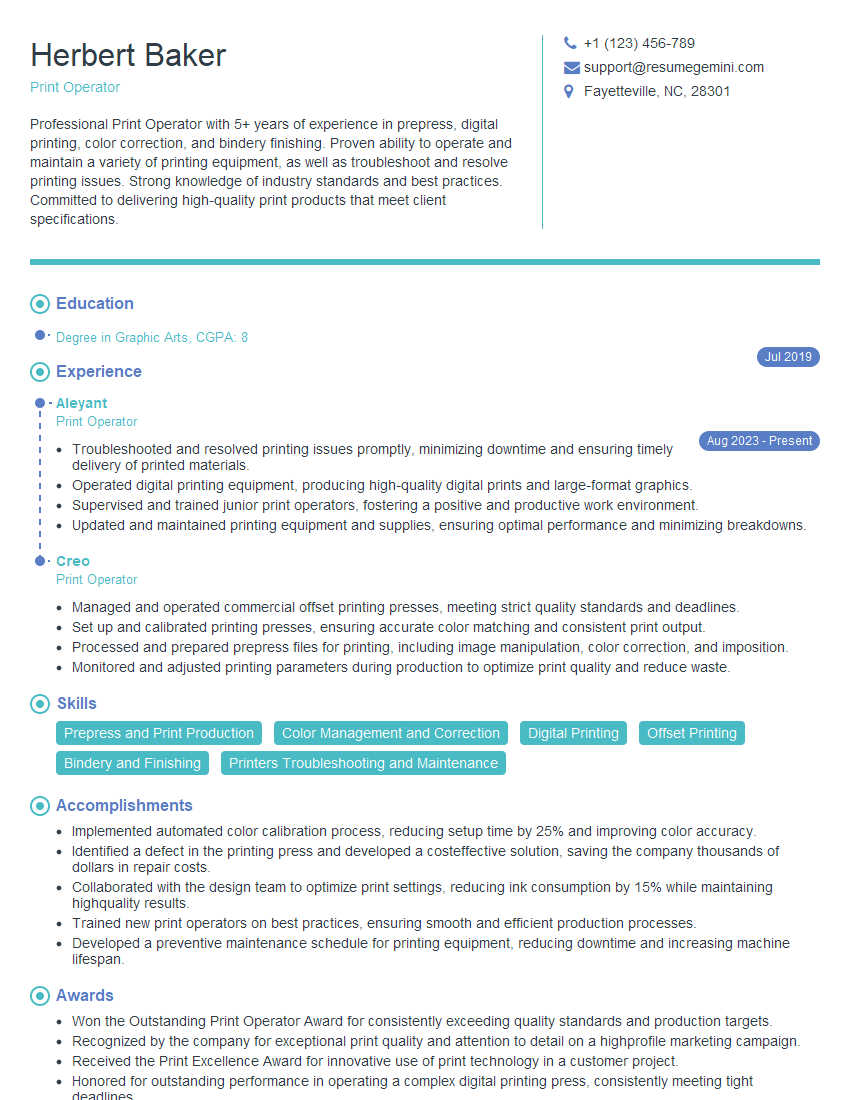
Print Operator Resume Sample

Screen Printer Resume Sample
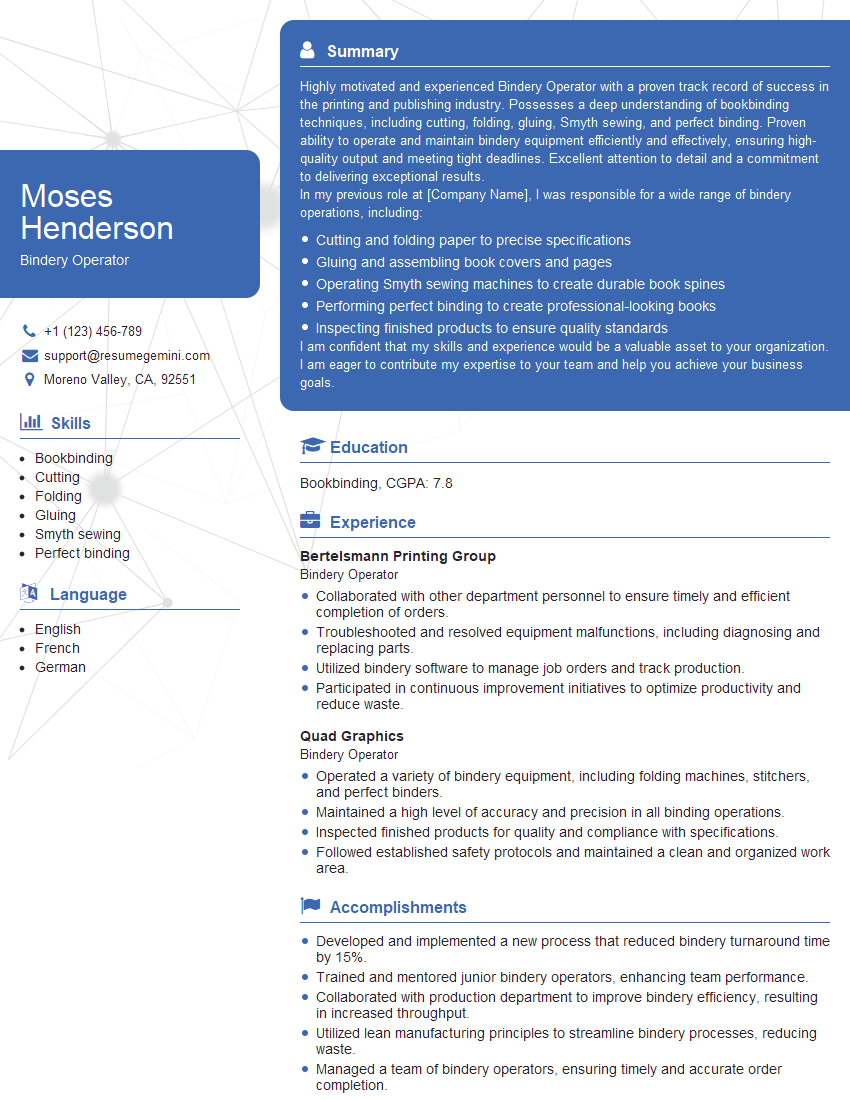
Bindery Operator Resume Sample
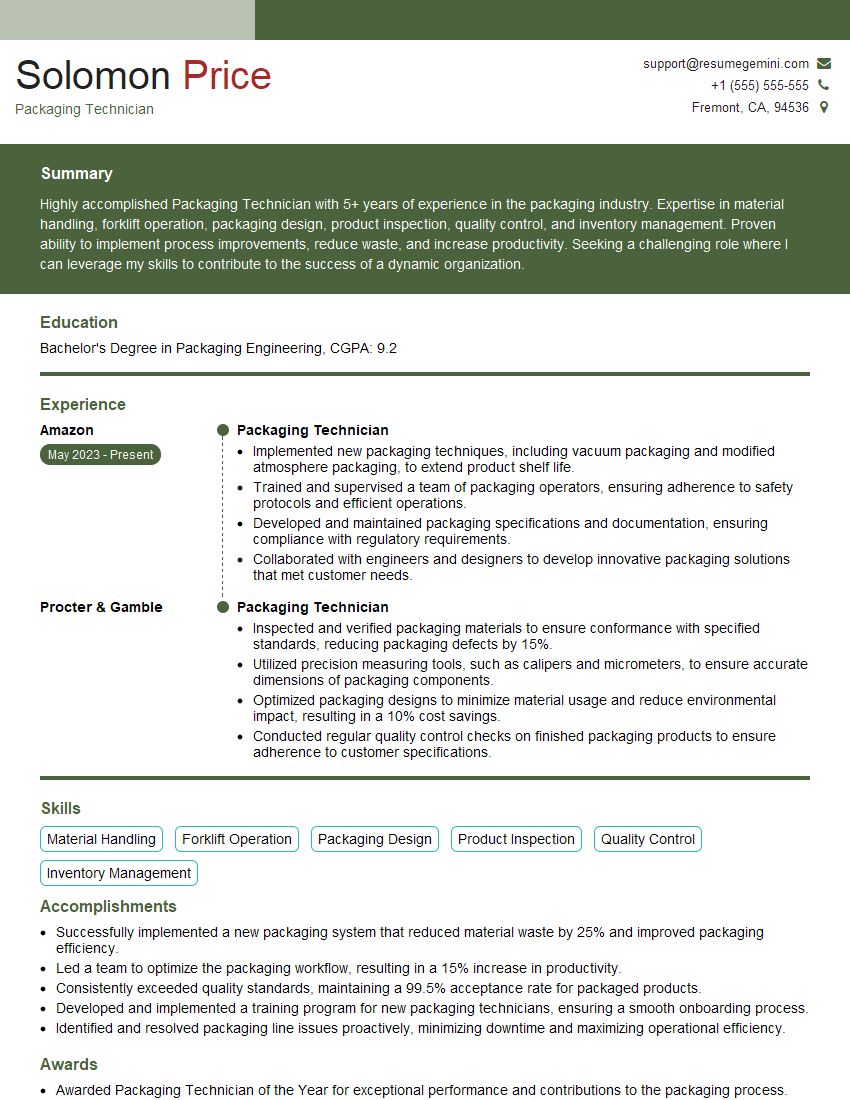
Packaging Technician Resume Sample
Explore more articles
Users Rating of Our Blogs
Share Your Experience
We value your feedback! Please rate our content and share your thoughts (optional).
What Readers Say About Our Blog
Attention music lovers!
Wow, All the best Sax Summer music !!!
Spotify: https://open.spotify.com/artist/6ShcdIT7rPVVaFEpgZQbUk
Apple Music: https://music.apple.com/fr/artist/jimmy-sax-black/1530501936
YouTube: https://music.youtube.com/browse/VLOLAK5uy_noClmC7abM6YpZsnySxRqt3LoalPf88No
Other Platforms and Free Downloads : https://fanlink.tv/jimmysaxblack
on google : https://www.google.com/search?q=22+AND+22+AND+22
on ChatGPT : https://chat.openai.com?q=who20jlJimmy20Black20Sax20Producer
Get back into the groove with Jimmy sax Black
Best regards,
Jimmy sax Black
www.jimmysaxblack.com
Hi I am a troller at The aquatic interview center and I suddenly went so fast in Roblox and it was gone when I reset.
Hi,
Business owners spend hours every week worrying about their website—or avoiding it because it feels overwhelming.
We’d like to take that off your plate:
$69/month. Everything handled.
Our team will:
Design a custom website—or completely overhaul your current one
Take care of hosting as an option
Handle edits and improvements—up to 60 minutes of work included every month
No setup fees, no annual commitments. Just a site that makes a strong first impression.
Find out if it’s right for you:
https://websolutionsgenius.com/awardwinningwebsites
Hello,
we currently offer a complimentary backlink and URL indexing test for search engine optimization professionals.
You can get complimentary indexing credits to test how link discovery works in practice.
No credit card is required and there is no recurring fee.
You can find details here:
https://wikipedia-backlinks.com/indexing/
Regards
NICE RESPONSE TO Q & A
hi
The aim of this message is regarding an unclaimed deposit of a deceased nationale that bears the same name as you. You are not relate to him as there are millions of people answering the names across around the world. But i will use my position to influence the release of the deposit to you for our mutual benefit.
Respond for full details and how to claim the deposit. This is 100% risk free. Send hello to my email id: lukachachibaialuka@gmail.com
Luka Chachibaialuka
Hey interviewgemini.com, just wanted to follow up on my last email.
We just launched Call the Monster, an parenting app that lets you summon friendly ‘monsters’ kids actually listen to.
We’re also running a giveaway for everyone who downloads the app. Since it’s brand new, there aren’t many users yet, which means you’ve got a much better chance of winning some great prizes.
You can check it out here: https://bit.ly/callamonsterapp
Or follow us on Instagram: https://www.instagram.com/callamonsterapp
Thanks,
Ryan
CEO – Call the Monster App
Hey interviewgemini.com, I saw your website and love your approach.
I just want this to look like spam email, but want to share something important to you. We just launched Call the Monster, a parenting app that lets you summon friendly ‘monsters’ kids actually listen to.
Parents are loving it for calming chaos before bedtime. Thought you might want to try it: https://bit.ly/callamonsterapp or just follow our fun monster lore on Instagram: https://www.instagram.com/callamonsterapp
Thanks,
Ryan
CEO – Call A Monster APP
To the interviewgemini.com Owner.
Dear interviewgemini.com Webmaster!
Hi interviewgemini.com Webmaster!
Dear interviewgemini.com Webmaster!
excellent
Hello,
We found issues with your domain’s email setup that may be sending your messages to spam or blocking them completely. InboxShield Mini shows you how to fix it in minutes — no tech skills required.
Scan your domain now for details: https://inboxshield-mini.com/
— Adam @ InboxShield Mini
support@inboxshield-mini.com
Reply STOP to unsubscribe
Hi, are you owner of interviewgemini.com? What if I told you I could help you find extra time in your schedule, reconnect with leads you didn’t even realize you missed, and bring in more “I want to work with you” conversations, without increasing your ad spend or hiring a full-time employee?
All with a flexible, budget-friendly service that could easily pay for itself. Sounds good?
Would it be nice to jump on a quick 10-minute call so I can show you exactly how we make this work?
Best,
Hapei
Marketing Director
Hey, I know you’re the owner of interviewgemini.com. I’ll be quick.
Fundraising for your business is tough and time-consuming. We make it easier by guaranteeing two private investor meetings each month, for six months. No demos, no pitch events – just direct introductions to active investors matched to your startup.
If youR17;re raising, this could help you build real momentum. Want me to send more info?
Hi, I represent an SEO company that specialises in getting you AI citations and higher rankings on Google. I’d like to offer you a 100% free SEO audit for your website. Would you be interested?
Hi, I represent an SEO company that specialises in getting you AI citations and higher rankings on Google. I’d like to offer you a 100% free SEO audit for your website. Would you be interested?