Preparation is the key to success in any interview. In this post, we’ll explore crucial Use of CAD or Design Software (if applicable) interview questions and equip you with strategies to craft impactful answers. Whether you’re a beginner or a pro, these tips will elevate your preparation.
Questions Asked in Use of CAD or Design Software (if applicable) Interview
Q 1. What CAD software are you proficient in?
My core proficiency lies in Autodesk Inventor and SolidWorks, two leading CAD software packages. I’ve also worked extensively with AutoCAD for 2D drafting and have a working knowledge of Fusion 360. My choice of software depends on the project’s specific needs; Inventor excels in complex assemblies and detailed part design, while SolidWorks shines in its surface modeling capabilities and ease of use for certain applications. AutoCAD remains my go-to for precise 2D drawings and documentation. This diverse skillset allows me to tackle a wide range of design challenges efficiently.
Q 2. Describe your experience with 2D drafting.
My 2D drafting experience spans over seven years, encompassing everything from creating detailed shop drawings to developing comprehensive site plans. I’m adept at using AutoCAD to generate accurate technical drawings, including orthographic projections, section views, and detailed annotations. For instance, I recently used AutoCAD to produce a set of shop drawings for a custom steel staircase, ensuring precise dimensions and clear manufacturing instructions for the fabricator. I’m familiar with various drafting standards, including ANSI and ISO, and understand the importance of clear communication through effective drawing practices. I understand the importance of layering, proper annotation and dimensioning, and maintaining a consistent drawing style for clarity and ease of understanding.
Q 3. Explain your experience with 3D modeling.
My 3D modeling experience is equally extensive, focusing primarily on parametric modeling techniques in Inventor and SolidWorks. I’m comfortable creating both complex assemblies and individual parts, utilizing features like extrude, revolve, sweep, and surface modeling to achieve the desired geometry. For example, in a recent project designing a robotic arm, I used SolidWorks’ surface modeling capabilities to create the smooth, aerodynamic contours of the arm’s casing, while Inventor’s parametric modeling allowed me to easily modify dimensions and adjust the kinematics of the arm’s joints. I also have experience with mesh-based modeling for rapid prototyping and visualization, usually utilizing external software integrated with my main CAD workflow.
Q 4. How do you manage large CAD files?
Managing large CAD files requires a multi-pronged approach. First, I focus on proper file organization. This involves using a well-structured file naming convention and utilizing project folders to keep related files together. Second, I utilize data lightweighting techniques such as simplifying geometry where appropriate, removing unnecessary features, and saving files in a compressed format. Third, I leverage the power of my CAD software’s features for managing large assemblies, like using component suppression and simplifying representations for improved performance. Finally, for exceptionally large projects, I might consider utilizing cloud-based collaboration and storage solutions to streamline file sharing and access.
Q 5. What are your preferred CAD modeling techniques?
My preferred CAD modeling techniques are heavily reliant on parametric modeling. This approach offers flexibility and efficiency, allowing for easy design modifications and iterative improvements. I also incorporate top-down design strategies, starting with high-level assemblies before detailing individual components. This method ensures that individual parts integrate seamlessly within the larger design. For complex shapes and organic forms, I utilize a combination of surface modeling and solid modeling techniques to achieve both accuracy and aesthetic appeal. The specific approach I choose always depends on the design’s complexity and the desired outcome.
Q 6. Describe your experience with CAD data management.
My experience with CAD data management includes implementing and maintaining structured file systems, version control systems (like using SolidWorks PDM or similar), and utilizing data exchange formats such as STEP and IGES for interoperability with other systems and software. Understanding the importance of metadata and proper file naming is critical for easy retrieval and management of large projects. In previous roles, I was involved in establishing and enforcing data management protocols, ensuring consistency and efficiency across the design team. This includes training team members on best practices for file handling and version control, contributing to a more organized and collaborative design process.
Q 7. How do you handle design revisions in CAD?
Handling design revisions in CAD involves utilizing version control effectively. I generally create new revisions rather than directly modifying existing files, ensuring that all previous iterations are preserved. Detailed revision history is maintained, documenting the changes made in each revision. This allows for easy tracking of design evolution and rollback capabilities if necessary. Clear communication regarding changes is also critical, using revision numbers and change logs to inform stakeholders of design updates. This meticulous approach helps to prevent errors and ensures design integrity throughout the project lifecycle.
Q 8. Explain your understanding of CAD layers and their importance.
CAD layers are like stacked transparent sheets in a drawing. Each layer can hold specific types of design elements, allowing for organization and control. Imagine designing a house: you might have separate layers for walls, doors, windows, electrical wiring, and plumbing. This prevents clutter and allows you to easily turn individual elements on or off, change their properties, or print only specific aspects of the design.
Their importance is multifaceted. Firstly, they dramatically improve organization. Without layers, complex designs become unmanageable messes. Secondly, they enhance collaboration. Different team members can work on separate layers simultaneously without interfering with each other’s work. Thirdly, layers enable selective printing and plotting. You can choose to print only the architectural layers, for instance, omitting the structural engineering details. Finally, layers simplify design revisions and modifications. Changes to one layer do not affect others, minimizing the risk of accidental errors.
- Example: In a building design, the structural layer might contain beams, columns, and foundations; the architectural layer might contain walls, doors, and windows; and the MEP (Mechanical, Electrical, Plumbing) layer might contain pipes, conduits, and ductwork.
Q 9. How familiar are you with CAD standards and best practices?
I’m very familiar with industry CAD standards and best practices. My experience encompasses ISO standards, company-specific styles, and best practices learned through years of working on diverse projects. Understanding these standards is crucial for several reasons: it ensures consistent design quality, simplifies collaboration within and across teams, reduces errors and misunderstandings, and facilitates smoother data exchange between different software and platforms.
For example, I’m proficient in using standardized drawing templates, adhering to layer naming conventions, and employing consistent line weights and text styles. This ensures that any project I work on will seamlessly integrate with projects from other designers and engineers, enabling smooth transitions and streamlined workflows. I also have experience with implementing version control and data management systems to track design changes and maintain data integrity.
Q 10. Describe your experience with parametric modeling.
Parametric modeling is a powerful technique where design elements are defined by parameters and equations, rather than just their visual appearance. Changes to one parameter automatically update related elements, allowing for rapid design exploration and iteration. Think of it like a spreadsheet where changing one cell (a parameter) automatically updates other interconnected cells (design elements).
My experience with parametric modeling includes using it to create complex assemblies and parts in various CAD software. For instance, I’ve used it to design custom components for machinery, where changing the overall dimension automatically adjusted related parts, ensuring consistent assembly without manual rework. It’s invaluable for design optimization, allowing for quick exploration of multiple design variants to meet specifications and constraints. The ability to easily modify the geometry based on parameter changes saves time, reduces errors, and provides a more efficient design process.
- Example: Designing a pipe fitting. If I change the pipe diameter, the fitting’s internal dimensions and overall size automatically adjust.
Q 11. How do you create and manage design documentation in CAD?
Creating and managing design documentation is a critical part of my workflow. I meticulously generate detailed drawings, specifications, and other relevant documents to ensure clear communication and accurate construction or manufacturing. This involves proper annotation, dimensioning, and referencing.
My process includes using CAD software’s built-in features like title blocks, revision tables, and sheet numbering for organization and traceability. For large projects, I utilize data management systems to track revisions, control access, and ensure that everyone is working with the most up-to-date versions. I always ensure that all documentation is properly formatted and adheres to applicable industry standards to facilitate smooth communication with clients and stakeholders. This process ensures the design’s integrity and reduces the chances of miscommunication during the manufacturing or construction phase. This might involve generating fabrication drawings, assembly instructions, and detailed parts lists—all clearly documented for error-free production.
Q 12. What is your experience with CAD rendering and visualization?
I have extensive experience with CAD rendering and visualization. This involves using CAD software and specialized rendering tools to create realistic images or animations of designs, providing clients with a clear understanding of the final product. I’m proficient in various rendering techniques, from photorealistic renderings to simplified conceptual visualizations, tailored to the project’s requirements.
My experience includes creating still images and animations for presentations, marketing materials, and client reviews. This is crucial for securing client approvals and providing a compelling visual representation of the design, making it easier to understand and appreciate the complexity and aesthetic of the product. I understand the importance of lighting, materials, and textures in producing high-quality renderings that effectively communicate the design’s intent.
Q 13. How do you troubleshoot CAD software issues?
Troubleshooting CAD software issues is a regular part of my job. My approach is systematic, starting with identifying the specific problem. This could range from unexpected software crashes to model errors or rendering glitches.
My troubleshooting strategy typically involves:
- Reproducing the error: Understanding the exact steps that lead to the problem.
- Checking for updates: Ensuring the software is running the latest version and that any necessary add-ons are also up-to-date.
- Restarting the system: A simple fix often solves temporary glitches.
- Checking file integrity: Examining the model for corrupted data.
- Searching for online solutions: Consulting the software’s help documentation and online forums for known issues and solutions.
- Contacting support: If the problem persists, seeking assistance from the software vendor’s support team.
I also proactively maintain a clean working environment by regularly saving my work, organizing files efficiently, and regularly backing up my data. This preventative maintenance drastically reduces the likelihood of encountering significant issues.
Q 14. Explain your experience with CAD collaboration tools.
I’m experienced with various CAD collaboration tools, including cloud-based platforms and version control systems. These tools are essential for effective teamwork on complex projects.
My experience encompasses using platforms that allow multiple users to simultaneously work on the same models, track changes, and provide real-time feedback. This facilitates efficient collaboration, minimizing conflicts and ensuring that everyone is working on the latest version of the design. I understand the importance of clear communication and established protocols for efficient collaboration, including version control and regular check-ins to prevent issues and ensure that everyone remains aligned on the project’s progress.
- Example: Using a cloud-based platform to share design files with engineers in different geographical locations, allowing for simultaneous review and feedback.
Q 15. How do you ensure accuracy and precision in your CAD work?
Ensuring accuracy and precision in CAD work is paramount. It’s not just about creating a visually appealing design; it’s about creating a design that can be reliably manufactured. I achieve this through a multi-pronged approach.
Precise Input: I always start with accurate source data. This includes using precise measurements from blueprints, surveys, or 3D scans. Any inaccuracies at the beginning will compound throughout the design process.
Constraint-Based Modeling: I heavily rely on geometric constraints within the CAD software. These constraints, like specifying distances, angles, and relationships between elements, prevent errors from creeping in when making changes. For instance, if I change the size of one part, related parts automatically adjust according to the defined constraints.
Parameterization: Whenever possible, I use parameterized modeling. This allows me to define variables (like dimensions) and easily modify the design while maintaining relationships and constraints. Imagine designing a family of parts—a simple change to a parameter updates all members of the family automatically.
Regular Checks and Validation: Throughout the design process, I conduct regular checks and validations using built-in tools like dimensioning, measurements, and analysis features. This helps to catch errors early on. I often employ design reviews (discussed later) to gain a fresh perspective.
Units and Tolerances: I meticulously manage units of measurement and incorporate appropriate tolerances. This is critical for manufacturability. Incorrect units can lead to catastrophic failures.
For example, on a recent project designing a complex robotic arm, using constraints and parameterized modeling ensured that all joints maintained their precise relationships, even as we iterated on the design, ensuring proper functionality and preventing collisions.
Career Expert Tips:
- Ace those interviews! Prepare effectively by reviewing the Top 50 Most Common Interview Questions on ResumeGemini.
- Navigate your job search with confidence! Explore a wide range of Career Tips on ResumeGemini. Learn about common challenges and recommendations to overcome them.
- Craft the perfect resume! Master the Art of Resume Writing with ResumeGemini’s guide. Showcase your unique qualifications and achievements effectively.
- Don’t miss out on holiday savings! Build your dream resume with ResumeGemini’s ATS optimized templates.
Q 16. Describe your experience with CAD customization and automation.
I have extensive experience customizing and automating CAD workflows to improve efficiency and consistency. This involves leveraging the scripting and macro capabilities within the software.
Automating Repetitive Tasks: I’ve written scripts (in languages like Python or VBA, depending on the CAD software) to automate repetitive tasks like creating families of parts, generating reports, or extracting design data. This saves significant time and reduces the chance of human error.
Creating Custom Tools: I’ve developed custom tools and add-ins to streamline specific design processes within the CAD environment. For example, I developed a tool that automatically generates detailed assembly drawings from a 3D model, saving hours of manual work.
Integrating with External Tools: I’m proficient at integrating CAD with other software using APIs and data exchange formats. This enables seamless data flow between design and other related software systems, streamlining the overall design and manufacturing process.
For instance, on a recent project involving the design of thousands of similar components, I automated the generation of individual part drawings using a custom script, reducing the turnaround time from weeks to days.
Q 17. What is your experience with CAM software integration with CAD?
CAM (Computer-Aided Manufacturing) software integration with CAD is essential for bridging the gap between design and manufacturing. My experience involves using various CAM software packages to generate toolpaths and CNC programs directly from CAD models.
Toolpath Generation: I can generate efficient and accurate toolpaths for various manufacturing processes, including milling, turning, and 3D printing. Understanding the limitations of the manufacturing process is crucial for successful toolpath generation.
Material Selection and Process Planning: I consider material properties and manufacturing constraints when creating toolpaths to ensure the best possible results and prevent issues during production.
Simulation and Verification: I utilize CAM software’s simulation capabilities to verify toolpaths before sending them to the CNC machine. This helps identify potential collisions or other issues that could damage the workpiece or the machine itself.
Post-Processing and Code Generation: I am proficient in generating machine-specific G-code or other control programs for various CNC machines.
In a recent project involving the machining of a complex mold, I used CAM software to generate highly optimized toolpaths, significantly reducing machining time and material waste, resulting in substantial cost savings.
Q 18. Explain your understanding of different CAD file formats.
Understanding various CAD file formats is crucial for effective collaboration and data exchange. Different formats have different strengths and weaknesses, and choosing the right one depends on the specific application.
Native Formats: Each CAD software has its own native format (e.g., .sldprt for SolidWorks, .ipt for Inventor). These formats typically retain all the design data, including features and parameters.
Neutral Formats: Neutral formats, like STEP (.stp, .step) and IGES (.igs), are designed for interoperability between different CAD systems. They preserve the geometric data but may lose some design features or parameters.
Other Formats: Other formats include STL (.stl), which is commonly used for 3D printing, and DXF (.dxf), a widely used format for 2D drawings.
Choosing the appropriate format depends on the intended use. For example, native formats are best for internal use within a single CAD system, while neutral formats are ideal for sharing designs with external collaborators or manufacturers who might use different CAD software. STL is best for 3D printing, while DXF is suitable for simple 2D drawings.
Q 19. How do you create detailed technical drawings using CAD?
Creating detailed technical drawings using CAD involves leveraging the software’s annotation and drafting capabilities. The goal is to produce clear, unambiguous documentation that accurately conveys the design intent to manufacturers and other stakeholders.
Views and Sections: I use various views (orthographic projections, isometric, etc.) and sectional views to clearly show all necessary details of the design. Strategic sectioning helps reveal internal features.
Dimensioning and Tolerancing: I accurately dimension and annotate the drawings using geometric dimensioning and tolerancing (GD&T) symbols where appropriate to specify manufacturing requirements.
Bill of Materials (BOM): I generate a detailed BOM, listing all parts required for assembly, along with their quantities and relevant information.
Annotations and Notes: I add clear annotations and notes to clarify any ambiguities or special instructions for manufacturing.
Standards Compliance: I adhere to relevant industry standards (e.g., ISO, ANSI) for drawing creation to ensure clarity and consistency.
For example, when creating drawings for a custom machined part, I would include multiple orthographic views, detailed dimensions with tolerances, material specifications, surface finish requirements, and appropriate GD&T symbols to ensure the part is manufactured to the exact specifications.
Q 20. How do you manage different versions of CAD designs?
Managing different versions of CAD designs is crucial to prevent errors and maintain design history. This typically involves using a version control system integrated with the CAD software or a dedicated Product Data Management (PDM) system.
Version Control Systems: I use version control systems (like PDM systems or even Git, for some CAD formats) to track changes, manage revisions, and revert to previous versions if necessary. This ensures that each design iteration is documented and accessible.
Revision Control: I follow a clear revision control system, typically using a numbering scheme to identify each version (e.g., Rev. A, Rev. B). This allows for easy tracking of changes.
Data Backup: Regular data backup is essential to safeguard against data loss.
Metadata Management: I ensure metadata is correctly captured and attached to each file to provide relevant information about the design, its revisions, and associated documentation.
A recent project involved multiple iterations of a product design. Using a PDM system, we were able to easily track changes, revert to previous versions if needed, and maintain a clear audit trail of the design evolution. This prevented confusion and ensured that the final design was consistent and accurate.
Q 21. Explain your experience with CAD-based design reviews.
CAD-based design reviews are essential for identifying potential issues, improving design quality, and fostering collaboration. They are a structured process involving multiple stakeholders reviewing the design.
Preparation: Before the review, I prepare a comprehensive presentation outlining the design, its features, and key considerations.
Collaboration Tools: I utilize collaborative tools (like screen sharing, annotation software) to facilitate the review and allow all participants to provide feedback.
Structured Approach: I use a structured approach, reviewing the design against predefined criteria, such as functionality, manufacturability, and cost-effectiveness.
Action Items: I meticulously document all feedback and action items resulting from the review. This ensures that necessary improvements are implemented.
In a recent design review for a new medical device, the collaborative review process uncovered a critical manufacturability issue that was otherwise overlooked. This early identification saved time and resources and ensured the final design was both functional and manufacturable.
Q 22. How do you incorporate client feedback into your CAD designs?
Incorporating client feedback into CAD designs is crucial for ensuring the final product meets their expectations. My approach involves a structured process starting with clear communication channels. I schedule regular meetings or utilize project management software to track feedback. I then categorize feedback into three levels: minor adjustments (e.g., changing a dimension slightly), moderate changes (e.g., altering a component’s shape), and major revisions (requiring significant design alterations). For each level, I’ll create a revised design, showing the changes clearly. For major revisions, I usually present multiple options for the client to choose from. For example, if a client wants a more streamlined design, I might present several iterations with varying degrees of simplification. Visual aids such as annotated images or short videos illustrating the changes are invaluable. Finally, I thoroughly document all feedback and design revisions for transparency and traceability.
Q 23. Describe your experience with creating and using CAD templates.
Creating and using CAD templates is essential for efficiency and consistency. I’ve extensively used templates in SolidWorks and AutoCAD. I create templates by defining standardized elements: title blocks (with company logo, project details, revision history), default layers (for different components like parts, assemblies, and annotations), and pre-defined views (such as isometric, orthographic projections). For example, I’ve developed a template for a specific line of products containing commonly used parts and sub-assemblies. These pre-loaded components reduce design time significantly. The advantage is a unified appearance and structural organization across all projects, simplifying collaboration and future modifications. Further, these templates include best-practices settings for units, tolerances, and layer properties, minimizing errors. Revision control is integral; each design iteration is saved as a new revision, maintaining a clear history of changes.
Q 24. How do you ensure your CAD designs meet manufacturing requirements?
Ensuring CAD designs meet manufacturing requirements involves a multi-step process beginning with a thorough understanding of the manufacturing capabilities. I collaborate closely with the manufacturing team from the initial design phase, discussing material choices, production techniques, and limitations. For example, I’ll verify that part dimensions are within the machine’s capabilities (e.g., minimum wall thickness, maximum part size). I use design for manufacturability (DFM) principles to proactively identify and avoid potential manufacturing issues. This includes simplifying part geometry, minimizing the number of parts, and ensuring proper tolerances. I use features built into the CAD software such as design analysis tools to simulate manufacturing processes (e.g., mold flow analysis for plastic parts). Finally, I generate detailed manufacturing drawings incorporating GD&T (Geometric Dimensioning and Tolerancing) to clearly communicate the design’s specifications.
Q 25. Explain your understanding of Geometric Dimensioning and Tolerancing (GD&T) within CAD.
Geometric Dimensioning and Tolerancing (GD&T) is a standardized language used to precisely define part dimensions and tolerances on engineering drawings. My understanding of GD&T is robust, allowing me to create unambiguous drawings that minimize misinterpretations during manufacturing. I use GD&T symbols within my CAD software to define feature control frames (FCFs), specifying tolerances for size, form, orientation, location, runout, and profile. For instance, using a position tolerance symbol with a positional tolerance zone, I can precisely control the location of a hole relative to other features. This ensures that parts will assemble correctly even with slight variations in manufacturing. I regularly consult ASME Y14.5 standards to ensure my application of GD&T is accurate and consistent, leading to reduced rework and improved product quality.
Q 26. How do you perform dimensional analysis within your CAD software?
Dimensional analysis within CAD software is crucial for verifying the design’s accuracy and functionality. My workflow involves using several integrated tools. First, I perform basic measurements using the built-in measuring tools to check individual dimensions. Secondly, I utilize advanced analysis tools like interference detection to check for clashes between parts in an assembly. Thirdly, I employ tolerance stack-up analysis to determine the overall tolerance range of an assembly based on individual component tolerances. This helps prevent issues where accumulated tolerances cause the assembly to fail. For example, I might simulate thermal expansion effects to verify that components maintain proper clearances at different temperatures. These analyses are documented within the design files and shared with the manufacturing team to ensure everyone is aware of potential dimensional issues.
Q 27. What are your strengths and weaknesses in using CAD software?
My strengths include proficiency in SolidWorks and AutoCAD, particularly in surface modeling, advanced assembly techniques, and detailed drawing creation. I’m also adept at using simulation tools for design validation and possess strong problem-solving abilities. My weakness, however, is my relative lack of experience with specific specialized CAD software used in niche industries, such as those used in aerospace or civil engineering. I’m actively seeking opportunities to expand my expertise in these areas.
Q 28. Describe a situation where you had to overcome a challenge using CAD software.
In a previous project, I faced a challenge with a complex assembly that required precise alignment of multiple components with very tight tolerances. Initially, attempts to manually align the parts proved frustrating and time-consuming. The solution was to utilize advanced assembly constraints and modeling techniques within SolidWorks. Specifically, I employed mate constraints, specifying exact relationships between components and using the ‘pattern’ feature to efficiently create symmetrical configurations. This significantly improved accuracy and reduced assembly time. The use of assembly simulations helped to identify and resolve interference issues early in the design process. Learning to efficiently utilize these advanced tools was instrumental in completing the project on time and within budget.
Key Topics to Learn for Use of CAD or Design Software Interviews
Ace your next interview by mastering these essential areas of CAD/Design software proficiency. Remember, practical application and problem-solving skills are just as crucial as theoretical understanding.
- Software Fundamentals: Gain a deep understanding of the chosen CAD/Design software’s interface, toolsets, and workflows. This includes proficiency in navigation, selection, and modification tools.
- 2D Drafting & Design: Practice creating accurate and detailed 2D drawings, including dimensioning, annotations, and layering techniques. Understand the principles of orthographic projection and technical drawing standards.
- 3D Modeling Techniques: Master various 3D modeling methods, such as extrusion, revolution, and surface modeling. Focus on creating clean, efficient, and accurate 3D models. Understand different file formats and their applications.
- Design Principles & Best Practices: Demonstrate knowledge of fundamental design principles like ergonomics, aesthetics, and manufacturability. Be prepared to discuss your approach to design challenges and optimization strategies.
- Data Management & Collaboration: Understand how to effectively manage design files, collaborate within a team environment using version control, and share designs with stakeholders.
- Troubleshooting & Problem-Solving: Be prepared to discuss instances where you encountered design challenges and how you resolved them. Highlight your analytical and problem-solving abilities.
- Specific Software Features (if applicable): Depending on the specific software used (AutoCAD, SolidWorks, Revit, etc.), familiarize yourself with advanced features and capabilities relevant to the role.
Next Steps
Mastering CAD/Design software is paramount for career advancement in engineering, design, and related fields. A strong understanding of these tools will significantly enhance your job prospects and open doors to exciting opportunities. To further strengthen your candidacy, create an ATS-friendly resume that highlights your skills and experience effectively. Consider using ResumeGemini, a trusted resource, to build a professional and impactful resume that grabs recruiters’ attention. Examples of resumes tailored to CAD/Design software expertise are available to help guide you. Take control of your career path – start building your winning resume today!

Design Engineer Resume Sample
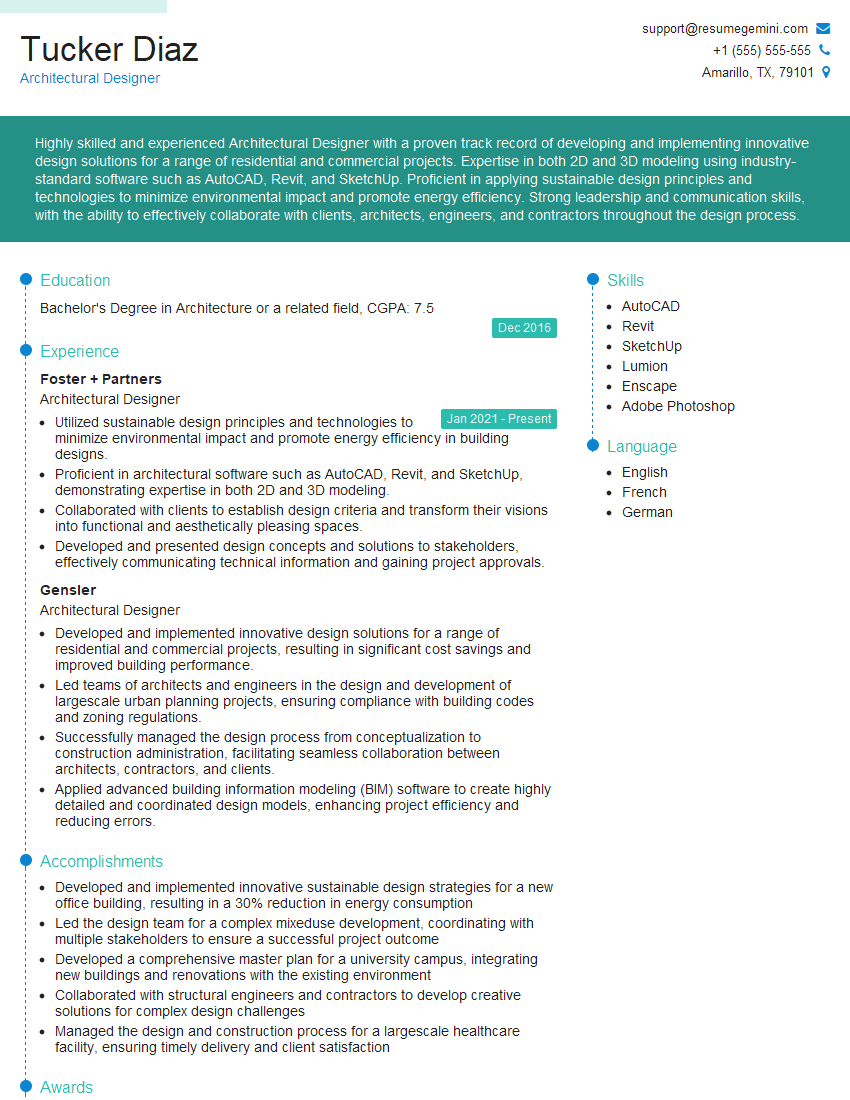
Architectural Designer Resume Sample
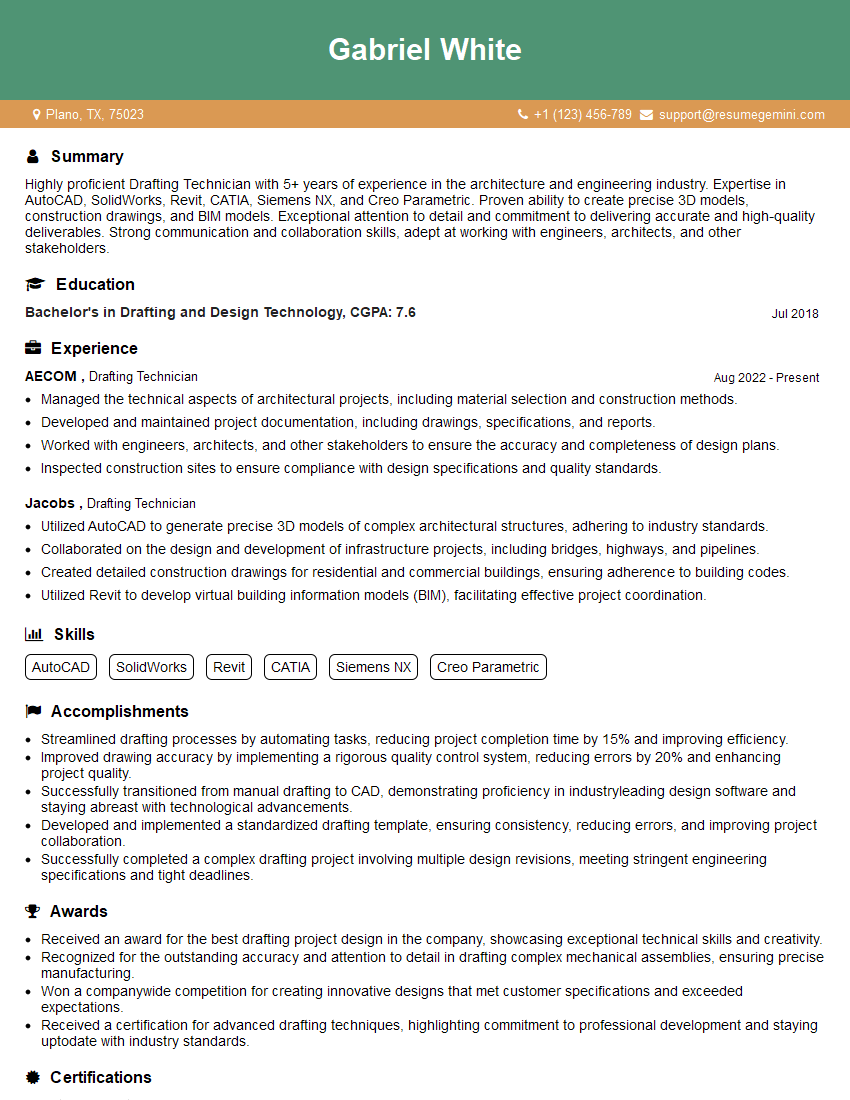
Drafting Technician Resume Sample
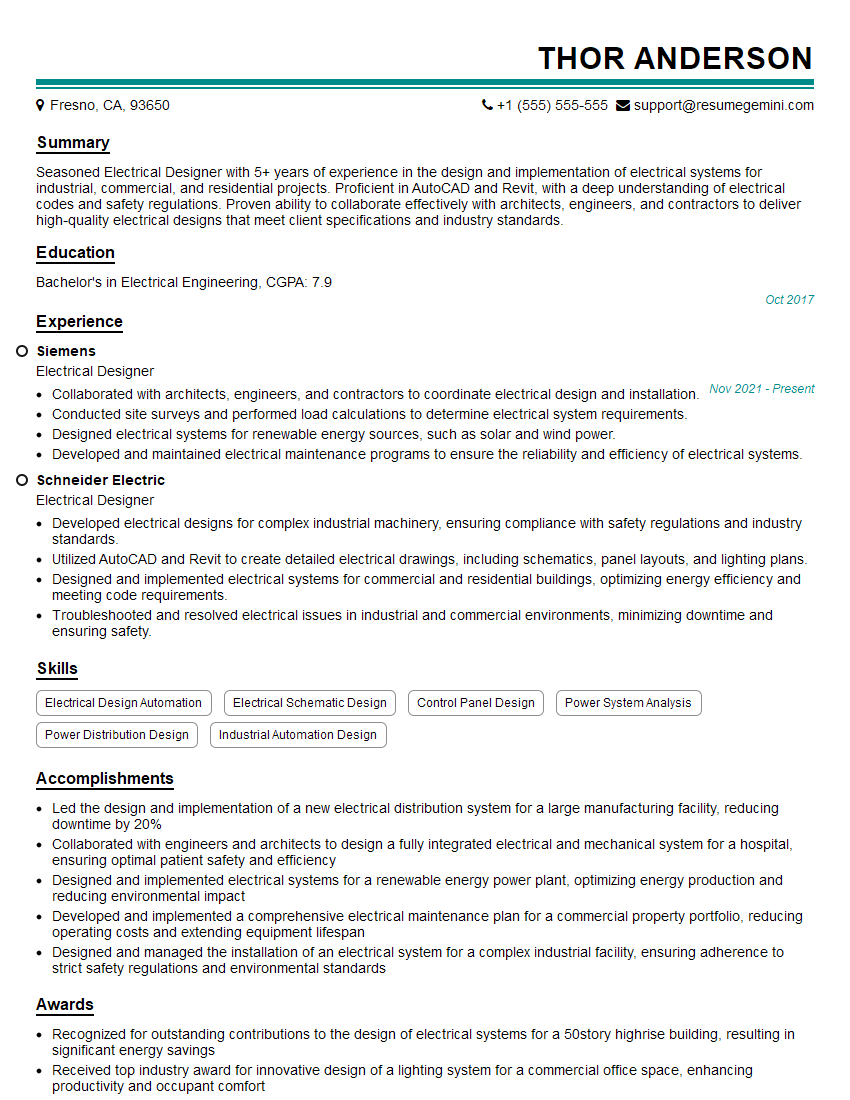
Electrical Designer Resume Sample
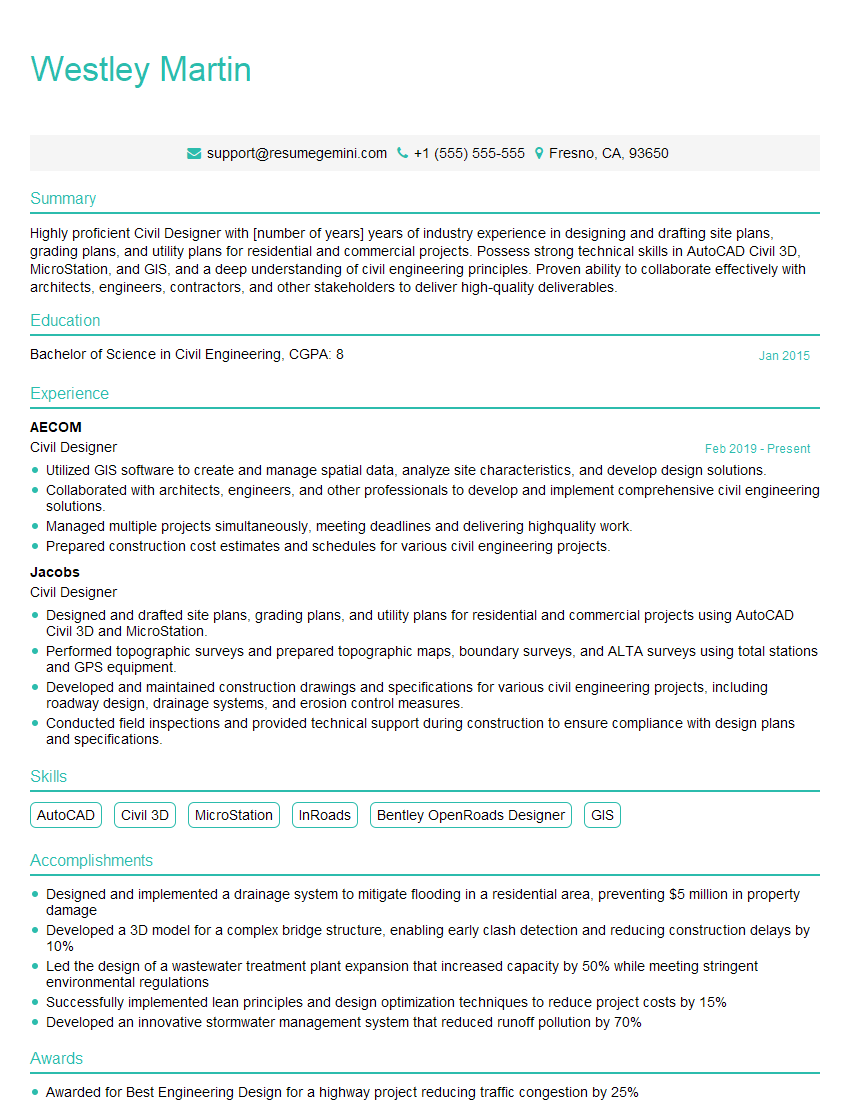
Civil Designer Resume Sample
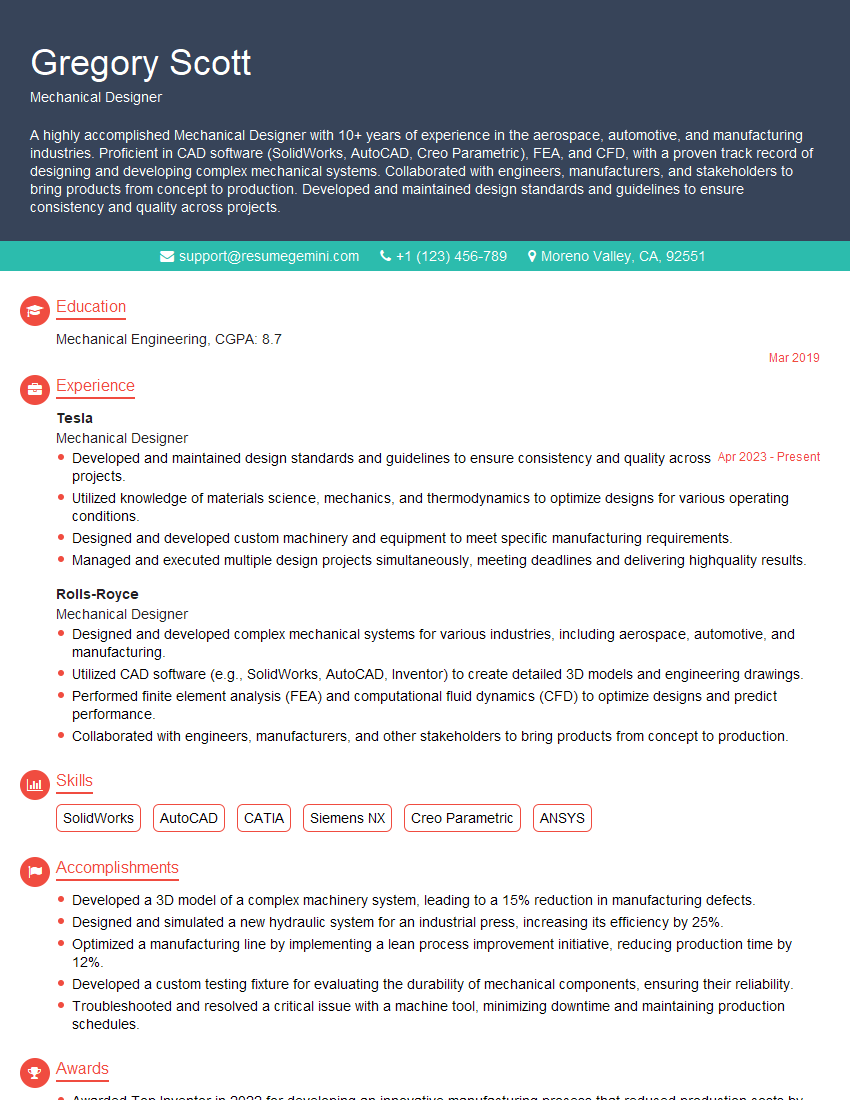
Mechanical Designer Resume Sample

Technical Illustrator Resume Sample

Product Designer Resume Sample

3D Modeler Resume Sample
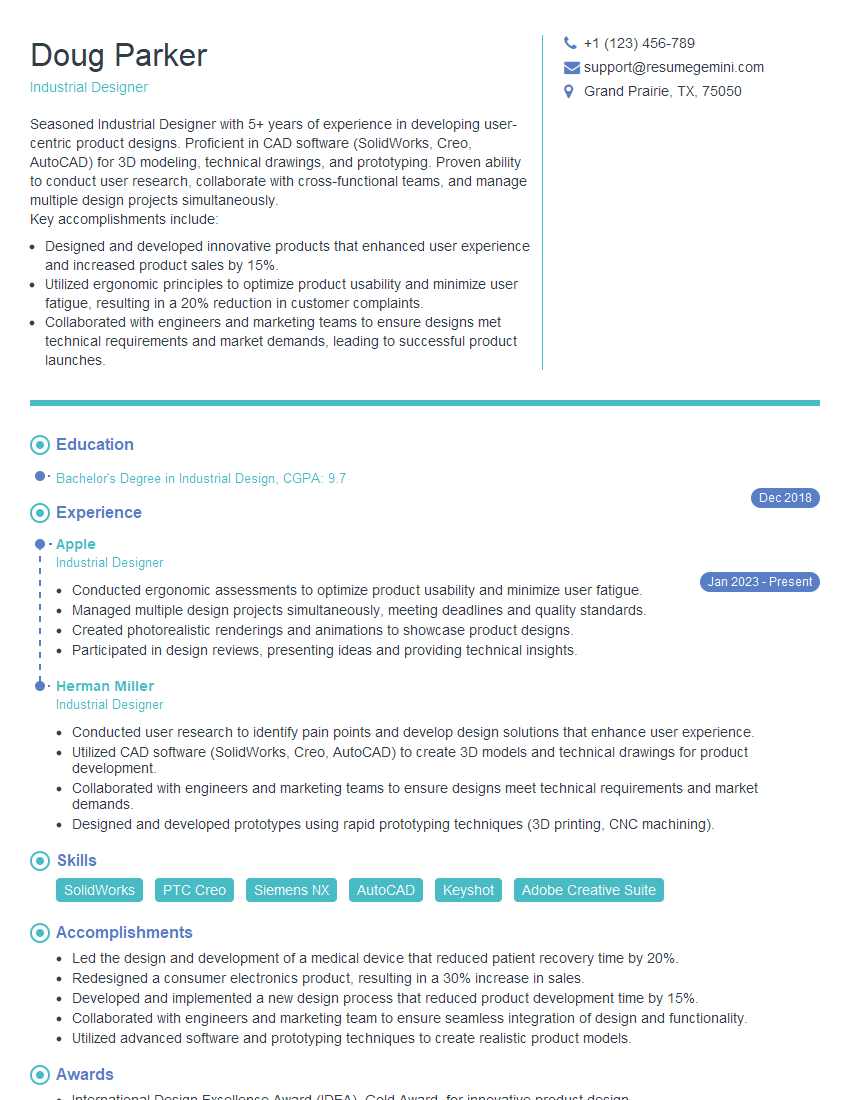
Industrial Designer Resume Sample
Explore more articles
Users Rating of Our Blogs
Share Your Experience
We value your feedback! Please rate our content and share your thoughts (optional).
What Readers Say About Our Blog
Hello,
we currently offer a complimentary backlink and URL indexing test for search engine optimization professionals.
You can get complimentary indexing credits to test how link discovery works in practice.
No credit card is required and there is no recurring fee.
You can find details here:
https://wikipedia-backlinks.com/indexing/
Regards
NICE RESPONSE TO Q & A
hi
The aim of this message is regarding an unclaimed deposit of a deceased nationale that bears the same name as you. You are not relate to him as there are millions of people answering the names across around the world. But i will use my position to influence the release of the deposit to you for our mutual benefit.
Respond for full details and how to claim the deposit. This is 100% risk free. Send hello to my email id: [email protected]
Luka Chachibaialuka
Hey interviewgemini.com, just wanted to follow up on my last email.
We just launched Call the Monster, an parenting app that lets you summon friendly ‘monsters’ kids actually listen to.
We’re also running a giveaway for everyone who downloads the app. Since it’s brand new, there aren’t many users yet, which means you’ve got a much better chance of winning some great prizes.
You can check it out here: https://bit.ly/callamonsterapp
Or follow us on Instagram: https://www.instagram.com/callamonsterapp
Thanks,
Ryan
CEO – Call the Monster App
Hey interviewgemini.com, I saw your website and love your approach.
I just want this to look like spam email, but want to share something important to you. We just launched Call the Monster, a parenting app that lets you summon friendly ‘monsters’ kids actually listen to.
Parents are loving it for calming chaos before bedtime. Thought you might want to try it: https://bit.ly/callamonsterapp or just follow our fun monster lore on Instagram: https://www.instagram.com/callamonsterapp
Thanks,
Ryan
CEO – Call A Monster APP
To the interviewgemini.com Owner.
Dear interviewgemini.com Webmaster!
Hi interviewgemini.com Webmaster!
Dear interviewgemini.com Webmaster!
excellent
Hello,
We found issues with your domain’s email setup that may be sending your messages to spam or blocking them completely. InboxShield Mini shows you how to fix it in minutes — no tech skills required.
Scan your domain now for details: https://inboxshield-mini.com/
— Adam @ InboxShield Mini
Reply STOP to unsubscribe
Hi, are you owner of interviewgemini.com? What if I told you I could help you find extra time in your schedule, reconnect with leads you didn’t even realize you missed, and bring in more “I want to work with you” conversations, without increasing your ad spend or hiring a full-time employee?
All with a flexible, budget-friendly service that could easily pay for itself. Sounds good?
Would it be nice to jump on a quick 10-minute call so I can show you exactly how we make this work?
Best,
Hapei
Marketing Director
Hey, I know you’re the owner of interviewgemini.com. I’ll be quick.
Fundraising for your business is tough and time-consuming. We make it easier by guaranteeing two private investor meetings each month, for six months. No demos, no pitch events – just direct introductions to active investors matched to your startup.
If youR17;re raising, this could help you build real momentum. Want me to send more info?
Hi, I represent an SEO company that specialises in getting you AI citations and higher rankings on Google. I’d like to offer you a 100% free SEO audit for your website. Would you be interested?
Hi, I represent an SEO company that specialises in getting you AI citations and higher rankings on Google. I’d like to offer you a 100% free SEO audit for your website. Would you be interested?
good