Every successful interview starts with knowing what to expect. In this blog, we’ll take you through the top User-Centered Design interview questions, breaking them down with expert tips to help you deliver impactful answers. Step into your next interview fully prepared and ready to succeed.
Questions Asked in User-Centered Design Interview
Q 1. Describe your process for conducting user research.
My user research process is iterative and deeply informed by the project goals. It typically begins with defining clear research objectives – what specific questions are we trying to answer? Then I select appropriate research methods. This could range from:
- User interviews: One-on-one conversations to gain deep insights into user needs, motivations, and pain points. For example, if designing a new banking app, I’d interview users about their current banking habits, frustrations with existing apps, and desired features.
- Surveys: Efficiently gathering quantitative and qualitative data from a larger sample size. Surveys can help identify trends and common experiences. I might use a survey to gauge user preferences for different app designs.
- Usability testing: Observing users interacting with a prototype to identify usability issues (more on this in the next answer!). This is crucial for identifying pain points during interaction.
- Contextual inquiry: Observing users in their natural environment using the product or service to understand their workflow and context of use. For instance, observing someone using a fitness tracker throughout their day to understand its impact on their habits.
- Diary studies: Users document their experiences over a period of time, offering rich qualitative data about their behaviors and feelings. This would be beneficial when understanding how a product fits into a user’s daily routine.
After data collection, I analyze the findings, looking for patterns and insights to inform design decisions. Finally, I synthesize the results into actionable recommendations and communicate those clearly to the team. Throughout this process, I ensure ethical considerations are prioritized, obtaining informed consent and maintaining user privacy.
Q 2. Explain the difference between usability testing and user research.
While both usability testing and user research are crucial to user-centered design, they serve different purposes. Think of user research as the broad exploration, and usability testing as the focused evaluation.
User research is a broader umbrella term encompassing various methods to understand users, their needs, behaviors, and motivations. It aims to answer broader questions like: ‘Who are our users?’, ‘What are their goals?’, ‘What are their pain points?’ It often informs the overall direction of the design process.
Usability testing, on the other hand, is a specific method focused on evaluating the ease of use and effectiveness of a design. It involves observing users interacting with a prototype or finished product and identifying usability issues. It answers more specific questions like: ‘Is this button easy to find?’, ‘Is the navigation intuitive?’, ‘Can users complete their tasks efficiently?’
For example, user research might reveal that senior citizens struggle to manage their online banking. Usability testing would then help evaluate the ease of use of specific features within the banking app designed to address those challenges.
Q 3. How do you prioritize features based on user needs?
Prioritizing features based on user needs requires a systematic approach. I typically use a combination of methods:
- Prioritization Matrix: I use a matrix plotting features against criteria like user impact (how many users will benefit?), business value (how much revenue will it generate?), and feasibility (how easy is it to implement?). This allows for a visual comparison of features and assists in making informed decisions.
- MoSCoW Method: This categorizes features into: Must have, Should have, Could have, and Won’t have. This aids in clearly differentiating essential features from those that are less critical.
- User Story Mapping: This visualizes user journeys and helps prioritize features that directly address user needs within those journeys. For example, if mapping a user’s online shopping experience, we’d prioritize features related to search, product selection and checkout before features like advanced filtering options.
- A/B Testing: (More detail on this later) Comparing different versions of a feature to determine which performs better in terms of user engagement and goal completion.
Ultimately, the goal is to build an MVP (Minimum Viable Product) that addresses the most important user needs first, while maintaining a balance between user value and business objectives. This iterative approach allows for continuous improvement and adaptation based on user feedback.
Q 4. What are some common usability heuristics?
Usability heuristics are general principles or guidelines that help designers create user-friendly interfaces. Jakob Nielsen’s 10 usability heuristics are widely recognized:
- Visibility of system status: Keep users informed about what is going on.
- Match between system and the real world: Speak the users’ language.
- User control and freedom: Provide ’emergency exits’ for users to easily undo actions.
- Consistency and standards: Follow platform conventions.
- Error prevention: Design systems that prevent errors from happening in the first place.
- Recognition rather than recall: Make objects, actions, and options visible.
- Flexibility and efficiency of use: Cater to both novice and expert users.
- Aesthetic and minimalist design: Don’t include irrelevant information.
- Help users recognize, diagnose, and recover from errors: Provide clear error messages.
- Help and documentation: Provide helpful documentation when needed.
These heuristics act as a checklist to ensure the design is user-friendly and efficient. For instance, if designing a website, ensuring consistent navigation across all pages and providing clear error messages when a user inputs incorrect data would be crucial applications of these heuristics.
Q 5. How do you incorporate user feedback into the design process?
Incorporating user feedback is essential for creating successful designs. It’s a continuous process, not a one-time event. I usually integrate feedback in several ways:
- Early and often: Gathering feedback throughout the design process, from early sketches to prototypes to the final product. This allows for iterative adjustments based on continuous learning.
- Feedback sessions: Conducting structured feedback sessions with users to get direct input on specific aspects of the design. This can be through usability testing or focused interviews.
- Surveys and questionnaires: Using surveys to gather feedback from a broader audience, particularly helpful for identifying common patterns and trends.
- Usability testing reports: Documenting findings from usability tests and sharing them with the design team to guide design decisions. I often use heatmaps and session recordings to visualize user behavior and highlight areas for improvement.
- Prioritization based on severity and frequency: Not all feedback is created equal. I prioritize feedback based on its severity (how impactful is the issue?) and frequency (how many users experienced the problem?).
For example, if user testing reveals that a particular button is difficult to find, that would be a high priority for redesign. If feedback suggests a minor cosmetic change, it might be addressed later in the development cycle.
Q 6. Describe your experience with A/B testing.
A/B testing is a crucial method for comparing different versions of a design to see which performs better. It involves presenting two variations (A and B) of a design element (e.g., a button’s color, the layout of a page) to different user groups. By tracking key metrics such as click-through rates, conversion rates, and task completion times, we can determine which version is more effective.
My experience with A/B testing includes setting up experiments using platforms such as Google Optimize or Optimizely. This involves defining clear hypotheses, creating variations of the design, selecting appropriate metrics, and analyzing the results statistically. It’s critical to ensure a statistically significant sample size for reliable results. A well-designed A/B test might compare a call-to-action button in two different colors (blue vs. green) to see which drives more clicks.
The key is to only change one variable at a time to accurately attribute performance differences to that specific change. A/B testing enables data-driven design decisions, helping us optimize for user engagement and business goals.
Q 7. How do you measure the success of a design?
Measuring the success of a design is multifaceted and depends on the project goals. However, it generally involves both quantitative and qualitative measures:
- Quantitative metrics: These are measurable data points, such as conversion rates, task completion rates, bounce rates, time on task, error rates, and customer satisfaction scores (CSAT). For example, a successful e-commerce website would demonstrate high conversion rates and low bounce rates.
- Qualitative metrics: These provide richer insights into user experience, such as user feedback from surveys, interviews, and usability testing. A successful design might receive positive qualitative feedback on its intuitiveness and ease of use.
- Business metrics: These tie design success to business goals, such as increased revenue, improved customer retention, or cost savings. A redesigned website could be considered a success if it leads to a measurable increase in sales.
Ultimately, successful design isn’t just about aesthetics; it’s about achieving both user satisfaction and business objectives. I aim to track a balanced set of these metrics to assess the overall success of a design, and these measurements should always be aligned with the initial project goals.
Q 8. What is your preferred method for prototyping?
My preferred prototyping method depends heavily on the project phase and its complexity. Early on, I favor low-fidelity prototyping using tools like paper sketches and whiteboard sessions. This allows for rapid iteration and exploration of different concepts without getting bogged down in details. These quick, inexpensive prototypes are excellent for testing core functionalities and user flows with stakeholders and users. As the project matures, I transition to higher-fidelity prototypes using tools like Figma or Adobe XD. These tools allow for the creation of interactive prototypes that more closely resemble the final product, enabling more comprehensive user testing and identifying usability issues before development begins. For more complex interactions or animations, I might even incorporate prototyping tools like Principle or After Effects.
For example, when designing a new e-commerce checkout flow, I might start with paper sketches to map out the different steps and potential variations. This allows for quick feedback and easy adjustments. Once the core flow is refined, I’d move to Figma to create an interactive prototype, including realistic buttons, input fields, and error messages. This higher-fidelity prototype would then be used for user testing to assess the ease of use and identify any usability pain points.
Q 9. Describe a time you had to make a design decision with limited information.
During a project redesigning a mobile banking app, we were faced with a critical decision regarding the placement of the biometric authentication button. We had limited user data on the optimal location – previous iterations hadn’t focused on this feature’s placement. To make an informed decision, we employed a combination of heuristics, accessibility guidelines (ensuring ease of reach for diverse users), and rapid A/B testing with a small group of representative users. We created three different prototype versions with the biometric button in varying locations and observed user interactions, noting task completion times and error rates. The data from this small-scale test, combined with our understanding of established design principles, guided our final decision, allowing us to confidently proceed without exhaustive research. The result was a placement that proved highly intuitive and user-friendly in subsequent larger-scale tests.
Q 10. How do you handle conflicting feedback from stakeholders and users?
Conflicting feedback is inevitable in UX design. My approach involves a structured process to synthesize diverse perspectives. First, I carefully document all feedback, categorizing it by source (stakeholder vs. user) and noting the specific concerns or suggestions. Then, I analyze the feedback, looking for common themes and underlying needs. For example, a stakeholder might prioritize a certain feature for business reasons, while users consistently indicate difficulty using another feature. I then facilitate a collaborative discussion involving all stakeholders and representatives of the target user group. This discussion aims to clarify the rationale behind each point of view and find common ground. Data-driven insights from user research play a pivotal role in prioritizing solutions. If conflicts persist, I present a balanced proposal outlining the trade-offs of each approach, including the impact on key metrics like user satisfaction and task completion rates. This collaborative approach helps prioritize features and design decisions based on a holistic understanding of business needs and user experience.
Q 11. Explain your understanding of accessibility in UX design.
Accessibility is paramount in UX design. It’s about ensuring that everyone, regardless of their abilities, can use and benefit from a product or service. This includes users with visual, auditory, motor, cognitive, and neurological disabilities. My understanding involves adhering to accessibility guidelines like WCAG (Web Content Accessibility Guidelines) and ensuring compliance throughout the design process. This goes beyond merely adding alt text to images. It encompasses creating clear and concise content, ensuring sufficient color contrast, providing keyboard navigation, designing for users with motor impairments (larger tap targets on mobile, for instance), and building robust error handling. For example, ensuring alternative text on images caters to users who are blind, providing captions on videos for users who are deaf, and employing appropriate screen reader compatibility are all essential aspects. I consistently test designs with assistive technologies to identify and rectify accessibility issues proactively. A truly accessible design fosters inclusivity and expands the potential user base.
Q 12. How do you stay up-to-date with the latest UX trends?
Staying current in the ever-evolving UX landscape is critical. I leverage several strategies: I regularly follow influential UX blogs and publications (e.g., Nielsen Norman Group, UX Collective), attend industry conferences and webinars, and actively participate in online communities like UX Stack Exchange. I also explore case studies of successful designs, analyzing what made them effective and how they addressed user needs. Furthermore, I constantly experiment with new tools and technologies. By staying actively engaged, I maintain a strong understanding of the newest design trends, best practices, and emerging technologies, allowing me to apply the most relevant and effective techniques to my work. This includes exploring emerging trends in AR/VR and voice user interfaces, examining their potential impact on UX, and determining where and how to apply these technologies effectively within specific contexts.
Q 13. Describe your experience with design systems.
My experience with design systems is extensive. I’ve participated in the creation and implementation of design systems for both web and mobile applications. A well-defined design system is essential for consistency, efficiency, and scalability across products. It establishes a centralized repository of reusable components, styles, and guidelines, ensuring a unified brand experience. My contributions have included defining component libraries, creating style guides, and collaborating with developers to implement the design system within the codebase. For example, I’ve worked on a design system that included a comprehensive set of pre-built UI elements like buttons, forms, and navigation components, along with detailed style specifications and usage guidelines. This reduced design and development time significantly while maintaining visual consistency and a high-quality user experience across multiple platforms.
Q 14. What is your experience with wireframing and mockups?
Wireframing and mockups are fundamental to my design process. Wireframes serve as a blueprint, outlining the basic structure and functionality of a design. I use them to plan the page layout, information architecture, and user flow before investing time in visual details. I often employ tools like Balsamiq or even simple pen and paper for rapid wireframing. Once the structure is established, I move to mockups, which provide a more visual representation of the design, incorporating elements like typography, color palettes, and imagery. Tools like Figma and Sketch become crucial at this stage, allowing for high-fidelity mockups. For example, when designing a new website, I would start with a low-fidelity wireframe to map out the navigation and content hierarchy. Once the structure is finalized, I would move to a high-fidelity mockup, showcasing the visual style and branding. The progression from wireframe to mockup enables iterative refinement, ensuring that the final design meets both functional and aesthetic requirements.
Q 15. Explain your approach to information architecture.
Information architecture (IA) is the structural design of shared information environments. Think of it as the blueprint for how users navigate and find what they need within a website or application. My approach is highly user-centered and iterative. It starts with understanding the users’ goals and the content itself.
- Understanding User Needs: I begin by conducting user research to define user goals, tasks, and mental models. For example, if designing an e-commerce site, I’d investigate how users typically shop online, what information they prioritize (price, reviews, shipping), and their preferred navigation patterns.
- Content Inventory & Analysis: Next, I create a comprehensive inventory of all existing content, analyzing its structure, relationships, and relevance. This involves identifying key concepts, categorizing information, and removing redundancy.
- Card Sorting & Tree Testing: I then use card sorting (open or closed) and tree testing to validate my initial IA structure. These methods involve users actively participating in organizing information, providing valuable insights into their cognitive processes and expectations.
- Prototyping & Iteration: Finally, I create low-fidelity prototypes to visualize the IA and test its usability. This allows for iterative refinements based on user feedback, ensuring the final structure is intuitive and effective.
For instance, I once worked on a project where the initial sitemap was overly complex. Through card sorting, we discovered users naturally grouped products based on usage rather than by product category. This insight led to a major restructuring, dramatically improving user navigation and conversion rates.
Career Expert Tips:
- Ace those interviews! Prepare effectively by reviewing the Top 50 Most Common Interview Questions on ResumeGemini.
- Navigate your job search with confidence! Explore a wide range of Career Tips on ResumeGemini. Learn about common challenges and recommendations to overcome them.
- Craft the perfect resume! Master the Art of Resume Writing with ResumeGemini’s guide. Showcase your unique qualifications and achievements effectively.
- Don’t miss out on holiday savings! Build your dream resume with ResumeGemini’s ATS optimized templates.
Q 16. How do you conduct competitive analysis?
Competitive analysis is crucial for identifying opportunities and avoiding pitfalls. My approach is systematic and data-driven. I focus on understanding not only what competitors are doing but also *why* and *how* effectively.
- Identify Key Competitors: First, I clearly define the competitive landscape, identifying direct and indirect competitors based on their offerings and target audience.
- Analyze User Experience: I then perform a thorough analysis of each competitor’s website or app, focusing on key aspects like information architecture, navigation, visual design, usability, and overall user experience. I use tools like heatmaps and session recordings to see how real users interact with these products.
- Feature Comparison: I create a feature comparison matrix to highlight strengths and weaknesses of different competitors, enabling identification of unmet needs or areas for potential innovation.
- Marketing & Strategy Analysis: I examine competitors’ marketing strategies, target audience, and overall business model to understand their approach and success factors. This helps to identify potential differentiators and strategies for our own product.
- Synthesize Findings: Finally, I synthesize all collected data, identifying key insights, opportunities, and threats. This informs design decisions and helps to establish a competitive advantage.
For example, during a recent project, our competitive analysis revealed that a competitor’s checkout process was significantly longer and more complex than the industry average. This insight informed our decision to design a streamlined and user-friendly checkout flow, providing a key differentiator for our client.
Q 17. What are some key metrics you track to measure UX success?
Measuring UX success isn’t just about aesthetics; it’s about demonstrable improvements in user behavior and business outcomes. I track a range of key metrics, both qualitative and quantitative.
- Task Completion Rate: This measures the percentage of users successfully completing their intended tasks. A high rate indicates effective design and clear guidance.
- Error Rate: A low error rate signifies intuitive design and minimal user frustration. I analyze the types of errors to understand underlying usability issues.
- Time on Task: Efficient design reduces the time users spend completing tasks. Tracking this metric reveals areas for optimization and improved workflow.
- Conversion Rate: This is crucial for business-driven websites and apps. A higher conversion rate indicates successful guidance towards desired actions (purchases, sign-ups, etc.).
- Net Promoter Score (NPS): This measures overall user satisfaction and loyalty. A high NPS score signals a positive user experience and strong brand advocacy.
- Qualitative Feedback (Surveys, Interviews): User feedback provides rich insights beyond numerical data, helping to identify pain points and opportunities for improvement.
For instance, on one project, we saw a 15% increase in conversion rate after redesigning the product page based on user feedback and A/B testing. This clearly demonstrated the effectiveness of our UX improvements.
Q 18. Describe your experience with user personas.
User personas are fictional, yet realistic representations of key user groups. They are not just demographic data; they capture users’ goals, motivations, frustrations, and behaviors. My experience with personas involves a highly collaborative and data-driven approach.
- User Research: Personas are grounded in user research. I conduct user interviews, surveys, and usability testing to gather data on user demographics, behaviors, needs, and motivations.
- Persona Development: I synthesize research data to create detailed personas, including a name, picture, background information, goals, frustrations, and technological proficiency. This makes them relatable and easily understood by the development team.
- Persona Validation: I present the personas to stakeholders for feedback, ensuring alignment and understanding. I may even conduct further user research to validate the accuracy and representativeness of the personas.
- Persona Application: Finally, I use the personas to guide design decisions, ensuring that the product is tailored to meet the needs and expectations of the target users. Personas are constantly reviewed and updated based on further feedback and data.
In a previous project, creating detailed personas of our target users (elderly individuals with limited tech skills) helped us design a simplified interface with large fonts and intuitive navigation, leading to significantly improved usability and user satisfaction.
Q 19. How do you identify and address user pain points?
Identifying and addressing user pain points is a critical aspect of UX design. My approach involves a combination of proactive and reactive methods.
- User Research: Proactive methods include conducting user interviews, surveys, usability testing, and competitive analysis to identify potential pain points *before* they emerge.
- Usability Testing: I observe users interacting with the product, noting areas of friction, frustration, or confusion. This provides invaluable insights into real-world pain points.
- Analytics & Data: I analyze website or app analytics to identify areas where users drop off, encounter errors, or exhibit unusual behavior. This provides quantitative evidence of usability problems.
- Feedback Mechanisms: Implementing feedback mechanisms within the product (e.g., surveys, in-app feedback forms) allows users to report issues directly. This provides continuous, real-time feedback.
- Addressing Pain Points: Once pain points are identified, I work collaboratively with developers and other stakeholders to develop solutions. This may involve redesigning specific features, simplifying workflows, or improving navigation.
For example, through usability testing, we found users struggled to find the ‘add to cart’ button on our e-commerce platform. By redesigning the button’s placement and visual prominence, we saw a notable increase in conversion rates.
Q 20. What design tools are you proficient in?
Proficiency in design tools is essential for effective UX design. I’m experienced with a wide range of tools, tailored to different stages of the design process.
- Figma: My primary tool for wireframing, prototyping, and collaboration. Its real-time collaboration features are invaluable for teamwork.
- Adobe XD: Another excellent prototyping tool, strong in its UI/UX design capabilities, and integration with other Adobe Creative Suite applications.
- Sketch: Excellent for vector-based illustrations and icon design.
- Axure RP: Powerful for creating highly interactive prototypes with complex logic and user flows.
- Miro & Mural: I use these for collaborative brainstorming, user journey mapping, and facilitating remote workshops.
- Optimal Workshop: For conducting user research, specifically card sorting and tree testing.
My tool selection always depends on the project’s specific needs and the stage of the design process. I am comfortable using different tools to achieve the best results.
Q 21. How do you handle design critiques?
Design critiques are integral to the design process; they foster collaboration and improve the final product. My approach to design critiques is constructive, collaborative, and solution-oriented.
- Preparation: Before the critique, I prepare a presentation showcasing my design rationale and decisions. I anticipate potential questions and concerns.
- Active Listening: During the critique, I actively listen to feedback, asking clarifying questions to fully understand the points raised. I avoid becoming defensive.
- Constructive Dialogue: I engage in a constructive dialogue, explaining my reasoning and addressing concerns with concrete examples and data whenever possible.
- Iterative Refinement: I view critiques as opportunities for improvement. I document all feedback and use it to iterate on the design, incorporating valuable suggestions.
- Documentation & Follow-up: I document all changes and updates made based on the feedback and communicate them to stakeholders. This ensures transparency and accountability.
I find that a positive and collaborative environment fosters better feedback and leads to stronger designs. I have experienced situations where initially negative feedback transformed into valuable insights leading to a significant improvement of the end product.
Q 22. Explain your experience with different user research methodologies (e.g., surveys, interviews, usability testing).
User research methodologies are the backbone of user-centered design. They help us understand our users and their needs. I’ve extensively used several methods, each with its strengths and weaknesses. Surveys are great for gathering quantitative data from a large number of participants quickly. For instance, I used a survey to understand the frequency of online shopping amongst different age groups for an e-commerce client. Interviews, on the other hand, offer rich qualitative data through in-depth conversations. I conducted several user interviews to understand the pain points users faced while navigating a specific website feature, revealing usability issues we hadn’t anticipated. Finally, usability testing is invaluable for observing users interacting with a design, identifying usability bottlenecks, and evaluating the effectiveness of design solutions. In a recent project, we used usability testing to identify where users struggled most with the checkout process on a mobile application, leading to design improvements that significantly reduced cart abandonment.
- Surveys: Efficient for large-scale data collection, ideal for understanding demographics and preferences.
- Interviews: Provide in-depth insights into user motivations and behaviors, excellent for exploratory research.
- Usability Testing: Direct observation of user interactions, allowing for identification of usability issues and iterative improvements.
Q 23. Describe a design project where you faced a significant challenge. How did you overcome it?
During the redesign of a healthcare application, we faced a significant challenge regarding data security and user privacy. The app handled sensitive patient information, and we needed to balance the requirement for a user-friendly interface with stringent security protocols. Initially, the security features added layers of complexity that hindered usability. To overcome this, we employed a multi-faceted approach. We started by involving security experts early in the design process, ensuring that security considerations were integrated into the design rather than being added as an afterthought. We then focused on designing intuitive security prompts and explanations that would reassure users without being overwhelming. We conducted several rounds of usability testing with patient representatives to gather feedback on our security features and their impact on the user experience. By iteratively refining our designs based on the testing results, we managed to create an application that was both secure and easy to use. The result was a system that met all privacy regulations, but also ranked highly on user satisfaction scores.
Q 24. How do you ensure your designs are inclusive and accessible to all users?
Inclusive and accessible design is paramount. It’s about creating products and services that are usable and enjoyable by everyone, regardless of their abilities. My approach involves several key considerations. First, I always adhere to WCAG (Web Content Accessibility Guidelines) which provide a comprehensive set of guidelines for creating accessible digital content. This includes providing alternative text for images, ensuring sufficient color contrast, and supporting keyboard navigation. Secondly, I consider a wide range of disabilities, including visual, auditory, motor, and cognitive impairments. For example, I ensure that designs are usable with screen readers and other assistive technologies. I frequently conduct user testing with users representing different disability groups to validate that my designs are truly inclusive. Finally, I prioritize simple and intuitive design to benefit all users, including those with cognitive impairments. Avoiding jargon and using clear and concise language is crucial. A well-structured information architecture is also essential for improving accessibility and usability.
Q 25. What is your understanding of user flows and journey maps?
User flows and journey maps are crucial tools for understanding the user experience. A user flow is a visual representation of the steps a user takes to complete a specific task within a product or service. It’s like a flowchart that shows the path a user follows, including different screens and interactions. Imagine a user flow for online checkout – it would show the steps from adding items to the cart to entering payment information and confirming the order. Journey maps, on the other hand, provide a broader view of the user experience across multiple touchpoints. They map out the entire user experience, including the user’s emotions, thoughts, and actions at each stage. For example, a journey map for a new customer might include pre-purchase research, initial contact, purchase, post-purchase follow-up, and so on. Both tools are important for identifying pain points and opportunities for improvement in the user experience, providing a holistic view of the user’s interaction with the system.
Q 26. How do you balance user needs with business goals?
Balancing user needs and business goals is a constant challenge but a crucial aspect of successful design. It’s not about choosing one over the other but finding the sweet spot where both are satisfied. I use data and insights from user research to understand user needs and pain points. Simultaneously, I work closely with stakeholders to understand business objectives, key performance indicators (KPIs), and constraints (budget, time, etc.). The goal is to identify design solutions that meet user needs while also achieving business goals. Prioritization is key. Sometimes, compromises have to be made. I use frameworks like the MoSCoW method (Must have, Should have, Could have, Won’t have) to help prioritize features based on their impact on both user satisfaction and business success. Data-driven design decisions, informed by both user research and business analytics, ensure that both aspects are effectively addressed.
Q 27. Describe your experience with agile development methodologies.
I have significant experience working within agile development methodologies. Agile’s iterative nature aligns perfectly with user-centered design. The iterative development cycles, with frequent feedback loops, allow for continuous improvement based on user testing and data analysis. I’m comfortable participating in sprint planning, daily stand-ups, sprint reviews, and retrospectives. My experience includes using various agile frameworks, such as Scrum and Kanban. In a recent project, we used Scrum to manage the development of a mobile application. The short sprints (two weeks) allowed us to quickly test and iterate on designs based on user feedback, ensuring we delivered a product that met user needs effectively. The collaborative nature of agile is essential for me, encouraging communication and feedback amongst developers, designers, and stakeholders throughout the entire process.
Q 28. Explain your understanding of the design thinking process.
Design thinking is a human-centered problem-solving approach. It’s an iterative process that emphasizes understanding user needs, generating ideas, prototyping, and testing solutions. The five stages typically involve:
- Empathize: Deeply understanding the user’s needs, motivations, and pain points through user research.
- Define: Clearly defining the problem to be solved based on the insights gained during the empathize stage.
- Ideate: Brainstorming and generating a wide range of potential solutions.
- Prototype: Creating tangible representations of the solutions to test and refine.
- Test: Gathering user feedback on the prototypes to identify areas for improvement.
Design thinking is not a linear process; it’s iterative. I often cycle through these stages multiple times before arriving at an optimal solution. For example, in a recent project, we used design thinking to redesign a complex insurance claims process. Through user research, we identified significant pain points related to paperwork and lack of clarity. We then ideated on different solutions and created prototypes, testing these with users and iteratively refining them based on their feedback. The result was a significantly improved claims process that reduced user frustration and increased customer satisfaction.
Key Topics to Learn for Your User-Centered Design Interview
Ace your next interview by mastering these fundamental concepts of User-Centered Design (UCD). Remember, the key is not just knowing the theory, but demonstrating how you’ve applied it to solve real-world problems.
- User Research Methods: Understand qualitative and quantitative research methods like user interviews, surveys, usability testing, A/B testing, and persona development. Be prepared to discuss your experience designing and conducting these studies.
- Information Architecture & Interaction Design: Explain your understanding of IA principles, including card sorting, sitemaps, and wireframing. Showcase your ability to create intuitive and user-friendly information structures and interactions.
- Usability Heuristics & Principles: Discuss Nielsen’s heuristics and other usability principles. Be ready to illustrate how you’ve applied these principles to improve the user experience in past projects.
- Prototyping & Iteration: Demonstrate your proficiency in creating low-fidelity and high-fidelity prototypes. Highlight your iterative design process, emphasizing user feedback integration and design improvements.
- Accessibility & Inclusive Design: Showcase your knowledge of accessibility guidelines (WCAG) and inclusive design principles. Explain how you ensure your designs are usable and accessible to all users, regardless of ability.
- Design Thinking Process: Articulate your understanding of the design thinking process, emphasizing empathy, ideation, prototyping, and testing. Provide examples of how you’ve used this framework in your design work.
Next Steps: Level Up Your Career with User-Centered Design
Mastering User-Centered Design is crucial for career advancement in today’s competitive landscape. It demonstrates your ability to create user-friendly and effective products, a highly sought-after skill in many industries. To maximize your job prospects, focus on crafting an ATS-friendly resume that highlights your UCD expertise.
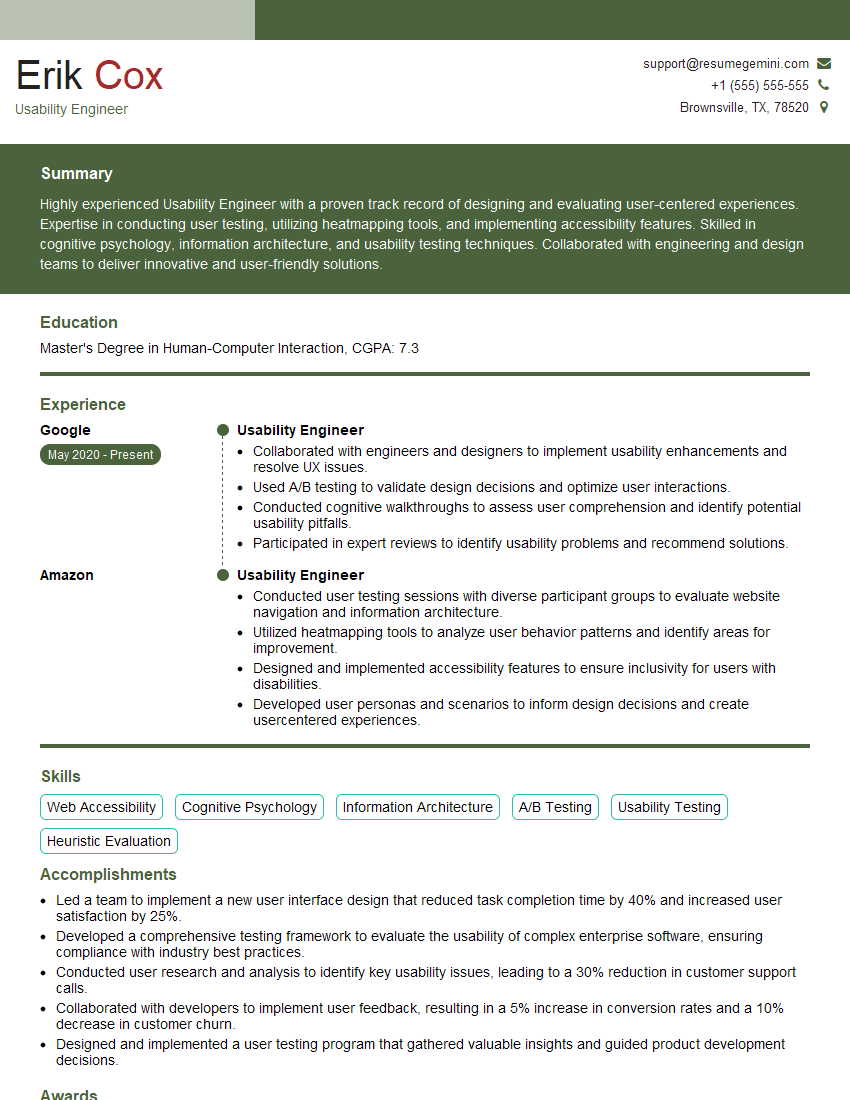
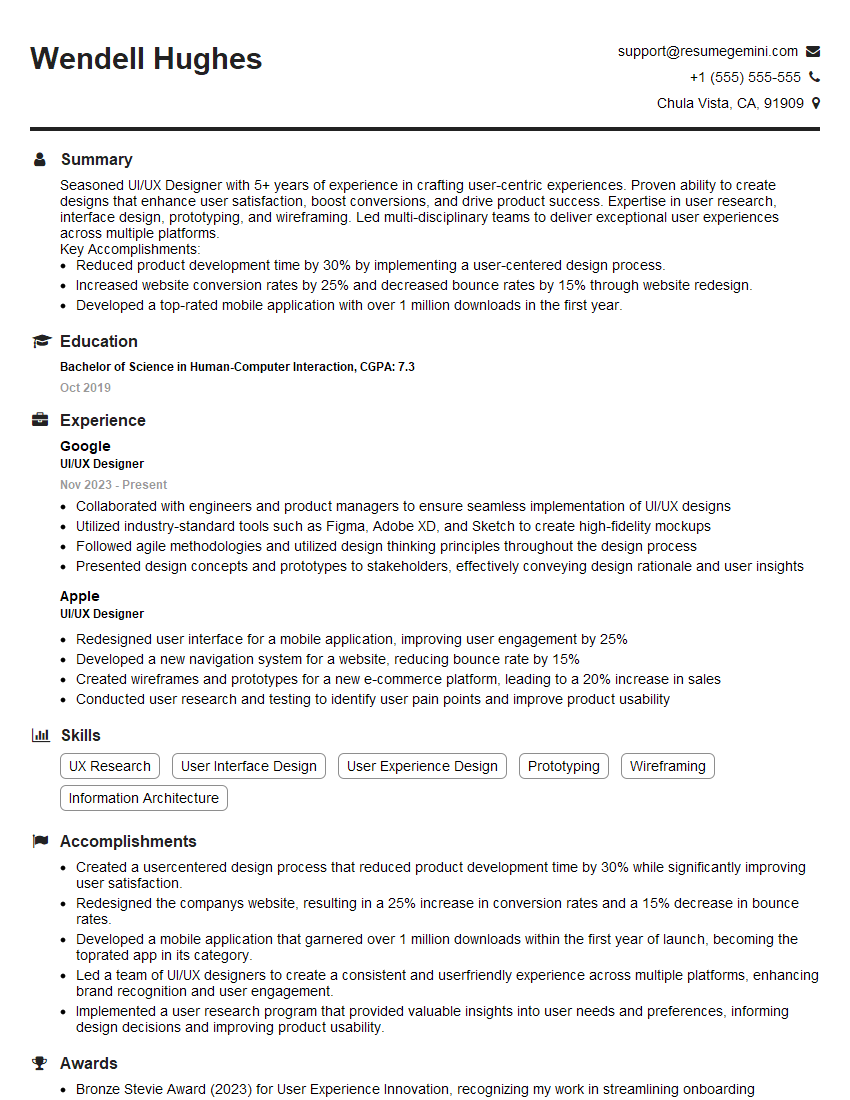
ResumeGemini is a trusted resource to help you build a professional and impactful resume. They offer examples of resumes specifically tailored to User-Centered Design roles, ensuring your qualifications shine through to recruiters. Use their resources to build a resume that gets noticed!


Explore more articles
Users Rating of Our Blogs
Share Your Experience
We value your feedback! Please rate our content and share your thoughts (optional).
What Readers Say About Our Blog
Attention music lovers!
Wow, All the best Sax Summer music !!!
Spotify: https://open.spotify.com/artist/6ShcdIT7rPVVaFEpgZQbUk
Apple Music: https://music.apple.com/fr/artist/jimmy-sax-black/1530501936
YouTube: https://music.youtube.com/browse/VLOLAK5uy_noClmC7abM6YpZsnySxRqt3LoalPf88No
Other Platforms and Free Downloads : https://fanlink.tv/jimmysaxblack
on google : https://www.google.com/search?q=22+AND+22+AND+22
on ChatGPT : https://chat.openai.com?q=who20jlJimmy20Black20Sax20Producer
Get back into the groove with Jimmy sax Black
Best regards,
Jimmy sax Black
www.jimmysaxblack.com
Hi I am a troller at The aquatic interview center and I suddenly went so fast in Roblox and it was gone when I reset.
Hi,
Business owners spend hours every week worrying about their website—or avoiding it because it feels overwhelming.
We’d like to take that off your plate:
$69/month. Everything handled.
Our team will:
Design a custom website—or completely overhaul your current one
Take care of hosting as an option
Handle edits and improvements—up to 60 minutes of work included every month
No setup fees, no annual commitments. Just a site that makes a strong first impression.
Find out if it’s right for you:
https://websolutionsgenius.com/awardwinningwebsites
Hello,
we currently offer a complimentary backlink and URL indexing test for search engine optimization professionals.
You can get complimentary indexing credits to test how link discovery works in practice.
No credit card is required and there is no recurring fee.
You can find details here:
https://wikipedia-backlinks.com/indexing/
Regards
NICE RESPONSE TO Q & A
hi
The aim of this message is regarding an unclaimed deposit of a deceased nationale that bears the same name as you. You are not relate to him as there are millions of people answering the names across around the world. But i will use my position to influence the release of the deposit to you for our mutual benefit.
Respond for full details and how to claim the deposit. This is 100% risk free. Send hello to my email id: lukachachibaialuka@gmail.com
Luka Chachibaialuka
Hey interviewgemini.com, just wanted to follow up on my last email.
We just launched Call the Monster, an parenting app that lets you summon friendly ‘monsters’ kids actually listen to.
We’re also running a giveaway for everyone who downloads the app. Since it’s brand new, there aren’t many users yet, which means you’ve got a much better chance of winning some great prizes.
You can check it out here: https://bit.ly/callamonsterapp
Or follow us on Instagram: https://www.instagram.com/callamonsterapp
Thanks,
Ryan
CEO – Call the Monster App
Hey interviewgemini.com, I saw your website and love your approach.
I just want this to look like spam email, but want to share something important to you. We just launched Call the Monster, a parenting app that lets you summon friendly ‘monsters’ kids actually listen to.
Parents are loving it for calming chaos before bedtime. Thought you might want to try it: https://bit.ly/callamonsterapp or just follow our fun monster lore on Instagram: https://www.instagram.com/callamonsterapp
Thanks,
Ryan
CEO – Call A Monster APP
To the interviewgemini.com Owner.
Dear interviewgemini.com Webmaster!
Hi interviewgemini.com Webmaster!
Dear interviewgemini.com Webmaster!
excellent
Hello,
We found issues with your domain’s email setup that may be sending your messages to spam or blocking them completely. InboxShield Mini shows you how to fix it in minutes — no tech skills required.
Scan your domain now for details: https://inboxshield-mini.com/
— Adam @ InboxShield Mini
support@inboxshield-mini.com
Reply STOP to unsubscribe
Hi, are you owner of interviewgemini.com? What if I told you I could help you find extra time in your schedule, reconnect with leads you didn’t even realize you missed, and bring in more “I want to work with you” conversations, without increasing your ad spend or hiring a full-time employee?
All with a flexible, budget-friendly service that could easily pay for itself. Sounds good?
Would it be nice to jump on a quick 10-minute call so I can show you exactly how we make this work?
Best,
Hapei
Marketing Director
Hey, I know you’re the owner of interviewgemini.com. I’ll be quick.
Fundraising for your business is tough and time-consuming. We make it easier by guaranteeing two private investor meetings each month, for six months. No demos, no pitch events – just direct introductions to active investors matched to your startup.
If youR17;re raising, this could help you build real momentum. Want me to send more info?
Hi, I represent an SEO company that specialises in getting you AI citations and higher rankings on Google. I’d like to offer you a 100% free SEO audit for your website. Would you be interested?
Hi, I represent an SEO company that specialises in getting you AI citations and higher rankings on Google. I’d like to offer you a 100% free SEO audit for your website. Would you be interested?