The thought of an interview can be nerve-wracking, but the right preparation can make all the difference. Explore this comprehensive guide to User Interface Design and Customization interview questions and gain the confidence you need to showcase your abilities and secure the role.
Questions Asked in User Interface Design and Customization Interview
Q 1. Explain the difference between UI and UX design.
While often used interchangeably, UI and UX design are distinct disciplines. UX (User Experience) design focuses on the overall experience a user has with a product or service. It encompasses everything from initial research and user needs identification to information architecture, interaction design, and usability testing. Think of it as the big picture – how the user feels and what they achieve through the interaction. UI (User Interface) design, on the other hand, is a subset of UX. It focuses specifically on the visual aspects and interactive elements of a product’s interface – the look, feel, and functionality of the screens and controls users interact with. UI design is about creating an aesthetically pleasing and intuitive interface that aligns with the overall UX goals. For example, UX might focus on designing a streamlined checkout process for an e-commerce site (improving conversion rates), while UI would focus on designing the visual elements of the checkout page itself (buttons, forms, feedback messages) to make that process as seamless as possible.
Q 2. Describe your process for designing a user interface.
My UI design process is iterative and user-centered. It typically follows these steps:
- Research & Understanding: This involves thoroughly understanding the target audience, their needs, and their tasks through user research methods like interviews, surveys, and usability testing. I also analyze competitor products and market trends.
- Information Architecture: I define the structure and organization of the content and functionalities within the interface, ensuring clear navigation and intuitive information flow. This might involve creating sitemaps or flowcharts.
- Wireframing: I create low-fidelity wireframes to sketch out the basic layout and structure of the interface. These are simple visual representations, focusing on functionality and content placement, not visual details.
- Prototyping: Next, I create interactive prototypes to test the usability and functionality of the interface before moving to high-fidelity design. This allows for early feedback and iteration.
- Visual Design: Once the functionality is validated, I focus on the visual elements – color palettes, typography, imagery, and overall visual style, ensuring it aligns with branding and user preferences.
- Usability Testing: I conduct usability testing throughout the process to get user feedback and identify areas for improvement. This might involve A/B testing different design solutions.
- Implementation & Iteration: I collaborate with developers to implement the design and continuously iterate based on user feedback and analytics data.
For example, when designing a mobile banking app, I would start by understanding the typical user tasks (checking balances, transferring funds, paying bills) and then create wireframes and prototypes to test various layout options before finalizing the visual design.
Q 3. What are some common UI design patterns?
UI design patterns are reusable solutions to common design problems. They provide a framework for creating consistent and predictable interfaces. Some common patterns include:
- Navigation patterns: Tabs, menus, breadcrumbs, sidebars – ways to help users move between different sections of the application.
- Input patterns: Text fields, dropdown menus, checkboxes, radio buttons – ways for users to enter data.
- Feedback patterns: Loading indicators, progress bars, success/error messages – ways to communicate the status of the application to the user.
- Modal patterns: Pop-up windows that temporarily overlay the main screen to display additional information or require user interaction.
- Card patterns: Displaying information in a visually distinct container, often used to showcase products or content items.
Using established patterns ensures consistency and reduces cognitive load for users, allowing them to focus on the task at hand rather than figuring out how to use the interface.
Q 4. How do you conduct user research for UI design?
User research is critical for successful UI design. I employ a variety of methods, tailored to the specific project. These might include:
- User Interviews: One-on-one conversations to understand user needs, pain points, and expectations.
- Surveys: Gathering quantitative and qualitative data from a larger group of users.
- Usability Testing: Observing users interacting with prototypes or existing interfaces to identify usability issues.
- A/B Testing: Comparing different design variations to see which performs better.
- Card Sorting: Understanding how users categorize information.
- Heuristic Evaluation: Expert review of the interface based on established usability principles.
For example, before designing a new mobile app for a fitness company, I’d conduct user interviews to understand their workout routines, goals, and frustrations with existing fitness apps. This research would inform design decisions, such as the layout of workout tracking screens or the design of progress visualization.
Q 5. How do you handle feedback on your UI designs?
Handling feedback is an integral part of the iterative design process. I actively solicit and analyze feedback from various sources, including:
- Usability testing participants: Direct observations and feedback during usability testing sessions.
- Stakeholders: Feedback from clients, product managers, and other stakeholders.
- Analytics data: Analyzing usage patterns and user behavior data to understand how users interact with the interface.
I use a structured approach to managing feedback: I categorize feedback by type (e.g., usability issues, aesthetic preferences), prioritize issues based on severity and impact, and then use this information to iterate on the design. It’s crucial to be receptive to both positive and negative feedback, as both can provide valuable insights for improvement.
Q 6. Explain your experience with wireframing and prototyping.
Wireframing and prototyping are essential parts of my design workflow. Wireframing involves creating low-fidelity representations of the interface, focusing on structure and functionality. I often use tools like Balsamiq or Figma for this. They’re quick to iterate with and great for exploring different layout options. Prototyping takes it a step further, creating interactive mockups that simulate the actual user experience. This allows me to test the flow and interaction design before development begins. I utilize Figma and Adobe XD for prototyping, creating interactive prototypes with clickable elements and transitions to simulate user interaction. For example, when designing an e-commerce checkout flow, I’d first create wireframes to map out the steps involved. Then I’d develop an interactive prototype to test the flow, ensuring a smooth and intuitive experience for users. This process helps identify and fix potential issues early on, saving time and resources during development.
Q 7. What are your preferred UI design tools?
My preferred UI design tools are Figma and Adobe XD. Figma’s collaborative features and ease of use make it ideal for team projects, while Adobe XD excels in prototyping complex interactions and creating high-fidelity mockups. I also utilize Sketch occasionally for specific tasks. The choice of tool often depends on the project’s complexity and the team’s preferences. Beyond design software, I rely on tools like Miro for collaborative brainstorming and user research organization.
Q 8. How do you ensure accessibility in your UI designs?
Accessibility in UI design means making interfaces usable by people with a wide range of abilities. This includes users with visual, auditory, motor, cognitive, and neurological disabilities. It’s not just about following guidelines; it’s about empathy and understanding diverse user needs.
- WCAG (Web Content Accessibility Guidelines): I adhere to WCAG standards, which provide a comprehensive set of guidelines for creating accessible content. This includes ensuring sufficient color contrast, providing alternative text for images (alt text), using proper heading structure (h1-h6), keyboard navigation, and captioning/transcripts for videos.
- ARIA attributes: I utilize ARIA (Accessible Rich Internet Applications) attributes in HTML to enhance the accessibility of complex interactive elements. For example, using
role="button"on a visually styled button ensures screen readers correctly identify it. - Semantic HTML: I prioritize semantic HTML, using elements like
<nav>,<article>, and<aside>to structure content logically. This helps assistive technologies understand the page’s structure and context. - Regular Testing: I regularly test my designs using assistive technologies like screen readers (JAWS, NVDA) and keyboard-only navigation to identify and address accessibility issues. I also involve users with disabilities in usability testing to gain valuable feedback.
For example, in a recent project, we were designing a complex data visualization. Initially, the color palette lacked sufficient contrast, making it difficult for users with low vision to interpret the data. By applying WCAG contrast guidelines and conducting user testing with visually impaired participants, we significantly improved the accessibility and usability of the visualization.
Q 9. Describe your experience with responsive design.
Responsive design is the ability of a website or application to adapt its layout and functionality to different screen sizes and devices. This ensures a consistent and optimal user experience across desktops, tablets, and smartphones.
My experience includes implementing responsive designs using various techniques, including:
- Fluid grids: Using percentages instead of fixed pixel widths for layout elements allows the content to adapt to different screen sizes smoothly.
- Flexible images: Employing
max-width: 100%on images prevents them from overflowing their containers on smaller screens. - Media queries: I utilize CSS media queries (
@media (min-width: 768px) { ... }) to apply different styles based on screen size or device orientation. This allows me to create different layouts for different contexts. - Mobile-first approach: In many projects, I adopt a mobile-first approach, starting with designing for the smallest screen size and progressively enhancing the design for larger screens. This prioritizes the most basic functionality across various devices.
For example, in a recent e-commerce project, we implemented a responsive design that allowed users to easily browse products and make purchases on any device. This resulted in a significant increase in mobile conversions.
Q 10. How do you prioritize features in UI design?
Prioritizing features in UI design involves balancing user needs, business goals, and technical feasibility. I typically use a combination of techniques:
- User research: Understanding user needs through user interviews, surveys, and usability testing is paramount. This helps identify the most important features from a user-centric perspective.
- MoSCoW method: This prioritization framework categorizes features as Must have, Should have, Could have, and Won’t have. This aids in clear and consistent feature prioritization.
- Value vs. effort matrix: I plot features on a matrix where the x-axis represents the value delivered and the y-axis represents the effort required to implement. This helps identify high-value, low-effort features to prioritize.
- Impact mapping: This technique helps visualize the impact of features on user goals and business outcomes, guiding prioritization decisions.
For instance, in a project for a social media app, we used impact mapping to understand how features would affect user engagement and retention. This helped us prioritize features like real-time notifications and in-app messaging, which were deemed essential for user engagement and directly contributed to our business goals.
Q 11. How do you measure the success of a UI design?
Measuring the success of a UI design involves both qualitative and quantitative metrics. It’s not just about aesthetics; it’s about effectiveness and user satisfaction.
- Key Performance Indicators (KPIs): We track metrics like task completion rate, error rate, bounce rate, time on task, conversion rates, and user engagement (clicks, scrolls, etc.).
- Usability testing: Observing users interacting with the design provides qualitative insights into their experiences, identifying areas for improvement.
- A/B testing: Comparing different design iterations (A/B) lets us measure the impact of specific design changes on user behavior and KPIs.
- User feedback: Collecting feedback through surveys, interviews, or in-app feedback mechanisms helps gain insights into user satisfaction and pain points.
For example, in a recent project for a banking app, we measured the success of our redesigned login flow by tracking the success rate (percentage of successful login attempts), average login time, and the number of password reset requests. This data helped us identify areas where we could further improve the user experience.
Q 12. What are some common UI design anti-patterns to avoid?
UI design anti-patterns are recurring design flaws that negatively impact user experience. Avoiding these is crucial for creating effective interfaces.
- Poor navigation: Confusing or inconsistent navigation structures make it difficult for users to find information. Clear, intuitive navigation is paramount.
- Inconsistent visual design: Inconsistent use of colors, fonts, and spacing creates a disjointed and unprofessional experience.
- Lack of clear calls to action (CTAs): Users need clear guidance on what to do next. CTAs should be prominent and easy to understand.
- Overuse of jargon: Using technical terms that users may not understand makes the interface inaccessible and frustrating.
- Excessive animations and effects: While animation can enhance the UX, overuse can be distracting and slow down the interaction.
- Poor error handling: When errors occur, users need clear and helpful messages on how to resolve the issue.
For example, a website with inconsistent button styles and placement can confuse users, leading to frustration and lower task completion rates. Similarly, failing to provide clear error messages when a user inputs incorrect data can lead to abandonment.
Q 13. Describe your experience with UI testing and usability testing.
UI testing and usability testing are integral parts of my design process. UI testing focuses on the functionality and visual aspects of the interface, while usability testing focuses on how effectively users can interact with the design.
- UI testing: I use automated testing tools and frameworks to ensure that all interactive elements are functioning correctly. This often involves checking button clicks, form submissions, and data validation.
- Usability testing: I conduct usability tests with real users to observe their interactions with the design and identify pain points. This includes tasks, think-aloud protocols, and post-task interviews.
- Tools and techniques: I’ve used tools like Selenium for automated UI testing, and various user research platforms for usability testing.
In a recent project, UI testing uncovered a bug where a specific button wasn’t working correctly on certain browsers. Usability testing revealed that users were struggling with a particular form field due to unclear labeling. These findings enabled us to fix the bug and improve the design, leading to a more user-friendly and functional product.
Q 14. How do you stay up-to-date with the latest UI design trends?
Staying up-to-date with the latest UI design trends is crucial for creating modern and effective interfaces. I employ several strategies:
- Following industry blogs and publications: I regularly read blogs, articles, and publications from respected sources in the UI/UX field. This keeps me informed about new design patterns and technologies.
- Attending conferences and workshops: Participating in industry events offers opportunities to network with other professionals and learn about the latest advancements.
- Exploring design resources: I actively explore online design resources like Dribbble, Behance, and Awwwards for design inspiration and to identify emerging trends.
- Experimenting with new tools and technologies: I explore and experiment with new design tools and technologies, adopting those that can benefit my workflow and the quality of my designs.
- Participating in online communities: Engaging with online communities and forums allows me to stay informed about current discussions and trends.
For example, I recently learned about the increasing importance of micro-interactions and have incorporated them into a current project to enhance user engagement and provide more satisfying feedback. Continuous learning and staying informed helps me maintain a competitive edge and create user experiences that are both current and user-friendly.
Q 15. Explain your understanding of color theory in UI design.
Color theory is fundamental to UI design; it’s about understanding how colors interact to create visual harmony, evoke emotions, and guide user behavior. It’s not just about picking pretty colors – it’s about strategic color choices that support the user experience.
- Hue: This is the pure color itself, like red, blue, or green.
- Saturation: This refers to the intensity or purity of the color. A highly saturated color is vibrant, while a low-saturated color is muted or dull.
- Brightness/Value: This is the lightness or darkness of the color. A bright color is close to white, and a dark color is close to black.
Understanding these elements allows for creating effective color palettes. For instance, using a warm color palette (reds, oranges, yellows) can create a feeling of energy and excitement, suitable for a gaming app, while a cool palette (blues, greens, purples) might promote calmness and trust, ideal for a financial application. Contrast is crucial; sufficient contrast between text and background ensures readability (WCAG guidelines are essential here). Consider using a color accessibility checker to ensure your color choices are inclusive.
In a recent project, I used a vibrant, yet slightly desaturated teal as the primary color for a social media app to convey a sense of freshness and approachability without being overwhelming. This was complemented by muted grays and whites for readability and a clean aesthetic.
Career Expert Tips:
- Ace those interviews! Prepare effectively by reviewing the Top 50 Most Common Interview Questions on ResumeGemini.
- Navigate your job search with confidence! Explore a wide range of Career Tips on ResumeGemini. Learn about common challenges and recommendations to overcome them.
- Craft the perfect resume! Master the Art of Resume Writing with ResumeGemini’s guide. Showcase your unique qualifications and achievements effectively.
- Don’t miss out on holiday savings! Build your dream resume with ResumeGemini’s ATS optimized templates.
Q 16. How do you design for different screen sizes and devices?
Designing for diverse screen sizes and devices necessitates a responsive design approach. This means creating a flexible layout that adapts seamlessly to different screen resolutions and orientations. This is often achieved through the use of CSS media queries and flexible grid systems.
Methods I use:
- Responsive design principles: Utilizing fluid grids, flexible images, and media queries to adjust layout based on screen size.
- Mobile-first approach: Designing for the smallest screen first and then scaling up to larger screens ensures optimal mobile experience and easy scalability.
- Testing across devices: Rigorously testing the UI on different devices (desktops, tablets, smartphones) in various browsers and orientations is vital.
- Use of frameworks: Employing responsive design frameworks such as Bootstrap or Material Design can significantly expedite the process and ensure consistency.
For example, in a recent e-commerce project, we utilized a 12-column grid system. On smaller screens, columns collapsed to create a single-column layout; as the screen size increased, columns rearranged to a more complex layout, maintaining the visual hierarchy and content organization.
Q 17. How do you handle design constraints in a project?
Design constraints are unavoidable in any project. They can range from technical limitations (browser compatibility, performance issues) to time constraints or budget restrictions. My approach involves a structured process:
- Identifying constraints: Clearly defining all the limitations from the outset, including technological, budgetary, and time-related restrictions.
- Prioritization: Determining which design elements are essential and which can be compromised to meet the constraints. This often requires discussions with stakeholders to understand their priorities.
- Creative problem-solving: Exploring alternative design solutions that accommodate the constraints while maintaining the core functionality and user experience. This might involve simplifying the UI, using alternative technologies, or prioritizing features.
- Iterative design: Testing and refining the design throughout the development process to address any unforeseen issues or constraint-related challenges.
In one project, a tight deadline forced us to simplify the navigation menu. Instead of a complex multi-level menu, we opted for a clean, card-based design showcasing key features. This reduced development time while still providing a usable and intuitive navigation experience.
Q 18. Explain your experience with UI design systems.
UI design systems are crucial for maintaining consistency and efficiency across multiple projects. They are essentially a library of reusable UI components, styles, and patterns that are documented and easily accessible. My experience includes designing and implementing design systems, using tools such as Figma and Sketch to create design libraries with components, styles, and patterns that follow consistent naming conventions.
Benefits I’ve experienced:
- Increased design consistency: Ensures a unified look and feel across all applications and platforms.
- Improved efficiency: Reduces design and development time by reusing components.
- Enhanced scalability: Allows for easy scaling and adaptation to new projects and platforms.
- Better collaboration: Provides a single source of truth for designers and developers.
In a previous role, I spearheaded the development of a design system for a large enterprise. This included creating a comprehensive style guide, documenting component specifications, and providing developers with the necessary assets to implement the design system effectively. This resulted in significant time savings and improved consistency across the company’s digital products.
Q 19. How do you collaborate with developers during the UI design process?
Collaboration with developers is essential for successful UI design. It’s a continuous dialogue, not a one-way street. Effective collaboration involves:
- Regular communication: Frequent check-ins, design reviews, and daily stand-ups to ensure everyone is on the same page.
- Shared design specifications: Providing developers with detailed design specifications, including measurements, interactions, and technical requirements. Using tools like Zeplin or Abstract are really helpful here.
- Prototyping and testing: Collaboratively testing prototypes to identify and resolve usability and technical issues early on.
- Feedback loops: Actively seeking feedback from developers on design feasibility and potential challenges.
For instance, I often work closely with developers during the prototyping phase. I present interactive prototypes and get their input on the technical feasibility of certain design elements. This helps to prevent unexpected issues during development and ensures a smoother transition from design to development.
Q 20. Describe your experience with A/B testing in UI design.
A/B testing is a powerful method for validating design choices and improving user experience. It involves creating two versions of a UI element (A and B) and comparing their performance using metrics such as click-through rates, conversion rates, or task completion times. My experience involves designing A/B tests, analyzing results, and iterating on designs based on data-driven insights.
Process:
- Hypothesis: Formulating a clear hypothesis about which design will perform better.
- Design variations: Creating two distinct versions of the UI element based on the hypothesis.
- Implementation: Implementing the A/B test using a platform like Optimizely or Google Optimize.
- Data analysis: Analyzing the results to determine which variation performed better based on pre-defined metrics.
- Iteration: Iterating on the design based on the results of the test, continuing to refine and improve the user experience.
In a previous project, we A/B tested two different button designs for a call-to-action. One button used a strong primary color, while the other used a more subdued color. The results showed that the more prominent button resulted in a significantly higher conversion rate, validating our hypothesis and improving the overall effectiveness of the design.
Q 21. How do you ensure consistency across different UI elements?
Consistency across UI elements is crucial for creating a unified and intuitive user experience. Inconsistency can lead to confusion and frustration. I ensure consistency through several methods:
- Style guides: Creating and maintaining comprehensive style guides that document all aspects of the UI, including typography, color palettes, spacing, and component specifications.
- Design systems: Utilizing design systems to ensure that UI elements are consistently implemented across different projects and platforms.
- Component libraries: Using component libraries in design tools to create reusable UI elements that adhere to the style guide.
- Code review: Reviewing the implemented UI code to ensure consistency with the design specifications.
For example, a consistent typographic hierarchy ensures clear visual importance for headings, subheadings, body text, etc. Maintaining consistent spacing between elements (padding and margin) creates a visually pleasing and harmonious layout. Regular audits of existing UI elements also help to identify and correct inconsistencies that might have crept in over time.
Q 22. Explain your experience with UI customization options for users.
UI customization empowers users to tailor the interface to their preferences, enhancing engagement and satisfaction. My experience spans various approaches, from simple theme switching to deeply personalized layouts and functionalities.
- Theme customization: Offering users a selection of pre-designed themes (e.g., light, dark, high-contrast) caters to diverse visual preferences and accessibility needs. I’ve implemented this using CSS variables and JavaScript to dynamically change stylesheets.
- Widget customization: Allowing users to rearrange widgets on a dashboard, choose which widgets to display, and adjust their size provides a personalized experience relevant to their workflows. This often involves using drag-and-drop functionality and persistent storage mechanisms like local storage or server-side databases.
- Advanced settings: Providing granular control over aspects like font size, color schemes, keyboard shortcuts, and notification preferences allows users to optimize the interface for their specific needs and working style. This requires careful consideration of user experience to avoid overwhelming them with too many options.
For example, in a project involving a CRM, I enabled users to customize their dashboards by selecting relevant metrics and arranging them according to their priorities. This resulted in a significant increase in user engagement and efficiency.
Q 23. How do you approach designing for users with disabilities?
Designing for users with disabilities is paramount. It’s about ensuring inclusivity and accessibility for everyone. My approach adheres strictly to WCAG (Web Content Accessibility Guidelines) and follows these key principles:
- Keyboard Navigation: All interactive elements must be easily navigable using only the keyboard. I rigorously test keyboard navigation throughout the design and development process.
- Screen Reader Compatibility: Proper semantic HTML, ARIA attributes (Accessible Rich Internet Applications), and clear and concise labeling are crucial for screen reader users. I ensure that all content is understandable when read aloud by a screen reader.
- Visual Clarity: Sufficient color contrast, clear and concise text, and appropriately sized fonts are vital for users with visual impairments. I use tools like color contrast checkers and adhere to WCAG guidelines for color contrast ratios.
- Alternative Text for Images: All images need descriptive alternative text for screen readers and users who cannot see the images. I always provide meaningful alt text, going beyond simply describing the image and considering its context within the application.
- Captions and Transcripts: For videos and audio content, providing captions and transcripts is essential.
In a recent project, I worked on a mobile banking app. We prioritized accessibility by implementing voice control, customizable font sizes, high contrast modes, and keyboard navigation, ensuring the app was usable by people with a wide range of disabilities.
Q 24. What is your experience with designing for internationalization and localization?
Internationalization (i18n) and localization (l10n) are critical for reaching a global audience. Internationalization prepares the software for localization, while localization adapts it for specific regions. My experience involves:
- Separating content from code: Using external files for text, dates, and numbers allows for easy translation without modifying the core code. I often use JSON files or similar strategies to manage this.
- Right-to-left (RTL) language support: I design interfaces that accommodate RTL languages like Arabic and Hebrew, ensuring that text flows correctly and UI elements are positioned appropriately.
- Date, time, and number formatting: I use locale-aware libraries to handle date, time, and number formatting according to regional standards.
- Currency support: I implement proper currency symbols and formatting based on the user’s locale.
- Cultural considerations: Beyond pure text translation, I consider cultural nuances like color symbolism, imagery, and layout preferences.
For instance, in a project developing an e-commerce platform, I ensured that the site supported multiple languages and currencies, accommodated RTL languages, and displayed dates and numbers according to the users’ locale settings. This significantly expanded our customer reach.
Q 25. How would you design a simple login form, considering best practices?
A well-designed login form prioritizes simplicity, security, and user experience. Here’s my approach:
- Minimal Fields: Only include essential fields—username or email, and password. Avoid unnecessary fields like address or phone number unless strictly required.
- Clear Labels: Use clear and concise labels for each field.
- Input Validation: Provide real-time feedback as the user types (e.g., password strength indicators, email format validation). Error messages should be clear and constructive.
- Secure Password Handling: Use HTTPS and robust password hashing algorithms to protect user credentials.
- Remember Me Option: Offer a secure “remember me” option using persistent cookies or similar mechanisms.
- Forgot Password Functionality: Provide a clear and easy-to-use “forgot password” link leading to a secure password reset process.
- Accessibility: Ensure proper ARIA attributes and keyboard navigation are implemented for users with disabilities.
<form> <label for="username">Username:</label> <input type="text" id="username" name="username" required> <label for="password">Password:</label> <input type="password" id="password" name="password" required> <input type="checkbox" id="remember" name="remember"> <label for="remember">Remember Me</label> <button type="submit">Login</button> <a href="#">Forgot Password?</a> </form>
This simplified example highlights the key elements. A real-world implementation would include more sophisticated error handling, security measures, and potentially other features such as two-factor authentication.
Q 26. Describe a situation where you had to iterate on a UI design based on user feedback.
During the development of a project management application, user testing revealed that the task prioritization feature was confusing. Users struggled to understand the different priority levels and their visual representation.
Initially, we used a numerical scale (1-5) with corresponding color gradients. However, user feedback indicated this was unclear and non-intuitive. Some users suggested using labels (High, Medium, Low) instead. Others preferred visual cues like traffic lights (red, yellow, green).
We iterated on the design in several steps:
- Usability testing: We conducted further usability tests with different variations of the prioritization system (numerical scale with different color palettes, labeled priorities, traffic light system).
- Data analysis: We analyzed the test results to quantify user performance, task completion time, and error rates for each variation.
- A/B testing: We implemented A/B testing to compare the performance of the different designs in a real-world setting.
- Refinement: Based on the data gathered, we chose the traffic light system, as it proved to be the most intuitive and user-friendly.
This iterative process resulted in a significant improvement in user satisfaction and task completion rates.
Q 27. How do you balance aesthetics and usability in your UI designs?
Balancing aesthetics and usability is crucial for creating effective UI designs. It’s not about choosing one over the other, but rather integrating them seamlessly. Think of it like building a beautiful and functional house—a stunning design is useless if it’s not comfortable and practical to live in.
My approach involves:
- User-centered design: Prioritizing the user’s needs and tasks shapes the overall structure and functionality. Aesthetics serve to enhance this functionality, not detract from it.
- Visual hierarchy: Using visual cues like size, color, and whitespace guides the user’s attention to the most important elements, ensuring ease of navigation and task completion. This improves usability without compromising aesthetic appeal.
- Consistent design language: Maintaining a consistent visual style with respect to typography, color palettes, spacing, and interactive elements improves the overall user experience and creates a sense of unity and professionalism.
- Accessibility considerations: Accessibility guidelines, like WCAG, are not mutually exclusive with good design. In fact, implementing accessible design often improves overall usability for everyone.
- Iterative design process: Regular user testing and feedback are integral to fine-tuning the balance between aesthetics and usability.
For example, a clean, minimal design might prioritize usability, but incorporating subtle visual details and animations can enhance the user experience without sacrificing clarity or functionality. The key is to ensure aesthetics support usability, never overshadow it.
Key Topics to Learn for User Interface Design and Customization Interview
- User-Centered Design Principles: Understanding and applying principles like usability, accessibility, and user experience (UX) to create intuitive and inclusive interfaces.
- Wireframing and Prototyping: Creating low-fidelity and high-fidelity prototypes to test and iterate design solutions. Discuss your experience with various prototyping tools.
- Visual Design and Branding: Applying design principles like typography, color theory, and visual hierarchy to create aesthetically pleasing and consistent interfaces that align with brand guidelines.
- Responsive Design and Cross-Platform Compatibility: Designing interfaces that adapt seamlessly to different screen sizes and devices (desktops, tablets, mobile phones).
- Interaction Design and User Flows: Designing intuitive and efficient user journeys through the interface, considering user interactions and navigation.
- Accessibility Considerations: Designing interfaces that are usable by people with disabilities, adhering to WCAG guidelines.
- UI Testing and Iteration: Discussing methodologies for user testing and incorporating feedback to improve designs. Mention A/B testing and usability studies.
- Design Systems and Component Libraries: Understanding and utilizing design systems to ensure consistency and efficiency in design processes.
- Common UI Frameworks and Libraries: Demonstrate familiarity with relevant frameworks (e.g., React, Angular, Vue.js) and their impact on UI development.
- Problem-Solving and Design Thinking: Articulate your approach to tackling design challenges and explaining your design choices.
Next Steps
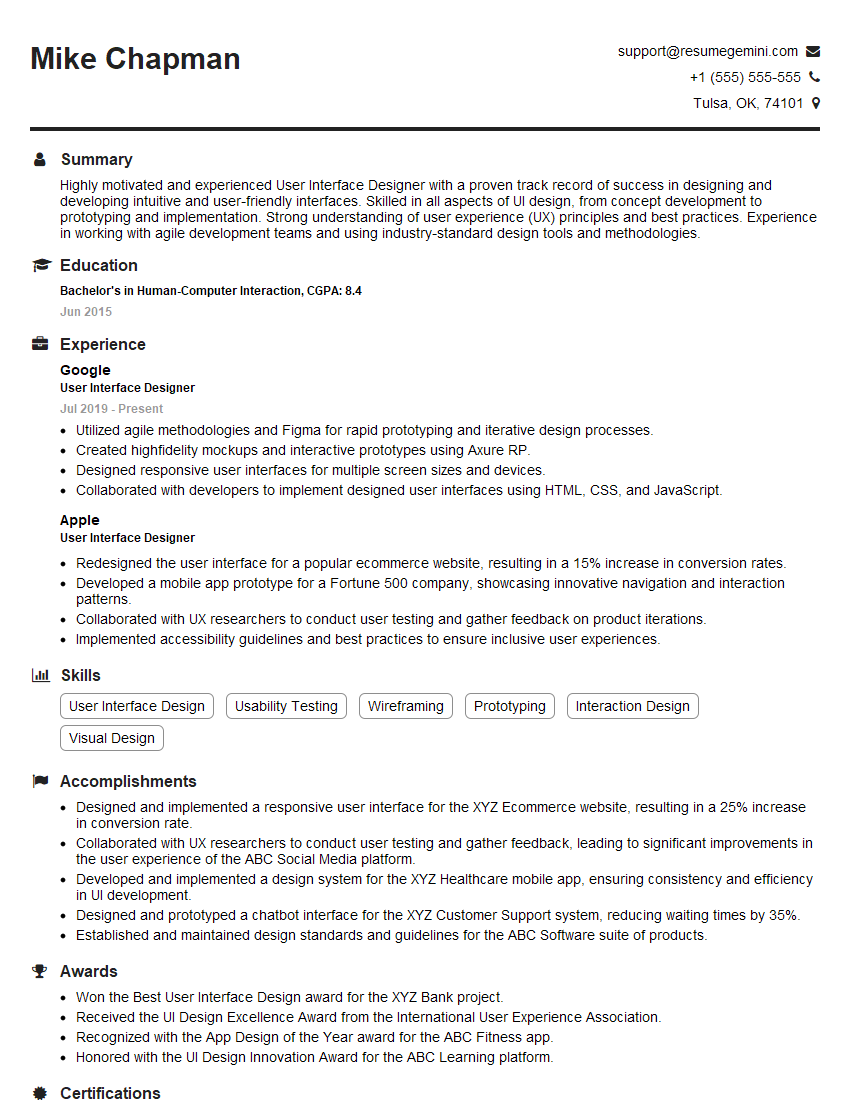
Mastering User Interface Design and Customization is crucial for career advancement in today’s digital landscape. A strong understanding of these principles opens doors to exciting opportunities and higher earning potential. To maximize your job prospects, creating an ATS-friendly resume is essential. ResumeGemini can significantly help you build a professional and effective resume that highlights your skills and experience. ResumeGemini offers examples of resumes tailored to User Interface Design and Customization to help guide your creation process. Invest the time to craft a compelling resume – it’s your first impression with potential employers!
Explore more articles
Users Rating of Our Blogs
Share Your Experience
We value your feedback! Please rate our content and share your thoughts (optional).
What Readers Say About Our Blog
Hello,
we currently offer a complimentary backlink and URL indexing test for search engine optimization professionals.
You can get complimentary indexing credits to test how link discovery works in practice.
No credit card is required and there is no recurring fee.
You can find details here:
https://wikipedia-backlinks.com/indexing/
Regards
NICE RESPONSE TO Q & A
hi
The aim of this message is regarding an unclaimed deposit of a deceased nationale that bears the same name as you. You are not relate to him as there are millions of people answering the names across around the world. But i will use my position to influence the release of the deposit to you for our mutual benefit.
Respond for full details and how to claim the deposit. This is 100% risk free. Send hello to my email id: [email protected]
Luka Chachibaialuka
Hey interviewgemini.com, just wanted to follow up on my last email.
We just launched Call the Monster, an parenting app that lets you summon friendly ‘monsters’ kids actually listen to.
We’re also running a giveaway for everyone who downloads the app. Since it’s brand new, there aren’t many users yet, which means you’ve got a much better chance of winning some great prizes.
You can check it out here: https://bit.ly/callamonsterapp
Or follow us on Instagram: https://www.instagram.com/callamonsterapp
Thanks,
Ryan
CEO – Call the Monster App
Hey interviewgemini.com, I saw your website and love your approach.
I just want this to look like spam email, but want to share something important to you. We just launched Call the Monster, a parenting app that lets you summon friendly ‘monsters’ kids actually listen to.
Parents are loving it for calming chaos before bedtime. Thought you might want to try it: https://bit.ly/callamonsterapp or just follow our fun monster lore on Instagram: https://www.instagram.com/callamonsterapp
Thanks,
Ryan
CEO – Call A Monster APP
To the interviewgemini.com Owner.
Dear interviewgemini.com Webmaster!
Hi interviewgemini.com Webmaster!
Dear interviewgemini.com Webmaster!
excellent
Hello,
We found issues with your domain’s email setup that may be sending your messages to spam or blocking them completely. InboxShield Mini shows you how to fix it in minutes — no tech skills required.
Scan your domain now for details: https://inboxshield-mini.com/
— Adam @ InboxShield Mini
Reply STOP to unsubscribe
Hi, are you owner of interviewgemini.com? What if I told you I could help you find extra time in your schedule, reconnect with leads you didn’t even realize you missed, and bring in more “I want to work with you” conversations, without increasing your ad spend or hiring a full-time employee?
All with a flexible, budget-friendly service that could easily pay for itself. Sounds good?
Would it be nice to jump on a quick 10-minute call so I can show you exactly how we make this work?
Best,
Hapei
Marketing Director
Hey, I know you’re the owner of interviewgemini.com. I’ll be quick.
Fundraising for your business is tough and time-consuming. We make it easier by guaranteeing two private investor meetings each month, for six months. No demos, no pitch events – just direct introductions to active investors matched to your startup.
If youR17;re raising, this could help you build real momentum. Want me to send more info?
Hi, I represent an SEO company that specialises in getting you AI citations and higher rankings on Google. I’d like to offer you a 100% free SEO audit for your website. Would you be interested?
Hi, I represent an SEO company that specialises in getting you AI citations and higher rankings on Google. I’d like to offer you a 100% free SEO audit for your website. Would you be interested?
good