Preparation is the key to success in any interview. In this post, we’ll explore crucial Using Computerized Design Software interview questions and equip you with strategies to craft impactful answers. Whether you’re a beginner or a pro, these tips will elevate your preparation.
Questions Asked in Using Computerized Design Software Interview
Q 1. What CAD software are you proficient in?
I’m proficient in several leading CAD software packages. My core expertise lies in Autodesk AutoCAD, which I’ve used extensively for over 8 years in various projects ranging from architectural design to mechanical engineering. I’m also experienced with SolidWorks, primarily for 3D modeling and simulations, and have a working knowledge of Fusion 360 for its ease of use in prototyping and collaborative design. Each software has its strengths; for precise 2D drafting, AutoCAD remains my go-to, while SolidWorks excels in complex 3D assemblies and simulations.
Q 2. Describe your experience with 2D and 3D modeling.
My experience with 2D and 3D modeling is extensive and spans numerous industries. In 2D, I’m adept at creating detailed technical drawings, schematics, and floor plans using AutoCAD. I can efficiently utilize layers, blocks, and external references to manage complex drawings. This skill is crucial for tasks such as creating construction documents or detailed manufacturing drawings. For example, I recently used AutoCAD to create highly detailed shop drawings for a custom metal fabrication project, ensuring precise dimensions and tolerances were maintained throughout.
In 3D modeling, I use SolidWorks to design parts and assemblies, focusing on creating realistic representations that can be used for simulations and manufacturing. I’m comfortable using features like extrude, revolve, and sweep to create complex geometries and understand how to manage constraints and tolerances for realistic assembly simulation. For instance, I modeled and simulated the assembly of a robotic arm, ensuring all components interacted properly and identifying potential interference issues before production.
Q 3. Explain the process of creating a technical drawing.
Creating a technical drawing involves a systematic process: First, I thoroughly understand the design requirements and specifications. This often includes reviewing blueprints, sketches, or collaborating with engineers and clients. Then, I select the appropriate CAD software based on the project’s complexity and requirements.
Next, I begin sketching the basic outlines of the design, paying close attention to dimensions, tolerances, and annotations. After the basic structure is established, I use appropriate CAD tools to add details, applying relevant standards and conventions (e.g., ISO, ANSI) for clarity and consistency.
Once the drawing is complete, I meticulously review it for accuracy, ensuring all dimensions, annotations, and details are correct and complete. Finally, I save the drawing in the required file format and share it with relevant stakeholders. Throughout the process, clear communication and documentation are key to ensuring the drawing accurately reflects the design intent and fulfills its purpose.
Q 4. How do you manage large CAD files?
Managing large CAD files requires a multi-pronged approach. Firstly, I employ techniques to optimize file size during the design process itself, such as using blocks and external references instead of repeatedly drawing similar elements. This significantly reduces file size and improves performance. I also utilize file compression techniques when transferring or archiving files, such as using ZIP or specialized CAD compression utilities. For extremely large assemblies in SolidWorks, I make use of the software’s built-in tools to manage component configurations and simplify the assembly structure for improved performance.
For long-term storage, I leverage cloud-based storage solutions that offer version control and collaborative access. This ensures accessibility and facilitates teamwork. For example, I have used Autodesk A360 for collaborative projects, allowing multiple team members to access and edit designs concurrently.
Q 5. What are your preferred methods for file management and version control?
My preferred file management and version control methods center around a combination of structured folder organization and version control software. I use a hierarchical folder system to logically categorize projects and revisions, ensuring easy retrieval. Within that structure, I leverage version control systems such as Autodesk Vault or Git for tracking design iterations and collaborating with teams. Version control enables me to easily revert to previous versions if necessary, track changes, and collaborate effectively on large projects. Each revision is clearly documented to explain the modifications made.
Q 6. How do you ensure accuracy and precision in your designs?
Accuracy and precision are paramount in CAD design. I employ several strategies to ensure this. First, I meticulously define units and tolerances at the beginning of the project, using consistent measurements throughout the design. Second, I regularly utilize built-in CAD tools to verify dimensions and geometry, identifying and correcting errors early on. Third, I leverage geometric constraints to define relationships between different elements of the design, automatically updating dimensions and preventing errors caused by manual adjustments. Finally, I rigorously check the final design using design review tools and compare it to the initial requirements and specifications to identify any discrepancies. For example, I perform extensive simulations of my SolidWorks models to validate the designs and predict performance before prototyping.
Q 7. Describe your experience with different CAD file formats (e.g., DWG, DXF, STEP).
I have extensive experience with various CAD file formats. DWG and DXF are fundamental formats in the AutoCAD world, and I regularly work with them for 2D drawings. STEP (Standard for the Exchange of Product data) is a crucial format for 3D models, especially in collaborative projects involving different CAD software packages. I also frequently encounter IGES (Initial Graphics Exchange Specification), another neutral format for exchanging 3D data. Understanding the nuances of these formats is critical for seamless collaboration and data exchange across different platforms and software.
My experience extends to other formats like STL (Stereolithography) for 3D printing and OBJ for 3D modeling and animation software. I am comfortable converting between formats as needed to maintain compatibility and ensure data integrity throughout a project’s lifecycle.
Q 8. Explain your process for troubleshooting CAD software issues.
Troubleshooting CAD software issues is a systematic process. My approach involves a series of steps, starting with the simplest and progressing to more complex solutions. Think of it like diagnosing a car problem – you wouldn’t jump straight to replacing the engine if the battery was dead!
- Identify the problem: What exactly is going wrong? Is it a crash, a corrupted file, a specific function not working, or a display error? The more specific you are, the easier it is to find a solution.
- Check the obvious: Before diving into complex troubleshooting, I verify basic things like sufficient RAM, disk space, and proper software installation. A simple restart often resolves temporary glitches.
- Consult the documentation and online resources: Software manuals, online forums (like Autodesk’s forums or community sites for specific software), and knowledge bases are invaluable. Many common issues have already been solved and documented.
- Isolate the problem: If the issue is related to a specific file or operation, try recreating the problem in a new, simple file. This helps determine whether the problem lies with the file itself, your settings, or a broader software issue.
- Check software updates and drivers: Outdated software or graphics drivers are frequent culprits. Ensuring everything is up-to-date is crucial.
- Reinstall the software: As a last resort, reinstalling the software (after backing up data, of course!) can resolve deep-seated problems.
- Contact support: If all else fails, contacting the software vendor’s support team provides access to specialized expertise.
For example, I once encountered a problem where a complex assembly wouldn’t render properly in one specific view. After checking for updates and confirming my graphics card drivers were current, I realized a setting within the rendering preferences was inadvertently causing the issue. By simply adjusting that setting, the problem was solved.
Q 9. How do you handle design changes or revisions?
Handling design changes and revisions efficiently is paramount. My approach focuses on version control, clear communication, and a structured workflow. I use a layered approach, separating design elements to make modifications easier. This is akin to painting layers in digital art, where changing one layer doesn’t affect others.
- Version control: I utilize CAD software’s built-in version history or external version control systems (like Git) to track changes, revert to previous versions if necessary, and maintain a clear record of modifications. This is essential for collaboration and managing multiple iterations.
- Detailed revision logs: Each revision includes a detailed description of the changes made, the date, and the author. This ensures transparency and traceability.
- Clear communication: I maintain constant communication with stakeholders to ensure everyone understands the design changes, potential impacts, and approval processes.
- Template-based designs: For repetitive designs or components, using templates ensures consistency and reduces the time needed for revisions.
- Parameterization: Where applicable, I leverage parametric modeling (explained further in a later answer) to easily adjust dimensions and other design parameters without rebuilding entire components.
In a recent project, a client requested a significant change to the dimensions of a key component. Because I’d built the model parametrically, adjusting the primary dimensions automatically updated all related components, saving considerable time and ensuring design integrity.
Q 10. Describe your experience with parametric modeling.
Parametric modeling is a cornerstone of modern CAD. It involves creating models based on parameters or variables rather than fixed dimensions. Think of it like a mathematical formula: change one variable, and the entire model updates accordingly. This offers incredible flexibility and efficiency.
- Defining parameters: I start by identifying key parameters such as lengths, widths, angles, and radii. These parameters are then used to drive the geometry of the model.
- Constraints and relationships: Relationships between parameters are defined using constraints (e.g., making two lines parallel, defining a specific angle). This ensures that changes to one parameter automatically adjust related components, maintaining design integrity.
- Design exploration: Parametric modeling allows for rapid exploration of design variations. By simply changing a parameter, I can quickly see how the changes affect the overall model. This is extremely useful during the design iteration phase.
- Software proficiency: I’m proficient in using parametric modeling features in software such as SolidWorks, Autodesk Inventor, and Fusion 360. I can build complex models with many interconnected parameters and use advanced techniques like equations and scripts for greater control.
For example, in designing a bracket, parameters could include the length and width of the base plate, the diameter of mounting holes, and the angle of the support arm. Changing the length parameter will automatically adjust all other related dimensions.
Q 11. What are your skills in using rendering software?
Rendering software is crucial for creating photorealistic visualizations of designs. It transforms technical drawings into visually compelling presentations. I’m experienced with several rendering packages, including Keyshot, V-Ray, and Lumion. My skills encompass:
- Material application: I can accurately apply realistic materials with precise textures and properties to create visually appealing renders.
- Lighting and environment setup: I’m adept at configuring lighting conditions, including ambient lighting, directional light sources, and reflections, to produce high-quality renders.
- Camera angles and composition: I understand the importance of choosing effective camera angles and compositions to best showcase design features.
- Post-processing: I use post-processing techniques to enhance the final rendered images, adjusting color, contrast, and sharpness.
- Integration with CAD software: I’m proficient in exporting models from CAD software to rendering packages in various formats, such as FBX and STEP.
In a recent project, I used Keyshot to create a series of stunning renders showcasing a new product design. This enabled effective communication with clients and marketing teams, clearly conveying the design’s aesthetic appeal and functionality. The high-quality visuals were instrumental in securing client approval and significantly aided the marketing campaign.
Q 12. How do you create detailed and accurate measurements within CAD software?
Creating accurate measurements in CAD software is foundational. It ensures the design’s manufacturability and performance. My methods involve leveraging the software’s built-in measurement tools and adhering to precise workflows.
- Using measurement tools: CAD software offers various tools like distance measurement, area calculation, volume calculation, and angle measurement. I am proficient in using these tools accurately and efficiently.
- Geometric constraints: I use geometric constraints to define relationships between model features, which ensures dimensional accuracy and consistency.
- Dimensional annotations: I consistently add clear and unambiguous dimensional annotations to all relevant model features. This ensures that all necessary dimensions are clearly communicated.
- Units and precision: I carefully manage units (metric or imperial) and ensure sufficient precision in measurements to avoid errors during manufacturing.
- Cross-checking measurements: I regularly cross-check measurements using multiple methods to identify and correct any discrepancies.
For example, when designing a complex part, I might use the ‘distance measurement’ tool to verify the distance between two key features, then cross-check this measurement by creating a construction line and using the ‘dimension’ command to add the measurement to the drawing. This redundancy minimizes the chances of errors.
Q 13. Explain your knowledge of CAD standards and best practices.
Understanding and adhering to CAD standards and best practices are critical for creating efficient, accurate, and easily shared designs. My knowledge encompasses:
- ISO standards: I am familiar with relevant ISO standards for technical drawings and CAD data exchange, ensuring my designs are compatible with international standards.
- Layer management: I utilize a consistent layer management system to organize design elements and improve model clarity. This ensures different parts and features of the design can be easily selected, hidden, or modified independently.
- File naming conventions: I follow standardized file naming conventions to improve project organization and maintainability.
- Data exchange formats: I’m proficient in working with various CAD data exchange formats such as STEP, IGES, and DXF, ensuring seamless collaboration with other designers and manufacturers who may use different CAD systems.
- Drawing standards: I am familiar with various drawing standards and best practices to produce clear, accurate, and easily understood technical drawings.
For instance, using consistent layer naming (e.g., ‘Parts,’ ‘Assembly,’ ‘Annotations’) makes it easier for other team members and manufacturers to interpret and use the CAD models. Following standards also ensures that the models are compatible with various manufacturing processes.
Q 14. How do you collaborate with other team members using CAD software?
Collaboration is crucial in CAD design. My experience spans various methods for effective teamwork using CAD software.
- Version control systems: I leverage version control systems like Git to manage design revisions and track changes made by multiple team members, preventing conflicts and ensuring everyone works on the latest version.
- Cloud-based platforms: I am comfortable using cloud-based platforms like Autodesk A360 or similar services that enable simultaneous access to design files and facilitate real-time collaboration.
- Data exchange formats: I use appropriate data exchange formats like STEP or IGES for sharing models and drawings with team members using different CAD software.
- Communication tools: I utilize various communication tools including instant messaging, email, and video conferencing to stay updated, resolve design conflicts, and facilitate efficient collaboration.
- Model review and feedback sessions: I actively participate in design reviews and feedback sessions to integrate input from other team members and stakeholders.
In one project, we utilized a cloud-based platform to share the design and track changes in real-time, allowing team members in different locations to work concurrently on the project, significantly improving efficiency and reducing development time.
Q 15. What are your skills in using CAM software?
My CAM software skills encompass a wide range of capabilities, primarily focusing on Mastercam and Fusion 360. I’m proficient in generating CNC toolpaths for various machining operations, including milling, turning, and drilling. This includes experience with different toolpath strategies like roughing, finishing, and pocketing, optimized for different materials and machine capabilities. For instance, I recently used Mastercam to create a highly efficient toolpath for a complex aluminum part, reducing machining time by 15% compared to a previous design. My expertise extends to post-processing, ensuring the generated code is compatible with the specific CNC machine being used and includes appropriate safety measures. I also understand the importance of optimizing toolpaths for surface finish and minimizing tool wear. I’m comfortable working with various file formats, including DXF, STEP, and IGES, and can adapt quickly to new software versions and updates.
Career Expert Tips:
- Ace those interviews! Prepare effectively by reviewing the Top 50 Most Common Interview Questions on ResumeGemini.
- Navigate your job search with confidence! Explore a wide range of Career Tips on ResumeGemini. Learn about common challenges and recommendations to overcome them.
- Craft the perfect resume! Master the Art of Resume Writing with ResumeGemini’s guide. Showcase your unique qualifications and achievements effectively.
- Don’t miss out on holiday savings! Build your dream resume with ResumeGemini’s ATS optimized templates.
Q 16. How familiar are you with different types of projections (orthographic, isometric, etc.)?
I have a strong understanding of various types of engineering projections, essential for clear and unambiguous communication in design. Orthographic projections, utilizing front, top, and side views, provide a complete representation of an object’s dimensions and features. Isometric projections, offering a three-dimensional perspective, are helpful for visualizing the overall shape and assembly. I’m also familiar with other projections like axonometric and perspective projections, using them appropriately depending on the design context. For example, when designing a complex assembly, I’d use orthographic views for detailed dimensions and isometric views to show the overall arrangement of components. Understanding these projections ensures accurate interpretation of designs and facilitates smooth collaboration with manufacturing teams.
Q 17. Describe your experience in creating assembly drawings.
Creating assembly drawings is a crucial part of my design workflow. I’m experienced in using software like SolidWorks and Autodesk Inventor to generate detailed assembly drawings that clearly show the relationship between different parts. This includes creating exploded views to illustrate the assembly sequence, detailing individual components with appropriate dimensions and annotations, and generating bill of materials (BOMs). For instance, in a recent project designing a robotic arm, I created an exploded view assembly drawing that simplified the assembly process for the manufacturing team, reducing assembly time and errors. I also ensure that assembly drawings comply with industry standards, making them easily understood by both engineers and technicians.
Q 18. How do you manage complex designs with multiple parts?
Managing complex designs with multiple parts requires a structured approach. I use techniques like top-down design and modular design to break down complex assemblies into smaller, manageable components. This involves creating individual part models, assembling them virtually, and managing the relationships between parts using assembly constraints and features. Furthermore, I leverage the design software’s features like component libraries and design reuse to avoid redundant work. In addition, using proper file organization and version control systems (like SolidWorks PDM or similar) is crucial for maintaining design integrity and facilitating collaboration among team members. This structured approach ensures design efficiency and reduces the risk of errors in large, intricate projects.
Q 19. How do you ensure design compliance with industry standards and regulations?
Ensuring design compliance is paramount. I incorporate industry standards and regulations throughout the design process. This begins with understanding the relevant standards (e.g., ASME Y14.5 for dimensioning and tolerancing, ISO standards for specific industries) and incorporating them into the design from the initial conceptual stages. I utilize the software’s built-in tools for tolerance analysis and verification, and I regularly conduct design reviews to identify potential non-compliance issues. Moreover, for regulatory compliance (e.g., safety certifications), I ensure all relevant documentation is generated and reviewed to maintain legal compliance. In practice, this proactive approach avoids costly revisions and ensures the product meets all safety and performance requirements.
Q 20. What is your experience with creating detailed construction documents?
My experience in creating detailed construction documents includes generating fabrication and assembly drawings, ensuring accurate representation of all components and their relationships. I utilize industry-standard drafting practices and symbols for clarity and unambiguous communication. These documents include comprehensive views, sections, details, and annotations, making them easily understandable for fabrication and construction personnel. I’m experienced in generating various types of drawings, such as shop drawings, erection drawings, and as-built drawings, ensuring that the design accurately reflects the construction process and final product. My work always includes proper dimensioning, tolerancing, and material specifications, enabling precise construction and minimizing potential errors on site. For example, on a recent structural steel project, I developed detailed shop drawings that were crucial for the timely and accurate fabrication of the steel components.
Q 21. How familiar are you with BIM software and methodologies?
My familiarity with BIM (Building Information Modeling) software and methodologies is growing. While my primary focus has been on mechanical design, I’ve been actively learning Revit and have experience with coordinating designs between different disciplines on smaller projects. I understand the benefits of BIM for collaborative design, clash detection, and lifecycle management of building projects. I am particularly interested in exploring the integration of BIM workflows with my existing CAD skills to enhance design efficiency and improve the overall design process across different disciplines. I see the potential for BIM to streamline communication and collaboration, particularly on larger and more complex projects.
Q 22. How do you incorporate client feedback into the design process?
Client feedback is crucial for successful CAD projects. I integrate it throughout the design process, not just at the end. My approach involves several key steps:
- Early Feedback Sessions: I schedule regular meetings early on to present initial concepts and gather input on the overall direction. This prevents costly rework later.
- Iterative Design and Review: I present updated designs after each significant milestone. This allows for continuous improvement and ensures the final product aligns with the client’s vision. I use visual aids like annotated screenshots or short video walkthroughs to illustrate changes clearly.
- Version Control and Tracking: I maintain detailed version history, allowing clients to easily review previous iterations and understand the evolution of the design. This ensures transparency and accountability.
- Formal Feedback Mechanisms: I utilize tools like online collaboration platforms or project management software to gather feedback systematically. This ensures all comments are documented and addressed.
- Clear Communication: I actively listen to client feedback, ask clarifying questions, and explain design choices clearly. I translate technical jargon into plain language, making it easy for the client to understand.
For example, during a recent project designing a custom fixture, initial feedback highlighted a need for improved accessibility. By incorporating this feedback early, I redesigned the fixture with ergonomic features, improving usability and overall client satisfaction.
Q 23. What is your experience with generating design reports and documentation?
Generating clear and comprehensive design reports and documentation is essential for effective communication and project handover. My experience encompasses various aspects of this, including:
- Detailed Drawings: I create precise 2D and 3D drawings, adhering to industry standards and client-specific requirements, using annotations, dimensions, and material specifications.
- Bill of Materials (BOM): I generate comprehensive BOMs, listing all components, quantities, and associated part numbers, facilitating procurement and manufacturing.
- Assembly Instructions: For complex designs, I create step-by-step assembly instructions, including visual guides, to ensure seamless assembly by the end-user or manufacturer.
- Design Specifications: I document all design parameters, rationale behind design choices, and performance specifications, providing a detailed record of the design process.
- Simulation Results: If simulations are performed (e.g., finite element analysis), I incorporate the results and interpretations into the documentation to demonstrate design robustness.
I use software such as AutoCAD, SolidWorks, and dedicated documentation tools to ensure the final reports are professional, consistent, and easy to understand. For instance, I recently created a comprehensive report for a robotics project, including detailed CAD drawings, assembly instructions, and a detailed explanation of the kinematic model.
Q 24. How do you prioritize tasks when working on multiple CAD projects?
Prioritizing tasks across multiple CAD projects requires a structured approach. I typically use a combination of methods:
- Project Prioritization Matrix: I use a matrix considering factors like project deadlines, client priority, and project complexity to rank projects. Urgent and high-impact projects receive top priority.
- Work Breakdown Structure (WBS): I break down each project into smaller, manageable tasks, making it easier to estimate time and allocate resources. This allows for more effective scheduling.
- Timeboxing and Agile Techniques: I allocate specific time blocks for each project, focusing on completing high-priority tasks within those timeframes. This improves focus and productivity.
- Communication and Client Coordination: I proactively communicate with clients about potential delays or adjustments in project timelines, ensuring transparency and maintaining realistic expectations.
- Project Management Software: I leverage tools like Asana or Jira to track progress, manage deadlines, and collaborate efficiently across multiple projects.
For example, I recently managed three concurrent projects—a large-scale architectural model, a smaller product design, and a rapid prototype for a client. By using a prioritization matrix and breaking down tasks, I successfully met all deadlines and maintained a high level of quality for each project.
Q 25. Describe a time you had to solve a complex technical problem using CAD software.
During a project designing a complex mechanism for a medical device, I encountered a challenge in ensuring smooth and precise movement of multiple interconnected parts while minimizing friction. The initial design resulted in excessive wear and binding.
To solve this, I first utilized the software’s simulation capabilities to analyze the stresses and forces within the mechanism. The simulation revealed areas of high stress concentration and friction. Based on these results, I implemented several changes:
- Modified Part Geometry: I optimized the shapes of key components to reduce friction points and improve surface contact.
- Added Bearings: I strategically incorporated bearings at critical junctions to reduce friction and ensure smoother movement.
- Material Selection: I changed the material of certain components to enhance durability and reduce wear.
By iteratively testing and refining the design using simulation and CAD modifications, I resolved the problem, achieving a mechanism that operated smoothly and met all performance requirements. This experience highlighted the importance of using simulation tools in conjunction with CAD software for complex design problems.
Q 26. How do you stay up-to-date with the latest advancements in CAD technology?
Staying current with CAD technology is essential for maintaining competitiveness. My approach involves several strategies:
- Industry Publications and Journals: I regularly read industry publications and journals to stay abreast of the latest advancements and trends in CAD software and related technologies.
- Online Courses and Webinars: I participate in online courses and webinars offered by software vendors and industry experts. This allows me to deepen my knowledge of specific features and techniques.
- Professional Development: I attend industry conferences and workshops to network with other professionals and learn about new innovations.
- Software Updates and Tutorials: I regularly update my CAD software and actively explore new features and functionalities through online tutorials and documentation.
- Online Communities and Forums: I engage with online communities and forums to learn from other users, share knowledge, and discover innovative techniques.
For instance, I recently completed a course on generative design, a powerful technique that allows for the automated exploration of design alternatives. This has significantly expanded my capabilities in tackling complex optimization problems.
Q 27. What are your strengths and weaknesses as a CAD user?
My strengths as a CAD user include:
- Strong Problem-solving Skills: I can effectively analyze complex design problems and develop creative solutions using CAD software.
- Proficiency in Multiple CAD Packages: I am proficient in several industry-standard CAD software packages, including AutoCAD, SolidWorks, and Fusion 360, allowing me to adapt to different project requirements.
- Detail-Oriented and Precise: I pay meticulous attention to detail, ensuring the accuracy and precision of my designs.
- Effective Communication Skills: I can clearly communicate complex technical information to both technical and non-technical audiences.
My weakness is that I sometimes get overly focused on the details of a design, which can occasionally delay the overall project timeline. I am actively working on improving my time management skills to mitigate this.
Q 28. What are your salary expectations?
My salary expectations are commensurate with my experience and skills, and aligned with the industry standard for a CAD professional with my expertise. I am open to discussing a specific range based on the details of the position and the company’s compensation structure.
Key Topics to Learn for Using Computerized Design Software Interviews
- Software Proficiency: Demonstrate a strong understanding of at least one major CAD software (e.g., AutoCAD, SolidWorks, Revit, SketchUp). Practice your skills in 2D and 3D modeling, drafting, and rendering.
- Design Principles: Review fundamental design principles like ergonomics, aesthetics, and functionality. Be prepared to discuss how you apply these principles in your designs.
- Technical Drawings & Specifications: Understand how to interpret and create technical drawings, including dimensions, tolerances, and material specifications. Practice reading and creating blueprints.
- Modeling Techniques: Become comfortable with various modeling techniques, such as extrusion, revolution, sweeping, and boolean operations. Be ready to explain your choice of technique for specific design challenges.
- Collaboration & Teamwork: Highlight your ability to work effectively in teams, share design files, and manage revisions using version control systems or cloud-based platforms.
- Problem-Solving & Design Iteration: Showcase your ability to identify and solve design problems creatively. Be ready to discuss how you approach design challenges and iterate on your designs based on feedback.
- Manufacturing Processes: Familiarize yourself with common manufacturing processes relevant to your chosen design field. This will show you understand the practical implications of your designs.
- Software-Specific Features: Deepen your knowledge of advanced features within your chosen software. This demonstrates initiative and a desire to go beyond the basics.
Next Steps
Mastering computerized design software is crucial for career advancement in many high-demand fields. A strong command of these tools translates directly into higher earning potential and more exciting opportunities. To maximize your job prospects, create a resume that’s both ATS-friendly and showcases your unique skills effectively. ResumeGemini can help you build a professional, impactful resume that gets noticed. We provide examples of resumes tailored to Using Computerized Design Software to help you get started.

Design Engineer Resume Sample
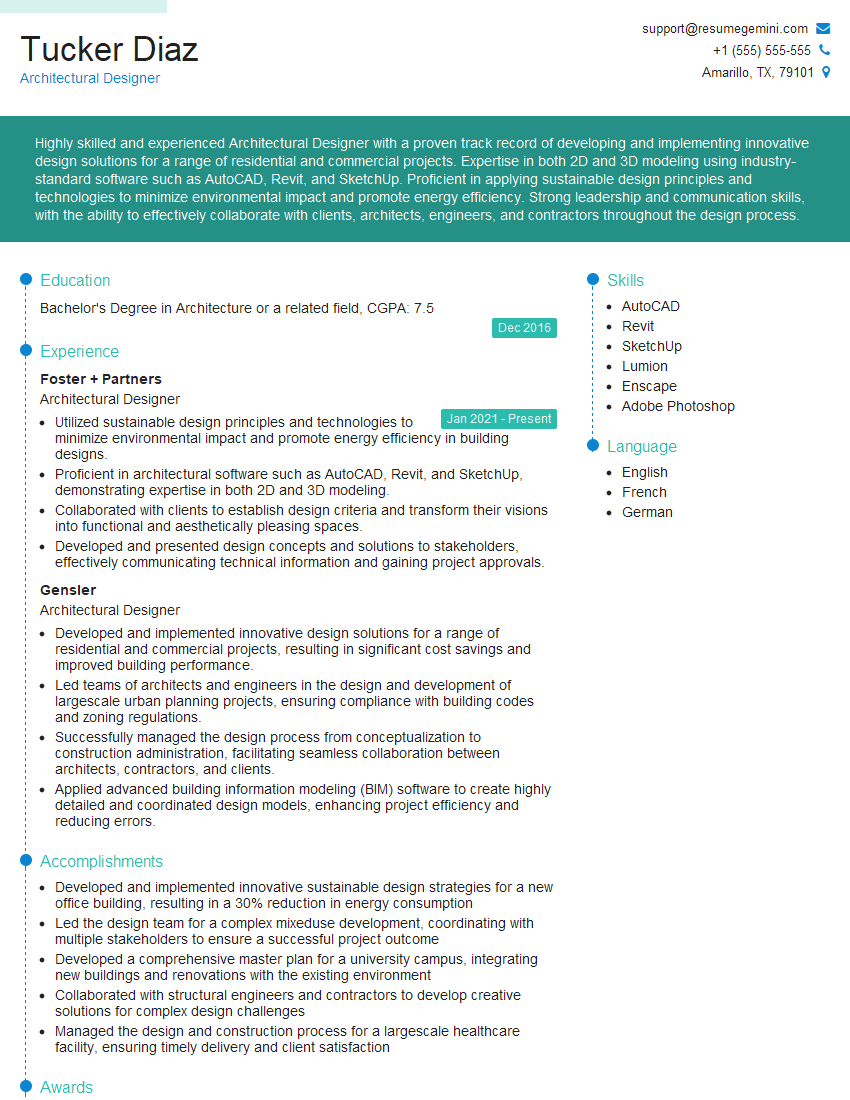
Architectural Designer Resume Sample
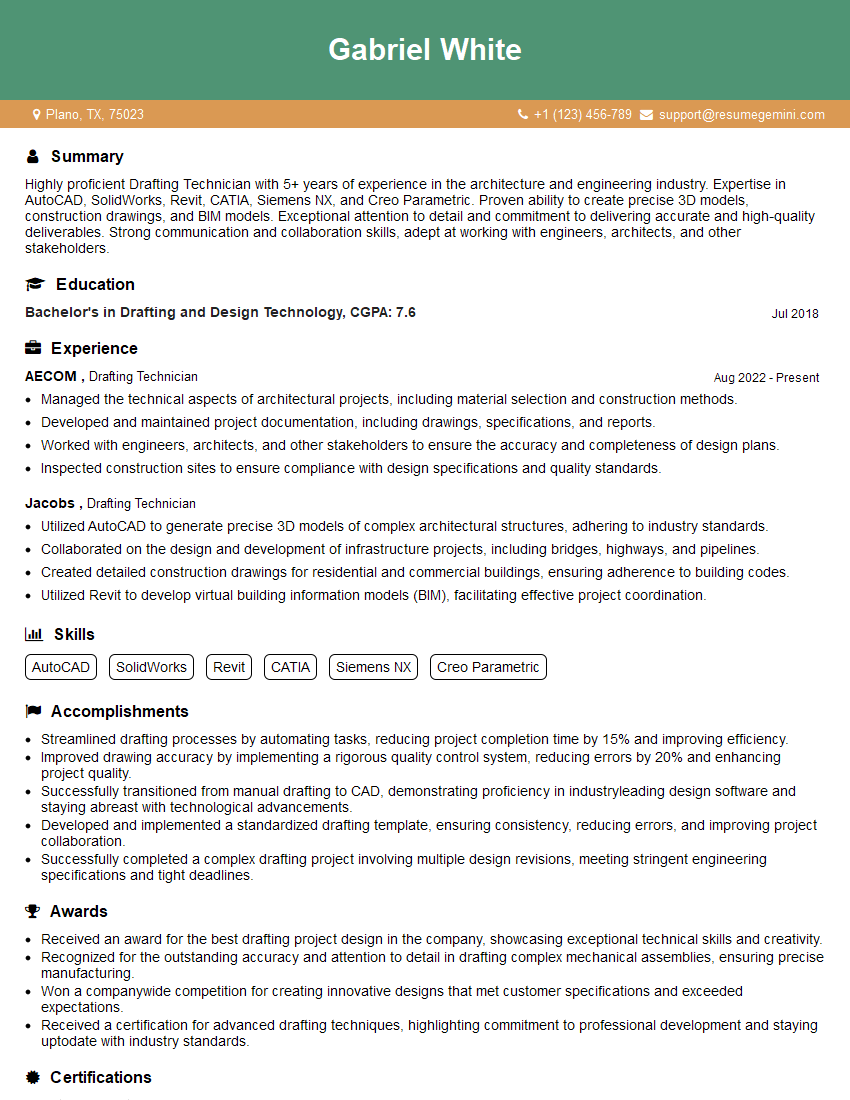
Drafting Technician Resume Sample
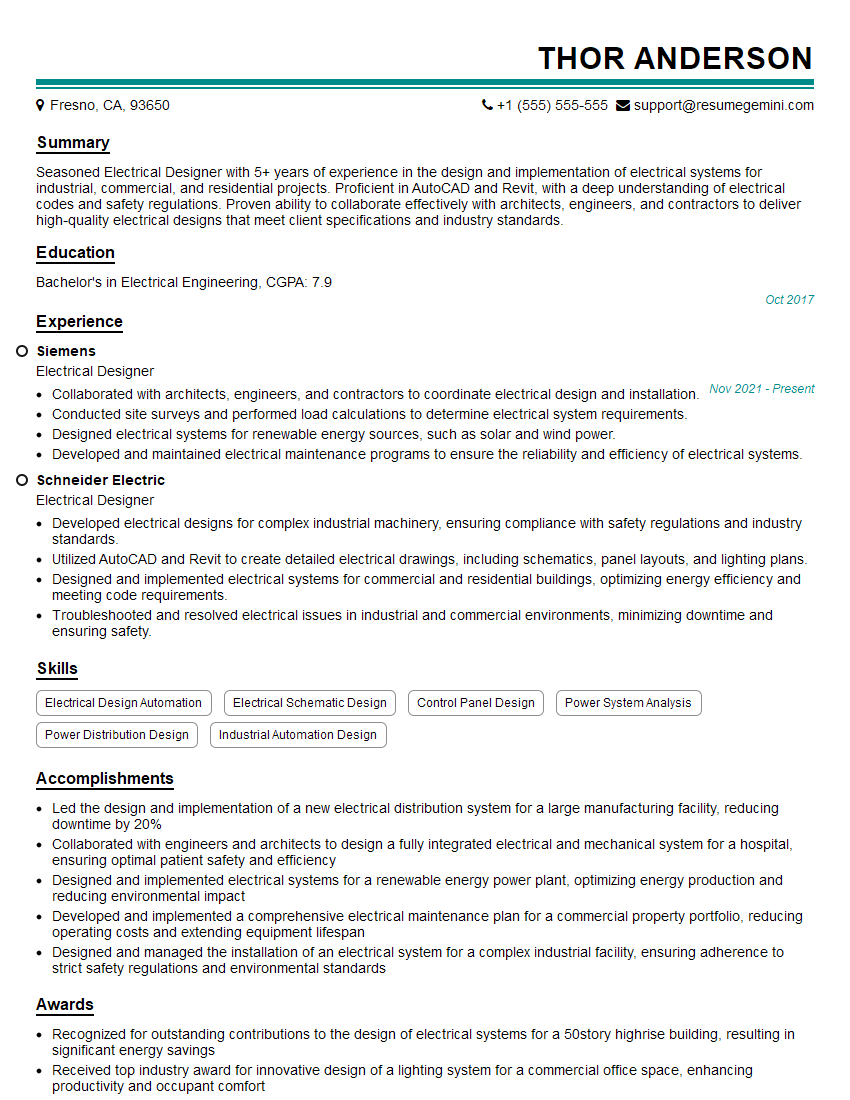
Electrical Designer Resume Sample

Manufacturing Engineer Resume Sample

Robotics Engineer Resume Sample
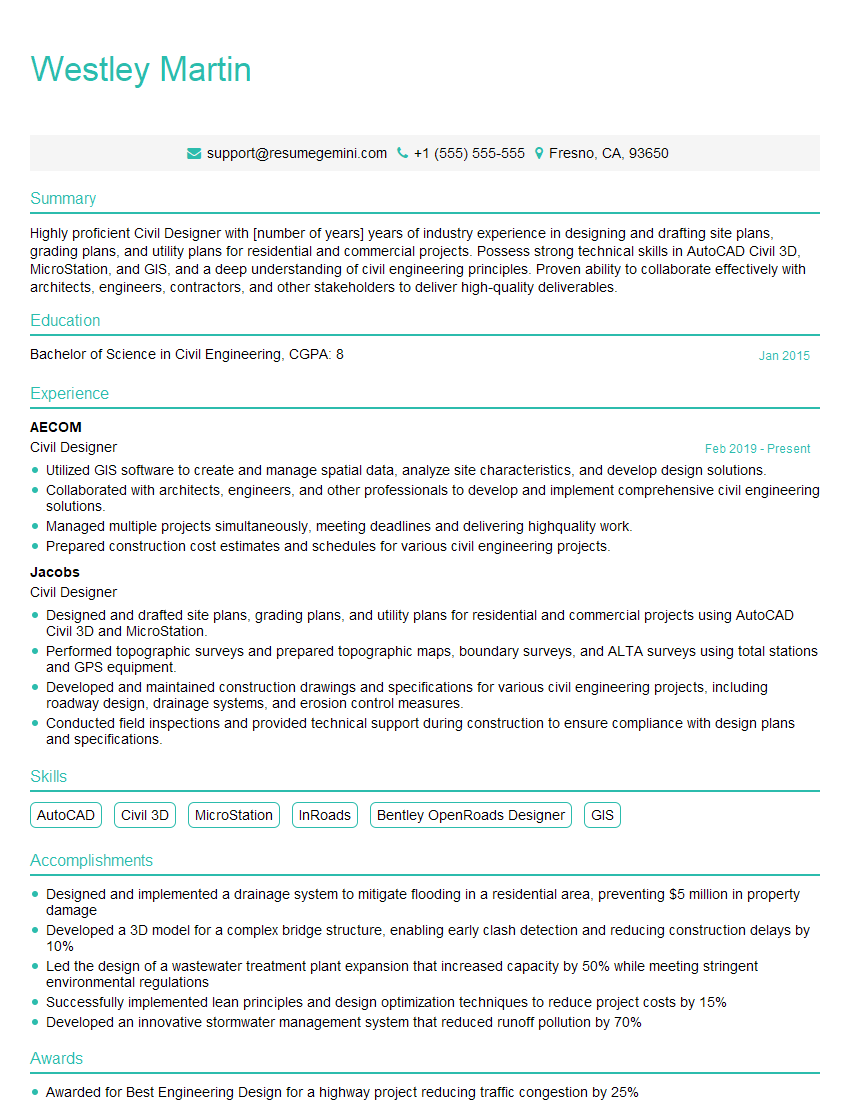
Civil Designer Resume Sample
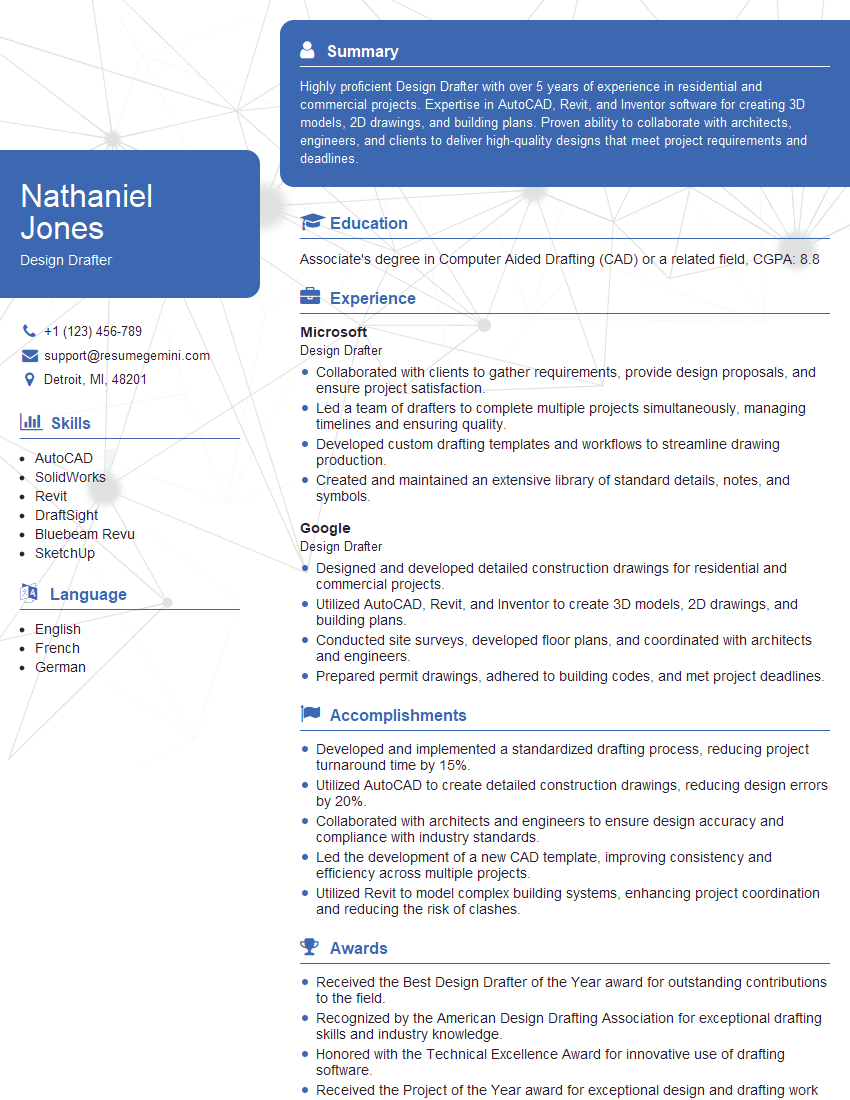
Design Drafter Resume Sample
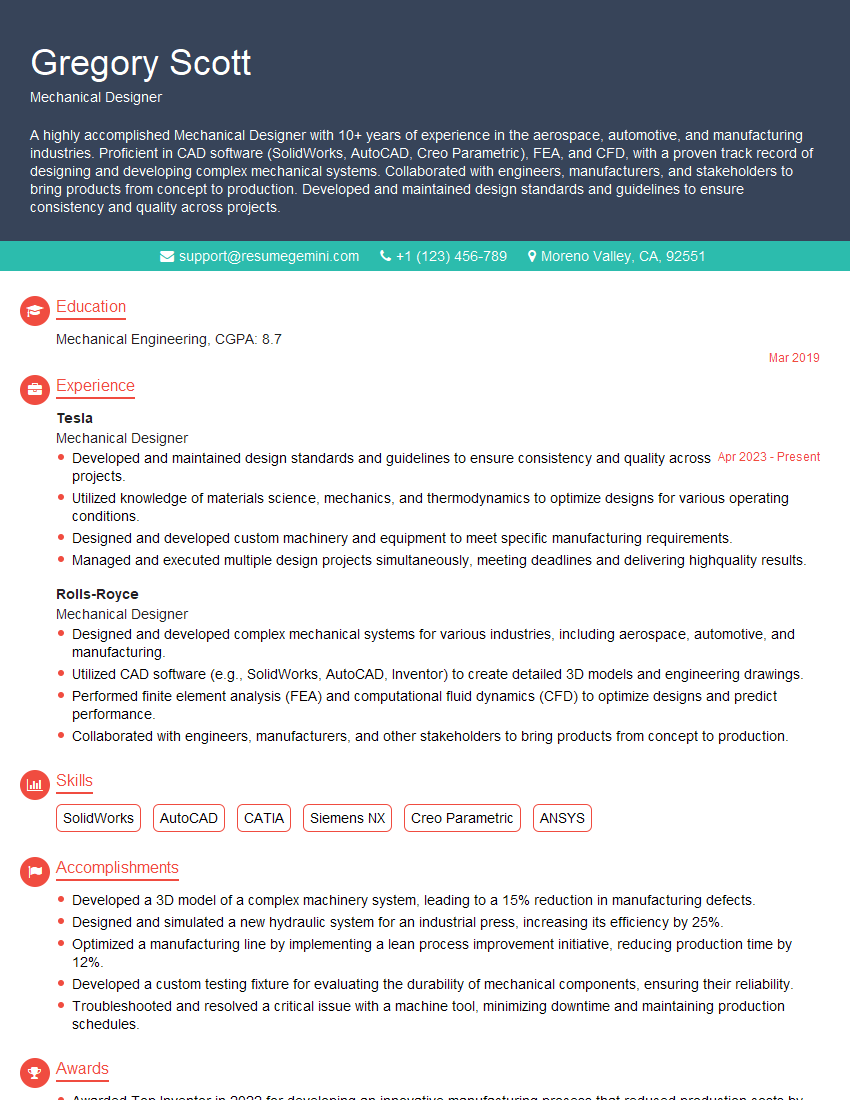
Mechanical Designer Resume Sample

Technical Illustrator Resume Sample

Product Designer Resume Sample

3D Modeler Resume Sample
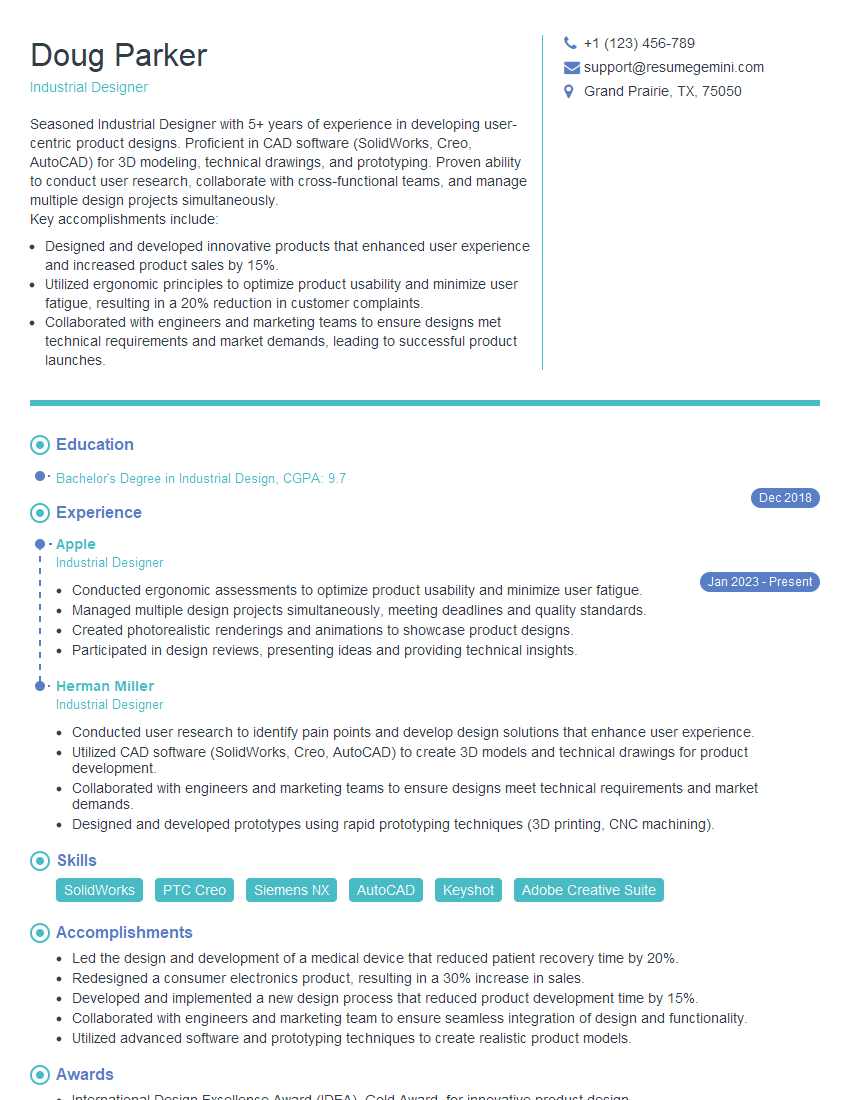
Industrial Designer Resume Sample
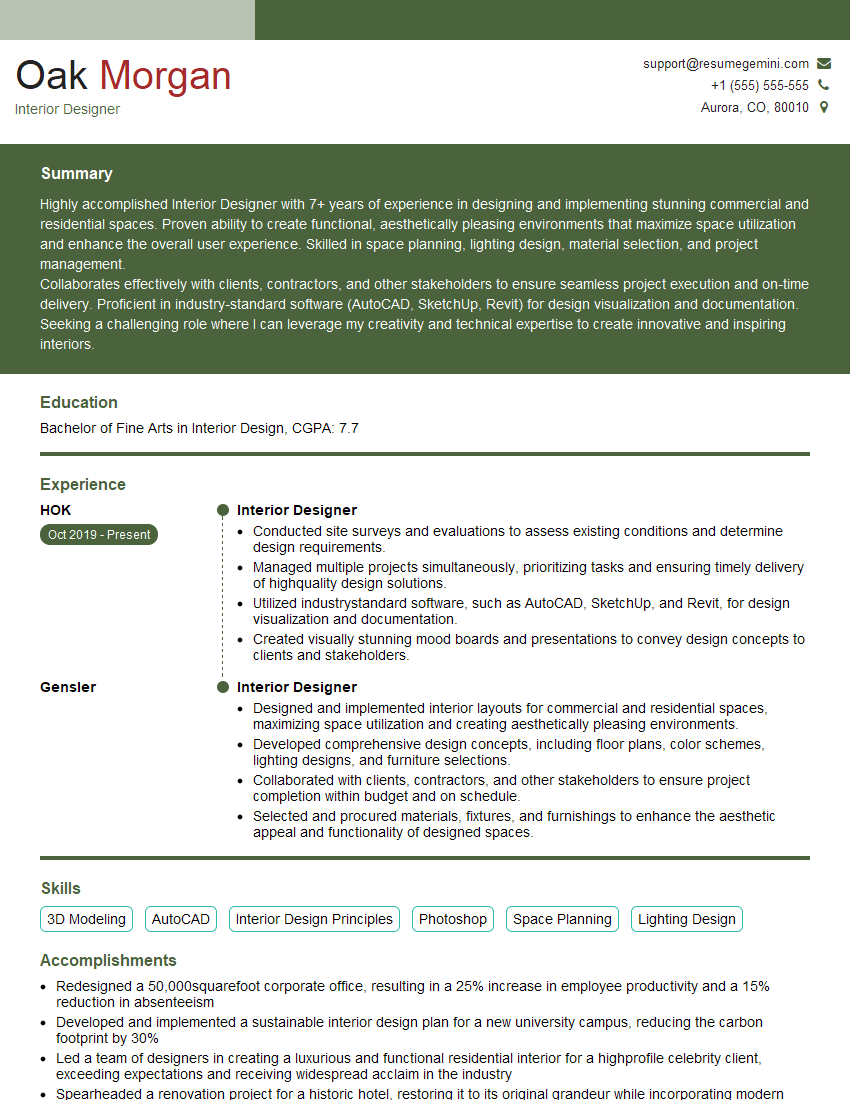
Interior Designer Resume Sample
Explore more articles
Users Rating of Our Blogs
Share Your Experience
We value your feedback! Please rate our content and share your thoughts (optional).
What Readers Say About Our Blog
Hello,
we currently offer a complimentary backlink and URL indexing test for search engine optimization professionals.
You can get complimentary indexing credits to test how link discovery works in practice.
No credit card is required and there is no recurring fee.
You can find details here:
https://wikipedia-backlinks.com/indexing/
Regards
NICE RESPONSE TO Q & A
hi
The aim of this message is regarding an unclaimed deposit of a deceased nationale that bears the same name as you. You are not relate to him as there are millions of people answering the names across around the world. But i will use my position to influence the release of the deposit to you for our mutual benefit.
Respond for full details and how to claim the deposit. This is 100% risk free. Send hello to my email id: [email protected]
Luka Chachibaialuka
Hey interviewgemini.com, just wanted to follow up on my last email.
We just launched Call the Monster, an parenting app that lets you summon friendly ‘monsters’ kids actually listen to.
We’re also running a giveaway for everyone who downloads the app. Since it’s brand new, there aren’t many users yet, which means you’ve got a much better chance of winning some great prizes.
You can check it out here: https://bit.ly/callamonsterapp
Or follow us on Instagram: https://www.instagram.com/callamonsterapp
Thanks,
Ryan
CEO – Call the Monster App
Hey interviewgemini.com, I saw your website and love your approach.
I just want this to look like spam email, but want to share something important to you. We just launched Call the Monster, a parenting app that lets you summon friendly ‘monsters’ kids actually listen to.
Parents are loving it for calming chaos before bedtime. Thought you might want to try it: https://bit.ly/callamonsterapp or just follow our fun monster lore on Instagram: https://www.instagram.com/callamonsterapp
Thanks,
Ryan
CEO – Call A Monster APP
To the interviewgemini.com Owner.
Dear interviewgemini.com Webmaster!
Hi interviewgemini.com Webmaster!
Dear interviewgemini.com Webmaster!
excellent
Hello,
We found issues with your domain’s email setup that may be sending your messages to spam or blocking them completely. InboxShield Mini shows you how to fix it in minutes — no tech skills required.
Scan your domain now for details: https://inboxshield-mini.com/
— Adam @ InboxShield Mini
Reply STOP to unsubscribe
Hi, are you owner of interviewgemini.com? What if I told you I could help you find extra time in your schedule, reconnect with leads you didn’t even realize you missed, and bring in more “I want to work with you” conversations, without increasing your ad spend or hiring a full-time employee?
All with a flexible, budget-friendly service that could easily pay for itself. Sounds good?
Would it be nice to jump on a quick 10-minute call so I can show you exactly how we make this work?
Best,
Hapei
Marketing Director
Hey, I know you’re the owner of interviewgemini.com. I’ll be quick.
Fundraising for your business is tough and time-consuming. We make it easier by guaranteeing two private investor meetings each month, for six months. No demos, no pitch events – just direct introductions to active investors matched to your startup.
If youR17;re raising, this could help you build real momentum. Want me to send more info?
Hi, I represent an SEO company that specialises in getting you AI citations and higher rankings on Google. I’d like to offer you a 100% free SEO audit for your website. Would you be interested?
Hi, I represent an SEO company that specialises in getting you AI citations and higher rankings on Google. I’d like to offer you a 100% free SEO audit for your website. Would you be interested?
good