Feeling uncertain about what to expect in your upcoming interview? We’ve got you covered! This blog highlights the most important Web Application Penetration Testing interview questions and provides actionable advice to help you stand out as the ideal candidate. Let’s pave the way for your success.
Questions Asked in Web Application Penetration Testing Interview
Q 1. Explain the OWASP Top 10 vulnerabilities and provide examples of each.
The OWASP Top 10 represents the most critical web application security risks. Think of them as the ten biggest threats you need to protect against. Each vulnerability has the potential to lead to significant data breaches, financial losses, or reputational damage. Let’s look at each one:
- Injection (e.g., SQL, NoSQL, OS): This is where attackers insert malicious code into input fields to manipulate the application’s database or underlying operating system. Example: An attacker might enter
' OR '1'='1into a username field to bypass authentication. - Broken Authentication: Weak or improperly implemented authentication mechanisms allow attackers to gain unauthorized access. Example: A website using predictable passwords or lacking multi-factor authentication.
- Sensitive Data Exposure: Failure to protect sensitive data like passwords, credit card numbers, or personally identifiable information (PII). Example: Storing passwords in plain text in a database.
- XML External Entities (XXE): This vulnerability allows attackers to read sensitive files on the server or execute other malicious actions by manipulating XML input. Example: A poorly configured XML parser that allows access to internal files.
- Broken Access Control: Insufficient authorization checks allow attackers to access resources they shouldn’t have access to. Example: A user able to access another user’s account information or modify data they shouldn’t.
- Security Misconfiguration: Incorrect server configurations, default settings, or exposed debugging information. Example: Leaving default credentials on a server or exposing unnecessary services.
- Cross-Site Scripting (XSS): Attackers inject malicious scripts into web pages viewed by other users. Example: A forum that doesn’t sanitize user-submitted comments, allowing an attacker to inject JavaScript to steal cookies.
- Insecure Deserialization: Improper handling of serialized data allows attackers to execute arbitrary code. Example: Accepting serialized data from untrusted sources without proper validation.
- Using Components with Known Vulnerabilities: Using outdated or vulnerable third-party libraries or frameworks. Example: Failing to update a vulnerable version of a JavaScript library.
- Insufficient Logging & Monitoring: Lack of sufficient logging and monitoring makes it difficult to detect and respond to security incidents. Example: No system in place to alert administrators of unusual login attempts.
Q 2. Describe the difference between black-box, white-box, and grey-box penetration testing.
The three main types of penetration testing differ in the amount of information the tester has about the target system. Imagine you’re trying to find a way into a house:
- Black-box testing: You have no prior knowledge of the house’s layout or security systems. This mirrors a real-world attack scenario, testing the system’s overall security posture. You’d be trying doors, windows, and looking for weak points without a blueprint.
- White-box testing: You have complete knowledge of the house’s design, including blueprints, security system details, etc. This allows for a thorough test, identifying vulnerabilities that might be missed in a black-box test. It’s like having a detailed floor plan and knowing where the alarm sensors are located.
- Grey-box testing: You have partial knowledge of the house. Maybe you know the general layout but lack details on the security systems. This is a common approach, balancing the realism of black-box testing with the thoroughness of white-box testing. It’s similar to knowing the general area of the house but not having a complete blueprint.
Q 3. What are the different phases of a typical penetration testing engagement?
A typical penetration test follows a structured methodology. The phases often include:
- Planning and Scoping: Defining the target systems, the testing methodology, and the rules of engagement (what is and isn’t allowed during the test).
- Reconnaissance: Gathering information about the target systems, such as identifying network addresses, technologies used, and potential vulnerabilities.
- Vulnerability Analysis: Identifying potential vulnerabilities using automated tools and manual techniques.
- Exploitation: Attempting to exploit identified vulnerabilities to gain unauthorized access.
- Post-Exploitation: Once access is gained, further exploration of the system to understand the impact of the vulnerability and potential damage.
- Reporting: Documenting all findings, including the vulnerabilities discovered, their severity, and recommendations for remediation.
Q 4. How do you identify and exploit SQL injection vulnerabilities?
SQL injection exploits vulnerabilities in how a web application handles user inputs to its database. It’s like sneaking a hidden message into a database query to get it to do something unexpected. To identify them, you look for places where user input directly influences database queries. You can use tools like SQLmap to automate this process, but manual testing is crucial. Let’s illustrate exploitation:
Imagine a vulnerable login form with the query: SELECT * FROM users WHERE username = '$username' AND password = '$password'. An attacker could enter ' OR '1'='1 as the username. This manipulates the query to:
SELECT * FROM users WHERE username = '' OR '1'='1' AND password = '$password'Since '1'='1' is always true, the query will always return a result, bypassing authentication.
Exploitation often involves techniques like UNION-based attacks, blind SQL injection (where the application doesn’t directly reveal the database’s content but provides information through error messages or timing differences), and error-based SQL injection (exploiting errors revealed by the database).
Q 5. Explain the process of performing a cross-site scripting (XSS) attack.
A Cross-Site Scripting (XSS) attack involves injecting malicious scripts into a website. Think of it as planting a hidden message that will be executed when a victim visits the page. There are three main types:
- Reflected XSS: The malicious script is reflected back to the user in the response. Example: A search engine that displays the search query directly in the results without proper sanitization.
- Stored XSS (Persistent XSS): The malicious script is stored on the server and executed whenever the page is loaded. Example: A forum allowing users to post comments without sanitizing HTML tags.
- DOM-based XSS: The malicious script is executed in the browser’s Document Object Model (DOM) without ever reaching the server. Example: JavaScript that manipulates user input before sending it to the server.
The process usually involves finding vulnerable input fields (e.g., comment boxes, search bars), crafting a malicious script (often stealing cookies or redirecting the user), and then injecting that script into the vulnerable input. The attacker hopes unsuspecting users will click on or visit a link containing this malicious script.
Q 6. How do you perform a cross-site request forgery (CSRF) attack?
A Cross-Site Request Forgery (CSRF) attack tricks a user into performing unwanted actions on a website they’re already authenticated to. It’s like forging a user’s signature to make them unknowingly perform an action. The attacker doesn’t need to know the victim’s credentials; they just need to get them to click a malicious link or image.
The attack typically works by creating a hidden form or image that automatically submits a request to the vulnerable website. The form includes fields mimicking a legitimate action (e.g., transferring money, changing a password). Once the victim visits the malicious link while already logged in, their browser automatically submits the forged request, executing the malicious action.
A common technique involves using an image tag with the src attribute pointing to a specially crafted URL that performs the malicious action. The attacker could even embed this in a seemingly harmless email or social media post. This exploits the fact that the browser will automatically send the user’s session cookie along with the request, even if they didn’t intentionally submit the form.
Q 7. What are some common techniques used to bypass web application firewalls (WAFs)?
Web Application Firewalls (WAFs) are designed to protect web applications from various attacks. However, determined attackers often find ways to bypass them. Common techniques include:
- Parameter Tampering: Slightly altering the request parameters to avoid WAF detection. For example, changing the case of a parameter or using URL encoding.
- HTTP Parameter Pollution: Sending the same parameter multiple times with different values, hoping the WAF will only check one instance.
- Using HTTP Smuggling: Exploiting the way HTTP headers are handled by the WAF and the web application to inject malicious data.
- Encoding and Obfuscation: Hiding the malicious payload using various encoding techniques (e.g., URL encoding, Base64 encoding) to make it less obvious to the WAF.
- Using a Botnet: Overwhelming the WAF with requests from numerous sources to exhaust its resources and make it less effective.
- Exploiting WAF Rule Sets: Identifying and targeting weaknesses in the WAF’s rule set. Some WAFs might have overly permissive or incomplete rules, allowing attacks to slip through.
Bypassing a WAF requires a deep understanding of how it works and creative exploitation techniques. It’s a cat-and-mouse game; WAF developers continually improve their products to counter these bypass techniques.
Q 8. Explain the concept of session management and how vulnerabilities can arise.
Session management is the process by which a web application maintains a user’s state across multiple requests. Think of it like a digital ‘sticky note’ that remembers who you are as you navigate a website. This ‘note’ usually contains a session ID, a unique identifier that links your requests together. Vulnerabilities arise when this system isn’t properly secured.
- Session hijacking: An attacker steals a valid session ID (e.g., through XSS or a man-in-the-middle attack) and impersonates the legitimate user. Imagine someone stealing your ‘sticky note’ and using it to access your account.
- Session fixation: An attacker forces a victim to use a predictable session ID, allowing the attacker to later impersonate the victim. This is like pre-writing the ‘sticky note’ with a known value and forcing the victim to use it.
- Lack of session timeout: Sessions remaining active indefinitely, even after prolonged inactivity. A forgotten ‘sticky note’ with long-lasting access.
- Insecure session storage: Storing session IDs in easily accessible places, like cookies without appropriate flags (like HttpOnly and Secure).
To mitigate these risks, developers should use strong session IDs, implement proper session timeouts, use HTTPS, and employ secure cookie flags. Regularly reviewing and updating session management practices is crucial.
Q 9. How do you identify and exploit insecure direct object references (IDORs)?
Insecure Direct Object References (IDORs) occur when a web application uses object identifiers (like IDs in URLs) directly to access resources without proper authorization checks. Imagine a website showing your profile: /profile?id=123. If the application doesn’t verify whether you’re actually allowed to see profile 123, an attacker could simply change the ID to access other users’ profiles.
Identifying IDORs often involves manual testing and using tools like Burp Suite. The process typically involves:
- Manual testing: Try modifying parameters like IDs in URLs and observing the application’s response. For example, incrementing the user ID in a profile URL to see if you can access other user’s data.
- Automated tools: Use tools to scan for predictable patterns in URLs and data structures.
- Reviewing application logic: Understanding how the application handles object references can reveal potential vulnerabilities. Look for hardcoded IDs or predictable patterns in the IDs generated by the app.
Exploiting an IDOR is usually straightforward. Once you’ve identified a vulnerable parameter, you simply manipulate it to access unauthorized resources.
Example: If you discover that /users/123 displays user 123’s information, trying /users/124, /users/125 and so on could uncover more data than you should have access to.
Q 10. Describe different authentication methods and their vulnerabilities.
Authentication methods verify the identity of a user. Common methods include:
- Password-based authentication: This is the most common, but also the most vulnerable method. The user provides a username and password. Vulnerabilities include weak passwords, credential stuffing, and brute-force attacks.
- Multi-factor authentication (MFA): Combines something you know (password), something you have (phone), and something you are (biometrics). This significantly increases security as an attacker needs multiple pieces of information.
- Token-based authentication: Uses tokens (short-lived, temporary credentials) to authenticate users. This is more secure than password-based authentication as tokens are less susceptible to brute-force attacks.
- Biometric authentication: Uses unique biological characteristics (fingerprints, facial recognition) for authentication. More secure but can have privacy implications.
- Social logins: Allows users to log in using their existing accounts from platforms like Google, Facebook, etc. This simplifies authentication for users, but the security depends entirely on the security of the third-party provider.
Vulnerabilities can stem from weak password policies, lack of MFA, insecure token management, and vulnerabilities in the implementation of the chosen method.
Q 11. What are the common types of authentication vulnerabilities?
Common authentication vulnerabilities include:
- SQL injection: Attackers inject malicious SQL code into login forms to bypass authentication mechanisms.
- Session hijacking: Stealing a valid session ID to impersonate a user.
- Credential stuffing: Using stolen credentials from other websites to try logging into the target application.
- Brute-force attacks: Trying many different username/password combinations until a match is found. Often mitigated by rate limiting.
- Broken authentication: Logic errors in the authentication process that can be exploited to bypass authentication.
- Weak or default credentials: Using easily guessable or default usernames and passwords.
These vulnerabilities often arise from poor coding practices, neglecting security best practices, and a lack of thorough testing.
Q 12. Explain the concept of authorization and how it relates to security.
Authorization determines what a user is *allowed* to do after successful authentication. Authentication is verifying *who* you are, while authorization verifies *what* you can do. Imagine having access to your bank account (authentication). Authorization then determines if you can only view your balance or can also transfer funds.
Authorization is crucial for security because it prevents unauthorized access to sensitive resources. Without proper authorization, even if authentication is strong, an attacker who gains access might have access to data or functions they shouldn’t have. Examples of authorization failures include:
- Privilege escalation: A user gaining higher privileges than they should have. A bank teller accessing another user’s account.
- Insufficient access controls: Not properly limiting user access to specific resources. Everyone able to access confidential reports.
- Broken authorization logic: Errors in the code that allow access to unauthorized resources. The ‘admin’ menu being accessible through a simple URL manipulation.
Robust authorization mechanisms are vital for preventing data breaches, maintaining data integrity, and overall system security.
Q 13. How do you test for insecure deserialization vulnerabilities?
Insecure deserialization occurs when an application deserializes untrusted data without proper validation. Deserialization is the process of converting data (e.g., from a file or network) back into an object in memory. If the application does not carefully vet this incoming data, an attacker could inject malicious code that gets executed when the data is deserialized.
Testing for this involves identifying places where the application deserializes data. Then, you craft specially formatted data that includes malicious code, essentially a hidden ‘backdoor’, that will execute upon deserialization. This often involves using tools and frameworks that help create and manipulate serialized data. The goal is to see if the application processes the malicious code without any sanitization.
Examples of tools include: Manually constructing serialized Java objects, or using tools that automatically generate payloads for different languages. The exact method depends on the target language and framework used in the application.
A successful exploit could allow arbitrary code execution, giving an attacker complete control of the system.
Q 14. What are some common techniques used for password cracking?
Password cracking techniques aim to recover passwords without knowing them. Common methods include:
- Brute-force attacks: Trying all possible password combinations. This can be mitigated by rate limiting and account lockout policies.
- Dictionary attacks: Trying passwords from a dictionary of common words and phrases. Choosing strong passwords and avoiding dictionary words helps here.
- Rainbow table attacks: Using precomputed tables to quickly crack commonly used passwords. Salting and hashing passwords is crucial to defeat this technique.
- Credential stuffing: Using stolen credentials from other sites to attempt logins. Multi-factor authentication greatly reduces the effectiveness of this technique.
- Hybrid attacks: Combining multiple techniques to increase effectiveness. Strong password policies help defend against this.
Strong password policies, proper hashing and salting, and multi-factor authentication are crucial in mitigating the risk of password cracking.
Q 15. How do you perform a denial-of-service (DoS) attack on a web application?
A Denial-of-Service (DoS) attack aims to make a web application unavailable to legitimate users by overwhelming its resources. It’s like flooding a restaurant with so many orders that the kitchen can’t keep up, leaving everyone else waiting indefinitely. There are various ways to achieve this. One common method is a flood attack, where we send a massive volume of requests to the server. This could involve using tools that simulate many concurrent users accessing the application, or exploiting vulnerabilities to amplify the impact of a single request.
For instance, a HTTP Flood involves sending a huge number of HTTP GET requests to the target server, consuming its bandwidth and processing power. Another approach is a SYN Flood, where we exploit the TCP three-way handshake to send a high volume of SYN requests without completing the connection, tying up server resources. More sophisticated attacks might leverage application-specific vulnerabilities to amplify the impact. A well-designed application should have mechanisms like rate limiting and intrusion detection systems in place to mitigate these attacks.
It’s crucial to remember that performing DoS attacks against systems without explicit authorization is illegal and unethical. Penetration testing should only be conducted with the express permission of the system owner and should adhere to strict ethical guidelines.
Career Expert Tips:
- Ace those interviews! Prepare effectively by reviewing the Top 50 Most Common Interview Questions on ResumeGemini.
- Navigate your job search with confidence! Explore a wide range of Career Tips on ResumeGemini. Learn about common challenges and recommendations to overcome them.
- Craft the perfect resume! Master the Art of Resume Writing with ResumeGemini’s guide. Showcase your unique qualifications and achievements effectively.
- Don’t miss out on holiday savings! Build your dream resume with ResumeGemini’s ATS optimized templates.
Q 16. Explain the importance of reporting vulnerabilities effectively.
Effective vulnerability reporting is paramount. It’s not just about finding flaws; it’s about communicating them clearly and concisely so that developers can understand the problem and fix it. A poorly written report can lead to misunderstandings, delayed remediation, and ultimately, increased risk. A good report should include detailed steps to reproduce the vulnerability, the impact it could have, the severity level, and recommended mitigation strategies.
Think of it like giving directions: If you only tell someone to ‘go left,’ they might get lost. Similarly, a vague vulnerability report won’t be helpful. Instead, providing precise steps – ‘At the intersection of Elm and Oak, turn left onto Pine Street, then go two blocks to the red building’ – makes the information actionable. A good report should also include screenshots or videos, further enhancing clarity.
Consider using a standardized reporting format like the Common Vulnerability Scoring System (CVSS) to ensure consistency and facilitate comparison between different vulnerabilities. Clear, concise reporting promotes collaboration and faster remediation, improving the overall security posture of the application.
Q 17. What tools and technologies are you familiar with for web application penetration testing?
My toolkit for web application penetration testing is quite extensive. I’m proficient in using various tools categorized by their function. For reconnaissance, I frequently use tools like Nmap for port scanning and nikto for web server vulnerability scanning. For vulnerability analysis, I utilize Burp Suite, a powerful integrated platform that encompasses proxy interception, vulnerability scanning, and manipulation capabilities. I also leverage specialized tools like SQLmap for detecting and exploiting SQL injection vulnerabilities, and OWASP ZAP, an open-source penetration testing tool.
Beyond these specific tools, I’m comfortable using various programming languages, including Python and scripting languages like Bash, to automate tasks and create custom tools to address specific vulnerabilities or testing scenarios. I also have experience working with various operating systems, both Linux and Windows, allowing me to adapt my techniques to different environments. The choice of tool always depends on the specific target and testing objectives.
Q 18. Describe your experience with automated vulnerability scanners.
Automated vulnerability scanners are valuable initial reconnaissance tools, but they shouldn’t be relied upon solely. Think of them as a preliminary medical check-up – they provide a general overview, but a thorough diagnosis requires a more detailed examination. I use scanners like Nessus and OpenVAS to identify potential vulnerabilities quickly and efficiently. These scanners can highlight common weaknesses, such as outdated software, known security flaws, and misconfigurations. This allows me to focus my manual testing on the most critical areas.
However, scanners often produce false positives, requiring manual verification. They also might miss vulnerabilities that require more sophisticated techniques to uncover, like subtle business logic flaws or custom code vulnerabilities. Therefore, I always follow up automated scans with thorough manual testing to validate findings and identify any vulnerabilities the scanners missed. It’s a combination of automated and manual testing that delivers the most comprehensive results.
Q 19. How do you handle sensitive information discovered during a penetration test?
Handling sensitive information discovered during a penetration test is crucial. My approach strictly adheres to the principles of ethical hacking and the terms of the engagement contract. I only access information that’s necessary for the test and strictly avoid accessing or exploiting information not directly relevant to the scope. All activities are documented meticulously.
Before I even start, a clear scope of work is defined with strict boundaries on what systems and data can be accessed. Sensitive data, such as personally identifiable information (PII) or financial details, is treated with utmost care and only viewed when absolutely necessary for vulnerability assessment. Any discovered sensitive data is immediately reported to the client and never shared with unauthorized parties. Furthermore, I adhere to data minimization principles, ensuring only the necessary information is processed and storing it securely in accordance with applicable regulations and industry best practices. The data is usually anonymized or pseudonomized in my reports as far as legally possible.
Q 20. How do you prioritize vulnerabilities based on risk?
Prioritizing vulnerabilities is essential to ensure that the most critical issues are addressed first. I typically use a risk-based approach, considering factors such as the likelihood of exploitation (probability) and the potential impact of a successful attack (severity). This often involves using a framework like the Common Vulnerability Scoring System (CVSS).
For example, a high-severity vulnerability with a high likelihood of exploitation (e.g., a publicly known exploit for a critical component) would naturally be ranked higher than a low-severity vulnerability that’s difficult to exploit. I also consider the business context. A vulnerability that could expose sensitive customer data would have a higher priority than a vulnerability that only affects administrative features. The process is iterative; as the test progresses, additional information might cause re-prioritization.
Q 21. Describe your experience with different penetration testing methodologies.
My experience encompasses various penetration testing methodologies, including black box, white box, and grey box testing. Each approach has its own strengths and weaknesses.
Black box testing simulates a real-world attack, where the tester has no prior knowledge of the system. This approach helps identify vulnerabilities that might be missed by internal teams. White box testing, on the other hand, provides the tester with complete system knowledge, enabling a more comprehensive assessment, as they can look for vulnerabilities within the system’s internal workings. Grey box testing offers a middle ground, providing the tester with partial information, reflecting a more realistic scenario where an attacker might have some prior knowledge of the system.
The choice of methodology depends on several factors, including the client’s requirements, the security posture of the application, and the time constraints. In many cases, I will employ a combination of these methodologies for a more comprehensive and effective penetration test.
Q 22. What is your approach to testing mobile applications?
Testing mobile applications requires a multifaceted approach that goes beyond simply testing web views. It involves understanding the specific attack vectors unique to mobile platforms, such as insecure data storage, improper authentication mechanisms, and vulnerabilities related to the device’s operating system and APIs.
My approach begins with a thorough understanding of the application’s architecture and functionality. This includes identifying its components (frontend, backend, databases, APIs) and how they interact. I then perform a combination of static and dynamic analysis techniques.
- Static Analysis: This involves examining the application’s code without actually executing it. I use tools to analyze the source code (if available) and compiled binaries to identify potential vulnerabilities in the code itself.
- Dynamic Analysis: This involves interacting with the running application to observe its behavior. This might include using tools to intercept network traffic, monitor database interactions, and test various input scenarios to identify vulnerabilities like SQL injection or cross-site scripting (XSS).
- Mobile-Specific Tests: I focus on testing for vulnerabilities that are common in mobile apps, like insecure storage of sensitive data (passwords, credentials), lack of secure authentication mechanisms (weak passwords, lack of multi-factor authentication), and vulnerabilities related to platform-specific APIs (GPS data leakage, permission abuse).
- Penetration Testing on different devices and OS versions: Testing on a variety of devices (Android, iOS, various screen sizes) and operating system versions is crucial to ensure broad coverage.
Finally, I report on the findings, prioritizing vulnerabilities based on their severity and potential impact. This includes providing detailed recommendations for remediation.
Q 23. Explain how you stay updated with the latest web application security trends and techniques.
Staying current in web application security is a continuous process that requires a multi-pronged approach. It’s like staying fit – you need consistent effort in several areas.
- Following Security Researchers and Blogs: I regularly follow leading security researchers and blogs, such as those published by OWASP, SANS Institute, and various security companies. This provides insights into newly discovered vulnerabilities and emerging attack trends.
- Attending Conferences and Webinars: Participating in industry conferences like Black Hat, DEF CON, and RSA provides opportunities to learn from experts and network with other professionals. Webinars offer a convenient way to stay updated on specific topics.
- Reading Security Publications and Research Papers: Academic papers and industry publications often delve deep into the technical aspects of security vulnerabilities and their exploitation. This helps gain a deeper theoretical understanding.
- Hands-on Practice and CTF Participation: I actively participate in Capture The Flag (CTF) competitions and personal projects. This allows me to practice newly learned techniques and keeps my skills sharp.
- Subscribing to Security Newsletters and Alerts: Several organizations provide newsletters and security alerts that keep me informed about the latest vulnerabilities and security advisories.
Essentially, I treat staying updated as an ongoing learning process, blending theoretical knowledge with practical application and continuous engagement with the community.
Q 24. Describe a challenging penetration testing scenario you faced and how you overcame it.
One challenging scenario involved a penetration test for a large e-commerce platform that heavily relied on a custom-built authentication system. The system used a proprietary encryption algorithm, and initial attempts to reverse-engineer it proved fruitless. Standard vulnerability scanners did not reveal any clear weaknesses.
To overcome this, I employed a multi-pronged approach:
- Reverse Engineering: I utilized a combination of static and dynamic analysis tools, including debuggers and disassemblers, to carefully examine the algorithm’s implementation. This was painstaking, requiring deep technical expertise.
- Side-Channel Attacks: I explored the possibility of side-channel attacks, which exploit the system’s timing or power consumption patterns to extract information about the encryption keys. This proved to be the breakthrough.
- Collaboration and Expertise: I consulted with cryptography experts to get insights into the algorithm’s potential vulnerabilities. Their input was invaluable in focusing my efforts.
Eventually, by analyzing the timing differences in the encryption process under varying conditions, I managed to identify a weakness that allowed me to recover a portion of the encryption key. This, in turn, allowed me to gain unauthorized access and demonstrate a significant vulnerability in the authentication system.
This case highlighted the importance of creative problem-solving, collaboration, and a deep understanding of both traditional penetration testing techniques and advanced attacks like side-channel analysis.
Q 25. How do you handle unexpected findings or scope creep during a penetration test?
Unexpected findings and scope creep are inherent challenges in penetration testing. Handling them professionally and effectively is key to a successful engagement. My approach involves clear communication and a structured process:
- Immediate Reporting: If an unexpected finding is discovered that is significantly outside the defined scope but presents a critical security risk, I immediately report it to the client. This is crucial to address urgent issues.
- Documenting the Deviation: Thorough documentation is essential. I document any deviations from the initial scope, explaining the context of the unexpected findings, the steps taken to investigate them, and the potential impact. This creates a transparent record.
- Negotiating Scope Adjustments: If further investigation of unexpected findings is necessary, I discuss the implications with the client and negotiate a formal scope adjustment. This usually involves defining a clear timeline and additional costs.
- Prioritization: I prioritize findings based on their severity and relevance to the client’s business. Critical vulnerabilities in the original scope always take precedence.
- Managing Expectations: Open and proactive communication with the client throughout the process is essential to manage expectations and maintain a collaborative relationship.
The goal is to balance thoroughness with the agreed-upon scope and timeline, ensuring all critical vulnerabilities are addressed while managing potential cost and time overruns transparently.
Q 26. How do you determine the root cause of a security vulnerability?
Determining the root cause of a security vulnerability requires a systematic approach that goes beyond simply identifying the symptom. It’s like diagnosing a medical condition—you need to understand the underlying cause.
My process involves:
- Reproduce the Vulnerability: The first step is to consistently reproduce the vulnerability. This involves documenting the exact steps taken to trigger the vulnerability. This ensures that it’s not a one-off issue.
- Analyze the Attack Vector: I meticulously analyze how the attacker exploited the vulnerability. This includes examining network traffic, logs, and system configurations.
- Review Code (if accessible): If source code is available, I review the relevant sections to understand the coding practices and pinpoint the specific flaw that led to the vulnerability.
- Examine System Architecture: I assess the overall system architecture and look for design flaws that may have contributed to the vulnerability. This often involves understanding the flow of data and the interactions between different system components.
- Consult Relevant Documentation: Reviewing system design documents, architecture diagrams, and security policies provides context and understanding of intended functionality and potential weaknesses.
Ultimately, pinpointing the root cause involves a combination of technical skills, critical thinking, and detective work. It’s about understanding not just “what” happened, but “why” it happened, paving the way for effective remediation.
Q 27. What is your experience with penetration testing frameworks like Burp Suite or OWASP ZAP?
I have extensive experience using both Burp Suite and OWASP ZAP, two of the most widely used penetration testing frameworks. Each has its strengths and weaknesses, and my choice depends on the specific needs of the engagement.
- Burp Suite: I often use Burp Suite for its advanced features, particularly its powerful proxy, spider, and scanner capabilities. Its intuitive interface and extensive extensibility make it ideal for complex web application assessments. I frequently use its Intruder tool for fuzzing and its Repeater for manual testing of individual requests.
- OWASP ZAP: OWASP ZAP is an excellent open-source alternative with a strong community behind it. I utilize ZAP for its broader range of automated scanning capabilities and its ease of use for collaborative testing. It’s a great tool for initial reconnaissance and automated vulnerability scans.
I’m proficient in using both tools to perform tasks such as identifying and exploiting vulnerabilities, analyzing network traffic, and generating detailed reports. My selection between them is largely determined by the project requirements, budget considerations (OWASP ZAP being free), and the specific types of vulnerabilities I need to test for.
Q 28. Describe your experience with scripting languages like Python or PowerShell in penetration testing.
Scripting languages like Python and PowerShell are indispensable tools in my penetration testing arsenal. They allow me to automate tasks, customize my testing process, and develop custom tools tailored to specific needs. It’s like having a highly skilled assistant.
- Python: I use Python extensively for tasks such as automating vulnerability scanning, creating custom payloads, parsing logs, and analyzing network traffic. I frequently use libraries like
requestsfor HTTP interaction,BeautifulSoupfor web scraping, andscapyfor network packet manipulation. For example, I might write a Python script to automate the process of testing for SQL injection vulnerabilities across a large number of web forms. - PowerShell: PowerShell is invaluable for automating tasks on Windows systems. I use it to interact with the Windows operating system, manage accounts, analyze system logs, and perform other system-level tasks relevant to penetration testing. For instance, I might use PowerShell to enumerate user accounts or gather information about installed software.
# Example Python snippet for a simple HTTP request:import requestsresponse = requests.get('https://example.com')print(response.status_code)
The ability to script allows me to work more efficiently, perform more thorough testing, and tailor my approach to the unique challenges of each penetration testing engagement.
Key Topics to Learn for Web Application Penetration Testing Interview
- OWASP Top 10 Vulnerabilities: Understanding the current OWASP Top 10 is crucial. Focus on the underlying principles and practical exploitation techniques for each category.
- Common Web Application Attacks: Gain a solid grasp of attacks like SQL Injection, Cross-Site Scripting (XSS), Cross-Site Request Forgery (CSRF), and Broken Authentication. Practice identifying vulnerabilities in real-world scenarios.
- Web Application Architecture: Familiarize yourself with different web application architectures (e.g., three-tier architecture, microservices) and how vulnerabilities can manifest within each.
- Automated vs. Manual Testing: Understand the strengths and weaknesses of both approaches and when to utilize each effectively. Be prepared to discuss specific tools you’re proficient in.
- Reporting and Remediation: Learn how to effectively communicate your findings to both technical and non-technical audiences. Practice crafting clear and concise vulnerability reports that include remediation advice.
- Secure Coding Practices: Develop a foundational understanding of secure coding principles to identify vulnerabilities early in the development lifecycle. This demonstrates a holistic understanding of security.
- Legal and Ethical Considerations: Discuss your understanding of ethical hacking practices and the importance of obtaining explicit permission before conducting penetration testing.
- Network Fundamentals: A strong understanding of networking concepts (e.g., HTTP, HTTPS, TCP/IP) is vital for understanding how web applications function and are vulnerable.
- Problem-Solving and Analytical Skills: Interviewers will assess your ability to think critically and systematically analyze security challenges. Prepare examples showcasing your problem-solving skills.
Next Steps
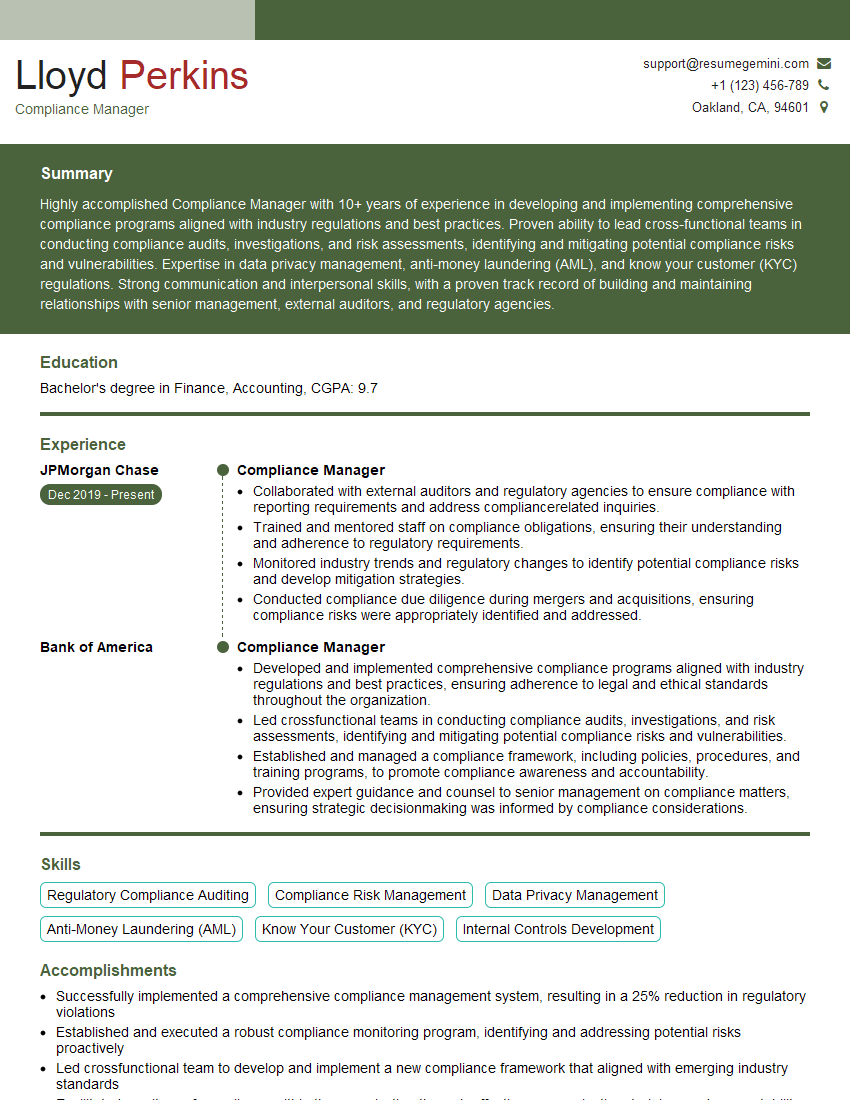
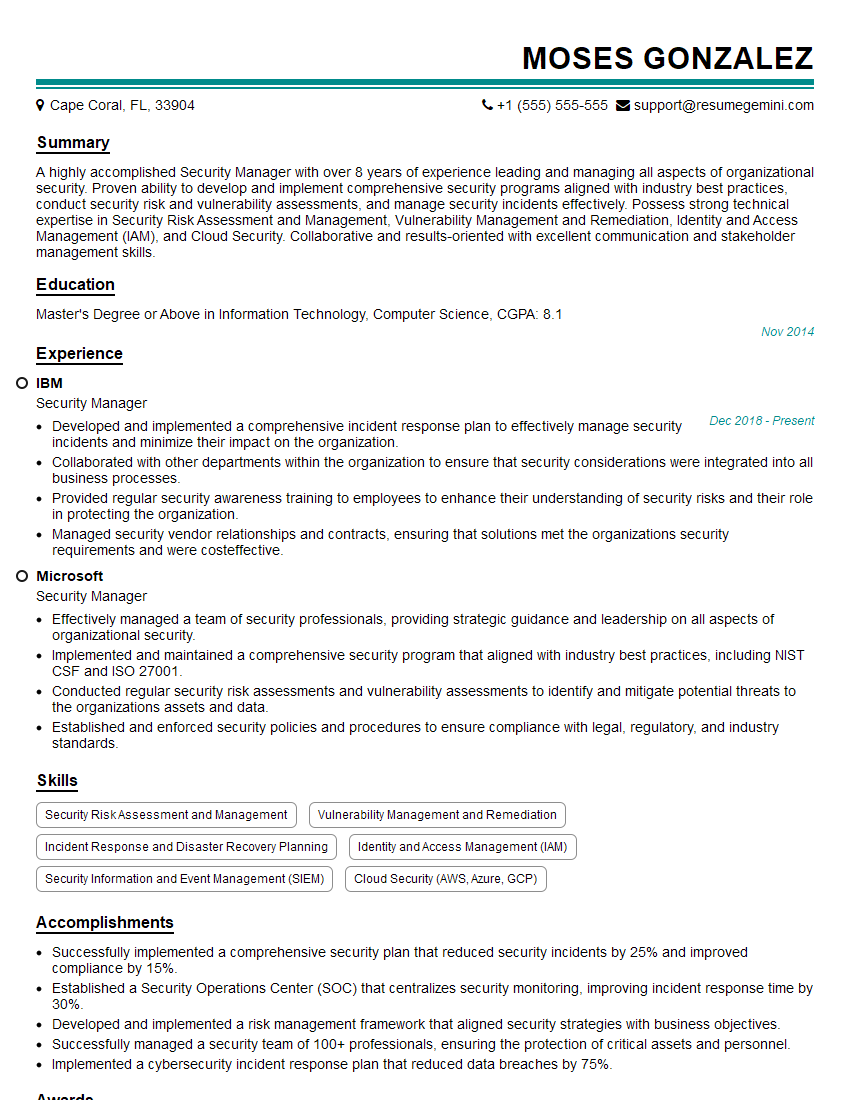
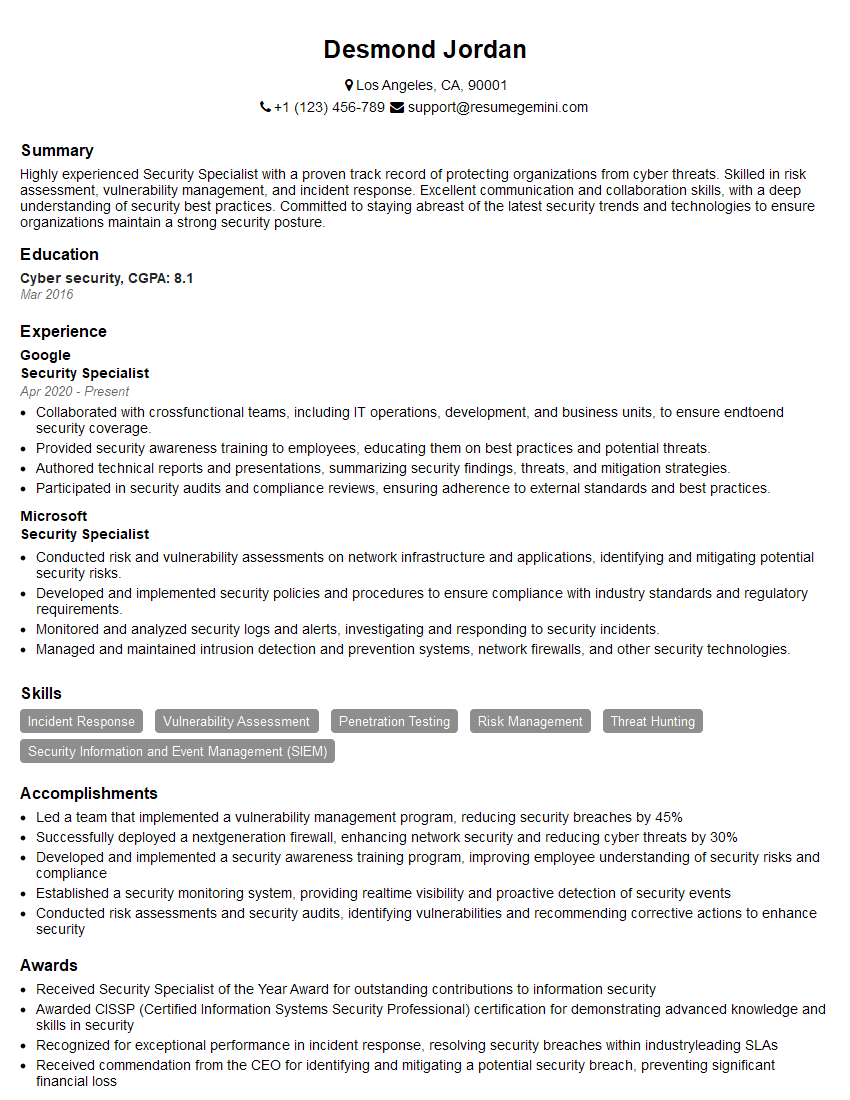
Mastering Web Application Penetration Testing opens doors to exciting and rewarding careers in cybersecurity. To maximize your job prospects, crafting a strong, ATS-friendly resume is essential. ResumeGemini is a trusted resource that can help you build a professional and impactful resume tailored to the specific demands of this field. Examples of resumes tailored to Web Application Penetration Testing are available to guide your resume creation process, ensuring you present your skills and experience effectively to potential employers.





Explore more articles
Users Rating of Our Blogs
Share Your Experience
We value your feedback! Please rate our content and share your thoughts (optional).
What Readers Say About Our Blog
Hello,
we currently offer a complimentary backlink and URL indexing test for search engine optimization professionals.
You can get complimentary indexing credits to test how link discovery works in practice.
No credit card is required and there is no recurring fee.
You can find details here:
https://wikipedia-backlinks.com/indexing/
Regards
NICE RESPONSE TO Q & A
hi
The aim of this message is regarding an unclaimed deposit of a deceased nationale that bears the same name as you. You are not relate to him as there are millions of people answering the names across around the world. But i will use my position to influence the release of the deposit to you for our mutual benefit.
Respond for full details and how to claim the deposit. This is 100% risk free. Send hello to my email id: [email protected]
Luka Chachibaialuka
Hey interviewgemini.com, just wanted to follow up on my last email.
We just launched Call the Monster, an parenting app that lets you summon friendly ‘monsters’ kids actually listen to.
We’re also running a giveaway for everyone who downloads the app. Since it’s brand new, there aren’t many users yet, which means you’ve got a much better chance of winning some great prizes.
You can check it out here: https://bit.ly/callamonsterapp
Or follow us on Instagram: https://www.instagram.com/callamonsterapp
Thanks,
Ryan
CEO – Call the Monster App
Hey interviewgemini.com, I saw your website and love your approach.
I just want this to look like spam email, but want to share something important to you. We just launched Call the Monster, a parenting app that lets you summon friendly ‘monsters’ kids actually listen to.
Parents are loving it for calming chaos before bedtime. Thought you might want to try it: https://bit.ly/callamonsterapp or just follow our fun monster lore on Instagram: https://www.instagram.com/callamonsterapp
Thanks,
Ryan
CEO – Call A Monster APP
To the interviewgemini.com Owner.
Dear interviewgemini.com Webmaster!
Hi interviewgemini.com Webmaster!
Dear interviewgemini.com Webmaster!
excellent
Hello,
We found issues with your domain’s email setup that may be sending your messages to spam or blocking them completely. InboxShield Mini shows you how to fix it in minutes — no tech skills required.
Scan your domain now for details: https://inboxshield-mini.com/
— Adam @ InboxShield Mini
Reply STOP to unsubscribe
Hi, are you owner of interviewgemini.com? What if I told you I could help you find extra time in your schedule, reconnect with leads you didn’t even realize you missed, and bring in more “I want to work with you” conversations, without increasing your ad spend or hiring a full-time employee?
All with a flexible, budget-friendly service that could easily pay for itself. Sounds good?
Would it be nice to jump on a quick 10-minute call so I can show you exactly how we make this work?
Best,
Hapei
Marketing Director
Hey, I know you’re the owner of interviewgemini.com. I’ll be quick.
Fundraising for your business is tough and time-consuming. We make it easier by guaranteeing two private investor meetings each month, for six months. No demos, no pitch events – just direct introductions to active investors matched to your startup.
If youR17;re raising, this could help you build real momentum. Want me to send more info?
Hi, I represent an SEO company that specialises in getting you AI citations and higher rankings on Google. I’d like to offer you a 100% free SEO audit for your website. Would you be interested?
Hi, I represent an SEO company that specialises in getting you AI citations and higher rankings on Google. I’d like to offer you a 100% free SEO audit for your website. Would you be interested?
good