Interviews are more than just a Q&A session—they’re a chance to prove your worth. This blog dives into essential Web-Ready File Optimization interview questions and expert tips to help you align your answers with what hiring managers are looking for. Start preparing to shine!
Questions Asked in Web-Ready File Optimization Interview
Q 1. Explain the importance of web-ready file optimization for website performance.
Web-ready file optimization is crucial for website performance because it directly impacts page load speed. Faster loading times lead to improved user experience, higher search engine rankings, and increased conversion rates. Think of it like this: a heavy, unoptimized website is like a slow, overloaded truck – it takes forever to reach its destination. Optimization, on the other hand, is like streamlining the truck’s route and lightening its load, ensuring a quick and efficient delivery.
Large files, especially images and videos, are the primary culprits behind slow loading times. Optimization techniques reduce file sizes without significantly compromising quality, resulting in faster downloads and a smoother browsing experience for your visitors. This translates to better engagement, reduced bounce rates, and ultimately, a more successful online presence.
Q 2. What are the common file formats used on the web, and their respective strengths and weaknesses?
The web utilizes various file formats, each with its strengths and weaknesses:
- JPEG (JPG): Excellent for photographs and images with smooth color gradients. It uses lossy compression, meaning some data is discarded to reduce file size. This is a good tradeoff for photos where minor detail loss isn’t noticeable.
- PNG: Ideal for images with sharp lines, text, and logos. It supports lossless compression, preserving all image data, making it perfect for graphics that need to retain crispness.
- GIF: Best for simple animations and images with limited colors. It uses lossless compression but supports a maximum of 256 colors, which can limit its use for complex images.
- WebP: A newer format offering both lossy and lossless compression. It generally produces smaller file sizes than JPEG or PNG for the same image quality, making it a strong contender for modern web development.
- MP4: The dominant video format for the web, offering good compression and compatibility across different browsers and devices.
- WebM: An open-source video format that is often favored for its excellent performance and broad browser support.
Choosing the right format depends heavily on the image or video’s content and the desired balance between quality and file size.
Q 3. Describe different image optimization techniques (e.g., compression, resizing, format conversion).
Image optimization involves a multi-pronged approach:
- Compression: Reduces file size using either lossy (JPEG, WebP) or lossless (PNG, GIF) methods. Tools like TinyPNG and ImageOptim are excellent for automated compression.
- Resizing: Scaling images down to the actual dimensions needed on the website avoids unnecessary data. Avoid uploading large images and then relying on CSS to shrink them; this doesn’t reduce the file size.
- Format Conversion: Changing from a less efficient format (like TIFF) to a web-friendly one (like JPEG or WebP) can significantly decrease file size without noticeable quality loss. For example, converting a high-resolution TIFF to a properly optimized WebP can dramatically improve page load.
- Image Editing: Before optimization, consider editing the image in a program like Photoshop or GIMP to remove unnecessary elements and refine details, thereby reducing the initial file size.
Remember, the goal is to strike a balance between image quality and file size. You want the smallest file that still delivers a good user experience.
Q 4. How do you choose the optimal image format for a specific use case?
The optimal image format depends entirely on the specific use case:
- Photographs: JPEG or WebP (lossy) are generally ideal due to their efficient compression and good color representation.
- Logos and Graphics with sharp lines: PNG (lossless) is the best choice as it preserves crisp edges and detail.
- Simple Animations: GIF is suitable, though WebP can also handle animations.
- Images requiring transparency: PNG or WebP with transparency support.
Always test different formats and compression levels to find the best compromise between file size and visual quality for your specific image.
Q 5. What are the best practices for optimizing video files for web delivery?
Optimizing videos for web delivery requires careful consideration of several factors:
- Choose the right codec: H.264 and H.265 are widely supported and provide good compression. VP9 is another strong option, offering excellent quality at lower bitrates.
- Adjust the resolution: Match the video resolution to the typical screen sizes of your target audience. Higher resolutions mean larger file sizes.
- Control the bitrate: A lower bitrate results in a smaller file size but may compromise video quality. Experiment to find the right balance.
- Use a video compression tool: Tools like Handbrake allow for fine-grained control over video compression settings.
- Consider adaptive bitrate streaming: This allows the video player to dynamically adjust the quality based on the viewer’s bandwidth, providing a smoother viewing experience.
- Use proper video hosting: Services like YouTube, Vimeo, or dedicated video CDNs are typically well-equipped to handle video delivery efficiently.
Remember that optimizing video involves a careful balancing act between quality, file size, and browser compatibility.
Q 6. Explain the concept of lossy vs. lossless compression.
Compression techniques are categorized as lossy or lossless:
- Lossy Compression: Discards some data during compression to achieve smaller file sizes. This is acceptable for images and videos where minor quality loss is imperceptible or tolerable (like JPEG and MP4). Think of it like summarizing a long story: you lose some details, but the main points remain.
- Lossless Compression: Preserves all data during compression, resulting in larger file sizes but maintaining the original quality (like PNG and GIF). It’s like perfectly copying a book: you retain everything, but the copy is just as large as the original.
The choice between lossy and lossless compression depends on the importance of preserving the original data. For photos, a slight loss of quality is usually acceptable for much smaller file sizes. However, for logos or line art, lossless compression is necessary to maintain sharp details.
Q 7. What are the advantages and disadvantages of using a CDN for delivering web assets?
A Content Delivery Network (CDN) is a geographically distributed network of servers that cache website assets (images, videos, CSS, JavaScript) closer to users. This significantly improves website performance, especially for users located far from the origin server.
- Advantages:
- Reduced latency: Faster loading times due to proximity to users.
- Increased bandwidth: CDNs handle a significant portion of the traffic, relieving stress on the origin server.
- Improved scalability: Easily handles traffic spikes without performance degradation.
- Enhanced security: CDNs often offer security features like DDoS protection.
- Disadvantages:
- Cost: CDNs involve recurring subscription fees.
- Complexity: Setting up and managing a CDN can require technical expertise.
- Caching issues: Incorrectly configured caching can lead to outdated content being served.
- Vendor lock-in: Switching CDN providers can be challenging.
Whether the benefits outweigh the costs depends on your website’s traffic, geographical reach, and budget. For websites with significant traffic and a global audience, a CDN is generally a worthwhile investment.
Q 8. How does browser caching impact web performance?
Browser caching significantly impacts web performance by reducing the amount of data that needs to be downloaded for repeat visits. Think of it like this: imagine having to download the entire menu of a restaurant every time you order. With caching, the restaurant (website) keeps a copy of the menu (files) on your table (browser). Subsequent orders require only checking the existing menu, not downloading a new one.
When a user visits a website, the browser checks its cache for resources (images, CSS, JavaScript, etc.). If the resources are found and haven’t expired, they’re loaded from the cache, dramatically speeding up page load time. This reduces server load and improves user experience, especially for users who frequently visit the same site.
Caching strategies, controlled through HTTP headers (like Cache-Control and Expires), dictate how long resources remain in the cache. Proper configuration of these headers is crucial for effective caching. Poorly configured caching can lead to stale content, while overly aggressive caching can prevent users from seeing updates.
Q 9. How do you measure the effectiveness of your web-ready file optimization efforts?
Measuring the effectiveness of web-ready file optimization involves a multi-faceted approach. We can’t solely rely on gut feeling; we need data. Key metrics include:
- Page Load Time: Measured using tools like Google PageSpeed Insights, Lighthouse, or WebPageTest. These tools provide detailed breakdowns of loading times, identifying slow-loading resources.
- Resource Size: Before and after optimization, we compare the size of individual assets (images, CSS, JavaScript) to quantify the reduction achieved.
- First Contentful Paint (FCP) and Largest Contentful Paint (LCP): These metrics indicate how quickly users see something on the screen and when the main content is loaded. Improvements here mean faster perceived performance.
- Time to Interactive (TTI): This shows how quickly the page becomes responsive to user input.
- Core Web Vitals: Google’s Core Web Vitals focus on aspects of user experience crucial to page load performance – LCP, Cumulative Layout Shift (CLS), and First Input Delay (FID). Tracking changes in these metrics shows the tangible impact of our optimization efforts.
By tracking these metrics over time, we can see the direct impact of our optimization strategies and continuously improve our process. A/B testing different optimization techniques allows us to identify the most effective methods.
Q 10. What tools or techniques do you use to analyze website performance and identify bottlenecks?
Analyzing website performance and pinpointing bottlenecks requires a combination of tools and techniques. My go-to strategies include:
- Browser Developer Tools: Chrome DevTools and Firefox Developer Tools provide comprehensive performance profiles, highlighting slow-loading resources and network requests. They allow you to analyze timing, and identify rendering bottlenecks.
- Network Monitoring Tools: Tools like Wireshark or tcpdump offer low-level network analysis, which is useful for diagnosing issues related to network latency or connection problems, particularly useful for server-side performance bottlenecks.
- Performance Testing Tools: WebPageTest, GTmetrix, and Google PageSpeed Insights simulate real-world user experiences and provide detailed reports on performance metrics and recommendations for improvement.
- Lighthouse: This automated tool audits web pages against several performance metrics and provides actionable insights for improvement. It’s directly integrated into Chrome DevTools.
- RUM (Real User Monitoring) Tools: Services like New Relic or Datadog provide real-time monitoring of website performance from the perspective of actual users, allowing us to understand actual performance under different real-world conditions.
By combining these tools, I can build a holistic understanding of website performance, identify specific bottlenecks (e.g., slow-loading images, inefficient JavaScript), and implement targeted optimization strategies.
Q 11. Explain the impact of file size on page load speed.
File size has a direct, significant impact on page load speed. Larger files take longer to download, leading to increased wait times for users. It’s simple physics – more data means more time to transfer. This delay directly affects user experience. Imagine downloading a large movie file versus a small music file; the larger movie will take considerably longer.
Every byte counts. Reducing the size of images, CSS, JavaScript, and other assets significantly reduces the overall download time. This translates to faster page load speeds, improved user experience (lower bounce rates), and better search engine rankings (Google favors fast-loading pages). Small optimizations across many files can accumulate to huge overall performance improvements.
Q 12. How do you balance image quality with file size during optimization?
Balancing image quality with file size is a crucial aspect of web optimization. The goal is to achieve the highest possible visual quality while minimizing file size to ensure fast loading times. This involves a careful process that can include:
- Choosing the Right File Format: Using WebP where possible provides better compression than JPEG or PNG, often with little to no noticeable quality loss. For images with a lot of text or sharp lines, PNG remains a good option.
- Lossy vs. Lossless Compression: Lossy compression (like JPEG) discards some data to reduce file size, but can introduce some noticeable artifacts; lossless compression (like PNG) retains all data resulting in a larger file size but no image degradation. The choice depends on the image and its use.
- Image Resizing and Cropping: Before optimizing, resize images to the dimensions needed on the website, avoiding unnecessarily large images. Cropping removes unwanted parts of the image.
- Compression Tools: Tools like TinyPNG, ImageOptim, and ShortPixel use advanced algorithms to efficiently reduce file sizes without significantly affecting image quality. They often provide options to customize compression levels.
- Progressive Loading: Instead of loading the entire image at once, progressively loading shows a lower resolution version initially, progressively enhancing it as it downloads, thus improving perceived performance.
The key is finding the right balance for each image. It’s often an iterative process of testing different compression levels and formats to achieve the best compromise between visual quality and file size.
Q 13. Describe your experience with various image optimization tools (e.g., ImageOptim, TinyPNG).
I have extensive experience using various image optimization tools, and my choice often depends on the specific needs of the project.
- ImageOptim: This is a great macOS application for lossless compression of images. It uses a variety of different optimization tools under the hood, making it very effective. It’s very user-friendly and requires minimal user intervention.
- TinyPNG: This online tool excels at lossy compression of PNG and JPEG images, often achieving significant size reductions with minimal quality loss. Its API is also useful for automating compression tasks.
- ShortPixel: A powerful tool with lossy and lossless compression, a good user interface, and a solid API, offering options like lossy optimization with a quality slider for fine-grained control. It also offers additional features like image resizing and format conversion.
In practice, I often combine tools. For instance, I might use ImageOptim for initial lossless optimization followed by TinyPNG or ShortPixel for further lossy compression if needed. The best approach depends on the type of images and the desired trade-off between size and quality. I also routinely test different compression settings to find the optimal balance.
Q 14. What are your preferred methods for compressing CSS and JavaScript files?
Compressing CSS and JavaScript files is crucial for reducing page load time. My preferred methods focus on minimizing file size without sacrificing functionality:
- Minification: This process removes unnecessary characters (whitespace, comments) from the code without changing its functionality. It is widely available and easy to implement with many tools and plugins.
- Code Optimization: Before minification, improving code structure and efficiency can significantly reduce its size. This might involve using more efficient algorithms or optimizing CSS selectors.
- Bundling/Concatenation: Multiple CSS or JavaScript files can be combined into fewer, larger files, reducing the number of HTTP requests required by the browser.
- Compression (Gzip): Using Gzip compression on the server reduces the size of files before they’re sent to the browser. Most web servers support Gzip, and it’s a very effective method of reducing transfer time.
- Use of Tools: Tools like Webpack, Parcel, and Rollup are widely used for bundling, minification, and optimization of JavaScript code. For CSS, many build tools and plugins offer similar functionality.
The specific tools and techniques I use will depend on the project’s build process and technology stack. However, a combination of these methods usually leads to significant improvements in file sizes and, consequently, page load speed. Remember that the impact of these optimizations is compounded: minification makes Gzip compression even more efficient.
Q 15. Explain how to optimize fonts for web performance.
Optimizing fonts for web performance is crucial for a smooth user experience. The key is to reduce the number of HTTP requests and the overall size of the font files. We can achieve this through several strategies:
- Subset your fonts: Instead of loading the entire font file containing all characters, only include the characters actually used on your website. This significantly reduces the file size. Tools like Font Squirrel’s Webfont Generator can help with this process.
- Use efficient font formats: WOFF2 is generally the most efficient format, offering good compression and broad browser support. Consider using this as your primary font format. If older browsers need to be supported, include WOFF as a fallback.
- Choose fewer font families: Using multiple fonts can significantly impact load time. Stick to a smaller set of fonts that are visually consistent and meet your design needs.
- Load fonts asynchronously: This prevents the font loading from blocking rendering of the rest of the page content. Use the
preloadandprefetchkeywords in your HTMLtags to prioritize loading critical fonts. - Host fonts efficiently: Consider using a CDN (Content Delivery Network) to distribute your font files across multiple servers, allowing users to download them from a geographically closer server, thus improving download speed.
For example, you might use the following code to asynchronously load a font:
<link rel="preload" href="myfont.woff2" as="font">By implementing these techniques, you can drastically improve the performance of your website and enhance the user experience.
Career Expert Tips:
- Ace those interviews! Prepare effectively by reviewing the Top 50 Most Common Interview Questions on ResumeGemini.
- Navigate your job search with confidence! Explore a wide range of Career Tips on ResumeGemini. Learn about common challenges and recommendations to overcome them.
- Craft the perfect resume! Master the Art of Resume Writing with ResumeGemini’s guide. Showcase your unique qualifications and achievements effectively.
- Don’t miss out on holiday savings! Build your dream resume with ResumeGemini’s ATS optimized templates.
Q 16. Describe your experience with responsive image techniques (e.g., srcset, picture element).
I have extensive experience utilizing responsive image techniques, primarily srcset and the picture element. These are crucial for delivering the right image size to the right device, avoiding unnecessary data transfer and improving page load speed. The srcset attribute allows you to specify multiple image sources with different resolutions and sizes. The browser then selects the most appropriate image based on the device’s screen density and available bandwidth. The picture element offers more advanced control, allowing you to serve different images based on device capabilities (e.g., screen size, aspect ratio) or even specific media queries.
For example, imagine you have three images: a small image (200×100), a medium image (400×200), and a large image (800×400). Using srcset you could implement this like so:
<img src="small.jpg" srcset="small.jpg 200w, medium.jpg 400w, large.jpg 800w" alt="My Image">The picture element enables more complex scenarios, such as delivering different images based on device width:
<picture> <source media="(max-width: 767px)" srcset="small.jpg"> <source media="(min-width: 768px)" srcset="medium.jpg"> <img src="large.jpg" alt="My Image"></picture>Through careful use of these techniques, I ensure that users receive only the necessary image data, resulting in faster loading times and a better user experience across a wide range of devices.
Q 17. How do you handle optimizing assets for different devices and screen sizes?
Optimizing assets for different devices and screen sizes is critical for providing a consistent and performant experience. I typically use a combination of techniques:
- Responsive Images (
srcsetandpicture): As discussed before, this is my primary approach for images, providing different sizes based on device capabilities. - Adaptive Images: I create different image sizes (e.g., using image processing tools) and serve the appropriate size based on the detected device characteristics. This often requires server-side logic or a CDN that can determine the optimal image size to deliver.
- CSS Media Queries: I use these to apply different styles based on screen size, allowing me to adjust the layout and content, including the sizes of certain elements, to match different devices. For instance, a larger image might be used on a desktop, while a smaller, compressed version is served to mobile devices.
- Responsive Design Principles: I build websites using a responsive design framework, which ensures that the layout adapts seamlessly to different screen sizes and orientations.
Choosing the right approach often involves considering factors such as the complexity of the design, the volume of images, and the performance capabilities of the server infrastructure.
Q 18. What is lazy loading, and how does it improve website performance?
Lazy loading is a powerful technique that improves website performance by delaying the loading of off-screen images or other content until they are needed. Instead of loading everything at once, only the visible content is initially loaded. As the user scrolls down the page, images and other elements below the fold are loaded dynamically.
This significantly reduces the initial page load time, improving the perceived performance and user experience, especially on websites with numerous images. Implementing lazy loading can be achieved through JavaScript libraries like Intersection Observer API (which is now widely supported) or through attributes like loading="lazy" for images.
Consider a long blog post with many images. Without lazy loading, all images would load at once, resulting in a long load time. With lazy loading, only the images visible in the viewport load initially, improving the initial load time, while other images are progressively loaded as the user scrolls.
Q 19. Explain the concept of code splitting and its impact on web performance.
Code splitting is a technique that divides your JavaScript code into smaller, more manageable chunks. Instead of loading a single, large JavaScript file, the code is split into modules that are loaded only when needed. This improves initial load time, as only the essential code is loaded initially. The rest of the code is loaded on demand, as the user interacts with different parts of the website.
Imagine a large e-commerce website with many features. Without code splitting, the initial load time would be significantly longer, as the browser needs to download and parse all the code. With code splitting, only the core functionality for the homepage is loaded initially, improving the user experience. Other features, such as the product catalog or shopping cart, are loaded only when the user navigates to those pages or interacts with specific elements.
Modern JavaScript bundlers like Webpack or Parcel facilitate code splitting. They analyze your code and optimize the bundling process to create smaller, efficient chunks of code that are loaded efficiently.
Q 20. How do you ensure that optimized assets are properly cached by browsers?
Ensuring proper caching of optimized assets is crucial for performance. This minimizes the number of requests made to the server, reducing load times for returning visitors. Key techniques include:
- Setting appropriate Cache-Control headers: These headers instruct the browser how long to cache an asset. The
max-agedirective specifies the time in seconds that an asset should be cached. Other directives likepublicorprivatecontrol cache behavior. - Leveraging browser caching: By using efficient caching mechanisms, browsers store assets locally, reducing the number of requests made to the server. This is especially beneficial for static assets like images, CSS, and JavaScript files.
- Using a CDN (Content Delivery Network): CDNs cache assets across multiple servers, ensuring that users receive assets from the geographically closest server. This improves download speed significantly.
- Versioning your assets: Appending a version number or hash to your asset URLs (e.g.,
style.css?v=1.0) allows you to control caching more precisely. This prevents browsers from using outdated cached versions. - Using a service worker (for advanced caching): Service workers enable more sophisticated caching strategies. They can cache entire web pages or specific assets, allowing the site to work offline or at significantly improved speed even with a poor internet connection.
Properly configured caching mechanisms greatly improve the user experience, especially on subsequent visits to your website. It reduces server load and speeds up page load times for returning users.
Q 21. What are some common performance metrics you track, and why are they important?
Several key performance metrics are crucial to track, providing valuable insights into website performance. These include:
- First Contentful Paint (FCP): This measures the time it takes for the browser to render the first piece of content on the page (text, image, etc.). A faster FCP improves the user’s perceived performance.
- Largest Contentful Paint (LCP): This metric identifies the time it takes to render the largest content element, often a large image or a block of text. A larger LCP indicates slow rendering of major elements.
- Cumulative Layout Shift (CLS): This measures the visual stability of the page, quantifying the unexpected layout shifts caused by elements loading asynchronously. A lower CLS score indicates a more stable and user-friendly experience.
- Time to Interactive (TTI): This measures the time it takes for the page to become fully interactive, allowing the user to interact with the page without significant delays. A shorter TTI shows a more responsive and enjoyable experience.
- Total Blocking Time (TBT): Measures the total time spent during which the main thread was blocked for long enough to prevent input responsiveness. A shorter TBT indicates better user experience.
- First Input Delay (FID): This measures how quickly the page responds to user interactions. A low FID indicates good responsiveness.
By tracking these metrics and analyzing trends, I can identify performance bottlenecks, understand how well my optimization efforts are working, and make data-driven improvements to enhance the user experience.
Q 22. Describe your experience working with web performance budgets.
Web performance budgets are crucial for maintaining a website’s speed and responsiveness. They define acceptable limits for key performance metrics like page load time, total bytes transferred, and the number of requests. Think of it like a financial budget – you allocate a certain amount of resources (time, bandwidth, etc.) to achieve a specific performance goal. In my experience, I work collaboratively with developers and designers to establish these budgets early in the project lifecycle. This ensures that everyone understands the performance goals from the outset and that optimizations are prioritized accordingly. We use tools like Lighthouse and WebPageTest to establish baseline performance and set realistic targets. For example, a budget might stipulate a maximum page load time of 2 seconds, a maximum of 1 MB of transferred assets, and no more than 50 requests. Regular monitoring against these budgets helps us identify and address any performance regressions promptly.
Q 23. How do you identify and address performance bottlenecks in a complex web application?
Identifying performance bottlenecks in complex web applications requires a systematic approach. I typically start with browser developer tools (specifically the Network tab) to profile network requests, identify slow-loading resources, and analyze the waterfall chart. Tools like Lighthouse and WebPageTest provide more comprehensive analyses, highlighting issues like render-blocking CSS, large images, and inefficient JavaScript execution. I then use profiling tools to pinpoint specific areas of the code that consume excessive CPU or memory. For example, if I find many large images slowing down page load time, I’d analyze them to determine if they can be compressed, optimized, or even replaced with smaller versions. Similarly, I might find a particular JavaScript function that takes a long time to execute, and I’d refactor that code to improve its performance. The approach is iterative – I address the most significant bottlenecks first, retest, and repeat until performance goals are met.
Q 24. What are some common performance anti-patterns to avoid?
Many common performance anti-patterns can significantly hinder web application speed. Here are a few key ones to avoid:
- Unoptimized Images: Using large, uncompressed images without proper scaling dramatically increases page load time. Always optimize images using appropriate formats (WebP, AVIF) and compression techniques.
- Render-blocking CSS and JavaScript: Inline CSS and JavaScript can block rendering until fully downloaded and parsed. Use asynchronous loading or deferring of non-critical resources.
- Excessive HTTP Requests: Making too many requests to load resources increases latency. Consider techniques like CSS sprites, image sprites, and code splitting to reduce the number of requests.
- Lack of Caching: Failing to implement appropriate caching mechanisms (browser caching, CDN caching) forces the browser to repeatedly download resources, significantly impacting performance.
- Unnecessary Third-Party Scripts: Unoptimized or poorly performing third-party scripts (analytics, advertising) can severely drag down page load time. Carefully select and optimize these scripts.
Avoiding these common mistakes requires careful planning, optimized coding practices, and regular performance testing.
Q 25. Explain your understanding of HTTP/2 and its benefits for web performance.
HTTP/2 is a significant advancement in web protocol technology, offering several performance benefits over its predecessor, HTTP/1.1. One key improvement is its use of multiplexing, allowing multiple requests and responses to be sent concurrently over a single TCP connection. This eliminates the head-of-line blocking experienced in HTTP/1.1 where a slow request can delay all subsequent requests. HTTP/2 also employs header compression, significantly reducing the size of the HTTP headers, resulting in faster communication. Another benefit is server push, enabling the server to proactively send resources to the client before they are requested. Imagine loading a website – with HTTP/2, the browser might receive some images or scripts even before it explicitly requests them, resulting in smoother rendering. These features drastically reduce page load times and enhance user experience. Its adoption has been very widespread, and most modern servers and browsers fully support it.
Q 26. How do you stay up-to-date with the latest trends and best practices in web performance optimization?
Staying current with web performance optimization best practices is essential. I actively follow industry blogs, such as those from Google Web Dev, web.dev, and Smashing Magazine. I also attend conferences like Velocity and participate in online communities like Stack Overflow and Reddit’s r/webdev to learn from experienced professionals and discuss emerging trends. I regularly audit performance optimization tools and methodologies, comparing their effectiveness and keeping abreast of any updates. Furthermore, I carefully examine the latest browser releases and the specifications of emerging web technologies to ensure compatibility and take advantage of any new performance enhancements.
Q 27. Describe a situation where you had to optimize web assets to improve website performance. What were the challenges and how did you overcome them?
In a recent project, we encountered a significant performance issue with a large e-commerce website. The initial page load time was over 8 seconds, mainly due to numerous high-resolution images. The challenge was optimizing these images without sacrificing visual quality. Our strategy involved a multi-pronged approach:
- Image Compression: We used optimized image compression techniques like WebP and MozJPEG to significantly reduce file sizes without noticeable visual degradation.
- Image Resizing: We carefully analyzed each image’s use and resized them appropriately for their specific context. This involved using responsive images and techniques like srcset to deliver appropriately sized images based on the user’s device and screen size.
- Lazy Loading: We implemented lazy loading for images, ensuring that only images above the fold were loaded initially, improving initial page load time.
- Content Delivery Network (CDN): Leveraging a CDN for our images improved the delivery speed and reduced server load.
By combining these strategies, we reduced the page load time to under 2 seconds, resulting in a significant improvement in user experience and conversion rates. The initial challenge was balancing image quality with performance, but through careful testing and iterative optimization, we achieved optimal results.
Q 28. What are your preferred methods for testing the effectiveness of your file optimization strategies?
I employ a comprehensive testing strategy to assess the effectiveness of file optimization strategies. This includes:
- Lighthouse Audits: I regularly run Lighthouse audits to measure various performance metrics like First Contentful Paint (FCP), Largest Contentful Paint (LCP), Cumulative Layout Shift (CLS), and Time to Interactive (TTI).
- WebPageTest: This tool provides detailed waterfall charts and performance diagnostics, helping me pinpoint specific bottlenecks.
- Real User Monitoring (RUM): RUM tools capture real-world performance data from actual users, providing insights that lab testing may miss.
- A/B Testing: For larger changes, A/B testing allows me to compare the performance and user experience of different optimization strategies. This allows for data-driven decision-making based on the impact of the optimization on actual user interactions.
Using these tools and techniques ensures that any optimization strategies implemented deliver tangible performance improvements and a superior user experience. Continuously monitoring performance through these methods allows for proactive adjustments and continuous improvement.
Key Topics to Learn for Web-Ready File Optimization Interview
- Image Optimization: Understanding various image formats (JPEG, PNG, WebP), compression techniques (lossy vs. lossless), and responsive image delivery using srcset and sizes attributes. Practical application: Optimizing images for different screen sizes and devices to improve page load speed.
- Video Optimization: Choosing appropriate video codecs (H.264, VP9, AV1), optimizing video resolution and bitrate for different bandwidths, and utilizing adaptive bitrate streaming. Practical application: Implementing video optimization strategies to enhance user experience and reduce buffering.
- Font Optimization: Selecting web-safe fonts or using techniques like subsetting and font loading strategies (e.g., preloading critical fonts) to minimize page load time. Practical application: Analyzing font performance and implementing strategies to reduce the impact of fonts on page load.
- Code Optimization: Minimizing and combining CSS and JavaScript files, using efficient coding practices, and leveraging browser caching. Practical application: Analyzing website performance using tools like Chrome DevTools and implementing improvements to reduce the size of delivered code.
- Content Delivery Networks (CDNs): Understanding how CDNs work and their benefits in improving website performance and reducing latency. Practical application: Evaluating the need for a CDN and selecting a suitable provider for optimized content delivery.
- Performance Testing and Analysis: Utilizing tools like Lighthouse, PageSpeed Insights, and WebPageTest to identify performance bottlenecks and measure the effectiveness of optimization strategies. Practical application: Conducting performance tests and using results to guide optimization efforts.
- Compression Techniques (Gzip, Brotli): Understanding the benefits of server-side compression and configuring your server to use these methods for improved transfer efficiency. Practical application: Implementing server-side compression to reduce file sizes before they reach the browser.
Next Steps
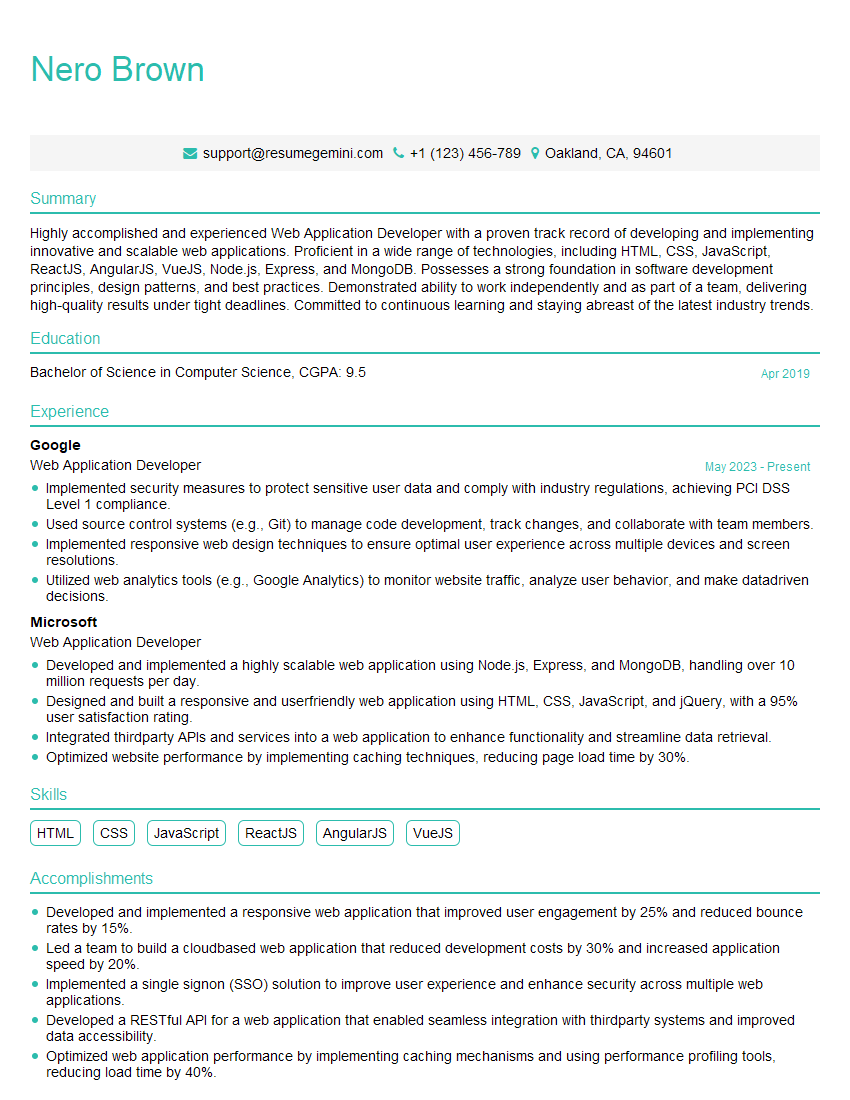
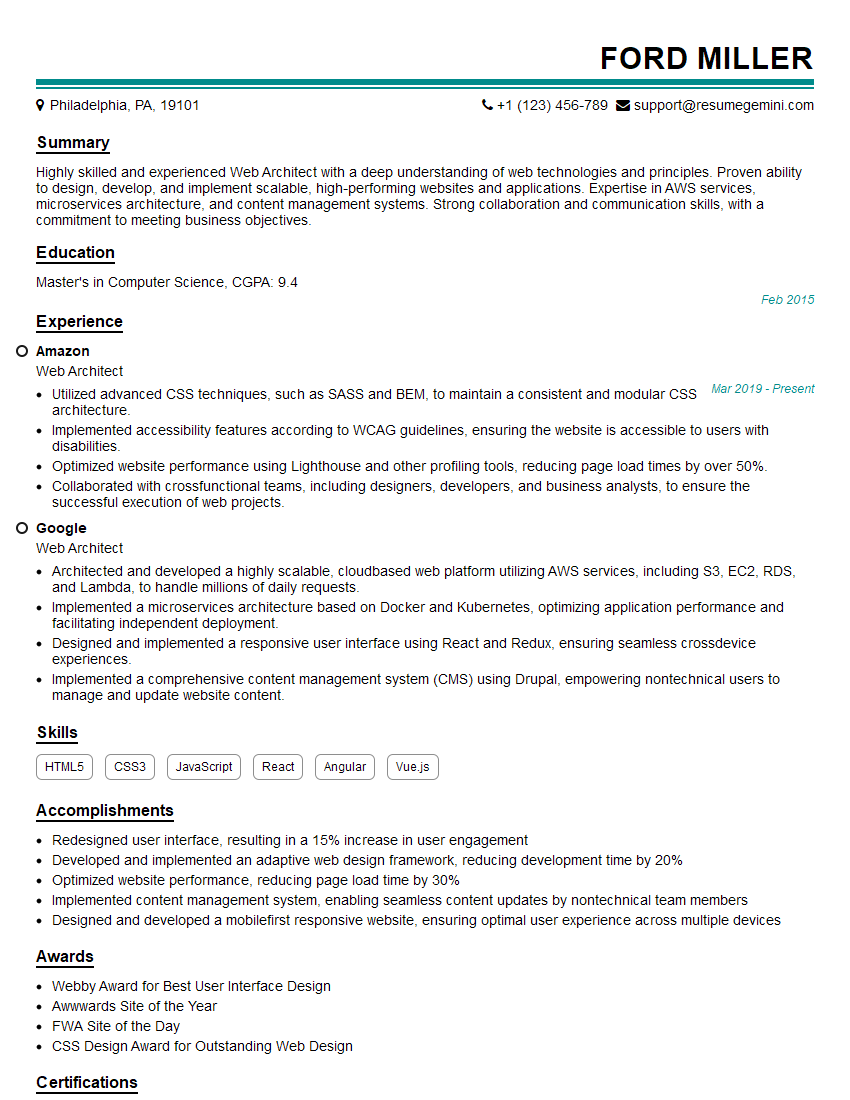
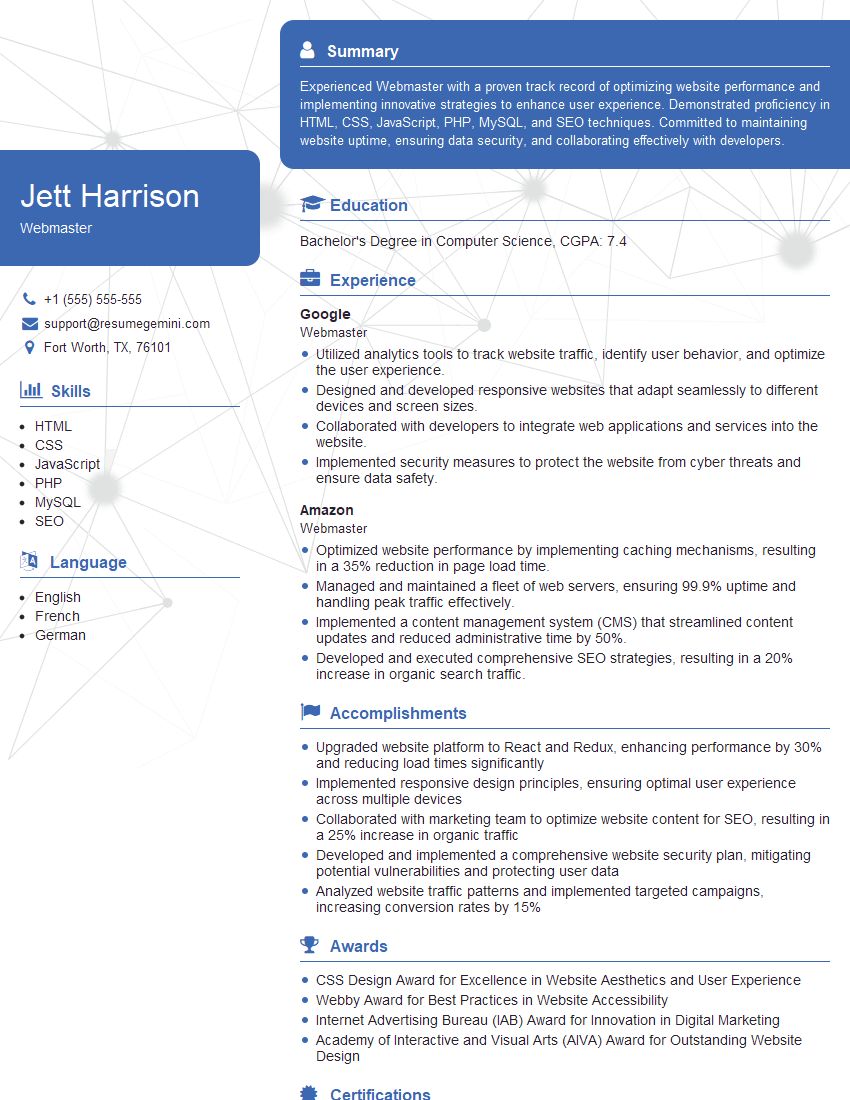
Mastering Web-Ready File Optimization is crucial for career advancement in web development and related fields. Demonstrating this expertise through a strong resume is essential. Creating an ATS-friendly resume significantly increases your chances of landing interviews. We highly recommend using ResumeGemini to build a professional and effective resume that highlights your skills and experience in Web-Ready File Optimization. ResumeGemini provides examples of resumes tailored to this specific area, giving you a head start in crafting a compelling application. Take the next step towards your dream job today!






Explore more articles
Users Rating of Our Blogs
Share Your Experience
We value your feedback! Please rate our content and share your thoughts (optional).
What Readers Say About Our Blog
Hello,
we currently offer a complimentary backlink and URL indexing test for search engine optimization professionals.
You can get complimentary indexing credits to test how link discovery works in practice.
No credit card is required and there is no recurring fee.
You can find details here:
https://wikipedia-backlinks.com/indexing/
Regards
NICE RESPONSE TO Q & A
hi
The aim of this message is regarding an unclaimed deposit of a deceased nationale that bears the same name as you. You are not relate to him as there are millions of people answering the names across around the world. But i will use my position to influence the release of the deposit to you for our mutual benefit.
Respond for full details and how to claim the deposit. This is 100% risk free. Send hello to my email id: [email protected]
Luka Chachibaialuka
Hey interviewgemini.com, just wanted to follow up on my last email.
We just launched Call the Monster, an parenting app that lets you summon friendly ‘monsters’ kids actually listen to.
We’re also running a giveaway for everyone who downloads the app. Since it’s brand new, there aren’t many users yet, which means you’ve got a much better chance of winning some great prizes.
You can check it out here: https://bit.ly/callamonsterapp
Or follow us on Instagram: https://www.instagram.com/callamonsterapp
Thanks,
Ryan
CEO – Call the Monster App
Hey interviewgemini.com, I saw your website and love your approach.
I just want this to look like spam email, but want to share something important to you. We just launched Call the Monster, a parenting app that lets you summon friendly ‘monsters’ kids actually listen to.
Parents are loving it for calming chaos before bedtime. Thought you might want to try it: https://bit.ly/callamonsterapp or just follow our fun monster lore on Instagram: https://www.instagram.com/callamonsterapp
Thanks,
Ryan
CEO – Call A Monster APP
To the interviewgemini.com Owner.
Dear interviewgemini.com Webmaster!
Hi interviewgemini.com Webmaster!
Dear interviewgemini.com Webmaster!
excellent
Hello,
We found issues with your domain’s email setup that may be sending your messages to spam or blocking them completely. InboxShield Mini shows you how to fix it in minutes — no tech skills required.
Scan your domain now for details: https://inboxshield-mini.com/
— Adam @ InboxShield Mini
Reply STOP to unsubscribe
Hi, are you owner of interviewgemini.com? What if I told you I could help you find extra time in your schedule, reconnect with leads you didn’t even realize you missed, and bring in more “I want to work with you” conversations, without increasing your ad spend or hiring a full-time employee?
All with a flexible, budget-friendly service that could easily pay for itself. Sounds good?
Would it be nice to jump on a quick 10-minute call so I can show you exactly how we make this work?
Best,
Hapei
Marketing Director
Hey, I know you’re the owner of interviewgemini.com. I’ll be quick.
Fundraising for your business is tough and time-consuming. We make it easier by guaranteeing two private investor meetings each month, for six months. No demos, no pitch events – just direct introductions to active investors matched to your startup.
If youR17;re raising, this could help you build real momentum. Want me to send more info?
Hi, I represent an SEO company that specialises in getting you AI citations and higher rankings on Google. I’d like to offer you a 100% free SEO audit for your website. Would you be interested?
Hi, I represent an SEO company that specialises in getting you AI citations and higher rankings on Google. I’d like to offer you a 100% free SEO audit for your website. Would you be interested?
good