Every successful interview starts with knowing what to expect. In this blog, we’ll take you through the top Webinars and Live Streaming interview questions, breaking them down with expert tips to help you deliver impactful answers. Step into your next interview fully prepared and ready to succeed.
Questions Asked in Webinars and Live Streaming Interview
Q 1. What experience do you have with different webinar platforms (e.g., Zoom, GoToWebinar, etc.)?
My experience with webinar platforms is extensive, encompassing several leading providers. I’ve worked extensively with Zoom, GoToWebinar, and WebinarJam, each offering unique strengths. Zoom, for example, excels in its ease of use and broad integration with other tools, making it ideal for smaller, more informal webinars. GoToWebinar provides more advanced features for larger events, particularly robust registration and analytics capabilities. WebinarJam shines when it comes to interactive elements and its focus on sales conversion. I’ve leveraged the specific strengths of each platform depending on the webinar’s goals and target audience. For instance, for a product launch with a focus on immediate sales, WebinarJam’s features would be prioritized; whereas for internal training, the simplicity of Zoom would be preferred. My selection isn’t just based on features; I also consider factors like pricing, technical support, and reliability.
Q 2. Describe your experience with live streaming platforms (e.g., YouTube Live, Facebook Live, Twitch).
My live streaming experience spans platforms like YouTube Live, Facebook Live, and Twitch, each catering to different audiences and purposes. YouTube Live is excellent for reaching a broad, diverse audience and leveraging its built-in community features. Facebook Live is ideal for engaging with existing followers and building community within a platform they are already using. Twitch, on the other hand, is specifically tailored to gaming communities but has also expanded to other niche areas, such as creative arts streaming. I’ve had success using a multi-platform approach, simultaneously streaming to several platforms to maximize reach. For example, I’ve coordinated a product demo simultaneously on YouTube Live, Facebook Live, and the company’s own website to cater to different user preferences. The key is understanding the platform’s unique strengths and aligning them with the target audience and event’s purpose.
Q 3. What are your preferred methods for promoting webinars and live streams?
Promoting webinars and live streams requires a multi-pronged approach. I utilize a combination of strategies, including email marketing, social media promotion, paid advertising, and content marketing. Email marketing, particularly segmented campaigns targeting specific audience interests, is crucial for reaching registered users and building anticipation. Social media promotions across relevant platforms (LinkedIn, Twitter, etc.) generate buzz and drive traffic. Paid advertising campaigns on platforms like Google Ads and social media can significantly expand reach to new audiences. Content marketing, such as blog posts or articles related to the webinar topic, can build credibility and drive organic traffic. Finally, leveraging existing networks, such as partnerships or influencer collaborations, can further extend reach.
Q 4. How do you handle technical difficulties during a live webinar or stream?
Handling technical difficulties during a live event demands preparedness and a calm, problem-solving approach. A pre-event technical rehearsal is crucial to identify and mitigate potential issues. During the live event, having a backup plan is vital. This might include a secondary streaming platform, pre-recorded content for bridging gaps, or the ability to quickly switch to a different presentation method. Clear communication with the audience is also paramount; acknowledging issues and providing updates maintains transparency and trust. For example, if the internet connection drops, I’d immediately inform the viewers, switch to a pre-recorded segment, and troubleshoot the issue while maintaining engagement. The goal is to minimize disruption and ensure a smooth, informative experience for the audience.
Q 5. What strategies do you use to engage viewers during a live event?
Engaging viewers during a live event is all about interaction and creating a two-way conversation. I utilize several techniques to achieve this. Polls and Q&A sessions allow for direct audience participation and create a sense of community. Interactive elements, like quizzes or contests, can enhance engagement and reward active participation. Using a chat function and personally responding to comments fosters a sense of connection. Sharing visuals, such as slides, demonstrations, or behind-the-scenes footage, also keeps viewers engaged. Furthermore, I focus on providing valuable, relevant content presented in an enthusiastic and engaging manner. I aim to create a sense of community and value where participants feel heard and seen.
Q 6. Describe your experience with encoding and streaming protocols (e.g., RTMP, HLS).
My experience with encoding and streaming protocols includes extensive work with RTMP (Real Time Messaging Protocol) and HLS (HTTP Live Streaming). RTMP is a widely used protocol for live streaming, offering low latency and reliable performance, though it’s less flexible than HLS. HLS, on the other hand, is a protocol designed for HTTP-based delivery, allowing for greater flexibility and compatibility across different devices and internet connections. The choice between the two often depends on the specific needs of the project. For example, live gaming typically uses RTMP for low latency, while a pre-recorded video library would likely use HLS for on-demand viewing. Understanding the strengths and weaknesses of each protocol allows for optimal streaming quality and reach.
Q 7. What is your experience with live streaming encoders and software?
I have experience using several live streaming encoders and software, including OBS Studio (Open Broadcaster Software), Wirecast, and vMix. OBS Studio is a powerful and versatile, open-source option offering many features and customizations. Wirecast is a professional-grade encoder, often favored for its user-friendly interface and advanced features suitable for large-scale productions. vMix offers a combination of live switching, recording, and streaming capabilities. My choice of encoder depends on the complexity of the production, budget constraints, and desired features. For simple live streams, OBS Studio is often sufficient. For more complex events with multiple cameras, graphics, and transitions, Wirecast or vMix are better suited. Proficiency in these tools is essential for ensuring a high-quality, professional live stream.
Q 8. How do you ensure high-quality audio and video during a live stream?
Ensuring high-quality audio and video in live streams is crucial for viewer engagement. It’s a multifaceted process that begins long before you go live. Think of it like baking a cake – you need the right ingredients and the correct process.
- Hardware: Invest in a good quality camera (at least 1080p, ideally 4K), a dedicated microphone (avoid built-in laptop mics!), and potentially lighting equipment (soft, diffused light is best). For example, a DSLR or mirrorless camera paired with a USB condenser microphone offers great results for a reasonable price point.
- Software: Choose reliable streaming software like OBS Studio (open-source and free) or vMix (paid, more advanced features). These programs allow you to manage multiple audio and video sources, add graphics, and control your stream’s settings.
- Connectivity: A stable, high-speed internet connection is non-negotiable. Wired ethernet is always preferred over Wi-Fi for its reliability. Consider using a bandwidth monitoring tool to keep an eye on your upload speeds during the stream.
- Testing: Always conduct thorough test streams before going live. This allows you to identify and fix any technical issues, ensuring a smooth broadcast. Check audio levels, video quality, and overall stream stability during these tests.
- Environment: Minimize background noise and distractions. A quiet room with good acoustics is ideal. Proper lighting can also significantly enhance the visual quality of your stream.
For example, during a recent corporate webinar, we used a professional-grade camera and microphone setup, resulting in a crystal-clear broadcast that received excellent viewer feedback.
Q 9. What are your strategies for managing Q&A sessions during webinars?
Managing Q&A sessions effectively is about creating a dynamic and engaging experience for your audience. This involves more than just reading questions; it’s about curating the conversation.
- Pre-Webinar Preparation: Anticipate common questions and prepare concise answers. This helps you manage the flow smoothly and efficiently during the live session.
- Dedicated Moderator: Having a dedicated moderator to manage the Q&A is incredibly beneficial. They can filter questions, prioritize them based on relevance, and even pre-answer simple queries.
- Q&A Platform: Use a platform with a robust Q&A feature. Most webinar platforms offer this; choose one that allows for upvoting, sorting, and managing questions effectively.
- Time Management: Allocate a specific amount of time for Q&A and stick to it. Don’t let it overrun the rest of your presentation.
- Prioritization: Address the most important and recurring questions first. Acknowledge any questions you can’t answer live and promise to follow up later.
- Engagement: When answering, personalize your responses, making the audience feel heard. Don’t be afraid to incorporate audience participation into your responses. For example, you might say ‘As several people have pointed out…’
In one instance, using this strategy, we managed over 100 questions during a one-hour webinar, creating an interactive and insightful session for the audience.
Q 10. How do you plan and execute a successful webinar or live stream?
Planning and executing a successful webinar or live stream involves meticulous preparation and a clear understanding of your goals. Think of it as a project with well-defined phases.
- Define Objectives: What do you want to achieve? Increased brand awareness, lead generation, product launch, or something else? Clarity on your goals helps shape the entire process.
- Target Audience: Who are you trying to reach? Understanding your audience’s needs and preferences helps tailor your content and format.
- Content Creation: Develop engaging and informative content that resonates with your audience. Use a variety of formats like slides, videos, and interactive elements.
- Technology Selection: Choose the right platform and tools for your needs. Consider factors like ease of use, scalability, and integration with other systems.
- Promotion and Marketing: Effectively promote your webinar or live stream to reach your target audience. Use social media, email marketing, and other channels.
- Rehearsals: Conduct thorough rehearsals to identify and address any technical or content issues before going live. A smooth rehearsal leads to a smooth broadcast.
- Post-Event Follow-up: Don’t forget about the post-event activities! Share recordings, follow up with attendees, and analyze results to improve future events.
For example, in a recent product launch webinar, we followed this framework. The well-defined strategy ensured high engagement and successful product promotion.
Q 11. What are your skills in using video editing software for post-production?
My video editing skills are comprehensive, encompassing various software packages such as Adobe Premiere Pro, Final Cut Pro, and DaVinci Resolve. I am proficient in all aspects of post-production, from basic cuts and color correction to advanced techniques like motion graphics and visual effects.
- Editing for Clarity: I focus on ensuring the final video is easy to follow, engaging, and delivers the message effectively.
- Adding Value: I utilize various editing techniques, such as adding lower thirds, transitions, and music to enhance the viewer experience.
- Workflow Efficiency: I prioritize efficient workflows to ensure timely delivery without compromising quality.
- Software Mastery: I am comfortable with the intricacies of each software, utilizing keyboard shortcuts and advanced tools to accelerate the editing process.
For instance, I recently edited a two-hour webinar into concise, shareable clips for social media platforms. This involved careful selection of segments, addition of engaging graphics, and optimization for various platforms.
Q 12. How do you manage multiple cameras and audio sources in a live production?
Managing multiple cameras and audio sources requires a strong understanding of video switching and audio mixing. It’s like conducting an orchestra – each instrument (camera, microphone) needs to be harmonized to create a cohesive performance.
- Switcher Selection: Choosing a suitable video switcher is key. Hardware switchers offer greater reliability and control, while software switchers are more affordable and accessible.
- Audio Mixing: A digital audio mixer is essential for managing multiple audio sources, ensuring balanced levels, and eliminating feedback. This requires a good understanding of audio engineering principles.
- Camera Control: Effective communication with camera operators is crucial. This includes clear instructions on camera angles, shots, and transitions.
- Signal Routing: Understanding signal flow and proper cable management is crucial for avoiding technical issues during the live production.
- Software Integration: If using software-based solutions, seamless integration between the switcher, audio mixer, and streaming software is essential.
In a recent multi-camera live stream, I used a hardware switcher and audio mixer to seamlessly switch between various camera angles and incorporate different audio sources, providing a professional and engaging broadcast.
Q 13. What is your experience with live stream analytics and reporting?
Live stream analytics and reporting are vital for understanding the success of your broadcast. It’s like reviewing a sports game – analyzing the data helps identify areas of strength and weakness.
- Platform Analytics: I am experienced with using analytics dashboards provided by various live streaming platforms (e.g., YouTube, Facebook Live). This includes understanding metrics like unique viewers, average view duration, and audience engagement.
- Third-Party Tools: I have experience with third-party analytics tools that offer more advanced reporting and insights, allowing deeper understanding of audience behavior.
- Data Interpretation: I am proficient at interpreting analytical data to identify trends, draw conclusions, and make data-driven decisions for future streams.
- Reporting: I can create clear and concise reports, summarizing key performance indicators and highlighting areas for improvement.
For example, by analyzing the data from a recent live stream, I identified a drop in viewership during a specific segment. This allowed us to improve the content and engagement strategies for future broadcasts.
Q 14. Describe your experience with remote production workflows.
Remote production workflows are becoming increasingly common, offering flexibility and cost savings. They require a different approach to collaboration and technical coordination.
- Communication Tools: Effective communication is crucial. I utilize tools like Slack, Zoom, and dedicated video conferencing solutions to maintain constant contact with the remote team.
- Cloud-Based Platforms: Cloud-based streaming and collaboration platforms simplify remote production. This allows for easier file sharing and collaborative editing.
- Remote Monitoring: Using monitoring software allows me to remotely observe and control various aspects of the live stream, ensuring consistent quality.
- Workflow Optimization: Designing a well-defined workflow is essential for ensuring seamless collaboration and efficient production. This includes clearly defining roles, responsibilities, and communication protocols.
In a recent remote production, I coordinated a team spread across three different time zones using cloud-based tools and detailed communication protocols. The smooth execution demonstrated the efficacy of well-planned remote workflows.
Q 15. What are your troubleshooting skills related to streaming issues?
Troubleshooting streaming issues requires a systematic approach. I start by identifying the problem – is it audio, video, or platform-related? I use a checklist approach. First, I check the most common culprits: internet connection stability (both upload and download speeds are crucial), ensuring all hardware (cameras, microphones, computers) is properly connected and functioning, and verifying software settings (correct encoding settings, sufficient buffer size, etc.).
For example, if the video is freezing, I’ll check my upload speed first. If it’s low, I’ll try to optimize my network connection – closing unnecessary applications, switching to a wired connection instead of Wi-Fi, or even temporarily pausing other network-intensive activities. If the audio is distorted, I’ll check microphone settings, input levels, and potentially test a different microphone.
If the problem persists, I delve deeper, checking logs from streaming platforms (like YouTube, Facebook Live, or Vimeo Live) for error messages, which often pinpoint the exact issue. I’m proficient in using tools like OBS Studio (Open Broadcaster Software), which allows detailed monitoring of streaming parameters and helps diagnose problems in real-time. Ultimately, my approach emphasizes methodical investigation, starting with the simplest solutions and progressively moving to more complex ones.
Career Expert Tips:
- Ace those interviews! Prepare effectively by reviewing the Top 50 Most Common Interview Questions on ResumeGemini.
- Navigate your job search with confidence! Explore a wide range of Career Tips on ResumeGemini. Learn about common challenges and recommendations to overcome them.
- Craft the perfect resume! Master the Art of Resume Writing with ResumeGemini’s guide. Showcase your unique qualifications and achievements effectively.
- Don’t miss out on holiday savings! Build your dream resume with ResumeGemini’s ATS optimized templates.
Q 16. How familiar are you with different audio mixing techniques?
I’m very familiar with various audio mixing techniques. My experience encompasses everything from basic mixing—adjusting levels for multiple audio sources like microphones and background music—to more advanced techniques. This includes using equalizers (EQ) to shape the frequency response, compressors to control dynamic range, and gates to reduce background noise. I understand the importance of achieving a balanced mix where all audio sources are clearly audible and don’t clash with each other.
For instance, in a webinar with a presenter and a guest, I might use a compressor on the guest’s microphone to even out variations in their speaking volume, and an EQ to reduce any unwanted rumble or hiss. I also know how to use different audio effects creatively to enhance the listening experience, while avoiding making it sound artificial or unprofessional. My proficiency extends to using professional audio software like Audacity and Adobe Audition.
Q 17. What is your experience with live stream graphics and overlays?
I have extensive experience incorporating live stream graphics and overlays. I use tools like OBS Studio, Streamlabs Desktop, and even custom-designed graphics packages to create engaging visuals. This includes creating lower thirds (with speaker names and titles), intro/outro sequences, and branded elements that enhance the overall professional look and feel of the stream.
For example, I’ve designed interactive elements for webinars, using overlays that incorporate polls, Q&A sections, and social media feeds to keep viewers engaged. I can also seamlessly integrate sponsors’ logos or advertisements into the stream, adhering to all relevant branding guidelines. I understand the importance of designing graphics that are visually appealing, easy to read, and appropriately sized for different screen resolutions.
Q 18. How do you ensure accessibility for viewers with disabilities in your live streams?
Accessibility is paramount. I ensure my live streams are inclusive by employing several strategies. This starts with providing closed captions or subtitles, ideally live-generated using services like Otter.ai or using a dedicated captioner. For those with visual impairments, I use clear and concise audio descriptions, ensuring I provide context for any visuals displayed.
I also ensure that any website or landing page promoting the live stream adheres to WCAG (Web Content Accessibility Guidelines) best practices. This includes using appropriate color contrasts, providing alt text for images, and ensuring navigation is accessible to screen reader users. I believe that making live streams accessible benefits everyone and creates a more welcoming environment for a wider audience.
Q 19. How familiar are you with CDN (Content Delivery Network) technologies?
I’m quite familiar with CDN (Content Delivery Network) technologies. CDNs play a critical role in delivering high-quality live streams to a global audience. I understand that CDNs distribute content across multiple servers located geographically, minimizing latency and ensuring viewers receive a smooth viewing experience regardless of their location.
My experience includes working with various CDNs such as Akamai, Cloudflare, and Amazon CloudFront. I understand the importance of choosing a CDN that’s well-suited to the scale of the event and the geographic distribution of the audience. Factors like pricing, bandwidth capabilities, and security features all play a role in the selection process. I also know how to configure settings within the CDN platform to optimize performance, such as choosing the right encoding settings and implementing appropriate caching strategies.
Q 20. What are your experience with managing chat moderation during live streams?
Managing chat moderation during live streams is crucial for maintaining a positive and productive environment. I use a combination of proactive and reactive strategies. Proactively, I set clear guidelines for the chat before the stream begins, emphasizing respectful communication and prohibiting inappropriate content. I use the platform’s built-in moderation tools to filter out profanity and other unwanted content.
Reactively, I actively monitor the chat during the stream, responding to questions and addressing any disruptive or offensive comments promptly and politely. I might warn users once for minor infractions, but repeated violations will result in temporary or permanent bans. In larger streams, I often work with a dedicated moderation team to ensure comprehensive coverage of the chat. I see chat moderation not just as a technical task, but as an opportunity to foster a welcoming and engaged community.
Q 21. How do you measure the success of a webinar or live stream?
Measuring the success of a webinar or live stream goes beyond simply counting viewers. I use a multi-faceted approach, considering both quantitative and qualitative metrics. Quantitative metrics include total views, average view duration, unique viewers, and engagement rate (likes, comments, shares).
Qualitative metrics are equally important and include feedback from viewers through surveys, polls, and post-event analysis of chat logs. I look for recurring themes and comments to understand viewer sentiments and identify areas for improvement. Did viewers find the content valuable? Was the presentation engaging? Were their questions answered adequately? By combining quantitative data with qualitative feedback, I can gain a comprehensive understanding of the success of the event and make data-driven decisions for future events.
Q 22. What is your experience with using streaming analytics dashboards?
Streaming analytics dashboards are crucial for understanding audience engagement during live streams and webinars. They provide real-time data on key metrics, allowing for immediate adjustments to optimize the experience. My experience involves using dashboards that track viewer count, geographic location, average view duration, and social media interactions. I’ve used this data to identify peak engagement times, troubleshoot technical issues affecting viewership, and tailor content based on audience demographics.
For example, I once noticed a significant drop in viewers during a specific segment of a webinar. The analytics dashboard highlighted a spike in buffering complaints from a particular geographical region. This enabled us to immediately investigate the underlying network issues and resolve them, ensuring a smoother viewing experience for the remaining audience. I’m proficient with dashboards offered by platforms like YouTube Analytics, Facebook Insights, and dedicated webinar platforms such as Zoom or GoToWebinar.
Q 23. How familiar are you with different video codecs (e.g., H.264, H.265)?
Video codecs are fundamental to live streaming, determining video quality, file size, and compatibility. H.264 and H.265 are two widely used codecs. H.264 is a mature, widely supported codec, offering a good balance between quality and compression. H.265, also known as HEVC (High Efficiency Video Coding), offers significantly better compression at the same quality level, resulting in smaller file sizes and lower bandwidth requirements. However, H.265 support isn’t as ubiquitous as H.264.
My experience involves selecting the appropriate codec based on the target audience’s bandwidth capabilities and device compatibility. For instance, for a global webinar, I might opt for H.264 to ensure broad compatibility. However, if the target audience is known to have high-bandwidth connections, H.265 could be used for better quality at the same bitrate, reducing costs on bandwidth and storage.
Q 24. Explain your experience with setting up and managing live stream security.
Live stream security is paramount, especially when dealing with sensitive information or large audiences. My experience includes implementing several layers of security. This starts with securing the streaming server itself – using strong passwords, firewalls, and intrusion detection systems. We also use HTTPS to encrypt the communication between the server and viewers, preventing unauthorized access to the stream. For webinars with user authentication, we integrate secure login systems and restrict access based on user roles.
Furthermore, I’m experienced in using RTMP (Real-Time Messaging Protocol) and other streaming protocols with appropriate security measures. Watermarking the stream adds another layer of protection, making it difficult for unauthorized distribution. Regular security audits and updates to streaming software and server infrastructure are also critical components of our security approach. We meticulously document all security protocols and regularly train the team on security best practices.
Q 25. How do you incorporate audience interaction and polls into your webinars?
Audience interaction is key to engaging viewers and making webinars dynamic. I employ a multi-pronged approach. Live Q&A sessions, moderated through chat features, allow for direct interaction with presenters. Polls and quizzes, integrated using webinar platforms or third-party tools, gauge audience understanding and encourage participation. Interactive elements like downloadable resources and worksheets can further enhance the experience.
For example, I’ve used real-time polls to gauge audience sentiment on different topics, adjusting the presentation to address their concerns directly. The results are displayed in real-time on the dashboard to boost the audience’s interest and involvement. This ensures the content is relevant and keeps the viewers engaged throughout the presentation. Post-webinar surveys also help gather valuable feedback for improvement.
Q 26. What experience do you have with A/V equipment setup and testing?
Setting up and testing A/V equipment is crucial for high-quality live streams and webinars. My experience ranges from basic setups with laptops and webcams to more complex configurations using professional cameras, lighting, and audio mixers. This includes connecting cameras, microphones, and other peripherals to the streaming software, ensuring proper signal levels, and resolving any technical issues before the live event commences.
Before every live event, we conduct thorough tests, focusing on audio and video quality, lighting, and the smooth functioning of all equipment. We check for issues such as microphone feedback, lighting inconsistencies, and any connectivity problems. We utilize test recordings to review and address any issues before the live broadcast begins, ensuring a seamless experience for our audience.
Q 27. How familiar are you with different microphone types and their applications?
Choosing the right microphone is crucial for clear audio. I’m familiar with various types, including dynamic microphones (robust and ideal for loud environments), condenser microphones (sensitive and suitable for quieter settings), lavalier microphones (small and discreet for presenters), and USB microphones (convenient for quick setups). The choice depends on the environment and desired audio quality.
For a webinar with multiple presenters, a professional-grade audio mixer might be necessary to manage multiple audio sources and ensure clear audio. For smaller events, USB microphones or even built-in laptop microphones (after sound quality checks) could suffice. I meticulously test all microphone setups to eliminate feedback, background noise, and other audio issues. This guarantees a high-quality audio experience for the audience.
Q 28. Describe your experience with integrating live streams with social media platforms.
Integrating live streams with social media is essential for broader reach and audience engagement. My experience covers various platforms including Facebook Live, YouTube Live, and Twitter. I utilize the native streaming features offered by each platform or employ third-party streaming software that allows for multi-platform broadcasting simultaneously. This ensures the stream is visible on multiple social media channels to maximize visibility.
For instance, I’ve successfully used tools that allow for simultaneous streaming to YouTube, Facebook, and LinkedIn, creating a unified promotional campaign across various channels. This also helps boost engagement, and encourages interaction from a wider audience. We carefully craft social media promotional campaigns around the live events, increasing anticipation and driving traffic to the live stream.
Key Topics to Learn for Webinars and Live Streaming Interviews
- Platform Expertise: Understanding the nuances of different webinar and live streaming platforms (e.g., Zoom, YouTube Live, Facebook Live) including their features and limitations.
- Production Techniques: Mastering audio and video quality, lighting, camera angles, and background setup for professional presentations.
- Engagement Strategies: Developing techniques to actively engage the audience, handle Q&A sessions effectively, and maintain audience interest throughout the session.
- Technical Troubleshooting: Proactively anticipating and addressing potential technical issues, such as internet connectivity problems, software glitches, and audio/video disruptions.
- Content Creation and Delivery: Structuring compelling presentations, incorporating visuals effectively, and delivering content confidently and clearly.
- Marketing and Promotion: Understanding the strategies for promoting webinars and live streams to reach the target audience and maximize viewership.
- Analytics and Reporting: Interpreting key performance indicators (KPIs) such as attendance rates, engagement metrics, and audience demographics to evaluate success and inform future strategies.
- Accessibility Considerations: Designing and delivering webinars and live streams that are accessible to individuals with disabilities, adhering to best practices for inclusivity.
Next Steps
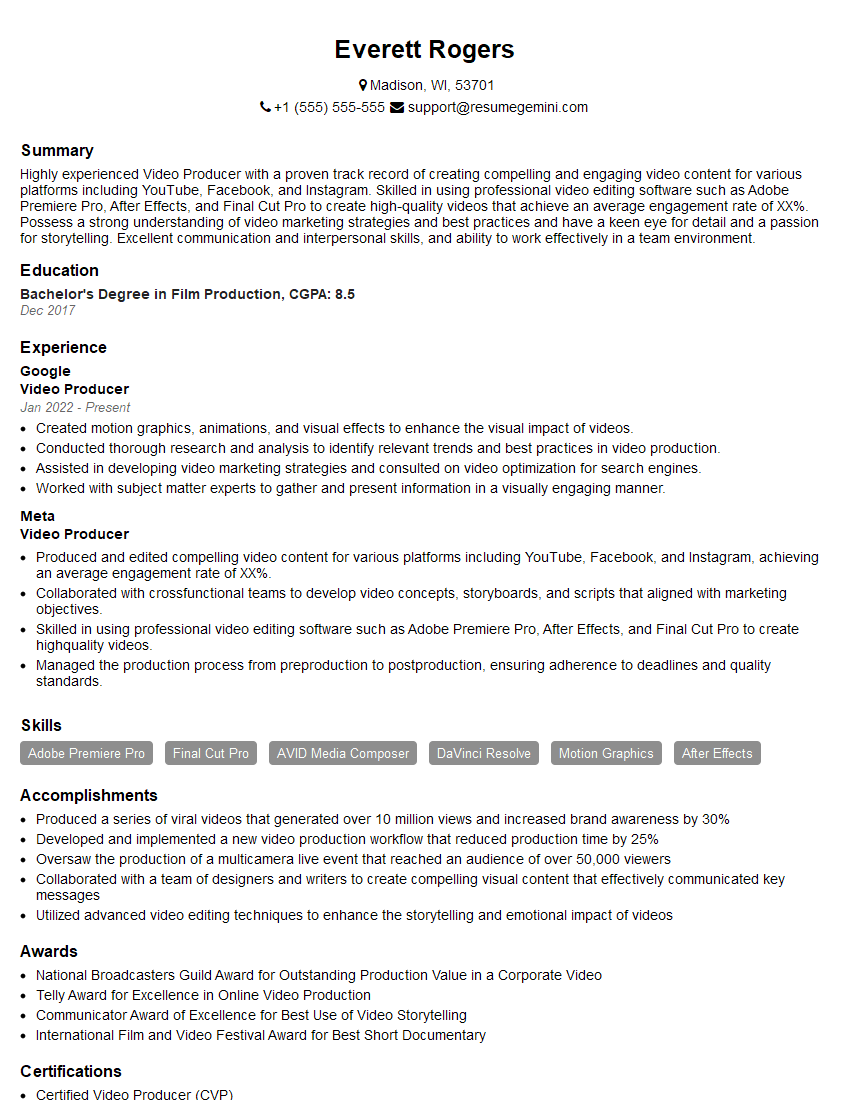
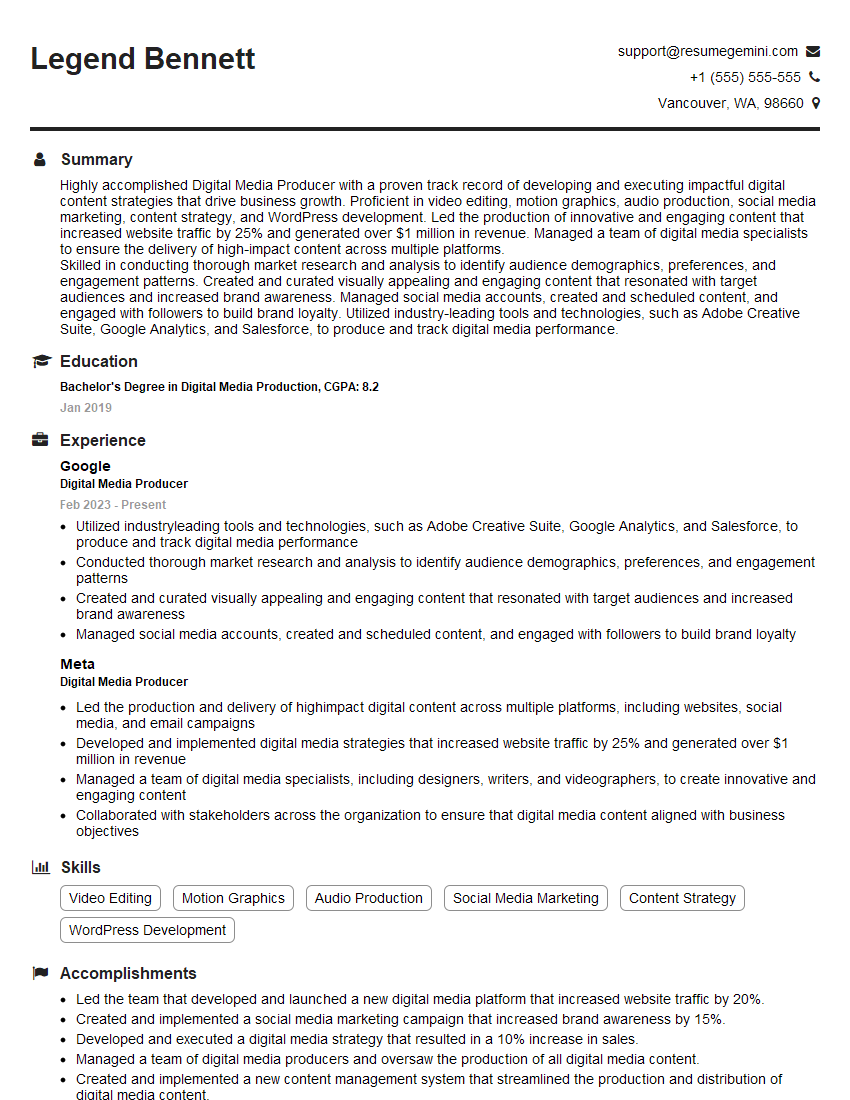
Mastering webinars and live streaming is crucial for career advancement in today’s digital landscape. These skills are highly sought after across numerous industries, opening doors to exciting opportunities and demonstrating your adaptability and technical proficiency. To significantly boost your job prospects, it’s essential to create a resume that is optimized for Applicant Tracking Systems (ATS). This is where ResumeGemini comes in. ResumeGemini provides a trusted platform to build a professional and impactful resume, ensuring your qualifications shine through to potential employers. We offer examples of resumes tailored specifically to highlight experience in webinars and live streaming to help you get started. Invest the time to craft a compelling resume – it’s your first impression, and it matters!


Explore more articles
Users Rating of Our Blogs
Share Your Experience
We value your feedback! Please rate our content and share your thoughts (optional).
What Readers Say About Our Blog
Hello,
we currently offer a complimentary backlink and URL indexing test for search engine optimization professionals.
You can get complimentary indexing credits to test how link discovery works in practice.
No credit card is required and there is no recurring fee.
You can find details here:
https://wikipedia-backlinks.com/indexing/
Regards
NICE RESPONSE TO Q & A
hi
The aim of this message is regarding an unclaimed deposit of a deceased nationale that bears the same name as you. You are not relate to him as there are millions of people answering the names across around the world. But i will use my position to influence the release of the deposit to you for our mutual benefit.
Respond for full details and how to claim the deposit. This is 100% risk free. Send hello to my email id: [email protected]
Luka Chachibaialuka
Hey interviewgemini.com, just wanted to follow up on my last email.
We just launched Call the Monster, an parenting app that lets you summon friendly ‘monsters’ kids actually listen to.
We’re also running a giveaway for everyone who downloads the app. Since it’s brand new, there aren’t many users yet, which means you’ve got a much better chance of winning some great prizes.
You can check it out here: https://bit.ly/callamonsterapp
Or follow us on Instagram: https://www.instagram.com/callamonsterapp
Thanks,
Ryan
CEO – Call the Monster App
Hey interviewgemini.com, I saw your website and love your approach.
I just want this to look like spam email, but want to share something important to you. We just launched Call the Monster, a parenting app that lets you summon friendly ‘monsters’ kids actually listen to.
Parents are loving it for calming chaos before bedtime. Thought you might want to try it: https://bit.ly/callamonsterapp or just follow our fun monster lore on Instagram: https://www.instagram.com/callamonsterapp
Thanks,
Ryan
CEO – Call A Monster APP
To the interviewgemini.com Owner.
Dear interviewgemini.com Webmaster!
Hi interviewgemini.com Webmaster!
Dear interviewgemini.com Webmaster!
excellent
Hello,
We found issues with your domain’s email setup that may be sending your messages to spam or blocking them completely. InboxShield Mini shows you how to fix it in minutes — no tech skills required.
Scan your domain now for details: https://inboxshield-mini.com/
— Adam @ InboxShield Mini
Reply STOP to unsubscribe
Hi, are you owner of interviewgemini.com? What if I told you I could help you find extra time in your schedule, reconnect with leads you didn’t even realize you missed, and bring in more “I want to work with you” conversations, without increasing your ad spend or hiring a full-time employee?
All with a flexible, budget-friendly service that could easily pay for itself. Sounds good?
Would it be nice to jump on a quick 10-minute call so I can show you exactly how we make this work?
Best,
Hapei
Marketing Director
Hey, I know you’re the owner of interviewgemini.com. I’ll be quick.
Fundraising for your business is tough and time-consuming. We make it easier by guaranteeing two private investor meetings each month, for six months. No demos, no pitch events – just direct introductions to active investors matched to your startup.
If youR17;re raising, this could help you build real momentum. Want me to send more info?
Hi, I represent an SEO company that specialises in getting you AI citations and higher rankings on Google. I’d like to offer you a 100% free SEO audit for your website. Would you be interested?
Hi, I represent an SEO company that specialises in getting you AI citations and higher rankings on Google. I’d like to offer you a 100% free SEO audit for your website. Would you be interested?
good