Cracking a skill-specific interview, like one for Stencil Printing, requires understanding the nuances of the role. In this blog, we present the questions you’re most likely to encounter, along with insights into how to answer them effectively. Let’s ensure you’re ready to make a strong impression.
Questions Asked in Stencil Printing Interview
Q 1. Explain the difference between emulsion and plastisol inks in stencil printing.
Emulsion and plastisol inks are the two most common ink types in stencil printing, each with distinct properties affecting the final print and the printing process itself.
Emulsion inks are water-based, typically composed of pigments, a binder, and a sensitizer. They are easier to clean up and generally considered more environmentally friendly. However, they tend to be less opaque and vibrant than plastisol inks, and are less durable, making them unsuitable for applications requiring high wash resistance. They’re perfect for fine detail work and printing on softer fabrics.
Plastisol inks are oil-based, consisting of PVC resin, plasticizers, pigments, and other additives. They offer superior opacity, vibrancy, and durability, making them ideal for garments that will undergo frequent washing. They produce bolder, longer-lasting prints. However, plastisol inks require specialized cleaning solvents, present a higher environmental impact, and are less suitable for delicate fabrics.
Think of it like this: emulsion inks are like watercolor paints – delicate and transparent; plastisol inks are like acrylics – bold, opaque, and long-lasting.
Q 2. Describe the process of creating a stencil from a digital design.
Creating a stencil from a digital design involves several crucial steps. First, the design is prepared digitally, ensuring correct resolution and color separation for multi-color prints. Then, this design is outputted to a film positive using a high-resolution imagesetter or large-format printer. This film positive is a transparent sheet with the design in opaque areas, ready for the next step.
Next, a photosensitive emulsion is applied evenly onto the screen’s mesh. The coated screen is then exposed to a strong light source (typically UV) with the film positive placed directly against the emulsion. The light hardens the emulsion in the areas exposed through the transparent parts of the film. The unexposed emulsion is then washed away, revealing the stencil. This is essentially a screen mesh with open areas matching the design, allowing the ink to pass through during the printing process.
Finally, the stencil is often ‘burned’ with a process called post exposure to further harden the stencil, increasing its durability and reducing the chance of pinholes or other defects. This process yields a durable stencil ready for printing.
Q 3. What are the different types of stencil printing meshes and their applications?
Stencil printing meshes are characterized by their thread count (measured in threads per inch or TPI), which dictates the fineness of the detail achievable. Different thread counts suit different applications.
- Low thread count (e.g., 43-61 TPI): Used for printing large, bold designs where fine details are not crucial. This allows for faster printing and less ink clogging.
- Medium thread count (e.g., 86-110 TPI): A versatile option suitable for a wide range of designs, balancing print quality and printing speed.
- High thread count (e.g., 156 TPI and above): Ideal for producing highly detailed prints with fine lines and small text. This requires more expertise and careful technique to prevent ink clogging.
The choice of mesh also depends on the ink viscosity and the type of fabric being printed on. Thicker inks require coarser meshes to prevent clogging, while finer meshes are better suited for finer fabrics to avoid damaging the material.
Q 4. How do you ensure accurate registration in multi-color stencil printing?
Accurate registration in multi-color stencil printing is paramount for achieving a sharp, aligned final product. Several techniques are crucial for achieving this:
- Precise screen alignment: Using registration marks (printed on the film positives) and accurately aligning the screens on the printing platform using pins or other registration systems.
- Careful screen tension: Ensuring consistent tension in all screens prevents distortion and misalignment.
- Microscopic adjustment tools: These tools allow for fine-tuning the screen positioning for precise alignment during the printing process.
- Pallet system: A highly accurate pallet system allows quick and precise alignment.
- Test prints: Performing test prints before proceeding with the full print run to verify registration and make necessary adjustments.
In essence, consistent methodology and meticulous attention to detail are key to perfect multi-color registration.
Q 5. Explain the importance of proper squeegee pressure and angle.
Squeegee pressure and angle directly impact the quality and consistency of the stencil print. Incorrect settings lead to uneven ink deposition, poor detail reproduction, and potential damage to the screen.
Squeegee pressure should be firm enough to transfer the ink effectively but not so hard as to damage the screen or cause ink to bleed under the stencil. Too little pressure leads to faint prints; too much leads to unevenness and potential screen damage.
Squeegee angle is typically between 45 and 60 degrees. A shallower angle might cause more ink to be deposited, potentially leading to bleeding; a steeper angle might result in inconsistent ink distribution. The optimal angle depends on the ink viscosity, mesh count, and design complexity.
Finding the right balance is often achieved through practice and experimentation. A consistent technique is essential for achieving high-quality and consistent prints.
Q 6. How do you troubleshoot common stencil printing problems like pinholes or clogged screens?
Troubleshooting stencil printing problems requires systematic investigation. Let’s consider two common issues:
Pinholes: These tiny holes in the stencil allow ink to seep through unwanted areas. Causes include insufficient emulsion exposure, improper emulsion application, damage to the screen during washing, or even dust particles on the screen during exposure. Solutions include checking exposure time and intensity, ensuring proper emulsion application technique, using a finer mesh screen, cleaning the screen meticulously, and using a dust-free environment during exposure.
Clogged screens: This occurs when ink becomes trapped in the mesh, preventing smooth ink flow. Causes include using the wrong mesh count for the ink viscosity, incorrect squeegee pressure, improper screen cleaning, or using too thick of an ink. Solutions involve using a cleaner mesh, adjusting squeegee pressure, cleaning the screen regularly with appropriate solvents, and thinning the ink if necessary. Prevention involves careful mesh selection and proper cleaning procedures.
In general, thorough inspection of the process, from screen preparation to printing, helps pinpoint and address the underlying cause of the problem.
Q 7. What safety precautions are necessary when working with stencil printing inks and chemicals?
Safety is paramount when working with stencil printing inks and chemicals. Several precautions are crucial:
- Proper ventilation: Stencil printing often involves working with solvents and chemicals that release fumes. A well-ventilated workspace is essential to prevent inhalation of harmful substances. Consider using respirators for added protection.
- Personal Protective Equipment (PPE): This includes gloves to protect against skin contact with inks and solvents, eye protection to shield against splashes, and appropriate clothing to prevent contamination.
- Handling and disposal: Inks and solvents should be handled according to manufacturer’s instructions. Proper disposal is crucial; never pour chemicals down the drain. Follow local regulations for hazardous waste disposal.
- Fire safety: Many solvents are flammable. Keep flammables away from ignition sources and have a fire extinguisher readily available.
- Skin contact: Avoid prolonged skin contact with inks and chemicals. Wash thoroughly after handling.
A thorough understanding of Material Safety Data Sheets (MSDS) for all materials used is crucial for ensuring a safe working environment.
Q 8. Describe your experience with different types of printing presses.
My experience encompasses a wide range of stencil printing presses, from manual tabletop models ideal for small-scale projects and artistic endeavors to large-format, automated presses used for high-volume commercial applications. I’m proficient with both screen printing presses, which utilize a mesh screen to transfer ink, and more specialized presses like those used for textile printing or industrial applications. For example, I’ve worked extensively with M&R presses, known for their reliability and versatility, and have experience troubleshooting and maintaining both manual and automatic models. I also possess experience with smaller, more specialized presses for creating unique effects or working with unconventional materials.
- Manual Presses: Offer precise control, excellent for detailed work, and ideal for learning the fundamentals.
- Automatic Presses: Increase efficiency and throughput dramatically for larger production runs, reducing labor costs and improving consistency.
- Specialized Presses: Designed for specific applications like textile printing (rotary presses), or thicker substrates (like those for industrial signage).
This breadth of experience allows me to adapt quickly to different printing needs and select the most appropriate press for any given project, considering factors like print size, volume, substrate, and budget.
Q 9. How do you maintain and clean printing equipment?
Maintaining and cleaning printing equipment is crucial for consistent print quality and the longevity of the equipment. My cleaning routine is meticulous and follows established best practices. After each printing run, I begin by removing excess ink from the screen using a squeegee and appropriate cleaning solvents. For water-based inks, a simple water rinse followed by a mild detergent is often sufficient. Solvent-based inks require specialized cleaners that dissolve the ink without damaging the screen mesh.
Regular maintenance includes inspecting the press for any mechanical issues, lubricating moving parts, and ensuring the screen clamping system is functioning correctly. I also regularly check the alignment of the press and make adjustments as needed to maintain accurate registration. Screen mesh cleaning is crucial, and I pay careful attention to removing any dried ink build-up. Failure to do so impacts the longevity of the screen and the quality of subsequent prints. Cleaning and storage are paramount. Screens should be stored correctly and away from moisture or contaminants.
For example, in one instance, a clogged ink channel on an automatic press was causing inconsistent ink deposits. By systematically disassembling and cleaning the ink delivery system, I restored print quality and avoided a potentially costly repair.
Q 10. What is your experience with different types of stencil materials?
My experience with stencil materials spans various types, each with its own properties and applications. The choice of material significantly impacts the print quality, durability, and the number of prints achievable from a single stencil.
- Polyester: A versatile and durable option suitable for most applications. It offers good longevity and holds fine detail well.
- Nylon: Offers excellent elasticity, making it ideal for printing on curved surfaces or fabric. It’s often used for garments or other flexible substrates.
- Polyurethane (PU): Known for its excellent durability and chemical resistance, often used in industrial settings for printing on robust materials.
- Metal (Stainless Steel): Offers exceptional durability for very high-volume production runs, but is more expensive and requires specialized handling and cleaning methods.
Selecting the right stencil material is a critical decision. For instance, using a polyester screen for printing on a textured fabric might result in poor image definition. Conversely, using a less durable nylon mesh for high-volume industrial applications would lead to increased stencil replacement costs and production downtime. I always consider the specific project requirements before choosing a stencil material.
Q 11. How do you determine the appropriate ink viscosity for a given job?
Determining the appropriate ink viscosity is critical for achieving consistent and high-quality prints. Too thick, and the ink will be difficult to push through the stencil, resulting in incomplete prints or clogged stencils. Too thin, and it will bleed under the stencil, causing blurry or indistinct images. I use a variety of methods to assess and adjust ink viscosity.
Firstly, I consider the type of ink and the substrate. Water-based inks generally require less viscosity adjustment compared to solvent-based inks. I also check the mesh count of the screen; finer mesh counts may require a slightly thinner ink for easy transfer. Secondly, I use a Zahn cup or a viscosity meter to measure the ink’s flow rate. These instruments provide a precise numerical value for comparison against the manufacturer’s recommendations or my own established standards for particular projects. If the ink is too thick, I may add a small amount of a recommended thinner, meticulously mixing to ensure uniform consistency. Conversely, if it’s too thin, a small amount of retarder can be added and mixed thoroughly to increase viscosity.
Experience plays a significant role here; I’ve developed a feel for the ideal viscosity through years of practical experience, enabling me to often judge by visual inspection and feel. But always relying on accurate measurements guarantees consistent, top-quality results.
Q 12. Explain the concept of halftone screens in stencil printing.
Halftone screens in stencil printing are used to reproduce continuous-tone images, like photographs, using dots of varying sizes. Because stencil printing is inherently a process that deposits a solid color in a given area, it cannot directly reproduce the subtle gradations of a photograph. Halftone screens use a grid of dots, and the density and size of the dots in a particular area dictate the perceived tone. Denser areas of dots appear darker, while sparse areas appear lighter.
The Line Screen Ruling (LSR) which denotes the number of lines per inch (lpi) in the screen, is a key factor. Higher LSR values result in finer detail and smoother gradations, but require finer mesh screens and more precise printing techniques. The angle of the screen is also important; using multiple angles prevents moiré patterns (unwanted interference patterns) from appearing in the final print.
For example, a 150 lpi screen would be suitable for a publication requiring relatively fine detail and smooth tonal reproduction. A lower lpi might suffice for a poster where less detail is critical.
Q 13. How do you manage ink consistency throughout a large printing run?
Maintaining consistent ink viscosity throughout a large printing run is crucial for consistent color and print quality. Fluctuations in temperature, evaporation, and ink settling can all affect viscosity. My strategy involves several key steps:
- Proper Ink Storage: Storing ink in a cool, dark place helps prevent evaporation and reduces viscosity changes. This also includes appropriate containers preventing contamination.
- Agitation: Regular stirring of the ink helps to maintain uniform consistency, preventing pigments from settling.
- Ink Circulation Systems: For larger presses, using a dedicated ink circulation system with a filter helps ensure consistent ink flow and prevent clogging. This also helps maintain consistent temperature.
- Regular Viscosity Checks: I perform frequent viscosity checks using a Zahn cup or other measuring devices. Adjustments are made as needed by adding thinners or retarders, as described earlier.
- Batch Mixing: For large runs, creating and using well-mixed batches helps maintain consistency across the entire print job.
By implementing these strategies, I ensure a stable ink supply that yields uniform and high-quality results, even during lengthy production runs.
Q 14. What are your strategies for reducing waste and maximizing efficiency in stencil printing?
Reducing waste and maximizing efficiency are paramount in stencil printing. My strategies focus on minimizing material usage, optimizing press settings, and implementing efficient workflows.
- Precise Screen Preparation: Careful stencil design and precise screen exposure minimize wasted screen area and reduce the need for multiple screens.
- Optimized Ink Usage: Using the correct ink viscosity and press settings minimizes ink waste. Proper cleaning practices prevent excessive solvent use.
- Efficient Workflow: Streamlined processes reduce setup time, improve press throughput and minimize wasted time and effort. The proper organization of materials is essential.
- Waste Recycling: Implementing a system for recycling used solvents and inks minimizes environmental impact and reduces disposal costs.
- Screen Reuse and Cleaning: Proper cleaning and maintenance techniques extend the lifespan of screens, reducing the need for frequent replacements.
For example, by implementing a more efficient screen-making process, I reduced our screen waste by approximately 15% in a recent project. This saved us both money and environmental resources. Continuous improvement is key, and I’m always evaluating and refining my processes to further reduce waste and optimize efficiency.
Q 15. Describe your experience with color matching and mixing inks.
Color matching and mixing in stencil printing is crucial for achieving the desired aesthetic. It’s a bit like painting, but with a more precise and repeatable process. My experience involves a deep understanding of color theory, specifically subtractive color mixing, since we’re working with inks that block light rather than emitting it like on a screen. I start by using color charts and Pantone references to identify the target color. Then, I’ll often create test prints, making small adjustments to the ink ratios until I achieve a precise match. This requires careful measurement and meticulous record-keeping for consistency across multiple prints. For example, if I need a specific shade of green, I might start with a base of cyan and yellow and then add small amounts of other colors like black or magenta to fine-tune the hue, saturation and brightness until the color matches the reference. I also consider the substrate, as the material can affect how the ink appears.
I’ve dealt with projects demanding exceptionally precise color matching, including a recent one involving recreating the intricate colors of a historical tapestry. Through iterative testing and adjustments, we were able to achieve almost exact replication, demonstrating my ability to manage even the most challenging color requirements.
Career Expert Tips:
- Ace those interviews! Prepare effectively by reviewing the Top 50 Most Common Interview Questions on ResumeGemini.
- Navigate your job search with confidence! Explore a wide range of Career Tips on ResumeGemini. Learn about common challenges and recommendations to overcome them.
- Craft the perfect resume! Master the Art of Resume Writing with ResumeGemini’s guide. Showcase your unique qualifications and achievements effectively.
- Don’t miss out on holiday savings! Build your dream resume with ResumeGemini’s ATS optimized templates.
Q 16. How do you handle complex designs with fine details in stencil printing?
Handling intricate designs requires a multi-faceted approach. Firstly, the stencil itself must be of exceptional quality. I use high-resolution digital files and precision cutting techniques, often employing laser cutting or very fine-tipped hand-cutting tools to achieve the needed level of detail. Secondly, the printing process needs careful control. This includes using the correct ink viscosity, ensuring proper stencil registration, and employing slow, steady printing techniques to avoid smearing or clogging of fine details. I also consider the substrate carefully and use techniques such as using a squeegee with a soft durometer (hardness rating) to prevent damage to the fine details of the stencil during the printing process. Finally, multiple print runs and layering can be used to build up complex designs step by step. For example, to print an illustration containing very fine line work, I will often create a separate stencil for each color layer, to ensure that the fine details are not compromised. This approach allows for greater control and minimizes potential errors during the printing process.
I once worked on a project that involved replicating a detailed botanical illustration with tiny blossoms and intricate leaf patterns. Through meticulous stencil preparation and a layered printing approach, we successfully reproduced the fine details with remarkable accuracy.
Q 17. What are your methods for troubleshooting print defects?
Troubleshooting print defects is a crucial part of the job. My approach is systematic and involves a process of elimination. I first assess the overall quality of the print, noting specific defects such as smearing, pinholes, cracking, or uneven color distribution. Then, I systematically check each stage of the process. Did I prepare the stencil correctly? Is the ink viscosity correct? Is the stencil properly aligned on the material? Is the substrate prepared adequately? Are there any issues with the squeegee pressure or the printing technique? Are there environmental factors affecting the ink’s behavior (e.g. humidity)?
- Smearing: This often indicates excessive ink or pressure, or perhaps a damaged stencil.
- Pinholes: These could result from air bubbles in the ink, or a damaged stencil.
- Uneven color: This may be due to inconsistent squeegee pressure or ink viscosity.
I document each step and observation meticulously, allowing for quick identification of the root cause and efficient problem solving. For example, if I notice uneven color distribution, I might adjust the ink viscosity, squeegee pressure, or the angle of application. The iterative nature of troubleshooting requires patience and a methodical approach.
Q 18. What software are you familiar with for designing and preparing stencils?
I’m proficient in several software packages used for stencil design and preparation. Adobe Illustrator is my primary tool for vector-based designs, essential for creating clean, scalable artwork suitable for stencil production. I utilize its features for creating complex shapes, managing color palettes, and preparing files for various cutting techniques. I’m also comfortable using Adobe Photoshop for raster-based images, allowing me to incorporate detailed photographic elements or textures into stencil designs where appropriate. Furthermore, I utilize dedicated RIP software to handle color separation and manage the printing process on industrial-grade printers, sometimes involving the use of specialized plugins and extensions to optimize my workflow.
Q 19. Describe your experience with different drying methods for printed materials.
Drying methods depend heavily on the ink type and the substrate. For water-based inks on paper or fabric, air drying is often sufficient, especially in a well-ventilated area. However, for faster drying, I might use a heat press or low-temperature industrial dryer. This method allows for faster turnaround times and avoids potential smearing or smudging. For certain inks, like plastisol inks used on textiles, curing in a convection oven is necessary to achieve proper adhesion and durability of the print. The curing temperature and time depends on the specific ink’s characteristics. Understanding the specific drying needs of various inks and substrates is crucial for avoiding defects and ensuring high-quality results. I also take into consideration the ambient temperature and humidity, as this plays a significant role in the rate at which the ink will dry.
Q 20. How do you ensure the quality and consistency of your printed output?
Maintaining quality and consistency involves a multi-pronged approach starting with the design phase. Precise digital files, carefully calibrated equipment and precise color management using color profiles are key. I use standardized procedures for each step of the process and regularly calibrate my equipment. This includes regular maintenance of the stencil cutting equipment and the printing press itself. Consistent ink mixing protocols, precise pressure control during the printing process, and standardized drying methods are also essential. Regular quality checks throughout the production process using quality control tools and checklists are conducted to immediately identify and address any inconsistencies. Finally, maintaining detailed records of all materials and settings ensures repeatability and reproducibility of results. This allows me to readily duplicate specific jobs in the future if necessary.
Q 21. Explain your understanding of color separation in stencil printing.
Color separation in stencil printing is the process of dividing a full-color design into individual color channels (typically CMYK – cyan, magenta, yellow, and key/black). Each channel represents a single color that will be printed using a separate stencil. This is analogous to how a color TV screen works with Red, Green and Blue subpixels. It’s a critical step as we cannot print all colors simultaneously with just one stencil. Software such as Adobe Illustrator facilitates this process. The software will separate the colors in the artwork and produce separate files for each color channel. Each separated file then serves as the basis for creating a specific stencil for printing that corresponding color. Once all individual color layers are printed in succession, they combine to create the complete full-color image. The accuracy of color separation directly affects the final print’s fidelity and vibrancy. Any errors in color separation can lead to misaligned or inaccurate color reproduction in the final print, which I carefully avoid via rigorous verification and testing.
Q 22. What are the advantages and disadvantages of different stencil printing methods?
Stencil printing, also known as screen printing, offers several methods, each with its own strengths and weaknesses. Let’s compare a few:
- Manual Screen Printing: This method uses a hand-held squeegee to push ink across a screen onto the substrate. Advantages: Low initial investment, great for small runs and prototypes, allows for intricate detail with proper technique. Disadvantages: Labor-intensive, slower production speeds, inconsistent ink deposit if not executed precisely.
- Automatic Screen Printing: Machines automate the process, using a motorized squeegee and often a registration system for precise placement. Advantages: High production speeds, consistent ink deposit, ideal for large runs. Disadvantages: Higher initial investment in equipment, less flexibility for small, complex designs, requires specialized operator training.
- Digital Screen Printing: This uses digital imaging to create the stencil, offering high precision and repeatability. Advantages: Excellent detail, repeatable accuracy, ideal for photorealistic prints and variable data printing. Disadvantages: Highest initial investment, requires specialized software and expertise, can be less forgiving for certain inks and substrates.
The best method depends entirely on the project’s scale, budget, design complexity, and desired production volume. For a small artisan project, manual screen printing might suffice. For a large apparel order, automatic screen printing is far more efficient. Digital screen printing shines when precision and complex designs are paramount.
Q 23. How do you calculate the amount of ink needed for a particular job?
Calculating ink requirements isn’t an exact science, but a good estimate involves considering several factors. First, determine the print area of each design. Then, consider the ink coverage – a solid print requires more ink than a halftone or line art. Next, factor in ink viscosity; thicker inks require more volume. Finally, account for ink loss due to factors like screen mesh, squeegee technique, and substrate absorption.
Here’s a simplified approach:
- Calculate the total print area: Let’s say you have 100 shirts, each with a 10cm x 10cm print area. That’s 100 x 100 cm² = 10,000 cm²
- Estimate ink coverage and loss: Assume a 50% ink coverage due to the design and a 10% ink loss. So, we multiply the print area by 1.1 to account for this (10,000 cm² * 1.1 = 11,000 cm²)
- Estimate ink volume per area: This depends on the ink and printing method. You’ll need to experiment to find the right amount. Let’s assume 0.1ml of ink per 1cm².
- Calculate the total ink needed: 11,000 cm² * 0.1 ml/cm² = 1100 ml. This would be an initial estimation, and it’s always wise to have extra ink on hand to account for unforeseen issues.
Note: This is a rough calculation. Accurate estimations come with experience and repeated testing. Maintaining detailed records of ink usage for different designs and substrates is vital to refine this process.
Q 24. Describe your experience with different types of substrates suitable for stencil printing.
My experience encompasses a wide range of substrates for stencil printing. I’ve worked extensively with:
- Textiles: Cotton, polyester, blends, and even delicate silks. Different fabrics require different pre-treatment and curing processes to achieve optimal results. For example, cotton often benefits from a pre-wash to remove sizing, while polyester might need a heat-set cure.
- Paper and Cardstock: From lightweight papers for flyers to heavy cardstock for business cards, the choice impacts ink absorption and the overall print quality. Heavier stock typically provides a more durable print.
- Plastics: Many plastics are suitable, including PVC, acrylics, and certain types of PET. Adhesion and curing requirements vary significantly depending on the plastic’s properties. Pre-treating the plastic surface with a primer is often necessary for optimal adhesion.
- Wood and Metal: Stencil printing works well on wood and metal surfaces. However, preparation is crucial. Wood needs to be properly sanded and sealed, while metals often require cleaning and potentially a primer to ensure proper ink adhesion and prevent corrosion.
Substrate selection is vital. Choosing the wrong substrate can lead to poor ink adhesion, cracking, or color distortion. A thorough understanding of substrate properties and their interaction with ink is crucial for successful print outcomes.
Q 25. How do you address problems with screen tearing or damage during printing?
Screen tearing or damage can significantly disrupt a print run. Prevention is key, but if damage occurs, here’s how I address it:
- Careful Handling: I emphasize careful screen handling throughout the process. This includes appropriate storage, avoiding sharp objects, and using proper techniques during stretching and cleaning.
- Identify the Damage: Assess the severity and location of the tear. Minor damage might be repairable; severe tears require screen replacement.
- Repairing Minor Tears: Small tears can often be patched using screen repair tape or a specialized emulsion adhesive. The repair area needs to be clean and dry for proper adhesion.
- Replacing Damaged Screens: For extensive tears or damage, replacing the screen is the only viable solution. This involves recreating the stencil using the original artwork and emulsion.
- Preventative Measures: Using high-quality screens, proper tensioning, and careful handling of screens are crucial to minimizing future damage.
I always keep spare screens on hand, especially for high-volume jobs, as a precautionary measure. This minimizes downtime in case of accidents.
Q 26. What are your problem-solving skills when dealing with unexpected issues during a print job?
My problem-solving approach during a print job involves a systematic process:
- Identify the Problem: First, pinpoint the exact issue. Is it ink consistency, registration problems, substrate issues, or something else?
- Gather Information: Collect relevant data – what materials are being used, the printing settings, and any noticeable anomalies.
- Analyze the Problem: Consider potential causes based on your experience and the gathered information. For example, if the print is blurry, it could be related to ink viscosity, squeegee pressure, or screen mesh issues.
- Test Solutions: Experiment with solutions. Start with the most likely causes and systematically eliminate possibilities. This might involve adjusting the squeegee angle, ink viscosity, or pressure.
- Document the Solution: Once a solution is found, document the problem and the steps taken to resolve it. This creates a valuable database for future reference.
- Preventative Measures: After solving the problem, analyze how to prevent it from recurring. This could involve updating procedures, improving quality control, or adjusting materials.
For instance, if I encounter inconsistent color during a print run, I’d check the ink for proper mixing and viscosity, then check the screen for any clogs or damage. I might even run test prints with different squeegee pressures and angles to isolate the cause.
Q 27. Explain your understanding of the importance of proper curing of inks.
Proper ink curing is crucial for the longevity and quality of stencil-printed products. Curing involves a process that bonds the ink to the substrate, preventing cracking, smudging, and premature fading. The method depends on the ink type and substrate.
- UV Curing: UV inks cure instantly when exposed to ultraviolet light. This is quick and efficient, ideal for high-volume production. It’s commonly used for plastics and other non-porous materials.
- Thermal Curing: Many inks require heat to cure. This involves passing the printed substrate through an oven at a specific temperature for a set duration. This method is common for textiles and paper products. It’s important to follow the ink manufacturer’s recommendations regarding curing temperatures and times, as exceeding the recommended temperature can damage the substrate.
Under-cured inks are susceptible to damage, rubbing off, and cracking, greatly reducing the quality and lifespan of the print. Over-curing, on the other hand, can damage the substrate. Therefore, understanding and strictly adhering to curing parameters, as specified by the ink manufacturer, is crucial for optimal results.
Q 28. How do you maintain accurate inventory and ordering of supplies?
Maintaining accurate inventory is vital for smooth operation. I use a combination of methods:
- Digital Inventory System: I use a spreadsheet or dedicated inventory management software to track all supplies, including inks, screens, emulsions, and cleaning agents. This system records stock levels, purchase dates, and suppliers.
- Regular Stock Checks: Frequent physical inventory checks ensure the digital records are accurate and identify potential shortages before they impact production.
- Minimum Stock Levels: I establish minimum stock levels for each item to trigger automatic reordering. This prevents running out of essential supplies during production runs.
- Supplier Relationships: I maintain strong relationships with reliable suppliers to ensure timely delivery and consistent product quality.
- Waste Reduction Strategies: I implement strategies to minimize ink waste, including careful ink mixing, using appropriate cleaning methods, and recycling reusable materials whenever possible.
This organized approach prevents stockouts, minimizes waste, and ensures that we always have the necessary materials on hand for any project. The key is consistent monitoring, accurate record-keeping, and proactive ordering to avoid disruptions to the workflow.
Key Topics to Learn for Your Stencil Printing Interview
- Stencil Creation & Design: Understanding different stencil materials (e.g., mylar, acetate), design software proficiency (e.g., Adobe Illustrator, CorelDRAW), and techniques for creating accurate and durable stencils.
- Printing Techniques: Mastering various stencil printing methods such as screen printing, spray painting, and hand-cut stencil application. Understanding the nuances of each technique and their suitability for different applications (e.g., fabric, paper, wood).
- Ink & Color Management: Knowledge of different ink types (e.g., water-based, plastisol, solvent-based), their properties, and how to achieve accurate color matching and consistent results. Understanding color mixing and separation techniques.
- Equipment & Maintenance: Familiarity with various printing equipment (e.g., screen printing presses, spray guns), their operation, maintenance, and troubleshooting. Understanding safety procedures related to equipment usage and ink handling.
- Production & Workflow: Understanding efficient production processes, including setup, printing, cleanup, and quality control. Ability to manage time effectively and meet deadlines.
- Troubleshooting & Problem Solving: Experience in identifying and resolving common printing issues (e.g., ink clogging, stencil damage, registration problems). Ability to think critically and find creative solutions to challenges.
- Health & Safety: Understanding and adhering to all relevant health and safety regulations related to ink usage, equipment operation, and waste disposal.
Next Steps
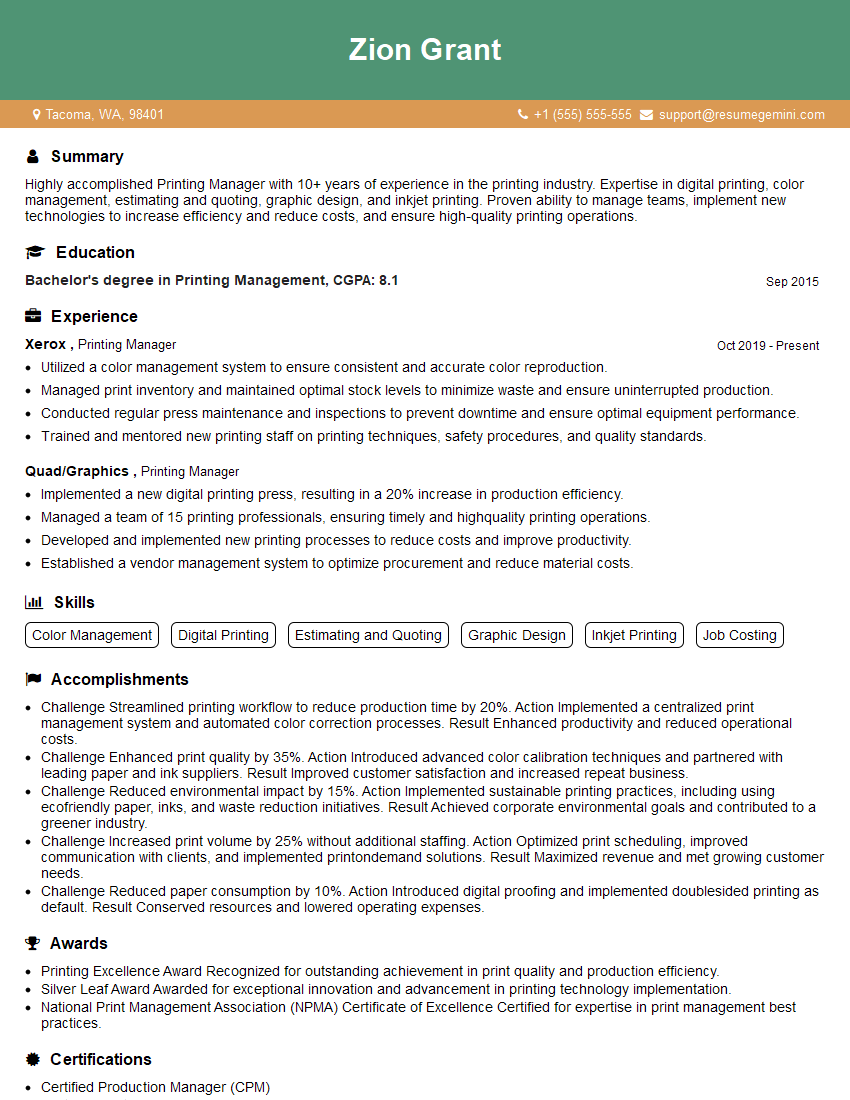
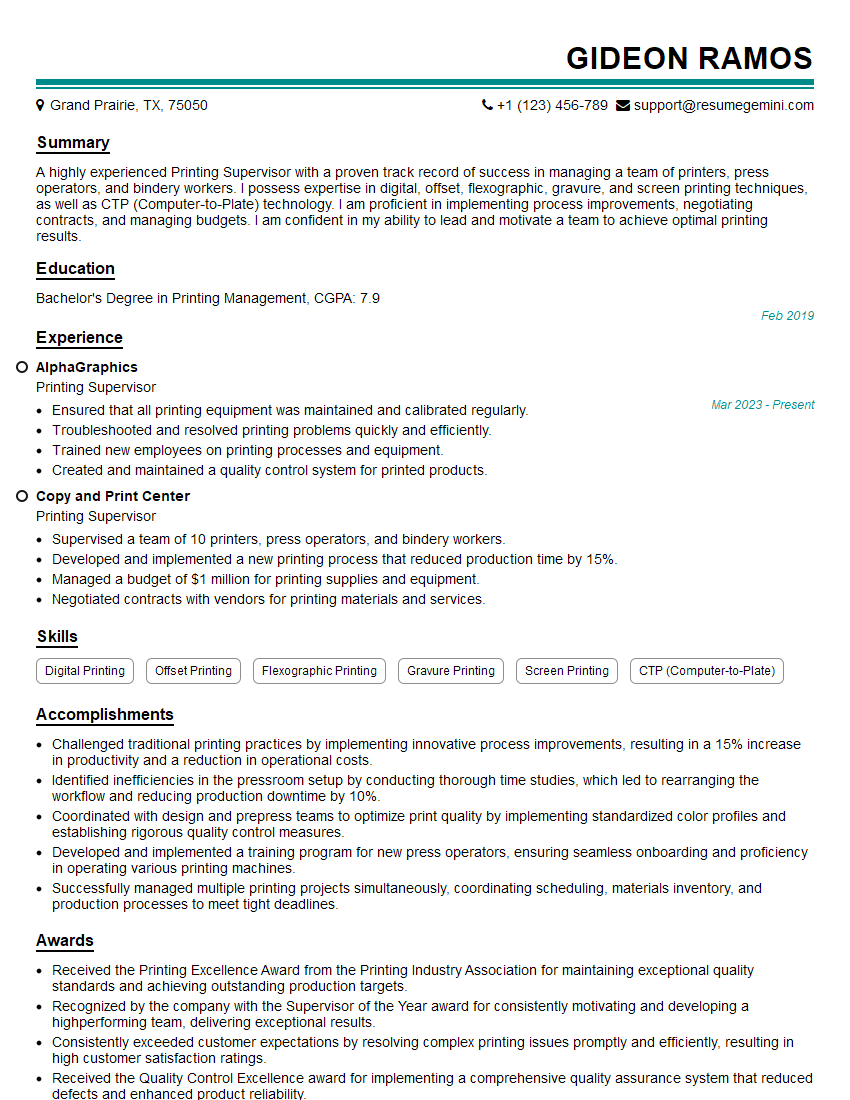
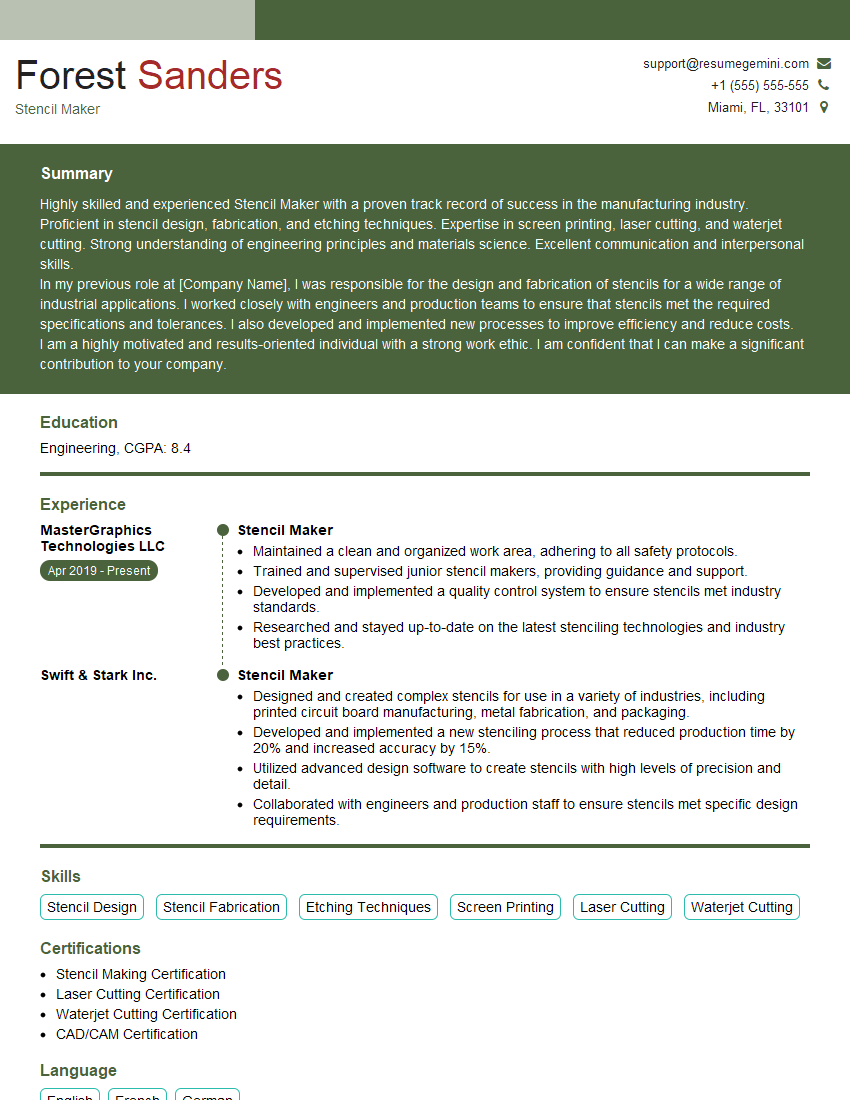
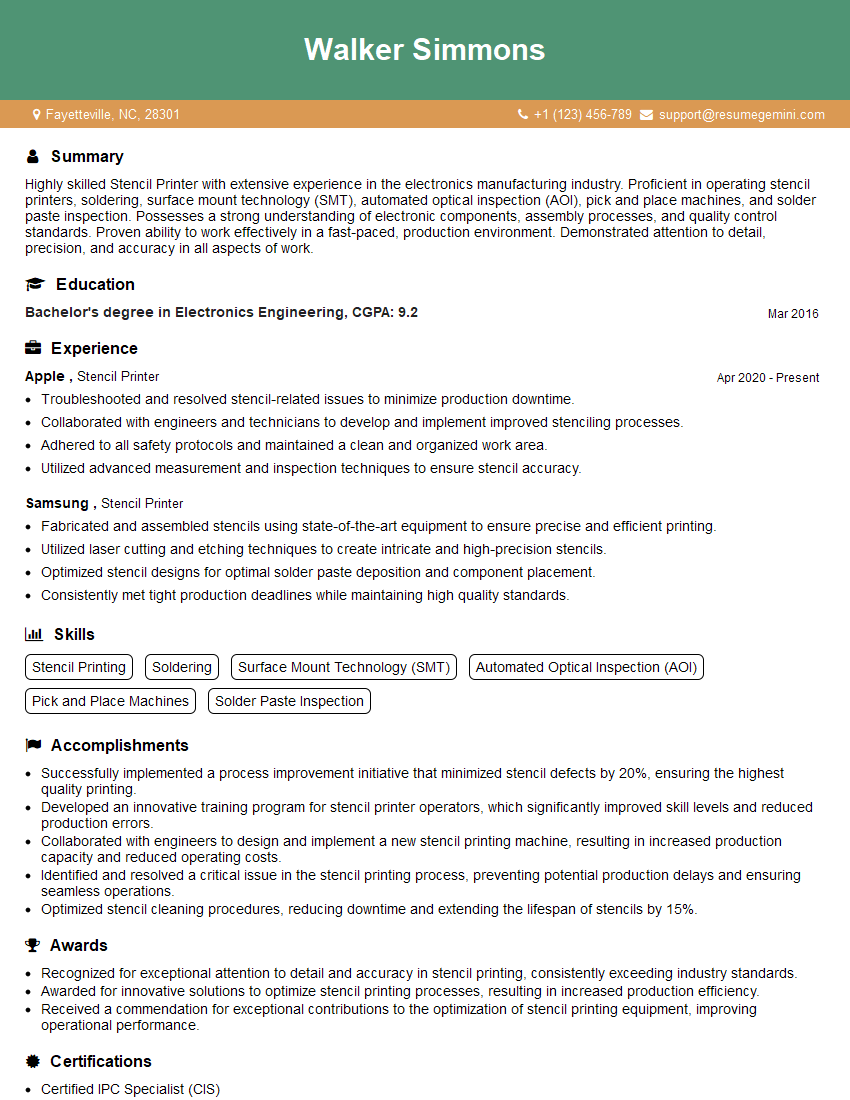
Mastering stencil printing opens doors to diverse and rewarding career opportunities in graphic design, apparel manufacturing, fine arts, and more. To maximize your job prospects, create a strong, ATS-friendly resume that highlights your skills and experience. ResumeGemini is a trusted resource to help you build a professional resume that stands out. They even provide examples of resumes tailored to the stencil printing industry to give you a head start. Invest time in crafting a compelling resume – it’s your first impression with potential employers.



Explore more articles
Users Rating of Our Blogs
Share Your Experience
We value your feedback! Please rate our content and share your thoughts (optional).
What Readers Say About Our Blog
Very informative content, great job.
good