Cracking a skill-specific interview, like one for Civil 3D Roadway Design, requires understanding the nuances of the role. In this blog, we present the questions you’re most likely to encounter, along with insights into how to answer them effectively. Let’s ensure you’re ready to make a strong impression.
Questions Asked in Civil 3D Roadway Design Interview
Q 1. Explain your experience with Autodesk Civil 3D Roadway Design software.
My experience with Autodesk Civil 3D Roadway Design spans over eight years, encompassing diverse projects ranging from small residential road improvements to large-scale highway expansions. I’ve consistently utilized Civil 3D as the primary design tool, leveraging its capabilities for all phases of design, from initial conceptualization to final construction documentation. This includes managing complex geometric designs, integrating survey data, coordinating with other disciplines, and producing comprehensive deliverables. I’m proficient in all aspects of the software, including its customization and automation features, allowing me to streamline workflows and boost efficiency.
For example, on a recent highway widening project, I utilized Civil 3D’s parametric modeling capabilities to quickly assess multiple design alternatives, optimizing the alignment to minimize environmental impact while maintaining design standards. This resulted in significant cost and time savings for the client.
Q 2. Describe your proficiency in creating alignments, profiles, and cross-sections in Civil 3D.
Creating alignments, profiles, and cross-sections is fundamental to my workflow in Civil 3D. I begin by establishing the horizontal alignment, using various curve types (circular, spiral, etc.) to define the roadway centerline. This involves careful consideration of sight distance, design speed, and existing site constraints. The vertical profile is then developed, incorporating vertical curves to ensure smooth transitions between grades. Finally, cross-sections are created to define the geometry of the roadway, including lanes, shoulders, ditches, and other features. I utilize various tools within Civil 3D to ensure proper geometric design, including checking for superelevation, side slopes, and other critical parameters.
For instance, on a mountainous terrain project, I used Civil 3D’s tools to create a complex alignment incorporating multiple vertical and horizontal curves to efficiently navigate the challenging topography while maintaining safe driving conditions. The profile and cross-sections were meticulously designed to ensure proper drainage and stability.
Q 3. How do you handle complex geometry and terrain data in Civil 3D roadway design?
Handling complex geometry and terrain data is a daily task. I leverage Civil 3D’s powerful tools to effectively manage this. For example, I use the surface modeling capabilities to create accurate representations of the existing ground conditions from survey data (points, contours, and even LiDAR data). This allows me to integrate the terrain model directly into the roadway design, ensuring proper earthwork calculations and optimizing the design for site conditions. When dealing with complex geometries, such as sharp curves or significant elevation changes, I employ techniques like creating multiple alignments and profiles to manage the complexity and maintain design accuracy. I also utilize Civil 3D’s tools to perform detailed analysis, such as cut/fill calculations, ensuring that the design meets the project requirements and is feasible.
For example, on a project with a heavily wooded area, I used Civil 3D to integrate LiDAR data to create a highly accurate surface model. This allowed me to precisely model the existing terrain and optimize the alignment to minimize tree clearing and environmental impact.
Q 4. What are your preferred methods for creating and managing surface models in Civil 3D?
My preferred methods for creating and managing surface models involve utilizing various data sources including survey data, LiDAR data, and existing digital terrain models (DTMs). I use Civil 3D’s tools to import, clean, and process this data, ensuring accuracy and completeness. I often create multiple surfaces—one representing the existing ground and others representing proposed ground conditions at different stages of the design process. This allows for easy comparison and analysis. Furthermore, I routinely utilize surface editing tools to refine the models and correct any inaccuracies. Managing multiple surfaces requires a systematic approach and thorough documentation. I typically employ a naming convention that clearly identifies the purpose and stage of each surface model.
For example, when working on a large-scale highway project, I created separate surfaces for the existing ground, proposed ground after earthworks, and final ground after paving. This layered approach allowed for efficient analysis and comparison throughout the design and construction process.
Q 5. Explain your experience with corridor modeling and its applications in roadway design.
Corridor modeling in Civil 3D is a powerful tool for creating and analyzing complex roadway designs. It allows for the efficient management and coordination of multiple design elements within a single model. I use corridor modeling to design and analyze features like roadways, ditches, slopes, and retaining walls. The ability to quickly generate cross-sections, earthwork volumes, and other key design information greatly simplifies the design process and enables efficient design optimization. I frequently use corridor modeling for early design phases, allowing for quick iterations based on changing parameters or design criteria. I also use corridors to generate quantities for cost estimations and design compliance checks.
In a recent project involving a complex interchange, corridor modeling allowed me to seamlessly integrate the various road segments and ramps, easily manage the transitions between them, and perform accurate earthwork calculations for the entire project. This significantly reduced the time and effort required for design and coordination.
Q 6. How do you ensure design compliance with relevant standards and regulations?
Ensuring design compliance is paramount. I meticulously follow all relevant design standards and regulations throughout the design process. This includes adhering to guidelines set by AASHTO (American Association of State Highway and Transportation Officials), local and state Departments of Transportation, and other applicable codes. I utilize Civil 3D’s tools to check design parameters against these standards, ensuring that all aspects of the design meet the required specifications. Regular quality control checks are implemented throughout the design process, including peer reviews and independent verification to minimize errors and maintain compliance.
For example, on a recent project, I used Civil 3D’s design checks to ensure the roadway met AASHTO’s design speed and sight distance criteria. This involved setting up design criteria within the software and reviewing the results to ensure compliance before proceeding with the design.
Q 7. Describe your experience with quantity takeoff and cost estimation using Civil 3D.
Civil 3D offers robust tools for quantity takeoff and cost estimation. I utilize these features to generate accurate quantities of earthwork, paving, structures, and other construction items. This data is then used to create detailed cost estimates, assisting in budget planning and project management. The software’s ability to automatically generate reports and spreadsheets significantly improves the efficiency of this process. I often integrate these cost estimates with external estimating software to refine the calculations and provide a more comprehensive financial analysis for clients.
On a recent project, I used Civil 3D’s quantity takeoff tools to generate detailed earthwork volumes, allowing for accurate bidding and cost control throughout the construction phase. This helped the client avoid cost overruns and ensured the project remained within budget.
Q 8. How do you handle design changes and revisions in a Civil 3D project?
Handling design changes and revisions in Civil 3D is crucial for maintaining project accuracy and efficiency. My approach involves a combination of best practices and leveraging Civil 3D’s powerful tools. I begin by establishing a clear revision control system, often using the drawing’s revision cloud and revision numbers for visual identification of changes. This allows everyone on the team to see what was altered and when. For significant changes, I create a new design file to maintain a clean history, avoiding the potential for unintended consequences of working directly on the original. Within the design itself, I rely heavily on Civil 3D’s features like:
Data shortcuts: Instead of directly modifying objects, I use data shortcuts wherever possible. This way, if a design parameter changes (e.g., lane width), adjusting the shortcut updates all affected elements simultaneously, reducing errors and rework.
Groups and blocks: Grouping related objects and using blocks helps organize the design and streamlines modifications. It’s much easier to change a single block instance than to edit many individual components.
Progressively numbered design files: Naming conventions such as ‘Project_Name_Rev_01’ prevent file overwriting and confusion while providing a clear design history. Version control software like Autodesk Vault or similar would be utilized on larger projects.
For example, if a client requests a change to the vertical alignment, I wouldn’t directly alter the original alignment. Instead, I’d create a new alignment, comparing it to the original to ensure my changes meet the client’s requirements before implementing them. This approach safeguards against losing previous iterations and makes it easy to revert changes if needed. This systematic approach guarantees efficient revision management, minimized errors, and a clear audit trail.
Q 9. What is your experience with using Civil 3D for earthwork calculations?
My experience with Civil 3D for earthwork calculations is extensive. I’m proficient in utilizing its tools to generate accurate volume calculations, mass-haul diagrams, and other essential earthwork data. I’m comfortable using the ‘Earthwork’ tools to define cut and fill regions, generate cross-sections, and analyze earthwork quantities. I routinely utilize the volume reports generated within Civil 3D for accurate cost estimation and project planning. Beyond the standard volume calculations, I’ve used Civil 3D to create and analyze different earthwork scenarios by creating and comparing multiple surfaces and earthwork quantities.
For instance, on a recent highway project, we used Civil 3D to compare the volumes required for several design alternatives. This analysis allowed the project team to select the most cost-effective and environmentally sound option. I understand the limitations and assumptions involved in these calculations, paying close attention to detail and always performing quality control checks to ensure the accuracy of the data. This includes validating the surface models and ensuring the correct parameters are used in the earthwork calculations. Further, I’m familiar with using this data to coordinate with grading contractors to manage site logistics effectively.
Q 10. How familiar are you with different types of roadway design templates and standards?
My familiarity with different roadway design templates and standards is a cornerstone of my expertise. I’ve worked with numerous state and federal DOT standards, including AASHTO (American Association of State Highway and Transportation Officials) and various local standards. I understand the nuances of different design criteria and how these standards impact the design process. For example, I understand how to apply design standards relating to sight distance, superelevation, and curve design. I’m adept at adapting existing templates or creating new ones to meet specific project requirements. I regularly review the standards and ensure that my design work is compliant, which is critical for successful project delivery. I’ve even customized templates to incorporate client-specific standards and best practices, improving efficiency and reducing errors. This knowledge allows me to quickly identify and address potential conflicts between design elements and standards, avoiding costly rework later in the project lifecycle.
Q 11. Describe your workflow for creating and reviewing roadway design drawings.
My workflow for creating and reviewing roadway design drawings is a structured process aimed at efficiency and accuracy. It begins with a thorough understanding of the project requirements and design standards. Next, I build the design model in Civil 3D, using appropriate templates and standards. I leverage the software’s tools for efficient modeling, including:
Alignment and Profile Creation: I carefully design alignments and profiles, ensuring they meet design criteria and project requirements.
Corridor Modeling: I use corridor modeling to automate the creation of cross-sections and other design elements.
Surface Modeling: I create accurate surface models to support earthwork calculations and other analyses.
After the design model is complete, I review the drawings for accuracy and completeness, using Civil 3D’s tools such as labels, sheets, and viewports. The review process involves checking for inconsistencies, errors, and adherence to design standards. I meticulously check dimensions, labeling, and other aspects of the drawings, often using a checklist to ensure a consistent review process. For larger projects, peer reviews are implemented to provide an additional layer of quality control. Once the design drawings are finalized, I prepare the drawings for client review and approvals, adhering to the client’s specific submission requirements. This systematic approach ensures design quality and clarity, leading to smoother project approvals.
Q 12. Explain your experience with collaborating with other disciplines in a project using Civil 3D.
Collaboration with other disciplines is essential in any successful infrastructure project. In my experience, using Civil 3D facilitates smooth collaboration by providing a centralized platform for data sharing. I routinely collaborate with:
Surveyors: I incorporate survey data into Civil 3D to create accurate ground models, ensuring the design aligns with the existing conditions.
Structural Engineers: I share design data such as alignments, cross sections, and drainage information to help them design bridges and culverts appropriately.
Landscape Architects: I coordinate with landscape architects to ensure seamless integration of landscaping into the roadway design.
Environmental Engineers: Data exchange related to drainage, erosion control, and environmental considerations is important.
Effective communication and a shared understanding of the project’s goals are crucial for success. I typically utilize platforms like BIM 360 or similar cloud storage for the project team. This ensures everyone has access to the most up-to-date design information. By leveraging Civil 3D’s data sharing capabilities and employing clear communication strategies, I’ve consistently fostered productive collaborative efforts, resulting in integrated and successful projects.
Q 13. How do you manage data and version control in a Civil 3D project?
Data and version control are critical aspects of any Civil 3D project. To manage this effectively, I use a combination of techniques. First, a robust file naming convention is essential. This convention is tailored to the project, clearly indicating the revision number and date. For larger projects or collaborative work, I leverage a version control system such as Autodesk Vault or similar, which allows for managing revisions and tracking changes within a project. This also serves as a backup and prevents accidental overwriting of crucial files.
Furthermore, I create a centralized location for project data, accessible to the entire project team. This could be a network folder or a cloud-based storage solution. Regular backups of the project data are conducted, ensuring data protection in case of hardware failures. By employing these methods, I ensure that the project data is secure, organized, and readily accessible to the project team throughout its lifecycle. This approach avoids potential conflicts and ensures everyone is using the most up-to-date design information.
Q 14. Describe your experience with creating and using styles in Civil 3D for consistent drawings.
Creating and using styles in Civil 3D is paramount for maintaining consistency in drawings. I regularly create custom styles for labels, text, line weights, and other drawing elements. This helps ensure that all drawings maintain a unified and professional appearance. Consistent styles aid in readability and make it easier for all project stakeholders to review the drawings effectively. For example, I’ve created custom styles to reflect specific client requirements, incorporating their corporate logos and branding into the design output. Styles improve efficiency by automating formatting processes. Once a style is created, it can be applied to multiple objects, eliminating the need for repetitive manual formatting. This ensures the project’s visual appeal, clarity, and maintainability. Moreover, well-defined styles are critical for efficient design updates and revisions, streamlining the design process and minimizing the risk of errors.
Q 15. Explain your troubleshooting skills in resolving Civil 3D issues and errors.
Troubleshooting Civil 3D issues requires a systematic approach. I begin by identifying the error message or unexpected behavior. This often involves checking the Civil 3D log files for clues. Next, I isolate the problem by trying to reproduce the issue in a simplified model or by reviewing recent edits.
For example, if I encounter a geometry error in a surface, I would first check the source data (survey data, point files) for inconsistencies. If the problem persists, I might try rebuilding the surface from scratch or investigating potential conflicts with other objects in the drawing. I utilize the tools within Civil 3D to diagnose problems such as the ‘Check Geometry’ command for surfaces and alignments.
More complex problems might require looking at the drawing’s properties, checking for corrupted blocks, or performing a drawing recovery. Finally, I document the issue, the resolution steps, and any preventative measures to avoid similar issues in the future. Leveraging Autodesk’s online resources and the Civil 3D community forums is also part of my troubleshooting strategy.
Career Expert Tips:
- Ace those interviews! Prepare effectively by reviewing the Top 50 Most Common Interview Questions on ResumeGemini.
- Navigate your job search with confidence! Explore a wide range of Career Tips on ResumeGemini. Learn about common challenges and recommendations to overcome them.
- Craft the perfect resume! Master the Art of Resume Writing with ResumeGemini’s guide. Showcase your unique qualifications and achievements effectively.
- Don’t miss out on holiday savings! Build your dream resume with ResumeGemini’s ATS optimized templates.
Q 16. How do you ensure data accuracy and integrity in your Civil 3D models?
Data accuracy and integrity are paramount in Civil 3D. I employ several strategies to maintain this. First, I meticulously check and clean the source data – survey data, design criteria, and existing conditions – before importing it into Civil 3D. This often involves identifying and correcting inconsistencies or errors in the raw data using data processing software.
Within Civil 3D, I regularly perform geometry checks on surfaces, alignments, and profiles to identify any errors or inconsistencies. I also implement version control, using Autodesk Vault or similar systems, to track changes and revert to previous versions if necessary. This allows for easy collaboration and minimizes the risk of accidental data loss or corruption.
Furthermore, I use feature line checks, comparing my models against known control points or physical features on the ground. Regular data backups are crucial to protect against unexpected data loss. Think of it as regularly saving your work – but for an entire project! Employing clear naming conventions and a well-organized project structure further improves data management and accuracy.
Q 17. What are your experiences with various types of pavement design within Civil 3D?
My experience encompasses various pavement designs within Civil 3D, including flexible pavements (asphalt), rigid pavements (concrete), and composite pavements. I am proficient in designing pavements using the Civil 3D pavement design tools, considering factors like traffic loading, soil conditions, material properties, and design life.
For flexible pavements, I use the AASHTO design methods to determine pavement layer thicknesses, considering factors such as traffic volume, axle loads, and subgrade strength. For rigid pavements, I utilize the Portland Cement Association (PCA) design methods, focusing on slab thickness, reinforcement, and joint spacing. I have also worked on composite pavements, which combine both flexible and rigid layers, optimizing their properties to enhance durability and performance. This often involves generating cross sections and employing the various pavement design tools within Civil 3D to analyze and visualize different pavement structures.
I have experience creating pavement designs that meet various specifications and standards, including those from different state DOTs. Each project’s unique requirements inform the chosen pavement design and the materials used.
Q 18. Explain your knowledge of drainage design principles and how they are implemented in Civil 3D.
Drainage design is crucial for roadway projects and involves understanding hydraulic principles, such as flow rates, velocities, and energy gradients. In Civil 3D, I utilize the drainage design tools to model the drainage system, including pipes, culverts, ditches, and inlets. I use this data to design and model storm water drainage networks.
This includes creating and analyzing hydraulic models, ensuring proper sizing and design of drainage infrastructure to prevent flooding and erosion. I am familiar with different hydraulic calculation methods and incorporate the relevant design criteria and standards into my models. I carefully consider the topography and hydrology of the site to create an effective drainage system.
For example, I utilize the pipe network modeling capabilities to analyze pipe flow and ensure that the system can handle the design flow rates. I also use cross sections to design ditches and channels to carry runoff effectively. The output from these analyses is integrated into the overall roadway design to ensure a safe and functional drainage system. I frequently verify the accuracy of my models through field verification and compare them with industry best practices.
Q 19. How do you integrate survey data into Civil 3D for roadway design?
Integrating survey data into Civil 3D is a fundamental step in roadway design. I typically receive survey data in various formats, including landXML, point files (xyz, csv), and digital terrain models (DTM).
I import this data into Civil 3D using the appropriate import functions, ensuring that the coordinate systems and units are consistent with the project settings. I then use the imported data to create surfaces representing the existing ground conditions. These surfaces are used to develop the design for the proposed roadways, considering the existing terrain and any constraints. This also means I need to be adept at performing coordinate geometry transformations to ensure data consistency.
For example, if I’m working with a landXML file, I’d ensure the file is validated and then import it directly. I would then check for any errors or inconsistencies in the data. For point files, I would ensure the correct coordinate system is selected during the import process. After import, I visually inspect the surface to ensure it accurately represents the actual terrain.
Q 20. What is your experience with using Civil 3D for analysis and reporting?
Civil 3D offers powerful analysis and reporting capabilities. I leverage these tools to perform various analyses, including earthwork calculations, hydraulic analysis, and pavement design analysis.
For earthwork calculations, I use Civil 3D to determine cut and fill quantities, optimizing the design to minimize earthwork costs. For hydraulic analysis, I create hydraulic models to simulate water flow in drainage systems, ensuring adequate capacity and preventing flooding. In pavement design, I utilize the built-in tools to analyze pavement structures and determine the required layer thicknesses.
The reporting capabilities allow me to generate detailed reports, including quantities takeoffs, cross sections, profiles, and various design summaries. These reports are essential for project communication, stakeholder review, and construction documentation. For example, a detailed earthwork report allows the contractor to accurately estimate the excavation and fill required, while a drainage design report clearly outlines the design of the drainage system, including pipe sizes and invert elevations.
Q 21. Describe your experience in creating and using templates for standard roadway components.
Creating and using templates for standard roadway components is a highly effective way to enhance efficiency and consistency in design. I develop templates that include standardized alignments, profiles, cross sections, and other components specific to the project and my organization’s standards.
These templates incorporate established design criteria, ensuring that all projects adhere to consistent guidelines. This greatly simplifies the design process, reducing the time required to create new designs and minimizing the potential for errors. The templates include predefined layers, styles, and labels which ensure project consistency. This allows for quick project set up and faster overall completion time.
For example, a template might include a standard cross-section for a two-lane highway, with predefined pavement layers, ditches, and shoulders. Another template could contain standard details for culverts or inlets. These templates are easily adaptable to various project requirements, promoting a streamlined design process and improving quality control.
Q 22. How do you ensure the accuracy of your designs using Civil 3D?
Ensuring accuracy in Civil 3D design is paramount. It’s a multi-faceted process relying on meticulous data input, robust checking procedures, and a thorough understanding of the software’s capabilities. Think of it like building a house – you wouldn’t start constructing without precise blueprints and regular inspections.
Data Validation: Before starting any design, I meticulously check the survey data for inconsistencies or errors. This includes verifying coordinate systems, units, and the accuracy of existing features. I frequently use tools like the
Data Shortcutspalette and theCheck Geometrycommand to identify and correct any initial problems.Regular Quality Control Checks: Throughout the design process, I perform frequent quality control checks. This involves verifying alignment geometry, cross-section data, and surface models for any discrepancies. Tools like the
Analyze Geometrycommand and visual inspection using different view styles are critical here.Independent Verification: Wherever possible, I seek independent verification of my designs. This could involve peer reviews or comparing designs against established standards and best practices. A second set of eyes can often spot errors easily missed.
Coordination with Other Disciplines: Accurate design requires close coordination with other disciplines. I ensure consistent data exchange with structural, utilities, and landscape engineers to avoid conflicts and maintain overall project integrity. This often involves utilizing Autodesk’s collaborative tools.
For instance, on a recent highway project, I caught a subtle error in the survey data that would have resulted in a significant offset in the alignment had it gone undetected. This highlights the importance of diligent data validation and continuous quality control.
Q 23. What is your experience with utilizing Civil 3D’s tools for intersection design?
I have extensive experience designing intersections in Civil 3D, leveraging its powerful tools for efficient and accurate results. It’s like having a sophisticated toolbox specifically designed for this complex task.
Intersection Design Tools: I’m proficient in utilizing the
Intersection Designtools, including the creation of roundabouts, signalized intersections, and complex multi-leg interchanges. I understand the importance of designing for optimal traffic flow, sight distance, and pedestrian safety.Geometric Design: I’m adept at designing intersection geometry based on AASHTO (American Association of State Highway and Transportation Officials) guidelines and local standards. This involves proper curve design, lane balancing, and the placement of traffic control devices.
Corridors and Profiles: I’m experienced in integrating intersection designs into the broader roadway corridor model using corridors and profiles. This ensures a seamless transition between the intersection and the adjoining roadway sections.
3D Visualization: I use Civil 3D’s 3D visualization capabilities to help stakeholders understand the design and identify potential issues early on. This often leads to better communication and informed decision-making.
In a recent project, we used Civil 3D to design a complex interchange involving multiple ramps and weaving sections. The intersection design tools, combined with its 3D visualization capabilities, enabled us to effectively model and analyze the design before construction, identifying potential conflicts and optimizing traffic flow.
Q 24. How proficient are you in the use of Civil 3D’s annotation and labeling features?
Annotation and labeling are crucial for clear and concise communication in Civil 3D drawings. It’s the difference between a sketch and a professional plan. I’m highly proficient in creating professional-grade drawings using Civil 3D’s annotation tools.
Styles and Templates: I utilize style and template management to maintain consistency and efficiency in labeling. This ensures uniformity across all drawings and makes it easier to update labels when changes occur.
Labeling Tools: I’m familiar with all labeling tools, including automatic labeling for alignments, profiles, cross-sections, and other features. I know how to customize these labels to meet specific project requirements.
Annotation Tools: I utilize various annotation tools, including text, dimensions, and leaders, to add detailed information to the drawings. I also leverage the power of tables to neatly organize information and improve readability.
Sheet Set Manager: I use the sheet set manager to organize and manage large drawing sets, making it easy to navigate and update sheets as the project evolves.
For instance, in a recent project, I developed customized label styles that automatically included project-specific information, such as stationing and design criteria, ensuring consistency and accuracy throughout the entire set of construction drawings.
Q 25. Describe your familiarity with using Civil 3D to create construction drawings and plans.
Creating construction drawings and plans in Civil 3D is a significant part of my workflow. I leverage the software’s capabilities to generate precise, detailed, and easily understandable documents for construction crews.
Sheet Set Management: I utilize the Sheet Set Manager to organize and manage drawing sheets efficiently, ensuring consistent sheet numbering and organization.
Automated Drawing Production: I utilize Civil 3D’s automated drawing production capabilities to generate various drawing sheets, including plan sheets, profile sheets, cross-section sheets, and detail sheets, thereby reducing manual effort and improving accuracy.
Customizing Styles and Templates: I adapt styles and templates to align with client requirements and industry standards, ensuring the drawings meet all necessary specifications.
Drawing Review and Quality Assurance: I conduct thorough drawing reviews before releasing them to ensure accuracy, completeness, and adherence to design standards. This usually involves a final quality check before releasing to contractors.
For example, on a recent project involving a complex highway interchange, I used Civil 3D to automatically generate over 100 detailed construction drawings, ensuring that every element of the design was accurately documented and communicated for construction.
Q 26. How do you handle conflicts or discrepancies between design and field conditions in Civil 3D?
Handling discrepancies between design and field conditions is a critical aspect of real-world civil engineering. It’s about adapting the design to reality while maintaining project integrity. It’s similar to adapting a recipe when you’re missing an ingredient – you need to find a substitute that achieves a similar result.
Field Surveys: I conduct or coordinate field surveys to accurately capture existing conditions. This involves comparing the as-built conditions with the design model and identifying any discrepancies.
Model Adjustments: I use Civil 3D’s tools to adjust the design model to reflect the field conditions. This may involve modifying alignments, surfaces, or other design elements.
Documentation: I meticulously document all changes made to the design to maintain a clear record of revisions and justifications.
Communication and Collaboration: I communicate any significant discrepancies or changes to the design team, the client, and the contractor to ensure everyone is informed and agrees on the revised plan.
For instance, on a recent project, we discovered significant discrepancies between the design model and the existing utility lines. Using Civil 3D, we quickly adjusted the design to accommodate the utilities, minimizing disruption to the construction schedule and avoiding costly conflicts.
Q 27. What is your experience with exporting data from Civil 3D for use in other applications?
Exporting data from Civil 3D for use in other applications is a common task. It’s crucial for seamless integration with other software used in the project lifecycle, like a bridge between different software ecosystems.
LandXML: I frequently use LandXML for exchanging data with other surveying and design software. This allows for efficient sharing of alignment, surface, and other data.
DWG/DXF: I use DWG and DXF formats for sharing data with other CAD software, allowing for easy collaboration with other engineering disciplines.
Shapefiles and other GIS formats: I export data to shapefiles and other GIS formats for integration with geographical information systems, enabling better visualization and analysis within a broader geographic context.
Data Extraction: I use Civil 3D’s data extraction tools to export specific data sets for use in other applications, such as spreadsheets for quantity takeoffs or reports.
For example, on a recent project, we used LandXML to export the alignment and surface data from Civil 3D to a hydrological modeling software to accurately simulate runoff and drainage patterns.
Q 28. Describe your understanding of the limitations and potential issues of Civil 3D in roadway design.
While Civil 3D is a powerful tool, it’s essential to understand its limitations and potential issues. Just like any sophisticated tool, it requires proper handling and awareness of its constraints.
Data Management: Large projects can lead to significant data management challenges, potentially impacting performance and causing errors if not managed properly. Regular data backups and efficient file organization are critical.
Software Limitations: Civil 3D might have limitations in modeling highly complex or specialized features. Certain specialized modeling might require supplementary tools or custom solutions.
Version Compatibility: Maintaining compatibility across different versions of Civil 3D and other software can be challenging. This often necessitates using standards-based data exchange formats.
User Skill and Expertise: The software’s effectiveness heavily depends on user skill and expertise. Proper training and ongoing skill development are crucial for efficient and accurate results.
For instance, a poorly structured dataset in a large project could lead to slow performance and hinder the design process. Understanding data management best practices is crucial to avoid these issues.
Key Topics to Learn for Civil 3D Roadway Design Interview
- Surface Modeling: Understanding the creation and manipulation of surfaces, including breaklines, contours, and grading. Practical application: Designing optimal drainage solutions and earthwork calculations.
- Alignment Design: Proficiency in creating and modifying horizontal and vertical alignments, including curves, spirals, and vertical profiles. Practical application: Developing safe and efficient roadway geometry.
- Corridor Modeling: Mastering the creation and management of corridors, including the assembly of various design elements like alignments, profiles, and cross sections. Practical application: Generating accurate quantity takeoffs and construction drawings.
- Cross Section Design: Expertise in creating and editing cross sections, including superelevation, lane widths, and typical sections. Practical application: Ensuring compliance with design standards and optimizing roadway performance.
- Templates and Styles: Understanding the customization of Civil 3D templates and styles to match specific project requirements and company standards. Practical application: Maintaining consistency and efficiency in design production.
- Drainage Design: Knowledge of incorporating drainage design elements within the roadway corridor, including pipes, ditches, and inlets. Practical application: Managing stormwater runoff and preventing erosion.
- Data Extraction and Reporting: Proficiency in extracting data from Civil 3D models for reports and quantity takeoffs. Practical application: Providing accurate cost estimations and progress tracking.
- Coordination with other disciplines: Understanding how roadway design integrates with other engineering disciplines, such as structural and geotechnical engineering. Practical application: Facilitating effective collaboration on complex projects.
- Problem-solving and troubleshooting: Ability to identify and resolve common issues encountered during the design process. Practical application: Maintaining project schedules and delivering high-quality designs.
Next Steps
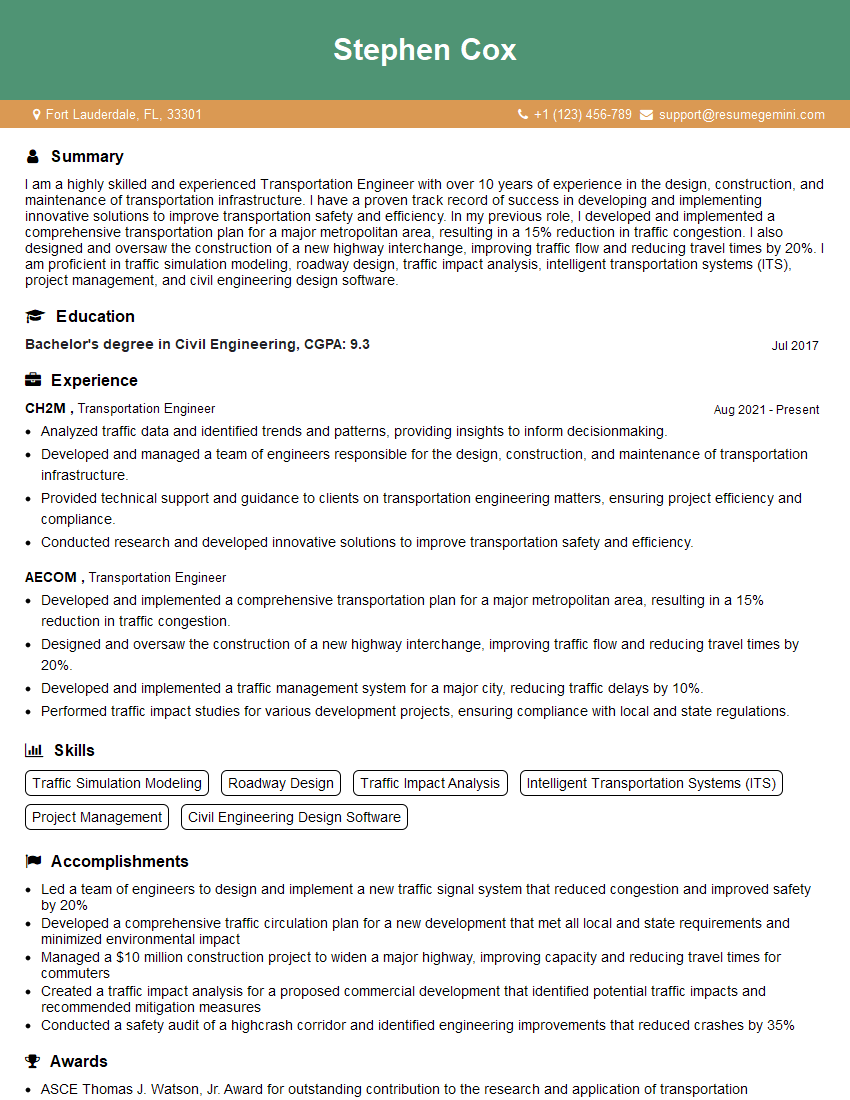
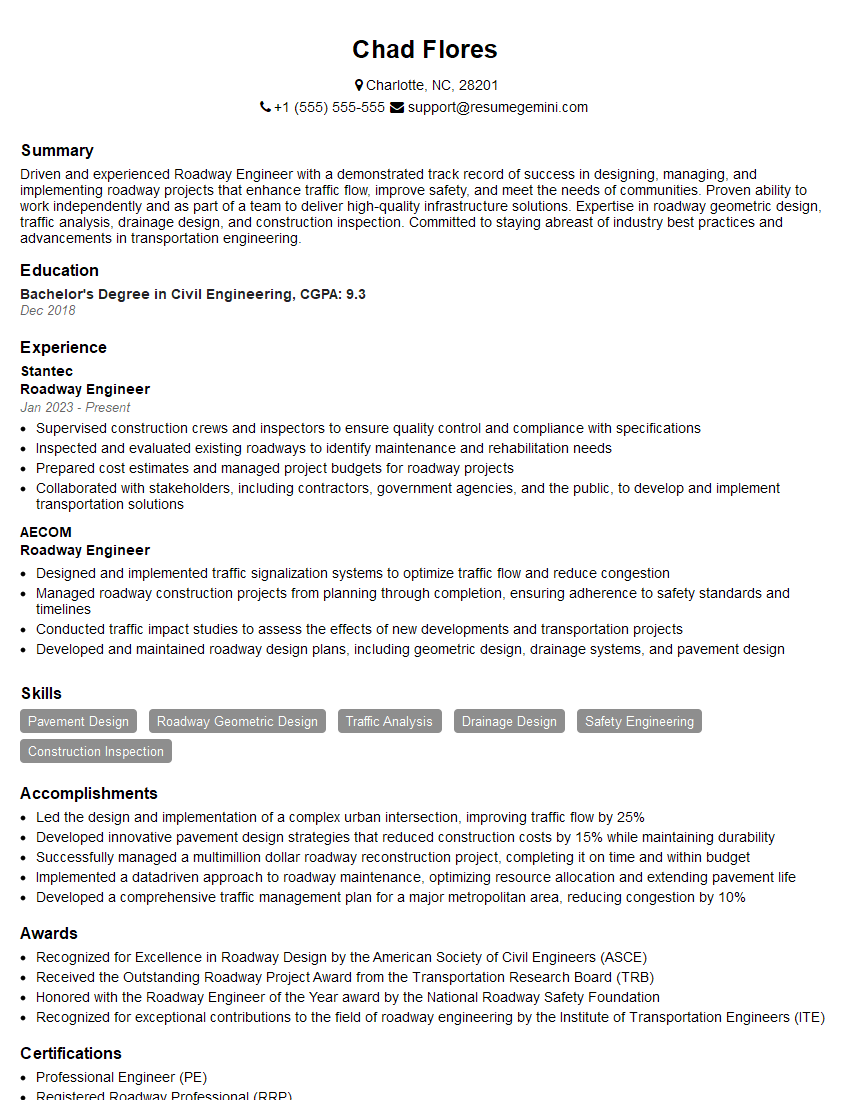
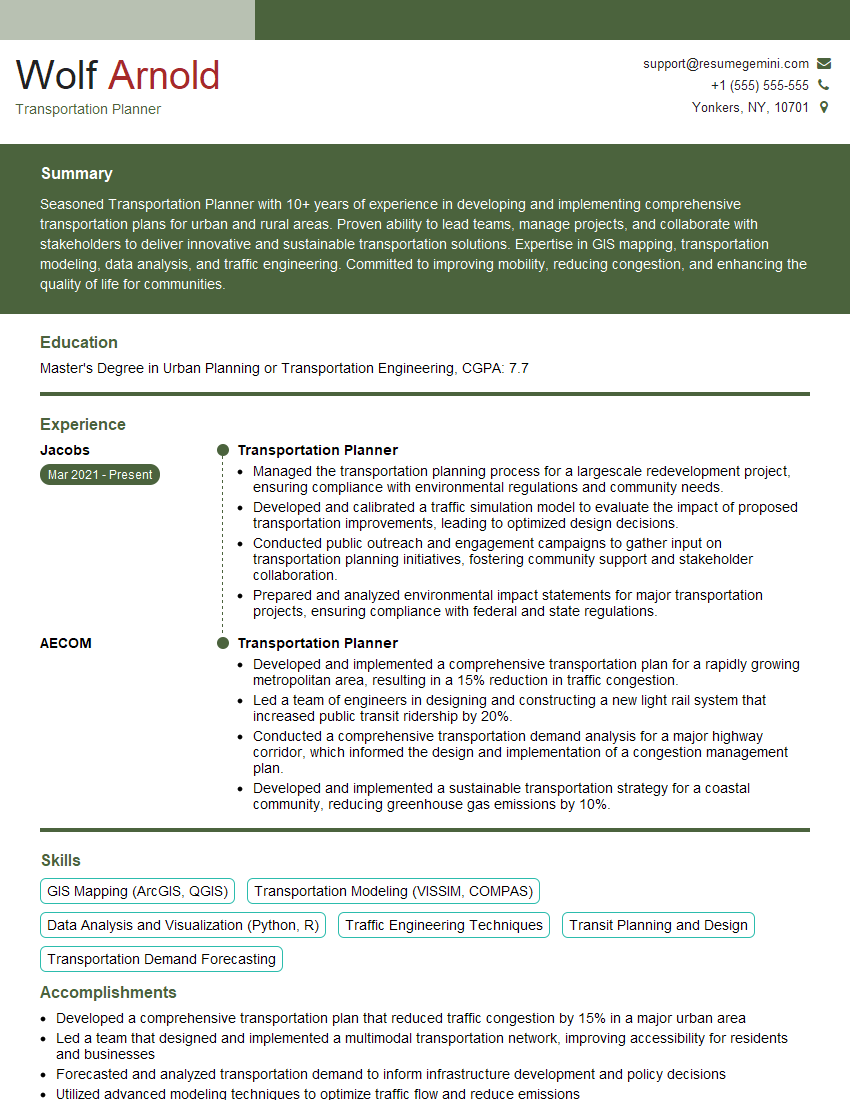
Mastering Civil 3D Roadway Design is crucial for career advancement in the civil engineering field, opening doors to exciting projects and leadership opportunities. To maximize your job prospects, it’s essential to create an ATS-friendly resume that highlights your skills and experience effectively. ResumeGemini is a trusted resource to help you build a professional and impactful resume. They provide examples of resumes tailored to Civil 3D Roadway Design, giving you a head start in showcasing your expertise to potential employers. Invest time in crafting a strong resume; it’s your first impression!
Explore more articles
Users Rating of Our Blogs
Share Your Experience
We value your feedback! Please rate our content and share your thoughts (optional).
What Readers Say About Our Blog
Very informative content, great job.
good