The right preparation can turn an interview into an opportunity to showcase your expertise. This guide to Concept Art (Procreate, Sketchbook) interview questions is your ultimate resource, providing key insights and tips to help you ace your responses and stand out as a top candidate.
Questions Asked in Concept Art (Procreate, Sketchbook) Interview
Q 1. Explain your workflow for creating a concept piece in Procreate.
My Procreate workflow begins with thorough ideation and sketching. I usually start with a loose thumbnail sketch to explore composition and key elements. This is followed by a more refined sketch on a separate layer, using a light-colored brush to maintain flexibility. Then, I move to blocking in the values – this establishes the light and shadow, which is crucial for creating depth and form. For this step, I might use a textured brush like the ‘Technical Pen’ for a more organic feel or the ‘Monoline’ for sharp lines. I then build up the color, typically starting with large washes of base colors using a soft brush like the ‘Soft Airbrush’. As the painting progresses, I refine details using smaller brushes, adjusting colors with the color adjustment tools and adding textures using layer blending modes like Multiply or Overlay.
For example, when creating a fantasy landscape, I might start with a basic sketch defining the mountain range and a rough idea of the foreground. Then I’d block in values to establish the lighting and mood, before carefully adding color, working from large areas to smaller details. Finally, I’d add small finishing touches to create a polished piece. Throughout the process, I frequently use the undo function and experiment with different brush settings to achieve the desired effect.
Q 2. Describe your process for developing a character concept from initial sketch to final render in Sketchbook.
My character concept development in Sketchbook typically involves several stages. I commence with quick gesture drawings to capture the essence of the pose and movement. These are loose, dynamic sketches emphasizing flow over detail. Subsequently, I refine the anatomy and proportions in a more structured drawing, paying close attention to details like clothing folds and facial features. Here, I often use the ‘Pencil’ brush for its versatility. Then, I move to value studies, exploring light and shadow to create volume and depth, using a combination of brushes – sometimes a textured brush to mimic charcoal, other times a smoother brush for more refined details. Once satisfied with the values, I introduce color, building up layers of color gradually using different blending modes and brushes. The ‘Watercolor’ brush in Sketchbook can be surprisingly effective for creating smooth color transitions, while the ‘Oil Paint’ brush provides a fantastic textured look.
For instance, designing a futuristic cyborg would start with capturing dynamic poses. Then, I’d refine the mechanical aspects – the intricate details of the cybernetic implants – while maintaining the organic curves of the human form. Using various brushes would help convey the contrasting textures, from the metallic sheen of the implants to the softer textures of the skin and clothing. The final render involves refining details, adjusting colors, and adding subtle lighting effects for a polished look.
Q 3. How do you utilize layers effectively in Procreate for complex concept art?
Effective layer management in Procreate is paramount for complex concept art. I prioritize organizing layers into logical groups, typically using folders for distinct elements like background, character, props, etc. This prevents chaos, making the painting process considerably more manageable. For example, a character might have separate layers for skin, clothing, hair, and accessories; each layer further subdivided if needed. Using layer masks allows for non-destructive editing; I can refine parts of a layer without affecting the whole, as opposed to using the eraser and losing the original data. Adjusting layer opacity helps blend elements smoothly, while blending modes (like ‘Multiply’ for shadows or ‘Overlay’ for lighting) add depth and complexity.
For a large-scale project, consider this example: a scene with a dragon flying over a castle. I would start by grouping layers for the sky, mountains, castle, and dragon, each containing sub-layers for detailing. Then I would use masks to seamlessly blend the layers, making adjustments without destroying my base layers.
Q 4. What are your preferred brushes in Sketchbook and why?
My go-to brushes in Sketchbook vary depending on the stage of the process. For initial sketching, I lean towards the ‘Pencil’ brush for its versatility; it offers a good balance of control and organic feel. For tighter linework and details, I might use the ‘Technical Pen’ brush for its crisp lines and clean edges. For painting and color blocking, I frequently use the ‘Watercolor’ brush for smooth washes and blending, and the ‘Oil Paint’ brush to create impasto effects and textures.
The ‘Pencil’ brush’s versatility stems from its ability to create both loose sketches and more precise lines by adjusting pressure sensitivity. The ‘Watercolor’ provides a feeling of fluidity, and the ‘Oil Paint’ adds thickness and texture, giving the artwork a tactile quality. I find that combining different brushes enhances my artwork’s depth and visual interest.
Q 5. How do you handle feedback and revisions on your concept art?
Handling feedback and revisions is a crucial aspect of concept art. I always welcome constructive criticism and treat it as an opportunity for growth. I maintain open communication with the client or art director, ensuring a clear understanding of the feedback’s intent. I organize revisions in a logical way, often creating new layers specifically for edits, which permits me to easily compare iterations and revert to earlier versions if necessary. I aim to address all feedback points in a way that enhances the artwork, always balancing artistic integrity with the client’s vision. This can involve adjusting composition, colors, textures, or even major element changes.
For instance, if feedback suggests the character is too dark, I may create a new layer to lighten the overall value without affecting the original layers. Maintaining good communication throughout the process ensures everyone is on the same page.
Q 6. Explain your approach to color theory in your concept work.
Color theory is fundamental to my concept work. I use color to evoke emotion, establish mood, and create visual harmony. Understanding the color wheel and its relationships is key. I often start with a limited palette to maintain visual cohesion, then gradually introduce more colors. I use complementary colors to create contrast and vibrancy, analogous colors to create a sense of harmony, and triadic colors to produce a more dynamic and balanced composition. Moreover, considering the context is crucial; a dark, moody palette for a horror piece would contrast significantly with the bright, cheerful palette of a children’s book illustration.
For example, using warm colors in the foreground and cooler colors in the background can lead the eye through the image, while using complementary colors in small accents can draw attention to key areas. Experimenting with different color palettes and observing how they impact the overall mood is a key part of my process.
Q 7. Describe your process for creating believable textures using digital painting techniques.
Creating believable textures digitally involves understanding the properties of real-world materials. I employ several techniques. Firstly, I might use custom brushes or textured brushes specifically designed to mimic materials like wood, metal, stone, or fabric. Secondly, I use layer blending modes like ‘Multiply’, ‘Overlay’, or ‘Soft Light’ to blend textures seamlessly into the base color. Thirdly, adding subtle variations in color and value helps create a sense of depth and realism, avoiding flatness. Finally, paying close attention to the directional lighting and the way it interacts with textures ensures realism. This might involve adding subtle highlights, shadows, or even subtle reflections to accentuate texture and create a sense of depth.
For example, creating the texture of worn leather involves creating a base color, applying a slightly darker textured layer in ‘Multiply’ mode, then adding subtle highlights and scratches to create a sense of wear and tear. Experimentation with different brushes and techniques allows for fine-tuning the realism of the texture.
Q 8. How do you balance artistic vision with client needs in a concept art project?
Balancing artistic vision with client needs is crucial in concept art. It’s a delicate dance between expressing your creativity and fulfilling the project’s requirements. I approach this by establishing clear communication from the outset. This involves a thorough briefing process where I delve into the client’s vision, understanding their target audience, desired aesthetic, and any specific functionalities. I ask clarifying questions to avoid misinterpretations and ensure we’re on the same page. Then, I present mood boards, sketches, and preliminary concepts, incorporating my artistic input while aligning with their needs. Through iterative feedback, we refine the design, gradually bridging the gap between my artistic vision and the client’s expectations. For example, if a client wants a futuristic city but is unsure about the specific aesthetic, I might present several options ranging from sleek and minimalist to gritty and industrial. This collaborative process allows for both creative freedom and a successful project outcome.
Q 9. What are some common challenges you face in concept art and how do you overcome them?
Concept art presents unique challenges. One common hurdle is translating abstract ideas into visually compelling imagery. This requires a strong grasp of visual storytelling and the ability to convey mood, atmosphere, and narrative through form, color, and composition. Another challenge is managing time constraints and balancing the level of detail required. Sometimes, clients might request a high level of detail which needs to be managed effectively within deadlines. To overcome these, I use efficient workflows in Procreate or Sketchbook, utilizing layers effectively for quick adjustments and iterations. I also rely heavily on sketching and thumbnail sketches to quickly explore different concepts and refine the strongest ones before committing to detailed painting. Finally, strong time management skills are essential to meet deadlines without compromising the quality of the artwork.
Q 10. How do you stay updated with current trends and techniques in digital painting?
Staying current in digital painting requires continuous learning. I actively engage with online art communities like ArtStation and Instagram, following artists whose work I admire and analyzing their techniques. I regularly participate in online workshops and courses focusing on new brushes, software updates, and evolving techniques in digital painting. Experimentation is key—I dedicate time to exploring different software features, brush settings, and color palettes to enhance my skillset. Attending industry events and conferences, when possible, provides exposure to cutting-edge technologies and connects me with fellow artists. Additionally, analyzing successful concept art from films, games, and other media keeps my creativity sparked and exposes me to innovative approaches.
Q 11. How would you approach creating a concept for a fantastical creature?
Creating a fantastical creature starts with thorough research. I begin by identifying the creature’s role within its environment and the overall story. What is its purpose? What are its strengths and weaknesses? Then, I explore various real-world creatures for inspiration, combining elements from different species to create a unique hybrid. For instance, I might combine the wings of a bat, the scales of a reptile, and the antlers of a deer to develop a unique design. Sketches are crucial in this process, rapidly prototyping ideas and experimenting with different forms. I progressively refine the design, paying close attention to anatomy, proportions, and believable movement. Once a strong base design is established, I explore color palettes and textures, focusing on consistency and believability within its fictional world.
Q 12. Explain your understanding of perspective and composition in concept art.
Perspective and composition are fundamental elements of concept art. Perspective gives the illusion of depth and three-dimensionality, guiding the viewer’s eye through the scene. I utilize one-point, two-point, and three-point perspectives depending on the desired effect. Composition arranges elements within the frame to create a visually appealing and engaging image. It guides the viewer’s gaze, emphasizes focal points, and conveys mood and narrative. I employ various compositional techniques, such as the rule of thirds, leading lines, and visual weight, to create a balanced and dynamic composition. For example, placing the main character slightly off-center, using a strong leading line to draw the eye to the horizon, helps create a more interesting and engaging artwork compared to simply centering the subject. Mastering perspective and composition is essential for making concept art that is visually captivating and effectively communicates the desired message.
Q 13. How do you utilize references effectively in your work?
References are invaluable in concept art. I use them judiciously, avoiding direct copying and instead focusing on extracting information and inspiration. For example, when painting a character in a specific historical setting, I would gather reference images of clothing, architecture, and weaponry from that era. The goal is to understand the details of shape, form, texture, and lighting rather than mimicking a specific photograph. I build my image using the information gathered from my references, integrating them into my own style. I meticulously document all my references, ensuring transparency and avoiding any claims of plagiarism. Knowing how to find and effectively use references significantly increases both the speed and quality of the artwork.
Q 14. Describe your experience with different file formats used in concept art.
My experience encompasses various file formats used in concept art. .PSD (Photoshop Document) is frequently used for its layered structure and non-destructive editing capabilities. .TIFF (Tagged Image File Format) is often preferred for high-resolution images due to its lossless compression. .JPEG (Joint Photographic Experts Group), while lossy, offers smaller file sizes suitable for online sharing or presentations. .PNG (Portable Network Graphics) is excellent for images with sharp lines and transparent backgrounds, frequently used for logos and UI elements. I select the appropriate file format based on the specific needs of the project. For final renders often intended for printing, I would typically use TIFF or high-quality JPEG. For web-based presentations, a smaller size PNG or JPEG is preferable. Understanding file formats and their characteristics is crucial for ensuring image quality and compatibility throughout the design process.
Q 15. What is your experience with collaborative tools for concept art projects?
My experience with collaborative tools for concept art is extensive. I’ve worked extensively with platforms like Figma for sharing mood boards and early design explorations, allowing for real-time feedback and iteration with team members. Google Drive and similar cloud storage solutions are crucial for file sharing and version control, ensuring everyone accesses the latest assets. For more direct feedback on individual pieces, I’ve utilized tools like Adobe Photoshop’s online collaborative features, allowing simultaneous editing and annotation. I also have experience using dedicated project management tools such as Asana or Trello to manage tasks, deadlines, and communication within larger teams, streamlining the workflow and ensuring transparent collaboration.
In practice, I find that selecting the right tools depends heavily on the project size and team dynamics. For smaller projects, a simpler approach using cloud storage and direct feedback tools might be sufficient. However, for larger, complex productions, integrated project management platforms become indispensable.
Career Expert Tips:
- Ace those interviews! Prepare effectively by reviewing the Top 50 Most Common Interview Questions on ResumeGemini.
- Navigate your job search with confidence! Explore a wide range of Career Tips on ResumeGemini. Learn about common challenges and recommendations to overcome them.
- Craft the perfect resume! Master the Art of Resume Writing with ResumeGemini’s guide. Showcase your unique qualifications and achievements effectively.
- Don’t miss out on holiday savings! Build your dream resume with ResumeGemini’s ATS optimized templates.
Q 16. How would you handle a tight deadline in a concept art project?
Handling tight deadlines in concept art requires a strategic approach focusing on prioritization and efficient workflow. My first step is to thoroughly understand the project scope and define clear deliverables with the team. This involves breaking down the overall task into smaller, manageable milestones with assigned deadlines.
I then utilize time-management techniques like the Pomodoro method to maintain focus and avoid burnout. I prioritize the most crucial pieces first, often focusing on core designs that inform subsequent iterations. This might mean creating quick thumbnail sketches to explore multiple ideas rapidly before refining the strongest concepts. I also proactively communicate any potential roadblocks or challenges to the team, enabling collaborative problem-solving.
Furthermore, I constantly evaluate my progress against the timeline, adapting as needed. If a deadline seems unattainable, I propose adjusted priorities or simplified solutions to ensure we deliver the most critical aspects of the project on time. Ultimately, clear communication and efficient workflow are key to success under pressure.
Q 17. What are your strengths and weaknesses as a concept artist?
My strengths lie in my versatility and ability to adapt to different art styles. I’m proficient in creating both stylized and realistic imagery, and I can quickly grasp the aesthetic requirements of any given project. I possess a strong understanding of anatomy, perspective, and composition, translating to visually compelling and technically sound artwork. My communication skills are also a significant asset, allowing for effective collaboration with clients and teams.
One area where I’m actively working to improve is my speed in digital painting, specifically focusing on minimizing brush strokes while maintaining detail. I’m currently practicing techniques to streamline my workflow and improve efficiency. While I’m proficient, I aim to further enhance my speed without compromising the quality of my work.
Q 18. How familiar are you with industry-standard software for concept art?
I’m highly proficient in industry-standard software for concept art. My primary tools are Procreate for its intuitive interface and powerful brush engine, and Sketchbook for its versatility in both sketching and painting. I’m also skilled in Photoshop, utilizing its advanced layer management and retouching capabilities for final polishing and presentation. I have experience with Clip Studio Paint and am familiar with its features, although Procreate and Sketchbook remain my preferred choices for concept art generation. My understanding extends to 3D software such as Blender, which I utilize for creating basic 3D models to assist with concept development.
Q 19. Describe your experience with creating concept sheets for characters or environments.
Creating concept sheets is a core part of my workflow. For characters, this typically involves multiple angles (front, side, back, three-quarter views), close-ups of key features, and explorations of different costume variations or weapon designs. I often include color palettes and material studies to define the character’s visual language.
For environments, my concept sheets demonstrate different areas of a location, including close-ups of key details and wider shots illustrating scale and overall composition. I’ll often use atmospheric perspective and lighting to convey mood and depth. I might also include maps or diagrams to showcase the environment’s layout and structure. The goal is always to provide a comprehensive visual guide for the team, leaving no room for ambiguity.
For instance, I once created a concept sheet for a futuristic city that included detailed architectural renderings, a map of the city layout, and separate concept art of key locations like a market square and a high-tech laboratory.
Q 20. How do you approach creating mood boards for concept art projects?
Creating mood boards for concept art is a crucial early step that guides the overall aesthetic direction. I begin by thoroughly understanding the project’s narrative and artistic goals. I then gather reference images – photographs, paintings, film stills, textures, and even color swatches – that capture the desired mood, color palette, and stylistic elements.
I organize these images digitally, often using Pinterest or Figma, to create a visual collage that expresses the overall feeling. I pay close attention to color harmonies, lighting, and composition, ensuring the mood board is coherent and impactful. The mood board serves as a shared vision document that allows clear communication with the team and client, ensuring everyone is aligned on the visual tone of the project. It’s a living document and is often refined as the project progresses, acting as a touchstone for design choices.
Q 21. What is your understanding of different art styles relevant to concept art?
My understanding of different art styles relevant to concept art is broad. I’m comfortable working within styles ranging from photorealism and realism, which accurately depict forms and textures, to stylized approaches like cel-shading, which uses flat colors and outlines for a cartoonish look. I’m also familiar with more painterly styles, inspired by impressionism or expressionism, that emphasize mood and emotion.
Furthermore, I’m versed in various fantasy art styles, including high fantasy with its majestic landscapes and heroic characters, and low fantasy, which focuses on a more grounded and realistic portrayal of fantastical elements. My experience also extends to sci-fi art, encompassing styles that range from sleek, futuristic designs to gritty, post-apocalyptic settings. The ability to adapt and blend different styles, according to the project’s requirements, is a key aspect of my approach.
Q 22. How do you ensure the consistency of your art style across multiple projects?
Maintaining a consistent art style across projects is crucial for building a recognizable brand and ensuring client satisfaction. It’s not about rigidly repeating the same artwork, but rather about maintaining core stylistic elements. I achieve this through several strategies:
- Style Guide: I create a visual style guide for each project or even for my overall portfolio. This guide includes examples of color palettes, line weights, character designs, and environment details. This serves as a reference point throughout the project.
- Reference Sheets: For recurring elements, like character designs or specific creature types, I create detailed reference sheets with multiple views and annotations. This prevents inconsistencies between different pieces.
- Digital Asset Library: I maintain a well-organized digital library of my brushes, textures, and other assets. Using the same brushes and textures across different projects helps maintain a unified visual feel. Think of it like having a personal ‘palette’ of tools.
- Self-Critique and Refinement: Regularly reviewing my work and comparing pieces from different projects helps me identify and correct any stylistic drift. It’s a continuous process of learning and refinement.
For example, when working on a series of fantasy illustrations, I’d ensure consistent proportions in characters, use similar brush strokes for textures like fur or fabric, and stick to a pre-defined color palette. This ensures that despite the different scenes and characters, the overall style remains cohesive.
Q 23. Explain your process for presenting your concept art to clients or supervisors.
Presenting concept art effectively is just as crucial as creating the art itself. My process involves several key steps:
- Early Sketches and Thumbnails: I begin by presenting a series of quick sketches and thumbnails to explore different directions and get client feedback early on. This collaborative approach saves time and ensures the project aligns with their vision.
- Refined Concepts: Based on feedback, I develop a few more refined concepts with more detail and polish. These are presented in a way that highlights the key aspects of each design. I might use mood boards to showcase the overall aesthetic.
- Presentation Format: I use high-resolution images and potentially short animated sequences (using Procreate’s time-lapse feature, as discussed later) to showcase the process and the final product. I often present these in a PDF portfolio or online presentation.
- Clear Communication: The presentation isn’t just about the visuals; it’s about clearly explaining my design choices and their rationale. I might include annotations to highlight specific details and answer potential questions proactively.
- Iteration and Refinement: I expect and welcome feedback. The presentation is not the end but rather a stage in an iterative process. I use feedback to refine the designs further before finalizing them.
Imagine presenting a concept for a video game character. Starting with rough sketches helps explore different body types and outfits before moving to detailed renderings that showcase the final design, color palette, and personality.
Q 24. How do you handle critiques of your work?
Constructive criticism is invaluable for growth. I approach critiques with a mindset of learning and improvement, rather than defensiveness. My process is:
- Active Listening: I listen carefully to the feedback, asking clarifying questions if needed. I try to understand the critic’s perspective and the reasoning behind their comments.
- Identifying Strengths and Weaknesses: I analyze the critique to separate subjective opinions from objective observations about the work’s technical aspects or effectiveness in communicating the intended message.
- Objective Evaluation: I step back and objectively evaluate the feedback. Does it resonate with my artistic goals? Does it identify areas needing improvement?
- Implementation and Iteration: I incorporate the constructive feedback into revisions, documenting changes and the rationale behind them. I might create a revised version to demonstrate how I’ve addressed the points raised.
- Seeking Multiple Perspectives: I value getting feedback from various sources, as different perspectives can highlight different issues.
For instance, if a client finds a character’s expression too ambiguous, I would use that feedback to refine the facial features and body language to better convey the intended emotion.
Q 25. What is your process for generating innovative ideas in concept art?
Generating innovative ideas requires a multifaceted approach. I employ several strategies:
- Inspiration Gathering: I actively seek inspiration from various sources—movies, games, books, nature, art museums, and even everyday objects. I keep a digital mood board or sketchbook to collect these inspirations.
- Brainstorming and Sketching: I dedicate time for free-form brainstorming, sketching rapidly without judgment, and experimenting with different approaches and combinations of ideas.
- Worldbuilding and Concept Development: For larger projects, I invest in worldbuilding and concept development to establish a strong foundation. This involves creating detailed backgrounds, histories, and rules for the world, ensuring consistency and depth to the visuals.
- Experimentation with Tools and Techniques: I continuously experiment with different brushes, software features, and techniques in Procreate and Sketchbook to discover new visual possibilities.
- Collaboration and Feedback: Discussing ideas with fellow artists and receiving feedback from peers helps challenge assumptions and open up new avenues of thought.
Think of it like a chef experimenting with different ingredients and techniques to create a new dish. The process requires creativity, experimentation, and refinement to arrive at a unique and compelling result.
Q 26. Describe your experience with creating concept art for specific genres like sci-fi or fantasy.
My experience spans various genres, but sci-fi and fantasy are particularly engaging. My approach varies slightly depending on the genre:
- Sci-Fi: In sci-fi, I focus on creating believable technology, environments, and characters that feel both futuristic and grounded in a sense of realism. I might research real-world technology and scientific principles to inform my designs. Color palettes often involve metallics, neons, and deep blues and blacks.
- Fantasy: Fantasy allows for more imaginative freedom, but it’s crucial to establish internal consistency within the world’s rules. I carefully consider the cultures, creatures, and landscapes to create a cohesive world. Color palettes often reflect the mood and atmosphere, using vibrant colors for magical elements and more subdued tones for darker themes.
For example, designing a spaceship in sci-fi requires meticulous attention to detail, ensuring the design is functional and believable, while designing a mythical creature in fantasy calls for research into mythology and creative blending of existing elements to create something new and engaging.
Q 27. How do you use Procreate’s time-lapse feature to showcase your workflow?
Procreate’s time-lapse feature is a fantastic tool for showcasing workflow and artistic process. It’s particularly useful for demonstrating the evolution of a piece from initial sketches to the final render.
- Enabling Time-Lapse: I simply enable the time-lapse recording in Procreate’s settings before starting the artwork. This automatically records every stroke and adjustment made during the process.
- Exporting the Time-Lapse: Once completed, Procreate allows easy export of the time-lapse as a video file, often in MP4 format.
- Presentation and Portfolio Inclusion: I frequently include these time-lapse videos in my online portfolio or as part of client presentations. They add a dynamic element and allow viewers to appreciate the creative process.
- Adding Music and Text: Procreate doesn’t directly offer these features within the timelapse itself; however, I often edit the exported video in other applications to add background music or text overlays to enhance the viewing experience.
This effectively lets clients see the ‘behind-the-scenes’ of the creative process, fostering greater transparency and trust. It’s a powerful way to demonstrate skill and problem-solving abilities.
Q 28. How do you optimize your Sketchbook files for efficient workflow and file size?
Optimizing Sketchbook files is key for smooth workflows and manageable file sizes, especially when working on complex illustrations. My strategies include:
- Layer Management: Maintaining a well-organized layer structure is crucial. I group related layers, name layers clearly, and avoid creating excessive layers. Merging layers when appropriate significantly reduces file size.
- Resolution Considerations: I choose the appropriate canvas resolution from the start. Working at unnecessarily high resolutions significantly increases file size without adding noticeable quality improvements. I might work at lower resolution for sketches and then upscale for final renders.
- Vector vs. Raster: I understand the differences between vector and raster graphics and use the appropriate format for the task. Vector layers are smaller and scale without quality loss, ideal for clean lines and shapes. Raster layers are better for complex textures and details but can have larger file sizes.
- Regular Saving and Backing Up: I regularly save my progress to avoid losing work. I also regularly back up my files to external storage, ensuring data security and preventing file corruption.
- Image Compression: When exporting images, I use appropriate compression settings to balance file size and image quality. This minimizes the size without severely impacting the visual quality.
Consider a project with intricate background details. Efficient layer management allows easy modification without slowing down the software, while appropriate resolution and compression choices keep the file size manageable for sharing and archiving.
Key Topics to Learn for Concept Art (Procreate, Sketchbook) Interview
- Understanding the Design Brief: Analyzing client needs and translating them into visual concepts. Practical application: Demonstrate your ability to interpret a written or verbal brief and translate it into initial sketches.
- Workflow & Process: Explaining your digital painting process, from initial thumbnails to final polished artwork. Practical application: Be prepared to discuss your preferred workflow in Procreate or Sketchbook, highlighting efficiency and problem-solving techniques.
- Color Theory & Composition: Applying principles of color harmony, value, and composition to create visually compelling and effective artwork. Practical application: Show examples of your work demonstrating a strong understanding of these principles.
- Perspective & Anatomy: Demonstrating proficiency in depicting accurate perspective and understanding of anatomy (human or creature, depending on your specialization). Practical application: Be ready to discuss how you approach perspective and anatomy in your artwork, and provide examples.
- Texture & Lighting: Creating believable textures and lighting to enhance realism and mood in your art. Practical application: Show how you utilize Procreate/Sketchbook’s tools to achieve various surface textures and lighting effects.
- Software Proficiency (Procreate/Sketchbook): Showcasing your mastery of the chosen software’s features, tools, and shortcuts. Practical application: Be prepared to discuss specific tools and techniques used in your process, including brush selection, layer management, and non-destructive editing.
- Style & Portfolio Presentation: Developing a consistent style and presenting your portfolio in a way that highlights your skills and strengths. Practical application: Organize your portfolio to show a clear progression of your work and highlight relevant projects.
- Problem-Solving & Iteration: Articulating your approach to tackling creative challenges and refining your work based on feedback. Practical application: Discuss a project where you overcame a significant hurdle or significantly improved a piece through iteration.
Next Steps
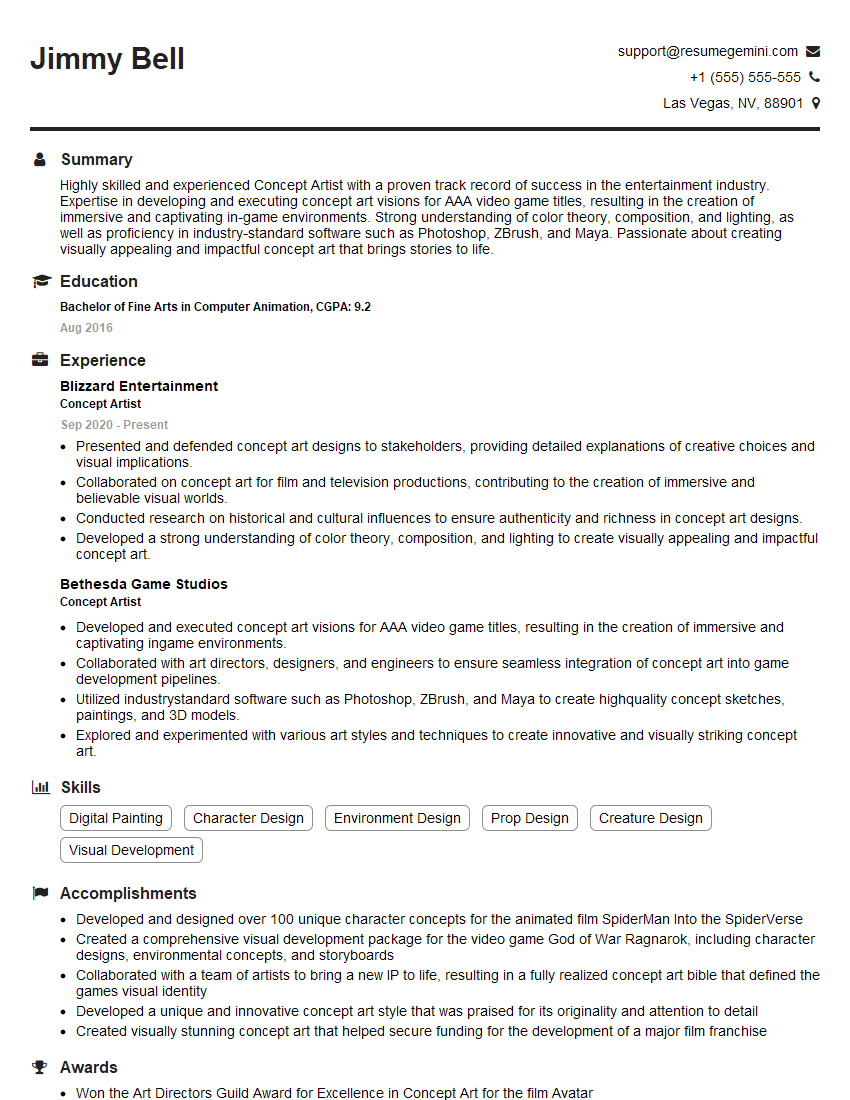
Mastering Concept Art in Procreate and Sketchbook is crucial for a successful career in the games, animation, or film industries. It opens doors to exciting roles and allows you to bring your creative vision to life. To maximize your job prospects, create an ATS-friendly resume that effectively showcases your skills and experience. ResumeGemini is a trusted resource to help you build a professional and impactful resume. Examples of resumes tailored specifically to Concept Art (Procreate, Sketchbook) roles are available to guide you.


Explore more articles
Users Rating of Our Blogs
Share Your Experience
We value your feedback! Please rate our content and share your thoughts (optional).
What Readers Say About Our Blog
Very informative content, great job.
good