Interviews are opportunities to demonstrate your expertise, and this guide is here to help you shine. Explore the essential Proficient in audio recording and mixing interview questions that employers frequently ask, paired with strategies for crafting responses that set you apart from the competition.
Questions Asked in Proficient in audio recording and mixing Interview
Q 1. Explain the difference between condenser and dynamic microphones.
Condenser and dynamic microphones are two fundamental types, differing primarily in how they convert sound waves into electrical signals. Think of it like this: a condenser mic is like a highly sensitive instrument, while a dynamic mic is a sturdy workhorse.
Condenser Microphones: These mics use a capacitor to translate sound. A thin diaphragm vibrates in response to sound waves, changing the capacitance and creating an electrical signal. They’re known for their sensitivity, capturing subtle nuances and high frequencies with great detail. This makes them ideal for recording delicate vocals, acoustic instruments, and orchestral settings. However, they typically require phantom power (48V) supplied by the recording interface.
Dynamic Microphones: These mics utilize a moving coil within a magnetic field. Sound waves cause the coil to move, inducing an electrical signal. They are more rugged, less sensitive to handling noise, and don’t require phantom power. This robustness makes them perfect for live performances, loud instruments (like drums or amplified guitars), and situations where feedback is a concern. The trade-off is less detail and a slightly ‘muddier’ sound compared to condenser mics.
In short: Condenser mics are sensitive and detailed, requiring phantom power; dynamic mics are rugged and less sensitive, requiring no phantom power. The choice depends entirely on the sound source and recording environment.
Q 2. Describe the process of setting up a multi-track recording session.
Setting up a multi-track recording session involves several crucial steps. Imagine it’s like building a house: you need a solid foundation, proper tools, and a well-defined plan.
- Planning and Preparation: Decide what you want to record, create a rough arrangement, and choose appropriate microphones and instruments.
- Connecting Hardware: Connect instruments and microphones to your audio interface, ensuring each signal is routed correctly. Use balanced cables to minimize noise. This phase is crucial for preventing signal issues later on.
- Gain Staging: Adjust the input gain for each track to achieve optimal signal levels without clipping (distortion). This is the most critical step for a professional-sounding mix. Get it right at this point – correcting later is harder and may degrade the audio quality.
- Monitoring: Set up your monitoring system to accurately reflect the recording. This usually involves headphones for each musician and a main monitoring system for the engineer.
- Recording: Start recording, keeping track of individual takes and making notes. Utilize countdowns and cues to ensure the performance is in sync across all tracks.
- Post-Production: Once the recording is complete, move to editing, mixing, and mastering. This includes cutting out unwanted sections, balancing levels, adding effects, and mastering the final product for distribution.
A well-planned setup avoids common problems such as unwanted noise, inconsistent levels, and editing nightmares. It is always preferable to start with a meticulously set-up session than trying to compensate for problems later.
Q 3. What are the common types of audio file formats and their applications?
Several audio file formats cater to different needs in recording and distribution. Think of them as different containers designed for different types of goods.
- WAV (Waveform Audio File Format): A lossless format, meaning no audio data is discarded during encoding. It provides high-fidelity audio ideal for studio work and archiving. Its large file size makes it less suitable for online streaming.
- AIFF (Audio Interchange File Format): Another lossless format similar to WAV, often preferred on Apple platforms. It also has a substantial file size.
- MP3 (MPEG Audio Layer III): A lossy format, meaning some audio data is compressed away to reduce file size. Its smaller size makes it perfect for online streaming and portable devices, though it sacrifices some audio quality. The amount of data lost can be adjusted resulting in different quality levels.
- AAC (Advanced Audio Coding): A lossy format that often provides better quality than MP3 at the same bitrate. Popular for streaming services and digital distribution.
- FLAC (Free Lossless Audio Codec): A lossless format offering high-quality audio with a smaller file size than WAV or AIFF. It’s a good compromise for archiving while keeping file sizes manageable.
The choice of format depends heavily on the intended application. Lossless formats are best for archiving and studio work, while lossy formats are preferred for distribution and streaming.
Q 4. Explain the concept of gain staging.
Gain staging is the practice of setting appropriate signal levels at each stage of the audio chain, from the microphone to the final output. Imagine it’s like controlling the water flow in a plumbing system: you need the right pressure at each point to avoid overflows or low pressure.
Proper gain staging prevents clipping (distortion) and maximizes the dynamic range of your recording. It involves:
- Microphone Gain: Setting the input gain of your audio interface so the signal is strong enough but avoids clipping.
- Preamp Gain: Adjusting the gain of any preamps used to boost the signal.
- Channel Faders: Setting the levels of individual tracks during mixing.
- Master Bus Gain: Controlling the overall level of the mix before export.
By carefully managing gain at each stage, you ensure a clean, clear signal throughout the process, making the mixing and mastering stages far simpler and producing a superior final product. Poor gain staging leads to a noisy and distorted mix, no matter how good the rest of the work is.
Q 5. How do you address audio latency issues during recording?
Audio latency, or delay, is the time it takes for audio to travel from its source to playback. It’s like an echo in the signal chain. In recording, latency can lead to timing issues, making it difficult for musicians to stay in sync.
Addressing latency involves:
- Buffer Size Adjustment: Increasing the buffer size in your DAW reduces latency but may introduce CPU overhead and increase the time lag before hearing your input. Finding the optimal balance between low latency and system stability is key.
- Using Low-Latency Drivers: Make sure your audio interface has up-to-date drivers optimized for low latency. Outdated drivers can be a major contributor to latency problems.
- Direct Monitoring: Activating direct monitoring on your audio interface sends the signal directly to your headphones, bypassing the DAW’s processing and thus reducing latency. This method is useful for recording live performances.
- Hardware Monitoring: Using a hardware mixer or dedicated monitor allows you to hear the sound without delay from your DAW.
- Software Optimization: Close unnecessary applications to free up system resources. A slow computer directly impacts latency.
Experimenting with these solutions and understanding your system’s limitations will help you find the optimal setting for your specific setup. It’s a balance between responsiveness and preventing the system from crashing.
Q 6. Describe your experience with different digital audio workstations (DAWs).
I have extensive experience with various DAWs, each with its own strengths and weaknesses. It’s like having different tools for different jobs in a toolbox.
- Pro Tools: A highly versatile and industry-standard DAW, particularly strong for film and television post-production. Its comprehensive features cater to large and complex projects, but it might have a steeper learning curve.
- Logic Pro X: An excellent all-rounder offering a wide range of features and a user-friendly interface, especially well-suited for Mac users. It boasts many high-quality plugins and instruments that can be used for a wide variety of genres.
- Ableton Live: Known for its powerful looping and session view, making it a favorite for electronic music producers. Its intuitive workflow is well-suited for improvisational and live performance-oriented music production.
- Cubase: A robust DAW with advanced features suitable for a wide range of applications, known for its sophisticated MIDI editing capabilities and advanced mixing tools.
My proficiency across these DAWs allows me to adapt to various projects and client preferences, selecting the most appropriate tool for the task at hand. The most important factor is understanding the strengths of each DAW and using them efficiently for the project’s requirements.
Q 7. What are your preferred methods for noise reduction and audio restoration?
Noise reduction and audio restoration are critical for achieving a polished final product. It’s like cleaning and restoring a valuable painting to bring back its original beauty.
My preferred methods include:
- Spectral Editing: Using tools in my DAW to visually identify and remove noise from the audio’s frequency spectrum. This is particularly effective for removing consistent hums or buzzes.
- Noise Reduction Plugins: Employing dedicated plugins like iZotope RX or Waves plugins to intelligently reduce noise while preserving the quality of the desired audio. These plugins are exceptionally helpful for complex noise reduction scenarios.
- De-clicking and De-essing: Utilizing specialized plugins to address specific audio issues like clicks and pops (often caused by recording imperfections or handling noise) and harsh sibilance (excessive ‘s’ sounds in vocals).
- Gain Staging and Mic Technique: Proactive strategies focused on recording with minimal background noise and proper gain settings greatly reduce the amount of post-production noise reduction needed. This is fundamentally the best approach, always prioritizing a clean recording over extensive repairs.
- Careful Editing and Automation: Manually removing unwanted sounds in specific instances, using fades, and automated gain changes are invaluable for a natural-sounding final product that doesn’t sound overly processed.
The specific techniques used depend on the nature of the audio and the severity of the noise issues. A combination of these methods usually achieves the best results, finding the sweet spot between removing unwanted sounds and maintaining the integrity of the original recording.
Q 8. How do you approach EQing and compression in a mix?
EQing and compression are fundamental tools in audio mixing, used to shape the sound and dynamics of individual tracks and the overall mix. My approach is always iterative and ear-focused. I start by listening critically to each track, identifying its frequency imbalances and dynamic range issues.
EQing: I prefer a subtractive approach, meaning I focus on cutting unwanted frequencies rather than boosting. Boosting can often lead to muddiness or harshness. For instance, if a vocal track is muddy in the low mids (around 250-500Hz), I’d carefully cut in that range until it sits comfortably in the mix. I might then subtly boost other frequencies, like the presence range (around 4kHz-8kHz), to add clarity and air. I use high-pass filters extensively to remove low-frequency rumble from tracks that don’t need it, like vocals and guitars.
Compression: Compression controls the dynamic range of a signal. I use it to glue together elements, control peaks, and create more consistent levels. I generally aim for subtle compression unless a more dramatic effect is desired. I consider the attack and release times carefully. A fast attack will catch transients (sharp peaks), while a slow attack will let them through. A fast release will make the compression more noticeable, whereas a slow release keeps the sound more natural. For example, I might use a compressor with a moderate ratio (4:1 to 6:1) and a slow attack/release on a drum bus to achieve a tighter, more controlled sound without losing the natural punch.
It’s a balancing act. I constantly A/B the compressed and uncompressed signal, making small adjustments until it sounds right. I always prioritize the musicality over technical perfection.
Q 9. Explain the concept of phase cancellation and how to avoid it.
Phase cancellation is a phenomenon that occurs when two identical signals are combined out of phase, resulting in a reduction or complete cancellation of the sound. Imagine two waves; if their peaks and troughs align perfectly, they add together (constructive interference). But if the peak of one aligns with the trough of the other, they cancel each other out (destructive interference).
In recording and mixing, this can happen with multiple microphones recording the same sound source or when using multiple instances of a plugin that introduces phase shifts. The result can be a thin, weak sound, or even total loss of certain frequencies.
Avoiding Phase Cancellation:
- Mono Compatibility: Always check your mixes in mono. Phase issues are more easily heard in mono.
- Careful Mic Placement: When using multiple mics on a sound source (like drums), be mindful of their placement relative to the source. Avoid placing mics too close together. Experiment to find the optimal positions for minimal phase issues.
- Phase Alignment Tools: Some DAWs provide phase alignment tools or plugins that can visually help you detect and correct phase issues.
- Using One Microphone per Sound Source When Possible: This dramatically reduces the risk of phase problems.
Remember, prevention is better than cure. Paying attention to microphone placement and monitoring in mono is crucial for avoiding phase cancellation problems.
Q 10. What are your strategies for achieving a balanced mix?
Achieving a balanced mix is a process that requires careful attention to detail and a good understanding of frequency ranges and levels. It’s about making each instrument and vocal audible and clear without any one element overpowering the others.
My strategies include:
- Gain Staging: Setting appropriate input and output levels for each track before applying any processing. This ensures that the signal is loud enough to be processed effectively and avoids clipping (distortion).
- Frequency Balancing: Using EQ to shape the tonal balance of each track, ensuring that no instruments clash or mask each other. This involves carving out space for each instrument in the frequency spectrum.
- Panning: Strategically placing instruments and vocals in the stereo field. This helps create depth and separation. I avoid excessive stereo widening, particularly for bass frequencies, as this can lead to phase issues and a loss of clarity.
- Compression and Dynamics: Carefully using compression to control the dynamic range, ensuring that the mix is even in volume without sounding squashed or lifeless.
- Reference Tracks: Regularly listening to well-mixed tracks in a similar genre to provide a point of reference for level and tone. This provides a comparative baseline and helps avoid subjectively unbalanced mixes.
- Taking Breaks: Stepping away from the mix regularly is crucial. My ears can become fatigued, leading to poor judgment. A fresh pair of ears often reveals previously unnoticed imbalances.
The process is iterative. I repeatedly listen, adjust, and refine until I achieve a cohesive and well-balanced final product.
Q 11. Describe your experience with different types of studio monitors.
My experience encompasses a wide range of studio monitors, from budget-friendly options to high-end reference systems. Each type has its own strengths and weaknesses, and choosing the right monitor depends on your budget and the type of work you’re doing.
I’ve used near-field monitors like the Yamaha HS series, known for their accurate and flat frequency response, ideal for critical listening and detailed mixing. I’ve also worked with KRK Rokit monitors, popular for their punchy bass response, suitable for genres like hip-hop and electronic music. I’ve had experience with more high-end monitors like ATC SCM series, which offer remarkable transparency and accuracy at higher volume levels. I even know the value of working with more affordable monitors like the Adam Audio T5V for smaller project studios.
The choice isn’t just about brand; it’s about finding a monitor that complements your room acoustics. A well-treated room is crucial, as the room itself can color the sound coming from the monitors. Ultimately, consistent monitoring across various systems is key, so I often refer to my mixes on other systems – headphones, car stereos, laptops, even cheaper portable speakers – to ensure a translate well.
Q 12. How do you troubleshoot common recording equipment problems?
Troubleshooting recording equipment is a significant part of my work. My approach is systematic and logical.
Step-by-step troubleshooting process:
- Identify the Problem: What specifically isn’t working? Is there no sound at all? Distortion? Feedback? A faulty connection?
- Check the Obvious: Start with the simple things – are the cables connected properly? Is the power on? Is the gain set correctly? Are the correct inputs selected?
- Isolate the Problem: Try swapping out cables, microphones, or interfaces to determine if the problem is with the equipment or the connections.
- Consult Manuals and Online Resources: Check the user manuals for the specific equipment, and search for online support forums or videos related to the problem.
- Systematic Testing: Try different combinations of equipment to pinpoint the faulty component.
- Seek Professional Help: If the problem persists, it’s time to contact a qualified technician for repairs or service.
A good understanding of audio signal flow and the basics of electronics is invaluable in troubleshooting. For example, I remember once a recording session was halted because of constant hum. By tracing the signal path, I found the hum was due to a grounding issue, resolved easily by switching power outlets.
Q 13. What are your preferred techniques for microphone placement?
Microphone placement is crucial for capturing the desired sound. My technique depends heavily on the source and the desired sound. I treat every instrument uniquely.
General Principles:
- Distance from Source: The closer the microphone, the more prominent the direct sound, while further away picks up more room ambiance.
- Off-Axis vs. On-Axis: Placing the microphone off-axis (to the side) can change the tonal balance, adding warmth or reducing harshness. On-axis usually offers the most direct sound.
- Angle: The angle of the microphone relative to the sound source influences the captured sound. Experimentation is crucial. For example, a slightly off-axis angle on a snare drum might reduce the harshness of the high frequencies.
Specific Examples:
- Vocals: Often recorded fairly close, but the exact distance and angle are adjusted to achieve the desired character. I also pay close attention to proximity effect (bass boost at close distances).
- Acoustic Guitar: Can be recorded using a variety of techniques – close micing for a more intimate sound or more distanced for room ambiance.
- Drums: Each drum typically receives its own mic. The snare might receive two – one close for attack and another overhead for ambience.
I always listen carefully and experiment to find the optimal placement for each specific sound source. It’s a balance between capturing the raw sound of an instrument and blending it within the mix.
Q 14. Explain the concept of room acoustics and its impact on recording quality.
Room acoustics are the sound characteristics of a space, significantly affecting recording quality. The size, shape, materials, and furnishings of a room all influence how sound waves reflect and absorb. A poorly treated room can lead to undesirable reflections, muddiness, coloration, and overall uneven sound.
Impact on Recording Quality:
- Reflections: Sound waves bounce off surfaces, creating early reflections that can muddy a recording, especially for instruments that produce short transient sounds like drums or acoustic guitars.
- Standing Waves: Certain frequencies can build up due to resonance between parallel surfaces, creating areas of increased loudness and muddiness.
- Room Modes: These are acoustic resonances in a room that create uneven frequency response. Some frequencies are boosted, while others are dampened, which makes it challenging to get an accurate and balanced recording.
Mitigation Strategies:
- Acoustic Treatment: Using acoustic panels (absorbent materials) to reduce reflections and control room modes. This is essential for a quality recording environment.
- Diffusion: Using diffusers (scatter sound waves) to break up standing waves and create a more even sound field.
- Room Design: Ideally, the recording space should be designed with acoustics in mind from the beginning, avoiding parallel walls where possible.
- Strategic Mic Placement: Placing microphones to minimize the impact of reflections can help reduce the impact of problematic room acoustics, even in less-than-ideal spaces.
Understanding and controlling room acoustics is essential for professional-quality recording. A well-treated room will create a much more accurate and balanced sound, minimizing post-production work.
Q 15. How do you handle feedback issues during a live sound reinforcement event?
Feedback, that high-pitched squeal, is the bane of live sound. It happens when sound from the speakers gets picked up by a microphone and amplified again, creating a vicious cycle. Handling it requires a multi-pronged approach.
- Gain Staging: This is the most crucial step. Keeping input and output levels appropriately low prevents signals from becoming too strong, reducing the likelihood of feedback. Think of it like turning down the volume on both the microphone and the speakers until you find the sweet spot where the sound is clear but not overpowering.
- EQ: A graphic equalizer (EQ) allows precise control over specific frequencies. If feedback occurs at a certain frequency, such as a piercing whistle at 2kHz, I’ll subtly cut that frequency on the offending channel, essentially ‘notching it out’ to eliminate the feedback without affecting the overall sound quality too much. It’s like surgically removing a problem note from a song.
- Microphone Placement: Careful microphone placement is key. Pointing a microphone directly at a speaker is a recipe for disaster. Moving it even a few inches can make a significant difference. I often employ techniques like aiming microphones slightly away from the speaker or using directional microphones, which capture sound from a specific direction more effectively.
- Phase Alignment: Sometimes, the sound waves from the microphone and speaker are out of sync (out of phase), leading to cancellation and potentially feedback. I carefully monitor phase relationships using my mixer, and use polarity switches to potentially correct phase issues if required. This is a more nuanced step requiring a detailed understanding of audio theory.
- Feedback Destroyers: Specialized units called feedback destroyers constantly monitor and automatically suppress feedback. They work in real time, reacting to impending feedback and subtly attenuating the problem frequencies. They are a great tool, particularly useful in complex sound reinforcement scenarios.
In a live event, I’d typically address feedback issues in this order, starting with the simplest solutions (gain staging) and moving towards more complex ones if necessary. It’s often about a careful balance of tweaking each of these parameters to achieve the best sound while avoiding feedback.
Career Expert Tips:
- Ace those interviews! Prepare effectively by reviewing the Top 50 Most Common Interview Questions on ResumeGemini.
- Navigate your job search with confidence! Explore a wide range of Career Tips on ResumeGemini. Learn about common challenges and recommendations to overcome them.
- Craft the perfect resume! Master the Art of Resume Writing with ResumeGemini’s guide. Showcase your unique qualifications and achievements effectively.
- Don’t miss out on holiday savings! Build your dream resume with ResumeGemini’s ATS optimized templates.
Q 16. What are your skills in audio editing software?
I’m proficient in several industry-standard audio editing software packages, including Pro Tools, Logic Pro X, and Ableton Live. My skills extend beyond basic editing to encompass advanced techniques.
- Pro Tools: I’m experienced with session setup, advanced audio editing (including time stretching and pitch correction), mixing, and mastering within Pro Tools. I’m comfortable working with automation, MIDI, and various plugins for effect processing and restoration.
- Logic Pro X: I use Logic Pro X extensively for its intuitive workflow and powerful sound design capabilities. I frequently utilize its built-in effects and instruments for composing, arranging, and sound design.
- Ableton Live: My skills in Ableton Live are focused on its looping and non-linear workflow, making it ideal for creative sound design and electronic music production. I’m proficient in using its MIDI capabilities and effects to craft unique sonic landscapes.
Beyond these, I’m also familiar with Audacity (for basic editing tasks) and various other audio processing and restoration tools as needed. My approach to software selection is always about selecting the right tool for the job.
Q 17. Explain your experience with surround sound mixing.
My surround sound mixing experience is extensive, primarily focused on creating immersive and engaging audio experiences for various media. This involves understanding the spatial relationships of sounds within a multi-speaker environment.
I’ve worked on projects ranging from cinematic sound design for short films to multichannel mixing for interactive installations. The key difference between stereo and surround mixing lies in the need to carefully place sounds within the soundstage. For example, in a 5.1 setup, sounds can be panned (positioned) not only left and right, but also in the front, center, back left and back right speakers. I utilize surround panning techniques effectively to create a realistic and engaging soundscape that fully utilizes the available speaker configuration.
The challenges of surround sound mixing often involve creating a sense of depth and immersion. This requires careful attention to detail, including managing the bass frequencies to avoid muddiness and carefully placing the different elements within the soundscape to create a compelling listening experience.
Software such as Pro Tools and Logic Pro X offer tools that help with surround sound workflow and visualization of sound placement. My experience with these tools enhances my ability to deliver high-quality surround sound mixes.
Q 18. How do you manage large audio projects and maintain organization?
Managing large audio projects requires meticulous organization. My approach involves a multi-faceted strategy.
- Folder Structure: I employ a highly organized folder structure, using descriptive names and a hierarchical system. This often includes folders for individual sessions, stems, effects, and final mixes. A consistent naming convention is key, such as using project names and dates, which helps keep everything in order.
- Cloud Storage: Reliable cloud storage services like Dropbox or Google Drive are essential for backing up projects and allowing access from multiple locations. I also use cloud-based collaborative platforms for team projects.
- Session Management: Within the DAW itself, I create clear session files, meticulously labeling tracks and using color-coding for easy identification. Extensive use of comments and markers helps me stay focused and remember decisions made during the mixing process.
- Metadata: Careful metadata tagging (artist, title, genre, etc.) ensures easy retrieval and management of audio files. Proper tagging is essential for efficient workflow and avoids unnecessary searching later.
- Database Systems: For extremely large projects, I explore dedicated audio database solutions. These solutions offer advanced features for search, organization, and metadata management.
This combination ensures smooth workflow even with hundreds of audio files involved. It’s about building a system that minimizes the time spent searching and maximizing the time spent creating.
Q 19. Describe your experience with audio metering and its importance.
Audio metering is crucial for ensuring a mix is loud enough without exceeding safe levels. This prevents clipping (distortion) and ensures that the end product meets professional standards. It’s like having a speedometer in your car – you need to know how fast you’re going to drive safely.
- Peak Meters: These indicate the highest level of the audio signal. Exceeding 0dBFS (digital full scale) results in clipping, which is irreversible damage. I constantly monitor peak levels to prevent this.
- RMS (Root Mean Square) Meters: These measure the average signal level over time, giving a more accurate representation of the perceived loudness. RMS metering helps avoid making a mix too loud, especially for broadcasting or streaming services, which often have strict loudness guidelines (like LUFS).
- Loudness Meters: Specifically designed to measure perceived loudness (like LUFS), these meters are important for broadcast and streaming compliance. These help me make sure the audio will be perceived at a consistent volume across various platforms.
- Frequency Analyzers (Spectrum Analyzers): These visual tools show the distribution of frequencies in the audio signal, helping to identify muddiness in the low end or harshness in the highs. I use these to balance the audio frequencies and create an overall smoother mix.
I use these meters throughout the entire mixing process, from tracking to mastering. Paying attention to metering ensures a clear, well-balanced, and professionally delivered end product. Ignoring metering is a surefire way to create a poorly mastered final mix.
Q 20. What is your understanding of psychoacoustics?
Psychoacoustics is the study of how humans perceive sound. Understanding psychoacoustics is crucial for audio engineering because it bridges the gap between the technical aspects of sound and the listener’s subjective experience. It’s about understanding not just what the sound *is*, but how it’s *heard*.
For example, the Haas effect (precedence effect) describes how we perceive sound localization. When a sound arrives at our ears from two slightly different positions and times, our brain prioritizes the first signal and localizes the sound to the source of the first signal. This is why in sound design we use early reflections to enhance the realism of sounds, to build a believable soundscape.
Another important concept is masking, which explains how louder sounds can obscure quieter sounds, even if they are present in the same frequency range. I use this knowledge during mixing to manage sounds such as vocals and instruments so that nothing is lost in the mix. Knowing how sounds mask each other helps optimize the mix without creating a sense of clutter. It’s like creating a tapestry—each thread (sound) adds to the whole while being visible and not lost in the overall design.
My understanding of psychoacoustics allows me to make informed decisions about EQ, compression, and stereo imaging, ensuring the final mix sounds balanced and natural to the listener, even across various playback systems.
Q 21. How do you collaborate effectively with other members of an audio team?
Effective collaboration is essential in audio production. My approach centers on clear communication, mutual respect, and a shared understanding of the goals.
- Clear Communication: I always ensure clear and open communication with the rest of the team. This involves regularly checking in with others, sharing progress updates, and being receptive to feedback. I ensure that everyone is on the same page regarding the artistic direction and technical specifications.
- Shared Goals: Before starting a project, I work collaboratively to define the overall artistic vision and technical objectives. This shared understanding eliminates misunderstandings and ensures we are all working towards the same goal.
- Constructive Feedback: I provide and receive constructive feedback in a respectful and professional manner. This involves offering specific suggestions rather than generalized critiques. It’s important to remember that everyone on the team is striving to achieve the best results, so honest feedback is crucial.
- Technology Proficiency: Ensuring that everyone on the team is proficient with the chosen technology and software, and establishing consistent file naming conventions and project organization, is also crucial for efficient collaboration.
- Team Meetings: Holding regular team meetings to track progress, discuss technical and artistic challenges, and ensure alignment among team members greatly improves workflow and ensures a successful project.
By prioritizing communication and mutual respect, I foster a collaborative environment that leads to high-quality results. In the end, the goal is always to create the best possible audio product for the client.
Q 22. Describe a time you had to troubleshoot a complex audio problem.
One time, I was recording a live orchestral performance in a notoriously difficult venue known for its acoustic challenges – excessive reverb and unwanted resonances. The initial recordings suffered from a muddy low-end and a lack of clarity in the higher frequencies. To troubleshoot, I first carefully analyzed the frequency spectrum of the recording using a spectral analyzer plugin in my DAW (Digital Audio Workstation). This revealed specific frequency peaks that corresponded to the room’s problematic resonances.
My solution involved a multi-pronged approach. First, I strategically placed strategically placed microphones to minimize the capture of the problematic reflections, experimenting with different microphone polar patterns (cardioid, hypercardioid). Secondly, I utilized equalization (EQ) in post-production to surgically cut those problematic frequencies, carefully avoiding affecting the instruments’ natural tone. I used a parametric EQ, allowing precise control over frequency, gain, and Q (bandwidth). Finally, I employed a high-quality reverb plugin to create a more natural and controlled sense of space, subtly adding the ambience rather than fighting against the existing excessive reverb.
The result was a much cleaner, clearer recording, with enhanced instrument separation and a more controlled sonic palette. This experience highlighted the importance of understanding acoustics and the versatility of signal processing tools in achieving the desired outcome.
Q 23. What are your skills in signal processing?
My signal processing skills encompass a broad range of techniques crucial for audio recording and mixing. I am proficient in using various digital audio workstations (DAWs) such as Pro Tools, Logic Pro X, and Ableton Live. My skills include:
- Equalization (EQ): Precisely adjusting the frequency balance of audio signals to enhance clarity, remove unwanted frequencies (hiss, rumble), and sculpt the tonal character of instruments and vocals. I regularly use both parametric and graphic EQs, understanding the differences and choosing the appropriate tool for the task.
- Compression: Controlling the dynamic range of audio to even out volume differences, making the signal more consistent and powerful. I am experienced with various compressor types (optical, VCA, FET) and understand the nuances of attack, release, ratio, and threshold settings.
- Reverb and Delay: Adding ambience, space, and texture to recordings. I understand the physics of sound reflection and choose appropriate reverb algorithms and delay times to fit the style of music and the intended sonic image.
- Gate: Reducing background noise by eliminating very quiet sounds, thus improving the signal-to-noise ratio.
- Automation: Automating parameters such as volume, pan, EQ, and effects to dynamically change the sound throughout a recording.
I also possess a strong understanding of the underlying principles of digital signal processing, including sampling rates, bit depth, and the effects of quantization and dithering. This understanding allows me to make informed decisions throughout the recording and mixing process, optimizing the final sound quality.
Q 24. How do you ensure the quality of your audio recordings?
Ensuring audio recording quality is paramount. My approach starts well before the recording begins:
- Pre-Production Planning: I meticulously plan the recording environment, considering acoustics, microphone placement, and signal routing before any recording happens.
- Microphone Selection: Choosing the right microphone for the specific instrument or source is critical. My knowledge spans different microphone types (condenser, dynamic, ribbon), each with its own unique characteristics, allowing me to make informed decisions based on the task.
- Proper Mic Technique: I am skilled in proper microphone placement and technique to minimize unwanted noise and maximize the capture of desired sounds, employing techniques like off-axis rejection and proximity effect awareness.
- Signal Level Management: Careful monitoring of input levels prevents clipping (distortion caused by exceeding the maximum recording level) ensuring a clean signal capture.
- Monitoring and Headphone Mixes: I ensure accurate monitoring using high-quality studio monitors and create personalized headphone mixes for musicians during recording, allowing them to hear themselves clearly and confidently.
- Regular Maintenance: I regularly inspect and maintain my equipment to ensure optimal performance and prevent unwanted technical issues.
Post-recording, thorough editing and processing are essential for enhancing the quality and correcting any minor issues.
Q 25. What are some common audio mixing techniques?
Common audio mixing techniques involve a combination of art and science, focusing on balancing, shaping, and arranging various elements to create a cohesive and engaging sonic landscape. Key techniques include:
- Gain Staging: Setting appropriate levels across the mix to avoid clipping and maximize dynamic range. This requires careful adjustment of fader levels and plugin gain settings.
- EQing: Equalization is used extensively to sculpt the frequency response of individual tracks and the overall mix, shaping the tonal balance and addressing frequency clashes.
- Panning: Placing sounds in the stereo field to create width, depth, and interest. Careful panning is critical to avoiding phase cancellation and creating a spacious, balanced mix.
- Compression: Evens out dynamic range, glues together elements, and adds punch to individual tracks or the entire mix.
- Reverb and Delay: Create ambience, space, and depth. Different types of reverb and delay algorithms are used for various effects and to enhance the soundscape.
- Automation: Dynamic changes in levels, panning, effects, and other parameters throughout the song for creating interesting movement and emphasis.
Effective mixing requires an understanding of musicality, spatial relationships, and the ability to fine-tune the balance between clarity and full-bodied sound, and how various sounds and frequency ranges interact with each other.
Q 26. Explain your understanding of different audio effects.
My understanding of audio effects extends beyond basic EQ and compression. I am adept at using a wide array of effects to shape, enhance, and creatively manipulate audio signals. This includes:
- Reverb: Simulates the acoustic environment, adding space and ambience. Different types, like plate reverb, hall reverb, and room reverb, create varying textures and depths.
- Delay: Creates echoes and rhythmic effects by delaying the audio signal. This can be used for creative effects like slapback echo or complex rhythmic patterns.
- Chorus: Creates a thicker, fuller sound by subtly detuning and delaying multiple copies of the original signal.
- Phaser: Produces swirling, whooshing effects by shifting the phase of audio frequencies.
- Flanger: Similar to phaser but creates more dramatic and pronounced effects with a distinct ‘jet plane’ sound.
- Distortion: Creates a saturated, overdriven sound, adding warmth, edge, and aggressiveness to the audio. Various types exist, from subtle overdrive to extreme fuzz.
- Filter: Shapes the frequency content of audio, allowing selective removal or enhancement of specific frequency ranges.
I am proficient in utilizing these effects tastefully and creatively to enhance the sonic characteristics and enhance the emotional impact of recordings. Understanding the subtle nuances of each effect is crucial to achieve the desired outcome without negatively impacting the overall mix quality.
Q 27. What is your experience with audio mastering?
My experience with audio mastering is extensive. I understand that mastering is the final stage of audio production, where the entire project is polished to a professional standard for distribution. This is different from mixing which focuses on balancing and shaping individual tracks. Mastering involves:
- Gain Staging: Optimizing the overall level and loudness to meet industry standards.
- EQ: Subtly adjusting the overall frequency balance to ensure consistency across different playback systems.
- Compression: Controlling dynamics to achieve a consistent perceived loudness and prevent clipping on various devices.
- Stereo Imaging: Enhancing stereo width and depth while maintaining clarity and avoiding phasing issues.
- Limiting: Applying a limiter to maximize loudness without introducing distortion.
- Dithering: Reducing quantization noise when converting from higher to lower bit depths.
I have a deep understanding of the nuances of loudness standards, such as LUFS (Loudness Units relative to Full Scale), and can prepare masters for various distribution platforms, including streaming services and physical media.
Q 28. How do you stay updated with the latest audio technology and trends?
Staying current in the ever-evolving world of audio technology is vital. I actively utilize several strategies to remain at the forefront of advancements:
- Industry Publications and Websites: I regularly read publications like Sound on Sound and Mix Magazine, and follow relevant websites and blogs focused on audio engineering.
- Professional Conferences and Workshops: I attend conferences and workshops to learn about the latest software, hardware, and mixing techniques. Networking with peers and professionals provides invaluable insights and perspectives.
- Online Courses and Tutorials: I utilize platforms like Udemy, Coursera, and YouTube channels to enhance my skills with tutorials and workshops on new DAW features, plugins, and processing techniques.
- Hands-on Experimentation: I constantly experiment with new plugins, workflows, and techniques to broaden my understanding and proficiency.
- Collaboration and Feedback: Engaging in collaborative projects and seeking feedback from experienced professionals helps identify areas for improvement and stay connected to industry best practices.
Continuous learning is a cornerstone of excellence in audio engineering, ensuring that my skills remain relevant and innovative.
Key Topics to Learn for Proficient in Audio Recording and Mixing Interviews
- Microphone Techniques: Understanding different microphone types (dynamic, condenser, ribbon), polar patterns, placement techniques for optimal sound capture, and troubleshooting common microphone issues.
- Audio Recording Software: Proficiency in DAWs (Digital Audio Workstations) like Pro Tools, Logic Pro, Ableton Live, or Audacity. This includes understanding track management, editing techniques, and utilizing various plugins.
- Signal Flow and Processing: A comprehensive grasp of the audio signal path, from input to output, including pre-amps, EQ, compression, limiting, reverb, delay, and other effects processing. Understanding how these tools shape the sound.
- Mixing Techniques: Mastering the art of balancing levels, panning, creating a cohesive soundscape, achieving clarity and depth, and understanding stereo imaging.
- Audio Editing and Restoration: Skills in noise reduction, de-essing, click/pop removal, and other audio restoration techniques to enhance audio quality.
- Monitoring and Acoustics: Understanding the importance of accurate monitoring, room acoustics, and how to mitigate environmental noise for optimal recording and mixing environments.
- File Formats and Metadata: Knowledge of various audio file formats (WAV, AIFF, MP3), bit depth, sample rates, and the importance of proper metadata tagging for organization and distribution.
- Workflow and Project Management: Efficient project management skills, including organizing sessions, naming conventions, and backup strategies.
- Troubleshooting and Problem-Solving: Ability to diagnose and resolve common audio recording and mixing issues, such as feedback, latency, and unwanted noise.
- Music Theory Fundamentals: While not always required, a basic understanding of music theory can significantly enhance your mixing and editing capabilities.
Next Steps
Mastering audio recording and mixing opens doors to exciting careers in music production, post-production, sound design, and more. To maximize your job prospects, create a strong, ATS-friendly resume that showcases your skills and experience effectively. ResumeGemini is a trusted resource to help you build a professional and impactful resume. We provide examples of resumes tailored to professionals proficient in audio recording and mixing to help you get started.

Music Producer Resume Sample
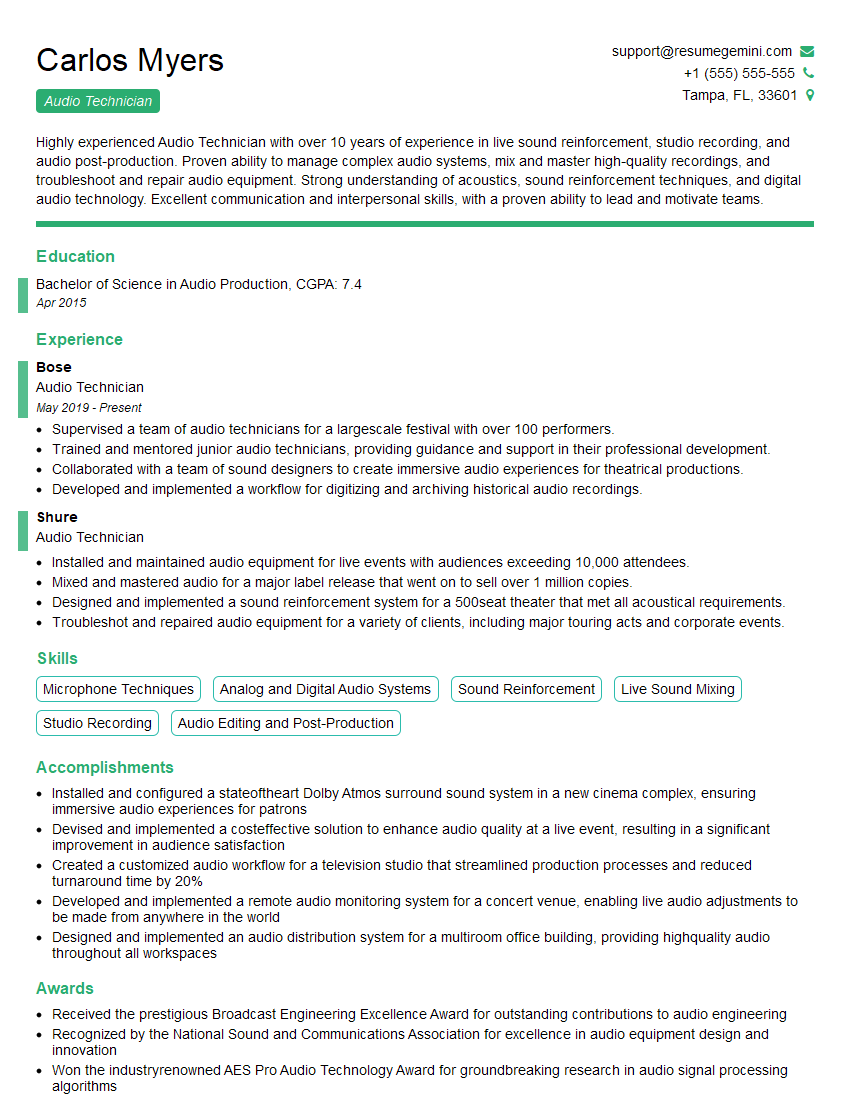
Audio Technician Resume Sample

Audio Engineer Resume Sample
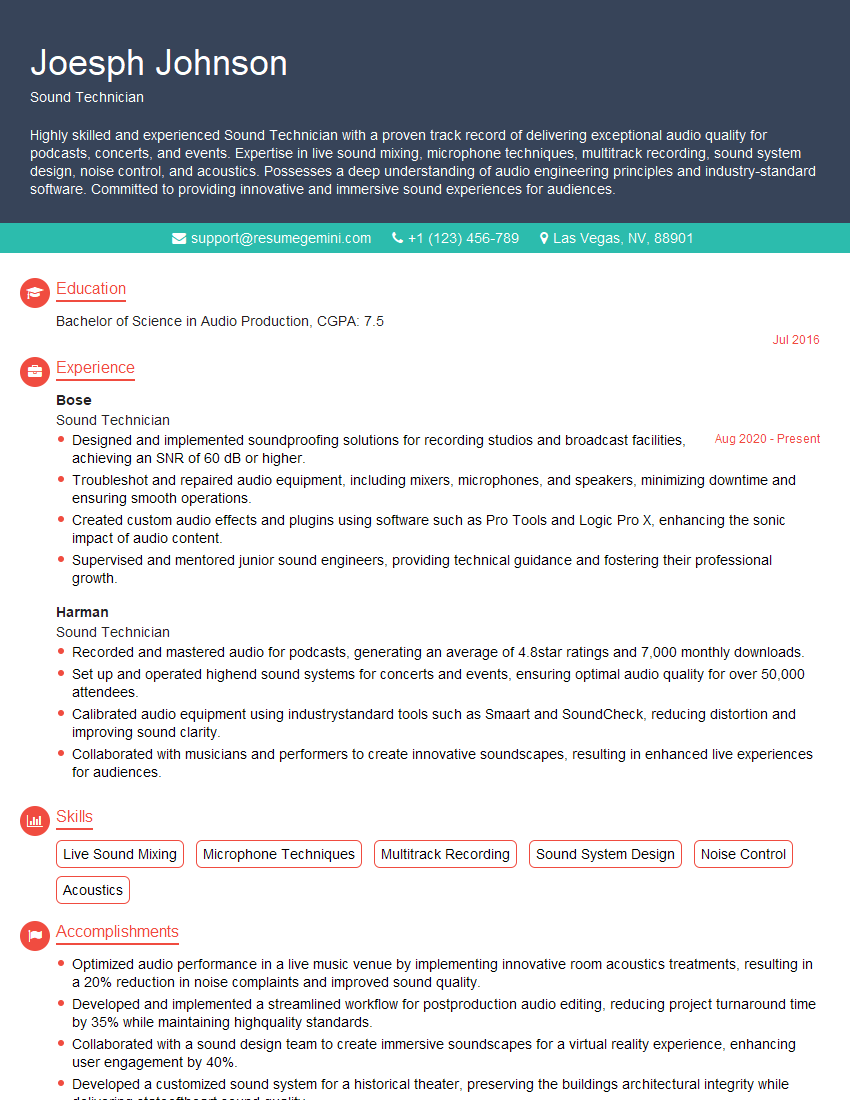
Sound Technician Resume Sample

Mixing Engineer Resume Sample

Recording Engineer Resume Sample

Sound Designer Resume Sample

Sound Editor Resume Sample
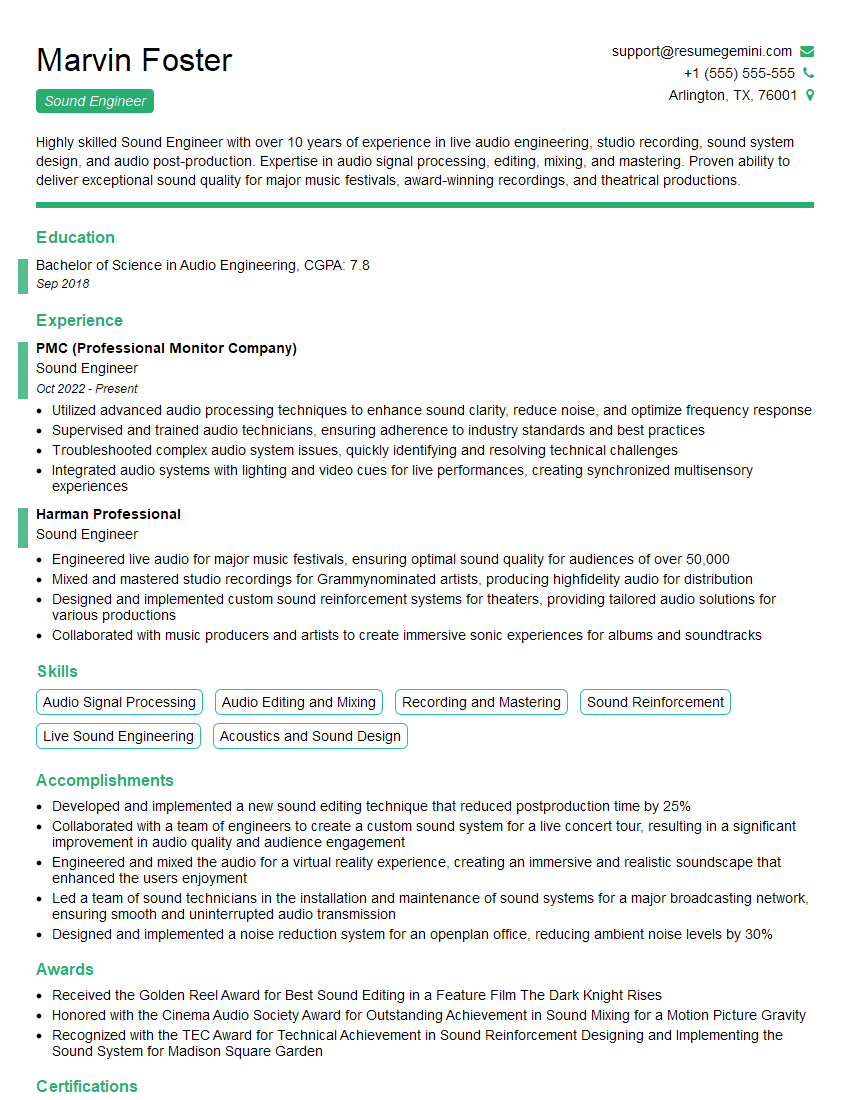
Sound Engineer Resume Sample
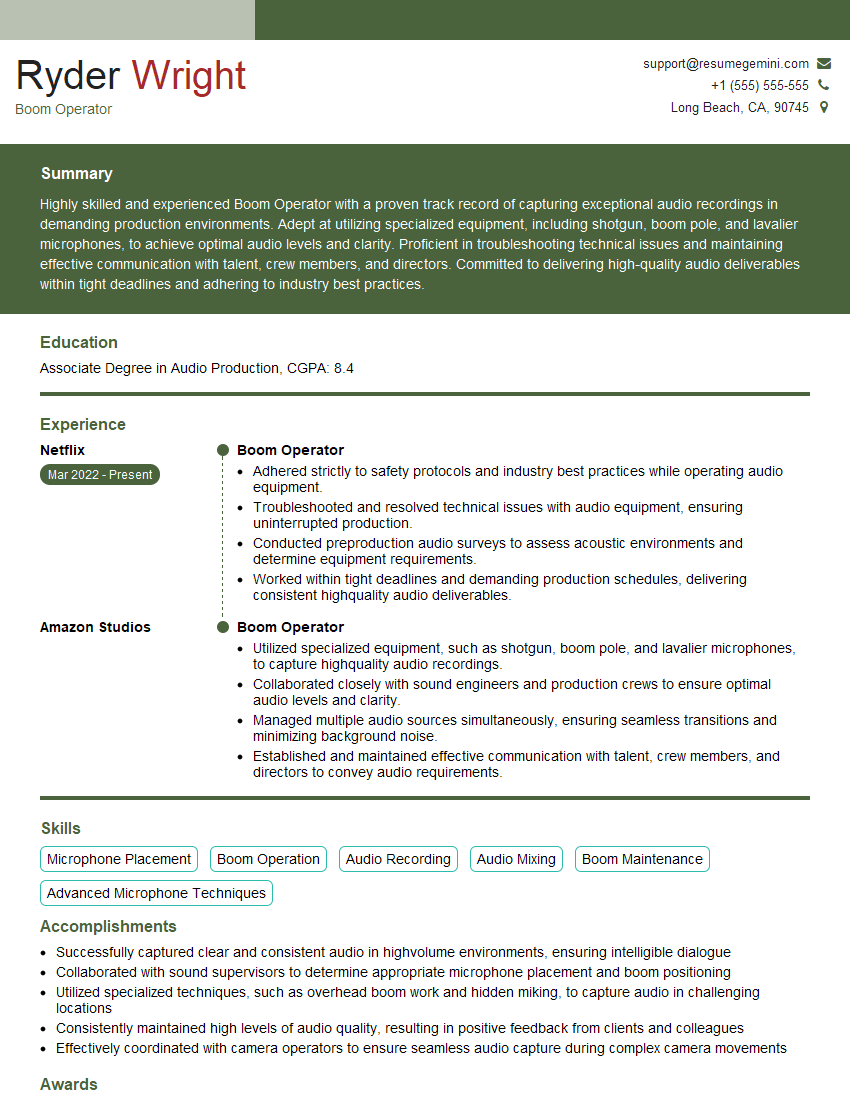
Boom Operator Resume Sample
Explore more articles
Users Rating of Our Blogs
Share Your Experience
We value your feedback! Please rate our content and share your thoughts (optional).
What Readers Say About Our Blog
Very informative content, great job.
good