Unlock your full potential by mastering the most common Live Video Production interview questions. This blog offers a deep dive into the critical topics, ensuring you’re not only prepared to answer but to excel. With these insights, you’ll approach your interview with clarity and confidence.
Questions Asked in Live Video Production Interview
Q 1. Explain your experience with different video switching systems (e.g., ATEM, Ross Video).
My experience with video switching systems encompasses a wide range of hardware and software solutions. I’m proficient with both Blackmagic Design’s ATEM switchers, known for their user-friendly interface and robust features, and Ross Video’s production switchers, renowned for their scalability and advanced functionalities in large-scale productions.
With ATEM switchers, I’ve worked extensively on models like the ATEM Television Studio and ATEM Constellation, utilizing their built-in effects, DVE (Digital Video Effects) capabilities, and super-source functionality for creating layered and dynamic compositions. For example, I used an ATEM Television Studio HD to create a multi-camera live stream for a small conference, seamlessly switching between presenter feeds, screen shares, and graphics.
My experience with Ross Video includes working with their Carbonite and Vision switchers, systems which are preferred in broadcast environments demanding high-end features such as advanced macros, customizable layouts, and integration with other broadcast equipment. I’ve leveraged these systems’ power for larger events, coordinating multiple camera feeds, graphics insertions, and replays with precision during live sports coverage and large-scale concerts.
Q 2. Describe your experience with audio mixing and balancing in a live production environment.
Audio mixing and balancing is crucial for creating an engaging and professional live production. My approach involves a multi-step process. I begin by setting appropriate levels for each audio source – microphones, music tracks, and sound effects – ensuring no clipping or excessive noise. I carefully balance levels to achieve clarity and prevent one source from overpowering another.
I’m adept at using various audio mixers, both digital and analog, utilizing techniques like equalization (EQ) to adjust the tonal balance, compression to control dynamic range, and reverb or delay to create a richer sonic environment. In real-world scenarios, I’ve utilized this expertise during live music performances and corporate events where maintaining pristine audio quality, free from feedback and unwanted noise, is critical to a successful production. For example, during a live interview, I used EQ to enhance the clarity of the interviewee’s voice and minimize background noise.
Furthermore, I’m proficient in using monitoring systems and employing techniques like ‘headroom’ to manage audio levels effectively, preventing clipping and ensuring optimal sound quality across diverse listening devices.
Q 3. How do you troubleshoot technical issues during a live broadcast?
Troubleshooting during a live broadcast requires a calm, systematic approach. My strategy involves a combination of rapid assessment, targeted problem-solving, and effective communication. The first step is identifying the issue: is it audio, video, or streaming related?
My troubleshooting process generally follows these steps:
- Isolate the Problem: Determine the affected component(s) by systematically checking each element of the production chain. For instance, if there’s no video from a particular camera, I’d check the camera itself, the cable connections, and the switcher input.
- Check the Obvious: Ensure all cables are securely connected, power is on, and settings are correctly configured. A simple loose connection can cause significant disruption.
- Use Backup Systems: If a component fails, I immediately switch to backup equipment to minimize downtime. Having redundant systems in place is vital.
- Communicate Clearly: Effectively communicating the problem and its status to the director and the team is crucial. This prevents misunderstandings and allows for coordinated problem-solving.
- Document and Learn: After resolving an issue, I always document the problem and its solution to prevent similar occurrences in the future. This continuous learning helps improve efficiency and preparedness.
For example, during a live stream, a sudden loss of audio was traced to a faulty audio interface. By quickly switching to a backup audio interface, we avoided any significant interruption to the broadcast. The faulty interface was then documented for replacement.
Q 4. What are your preferred methods for managing multiple camera angles and feeds?
Managing multiple camera angles requires a combination of technical skills and creative vision. I leverage the switcher’s capabilities to organize and control camera feeds. Utilizing features like multi-view monitors provides a real-time view of all camera feeds, which allows for efficient selection of the most appropriate shots.
Beyond technical tools, effective communication with the camera operators is paramount. Clear and concise instructions on desired angles and shots contribute greatly to a seamless workflow. Establishing a consistent communication system – like hand signals or intercom – ensures the team remains synchronized and the director’s vision is effectively translated to the audience.
In a recent corporate event, I effectively managed six cameras, each capturing a different perspective of the presenter and audience, using the switcher’s multi-view and preview capabilities to seamlessly switch between angles, keeping the audience engaged without any noticeable disruptions. This required pre-planning of camera positions and efficient communication with the camera operators.
Q 5. How familiar are you with various video formats and codecs?
I’m very familiar with various video formats and codecs. My experience includes working with formats like H.264, H.265 (HEVC), and ProRes. Understanding the characteristics of each codec – their compression efficiency, quality trade-offs, and compatibility with different platforms – is critical for making informed decisions in a live production environment.
For example, H.264 is widely compatible but can be computationally intensive, while H.265 offers higher compression ratios with better quality at lower bitrates, but might have limited compatibility with older equipment. ProRes offers excellent quality but larger file sizes, ideal for post-production but less suitable for real-time streaming. Choosing the right codec depends heavily on the specific requirements of the production, including bandwidth considerations, target platform, and desired level of quality.
My knowledge extends to various container formats, including MP4, MOV, and MXF, and I understand their implications on compatibility and workflow.
Q 6. Explain your experience with live streaming platforms (e.g., YouTube Live, Facebook Live).
I have extensive experience with various live streaming platforms, including YouTube Live, Facebook Live, and others such as Twitch and Vimeo Live. My expertise goes beyond simply setting up a stream; I understand the nuances of each platform, including their specific requirements for encoding, resolutions, and bitrates.
Each platform has different encoding recommendations to ensure optimal quality and viewer experience. For instance, YouTube Live might favor certain codecs and resolutions for optimal performance, while Facebook Live might have different guidelines. I’m adept at configuring encoding settings for each platform to achieve the highest quality stream within the constraints of available bandwidth.
Furthermore, I’m familiar with integrating live streaming platforms with other tools and software, like those for live graphics overlays, real-time analytics, and chat moderation – essential elements for managing a successful live stream.
Q 7. How do you ensure seamless transitions between segments in a live video production?
Seamless transitions are essential for a polished and professional live video production. My approach involves a combination of careful planning, precise execution, and utilizing the switcher’s capabilities effectively.
Prior to the live broadcast, I work closely with the director to develop a detailed run-of-show, outlining the specific transitions needed between segments. This plan includes selecting appropriate transitions – cuts, dissolves, wipes, or more complex effects – based on the content and desired mood.
During the live broadcast, I use the switcher’s preview function to cue the next shot, allowing me to execute the selected transition smoothly and precisely. For more complex transitions, I might pre-program them using the switcher’s macro functionality, ensuring a consistent and professional look throughout the production. Techniques like using lower thirds or other on-screen graphics also aid in creating clear segment breaks and maintaining visual flow.
For example, during a live event, we used a combination of dissolves and wipes, strategically chosen to reflect the emotional tone and pace of the segments. This meticulous planning and execution resulted in a highly polished viewing experience.
Q 8. Describe your experience working with graphics packages and integrating them into a live stream.
Integrating graphics packages into a live stream is crucial for enhancing viewer engagement and providing crucial information. My experience spans various software, including Adobe After Effects, Motion, and even simpler solutions like graphics overlays within streaming platforms. I’m proficient in creating and managing lower thirds, full-screen graphics, animated elements, and data overlays. The process typically involves exporting graphics in appropriate formats (like PNG sequences or MOV files) with alpha channels for transparency. These are then fed into the video switcher or streaming encoder via a variety of methods; this might be using a dedicated graphics card, software plugins like CasparCG, or even by utilizing the streaming platform’s native graphics tools. For instance, during a live sports broadcast, I’d seamlessly integrate real-time score updates or player information directly onto the video feed, ensuring accuracy and visual appeal. In corporate events, I might use animated logos, branding elements, or even interactive polls to boost audience participation.
A key aspect is understanding the limitations of different systems. High-resolution graphics can strain some encoders, leading to delays or increased buffering for viewers. Therefore, I always optimize graphics for the specific streaming platform and target audience, balancing visual quality with performance.
Q 9. How do you handle unexpected technical problems or on-air emergencies?
Handling unexpected technical problems is paramount in live video production. My approach follows a structured, calm, and decisive process. First, I identify the problem – is it audio, video, graphics, or something else? Then I prioritize based on impact – a complete video dropout is a higher priority than a minor audio glitch. Next, I have backup systems in place. For example, we might have multiple cameras, audio sources, and even a backup internet connection. This redundancy enables me to quickly switch to a functional alternative without disrupting the broadcast too much.
Communication is key; I ensure seamless communication with the director, talent, and technical crew to coordinate problem-solving and inform them of the solutions. Transparency with the audience is also important; a simple, concise apology on-air about a minor interruption can go a long way. For example, during one live music festival, a power outage caused a momentary blackout. However, we were prepared with backup generators and communicated with the audience during a brief transition to smooth over the interruption.
Finally, post-mortem analysis is crucial. After each broadcast, I review the event to identify areas for improvement and prevent similar incidents.
Q 10. Explain your understanding of video signal flow.
Understanding video signal flow is fundamental. It’s the pathway a video signal takes from its source to the final output (e.g., viewer’s screen). A typical flow might start with a camera, converting light into an electrical signal. This signal then passes through a variety of processing units depending on the setup. This might include a vision mixer (switcher) for selecting and composing multiple camera angles, a character generator for adding graphics, and finally, an encoder for transforming the video into a format suitable for streaming or broadcast.
- Camera: Captures the image.
- Video Mixer/Switcher: Selects and combines video sources.
- Character Generator/Graphics System: Adds text and graphics.
- Encoder: Converts the video into a streamable format (like H.264 or H.265).
- Streaming Platform/Distribution: Delivers the video to viewers.
Consider the audio path alongside the video, it often follows a similar flow, starting from microphones, routing through mixers and audio processors, and integrating into the overall video stream before encoding and distribution. A thorough understanding of this process allows me to troubleshoot issues quickly and efficiently, by tracing the signal path and identifying any point of failure.
Q 11. What is your experience with remote production workflows?
My experience with remote production workflows is extensive. I’ve worked on numerous projects utilizing various remote collaboration tools such as Zoom, Skype, and dedicated streaming platforms with remote contribution features. This typically involves coordinating multiple teams across different geographical locations. Key aspects include ensuring reliable internet connectivity, employing high-quality codecs for video transmission, and using cloud-based platforms for efficient content sharing and collaboration.
We often use dedicated remote contribution tools that allow for secure, high-quality video feeds from remote locations. For instance, in a recent project, we had a remote interview from a journalist’s home studio. We used a secure IP connection that provided high-quality video and audio for seamless integration into the main program. Challenges often include managing latency (delay) and ensuring synchronization between different remote feeds. Careful planning and meticulous testing are essential to mitigate these challenges and deliver a professional broadcast.
Q 12. What is your experience with different microphone types and their applications?
My experience encompasses a wide array of microphone types, each suited to different applications. Understanding microphone characteristics – polar patterns, frequency response, and sensitivity – is critical for achieving optimal audio quality. Here are some examples:
- Condenser Microphones: Typically used for studio recordings and capturing delicate sounds. They’re sensitive and require phantom power. Great for interviews or voiceovers.
- Dynamic Microphones: Robust and handle high sound pressure levels, ideal for live performances or environments with high ambient noise. Less susceptible to feedback.
- Lavalier (Lapel) Microphones: Small, discreet microphones clipped to clothing, perfect for interviews or presentations where unobtrusiveness is important.
- Shotgun Microphones: Highly directional microphones used for picking up sound from a distance, often used in film and video production to isolate specific audio sources.
The choice of microphone heavily depends on the context. For a live interview, a high-quality condenser or a lavalier microphone might be suitable. For a concert, dynamic microphones are preferable to handle the loud sound levels.
Q 13. How do you maintain consistent audio levels throughout a live broadcast?
Maintaining consistent audio levels throughout a live broadcast is crucial for a professional sound. I achieve this through a combination of techniques and equipment. Firstly, I use a professional audio mixer, which allows me to precisely control the levels of individual audio sources (microphones, music, sound effects). Gain staging is critical – setting the input levels correctly to avoid clipping (distortion) while maximizing the dynamic range.
I utilize metering tools to visually monitor the audio levels, ensuring they remain within the optimal range. Peak meters show the highest levels, preventing clipping, while average meters display the overall level and help maintain a consistent sound. Additionally, audio compression can help manage dynamic range, bringing quieter parts up while subtly reducing loud peaks. Finally, regular communication with the audio engineer and talent is crucial, ensuring they are aware of potential issues and that their levels are being adjusted appropriately during the broadcast.
Q 14. Describe your experience with lighting techniques and equipment.
Lighting plays a vital role in creating the mood and atmosphere of a live broadcast. My experience spans different lighting techniques and equipment, including:
- Three-Point Lighting: A fundamental technique that uses key light (main light source), fill light (softening shadows), and back light (separating subject from the background).
- High-Key Lighting: Bright, even lighting used for a cheerful and upbeat feel.
- Low-Key Lighting: Uses dramatic shadows and contrasts, ideal for suspenseful or moody scenes.
Equipment-wise, I’m familiar with various lighting fixtures, such as LED panels, fresnels, and HMI lights. I choose the right lighting tools based on the setting, budget, and desired aesthetic. For example, using LED panels allows flexibility and colour temperature control while keeping energy consumption in check. When lighting talent for a corporate interview, I’d use a three-point lighting setup to ensure even illumination and create a professional appearance. For a music performance, more dramatic lighting with a combination of colours and effects may be more appropriate.
Understanding colour temperature and white balance is crucial for consistent lighting throughout a broadcast. Proper colour matching between different light sources is essential to avoid unsightly colour casts.
Q 15. How do you coordinate with a team during a live video production?
Coordinating a live video production team requires meticulous planning and clear communication. It’s like conducting an orchestra – everyone needs to know their part and when to play it. I utilize a multi-pronged approach:
Pre-Production Meetings: Detailed pre-production meetings are crucial. We discuss roles, responsibilities, technical requirements (camera angles, audio setup, graphics), and the overall run-of-show. Each team member receives a clearly defined role and understands the timeline.
Communication Tools: During the production, we rely heavily on communication tools like headsets and dedicated comms channels (e.g., Slack or dedicated intercom systems). This ensures quick and efficient problem-solving and real-time adjustments.
Clear Communication Protocols: We establish a system of concise communication. For instance, we might use specific codes or phrases for quick instructions (e.g., ‘Camera 1, wide shot’, ‘Audio check’).
Team Roles & Responsibilities Document: A detailed document outlining the roles of each team member and their responsibilities is distributed before the event. This serves as a constant reference and ensures everyone knows their tasks.
Post-Production Debrief: A post-production debrief is essential for identifying areas of improvement and celebrating successes. This allows for continuous learning and better team coordination in future productions.
For example, during a recent live stream of a concert, clear communication via headsets allowed us to swiftly adjust camera angles when the lead singer moved unexpectedly, ensuring the audience didn’t miss any action. The pre-determined communication protocols prevented any confusion and kept the production smooth.
Career Expert Tips:
- Ace those interviews! Prepare effectively by reviewing the Top 50 Most Common Interview Questions on ResumeGemini.
- Navigate your job search with confidence! Explore a wide range of Career Tips on ResumeGemini. Learn about common challenges and recommendations to overcome them.
- Craft the perfect resume! Master the Art of Resume Writing with ResumeGemini’s guide. Showcase your unique qualifications and achievements effectively.
- Don’t miss out on holiday savings! Build your dream resume with ResumeGemini’s ATS optimized templates.
Q 16. How do you manage time constraints and deadlines effectively?
Managing time constraints and deadlines in live video production is paramount. It requires a combination of meticulous planning and adaptability. I approach this through:
Detailed Schedule: Creating a comprehensive schedule that accounts for every step, from setup to tear-down, is critical. This schedule includes buffer time for unexpected delays, a common occurrence in live productions.
Run-of-Show: A detailed run-of-show document outlining the exact timing of each segment, including transitions and cues, is indispensable. This helps keep everyone on track.
Timeboxing Tasks: Assigning specific timeframes to each task helps maintain focus and prevent tasks from running over. This is particularly important for tasks like camera setup or graphics creation.
Contingency Planning: Having backup plans for potential delays or technical issues is essential. This involves identifying potential points of failure and developing alternative solutions.
Regular Check-ins: Regular check-ins with the team throughout the production are vital for monitoring progress and addressing any emerging issues promptly.
For instance, during a live news broadcast with a tight deadline, we used a time-coded run-of-show, allowing the director to monitor progress against the schedule, ensuring we didn’t run over the allocated time.
Q 17. What is your experience with video encoding and streaming protocols?
My experience with video encoding and streaming protocols is extensive. I’m proficient in various encoding formats (H.264, H.265, VP9) and streaming protocols (RTMP, RTSP, HLS, WebRTC).
Encoding: I understand the trade-offs between bitrate, resolution, and quality, and can choose the optimal settings depending on the bandwidth constraints and the desired quality of the stream. Higher bitrates provide better quality but require more bandwidth.
Streaming Protocols: I’m familiar with the strengths and weaknesses of various streaming protocols. RTMP (Real Time Messaging Protocol) is commonly used for live streaming to platforms like YouTube and Facebook Live, while HLS (HTTP Live Streaming) is popular for its adaptability to different network conditions. WebRTC provides low-latency streaming, ideal for interactive applications.
Adaptive Bitrate Streaming (ABR): I have hands-on experience with ABR, which dynamically adjusts the bitrate based on the viewer’s network conditions, ensuring a smooth viewing experience regardless of their internet speed. This is crucial for a wide audience.
For example, in a recent project streaming a high-resolution event to a global audience, we used HLS with adaptive bitrate streaming to ensure viewers with varying internet speeds could enjoy the stream without buffering. We selected H.265 encoding for better compression, saving bandwidth costs.
Q 18. Describe your experience with different camera types and their features.
I’m experienced with a variety of camera types, including professional broadcast cameras (like Sony HDC-4300 or Canon XA series), DSLR cameras (Canon EOS series, Nikon D series), and PTZ cameras (Panasonic AW-HE40).
Broadcast Cameras: These offer superior image quality, extensive control over various parameters, and compatibility with professional video infrastructure.
DSLR Cameras: These are versatile and offer high image quality, making them suitable for various applications, though they may require more manual setup compared to broadcast cameras.
PTZ Cameras: These remotely controlled cameras are ideal for scenarios where physical camera operation is difficult or impractical.
Understanding the strengths and limitations of each camera type allows me to select the most appropriate equipment for a given production. For instance, in a studio setting, we’d typically use broadcast cameras for their superior performance and features, whereas for a smaller event, a high-quality DSLR might suffice.
Q 19. How familiar are you with various video editing software?
I’m proficient in various video editing software packages, including Adobe Premiere Pro, DaVinci Resolve, and Final Cut Pro. My expertise extends beyond basic editing to include color correction, audio mixing, and advanced visual effects.
Adobe Premiere Pro: A widely used industry-standard for professional video editing.
DaVinci Resolve: Known for its powerful color grading capabilities and overall professional-grade features.
Final Cut Pro: A popular choice for Mac users known for its user-friendly interface.
Choosing the appropriate software depends on the project’s needs and my familiarity with specific platforms. For example, for a large-scale project requiring high-end color correction, I would opt for DaVinci Resolve. If the project is focused on quick turnaround, Premiere Pro’s user-friendliness and efficiency are advantages.
Q 20. Describe your experience with creating storyboards and shot lists.
Creating storyboards and shot lists is an essential part of my pre-production process. They act as a blueprint for the visual narrative, ensuring a consistent and engaging production.
Storyboards: These are visual representations of each scene, sketching out camera angles, composition, and action. They ensure consistent visual style and help anticipate potential challenges.
Shot Lists: These are detailed lists of each shot, including camera angle, lens, framing, and any specific instructions. They provide a structured approach during filming.
The process involves understanding the narrative, determining the key moments to emphasize, and choosing shots that best convey the story. I iterate on these documents with the director and other stakeholders to refine the vision. For example, when creating a promotional video for a new product, a detailed storyboard would help visualize the product’s usage and key selling points. A shot list, along with the storyboard, would ensure we capture the required footage efficiently.
Q 21. How do you ensure the quality of your live video productions?
Ensuring high-quality live video productions involves a multifaceted approach, focusing on all aspects of the production pipeline.
Technical Rehearsals: Thorough technical rehearsals before the live event are crucial to identify and resolve any technical issues. This involves testing all equipment, connections, and workflows.
Quality Control Checks: Regular quality control checks throughout the production process are important. This includes monitoring audio levels, video resolution, and ensuring the stream is stable and free from errors.
Redundancy: Implementing redundancy in critical systems (e.g., having backup cameras, internet connections) minimizes the risk of production interruptions.
Post-Production Review: Post-production review of the recording helps identify areas for improvement in future productions. This may include evaluating audio clarity, video quality, and overall presentation.
Professional Equipment: Using high-quality equipment, such as professional cameras and microphones, is essential for delivering a high-quality final product.
For example, during a live webinar, we used redundant internet connections to avoid potential disruptions caused by network issues. The pre-event technical rehearsal allowed us to identify and resolve minor glitches, ensuring a smooth and professional-looking broadcast.
Q 22. How do you manage and mitigate risks during a live event?
Risk management in live video production is paramount. It’s like building a bridge – you need to anticipate every potential weak point before the pressure is on. My approach is threefold: proactive planning, redundancy, and real-time adaptation.
Proactive Planning: This involves meticulous pre-production. We create detailed run-of-show documents, test all equipment extensively, and have backup plans for every conceivable scenario (e.g., power outage, talent no-show, internet connectivity issues). For example, if we’re relying on a specific satellite uplink, we’d have a cellular backup ready.
Redundancy: Redundancy is key. We employ backup cameras, audio sources, internet connections, and even generators. Think of it like having a spare tire in your car – you hope you never need it, but it’s invaluable when you do. We might use two separate encoders sending the same stream to different CDNs for ultimate fail-safe protection.
Real-time Adaptation: Even with the best planning, things can go wrong. During the live event, we have a dedicated team monitoring all systems and ready to react to unforeseen problems. This involves clear communication, quick decision-making, and the ability to improvise solutions on the fly. For instance, if a camera malfunctions, we immediately switch to a backup camera without interrupting the stream.
Q 23. Describe your experience with working with talent (on-camera personalities).
Working with on-camera talent is a collaborative process requiring strong communication and empathy. My experience ranges from seasoned professionals to newcomers. I prioritize building rapport from the outset, ensuring they feel comfortable and confident. This includes clear pre-production briefings outlining the shoot’s objectives, their roles, and any technical requirements. During the live stream, I foster open communication through IFB (interruptible foldback) systems, providing real-time feedback and direction while maintaining a supportive atmosphere.
I’ve worked with personalities ranging from shy novices who required gentle guidance and encouragement, to seasoned news anchors requiring precise instructions and minimal intervention. The key is adaptability and understanding their individual needs to achieve the best possible performance.
Q 24. How familiar are you with broadcast standards and regulations?
I’m highly familiar with broadcast standards and regulations, including those concerning content appropriateness, accessibility (like closed captions), technical specifications (resolution, frame rate, audio levels), and legal compliance (copyright, defamation). This extends to understanding regional variations and adhering to platform-specific guidelines. For example, I’m well-versed in the technical standards of ATSC, SMPTE, and HLS streaming protocols. Understanding these standards allows me to ensure that our productions meet the highest quality and legal requirements across different platforms and regions.
Compliance also involves proper licensing of music and footage, preventing the usage of copyrighted material without permission. In short, I am keenly aware of the legal and technical requirements for compliant and ethical broadcasting.
Q 25. Describe your experience with different video streaming encoders and hardware.
My experience encompasses a wide range of video streaming encoders and hardware, from professional-grade solutions like Teradek VidiU and encoding software such as Wirecast and vMix to more affordable options like OBS Studio. I’m comfortable working with various hardware components, including cameras (PTZ, studio, DSLR), audio mixers, switchers, and monitoring equipment. My expertise extends to configuring these systems for optimal performance, ensuring compatibility, and troubleshooting any technical issues that may arise.
For example, I’ve compared the performance of encoding in H.264 and H.265 codecs, understanding the trade-offs between quality, bitrate, and processing power. I also understand the importance of choosing the right encoder for the specific streaming platform and target audience, taking into account factors such as bandwidth limitations and viewer device capabilities.
Q 26. What is your experience with monitoring video quality during a live stream?
Monitoring video quality during a live stream is critical. I use a multi-pronged approach. First, I utilize professional monitoring tools – often dedicated software within our streaming platform or encoder – which provides real-time data on bitrate, frame rate, latency, and signal strength. Secondly, we employ multiple visual monitoring points, using both dedicated monitors and preview screens on laptops, allowing different team members to scrutinize the stream from various perspectives.
Beyond technical metrics, we rely on visual assessment. We constantly look for issues such as pixelation, dropped frames, audio sync problems, and artifacts. We might use tools like a waveform monitor and vectorscope for more precise audio and video diagnostics. This combination of technical data and visual inspection helps us proactively identify and resolve quality problems before viewers notice them.
Q 27. How do you use communication devices (IFB) effectively in a live production?
IFB (interruptible foldback) systems are essential for effective communication during live productions. They allow for discreet communication between the director, technical crew, and talent without the audience hearing. My experience includes utilizing various IFB systems, from simple wired headsets to more advanced wireless systems with multiple channels. Proper IFB etiquette and use are crucial to avoid disrupting the broadcast or the talent’s performance. We typically use clear, concise cues, avoiding unnecessary chatter or distractions.
For instance, we might use a system where the director uses one channel to communicate with the talent, while a separate channel is used for technical instructions to the camera operator. Clear labeling and a well-defined communication protocol are vital to efficient workflow and minimizing errors. This system is vital for ensuring seamless coordination and delivering a high-quality production.
Q 28. Explain your experience with integrating social media into live video productions.
Integrating social media into live video productions adds another layer of engagement and reach. My experience spans various platforms, including Twitter, Facebook, Instagram, and YouTube. This includes using social media to promote the event beforehand, incorporating live social feeds onto the broadcast itself (using appropriate moderation tools), and engaging with audience comments and questions in real time. We often set up dedicated social media managers to monitor and respond to comments and feedback during the broadcast.
For example, we might display a live feed of relevant tweets or Instagram posts on-screen, fostering a sense of community and interactivity. This also allows for real-time audience participation, creating a more dynamic and engaging experience for viewers. This requires careful planning and coordination to ensure smooth integration and avoid overwhelming the stream with irrelevant or inappropriate content. We utilize moderation tools and strategies to ensure a positive and controlled interactive environment.
Key Topics to Learn for Live Video Production Interview
- Camera Operation & Techniques: Understanding various camera types, shot composition (rule of thirds, leading lines), framing, and focus pulling. Practical application: Describe your experience setting up and operating cameras for different event types (e.g., corporate event, live stream, news broadcast).
- Audio Fundamentals: Microphone types (lavalier, boom, shotgun), audio mixing, monitoring techniques, and troubleshooting audio issues. Practical application: Explain how you’d handle audio feedback or low audio levels during a live production.
- Switching & Video Routing: Proficiency with video switchers (ATEM, etc.), understanding of various video transitions, and routing signals. Practical application: Describe your experience with operating a video switcher and managing multiple camera feeds.
- Lighting Techniques: Three-point lighting setup, color temperature, and adjusting lighting for different scenes and environments. Practical application: Explain how you would light a subject for an interview in a challenging environment.
- Live Streaming Platforms & Technologies: Familiarity with platforms like YouTube Live, Facebook Live, Twitch, and encoding/streaming software. Practical application: Describe your experience setting up and managing a live stream, including troubleshooting any technical issues.
- Production Workflow & Teamwork: Understanding pre-production planning, on-set collaboration, and post-production processes. Practical application: Describe your role and responsibilities within a live production team.
- Technical Troubleshooting & Problem-Solving: Ability to quickly identify and resolve technical problems that may arise during a live production. Practical application: Describe a technical challenge you faced during a live production and how you overcame it.
Next Steps
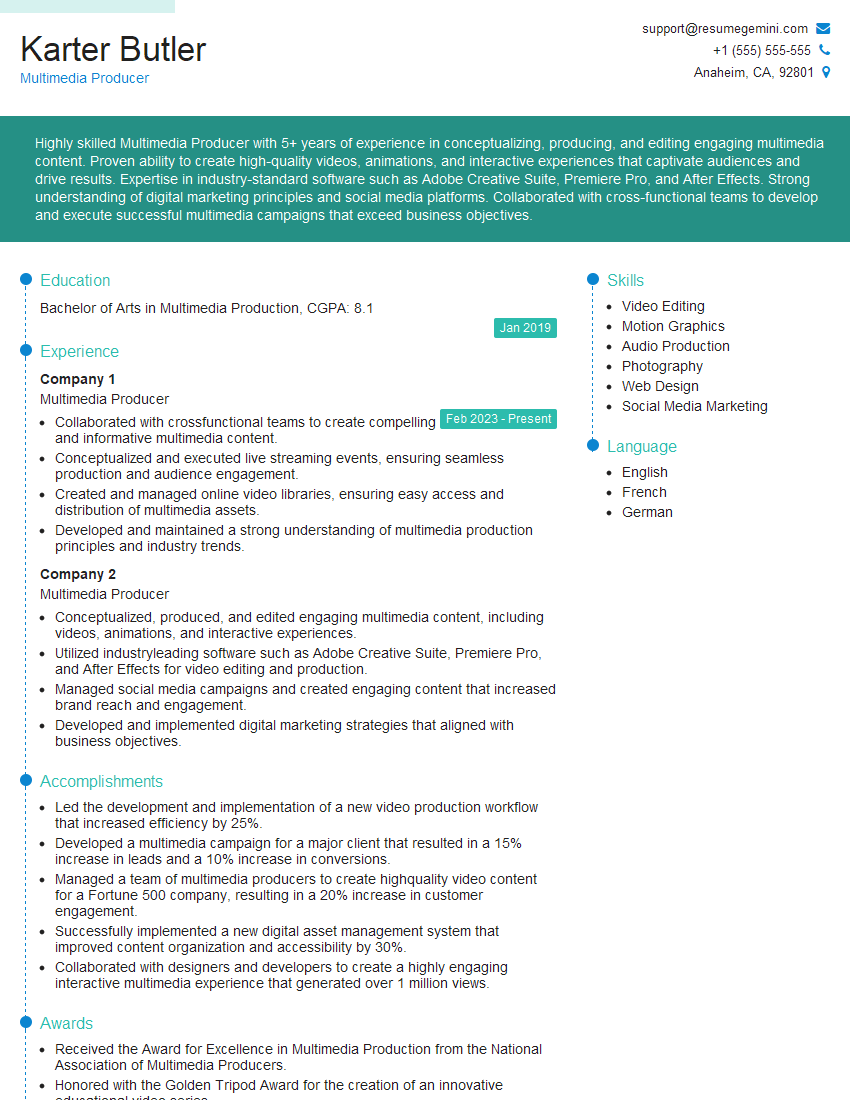
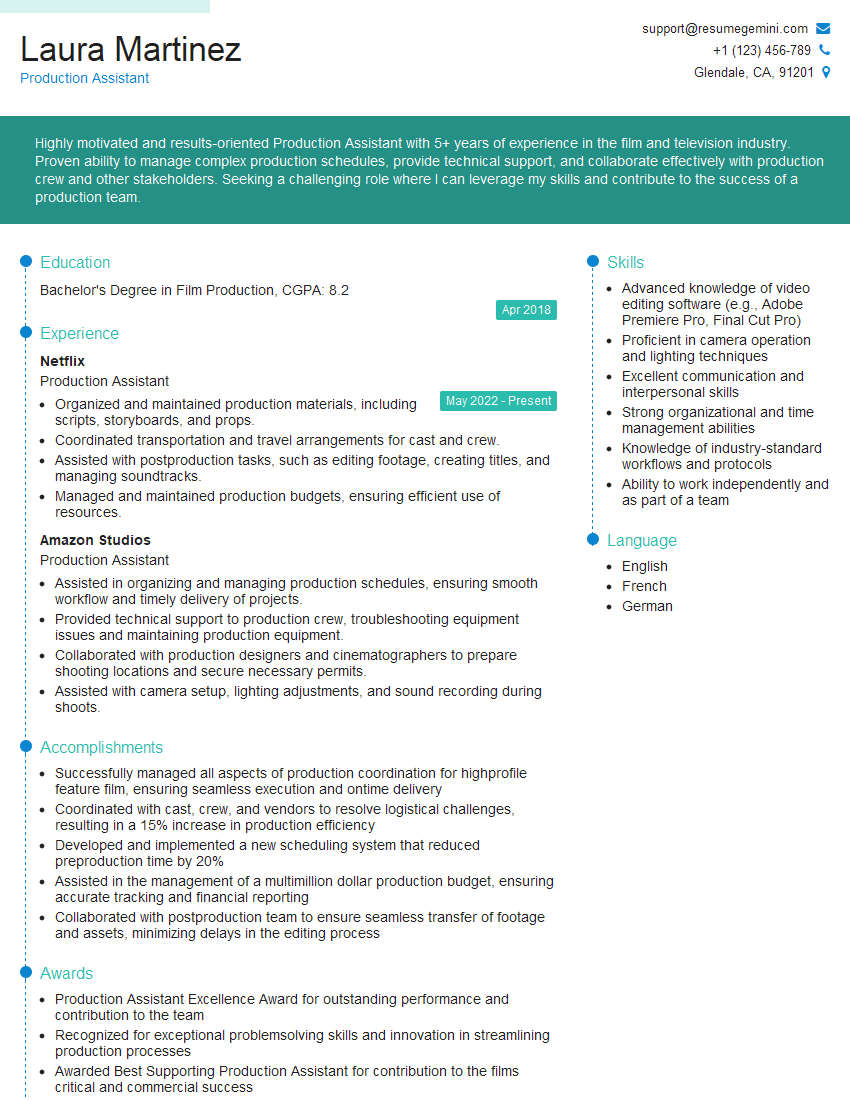
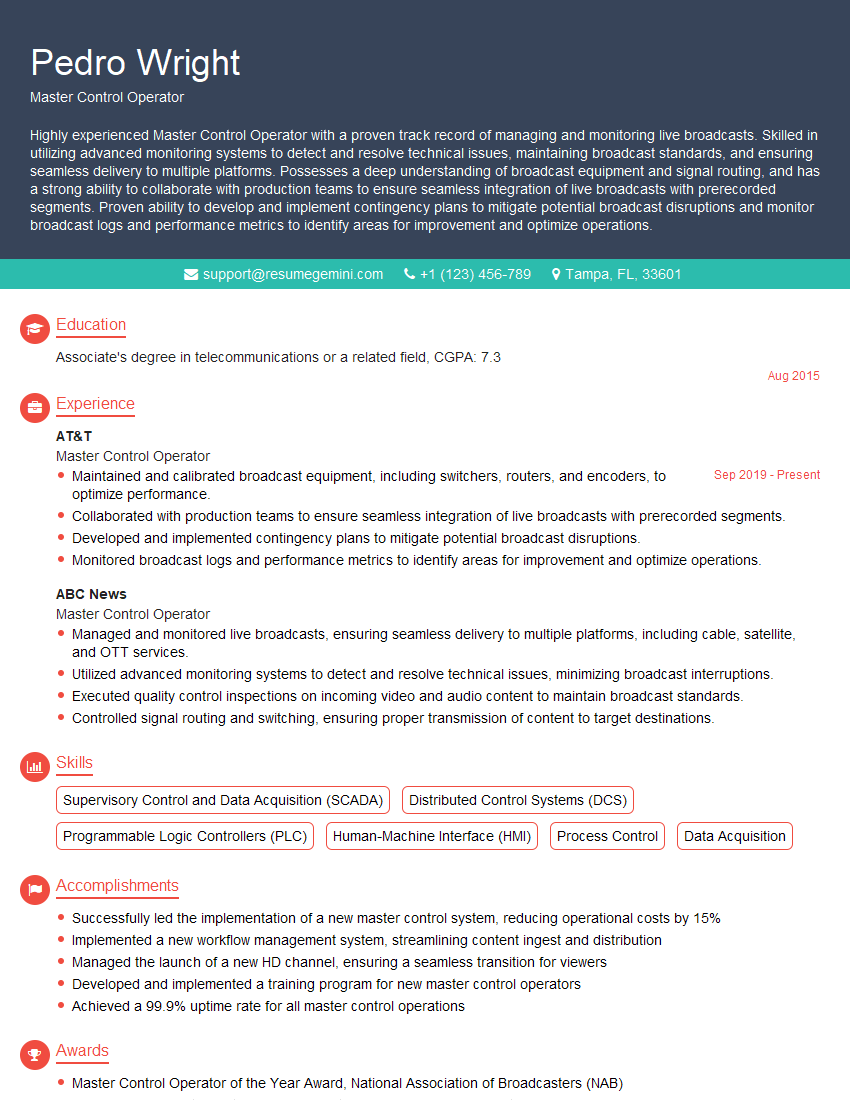
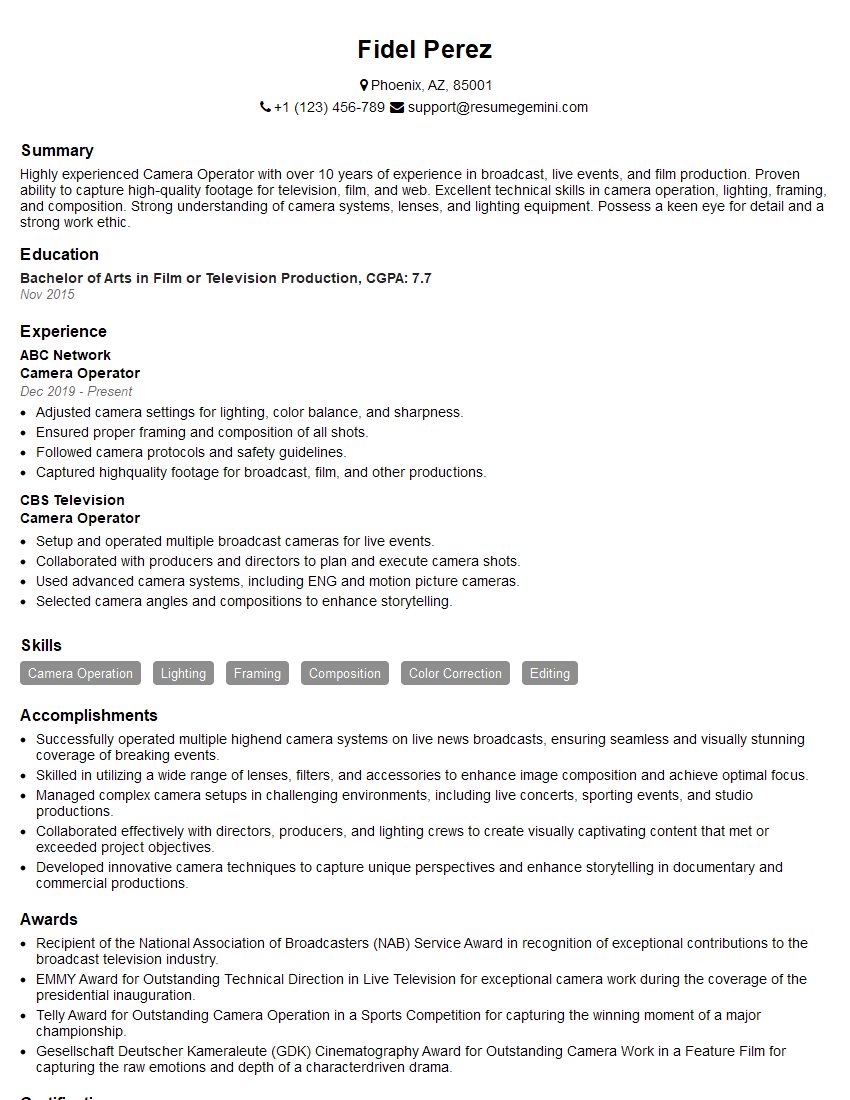
Mastering live video production opens doors to exciting and rewarding careers in broadcasting, corporate communications, event management, and online content creation. To maximize your job prospects, creating an ATS-friendly resume is crucial. ResumeGemini is a trusted resource that can help you craft a professional and impactful resume tailored to your skills and experience. We provide examples of resumes specifically tailored to Live Video Production to help you get started. Invest time in crafting a compelling resume – it’s your first impression to potential employers.



Explore more articles
Users Rating of Our Blogs
Share Your Experience
We value your feedback! Please rate our content and share your thoughts (optional).
What Readers Say About Our Blog
Very informative content, great job.
good