Feeling uncertain about what to expect in your upcoming interview? We’ve got you covered! This blog highlights the most important Screen Printing Machine Operation interview questions and provides actionable advice to help you stand out as the ideal candidate. Let’s pave the way for your success.
Questions Asked in Screen Printing Machine Operation Interview
Q 1. Describe your experience operating various types of screen printing machines.
Throughout my career, I’ve had extensive experience operating a variety of screen printing machines, ranging from manual presses to fully automated carousel systems. This includes experience with both flatbed and rotary presses. My experience with manual presses honed my understanding of the fundamental principles of screen printing – from ink consistency and squeegee pressure to proper screen tension and alignment. Working with automated systems then allowed me to learn the complexities of production optimization, including job scheduling, efficient setup, and troubleshooting complex malfunctions. For example, I’ve worked extensively with M&R, Anatol, and Vastex machines, each requiring a nuanced approach to operation and maintenance.
My experience extends beyond just the operation itself; I’m proficient in maintaining these machines and identifying potential issues before they impact production. This preventative maintenance approach ensures optimal performance and longevity of the equipment.
Q 2. Explain the process of setting up a screen printing machine for a new job.
Setting up a screen printing machine for a new job is a methodical process that requires precision and attention to detail. It begins with a thorough review of the job specifications, including the design, number of colors, ink types, and substrate.
- Screen Preparation: This involves carefully aligning and securing the screens onto the press, ensuring proper tension to prevent screen distortion and maintain accurate registration. This often includes using registration marks printed on the screens for precise alignment.
- Ink Selection and Preparation: The correct ink type is chosen based on the substrate (e.g., cotton, polyester, or synthetic materials) and the desired print result. Inks are mixed to the right viscosity to ensure smooth and consistent printing. I use a rheometer to measure viscosity and a draw-down card to gauge the ink’s consistency and adjust as needed.
- Press Adjustment: This crucial step involves setting the appropriate printing parameters, such as off-contact (the distance between the screen and the substrate), squeegee angle and pressure, and snap-off speed (how fast the squeegee is lifted after the print stroke). Each variable needs fine-tuning, often through trial and error, to achieve the desired print quality. I usually start with test prints to optimize these settings before beginning the full print run.
- Substrate Loading: The substrate (t-shirts, bags, etc.) is loaded onto the press, ensuring it’s properly aligned and positioned for consistent printing across all items.
- Test Print and Adjustments: A test print is critical for checking registration, ink consistency, and print quality before proceeding with the full run. Necessary adjustments are made to the press and ink until the desired outcome is achieved.
Q 3. How do you ensure accurate ink registration during the printing process?
Accurate ink registration is paramount to achieving a high-quality print. Maintaining precise alignment of multiple colors requires a multi-faceted approach. This includes:
- Precise Screen Alignment: Using registration pins, micro-registration systems, or other precise alignment methods is vital for consistent alignment across screens. This ensures each color prints exactly where it should.
- Consistent Substrate Positioning: Consistent feeding of the substrate (t-shirts, etc.) is critical. This prevents misalignment across different printed units. Automated feeders help significantly with this.
- Regular Calibration: The machine itself needs regular calibration to ensure that its mechanical components are functioning correctly. This prevents drift and misalignment.
- Proper Screen Tension: Screens that are too loose or too tight can lead to registration problems. Maintaining optimal screen tension ensures stable alignment.
- Use of Registration Marks: Clearly printed registration marks on the screens and substrates act as visual guides for accurate alignment. I meticulously check these marks before every print run and between color changes.
For example, if I’m printing a design with fine details requiring multiple colors, I will invest more time in carefully aligning the screens and testing the print to minimize any deviations.
Q 4. What are the common causes of ink smearing or bleeding in screen printing?
Ink smearing or bleeding in screen printing can stem from several issues:
- Excessive Ink Viscosity: If the ink is too thick, it won’t flow evenly, leading to smearing. Thinning the ink with the appropriate thinner is often the solution.
- Incorrect Squeegee Pressure/Angle: Too much pressure or an incorrect squeegee angle can force ink under the stencil, leading to bleeding. Adjusting these factors is key.
- Clogged Screen Mesh: A clogged screen mesh restricts ink flow, causing unevenness and potential bleeding. Cleaning the screen thoroughly is crucial. For stubborn clogs, I might use a specialized screen cleaning solution.
- Poor Substrate Preparation: If the substrate is dirty, damp, or hasn’t been properly pre-treated, the ink may not adhere correctly, leading to bleeding. Ensuring proper pre-treatment using a suitable solution is vital.
- Low-Quality Ink: Using inferior inks can lead to poor print quality, including smearing and bleeding. Using quality inks from reliable suppliers is paramount.
- Old or Damaged Screens: Screens with damaged mesh or emulsion will not print properly. Inspecting and replacing damaged screens is necessary.
Q 5. How do you troubleshoot issues like clogged screens or inconsistent ink flow?
Troubleshooting clogged screens or inconsistent ink flow involves a systematic approach:
- Identify the Problem: Determine if the issue is widespread across the screen or localized. Is the ink flow entirely blocked or simply inconsistent? This guides the solution.
- Screen Cleaning: For clogged screens, a thorough cleaning is essential. This might involve using specialized screen cleaning solutions, brushes, and high-pressure water spray to remove any blockages from the screen mesh.
- Ink Viscosity Check: Verify the ink viscosity. If it’s too thick, thin it to the correct consistency using the appropriate thinner. A rheometer is helpful in this process.
- Squeegee Inspection: Inspect the squeegee blade for wear and tear. A worn blade can negatively impact ink flow and print quality. If necessary, the squeegee must be replaced.
- Screen Tension: Verify screen tension. Poor tension can affect ink flow. Check and adjust the tensioning mechanism to ensure proper tension.
- Flood Bar Check: If applicable, check the flood bar for any blockages or debris. Ensure it is clean and functioning properly. This helps maintain consistent ink flow across the screen.
Often, a combination of these troubleshooting steps might be necessary. I always start with the most simple and likely solutions before moving on to more complex ones.
Q 6. What safety procedures do you follow when operating screen printing equipment?
Safety is paramount in screen printing. My safety procedures include:
- Personal Protective Equipment (PPE): I always wear appropriate PPE, including safety glasses, gloves, and a respirator, especially when working with certain inks or solvents. Some inks can contain harmful chemicals, so protective gear is non-negotiable.
- Proper Ventilation: The area must have adequate ventilation to reduce exposure to fumes and aerosols. This is especially important when working with plastisol inks.
- Machine Guards: I always ensure that all machine guards are in place and functioning correctly before operation. This helps prevent accidental injuries.
- Safe Ink Handling: Proper handling of inks and solvents is critical. I follow all manufacturer’s instructions and take necessary precautions to avoid spills and exposure.
- Emergency Procedures: I am familiar with emergency procedures in case of spills, fires, or injuries and know the location of safety equipment like fire extinguishers and eyewash stations.
- Regular Machine Inspection: I always inspect the machine for any mechanical issues or potential hazards before operation and during the run to maintain a safe working environment.
Safety is not just a protocol but a fundamental part of my approach to screen printing, ensuring a healthy and productive work environment.
Q 7. Explain your experience with different types of screen printing inks.
My experience encompasses a wide range of screen printing inks, each with its own unique properties and applications:
- Plastisol Inks: These are the most commonly used inks, known for their durability, vibrant colors, and wide range of applications. I’m experienced in using various types of plastisol inks, including those formulated for specific fabrics like cotton, polyester, or blends.
- Water-Based Inks: These inks are environmentally friendly and preferred for certain applications. I’m adept at handling their specific characteristics, including their lower opacity compared to plastisol inks, and understanding the need for proper curing methods.
- Discharge Inks: These inks remove color from a substrate and then deposit a new color. I know how to properly use these inks on specific fabrics and achieve the desired discharge effect.
- UV-Curable Inks: These inks are cured using UV light, offering rapid curing and high print durability. I’m experienced with the equipment and techniques required for UV-curing and understand the safety measures associated with UV light exposure.
Choosing the right ink is crucial for achieving the desired outcome, taking into account factors like the type of garment, desired hand feel, and environmental concerns. I always carefully select and prepare the ink based on the specific requirements of each job.
Q 8. How do you maintain and clean screen printing equipment?
Maintaining and cleaning screen printing equipment is crucial for consistent print quality and the longevity of the machinery. It’s a multi-step process that I approach systematically.
- Daily Cleaning: After each printing run, I remove excess ink from the screen, squeegee, and the press bed using a suitable solvent and a soft cloth. This prevents ink buildup and ensures the next job starts cleanly.
- Weekly Cleaning: A more thorough cleaning involves disassembling parts where possible (like the flash cure unit) and using a degreaser to remove stubborn ink residues. I pay special attention to the screen clamps and the print head, ensuring no ink is trapped.
- Monthly Maintenance: This includes lubricating moving parts according to the manufacturer’s instructions and checking for wear and tear on the squeegee, screen clamps, and the press itself. Any damaged parts are promptly replaced.
- Screen Cleaning: Screens require separate cleaning using a screen-cleaning solution and a brush. This removes any remaining emulsion and ink, preparing them for reuse or storage. I always use appropriate personal protective equipment (PPE) including gloves and eye protection during cleaning.
Think of it like this: regular cleaning is like brushing your teeth – a daily habit that prevents bigger problems. A deep clean is like a dental check-up, ensuring everything is functioning correctly.
Q 9. Describe your experience with different mesh counts and their applications.
Mesh count refers to the number of threads per linear inch in the screen fabric. A higher mesh count means finer detail, while a lower count allows for thicker ink deposits. My experience spans a wide range of mesh counts, each suited for different applications.
- Low Mesh Count (e.g., 43T): Ideal for printing large areas with thick, opaque inks, such as plastisol inks on t-shirts. The larger openings allow for better ink flow and reduce the risk of clogging. I’ve used this extensively for poster printing and apparel with bold graphics.
- Medium Mesh Count (e.g., 110T, 156T): A versatile choice for a balance between detail and ink deposit. It’s suitable for a variety of applications, from apparel printing with fine lines to producing high-quality prints on different fabrics like cotton, polyester, and blends.
- High Mesh Count (e.g., 230T, 305T): Best for fine detail work, halftones, and prints requiring a delicate appearance. I use these screens when working on designs with small intricate details, often for fine art reproduction or high-resolution garment prints. This requires a more delicate touch and careful ink management.
Choosing the right mesh count is like choosing the right brush for painting: a broad brush for large areas and a fine brush for details.
Q 10. How do you determine the appropriate squeegee pressure and speed for a given job?
Determining the appropriate squeegee pressure and speed is crucial for consistent, high-quality prints. It’s a balance that requires experience and some experimentation.
- Squeegee Pressure: Too little pressure results in light, faded prints, while too much pressure can cause ink to seep under the stencil, resulting in blurry prints or even screen damage. The ideal pressure varies depending on the mesh count, ink viscosity, and the substrate. I generally start with a medium pressure and adjust it based on the outcome of test prints.
- Squeegee Speed: Slow speed allows for a more thorough ink deposit, suitable for thick inks or large areas. Fast speed is preferable for fine detail and prevents excessive ink deposit. The right speed is again determined by experimentation and understanding the specific job requirements.
- Test Prints: I always do test prints to find the sweet spot. A few test runs allow me to adjust the pressure and speed until I achieve the desired opacity, sharpness, and ink coverage. These are crucial for optimizing the print process.
Think of it like baking a cake: you need the right amount of ingredients and baking time to get the perfect result. Too much or too little pressure and speed will result in a ‘burnt’ or ‘undercooked’ print.
Q 11. What is your experience with different printing techniques (e.g., flash curing, multiple layers)?
My experience includes a variety of printing techniques that enhance the quality and complexity of prints.
- Flash Curing: This involves briefly curing the ink between layers to prevent smudging or bleeding when applying multiple colors. The flash cure time and intensity must be carefully controlled to avoid damaging the substrate or prematurely drying the ink. I use a conveyor flash dryer for consistent curing.
- Multiple Layers/Spot Colors: Many designs require multiple colors, often applied one layer at a time with the screen registered (aligned) for each color. Accuracy is vital; using registration marks helps to achieve precise alignment. This process can be repeated several times to achieve more complex designs.
- Simul-Print System: I have experience with carousel or index systems allowing for multi-color printing in a single pass. This increases speed and efficiency. However, careful color management and registration are crucial.
Multiple layers are like painting a picture: each color adds to the final piece, and careful layering is essential for a finished masterpiece.
Q 12. How do you manage ink viscosity to ensure optimal print quality?
Ink viscosity, or thickness, plays a significant role in print quality. Too thick, and the ink won’t flow properly; too thin, and the print will be faint and lack detail.
- Viscosity Measurement: I use a viscosity cup or rheometer to measure the ink’s thickness. This gives an objective measure. Different inks require different viscosities depending on their composition and the application method.
- Adjusting Viscosity: If the ink is too thick, I’ll add a retarder (thinner) or conditioner as per the manufacturer’s recommendations. If it’s too thin, I’ll add a reducer or viscosity modifier to increase the thickness. Always small adjustments are preferred to avoid making large changes.
- Ink Mixing: Proper ink mixing is also key. I ensure the ink is thoroughly mixed before use to guarantee uniform viscosity throughout the printing process. This prevents inconsistencies in print quality.
Managing ink viscosity is akin to adjusting the consistency of paint: you need the right consistency for smooth application and a great finish.
Q 13. What is your experience with pre-press preparation, including screen making and emulsion coating?
Pre-press preparation is as important as the printing process itself. It includes screen making and emulsion coating.
- Screen Making: This involves stretching the mesh fabric onto a frame, ensuring it is taut and free of wrinkles. This is vital for a clean print. I use a variety of mesh counts depending on the design.
- Emulsion Coating: This is a light-sensitive coating applied to the screen, which hardens when exposed to UV light, thus forming the stencil for the design. It requires a darkroom or a UV-safe area and a precise coating technique to ensure consistent thickness and prevent pinholes.
- Exposure and Washout: The coated screen is then exposed to a film positive using a UV light source. After exposure, the unexposed emulsion is washed away, leaving the design in relief on the screen.
- Screen Reclaiming: Once a screen is no longer needed, I reclaim it by removing the existing emulsion and preparing it for reuse. This extends the life of expensive screens.
Think of this stage as preparing a canvas for a painting: the better the preparation, the better the final result.
Q 14. How do you handle different fabric types and their impact on the printing process?
Different fabric types have different properties that impact the printing process. Understanding these properties is critical for success.
- Cotton: A common and relatively easy-to-print fabric. It absorbs ink well and generally provides good results with a variety of inks. However, it can be susceptible to shrinkage.
- Polyester: Requires specialized inks designed for polyester fabrics. It can be more challenging to print on due to its low ink absorbency. Careful pre-treatment might be necessary for optimal adhesion.
- Blends: A blend of cotton and polyester or other materials requires careful consideration of ink selection and pre-treatment methods. Often, tests are essential to determine the best printing parameters.
- Pre-treatment: This is often necessary, especially with polyester or blended fabrics, to improve ink adhesion and prevent issues such as cracking or peeling. I use specialized pre-treatment solutions depending on the fabric type.
Printing on different fabrics is like painting on different surfaces: each surface has its unique challenges and requires a specific approach.
Q 15. Explain your understanding of color separation and its relevance to screen printing.
Color separation is the process of breaking down a full-color design into individual colors, each assigned to a separate screen in screen printing. Think of it like separating the layers of a cake – each layer represents a different color. This is crucial because screen printing uses one screen per color. Without color separation, you couldn’t print a multicolored design. Traditionally, this was done manually, but now it’s almost always done digitally using software like Photoshop or Illustrator. The software generates films (or digital files for direct-to-screen printing) which are then used to create the screens, each exposing a single color.
For example, if you’re printing a t-shirt with a vibrant sunset, the design would be separated into, perhaps, four screens: one for cyan, one for magenta, one for yellow, and one for black (CMYK). Each screen would only allow the respective ink to pass through, building up the full image color by color.
Career Expert Tips:
- Ace those interviews! Prepare effectively by reviewing the Top 50 Most Common Interview Questions on ResumeGemini.
- Navigate your job search with confidence! Explore a wide range of Career Tips on ResumeGemini. Learn about common challenges and recommendations to overcome them.
- Craft the perfect resume! Master the Art of Resume Writing with ResumeGemini’s guide. Showcase your unique qualifications and achievements effectively.
- Don’t miss out on holiday savings! Build your dream resume with ResumeGemini’s ATS optimized templates.
Q 16. How do you ensure consistent print quality throughout a large production run?
Maintaining consistent print quality across a large production run requires meticulous attention to detail throughout the entire process. It’s not just about the press operator; it’s a team effort.
- Ink consistency: Regularly stirring inks and maintaining a consistent ink viscosity are critical. Variations in ink thickness directly impact print quality.
- Screen tension: Properly tensioned screens prevent stretching and ensure consistent ink deposit. I regularly check and adjust screen tension to prevent variations.
- Squeegee pressure and speed: These variables significantly influence print quality. We establish and maintain standardized settings for these parameters.
- Substrate consistency: Using the same batch of fabric, ensuring consistent pre-treatment, and maintaining proper substrate alignment on the press prevents variations.
- Press maintenance: Regular maintenance of the press, including cleaning, lubrication, and component checks are imperative to preventing malfunctions and ensuring consistent pressure and speed.
- Regular quality checks: Throughout the run, I conduct periodic quality checks – inspecting prints at regular intervals to catch any discrepancies early. This allows for prompt adjustments before significant defects accumulate.
For instance, in a recent order of 10,000 t-shirts, I implemented these procedures to maintain perfect color registration and print consistency throughout the run. We even employed a color management system to calibrate our screens and inks ensuring accurate color reproduction.
Q 17. Describe your experience with quality control procedures in screen printing.
My quality control procedures are comprehensive and begin before printing even starts. They encompass the entire workflow:
- Film/digital file inspection: Thorough review of the color separations to ensure accuracy and clarity before screen making. Any flaws at this stage would cascade through the entire process.
- Screen preparation and inspection: Checking for proper emulsion coating, exposure, and washout to guarantee the screen’s integrity. A poorly made screen leads to flawed prints.
- Ink viscosity and color testing: Checking ink consistency and conducting color tests against the design specifications before the start and during the run. This prevents color variations.
- Press setup and test prints: Performing test prints before the main run to verify color registration, ink density, and overall print quality. Adjustments are made based on these test prints.
- In-process inspection: Regular checks of prints throughout the production run to identify and correct defects promptly.
- Final inspection: A thorough inspection of the final products to ensure they meet quality standards before packaging and shipment. This includes checking for defects like misregistration, pinholes, and smearing.
I maintain detailed records of all quality checks and corrections, which helps in troubleshooting and continuous improvement.
Q 18. What are the common causes of print defects, and how do you address them?
Common print defects stem from various sources. Understanding the root cause is crucial for effective remediation. Here are some common issues and how to address them:
- Misregistration: Incorrect alignment of colors; solved by carefully aligning screens, using registration marks, and maintaining consistent press operation.
- Pin holes: Small holes in the screen causing ink bleed; addressed by using finer mesh screens, carefully cleaning screens, and checking for emulsion defects.
- Halftone dots issues: Poorly defined or uneven halftone dots resulting in muddy or grainy prints; solved by ensuring proper screen tension, ink viscosity, and squeegee pressure. Careful selection of halftone angles is also essential.
- Screen clogging: Ink buildup clogging the screen mesh; resolved by regular cleaning and using appropriate screen cleaners.
- Uneven ink deposit: Inconsistent ink application resulting in light or heavy areas in the print; corrected by adjusting squeegee pressure, speed, and angle. Also ensuring proper ink viscosity is key.
- Substrate issues: Problems with the material being printed on such as inconsistent surface or pre-treatment; resolved by using quality materials and performing appropriate pretreatments.
A systematic approach, beginning with thorough investigation and eliminating possible causes one by one, is essential for effective troubleshooting.
Q 19. How familiar are you with different types of screen printing presses (automatic, manual, carousel)?
I’m experienced with various screen printing presses, each suited to different production needs:
- Manual Presses: These are best suited for small-scale projects, prototypes, and specialized jobs. They offer excellent control but are labor-intensive and less efficient for large volume production.
- Automatic Presses: These are high-speed machines ideal for large production runs where efficiency is paramount. They can handle a high volume of prints with consistent results, but require more maintenance and technical expertise.
- Carousel Presses: These are carousel-style presses, which are designed for higher throughput with a circular layout. They provide efficiency in multi-color printing, offering a balance between manual control and automation.
My experience includes setup, operation, and maintenance of all three types. I can adjust my approach based on the project’s scale and complexity, choosing the most appropriate equipment for optimal efficiency and quality.
Q 20. What is your experience with digital screen printing techniques?
My experience with digital screen printing techniques is extensive. This involves using digital imaging to directly expose screens, eliminating the need for film positives. This offers significant advantages in speed, precision, and cost-effectiveness, especially for short runs and detailed designs.
I’m proficient in using various direct-to-screen (DTS) exposure units and software that generates high-resolution images directly for screen exposure. This technology enhances efficiency by streamlining the screen-making process and reducing errors associated with traditional film-based methods. Digital printing also allows for easy corrections and adjustments to the designs prior to printing, ensuring a higher level of accuracy in the final print.
Q 21. Describe your experience with different curing methods (e.g., convection, UV curing)?
Curing methods are crucial for ensuring the durability and longevity of screen-printed designs. I have experience with both convection and UV curing:
- Convection curing: This uses heated air to dry inks, typically suitable for plastisol inks. I understand the importance of controlling temperature and air circulation to achieve optimal curing without damaging the substrate. The process is reliable but may require longer curing times.
- UV curing: This uses ultraviolet light to instantly cure inks, often used with UV-curable inks. It’s fast and energy-efficient, ideal for high-volume production. I’m familiar with different types of UV curing lamps and their settings for different ink types and substrates. This method is excellent for quick turnaround times.
The choice of curing method depends on the type of ink used and the required durability of the print. I select the appropriate method to ensure the prints are properly cured and adhere to the substrate for maximum longevity.
Q 22. How do you maintain accurate inventory of inks, screens, and other supplies?
Maintaining accurate inventory is crucial for efficient screen printing. I employ a two-pronged approach: a digital inventory system and regular physical checks. My preferred digital system utilizes a spreadsheet (or dedicated inventory management software) meticulously tracking each ink color, screen mesh count, and other supplies like emulsion, cleaning solvents, and squeegees. Each item has a designated cell with fields for item name, quantity on hand, reorder point, and supplier information. This allows for easy tracking of stock levels and automated reorder alerts when quantities fall below the set threshold.
The physical checks are equally vital, acting as a safeguard against discrepancies or unexpected losses due to spills or damage. At least once a week, I conduct a complete physical inventory count, comparing the physical quantity to the digital record. Any discrepancies are immediately investigated and the digital inventory is updated. This process not only ensures accuracy but also helps to identify potential issues such as product spoilage or theft.
For example, if my digital records show 10 gallons of plastisol ink in ‘Pantone 2945C’, but my physical count reveals only 8, I’d investigate. Perhaps there was an accidental spill, or a miscalculation in a previous job. The corrected count is then entered back into the system, updating the inventory levels and preventing future miscalculations in job costing.
Q 23. How do you interpret and follow complex printing instructions?
Interpreting complex printing instructions requires a keen eye for detail and a thorough understanding of the printing process. Instructions typically include aspects such as artwork specifications (size, color separations, resolution), ink requirements (color codes, viscosity, type), screen mesh counts, and desired print location and registration marks. I start by carefully reviewing the entire set of instructions to get a holistic view of the project. Then, I methodically break down each instruction into actionable steps.
For instance, if the instructions specify a four-color process print with specific Pantone color codes, I ensure I have the correct inks, prepare the screens with the appropriate mesh counts for each color, and set up the press to accurately align each color using registration marks. If there are intricate details or gradients, I pay extra attention to ensure accurate color representation. I always clarify any ambiguity with the client or design team before starting the printing process to avoid costly mistakes. A simple misinterpretation can result in wasted materials and time.
If, for example, the instructions mention a specific curing temperature, I verify the settings on my dryer, logging this critical information for quality control purposes. Following a systematic approach to interpreting and following instructions ensures consistent and accurate printing results.
Q 24. Describe your experience with troubleshooting mechanical issues on screen printing equipment.
Troubleshooting mechanical issues is a regular part of my role. My approach is methodical, starting with a thorough inspection of the problem area. I’ve encountered issues ranging from simple adjustments (like replacing a worn squeegee blade) to more complex repairs (like replacing a faulty flash cure unit). I begin by identifying the specific issue – Is the press not printing evenly? Is the flash dryer malfunctioning? Is there a problem with the registration?
Once the problem is identified, I utilize my knowledge of the machine’s mechanics, often consulting manuals and schematics if needed. I start by checking the obvious, like power connections, loose screws, and worn parts. If the problem persists, I perform systematic tests to isolate the root cause. For instance, if the print isn’t registering correctly, I’ll check the alignment of the screens, the pressure on the squeegee, and the condition of the registration pins. I document all troubleshooting steps and solutions, which helps in future diagnoses.
One time, a client’s print had an inconsistent ink lay down. By carefully examining each component, I traced the problem to a partially clogged ink pump. By replacing the pump, the problem was solved. My experience covers a wide range of solutions, from simple adjustments to complex repairs, always prioritizing safety during the troubleshooting process.
Q 25. How do you ensure the safety of yourself and others while operating screen printing machinery?
Safety is paramount in screen printing. I adhere strictly to all safety regulations and company protocols. This includes wearing appropriate Personal Protective Equipment (PPE) like safety glasses, gloves, and a respirator, especially when working with inks and solvents. Before operating any equipment, I perform a thorough pre-operational check, verifying that all safety guards are in place and functioning correctly.
The workspace is kept clean and organized, minimizing trip hazards and ensuring that all materials are stored properly. I never operate equipment if I am fatigued or under the influence of any substances that could impair my judgment or reaction time. I also regularly attend safety training sessions and am familiar with emergency procedures. Furthermore, I ensure that all team members are aware of the safety protocols and actively encourage a safety-conscious work environment. A safe working environment is not only a legal requirement, but also essential for ensuring consistent high-quality work.
For instance, before starting a print run, I check the emergency shut-off switches on the press and ensure everyone nearby knows how to use them. I never leave the press unattended when it is in operation.
Q 26. What are the differences between plastisol and water-based inks?
Plastisol and water-based inks are the two most common types used in screen printing, but they differ significantly in their composition, properties, and application. Plastisol inks are PVC-based and require a curing process with high heat to create a permanent bond with the garment. They offer vibrant colors, excellent opacity, and durability, making them ideal for a wide range of fabrics and applications. However, they have a slightly thicker viscosity, requiring a more experienced hand and specialized cleaning processes.
Water-based inks, on the other hand, are composed of pigments suspended in a water-based vehicle and cure through evaporation. They are softer to the touch, more environmentally friendly due to lower VOCs (Volatile Organic Compounds), and require less heat for curing. Water-based inks offer a softer, more breathable feel on garments, often preferred for eco-conscious designs. However, their opacity is generally lower than plastisol inks, making them less suitable for printing on darker colored fabrics without multiple layers.
In practice, the choice depends entirely on the desired final product, the fabric type, and the client’s priorities. If vibrancy and durability are paramount, plastisol is usually the better choice; if a softer feel and environmental considerations are key, water-based inks would be preferred.
Q 27. How do you calculate the cost per print for a given job?
Calculating the cost per print is essential for accurate pricing and profitability. It involves adding up all direct and indirect costs associated with the job and dividing by the total number of prints. Direct costs include the cost of inks, screens, garments, and other consumables. Indirect costs include labor, machine usage, and overhead.
Let’s break down an example: Suppose a job requires 100 prints, and the direct costs are: $20 for ink, $10 for screens, $50 for garments, and $5 for other supplies. The total direct cost is $85. Indirect costs might include $25 for labor, $10 for machine usage, and $15 for overhead. This brings the total indirect cost to $50. The total cost of the job is $85 (direct) + $50 (indirect) = $135. Therefore, the cost per print is $135/100 prints = $1.35.
This cost-per-print calculation is crucial for determining the selling price. A markup is applied to the cost per print to ensure a reasonable profit margin, taking into account market prices and competition. This systematic approach to cost calculation is fundamental to sustainable and profitable screen printing operations.
Q 28. Describe your experience with working under pressure to meet tight deadlines.
Working under pressure to meet tight deadlines is an inherent aspect of screen printing, especially in industries like apparel where quick turnaround times are frequently demanded. My experience involves efficiently prioritizing tasks, working effectively under pressure, and utilizing effective time management strategies. I excel at multitasking and delegating when appropriate. I also maintain a calm and focused approach even in high-pressure situations, understanding that rushing can lead to mistakes and decreased quality.
I’ve successfully managed numerous rush orders, prioritizing tasks based on deadlines and urgency. For example, I once had to print 500 t-shirts for an event just two days away. By working extended hours, optimizing the print process, and effectively delegating certain tasks, we successfully met the deadline without sacrificing quality. Clear communication with the client about potential bottlenecks or timeline adjustments is also crucial in managing expectations and mitigating potential stress.
Effective planning and efficient execution are key. By using a structured approach to job scheduling and task assignment, I can ensure that every step of the process flows smoothly. This includes maintaining detailed records and tracking progress throughout the project, anticipating potential delays, and proactively addressing any issues that might arise.
Key Topics to Learn for Screen Printing Machine Operation Interview
- Machine Setup and Operation: Understanding the different types of screen printing presses (manual, automatic), their components, and the proper procedures for setup, including screen registration, ink preparation, and squeegee pressure adjustments.
- Ink Selection and Application: Knowing the properties of various inks (plastisol, water-based, discharge), their application techniques for different substrates (t-shirts, mugs, etc.), and troubleshooting ink-related issues like clogging or uneven printing.
- Screen Preparation and Maintenance: Familiarity with screen making techniques (emulsion coating, exposure, washout), screen mesh selection based on design requirements, and proper screen cleaning and storage procedures to extend their lifespan.
- Troubleshooting and Problem Solving: Developing skills in identifying and resolving common printing problems such as misregistration, poor ink adhesion, ink bleeding, and identifying causes of machine malfunctions.
- Safety Procedures and Regulations: Understanding and adhering to all safety protocols related to ink handling, machine operation, and waste disposal, including relevant OSHA guidelines.
- Production Efficiency and Quality Control: Demonstrating knowledge of optimizing print speed, minimizing waste, and implementing quality control checks to ensure consistent print quality throughout production runs.
- Understanding Print Techniques and Variations: Exploring various printing methods within screen printing, such as flash curing, multiple color printing, and specialized effects, showcasing adaptability and versatility.
Next Steps
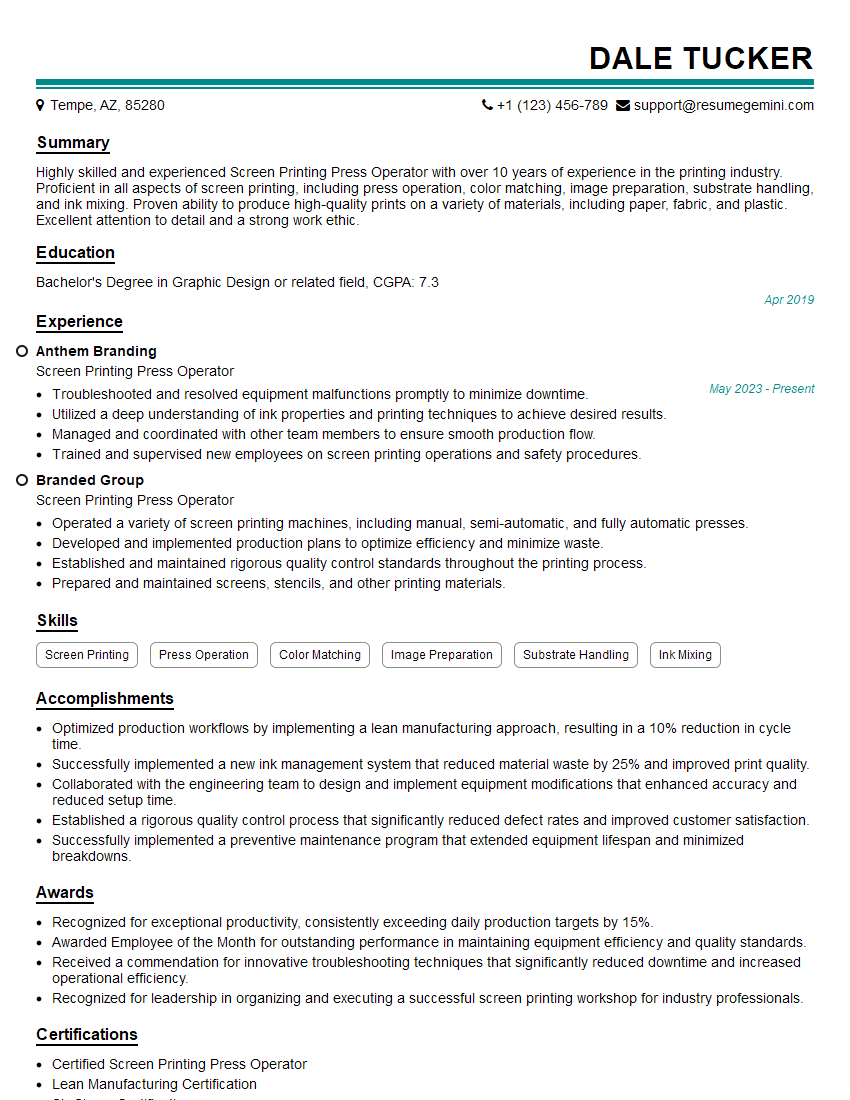
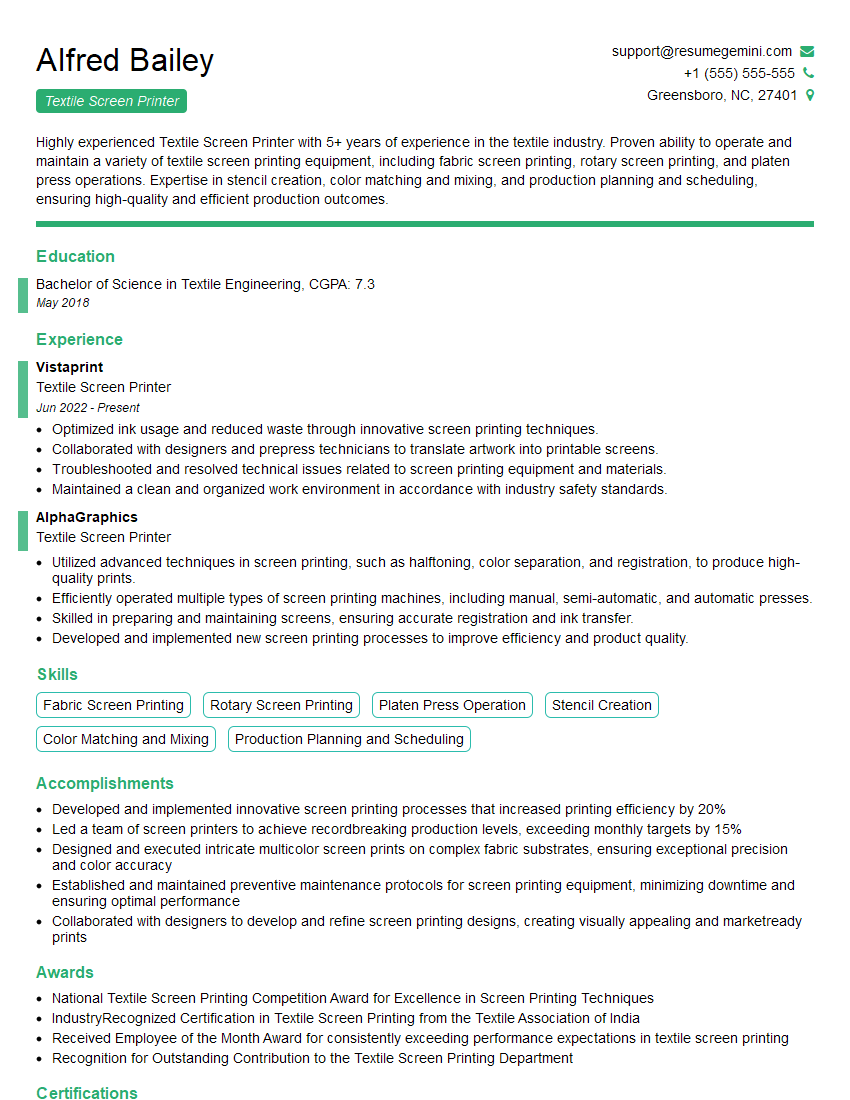
Mastering Screen Printing Machine Operation opens doors to exciting career opportunities with excellent growth potential, offering chances for specialization and advancement within the industry. To make the most of your job search, creating a strong, ATS-friendly resume is crucial. This ensures your skills and experience are effectively communicated to potential employers. ResumeGemini is a trusted resource that can help you craft a professional and impactful resume, highlighting your abilities in screen printing. Examples of resumes tailored to Screen Printing Machine Operation are available to guide you through the process. Invest time in building a compelling resume – it’s your first impression on a potential employer.


Explore more articles
Users Rating of Our Blogs
Share Your Experience
We value your feedback! Please rate our content and share your thoughts (optional).
What Readers Say About Our Blog
Very informative content, great job.
good