Preparation is the key to success in any interview. In this post, we’ll explore crucial Understanding of printing terminology interview questions and equip you with strategies to craft impactful answers. Whether you’re a beginner or a pro, these tips will elevate your preparation.
Questions Asked in Understanding of printing terminology Interview
Q 1. Define ‘bleed’ in printing.
Bleed in printing refers to the extension of your design beyond the final trim size of the printed piece. Imagine you’re designing a postcard; if you want the design to reach the very edge of the card after it’s cut, you need to extend the design slightly beyond the intended size. This extra area is the bleed.
Why is bleed necessary? Printing presses can’t always cut perfectly to the edge, leaving small, unavoidable margins. Without bleed, you’d end up with a thin white border around your design, ruining the intended aesthetic. A typical bleed is about 1/8 inch (3mm) on all sides.
Example: If your postcard is 4×6 inches, your design file should be 4.25 x 6.25 inches to accommodate the bleed.
Q 2. Explain the difference between CMYK and RGB color modes.
CMYK and RGB are two different color models used for different purposes. RGB (Red, Green, Blue) is an additive color model used for screens, like your computer monitor or phone. It works by adding light; the more light you add, the brighter the color becomes. White is the result of all three colors combined at their maximum intensity.
CMYK (Cyan, Magenta, Yellow, Key – black) is a subtractive color model used for printing. It works by subtracting light from white; the more ink you add, the darker the color becomes. Black is used to achieve deeper, richer tones.
The key difference lies in their application. You design in RGB for digital display, but you must convert your file to CMYK before sending it to a printer. Direct use of RGB in print often results in dull or unexpected colors because of the differences in how each model represents color.
Q 3. What is the significance of DPI and PPI in print design?
DPI (Dots Per Inch) and PPI (Pixels Per Inch) are both measures of resolution, but they apply to different contexts. DPI specifically refers to the number of ink dots a printer places on a physical inch of paper. A higher DPI generally means a sharper, more detailed print. PPI, on the other hand, refers to the number of pixels within a digital image file. It dictates the image’s clarity on screen.
Significance: In print design, both are critical for achieving high-quality output. A low-resolution image (low PPI) will look pixelated when printed, even if the printer has high DPI capabilities. Ideally, you’ll want a high-resolution image to begin with (at least 300 PPI for print) to ensure sharp output when printed at a sufficient DPI.
Q 4. Describe the process of imposition.
Imposition is the process of arranging pages of a document in a precise order on a single sheet of printing stock before the sheet is printed. This arrangement accounts for the printing process, such as folding and binding. Think of it as a puzzle where each piece (page) must be in the correct place to achieve the final product (booklet, brochure, etc.).
The Process: It involves using specialized software to create a layout that optimizes paper use and reduces waste. This software allows you to arrange pages in a way that after printing and cutting, the pages will fall in the correct reading sequence. This is crucial for multi-page documents.
Example: A 16-page booklet requires a specific arrangement on a sheet of paper before printing. Imposition ensures that after folding and cutting the sheet, the pages are numbered and ordered correctly. Failure to impose properly will result in a jumbled booklet.
Q 5. What are some common printing finishes?
Printing finishes enhance the look, feel, and durability of a printed piece. Common finishes include:
- Gloss Coating: Provides a shiny, high-sheen finish. Great for vibrant colors and eye-catching images.
- Matte Coating: Offers a smooth, non-reflective finish, ideal for text-heavy documents or when a more subtle appearance is desired.
- UV Coating: A highly durable protective coating that resists scratches and scuffs.
- Lamination: A thicker, more protective layer that comes in gloss or matte options. Excellent for durability and longevity.
- Embossing/Debossing: A raised (embossing) or indented (debossing) design that adds a tactile dimension.
- Foil Stamping: Impressing metallic foil onto the paper for a luxurious feel and elegant look.
The choice of finish depends on the project’s purpose, budget, and desired aesthetic.
Q 6. Explain the difference between offset and digital printing.
Offset and digital printing are two distinct methods with different characteristics:
- Offset Printing: A traditional method that uses plates to transfer ink onto a rubber blanket, then onto the paper. This process is best suited for large print runs (thousands of copies) because the initial setup costs are significant, but the cost per unit decreases with volume. Offset provides high-quality, consistent color across large print runs.
- Digital Printing: A modern method that prints images directly onto the paper using toner or ink. It’s ideal for short to medium-sized print runs (hundreds of copies) as setup costs are minimal. Digital printing offers flexibility and personalization options, allowing for variable data and on-demand printing.
In essence, offset is like using a printing press for mass production, while digital printing is more like using a high-quality office printer for personalized items. The best method depends on your specific needs and quantity requirements.
Q 7. What is a color profile and why is it important?
A color profile is a set of data that describes a specific color space, defining how colors are represented and displayed. Imagine a color profile as a translator between your computer’s representation of a color and the printer’s understanding of that same color.
Importance: Without a color profile, the colors you see on your screen might differ significantly from the colors printed on paper. Each device (monitor, printer, scanner) has its own way of interpreting colors. Color profiles help standardize color reproduction, ensuring that the printed output is as close as possible to your intended design. Common profiles include sRGB, Adobe RGB, and various CMYK profiles specific to printing presses. Proper color profile management prevents costly reprints due to inaccurate color representation.
Q 8. What are some common paper types and their uses?
Paper selection significantly impacts the final printed product. Different paper types offer varying textures, weights, and finishes, each suited to specific applications.
- Coated Paper: This paper is coated with a layer of clay, resulting in a smooth, glossy surface ideal for high-quality images and vibrant colors. Think of glossy magazines or brochures.
- Uncoated Paper: Lacks the clay coating, giving it a more natural, matte finish. It’s excellent for text-heavy documents like books or stationery, where a less reflective surface is preferred.
- Card Stock: Thicker and more durable than standard paper, card stock is often used for business cards, postcards, and invitations.
- Recycled Paper: An environmentally friendly option made from recycled fibers. The texture and color can vary depending on the recycling process.
- Specialty Papers: This broad category includes papers with unique textures, colors, or finishes like linen, metallic, or textured papers, used for high-end applications requiring a distinctive look and feel.
Choosing the right paper type is crucial. A glossy brochure printed on uncoated paper will look dull, while a novel printed on glossy paper will be difficult to read due to glare.
Q 9. Describe the process of proofing.
Proofing is a critical step in the printing process where you check a sample print against the digital design file before mass production. It allows for the identification and correction of any errors or inconsistencies.
The process typically involves:
- Creating a Proof: A high-quality representation of the final printed product is generated, often using a proofing device that accurately simulates the final print’s colors and details.
- Visual Inspection: Carefully compare the proof against the original design file, checking for color accuracy, image sharpness, text clarity, and proper alignment.
- Color Calibration: Ensure the proof’s color profile accurately represents the desired color gamut. This is often done using color management software.
- Client Approval: The proof is presented to the client for approval. Changes are communicated, and a revised proof is generated if necessary.
Thorough proofing saves time and money by catching errors early, preventing costly reprints and delays. Think of it as a final quality control check before the big print run.
Q 10. What are some common printing defects and how are they identified?
Printing defects can be frustrating, but knowing how to identify them is key to problem-solving. Common defects include:
- Color Mismatches: Inconsistent or inaccurate colors compared to the original design. This can result from incorrect color profiles, calibration issues, or ink problems.
- Blurred Images: Unclear or fuzzy images can indicate issues with the printing resolution, image quality, or printer settings.
- Streaking or Banding: Uneven ink distribution causing streaks or bands of color across the print. This often stems from problems with the printing press or ink supply.
- Misregistration: Inaccurate alignment of colors or elements, causing a blurry or offset appearance. This is a common issue in multi-color printing.
- Dot Gain: An increase in the size of ink dots during printing, leading to darker or less saturated colors.
Identifying these defects requires a keen eye and often involves comparing the printed output to the digital file, checking ink density, and examining the printing equipment. Understanding the source of the defect allows for targeted adjustments and corrections.
Q 11. What is the difference between vector and raster graphics?
Vector and raster graphics represent images in fundamentally different ways. This impacts scalability, file size, and overall use.
- Raster Graphics: Composed of pixels arranged in a grid. Think of JPEGs or PNGs. They are resolution-dependent, meaning enlarging them reduces quality. Suitable for photorealistic images.
- Vector Graphics: Made up of mathematical equations that define lines, curves, and shapes. Examples include SVGs or AI files. They are resolution-independent, meaning they can be scaled to any size without losing quality. Ideal for logos, illustrations, and designs with sharp lines.
Choosing between raster and vector graphics depends on the application. A logo will always look sharp as a vector, but a photo is better represented as a raster image.
Q 12. Explain the concept of color separation.
Color separation is the process of dividing a full-color image into its constituent colors (typically CMYK – Cyan, Magenta, Yellow, and Key/Black) for printing. Each color is printed separately on a different printing plate, which are then registered to produce the final image.
Imagine a four-color print. Color separation creates four separate plates: one with only the cyan components, one with magenta, one with yellow, and one with black. Each plate prints its respective color onto the paper, and the colors combine to create the final full-color image. This process is essential for all multi-color printing methods, enabling precise color control and ensuring accurate reproduction of the design.
Q 13. What is a Pantone color?
Pantone colors are a standardized color matching system, providing a consistent and predictable color across various printing processes and materials. Each Pantone color is identified by a unique number (e.g., Pantone 18-1664 TPX for Classic Blue), ensuring that the same color is reproduced consistently regardless of the printer or ink used.
Unlike CMYK or RGB, which are subtractive and additive color models respectively, Pantone is a spot color system. This means a specific ink is mixed to match a given Pantone color, giving better color control and consistency, especially for critical brand colors. Logos and corporate identities frequently utilize Pantone colors to ensure visual consistency.
Q 14. What is the role of a RIP in the printing process?
A Raster Image Processor (RIP) is a crucial component in digital printing. It takes the digital image data from a computer and translates it into instructions for the printer, preparing the file for printing. Think of it as the translator between your design file and the printing machine.
The RIP performs several critical functions:
- Image Processing: It processes the image data, adjusting resolution, color profiles, and other parameters based on the printer’s capabilities and the job’s requirements.
- Color Management: The RIP manages the color transformation, ensuring accurate color reproduction according to the chosen color space (e.g., CMYK).
- Plate/Image Generation: For plate-based printing techniques, the RIP creates the digital representations of the printing plates.
- Communication with Printer: The RIP sends the processed instructions to the printer, controlling various aspects of the printing process.
Without a RIP, the printer wouldn’t understand the digital image data. The RIP is indispensable in ensuring high-quality and accurate printing.
Q 15. Describe different types of binding.
Binding refers to the methods used to hold the pages of a document together. The choice of binding depends heavily on the project’s size, budget, and desired aesthetic. Here are some common types:
- Perfect Binding: This is the most common method for paperback books and magazines. The edges of the pages are glued together to form a block, which is then glued to the cover. Think of your typical paperback novel.
- Saddle Stitch Binding: Pages are folded in half and stapled along the spine. This is ideal for brochures, booklets, and magazines with a relatively low page count (generally under 64 pages).
- Wire-O Binding: Metal or plastic coils are inserted through punched holes along the spine. This allows the book to lay flat, making it great for calendars, notebooks, and documents that need to be frequently turned.
- Spiral Binding (Coil Binding): Similar to Wire-O, but uses a plastic comb instead of metal coils. More economical than Wire-O but less durable.
- Case Binding: This is a more robust method used for hardback books and high-quality publications. The pages are sewn together to create a text block, which is then glued into a cover that is often made of a sturdy board.
- Tape Binding: A more modern approach, this involves applying an adhesive tape to the spine of the pages, often followed by a cover. It’s known for its clean look and durability.
Choosing the right binding is crucial for both the functionality and the professional appearance of your printed material.
Career Expert Tips:
- Ace those interviews! Prepare effectively by reviewing the Top 50 Most Common Interview Questions on ResumeGemini.
- Navigate your job search with confidence! Explore a wide range of Career Tips on ResumeGemini. Learn about common challenges and recommendations to overcome them.
- Craft the perfect resume! Master the Art of Resume Writing with ResumeGemini’s guide. Showcase your unique qualifications and achievements effectively.
- Don’t miss out on holiday savings! Build your dream resume with ResumeGemini’s ATS optimized templates.
Q 16. What is a ‘spot color’?
A spot color is a premixed ink that is used in printing, distinct from the four-color process (CMYK). Instead of being created by combining cyan, magenta, yellow, and black inks, spot colors are formulated to achieve a specific, predetermined color. This allows for greater control over the final color and often results in richer, more vibrant hues.
For example, if you need a very specific shade of Pantone 185 C (a deep blue), using a spot color ensures that exact blue will be used, regardless of variations in printing equipment or papers. This is especially important for branding consistency, ensuring that the logo is always reproduced with the exact shade.
Spot colors are frequently used for logos, brand elements, and other crucial design elements where precise color reproduction is paramount.
Q 17. What is the difference between screen printing and offset lithography?
Screen printing and offset lithography are two distinct printing methods with different approaches and applications:
- Screen Printing: This is a stencil-based method. Ink is forced through a mesh screen onto the printing substrate (e.g., fabric, paper, plastic). Areas blocked by the stencil remain unprinted. It’s excellent for printing on a variety of substrates and is often used for T-shirts, posters, and signage because of its ability to lay down thick layers of ink for vibrant color.
- Offset Lithography: This is an indirect printing process. The image is transferred from a plate to a rubber blanket, then to the printing substrate. It relies on the principle of oil and water repelling each other. This is the most common method for mass-producing high-quality prints like magazines, books, and brochures. It offers high print quality, precision, and speed at high volumes.
In short, screen printing is versatile and best for specialty items and smaller runs, while offset lithography is ideal for high-volume, high-quality printing projects.
Q 18. Explain the process of die-cutting.
Die-cutting is a process where a sharp, custom-shaped blade is used to cut shapes or patterns from a sheet of material. The blade is mounted on a die, which is then pressed into the material, creating precise cuts. It’s often used to create unique shapes for business cards, packaging, labels, and other promotional materials.
Imagine creating custom-shaped stickers. A die is designed to match the desired shape of the sticker (a star, a heart, etc.), and the die-cutting machine precisely cuts out the shapes from a large sheet of sticker material. This guarantees consistency and accuracy in shape across all the stickers.
Q 19. What are some common file formats used in printing?
Several file formats are commonly used in printing, each with its strengths and weaknesses:
- PDF (Portable Document Format): This is the industry standard for print-ready files. It preserves fonts, images, and formatting consistently across different platforms. Always use PDF/X-1a or a similar press-ready PDF standard.
- TIFF (Tagged Image File Format): Used for high-resolution images, particularly for images that need to be printed at large sizes.
- JPEG (Joint Photographic Experts Group): A common image format, but generally not ideal for print due to compression artifacts which can affect image quality at high resolutions.
- EPS (Encapsulated PostScript): A vector-based format commonly used for logos and illustrations that can be scaled without loss of quality. But it is less common now, PDF is preferred.
Choosing the right format is crucial for avoiding print errors and ensuring high-quality results. Always consult with your printer about their preferred file formats and specifications.
Q 20. Describe the importance of color calibration.
Color calibration is the process of ensuring that the colors displayed on your monitor accurately reflect the colors that will be printed. Without proper calibration, there can be significant discrepancies between what you see on screen and the final printed piece. This can lead to expensive reprints and client dissatisfaction.
Imagine designing a vibrant poster. If your monitor isn’t calibrated, the blues might appear too dark on screen but print far too light. Color calibration tools and software help ensure that your monitor’s color profile matches the printer’s profile, resulting in accurate and consistent color reproduction.
Color calibration is critical for maintaining brand consistency and producing high-quality, professional-looking prints.
Q 21. What is a press sheet?
A press sheet is a large sheet of paper that contains multiple copies of a printed product (e.g., brochures, business cards, etc.) arranged in a specific layout. These sheets are then cut and folded to create individual pieces.
Think of a sheet of paper that contains 16 business cards arranged in a 4×4 grid. That large sheet is a press sheet. After printing, it’s cut and separated into individual cards. Efficient press sheet design minimizes waste and optimizes the printing process, making it vital for cost-effective mass production.
Q 22. What is perfect binding?
Perfect binding is a bookbinding technique where the edges of the pages are glued together to create a smooth spine. Think of your favorite paperback novel – chances are it’s perfect bound. The pages are gathered into sections (signatures), the edges are trimmed, and then adhesive is applied to the spine before the cover is wrapped around. It’s a cost-effective method, ideal for books, magazines, and other publications requiring a relatively flat spine and a large number of pages.
The process involves several key steps: gathering signatures, roughening the spine to improve adhesive bonding, applying the adhesive precisely, and finally, adhering the cover. Careful control of the adhesive amount is crucial to prevent the pages from sticking together improperly or the cover from falling off.
Q 23. What is embossing and debossing?
Embossing and debossing are techniques used to create raised or indented designs on paper or other materials. Imagine pressing a coin into soft clay; embossing creates a raised image like the coin’s imprint, while debossing creates an indented image. These are often used for logos, patterns, or text to add a tactile and visual dimension to printed materials.
Embossing involves using a heated die with a raised design to press into the material, creating a three-dimensional effect. Debossing uses a similar die, but with an indented design, pressing the material into the die to create a recessed image. Both techniques require specialized equipment and precise pressure control for optimal results. Think of the textured designs on high-end business cards or invitations – those are often achieved through embossing or debossing.
Q 24. Explain the difference between coated and uncoated paper.
The key difference between coated and uncoated paper lies in the surface treatment. Coated paper has a layer of coating applied to its surface, typically made of clay or polymers, resulting in a smoother, brighter, and more uniform finish. Uncoated paper, on the other hand, has a natural, porous surface with a more textured feel.
Coated papers are ideal for high-quality printing, especially with vibrant images and sharp text, as they provide excellent ink holdout (preventing ink from spreading) and a superior gloss or matte finish. They are frequently used for magazines, brochures, and high-end marketing materials. Uncoated papers, with their absorbent nature, are better suited for techniques like letterpress or embossing, and are preferred for applications such as stationery, notepads, and book covers where a more natural, textured feel is desired.
Q 25. What is ‘register’ in printing?
In printing, ‘register’ refers to the precise alignment of multiple colors or images on a single printed sheet. Imagine printing a colorful image using four separate colors (CMYK). Perfect register means that all four colors align perfectly to create the intended image. Misregistration, on the other hand, occurs when the colors are slightly misaligned, resulting in blurry or fuzzy edges, and sometimes noticeable color shifts.
Maintaining accurate register is critical for achieving high-quality prints. Improper register can be caused by several factors, including issues with the printing press, misalignment of printing plates, or variations in paper feed. The use of registration marks on printing plates aids in precise alignment during the printing process.
Q 26. What are the various types of inks used in printing?
The printing industry utilizes a variety of inks, each with unique properties. Common types include:
- Process Inks (CMYK): Cyan, Magenta, Yellow, and Key (black) – these four inks are used in combination to create a wide range of colors in offset printing.
- Pantone (Spot) Colors: These are premixed inks with specific color formulations, guaranteeing consistent color reproduction across different print jobs. They’re particularly useful for brand colors that need precise matching.
- UV (Ultraviolet) Inks: These inks cure instantly upon exposure to UV light, offering quick drying times and exceptional durability. They are popular for packaging and applications requiring immediate handling.
- Water-Based Inks: Environmentally friendly inks ideal for eco-conscious printing projects. Their use is increasing due to their reduced environmental impact.
- Solvent-Based Inks: These are known for their vibrant colors and fast drying times but might have stronger odors and more stringent environmental regulations.
The choice of ink depends heavily on the substrate (material being printed on), the printing method, and the desired result.
Q 27. How do you troubleshoot a common printing issue?
Troubleshooting printing issues requires a systematic approach. A common problem is banding (streaks of uneven color) in an image. Here’s how you might troubleshoot:
- Check the print driver settings: Ensure the correct color profile and resolution are selected.
- Inspect the print heads/cartridges (for inkjet): Look for clogged nozzles or low ink levels. A cleaning cycle might resolve this.
- Examine the paper: Check for wrinkles, moisture, or incompatibility with the printer.
- Inspect the print job file: Verify the image resolution and check for any corruption within the file itself.
- Check the printer hardware: Look for any physical damage, obstructions, or loose connections. Ensure the printer’s maintenance procedures (like head cleaning) have been performed regularly.
The key is to follow a logical sequence of elimination. Starting with the simplest possibilities and moving towards more complex hardware problems will save time and efficiently pinpoint the root cause.
Q 28. Explain the concept of variable data printing.
Variable data printing (VDP) is a digital printing technique that allows for personalized content on each printed piece within a single print run. Instead of printing the same content on every item, VDP enables customized text, images, or barcodes tailored to individual recipients. Think of personalized mailers with the recipient’s name and address, or customized product labels with unique serial numbers.
This technology opens up numerous marketing opportunities, enabling targeted campaigns and improved customer engagement. Applications include personalized direct mail marketing, customized product packaging, transactional documents, and even personalized educational materials. VDP relies on integrating databases with the printing process to dynamically insert variable data into the print stream.
Key Topics to Learn for Understanding of Printing Terminology Interview
- Color Models (CMYK, RGB, Pantone): Understanding the differences and applications of each color model in print production. Practical application: Knowing when to use each model for different print projects (e.g., website graphics vs. brochures).
- Printing Processes (Offset, Digital, Screen): Comprehending the strengths and limitations of each process, including cost, turnaround time, and print quality. Practical application: Recommending the optimal printing method based on project requirements and budget.
- Paper Types and Finishes: Familiarizing yourself with various paper weights, textures, and finishes (coated, uncoated, etc.) and their impact on the final printed product. Practical application: Specifying the appropriate paper for a specific design and its intended use.
- Pre-press Preparation: Understanding the steps involved in preparing files for print, including color management, image resolution, and file formats (e.g., PDF, TIFF). Practical application: Troubleshooting common pre-press issues and ensuring print-ready files.
- Print Finishing Techniques: Knowledge of binding, folding, cutting, laminating, and other finishing options. Practical application: Selecting the right finishing techniques to enhance the overall look and feel of the printed material.
- Print Terminology (bleed, crop marks, registration): Mastering common industry terms to effectively communicate with printers and clients. Practical application: Interpreting technical specifications and identifying potential print problems.
- Troubleshooting Print Issues: Developing the ability to identify and solve common printing problems, such as color inconsistencies, misregistration, and poor image quality. Practical application: Proactively addressing potential issues before they impact the final product.
Next Steps
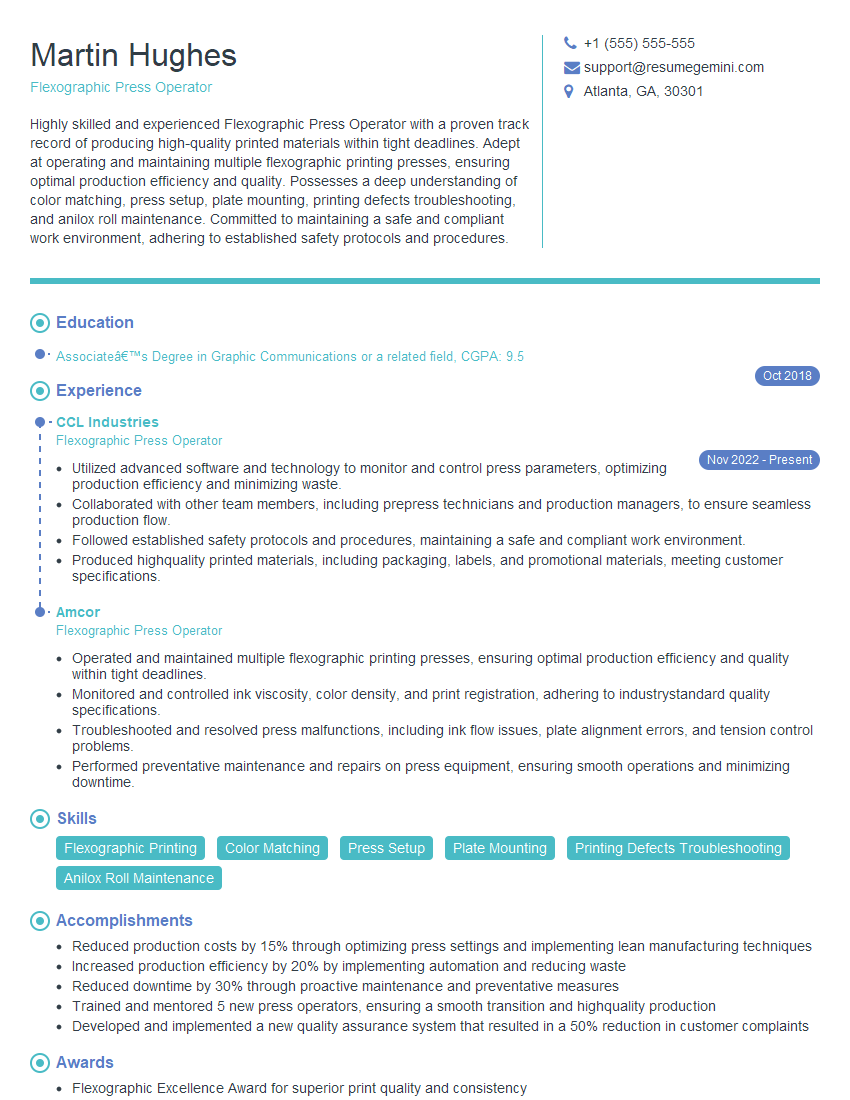
Mastering printing terminology is crucial for career advancement in the graphic design, printing, and publishing industries. A strong understanding of these concepts demonstrates technical proficiency and problem-solving skills highly valued by employers. To maximize your job prospects, create an ATS-friendly resume that highlights your expertise. ResumeGemini is a trusted resource to help you build a professional and impactful resume. We provide examples of resumes tailored to Understanding of printing terminology to help you showcase your skills effectively.







Explore more articles
Users Rating of Our Blogs
Share Your Experience
We value your feedback! Please rate our content and share your thoughts (optional).
What Readers Say About Our Blog
Very informative content, great job.
good