Interviews are opportunities to demonstrate your expertise, and this guide is here to help you shine. Explore the essential User Experience (UX) Design for Documentation interview questions that employers frequently ask, paired with strategies for crafting responses that set you apart from the competition.
Questions Asked in User Experience (UX) Design for Documentation Interview
Q 1. Explain your process for creating user-centered documentation.
My process for creating user-centered documentation is deeply rooted in understanding the user’s needs and tasks. It’s not just about writing instructions; it’s about crafting a helpful and engaging experience. I follow a user-centered design (UCD) approach, which involves several key steps:
- User Research: This is the foundational step. I conduct user interviews, surveys, and usability testing to understand the target audience’s technical expertise, goals, and pain points. For example, I might interview users to determine their familiarity with specific software features or discover common points of confusion in a previous version of the documentation.
- Task Analysis: I identify the key tasks users need to accomplish using the product or service. This helps me structure the documentation in a logical and intuitive way. For instance, if users frequently need to troubleshoot a particular error, I’d prioritize that information and ensure it’s easily accessible.
- Information Architecture: This is about organizing the documentation logically. I create a sitemap or outline that clearly shows how information is interconnected and how users can navigate between different sections. I might use card sorting techniques to help organize content and ensure it’s intuitive to users.
- Content Creation & Design: This involves writing clear, concise, and scannable content using plain language and visual aids like screenshots, videos, and illustrations. I prioritize using active voice and focusing on the user’s perspective.
- Usability Testing: Once a draft is complete, I test the documentation with real users to identify areas for improvement. This involves observing users as they interact with the documentation and gathering feedback on its clarity, effectiveness, and overall usability.
- Iteration & Refinement: Based on user feedback, I iterate on the documentation, making necessary revisions and improvements. This iterative process is crucial to ensure the documentation effectively meets user needs.
Q 2. How do you ensure consistency and accuracy in your documentation?
Consistency and accuracy are paramount in technical documentation. To achieve this, I employ several strategies:
- Style Guide: I develop and adhere to a comprehensive style guide that dictates writing style, terminology, formatting, and visual elements. This ensures a unified voice and appearance across all documentation. For example, the guide may specify the use of active voice, consistent capitalization, and specific formatting for code snippets.
- Content Review Process: A multi-stage review process involving technical writers, subject matter experts (SMEs), and editors is crucial. This ensures accuracy, consistency, and completeness. Each reviewer brings a unique perspective and helps catch errors and inconsistencies.
- Version Control: Using a version control system like Git allows for tracking changes, managing different versions, and collaborating effectively with team members. It also provides a history of revisions, facilitating easy rollback if needed.
- Single Source Publishing (SSP): Where possible, I leverage SSP to manage content in a single location and reuse it across multiple outputs (e.g., web, PDF). This minimizes redundancy and reduces the risk of inconsistencies.
- Automated Checks: Tools can automatically check for inconsistencies in style, terminology, and formatting, further enhancing accuracy and consistency.
Q 3. Describe your experience with different documentation formats (e.g., tutorials, FAQs, manuals).
I have extensive experience crafting various documentation formats, each tailored to a specific user need and context:
- Tutorials: I create step-by-step guides with screenshots or videos to walk users through specific tasks or processes. These are ideal for teaching users how to perform specific actions within a software or system.
- FAQs: I develop frequently asked questions (FAQs) pages to address common user queries concisely and efficiently. This allows users to quickly find answers to their questions without having to sift through lengthy manuals.
- Manuals: I create comprehensive reference manuals that provide in-depth information about a product or service. These are useful for users who need detailed explanations and technical specifications.
- API Documentation: I’ve worked on creating detailed API documentation using tools like Swagger/OpenAPI to enable developers to effectively integrate with our systems. This includes precise descriptions of endpoints, parameters, and response codes.
- Knowledge Bases: I’ve built and maintained knowledge bases utilizing a CMS to organize and categorize articles to make finding solutions easy and intuitive for end-users. This promotes self-service and reduces reliance on support teams.
The choice of format depends heavily on the audience, the complexity of the product, and the user’s goal. A quick FAQ might be ideal for simple troubleshooting, while a comprehensive manual is better suited for a complex system.
Q 4. How do you prioritize features and content within a complex documentation set?
Prioritizing features and content in complex documentation requires a structured approach. I typically use a combination of methods:
- User Task Analysis: By focusing on the most frequent user tasks, I prioritize the content that helps users achieve those tasks effectively. This is often done through analyzing user analytics and feedback.
- Impact Analysis: I assess the potential impact of each feature on the user. Features that have a high impact on the user experience or address critical needs are prioritized.
- Frequency of Use: I prioritize content related to frequently used features. Data from usage analytics, support tickets, and user surveys can be invaluable in determining usage frequency.
- Usability Testing: I conduct usability testing to evaluate the effectiveness of different sections of the documentation. Sections that prove confusing or difficult for users are prioritized for improvement.
- MoSCoW Method: The MoSCoW method (Must have, Should have, Could have, Won’t have) helps categorize features and content based on their importance. This provides a clear framework for prioritizing development efforts.
For example, error messages and troubleshooting guides are often high-priority, ensuring users can quickly resolve common problems.
Q 5. How do you incorporate user feedback into the documentation development process?
User feedback is essential for improving documentation. I integrate user feedback throughout the documentation development process using various techniques:
- Usability Testing: Observing users interacting with the documentation provides direct insights into areas of confusion or difficulty. I use both moderated and unmoderated testing methods.
- Surveys: Online surveys can gather broader feedback from a larger user base. They can gauge user satisfaction, identify areas for improvement, and assess overall clarity.
- Support Ticket Analysis: Analyzing support tickets can highlight common questions and problems that the documentation fails to address. This helps identify gaps and areas needing improvement.
- User Feedback Forms: Embedding feedback forms within the documentation allows users to directly provide comments or suggestions on specific sections.
- Social Media Monitoring: Monitoring social media channels can reveal user comments and discussions about the documentation, giving valuable context.
I use a feedback management system to track and categorize the feedback, allowing for prioritization and integration into future documentation updates. This iterative approach ensures the documentation continuously improves and adapts to user needs.
Q 6. Describe your experience with content management systems (CMS) for documentation.
My experience with Content Management Systems (CMS) for documentation is extensive. I’ve worked with various platforms, including:
- WordPress: A widely adaptable platform suitable for smaller documentation sets, enabling easy content updates and version control with plugins. Its user-friendly interface makes it accessible to diverse teams.
- Drupal: A more robust and scalable platform ideal for larger documentation sets requiring advanced features like workflow management, user permissions, and sophisticated search capabilities. It’s excellent for complex projects with many collaborators.
- Specialized Documentation CMS: Platforms like Read the Docs, MkDocs, and Sphinx offer streamlined workflows specifically designed for technical documentation, including features like versioning, search, and integration with version control systems.
The choice of CMS depends on the scale and complexity of the documentation project. I consider factors like team size, content volume, required features (e.g., search, versioning, access controls), and integration with existing systems when making the decision. A well-chosen CMS streamlines the workflow, improves content organization, and enhances collaboration.
Q 7. How do you measure the effectiveness of your documentation?
Measuring the effectiveness of documentation requires a multi-faceted approach that goes beyond simple metrics. I typically use a combination of quantitative and qualitative data:
- Website Analytics: Tracking metrics like page views, time on page, bounce rate, and search terms provides insights into user engagement and information-seeking behavior. For example, a high bounce rate on a specific page might indicate a need for improvement in clarity or organization.
- Support Ticket Reduction: A decrease in support tickets related to documentation-related issues indicates that the documentation is more effective in resolving user queries. This is a key indicator of success.
- User Surveys and Feedback: Collecting user feedback through surveys and forms directly assesses user satisfaction, identifies areas for improvement, and gauges overall clarity and usefulness.
- Usability Testing Metrics: Measuring task completion rates, error rates, and user satisfaction during usability testing provides direct evidence of the documentation’s effectiveness.
- Search Analytics: Analyzing search terms used by users within the documentation can highlight common areas of confusion or frequently asked questions. This information guides future content updates.
By combining these different metrics, I gain a comprehensive understanding of the documentation’s effectiveness and areas where improvements are needed. Continuous monitoring and iteration are crucial for ensuring the documentation remains relevant and user-friendly.
Q 8. How do you handle conflicting requirements or stakeholder feedback during the documentation process?
Conflicting requirements are a common challenge in documentation. My approach focuses on collaborative prioritization and clear communication. I start by identifying the root of the conflict – often, it’s a misunderstanding of user needs or priorities. I facilitate workshops or discussions with all stakeholders (developers, product managers, marketing, etc.) to clarify goals and expectations. We use a prioritization matrix to rank requirements based on factors like user impact, feasibility, and business value. This allows us to make informed decisions about which requirements to address first and which might need compromise or further investigation. Transparency is key; I document all decisions and rationales, ensuring everyone is on the same page. For instance, if marketing wants to highlight a feature that’s not yet fully developed, we might agree to mention it briefly but clearly state its release date, avoiding misleading users.
If compromise isn’t possible, I create alternative documentation paths: for example, a separate section detailing a feature’s limitations or a phased rollout approach reflected in the documentation’s structure.
Q 9. How familiar are you with single-sourcing and component content management?
I’m very familiar with single-sourcing and component content management (CCM). Single-sourcing means writing content once and reusing it across multiple platforms and documents. This is hugely beneficial for consistency and efficiency. CCM systems help manage this process by storing individual content components (paragraphs, tables, images) in a central repository. These components can then be assembled and repurposed to create various documentation outputs, such as user manuals, FAQs, and online help files. For example, instead of rewriting a description of a specific feature for each document, I’d create a single component and then insert it wherever needed. This eliminates redundancy, streamlines updates, and ensures consistency across all documentation.
I have experience using various CCM systems like MadCap Flare and Adobe FrameMaker, which allow for version control, workflow management, and collaborative editing, ensuring a seamless and efficient documentation process.
Q 10. Explain your approach to creating accessible documentation for users with disabilities.
Creating accessible documentation is paramount. My approach adheres to WCAG (Web Content Accessibility Guidelines) standards. This involves several key steps:
- Using appropriate heading structure (H1-H6): This helps screen readers navigate the document logically.
- Alt text for all images: Providing descriptive alt text allows visually impaired users to understand the image content.
- Proper color contrast: Ensuring sufficient contrast between text and background avoids readability issues for users with low vision.
- Keyboard navigation: All interactive elements should be navigable using only a keyboard, essential for users who cannot use a mouse.
- Structured content using ARIA attributes (where applicable): ARIA attributes provide semantic information to assistive technologies, enhancing understanding of complex content.
- Providing transcripts for videos and captions for audio: This ensures that all users can access the information.
Furthermore, I regularly test the documentation with assistive technologies like screen readers (JAWS, NVDA) to ensure it meets accessibility standards. Think of it like building a ramp for a wheelchair – it’s not just about compliance; it’s about making the information universally accessible.
Q 11. How do you ensure your documentation is up-to-date and relevant?
Keeping documentation up-to-date and relevant is an ongoing process. I employ a multi-pronged strategy:
- Version control: Using a system like Git allows for tracking changes, collaborating efficiently, and reverting to previous versions if needed.
- Regular updates: A defined schedule for review and updates ensures the information remains current. This might involve daily checks for critical updates or monthly reviews of less frequently changing content.
- Feedback mechanisms: Integrating feedback forms or comment sections allows users to report errors or suggest improvements.
- Automated testing (where possible): For technical documentation, automated tests can verify the accuracy of API calls, code examples, or other technical aspects.
- Collaboration with developers: Maintaining close communication with the development team ensures that documentation reflects the latest code changes and new features.
Imagine it as maintaining a garden – consistent weeding (error correction), regular watering (updates), and fertilization (new content) are all essential to keep it thriving.
Q 12. How do you collaborate effectively with developers and engineers during the documentation process?
Effective collaboration with developers is crucial for accurate and timely documentation. I establish regular communication channels – daily stand-ups, weekly meetings, or even a dedicated Slack channel – to stay informed about development progress. I actively participate in code reviews, providing feedback from a user perspective and ensuring that the documentation accurately reflects the code’s functionality. I utilize tools like Jira or Confluence to track tasks, manage feedback, and ensure alignment between documentation and development milestones. I also frequently share drafts with developers for technical review, ensuring accuracy and completeness before final publication.
One example is using a shared documentation repository where developers can easily contribute updates to code examples or technical specifications directly. This fosters a collaborative environment and avoids the delay often associated with feedback loops.
Q 13. Describe your experience using style guides and documentation standards.
Style guides and documentation standards are fundamental for consistency and professionalism. I have extensive experience working with various style guides, such as those based on Microsoft Manual of Style or Google’s developer documentation style guide. These guides dictate aspects like terminology, tone of voice, formatting, and visual design. They ensure consistency across all documentation, creating a cohesive and professional user experience. I utilize these guides throughout the documentation process, ensuring the writing is clear, concise, and consistent with the established brand voice. Furthermore, I actively contribute to the development and maintenance of style guides within my teams, creating and refining guidelines based on user needs and best practices.
For example, defining a standard for code snippets, including syntax highlighting and clear explanatory comments, significantly enhances readability and comprehension.
Q 14. How do you translate technical information into user-friendly language?
Translating technical information into user-friendly language requires empathy and a strong understanding of the target audience. I begin by identifying the core message and simplifying complex concepts without sacrificing accuracy. I avoid jargon and technical terms whenever possible, using plain language and relatable analogies. Active voice and short, concise sentences enhance readability. I use visual aids like diagrams, flowcharts, and screenshots to break down complex processes. User testing is crucial to verify that the information is easily understood by the intended audience. For instance, instead of saying “Implement the asynchronous request handler,” I might explain it as “The program waits for the information to come back before continuing to the next task.” This simplification maintains accuracy while improving clarity.
I also break down complex topics into smaller, more manageable chunks, using headings, subheadings, and bullet points to guide the user through the information effectively. It’s about finding the balance between accuracy and accessibility.
Q 15. How do you conduct user research to inform your documentation strategy?
User research is the cornerstone of effective documentation. It’s not enough to assume what users need; we must understand their actual needs and challenges. I employ a mixed-methods approach, combining quantitative and qualitative research techniques.
Quantitative methods might involve analyzing website analytics to identify frequently accessed pages, common search terms, and areas with high bounce rates. This data gives me insights into what information users are seeking and where they’re encountering difficulties.
Qualitative methods are equally crucial. I conduct user interviews, usability testing, and surveys to directly engage with the target audience. For example, I might conduct a think-aloud protocol where I observe users attempting to complete tasks using the product and the documentation, noting their struggles and successes. These sessions often reveal unexpected pain points and help identify areas for improvement in clarity, organization, and overall usability.
The data gathered from these methods informs the overall documentation strategy, guiding decisions about content prioritization, format, tone, and style.
Career Expert Tips:
- Ace those interviews! Prepare effectively by reviewing the Top 50 Most Common Interview Questions on ResumeGemini.
- Navigate your job search with confidence! Explore a wide range of Career Tips on ResumeGemini. Learn about common challenges and recommendations to overcome them.
- Craft the perfect resume! Master the Art of Resume Writing with ResumeGemini’s guide. Showcase your unique qualifications and achievements effectively.
- Don’t miss out on holiday savings! Build your dream resume with ResumeGemini’s ATS optimized templates.
Q 16. What tools and technologies are you proficient in for creating and managing documentation?
Proficiency in various tools is essential for efficient documentation creation and management. I’m experienced with a range of tools, including:
- Authoring tools: MadCap Flare, RoboHelp, and HelpNDoc are all tools I’m adept at using for creating and managing complex documentation projects. These tools allow for single-sourcing, version control, and various output formats (HTML, PDF, etc.).
- Version Control Systems (VCS): Git and GitHub are crucial for collaboration and managing revisions. (See my detailed answer below for more on VCS.)
- Content Management Systems (CMS): I’m familiar with using CMS platforms like WordPress and Drupal to publish and manage online documentation.
- Collaboration Tools: Confluence, Microsoft Teams, and Slack facilitate efficient team collaboration and feedback management.
- Graphic design tools: Adobe Creative Suite (Photoshop, Illustrator) for creating diagrams, illustrations, and improving the visual appeal of the documentation.
My expertise spans from using simple word processors for quick updates to advanced authoring tools for managing large, complex documentation sets.
Q 17. Describe your experience with version control systems for documentation.
Version control is vital for any collaborative documentation project. I’m highly proficient in using Git and GitHub. This allows for a smooth workflow, enabling multiple authors to work simultaneously without overwriting each other’s changes. Using a branching strategy, developers can work on features independently, and the changes are integrated carefully.
For example, I might create a branch for a major update to a section of documentation. This allows me to make changes without affecting the live version. Once the changes are reviewed and tested, I can merge the branch into the main documentation repository. This process ensures a clean and organized history of changes, and enables easy rollback to previous versions if necessary.
Using Git’s commit messages, I ensure clarity about the purpose and scope of each change, making it easier to track progress and understand the evolution of the documentation.
Q 18. How do you handle complex or ambiguous technical information?
Handling complex or ambiguous technical information requires a systematic approach. My strategy involves:
- Breaking down complex topics: I start by breaking down complex information into smaller, more manageable chunks. This improves comprehension and allows for a more logical flow of information.
- Using clear and concise language: Jargon should be avoided or clearly defined. The writing style should be simple, direct, and easy to understand.
- Visual aids: Diagrams, flowcharts, screenshots, and videos are crucial for clarifying complex processes or concepts. A picture is often worth a thousand words, especially when explaining technical details.
- Examples and use cases: Illustrative examples help users grasp abstract concepts. Showing users how to perform a task is far more effective than just describing it.
- User testing: Testing the documentation with the target audience is key to identifying ambiguities and areas that need clarification.
For instance, when documenting a complex API, I would first create a high-level overview, followed by detailed explanations of individual functions, accompanied by code examples and clear descriptions of their parameters and return values. This layered approach helps users gradually understand the complexity.
Q 19. Explain your experience with creating documentation for different user personas.
Tailoring documentation to different user personas is essential for effective communication. I achieve this by creating different versions or sections of documentation targeting specific user groups based on their technical skills, roles, and goals.
For example, I might create:
- Beginner documentation: Simple, step-by-step guides with clear instructions and minimal technical jargon for users with limited experience.
- Intermediate documentation: More detailed guides that delve deeper into specific features and functionalities.
- Advanced documentation: Comprehensive reference materials, API documentation, and troubleshooting guides for experienced users who need in-depth information.
By segmenting the documentation, I ensure that each user finds the information relevant to their needs and skill level. This personalized approach improves the overall user experience and maximizes the value of the documentation.
Q 20. How do you ensure your documentation aligns with the overall user experience?
Aligning documentation with the overall user experience is crucial. The documentation should be an extension of the product itself, seamlessly integrating into the user’s workflow. This involves several key considerations:
- Consistent design and style: The documentation’s visual design should reflect the product’s branding and style guide, creating a unified and cohesive experience.
- Intuitive navigation: The documentation should be easily searchable and navigable, allowing users to quickly find the information they need.
- Clear and consistent terminology: Using consistent terminology across both the product and documentation eliminates confusion and ensures a smooth user experience.
- Task-oriented approach: Organizing the documentation around user tasks and goals, rather than simply by features, makes it easier for users to find relevant information when they need it.
- Continuous improvement: Regularly reviewing and updating the documentation based on user feedback and usage data ensures that it remains relevant and effective.
For instance, if the product uses a specific naming convention for features, the documentation must adopt the same convention. This consistency avoids user confusion and reinforces a unified brand identity.
Q 21. Describe your process for reviewing and editing documentation.
My documentation review and editing process is iterative and thorough, involving several stages:
- Self-review: I begin with a thorough self-review, checking for clarity, accuracy, consistency, and completeness. This involves checking for grammar and spelling errors, as well as ensuring the logical flow of information.
- Peer review: A colleague then reviews the documentation, providing feedback on clarity, accuracy, completeness, and style. This helps to identify potential issues that I might have missed.
- Technical review: A subject matter expert (SME) reviews the technical accuracy and completeness of the documentation. This is especially crucial for complex technical subjects.
- Usability testing: The documentation is tested with users to identify areas for improvement in terms of clarity, navigation, and overall usability.
- Revisions and final review: Based on the feedback received, the documentation is revised and a final review is conducted before publishing.
This multi-stage approach ensures high-quality, accurate, and user-friendly documentation.
Q 22. How do you manage large-scale documentation projects?
Managing large-scale documentation projects requires a structured approach. Think of it like building a skyscraper – you can’t just start laying bricks. I utilize a phased approach, beginning with a thorough needs analysis to define the scope, target audience, and desired outcomes. This involves collaborating with stakeholders across different teams to understand their requirements and identify key information gaps.
Next, I employ a modular design. Instead of one monolithic document, I break the documentation down into smaller, manageable modules. This allows for easier updates, collaboration among writers, and a more streamlined workflow. Version control systems like Git are crucial here, allowing for collaborative editing and tracking changes. Finally, a robust content management system (CMS) is essential for organizing, publishing, and managing the final product. This includes features like user permissions, search functionality, and analytics to track usage and identify areas for improvement.
For example, while working on the documentation for a complex software suite, I implemented a modular approach, dividing the documentation into sections for installation, configuration, troubleshooting, and API usage. Each section was further divided into smaller, more focused modules. This modular design allowed our team to work concurrently, improving efficiency and time to market.
Q 23. Explain your understanding of information architecture principles.
Information architecture (IA) is the structural design of information within a system, focusing on organization, labeling, navigation, and search. It’s about making information easily findable and understandable. Imagine a library – a well-organized library with clear signage and a comprehensive catalog is far more usable than one with books randomly strewn about. The same principle applies to documentation.
Key IA principles I utilize include:
- Content inventory: A complete list of all existing content, helping to identify redundancies and gaps.
- Card sorting: A user research technique where users group and label content, providing insights into how users naturally categorize information.
- Hierarchical organization: Structuring information in a logical hierarchy, from broad categories to specific details. This might involve a tree-like structure with main topics, subtopics, and sub-subtopics.
- Metadata tagging: Using keywords and tags to enrich content and improve search results (discussed further in the next answer).
- Navigation design: Creating clear and intuitive navigation menus, breadcrumbs, and sitemaps to guide users through the documentation.
Applying these principles ensures a user-friendly and efficient information architecture for any documentation project, regardless of size or complexity.
Q 24. How do you use metadata and tagging to improve documentation findability?
Metadata and tagging are critical for improving documentation findability. They act like powerful search indexes, enabling users to quickly locate the specific information they need. Think of metadata as the descriptive information about a document – the equivalent of a book’s title, author, and subject keywords. Tags, on the other hand, are user-defined labels that can further categorize and enrich the content.
I use metadata fields such as:
title: The concise and descriptive title of the document.keywords: A list of relevant keywords that describe the document’s content.author: The author or contributor of the document.date_created,date_modified: Dates related to document creation and updates.
Tags are more flexible and user-driven, allowing for diverse categorization and faceted search. For example, a document on ‘troubleshooting network issues’ could have tags like ‘network’, ‘troubleshooting’, ‘firewall’, ‘connectivity’. This enriched metadata allows the search engine to return more precise results, significantly improving findability. The key is to use a consistent and well-defined metadata schema to maintain data quality and search accuracy.
Q 25. How do you ensure your documentation is easily searchable and navigable?
Ensuring searchability and navigability requires a multi-pronged approach focusing on both technical implementation and user experience design. On the technical side, a robust search engine is crucial. I often recommend using dedicated search engines like Algolia or ElasticSearch which offer advanced features like autocomplete, fuzzy matching, and stemming. This ensures that even minor typos or variations in search terms will still yield relevant results.
Beyond the search function, effective navigation is key. This includes:
- Clear sitemaps: Providing users with an overview of the documentation’s structure.
- Intuitive menus: Using clear and concise labels for navigation menus.
- Breadcrumbs: Showing users their current location within the documentation hierarchy.
- Table of contents: For longer documents, a well-structured table of contents allows users to quickly locate specific sections.
- Internal linking: Strategically linking relevant sections within the documentation to guide users to related information.
User testing is essential to validate the effectiveness of both the search and navigation. By observing users interacting with the documentation, we can identify areas for improvement and optimize for a seamless user experience.
Q 26. Describe your experience with creating interactive documentation.
Interactive documentation significantly enhances the user experience by transforming static content into engaging and informative experiences. I have extensive experience creating interactive elements such as tutorials, interactive diagrams, and code examples with integrated execution capabilities. These features improve understanding and knowledge retention. For instance, I developed an interactive tutorial for a complex software application using a branching scenario approach. The user makes choices throughout the tutorial, resulting in different outcomes and learning paths, tailored to their decision-making process.
Tools I frequently employ include:
- HTML5, CSS, and JavaScript: For building custom interactive elements.
- Interactive design tools: Such as Adobe XD or Figma for prototyping and designing interactive flows.
- Interactive documentation platforms: Many platforms allow for integration of interactive elements within the documentation itself. Choosing the right platform depends on the specific needs of the project.
In one project, we integrated interactive 3D models into the documentation for a new medical device. This allowed users to visually explore the device’s components and understand its functionality in a far more effective way than through static images or text alone. The result was a significant increase in user comprehension and satisfaction.
Q 27. How familiar are you with the principles of user interface (UI) design as it relates to documentation?
UI design plays a crucial role in making documentation accessible and enjoyable. It’s not just about the content itself, but how that content is presented to the user. Poor UI design can negate the benefits of even the best-written documentation. I apply core UI principles such as:
- Visual hierarchy: Using typography, spacing, and color to guide the user’s eye and highlight important information.
- Consistency: Maintaining a consistent design language throughout the documentation, ensuring a cohesive and predictable user experience.
- Accessibility: Designing the documentation to be usable by people with disabilities, adhering to accessibility guidelines (WCAG).
- Responsiveness: Ensuring the documentation is easily accessible and readable across different devices and screen sizes.
- Clear visual cues: Using icons, buttons, and other visual cues to guide users through the documentation and make it easier to navigate.
For example, I carefully consider the use of whitespace, ensuring sufficient spacing between text blocks and elements to avoid visual clutter and improve readability. I also pay close attention to font choices, ensuring legibility across different screen sizes and devices. A well-designed UI complements the content, ensuring the user experience is intuitive and efficient.
Q 28. How do you measure the ROI (Return on Investment) of documentation efforts?
Measuring the ROI of documentation efforts requires a multifaceted approach that goes beyond simply tracking the number of pages created. The real value lies in the impact the documentation has on user behavior and business outcomes.
Key metrics I use include:
- Support ticket reduction: Well-written documentation reduces the number of support tickets, directly saving time and resources.
- User satisfaction surveys: Gathering feedback from users on their experience with the documentation.
- Task completion rate: Measuring the success rate of users completing specific tasks using the documentation.
- Search analytics: Analyzing search queries and results to identify areas where the documentation is lacking or confusing.
- Time-on-task: Tracking how long users spend completing tasks with and without the documentation.
- Sales conversion rate (if applicable): In cases where the documentation supports sales processes, conversion rates can be a key indicator of effectiveness.
By tracking these metrics, we can demonstrate the tangible value of well-invested documentation efforts. It’s not just about creating documentation; it’s about demonstrating its contribution to overall business goals and user success.
Key Topics to Learn for User Experience (UX) Design for Documentation Interview
- Information Architecture for Documentation: Understanding how to structure and organize information for optimal user comprehension. This includes creating intuitive navigation and logical flow within documentation sets.
- User Research in Documentation Design: Applying user research methodologies (e.g., user interviews, surveys, task analysis) to understand user needs and pain points when interacting with documentation. Practical application involves using research findings to inform design decisions.
- Content Strategy and Design: Crafting clear, concise, and accessible content tailored to the target audience. This includes considering various content formats (e.g., tutorials, FAQs, troubleshooting guides) and employing effective writing styles.
- Accessibility and Inclusivity in Documentation: Designing documentation that is accessible to users with disabilities, adhering to WCAG guidelines. This includes considerations for screen readers, alternative text for images, and proper color contrast.
- Usability Testing of Documentation: Conducting usability tests to evaluate the effectiveness and ease of use of documentation. This involves identifying areas for improvement and iterating on designs based on user feedback.
- Style Guides and Branding in Documentation: Maintaining consistency in style, tone, and branding across all documentation to create a cohesive and professional user experience.
- Multi-Platform Documentation Design: Designing documentation that is adaptable and usable across different platforms (e.g., web, mobile, print). This includes understanding responsive design principles and ensuring consistency across various devices.
- Version Control and Collaboration Tools: Understanding and utilizing tools for managing and collaborating on documentation projects (e.g., Git, collaborative writing platforms).
Next Steps
Mastering User Experience (UX) Design for Documentation is crucial for career advancement in technical writing, content design, and related fields. It demonstrates your ability to create user-centered solutions that improve product adoption and user satisfaction. To significantly boost your job prospects, create an ATS-friendly resume that highlights your skills and experience effectively. ResumeGemini is a trusted resource to help you build a professional and impactful resume tailored to your specific experience. Examples of resumes tailored to User Experience (UX) Design for Documentation are available to provide inspiration and guidance.





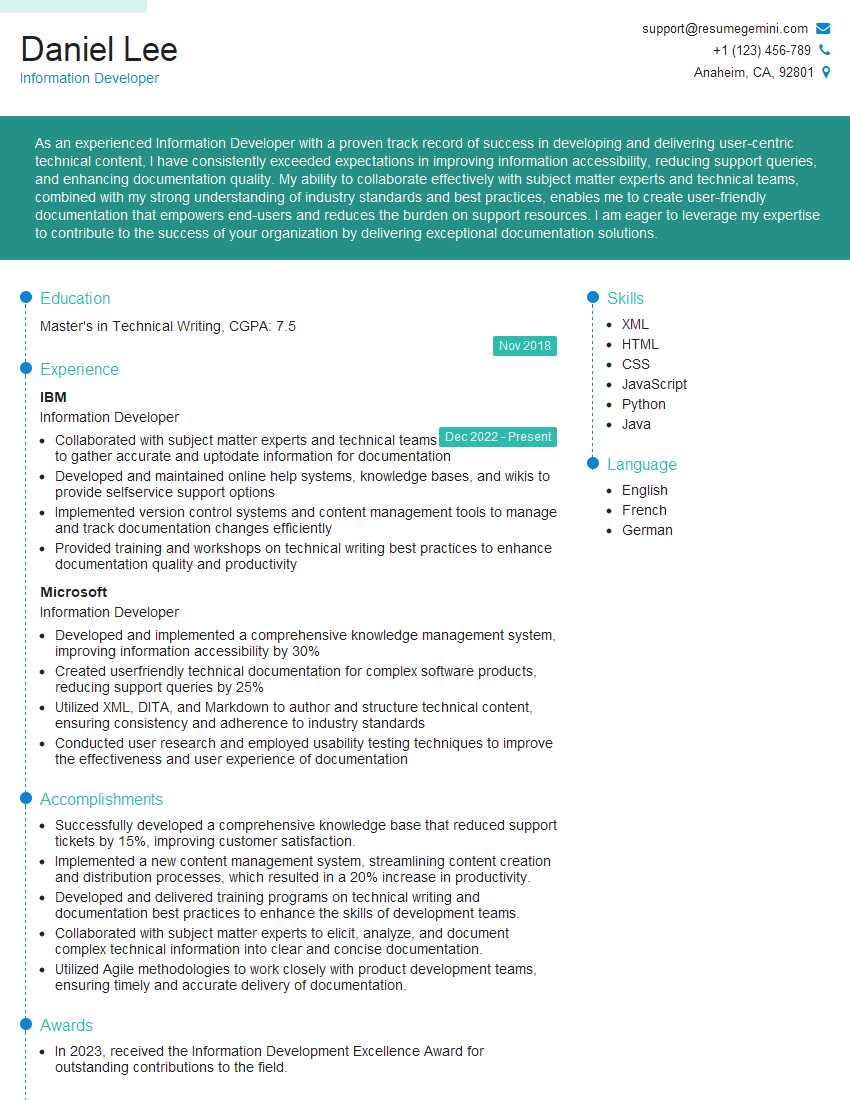

Explore more articles
Users Rating of Our Blogs
Share Your Experience
We value your feedback! Please rate our content and share your thoughts (optional).
What Readers Say About Our Blog
Very informative content, great job.
good