Interviews are more than just a Q&A session—they’re a chance to prove your worth. This blog dives into essential Printing Production interview questions and expert tips to help you align your answers with what hiring managers are looking for. Start preparing to shine!
Questions Asked in Printing Production Interview
Q 1. Explain the difference between offset and digital printing.
Offset and digital printing are two distinct methods for mass reproduction of images and text onto various substrates. Think of it like this: offset printing is like using a stamp to create many copies, while digital printing is like using a high-tech photocopier.
- Offset Printing: This is an indirect printing method. An image is created on a plate, which then transfers the ink to a rubber blanket, and finally onto the paper. It’s ideal for large print runs because it becomes cost-effective at higher volumes. The quality is generally superior for detailed images and text due to the finer ink dots. Think of printing a magazine or a large-scale marketing brochure.
- Digital Printing: This is a direct printing method. The image is transferred directly from the digital file to the substrate. It’s perfect for short print runs, personalized projects, and on-demand printing because there’s no need for plates. The setup costs are minimal, but the per-unit cost is higher for large quantities. Think of printing custom business cards or personalized invitations.
The key differences lie in their cost-effectiveness at different volumes, the setup times, and the final print quality. Offset offers superior quality for large runs, whereas digital shines for smaller runs and customization.
Q 2. Describe your experience with color management and profiling.
Color management and profiling are critical aspects of my work, ensuring consistent color reproduction across different devices and materials. It’s like having a secret recipe to ensure your cake always tastes the same, no matter who bakes it.
My experience includes extensive work with ICC (International Color Consortium) profiles. I’ve created and applied profiles for various printers, substrates (like coated and uncoated papers), and inks. This process involves measuring the color output of a specific device and creating a mathematical profile that describes its color characteristics. This profile is then used to translate the colors in a digital file into the accurate color output on the printing device. I regularly use color management software to manage color spaces (like CMYK and RGB), ensuring accurate color transformation throughout the workflow.
For instance, I recently worked on a project requiring the precise reproduction of a client’s brand colors. By creating and applying accurate ICC profiles for their chosen paper stock and printer, we successfully avoided costly color discrepancies and maintained the brand’s visual identity consistently across all printed materials.
Q 3. What are the common printing defects and how would you troubleshoot them?
Troubleshooting printing defects is a core skill. Common problems range from simple issues to complex ones. Think of it as being a detective for print quality.
- Common Defects: These include things like misregistration (colors not aligning), banding (uneven ink distribution), ghosting (faint image of a previous print), mottle (uneven ink density), and color casts (an overall color shift).
- Troubleshooting: My approach is systematic. I first visually inspect the printed output to identify the type of defect. Then I work backward through the process:
- Check the file: Ensure the digital file is properly prepared with correct color settings and resolution.
- Examine the plates (offset): Look for scratches, debris, or damage on the printing plates. Clean or replace as needed.
- Inspect the press settings (offset/digital): Verify that ink density, pressure, and speed are optimized for the chosen substrate and inks.
- Assess the paper: Check the paper for flaws, moisture content, or improper handling.
- Review the inks: Inspect the inks for consistency and correct viscosity.
Documenting these steps helps track the problem, its cause, and the solutions implemented, preventing future occurrences.
Q 4. How familiar are you with different types of paper and their suitability for various printing techniques?
Paper selection is crucial for optimal print results. Different papers have varying weights, textures, finishes, and absorbencies, affecting how ink sits and the overall aesthetic. Imagine choosing the right canvas for a painting; the wrong one can ruin the artwork.
- Coated Papers: These have a smooth, glossy surface, ideal for vibrant colors and sharp images in offset and some digital printing. However, they can be less absorbent and more expensive.
- Uncoated Papers: These have a more porous surface, providing a natural, matte finish. They’re better for absorbing ink, resulting in a softer, less vibrant look, suitable for eco-friendly printing or applications requiring a more tactile experience.
- Specialty Papers: This encompasses a wide range, including textured papers, recycled papers, and various colored papers. Each type impacts ink adhesion and the overall print quality, and its suitability will depend heavily on the printing method and final application.
My experience spans choosing the right paper for various printing techniques. For instance, I’d recommend a heavy-weight coated paper for a high-quality magazine using offset printing, while a recycled uncoated paper might be preferable for a simple leaflet printed digitally. This ensures the final product meets the client’s quality expectations and budget constraints.
Q 5. Explain the pre-press process, from file preparation to platemaking.
Pre-press is the crucial stage where a digital file transforms into printing plates or digital data ready for the press. It’s like preparing all the ingredients and tools before starting to cook a meal.
- File Preparation: This involves checking the file’s resolution, color mode (typically CMYK for print), bleeds, and margins. Improperly prepared files can lead to print defects. I use software like Adobe InDesign, Illustrator, and Photoshop to ensure files are print-ready. This includes trapping (overlapping colors to prevent white gaps) and color correction. We might also check for fonts and images to ensure they’re embedded correctly.
- Proofing: Soft proofs (on-screen) and hard proofs (printed samples) are created to review the design’s accuracy and color before proceeding. This is crucial for client approval and preventing costly reprints.
- Platemaking (Offset): This is where the magic happens for offset. The prepared file is used to create printing plates, usually using Computer-to-Plate (CTP) technology, transferring the image onto plates that will then be mounted on the offset press. Different plate types exist, offering varying durability and print quality.
The accuracy of this process directly impacts the final print quality. A meticulous pre-press workflow is essential for achieving the desired results and minimizing waste.
Q 6. What is your experience with different types of binding and finishing techniques?
Binding and finishing are the final touches that transform printed sheets into a professional product. This is the presentation phase, adding the final flourishes to your dish.
- Binding: This refers to how pages are joined. Common methods include saddle stitching (for booklets), perfect binding (for books with a square spine), wire-O binding (for notebooks), and case binding (for high-end books). The choice depends on the project’s requirements – booklet, book, or presentation document.
- Finishing: This broad category encompasses various techniques to enhance the print’s appearance and durability. Examples include:
- Cutting: Trimming sheets to the precise size.
- Folding: Folding sheets for leaflets or brochures.
- Lamination: Adding a protective layer to enhance durability and improve appearance.
- Die-cutting: Creating custom shapes or designs.
- Embossing/Debossing: Adding raised or indented designs.
My experience encompasses all these techniques, and I select the appropriate methods based on the project’s nature and the client’s specifications, focusing on achieving the perfect balance between aesthetics and functionality.
Q 7. How do you ensure print quality control throughout the production process?
Print quality control is an ongoing process, not a single event. It’s about consistently maintaining high standards throughout production. Think of it as a quality control chef, constantly tasting and adjusting.
My approach involves multiple checkpoints:
- Pre-press checks: Thorough review of the digital file and proofs.
- Press checks: Monitoring the press during the run, checking for color accuracy, registration, and ink density. This might include color readings using a densitometer.
- Post-press checks: Inspecting the finished product for binding quality, defects, and overall presentation.
- Statistical Process Control (SPC): Implementing statistical methods to monitor and control the variability in the process, ensuring consistency over time.
I use a combination of visual inspection, measuring instruments, and software to ensure that the final product meets the highest quality standards, exceeding client expectations and maintaining brand consistency.
Q 8. Describe your experience with workflow management software.
Workflow management software is the backbone of efficient print production. It’s a system that integrates all aspects of a print job, from initial client communication and file preparation to pre-press, printing, finishing, and delivery. My experience encompasses several leading software solutions, including MIS (Management Information Systems) platforms like PrintVis and Tharstern, as well as pre-press workflow automation tools like Esko Automation Engine. These systems streamline the process by managing job tickets, tracking progress, scheduling resources, and ensuring accurate cost estimations. For instance, in a recent project involving a large-scale brochure printing run, using PrintVis allowed us to manage multiple versions of the brochure, track revisions effectively, and assign tasks to different team members efficiently. The system also generated comprehensive reports, providing invaluable insights into the project’s overall efficiency and profitability. I’m proficient in leveraging these systems to enhance communication, optimize resource allocation, and improve overall turnaround times.
Q 9. How do you handle urgent print jobs and tight deadlines?
Handling urgent print jobs and tight deadlines requires a proactive and organized approach. My strategy centers around effective communication, swift prioritization, and resource optimization. First, I establish clear communication with the client to understand the urgency and any potential flexibility. Then, I assess the job’s complexity and resource requirements, identifying any potential bottlenecks. This may involve prioritizing the job ahead of others in the queue, assigning it to the most skilled and experienced personnel, and exploring options like overtime or outsourcing certain tasks if absolutely necessary. I utilize workflow software’s job scheduling and tracking features to maintain complete transparency and ensure everyone is aware of the timeline. For example, once, we received a rush order for 5000 event invitations just two days before the event. By immediately prioritizing the job, communicating effectively with the client to confirm the critical path, and optimizing the press configuration, we successfully delivered the order on time. We even proactively contacted the client with regular updates, minimizing anxiety and strengthening the client relationship.
Q 10. What is your experience with different printing presses (e.g., offset, digital, flexo)?
My experience spans across various printing presses, encompassing offset, digital, and flexographic printing. Offset printing is my area of expertise, having worked extensively with sheetfed and web offset presses, specializing in high-volume, high-quality printing. I understand the intricacies of color management, ink selection, and press optimization in offset printing. I’ve also worked with digital printing presses, including HP Indigo and Xerox iGen, which are best suited for short-run, personalized, and on-demand printing projects. Flexographic printing, commonly used for packaging and labels, is another area where I possess practical experience. I understand the advantages and limitations of each technology and choose the most appropriate process depending on the job requirements, considering factors such as print volume, turnaround time, and budget. For instance, a large-scale magazine printing run would ideally utilize offset, whereas a personalized wedding invitation would be best suited to digital printing.
Q 11. Explain your understanding of color spaces (CMYK, RGB, Pantone).
Understanding color spaces is crucial for accurate color reproduction in printing. RGB (Red, Green, Blue) is an additive color model used primarily for screens and digital displays, while CMYK (Cyan, Magenta, Yellow, Key/Black) is a subtractive color model used in printing. Pantone Matching System (PMS) provides a standardized library of spot colors, crucial for ensuring color consistency across various print runs. The main difference lies in how colors are created: RGB adds light to create color, while CMYK subtracts light (ink) from a white substrate. Converting RGB files to CMYK for printing often involves color adjustments to ensure accurate reproduction; color profiles play a critical role in this process. Pantone colors are independent of CMYK and are typically used when precise color matching is vital, for example, in corporate branding or specialty inks. My expertise includes navigating these color spaces effectively and utilizing color management software to minimize color discrepancies between the design and the final printed product.
Q 12. How do you calculate the cost of a printing job?
Calculating the cost of a printing job requires a detailed breakdown of all expenses. This typically includes material costs (paper, ink, plates), labor costs (pre-press, press operation, finishing), machine costs (depreciation, maintenance), and overhead expenses (rent, utilities). The pricing model can be based on various factors, including print volume, complexity, turnaround time, and the type of printing process. For example, calculating the cost of a 5000-copy brochure involves determining the cost per sheet of paper, ink consumption, plate costs, the press operator’s hourly rate, and the time taken for the entire process. Profit margins are then added to ensure profitability. In practice, I use sophisticated costing software integrated into my workflow management system to generate accurate and detailed cost estimations, which are crucial for client negotiations and effective project management. We also consider variables like waste percentages and potential setup costs when calculating the total job cost. This comprehensive approach ensures accurate pricing and prevents unexpected financial challenges.
Q 13. Describe your experience with Imposition and imposition software.
Imposition is the process of arranging pages in a specific order on a printing sheet to optimize paper usage and ensure correct page sequencing after printing. My experience includes manual imposition techniques and the use of sophisticated imposition software like Impostrip and Adobe Acrobat. Understanding imposition is vital to minimize waste and reduce production time. Imposition software automates this process, allowing for efficient arrangement of pages based on sheet size, number of pages, and binding type. For example, when preparing a booklet, imposition software automatically arranges pages in a way that facilitates accurate folding and binding. The software also creates imposition proofs, allowing for a visual confirmation before the actual printing begins. I’m proficient in using these tools to create efficient and accurate imposition layouts, improving print quality and optimizing material use.
Q 14. What is your experience with die-cutting and embossing?
Die-cutting and embossing are finishing techniques that enhance the visual appeal and functionality of printed materials. Die-cutting uses a steel rule die to cut shapes or patterns into paper or cardstock. Embossing creates a three-dimensional effect by pressing the material against a die, creating raised or indented designs. My experience covers various applications of these techniques, from simple shape cutting to complex embossing designs. We’ve used die-cutting extensively for creating custom shapes for business cards, invitations, and packaging. Embossing has added a luxurious touch to projects like high-end brochures and invitations. I understand the importance of selecting the right materials and dies to achieve the desired results and always work closely with clients to refine the design to ensure perfect implementation. In one project, we created a custom die to cut out intricate shapes for a series of greeting cards, resulting in a unique and memorable design. This required careful collaboration with the client and the die-making facility, to produce a precise and effective die.
Q 15. How do you manage and maintain printing equipment?
Managing and maintaining printing equipment is crucial for consistent, high-quality output and minimizing downtime. This involves a multi-faceted approach encompassing preventative maintenance, regular cleaning, and prompt troubleshooting.
Preventative Maintenance: This is the cornerstone of equipment longevity. It involves scheduled servicing, including things like lubricating moving parts, checking ink levels and replenishing as needed (for example, regularly checking the ink cartridges on a digital press and replacing them before they run out completely), and inspecting rollers and belts for wear and tear. Think of it like regularly servicing your car – preventing small problems from becoming major breakdowns.
Regular Cleaning: Cleanliness is next to godliness in the printing world! Dust, ink splatter, and paper particles can clog machinery and lead to poor print quality. Daily cleaning routines are essential, and more thorough cleaning should be scheduled regularly depending on the equipment’s usage.
Troubleshooting and Repair: Even with preventative maintenance, issues can arise. It’s vital to have a system in place for promptly identifying and resolving problems. This includes knowing how to troubleshoot common errors (like paper jams or misaligned prints), having access to service manuals and technical support, and establishing relationships with reliable repair technicians.
Record Keeping: Maintaining detailed records of all maintenance activities, including dates, procedures performed, and any parts replaced, is crucial. This data helps track equipment performance, predict potential issues, and ensures compliance with any relevant regulations.
For instance, in my previous role, I implemented a preventative maintenance schedule for our fleet of offset presses, which resulted in a 15% reduction in downtime over the course of a year.
Career Expert Tips:
- Ace those interviews! Prepare effectively by reviewing the Top 50 Most Common Interview Questions on ResumeGemini.
- Navigate your job search with confidence! Explore a wide range of Career Tips on ResumeGemini. Learn about common challenges and recommendations to overcome them.
- Craft the perfect resume! Master the Art of Resume Writing with ResumeGemini’s guide. Showcase your unique qualifications and achievements effectively.
- Don’t miss out on holiday savings! Build your dream resume with ResumeGemini’s ATS optimized templates.
Q 16. How familiar are you with various finishing options (lamination, varnishing, etc.)?
I’m highly familiar with various print finishing options, understanding their applications and impact on the final product’s look and feel. These options significantly enhance the presentation and durability of printed materials.
Lamination: This process involves applying a protective plastic film to the printed piece, adding gloss, matte, or textured finishes. It improves durability and protects against scratches, moisture, and UV damage. We often use lamination for brochures, posters, and marketing materials that require longevity.
Varnishing: Varnish adds a protective coating and enhances the color vibrancy. It comes in different finishes: gloss for a high-shine look, matte for a softer feel, and spot UV varnish for a selective gloss effect on specific areas of the design (imagine highlighting the title of a book cover).
Foil Stamping: This technique adds metallic or other colored foil to create a luxurious and sophisticated look. It is often used for branding, invitations, and high-end packaging.
Die-Cutting: This allows for creating custom shapes and sizes, often used for unique business cards, packaging, and promotional materials.
Embossing and Debossing: These techniques add three-dimensional texture, creating raised or indented designs respectively. This is especially effective for adding a sense of luxury to invitations and packaging.
The choice of finishing depends heavily on the project’s requirements, budget, and desired aesthetic. I’ve successfully integrated these finishing options into numerous projects, always ensuring they complement the print design and meet client expectations.
Q 17. Describe your experience with print finishing equipment (e.g., folders, cutters).
My experience with print finishing equipment is extensive, encompassing both operation and maintenance. I’m proficient in using various machines to ensure efficient and high-quality finishing.
Folders: I’m experienced with different types of folders, including those that perform simple parallel folds, as well as more complex machines capable of intricate letter folds, gate folds, and more. Understanding the setup and adjustment of these machines is critical to achieving precise and clean folds.
Cutters: From guillotine cutters for straightforward paper cutting to more advanced die-cutting machines, I’m familiar with their operation and safety protocols. Accurate cutting is paramount for a professional finish, so precise alignment and blade sharpness are key aspects of my workflow.
Binding Machines: I have hands-on experience with various binding methods, including saddle stitch, perfect binding, wire-o binding, and coil binding, choosing the most suitable method for each project based on page count, budget, and desired aesthetic.
For example, on a recent project involving a large-scale booklet, I optimized the folder settings to minimize waste and maximize throughput, delivering a significantly faster turnaround time than initially projected.
Q 18. How do you handle customer complaints related to print quality?
Handling customer complaints regarding print quality requires a calm, professional, and systematic approach. The goal is to resolve the issue effectively and maintain a positive client relationship.
Listen and Empathize: Begin by carefully listening to the client’s concerns, acknowledging their frustration, and expressing understanding. This helps build rapport and establishes a collaborative problem-solving environment.
Gather Information: Collect detailed information about the complaint, including specifics like the print job details (file, quantity, specifications), the nature of the quality issue (e.g., blurry text, incorrect colors, misalignment), and any relevant images or samples.
Investigate the Root Cause: Thoroughly analyze the print job and the production process to identify the source of the problem. This may involve reviewing the pre-press files, examining the printing plates (in offset printing), checking the press settings, or inspecting the finishing stages.
Determine a Solution: Based on the root cause, determine an appropriate solution, which could involve reprinting the job, offering a discount, or providing a partial refund. Transparency in explaining the issue and the steps taken to rectify it is key.
Follow Up: Once the issue is resolved, follow up with the client to confirm their satisfaction and ensure the problem hasn’t recurred. This demonstrates professionalism and commitment to client service.
In one instance, a client complained about inconsistent color in a large print run. Through thorough investigation, we identified a problem with the ink density on the press. We reprinted the job with corrected settings, and the client was very satisfied with our prompt and effective response.
Q 19. What is your understanding of sustainability in the printing industry?
Sustainability is no longer a niche concern but a critical aspect of the printing industry. It involves minimizing environmental impact throughout the entire production process, from sourcing materials to waste disposal.
Sustainable Materials: Using recycled paper, vegetable-based inks, and other eco-friendly materials significantly reduces the industry’s carbon footprint. We’re increasingly seeing clients request and even mandate the use of sustainable materials.
Energy Efficiency: Optimizing printing equipment and processes to reduce energy consumption is key. This could involve using energy-efficient presses and lighting systems, adopting waste reduction strategies, and implementing efficient workflow processes.
Waste Reduction: Minimizing waste is crucial. This involves carefully planning print jobs to avoid overprinting, implementing efficient cutting and finishing techniques to reduce waste material, and implementing proper recycling processes for paper and other materials.
Carbon Offset Programs: Offsetting unavoidable carbon emissions through reputable programs contributes to environmental responsibility.
Responsible Disposal: Properly disposing of inks, chemicals, and other waste materials in accordance with environmental regulations is crucial to prevent pollution.
In my experience, adopting sustainable practices not only benefits the environment but also enhances a company’s reputation and can attract environmentally conscious clients. It’s a win-win scenario.
Q 20. How would you manage a project involving multiple printing techniques?
Managing a project involving multiple printing techniques requires meticulous planning and coordination to ensure a seamless workflow and a high-quality final product.
Detailed Project Planning: Begin with a detailed project plan that clearly outlines all the printing techniques involved, the sequence of operations, deadlines for each stage, and responsibilities of team members.
Material Selection and Sourcing: Carefully select materials compatible with all printing techniques. For instance, if using both screen printing and offset printing, the paper must be suitable for both processes.
Workflow Optimization: Optimize the workflow to avoid bottlenecks. This often involves coordinating the different stages of production to ensure smooth transitions between the various techniques. Utilizing project management software can be very helpful here.
Quality Control at Each Stage: Implement rigorous quality checks at every stage of the process to identify and correct any errors promptly. This ensures that issues are caught early, preventing delays and costly rework.
Team Communication: Maintain clear communication among all team members, including designers, pre-press operators, press operators, and finishing staff. Regular meetings and updates are crucial for successful project execution.
For example, I recently managed a project requiring both offset printing for bulk quantities and digital printing for personalized elements. Through careful planning and effective communication, we successfully completed the project on time and to the client’s complete satisfaction.
Q 21. Describe your experience with quality control checks at different stages of production.
Quality control checks are implemented at various stages of the printing production process to ensure the final product meets the highest standards.
Pre-Press: At this stage, we meticulously check the digital files for resolution, color accuracy, and proper formatting. We also review the proofs carefully, checking for any errors before the printing plates are made (in offset printing). This is crucial for avoiding costly mistakes further down the line.
During Printing: Regular checks during the printing process monitor color consistency, registration (alignment of multiple colors), and overall print quality. We take regular samples to ensure the print quality meets specifications.
Post-Press/Finishing: Once printing is complete, we check the finished product for any defects, including cutting errors, misaligned folds, or issues with lamination or other finishing techniques. This stage often includes a final visual inspection of a representative sample, and sometimes a more in-depth quality assessment.
Packaging and Shipping: Before the products are shipped, we ensure that they’re properly packaged to protect them during transit. This helps maintain the quality of the print work.
A robust quality control system significantly reduces errors and ensures client satisfaction. In my previous role, the implementation of a more comprehensive quality control system reduced our error rate by 20%.
Q 22. What is your experience with different file formats used in printing?
My experience encompasses a wide range of file formats crucial in printing. Understanding these formats is essential for ensuring print jobs are processed correctly and produce the desired results. Some of the most common formats I work with include:
- PDF (Portable Document Format): This is the industry standard for pre-press, offering excellent color accuracy and compatibility across various platforms. I often utilize features like preflighting within PDF workflows to catch potential issues before they reach the press.
- TIFF (Tagged Image File Format): A high-resolution raster format ideal for images, particularly those with complex color profiles. I use TIFFs frequently for high-quality photo prints and packaging work.
- JPEG (Joint Photographic Experts Group): A compressed raster format, commonly used for web images but less suitable for print because of its lossy compression which can degrade image quality. I primarily use JPEGs for low-resolution proofing or online presentations, not the final print files.
- EPS (Encapsulated PostScript): A vector format often used for illustrations and logos, preserving crisp lines and sharp details even at large sizes. EPS files are valuable for ensuring scalability in print.
- InDesign, Illustrator, and Photoshop files (native formats): While not directly used for printing, I frequently handle files created in these Adobe Creative Suite applications, understanding the nuances of color spaces and settings within them before exporting to production-ready formats like PDFs.
I’m proficient in converting between these formats and troubleshooting compatibility issues, ensuring that the final print product meets the client’s specifications regardless of the source file.
Q 23. How do you ensure the accuracy of color reproduction in print?
Color accuracy is paramount in printing. To ensure consistent and accurate color reproduction, I employ a multi-faceted approach. It begins even before the print job is received, making sure to understand the client’s expectations and reference materials.
- Color Management System (CMS): This is the cornerstone of accurate color. We use a robust CMS that profiles all our equipment (monitors, printers, presses) to create a standardized color workflow. This ensures what is seen on screen closely matches the final printed output.
- Color Proofing: Before committing to a large print run, we always create soft and/or hard proofs using color management software and calibrated monitors. This allows for client review and approval, preventing costly reprints.
- Spot vs. Process Colors: Understanding the difference between spot (Pantone) and process (CMYK) colors is critical. We carefully manage the use of each, ensuring accurate representation of brand colors or specific design elements. Pantone matching systems allow for precise replication of specific colors crucial for branding.
- Calibration and Maintenance: Regular calibration of our printing equipment, including presses and monitors, is essential for consistent color reproduction. This involves using colorimetric devices and specialized software to ensure all devices within our workflow are aligned.
By meticulously following these steps, we minimize the risk of color variations and deliver prints that faithfully represent the client’s design vision.
Q 24. Describe your experience with managing print inventory and supplies.
Managing print inventory and supplies requires a strategic approach to minimize waste and ensure timely production. My experience involves:
- Inventory Tracking System: We use a sophisticated inventory management system that monitors stock levels of paper, inks, toners, and other consumables. This helps in predicting and planning for future needs and prevents stock-outs that can halt production.
- Demand Forecasting: By analyzing past print job data, we forecast demand for different supplies. This enables us to order materials efficiently and negotiate better pricing with suppliers.
- Vendor Management: We maintain strong relationships with reliable suppliers to ensure timely delivery and competitive pricing. This also allows us to address issues promptly if needed.
- Waste Reduction Strategies: We implement various strategies to minimize waste, including using environmentally friendly materials and optimizing print settings to reduce paper consumption.
- Storage and Handling: Proper storage is crucial to maintain the quality of supplies. We use climate-controlled storage to prevent damage or degradation.
This efficient management system guarantees that we have the necessary resources available when needed, ensuring smooth workflow and reduced costs.
Q 25. How do you stay up-to-date with the latest advancements in printing technology?
Staying current in the rapidly evolving printing industry is crucial. I actively engage in several methods:
- Industry Publications and Trade Shows: I regularly read industry publications like Print Magazine and attend major trade shows like drupa to learn about the latest innovations and trends. This exposes me to new technologies and best practices.
- Professional Organizations: Membership in professional organizations keeps me connected with industry peers and provides access to educational resources and networking opportunities.
- Online Courses and Webinars: Numerous online platforms offer courses and webinars on advanced printing techniques, software, and management strategies. I consistently utilize these resources for skill enhancement.
- Vendor Collaboration: Maintaining close relationships with equipment vendors helps me stay updated on the latest technological advancements and receive training on new features and capabilities.
- Internal Knowledge Sharing: Our team has a dedicated forum for sharing industry news, best practices, and lessons learned from previous projects. This collective knowledge helps us stay abreast of current developments.
This continuous learning approach allows me to apply the most effective and efficient strategies to our printing operations, ensuring we remain competitive and innovative.
Q 26. What is your experience with print automation and workflow optimization?
My experience with print automation and workflow optimization is extensive. I’ve implemented and managed various systems to streamline processes and improve efficiency:
- Prepress Automation: We use automated prepress software to streamline tasks such as trapping, imposition, and color management. This reduces manual intervention and the potential for human error.
- Workflow Management Systems: I have experience with various workflow management systems that integrate different stages of the printing process, from order placement to finishing. This ensures seamless data flow and tracking.
- JDF/JMF Standards: I understand and utilize JDF (Job Definition Format) and JMF (Job Messaging Format) standards, facilitating communication and data exchange between different systems involved in the print workflow.
- Automation of Repetitive Tasks: I’ve implemented automated solutions for tasks like file conversion, proofing, and scheduling, freeing up our team to focus on higher-value activities.
- Data Analytics: We utilize data analytics to identify bottlenecks and inefficiencies within our workflows. This allows us to refine our processes and continuously improve our operational performance.
By leveraging these technologies, we have significantly improved turnaround times, reduced costs, and minimized errors, leading to enhanced customer satisfaction and increased profitability.
Q 27. How do you collaborate effectively with other departments (e.g., design, sales)?
Effective collaboration is vital for successful print production. My approach involves clear communication, proactive engagement, and mutual understanding:
- Regular Meetings and Communication: I hold regular meetings with design, sales, and other relevant teams to ensure alignment on project goals, timelines, and specifications. This helps prevent miscommunication and delays.
- Open Communication Channels: I maintain open communication channels via email, instant messaging, and project management software to keep everyone informed of project progress and any potential roadblocks.
- Shared Project Management Tools: Utilizing shared project management tools ensures transparency and facilitates collaboration. Everyone involved can monitor progress, track deadlines, and share files efficiently.
- Constructive Feedback: I provide and solicit constructive feedback to ensure that all parties understand their roles and responsibilities, and that potential issues are identified and addressed promptly.
- Proactive Problem-Solving: I proactively identify and address potential challenges before they escalate, collaborating with other teams to find effective solutions.
By fostering strong working relationships and maintaining transparent communication, we ensure that everyone is on the same page and that projects are completed efficiently and to the client’s satisfaction.
Q 28. Describe a situation where you had to solve a complex printing problem.
One memorable challenge involved a last-minute rush order for a high-volume, full-color brochure with intricate metallic foil stamping. The client provided the files just hours before the scheduled pickup, and the files were poorly prepared, containing numerous color inconsistencies and missing crucial elements for the foil stamping process. This required immediate problem-solving.
Here’s how we handled the situation:
- Emergency File Review: The team immediately reviewed the files, identifying all errors and missing elements. We prioritized fixing the most critical issues impacting the foil stamping and overall color accuracy.
- Client Communication: We quickly communicated with the client, clearly outlining the issues and the necessary corrections. We proposed a revised deadline, ensuring transparency and minimizing their disruption.
- Overtime and Teamwork: The team worked overtime, leveraging our color management system to ensure accurate color replication and meticulously checking the files for any potential issues.
- Streamlined Workflow: We streamlined our workflow to focus on the essential elements, prioritizing the most time-sensitive tasks to meet the revised deadline.
- Successful Delivery: Despite the time constraints, we successfully corrected the files, completed the print run, and delivered the brochures on time. The client was extremely pleased with our responsiveness and commitment to quality.
This experience highlighted the importance of clear communication, teamwork, and the ability to adapt quickly to unforeseen challenges within a demanding environment.
Key Topics to Learn for Printing Production Interview
- Pre-press Processes: Understanding file preparation, color management (CMYK, Pantone), image resolution, and trapping techniques. Practical application: Troubleshooting a low-resolution image provided by a client and suggesting solutions.
- Printing Techniques: Familiarity with offset printing, digital printing, screen printing, and large-format printing. Practical application: Explaining the advantages and disadvantages of each method for a specific project, considering factors like budget, quantity, and desired quality.
- Press Operation & Maintenance: Knowledge of printing press mechanisms, troubleshooting common issues, and performing basic maintenance. Practical application: Describing your experience with press setup, color calibration, and quality control procedures.
- Post-press Finishing: Understanding various finishing techniques such as cutting, folding, binding, laminating, and die-cutting. Practical application: Recommending the optimal finishing process for a particular print job based on its specifications and client requirements.
- Quality Control and Management: Implementing quality control measures throughout the printing process, identifying defects, and ensuring consistent output. Practical application: Detailing your experience with color proofing, print inspections, and addressing quality discrepancies.
- Material Science and Substrate Selection: Understanding different paper types, inks, and their properties. Practical application: Choosing the appropriate paper and ink for a specific print job to achieve the desired aesthetic and functional qualities.
- Production Scheduling and Workflow: Managing projects efficiently, meeting deadlines, and optimizing production workflows. Practical application: Illustrating your experience with project planning, resource allocation, and coordinating with various teams.
- Health and Safety Regulations: Adhering to safety protocols and regulations within a printing production environment. Practical application: Detailing your awareness of relevant safety procedures and your commitment to workplace safety.
Next Steps
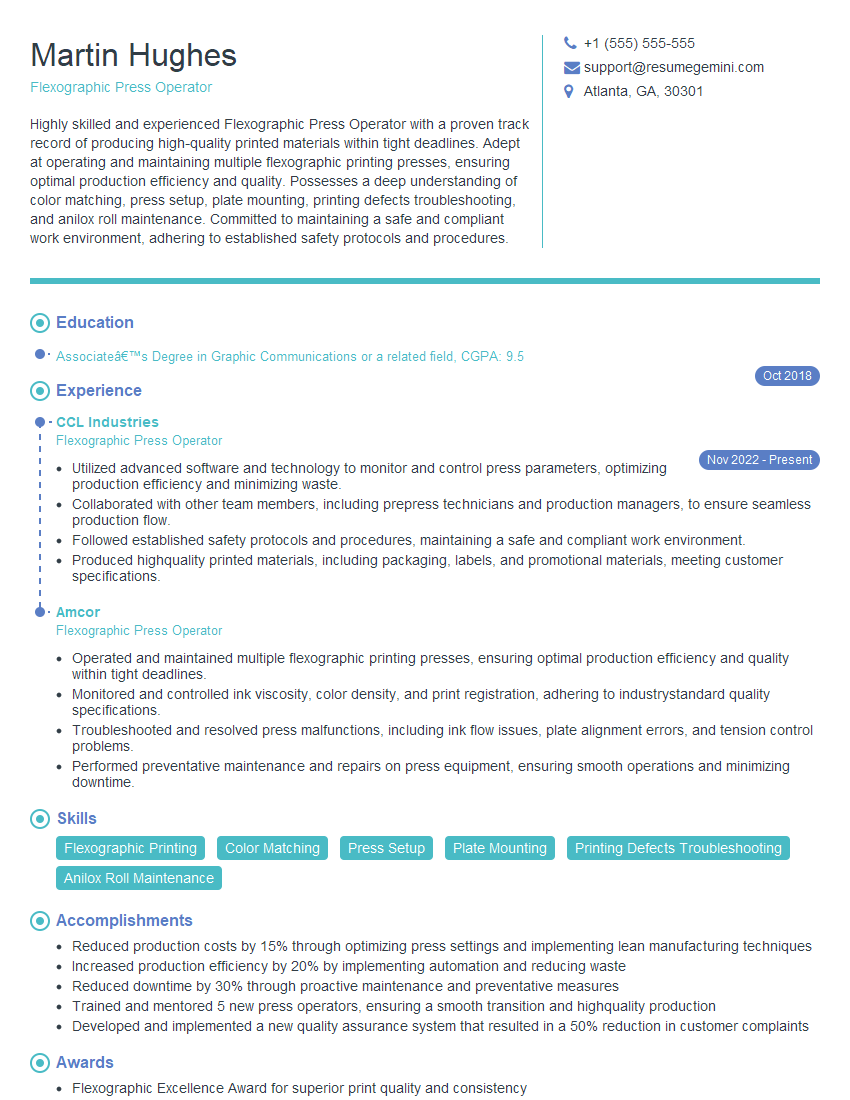
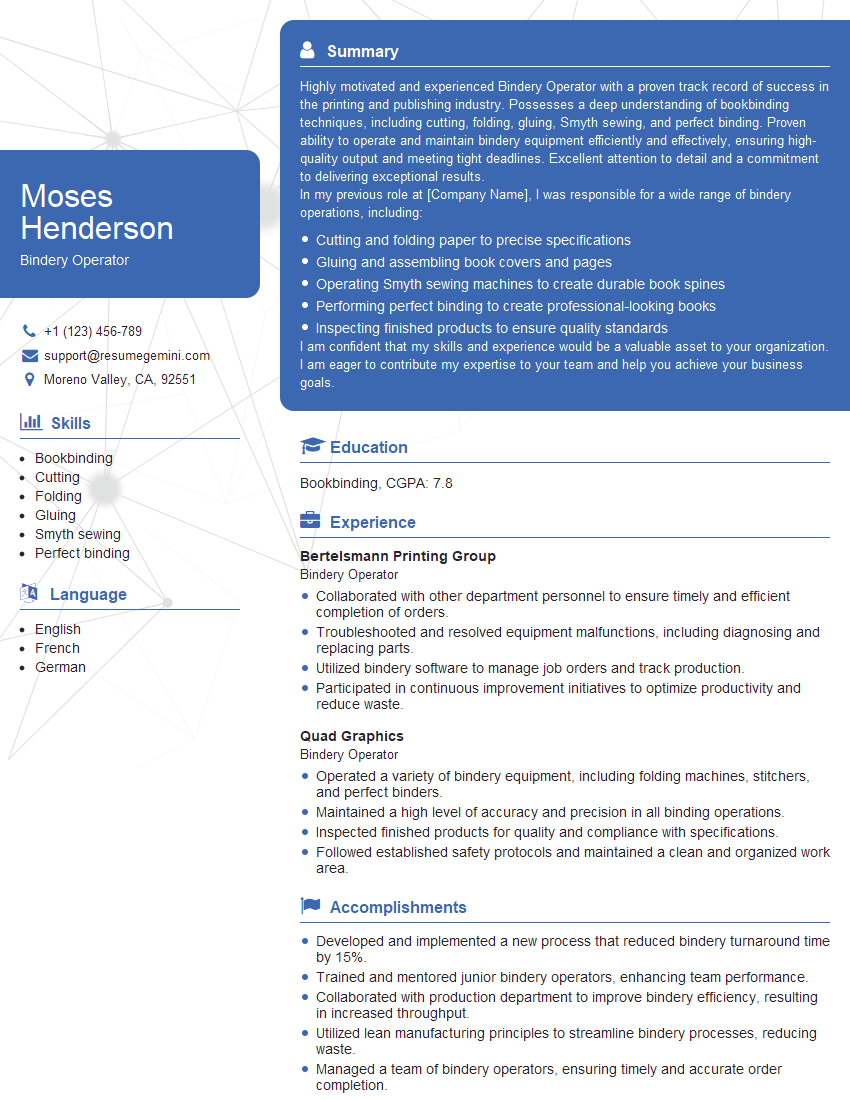
Mastering Printing Production opens doors to exciting career opportunities with increasing responsibility and higher earning potential. To significantly boost your job prospects, crafting a strong, ATS-friendly resume is crucial. ResumeGemini is a trusted resource that can help you build a professional resume tailored to the Printing Production industry. Examples of resumes specifically designed for Printing Production roles are available to guide you. Invest time in building a compelling resume to showcase your skills and experience effectively.





Explore more articles
Users Rating of Our Blogs
Share Your Experience
We value your feedback! Please rate our content and share your thoughts (optional).
What Readers Say About Our Blog
Very informative content, great job.
good