Every successful interview starts with knowing what to expect. In this blog, we’ll take you through the top Custom Scripting and Automation interview questions, breaking them down with expert tips to help you deliver impactful answers. Step into your next interview fully prepared and ready to succeed.
Questions Asked in Custom Scripting and Automation Interview
Q 1. Explain the difference between procedural and object-oriented scripting.
Procedural and object-oriented scripting represent fundamentally different approaches to programming. Think of procedural scripting as a recipe: you list instructions step-by-step, in a linear fashion, to achieve a specific outcome. Object-oriented scripting, on the other hand, is more like building with LEGOs. You create reusable objects (like LEGO bricks) with specific properties and behaviors, and then assemble these objects to build more complex structures (your program).
Procedural Scripting: Focuses on procedures or functions that operate on data. Data and functions are typically separate. It’s simpler for small tasks but can become unwieldy for large projects. Consider a script to process a CSV file: you might have functions to read the file, parse each line, and perform calculations. These functions act independently on the data.
# Example (Python - Procedural)
 def read_csv(filepath):
     # ... code to read CSV ...
 def process_data(data):
     # ... code to process data ...
 data = read_csv('myfile.csv')
 process_data(data)
Object-Oriented Scripting: Organizes code around ‘objects’ that encapsulate data (attributes) and functions (methods) that operate on that data. This leads to modular, reusable, and maintainable code. For the same CSV example, you might create a ‘CSVData’ object with methods to read, parse, and process the data. This approach keeps data and functions related to it neatly together.
# Example (Python - Object-Oriented)
 class CSVData:
     def __init__(self, filepath):
         self.filepath = filepath
         self.data = self.read_csv()
     def read_csv(self):
         # ... code to read CSV ...
     def process_data(self):
         # ... code to process data ...
 my_data = CSVData('myfile.csv')
 my_data.process_data()
In essence, object-oriented scripting offers better organization, reusability, and scalability for larger projects, making it the preferred choice for many complex automation tasks.
Q 2. Describe your experience with version control systems (e.g., Git) in managing scripts.
Version control is fundamental to my workflow. I consistently use Git for all my scripting projects, regardless of size. It allows me to track changes, collaborate effectively, and revert to previous versions if needed – a lifesaver when debugging or experimenting with different approaches. My workflow typically involves creating a repository for each project, committing code regularly with descriptive messages, and using branches for features or bug fixes. I’m comfortable using platforms like GitHub and GitLab for remote repositories, facilitating collaboration and backups.
For example, when developing a complex automation script involving multiple modules, I create separate branches for each module. This allows for parallel development and prevents conflicts. Before merging into the main branch, I conduct thorough testing to ensure the new code integrates seamlessly. I also utilize pull requests for code review, enabling collaborative improvements and maintaining high code quality.
Furthermore, Git’s branching and merging capabilities are crucial for managing different versions of a script deployed in various environments (e.g., development, testing, production), ensuring that I can easily roll back to previous versions if issues arise. Using Git tags also helps to identify specific releases and milestones.
Q 3. What are some common challenges you face when automating tasks?
Automating tasks, while powerful, presents unique challenges. One common issue is dealing with unexpected input or variations in data formats. For instance, a script designed to process a specific type of file might fail if the file format changes unexpectedly. Another common problem is dealing with external dependencies – if the system the script interacts with is unavailable or changes its behavior, the automation can break. Error handling and robust input validation are crucial to mitigate these.
Another significant challenge lies in handling permissions and security. Scripts often require access to system resources or sensitive data, and securing these access points is critical. Poorly secured scripts can become security vulnerabilities. Finally, ensuring scalability is crucial; a script that works flawlessly on a small dataset might struggle with a much larger one. This requires careful consideration of data structures and algorithms to handle increasing workloads efficiently.
Q 4. How do you handle errors and exceptions in your scripts?
Robust error handling is essential for reliable scripts. I employ a multi-layered approach: First, I use `try-except` blocks (or equivalent constructs in other languages) to catch potential errors gracefully. Instead of the script crashing, it logs the error and continues execution or takes alternative action. Second, I include comprehensive logging to track script execution, including successful operations and errors. This allows for post-mortem analysis and efficient debugging. Finally, I implement input validation to check for data integrity before processing, preventing many errors before they arise.
For example, in Python, I might use a `try-except` block to handle a `FileNotFoundError`:
try:
  file = open('myfile.txt', 'r')
  # Process the file
  file.close()
except FileNotFoundError:
  print('Error: File not found!')
  # Handle the error appropriately (e.g., log the error, exit gracefully, etc.)
This prevents the script from crashing if the file doesn’t exist and allows me to provide a more user-friendly message or take alternative actions.
Q 5. Explain your experience with different scripting languages (e.g., Python, PowerShell, Bash).
My scripting experience spans several languages, each chosen based on the task’s requirements. Python is my go-to language for many tasks due to its versatility, extensive libraries (especially for data science and machine learning), and readability. I use it extensively for automating data analysis, web scraping, and system administration tasks. PowerShell is my preferred choice for Windows-specific automation, leveraging its powerful cmdlets for managing Windows systems and Active Directory.
Bash scripting is indispensable for Linux/Unix environments. I use it for automating tasks related to server management, system monitoring, and DevOps. The choice of language often depends on the operating system, existing infrastructure, and the specific libraries and tools available. In situations where performance is critical, I might consider languages like C++ or Go for specific components of a larger script. My experience extends to other scripting languages as needed. For example, I have also used JavaScript for web automation.
Q 6. How do you ensure the scalability and maintainability of your scripts?
Scalability and maintainability are paramount. I achieve this through modular design, using functions and classes (where appropriate) to break down complex tasks into smaller, manageable units. This improves readability and allows for easier modification and reuse of code. I also use consistent coding conventions and style guides to enhance readability and understanding for others (and my future self). Clear comments explaining code logic are essential for maintainability.
Another key aspect is using version control (Git) meticulously, as discussed earlier, to track changes and enable easy rollback. Parameterization is also crucial, allowing the script to adapt to different inputs without modifying the core code. For example, configuration files can store parameters, enabling changes without altering the script’s logic. For larger projects, I favor employing a structured approach that involves documenting the design, architecture, and interfaces between various modules. This provides a detailed roadmap of the solution, simplifying future maintenance and expansion.
Q 7. Describe your experience with testing and debugging scripts.
Testing and debugging are integral to my development process. I utilize a combination of techniques, including unit testing to validate individual components, integration testing to ensure modules work together correctly, and end-to-end testing to verify overall functionality. For unit tests, I often employ frameworks like pytest (Python) or Pester (PowerShell). These frameworks allow me to write automated tests that run quickly and provide comprehensive feedback.
Debugging involves leveraging debugging tools provided by IDEs or using print statements strategically to trace the execution flow. I also utilize logging extensively, which enables monitoring script execution even after deployment. When facing challenging bugs, I employ a systematic approach: reproduce the error, isolate the problem area, examine variables and execution flow, and test solutions methodically. Collaborative debugging, when possible, is also incredibly helpful; a fresh perspective can often pinpoint overlooked details.
Q 8. How do you optimize script performance?
Optimizing script performance is crucial for efficiency and scalability. It involves identifying bottlenecks and applying targeted improvements. Think of it like streamlining a factory assembly line – each step needs to be efficient to maximize output.
Profiling: Use profiling tools to pinpoint slow parts of your code. This helps you focus your optimization efforts where they’ll have the biggest impact. For Python, the
cProfilemodule is invaluable. For JavaScript, tools like Chrome DevTools provide excellent profiling capabilities.Algorithmic Optimization: Choosing the right algorithm can significantly affect performance. For example, a poorly chosen sorting algorithm can drastically increase execution time for large datasets. Consider using more efficient data structures and algorithms appropriate for your task.
Code Optimization: Avoid redundant calculations, unnecessary loops, and inefficient data access. Small changes in your code can lead to substantial performance gains. For instance, using list comprehensions in Python often outperforms explicit loops.
Caching: Store frequently accessed data in memory to reduce the overhead of repeated computations or database queries. This is like having a readily available inventory in your factory instead of constantly ordering supplies.
Asynchronous Operations: For I/O-bound tasks (like network requests or file operations), use asynchronous programming to prevent blocking. This allows your script to continue executing other tasks while waiting for I/O operations to complete. Python’s
asynciolibrary is a powerful tool for this.Database Optimization: If your script interacts with databases, optimize database queries, add indexes, and ensure your database server is properly configured. This is akin to having a well-organized warehouse for efficient retrieval of parts.
For example, imagine a script processing images. Profiling might reveal that image resizing is the bottleneck. Optimizing the resizing algorithm or using a more efficient library could dramatically reduce execution time.
Q 9. Explain your experience with different automation frameworks (e.g., Selenium, Cypress, Robot Framework).
I have extensive experience with various automation frameworks, each with its strengths and weaknesses. The choice depends heavily on the project’s specific requirements.
Selenium: A widely used framework for web application testing and automation. It supports multiple browsers and programming languages. I’ve used Selenium extensively for automating web UI testing, data scraping, and complex browser interactions. Its flexibility is a major advantage, but it can be slower than some other frameworks.
Cypress: A modern JavaScript-based framework known for its speed and ease of use. Its built-in features for debugging and test management make it a powerful choice, particularly for front-end testing. I have utilized Cypress for its excellent developer experience, particularly when working on rapidly developing front-end applications.
Robot Framework: A generic test automation framework, suitable for a wider range of applications, including web testing, API testing, and even robotic process automation (RPA). Its keyword-driven approach simplifies test creation and maintenance, ideal for larger teams and more complex projects. I leveraged Robot Framework on a large project to create easily maintainable automated tests across multiple systems.
In choosing a framework, I consider factors such as the application under test (web, mobile, desktop), the programming languages used by the development team, and the level of complexity and maintainability required.
Q 10. How do you integrate your scripts with other systems or tools?
Integrating scripts with other systems is crucial for creating automated workflows. It’s like connecting different parts of a machine to perform a complete operation. Integration methods depend on the systems involved.
APIs: Many systems provide APIs (Application Programming Interfaces) for programmatic access. I frequently use RESTful APIs to interact with web services, databases, and other applications. I’ll often use libraries like
requests(Python) or similar tools in other languages to make API calls.Databases: My scripts often interact with databases (e.g., MySQL, PostgreSQL, MongoDB) using database connectors provided by specific database drivers. This allows for efficient data retrieval and manipulation.
Message Queues: For asynchronous communication and decoupling, I utilize message queues like RabbitMQ, Kafka, or AWS SQS. This allows different parts of the system to communicate without direct coupling.
File Systems: Simple file-based integration can be effective for transferring data between systems. This might involve reading and writing configuration files, log files, or data files in formats like CSV, JSON, or XML.
For example, a script might retrieve data from a database, process it using a custom algorithm, and then send the results via an API to another system.
Q 11. Explain your experience with CI/CD pipelines and automation.
CI/CD (Continuous Integration/Continuous Delivery) pipelines are essential for automating the software development lifecycle. I have extensive experience integrating automated scripts into CI/CD pipelines using tools like Jenkins, GitLab CI, or GitHub Actions.
My typical approach involves:
Version Control: Storing scripts in version control systems (like Git) ensures traceability and facilitates collaboration.
Automated Testing: Integrating automated tests into the pipeline ensures that changes don’t break existing functionality. This uses the automation frameworks discussed previously.
Automated Deployment: Automating the deployment process, from building the code to deploying it to various environments (development, testing, production).
Monitoring and Logging: Implementing monitoring and logging to track the status of the pipeline and identify any issues.
This creates a seamless process, reducing manual intervention and ensuring faster, more reliable software releases. A real-world example is automating the deployment of a web application using Jenkins: the pipeline would automatically run tests, build the application, and deploy it to a server upon code changes in the Git repository.
Q 12. How do you approach automating repetitive tasks?
Automating repetitive tasks is where scripting truly shines. It’s like having a tireless, error-free assistant. My approach involves identifying the tasks, defining the steps, and then implementing the automation using an appropriate scripting language and tools.
Task Identification: Thoroughly analyze the repetitive tasks to understand their inputs, outputs, and dependencies.
Process Definition: Break down the task into a series of well-defined steps. This provides a structured approach for automation.
Script Development: Write a script to automate these steps. Use loops and conditional statements to handle variations and potential errors.
Testing and Refinement: Thoroughly test the script to ensure accuracy and reliability. Iteratively refine the script to improve its performance and robustness.
For example, if I need to regularly rename and move a large number of files, I can write a Python script using the os and shutil modules to automate this process. This is far more efficient than doing it manually, reducing errors and saving considerable time.
Q 13. Describe your experience with cloud-based automation platforms (e.g., AWS, Azure, GCP).
Cloud-based automation platforms like AWS, Azure, and GCP offer scalable and cost-effective solutions for running automated scripts. I have experience leveraging these platforms for various automation needs.
AWS: I’ve used AWS services like EC2 (for running scripts on virtual machines), Lambda (for serverless computing), and S3 (for storing data). AWS offers a wide range of tools and services for automating various tasks.
Azure: Similar to AWS, Azure provides virtual machines (Azure VMs), serverless functions (Azure Functions), and storage solutions (Azure Blob Storage). I’ve utilized these to deploy and run scripts in a scalable and reliable environment.
GCP: GCP’s Compute Engine, Cloud Functions, and Cloud Storage are analogous to AWS and Azure services. I’ve leveraged these for deployment and execution of automation scripts in a highly scalable and cost-effective environment.
The choice depends on factors such as existing infrastructure, cost considerations, and specific service needs. For instance, if I need to process large datasets, I might choose a cloud platform for its scalability and compute resources. Cloud platforms also offer benefits in terms of reliability, security, and management.
Q 14. How do you secure your scripts and prevent unauthorized access?
Securing scripts and preventing unauthorized access is crucial. It’s like protecting the blueprints to your automated factory. My approach involves a multi-layered security strategy.
Access Control: Restrict access to scripts and their associated data using appropriate permissions and authentication mechanisms.
Encryption: Encrypt sensitive data at rest and in transit using robust encryption algorithms. This protects the data even if the script is compromised.
Input Validation: Validate all inputs to prevent injection attacks (like SQL injection or cross-site scripting). This is like thoroughly checking all incoming materials to your factory to prevent contamination.
Regular Updates and Patching: Keep the underlying systems (operating system, dependencies, libraries) up-to-date with security patches to mitigate known vulnerabilities. This ensures your security measures remain current.
Secure Code Practices: Write secure code by following best practices and using secure coding techniques to avoid common vulnerabilities.
Least Privilege: Grant the script only the necessary permissions to perform its tasks. Avoid giving it excessive privileges that could be exploited.
Regular Security Audits: Perform regular security audits and penetration testing to identify and address potential weaknesses in your scripts and infrastructure.
For instance, I’d store API keys and database passwords securely using environment variables or dedicated secrets management services instead of hardcoding them directly into the script.
Q 15. What are some best practices for writing reusable and modular scripts?
Writing reusable and modular scripts is crucial for efficient automation. Think of it like building with LEGOs – you want reusable blocks that you can combine in different ways to create complex structures. This is achieved through functions, classes (in object-oriented languages), and well-defined interfaces.
Functions: Break down large tasks into smaller, manageable functions. Each function should ideally perform one specific task. For example, instead of having one giant script to process data, create separate functions for data input, cleaning, transformation, and output.
Modularity: Organize your scripts into logical modules or files. This makes it easier to understand, maintain, and debug. A common approach is to create a module for data access, another for core logic, and another for reporting. This also helps with version control and collaborative development.
Parameterization: Pass data to functions as parameters rather than hardcoding values inside the functions. This increases flexibility and reusability. For instance, instead of having a function that always processes file ‘data.csv’, make the filename a parameter.
Configuration Files: Store configurable settings (e.g., file paths, database credentials) in external configuration files (like JSON or YAML). This separates the configuration from the script’s core logic, making changes easier and less error-prone.
Example (Python):
def process_data(input_file, output_file): #Function with parameters
    data = read_data(input_file) #Modular function call
    cleaned_data = clean_data(data) #Modular function call
    write_data(cleaned_data, output_file) #Modular function call
Career Expert Tips:
- Ace those interviews! Prepare effectively by reviewing the Top 50 Most Common Interview Questions on ResumeGemini.
- Navigate your job search with confidence! Explore a wide range of Career Tips on ResumeGemini. Learn about common challenges and recommendations to overcome them.
- Craft the perfect resume! Master the Art of Resume Writing with ResumeGemini’s guide. Showcase your unique qualifications and achievements effectively.
- Don’t miss out on holiday savings! Build your dream resume with ResumeGemini’s ATS optimized templates.
Q 16. How do you handle unexpected input or data in your scripts?
Robust scripts anticipate and gracefully handle unexpected input or data. Think of it like building a bridge – it needs to withstand unexpected forces (like strong winds or heavy loads). This involves comprehensive error handling and input validation.
Input Validation: Check data types, ranges, and formats before processing. For example, if your script expects an integer, make sure the input is indeed an integer and not a string or a floating-point number. Use assertion statements or conditional checks.
Error Handling (try-except blocks): Use
try-exceptblocks (or equivalent in other languages) to catch potential errors, like file not found, network issues, or invalid data format. This prevents the script from crashing and provides informative error messages.Logging: Log important events, including errors and warnings, to a file or a system. This helps with debugging and monitoring the script’s execution. A well-structured log can be invaluable for tracking down issues.
Defensive Programming: Assume that unexpected inputs will occur and design your script to handle them gracefully. For instance, handle potential
NullPointerExceptionsorIndexOutOFBoundsExceptionsin a controlled way.
Example (Python):
try:
    file = open('data.txt', 'r')
    # Process the file
    file.close()
except FileNotFoundError:
    print('Error: File not found.')
except Exception as e:
    print(f'An unexpected error occurred: {e}')
Q 17. Explain your experience with different scripting paradigms (e.g., imperative, declarative).
Scripting paradigms define how you structure and organize your code. Imperative programming focuses on *how* to achieve a result, while declarative programming focuses on *what* result you want, leaving the *how* to the system.
Imperative: You explicitly specify each step. Think of a recipe – you list each action sequentially. This is common in procedural languages like C and early versions of BASIC. It offers fine-grained control but can be verbose for complex tasks. In practice, I often use imperative styles for tasks needing precise control over loops or stateful operations.
Declarative: You describe the desired outcome, and the system figures out the steps. Think of telling someone ‘build a house’ versus providing detailed construction steps. SQL and functional programming languages like Haskell exemplify declarative styles. They often lead to more concise and readable code but may sacrifice some control.
I’ve extensively used both. For quick, one-off tasks, imperative programming often suffices. However, for large projects or tasks that benefit from data transformations, using declarative programming with tools like SQL or functional constructs can significantly enhance maintainability and code readability. For example, using a declarative approach for data manipulation with Pandas in Python is a huge benefit compared to using nested loops.
Q 18. How do you document your scripts for future use and maintenance?
Thorough documentation is critical for maintainability and future use. Imagine finding a piece of equipment without instructions! Documentation should be clear, concise, and easily accessible.
Comments: Use in-line comments to explain complex logic or non-obvious code sections. Avoid explaining the obvious.
Docstrings: Include comprehensive descriptions of functions, classes, and modules (often using docstrings in Python or JSDoc in JavaScript). These are essential for generating API documentation.
README files: Create README files with an overview of the script’s purpose, usage instructions, dependencies, and any relevant context.
Version Control: Use version control systems (like Git) to track changes, collaborate with others, and revert to previous versions if needed.
External Documentation: For large and complex projects, consider generating more comprehensive documentation using tools like Sphinx (Python) or JSDoc (JavaScript).
Example (Python docstring):
def calculate_average(numbers):
    """Calculates the average of a list of numbers.

    Args:
        numbers: A list of numbers.

    Returns:
        The average of the numbers. Returns 0 if the list is empty.
    """
    if not numbers:
        return 0
    return sum(numbers) / len(numbers)
Q 19. What are the benefits of using automation in software development?
Automation in software development boosts efficiency, reduces errors, and frees up developers for more creative tasks. Think of it as having a tireless assistant that handles repetitive and time-consuming jobs.
Increased Efficiency: Automating repetitive tasks (like building, testing, or deploying code) saves significant time and effort.
Reduced Errors: Automation minimizes human error associated with manual processes. Automated tests, for example, reliably check for bugs.
Improved Consistency: Automated processes ensure consistent results, irrespective of who executes them.
Faster Feedback Loops: Automation enables faster testing and deployment cycles, leading to quicker feedback and iteration.
Enhanced Collaboration: Shared automated processes facilitate better collaboration among developers.
In a past project, we automated the deployment process using Jenkins. This reduced our deployment time from hours to minutes and greatly improved our ability to deliver updates quickly and reliably.
Q 20. Describe your experience with API automation.
API automation involves using scripts to interact with APIs (Application Programming Interfaces). This is essential for tasks like data integration, testing, and monitoring. It’s like having a remote control for different applications.
Testing: I’ve used tools like Postman and RestAssured to create automated tests for RESTful APIs. This ensures that the APIs function correctly and meet requirements before deployment.
Data Integration: I’ve automated data transfers between different systems using APIs and scripting languages like Python with libraries such as `requests`. This eliminates manual data entry and reduces potential for errors.
Monitoring: APIs can be monitored for performance and availability using scripts that periodically check the API’s response time and status codes.
Orchestration: I have used tools like Apache Airflow and similar technologies to orchestrate complex workflows involving multiple API calls and other tasks, building robust and reliable automated data pipelines.
Example (Python with requests):
import requests
response = requests.get('https://api.example.com/data')
if response.status_code == 200:
    data = response.json()
    # Process the data
else:
    print(f'API request failed with status code: {response.status_code}')
Q 21. How do you monitor the performance of automated systems?
Monitoring automated systems is critical to ensure reliability and performance. Think of it as having a dashboard for your automated processes. Effective monitoring involves several key aspects:
Logging: As previously mentioned, comprehensive logging is essential for identifying issues and performance bottlenecks.
Metrics: Track key metrics such as execution time, resource usage (CPU, memory), error rates, and throughput. These metrics provide insights into the system’s health and performance.
Alerting: Set up alerts that notify you when performance thresholds are exceeded or errors occur. This allows for timely intervention to prevent major problems.
Monitoring Tools: Utilize monitoring tools like Nagios, Prometheus, or Grafana to visualize metrics and receive alerts. These tools provide dashboards and reporting capabilities to easily track the performance of your systems.
Testing and Simulations: Conduct regular testing and simulations to assess the system’s resilience under stress and different scenarios.
In one project, we used Prometheus and Grafana to monitor our automated testing pipeline. The dashboards provided real-time insights into test execution time, failure rates, and resource consumption. This allowed us to quickly identify and resolve performance issues.
Q 22. Explain your experience with infrastructure as code (IaC).
Infrastructure as Code (IaC) is the practice of managing and provisioning computer data centers through machine-readable definition files, rather than physical hardware configuration or interactive configuration tools. Think of it like a blueprint for your entire IT infrastructure. Instead of manually configuring servers, networks, and other components, you define them in code, which is then automatically deployed and managed. This brings significant advantages in terms of repeatability, consistency, and version control.
My experience spans several IaC tools, primarily Terraform and Ansible. With Terraform, I’ve built and managed complex cloud infrastructures on AWS, Azure, and GCP, automating the creation of virtual machines, networks, databases, and other resources. I’ve used Ansible to configure and manage existing servers, automating tasks like installing software, configuring services, and deploying applications. A recent project involved using Terraform to create a highly available, multi-region Kubernetes cluster, complete with auto-scaling and load balancing – all defined and managed through code. This ensured consistent deployment across different environments (development, staging, production) and facilitated easy rollback in case of failures.
Q 23. What are some common security considerations when automating tasks?
Security is paramount when automating tasks. Neglecting security can lead to vulnerabilities that expose sensitive data or allow unauthorized access to your systems. Here are some key considerations:
- Secure Access Control: Employ robust authentication and authorization mechanisms, such as multi-factor authentication (MFA) and least privilege access. This limits who can access your automation scripts and the systems they control.
- Input Validation: Always validate user inputs and external data fed into your scripts to prevent injection attacks (SQL injection, command injection). Never trust the source of data.
- Secrets Management: Never hardcode sensitive information (passwords, API keys, etc.) directly into your scripts. Use dedicated secrets management tools like HashiCorp Vault or AWS Secrets Manager to store and retrieve secrets securely.
- Regular Security Audits: Conduct regular security audits of your automation scripts and systems to identify and address potential vulnerabilities. Use static analysis tools and penetration testing to proactively uncover weaknesses.
- Encryption: Encrypt data at rest and in transit to protect sensitive information. Use strong encryption algorithms and manage encryption keys securely.
For example, in a recent project deploying a web application, I implemented role-based access control using Ansible to manage user permissions on the application server, ensuring only authorized personnel could access sensitive configuration files.
Q 24. How do you ensure the reliability and stability of automated systems?
Ensuring the reliability and stability of automated systems requires a multifaceted approach. It’s not just about writing error-free code; it’s about building a resilient system that can handle failures gracefully.
- Robust Error Handling: Implement comprehensive error handling in your scripts to catch exceptions and handle them appropriately. Log errors effectively and provide meaningful feedback.
- Testing: Thorough testing is crucial. Employ unit tests, integration tests, and end-to-end tests to validate the functionality and reliability of your scripts. Utilize continuous integration/continuous deployment (CI/CD) pipelines to automate testing and deployment.
- Monitoring and Alerting: Monitor your automated systems continuously to detect any anomalies or failures. Set up alerts to notify you promptly of any issues, enabling timely intervention.
- Rollback Mechanisms: Implement rollback capabilities to quickly revert to a previous stable state in case of failures. Version control is essential here.
- Idempotency: Design your scripts to be idempotent, meaning that running the same script multiple times produces the same result. This prevents unexpected behavior if a script is accidentally executed repeatedly.
For instance, when automating database deployments, I implemented a rollback mechanism using database snapshots. If the deployment failed, I could easily revert the database to its previous state, minimizing downtime.
Q 25. Describe your experience with containerization and orchestration (e.g., Docker, Kubernetes).
Containerization and orchestration are integral to modern automation. Docker provides a standardized way to package and run applications in isolated containers, while Kubernetes orchestrates the deployment, scaling, and management of containerized applications across a cluster of machines.
I have extensive experience with both Docker and Kubernetes. I’ve used Docker to build and deploy applications consistently across different environments. I’ve leveraged Kubernetes to manage large-scale deployments, utilizing features like rolling updates, automatic scaling, and self-healing to ensure application availability and resilience. A recent project involved building a microservices architecture using Docker containers and deploying them to a Kubernetes cluster on AWS. This allowed for efficient resource utilization, easy scaling, and improved fault tolerance. The automation of this process was achieved using a CI/CD pipeline integrating Docker, Kubernetes, and Terraform.
Q 26. How do you handle dependencies in your scripts?
Managing dependencies effectively is crucial for maintainable and reliable scripts. Ignoring dependencies can lead to unexpected errors and inconsistencies.
- Dependency Management Tools: Use tools like
pip(for Python),npm(for Node.js), or similar tools to manage dependencies. These tools allow you to define your dependencies in a manifest file (e.g.,requirements.txtfor Python) and automatically install them. - Virtual Environments: Isolate your project’s dependencies using virtual environments (
venvfor Python,nvmfor Node.js). This prevents conflicts between different projects’ dependencies. - Containerization: Containerization (Docker) encapsulates your application and its dependencies, ensuring consistency across environments.
For example, when developing a Python script using external libraries, I always create a virtual environment and use pip to install and manage the required packages, ensuring that my script functions consistently regardless of the system it’s run on. This prevents conflicts between different library versions.
Q 27. Explain your experience with logging and monitoring automation processes.
Logging and monitoring are vital for understanding the behavior of your automation processes, identifying issues, and ensuring system health. Effective logging provides insights into successful runs, errors, and performance metrics, while monitoring facilitates proactive identification and resolution of problems.
- Centralized Logging: Use a centralized logging system like Elasticsearch, Fluentd, and Kibana (the ELK stack) or similar solutions to collect and analyze logs from various sources. This improves visibility and facilitates troubleshooting.
- Structured Logging: Log data in a structured format (e.g., JSON) to enable easier searching and analysis. Include timestamps, severity levels, and relevant contextual information in your logs.
- Monitoring Tools: Use monitoring tools like Prometheus, Grafana, or Datadog to monitor key metrics of your automated systems. Set up alerts to notify you of potential issues.
- Log Aggregation and Analysis: Aggregate and analyze logs to identify patterns, trends, and potential issues. Use log analysis tools to search, filter, and visualize log data.
In a recent project involving a large-scale data processing pipeline, I implemented centralized logging using the ELK stack. This allowed me to monitor the pipeline’s performance, identify bottlenecks, and quickly troubleshoot errors. Real-time dashboards provided immediate feedback on the pipeline’s health.
Q 28. Describe a time you had to troubleshoot a complex scripting issue.
I once encountered a complex issue while automating the deployment of a multi-tier application using Ansible. The application consisted of a web server, an application server, and a database server. After deploying the application, the application server failed to connect to the database. The error logs were minimal and provided no clear indication of the problem.
My troubleshooting steps involved:
- Reviewing the Ansible playbooks: I meticulously examined the playbooks responsible for configuring the application and database servers, checking for syntax errors, typos, or misconfigurations.
- Checking network connectivity: I verified that the application server could reach the database server using
pingandtelnetcommands. I discovered that there was a firewall rule blocking the connection. - Inspecting the database configuration: I checked the database configuration files on the application server and ensured that the connection parameters were correct. The database port was misconfigured in the application server’s config.
- Debugging Ansible tasks: I added extra logging statements to the Ansible playbooks to track the progress of each task and pinpoint the exact point of failure. This revealed a subtle error in the order of task execution.
- Re-running the deployment: After addressing the identified issues, I re-ran the Ansible playbooks and the application deployed successfully.
This experience highlighted the importance of thorough testing, comprehensive logging, and methodical troubleshooting techniques in automation.
Key Topics to Learn for Custom Scripting and Automation Interview
- Scripting Languages: Mastering at least one scripting language (e.g., Python, PowerShell, Bash) is crucial. Focus on understanding data structures, control flow, and fundamental programming concepts.
- Automation Frameworks: Familiarize yourself with popular automation frameworks relevant to your target role. This might include Selenium, Robot Framework, or Ansible, depending on the specific area of automation (web, testing, infrastructure).
- API Integration: Understanding how to interact with APIs (Application Programming Interfaces) is essential for automating tasks across different systems. Practice making API calls and handling responses.
- Version Control (Git): Demonstrate proficiency in using Git for collaborative coding, version management, and code deployment. Understanding branching strategies is highly beneficial.
- Testing and Debugging: Learn effective techniques for writing unit tests and debugging your scripts. Understanding common error messages and troubleshooting strategies is key.
- Security Best Practices: Familiarize yourself with secure coding practices to prevent vulnerabilities in your automated scripts. This includes input validation, error handling, and secure data storage.
- Problem-Solving and Algorithm Design: Practice applying your scripting skills to solve real-world problems. Focus on algorithmic thinking and efficient code design.
- Cloud Platforms (optional): Depending on the role, familiarity with cloud platforms like AWS, Azure, or GCP and their automation capabilities (e.g., CloudFormation, Azure Resource Manager) is a significant advantage.
Next Steps
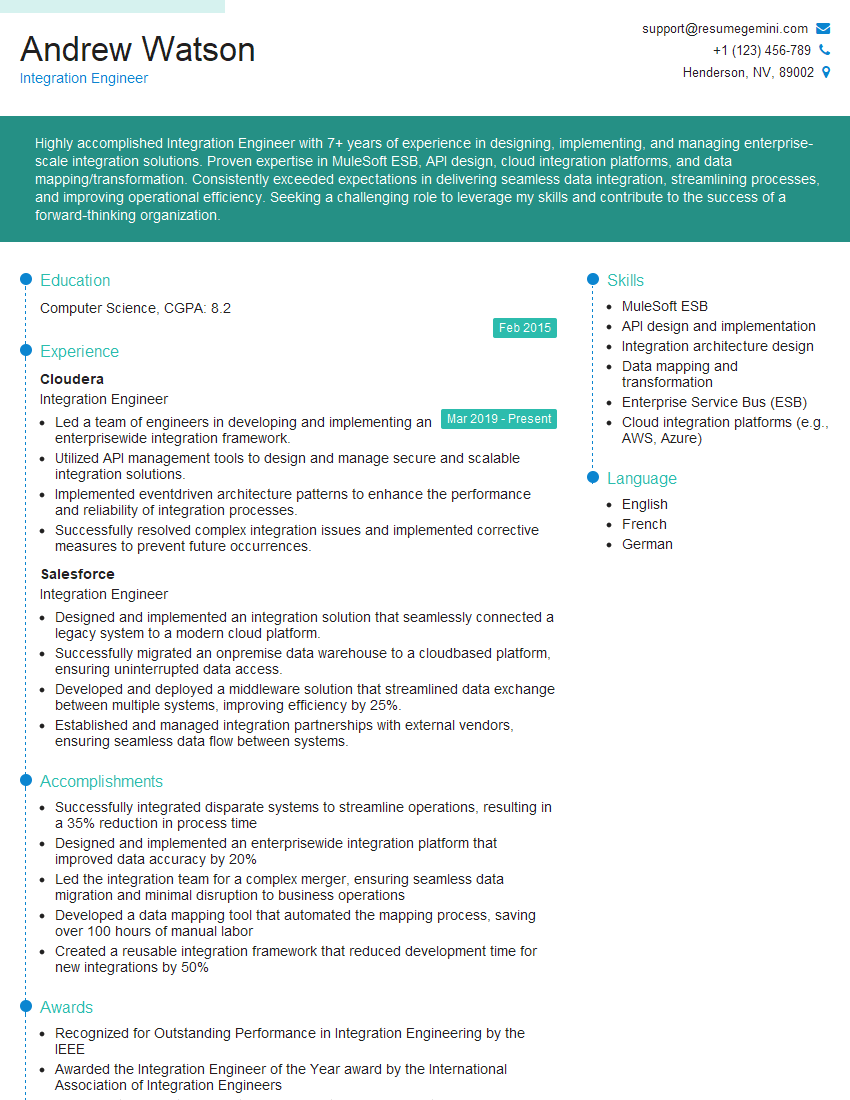
Mastering custom scripting and automation opens doors to exciting and high-demand roles, significantly boosting your career trajectory. To maximize your job prospects, focus on creating an ATS-friendly resume that effectively showcases your skills and experience. ResumeGemini is a trusted resource that can help you build a professional and impactful resume. They offer examples of resumes tailored specifically to Custom Scripting and Automation, providing valuable templates and guidance to make your application stand out. Take advantage of these resources to present yourself effectively to potential employers.


Explore more articles
Users Rating of Our Blogs
Share Your Experience
We value your feedback! Please rate our content and share your thoughts (optional).
What Readers Say About Our Blog
Hello,
we currently offer a complimentary backlink and URL indexing test for search engine optimization professionals.
You can get complimentary indexing credits to test how link discovery works in practice.
No credit card is required and there is no recurring fee.
You can find details here:
https://wikipedia-backlinks.com/indexing/
Regards
NICE RESPONSE TO Q & A
hi
The aim of this message is regarding an unclaimed deposit of a deceased nationale that bears the same name as you. You are not relate to him as there are millions of people answering the names across around the world. But i will use my position to influence the release of the deposit to you for our mutual benefit.
Respond for full details and how to claim the deposit. This is 100% risk free. Send hello to my email id: [email protected]
Luka Chachibaialuka
Hey interviewgemini.com, just wanted to follow up on my last email.
We just launched Call the Monster, an parenting app that lets you summon friendly ‘monsters’ kids actually listen to.
We’re also running a giveaway for everyone who downloads the app. Since it’s brand new, there aren’t many users yet, which means you’ve got a much better chance of winning some great prizes.
You can check it out here: https://bit.ly/callamonsterapp
Or follow us on Instagram: https://www.instagram.com/callamonsterapp
Thanks,
Ryan
CEO – Call the Monster App
Hey interviewgemini.com, I saw your website and love your approach.
I just want this to look like spam email, but want to share something important to you. We just launched Call the Monster, a parenting app that lets you summon friendly ‘monsters’ kids actually listen to.
Parents are loving it for calming chaos before bedtime. Thought you might want to try it: https://bit.ly/callamonsterapp or just follow our fun monster lore on Instagram: https://www.instagram.com/callamonsterapp
Thanks,
Ryan
CEO – Call A Monster APP
To the interviewgemini.com Owner.
Dear interviewgemini.com Webmaster!
Hi interviewgemini.com Webmaster!
Dear interviewgemini.com Webmaster!
excellent
Hello,
We found issues with your domain’s email setup that may be sending your messages to spam or blocking them completely. InboxShield Mini shows you how to fix it in minutes — no tech skills required.
Scan your domain now for details: https://inboxshield-mini.com/
— Adam @ InboxShield Mini
Reply STOP to unsubscribe
Hi, are you owner of interviewgemini.com? What if I told you I could help you find extra time in your schedule, reconnect with leads you didn’t even realize you missed, and bring in more “I want to work with you” conversations, without increasing your ad spend or hiring a full-time employee?
All with a flexible, budget-friendly service that could easily pay for itself. Sounds good?
Would it be nice to jump on a quick 10-minute call so I can show you exactly how we make this work?
Best,
Hapei
Marketing Director
Hey, I know you’re the owner of interviewgemini.com. I’ll be quick.
Fundraising for your business is tough and time-consuming. We make it easier by guaranteeing two private investor meetings each month, for six months. No demos, no pitch events – just direct introductions to active investors matched to your startup.
If youR17;re raising, this could help you build real momentum. Want me to send more info?
Hi, I represent an SEO company that specialises in getting you AI citations and higher rankings on Google. I’d like to offer you a 100% free SEO audit for your website. Would you be interested?
Hi, I represent an SEO company that specialises in getting you AI citations and higher rankings on Google. I’d like to offer you a 100% free SEO audit for your website. Would you be interested?
good