The thought of an interview can be nerve-wracking, but the right preparation can make all the difference. Explore this comprehensive guide to EskoArtwork Packaging interview questions and gain the confidence you need to showcase your abilities and secure the role.
Questions Asked in EskoArtwork Packaging Interview
Q 1. Explain your experience with Esko Studio.
Esko Studio is the heart of Esko’s packaging design software suite. It’s a powerful application for creating and editing packaging artwork, incorporating features for design, prepress, and collaboration. My experience spans several years, encompassing a wide range of projects from simple label designs to complex multi-pack structures. I’m proficient in utilizing its various tools, including the advanced features for image editing, text handling, and color management. I’ve used it extensively for tasks like creating vector-based artwork, applying special effects, and preparing files for different output methods.
For instance, on a recent project designing a new wine bottle label, I leveraged Studio’s features to precisely control the placement of text and imagery, ensuring optimal visual appeal while adhering to brand guidelines. I also utilized its powerful color management tools to guarantee consistent color reproduction across different printing processes.
Q 2. Describe your workflow for creating a packaging design in Esko.
My workflow for creating a packaging design in Esko typically follows these steps:
- Brief & Concept: I begin by thoroughly reviewing the client brief, understanding their requirements regarding size, materials, branding, and target audience. I then develop design concepts, presenting sketches or digital mockups for approval.
- Artwork Creation in Esko Studio: Once the design is approved, I create the artwork in Esko Studio. This involves importing high-resolution images, creating vector-based elements, adding text, and carefully managing color profiles.
- Structural Design (if applicable): If the project requires a custom-shaped package, I design the structure using Esko’s structural design software (like ArtiosCAD), creating 3D models and generating accurate die lines.
- Prepress Preparation: This crucial step involves preparing the artwork for the chosen printing method. It includes tasks like creating color separations, adding bleed and registration marks, and checking for potential issues such as trapping and color inconsistencies.
- Proofing and Approval: I generate soft proofs and/or hard proofs (depending on the client’s requirements) to ensure accurate color reproduction and design integrity. Client approval is obtained at this stage.
- File Output: Finally, I export the files in the appropriate format for the chosen printing process, such as PDF/X-1a for high-fidelity color reproduction.
Q 3. How familiar are you with Esko Automation Engine?
I’m very familiar with Esko Automation Engine. It’s a powerful workflow automation solution that streamlines and optimizes the entire packaging production process. My experience includes configuring and utilizing Automation Engine to automate repetitive tasks, such as preflighting, trapping, and imposition. This significantly reduces manual intervention, minimizing errors and accelerating production timelines.
For example, I’ve implemented Automation Engine workflows that automatically preflight all incoming artwork files, ensuring they meet the required specifications before proceeding to the next stage of production. This automated quality control step drastically reduces the risk of costly errors further down the line.
Q 4. What are the different color spaces used in EskoArtwork and their applications?
EskoArtwork utilizes several color spaces, each suited for different stages of the packaging production process. The most common are:
- CMYK (Cyan, Magenta, Yellow, Black): This is the subtractive color model used for most printing processes. Esko expertly manages CMYK color profiles ensuring accurate color reproduction on press.
- RGB (Red, Green, Blue): Used for digital displays and screen-based proofing. Esko’s software handles the conversion between RGB and CMYK seamlessly to maintain color consistency.
- Pantone (Spot Colors): Pantone colors are defined spot colors, crucial for maintaining brand consistency and accuracy across different printing runs. Esko enables the effective management and accurate representation of Pantone colors.
- Lab (CIE L*a*b*): A device-independent color space that serves as a reference for accurate color comparisons and conversions. Esko uses Lab values for color management and proofing.
Understanding these color spaces and their appropriate applications is critical for achieving consistent and accurate color reproduction throughout the packaging production lifecycle.
Q 5. How do you handle color discrepancies between different proofing methods?
Color discrepancies between different proofing methods can stem from variations in the devices used (e.g., soft proof on screen vs. hard proof on a proofing press) and their respective color profiles. To address this, I follow a rigorous process:
- Establish a Color Standard: Start by defining a reference standard, often using a calibrated monitor and a calibrated proofing device.
- Accurate Profile Management: Ensure all devices have accurate ICC profiles installed and are correctly configured within Esko software.
- Soft Proofing and Hard Proofing Comparison: Carefully compare the soft proof and hard proof, noting any significant color deviations. Analyze the differences, identifying the source of the inconsistency (e.g., monitor calibration, proofing press settings).
- Iterative Adjustments: Make necessary adjustments to the artwork file’s color profile or printer settings to minimize discrepancies, always verifying the changes on both soft and hard proofs.
- Client Communication: Maintain open communication with the client throughout the process, showing them both the soft and hard proof and explaining any adjustments made.
This iterative approach ensures that the final printed product closely matches the approved proof.
Q 6. Explain your experience with structural design in Esko.
My experience with structural design in Esko, primarily using ArtiosCAD, is extensive. I’m proficient in creating 3D models of packaging structures, including boxes, trays, and other complex shapes. This involves using the software’s tools to define the package dimensions, material properties, and construction methods. I use this software to develop accurate and efficient designs that optimize material usage and ensure structural integrity.
For example, recently, I designed a unique, hexagonal-shaped box for a luxury chocolate brand using ArtiosCAD. I utilized the software’s tools to model the structure, generate precise die lines, and create a virtual 3D prototype to visualize the finished product and identify potential design flaws before manufacturing.
Q 7. Describe your process for creating die lines in Esko.
Creating die lines in Esko is a critical step in ensuring accurate and efficient package production. My process generally involves these steps:
- Structural Design: If not already done, I begin by designing the packaging structure in ArtiosCAD, defining all its dimensions and features.
- Die Line Generation: Once the 3D model is complete, ArtiosCAD automatically generates accurate die lines based on the structural design. These lines indicate where the packaging material needs to be cut and creased.
- Die Line Review and Adjustment: I carefully review the generated die lines, checking for accuracy and potential issues. This includes verifying dimensions, ensuring proper registration marks, and identifying any areas that might require manual adjustment.
- Adding Markups: Necessary markings for printing and cutting, like bleed, registration marks and cutting guides, are added to ensure the printing process goes smoothly.
- Output and Export: Finally, I export the die lines in a suitable vector format (typically PDF or AI) for use in the manufacturing process.
Accuracy in die line creation is paramount to avoid costly errors during production. Therefore, meticulous review and verification are essential steps in my process.
Q 8. How do you ensure the accuracy of your artwork dimensions and tolerances?
Ensuring accurate artwork dimensions and tolerances in EskoArtwork is paramount for successful printing. We achieve this through a multi-faceted approach, starting with meticulous design in the initial stages. This includes setting up the artwork with precise dimensions based on the packaging specifications (e.g., die-line). Esko’s tools allow for the precise input of dimensions in millimeters or inches, down to fractions of a point.
Secondly, we leverage Esko’s preflighting capabilities, which automatically checks for potential issues such as bleeds, margins, and color spaces. Any discrepancies are flagged, and automated reports highlight potential problems before they reach the printing stage. This includes checking for dimensions against the die-line, ensuring all elements are within the specified tolerances.
Furthermore, we utilize the built-in measurement tools within EskoArtwork to verify critical dimensions manually throughout the design process. This provides an additional layer of quality control. Imagine building a house – you wouldn’t just rely on blueprints; you’d measure each piece to ensure everything aligns perfectly. We apply the same level of precision to packaging artwork.
Finally, we establish clear communication with the client and the printer, ensuring that everyone understands and agrees upon the tolerances before proceeding to production. A signed-off proof, showing the dimensions and tolerances, forms the foundation for the final artwork and minimizes any misinterpretations.
Q 9. How familiar are you with different packaging printing methods (flexo, offset, etc.) and their impact on artwork?
My familiarity with various packaging printing methods like flexography, offset lithography, and digital printing is extensive. Each method has its unique characteristics impacting artwork creation.
- Flexography: This high-volume process uses flexible printing plates. Artwork needs to be optimized for dot gain (the spreading of ink during printing), ensuring sufficient trapping to prevent misregistration. Line weights and detail need to be carefully considered.
- Offset Lithography: A very common choice, ideal for high-quality printing on a wide range of substrates. Artwork should focus on accurate color reproduction, understanding the limitations of color separation, and ensuring sharp lines and fine details. We adjust the artwork slightly to compensate for dot gain and press variation.
- Digital Printing: This increasingly popular method offers on-demand printing but can have limitations in color gamut and print resolution. Artwork needs to be tailored to the specific digital press used, adjusting file formats and resolution to meet machine capabilities.
Understanding these differences is crucial. For instance, a design intended for offset might have sharp, detailed text, while a flexo design would require bolder, simpler text to maintain legibility. We always consult with the printer to confirm the ideal artwork specifications for the selected printing process and substrate.
Q 10. Describe your experience with preflighting and quality control in Esko.
Preflighting and quality control are deeply ingrained in my Esko workflow. Esko’s preflight engine is an invaluable tool; it’s not just about catching errors – it’s about proactively preventing them. Before even starting a design, I configure my preflight profiles to align with specific client requirements and printing processes. This involves setting parameters for color spaces, resolution, bleeds, and other critical aspects.
During the design process, I regularly run preflight checks, ensuring every element meets the predefined criteria. Esko provides detailed reports, pinpointing any issues like missing fonts, low-resolution images, or color inconsistencies. I treat these reports like a checklist, systematically addressing each issue. This is a highly iterative process. Imagine proofing a document for spelling; preflighting is similar but ensures the technical integrity of the artwork.
Furthermore, I use Esko’s quality control features to perform thorough visual inspections of the artwork, including comparisons with client-approved proofs. The ability to easily zoom in and accurately measure elements is vital. This ensures that the final product precisely matches the client’s expectations.
Q 11. How do you handle complex artwork revisions and approvals?
Managing complex artwork revisions and approvals necessitates a structured and collaborative approach. Esko’s collaboration features play a vital role here. We establish a centralized repository for all artwork versions and revisions.
Using Esko’s version control system, each revision is clearly documented, making it easy to track changes and revert to earlier versions if necessary. This system, integrated with communication platforms like email and project management tools, significantly reduces confusion and improves efficiency.
For approvals, we employ a workflow that clearly outlines the approval process, assigning specific roles and responsibilities to stakeholders. This often involves setting up a digital proofing system using Esko’s tools for easy online review and feedback. This method ensures all stakeholders (designers, clients, and printers) are on the same page, allowing for swift and effective communication of revisions. Version history allows all stakeholders to easily see previous changes and understand where the current artwork iteration stands.
Q 12. Explain your understanding of trapping and its importance in packaging printing.
Trapping is a crucial aspect of packaging printing, addressing the inherent imprecision of printing presses. It involves strategically overlapping colors to prevent unsightly gaps between adjacent color areas, especially when dealing with different colored inks. Think of it like adding a small buffer zone between colors.
In Esko, trapping is handled using sophisticated tools that allow for precise control over the amount of overlap. We can define specific trapping rules based on the printing method and substrate, adjusting the trap width according to the color combination. The settings are carefully selected based on the printing process (flexo requires more trapping than offset) and ink choices.
Different trapping techniques exist: spread trapping expands the lighter color onto the darker color, while choke trapping shrinks the darker color into the lighter color. Esko gives users the freedom to apply these methods selectively. Poor trapping leads to visible gaps between colors, creating a messy and unprofessional final product. Precise trapping ensures clean and crisp print results.
Q 13. How do you manage different file formats and ensure compatibility with printing processes?
Managing different file formats and ensuring compatibility is critical for smooth printing. EskoArtwork supports a wide range of formats, including AI, EPS, PDF, and others. However, careful consideration is needed for each file type.
For instance, PDFs are widely used, but the accuracy relies heavily on embedding fonts, images, and color profiles correctly. Using embedded profiles ensures consistent color reproduction regardless of the viewing environment. I always check if fonts are embedded and if the images are high-resolution enough. Low-resolution images can result in a blurry print. Similarly, each printing method might have preferred file types, for example, flexography would often favor high-resolution TIFF files for plates.
I meticulously convert files to compatible formats, ensuring all elements, including fonts and colors, are appropriately managed. Esko’s tools assist in this process, converting and validating files to confirm compatibility with the printer’s specifications. Before sending anything to the printer, I always check that everything is embedded correctly. This careful approach minimizes problems during the printing process.
Q 14. Describe your experience with imposition and workflow automation in Esko.
My experience with imposition and workflow automation in Esko is extensive. Imposition is the process of arranging multiple pages or individual packaging units onto a larger sheet for printing. Esko’s Automation Engine allows for highly automated imposition workflows, drastically improving efficiency.
Instead of manually placing each piece, we can utilize pre-defined templates, adjusting settings for different sheet sizes, packaging configurations, and printing methods. This ensures consistency and accuracy while saving considerable time. For example, we can set up a template for a specific box design and run it with various artworks automatically, adjusting only the variables such as client name and product details.
Workflow automation within Esko extends beyond imposition. Through the Automation Engine, we can integrate various steps, such as preflighting, trapping, imposition, and even data variable insertion. This creates a seamless process, reducing manual intervention and minimizing the risk of human error. It’s like having a smart assistant taking care of the routine tasks, letting us focus on the creative and strategic aspects of artwork design.
Q 15. How do you ensure consistency in brand colors across different packaging designs?
Maintaining consistent brand colors across various packaging designs is paramount for brand recognition and customer trust. In EskoArtwork, we achieve this through several key strategies. First, we establish a central, approved color library, often utilizing Pantone spot colors or a defined CMYK profile for each brand color. This library serves as the single source of truth for all projects. Second, we employ color management tools within Esko’s software suite to ensure accurate color reproduction across different output devices. This involves creating and carefully managing color profiles for each printing substrate and press. Finally, we enforce strict quality control measures, comparing proof outputs to the approved color library before printing.
For example, imagine designing packaging for a coffee brand with a signature ‘espresso brown’. We’d first define this color precisely in our central library, perhaps as Pantone 485 C. This exact Pantone value would then be used throughout all design iterations, ensuring the final printed product perfectly matches the approved color. Any deviation would trigger a thorough investigation and correction, preventing inconsistencies.
Career Expert Tips:
- Ace those interviews! Prepare effectively by reviewing the Top 50 Most Common Interview Questions on ResumeGemini.
- Navigate your job search with confidence! Explore a wide range of Career Tips on ResumeGemini. Learn about common challenges and recommendations to overcome them.
- Craft the perfect resume! Master the Art of Resume Writing with ResumeGemini’s guide. Showcase your unique qualifications and achievements effectively.
- Don’t miss out on holiday savings! Build your dream resume with ResumeGemini’s ATS optimized templates.
Q 16. Explain your process for preparing artwork for different printing substrates.
Preparing artwork for different printing substrates requires a deep understanding of each material’s properties and limitations. My process begins with analyzing the chosen substrate – whether it’s corrugated cardboard, paperboard, flexible film, or another material. Each substrate has unique absorption rates, surface textures, and potential for color shifts. For example, corrugated board can often lead to color variations across the flutes, requiring adjustments to ensure consistent appearance across the entire packaging. I use Esko’s tools, such as Studio and ArtiosCAD, to create and preflight artwork accordingly, considering factors like ink coverage, dot gain, and trapping. I also generate specific output settings based on the selected substrate and printing method (flexo, offset, digital etc.), including resolution adjustments to achieve the desired quality.
For instance, when preparing artwork for a flexible film package, I ensure the design considers the potential for stretching or distortion during the printing and converting processes. I might use specific trapping techniques to avoid misregistration issues, particularly for complex designs with small text or intricate patterns. The preflight checks in Esko’s workflow become crucial to detect potential problems such as under/over-trapping, missing fonts, color errors and image resolution issues before printing commences.
Q 17. How familiar are you with the Esko WebCenter?
I am highly familiar with Esko WebCenter. It’s a crucial component in our workflow, facilitating streamlined communication and collaboration throughout the packaging artwork process. I regularly use it to manage tasks, track approvals, and share files between stakeholders – designers, prepress operators, and clients. WebCenter’s features such as version control, proofing tools, and automated workflows significantly improve efficiency and reduce the risk of errors. I’ve used its approval workflows to gather feedback and sign-offs on designs, ensuring everyone is aligned before proceeding to production. The ability to access and share artwork securely from anywhere with an internet connection is a major benefit, especially during collaborative projects with international teams.
For instance, a recent project involving a multinational food company required several design iterations and approvals from different regional offices. WebCenter allowed for centralized file management, version tracking, and efficient feedback gathering, which significantly simplified the process and avoided potential misunderstandings.
Q 18. What is your experience with artwork version control and management?
Artwork version control and management are integral parts of my workflow. Esko’s solutions, along with robust file management systems, help maintain a clear record of every revision. I use a structured naming convention to identify artwork versions (e.g., ‘design_v1.pdf’, ‘design_v2_final.pdf’). WebCenter further enhances this by automatically versioning files and tracking changes. Furthermore, I document all modifications in detailed change logs, explaining the reasoning behind each update. This allows for easy traceability and minimizes the risk of reverting to older, less-optimized versions.
This meticulous process is crucial in avoiding confusion and ensures that everyone involved is working with the most up-to-date version. This reduces time spent searching for the correct file and ensures that the final artwork reflects the latest approvals.
Q 19. How do you troubleshoot common issues encountered during the Esko workflow?
Troubleshooting is a regular part of the Esko workflow. Common issues often involve color mismatches, trapping problems, font inconsistencies, or image resolution discrepancies. My troubleshooting process is systematic. I start with reviewing the preflight report generated by Esko’s software to identify any potential problems early on. Then, I systematically check the artwork for inconsistencies, verifying color profiles, reviewing trapping settings, and confirming all fonts are embedded correctly and in high resolution. If the issue persists, I may engage in direct communication with printers to understand their specific requirements and any limitations of their equipment.
For example, if a color mismatch arises, I’d check the Pantone reference, review the color profile settings, and compare soft proofs to hard proofs. Understanding the specific printing method is critical – a CMYK color may appear differently on offset versus flexographic printing, requiring adjustments to account for such differences.
Q 20. Explain your understanding of Pantone matching and color conversion.
Pantone matching and color conversion are crucial for ensuring color accuracy across different printing processes. Pantone provides a standardized system for identifying and reproducing specific colors, using spot colors and color libraries. EskoArtwork software facilitates accurate Pantone color reproduction, and I’m proficient in converting Pantone spot colors into CMYK for processes that utilize process printing. This requires understanding the limitations of CMYK reproduction, acknowledging that it may not perfectly match the original Pantone color, especially in certain color ranges. I utilize color management tools to minimize discrepancies. Color conversions are done using carefully chosen ICC profiles that map Pantone to the CMYK color space of the specific printing process.
Often, a client will specify a Pantone color for their logo. We might convert that Pantone color into CMYK for four-color printing, or we might maintain the Pantone spot color if the printing method allows and ensures better consistency. We would always do a color proof to check the accuracy before sending it for production.
Q 21. Describe your experience with proofing and approving artwork.
Proofing and approving artwork are essential steps that ensure the final product meets client expectations and quality standards. I use Esko’s proofing solutions, generating soft proofs (digital proofs) and, when required, hard proofs (physical prints) for client review and approval. Soft proofing allows for quick and cost-effective feedback iterations, while hard proofs offer a more realistic representation of the final printed product. I work closely with the client throughout this process, providing explanations of any color variations or design adjustments. The approval process is formally documented, typically using WebCenter’s features to track approvals, comments, and revisions. This documentation is essential for avoiding disputes and ensuring smooth production.
During a recent project, a client required several revisions to the packaging design. The use of Esko’s proofing system enabled us to quickly review the feedback and incorporate changes. The use of hard proofs also helped ensure that the final print would accurately reflect the design intent, leading to a successful product launch.
Q 22. How do you manage the different stakeholders involved in the packaging process?
Managing stakeholders in packaging is like orchestrating a symphony. Each player – brand owners, designers, printers, and internal teams – has a crucial role. In EskoArtwork, we use a collaborative approach. First, we establish clear communication channels, often using Esko’s collaboration tools for shared asset management and proofing. This ensures everyone is on the same page regarding design specifications, deadlines, and approval processes. Second, we hold regular meetings, utilizing the software’s proofing capabilities to demonstrate the impact of design choices on the final product. This visual approach facilitates quick decision-making and reduces misunderstandings. Third, we document every step of the process meticulously, including approvals and changes, to maintain transparency and accountability throughout. Think of it as a well-maintained score sheet for our packaging project, keeping everyone informed and working towards a shared goal.
Q 23. Explain your understanding of the importance of artwork optimization for print efficiency.
Artwork optimization is paramount for print efficiency. Poorly prepared artwork can lead to significant waste, delays, and increased costs. In EskoArtwork, we optimize artwork by focusing on several key aspects. First, we ensure the artwork is in the correct color space (e.g., CMYK for most print processes) and resolution, avoiding unnecessary data that increases file size and processing time. Second, we check for proper trapping and overprinting to prevent color mismatches and ensure sharp registration during the printing process. Third, we employ techniques like nested preps and imposition planning to streamline the printing process, minimizing setup time and reducing material waste. For instance, we can analyze the artwork to identify and remove unnecessary elements that won’t be visible in the final print. This might be a low-resolution image used solely as a placeholder, resulting in a significantly smaller file to manage. The final result is reduced print time, less waste, and ultimately, a lower cost for the client.
Q 24. How familiar are you with the different modules within EskoArtwork?
My familiarity with EskoArtwork modules is extensive. I’m proficient in Studio, for designing and pre-press preparation, including features like automation engine and color management tools. I’m equally comfortable using PackEdge for structural design and creating 3D mockups for client presentations and approvals. Furthermore, I’ve worked extensively with the collaboration and workflow modules, utilizing the software’s capabilities for asset management and streamlining pre-press processes. I’m also experienced in using Esko’s imposition and nesting software to plan the efficient layout of prints on a sheet, optimizing material usage and minimizing waste. Finally, I’m adept at using Esko’s proofing software to create high-quality digital proofs for client approval and color accuracy verification before actual printing, ensuring consistent quality.
Q 25. What is your experience with collaborative work within the Esko environment?
Collaborative work in Esko is central to our workflow. Esko’s built-in tools significantly enhance this collaboration. We use the shared asset management features to ensure everyone works with the most up-to-date versions of the artwork. I’ve frequently worked in teams, using the online proofing and approval features of the software. This allows for easy feedback and review cycles and creates an auditable record. For example, on a recent project involving a complex multi-lingual packaging design, we utilized the collaborative features to seamlessly incorporate feedback from designers, brand managers, and translators. Each revision was tracked, comments were logged, and everyone could access the latest version in real-time. This minimized delays and ensured everyone stayed in the loop throughout the whole project.
Q 26. Describe a situation where you had to solve a complex prepress problem. What was your approach?
One time, we faced a complex issue with a client’s intricate packaging design involving intricate embossing and a metallic finish. The initial artwork had inconsistencies leading to potential print errors. My approach was systematic. First, I thoroughly analyzed the artwork using Esko’s preflight tools to identify the problem areas. We discovered issues with the trapping settings, particularly concerning the metallic ink. Second, I consulted with the client and the printer to clarify their exact requirements and tolerances. Third, I adjusted the trapping settings in Esko Studio, meticulously ensuring accurate color registration across the entire design, especially in the embossed areas. The solution involved carefully configuring the trapping parameters in Esko Studio to compensate for the embossing and metallic ink, ensuring both elements were accurately aligned and printed. This prevented the metallic ink from smudging or misaligning with the embossing. This approach, which involved both technical proficiency and client communication, prevented costly production errors and saved the project from significant delays.
Q 27. How do you stay updated with the latest advancements in EskoArtwork and packaging technology?
Staying updated is crucial in this fast-paced industry. I actively participate in Esko’s webinars and training sessions, attending both online and in-person events to stay abreast of new features and best practices. I regularly read Esko’s publications and industry journals, keeping up with the latest developments in packaging technology and print techniques. Furthermore, I maintain a professional network within the industry, participating in online forums and attending conferences to exchange knowledge and best practices. I’m also involved in beta testing programs provided by Esko, enabling me to get hands-on experience with upcoming releases. This multi-faceted approach ensures I remain at the forefront of industry advancements, allowing me to bring the most efficient and effective solutions to our clients.
Key Topics to Learn for EskoArtwork Packaging Interview
- Esko Suite Overview: Understand the core components of the Esko software suite (e.g., Studio, ArtiosCAD, Automation Engine) and their interconnectivity in a packaging workflow.
- Prepress Workflow: Familiarize yourself with the entire prepress process, from design and artwork creation to platemaking and output. This includes file preparation, color management, trapping, and imposition.
- Packaging Design Principles: Demonstrate knowledge of structural design, printability considerations (e.g., ink limitations, substrate properties), and best practices for creating efficient and effective packaging designs.
- Automation and Efficiency: Understand how Esko’s automation tools streamline the packaging workflow and improve overall efficiency. Be prepared to discuss practical examples of process optimization.
- Project Management within Esko: Discuss your experience (or theoretical understanding) of managing projects within the Esko environment, including scheduling, resource allocation, and quality control.
- Problem-Solving in Esko: Be ready to discuss how you would troubleshoot common issues encountered during the packaging workflow, such as file errors, color discrepancies, or structural design challenges. Highlight your problem-solving methodology.
- Specific Esko Modules (if applicable): Depending on the job description, delve deeper into specific Esko modules relevant to the role. For example, if the role focuses on structural design, master ArtiosCAD’s capabilities.
Next Steps
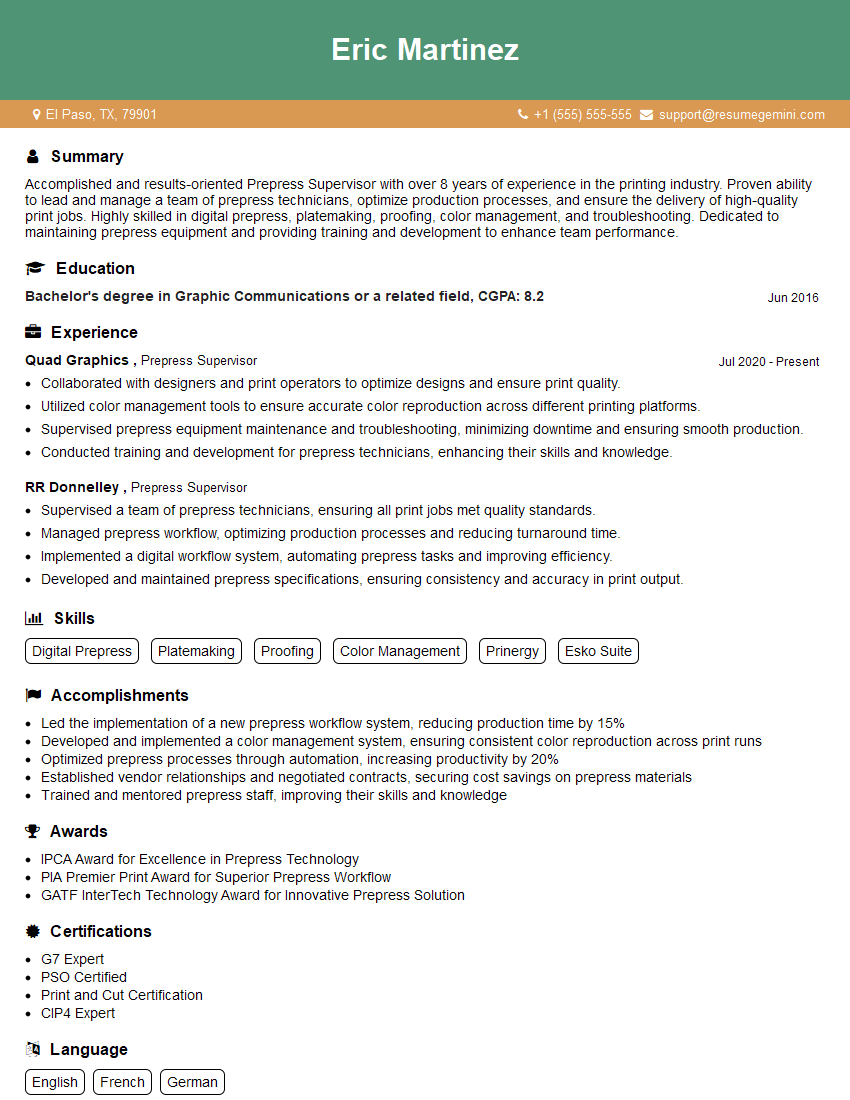
Mastering EskoArtwork Packaging software significantly enhances your career prospects in the packaging industry, opening doors to exciting roles with leading companies. A strong understanding of these tools demonstrates valuable technical skills and a commitment to efficiency and innovation. To maximize your job search success, crafting a compelling and ATS-friendly resume is crucial. We highly recommend using ResumeGemini to build a professional and effective resume that highlights your EskoArtwork Packaging expertise. Examples of resumes tailored to EskoArtwork Packaging jobs are available to help guide you.



Explore more articles
Users Rating of Our Blogs
Share Your Experience
We value your feedback! Please rate our content and share your thoughts (optional).
What Readers Say About Our Blog
Very informative content, great job.
good