Cracking a skill-specific interview, like one for Geographic Referencing Systems and Projections, requires understanding the nuances of the role. In this blog, we present the questions you’re most likely to encounter, along with insights into how to answer them effectively. Let’s ensure you’re ready to make a strong impression.
Questions Asked in Geographic Referencing Systems and Projections Interview
Q 1. Explain the difference between geographic and projected coordinate systems.
Geographic Coordinate Systems (GCS) and Projected Coordinate Systems (PCS) are fundamental concepts in representing locations on the Earth’s surface. The key difference lies in how they model the Earth. A GCS uses a three-dimensional spherical coordinate system based on latitude, longitude, and elevation (often using ellipsoids to approximate the Earth’s shape), while a PCS transforms these spherical coordinates onto a two-dimensional plane. Think of it like this: a GCS is like using a globe, accurately representing distances and directions on a curved surface, while a PCS is like flattening that globe into a map, introducing distortions in the process.
GCS: Uses latitude and longitude to define locations. Latitude runs east-west, while longitude runs north-south. These coordinates are measured from the Earth’s center. They are inherently three-dimensional. For example, the coordinates 40.7128° N, 74.0060° W represent a location in New York City, but this location is not precisely defined on a map unless a specific height is given.
PCS: Transforms the spherical coordinates of a GCS into planar coordinates (like x, y) suitable for use on maps. However, this transformation always introduces some distortion, whether it’s area, shape, distance, or direction. Common examples of projected coordinates are UTM (Universal Transverse Mercator) and State Plane coordinates. These are two-dimensional and are useful for measuring distances and areas directly on a flat map.
Q 2. Describe the purpose and functionality of a datum.
A datum is a reference system that defines the size and shape of the Earth (an ellipsoid), and the orientation of that ellipsoid relative to the Earth. It’s like a foundation upon which geographic coordinate systems are built. Different datums exist because the Earth isn’t a perfect sphere; its shape is irregular, and different datums provide better fits for different regions. The datum influences the accuracy of geographic coordinates. For example, using the wrong datum can lead to significant errors in location, potentially affecting applications ranging from navigation to surveying to mapping.
Think of it like building a house – you need a solid foundation. The datum is that foundation. Different locations might require different foundations (datums) because of the local topography and the overall shape of the planet. A datum determines where (0,0) latitude and longitude are located and the precise dimensions of the earth.
The choice of datum depends on the geographic location and the accuracy requirements of the application. Common datums include WGS84 (World Geodetic System 1984), NAD83 (North American Datum of 1983), and NAD27 (North American Datum of 1927). WGS84 is widely used for global applications, while others like NAD83 are optimized for specific regions.
Q 3. What are the common map projections and their strengths and weaknesses?
Map projections transform the 3D surface of the Earth onto a 2D plane. No projection perfectly preserves all properties (shape, area, distance, direction), so each projection has strengths and weaknesses depending on the intended use. Some common map projections include:
- Mercator: Preserves direction and shape locally but significantly distorts area at higher latitudes. Excellent for navigation because straight lines represent constant bearings. It’s often used for world maps, but its distortion is a major drawback for accurate measurements.
- Lambert Conformal Conic: Preserves shape and direction, with minimal distortion over a limited area. Commonly used for mid-latitude regions.
- Albers Equal-Area Conic: Preserves area, making it suitable for applications requiring accurate area measurements like land use analysis. However, it distorts shape and direction.
- UTM (Universal Transverse Mercator): Divides the Earth into zones, projecting each zone onto a cylinder, minimizing distortion within each zone. Excellent for large-scale mapping and surveying projects, especially over relatively small areas within the same zone. It’s commonly used for geographic data applications.
- Plate Carrée (Equirectangular): Simple projection preserving direction but with significant distortion in areas far from the equator. Often used for visual representation of simple data and sometimes for visualization of global datasets.
The best projection for a specific map depends on the geographic area, the scale, and the application. For example, a map focusing on accurate area calculations would use an equal-area projection while navigation maps usually utilize a Mercator projection, despite its high distortion.
Q 4. How do you handle datum transformations?
Datum transformations are crucial when working with geographic data from different sources that utilize different datums. For instance, a dataset from one source might be based on NAD83, while another is based on WGS84. Failure to transform the data to a common datum can lead to significant positional errors.
Datum transformations are generally performed using coordinate transformation software or functions within GIS software packages. These tools use mathematical models (often 7-parameter transformations or more complex models like Molodensky-Badekas) to convert coordinates from one datum to another. The accuracy of the transformation depends on the quality of the transformation parameters and the model used.
Process:
- Identify Datums: Determine the datum of each dataset involved.
- Choose Transformation Method: Select an appropriate transformation method based on the datums and the desired accuracy. Software often provides options and suggests the best methods based on the input datums.
- Apply Transformation: Use GIS software or specialized tools to apply the chosen transformation to the coordinates. This process commonly involves specifying the source and target datums and allowing the software to apply the appropriate mathematical model to convert the coordinates.
- Verify Accuracy: After the transformation, it’s important to verify the accuracy of the results. Compare the transformed coordinates with known ground truth data whenever possible.
Failing to handle datum transformations properly can lead to significant errors in spatial analysis and location-based applications.
Q 5. Explain the concept of georeferencing and its importance.
Georeferencing is the process of assigning geographic coordinates (latitude and longitude) to points on a map or image. It’s like adding a location tag to your image. This allows you to overlay the map or image onto a geographic coordinate system. This is vital for integrating the information in the map or image with other geographically referenced data.
Georeferencing is crucial for various applications because it allows integration of different datasets. Without it, the information presented on the image or map would lack spatial context. It’s essential for tasks that involve geographical location, such as environmental studies, urban planning, natural resource management, and emergency response.
Importance:
- Spatial Analysis: Allows for overlaying and analysis of different spatial datasets.
- Integration: Enables the integration of maps, aerial photos, and other geospatial data.
- Accuracy: Provides a consistent and accurate spatial reference for all data.
- Context: Provides spatial context, allowing us to analyze and understand the data in relation to other geographic features.
For example, by georeferencing a historical map, we can overlay it with current satellite imagery to analyze urban sprawl or changes in land use over time.
Q 6. What are the different types of coordinate reference systems (CRS)?
Coordinate Reference Systems (CRS) are systems used to locate positions on the Earth. There are several types, primarily categorized into Geographic Coordinate Systems (GCS) and Projected Coordinate Systems (PCS).
- Geographic Coordinate Systems (GCS): Uses latitude and longitude to define locations on a spherical or ellipsoidal model of the Earth. Examples include WGS84 and NAD83.
- Projected Coordinate Systems (PCS): Transforms the spherical coordinates of a GCS into planar coordinates (x, y) suitable for maps and other spatial applications. Examples include UTM, State Plane, and Lambert Conformal Conic.
- Local Coordinate Systems: Used for local projects with limited geographical extent. They do not rely on a global reference and can be defined relative to arbitrary points.
Choosing the appropriate CRS is crucial for accurate geographic analysis and data integration. The choice depends on the scale of the project, the geographic area, and the specific application requirements. Using an incorrect CRS can lead to significant errors in measurements and analysis.
Q 7. How do you determine the appropriate projection for a given map?
Selecting the appropriate map projection is a critical step in mapmaking. The best projection depends on several factors:
- Area of Coverage: The extent of the region being mapped is critical. Global maps might use a projection like Mercator (despite its area distortion), but smaller areas are better served by other projections that minimize distortion within the specific region.
- Scale: Large-scale maps (detailed maps of small areas) can tolerate more distortion, while small-scale maps (covering large areas) require careful consideration of distortion.
- Intended Use: What will the map be used for? Navigation will favor projections that preserve direction (Mercator). Accurate area calculations necessitate equal-area projections (Albers). Shape preservation might be paramount in other contexts. For example, a map used for environmental analysis showing areas of forest cover might utilize an equal-area projection.
- Shape, Area, Distance, and Direction Preservation: Consider which properties are most important to preserve. No projection can preserve all four perfectly.
Decision Process:
- Define Purpose: What is the primary goal of the map?
- Assess Area: Determine the geographic extent.
- Consider Scale: Decide on the map scale.
- Evaluate Projections: Research different projections and their properties. Consider which properties are prioritized (shape, area, direction).
- Software Assistance: Utilize GIS software to visualize and compare the distortions introduced by different projections for the region and scale of interest.
Often, the best approach is to use multiple maps, each using a different projection best suited for a specific aspect of the data or analysis.
Q 8. Discuss the implications of using incorrect projections.
Using incorrect projections in Geographic Information Systems (GIS) can lead to significant errors in spatial analysis and decision-making. Imagine trying to measure the distance between two cities on a flat map representing a curved Earth – your results will be distorted. The choice of projection fundamentally alters the representation of the Earth’s surface, affecting distances, areas, angles, and shapes.
For example, using a Mercator projection, which preserves angles but distorts areas, to analyze the population density of countries near the poles will lead to inaccurate conclusions. Areas near the poles will appear much larger than they actually are, leading to an underestimation of their population density. Similarly, using an equal-area projection to measure the shortest distance between two points could be misleading because the shortest path on a curved surface isn’t accurately represented on a flat plane.
The severity of the implications depends on the nature of the analysis and the chosen projection. For local-scale studies, the distortion might be negligible, while global-scale analyses require careful projection selection to minimize errors. Always understand the strengths and weaknesses of the projection used and choose the most appropriate one for your specific application.
Q 9. Explain the concept of spatial resolution and its impact on analysis.
Spatial resolution refers to the level of detail in geospatial data. Think of it like the resolution of a photograph; higher resolution means a clearer, more detailed image. In GIS, spatial resolution is determined by the size of the cells or pixels in a raster dataset or the density of points in a vector dataset. A high spatial resolution dataset shows fine detail, while a low spatial resolution dataset shows generalized features.
The impact on analysis is significant. High-resolution data allows for precise measurements and detailed analysis, suitable for applications like urban planning or precision agriculture where subtle variations are crucial. However, high-resolution data often means larger file sizes, increased processing time, and greater storage requirements. Low-resolution data, on the other hand, is easier to process and store but sacrifices detail, making it less suitable for applications requiring precise measurements.
For example, analyzing deforestation using satellite imagery with a high spatial resolution will allow you to detect small patches of deforestation that might be missed in low-resolution imagery. Conversely, studying global climate patterns might benefit from low-resolution data to focus on large-scale trends rather than individual weather events.
Q 10. What are the common file formats used for geospatial data?
Many file formats are used for geospatial data, each with its strengths and weaknesses. Common vector formats include:
Shapefile (.shp): A widely used, simple format storing points, lines, and polygons. It’s often the default in many GIS software packages, but it’s not a single file; it’s a collection of files.GeoJSON (.geojson): A lightweight, human-readable format based on JSON, making it easily integrated with web applications.GeoPackage (.gpkg): A modern, self-contained format supporting both vector and raster data. It’s efficient and offers improved data management capabilities.
Common raster formats include:
GeoTIFF (.tif, .tiff): A versatile format supporting georeferencing and metadata, widely used for satellite imagery and elevation data.Erdas Imagine (.img): Proprietary format with good support for various data types but limited interoperability.JPEG (.jpg): While not a GIS-specific format, it’s frequently used for map images due to its wide support and compression capabilities. It often lacks georeferencing information.
Choosing the appropriate format depends on factors such as data type, desired level of detail, software compatibility, and data storage requirements.
Q 11. How do you handle data from multiple sources with different projections?
Handling data from multiple sources with different projections requires a systematic approach. The key is to establish a common coordinate reference system (CRS) before undertaking any analysis. This prevents errors and ensures consistency in your results. Think of it as measuring lengths using different rulers – you wouldn’t get accurate results unless all rulers were in the same unit.
The process typically involves these steps:
- Identify the CRS of each dataset: Examine the metadata of each dataset to determine its projection and datum.
- Select a common CRS: Choose a suitable CRS based on the geographic extent of the data and the type of analysis to be performed. A projected coordinate system suitable for the region is generally preferred for area and distance calculations.
- Project the data: Use GIS software to re-project all datasets to the chosen common CRS. This involves transforming the coordinates from the original CRS to the new CRS using appropriate mathematical formulas.
- Validate the results: After re-projecting, visually inspect the data and compare it with the original datasets to ensure the transformation was performed correctly.
Many GIS software packages provide tools to automate this process, making it efficient and reducing manual errors. Incorrect handling of projection differences can lead to spatial misalignment and inaccurate analysis results.
Q 12. Describe your experience with GIS software (e.g., ArcGIS, QGIS).
I have extensive experience with both ArcGIS and QGIS, utilizing them for a wide range of geospatial tasks. In ArcGIS, I’m proficient in using geoprocessing tools for data manipulation, analysis, and visualization. I’ve worked with spatial data modelling, creating custom tools and scripts using Python within ArcGIS Pro’s scripting environment for automating complex workflows. A recent project involved creating a detailed land-use change analysis using time-series satellite imagery, requiring extensive image processing and classification within ArcGIS.
QGIS, with its open-source nature and extensive plugin ecosystem, has been invaluable for specific tasks requiring flexibility. For instance, I used QGIS’s processing toolbox to perform a large-scale hydrological analysis, leveraging its ability to handle massive datasets efficiently. I’ve also used QGIS for creating interactive web maps, integrating it with web mapping frameworks. My experience spans from basic data management to advanced geoprocessing, demonstrating proficiency in both commercial and open-source GIS platforms.
Q 13. Explain your understanding of spatial interpolation techniques.
Spatial interpolation is the process of estimating values at unsampled locations based on known values at sampled locations. Imagine having temperature readings at a few weather stations and wanting to estimate the temperature at other locations within the region. Spatial interpolation methods help you fill in these gaps.
Several techniques exist, each with its own assumptions and applications:
- Inverse Distance Weighting (IDW): This method assumes that the value at an unsampled location is influenced more by nearby sampled locations. The closer a sample point, the more weight it has in the estimation.
- Kriging: A more sophisticated geostatistical method that considers both the spatial autocorrelation and the uncertainty in the data. It requires an understanding of variograms to model the spatial structure of the data.
- Spline interpolation: This method fits a smooth surface through the known points. Different types of splines exist, such as thin-plate splines, which are commonly used in GIS.
The choice of method depends on the nature of the data and the specific research question. For example, IDW is simpler and faster, but Kriging generally provides more accurate and robust estimations, especially when dealing with complex spatial patterns and uncertainty.
Q 14. What are the different types of spatial analysis you are familiar with?
My experience encompasses a wide range of spatial analysis techniques, including:
- Overlay analysis: Combining multiple layers of spatial data to create new datasets, such as identifying areas where two or more criteria overlap (e.g., finding suitable areas for building by overlaying land use, slope, and proximity to roads).
- Buffer analysis: Creating zones around features, useful for proximity analysis (e.g., determining the number of houses within a certain distance of a school).
- Network analysis: Analyzing networks like roads or pipelines to find optimal routes or service areas (e.g., finding the shortest route between two locations or identifying the optimal locations for fire stations).
- Proximity analysis: Determining the spatial relationships between features (e.g., calculating distances between points or identifying nearest neighbours).
- Spatial autocorrelation analysis: Assessing the degree of similarity between nearby spatial locations (e.g., determining if disease rates cluster in specific regions).
- Spatial regression analysis: Examining the relationship between a dependent variable and independent variables incorporating spatial effects.
Each of these techniques helps answer different spatial questions, and their application often involves other geoprocessing steps, such as data cleaning, transformation, and visualization.
Q 15. How do you handle spatial data errors and inconsistencies?
Handling spatial data errors and inconsistencies is crucial for the reliability of any geospatial analysis. It involves a multi-step process starting with data discovery and assessment, followed by error detection, correction, and ultimately, prevention.
Firstly, I employ rigorous data quality checks during the data acquisition phase itself. This includes assessing the metadata – the information *about* the data – for potential issues. For instance, I look for inconsistencies in coordinate systems, datum transformations, or projection details. Discrepancies can lead to misalignment and inaccurate spatial relationships.
Next, I utilize various techniques for error detection. Visual inspection using GIS software is a fundamental first step; this often reveals obvious errors like topology issues (e.g., overlapping polygons) or spatial outliers. More sophisticated methods include statistical analysis to identify improbable values or spatial autocorrelation analysis to detect clustering patterns that might signal errors.
Error correction depends on the nature of the error. For minor errors like minor coordinate discrepancies, I might use interpolation or smoothing techniques. For more significant issues, like incorrect attribute values, I might cross-reference the data with trusted sources or manually correct the errors after thorough verification. Documentation of all corrections is essential for maintaining data provenance and transparency.
Finally, and critically, prevention is key. This involves implementing robust data validation rules and workflows at every stage of data processing. Using appropriate data formats, adhering to established standards (e.g., ISO 19115 for metadata), and conducting regular data audits can significantly reduce future errors.
For example, in a project involving land-use classification, I encountered inconsistencies in polygon boundaries. Using a combination of visual inspection, topology checks, and comparison with high-resolution imagery, I identified and corrected the problematic areas, documenting the changes meticulously in the project’s metadata.
Career Expert Tips:
- Ace those interviews! Prepare effectively by reviewing the Top 50 Most Common Interview Questions on ResumeGemini.
- Navigate your job search with confidence! Explore a wide range of Career Tips on ResumeGemini. Learn about common challenges and recommendations to overcome them.
- Craft the perfect resume! Master the Art of Resume Writing with ResumeGemini’s guide. Showcase your unique qualifications and achievements effectively.
- Don’t miss out on holiday savings! Build your dream resume with ResumeGemini’s ATS optimized templates.
Q 16. Explain the concept of scale in cartography and its implications.
Scale in cartography represents the ratio between a distance on a map and the corresponding distance on the ground. It dictates the level of detail and the extent of the area represented. A large-scale map (e.g., 1:10,000) shows a small area with great detail, while a small-scale map (e.g., 1:1,000,000) shows a large area with less detail. Think of it like zooming in and out on a digital map.
The choice of scale significantly impacts map interpretation and analysis. A large scale is ideal for detailed local studies, like planning a new park or analyzing urban infrastructure. Small scales are suitable for regional or national-level analyses, such as mapping climate patterns or monitoring deforestation.
Implications of scale include the phenomenon of ‘map generalization.’ At smaller scales, features need to be simplified or omitted to avoid map clutter. For instance, individual buildings might be represented as a single area on a small-scale map, while they would be shown individually on a large-scale map. This simplification can lead to information loss, so understanding the scale’s limitations is crucial for interpreting map data correctly.
Furthermore, map projections, the way the 3D Earth is represented on a 2D surface, are also scale-dependent. Distortions in area, shape, and distance vary with scale and projection type. Selecting an appropriate projection for the intended scale and analysis is critical for minimizing these distortions.
Q 17. What are the challenges in working with large datasets?
Working with large geospatial datasets presents several challenges, primarily related to data storage, processing, and analysis. The sheer volume of data can overwhelm traditional computing resources, leading to slow processing speeds and inefficient workflows.
Storage is a major issue. Large datasets require substantial disk space and efficient data management strategies to prevent bottlenecks. This necessitates utilizing cloud-based storage solutions or specialized data management systems optimized for geospatial data. Database systems like PostGIS (PostgreSQL with GIS extensions) are often employed for managing and querying large datasets.
Processing speed is another challenge. Complex spatial analyses, such as overlay operations or network analysis on massive datasets, can take hours or even days to complete using standard desktop GIS software. Parallel processing techniques and high-performance computing (HPC) resources are often necessary to handle such operations efficiently. The use of optimized algorithms and data structures is also critical for speeding up analysis.
Data visualization is equally problematic. Rendering and displaying large datasets on a standard computer screen can be slow and cumbersome. Techniques like data aggregation, simplification, or the use of specialized visualization tools are essential to handle large datasets effectively.
Furthermore, the complexity of data management increases with size, necessitating the use of version control systems and meticulous data documentation to ensure reproducibility and avoid errors.
Q 18. How do you ensure the accuracy and reliability of your geospatial data?
Ensuring the accuracy and reliability of geospatial data is paramount. My approach is multifaceted and emphasizes quality control throughout the entire data lifecycle, from acquisition to analysis.
First, I carefully evaluate data sources for their credibility and accuracy. This involves checking the data’s provenance, methodology used for data collection (e.g., GPS, remote sensing), and the precision of the measurements. I often cross-reference data from multiple sources to identify inconsistencies and potential errors.
Secondly, rigorous data validation and cleaning are essential. This involves using both automated checks and manual review. Automated checks can identify inconsistencies in attribute data or topological errors (e.g., gaps or overlaps in polygon features). Manual review, often using visual inspection in a GIS environment, is crucial for identifying more subtle errors.
Thirdly, maintaining precise metadata is critical for transparency and reproducibility. Metadata documents the data’s origin, processing steps, coordinate system, and any known limitations. Complete and well-structured metadata enables others to understand and use the data effectively and assess its reliability.
Fourthly, I use appropriate data models and projections to represent the data accurately. Selecting the correct coordinate system and projection is vital for minimizing distortions and ensuring accurate spatial analysis. The choice depends on the geographic extent and the intended use of the data.
Finally, regular data audits and quality checks are essential to detect and correct any potential problems over time. This proactive approach helps maintain data integrity and ensure the long-term reliability of the geospatial information.
Q 19. Describe your experience with geodatabases.
I have extensive experience working with geodatabases, particularly Esri’s geodatabase format and PostGIS. Geodatabases provide a structured way to organize, manage, and store geospatial data, offering advantages over simpler data formats like shapefiles.
My experience includes designing and implementing geodatabases for various applications, including urban planning, environmental monitoring, and infrastructure management. I’m proficient in creating feature classes, tables, and relationships to model complex spatial relationships and attributes. I understand the different geodatabase types (file, personal, and enterprise) and their respective capabilities.
For example, in a recent project, I developed an enterprise geodatabase to manage a large-scale land-parcel dataset. This involved designing a schema that incorporated attributes such as parcel ownership, zoning information, and tax assessment data, linked spatially to the parcel polygon features. The use of relationships and domains within the geodatabase ensured data integrity and consistency.
My proficiency also extends to managing geodatabases using scripting languages like Python. This enables automated data processing, workflow automation, and efficient data management of large datasets. I have experience leveraging geoprocessing tools within the geodatabase environment for various spatial analysis tasks.
Q 20. What are some common issues encountered when working with geographic data?
Several common issues arise when working with geographic data. These issues often stem from data heterogeneity, inconsistencies, and limitations in data collection methodologies.
- Coordinate system inconsistencies: Data from different sources might use different coordinate systems or datums, leading to misalignment and inaccurate spatial analysis. Careful transformation and projection management are crucial.
- Data inaccuracies and errors: Errors can occur during data collection, processing, or storage. These can range from simple typographical errors in attribute tables to significant errors in spatial coordinates. Data validation and cleaning are necessary to mitigate this.
- Topology errors: These are errors in the spatial relationships between features, such as overlapping polygons or gaps in lines. Topology checks are important to identify and correct such errors.
- Scale and resolution issues: The scale and resolution of the data can limit the detail and accuracy of spatial analyses. Understanding these limitations is crucial for interpretation.
- Data incompleteness and gaps: Geographic data is often incomplete, with missing or insufficient information. Strategies for handling missing data, such as interpolation or imputation, need to be applied carefully.
- Attribute inconsistencies: Inconsistent use of attributes or coding schemes across different data sets can impede data integration and analysis.
- Projection distortions: Projecting the spherical Earth onto a flat surface inevitably introduces distortions in area, shape, and distance. Selecting appropriate projections is vital.
Addressing these challenges requires a combination of careful data planning, rigorous quality control procedures, and the use of appropriate tools and techniques.
Q 21. Explain your experience with metadata management.
Metadata management is fundamental to ensuring the discoverability, usability, and reliability of geospatial data. I have extensive experience in developing, implementing, and maintaining comprehensive metadata according to established standards, primarily ISO 19115 and FGDC metadata standards.
My experience encompasses creating metadata for diverse datasets, including raster and vector data, from various sources such as LiDAR surveys, aerial photography, and field surveys. I understand the importance of documenting key information such as data origin, acquisition methods, coordinate systems, processing steps, accuracy assessments, and limitations. I use both manual and automated methods for metadata creation and update.
Furthermore, I am experienced in using metadata catalogs and repositories to organize and manage metadata effectively. This ensures that data can be easily discovered and accessed by others. For large datasets or collaborative projects, employing a robust metadata management strategy is especially important for facilitating data sharing and collaboration. In such scenarios, I might utilize specialized metadata editors or integrate metadata management directly within the GIS workflow.
A particular instance involved a project with multiple data contributors. Establishing a clear metadata standard and creating a shared metadata repository early on ensured consistent documentation and facilitated data integration, making the entire collaborative process far smoother and efficient.
Q 22. How do you handle map projections in different software applications?
Handling map projections across different software applications involves understanding the underlying coordinate systems and employing appropriate transformation techniques. Each GIS software (like ArcGIS, QGIS, or even specialized remote sensing packages) uses its own internal representation of spatial data, often relying on specific projection definitions. The key is consistent management of the projection metadata associated with each dataset.
For instance, a shapefile might be projected in UTM Zone 10N, while a raster image could be in a geographic coordinate system like WGS84. Direct overlay without projection transformation will lead to significant inaccuracies. To handle this:
- Identify the projection of each dataset: This is usually found in the metadata or file properties.
- Choose a suitable projection for your analysis: The optimal choice often depends on the study area’s extent and the type of analysis (e.g., equal-area projections for area calculations, conformal projections for shape preservation). Often, a projected coordinate system is preferable to a geographic one for analyses.
- Perform the projection transformation: Most GIS software offers tools to reproject data. This involves defining the source and target coordinate systems and executing the transformation. Common methods include datum transformations (e.g., NAD83 to NAD27) and map projection changes (e.g., WGS84 to UTM).
For example, in ArcGIS, the ‘Project’ tool facilitates this process. In QGIS, you’d use the ‘Reproject Layer’ function. The specific steps vary slightly based on the software, but the core principle—defining source and target coordinate systems—remains the same. Neglecting this step can lead to distorted results, hindering accurate analysis and visualization.
Q 23. What are the ethical considerations in handling geospatial data?
Ethical considerations in handling geospatial data are paramount, given its potential to reveal sensitive information and influence decision-making. Key ethical considerations include:
- Privacy: Geospatial data can often be linked to individuals, revealing their location, activities, or characteristics. Anonymisation or aggregation techniques are crucial to protect privacy. For instance, blurring locations or replacing precise coordinates with broader areas is a standard practice.
- Data ownership and access: Determining the rightful owners of geospatial data and ensuring fair and appropriate access is essential. Respecting intellectual property rights and obtaining necessary permissions is critical.
- Bias and representation: Geospatial data can reflect existing societal biases, potentially leading to unfair or discriminatory outcomes. It’s crucial to acknowledge and address these biases in data collection, analysis, and interpretation. Careful consideration of data sources and methodology is paramount. For instance, historical map data may reflect colonial biases.
- Transparency and accountability: Geospatial data analysis and its application should be transparent and accountable. Clearly documenting methods, data sources, and limitations is crucial to ensure responsible use.
- Misuse and manipulation: Geospatial data can be misused or manipulated to support false narratives or cause harm. It is vital to be mindful of the potential for such misuse and take steps to prevent it.
Ignoring these ethical considerations can have severe consequences, from legal ramifications to reputational damage and erosion of public trust.
Q 24. Discuss the concept of spatial autocorrelation.
Spatial autocorrelation describes the degree to which nearby spatial features tend to be similar to each other. Unlike traditional statistical analyses that assume independence between observations, spatial autocorrelation explicitly accounts for the spatial relationships between data points. Imagine a map showing house prices: nearby houses are more likely to have similar prices than houses far apart due to factors like neighborhood effects and amenities.
Positive spatial autocorrelation means that nearby features are more similar than expected by chance. Negative spatial autocorrelation implies that nearby features are less similar than expected. No spatial autocorrelation suggests that the values are randomly distributed in space. This concept is crucial because ignoring spatial autocorrelation in statistical analysis can lead to incorrect inferences and flawed conclusions.
For example, in analyzing crime rates, a positive spatial autocorrelation would indicate that crime tends to cluster in certain areas. This understanding can inform targeted crime prevention strategies. Conversely, a study of plant species distribution might show negative spatial autocorrelation, suggesting competition between species.
Tools like Moran’s I and Geary’s C are commonly used to measure spatial autocorrelation, which allows one to test the significance of spatial patterns within data and informs the choice of appropriate statistical models (e.g., spatial regression techniques instead of traditional regression).
Q 25. Explain your experience with remote sensing data and its integration with GIS.
My experience with remote sensing data and its integration with GIS is extensive. I’ve worked with various satellite and aerial imagery data, including Landsat, Sentinel, and high-resolution imagery from sources like Planet Labs. The process typically involves:
- Data acquisition and preprocessing: This includes downloading imagery, atmospheric correction (removing atmospheric effects like haze), geometric correction (geo-referencing), and orthorectification (removing relief displacement).
- Image classification: This involves assigning thematic classes to pixels based on spectral signatures (e.g., classifying land cover types like forests, water, and urban areas). Supervised or unsupervised methods can be used depending on the availability of ground-truth data.
- Image analysis: This could involve various techniques, such as change detection (comparing images over time to identify changes), NDVI calculation (estimating vegetation health), or object-based image analysis (segmenting the image into meaningful objects).
- Integration with GIS: The processed remote sensing data is then integrated with GIS data layers (e.g., roads, boundaries, elevation data) to perform spatial analysis, create maps, and build models. This integration often involves georeferencing and overlay operations.
For example, in a deforestation monitoring project, I used Landsat time-series data to detect changes in forest cover over several decades. The results were then integrated with GIS data on protected areas and deforestation rates to create maps showing deforestation hotspots and support conservation efforts. The powerful combination of remote sensing and GIS allows for comprehensive spatial analysis and improved decision-making in various fields, such as environmental management, urban planning, and disaster response.
Q 26. How would you approach a project requiring the integration of multiple data sources?
Integrating multiple data sources in a GIS project requires a structured approach. The key is to ensure data compatibility and consistency before integrating them.
- Data assessment and preparation: This step involves identifying all data sources, evaluating their quality, accuracy, completeness, and spatial and temporal resolution. Data cleaning, transformation (e.g., projection conversion, attribute standardization) and formatting are necessary to make the data compatible.
- Data modeling: Create a conceptual data model to define how the different data sources will be related and integrated. This involves defining relationships between attributes and establishing a consistent spatial framework.
- Data integration: Utilize appropriate GIS tools and techniques for integration. This might involve overlay operations (e.g., spatial join, intersect), spatial analysis (e.g., buffering, proximity analysis) or database joins. It is crucial to handle inconsistencies and errors correctly to avoid biased results.
- Data validation and quality control: Assess the quality and accuracy of the integrated data. Check for inconsistencies and errors introduced during the integration process and implement error-handling measures.
- Analysis and visualization: Perform spatial analysis using the integrated data and visualize the results using suitable map displays, charts, and other visualization techniques.
For instance, a project to assess flood risk might integrate elevation data, rainfall data, land use data, and population data. Correct integration would require careful consideration of data formats, projections, and attribute matching to create a comprehensive flood risk map.
Q 27. Describe your experience with spatial statistics and analysis.
My experience with spatial statistics and analysis is extensive. I’ve applied various techniques to address diverse spatial problems, including:
- Spatial autocorrelation analysis: As previously discussed, using tools like Moran’s I to identify spatial patterns and relationships in data.
- Spatial regression modeling: Applying techniques like geographically weighted regression (GWR) to account for spatial heterogeneity and non-stationarity in data. GWR allows for the estimation of coefficients that vary across space, making it especially valuable when relationships between variables are not consistent throughout the study area.
- Point pattern analysis: Using methods like Ripley’s K-function to analyze the distribution of points in space, helping to understand clustering or dispersion patterns. For instance, analyzing the spatial distribution of disease outbreaks to identify potential sources or clusters.
- Kriging: Utilizing this geostatistical technique for spatial interpolation to estimate values at unobserved locations based on nearby observations. This can be invaluable for creating continuous surfaces from point data, such as soil properties or air pollution levels.
In a real-world application, I used spatial regression to model the relationship between air pollution levels and proximity to major roads, considering spatial autocorrelation to improve model accuracy. The results informed city planning decisions to reduce air pollution.
Q 28. How would you design a GIS project workflow?
Designing a GIS project workflow involves a systematic approach that ensures the project is completed efficiently and effectively. A robust workflow typically includes:
- Project definition and planning: Clearly defining the project goals, objectives, scope, and deliverables. Identifying the necessary data, resources, and timeline is crucial.
- Data acquisition and preprocessing: This involves identifying, obtaining, and preparing the necessary data sets for analysis and visualization. Cleaning and transforming the data to ensure consistency and quality is critical.
- Data analysis and modeling: Performing spatial analysis and building models to answer the research questions. Choosing appropriate methods based on the data and research goals is important.
- Map production and visualization: Creating maps and other visualizations to communicate the findings effectively. The choice of visualization techniques should be guided by the target audience and the type of information to be conveyed.
- Quality assurance and quality control: Implementing rigorous quality control procedures to ensure the accuracy, consistency, and reliability of the results. This includes peer review, validation checks and careful documentation.
- Project reporting and dissemination: Preparing a final report that summarizes the project findings, methods, and conclusions. Disseminating the results through publications, presentations, or other suitable means.
By carefully planning each step and using appropriate GIS tools and techniques, a well-structured GIS project workflow ensures reliable and impactful results.
Key Topics to Learn for Geographic Referencing Systems and Projections Interview
- Coordinate Systems: Understanding geographic (latitude/longitude) and projected coordinate systems (UTM, State Plane, etc.), their differences, and when to use each.
- Map Projections: Grasping the concepts of map projections, their inherent distortions (area, shape, distance), and the selection of appropriate projections based on application needs (e.g., Mercator for navigation, Albers Equal-Area for land area analysis).
- Datum Transformations: Familiarize yourself with datums (e.g., WGS84, NAD83) and the process of transforming coordinates between different datums. Understand the implications of datum differences on spatial accuracy.
- Geospatial Data Formats: Become proficient with common geospatial data formats like Shapefiles, GeoJSON, GeoTIFF, and their characteristics.
- Practical Applications: Explore real-world applications such as GIS analysis, environmental modeling, urban planning, navigation systems, and resource management to showcase your understanding.
- Software Proficiency: Highlight your skills in GIS software (ArcGIS, QGIS, etc.) and your experience working with geospatial data.
- Problem-Solving: Prepare to discuss how you approach challenges involving coordinate system transformations, projection selection, and data accuracy issues.
- Spatial Analysis Techniques: Familiarize yourself with basic spatial analysis techniques such as buffering, overlay, and spatial interpolation.
Next Steps
Mastering Geographic Referencing Systems and Projections is crucial for career advancement in many fields, opening doors to exciting opportunities in GIS, remote sensing, and related sectors. A strong understanding of these concepts demonstrates valuable technical skills and problem-solving abilities highly sought after by employers.
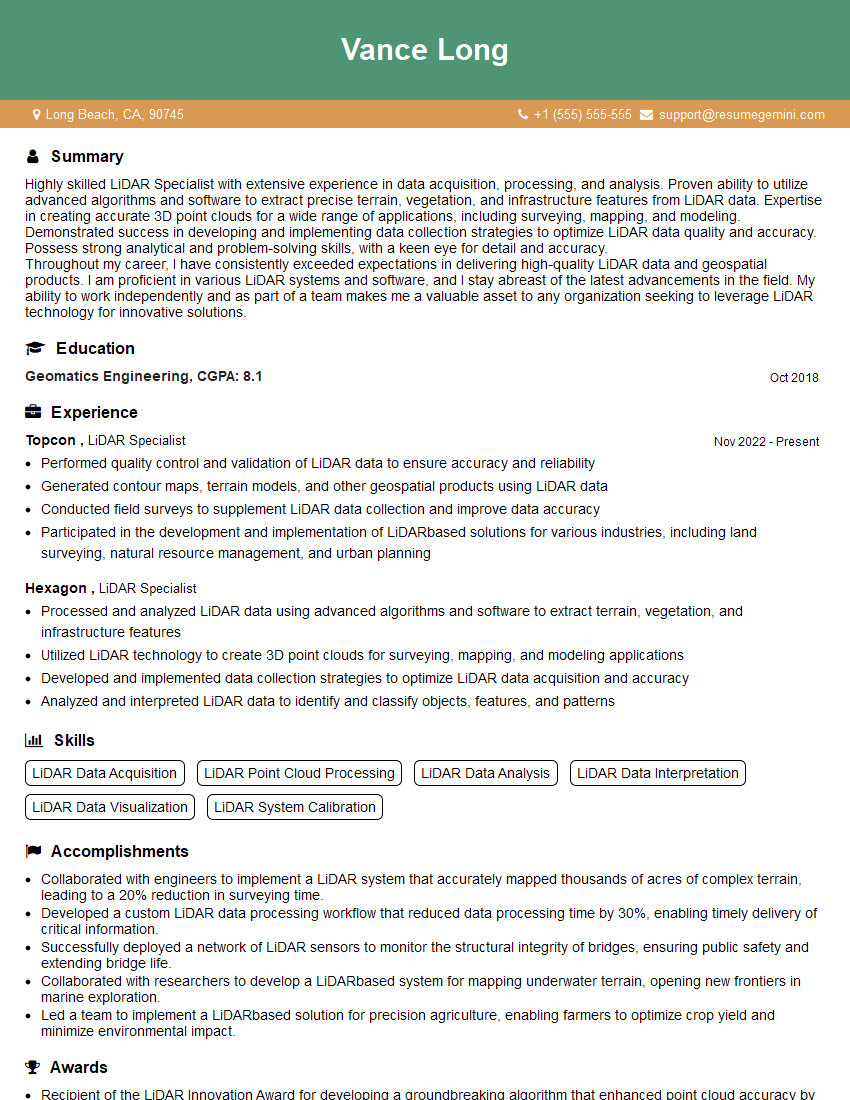
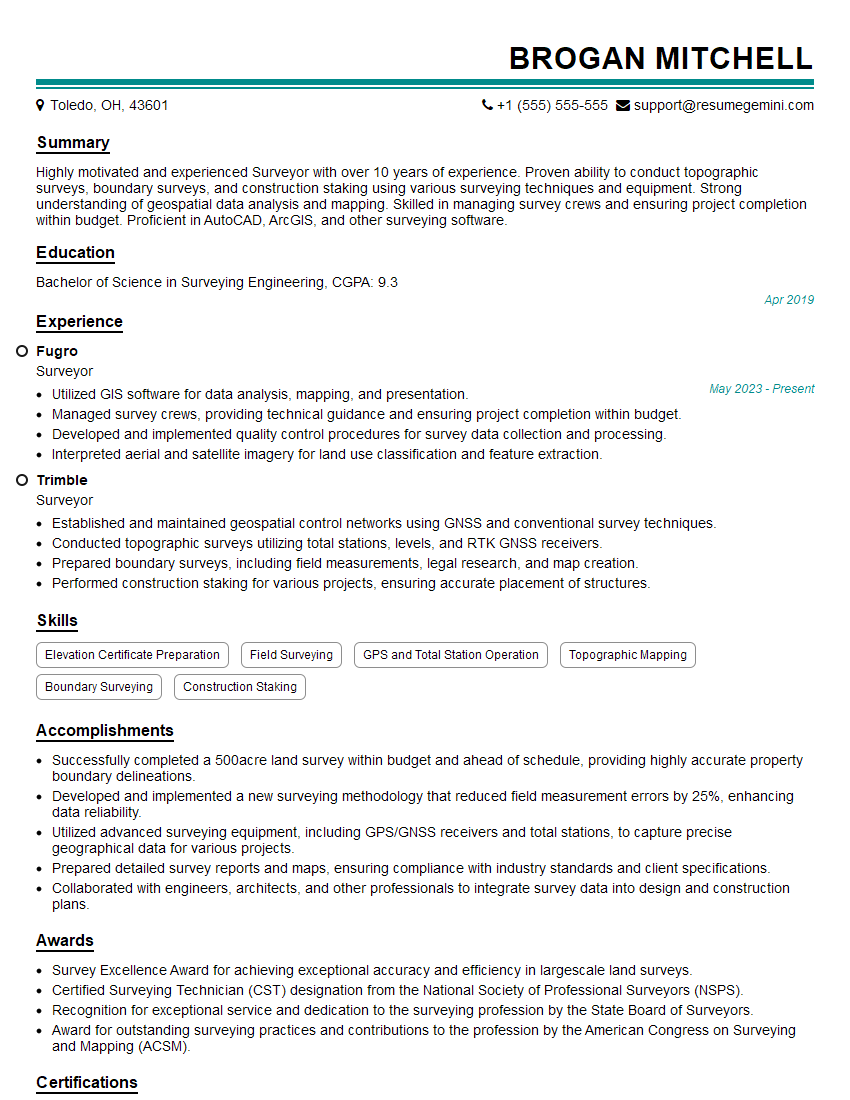
To maximize your job prospects, create an ATS-friendly resume that effectively highlights your skills and experience. ResumeGemini is a trusted resource that can help you build a professional and impactful resume. We offer examples of resumes tailored specifically to Geographic Referencing Systems and Projections to guide you in creating yours.





Explore more articles
Users Rating of Our Blogs
Share Your Experience
We value your feedback! Please rate our content and share your thoughts (optional).
What Readers Say About Our Blog
Very informative content, great job.
good