Feeling uncertain about what to expect in your upcoming interview? We’ve got you covered! This blog highlights the most important Net Handling and Deployment interview questions and provides actionable advice to help you stand out as the ideal candidate. Let’s pave the way for your success.
Questions Asked in Net Handling and Deployment Interview
Q 1. Explain the different types of network cables and their applications.
Network cables are the physical pathways for data transmission within a network. Different cable types offer varying speeds, distances, and shielding capabilities. Here are some common types:
- Cat5e/Cat6/Cat6a: Twisted-pair cables used for Ethernet networks. Cat6a offers the highest bandwidth and is suitable for longer distances and higher speeds (10 Gigabit Ethernet). Cat5e is older technology, usually supporting Gigabit Ethernet. Think of these as highways for data, with Cat6a being a wider, faster highway than Cat5e.
- Fiber Optic Cable: Uses light pulses to transmit data over long distances with high bandwidth and minimal signal degradation. These are like super-highways for data, ideal for connecting buildings or even cities. There are single-mode and multi-mode fiber optic cables, with single-mode offering longer distances.
- Coaxial Cable: Used for cable television and older network technologies. While still in use in some legacy systems, it’s less common in modern networks. Imagine this as an older, less efficient road system.
- USB Cable: Primarily used for connecting peripherals to computers, but also used in some network configurations (e.g., USB Ethernet adapters).
Applications: The choice of cable depends on the network’s needs. Cat6a is common in data centers and high-performance networks, while fiber optic cables are crucial for long-distance connections like internet backbone infrastructure or connecting campus buildings. USB cables are for peripherals, while coaxial cables are mostly found in older setups.
Q 2. Describe your experience with network topology design.
I have extensive experience designing various network topologies, adapting them to different organizational needs and environments. My experience includes designing:
- Star Topologies: These are the most common, with all devices connecting to a central switch. They’re easy to manage and troubleshoot, and a single point of failure (the switch) can be mitigated with redundancy.
- Mesh Topologies: These offer high redundancy and fault tolerance because devices connect to multiple points. They are more complex to manage, but ideal for critical systems needing high availability. Think of a highly interconnected web.
- Bus Topologies: Simpler but less robust. All devices share a single cable. A failure anywhere on the cable affects the whole network. This is less common in modern networks.
- Ring Topologies: Data travels in a loop. While offering redundancy, they are less flexible than star topologies. This setup is used less often now.
For example, I designed a mesh topology for a hospital network to ensure continuous operation during power outages, ensuring that patient data remained accessible. In contrast, a star topology was more suitable for a small office network due to its simplicity and cost-effectiveness.
Q 3. How do you troubleshoot network connectivity issues?
Troubleshooting network connectivity issues requires a systematic approach. I typically follow these steps:
- Identify the Problem: Pinpoint the affected devices and the nature of the problem (no internet access, slow speeds, connection drops).
- Check the Physical Connections: Ensure cables are securely connected and not damaged. This often solves the simplest problems.
- Test Connectivity: Use tools like
pingto test basic connectivity,tracerouteto trace the path to a destination, and network monitoring tools to check performance. For example,ping google.comwill check if your device can reach Google’s servers. - Examine Network Devices: Check the status lights on routers, switches, and modems. Access device configurations to identify any misconfigurations. Check device logs for errors.
- Check IP Configuration: Verify that devices have valid IP addresses, subnet masks, and default gateways. Are IP addresses properly assigned via DHCP or statically?
- Check Firewall and Security Settings: Ensure that firewalls aren’t blocking necessary traffic.
- Consult Network Documentation: Review existing network diagrams and documentation for troubleshooting information.
For instance, recently I resolved a slow network issue by identifying a faulty switch port using network monitoring tools, followed by a switch port replacement.
Q 4. What are the common challenges in network deployment and how do you overcome them?
Network deployment challenges are common. Here are some I’ve encountered and how I overcame them:
- Budget Constraints: This often requires careful planning and prioritizing equipment based on immediate needs, starting with a cost-effective core infrastructure and gradually upgrading. I often opt for modular solutions that allow expansion as the budget allows.
- Scalability Issues: Future network growth must be considered. I use modular designs, cloud-based solutions, and virtualization to ensure scalability. A well-designed network architecture can adapt as the network grows.
- Security Vulnerabilities: Implementing strong security protocols (like firewalls, intrusion detection systems, and VPNs) and regular security audits are vital. Staff training on security best practices is also crucial.
- Integration with Existing Systems: Compatibility between new and old systems must be addressed during the design and deployment phases. Careful planning, compatibility testing, and migration strategies are necessary.
- Time Constraints: Project timelines must be realistic. I use Agile methodologies to manage deployment in stages, prioritizing critical elements first. Clearly defined milestones and regular progress reviews are key.
For example, in one project, we faced budgetary constraints. To solve this, I proposed a phased deployment, initially deploying the core network components, then adding peripheral devices as funds became available. This ensured a functional network while remaining within budget.
Q 5. Describe your experience with various network devices (routers, switches, etc.)
I’m proficient with various network devices, including:
- Routers: I have experience configuring routing protocols (BGP, OSPF, EIGRP) to manage traffic flow between networks. I understand the importance of routing table management and Quality of Service (QoS) configuration.
- Switches: I’m familiar with VLANs (Virtual LANs) to segment networks for security and performance. I use spanning-tree protocols to prevent network loops. Experience with managed switches allows for remote monitoring and configuration.
- Wireless Access Points (WAPs): I have experience configuring security protocols (WPA2/WPA3) and optimizing wireless network performance. Experience with different wireless standards (802.11a/b/g/n/ac/ax) is crucial for best performance.
- Firewalls: I understand how to configure firewalls to protect networks from unauthorized access. Experience with different firewall types (packet filtering, stateful inspection, application-level gateways) is necessary for advanced security.
For example, I once configured a sophisticated VLAN setup for a large organization to isolate different departments and improve security. This involved creating and managing VLANs on multiple switches and configuring router interfaces to route traffic between these VLANs.
Q 6. What is your experience with network security protocols?
My experience with network security protocols is extensive. I’m familiar with protocols like:
- IPsec: Used for secure communication between networks or devices over an IP network. It provides authentication, confidentiality, and data integrity.
- SSL/TLS: Provides secure communication over the internet, commonly used for HTTPS websites and VPNs. Ensures data encryption and authentication.
- SSH: Provides secure remote access to network devices, replacing less secure protocols like Telnet.
- WPA2/WPA3: Security protocols for Wi-Fi networks, providing encryption and authentication. WPA3 is the latest standard and offers stronger security.
- 802.1X: Used for port-based network access control. It’s often used with RADIUS servers for centralized authentication.
I understand the importance of implementing strong security practices and regularly updating network devices and security protocols to protect against threats. In a recent project, I implemented IPsec VPNs to secure remote access to a company’s internal network, improving security and enabling remote work.
Q 7. Explain the process of installing and configuring network devices.
Installing and configuring network devices involves these steps:
- Planning: This includes selecting the right devices, designing the network topology, and obtaining necessary IP addresses.
- Physical Installation: This involves connecting cables, mounting devices, and powering them up. Proper cabling and grounding are vital.
- Initial Configuration: This includes assigning IP addresses, configuring basic settings (e.g., hostname, time zone), and setting up basic security. This stage often involves using command-line interfaces (CLIs) to access and configure devices.
- Testing and Verification: Test connectivity and functionality thoroughly. Use tools like ping and traceroute to confirm basic connectivity, and verify that network services are functioning as expected.
- Advanced Configuration (Optional): This may include configuring advanced features like VLANs, routing protocols, QoS settings, and security protocols, depending on the needs of the network.
- Documentation: Document the network configuration, including device settings, network diagrams, and troubleshooting procedures.
For example, recently I installed and configured a new router for a small business. This involved selecting a router suitable for their needs, physically installing it, configuring its IP address, setting up basic security (firewall), and testing internet connectivity before handing it over to the client.
Q 8. How do you ensure network stability and performance?
Ensuring network stability and performance is paramount. It’s like maintaining a well-oiled machine – regular maintenance prevents breakdowns and ensures smooth operation. My approach is multi-faceted and includes proactive measures like capacity planning, regular performance monitoring, and preventative maintenance.
- Capacity Planning: Before deploying new services or experiencing growth, I meticulously analyze current network usage and project future needs. This prevents bottlenecks and ensures sufficient bandwidth and resources are available. For instance, I recently predicted a 30% increase in traffic for a client during a seasonal promotion and proactively upgraded their bandwidth accordingly, preventing service degradation.
- Performance Monitoring: I leverage tools like SolarWinds, PRTG, and Nagios to constantly monitor key metrics such as latency, packet loss, CPU utilization, and memory usage. Real-time alerts notify me of any anomalies, enabling quick responses before issues escalate. For example, a sudden spike in latency alerted me to a failing network switch, which I replaced before it impacted service.
- Preventative Maintenance: This involves regular updates of firmware, software, and network equipment. This minimizes vulnerabilities and ensures optimal performance. I schedule routine checks of cabling, routers, and switches, and have a documented checklist for consistent execution.
By combining these approaches, I create a robust network that consistently delivers high performance and reliability.
Q 9. Describe your experience with network monitoring tools.
My experience with network monitoring tools spans several years and various platforms. I’m proficient in using both commercial and open-source solutions.
- SolarWinds: I’ve extensively used SolarWinds Network Performance Monitor for comprehensive network monitoring, providing deep insights into network traffic, device performance, and application health. Its alert system is crucial for quick issue identification.
- PRTG Network Monitor: PRTG offers a user-friendly interface with robust features for monitoring various network devices and applications. Its customizable dashboards and reporting capabilities aid in capacity planning and troubleshooting.
- Nagios: I’ve used Nagios for its flexibility and extensive plugin ecosystem. Its open-source nature allows for customization tailored to specific needs. I’ve used it in environments needing detailed log analysis and custom script integration.
My expertise includes configuring alerts, analyzing metrics, and generating reports for various stakeholders to ensure transparency and proactive problem-solving.
Q 10. What are your experience with various network protocols (TCP/IP, UDP, etc.)?
I possess a strong understanding of various network protocols, including TCP/IP, UDP, and others. Think of these as the languages networks use to communicate. Each protocol has specific strengths and weaknesses that determine its suitability for different applications.
- TCP/IP (Transmission Control Protocol/Internet Protocol): This is the foundational protocol suite for the internet. TCP is connection-oriented, providing reliable data delivery with error correction. It’s ideal for applications requiring high reliability, such as web browsing and file transfers.
- UDP (User Datagram Protocol): UDP is connectionless, prioritizing speed over reliability. It’s suitable for applications where occasional data loss is acceptable, such as streaming video or online gaming, as the speed advantage outweighs the risk of small amounts of data loss.
- Other Protocols: My experience extends to other protocols like ICMP (Internet Control Message Protocol) for network diagnostics (ping), DHCP (Dynamic Host Configuration Protocol) for IP address assignment, and DNS (Domain Name System) for name resolution. I understand the interplay between these protocols and can effectively troubleshoot issues arising from their interactions.
I can analyze network traffic, identify protocol-specific issues, and optimize network performance by selecting the appropriate protocol for each application.
Q 11. How do you handle network outages and emergencies?
Handling network outages and emergencies requires a calm, methodical approach. It’s like firefighting – quick, decisive action is key. My process involves a series of steps:
- Identify the Problem: Utilize monitoring tools to pinpoint the affected area and the nature of the outage. This involves analyzing logs, alerts, and network metrics.
- Isolate the Issue: Determine the root cause by examining network devices, cables, and configurations. Techniques include traceroutes, ping tests, and port scans.
- Implement a Solution: This might involve restarting devices, replacing faulty components, or rerouting traffic. Prioritization ensures critical systems are restored first.
- Document the Event: Detailed documentation of the outage, including the cause, resolution, and impact, is essential for future prevention and analysis.
- Communicate Effectively: Keep stakeholders informed throughout the process, providing regular updates on the situation and estimated resolution time.
I’ve successfully managed numerous outages, from minor disruptions to significant network failures, by following these steps. In one instance, a fiber optic cable cut caused a major outage. By quickly identifying the cut, mobilizing a repair team, and implementing temporary solutions, I minimized downtime and restored service swiftly.
Q 12. Explain your experience with fiber optic cable installation and termination.
My experience with fiber optic cable installation and termination is extensive. Fiber optics are the backbone of high-speed networks, offering significantly higher bandwidth and longer distances compared to traditional copper cabling. It’s crucial to handle fiber optics with precision, as damage can lead to significant service disruptions.
My experience includes:
- Cable Splicing: I am proficient in various fiber optic splicing techniques using fusion splicers and mechanical splicers. I understand the importance of achieving low loss splices to ensure signal integrity.
- Termination: I can terminate fiber optic cables using various connectors (SC, FC, LC, etc.), ensuring proper cleaning and polishing for optimal performance. I use OTDR (Optical Time-Domain Reflectometer) testing to verify the quality of the connections.
- Testing and Troubleshooting: I use OTDR and other testing equipment to identify fiber breaks, microbends, and other issues affecting signal quality. This helps pinpoint problems and ensure reliable network connectivity.
I understand the safety precautions necessary when working with fiber optic cables and adhere to industry best practices to avoid potential eye injuries.
Q 13. What is your experience with wireless network deployment?
Wireless network deployment involves careful planning and execution. It’s like building a radio tower network; signal strength, coverage area, and security are crucial considerations.
My experience includes:
- Site Surveys: Before deployment, I conduct site surveys to assess signal strength, interference sources, and the overall environment to determine the best placement for access points. Tools like Wi-Fi analyzers are used to identify potential issues.
- Access Point Configuration: I configure access points (APs) to optimize performance, security, and network management, considering factors like channel selection, power levels, and security protocols (WPA2/3).
- Security Implementation: I implement robust security measures such as strong passwords, encryption, and access controls to protect the wireless network from unauthorized access.
- Troubleshooting: I troubleshoot wireless connectivity issues using various tools and techniques to identify and resolve problems related to signal strength, interference, and network configuration.
For example, I recently designed and deployed a wireless network for a large office building, optimizing AP placement to ensure complete coverage and high speeds for all users while mitigating interference and security risks.
Q 14. Describe your experience with network documentation and management.
Network documentation and management are crucial for the long-term health and maintainability of any network. It’s like having a detailed blueprint for your network—vital for troubleshooting and future expansions.
My experience involves:
- Network Diagrams: I create clear and concise network diagrams that visually represent the network topology, including devices, connections, and IP addresses. These are essential for understanding the network architecture and troubleshooting issues.
- Device Inventories: I maintain detailed inventories of all network devices, including their specifications, firmware versions, and locations. This information is invaluable for maintenance, upgrades, and inventory management.
- Configuration Management: I utilize configuration management tools to track and manage device configurations, ensuring consistency and enabling easy rollback to previous states in case of errors.
- Documentation Standards: I adhere to standardized documentation practices to ensure clarity, consistency, and accessibility of network information for all stakeholders.
Well-maintained documentation significantly reduces downtime and streamlines troubleshooting, making network management more efficient and effective.
Q 15. How do you handle conflicts with other team members during a network deployment?
Conflict resolution is crucial in any team environment, especially during high-pressure network deployments. My approach is proactive and focuses on clear communication and collaboration. I believe in fostering a respectful environment where everyone feels comfortable voicing their concerns.
If a conflict arises, I start by actively listening to all perspectives. I then work to identify the root cause of the disagreement, which often stems from differing priorities, interpretations of requirements, or technical approaches. Once the root cause is understood, we collaboratively brainstorm solutions, ensuring that everyone’s input is considered and valued. This might involve compromising on certain aspects, prioritizing tasks based on criticality, or seeking guidance from senior team members or project management.
For example, during a recent deployment, a disagreement arose regarding the best method for implementing VLANs. One team member preferred a simpler approach, while another advocated for a more complex but potentially more scalable solution. Instead of arguing, we held a joint session, comparing the pros and cons of each approach, considering the current and future needs of the network. Ultimately, we chose a hybrid solution that incorporated the best aspects of both proposals, leading to a successful deployment.
Career Expert Tips:
- Ace those interviews! Prepare effectively by reviewing the Top 50 Most Common Interview Questions on ResumeGemini.
- Navigate your job search with confidence! Explore a wide range of Career Tips on ResumeGemini. Learn about common challenges and recommendations to overcome them.
- Craft the perfect resume! Master the Art of Resume Writing with ResumeGemini’s guide. Showcase your unique qualifications and achievements effectively.
- Don’t miss out on holiday savings! Build your dream resume with ResumeGemini’s ATS optimized templates.
Q 16. What are your experience with different network operating systems?
I possess extensive experience with various network operating systems (NOS), including Cisco IOS, Juniper Junos, and VMware vSphere ESXi. My expertise spans across their configuration, management, and troubleshooting.
- Cisco IOS: I’ve worked extensively with Cisco IOS, configuring routers, switches, and firewalls for various network topologies including routing protocols (OSPF, BGP, EIGRP), access control lists (ACLs), and quality of service (QoS). I’m proficient in troubleshooting network connectivity issues and optimizing network performance using IOS commands and tools.
- Juniper Junos: My experience with Junos includes configuring Juniper routers and switches, implementing security policies using Junos Space, and managing network traffic using various features. I have experience troubleshooting issues using the Junos CLI and analyzing network logs.
- VMware vSphere ESXi: I’m familiar with building and managing virtual networks within VMware’s virtualization environment, including vCenter Server and vSphere Distributed Switch. This includes configuring virtual machines (VMs), virtual networks, and storage resources, ensuring network performance and availability.
This varied experience allows me to adapt quickly to different network environments and select the most appropriate NOS for a given project.
Q 17. What is your experience with virtual networking technologies?
Virtual networking technologies are crucial for modern network infrastructure. My experience encompasses various aspects, including Software Defined Networking (SDN), Network Virtualization (NV), and Virtual Private Clouds (VPCs).
SDN: I have practical experience with SDN controllers like OpenDaylight and VMware NSX, using them to programmatically manage and orchestrate network resources. This includes defining network policies, automating network deployments, and improving network agility.
NV: I understand the principles behind Network Virtualization, enabling the creation of isolated logical networks within a shared physical infrastructure. This is essential for multi-tenant environments and enhances security and scalability. I’ve implemented and managed virtual networks using VMware NSX and other virtualization platforms.
VPCs: I have experience designing and implementing VPCs in cloud environments like AWS and Azure, using them to create secure and isolated networks for applications and workloads. This includes configuring subnets, routing tables, security groups, and network ACLs.
These technologies allow for improved resource utilization, simplified management, and increased scalability of network infrastructure.
Q 18. Describe your experience with cloud-based networking solutions.
Cloud-based networking solutions are increasingly important for modern businesses. My experience involves designing, deploying, and managing networks on major cloud providers like AWS, Azure, and Google Cloud Platform (GCP).
AWS: I’ve worked with various AWS networking services, including Amazon Virtual Private Cloud (VPC), Amazon Elastic Compute Cloud (EC2), Amazon Route 53, and Amazon Web Services Direct Connect. I understand how to configure these services to create highly available and scalable networks for cloud-based applications.
Azure: Similarly, my experience with Azure encompasses Virtual Networks, Azure Load Balancer, Azure Firewall, and Azure ExpressRoute. I’m proficient in designing and deploying secure and scalable network architectures on the Azure platform.
GCP: I’ve worked with Google Cloud’s networking services, including Virtual Private Cloud (VPC), Cloud Router, Cloud VPN, and Cloud Interconnect. My experience includes optimizing network performance and security within GCP’s infrastructure.
My experience with these cloud platforms helps me leverage their inherent scalability and flexibility to create efficient and cost-effective network solutions.
Q 19. Explain your experience with network automation tools.
Network automation is critical for modern network management. My experience includes using various tools to automate network deployments, configurations, and troubleshooting.
I’m proficient in using Ansible for automating network device configurations. Ansible’s agentless architecture simplifies deployment and allows for consistent configuration across multiple devices. For example, I’ve used Ansible to automate the deployment of network devices, configuring interfaces, routing protocols, and security policies across hundreds of devices.
I also have experience with other automation tools like Puppet and Chef, although Ansible has become my preferred tool due to its simplicity and ease of use.
Furthermore, I understand the importance of Infrastructure as Code (IaC) and have experience using tools like Terraform to automate the provisioning of network infrastructure in cloud environments. This approach ensures repeatable and reliable deployments, reducing manual errors and improving efficiency.
Q 20. How do you stay up-to-date with the latest networking technologies?
Keeping up with the rapidly evolving field of networking technologies is essential. I utilize several methods to stay current:
- Industry Publications and Blogs: I regularly read publications like Network World, and follow influential blogs and websites that focus on networking trends and best practices.
- Conferences and Webinars: Attending industry conferences and webinars provides valuable insights into the latest technologies and networking strategies from leading experts.
- Certifications: I actively pursue relevant certifications, such as CCNP, JNCIA, and others, to validate my skills and stay up-to-date with the latest standards and technologies. Certifications require ongoing learning and reinforce knowledge.
- Online Courses and Training: I regularly complete online courses and training programs on platforms such as Coursera, edX, and LinkedIn Learning, focusing on emerging technologies and advanced networking concepts.
- Hands-on Experience: I seek out opportunities to work with new technologies and tools, applying my knowledge in real-world projects and experimenting with new approaches.
This multifaceted approach ensures I remain at the forefront of networking advancements and can leverage the latest technologies to create optimal solutions for clients.
Q 21. What is your experience with network performance optimization?
Network performance optimization is a key area of my expertise. My approach is multifaceted and involves a combination of proactive monitoring, analysis, and reactive troubleshooting.
Proactive Monitoring: I utilize network monitoring tools to identify potential bottlenecks and performance issues before they impact users. This includes monitoring key metrics such as latency, bandwidth utilization, packet loss, and CPU/memory utilization on network devices. Tools like SolarWinds, PRTG, and Nagios are examples of what I use.
Analysis: When performance issues arise, I analyze network traffic patterns, using tools like Wireshark and tcpdump to pinpoint the source of the problem. This often involves examining network logs, analyzing packet captures, and correlating events to identify the root cause.
Troubleshooting: Once the problem is identified, I implement appropriate solutions, which might involve adjusting QoS settings, optimizing routing protocols, upgrading network hardware, or implementing network capacity planning solutions. For example, I once identified a bottleneck in a network caused by insufficient bandwidth on a particular link. By upgrading the link capacity, I significantly improved network performance.
Reactive Optimization: After addressing an issue, I implement preventative measures to reduce the likelihood of similar incidents. This might involve implementing more robust monitoring, enhancing network security, or improving network capacity planning.
Q 22. Describe your experience with network security best practices.
Network security is paramount in any deployment. My experience encompasses a wide range of best practices, focusing on a multi-layered approach. This includes implementing robust firewalls, intrusion detection and prevention systems (IDS/IPS), and regularly updating firmware and software on all network devices. I’m proficient in configuring access control lists (ACLs) to restrict network access based on IP addresses, ports, and protocols, effectively segmenting the network to limit the impact of potential breaches. Furthermore, I emphasize strong password policies, utilizing multi-factor authentication wherever possible, and regularly conducting vulnerability assessments and penetration testing to identify and remediate security weaknesses. Think of it like building a castle with multiple defenses – a strong outer wall (firewall), internal checkpoints (ACLs), and vigilant guards (monitoring systems) to protect the valuable assets within (your data).
For example, in a recent project for a financial institution, we implemented a zero-trust security model, requiring continuous authentication and authorization for every network access request, minimizing the impact of compromised credentials.
Q 23. How do you prioritize tasks during a network deployment project?
Prioritizing tasks during a network deployment is crucial for successful project completion and on-time delivery. I employ a critical path method, identifying the essential tasks that directly impact the project timeline. This involves creating a detailed project plan, breaking down the project into smaller, manageable tasks, and assigning dependencies. Then, I utilize a prioritization matrix, considering factors like urgency, risk, and impact. High-priority tasks, such as core network infrastructure setup and critical application deployments, are tackled first. Visual tools like Gantt charts are invaluable for tracking progress and managing dependencies effectively. I also involve stakeholders in the prioritization process to ensure alignment and buy-in.
For instance, in a recent deployment for a large retail chain, we prioritized the core network infrastructure setup before deploying POS systems to ensure minimal disruption to their business operations during the transition.
Q 24. What are your experience with network capacity planning?
Network capacity planning is essential for ensuring optimal network performance and scalability. My experience involves analyzing current network traffic patterns, projecting future growth, and determining the required bandwidth, processing power, and storage capacity. This includes utilizing network monitoring tools to collect historical data on bandwidth utilization, latency, and packet loss. I use various forecasting techniques to predict future network demands based on factors such as user growth, application adoption, and technological advancements. The output informs the selection of appropriate hardware and software, ensuring the network can handle current and future demands without performance degradation.
For example, I recently conducted a capacity planning exercise for a rapidly growing cloud service provider, forecasting their network needs for the next five years. This involved modeling their application usage patterns and predicting future bandwidth consumption based on subscription growth to recommend a scalable infrastructure solution.
Q 25. Explain your approach to testing and validating network deployments.
Thorough testing and validation are critical for ensuring a successful network deployment. My approach involves a multi-stage process, starting with unit testing of individual components, followed by integration testing of interconnected components, and finally, system testing of the entire network. We utilize a variety of tools and techniques, including packet analyzers (like Wireshark) to monitor network traffic and identify potential issues, automated testing frameworks to validate network configurations, and performance testing tools to measure network throughput, latency, and jitter. I believe in a structured approach, following a documented test plan that outlines specific test cases, expected results, and acceptance criteria. Post-deployment monitoring is crucial to ensure continued stability and performance.
For instance, in a recent data center migration project, we implemented rigorous testing, including load testing to simulate peak network traffic, to ensure the new infrastructure could handle the expected load without performance degradation.
Q 26. How do you ensure the security of network devices during deployment?
Securing network devices during deployment is crucial. I employ several strategies, beginning with secure handling of devices during transportation and storage. This includes using tamper-evident seals and secure transport methods to prevent unauthorized access. Once deployed, I configure strong passwords, implement SSH access instead of Telnet, and enable robust authentication mechanisms such as RADIUS or TACACS+. Regular firmware updates are essential to patch known vulnerabilities. Moreover, I strictly adhere to security hardening guidelines, disabling unnecessary services and ports to minimize the attack surface. Network segmentation and VLANs are used to isolate critical devices and restrict access based on the principle of least privilege.
For example, during a recent deployment of network switches, we used strong passwords with multi-factor authentication to secure device access and implemented regular firmware updates to patch vulnerabilities.
Q 27. Describe a time you had to troubleshoot a complex network issue. What was your approach?
One time, we experienced intermittent network outages affecting a critical business application. My approach was systematic: first, I gathered information from various sources – network monitoring tools, user reports, and logs from affected servers. This helped pinpoint the issue to a specific network segment. Next, I used packet capture and analysis to identify the cause – a faulty network switch causing dropped packets. Finally, I replaced the faulty switch and verified the fix by observing network performance metrics and confirming application functionality. The entire process emphasized a methodical approach – starting with broad observation, narrowing down the scope through data analysis, and implementing a targeted solution. It’s like detective work – gathering clues, analyzing the evidence, and reaching a solution.
Q 28. What is your experience with different network cabling standards?
My experience encompasses various network cabling standards, including Cat5e, Cat6, Cat6a, and fiber optic cables. Cat5e and Cat6 are commonly used for Ethernet networks, with Cat6 offering higher bandwidth and less signal attenuation. Cat6a supports even higher speeds and is suitable for 10 Gigabit Ethernet. Fiber optic cables, on the other hand, provide significantly higher bandwidth and longer distances, making them ideal for backbone networks and high-speed data transmission. I understand the differences in their specifications, including bandwidth, attenuation, and distance limitations. Selecting the appropriate cabling standard is crucial for ensuring optimal network performance and meeting future needs. Proper termination and testing procedures are followed to guarantee reliable connections.
For example, in a recent project requiring 10 Gigabit Ethernet connectivity, we chose Cat6a cabling to meet the bandwidth requirements and ensure future scalability.
Key Topics to Learn for Net Handling and Deployment Interview
- Network Topologies and Protocols: Understanding different network architectures (e.g., star, mesh, bus) and key protocols (TCP/IP, UDP, etc.) is crucial for efficient deployment.
- Deployment Strategies: Learn about various deployment methods such as rolling deployments, blue-green deployments, canary deployments, and their practical applications in minimizing downtime and ensuring smooth transitions.
- Network Security Best Practices: Familiarize yourself with security considerations during network handling and deployment, including firewalls, intrusion detection systems, and access control lists.
- Automation and Scripting: Mastering scripting languages (e.g., Python, Bash) for automating deployment tasks is highly valuable and demonstrates efficiency.
- Troubleshooting and Diagnostics: Develop your skills in identifying and resolving network issues using tools like ping, traceroute, and network monitoring systems. Be prepared to discuss common troubleshooting methodologies.
- Cloud Deployment Strategies: Understand the specifics of deploying networks within cloud environments (AWS, Azure, GCP), including concepts like virtual private clouds (VPCs) and load balancing.
- Monitoring and Performance Optimization: Learn how to monitor network performance, identify bottlenecks, and implement optimization strategies to ensure optimal network health and efficiency.
- Containerization and Orchestration (Docker, Kubernetes): Understanding containerization and orchestration technologies is becoming increasingly important for modern network deployments.
Next Steps
Mastering Net Handling and Deployment significantly enhances your career prospects in networking, cloud computing, and DevOps. These skills are highly sought after, opening doors to challenging and rewarding roles with excellent growth potential. To maximize your chances of landing your dream job, creating a strong, ATS-friendly resume is essential. ResumeGemini is a trusted resource that can help you craft a professional and impactful resume tailored to highlight your expertise. We provide examples of resumes specifically designed for candidates in Net Handling and Deployment to help you get started. Invest time in crafting a compelling resume – it’s your first impression to potential employers.

Network Administrator Resume Sample

Network Security Engineer Resume Sample
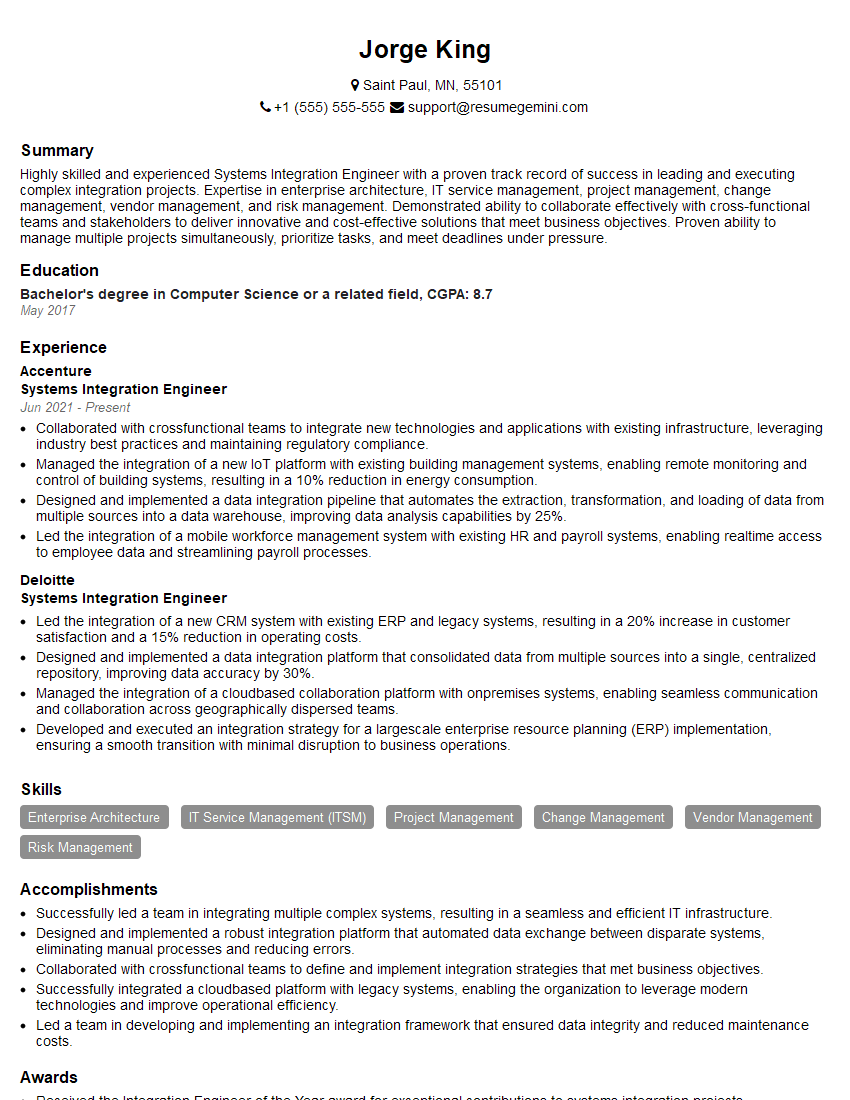
Systems Integration Engineer Resume Sample

Network Analyst Resume Sample

Network Technician Resume Sample

Network Consultant Resume Sample

Wireless Network Engineer Resume Sample
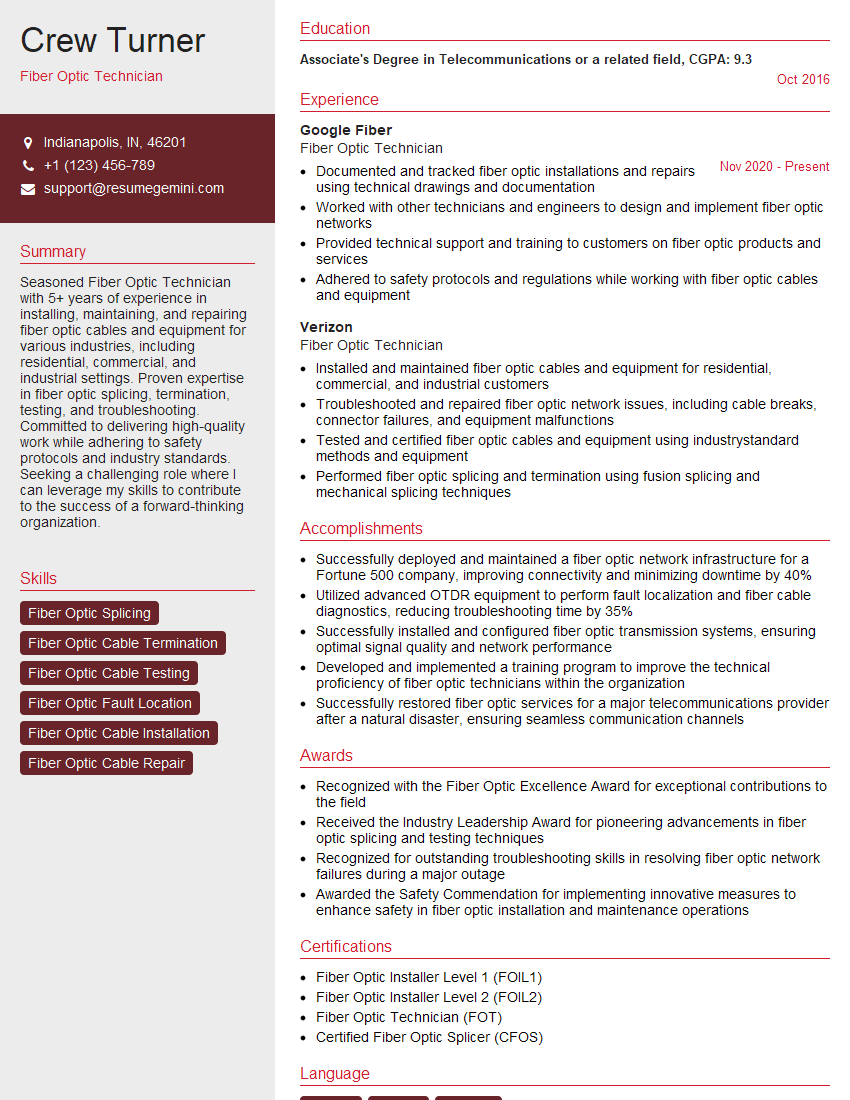
Fiber Optic Technician Resume Sample
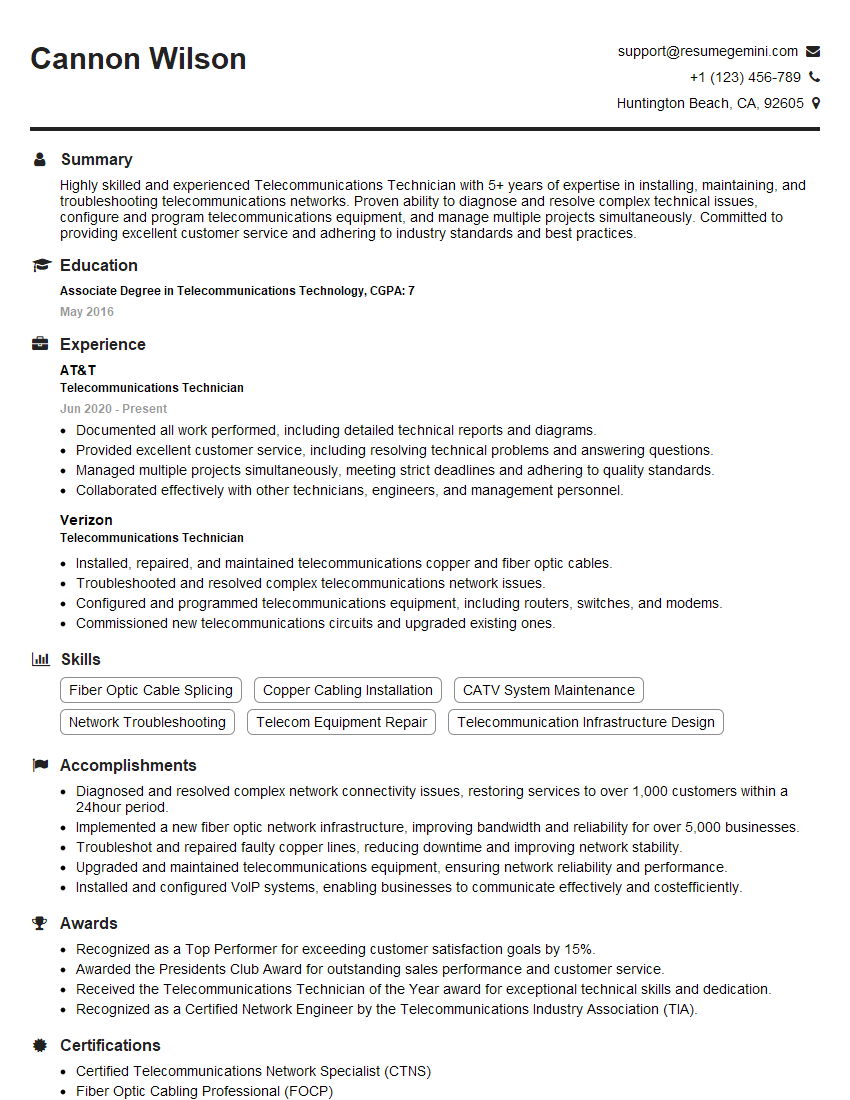
Telecommunications Technician Resume Sample
Explore more articles
Users Rating of Our Blogs
Share Your Experience
We value your feedback! Please rate our content and share your thoughts (optional).
What Readers Say About Our Blog
Very informative content, great job.
good