The thought of an interview can be nerve-wracking, but the right preparation can make all the difference. Explore this comprehensive guide to Electrical Design (AutoCAD, Revit) interview questions and gain the confidence you need to showcase your abilities and secure the role.
Questions Asked in Electrical Design (AutoCAD, Revit) Interview
Q 1. Explain your experience with AutoCAD and Revit in electrical design projects.
My experience with AutoCAD and Revit in electrical design spans over eight years, encompassing a wide range of projects from small commercial spaces to large-scale industrial facilities. In AutoCAD, I’m proficient in creating detailed electrical schematics, panel layouts, and wiring diagrams. My expertise extends to using AutoCAD’s features for annotation, dimensioning, and creating professional-quality drawings ready for client presentations and construction. Revit, on the other hand, has become my primary tool for BIM (Building Information Modeling) projects. I leverage Revit’s capabilities for creating 3D models of electrical systems, coordinating with other disciplines like architectural and structural engineering, and generating accurate quantities for materials procurement. I’m adept at using Revit’s families and parameters to create and manage a library of electrical components, ensuring consistency and efficiency across multiple projects.
For example, on a recent hospital project, I used Revit to model the entire electrical system, including power distribution, lighting, and fire alarm systems. This allowed for seamless coordination with the architectural and MEP teams, leading to significant reduction in clashes and rework during the construction phase. In another project involving a large industrial plant, my AutoCAD skills were critical in creating detailed schematics for complex control systems, ensuring clarity and ease of understanding for technicians during installation and maintenance.
Q 2. Describe your process for creating electrical schematics in AutoCAD.
My process for creating electrical schematics in AutoCAD is systematic and follows industry best practices. It begins with a thorough understanding of the project requirements and specifications. I then create a clear and logical layout for the schematic, grouping similar components and using appropriate layers and line weights for readability. I start by setting up the drawing template with standard title blocks, scales, and layers pre-defined for different electrical components (power, lighting, communication, etc.). Then, I utilize AutoCAD’s electrical symbols library or create custom symbols where needed, adhering to industry standards like IEEE and NEC. Each component is meticulously placed and connected, with detailed labeling and annotation to ensure clarity and accuracy. I regularly use blocks and xrefs (external references) to streamline the process and maintain consistency across multiple drawings. Finally, I perform thorough quality checks and review the schematic for any errors or inconsistencies before releasing it for review and approval.
For instance, I’ll use layers for different voltage levels (e.g., 480V, 277V, 120V) to easily filter and highlight specific circuits. This layer management simplifies the process of isolating and examining sections of the schematic.
Q 3. How do you manage revisions and version control in your CAD drawings?
Revision and version control are paramount in electrical design. I utilize a combination of AutoCAD’s built-in version control features and a dedicated cloud-based platform (e.g., Autodesk BIM 360 Docs or similar) for seamless collaboration and tracking. Within AutoCAD, I consistently save different versions of the drawing using descriptive filenames that incorporate revision numbers (e.g., ‘DrawingName_RevA.dwg’, ‘DrawingName_RevB.dwg’). The cloud-based platform provides a centralized repository for all project drawings, allowing multiple team members to access, review, and collaborate on the designs simultaneously. This system allows for easy tracking of revisions, comparing different versions, and restoring previous iterations if needed. I also maintain detailed revision logs documenting all changes made to the drawings, including the date, author, and description of the revisions.
Think of it like writing a document; each save is like a new version, allowing you to easily revert to a previous stage if necessary. The cloud platform adds another layer of security and collaboration, ensuring everyone works with the most up-to-date version.
Q 4. What are your preferred methods for coordinating electrical designs with other disciplines using BIM?
Coordinating electrical designs with other disciplines using BIM is a crucial aspect of my workflow. I primarily rely on Revit’s collaborative features, specifically model coordination and clash detection tools. In Revit, the 3D model allows for seamless integration with architectural, structural, and mechanical models. I regularly participate in model coordination meetings with other disciplines to identify and resolve potential clashes early in the design process. Clash detection software flags conflicts between different disciplines’ models, enabling proactive solutions before construction begins. Common Data Environments (CDEs) like Autodesk BIM 360 provide a centralized platform for sharing and managing the model, facilitating efficient collaboration among all stakeholders.
For example, I might identify a clash between an electrical conduit and a structural beam. This early detection allows the structural team to adjust the beam location or the electrical team to reroute the conduit, minimizing costly rework during construction. The use of a CDE eliminates version control issues and ensures all team members work from a single source of truth.
Q 5. How familiar are you with various electrical symbols and standards (e.g., IEEE, NEC)?
I’m very familiar with various electrical symbols and standards, including IEEE and NEC. My knowledge extends to interpreting and applying these standards in my designs. I use AutoCAD’s electrical symbols library, but I also possess the ability to create custom symbols when necessary, ensuring adherence to the specific requirements of each project. I understand the importance of using consistent and standardized symbols to maintain clarity and prevent misinterpretations. I’m also proficient in understanding the National Electrical Code (NEC) and how it impacts the design process, ensuring that all my designs comply with the relevant codes and regulations. This includes understanding requirements for grounding, overcurrent protection, and other safety considerations.
For instance, I can easily differentiate between a single-pole, double-pole, and three-pole breaker symbol and understand the implications of using each in different scenarios. This deep understanding is crucial for designing safe and efficient electrical systems.
Q 6. Describe your experience with creating and managing electrical equipment schedules.
Creating and managing electrical equipment schedules is a routine part of my workflow. I typically use Revit’s built-in scheduling features to create detailed equipment schedules, including lighting fixtures, panels, transformers, and other key electrical components. These schedules provide a comprehensive overview of the electrical equipment required for the project, including quantities, specifications, and manufacturer information. The schedules are linked to the Revit model, ensuring that any changes made to the model are automatically reflected in the schedule, maintaining accuracy and consistency. I regularly use custom parameters within Revit to capture additional data relevant to each piece of equipment, such as catalog numbers, voltage ratings, and special requirements. This detailed information is crucial for procurement and installation.
These schedules are not just static tables. They act as a dynamic database that automatically updates as the design changes. This prevents errors caused by manual data entry and ensures that the right equipment is ordered.
Q 7. How do you ensure accuracy and compliance with building codes in your designs?
Ensuring accuracy and compliance with building codes is paramount. My approach is multi-faceted. First, I thoroughly review the project’s specific codes and regulations applicable to the location and building type. I incorporate these requirements into the design from the outset. I utilize code-checking software tools (where available) to verify compliance with relevant aspects of the NEC and other applicable codes. Throughout the design process, I conduct regular quality checks and peer reviews to identify and correct any potential issues. Furthermore, I maintain detailed design documentation, including calculations, justifications, and code references, to support the design choices and demonstrate compliance. Finally, I collaborate with other members of the design team (architects, structural engineers, etc.) and building code officials to resolve any ambiguities or discrepancies and ensure that the final design meets all necessary codes and requirements.
This meticulous approach is not just about avoiding fines or legal issues. It’s about designing a safe and reliable electrical system that protects the building’s occupants and prevents costly errors later in the construction process.
Q 8. Explain your experience with clash detection and resolution in Revit.
Clash detection in Revit is crucial for coordinating different building disciplines and preventing costly construction errors. It involves identifying conflicts between different elements, such as electrical conduits clashing with HVAC ducts or structural members. My experience encompasses using Revit’s built-in clash detection tools, analyzing the results, and then working collaboratively with other disciplines to resolve these clashes.
For example, on a recent hospital project, a clash report revealed that several electrical conduits were intersecting with newly designed MRI room shielding. We utilized Revit’s model views to visualize the clash, and then, through a series of meetings with the structural and MRI teams, we rerouted the conduits to a less congested area, documented the changes, and updated the model accordingly. This prevented significant delays and rework during construction.
My process typically involves:
- Regular clash detection runs throughout the design process.
- Categorizing clashes by severity and priority.
- Collaborating with other disciplines to find optimal solutions.
- Documenting all changes and updates within Revit.
Q 9. How do you handle design changes and revisions during a project?
Handling design changes is a dynamic process in any project. My approach involves a systematic workflow to ensure smooth integration and minimal disruption. I start by reviewing the change request, analyzing its impact on the existing design, and assessing the necessary modifications to the electrical system. This often involves updating drawings, schedules, and calculations.
Revit’s version control features are essential here. We maintain a clear history of revisions, allowing us to easily track changes, revert to previous versions if needed, and maintain a consistent design. Communication is key; I ensure clear communication with the project team, including architects, contractors, and clients, to keep everyone informed of updates and potential impacts.
Consider a scenario where a client requested a relocated electrical outlet. I would start by updating the Revit model, generating updated drawings, and then issuing a revised drawing set. We’d document the change, noting the date, revision number, and a description of the alteration. This ensures transparent and traceable changes, facilitating smooth coordination with the construction team.
Q 10. Describe your experience with creating and reviewing electrical design specifications.
Creating and reviewing electrical design specifications is a critical step that establishes the standards and requirements for the entire project. My experience involves working with various specification formats (like MasterSpec or proprietary specifications) and tailoring them to meet specific project needs. This includes outlining voltage levels, conductor sizing, protection devices, lighting requirements, and grounding methodologies.
During review, I pay close attention to compliance with relevant codes (like the NEC – National Electrical Code), ensuring that the specifications are clear, concise, and unambiguous. This process frequently involves collaboration with electrical engineers to clarify technical details and resolve ambiguities. For instance, in a recent commercial project, we had to modify the specifications to accommodate the client’s preference for a specific type of energy-efficient lighting, ensuring that the new specifications aligned with the overall power distribution system and budget constraints.
Q 11. What are your methods for creating detailed electrical drawings for construction?
Creating detailed electrical drawings for construction requires precision and adherence to industry standards. My process begins with a thorough understanding of the project requirements and specifications. I utilize Revit’s tools to create accurate and clear representations of the electrical system, including floor plans, riser diagrams, and details.
Specific elements I focus on include:
- Accurate placement of electrical fixtures, outlets, and switches.
- Precise routing of conduits and cables with appropriate sizing.
- Clear labeling of all components and circuits.
- Detailed panel schedules and equipment specifications.
- Coordination with other disciplines through clash detection.
Using Revit’s annotation tools, I ensure that the drawings are easily understood by contractors. For example, I use different line styles and colors to clearly differentiate between different voltage levels or circuit types. Regular quality checks are performed throughout the drawing creation process to maintain accuracy and prevent errors.
Q 12. Explain your understanding of power distribution systems.
Power distribution systems are the backbone of any electrical installation, ensuring reliable delivery of power to various parts of a building. My understanding covers the entire spectrum, from the service entrance to individual outlets. This includes knowledge of different system types (e.g., radial, ring, and parallel) and their respective advantages and disadvantages.
Key aspects I consider include:
- Service entrance calculations and sizing.
- Transformer selection and coordination.
- Circuit breaker and protective device sizing.
- Conductor sizing and voltage drop calculations.
- Grounding and bonding systems.
- Overcurrent protection and coordination.
Understanding these concepts allows me to design efficient and safe power distribution systems that meet the needs of the project while adhering to all relevant codes and standards. For example, in designing a large office building, the selection of the appropriate transformer capacity, the configuration of the switchboard, and the design of the feeder circuits are crucial aspects determined by detailed load calculations.
Q 13. How do you utilize parametric modeling in Revit for electrical design?
Parametric modeling in Revit is a powerful tool for electrical design, allowing for efficient and flexible design modifications. I leverage Revit’s parameters to create families of electrical components that can be easily adjusted and reused throughout the project. This reduces design time and improves consistency.
For instance, I’d create a family for a standard receptacle outlet, defining parameters such as width, height, and even the manufacturer’s part number. Then, by changing a single parameter within the family, I can quickly update all instances of that receptacle throughout the model. This approach is particularly useful when dealing with multiple design iterations or when changes are required to the design. A change in code or a requirement for a different outlet type only needs a change to the family, and all instances will be updated automatically, saving time and ensuring consistency.
Q 14. Describe your experience with lighting design calculations and software.
Lighting design calculations are crucial for creating energy-efficient and comfortable spaces. My experience encompasses using lighting design software (such as AGi32 or Dialux evo) to conduct illuminance calculations, ensuring that lighting levels meet specified requirements. I consider factors such as room size, ceiling height, reflectance values, and the type of luminaires used. I also incorporate energy codes and sustainability considerations into my lighting design to minimize energy consumption.
The software provides detailed reports on illuminance levels, glare analysis, and energy consumption, allowing for optimized lighting design that meets both functional and aesthetic needs. For instance, in a recent museum project, using lighting design software allowed us to precisely position and select lighting fixtures to illuminate artifacts while avoiding glare and maintaining energy efficiency. We could generate detailed reports showing illuminance levels at various points to demonstrate compliance with lighting standards.
Q 15. How do you ensure your designs are energy-efficient?
Energy efficiency is paramount in electrical design. My approach involves a multi-pronged strategy focusing on optimized equipment selection, intelligent system design, and leveraging advanced technologies.
- Optimized Equipment Selection: I meticulously choose energy-efficient equipment like LED lighting, high-efficiency transformers, and variable-speed drives (VSDs) for motors. These significantly reduce energy consumption compared to their less efficient counterparts. For example, using LED lighting instead of incandescent bulbs can reduce energy use by up to 75%.
- Intelligent System Design: I design systems with features like occupancy sensors for lighting, daylight harvesting strategies to minimize artificial lighting needs, and power factor correction to improve the efficiency of power utilization. This might involve strategically placing sensors to optimize lighting control based on room occupancy and natural light availability.
- Advanced Technologies: I integrate Building Information Modeling (BIM) tools and energy analysis software to simulate energy performance and identify potential areas for improvement before construction. This allows for proactive design adjustments, reducing energy waste from the outset. For instance, software like IES VE can help model and predict a building’s energy consumption based on the design specifications.
Ultimately, a holistic approach combining careful component selection, thoughtful system design, and leveraging technology guarantees energy-efficient and sustainable electrical systems.
Career Expert Tips:
- Ace those interviews! Prepare effectively by reviewing the Top 50 Most Common Interview Questions on ResumeGemini.
- Navigate your job search with confidence! Explore a wide range of Career Tips on ResumeGemini. Learn about common challenges and recommendations to overcome them.
- Craft the perfect resume! Master the Art of Resume Writing with ResumeGemini’s guide. Showcase your unique qualifications and achievements effectively.
- Don’t miss out on holiday savings! Build your dream resume with ResumeGemini’s ATS optimized templates.
Q 16. Explain your familiarity with various types of electrical equipment (e.g., transformers, switchgear).
My experience encompasses a wide range of electrical equipment, including transformers, switchgear, and various control systems.
- Transformers: I’m proficient in selecting appropriate transformer types (e.g., dry-type, oil-filled) based on voltage levels, power ratings, and environmental considerations. I understand the importance of impedance matching and voltage regulation for optimal system performance. For example, I would select a dry-type transformer for indoor applications where fire safety is a priority.
- Switchgear: My expertise extends to low-voltage and medium-voltage switchgear, including circuit breakers, busbars, and protective relays. I’m knowledgeable in selecting appropriate equipment based on fault current levels and arc flash hazard analysis. This involves understanding the coordination between protective devices to ensure selective tripping and minimize system downtime.
- Other Equipment: My knowledge also covers motor control centers (MCCs), uninterruptible power supplies (UPS), and various other electrical components, ensuring their proper integration within the overall system design. I regularly consult manufacturer specifications and industry standards to guarantee equipment compatibility and safety.
Understanding the characteristics and applications of these components is crucial to designing reliable and safe electrical systems.
Q 17. Describe your experience with creating 3D models of electrical systems in Revit.
I have extensive experience creating 3D models of electrical systems in Revit, leveraging its powerful capabilities to visualize and coordinate complex projects. This includes:
- Detailed Modeling: I create accurate 3D models incorporating conduits, wiring, equipment placements, and other electrical components. This allows for realistic visualization and clash detection with other building systems.
- Coordination and Collaboration: Revit’s collaborative features enable efficient coordination with other disciplines (e.g., architectural, structural, mechanical). This reduces design conflicts and streamlines the overall construction process. For instance, I can easily identify clashes between electrical conduits and structural elements within the 3D model.
- Quantity Takeoffs: Revit automatically generates accurate quantity takeoffs for materials and equipment, improving project budgeting and cost control. This saves significant time and resources compared to manual methods.
- Documentation: I generate detailed electrical plans, sections, elevations, and schedules directly from the 3D model. This ensures consistency and accuracy in the construction documentation.
My proficiency in Revit significantly enhances project efficiency, accuracy, and collaboration.
Q 18. How do you use Revit families to create custom electrical components?
Revit families are essential for creating custom electrical components. I’m adept at creating and modifying families to represent unique or specialized equipment that might not be readily available in the default library.
The process involves creating a family template (e.g., generic model, system family) and defining the parameters that control the component’s geometry, properties (voltage, amperage, etc.), and behavior. This involves using Revit’s built-in tools and potentially some scripting (Dynamo) to automate repetitive tasks or handle complex configurations.
For example, I might create a custom family for a specific type of junction box with unique dimensions or mounting requirements. This custom family can then be reused throughout the project, ensuring consistency and reducing design time.
Proficiency in creating custom families is vital for creating highly detailed and accurate Revit models reflecting the specific needs of each project.
Q 19. Explain your understanding of short circuit and load flow calculations.
Short circuit and load flow calculations are crucial for ensuring the safety and reliability of electrical systems.
- Short Circuit Calculations: These determine the maximum fault current that could flow through a circuit in the event of a short circuit. This information is essential for selecting appropriate protective devices (circuit breakers, fuses) that can safely interrupt the fault current. Software like ETAP or SKM PowerTools are commonly used for these calculations. For example, a short circuit calculation would help determine the size of circuit breaker needed to protect a specific circuit.
- Load Flow Calculations: These determine the voltage and current at various points in the electrical system under normal operating conditions. This helps verify that the system can meet the load demands while maintaining acceptable voltage levels. Again, software like ETAP or SKM are instrumental in performing these analyses. These calculations would show if voltage drop is within acceptable limits across the electrical system.
Understanding and performing these calculations are critical for designing a safe, reliable, and efficient electrical system. I routinely incorporate these calculations into my design process to ensure compliance with safety regulations and operational requirements.
Q 20. How familiar are you with different types of conduit and wiring methods?
My familiarity with conduit and wiring methods is extensive, encompassing various types and applications.
- Conduit Types: I’m knowledgeable about different conduit materials (e.g., steel, PVC, aluminum) and their respective applications. The selection depends on factors such as environmental conditions, corrosion resistance, and cost. For instance, PVC conduit is commonly used in dry interior applications, while galvanized steel is preferred in more corrosive environments.
- Wiring Methods: I’m proficient in various wiring methods, including conduit wiring, cable tray systems, and surface-mounted wiring. The choice depends on factors such as the number of conductors, voltage levels, and accessibility requirements. I adhere strictly to relevant electrical codes (NEC in the US) to ensure safety and compliance.
- Code Compliance: Understanding and adhering to relevant electrical codes (NEC, IEC, etc.) is a fundamental aspect of my work. This ensures the safety and compliance of all electrical installations.
Selecting the right conduit and wiring method is critical for creating a safe, efficient, and code-compliant electrical system.
Q 21. Describe your experience with creating electrical plans, sections, and details.
I possess significant experience creating comprehensive electrical drawings, including plans, sections, and details using AutoCAD and Revit.
- Electrical Plans: These show the layout of electrical equipment, wiring, and conduit within a building or system. I ensure clear and concise representation of all elements, including equipment schedules and wire sizes.
- Sections: Sections provide detailed views of electrical systems through various building elements, showing the arrangement of conduits, wiring, and equipment within walls, floors, and ceilings. These are crucial for construction coordination.
- Details: These drawings provide close-up views of specific components or installations, illustrating connections, termination methods, and other critical details. Details ensure clarity for the construction team and facilitate accurate installation.
- Schedules: I create comprehensive schedules of equipment, panels, and other components. These schedules link to the drawings, providing readily accessible information about each item.
My goal is to create accurate, clear, and comprehensive drawings that effectively communicate the design intent to the construction team and other stakeholders.
Q 22. How do you handle conflicts between design requirements and budget constraints?
Balancing design requirements with budget constraints is a crucial aspect of successful electrical design. It’s often a delicate balancing act, requiring creative problem-solving and strong communication. My approach involves a multi-step process:
- Prioritization: I start by carefully reviewing all design requirements and ranking them in order of importance. This helps determine which aspects are non-negotiable and which can be adjusted to meet budget limitations.
- Value Engineering: I explore alternative design solutions that achieve similar results but at a lower cost. This might involve using different materials, optimizing equipment placement, or simplifying system complexity. For example, instead of specifying high-end, energy-efficient lighting fixtures across the board, I might propose using them in high-traffic areas and selecting more cost-effective options in less critical zones.
- Negotiation and Collaboration: Open communication with the client is key. I present various design options with associated costs, clearly outlining the trade-offs involved. This allows the client to make informed decisions and prioritize features based on their budget.
- Phased Implementation: For large projects, phasing the construction can allow us to manage costs more effectively. We might implement the essential electrical systems first and then add less critical features in later phases as budget allows.
Ultimately, the goal is to find the optimal balance between fulfilling the client’s needs and staying within the budget constraints, ensuring a functional and cost-effective design.
Q 23. Explain your experience with coordinating with contractors and subcontractors during construction.
Coordination with contractors and subcontractors is essential for a smooth construction process. My experience involves proactive communication, clear documentation, and regular on-site visits.
- Pre-Construction Meetings: I actively participate in pre-construction meetings to clarify design specifications, address any ambiguities, and establish a clear communication plan with all stakeholders.
- Detailed Drawings and Specifications: Providing accurate and comprehensive electrical drawings and specifications is critical. These documents should include detailed information about equipment, wiring diagrams, and installation procedures. I use AutoCAD and Revit extensively to generate these documents, ensuring they are clear, consistent and easy to understand for the contractors.
- Regular Site Visits: I regularly visit the construction site to monitor progress, address any unforeseen challenges, and ensure the installation adheres to the design plans. This allows for immediate problem-solving and prevents costly delays.
- RFI (Request for Information) Management: When questions or clarifications arise during construction, I promptly address RFIs to prevent project delays. My responsiveness ensures that the construction team is always working with the most up-to-date information.
- Closeout Documentation: At the completion of the project, I assist in creating the final as-built drawings and documentation reflecting any changes made during the construction process.
Through this collaborative and proactive approach, I’ve successfully managed numerous projects, ensuring on-time and within-budget completion.
Q 24. How do you ensure the accuracy of your quantity takeoffs for electrical materials?
Accuracy in quantity takeoffs is crucial for accurate budgeting and material procurement. My approach combines detailed drawings, software tools, and meticulous checking:
- Detailed Drawings: I use AutoCAD and Revit to create detailed and accurate electrical drawings, which serve as the basis for quantity takeoffs. This ensures that every item is clearly defined and accounted for.
- Software Tools: I leverage software tools specifically designed for quantity takeoffs. These tools allow me to automatically generate material lists based on the drawings, reducing the potential for human error. Such tools often have built-in error checking capabilities.
- Cross-Checking and Verification: I perform multiple checks and cross-referencing to ensure the accuracy of the quantity takeoff. This includes comparing the takeoff against the drawings, reviewing calculations, and comparing them to manufacturer’s data.
- Spreadsheet Management: I use spreadsheets to organize and manage the quantity takeoff data. This allows for easy tracking and modification. I might use formulas and macros to aid with complex calculations or to generate reports automatically.
- Vendor Confirmation: Where possible, I will compare quantities with vendors’ estimates to ensure accuracy and to factor in tolerances.
By combining these methods, I ensure a high degree of accuracy in my quantity takeoffs, minimizing potential cost overruns and project delays.
Q 25. Describe your experience with using BIM software for collaboration and communication.
BIM (Building Information Modeling) software, particularly Revit, is a cornerstone of my workflow. It significantly enhances collaboration and communication during the design and construction phases.
- Centralized Model: Revit allows for a centralized model that all stakeholders can access and collaborate on simultaneously. This eliminates version control issues and ensures everyone is working from the same information. Changes are tracked and reflected across the model, minimizing discrepancies.
- Clash Detection: Revit’s clash detection capabilities are invaluable for identifying potential conflicts between different disciplines early in the design process. This helps prevent costly rework during construction. For example, Revit can identify conflicts between electrical conduits and HVAC ductwork.
- Coordination Meetings: The centralized model facilitates more effective coordination meetings. All parties can easily visualize the design and address any issues directly in the model, leading to faster resolution.
- 4D and 5D Modeling: Integration with 4D (time) and 5D (cost) modeling software allows us to simulate the construction process and project costs, providing valuable insights for planning and scheduling.
- Data Extraction: Revit simplifies data extraction for reporting and documentation. Quantity takeoffs, material lists, and other critical information can be generated automatically from the model.
My experience with BIM has significantly improved project efficiency, reduced errors, and enhanced collaboration, leading to more successful projects.
Q 26. Explain your process for creating and managing electrical documentation.
Creating and managing electrical documentation is a systematic process that requires meticulous attention to detail. My process involves several key steps:
- Standardized Templates: I utilize standardized templates for drawings, specifications, and other documents. This ensures consistency and clarity across all project documentation.
- Version Control: I employ robust version control systems to track changes and ensure that all stakeholders are working with the latest versions of the drawings and specifications. This prevents confusion and errors.
- Cloud-Based Storage: I utilize cloud-based storage solutions to ensure easy access and collaboration for all team members. This also offers enhanced data security and backup capabilities.
- Automated Reporting: I use software features to generate automated reports, such as schedules of panels, lighting schedules, and material lists. This reduces manual effort and minimizes errors.
- Regular Reviews and Updates: I conduct regular reviews of the documentation to ensure accuracy and consistency. Any changes or updates are meticulously documented and communicated to all relevant parties.
- Archiving: Once a project is completed, I archive the project documentation, including all drawings, specifications, and as-built information, ensuring easy retrieval in the future.
This organized approach ensures that the documentation is complete, accurate, and readily available throughout the project lifecycle.
Q 27. How do you stay updated on the latest advancements in electrical design software and technology?
Staying updated on the latest advancements in electrical design software and technology is crucial for maintaining a competitive edge. I employ several strategies:
- Industry Publications and Websites: I regularly read industry publications, both print and online, and follow relevant websites and blogs to stay informed about new software releases, technologies, and industry best practices.
- Conferences and Workshops: Attending industry conferences and workshops allows me to network with other professionals, learn about new technologies firsthand, and participate in training sessions offered by software vendors.
- Software Vendor Training: I participate in training courses and webinars offered by software vendors to learn about new features and improve my proficiency in the software.
- Online Courses and Tutorials: I utilize online courses and tutorials to learn about new design techniques and software features, continuously enhancing my skills.
- Professional Organizations: Membership in professional organizations provides access to valuable resources, including publications, training opportunities, and networking events.
This multifaceted approach ensures that my skills and knowledge remain current, allowing me to leverage the latest tools and technologies to deliver optimal electrical designs.
Q 28. Describe a challenging electrical design problem you faced and how you solved it.
In a recent high-rise project, we encountered a significant challenge integrating a complex fire alarm system with the building’s existing electrical infrastructure. The existing system was outdated, and integrating the new system while minimizing disruption to the building’s occupants required careful planning and execution.
The Challenge: The tight deadlines and the need to minimize disruption to the building’s occupants during the integration made the project unusually demanding. The existing electrical infrastructure lacked sufficient capacity in several key areas, requiring extensive rewiring and upgrades.
The Solution:
- Thorough Assessment: We conducted a complete assessment of the existing electrical system, identifying areas that needed upgrading to accommodate the new fire alarm system. This included detailed load calculations and capacity analysis. We used AutoCAD to analyze the existing system and to model the proposed changes.
- Phased Implementation: To minimize disruption, we implemented the integration in phases, focusing on sections of the building at a time. This allowed us to maintain critical building services while carrying out the upgrades.
- Coordination with Other Disciplines: Close collaboration with other disciplines, such as mechanical and fire protection engineers, was essential to avoid conflicts and ensure a smooth installation process.
- Detailed Drawings and Specifications: We prepared precise drawings and specifications to guide the contractors during the implementation phase. This ensured clarity and minimized any misunderstandings.
- Regular Monitoring and Testing: Throughout the integration, we regularly monitored the system to ensure proper functionality and promptly addressed any arising issues.
By employing a phased approach, meticulous planning, and close collaboration, we successfully integrated the fire alarm system without significant disruption to the building occupants, completing the project on time and within budget. This experience reinforced the importance of comprehensive assessment, proactive planning, and effective team communication when tackling complex design problems.
Key Topics to Learn for Electrical Design (AutoCAD, Revit) Interview
- Fundamentals of Electrical Design: Understanding circuit theory, load calculations, and code compliance (NEC, IEC etc.) This forms the bedrock of your design work.
- AutoCAD Proficiency: Mastering drawing creation, annotation, layering, and utilizing electrical specific tools. Think about showcasing projects where you’ve optimized workflows using AutoCAD’s features.
- Revit MEP Expertise: Demonstrate proficiency in creating and managing electrical models, utilizing families, and coordinating with other disciplines (HVAC, plumbing). Be prepared to discuss your experience with Revit’s collaboration tools.
- Schematic Design & Diagrams: Creating clear and accurate single-line diagrams, wiring diagrams, and panel schedules. Highlight your ability to translate complex systems into easily understood visuals.
- Lighting Design Principles: Understanding illumination levels, different lighting types (LED, fluorescent), and energy-efficient design practices. Be ready to discuss specific lighting calculations and design choices.
- Power Distribution Systems: Knowledge of different power distribution methods, transformer sizing, and protection devices. This includes understanding the practical aspects of implementing these systems in real-world projects.
- Problem-Solving & Design Optimization: Discuss your approach to tackling design challenges, optimizing designs for cost-effectiveness and efficiency, and resolving conflicts between different design requirements.
- Building Codes and Regulations: Familiarity with relevant building codes and safety standards, demonstrating your commitment to creating safe and compliant designs.
- Collaboration and Teamwork: Highlight your ability to effectively collaborate with other engineers, architects, and contractors throughout the design and construction process.
- Project Management Basics: Briefly demonstrate understanding of project timelines, budgets, and deliverables, showcasing your ability to manage your time effectively and meet deadlines.
Next Steps
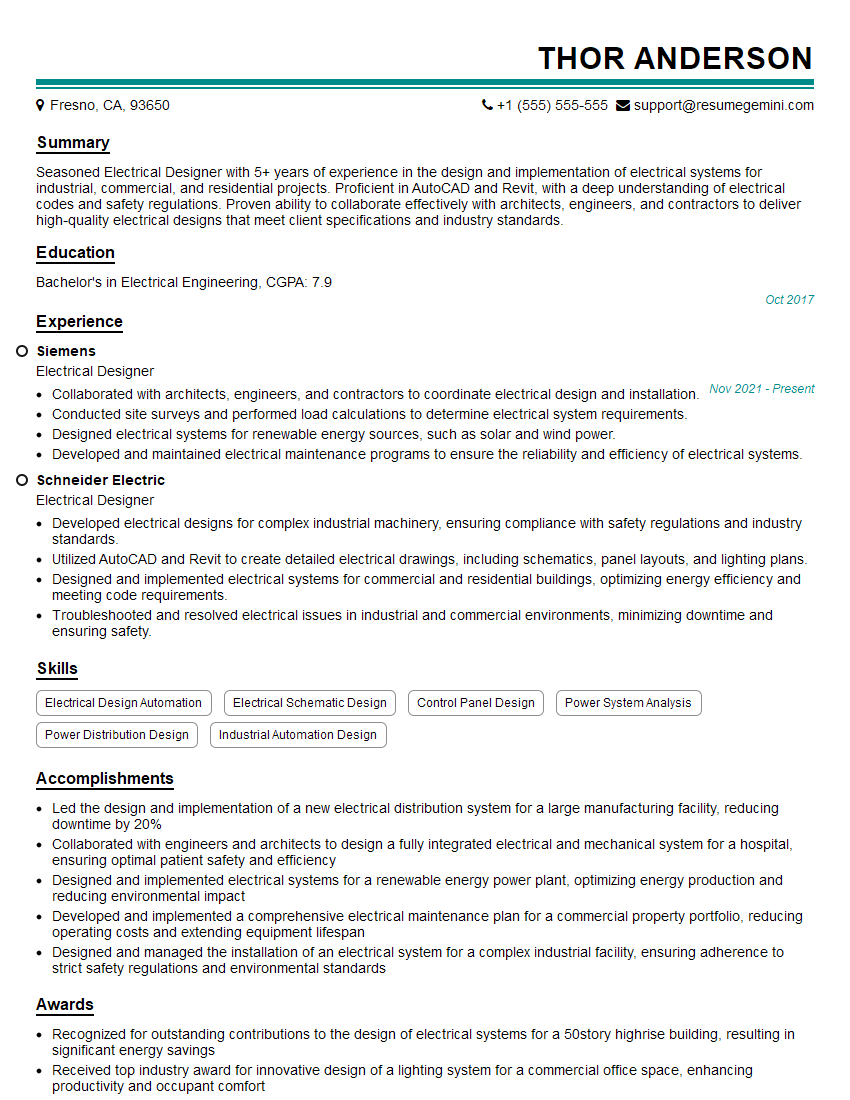
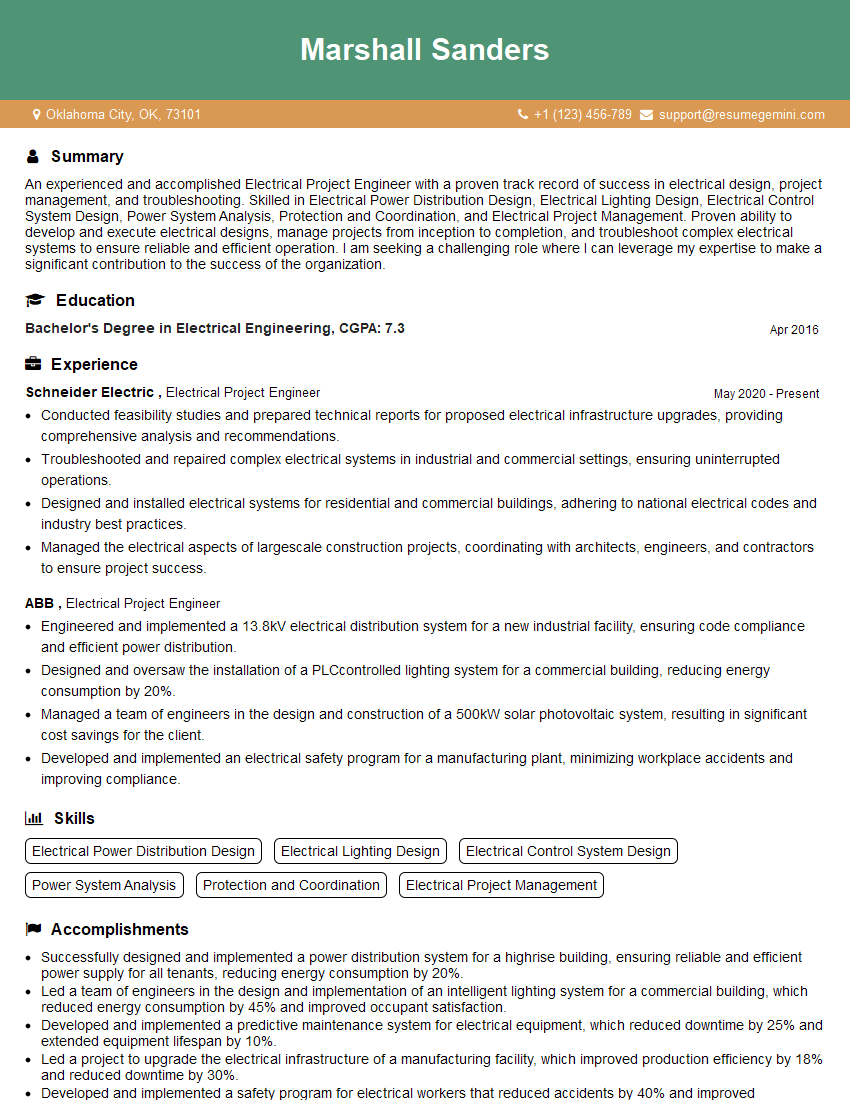
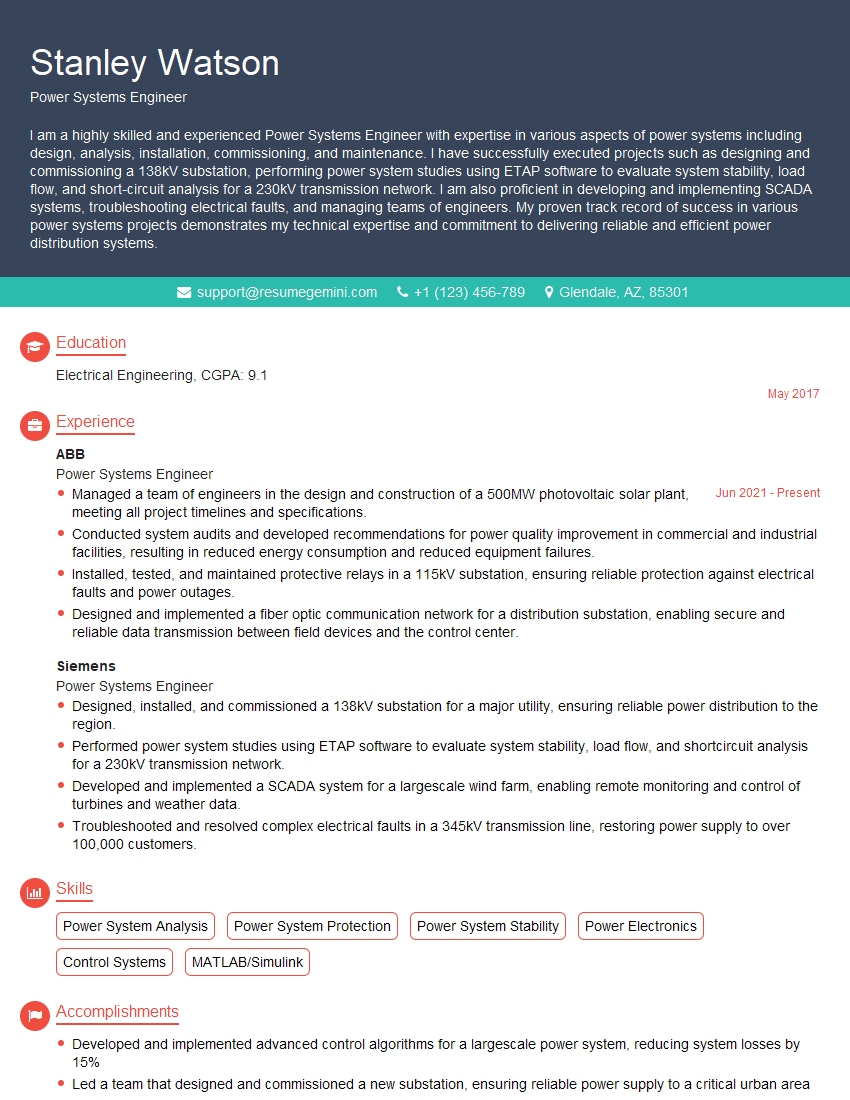
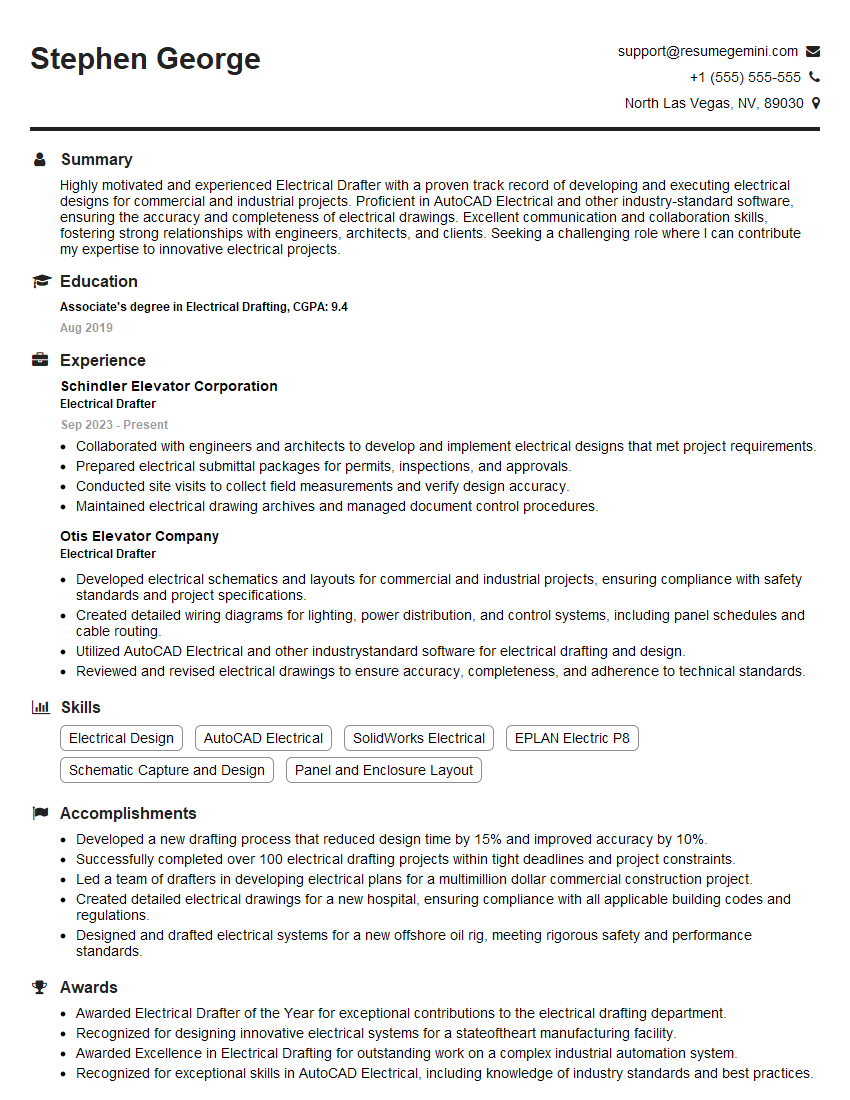
Mastering Electrical Design with AutoCAD and Revit is crucial for a successful and rewarding career in this in-demand field. It opens doors to exciting projects and significant career advancement opportunities. To maximize your job prospects, creating a strong, ATS-friendly resume is paramount. ResumeGemini is a trusted resource to help you build a professional resume that showcases your skills and experience effectively. Examples of resumes tailored to Electrical Design (AutoCAD, Revit) roles are available to help guide your resume creation process.


Explore more articles
Users Rating of Our Blogs
Share Your Experience
We value your feedback! Please rate our content and share your thoughts (optional).
What Readers Say About Our Blog
Very informative content, great job.
good