Interviews are more than just a Q&A session—they’re a chance to prove your worth. This blog dives into essential 3D modeling and rendering skills interview questions and expert tips to help you align your answers with what hiring managers are looking for. Start preparing to shine!
Questions Asked in 3D modeling and rendering skills Interview
Q 1. What 3D modeling software are you proficient in?
I’m proficient in several industry-standard 3D modeling software packages. My core expertise lies in Autodesk Maya, which I’ve used extensively for high-polygon modeling, animation, and rigging. I’m also highly skilled in Blender, a powerful and versatile open-source option excellent for both organic and hard-surface modeling, and I frequently use it for quick prototyping and complex simulations. Additionally, I have experience with ZBrush, primarily for digital sculpting and high-resolution detailing, and Cinema 4D, which I find beneficial for its intuitive interface and strong rendering capabilities. My proficiency extends to the use of these packages for various purposes, including architectural visualization, product design, and character creation.
Q 2. Explain your workflow for creating a 3D model.
My 3D modeling workflow is iterative and adapts to the project’s specifics, but generally follows these steps:
- Concept and Planning: This crucial first stage involves gathering reference images, defining the project’s scope (e.g., style, level of detail), and creating initial sketches or concept art to guide the modeling process.
- Modeling: I choose the appropriate software and modeling technique (polygon, subdivision surface, or sculpting) based on the project’s requirements. I build the model progressively, paying close attention to topology (the arrangement of polygons) for efficient rendering and animation. I regularly check for proportions, symmetry, and overall form using various tools and techniques like orthographic views and measuring tools.
- Refinement and Detailing: Once the base model is complete, I focus on adding finer details, such as textures, surface imperfections, and intricate features, often utilizing high-resolution sculpting in ZBrush before retopologizing for optimal polygon count in Maya or Blender.
- UV Unwrapping and Texturing: I carefully unwrap the UVs (UV mapping is essentially projecting a 2D image onto a 3D model’s surface) to ensure efficient texture application and avoid distortion. Then, I apply high-quality textures, either by creating them from scratch or using commercially available textures, ensuring seamless integration with the model.
- Rigging and Animation (if applicable): For projects involving animation, I create a rig, a system of bones and controls, which allows me to manipulate the model’s pose and movement. I then animate the model, ensuring realistic and fluid motion.
- Rendering: Finally, I prepare the model and scene for rendering, selecting the appropriate rendering engine and settings to achieve the desired visual quality and performance. This step often involves careful lighting setup and material definition.
Q 3. Describe your experience with different rendering engines (e.g., V-Ray, Arnold, Cycles).
My rendering experience spans several engines, each with its strengths and weaknesses. V-Ray is a powerful and versatile renderer, known for its photorealistic results and robust material system; I’ve used it extensively for architectural visualization projects requiring high-quality, realistic images. Arnold is another industry-standard renderer favored for its speed and efficiency, especially in complex scenes; I find its subsurface scattering capabilities particularly useful for organic materials like skin and wood. Cycles, Blender’s integrated renderer, is a path-tracing renderer offering excellent control and flexibility, particularly for creating stylized or non-photorealistic renders. The choice of engine heavily depends on the project’s demands – speed, realism, artistic style, and available resources.
Q 4. How do you optimize 3D models for performance?
Optimizing 3D models for performance is critical for efficient rendering and animation. My strategies include:
- Polygon Reduction: Reducing the polygon count (number of polygons in the model) is crucial for faster rendering times. I use decimation techniques and retopology to simplify models while retaining essential detail. The goal is to achieve the best balance between visual quality and performance.
- Level of Detail (LOD): Creating multiple versions of the model with varying levels of detail allows the rendering engine to switch to a simpler model at further distances, reducing rendering load. A high-detail model can be used for close-ups, while a lower-detail model is used for far shots.
- Texture Optimization: Using appropriately sized and compressed textures prevents long loading times and reduces memory usage. I often use normal maps and other displacement maps to add detail without increasing the polygon count.
- Efficient Scene Organization: Properly organizing the scene (e.g., using layers and groups) improves rendering speed by allowing the engine to optimize the rendering process. This includes only rendering what is visible in the final image through techniques like occlusion culling.
- Proxy Geometry: For very complex scenes, replacing high-poly models with low-poly proxies during the early stages of rendering helps improve rendering performance dramatically.
Q 5. Explain the difference between polygon modeling and subdivision surface modeling.
Polygon modeling and subdivision surface modeling are two fundamental approaches in 3D modeling, differing significantly in their workflow and results:
- Polygon Modeling: This involves directly manipulating polygons (triangles, quads, and ngons) to create the 3D model. It provides precise control over the model’s geometry but requires a higher level of skill to create smooth, organic shapes. It’s often used for hard-surface modeling (like buildings or vehicles) where sharp edges and defined forms are necessary.
- Subdivision Surface Modeling: This technique starts with a low-resolution model (base mesh) composed of relatively few polygons. A subdivision algorithm then smooths out the model, creating a higher-resolution surface with smooth curves. It’s particularly useful for organic modeling (like characters or creatures) due to its ability to efficiently generate smooth, curved surfaces. However, care must be taken in creating the base mesh (topology) to avoid undesired results after subdivision.
Imagine sculpting with clay. Polygon modeling is like working directly with individual pieces of clay, carefully arranging them to create the final form. Subdivision surface modeling is like starting with a rough clay lump and repeatedly refining its shape, slowly adding detail and smoothness.
Q 6. Describe your experience with UV unwrapping and texturing.
UV unwrapping and texturing are crucial steps in creating realistic 3D models. UV unwrapping involves projecting the 3D model’s surface onto a 2D plane (UV map). Think of it as flattening the skin of an orange onto a flat surface. This 2D representation allows for applying 2D textures (images) onto the 3D model’s surface. A well-executed UV map minimizes distortion and allows for efficient texture application.
My experience includes using various UV unwrapping techniques, from automated tools in software like Maya and Blender to manual unwrapping for complex models needing meticulous control. I choose the technique depending on the model’s complexity and desired texture resolution. Texturing involves creating or selecting and applying appropriate textures, incorporating techniques like normal mapping, bump mapping, and displacement mapping to add detail and realism without increasing the polygon count. Understanding the principles of texture creation and seamless tiling is critical, as well as matching texture resolutions to the model’s polygon count for optimal performance.
Q 7. How do you create realistic lighting and shadows in your renders?
Creating realistic lighting and shadows is paramount in achieving photorealistic renders. My approach involves a combination of techniques and considerations:
- Light Sources: I carefully place and adjust various light sources (e.g., point lights, area lights, directional lights) to simulate real-world lighting conditions. This includes considering the light’s intensity, color temperature, and shadows. I often use HDRIs (High Dynamic Range Images) as environment lighting to add realism and ambiance.
- Shadows: Realistic shadows are crucial for conveying depth and volume. I adjust shadow parameters (e.g., softness, bias, and distance) to match the light source and scene. Ray tracing is an essential technique that simulates realistic shadow interactions, including the effects of light bouncing off surfaces.
- Global Illumination: Techniques such as ray tracing and path tracing are utilized to simulate the way light bounces around the scene, creating realistic indirect lighting and subtle color variations. This is especially important for enhancing realism and creating a cohesive and immersive scene.
- Material Properties: The way materials react to light is crucial in determining the final look of the render. I carefully define material properties (e.g., reflectivity, roughness, and transparency) to accurately simulate the way real-world materials appear. The interplay of light and materials directly affects shadows and overall realism.
For example, when creating an interior scene, I might use an HDRI of a sunny day for environmental lighting, then add strategically placed point lights to simulate lamps, ensuring that shadows are correctly cast, adding subtle indirect lighting from global illumination, and carefully specifying materials to reflect light and cast shadows in a realistic manner.
Q 8. What are your preferred methods for creating realistic materials?
Creating realistic materials in 3D is all about mimicking how light interacts with real-world surfaces. My preferred methods involve a layered approach, combining different texture maps and shader settings.
Diffuse Maps (Albedo): These determine the base color of the material. For example, a red apple would have a primarily red diffuse map. I often use high-resolution photographs or create custom textures in programs like Substance Painter or Photoshop.
Normal Maps: These add surface detail without increasing polygon count. Think of them as bump maps on steroids – they affect the way light reflects off the surface, creating the illusion of depth. A normal map can make a flat plane look like rough-hewn stone or finely polished wood.
Roughness/Specular Maps: These control how much light reflects (specular) and how much it’s scattered (roughness). A polished metal will have a high specular and low roughness, while a piece of cloth would have the opposite.
Metallic Maps: These determine how metallic a surface is. This influences how light interacts, with metallic surfaces reflecting more light than non-metallic ones.
Subsurface Scattering (SSS): For materials like skin or wax, SSS simulates the way light penetrates the surface and scatters internally, giving a more realistic translucency.
Shader Selection: The choice of shader (e.g., physically based rendering (PBR) shaders) is crucial. PBR shaders rely on physically accurate models of light interaction, resulting in materials that look consistent across different lighting conditions. I usually work with PBR shaders in rendering engines like Arnold, V-Ray, or Octane.
For instance, when creating a realistic wood texture, I’d start with a high-resolution photograph of wood grain as the diffuse map, then add a normal map for detail, and adjust roughness and specular maps to control the sheen and reflectivity. The result would be a visually convincing wood material that reacts naturally to light.
Q 9. How do you handle complex scenes with many objects?
Managing complex scenes with numerous objects requires a strategic approach, prioritizing optimization from the modeling stage onward. My workflow involves:
Optimized Modeling: I use low-poly modeling techniques whenever possible, aiming for a balance between visual detail and polygon count. This significantly reduces rendering times.
Instance Objects: For repetitive elements like trees or plants, I utilize instancing to create multiple copies of the same object from a single source, saving memory and rendering time.
Level of Detail (LOD): I implement LODs to switch between different model complexities depending on the object’s distance from the camera. Faraway objects use simpler models, while close-up objects use more detailed ones.
Scene Organization: A well-organized scene with clearly named objects and groups is crucial. This simplifies selection, manipulation, and rendering significantly.
Proxy Geometry: For highly detailed models that aren’t essential for early renders, I might use proxy geometry—simplified representations—to speed up the initial rendering process.
Render Layers: Breaking down the scene into multiple render layers allows for selective rendering and compositing, improving workflow efficiency and allowing for easier post-production adjustments.
For example, on a project involving a large city scene, I would instance buildings and use LODs for faraway structures to manage the sheer number of polygons. The city would be further subdivided into render layers (buildings, vegetation, vehicles etc.) for better control and rendering speed.
Q 10. Explain your experience with rigging and animation.
Rigging and animation are integral to bringing 3D models to life. My experience encompasses both character and object animation. For character rigging, I’m proficient in creating skeletal rigs using tools like Autodesk Maya’s rigging system or Blender’s armature editor. This involves creating a hierarchy of joints that mimic the character’s bone structure, allowing for natural movement.
Character Rigging: I focus on creating rigs that are both robust and intuitive, ensuring smooth and controllable animation. I pay attention to detail, including secondary animation elements like skin deformations to ensure realistic movement.
Object Animation: I have experience animating objects, including vehicles, machinery, and environmental elements, applying principles of physics and dynamics to create realistic movements.
Animation Software: I’m fluent in using industry-standard animation software such as Autodesk Maya, Blender, and 3ds Max. I am familiar with both keyframe animation and procedural animation techniques.
Motion Capture (MoCap): I have experience incorporating MoCap data into my animation pipeline, leveraging its ability to create realistic and fluid character movements.
For instance, while rigging a character for a short film, I carefully designed a rig allowing for subtle facial expressions and detailed body movements. This involved creating controls for eyelids, eyebrows, mouth, and even individual fingers, all working seamlessly together to achieve the desired level of realism and expressiveness.
Q 11. How do you troubleshoot rendering errors?
Troubleshooting rendering errors is a common part of the 3D pipeline. My approach is systematic and involves:
Check Render Logs: Most renderers provide detailed logs that pinpoint the source of errors. Carefully examining these logs often reveals the issue immediately.
Simplify the Scene: To isolate the problem, I progressively simplify the scene, removing objects or materials until the error disappears. This helps identify the problematic element.
Examine Materials: Errors can stem from improperly configured materials, such as missing textures or incorrect shader settings. I carefully review material settings to ensure accuracy.
Check Geometry: Problems such as overlapping geometry, corrupted models, or missing normals can cause rendering issues. I verify model integrity using tools built into the modeling software.
Update Drivers/Software: Outdated drivers or software can lead to rendering glitches or crashes. Keeping software up-to-date is crucial for stability.
Memory Management: Complex scenes can exceed available RAM. I optimize scenes to reduce memory footprint or increase RAM allocation.
For example, if a render suddenly crashes, I would first check the render log for clues, then gradually remove objects from the scene to identify the culprit. If the issue stems from a specific material, I’d meticulously review its settings, ensuring all textures are correctly assigned and the shader is functioning properly.
Q 12. Describe your experience with different file formats (e.g., FBX, OBJ, Alembic).
I have extensive experience with various 3D file formats, each with its strengths and weaknesses.
FBX (Filmbox): A versatile format supporting animation, textures, and materials. It’s widely compatible across different software packages, making it ideal for collaboration and transferring projects between applications. However, file sizes can be large.
OBJ (Wavefront OBJ): A simple, widely compatible format mainly storing geometry data. It’s lightweight but lacks support for animation, textures, and materials, requiring separate files for these elements.
Alembic (.abc): A powerful format for caching complex animation and geometry data, especially beneficial for scenes with heavy simulations or high-resolution models. It allows for efficient loading and rendering of large datasets. Alembic files can also be quite large.
The choice of format depends on the project’s needs. For collaborative projects requiring animation and textures, FBX is often preferred. For simple geometry exchange, OBJ might suffice. Alembic is invaluable for handling complex animations and simulations without performance hits.
Q 13. How do you manage versions and collaborate on 3D projects?
Managing versions and collaborating on 3D projects effectively requires a robust version control system and clear communication protocols.
Version Control (e.g., Git): I utilize version control systems like Git to track changes, manage revisions, and allow for collaborative editing of project files. This enables easy rollback to previous versions if needed.
Cloud Storage (e.g., Dropbox, Google Drive): Cloud-based storage solutions are essential for shared access and easy file sharing among team members.
Project Management Software (e.g., Jira, Asana): Project management tools help streamline workflows, assign tasks, and track progress, keeping the project organized and on schedule.
Regular Check-ins and Communication: Frequent communication among team members is vital for resolving conflicts, ensuring consistency, and maintaining project coherence.
For example, on a large-scale project, we would use Git to manage the 3D models, shaders and textures and a cloud storage service to make the project accessible to everyone. Regular meetings and project management software would help to maintain coordination and facilitate smooth collaboration.
Q 14. What is your experience with normal maps and other texture types?
Normal maps are a cornerstone of realistic texturing, adding surface detail without the computational cost of high-poly models. They store surface normal information, which dictates how light reflects off the surface. Other texture types play equally important roles:
Normal Maps: As mentioned, these provide surface detail—bumps, scratches, and grooves—by manipulating the perceived surface normals. They are crucial for creating detailed textures efficiently.
Height Maps/Displacement Maps: These maps contain height information and actually displace the geometry of the model. Unlike normal maps, they directly alter the mesh, leading to more accurate lighting but at the cost of higher polygon counts.
Ambient Occlusion (AO) Maps: These maps simulate the darkening effect that occurs in crevices and shadowed areas, enhancing realism and detail. They add depth and subtle shading to the model.
Specular Maps: These maps control the reflectivity of a surface, defining how shiny or dull it appears. This impacts the highlights and reflections on the material.
Roughness Maps: These maps control the surface roughness, affecting how light is scattered. Smooth surfaces have low roughness, while rough surfaces have high roughness.
For example, when texturing a rock, I’d use a normal map to add fine details like cracks and crevices without dramatically increasing the polygon count. An AO map would enhance the shadows in these crevices, and a roughness map would make the rock surface look more realistic. For smoother parts of the rock, I could adjust the roughness values to reflect the varied texture.
Q 15. How do you create believable hair and fur in 3D?
Creating believable hair and fur in 3D involves a multifaceted approach, going beyond simply adding a texture. We need to simulate the individual strands’ behavior, their interaction with light and each other, and their overall shape and volume.
One common technique is using particle systems. These systems generate thousands or even millions of individual strands, each governed by physics-based simulations. Think of it like a miniature simulation of wind blowing through real hair – each strand moves slightly differently based on its position and the forces acting on it. We can control parameters such as strand length, density, curl, and gravity to fine-tune the look.
Another powerful technique is grooming. This involves using specialized software to manually style and arrange the individual strands, creating specific hairstyles or fur patterns. This is very time-consuming but allows for maximum control and artistic expression. Often, a combination of both particle systems and grooming is used, utilizing particle systems for the base and grooming for specific details and styling.
Finally, the use of advanced shaders is crucial. These shaders determine how light interacts with the hair or fur, impacting its appearance. We can simulate subsurface scattering to make it appear more translucent, creating realistic highlights and shadows, adding shine and even simulating wetness.
For example, in a project involving a lion, I used a particle system to create the base coat, then employed grooming tools to style its mane and create a more expressive appearance. The final touch was a custom shader to ensure accurate light interaction, particularly with the sun glinting off its fur.
Career Expert Tips:
- Ace those interviews! Prepare effectively by reviewing the Top 50 Most Common Interview Questions on ResumeGemini.
- Navigate your job search with confidence! Explore a wide range of Career Tips on ResumeGemini. Learn about common challenges and recommendations to overcome them.
- Craft the perfect resume! Master the Art of Resume Writing with ResumeGemini’s guide. Showcase your unique qualifications and achievements effectively.
- Don’t miss out on holiday savings! Build your dream resume with ResumeGemini’s ATS optimized templates.
Q 16. Explain your process for creating realistic skin textures.
Creating realistic skin textures is a detailed process that involves several key steps. It starts with high-quality base modeling of the underlying geometry, ensuring correct proportions and anatomical details.
Next, we need to add displacement maps, to introduce fine details like pores, wrinkles, and freckles. These maps subtly alter the surface geometry, adding realism at a microscopic level. Often, this data is derived from photographs of real skin, which are then processed to extract the necessary information.
The next critical step is the creation of color maps (diffuse maps). These maps provide the base color of the skin, incorporating variations in tone, and subtle color shifts. This is where we account for things like skin tone, undertones, and the presence of blemishes, redness, or other imperfections.
Finally, we employ normal maps to add surface detail without increasing the polygon count. These maps simulate surface bumps and grooves, creating a more detailed appearance. In addition, we might include specular maps to control the shininess and reflectivity of the skin, crucial for realistically depicting the interaction with light.
In a recent project, I used high-resolution scans of skin to create detailed displacement maps for a character model. I then carefully blended multiple color maps to achieve a nuanced and believable complexion, focusing on the subtle color variations across different parts of the face.
Q 17. What are your skills in creating and using shaders?
My skills in creating and using shaders are extensive. I am proficient in various shading languages, primarily HLSL (High Level Shading Language) and GLSL (OpenGL Shading Language). I have a deep understanding of the underlying principles of shading, including lighting models (like Phong and Blinn-Phong), surface interactions, and material properties.
I can write shaders from scratch to create custom effects, and I am also comfortable modifying and adapting existing shaders to suit the specific needs of a project. I understand how to incorporate various techniques like subsurface scattering, ambient occlusion, and global illumination within shaders to achieve photorealistic results.
For example, I once developed a custom shader for a water simulation that incorporated caustics (the pattern of light created when light passes through a rippled surface) to enhance the visual realism. This involved a significant amount of complex mathematical calculations within the shader code to accurately model the phenomenon.
Beyond the technical skills, I understand the creative aspects of shaders and how they can be used to achieve a specific artistic vision. I am able to collaborate effectively with artists to ensure that the shaders contribute to the overall visual style and aesthetic.
Q 18. How do you approach creating photorealistic renders?
Creating photorealistic renders requires a holistic approach that combines meticulous modeling, texturing, lighting, and rendering techniques. It starts with accurate and detailed modeling, paying attention to even the finest details. This is followed by creating realistic textures with high resolution and fine-tuned detail.
Lighting plays a pivotal role. I employ techniques like global illumination and realistic light sources such as HDRI (High Dynamic Range Imaging) maps to create a believable sense of ambience and shadow. Careful placement and adjustment of lights are crucial to enhancing realism and achieving accurate reflections and refractions.
High-quality rendering is equally important. I use advanced render engines like Arnold, V-Ray, or Octane Render which are capable of handling complex scenes and producing high-resolution images with accurate light interactions. I meticulously manage render settings, experimenting with different sampling techniques and render passes to fine-tune the image.
Post-processing also plays a role. I might use software like Photoshop to enhance the final render, adjusting colors, contrast, and sharpness to achieve the desired level of photorealism. The goal is to create an image that could almost be mistaken for a photograph.
In one project, I created a photorealistic render of a cityscape at night. I used detailed 3D models of buildings, cars, and streetlights. The scene was illuminated with HDRI lighting and carefully placed spotlights, accurately simulating the ambient and artificial light sources. This, combined with advanced render settings, produced a final image that captured the atmosphere of a real-life nighttime cityscape.
Q 19. What is your experience with global illumination techniques?
My experience with global illumination (GI) techniques is extensive. I understand the importance of GI in creating realistic scenes by simulating how light bounces and interacts with objects in an environment. I’m proficient in using various GI algorithms, both path tracing and photon mapping.
Path tracing simulates the path of light rays as they bounce through the scene, accurately capturing indirect illumination. Photon mapping, on the other hand, pre-calculates the paths of light rays and stores them in a data structure for efficient rendering. The choice between these methods depends on the complexity of the scene and the desired level of accuracy.
I understand the trade-offs involved in different GI methods; for instance, path tracing can be computationally expensive for complex scenes, whereas photon mapping might have difficulties handling highly reflective or refractive materials. I am adept at selecting the optimal GI method or a combination of methods to balance quality and rendering time.
In a recent project involving an indoor scene, I used a combination of path tracing and photon mapping to create realistic indirect illumination. Path tracing handled the diffuse lighting and photon mapping handled the caustics created by a nearby window, resulting in a high-quality and efficient render. The lighting in this scene felt very natural and realistic due to the careful application of GI techniques.
Q 20. Describe your understanding of color spaces and color management.
Understanding color spaces and color management is essential for achieving consistent and accurate color representation throughout the 3D pipeline. Color spaces define how colors are numerically represented; common spaces include sRGB, Adobe RGB, and Rec.709. Each has its own characteristics and gamut (the range of colors it can represent). Color management ensures colors are correctly transformed between different spaces, preventing color shifts and inaccuracies.
My workflow incorporates color management from the beginning. I ensure my source images (textures, HDRIs) are correctly profiled and transformed into the working color space of my project. I use a color-managed workflow within my 3D software, ensuring that the colors viewed on my monitor accurately represent the final rendered output. I carefully choose the output color space based on the final intended use of the render (e.g., print, web, film).
Inaccurate color management can lead to significant discrepancies between what is seen on the screen and the final output. For example, a color that appears accurate on a monitor calibrated to sRGB might look significantly different when printed using a profile designed for a different color space. A thorough understanding of color spaces and management helps me avoid such issues.
Q 21. How do you optimize your renders for different output resolutions?
Optimizing renders for different output resolutions involves a multi-pronged approach focusing on both render settings and scene complexity. Simply scaling a render down from a higher resolution will not necessarily produce optimal results; the resulting image will likely be blurry and lack detail.
For higher resolutions, I might increase the render settings, like the sample count (increasing the number of light rays traced per pixel), to reduce noise and increase image quality. I use progressive rendering techniques to monitor the image quality during the render process. This allows me to stop the render when it achieves sufficient quality, saving time.
For lower resolutions, I might decrease the sample count or use lower quality settings. I might also employ techniques like down-sampling, which involves rendering at a higher resolution and then reducing it down using an anti-aliasing algorithm to prevent aliasing artifacts. I might also optimize the scene itself – simplifying geometry or reducing the number of textures, if detail isn’t as crucial at lower resolutions.
A crucial aspect is managing expectations. Photorealistic renders require significant computational power, so the higher the resolution, the longer the render time. It is important to communicate these trade-offs to clients and make informed decisions based on the project requirements and the available resources. I often create several test renders at different resolutions to evaluate quality and balance render times with quality expectations.
Q 22. Explain your experience with rendering farms or cloud rendering.
My experience with rendering farms and cloud rendering is extensive. I’ve utilized both for years to accelerate the rendering process of complex projects. Rendering farms, essentially networks of computers dedicated to rendering, provide immense processing power, allowing for significantly faster render times compared to a single machine. I’ve worked with both in-house farms and outsourced services, managing job submission, monitoring progress, and troubleshooting issues. Cloud rendering services, like AWS Thinkbox Deadline or RenderMan, offer similar scalability but with the added benefit of on-demand resources. This is particularly helpful for projects with fluctuating needs or tight deadlines, as you only pay for the computing power you use. I’m proficient in setting up render jobs, optimizing scene files for network rendering, and managing the post-processing of rendered images or animations from these distributed systems. For example, on a recent architectural visualization project, using a cloud rendering service reduced the rendering time from several days to just a few hours, allowing us to meet a critical deadline.
Q 23. What are some common challenges you face in 3D modeling and rendering, and how do you overcome them?
Common challenges in 3D modeling and rendering include managing complex polygon counts, optimizing scene files for efficient rendering, and troubleshooting rendering errors. High polygon counts can lead to slow rendering times and crashes. I mitigate this by employing techniques like level of detail (LOD) modeling, where different levels of detail are used depending on the camera distance. For example, a distant building might have a simplified model, while a close-up shot uses a highly detailed one. Optimizing scene files often involves careful management of textures, materials, and lighting. Unoptimized textures can dramatically increase render times, so I always compress them appropriately and use optimized material settings. Troubleshooting rendering errors frequently involves careful examination of render logs, scene setup, and render settings. Using tools like the debugger within the rendering software helps pinpoint the source of the problem.
Q 24. How do you stay updated with the latest trends and technologies in 3D modeling and rendering?
Staying updated in this fast-paced field requires a multi-pronged approach. I regularly attend industry conferences and webinars, such as SIGGRAPH, to learn about the latest software and techniques. I actively follow industry blogs, online forums, and social media groups dedicated to 3D modeling and rendering, engaging in discussions and learning from other professionals. I also dedicate time to experimenting with new software and plugins, testing their capabilities and exploring their functionalities in personal projects. Subscribing to industry publications and online courses keeps me informed about advancements in algorithms, techniques and workflows. For instance, recently I explored the advancements in AI-driven tools for texture generation and discovered several new plugins that significantly boosted my workflow efficiency.
Q 25. Describe a project where you had to overcome a technical challenge. What was the challenge, and how did you solve it?
On a recent project creating a realistic simulation of a bustling city street, I encountered a major challenge in accurately simulating crowds of pedestrians. Using traditional methods resulted in extremely slow rendering times and memory issues. The initial approach involved modeling each pedestrian individually, which became computationally unmanageable with a large number of characters. To solve this, I implemented a particle system with custom shaders to simulate the movement and appearance of the crowd. This significantly reduced the polygon count, allowing for real-time rendering and interaction, improving the performance dramatically. This involved learning and implementing custom shaders and tweaking parameters to achieve realistic movement, density, and visual appearance of the crowd, resulting in a much more efficient and visually appealing final product.
Q 26. What is your understanding of physically based rendering (PBR)?
Physically Based Rendering (PBR) is a rendering technique that aims to simulate the behavior of light in the real world. Unlike older rendering methods, PBR relies on scientifically accurate models of light interaction with materials. It uses parameters like roughness, metallicness, and subsurface scattering to define material properties, resulting in highly realistic lighting and reflections. This means that the way light reflects off a material is determined by its physical characteristics, producing more believable results. For example, a rough surface will scatter light more diffusely than a smooth, polished surface, and a metallic surface will show different reflections compared to a dielectric (non-metallic) material. The benefit is that PBR produces results that are consistent across different lighting and viewing angles, making it a highly versatile and reliable rendering method. I am proficient in using PBR workflows in various rendering engines.
Q 27. How familiar are you with different camera types and their use in 3D rendering?
I’m very familiar with various camera types and their application in 3D rendering. Understanding the characteristics of each camera is crucial for achieving the desired look and feel in a project. I’m proficient with the standard perspective camera, which mimics the human eye, and orthographic cameras which create parallel projections suitable for technical drawings or architectural renderings. I also have experience utilizing fisheye lenses for wide-angle shots and specialized cameras for effects like depth of field and motion blur. Understanding camera parameters such as focal length, aperture, and field of view is crucial for creating cinematic-quality renders. For instance, adjusting the aperture will control depth of field, resulting in sharper focus on the subject with blurry backgrounds which is often desirable in product visualization or character animation.
Q 28. What are your strengths and weaknesses as a 3D modeler and renderer?
My strengths lie in my problem-solving abilities, attention to detail, and my proficiency in various rendering engines and software. I’m adept at optimizing scenes for efficient rendering and possess a strong understanding of lighting and materials. I am also a highly effective communicator, able to clearly articulate technical concepts to both technical and non-technical audiences. A weakness, if I had to identify one, is that I sometimes become so focused on the technical aspects of a project that I might overlook the broader creative vision. To mitigate this, I actively collaborate with designers and other team members to ensure the final product aligns with the overall artistic direction. I always make an effort to ensure that my technical skills enhance and support the overall artistic goals of the project.
Key Topics to Learn for 3D Modeling and Rendering Skills Interview
- 3D Modeling Fundamentals: Understanding polygon modeling, NURBS surfaces, subdivision surfaces, and their appropriate applications. Consider the strengths and weaknesses of each technique.
- Texturing and Materials: Practical application of different texturing techniques (e.g., procedural, tileable, photogrammetry) and material creation using shaders and PBR workflows. Be ready to discuss the impact of material properties on realism.
- Lighting and Rendering Techniques: Explore various rendering engines (e.g., Cycles, V-Ray, Arnold) and their capabilities. Discuss different lighting setups, including global illumination, and the impact on final render quality. Understand the principles of physically based rendering (PBR).
- Software Proficiency: Demonstrate a deep understanding of at least one major 3D modeling and rendering software package (e.g., Blender, Maya, 3ds Max, Cinema 4D). Be prepared to discuss your workflow and preferred techniques within that software.
- Workflow Optimization: Discuss strategies for efficient modeling, texturing, and rendering, including techniques for managing large datasets and optimizing render times. This shows your understanding of practical constraints in professional environments.
- Problem-Solving and Troubleshooting: Be prepared to discuss how you approach challenges in 3D modeling and rendering. Examples might include dealing with unexpected artifacts, optimizing performance, or resolving modeling inconsistencies.
- Version Control and Collaboration: Understanding the importance of version control systems (e.g., Git) and collaborative workflows in a team environment.
Next Steps
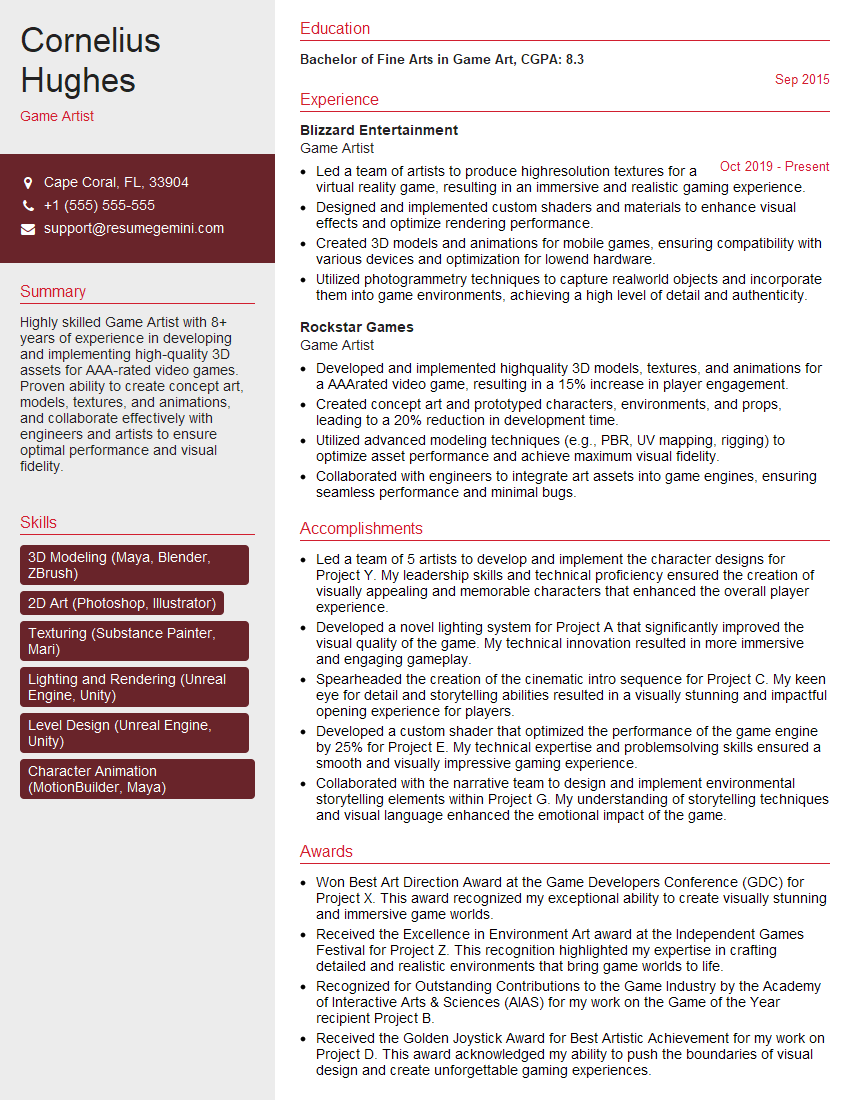
Mastering 3D modeling and rendering skills is crucial for career advancement in fields like animation, game development, architecture, and product design. A strong portfolio is essential, but a well-crafted resume is your first impression. Creating an ATS-friendly resume significantly increases your chances of getting your application noticed by recruiters. To help you build a compelling and effective resume that showcases your skills, we recommend using ResumeGemini. ResumeGemini provides tools and resources to create a professional resume, and we offer examples of resumes tailored to 3D modeling and rendering skills to guide you.






Explore more articles
Users Rating of Our Blogs
Share Your Experience
We value your feedback! Please rate our content and share your thoughts (optional).
What Readers Say About Our Blog
Very informative content, great job.
good