Interviews are opportunities to demonstrate your expertise, and this guide is here to help you shine. Explore the essential 3D Modeling (Blender, Maya) interview questions that employers frequently ask, paired with strategies for crafting responses that set you apart from the competition.
Questions Asked in 3D Modeling (Blender, Maya) Interview
Q 1. Explain your workflow for creating a high-poly model in Blender/Maya.
Creating a high-poly model is the foundation of many 3D projects. It involves building a detailed mesh with a high polygon count, capturing fine surface details. My workflow typically begins with a concept sketch or reference images. I then choose either Blender or Maya depending on project specifics; Maya might be preferred for character modeling due to its robust animation tools, while Blender’s sculpting tools are superb for organic models.
In both programs, I’d start with a base mesh, perhaps a simple box or cylinder, and use various sculpting tools to add form. In Blender, I’d leverage the powerful Dyntopo sculpting tools, allowing me to work organically, adding and removing detail seamlessly. In Maya, I’d potentially use the high-poly modeling tools, refining the shape using edge loops and extrudes. I’ll continuously refine the model, paying attention to proportions, anatomy (if it’s a character), and overall shape. Throughout this process, I regularly check the model’s topology, ensuring that the polygon flow is clean and efficient, preventing excessive distortion when later retopologizing.
Once the desired level of detail is achieved, the model is ready for the next stage – retopology.
Q 2. Describe your experience with retopology techniques in Blender/Maya.
Retopology is the process of creating a new, clean mesh over a high-poly model. It’s crucial for optimizing models for animation, texturing, and game engines. This new mesh, called the low-poly mesh, has a significantly lower polygon count but retains the shape and details of the high-poly model. In Blender, I frequently use the built-in retopology tools, which offer different techniques like edge loops and snapping tools to efficiently create clean topology. I also find the ‘Meshlab’ tool extremely useful in simplifying high-poly models. In Maya, I rely on tools like Quad Draw to build the low-poly mesh. The goal is to create a mesh with quads (four-sided polygons), as they are more stable and easier to work with than triangles or N-gons (polygons with more than four sides).
A good retopology workflow involves strategically placing edge loops along areas of high curvature or detail to maintain shape integrity. Imagine draping a cloth over the high-poly model; the low-poly mesh should follow this drape but with a significantly simplified structure, like making a tailored suit based on a detailed model.
Q 3. How do you optimize models for game engines?
Optimizing models for game engines is all about balancing visual quality and performance. Game engines have limitations on polygon counts, texture resolutions, and draw calls. My approach involves several steps:
- Reduce Polygon Count: The low-poly mesh from retopology is the starting point. Further simplification might be necessary using decimation modifiers (Blender) or similar tools in Maya to reach the target polygon budget.
- Optimize Topology: Ensure the low-poly mesh is as clean and efficient as possible. Unnecessary edges and polygons should be removed.
- Texture Optimization: Use appropriate texture resolutions. Higher resolutions provide better detail, but they consume more memory. I often use normal maps, specular maps, and other techniques to add detail without increasing polygon count. I always strive to use power-of-two dimensions for textures (e.g., 256×256, 512×512), as these are the most efficiently processed by hardware.
- Baking: Bake high-poly detail onto normal maps, ambient occlusion maps, etc., which are then applied to the low-poly model. This allows for a high level of detail without the performance hit of a high-poly mesh in the game engine.
- Level of Detail (LOD): Create multiple versions of the model with varying levels of detail. The game engine switches to lower-detail versions as the model gets farther from the camera.
For instance, I might create three LODs for a character: a high-detail model for close-ups, a medium-detail model for mid-range views, and a low-detail model for distant views. Each LOD would have optimized geometry and texture resolutions. This approach ensures that performance remains optimal even in scenes with numerous models.
Q 4. What are your preferred UV unwrapping methods and why?
UV unwrapping is the process of projecting a 3D model’s surface onto a 2D plane, similar to flattening a globe into a map. This 2D representation is essential for applying textures. I prefer using a combination of techniques, tailored to the model’s geometry. For characters, I often employ a combination of planar mapping (for planar surfaces) and cylindrical mapping (for limbs), using seams to create manageable UV islands. This allows efficient texturing and avoids unnecessary stretching or distortion.
For organic models or objects with complex shapes, I might use automated unwrapping tools available in Blender and Maya. However, I always manually refine the results to minimize distortion and ensure optimal packing. Proper UV layout involves arranging UV islands effectively to minimize wasted space in the texture atlas, improving texture memory efficiency. Think of arranging puzzle pieces effectively; every bit of space should be used.
In Maya, I often use the ‘Unfold 3D’ plugin for more complex unwraps. Blender offers a multitude of options, from the standard ‘UV Project’ operator to more advanced techniques provided by add-ons.
Q 5. Explain your understanding of normal maps and their application.
Normal maps are crucial for adding surface detail without increasing polygon count significantly. They store surface normal information (direction of the surface at each point) in a texture. When rendered, this information creates the illusion of depth and detail. The game engine uses the normal map to manipulate lighting calculations on the low-poly model, making it appear as if it has the high-poly detail. Imagine a photograph of a rough wall; a normal map captures all the tiny bumps and crevices, allowing you to render that texture on a smooth, low-poly wall representation to make it look realistic.
The application of normal maps is straightforward. After baking a normal map from a high-poly model, it’s simply assigned to the low-poly model as a texture. The normal map is used along with the diffuse texture to add detail that enhances the look.
Q 6. How do you approach creating realistic textures?
Creating realistic textures involves a blend of artistic skill and technical knowledge. My approach often starts with reference images or photographs. I utilize programs like Substance Painter and Photoshop (or Blender’s texture painting tools) for creating and manipulating textures. I pay attention to the following:
- Diffuse Texture: This defines the base color of the object.
- Normal Map: As discussed, this adds surface detail.
- Specular Map: This controls the glossiness and reflectivity of the surface.
- Roughness Map: This controls the surface roughness, affecting how light scatters.
- Ambient Occlusion Map: This simulates shadows in the crevices of the model, enhancing realism.
Often, I start by creating base textures, and then hand-paint additional detail or use various filters to blend textures creating realistic imperfections. For example, creating a rusty metal texture would involve starting with a base metal color and then adding layers of rust using color variations, wear effects, and other textures to provide depth. Reference images are crucial to make the final textures look convincingly realistic, capturing the subtle variations of light and shadow. This process is iterative; I continuously refine and adjust until the desired realism is achieved.
Q 7. What are the advantages and disadvantages of using procedural textures?
Procedural textures are generated algorithmically, unlike hand-painted textures. They offer several advantages:
- Repeatability: They can easily create seamless tiling textures.
- Flexibility: Parameters can be adjusted to create variations of the same texture.
- Efficiency: They typically require less storage space.
However, there are also disadvantages:
- Limited Control: Achieving highly specific details can be challenging.
- Learning Curve: Understanding the underlying algorithms and parameters can be complex.
- Potential for Unrealistic Results: If not carefully crafted, they can look artificial or repetitive.
I often use procedural textures for generating base materials, like wood or stone, where seamless tiling is essential. However, for complex or highly detailed textures, I usually prefer hand-painted or scanned textures. I frequently use procedural textures as a starting point and then blend them with hand-painted details to achieve a balance between realism and efficiency.
Q 8. Describe your experience with sculpting in Blender/Maya.
Sculpting in Blender and Maya is a fundamental aspect of 3D modeling, allowing for the creation of organic forms and intricate details. I’m proficient in both programs, utilizing their respective sculpting tools to create high-fidelity models. In Blender, I frequently use the Dyntopo sculpting mode for its intuitive workflow and the ability to easily add and remove detail without worrying about topology. I find its multi-resolution modifier invaluable for achieving a balance between detail and polygon count. Maya’s sculpting tools, particularly in combination with its powerful modeling tools, allow for a more precise and controlled approach, often used when I need very clean topology from the start. For example, I once sculpted a realistic human face in Blender, starting with a simple sphere and gradually refining the features using a combination of brushes like the Clay, Smooth, and Grab brushes. This allowed me to iteratively shape the form, adding details like pores and wrinkles in the final stages. In Maya, I’ve worked on more stylized characters, using a combination of sculpting and traditional polygon modeling to achieve a specific aesthetic. The key in both programs is understanding brush dynamics, pressure sensitivity, and the importance of refining the model through multiple passes.
Q 9. How do you handle complex scenes in Blender/Maya to avoid performance issues?
Managing complex scenes in Blender or Maya requires a multi-pronged approach focused on optimization. The biggest performance bottlenecks usually stem from polygon count, texture resolution, and the number of lights and objects. My strategy involves several key steps. First, I optimize my models, using techniques like decimation, retopology, and level of detail (LOD) modeling to reduce polygon counts without sacrificing visual fidelity. For instance, faraway objects in a landscape scene can utilize lower-resolution models, dramatically reducing render times. Second, I use efficient shaders and textures. High-resolution textures are beautiful but taxing. I use techniques like texture baking and normal mapping to reduce reliance on high-resolution textures. Third, I carefully manage my lighting. Instead of many point lights, I prefer area lights and image-based lighting (IBL), which are generally more efficient. Fourth, I leverage instancing where possible, reducing the number of unique objects that the renderer has to process. For example, instead of modeling 100 individual trees, I might model one detailed tree and instance it multiple times, adjusting their position and scale to create a forest. Finally, I use proxy geometry during the modeling stage, replacing high-polygon meshes with simpler representations during the layout and blocking phase, switching to higher-resolution versions only when necessary. In Maya, I often make use of the Render View to monitor performance in real-time and make adjustments as needed.
Q 10. What are your preferred methods for creating realistic lighting?
Creating realistic lighting is crucial for setting the mood and believability of a 3D scene. My preferred methods combine global illumination techniques with targeted local lighting to add realism and detail. I heavily utilize HDRI (High Dynamic Range Image) maps for image-based lighting (IBL). These provide realistic environment lighting, bouncing light convincingly across the scene. This approach simulates real-world indirect lighting beautifully, requiring less manual light placement. I supplement IBL with strategically placed area lights, spotlights, and point lights to enhance specific areas and create focused highlights or shadows. For example, a subtle rim light can highlight a character’s silhouette against a background, adding depth and separation. In Blender, I’m fond of the Principled BSDF shader because of its ability to produce realistic materials with minimal effort. In Maya, the Arnold renderer is my preferred option because of its efficiency and rendering speed while also including excellent global illumination algorithms.
Q 11. Explain your understanding of global illumination.
Global illumination (GI) simulates the way light bounces around a scene, creating realistic indirect lighting. Unlike direct lighting (light sources shining directly onto surfaces), GI accounts for light bouncing off multiple surfaces before reaching a final point. This creates realistic effects like ambient occlusion (darkening of areas where light can’t reach), color bleeding (colors from one object subtly affecting nearby objects), and soft shadows. There are several methods to achieve GI, such as path tracing (a physically accurate, but computationally expensive method), photon mapping (an efficient method for handling caustics), and irradiance caching (a fast approximation of GI). Understanding how different GI methods work helps me choose the best approach for a given project. For example, when I need photorealistic results and have the computational resources, I’ll use path tracing. When speed is critical, I might opt for irradiance caching. Both Blender and Maya offer various options for implementing GI, allowing for flexibility in choosing a rendering approach that balances quality and render times.
Q 12. How do you approach creating realistic materials?
Creating realistic materials involves understanding the physical properties of real-world materials and translating those properties into a digital representation. I typically start by identifying the base material (e.g., plastic, metal, wood) and then refine its properties based on the desired look and feel. Key parameters include roughness (how diffuse or reflective the material is), reflectivity (how much light is reflected), metallicness (how much it acts like a metal), and subsurface scattering (how light penetrates the material). I often use reference images and real-world samples to guide my material creation. For example, to create a realistic wood material, I might use a high-resolution photograph of wood grain as a base texture, along with normal maps and bump maps to add surface detail. I frequently use procedural textures within the shaders to enhance realism and add variety. Techniques such as adding subtle variations in color and reflectivity based on noise textures can make the materials feel more organic and less artificial. Blender’s Principled BSDF and Maya’s Arnold shaders provide excellent tools for creating complex and realistic materials.
Q 13. What are your experience with rigging characters in Blender/Maya?
Rigging characters is a crucial step in animation, involving creating a skeleton and control system for manipulating a character’s pose and movement. My approach depends on the complexity of the character and the needs of the animation. I use a combination of manual rigging techniques and automated tools to create a robust and user-friendly rig. For example, for a simple character, I might use a simple bone chain rig. However, for more complex characters such as humans with facial expressions, I might use advanced rigging techniques, such as creating separate rigs for the face, body, and limbs. To ensure the rig is robust, I include features like constraints and custom controls to aid in animation. For instance, I might use IK (Inverse Kinematics) to control the limbs naturally and FK (Forward Kinematics) for more precise control over individual joints. I pay close attention to the weighting of the mesh, ensuring smooth deformations across different body parts. Rigging in Blender often uses the armature modifier, while Maya employs its comprehensive Joint Tool and skinning techniques.
Q 14. Describe your experience with animation in Blender/Maya (if applicable).
My experience in animation encompasses both traditional keyframing and more advanced techniques. I’m proficient in creating believable movement and expressions using keyframing in both Blender and Maya. I begin with a thorough understanding of the character’s personality and the story’s requirements. Then, I block out the key poses to establish the timing and flow of the animation. I then refine the animation by adding secondary actions, such as subtle body movements and facial expressions, to enhance realism and engagement. I understand the principles of animation, such as squash and stretch, anticipation, and follow-through, to make the animations feel more dynamic and fluid. I’m also familiar with motion capture (mocap) data, and I know how to clean and refine mocap animations to integrate them smoothly into my projects. Post-processing techniques like adding subtle jiggles and other nuances are employed in both software to add further detail to the animation, making it more realistic and lively.
Q 15. Explain your experience with particle systems in Blender/Maya.
Particle systems are a powerful tool in both Blender and Maya, allowing for the creation of complex effects like fire, smoke, snow, or even crowds of people. They work by generating and manipulating numerous individual particles, each with its own properties like size, speed, and lifespan. My experience encompasses setting up emitters, manipulating particle physics (gravity, wind, collision), and adjusting various parameters to achieve the desired visual effect. In Blender, I’m comfortable using the standard particle system and have experimented with the more advanced fluid simulation for realistic liquid effects. In Maya, I’ve used nParticles extensively, leveraging its powerful features for controlling particle behavior and rendering them efficiently. For instance, in a recent project, I used Maya’s nParticles to simulate realistic flowing water cascading over a cliff face, carefully tweaking parameters to achieve a balance between detail and render times. I’ve also worked on projects where I used Blender’s particle systems to create a flocking simulation of birds, adjusting the parameters to create realistic movement and avoidance behavior.
I understand the importance of optimizing particle simulations for performance, particularly in complex scenes, and employ techniques like instancing and rendering optimizations to improve workflow.
Career Expert Tips:
- Ace those interviews! Prepare effectively by reviewing the Top 50 Most Common Interview Questions on ResumeGemini.
- Navigate your job search with confidence! Explore a wide range of Career Tips on ResumeGemini. Learn about common challenges and recommendations to overcome them.
- Craft the perfect resume! Master the Art of Resume Writing with ResumeGemini’s guide. Showcase your unique qualifications and achievements effectively.
- Don’t miss out on holiday savings! Build your dream resume with ResumeGemini’s ATS optimized templates.
Q 16. How do you troubleshoot common modeling issues?
Troubleshooting modeling issues often involves a systematic approach. My first step is to identify the nature of the problem: Is it a geometric error, a texturing issue, a UV mapping problem, or a rigging/animation issue? Once identified, I isolate the problem area. For example, if I’m dealing with non-manifold geometry (a common issue where faces aren’t properly connected), I use Blender’s or Maya’s tools to identify and clean these up. This might involve selecting and merging vertices, deleting faces, or using tools to repair topology.
- Geometric Errors: I frequently use tools like the ‘Select Non Manifold Geometry’ function to find and fix problems in the mesh. Sometimes, a simple re-topology is necessary to solve more complex issues.
- Texturing Issues: These could stem from incorrect UV mapping, missing texture files, or problems with material assignments. I carefully check UV maps for overlapping seams or distorted regions and work to correct them before re-applying the textures.
- Rigging/Animation: Problems here are often solved by checking the joint hierarchy, resolving weight painting issues, or using the respective software’s animation tools to diagnose and fix animation errors.
I find that regularly saving my work and frequently checking the model for errors prevents larger issues from developing. Thinking like a detective is key – systematically examining the problem to find the root cause.
Q 17. What version of Blender/Maya are you most proficient in?
While I’m proficient in various versions of both Blender and Maya, I’m currently most comfortable and productive with Blender 3.4 and Maya 2022. I’ve kept up-to-date with the newest features and workflows in these releases and am confident in using their latest tools and functionalities. I understand that new versions often introduce workflow improvements, performance enhancements, and additional features, so I regularly test and familiarize myself with newer versions as needed.
Q 18. What are your preferred modeling plugins or extensions?
My choice of plugins and extensions depends greatly on the project’s requirements. However, some favorites include:
- Blender: Hard Ops/Boxcutter (for faster and more intuitive hard-surface modeling), Meshroom (for photogrammetry), and Eevee/Cycles (for rendering). I find these significantly enhance workflow efficiency and creative possibilities.
- Maya: xgen (for grooming and creating realistic hair and fur), Arnold (a powerful renderer for photorealistic results), and various modeling tools from the high-end modeling packages available. My choice here heavily depends on the project’s artistic style and demands.
I’m always exploring new plugins and extensions to expand my toolset and stay current with industry standards.
Q 19. Describe your experience using version control systems (e.g., Git).
I’ve used Git extensively for version control in collaborative projects. I understand branching strategies like Gitflow and am comfortable with creating branches, merging changes, resolving conflicts, and using pull requests. My experience includes using both command-line Git and various GUI clients like SourceTree or GitHub Desktop. I find Git essential for tracking changes, collaborating seamlessly with other artists, and easily reverting to previous versions if necessary. For example, on a recent large project, Git allowed us to manage hundreds of revisions while allowing multiple artists to work simultaneously without overwriting each other’s changes. This ensured that we could track all progress and easily revert to previous states if a mistake was made.
Q 20. How do you manage your time effectively on a project with deadlines?
Effective time management is critical in meeting deadlines. My approach involves a combination of planning, task prioritization, and consistent progress monitoring. I usually begin by breaking down a project into smaller, manageable tasks, and creating a realistic schedule using tools like project management software (Trello or Asana) to track my progress. I prioritize tasks based on their urgency and dependencies. I regularly review my progress against the schedule, adjusting as needed and communicating any potential delays proactively.
Regular breaks and avoiding burnout are equally important to maintain consistent productivity. The Pomodoro Technique is a helpful time management strategy I use regularly.
Q 21. Explain your experience with collaborating on a 3D modeling project.
Collaboration is a vital part of most 3D modeling projects. I have extensive experience working in teams, leveraging communication tools like Slack or email to discuss project requirements, review progress, and address any challenges. My approach focuses on clear communication, well-defined roles, and a collaborative spirit. I’m comfortable providing and receiving feedback, ensuring that the final product meets the project’s artistic and technical standards. In one project, we used a cloud-based version control system to manage assets and ensure everyone had the latest version of models and textures. We used a well-defined pipeline and established naming conventions to prevent confusion and maintain consistency.
Q 22. How do you stay updated with the latest advancements in 3D modeling?
Staying current in the ever-evolving field of 3D modeling requires a multi-pronged approach. I regularly engage with several key resources. Firstly, I actively follow industry blogs and websites such as Blender Guru, CGSociety, and 80.lv. These platforms offer tutorials, articles, and showcases of cutting-edge techniques and projects. Secondly, I participate in online communities like Reddit’s r/blender and various Discord servers dedicated to 3D modeling. These forums provide opportunities to learn from other artists, ask questions, and stay abreast of new software updates and industry trends. Finally, I dedicate time to watching webinars and online courses offered by platforms like Udemy and Skillshare, focusing on emerging technologies and advanced workflows. This combination of passive and active learning ensures I remain proficient and informed about the latest developments in the field.
Q 23. Describe a challenging 3D modeling project and how you overcame it.
One particularly challenging project involved creating a photorealistic character model for a short film. The difficulty stemmed from the need to accurately model and texture intricate details like facial wrinkles, hair, and clothing, all while maintaining a high polygon count for realism without compromising render times. To overcome this, I employed a phased approach. I began with a base mesh created using ZBrush for sculpting the high-poly details. Then, using Blender, I retopologized the mesh to create a low-poly version optimized for animation and rendering. Substance Painter was used for texturing, leveraging its powerful tools for creating realistic material properties. Finally, I meticulously refined the model through multiple rounds of rendering and feedback, adjusting textures and lighting to achieve the desired level of photorealism. The iterative refinement process, combined with careful asset management and optimization, ultimately allowed me to deliver a high-quality model within the project’s constraints.
Q 24. What are some common mistakes to avoid in 3D modeling?
Several common pitfalls can significantly hinder the quality and efficiency of 3D modeling. One frequent mistake is neglecting proper topology. Poor topology can lead to deformation issues during animation and make texturing incredibly difficult. Think of topology as the underlying structure of your model; a well-planned structure is crucial. Another common issue is improper use of edge loops. Failing to strategically place edge loops can result in unnatural-looking deformations when animating the model. For example, insufficient edge loops around the eyes can lead to strange stretching when the character makes facial expressions. Lastly, neglecting normal maps can drastically reduce the visual detail of a model. Normal maps are crucial for adding surface detail without increasing polygon count. They effectively trick the eye into perceiving a far more complex surface than actually exists.
Q 25. How do you approach creating believable anatomy for character models?
Creating believable anatomy requires a strong understanding of human anatomy and the principles of form. I begin by studying anatomical references—both photographic and anatomical diagrams. This forms the basis of my understanding of muscle structure, bone placement, and proportion. In software like ZBrush, I leverage sculpting tools to build the musculature and skeletal structure beneath the skin. Subtle details, such as the subtle shifts in musculature due to weight or posture, are carefully added to make the character feel lifelike. Moreover, I pay close attention to the underlying structure. For example, the way the rib cage influences the shape of the chest or the way the pelvis affects the posture. Paying attention to these subtle elements drastically improves the believability of the character.
Q 26. What are your preferred methods for creating realistic hair/fur?
My preferred methods for creating realistic hair and fur depend largely on the project’s requirements. For stylized projects, particle systems within Blender or Maya can be sufficient. For photorealistic representations, however, I often leverage dedicated hair and fur plugins or external rendering solutions. XGen in Maya or the Hair Particle system in Blender, combined with careful rendering techniques, provide excellent control over individual strands, creating realistic movement and flow. I often use multiple passes and simulations to create depth and variation. For truly complex simulations, rendering software specialized in hair simulation, like Arnold or V-Ray, can offer the highest level of detail and realism, though they often demand more computational power.
Q 27. Explain your understanding of different polygon modeling techniques.
Polygon modeling encompasses various techniques aimed at creating 3D models using polygons as building blocks.
- Box Modeling: Starting with a simple cube and progressively subdividing and manipulating it to create the desired form. This is excellent for clean topology.
- Edge Loop Modeling: Strategically placing edge loops to control the flow of polygons and ensure smooth deformations. This is crucial for creating organic shapes with smooth transitions.
- Sculpting (using ZBrush or similar): Building models using digital sculpting tools, which allows for greater organic detail and flexibility. The high-poly sculpt needs to be retopologized for efficient use in game engines or animation software.
Q 28. What is your experience with creating and using custom shaders?
I have extensive experience creating and using custom shaders. My understanding spans various shading languages, including those within Blender’s Cycles and Eevee render engines, and Maya’s Arnold and Maya Mental Ray. For instance, I’ve created custom shaders for realistic skin rendering using subsurface scattering techniques, incorporating multiple layers to simulate the translucency of the skin. I’ve also developed custom shaders to create realistic metallic surfaces with accurate reflections and roughness properties. I’m comfortable working within node-based editors to adjust parameters, create material variations, and fine-tune the appearance of objects to match specific creative requirements. My proficiency extends to troubleshooting shader issues and optimizing them for render performance. Creating custom shaders allows for greater control and artistic freedom, pushing the boundaries of realism and stylization.
Key Topics to Learn for 3D Modeling (Blender, Maya) Interview
- Modeling Techniques: Mastering polygon modeling, NURBS modeling, and sculpting techniques in both Blender and Maya. Understand the strengths and weaknesses of each approach and when to apply them.
- UV Unwrapping and Texturing: Learn efficient UV unwrapping methods and understand different texture mapping techniques (e.g., tileable textures, procedural textures). Be prepared to discuss your workflow and troubleshooting strategies for complex models.
- Lighting and Rendering: Familiarize yourself with lighting principles (three-point lighting, key light, fill light, rim light), rendering engines (Cycles, Eevee, Arnold, RenderMan), and the importance of optimizing render settings for efficiency.
- Workflow and Pipeline: Demonstrate understanding of a typical 3D modeling pipeline, including asset creation, organization, version control, and collaboration techniques. Be prepared to discuss your preferred workflow and how you adapt to different project requirements.
- Software-Specific Knowledge: Showcase proficiency in the specific tools and features of both Blender and Maya. This includes shortcuts, modifiers, and advanced techniques relevant to your experience.
- Problem-Solving and Troubleshooting: Prepare examples of times you encountered and solved technical challenges during the modeling process. Highlight your ability to diagnose and resolve issues efficiently.
- Hard-Surface vs. Organic Modeling: Understand the fundamental differences in approaches and techniques for modeling hard-surface objects (buildings, vehicles) versus organic forms (characters, creatures).
- Animation Principles (Basic): While not strictly modeling, a basic understanding of animation principles can help you better understand the modeling process for characters or animated objects.
Next Steps
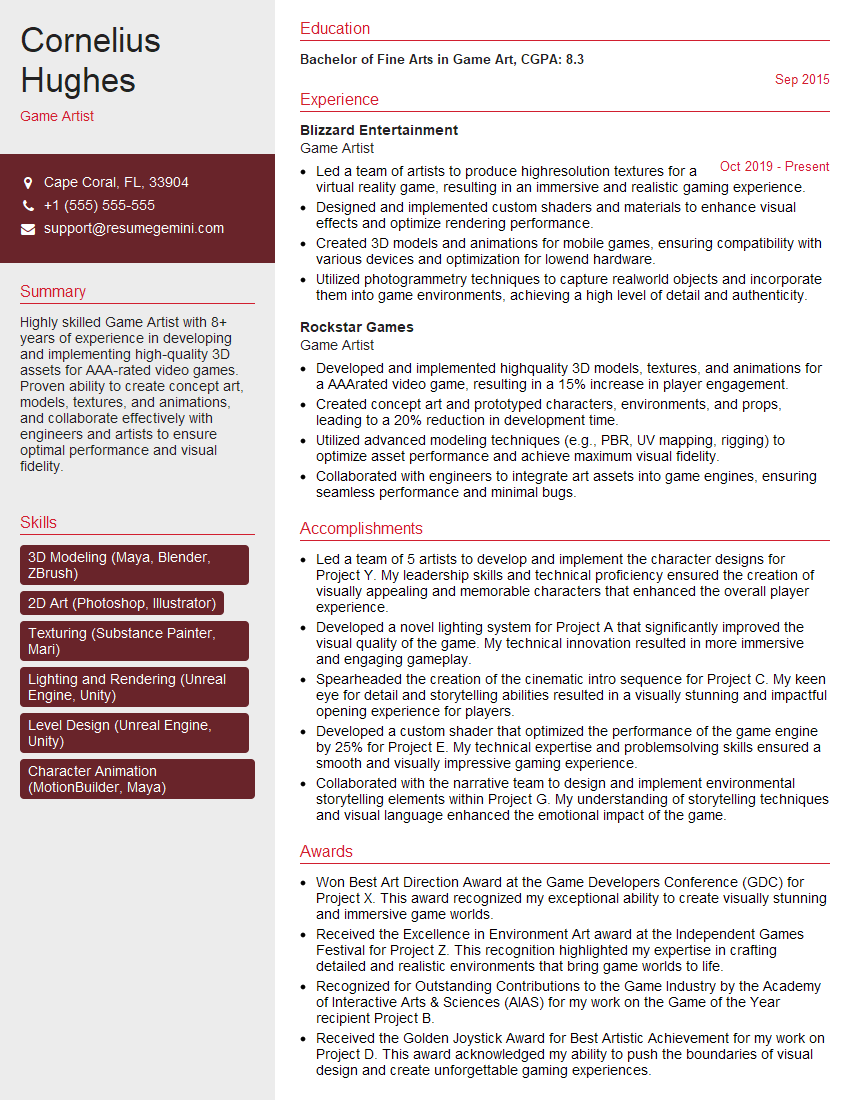
Mastering 3D modeling with Blender and Maya opens doors to exciting careers in gaming, film, architecture, and more. To maximize your job prospects, create a compelling and ATS-friendly resume that highlights your skills and experience effectively. ResumeGemini is a trusted resource that can help you build a professional resume that catches the eye of recruiters. Examples of resumes tailored to 3D Modeling (Blender, Maya) professionals are available to help you get started.




Explore more articles
Users Rating of Our Blogs
Share Your Experience
We value your feedback! Please rate our content and share your thoughts (optional).
What Readers Say About Our Blog
Very informative content, great job.
good