The right preparation can turn an interview into an opportunity to showcase your expertise. This guide to 3D Modeling (CATIA, NX, SolidWorks) interview questions is your ultimate resource, providing key insights and tips to help you ace your responses and stand out as a top candidate.
Questions Asked in 3D Modeling (CATIA, NX, SolidWorks) Interview
Q 1. Explain the difference between solid modeling and surface modeling.
The core difference between solid modeling and surface modeling lies in how they represent a 3D object. Solid modeling creates a complete, volumetric representation of the part, defining its mass properties and internal structure. Think of it like sculpting a solid block of clay – you’re working with a defined volume. Surface modeling, on the other hand, focuses on creating a visually accurate representation of the object’s exterior surfaces only. It’s like creating a detailed skin or shell for the object; there’s no inherent volume or mass defined.
Solid Modeling: Uses features like extrudes, revolves, and sweeps to build up the 3D model from its solid volume. It’s excellent for engineering analysis (FEA, CFD) because the software understands the internal structure. Examples include creating a solid engine block or a complex mechanical part.
Surface Modeling: Primarily uses curves and patches to define the surface geometry. It excels in creating aesthetically pleasing and complex shapes, often found in automotive design or consumer product design. An example would be modeling the smooth, curved surface of a car body or a stylish piece of furniture. The internal structure isn’t defined, making it unsuitable for tasks needing mass properties or detailed internal features.
In short, choose solid modeling for engineering designs requiring strength calculations or manufacturing processes. Opt for surface modeling when the focus is on visual appeal and creating complex shapes.
Q 2. What are the advantages and disadvantages of using CATIA, NX, and SolidWorks?
Each CAD software – CATIA, NX, and SolidWorks – offers unique strengths and weaknesses. The best choice depends heavily on the specific application and user preference.
- CATIA: Known for its robustness and extensive capabilities, particularly in aerospace and automotive industries. It’s powerful but has a steeper learning curve and often demands more system resources. It excels in complex assemblies and advanced surface modeling.
- NX: A versatile software package with strong capabilities in both design and manufacturing. It’s well-suited for a wide range of industries and often praised for its intuitive user interface, especially for those transitioning from other CAM/CAD packages. NX is known for its manufacturing capabilities and ease of data management.
- SolidWorks: User-friendly and relatively easy to learn, making it popular for smaller companies and educational settings. It’s ideal for simpler designs and excels in its ease of use. However, it might lack some of the advanced features found in CATIA or NX for truly massive assemblies or extremely complex geometries.
Ultimately, the ‘best’ software is subjective and depends on project requirements and team expertise. I’ve found that each package shines in different areas, and a good engineer should possess a foundational understanding of multiple platforms.
Q 3. Describe your experience with different types of 3D modeling software.
My experience encompasses extensive work in CATIA, NX, and SolidWorks. I’ve used CATIA extensively for complex aerospace component design, leveraging its advanced surface modeling tools and assembly management capabilities to handle large, intricate assemblies. In a previous project, I successfully modeled a complete aircraft wing assembly using CATIA, including the detailed rib structures and skin panels. My work with NX focused primarily on automotive design, using its robust simulation tools for stress analysis and its manufacturing-focused features. I have experience creating detailed manufacturing processes in NX, including CNC machining programs. Finally, SolidWorks has been my go-to for prototyping and simpler mechanical designs, taking advantage of its user-friendly interface and intuitive features. I’ve used it to design and simulate various mechanical linkages and robotic arms for a university research project.
Q 4. How do you handle large assemblies in SolidWorks?
Managing large assemblies in SolidWorks efficiently requires a structured approach. Here are some key strategies I employ:
- Component simplification: Breaking down large assemblies into smaller, more manageable sub-assemblies. This significantly reduces file size and improves performance.
- Lightweight components: Using SolidWorks’ lightweight components feature to reduce file size while retaining visual representation. This is crucial when dealing with thousands of parts.
- Configuration management: Employing design tables or configurations to manage multiple design variants without creating separate files. This is especially useful for managing different product versions.
- Large Assembly tools: Leveraging SolidWorks’ built-in large assembly tools, such as component suppression and selective loading. This helps manage the number of components loaded in memory at a given time.
- SolidWorks PDM (Product Data Management): Implementing a robust PDM system to organize and manage files efficiently, tracking revisions and facilitating collaboration among team members.
By combining these techniques, I can maintain performance and efficiency even when working with exceptionally large and complex assemblies.
Q 5. Explain your process for creating detailed engineering drawings from a 3D model.
Creating detailed engineering drawings from a 3D model involves a structured workflow:
- Model review: Thoroughly reviewing the 3D model to ensure it meets all design requirements and specifications before drawing creation. Any necessary changes are implemented.
- View creation: Selecting appropriate views to fully represent the part or assembly, including standard orthographic projections (front, top, side) and auxiliary views where necessary.
- Dimensioning and tolerancing: Adding dimensions and tolerances according to industry standards (e.g., ASME Y14.5). This requires a deep understanding of GD&T principles. I use SolidWorks’ built-in tools for this stage, to ensure consistency and accuracy.
- Annotation: Adding necessary annotations, such as material specifications, surface finishes, and other relevant information. This often involves creating custom symbols or notes for clarity.
- Bill of Materials (BOM): Generating a comprehensive BOM linking the drawing to the associated parts and materials used. This facilitates easy ordering and manufacturing processes.
- Review and approval: Before release, I ensure the drawing is reviewed and approved by relevant stakeholders to verify accuracy and completeness.
The whole process requires meticulous attention to detail and a thorough understanding of engineering drawing standards and best practices.
Q 6. How do you manage data management within a CAD environment?
Data management within a CAD environment is critical for maintaining project integrity and collaboration. My approach involves a multi-faceted strategy:
- PDM system implementation: Employing a dedicated PDM system (such as SolidWorks PDM, Teamcenter, or Autodesk Vault) to centralize all CAD data, ensuring version control and preventing data loss. I can manage revisions, track changes, and ensure everyone has access to the most current files.
- File naming conventions: Implementing a standardized file naming convention to ensure consistency and easy searchability. This includes unique identifiers, revision numbers, and descriptive names.
- Data backup and recovery: Regularly backing up all CAD data to prevent data loss due to hardware failure or other unforeseen events. We can use both cloud storage and local backups as a precaution.
- Data cleansing: Periodically reviewing and cleaning up obsolete files and data to maintain system performance and organization.
- Access control: Implementing robust access controls to restrict access to sensitive CAD data, ensuring only authorized personnel can view or modify files.
A well-structured data management system is essential for efficient project collaboration and maintenance.
Q 7. Describe your experience with parametric modeling.
Parametric modeling is a powerful technique that allows for dynamic modification of 3D models by adjusting parameters, rather than directly manipulating geometry. Think of it as building a model using equations – changing one parameter automatically updates related geometry. For example, if I’m designing a cylindrical part, instead of directly manipulating its radius and height, I define these as parameters. Then, changing the radius parameter automatically updates the cylinder’s diameter and surface area.
Example: Let’s say I have a parameter ‘length’ defined as 100mm. The extrusion feature is dependent on ‘length’. If I change ‘length’ to 150mm, the extruded part automatically adjusts to the new dimension. This drastically reduces design time and improves design flexibility.
My experience with parametric modeling spans across all three software packages. It allows me to efficiently explore design variations, conduct sensitivity analyses, and easily create design families. It’s invaluable in iterative design processes, streamlining the design and manufacturing workflows.
Q 8. How do you ensure the accuracy of your 3D models?
Ensuring accuracy in 3D modeling is paramount. It’s not just about a visually appealing model; it’s about creating a representation that faithfully reflects the real-world object or design. My approach is multi-faceted and relies on a combination of techniques:
- Precise Dimensioning and Constraints: I meticulously define dimensions and apply constraints (geometric, dimensional, etc.) from the outset. This establishes a robust framework that minimizes errors during subsequent modifications. Think of it like building a house with a solid foundation – the stronger the base, the more stable the structure.
- Reference Models and Drawings: I always cross-reference my model with detailed 2D drawings or existing 3D models, regularly checking for discrepancies. This is especially crucial when working on complex assemblies where minor inconsistencies can snowball into major problems. For example, during an automotive project, I’d compare my model of a door assembly against the engineering drawings to ensure the hinge positions and clearances are perfect.
- Regular Model Checks and Validation: I consistently use built-in CAD tools to perform checks for geometry errors (like gaps or overlaps), interference detection, and mass property calculations. This is akin to a quality control process in manufacturing, ensuring the product is fit for purpose.
- Version Control: Employing a robust version control system (like PDM) is essential to track changes, revert to previous versions if needed, and facilitate collaboration. This ensures we maintain a clean and accurate model history.
By employing these methods, I can significantly reduce the chances of errors and ensure the final model accurately reflects the design intent.
Q 9. What are some common challenges you face during the 3D modeling process?
3D modeling, while rewarding, presents several challenges. Some common ones I’ve encountered include:
- Complex Geometry: Modeling intricate shapes, especially organic forms or those with high surface curvature, can be computationally intensive and require advanced surfacing techniques. For example, creating a realistic human model or a complex aerodynamic design necessitates a deep understanding of NURBS surfaces and advanced modeling tools.
- Data Management: Managing large assemblies and component data can become overwhelming if a proper data management strategy isn’t implemented. This includes version control, file organization, and efficient data transfer.
- Software Limitations: Every CAD software has its strengths and weaknesses. Sometimes, the software itself can limit the design possibilities, or introduce quirks and unexpected behaviors, requiring workaround solutions.
- Collaboration Issues: Working in teams requires careful coordination and standardized procedures to avoid conflicts and ensure data integrity. This often involves using a PDM system to manage design revisions and maintain consistent versions.
- Meeting Design Specifications: Balancing design aesthetics, functionality, and manufacturing feasibility within specific constraints like weight, material properties, or cost can be a complex balancing act.
Successfully navigating these challenges often requires creative problem-solving, strong technical skills, and effective collaboration.
Q 10. How do you troubleshoot errors in your 3D models?
Troubleshooting errors in 3D models is a crucial skill. My approach is systematic and often involves these steps:
- Identify the Error: First, I pinpoint the exact nature of the error using the CAD software’s diagnostic tools. This could be a geometric error (e.g., a gap or overlap), a topological error (e.g., a non-manifold surface), or a design flaw.
- Isolate the Source: Once the error is identified, I carefully trace back its origin, examining the modeling history and the sequence of operations that led to the problem. Sometimes, simply retracing the steps can reveal the mistake.
- Employ Diagnostic Tools: I utilize the built-in diagnostic tools within the CAD software – for instance, checking for inconsistencies in topology or interference analysis. This provides valuable insights into the root cause.
- Simplify the Model: If the model is highly complex, simplifying it temporarily to isolate the problem area can be helpful. This allows focusing on the problematic section without the distraction of other elements.
- Consult Documentation and Online Resources: If the issue persists, I refer to the software’s documentation, online forums, and tutorials to find potential solutions. It’s also often helpful to seek assistance from experienced colleagues.
The key is to be methodical and patient; many times, a seemingly complex problem has a simple solution that’s easily missed in the rush to finish.
Q 11. Explain your experience with FEA (Finite Element Analysis) integration with CAD software.
I have extensive experience integrating FEA (Finite Element Analysis) with CAD software. This involves exporting the CAD geometry into an FEA software package (such as ANSYS or Abaqus) for analysis. This process is critical for verifying the structural integrity and performance of a design under various loading conditions.
My experience includes:
- Mesh Generation: Creating appropriate meshes within the FEA software, carefully selecting element types and sizes to accurately capture the stress and strain distributions. I understand the trade-offs between mesh density and computational cost.
- Material Property Definition: Assigning the correct material properties to the model elements, ensuring accurate representation of the material behavior. This might involve using experimental data or looking up standard material properties from databases.
- Boundary Condition Application: Applying appropriate boundary conditions (like fixed supports, loads, or pressure) to the FEA model, reflecting real-world conditions the part will be subjected to.
- Analysis Execution and Interpretation: Running the FEA analysis and interpreting the results to assess the design’s performance. This includes reviewing stress and displacement plots to identify potential failure points or areas for improvement. For instance, I worked on a project where FEA helped identify stress concentrations in a bicycle frame, enabling design modifications for improved durability.
- Iteration and Refinement: Based on the FEA results, I often iterate on the design, modifying geometry or material properties to optimize performance and meet specified criteria.
This iterative process between CAD and FEA is essential for creating robust and reliable designs.
Q 12. Describe your experience with different rendering techniques.
My experience spans various rendering techniques, each with its strengths and weaknesses. I select the appropriate technique based on the project’s requirements, including speed, realism, and intended use.
- Ray Tracing: This produces high-quality, photorealistic images by simulating the path of light rays. It’s computationally expensive but delivers exceptional realism and is ideal for marketing materials or product presentations.
- Rasterization: A faster technique commonly used for real-time rendering in games or interactive simulations. While generally less realistic than ray tracing, it is suitable for quick visualizations.
- Path Tracing: An advanced form of ray tracing that incorporates global illumination effects like indirect lighting for even more realistic rendering. This is usually the choice for creating high-end visualization images.
- Scanline Rendering: A more traditional approach that renders images line by line. While not as sophisticated as modern techniques, it can be suitable for certain applications.
In practice, I might use ray tracing for a final product presentation but use rasterization for interactive design reviews or rapid prototyping visualizations.
Q 13. How do you create and manage design revisions?
Managing design revisions efficiently is critical. I rely heavily on a Product Data Management (PDM) system which provides a centralized repository for all design files. This system allows for tracking changes, managing different versions, and facilitating collaboration among team members.
My process includes:
- Version Control: Each revision is clearly documented with a unique revision number and a description of the changes. This allows easy tracking of the design’s evolution.
- Change Management: A formal change management process ensures that all modifications are reviewed and approved before being integrated into the main model. This process prevents errors and ensures design integrity.
- Collaboration Tools: The PDM system enables seamless collaboration, allowing team members to access and work on the same design simultaneously. It also offers tools for conflict resolution if multiple users make simultaneous edits.
- Data Backup and Archiving: Regular backups and archiving of the design data are essential to prevent data loss and maintain a secure record of the design history.
Using a robust PDM system streamlines the design revision process, reduces errors, and fosters effective collaboration.
Q 14. What are your preferred methods for creating complex curves and surfaces?
Creating complex curves and surfaces is a core skill in 3D modeling. My preferred methods depend on the specific requirements of the design, but they generally involve a combination of techniques:
- NURBS (Non-Uniform Rational B-Splines): NURBS curves and surfaces are the foundation of most advanced CAD software. They offer flexibility and precision in representing complex shapes. I utilize control points and weights to manipulate the curve or surface’s shape and achieve precise control over its form.
- Sweep Features: Sweeping a profile along a path is a powerful technique for creating complex shapes, useful for things like creating pipes, ducts, or other elongated parts. I often use this method for creating parts with consistent cross-sections along a non-linear path.
- Revolution Features: Rotating a profile around an axis is another efficient way to create symmetrical shapes like cylinders, cones, or complex parts with rotational symmetry.
- Free-Form Surfaces: For organic forms, I leverage free-form surface modeling techniques, using tools like surface patching, blending, and sculpting to create shapes without strict geometric constraints. This is particularly helpful when creating aerodynamic forms or parts with complex curves.
- Sculpting Tools: Some CAD packages offer advanced sculpting tools that mimic traditional sculpting methods, allowing for organic and intuitive shape creation. This is useful when working on complex organic forms.
The choice of method depends heavily on the complexity of the curve or surface and the desired level of precision. Often I combine these techniques to achieve the most effective results. For example, I might use NURBS to create the basic shape and then refine it with sculpting tools for fine detail.
Q 15. How familiar are you with GD&T (Geometric Dimensioning and Tolerancing)?
GD&T, or Geometric Dimensioning and Tolerancing, is crucial for specifying the precise dimensions and tolerances of a part. It goes beyond simple measurements, defining the permissible variations in form, orientation, location, and runout. Think of it as a precise language for communicating manufacturing requirements. My familiarity is extensive; I’ve used GD&T extensively throughout my career to ensure parts meet stringent specifications and are compatible within assemblies. I’m proficient in applying all the basic and advanced GD&T symbols and understand how to interpret and create detailed tolerance zones. For instance, I recently used GD&T to define the permissible positional tolerance of a crucial pin within a complex assembly, preventing costly misalignments during manufacturing.
- Understanding Symbols: I understand and apply symbols like positional tolerance (
−), perpendicularity (⊥), and flatness (□). - Tolerance Stack-up Analysis: I can perform tolerance stack-up analysis to predict the cumulative effect of tolerances on the final assembly.
- GD&T Software Integration: I’m adept at utilizing GD&T features within CATIA, NX, and SolidWorks to automate the annotation process and ensure consistency.
Career Expert Tips:
- Ace those interviews! Prepare effectively by reviewing the Top 50 Most Common Interview Questions on ResumeGemini.
- Navigate your job search with confidence! Explore a wide range of Career Tips on ResumeGemini. Learn about common challenges and recommendations to overcome them.
- Craft the perfect resume! Master the Art of Resume Writing with ResumeGemini’s guide. Showcase your unique qualifications and achievements effectively.
- Don’t miss out on holiday savings! Build your dream resume with ResumeGemini’s ATS optimized templates.
Q 16. Explain your experience with creating and using templates in your preferred CAD software.
Templates are time-savers! In my preferred CAD software, SolidWorks, I regularly create and utilize templates for various purposes. A well-structured template ensures consistency across projects, reduces errors, and improves efficiency. For example, I created a template for a specific type of bracket containing pre-defined parameters like material, standard hole sizes, and default sketch relations. This template ensures that all brackets conform to our company’s standards, reducing design time and the risk of errors. I often embed company logos and design standards directly into the template for automatic incorporation into new designs.
- Part Templates: I use part templates for standardized components with pre-defined features like material properties, standard hole sizes, and sketch relations.
- Assembly Templates: Assembly templates are useful for defining a standard assembly structure with predefined components and mate constraints.
- Drawing Templates: Drawing templates contain pre-defined title blocks, company logos, and drawing formats for consistent documentation.
Using these templates ensures design consistency and reduces the time spent on repetitive tasks, allowing me to focus on the creative aspects of the design process.
Q 17. How do you handle design changes and updates efficiently?
Efficiently handling design changes is crucial. My approach involves leveraging the revision control features built into the CAD software. Imagine a scenario where a client requests a modification to a crucial component’s dimensions. Instead of recreating the entire part, I’d utilize the software’s version control to create a new revision. This way, the original design remains preserved, allowing for easy comparison and rollback if necessary. Furthermore, utilizing parametric modeling—where designs are controlled by variables—allows me to update dimensions and features easily, automatically propagating the change throughout the model.
- Version Control: I diligently use version control features to track changes, compare revisions, and rollback if needed.
- Parametric Modeling: I extensively use parametric modeling, driving design changes through variable modifications instead of manual editing.
- Change Management Processes: I follow strict change management procedures to document every alteration and ensure all stakeholders are informed.
Q 18. Describe your experience with creating manufacturing-ready 3D models.
Creating manufacturing-ready models requires meticulous attention to detail. It’s about ensuring the model accurately reflects the final manufactured part and includes all necessary information for the manufacturing process. This includes aspects like proper wall thicknesses for injection molding, draft angles for castings, and accurate dimensions with GD&T annotations. For example, when designing a part for CNC machining, I ensure that all features are properly defined and accessible for tooling, considering factors such as undercuts and toolpath limitations. I’ve worked extensively with various manufacturing processes, enabling me to anticipate and avoid potential manufacturing issues.
- Draft Angles: I apply appropriate draft angles to ensure easy removal from molds or castings.
- Wall Thicknesses: I design appropriate wall thicknesses based on the selected manufacturing process and material.
- Feature Access: I design parts with considerations for tool accessibility in CNC machining.
- GD&T Application: I use GD&T to specify tolerances and ensure proper part functionality.
Q 19. Explain your familiarity with different file formats (e.g., STEP, IGES, STL).
Familiarity with various file formats is essential for seamless collaboration and data exchange. STEP (Standard for the Exchange of Product data) is a neutral format that preserves most design intent, ideal for exchanging models between different CAD systems. IGES (Initial Graphics Exchange Specification) is another neutral format, though it’s less robust than STEP and can sometimes lose some detail. STL (Stereolithography) is a common format for 3D printing, representing the surface geometry as a mesh of triangles. My experience encompasses utilizing and converting between all these formats. For example, I frequently export models as STEP files for collaboration with clients using different CAD software, and I export as STL files for 3D printing prototypes.
- STEP (.stp, .step): Neutral format preserving design intent.
- IGES (.igs, .iges): Neutral format, less robust than STEP.
- STL (.stl): Facet-based surface geometry for 3D printing.
- Other Formats: I also have experience with other formats like Parasolid, SolidWorks native (.sldprt, .sldasm), and NX native formats.
Q 20. How do you optimize 3D models for specific applications (e.g., 3D printing, CNC machining)?
Optimizing 3D models for specific applications is crucial for achieving efficient manufacturing and optimal performance. For 3D printing, this might involve ensuring the model has sufficient wall thickness, avoiding overly complex geometries, and adding support structures. In contrast, for CNC machining, the focus shifts to designing for tool accessibility, avoiding undercuts, and optimizing features for efficient machining. I’ve developed a solid understanding of the limitations and considerations for each process.
- 3D Printing Optimization: This includes wall thickness considerations, support structure generation, and simplification of complex geometry.
- CNC Machining Optimization: This includes toolpath considerations, feature accessibility, and design for efficient material removal.
- Other Applications: I’ve also optimized models for casting, injection molding, and sheet metal fabrication, understanding the unique challenges each process presents.
For instance, when preparing a model for 3D printing, I frequently use software tools to analyze the model for potential issues like self-intersections or unsupported areas. For CNC machining, I would thoroughly evaluate the model’s features to ensure that the tools can easily reach and machine all the required surfaces.
Q 21. Describe your experience with using different constraint types in CAD software.
Constraint types are fundamental to parametric modeling, allowing us to define relationships between geometric elements. In SolidWorks, for example, I frequently use various constraint types: Mate constraints to define relationships between parts in assemblies, geometric constraints to define relationships between features within a part, and dimensional constraints to define specific distances or angles. Understanding these is vital for creating robust and flexible designs. A well-constrained model allows for easy modification, ensuring consistent relationships between features as the design evolves.
- Mate Constraints: These define relationships between parts in an assembly (e.g., fixed, concentric, flush).
- Geometric Constraints: These define relationships between features within a part (e.g., coincident, parallel, perpendicular).
- Dimensional Constraints: These define specific distances or angles between features.
For instance, when designing a complex assembly, I might use a combination of mate constraints (e.g., fixing components to a base plate) and geometric constraints (e.g., ensuring parts are aligned) to create a stable and well-defined assembly. Proper constraint definition is crucial for ensuring the model remains stable and behaves as expected during design modifications.
Q 22. How do you perform a tolerance analysis on a 3D model?
Tolerance analysis in 3D modeling is crucial for ensuring a manufactured part meets its design intent and functions correctly. It involves evaluating how variations in dimensions and geometric tolerances affect the overall assembly. We use the CAD software’s built-in tolerance analysis tools, often integrated with GD&T (Geometric Dimensioning and Tolerancing) functionalities.
In CATIA, for example, we might utilize the ‘Tolerance Analysis’ workbench to define tolerances on individual parts. The software then simulates the assembly, considering the range of variations defined by the tolerances. This helps identify potential clashes or interferences. Similarly, NX and SolidWorks have their own dedicated tolerance analysis modules allowing for statistical analysis and worst-case scenario simulations.
Example: Imagine designing a piston and cylinder assembly. Slight variations in the piston diameter and cylinder bore can significantly impact the fit and performance. Tolerance analysis allows us to define acceptable ranges for these dimensions and assess the probability of an interference or excessive clearance, preventing costly manufacturing issues.
The process often involves:
- Defining GD&T parameters on the model.
- Specifying tolerance values for each dimension.
- Running the analysis to identify critical areas.
- Iterating on the design to improve tolerance stack-up.
Q 23. What are some best practices for creating efficient and clean 3D models?
Creating efficient and clean 3D models is paramount for ease of modification, simulation accuracy, and collaboration. It’s akin to writing clean, well-documented code – making it easier for others (and your future self) to understand and work with.
Best practices include:
- Feature-based modeling: Employing features rather than directly manipulating geometry makes changes easier to implement. Imagine changing a hole’s diameter – with feature-based modeling, it’s a single parameter change; otherwise, you’d need to manually adjust geometry.
- Consistent naming conventions: Clear and consistent naming for parts, features, and sketches reduces confusion and errors. Think of it as organizing files meticulously – it makes finding things incredibly easier.
- Appropriate level of detail: Avoid excessive detail where it’s unnecessary; this slows down the process and can lead to larger files. Focus on the essential details relevant to the analysis or manufacturing process.
- Parameterization: Using parameters and equations allows for quick changes to the design with a ripple effect across the model. This dramatically improves efficiency during design iterations.
- Regular cleaning and repair: Regularly checking the model for inconsistencies (like dangling edges or overlapping surfaces) prevents issues later in the process.
- Use of templates and standards: Establishing internal standards or employing pre-built templates speeds up the initial stages and maintains a consistent style throughout the project.
Q 24. How do you collaborate with other engineers or designers on a 3D modeling project?
Collaboration is key in 3D modeling. We leverage various tools and strategies to facilitate seamless teamwork.
Common approaches include:
- PDM (Product Data Management) systems: These systems (like Teamcenter or Windchill) provide a centralized repository for models, drawings, and other project-related data, enabling controlled access and version management.
- Cloud-based collaboration platforms: Services like Onshape provide cloud-based CAD environments facilitating real-time collaboration on a single model.
- Data exchange formats: Using standard formats such as STEP or IGES allows for easy transfer of models between different CAD software packages and across teams working with different software.
- Regular meetings and reviews: Scheduled meetings are crucial for discussing design progress, identifying potential issues, and ensuring everyone’s on the same page.
- Clear communication channels: Utilizing project management software (Jira, Asana) to define tasks, responsibilities, and deadlines fosters transparent and effective communication.
Example: In a recent project, we used Teamcenter to manage revisions of a complex engine assembly. Multiple engineers across various disciplines could access and work on different components simultaneously, while the PDM system ensured version control and prevented conflicts.
Q 25. Describe your experience with using simulation tools within your CAD software.
I have extensive experience integrating simulation tools within my CAD workflow. This significantly enhances the design process by enabling virtual prototyping and analysis before physical prototyping.
In CATIA, I frequently use Simulia Abaqus for finite element analysis (FEA) to predict the structural behavior of components under various loads. I’ve used NX Nastran for similar purposes, and SolidWorks Simulation for simpler analyses like static stress, modal analysis, and fatigue.
Example: For a recent project involving a pressure vessel, I used Abaqus to perform a stress analysis to ensure it could withstand the operating pressure. The simulation results allowed us to optimize the vessel’s wall thickness, reducing weight while maintaining structural integrity. This saved material cost and improved efficiency.
My experience covers:
- FEA for structural analysis: Determining stress, strain, and deflection under different load cases.
- CFD (Computational Fluid Dynamics): Analyzing fluid flow and heat transfer in complex geometries.
- Motion analysis: Simulating the dynamic behavior of mechanical systems.
The integration of these tools within the CAD environment streamlines the workflow, allowing for easier model preparation and direct visualization of results within the design context.
Q 26. Explain your understanding of different meshing techniques.
Meshing is the process of dividing a 3D model into smaller, simpler elements (tetrahedra, hexahedra, etc.) for use in simulation analysis. The quality of the mesh directly impacts the accuracy and efficiency of the simulation.
Common meshing techniques include:
- Tetrahedral meshing: Uses tetrahedral elements, highly versatile and easily generated for complex geometries, but can be less accurate than hexahedral meshes in certain situations.
- Hexahedral meshing: Uses hexahedral elements, generally more accurate and efficient than tetrahedral meshes, but can be more challenging to generate for complex geometries.
- Hybrid meshing: Combines both tetrahedral and hexahedral elements to take advantage of the strengths of each type. This offers a balance between accuracy and ease of generation.
- Adaptive meshing: Refines the mesh in areas of high stress or other critical regions, optimizing accuracy without unnecessary computational cost. This increases accuracy in critical zones, for example, around stress concentrations.
The choice of meshing technique depends on several factors, including the complexity of the model, the type of analysis being performed, and the desired level of accuracy. Proper mesh refinement is crucial – overly coarse meshes lead to inaccurate results, while overly fine meshes increase computation time without necessarily improving accuracy.
Q 27. How do you handle conflicting design requirements?
Handling conflicting design requirements is a common challenge in engineering. It often necessitates compromise and prioritization.
My approach typically involves:
- Clearly defining the requirements: Ensuring a complete and unambiguous understanding of all design constraints is crucial. This may include functional requirements, manufacturing constraints, cost limitations, and aesthetic considerations.
- Prioritizing the requirements: Identifying the most critical requirements, usually by working closely with stakeholders, to understand the relative importance of each constraint.
- Trade-off analysis: Exploring design options that address competing requirements, considering the implications of each choice. This may involve quantitative analysis (like comparing weight vs. strength) or qualitative considerations (comparing manufacturability vs. aesthetics).
- Iteration and optimization: Iterating through different design iterations, often employing simulation tools to assess the impact of design changes on conflicting requirements.
- Documentation and communication: Thoroughly documenting design decisions, including rationale for compromise, ensuring transparency and collaboration within the team.
Example: A recent project involved designing a lightweight yet strong component. Weight reduction conflicted with strength requirements. Through FEA analysis, we iterated on the design, gradually optimizing the geometry to achieve an acceptable balance between weight and strength, meeting both criteria to an acceptable degree.
Q 28. How do you stay up-to-date with the latest advancements in 3D modeling technology?
Staying current in 3D modeling technology is essential for remaining competitive. I utilize several strategies to maintain my knowledge base.
My approach includes:
- Following industry publications and websites: I regularly read articles and technical papers published by CAD software vendors and industry journals.
- Attending conferences and webinars: Conferences offer excellent opportunities to learn about new advancements and network with other professionals.
- Online courses and tutorials: Platforms like Coursera, edX, and LinkedIn Learning offer many high-quality courses on various aspects of 3D modeling and simulation.
- Hands-on experimentation: I frequently explore new features and functionalities in my CAD software and experiment with different techniques.
- Networking with other professionals: Engaging with colleagues and attending industry events allows me to stay abreast of emerging trends and best practices.
This ongoing learning ensures I remain proficient in the latest tools and techniques, enhancing my ability to tackle complex projects efficiently and effectively.
Key Topics to Learn for 3D Modeling (CATIA, NX, SolidWorks) Interview
- Part Modeling Fundamentals: Understanding primitives, Boolean operations (union, subtraction, intersection), feature creation, and part relationships. Practical application: Designing a simple mechanical component.
- Assembly Modeling: Creating and managing assemblies, constraints, and mates. Understanding assembly structures and configurations. Practical application: Assembling a complex mechanism from individual parts.
- Drawing Creation: Generating detailed 2D drawings from 3D models, including dimensioning, tolerancing, and annotation. Practical application: Preparing manufacturing-ready drawings.
- Surface Modeling: Creating complex curves and surfaces using various techniques. Practical application: Designing aesthetically pleasing or aerodynamic components.
- Advanced Techniques (Specific to Software): Familiarize yourself with advanced features within your chosen software (e.g., parametric design in CATIA, knowledge-based engineering in NX, sheet metal design in SolidWorks). Practical application: Showcase your proficiency in handling complex geometries and design challenges.
- Data Management: Understanding file formats, data exchange, and version control. Practical application: Efficiently managing large project files and collaborating with teams.
- Simulation and Analysis (Basic Understanding): Familiarize yourself with the basics of simulation capabilities within your software (e.g., stress analysis, motion simulation). This demonstrates a holistic understanding of the design process.
- Problem-Solving and Design Thinking: Be prepared to discuss your approach to solving design problems, including iterative design processes and optimization strategies.
Next Steps
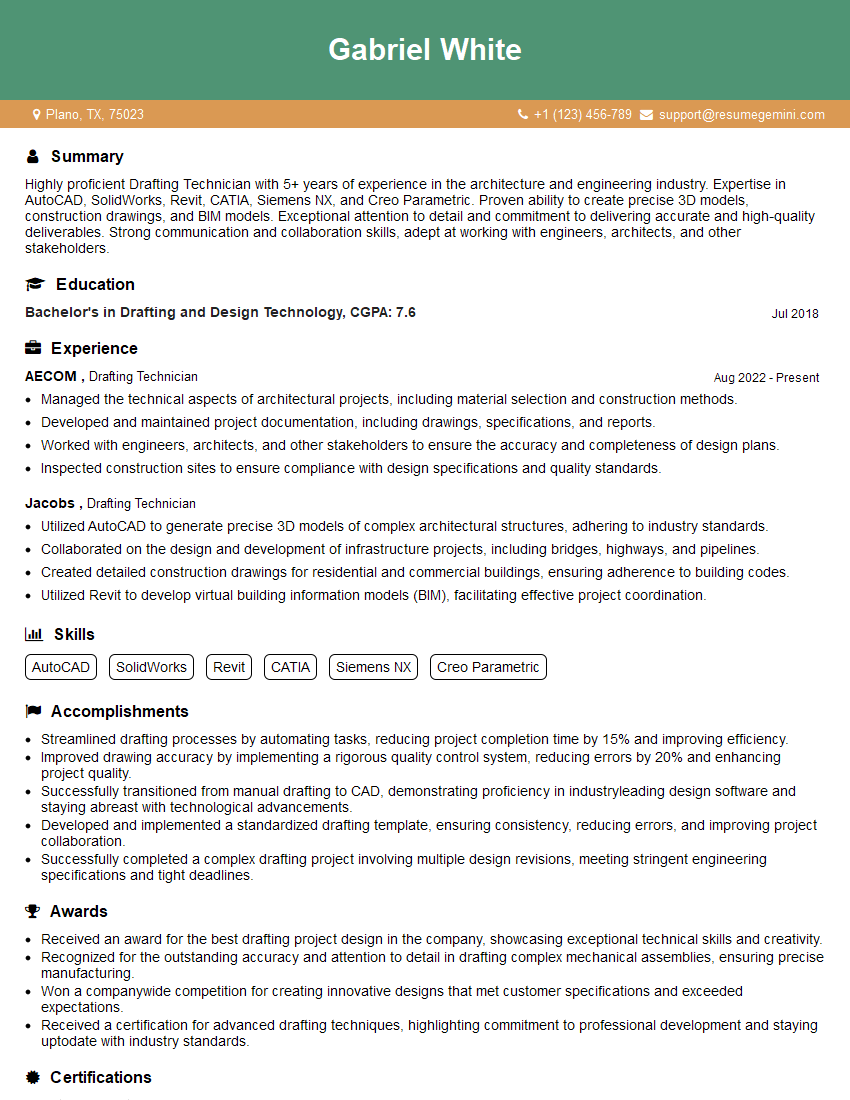
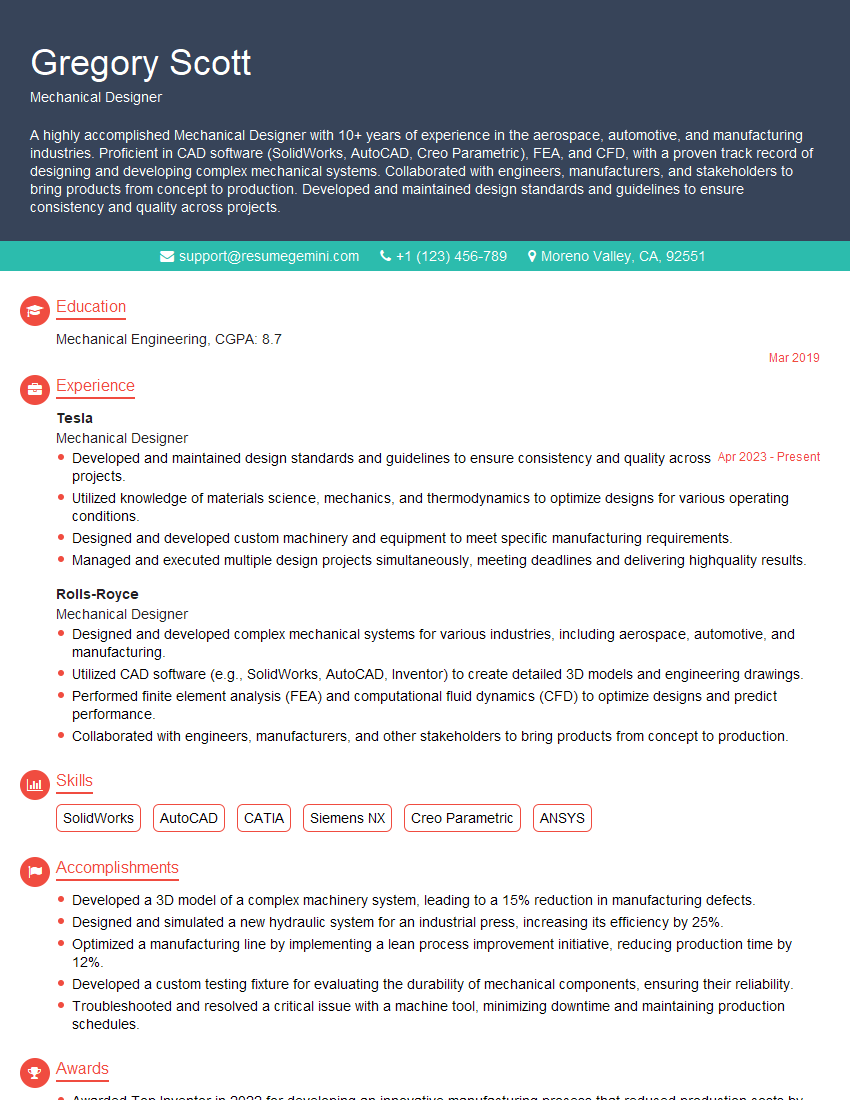
Mastering 3D modeling software like CATIA, NX, and SolidWorks is crucial for a successful career in engineering and design, opening doors to exciting opportunities and higher earning potential. To maximize your job prospects, crafting a compelling and ATS-friendly resume is essential. ResumeGemini can help you create a professional and impactful resume that highlights your skills and experience effectively. ResumeGemini provides examples of resumes tailored to 3D Modeling (CATIA, NX, SolidWorks) professionals, giving you a head start in showcasing your expertise to potential employers.





Explore more articles
Users Rating of Our Blogs
Share Your Experience
We value your feedback! Please rate our content and share your thoughts (optional).
What Readers Say About Our Blog
Very informative content, great job.
good