Interviews are more than just a Q&A session—they’re a chance to prove your worth. This blog dives into essential 3D Modeling (CATIA, SolidWorks, Creo Parametric) interview questions and expert tips to help you align your answers with what hiring managers are looking for. Start preparing to shine!
Questions Asked in 3D Modeling (CATIA, SolidWorks, Creo Parametric) Interview
Q 1. Explain the difference between wireframe, surface, and solid modeling.
The three modeling techniques – wireframe, surface, and solid – represent different levels of geometric complexity and data representation in 3D CAD software. Think of it like building a house: wireframe is the basic outline, surface adds the walls and roof, and solid provides the complete structure, including the interior.
- Wireframe Modeling: This is the most basic form, representing the model as a collection of lines and points defining its edges. It’s lightweight and useful for early-stage design exploration and sketching, but lacks information about the surfaces and volume. Imagine drawing a simple cube using only lines – that’s a wireframe.
- Surface Modeling: Here, we add surfaces to the wireframe. These surfaces are defined mathematically and represent the exterior of the object. This method is excellent for creating aesthetically pleasing shapes, such as car bodies or airplane fuselages, where the outer shape is crucial. However, it doesn’t inherently contain information about the object’s thickness or interior volume. Think of creating a clay model – you’re shaping the outer surface.
- Solid Modeling: This is the most complete representation, defining a three-dimensional object with volume, mass, and properties like density. This method is used for detailed engineering designs, as it provides the necessary data for analysis like Finite Element Analysis (FEA) and manufacturing processes. A fully rendered, 3D-printable model is a solid model.
In practice, we often use a combination of these techniques. For instance, we might start with a wireframe concept, then create a surface model for visualization, and finally build a solid model for detailed engineering and manufacturing.
Q 2. Describe your experience with feature-based modeling.
Feature-based modeling is my preferred method in all three CAD packages (CATIA, SolidWorks, Creo). It’s a powerful approach that builds a model by adding or subtracting features, such as extrudes, revolves, cuts, and holes, incrementally. Each feature has parameters which allow you to easily modify the design later.
For example, imagine designing a simple bracket. I would start with a base feature (a block of material), then add an extrude to create a flange, followed by a hole feature. Each feature is recorded in the software’s history tree, allowing for easy modifications. Want to make the hole larger? Simply edit the hole feature’s diameter parameter, and the entire model updates automatically. This parametric approach saves significant time and reduces errors.
My experience spans several projects, including the design of complex mechanical assemblies where feature-based modeling significantly streamlined the design and modification processes. I’m proficient in using advanced features like patterned features, sweeps, and variable section features in all three platforms.
Q 3. How do you handle large assemblies in SolidWorks/CATIA/Creo?
Handling large assemblies effectively involves a strategic approach employing several techniques. The key is to manage complexity and optimize performance.
- Component simplification: Representing sub-assemblies as single components reduces the number of individual parts in the main assembly, improving performance. This also allows for modular design changes.
- Lightweight components: Utilizing lightweight components, where possible, significantly reduces file size and improves loading times. This often involves using simplified geometry for parts that are not critical to the assembly’s overall functionality.
- Component suppression: Temporary suppression of components, when working on a specific section of the assembly, dramatically boosts performance. This is particularly useful during detailed design reviews.
- Assembly management tools: Leveraging the inherent assembly management tools in each software (like SolidWorks’ large assembly tools, CATIA’s assembly design, or Creo’s assembly modeling) is crucial. These tools offer features like top-down assembly structures and efficient component organization.
- High-performance hardware: Sufficient RAM and a fast processor are critical. This is a fundamental requirement for smooth performance with complex assemblies.
In a recent project involving a large automotive assembly, implementing these techniques allowed us to manage an assembly with over 10,000 parts with relative ease, ensuring smooth performance and efficient design iterations.
Q 4. What are your preferred techniques for managing design revisions?
Design revision management is critical to maintain consistency and traceability. I primarily rely on the built-in revision control systems of the CAD software, complemented by a robust file management system outside of the software.
- Version Control Systems: Using the built-in version control features (like SolidWorks’ Revision Manager or CATIA’s VPM) allows me to track changes and revert to previous versions if needed. This provides a complete history of design modifications.
- File Naming Conventions: Employing a clear and consistent file naming convention is essential. This includes incorporating revision numbers (e.g.,
PartName_RevA.prt,PartName_RevB.prt) for easy identification and retrieval. - Data Management System (DMS): A central DMS, like PDM Link or Windchill, is vital for larger projects. It allows for controlled access, version history tracking, and collaborative design changes.
- Regular Backups: Frequent backups are non-negotiable, ensuring data security and preventing potential data loss due to software crashes or hardware failure.
In projects with multiple engineers, a well-defined revision control process significantly improves collaboration and reduces the risk of working with outdated designs.
Q 5. Explain your understanding of parametric modeling.
Parametric modeling is the foundation of modern CAD. It’s a method where the geometry of a model is defined by parameters rather than fixed dimensions. Changes to these parameters automatically update the entire model. Imagine it as a mathematical equation – changing the input (parameter) automatically changes the output (model geometry).
For instance, if I design a cylinder with a diameter and height parameter, changing the diameter automatically updates the cylinder’s size in the model, rather than requiring manual adjustments. This feature allows for rapid design exploration and modification without needing to redraw the entire model. This parametric approach is a time saver and reduces the risk of errors. All three CAD systems I use – CATIA, SolidWorks, and Creo – are fully parametric.
The benefits include: easier design modification, consistent updates throughout the model, automation of repetitive tasks, and increased design flexibility. A real-world example is designing a family of parts where only minor dimensional parameters change across the variations.
Q 6. Describe your experience with different types of constraints in CAD software.
Constraints are fundamental to parametric modeling. They define the relationships between different geometric elements in a model, ensuring the model behaves as expected when parameters are modified. These are like the rules of the construction game, preventing the structure from collapsing.
- Geometric Constraints: These define relationships like parallelism, perpendicularity, tangency, concentricity, and symmetry between elements. For example, ensuring two faces are parallel or two circles are concentric.
- Dimensional Constraints: These specify distances, angles, and radii between elements. For example, specifying the distance between two points or the angle between two lines.
- Mate Constraints: These are crucial in assemblies, defining how components connect. Examples include fixed joints, revolute joints, and sliding joints.
My expertise includes the application of all constraint types in each CAD system. I have successfully used them in complex projects requiring precise alignment and controlled movement between components, ensuring design accuracy and manufacturability.
Q 7. How do you create and manage design templates?
Design templates are pre-configured files containing standard settings, parts, and assemblies, used as a starting point for new projects. They streamline the design process by providing a consistent framework and reducing repetitive tasks. Think of it as a pre-set canvas with essential elements already in place, ready to be customized for a new painting.
I typically create templates that include: standard units, company logos, predefined materials, often-used components, and pre-set views. For instance, a template for a mechanical part might include default material properties, commonly used tolerances, and a pre-defined coordinate system. Templates for assemblies might include standardized connection styles and parts.
Managing templates involves careful organization and version control. I usually store them in a dedicated folder within the company’s DMS, ensuring clear labeling and versioning. Regular updates ensure that templates reflect the latest company standards and best practices. This consistency across designs significantly improves efficiency and reduces errors.
Q 8. What is your experience with creating and managing drawings from your 3D models?
Creating and managing drawings from 3D models is a crucial aspect of the design process. It involves generating 2D representations that communicate design intent, manufacturing specifications, and assembly instructions. My experience spans all three platforms – CATIA, SolidWorks, and Creo Parametric – and includes generating various drawing types, including assembly drawings, detail drawings, and general arrangement drawings.
In CATIA, I’m proficient in using the Drafting workbench to create detailed views, sections, and annotations. I leverage tools for automatic dimensioning and tolerancing, ensuring consistency and accuracy. Similarly, in SolidWorks, I utilize the Drawing feature to generate detailed drawings, employing smart dimensions and automatic BOM generation. Creo Parametric offers similar capabilities, with advanced features like automatic part numbering and customisable templates for efficient drawing creation. Beyond generating drawings, I’m adept at managing drawing revisions, utilizing version control systems to maintain traceability and manage changes throughout the product lifecycle. For instance, on a recent project designing a complex automotive component, I effectively managed over 50 drawing revisions, ensuring clear communication and collaboration amongst the design and manufacturing teams.
My approach prioritizes clarity and precision. I ensure all dimensions, tolerances, and material specifications are clearly indicated and adhere to industry standards. I also consistently use standardized templates and naming conventions to ensure consistency and efficient retrieval of drawings within the project.
Q 9. Explain your understanding of datum planes and their importance.
Datum planes are fundamental reference planes in 3D modeling, serving as the foundation for defining geometry and establishing coordinate systems. Think of them as the anchors for your design, enabling precise positioning and dimensioning of features. They’re essential for creating complex parts and assemblies and ensuring dimensional accuracy during manufacturing.
In practical terms, datum planes help to avoid ambiguity. Imagine designing a complex part with multiple features; without datum planes, defining the position and orientation of these features would become extremely difficult and prone to errors. Each CAD software (CATIA, SolidWorks, Creo) has its methods for creating datum planes, often from existing faces, edges, or points. In SolidWorks, for instance, you’d create a datum plane by selecting two points or a line and a point. These then become the basis for future feature creation, ensuring that every feature’s position is explicitly defined relative to a known reference.
The importance of datum planes stems from their role in GD&T (Geometric Dimensioning and Tolerancing). They provide the reference frame for defining tolerances, enabling precise specification of how much variation is acceptable in the final product’s dimensions and geometry. Ignoring datum planes can lead to misinterpretations of design intent and manufacturing errors.
Q 10. How do you create and manage design libraries?
Creating and managing design libraries is crucial for streamlining the design process and ensuring design consistency. It involves organizing reusable components, such as standard parts, sub-assemblies, and symbols, into a structured repository. This minimizes redundant work, improves design efficiency, and guarantees a standardized approach across projects.
My approach involves a combination of techniques. Firstly, I meticulously organize the library based on part type, function, or other relevant criteria. This ensures easy retrieval of components and prevents chaos within the library. I utilize the built-in library management tools provided by each CAD software (like SolidWorks’s ContentCenter or CATIA’s component library) to streamline organization and version control. Each part within the library is thoroughly documented with metadata, including descriptions, revisions, and relevant specifications. This is crucial for ensuring everyone can understand how and when to use a part. Furthermore, I frequently implement robust version control systems (like PDM – Product Data Management) to manage revisions and prevent conflicts within the library itself.
For example, in a recent project involving the design of multiple variations of a mobile robotic arm, I created a library of standard robotic joints and actuators. This reusable library greatly accelerated subsequent designs and improved consistency across the various arm configurations.
Q 11. What are your preferred methods for data exchange between CAD systems?
Data exchange between different CAD systems is a common challenge. My preferred methods prioritize accuracy, maintainability, and ease of use. I primarily utilize industry-standard neutral formats like STEP (AP214, AP242) and IGES, offering a high degree of compatibility across platforms.
STEP is usually my first choice due to its ability to handle complex data and preserve more design intent compared to IGES. However, depending on the complexity of the model and the specific requirements of the recipient system, I might choose IGES for its simpler file structure which can be faster for transfer. I also frequently utilize native file formats when exchanging data between systems using the same CAD software. For instance, directly sharing a SolidWorks part file (.sldprt) with a colleague using SolidWorks is straightforward and preserves all design features.
Beyond file formats, my approach includes careful consideration of units, coordinate systems, and data cleaning before exporting. I often perform quality checks after importing into the target system to ensure all data integrity is maintained. Occasionally, I’ll utilize specialized translation tools when dealing with less common formats or extremely large assemblies, ensuring data fidelity throughout the transfer process.
Q 12. Describe your experience with surface modeling techniques (e.g., blending, lofting).
Surface modeling is a critical technique for creating aesthetically pleasing and functionally optimized parts, especially in automotive, aerospace, and consumer product design. My experience encompasses various techniques, including blending, lofting, and sweeping. Blending involves creating smooth transitions between surfaces, whereas lofting creates a surface through a series of cross-sections, and sweeping generates a surface by moving a profile along a path.
I frequently employ blending to create ergonomic handles or smooth transitions between different components of a design. This ensures aesthetic appeal and enhances the overall design quality. Lofting is invaluable when modeling complex, freeform shapes, like aerodynamic car bodies or airplane fuselages. I utilize control points and cross-sections to fine-tune the surface shape. Sweeping, on the other hand, is often used for creating simple, repetitive features like a cylindrical housing generated by sweeping a circle along a straight line.
In CATIA, I proficiently use the ‘GSD’ (Generative Shape Design) workbench for sophisticated surface modeling. SolidWorks’s ‘Surface’ features are also frequently used for similar tasks. Both software packages provide ample control over surface curvature, continuity, and overall shape.
For example, during a recent product design project, I used lofting to create the aerodynamic shell of a concept electric vehicle, achieving both aesthetics and optimization of airflow. The blend feature helped me smooth transitions between major body panels.
Q 13. How do you perform tolerance analysis in your designs?
Tolerance analysis is crucial for ensuring that a design functions correctly within its specified limits. It involves analyzing the variations in dimensions and tolerances of individual components to assess their impact on the overall assembly. This helps identify potential interference issues or deviations from the intended functionality.
My approach often includes a combination of techniques. I utilize the tolerance analysis features built into the CAD software, which often allow for statistical analysis and simulations to predict the potential range of variation in the final assembly. I also manually calculate tolerance stacks, especially for critical dimensions or areas. This helps to identify the most significant contributors to overall tolerance accumulation and allows for targeted design improvements. For instance, if a shaft needs to fit snugly into a bearing, I will carefully analyze the tolerances of both the shaft and bearing to prevent undue clearances or interference. Moreover, I often engage in design reviews with engineers from different disciplines, to ensure everyone understands the tolerance implications of design decisions.
In SolidWorks, the ‘Tolerance Analysis’ tool facilitates this process. Similar functionality is available in CATIA and Creo Parametric. My experience extends to using specialized tolerance analysis software in cases of high complexity.
Q 14. Explain your understanding of geometric dimensioning and tolerancing (GD&T).
Geometric Dimensioning and Tolerancing (GD&T) is a standardized system for specifying tolerances and geometric controls on engineering drawings. It’s an extension of traditional dimensioning, providing a more precise and unambiguous way to define acceptable variations in a product’s dimensions and geometry. It employs symbols and annotations to clearly communicate design intent and manufacturing requirements.
Understanding GD&T is vital for effective communication between designers, manufacturers, and quality control personnel. It minimizes ambiguity and avoids misunderstandings that could lead to costly errors during manufacturing or assembly. I’m proficient in applying GD&T principles across all my CAD software, using the available tools for creating and managing annotations such as position tolerances, perpendicularity, flatness, and runout.
For instance, instead of simply specifying a hole’s diameter, GD&T allows me to define its position relative to other features, specifying acceptable variations in its location. This ensures that the hole is not only the right size but also correctly positioned to ensure proper function. Understanding and applying GD&T effectively avoids costly rework and ensures products meet their specified functionalities.
Q 15. What is your experience with finite element analysis (FEA)?
Finite Element Analysis (FEA) is a powerful computational method used to predict how a product reacts to real-world forces, vibration, heat, fluid flow, and other physical effects. My experience with FEA spans several years and multiple software packages, including ANSYS and Abaqus, integrated with my CAD workflows in CATIA, SolidWorks, and Creo Parametric. I’ve used FEA to analyze everything from the stress distribution in a complex engine component to the vibrational modes of a delicate medical device. For instance, in one project, we used FEA to optimize the design of a car chassis to withstand impact forces, resulting in a 15% reduction in weight without compromising safety.
My process typically involves creating a detailed finite element model of the part in the CAD software, meshing the model to define the elements for analysis, applying boundary conditions representing the real-world scenario, and finally running the simulation to obtain results. Interpreting these results is crucial; it involves identifying areas of high stress, deflection, or other critical parameters to inform design modifications.
Career Expert Tips:
- Ace those interviews! Prepare effectively by reviewing the Top 50 Most Common Interview Questions on ResumeGemini.
- Navigate your job search with confidence! Explore a wide range of Career Tips on ResumeGemini. Learn about common challenges and recommendations to overcome them.
- Craft the perfect resume! Master the Art of Resume Writing with ResumeGemini’s guide. Showcase your unique qualifications and achievements effectively.
- Don’t miss out on holiday savings! Build your dream resume with ResumeGemini’s ATS optimized templates.
Q 16. Describe your experience with simulations (e.g., stress analysis, fluid dynamics).
My simulation experience encompasses various types of analyses, including stress analysis, modal analysis (vibration), thermal analysis, and basic fluid dynamics simulations (using tools like CFD modules within ANSYS). Stress analysis is a cornerstone of my work, used frequently to ensure parts can withstand expected loads. For example, I used stress analysis in SolidWorks Simulation to optimize the design of a bicycle frame, minimizing weight while ensuring sufficient strength to withstand rider stress. Modal analysis helped predict and mitigate resonant frequencies in a precision robotic arm design. Fluid dynamics simulations, though less frequent, have been valuable in designing components for optimal flow, such as the cooling system for an electronic enclosure.
I understand the importance of selecting the appropriate simulation type for the specific engineering problem and the need for validating simulation results with physical testing where necessary. A good simulation is not just about the numbers; it’s about interpreting the results and translating them into actionable design improvements.
Q 17. How do you ensure data integrity in a collaborative design environment?
Data integrity in collaborative design environments is paramount. My approach relies on a combination of strategies. Firstly, I use a robust version control system like PDM (Product Data Management) systems integrated with our CAD software. This allows for tracking changes, managing different revisions, and reverting to previous versions if necessary. Think of it like Google Docs for 3D models; everyone can work simultaneously, and changes are tracked.
Secondly, clear naming conventions and a well-defined file structure are crucial. This prevents confusion and ensures everyone is working with the correct files. Thirdly, regular communication and clearly defined roles and responsibilities within the team are vital. Finally, we frequently conduct design reviews to ensure everyone is on the same page and potential issues are identified early on. This proactive approach minimizes the risks associated with conflicting changes or accidental data loss.
Q 18. What are your preferred methods for design review and feedback?
My preferred methods for design review and feedback include a multi-pronged approach. Formal design reviews are conducted using presentation software, where the design is presented to a team, and feedback is gathered and documented. These meetings are crucial for catching major design flaws and getting diverse perspectives. Additionally, I frequently use markup tools integrated into our CAD software or cloud-based collaborative platforms like SharePoint to annotate models directly and provide specific feedback on geometry, dimensions, or tolerances.
Informal feedback sessions are also valuable. These can be quick discussions with colleagues to get their initial thoughts or bounce ideas around. The key is utilizing a combination of formal and informal methods to ensure thorough and timely feedback is incorporated into the design process.
Q 19. Describe your experience with different CAD file formats (e.g., STEP, IGES, STL).
I have extensive experience working with various CAD file formats, including STEP (Standard for the Exchange of Product data), IGES (Initial Graphics Exchange Specification), and STL (Stereolithography). STEP is my preferred format for exchanging complex, feature-rich models between different CAD systems because it preserves much of the design intent. IGES is a more legacy format, and while less robust, it’s still used for interoperability. STL is primarily used for additive manufacturing (3D printing) as it represents the surface geometry as a collection of triangles.
Understanding the nuances of each format is critical. For instance, transferring a complex assembly using STEP is generally smoother than using IGES, which might lose some design features. Similarly, STL files should be carefully examined for sufficient resolution to ensure accurate representation of the 3D printed part. Choosing the correct format based on the intended application and target software is crucial for a smooth workflow.
Q 20. How do you optimize 3D models for manufacturing?
Optimizing 3D models for manufacturing involves considering several factors: manufacturability, cost, and assembly. The goal is to design parts that are easily and cost-effectively produced. This includes simplifying geometry to reduce machining time, ensuring proper draft angles for molding processes, and avoiding undercuts that would hinder casting or molding. For example, I’ve redesigned parts to use simpler geometries, reducing the number of machining operations required and thus significantly cutting production time.
Furthermore, I use tools within my CAD software to perform design for manufacturing (DFM) analysis. These tools automatically check the design for potential manufacturing issues, identifying areas that might be difficult or expensive to produce. This proactive approach minimizes the risk of encountering problems during the manufacturing phase and allows for timely design modifications.
Q 21. Explain your experience with additive manufacturing (3D printing).
My experience with additive manufacturing (3D printing) includes working with various technologies, such as Fused Deposition Modeling (FDM), Stereolithography (SLA), and Selective Laser Melting (SLM). I’m proficient in preparing models for 3D printing, which involves ensuring the model meets the specific requirements of the chosen printing technology. This includes mesh repair, orientation optimization for minimizing support structures, and selecting appropriate layer heights and infill densities to balance part strength and print time. I’ve used 3D printing for prototyping, creating functional parts, and even manufacturing small-scale production runs.
Understanding the limitations and capabilities of different 3D printing technologies is vital. For example, FDM is suitable for rapid prototyping, while SLM is better suited for high-strength, complex parts. Choosing the right technology depends on the part’s geometry, material requirements, and the desired level of accuracy and surface finish.
Q 22. How do you handle design changes efficiently?
Handling design changes efficiently is crucial in a fast-paced engineering environment. My approach centers around utilizing the parametric capabilities of CAD software like CATIA, SolidWorks, and Creo Parametric. Instead of manually altering geometry, I leverage design parameters and equations. This means changes to one parameter, like a component dimension, automatically propagate through the entire model, ensuring consistency and minimizing errors.
For instance, imagine designing a car engine block. Instead of directly modeling the cylinder bore diameter, I’d define it as a parameter. If the design requires a larger bore, I simply change the parameter value, and the entire engine block updates accordingly. This dramatically reduces rework and maintains design integrity. Furthermore, I heavily utilize version control within the CAD software, allowing me to track changes, revert to previous iterations, and collaborate effectively with my team. This ensures a clear audit trail and simplifies the process of managing revisions. Finally, clear and concise communication with the design team is key to swiftly addressing changes and avoiding misinterpretations.
Q 23. Describe your experience with creating detailed manufacturing drawings.
Creating detailed manufacturing drawings is a critical aspect of my work, ensuring seamless transition from design to production. My experience spans across all three software packages mentioned – CATIA, SolidWorks, and Creo Parametric. I meticulously document all necessary dimensions, tolerances, material specifications, surface finishes, and annotations required for manufacturing. I leverage the drawing tools within each software to create clear and unambiguous views – sectional views, detail views, and auxiliary views, as needed. For complex assemblies, I create detailed assembly drawings showing component relationships and exploded views to facilitate assembly.
I pay close attention to GD&T (Geometric Dimensioning and Tolerancing) to specify the permissible variations in dimensions and form, ensuring that the manufactured parts meet the design requirements. I always ensure the drawings comply with relevant industry standards (like ASME Y14.5) to ensure clarity and avoid manufacturing ambiguities. For example, in creating drawings for a complex injection-molded part, I’d carefully define draft angles, wall thicknesses, and parting lines to ensure manufacturability. I also frequently utilize templates and standardized drawing formats within the software to maintain consistency and efficiency.
Q 24. What are some common challenges you have faced during 3D modeling and how did you overcome them?
One common challenge is managing large and complex assemblies. The sheer number of parts and their intricate relationships can lead to performance issues and slow down the design process. To overcome this, I use techniques like part suppression, component simplification (replacing detailed parts with simpler representations for initial design phases), and utilizing assembly features efficiently. For instance, in assembling a complex gearbox, I might start by assembling major sub-assemblies individually and then combining them as a final step. This modular approach greatly enhances performance and simplifies design management.
Another challenge is data compatibility issues when working with different software platforms or legacy data formats. I address this by employing various data translation tools and carefully managing file formats. Understanding the strengths and limitations of each format is essential to avoid data loss or corruption. For instance, when exchanging data between SolidWorks and CATIA, I carefully select appropriate translation settings to preserve critical design details.
Q 25. How do you stay updated with the latest advancements in 3D modeling software?
Staying current with 3D modeling advancements is paramount. I actively participate in online forums, webinars, and training courses offered by the software vendors (Dassault Systèmes, SolidWorks, PTC). These resources provide valuable insights into new features, best practices, and workflow improvements. I also regularly read industry publications and technical journals related to CAD and engineering design.
Furthermore, I actively engage in online communities and professional networks (like LinkedIn) where engineers share their experiences, insights, and tips. Participating in these communities helps me learn from others, keep abreast of the latest industry trends, and expand my knowledge base. Attending conferences and workshops also provides invaluable opportunities to network with industry experts and learn about the newest developments firsthand.
Q 26. Explain your understanding of different meshing techniques for simulations.
Meshing is a crucial preprocessing step in Finite Element Analysis (FEA) and Computational Fluid Dynamics (CFD) simulations. It involves dividing a 3D model into a collection of smaller, simpler elements (like tetrahedrons or hexahedrons) for numerical analysis. Different meshing techniques offer varying levels of accuracy and computational efficiency.
Tetrahedral meshing is a widely used method due to its adaptability to complex geometries. However, it can be less accurate than hexahedral meshing, especially for stress analysis around curved surfaces. Hexahedral meshing, while more structured and potentially more accurate, requires significant manual effort for complex shapes and may not be suitable for all geometries. I also have experience with hybrid meshing, combining tetrahedral and hexahedral elements to optimize accuracy and computational efficiency depending on the specific needs of the simulation. The choice of meshing technique depends on factors like the complexity of the geometry, the type of analysis, the desired level of accuracy, and the available computational resources. A finer mesh provides better accuracy but increases computational time and demands higher processing power. Refining mesh in critical areas, such as stress concentration zones, is a common practice to improve accuracy without unnecessary computational overhead.
Q 27. Describe your experience using scripting or automation within your preferred CAD software.
I have extensive experience using scripting and automation within SolidWorks, primarily utilizing VBA (Visual Basic for Applications). This allows me to automate repetitive tasks, improving efficiency and reducing the likelihood of human error. For example, I’ve developed macros to automate the creation of parts and assemblies based on specific design parameters, reducing design time considerably.
'Example VBA code snippet for creating a simple SolidWorks part: Sub CreateSimplePart() Dim swApp As SldWorks.Application Set swApp = Application.SldWorks ' ...Rest of the code to create a part with specific dimensions... End Sub
In another instance, I developed a script to automatically generate drawing views and annotations based on a template, further streamlining the documentation process. This automation helps to maintain consistency and reduces the possibility of inconsistencies across multiple drawings. The benefits extend beyond time savings; automation minimizes manual effort, freeing me to focus on more complex design and analysis tasks. My experience with scripting has enabled me to develop tailored solutions that address specific needs, improve design workflow, and significantly increase overall productivity.
Key Topics to Learn for 3D Modeling (CATIA, SolidWorks, Creo Parametric) Interview
- Fundamentals of 3D Modeling: Understanding the core principles of 3D modeling, including concepts like sketching, feature creation, assembly modeling, and part design. Practice with each software (CATIA, SolidWorks, Creo Parametric) to understand their unique workflows.
- Advanced Modeling Techniques: Explore techniques like surface modeling, solid modeling, and sheet metal modeling. Be prepared to discuss your proficiency in creating complex geometries and managing large assemblies.
- Part Design & Manufacturing Considerations: Demonstrate knowledge of designing for manufacturability (DFM), including understanding tolerances, material selection, and common manufacturing processes. This includes knowledge of GD&T (Geometric Dimensioning and Tolerancing).
- Assembly Modeling & Constraints: Showcase your expertise in creating and managing complex assemblies, applying constraints effectively, and ensuring proper assembly functionality. Discuss different assembly techniques and their applications.
- Data Management & Collaboration: Understand the importance of data management in a collaborative design environment. Discuss your experience using PDM (Product Data Management) systems or other collaborative tools within your chosen software.
- Simulation & Analysis (FEA/CFD): While not always required, demonstrating familiarity with basic simulation techniques (Finite Element Analysis or Computational Fluid Dynamics) can significantly enhance your candidacy. Highlight any experience using integrated simulation tools within your chosen software.
- Software-Specific Knowledge: Be prepared to demonstrate a deep understanding of the specific features, functionalities, and workflows of at least one of the mentioned software packages (CATIA, SolidWorks, Creo Parametric). Highlight any specialized toolbars, add-ons, or macros you’ve utilized effectively.
- Problem-Solving & Troubleshooting: Prepare examples of how you’ve overcome challenges during the 3D modeling process. Highlight your ability to troubleshoot errors, optimize designs, and efficiently find solutions.
Next Steps
Mastering 3D modeling software like CATIA, SolidWorks, and Creo Parametric is crucial for a successful and rewarding career in engineering and design. These skills are highly sought after, opening doors to diverse and challenging roles. To maximize your job prospects, creating a strong and ATS-friendly resume is paramount. ResumeGemini is a trusted resource to help you build a professional and impactful resume tailored to your specific skills and experience. We provide examples of resumes specifically designed for 3D modeling professionals using CATIA, SolidWorks, and Creo Parametric to help you get started. Take the next step towards your dream career today!

Project Engineer Resume Sample

Design Engineer Resume Sample
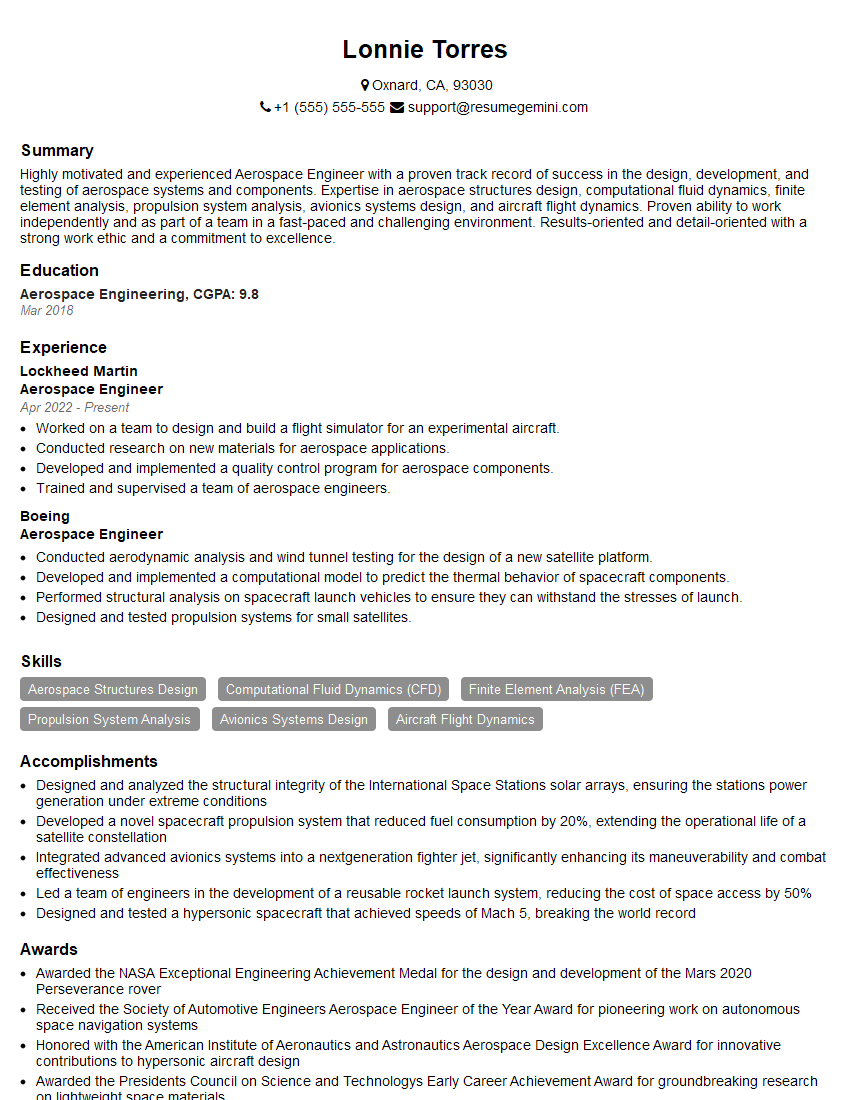
Aerospace Engineer Resume Sample

Manufacturing Engineer Resume Sample
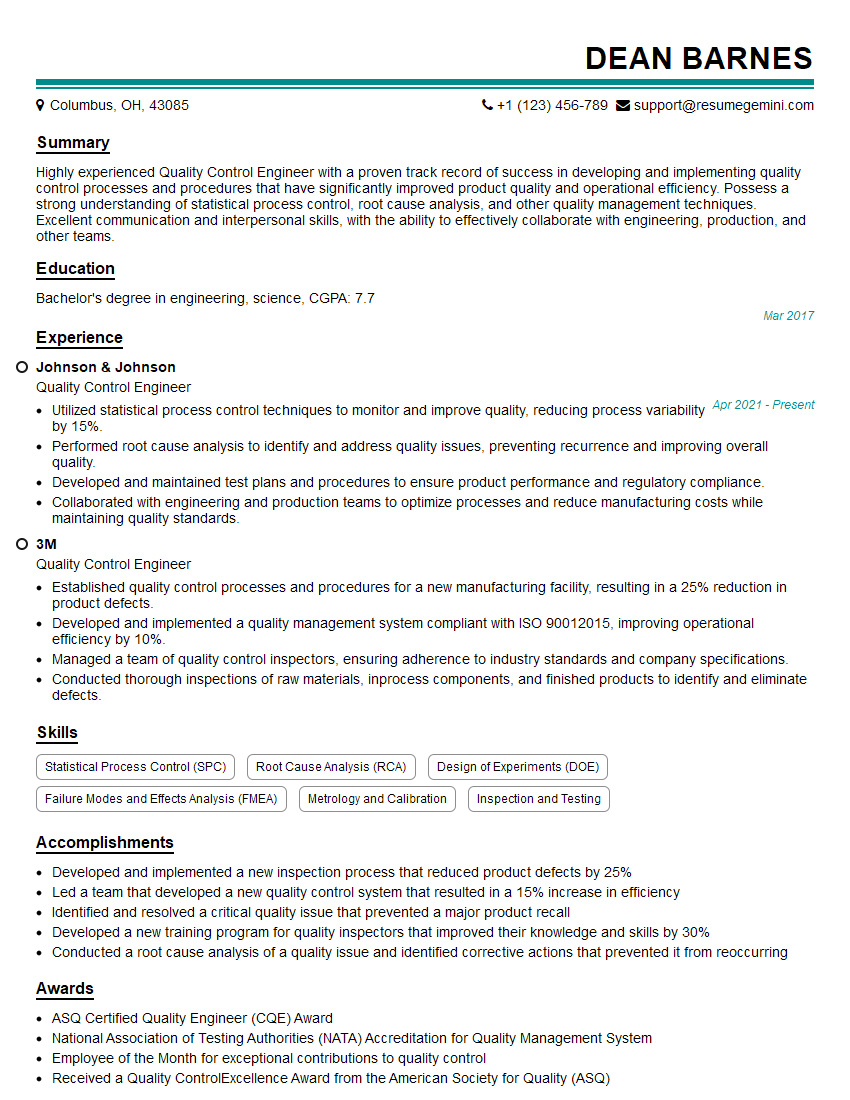
Quality Control Engineer Resume Sample
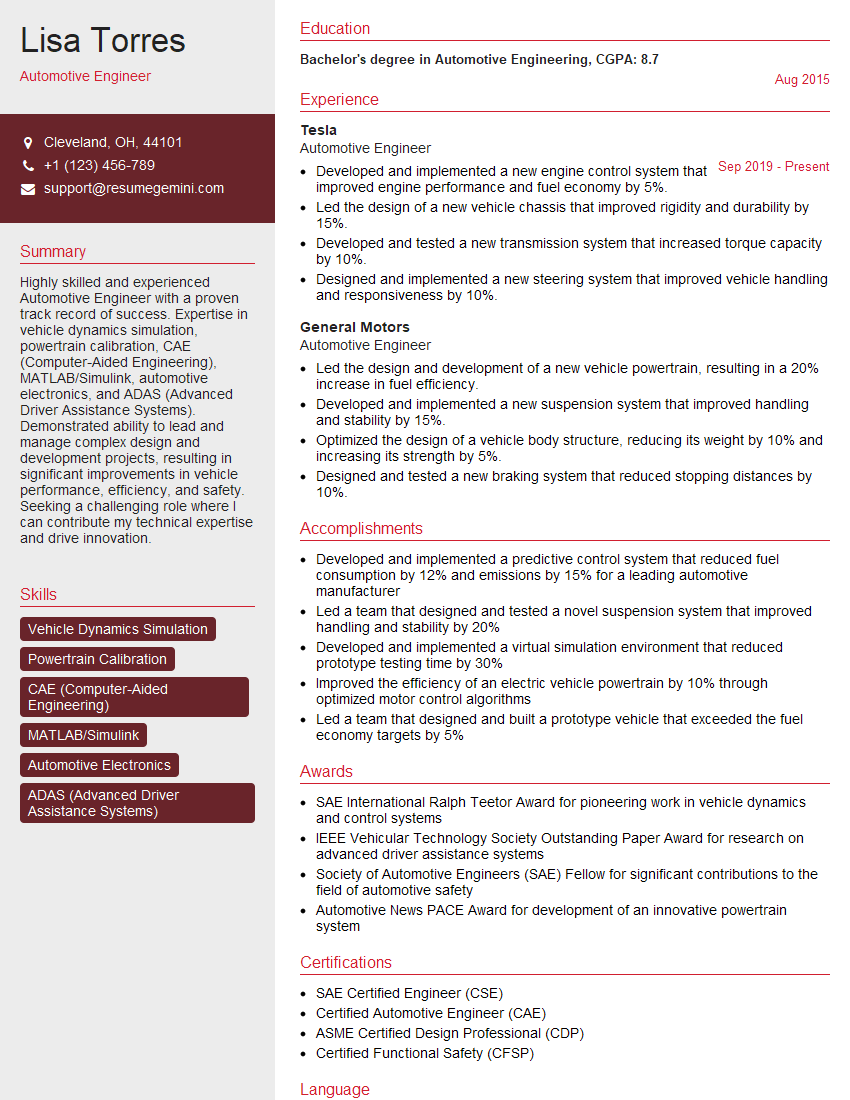
Automotive Engineer Resume Sample

Robotics Engineer Resume Sample
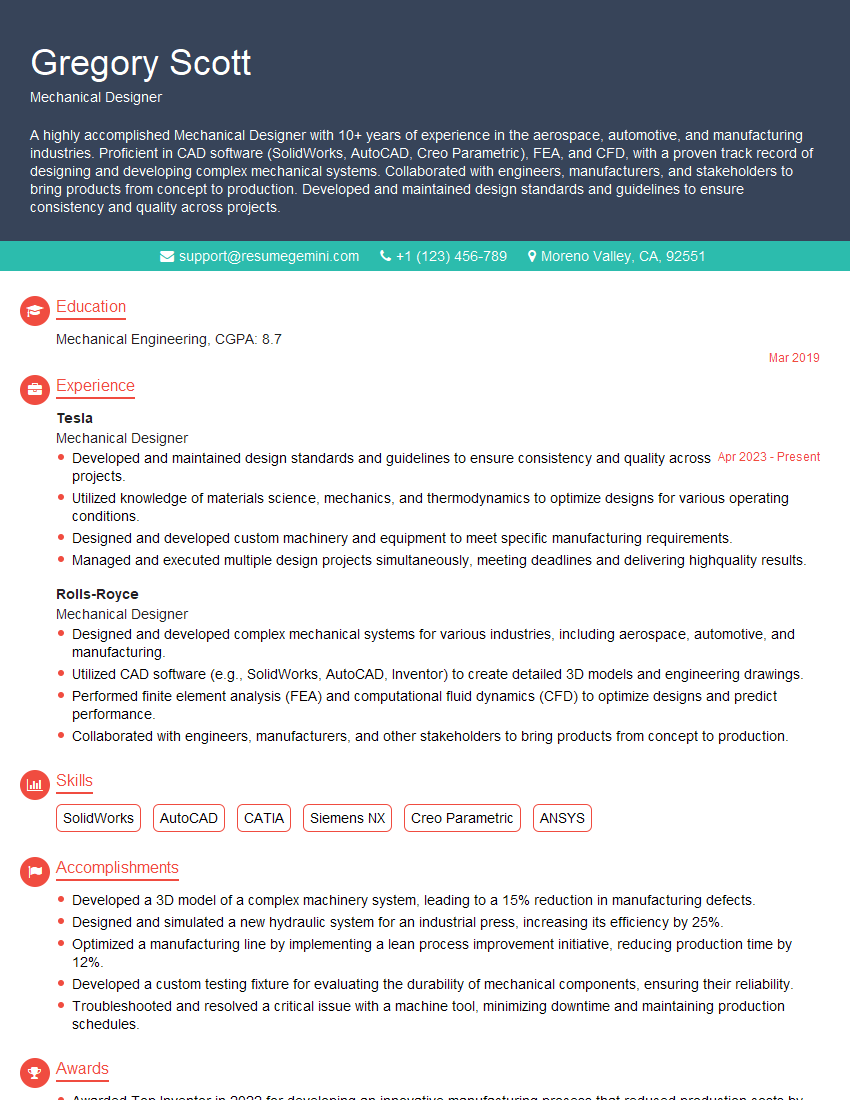
Mechanical Designer Resume Sample

Technical Designer Resume Sample

Product Designer Resume Sample

3D Modeler Resume Sample
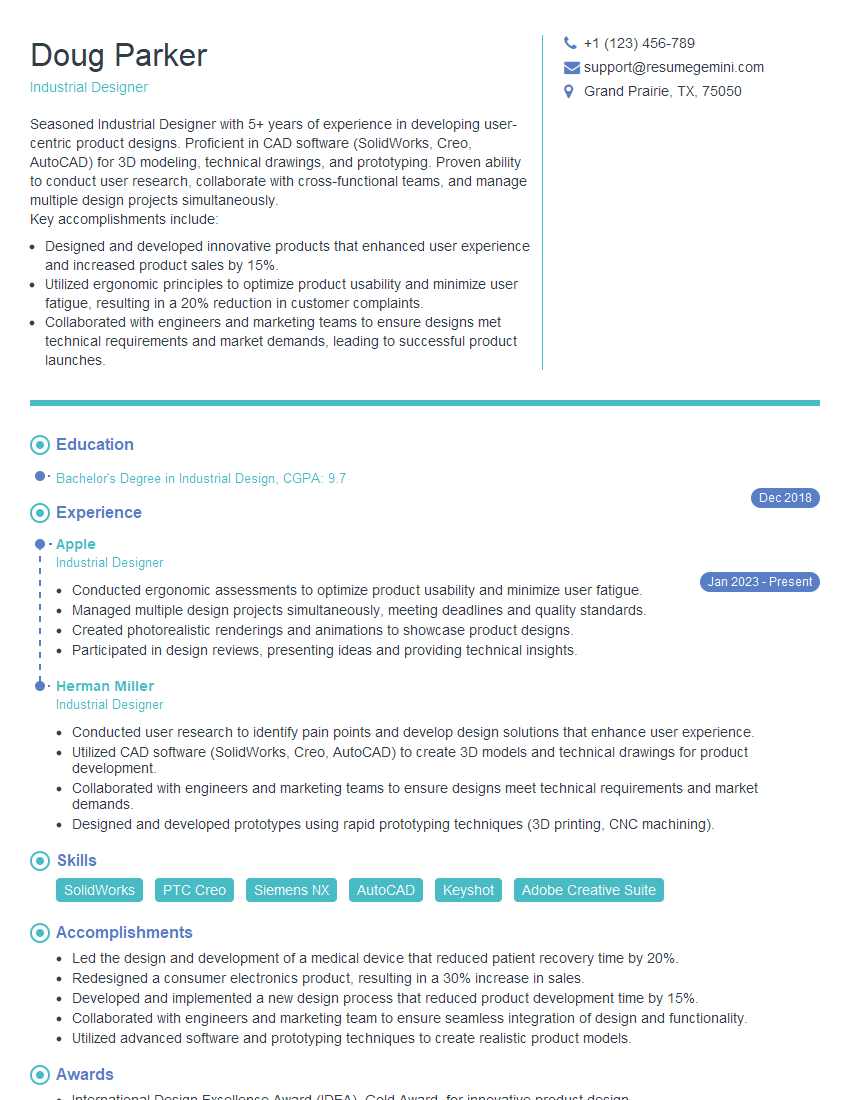
Industrial Designer Resume Sample
Explore more articles
Users Rating of Our Blogs
Share Your Experience
We value your feedback! Please rate our content and share your thoughts (optional).
What Readers Say About Our Blog
Very informative content, great job.
good