Cracking a skill-specific interview, like one for Ability to Calibrate and Maintain Printing Equipment, requires understanding the nuances of the role. In this blog, we present the questions you’re most likely to encounter, along with insights into how to answer them effectively. Let’s ensure you’re ready to make a strong impression.
Questions Asked in Ability to Calibrate and Maintain Printing Equipment Interview
Q 1. Explain the process of calibrating a digital printing press.
Calibrating a digital printing press is crucial for ensuring consistent and accurate color reproduction. It involves a series of adjustments to align the various components of the press, such as the ink delivery system, the image transfer mechanism, and the paper path. Think of it like tuning a musical instrument – each part needs to be in perfect harmony to produce the desired output.
The process typically begins with a color profile check using standardized color charts (like those from Pantone or Fogra). This establishes a baseline for comparison. Next, we adjust the ink density using specialized software and hardware controls. This involves fine-tuning the amount of ink deposited per color. We’ll then examine and adjust the registration, ensuring that the cyan, magenta, yellow, and black (CMYK) inks align perfectly to avoid blurry or misaligned images. This often involves adjusting the rollers and other mechanical parts of the press. Finally, a test print is generated and assessed for accuracy. Adjustments are made iteratively until the color and alignment are within acceptable tolerances, defined by the specific print job requirements. This might require multiple passes to achieve optimal settings.
Q 2. Describe different types of printing press maintenance schedules.
Printing press maintenance schedules vary based on the type of press, its usage frequency, and the manufacturer’s recommendations. However, they generally fall into three categories: daily, weekly, and monthly maintenance.
- Daily Maintenance: This focuses on tasks that need to be done before and after each print run. This includes checking ink levels, cleaning rollers and other components, inspecting the paper path for obstructions, and ensuring proper functionality of sensors and safety mechanisms. Think of it as the daily hygiene routine for your printing press.
- Weekly Maintenance: This involves more in-depth cleaning and inspection. It might include a more thorough cleaning of the ink delivery system, lubrication of moving parts, and a check for any wear and tear on critical components. This is similar to a weekly car maintenance check.
- Monthly Maintenance: This typically entails more extensive procedures like deep cleaning of the fuser unit (in laser printers), replacement of consumable parts, and a more rigorous inspection of the entire system. It’s the equivalent of a major car service.
Some presses also have scheduled preventative maintenance every six months or annually, which may involve professional servicing and calibration by trained technicians. A good maintenance schedule is crucial for extending the lifespan of the equipment and maintaining print quality.
Q 3. How do you troubleshoot paper jams in a high-speed printer?
Troubleshooting paper jams in a high-speed printer requires a systematic approach. Panicking won’t help! Begin by power cycling the printer – turning it off completely and then back on. Many minor jams resolve themselves with a simple restart. If the jam persists, carefully open the access panels. Visual inspection is key. Locate the jammed paper, and try to gently remove it without tearing. Ensure that the paper path is clear, removing any debris or obstructions that could have caused the jam.
Check the paper trays for misaligned or improperly loaded paper. Ensure the paper is the correct size and weight specified for the printer. Sometimes, the problem might be a sensor malfunction. Consult the printer’s manual for locating and cleaning paper sensors. If the problem persists after these steps, it may involve a more serious mechanical issue requiring a service technician.
Q 4. What are the common causes of color inconsistencies in printing?
Color inconsistencies in printing can stem from several sources. One common culprit is ink issues: low ink levels, old or dried-out ink, or improperly mixed inks. Calibration problems are another key factor: If the printing press hasn’t been properly calibrated, the colors won’t be accurate. Media issues, like using paper with inconsistent properties, can also lead to color variations. The printing environment plays a role too; temperature and humidity fluctuations can impact ink drying and color consistency.
Furthermore, problems with the printer’s hardware, such as malfunctioning print heads or color sensors, can create color imbalances. Lastly, software problems, like incorrect color profiles or driver settings, can also cause unexpected color shifts. A methodical approach to troubleshooting, checking each of these aspects, is needed for effective resolution.
Q 5. How do you identify and resolve banding issues on a print?
Banding, those unsightly streaks or lines across a print, can arise from several sources. Often it points to problems with the ink delivery system – possibly a clogged ink nozzle, an uneven ink distribution, or a faulty ink cartridge. Inspect the print heads carefully for any clogs or defects.
Roller issues are another common cause. Worn or dirty rollers can create an uneven transfer of ink, resulting in banding. Cleaning or replacing these rollers can solve the problem. In some cases, the paper itself might be the culprit – consider testing with a different paper stock. Lastly, driver or software settings occasionally contribute to banding, so checking these settings is crucial. If the issue remains, a technician may need to diagnose more complex mechanical faults within the printer.
Q 6. Explain the importance of preventative maintenance on printing equipment.
Preventative maintenance is paramount in maintaining the operational efficiency, prolonging the lifespan, and ensuring consistent print quality of printing equipment. Regular maintenance minimizes downtime caused by unexpected breakdowns. It allows for the early detection and correction of minor problems, preventing them from escalating into major repairs. This translates to cost savings in the long run, avoiding expensive emergency repairs and replacements.
Preventative maintenance also helps maintain the quality of the print output. By ensuring the consistent and accurate operation of the machine, it guarantees that printed materials meet the required quality standards. For instance, a regularly maintained press will produce sharper images with consistent colors, while neglected equipment will likely degrade in output quality.
Q 7. What safety precautions should be taken when maintaining printing equipment?
Safety is paramount when maintaining printing equipment. Always power down the machine completely before undertaking any maintenance. Never work on the equipment while it’s energized. Wear appropriate personal protective equipment (PPE) such as gloves and safety glasses to prevent injury from sharp parts, ink, or cleaning chemicals.
Be aware of hot surfaces, especially in laser printers and high-speed inkjet devices; fuser units and print heads can reach dangerously high temperatures. Follow the manufacturer’s safety instructions meticulously; these are crucial for safe and effective maintenance. Finally, if you’re unsure about a particular procedure, don’t hesitate to consult a qualified technician. It’s always better to err on the side of caution.
Q 8. How do you interpret and use a color calibration chart?
Color calibration charts, often printed with a range of known color patches, are crucial for ensuring accurate color reproduction in printing. Think of it like a color tuning fork for your printer. I interpret these charts by comparing the printed colors against the reference colors on the chart. Any deviation indicates a need for adjustment. For instance, if a specific cyan patch appears too dark or too light compared to the reference, it suggests an issue with the cyan ink density or the printer’s color settings.
I use these charts in a multi-step process: First, I print the calibration chart using the printer in question. Then, I use a spectrophotometer or colorimeter to measure the color values of the printed patches. These instruments provide precise numerical data for each color. Finally, I use printer-specific software or the printer’s control panel to adjust the color profiles based on the deviations I see – typically, by fine-tuning the CMYK (Cyan, Magenta, Yellow, Key/Black) settings. This iterative process allows me to achieve a precise match between the digital file and the final print.
Q 9. Describe your experience with different types of printing inks and toners.
My experience spans various types of printing inks and toners, including liquid-based inks (dye-based and pigment-based) used in inkjet printers, and powder-based toners used in laser printers. Dye-based inks are vibrant but less water-resistant, often used for photo printing, while pigment-based inks are more durable and water-resistant, ideal for documents. Likewise, toners vary in their formulation, influencing print quality, longevity, and cost. I’m familiar with different toner types based on their particle size and composition – fine toners for sharper images and coarser toners for more robust prints.
Working with these different mediums requires understanding their unique properties. For example, cleaning print heads for dye-based inks is different from cleaning print heads for pigment-based inks; clogged nozzles need different cleaning solutions and techniques. Similarly, toner-based printers require regular cleaning of various components like drums and fusers to maintain efficiency and prevent defects like toner smears or streaks. My experience extends to identifying compatible inks and toners and troubleshooting issues caused by incompatible consumables.
Q 10. What are the key performance indicators (KPIs) you use to monitor printing equipment efficiency?
Key Performance Indicators (KPIs) I use to monitor printing equipment efficiency include:
- Print Speed: Pages per minute (PPM) or images per minute (IPM) – helps identify slowdowns or bottlenecks.
- Uptime: Percentage of time the printer is operational – reflects reliability and prevents disruptions.
- Print Quality: Measured through visual inspection, color accuracy (using calibration charts), and the number of print defects (e.g., streaks, smears, jams). This KPI is closely related to both consumables quality and the machine’s mechanical integrity.
- Consumables Cost per Page: Tracks the cost efficiency of using different consumables. This allows us to justify choices of consumables based on both quality and pricing.
- Maintenance Costs: Tracks repair costs and planned maintenance schedules to optimize spending and avoid unexpected downtime. This helps to anticipate when parts might need replacing, avoiding potentially catastrophic failures.
By tracking these KPIs, I can identify potential problems, optimize printer settings, and schedule maintenance proactively to ensure consistent, cost-effective printing.
Q 11. How do you diagnose and repair a malfunctioning fuser unit?
The fuser unit, responsible for melting toner onto the paper, is a critical component. Diagnosing a malfunctioning fuser often involves a systematic approach.
- Identify the symptom: This might include blank pages, toner not fusing, paper jams, or burnt paper smell.
- Visual inspection: Check for visible signs of damage like a broken fuser roller, overheating signs, or excessive toner buildup.
- Temperature check: Use a thermal sensor or infrared thermometer to verify the fuser is reaching the correct temperature. Too low, and the toner won’t fuse; too high, and it can damage the paper or even cause fires.
- Test prints: Try printing a few pages to further isolate the problem.
- Component replacement (if needed): If the diagnosis points to a faulty fuser roller, pressure roller, or heater element, they need to be replaced with genuine parts. Incorrect replacement parts can cause further problems.
Safety is paramount: The fuser unit can be extremely hot, so appropriate safety measures (including letting it cool completely before any hands-on maintenance) must be followed.
Q 12. Explain the process of cleaning and maintaining print heads.
Cleaning print heads is essential for maintaining print quality, especially with inkjet printers. The process varies slightly depending on the printer model and ink type.
- Turn off and unplug the printer: This is a crucial safety step.
- Access the print head: Usually involves opening a cartridge access panel or removing cartridges.
- Use appropriate cleaning solution: The printer manufacturer’s instructions should be consulted. Never use household cleaners.
- Manual cleaning (if necessary): Gently wipe the print head with a lint-free cloth or swab, using the cleaning solution. Avoid excessive force.
- Automatic cleaning (if available): Many printers offer an automatic print head cleaning option within their control panel or software.
- Test print: After cleaning, perform a test print to assess the quality. Repeated cleaning cycles might be required for heavily clogged heads.
Regular preventative maintenance, like following manufacturer recommended cleaning schedules, helps to avoid major clogs and extends the life of the print head.
Q 13. What software or tools are you familiar with for printer diagnostics?
My experience encompasses a range of software and tools for printer diagnostics. This includes:
- Printer-specific diagnostic software: Many manufacturers provide software to monitor printer status, diagnose errors, and run self-tests. For example, HP’s Printer Utility or Epson’s Status Monitor.
- Network monitoring tools: Tools like PRTG or SolarWinds can help monitor printer network connectivity and identify communication issues.
- SNMP (Simple Network Management Protocol): This protocol allows centralized monitoring of network devices, including printers, allowing for proactive maintenance.
- Specialized diagnostic hardware: Instruments like multimeters, oscilloscopes (for advanced troubleshooting), and spectrophotometers (for color analysis) can be crucial for in-depth troubleshooting.
Familiarity with these tools enables me to efficiently diagnose and resolve printer issues, ranging from simple connectivity problems to complex mechanical or electronic failures.
Q 14. How do you handle a situation where a printer is down during peak production?
A printer going down during peak production is a critical situation. My response would follow these steps:
- Assess the situation: Immediately determine the nature and severity of the issue. Is it a simple paper jam, a software glitch, or a major hardware failure?
- Attempt quick fixes: For common problems like paper jams, I would address them quickly. If the problem appears software-related, I’d try rebooting the printer or checking the network connection.
- Escalate if necessary: If I cannot resolve the issue quickly, I’d escalate to a senior technician or IT support, documenting all troubleshooting steps taken. This ensures a swift response and limits downtime.
- Implement contingency plans: This could include rerouting print jobs to a backup printer, temporarily outsourcing printing, or using alternative print methods if possible.
- Document the issue: After the issue is resolved, I’d carefully document the problem, the steps taken to resolve it, and any preventative measures to avoid recurrence. This is crucial for improving future maintenance practices.
Prioritization is key during peak production; minimizing downtime and keeping the printing operation running as smoothly as possible is my highest priority.
Q 15. Describe your experience with different types of printing substrates.
My experience encompasses a wide range of printing substrates, from the everyday paper stocks like coated and uncoated papers (ranging in weights from 60lb to 130lb) to more specialized materials. I’ve worked extensively with card stock, various types of film (including glossy and matte finishes), canvas, vinyl, and even fabrics. Understanding the properties of each substrate – its absorbency, texture, thickness, and compatibility with different inks – is critical for achieving optimal print quality. For example, a thin paper stock may wrinkle or jam in a high-speed printer, while a thick card stock might require adjustments to the machine’s feed rollers. Similarly, choosing the right film for outdoor signage depends on its durability against UV light and weather conditions.
In one project, we were printing high-resolution images on a textured canvas for a gallery exhibit. We had to carefully adjust the ink density and drying time to prevent the ink from bleeding or smearing into the canvas’s texture, achieving a stunning final product. This required detailed knowledge of the substrate and its interaction with the specific inkjet technology we were using.
Career Expert Tips:
- Ace those interviews! Prepare effectively by reviewing the Top 50 Most Common Interview Questions on ResumeGemini.
- Navigate your job search with confidence! Explore a wide range of Career Tips on ResumeGemini. Learn about common challenges and recommendations to overcome them.
- Craft the perfect resume! Master the Art of Resume Writing with ResumeGemini’s guide. Showcase your unique qualifications and achievements effectively.
- Don’t miss out on holiday savings! Build your dream resume with ResumeGemini’s ATS optimized templates.
Q 16. Explain the difference between preventative and corrective maintenance.
Preventative maintenance focuses on proactively preventing equipment issues before they occur, while corrective maintenance addresses problems after they arise. Think of it like servicing a car: preventative maintenance would be regular oil changes and tire rotations to avoid breakdowns, while corrective maintenance would be fixing a flat tire or replacing a broken engine part.
In printing, preventative maintenance includes regular cleaning of rollers and print heads, checking toner levels, inspecting for wear and tear on parts, and performing calibrations. This ensures consistent print quality and prolongs the lifespan of the equipment. Corrective maintenance involves troubleshooting and repairing problems as they occur – for example, fixing a paper jam, replacing a faulty fuser unit, or resolving color inconsistencies.
A well-balanced approach integrates both types. Regular preventative maintenance significantly reduces the need for costly corrective maintenance and prevents unexpected downtime.
Q 17. How do you ensure the accuracy of color matching in printing?
Ensuring accurate color matching is crucial for achieving the desired results in printing. It involves a multi-step process. First, we use color management software and profiles to standardize the color space. This ensures consistency between the digital design and the final printed output. This usually involves working with color profiles (ICC profiles) specific to the printer, paper type and ink being used.
Secondly, we use color calibration tools such as spectrophotometers to measure and adjust color output. These tools provide objective color data, allowing us to fine-tune the printer settings to achieve accurate color reproduction. This is often done by creating a test print and then adjusting the settings of the printing equipment until the color matches a known standard.
Finally, we perform regular color checks and adjustments throughout the printing process to account for variations in ink, paper, and environmental conditions. This involves printing test strips or control samples, comparing them to the intended color, and making necessary adjustments in the printer settings.
For example, when printing a brochure with specific Pantone colors, we would use a Pantone color guide as a reference and carefully calibrate the printer to match those exact colors.
Q 18. Describe your experience with various printing technologies (e.g., offset, digital, large format).
My experience spans several printing technologies, including offset, digital, and large format printing. Offset printing is ideal for high-volume projects requiring consistent color reproduction and crisp detail, which I’ve used extensively for brochures and publications. I understand the intricacies of platemaking, ink balancing, and press operation in offset printing.
Digital printing offers flexibility and speed, perfect for short-run jobs and personalized prints. I’m proficient with various digital printing technologies, including toner-based printers and inkjet printers. My expertise lies in managing the settings for resolution, color profiles, and print speed for different digital print jobs.
Large-format printing, including wide-format inkjet and UV-curable printers, is my specialty for projects like banners, posters, and signage. Here, I handle media selection, color management for large-scale reproduction and ensure the print quality meets the specific requirements of each job, such as durability and weather resistance.
Q 19. How do you manage printer inventory and supplies?
Managing printer inventory and supplies is critical for preventing costly downtime and ensuring smooth workflow. I employ a combination of strategies. First, I use inventory management software to track toner levels, paper stocks, and other consumables. This helps me predict when supplies are running low and schedule timely replenishment orders.
Second, I maintain a well-organized storage area for all supplies, ensuring that they’re easily accessible and stored properly to prevent damage or degradation. Third, I establish minimum and maximum stock levels for each supply item to avoid running out unexpectedly or overstocking. Regular audits of the stock ensure accuracy and help in identifying and addressing discrepancies.
Finally, I negotiate contracts with reliable suppliers to secure competitive pricing and consistent delivery schedules. This contributes to minimizing costs and avoiding any disruption in our printing process.
Q 20. What are the common causes of toner leaks?
Toner leaks can be caused by several factors. Common culprits include damaged toner cartridges (cracks or seals), improperly seated cartridges, excessive toner buildup in the printer, and worn-out or malfunctioning fuser units. Sometimes, leaks can be caused by a build-up of static electricity or damage to internal components of the printer.
Troubleshooting involves a systematic approach: First, inspect the toner cartridge for any physical damage. If found, replace it. If no damage is evident, make sure the cartridge is properly seated in the printer. Next, check for excessive toner buildup inside the printer. This requires cleaning the printer’s internal components, including the drum unit and transfer rollers. If the problem persists, the fuser unit may need replacement or repair, as a faulty fuser can lead to toner melting and leaking.
In extreme cases, a faulty or worn-out waste toner bottle could also be responsible. In this scenario, replacing the bottle should be the immediate action.
Q 21. Explain your understanding of CMYK and RGB color models.
CMYK and RGB are two different color models used in different stages of the printing process. RGB (Red, Green, Blue) is an additive color model used in digital displays like computer monitors and televisions. It works by combining varying intensities of red, green, and blue light to create a wide range of colors. The more light that is combined, the brighter the resulting color.
CMYK (Cyan, Magenta, Yellow, Key – black) is a subtractive color model used in printing. It works by subtracting colors from white light using inks. Cyan, magenta, and yellow inks are layered to create a wide range of colors. Black ink (K) is added for depth and sharpness. The more ink applied the darker the resulting color.
Understanding the differences is key for accurate color reproduction. A design created in RGB on a computer screen will need to be converted to CMYK for printing, which involves color profiling and management to minimize color shifts during this conversion. This ensures that the printed output closely matches the designer’s intent.
Q 22. How do you troubleshoot connectivity issues with a network printer?
Troubleshooting network printer connectivity involves a systematic approach. Think of it like detective work – you need to eliminate possibilities one by one. First, I’d check the most obvious: is the printer powered on and physically connected to the network (either via Ethernet cable or Wi-Fi)? Then, I’d verify the network connection itself. Is the printer’s IP address correctly configured and reachable? I use tools like ping from the command line to test this. If the ping fails, there’s a network connectivity problem.
Next, I’d examine the printer’s configuration settings, ensuring that the network settings (IP address, subnet mask, gateway) are correct and consistent with the network. I also check the printer’s driver settings on the computers trying to connect; an outdated or incorrect driver can cause connectivity issues. Sometimes, the problem is a firewall or network security setting blocking access. Finally, if all else fails, I’d contact the network administrator to rule out network-wide problems. In one instance, a seemingly simple connectivity issue was traced to a faulty network switch, not the printer itself.
Q 23. Describe your experience with different types of paper handling systems.
My experience spans various paper handling systems, from simple single-sheet feeders to complex multi-tray systems and continuous-feed mechanisms. Single-sheet feeders are great for small jobs and diverse paper types, but can be slow for large volumes. Multi-tray systems are ideal for high-volume printing with different paper sizes and weights; think of them like a well-organized filing cabinet for paper. They increase efficiency and reduce manual intervention. Continuous-feed systems, often used in high-speed printing environments, are like a constantly flowing river of paper – perfect for large print runs of the same document.
I’ve also worked extensively with advanced features like duplex units (for double-sided printing), paper-size detection sensors, and automated paper jam removal systems. Understanding the intricacies of each system – its strengths, limitations, and potential points of failure – is crucial for efficient maintenance and troubleshooting. For example, a common problem in multi-tray systems is incorrect paper size settings, leading to misfeeds and jams. I’ve learned to meticulously check these settings and address them promptly.
Q 24. What are your preferred methods for documenting maintenance procedures?
Comprehensive documentation is paramount for maintaining printing equipment. My preferred methods involve a combination of digital and physical records. For each piece of equipment, I create a detailed maintenance log, either digitally (using a spreadsheet or dedicated CMMS software) or in a physical notebook. This log includes the equipment’s serial number, model, and purchase date, as well as a chronological record of all maintenance activities. Crucially, this log includes descriptions of problems encountered, solutions implemented, and parts replaced. Each entry should provide enough detail that any technician could understand and replicate the steps taken.
In addition to the maintenance log, I utilize digital photography to document the physical state of the equipment before, during, and after maintenance procedures. Pictures help to visualize the problem, track progress, and demonstrate the efficacy of the repair. I also use flowcharts and diagrams to illustrate complex maintenance procedures, making them easy to follow and implement.
Q 25. How do you handle unexpected printer malfunctions during a critical job?
Unexpected printer malfunctions during critical jobs require a calm and methodical approach. My priority is to minimize downtime and ensure the job is completed as quickly as possible. First, I assess the severity of the malfunction. Is it a simple paper jam, a connectivity issue, or a more serious hardware problem? I gather as much information as possible – error messages, visual inspection, and any logs available. Then, I follow a structured troubleshooting process, starting with the simplest solutions, such as checking for paper jams or restarting the printer.
If the problem persists, I consult the printer’s documentation and any available troubleshooting guides. I contact the manufacturer’s support line if needed. If the malfunction is severe and beyond my immediate ability to fix, I might explore temporary alternative solutions, such as redirecting the print job to a different printer or using a different output method. Communication is key; I keep stakeholders informed about the situation and the anticipated resolution time. The goal is to ensure transparency and manage expectations effectively. In one instance, I used a spare printer to finish a crucial marketing campaign, preventing a significant delay.
Q 26. What is your experience with different types of print finishing equipment?
My experience with print finishing equipment includes various types of folders, booklet makers, hole punchers, and staplers. Folders are essential for organizing printed documents, allowing for different folding patterns to meet diverse needs. Booklet makers automatically fold and stitch pages together to create professional-looking booklets. Hole punchers are used for documents that require filing or binding. Staplers, while seemingly simple, can range from basic manual staplers to high-speed electric staplers capable of handling large volumes. Understanding the mechanics of these machines, their maintenance needs, and how they interact with the printing process is vital for optimizing the entire workflow.
I’ve also worked with more advanced finishing equipment, such as saddle-stitchers (for magazines and brochures), perfect binders (for books and reports), and cutting and trimming machines. Each of these machines requires specialized maintenance and expertise. For example, ensuring the blades on a cutting machine are properly aligned and sharp is crucial for accurate and consistent cuts. A dull blade can lead to skewed cuts and wasted paper.
Q 27. How do you prioritize maintenance tasks to maximize uptime?
Prioritizing maintenance tasks is crucial for maximizing uptime. I use a risk-based approach, combining preventative maintenance with reactive maintenance as needed. Preventative maintenance focuses on scheduled inspections and servicing, reducing the likelihood of unexpected breakdowns. I prioritize tasks based on the criticality of the equipment and the potential impact of a failure. For example, a high-volume production printer requires more frequent maintenance than a less critical departmental printer.
I employ a CMMS (Computerized Maintenance Management System) to help schedule and track maintenance activities. This system allows me to create a schedule that incorporates both preventative and reactive maintenance. Using data from past repairs and maintenance logs, I can identify patterns and potential weaknesses, allowing for proactive problem-solving before they become major issues. Furthermore, I also consider the workload and schedule print jobs to ensure the equipment has sufficient downtime for maintenance without disrupting production significantly. This holistic approach ensures both equipment longevity and uninterrupted workflows.
Q 28. Describe a time you had to solve a complex printing equipment problem.
One time, a high-volume color printer began producing faded and streaky prints. Initial troubleshooting pointed to a possible ink cartridge issue, but replacing the cartridges didn’t solve the problem. This was during a peak season for our print shop, so the stakes were high. I systematically investigated other potential causes: I checked the print head, the ink delivery system, and the printer’s internal cleaning mechanisms. I also inspected the printer’s internal sensors and found a small piece of debris lodged in one of the sensors responsible for detecting ink levels. This was causing inaccurate readings, leading the printer to use the wrong amount of ink.
Removing the debris and cleaning the sensor resolved the issue. It wasn’t a simple solution, but it demonstrated the importance of thorough investigation and not jumping to conclusions based on initial assessments. This experience reinforced the value of a methodical troubleshooting process, attention to detail, and the importance of regularly inspecting even seemingly minor components.
Key Topics to Learn for Ability to Calibrate and Maintain Printing Equipment Interview
- Understanding Print Mechanisms: Explore the inner workings of various printing technologies (e.g., laser, inkjet, offset) including their key components and how they interact.
- Calibration Procedures: Learn the practical steps involved in calibrating color accuracy, registration, and image sharpness across different printer models. Be prepared to discuss specific calibration tools and software.
- Preventive Maintenance: Detail your knowledge of routine maintenance tasks, including cleaning, replacing consumable parts (e.g., toner cartridges, ink tanks, fuser units), and lubrication. Discuss preventative measures to minimize downtime.
- Troubleshooting and Diagnostics: Explain your approach to identifying and resolving common printing issues, such as paper jams, blurry printouts, color inconsistencies, and connectivity problems. Highlight your problem-solving methodology.
- Safety Procedures: Discuss the importance of adhering to safety regulations when handling printing equipment and chemicals. Detail relevant safety precautions and practices.
- Understanding Printer Software and Drivers: Demonstrate familiarity with printer software, drivers, and network configurations. Discuss troubleshooting issues related to software settings and network connectivity.
- Performance Optimization: Explain how to optimize printer performance for speed, quality, and efficiency. Discuss strategies for managing print queues and optimizing resource allocation.
Next Steps
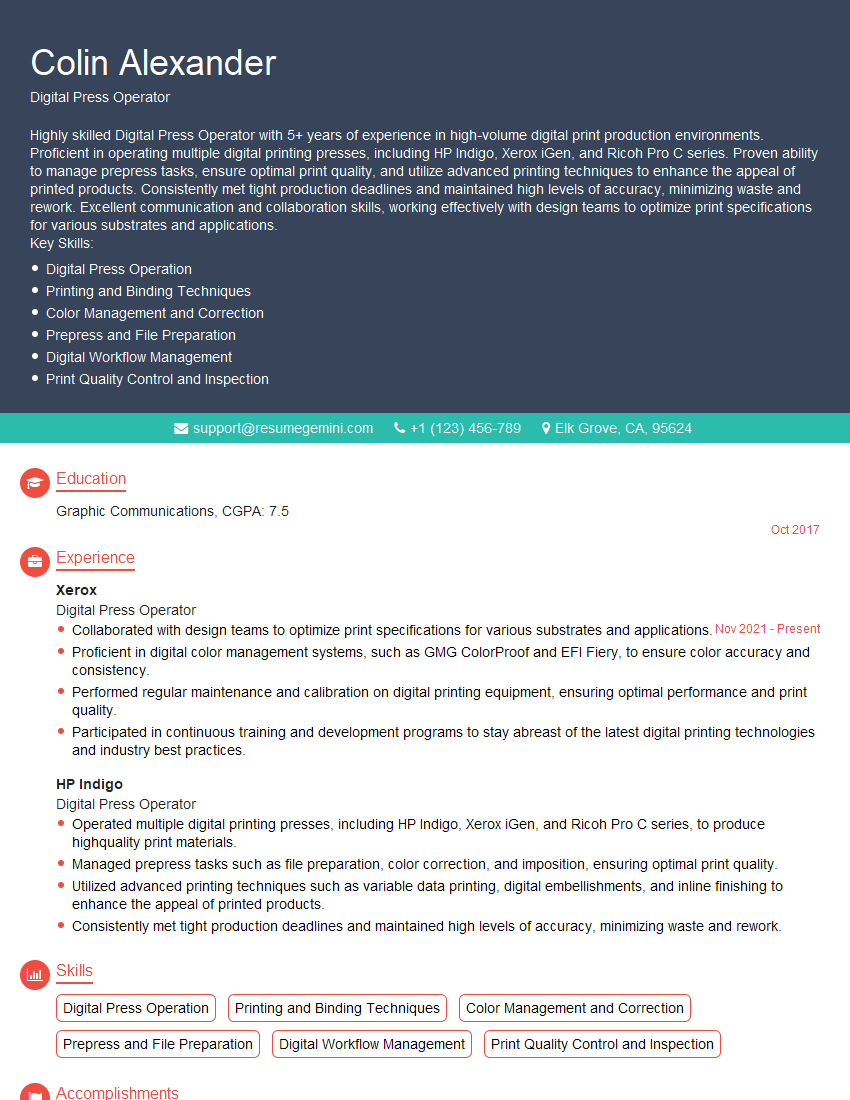
Mastering the ability to calibrate and maintain printing equipment is crucial for career advancement in many fields, opening doors to specialized roles and increased earning potential. A strong resume is your key to unlocking these opportunities. Creating an ATS-friendly resume is essential for getting your application noticed by recruiters and hiring managers. ResumeGemini can help you craft a compelling resume that highlights your skills and experience effectively. We provide examples of resumes tailored to the “Ability to Calibrate and Maintain Printing Equipment” skillset to guide you in building a standout application. Take the next step towards your dream job – build a powerful resume with ResumeGemini today!




Explore more articles
Users Rating of Our Blogs
Share Your Experience
We value your feedback! Please rate our content and share your thoughts (optional).
What Readers Say About Our Blog
Very informative content, great job.
good