Feeling uncertain about what to expect in your upcoming interview? We’ve got you covered! This blog highlights the most important Ability to operate high-resolution scanners, colorimeters, and densitometers interview questions and provides actionable advice to help you stand out as the ideal candidate. Let’s pave the way for your success.
Questions Asked in Ability to operate high-resolution scanners, colorimeters, and densitometers Interview
Q 1. Explain the difference between a reflection densitometer and a transmission densitometer.
The key difference between reflection and transmission densitometers lies in how they measure density. A reflection densitometer measures the density of reflected light, typically used for opaque materials like printed paper or photographs. Think of it like shining a light on a printed image; the densitometer measures how much light is reflected back. A transmission densitometer, on the other hand, measures the density of light that passes through a transparent or translucent material, such as a film negative or transparency. Imagine shining a light through a slide; the densitometer measures how much light makes it through to the other side. The density reading reflects the amount of light absorbed by the material.
In practice, a reflection densitometer is crucial in quality control for print shops, ensuring consistent color and density across printed materials. A transmission densitometer, conversely, finds its application in film processing and photographic labs, evaluating the density of negatives to optimize printing.
Q 2. What factors affect the accuracy of a colorimeter reading?
Several factors influence the accuracy of a colorimeter reading. Firstly, calibration is paramount. A colorimeter must be regularly calibrated using a known standard to ensure accurate readings. Secondly, the measurement geometry – the angle of the light source and the detector – affects readings. Variations in geometry can lead to inconsistencies. Thirdly, the surface condition of the sample being measured is critical. Scratches, dirt, or uneven surfaces can distort results. Finally, the ambient lighting conditions in the room also play a role. Strong or inconsistent light sources can interfere with the instrument’s ability to accurately measure the color of the sample. For example, measuring a color under fluorescent lighting may produce a slightly different reading compared to a measurement under natural daylight.
Q 3. How do you calibrate a high-resolution scanner?
Calibrating a high-resolution scanner is crucial for consistent and accurate color reproduction. The process typically involves using a calibration target, a precisely printed sheet with known color values. Most scanners have built-in calibration routines, often accessed through their software interface. This usually involves scanning the calibration target, and the software automatically adjusts the scanner’s settings based on the target’s known color information. This process corrects for variations in light sensitivity and color balance. It’s essential to use the correct calibration target and follow the manufacturer’s instructions precisely. Regular calibration, typically once a week or before critical scanning jobs, ensures the scanner maintains accuracy.
Some scanners may also require a separate hardware calibration, involving adjusting physical components within the scanner. This would typically be handled by a qualified technician and shouldn’t be attempted by a user without proper training.
Q 4. Describe the process of scanning a high-resolution image for print.
Scanning a high-resolution image for print involves several key steps. First, the original artwork needs careful preparation; this might include cleaning it if it’s a physical piece or making sure the digital file is high resolution. Second, the scanner settings must be optimized for the intended print output. This includes selecting the appropriate resolution (often 300-600 DPI or higher for high quality prints), color profile (such as sRGB or Adobe RGB), and file format (TIFF or PSD are generally preferred for print). Third, the image is scanned, and during the scan, care should be taken to avoid uneven lighting or shadows. Fourth, the scanned image is then reviewed for quality and potentially edited using image editing software to correct any imperfections or color issues. Finally, the image is saved in the chosen file format, ready for print output.
For example, scanning a valuable watercolor painting would require careful handling, dust removal, and precise scanner settings to capture the subtle color gradients and textures accurately.
Q 5. What is colorimetric accuracy, and how is it measured?
Colorimetric accuracy refers to how closely the colors reproduced by a device, like a scanner or printer, match the original colors. It’s essentially how true the colors are to the real-world object or image. Colorimetric accuracy is measured using a spectrophotometer or a colorimeter. These instruments measure the spectral reflectance or transmittance of a sample and compare the measured values to the expected values. The results are often expressed as Delta E (ΔE) values, where a smaller ΔE indicates better color accuracy. A ΔE of 1 or less is typically considered imperceptible to the human eye, while larger values indicate visible color differences.
In a practical setting, accurate color reproduction is vital in packaging design, where colors must match across different media and print runs, or in the reproduction of fine art, where the preservation of the artist’s original color palette is critical.
Q 6. How do you troubleshoot a scanner that is producing inaccurate colors?
Troubleshooting a scanner producing inaccurate colors involves a systematic approach. First, check the calibration. An outdated or incorrect calibration is a common cause of color inaccuracy. Next, inspect the scanner’s light source; a failing lamp or dirty components can significantly impact color. Then, evaluate the scanner’s software settings, making sure the correct color profile and resolution are selected. If the scanner’s settings are indeed correct, it may be a problem with the scanner’s internal components, and you may need to contact a technician. Also, consider whether the original material itself has any color anomalies; fading, discoloration, or inherent inconsistencies can’t be completely corrected by the scanner. Finally, test the scanner with a known good image. If a known good image scans correctly, the issue is likely with the original image or material.
Q 7. What are the common file formats used for high-resolution images, and what are their advantages and disadvantages?
Several common file formats are used for high-resolution images, each with its own advantages and disadvantages:
- TIFF (Tagged Image File Format): Offers excellent image quality and supports lossless compression, preserving all image data. However, TIFF files can be very large.
- PSD (Photoshop Document): A native Adobe Photoshop format that supports layers, masks, and other advanced editing features. Also large file sizes and only compatible with Adobe software.
- JPEG (Joint Photographic Experts Group): Widely compatible and uses lossy compression, reducing file size but also sacrificing some image quality. Suitable for web images but not optimal for archival purposes or high-quality printing.
- PNG (Portable Network Graphics): Supports lossless compression and is suitable for images with sharp lines and text. Smaller than TIFF, but still larger than JPEG.
The choice of file format depends on the specific application. For archival purposes or high-quality print reproduction, TIFF or PSD are generally preferred due to their lossless compression and support for various image data. For web use, the smaller file sizes of JPEG and PNG are more suitable for faster loading times, and JPEG is often chosen for photographs.
Q 8. Explain the concept of color spaces (e.g., sRGB, Adobe RGB).
Color spaces are essentially standardized ways of representing colors digitally. Think of them as different languages for describing the same thing – color. Each color space defines a specific range of colors and how those colors are numerically represented. Two popular examples are sRGB and Adobe RGB.
sRGB (Standard Red Green Blue) is a widely used color space, designed for the internet and most consumer-grade monitors. It has a relatively limited gamut (range of reproducible colors). Imagine it as a smaller paint palette.
Adobe RGB offers a significantly wider gamut than sRGB, encompassing a larger range of colors, especially in greens and blues. Think of it as a much larger, more expansive paint palette, allowing for more nuanced and vibrant colors. It’s commonly used in professional photography and printing, where a wider color range is desired. However, because it has a wider gamut, parts of the image may not be displayed correctly on devices with only sRGB support.
The choice of color space depends on your intended use. For web applications, sRGB is almost always the best choice due to its broad compatibility. For print work aiming for maximum color fidelity, Adobe RGB often provides better results, but necessitates careful color management throughout the workflow.
Q 9. How do you ensure color consistency across different devices and workflows?
Maintaining color consistency across devices and workflows is crucial for accurate color reproduction. It involves several key steps:
- Calibration and Profiling: Regularly calibrate your monitor, printer, and scanner using a colorimeter. This ensures that the colors displayed on your screen accurately represent the colors in your final output. Simultaneously, create ICC profiles for your devices. These profiles act as a translation dictionary between the color space of your device and the intended color space.
- Consistent Color Space: Choose a color space early in the workflow and stick to it. For example, if you begin working in Adobe RGB, all devices and software involved should be configured to manage the images using this color space.
- Soft Proofing: Before printing, use your software’s soft proofing feature. This allows you to see how your images will look on your selected printer using its ICC profile, thus preventing surprises.
- Reference Images and Color Targets: Use color targets and reference images to verify your color accuracy throughout the process. Compare your scanned image or print output to these reference points.
- Color Management Software: Employ dedicated color management software, such as Adobe Color Management Modules (CMM), to ensure accurate color transformations between devices.
For instance, I once had to reproduce a specific shade of blue for a client’s corporate identity. By carefully calibrating my monitor and printer, creating ICC profiles, and using soft proofing, I could accurately reproduce that shade despite using multiple devices and software applications.
Q 10. What is the importance of ICC profiles in color management?
ICC (International Color Consortium) profiles are like digital translators for color. They contain information about a device’s color characteristics (its gamut, how it responds to different color inputs). These profiles are essential for ensuring that colors look the same across different devices and software applications.
Imagine you have a photo taken with a professional camera, viewed on a calibrated monitor, and later printed on a high-end printer. Without ICC profiles, the colors seen on each device will likely differ significantly because each device interprets and reproduces color differently. ICC profiles bridge this gap by telling the software how to translate the colors to match the specific characteristics of each device.
For example, an ICC profile for a printer will define how that printer reproduces specific colors from various color spaces (e.g., converting sRGB to the printer’s color space). Without it, your print will likely deviate from your on-screen view. ICC profiles facilitate color consistency and ensure accurate color reproduction across the digital workflow, leading to a more predictable and professional output.
Q 11. Describe the different types of colorimeters and their applications.
Colorimeters are devices used to measure the color of a surface or light source. Different types exist, each with specific applications:
- Spectrophotometer colorimeters: These provide the most comprehensive color measurement, capturing the spectral reflectance or transmittance of a sample. This allows for a very precise determination of the color and its components. They’re used in precise quality control in printing and manufacturing, ensuring that colors are accurately reproduced across different batches.
- Tristimulus colorimeters: These measure color by simulating the human eye’s response to light, providing values for red, green, and blue components. They’re commonly used for calibrating displays and assessing colors of printed materials. They are generally more affordable than spectrophotometers.
In my experience, spectrophotometers are critical for identifying subtle color variations in printed materials. I’ve used them to pinpoint inconsistencies between print proofs and the final product, ultimately leading to faster correction of printing issues. Tristimulus colorimeters are ideal for routine display calibration to ensure accurate color representation on my monitor.
Q 12. How do you determine the appropriate resolution for scanning various types of artwork?
Determining the appropriate scanning resolution depends on the artwork’s detail and intended use. Higher resolution means capturing more detail, resulting in larger file sizes.
For fine art prints or artwork with intricate details, a high resolution of 300-600 dpi (dots per inch) is typically needed for high-quality reproduction, whether it’s for digital archiving or printing large-scale reproductions. Lower resolutions like 150-200 dpi might be sufficient for web display or smaller prints where extreme detail isn’t crucial. However, it’s always best to err on the side of higher resolution if possible; you can always reduce the resolution later, but you can’t increase it without losing quality.
For example, a delicate watercolor painting would require a higher resolution to capture the subtle brushstrokes and color gradations, whereas a simple line drawing might not necessitate as high a resolution.
The type of artwork also matters; a high-resolution scan of a photograph will capture the entire detail of the image. When scanning paintings and art, the surface texture and resolution may be different, but the goal is always to capture the artistic elements.
Q 13. Explain the concept of dot gain and how it impacts color reproduction.
Dot gain refers to the increase in the size of printed dots compared to their size on the printing plate or film. This happens because of the ink’s absorption into the paper. Think of dropping ink onto blotting paper; the ink spreads out, making the dot larger.
Dot gain impacts color reproduction by shifting colors towards darker values. A color intended to be light might appear darker due to dot gain, leading to less accurate color reproduction. For instance, a vibrant yellow could appear more of a mustard yellow due to the expansion of the yellow ink dots. This is why accurate color management is critical. In my work, we compensate for this by creating profiles that include dot gain characteristics of the printer and paper, compensating the colors digitally to obtain the intended colors. This compensation is frequently done within the color management software during the print job process.
Understanding and accounting for dot gain ensures that the colors in a printed piece accurately reflect the digital image. It involves using appropriate color profiles and printer settings to minimize discrepancies.
Q 14. How do you identify and correct color casts in scanned images?
Color casts are unwanted color tints in scanned images, often caused by the light source used during scanning, the artwork’s own reflective properties, or flaws in the scanner itself. They can appear as an overall tint (e.g., a bluish or yellowish cast).
Identifying color casts is usually done visually; you simply look for any unusual tint overlaying the entire image or parts of the image. Correction involves using image editing software to adjust the white balance or apply color correction tools. Tools such as Levels, Curves, or White Balance adjustment tools within Adobe Photoshop are common methods. For example, if an image has a yellowish cast, you would desaturate the yellow channel while possibly increasing the blue or cyan channel. It’s a matter of using your eye and software tools to restore the natural colors of the image.
Sometimes, careful attention to scanning settings can prevent color casts. Ensuring proper lighting and using appropriate scanner settings for the type of artwork helps to minimize issues. In extreme cases, multiple scans with different lighting configurations might be necessary to obtain the most accurate representation of the original artwork.
Q 15. What is the difference between spectral and tristimulus color measurement?
Spectral color measurement and tristimulus color measurement are both ways to quantify color, but they differ significantly in their approach. Think of it like this: spectral measurement is like looking at a detailed recipe for a color, while tristimulus measurement is like tasting the final dish.
Spectral measurement analyzes the light reflected by an object at each individual wavelength across the visible spectrum (approximately 380nm to 780nm). It provides a complete spectral power distribution curve, showing exactly how much light is reflected at each wavelength. This gives a very precise and detailed representation of the color, enabling precise color reproduction and identification of subtle variations. For example, two colors might appear similar to the eye but have different spectral curves revealing differences in their composition.
Tristimulus measurement, on the other hand, simulates the way the human eye perceives color. It uses three specific wavelengths of light (typically red, green, and blue) to define a color, producing three numerical values representing the relative contributions of each primary color. These values, X, Y, and Z, are then used to calculate color coordinates, such as CIE L*a*b* or CIE XYZ, that are more perceptually uniform. While less detailed than spectral measurement, it’s quicker and more practical for everyday color assessment and quality control.
In essence, spectral data is fundamental data and can be used to derive tristimulus values, but the reverse is not true. Spectral measurement provides more information, but tristimulus measurement is often sufficient for most applications.
Career Expert Tips:
- Ace those interviews! Prepare effectively by reviewing the Top 50 Most Common Interview Questions on ResumeGemini.
- Navigate your job search with confidence! Explore a wide range of Career Tips on ResumeGemini. Learn about common challenges and recommendations to overcome them.
- Craft the perfect resume! Master the Art of Resume Writing with ResumeGemini’s guide. Showcase your unique qualifications and achievements effectively.
- Don’t miss out on holiday savings! Build your dream resume with ResumeGemini’s ATS optimized templates.
Q 16. Explain the significance of density readings in quality control.
Density readings are crucial in quality control, particularly in printing and imaging, as they quantify the amount of ink or dye deposited on a substrate. Think of it like measuring the ‘darkness’ or opacity of a printed area. Higher density values indicate a darker, more opaque area.
In quality control, density readings help ensure consistent color reproduction across batches or print runs. For example, in a printing process, we might target a specific density for each color (cyan, magenta, yellow, black) to achieve the desired color. Regular density measurements allow us to detect deviations from the target values and identify issues like ink inconsistencies, incorrect press settings, or substrate variations. This enables timely adjustments to maintain consistent color and quality.
Specific applications include:
- Monitoring dot gain (the increase in dot size during printing) – Excessive dot gain can lead to darker colors than intended.
- Checking for proper ink coverage and preventing areas that are too light or too dark.
- Maintaining consistency between different print runs or batches.
- Verifying that printed colors match the color profiles.
Significant deviations in density readings often indicate problems that need immediate attention to prevent waste and ensure customer satisfaction.
Q 17. How do you maintain and clean your scanning, colorimetry, and densitometry equipment?
Maintaining and cleaning scanning, colorimetry, and densitometry equipment is critical for accuracy and longevity. Regular maintenance not only prolongs the lifespan but also ensures reliable and consistent results.
Scanners: I typically start by cleaning the scanner glass with a lens cleaning solution and a microfiber cloth, being careful not to scratch the surface. The feed rollers also need regular cleaning to prevent paper jams and damage. Dust accumulation inside the scanner can affect image quality, so I perform periodic internal cleaning using compressed air. Calibration is crucial for accuracy; I follow the manufacturer’s instructions for regular calibration using standardized targets.
Colorimeters and Densitometers: These instruments require careful handling. I clean the measurement port and other exterior surfaces with a soft, lint-free cloth. Avoid using harsh chemicals or abrasive materials. Regular calibration using certified color standards is paramount, usually done daily or before each batch of measurements, to maintain accuracy and account for instrument drift. The calibration process ensures that the instrument’s readings are consistent and reliable.
General Practices: Regardless of the specific equipment, I always ensure the work area is clean and dust-free. I follow the manufacturer’s instructions for maintenance and cleaning, using only approved cleaning solutions and materials. Regular preventative maintenance significantly minimizes downtime and extends the life of the equipment.
Q 18. What safety precautions should be taken when operating these instruments?
Safety is paramount when operating these instruments. Several precautions must be taken:
- Eye safety: Never look directly at the light source of densitometers or colorimeters, as this can damage your eyes.
- Electrical safety: Ensure that all instruments are properly grounded and connected to a stable power source. Never operate equipment with damaged cords or plugs.
- Proper handling: Avoid dropping or mishandling the instruments. Colorimeters and densitometers are delicate, and damage can affect their accuracy.
- Chemical safety: When using cleaning solutions, wear appropriate personal protective equipment (PPE), such as gloves, to avoid skin irritation. Work in a well-ventilated area.
- Calibration safety: Follow the manufacturer’s instructions carefully during the calibration process to avoid damaging the instrument.
Regular safety checks and adherence to these procedures are key to a safe and productive work environment.
Q 19. Describe your experience with different types of high-resolution scanners.
My experience encompasses various high-resolution scanners, including flatbed scanners (both contact and non-contact), drum scanners, and film scanners. I’ve worked with models from different manufacturers, each with unique capabilities and features.
Flatbed scanners are versatile and suitable for various applications, from scanning documents and photographs to artwork and large-format prints. I’m proficient in operating models with varying resolutions, ranging from 600 dpi to several thousand dpi, depending on the application’s demands. The choice between contact and non-contact scanners depends on the type of material being scanned and the level of detail required.
Drum scanners, although less common now, provide superior resolution and dynamic range, particularly beneficial for archiving high-value artwork and photographic prints. I’m familiar with their operational requirements, including precise film placement and settings optimization for optimal results.
Film scanners are specifically designed for scanning photographic film, slides, and negatives, offering features like ICE (Image Correction Enhancement) technology to eliminate dust and scratches. I’ve worked with both dedicated film scanners and flatbeds that incorporate film scanning capabilities.
My experience spans various scanner technologies, allowing me to select and operate the most appropriate equipment for any given task, ensuring optimal image quality and preservation.
Q 20. How do you resolve discrepancies between colorimetric readings and visual assessment?
Discrepancies between colorimetric readings and visual assessment can arise from several factors, and resolving them requires a systematic approach. It’s like comparing a precise recipe with the actual taste of the dish; slight variations are possible.
First, I would verify the accuracy and calibration of the colorimeter. Regular calibration is essential, and any errors in the instrument’s calibration can lead to discrepancies. I’d then re-measure the sample under controlled lighting conditions, ensuring the lighting matches the standard used for the instrument’s calibration.
Next, I would check the viewing conditions. The human eye’s perception of color is highly dependent on the ambient light. Variations in light sources can significantly affect visual perception. A controlled viewing environment is essential for consistent visual assessment.
Metamerism is another important consideration. Two samples might appear identical under one light source but different under another. The colorimeter will provide different measurements based on the light source used for measurement. This needs to be noted and accounted for during the assessment.
Finally, if the discrepancy persists, I’d consider the possibility of observer variability. Different individuals might perceive the same color slightly differently. Having multiple observers assess the color can help to determine if there is a real difference or simply a subjective variation.
By systematically investigating these possibilities, I can usually identify the source of the discrepancy and ensure accurate color assessment.
Q 21. What software are you familiar with for image processing and color management?
My experience includes various software for image processing and color management. I’m proficient in using industry-standard software like:
- Adobe Photoshop: For advanced image editing, color correction, and color profiling. I’m adept at using tools like curves, levels, and color balance to achieve precise color adjustments.
- Adobe Lightroom: For managing and processing large volumes of images, applying batch adjustments and color grading for consistency.
- X-Rite i1Profiler: To create custom ICC color profiles for various devices (scanners, monitors, printers) to ensure accurate color reproduction across the entire workflow.
- Color management software specific to scanner and densitometer manufacturers: Each scanner and densitometer typically comes with its software, allowing for precise control over scanning parameters and accurate color measurements.
These software packages, combined with my experience in color science, allow me to ensure accurate color representation in a wide range of imaging applications.
Q 22. How do you handle large batches of images while ensuring quality control?
Handling large batches of images while maintaining quality control requires a systematic approach. Think of it like a well-oiled assembly line, each stage crucial to the final product. First, I’d employ a robust workflow management system, perhaps using dedicated software to track each image’s progress. This ensures no image gets lost in the process.
Second, I’d implement rigorous quality checks at various stages. For example, after scanning, a preliminary check would assess for obvious flaws like dust, scratches, or uneven lighting. This might involve automated tools or a visual inspection, depending on the complexity of the images. A sampling system is also vital; rather than checking every single image, I would randomly select a percentage (say 10-20%) for in-depth analysis using colorimeters and densitometers to ensure color accuracy and density consistency. Finally, I’d establish clear acceptance criteria and document any deviations from these standards. This detailed record helps identify recurring issues and makes improvements to our workflow.
- Workflow Management: Using software to track and monitor image processing.
- Automated Checks: Employing software for initial quality control.
- Sampling System: Randomly testing a portion of the batch for thorough analysis.
- Documentation: Recording all quality control checks and any identified issues.
Q 23. Explain your understanding of color temperature and its effect on image reproduction.
Color temperature is a crucial concept in image reproduction; it refers to the relative warmth or coolness of a light source, measured in Kelvin (K). Imagine the difference between a warm candlelight (around 1850K) and the cool light of a clear sky (around 10,000K). This affects how colors appear in an image. A lower color temperature (like candlelight) produces warmer colors with more reds and yellows, while a higher color temperature (like the sky) yields cooler colors with more blues and greens.
In image reproduction, maintaining consistent color temperature is paramount. If the scanning light source differs significantly from the printing light source, the printed image will appear noticeably different from the scanned original. For instance, scanning an image under tungsten lighting (warm) and printing it with a process designed for daylight (cool) will lead to a color shift, making the print appear less vibrant or even skewed in its hues. To mitigate this, I ensure the color temperature of the light source is calibrated and consistent throughout the scanning and printing processes, often using color calibration tools and profiles.
Q 24. What methods do you use to achieve consistent color across different print runs?
Achieving consistent color across different print runs involves meticulous attention to detail throughout the entire workflow. It’s like baking a cake – you need the right ingredients and the exact recipe every time. First, color management is essential. I use ICC profiles, which are essentially recipes for color translation, to ensure accurate color reproduction between the scanner, monitor, and printer. These profiles must be regularly checked and updated for accuracy.
Second, a carefully controlled environment is crucial. Factors like ambient light and temperature can subtly influence color; consistent environmental settings are therefore essential. Third, I use color standards, such as those defined by Pantone or Fogra, throughout the process. These reference materials provide a baseline for accurate color comparison and reproduction. Finally, meticulous calibration of the equipment is paramount. This includes regular calibration of the scanner, colorimeter, and printer itself. We frequently employ test prints to verify consistency and make necessary adjustments before proceeding to full-scale runs. Regular monitoring and documentation of the entire process further guarantee results.
Q 25. How do you troubleshoot problems related to image sharpness and resolution?
Troubleshooting image sharpness and resolution issues requires a systematic approach. It’s like detective work, identifying the root cause before applying the solution. First, I’d assess the scanner’s settings; ensure the resolution is sufficiently high for the desired output quality. A low resolution, no matter how good the scanner, will inevitably lead to blurry images.
Next, I would check the scanner’s focus and optics. Are there any dust particles or smudges on the scanner glass? Is the scanner properly focused on the original? Even minor imperfections can severely impact sharpness. If the problem persists, I would investigate the image file itself: is it already compressed or low-resolution? If so, this is not a scanning issue but rather a limitation of the source material. Finally, I would evaluate the output device—the printer. Are the printer drivers and settings configured correctly for optimal resolution and sharpness? Sometimes, a seemingly blurry image is due to poor printer settings. Through careful investigation of each stage – scanner, image file, and printer – I can pinpoint and rectify the problem.
Q 26. Describe your experience working with specific color standards and reference materials.
My experience encompasses a wide range of color standards and reference materials. I’m extensively familiar with Pantone color systems, including Pantone Matching System (PMS) and Pantone Formula Guide, frequently used for spot color reproduction. These provide a consistent and reliable reference for achieving specific colors, particularly in branding and graphic design. I also work regularly with ISO coated and uncoated standards, used to calibrate printing presses and ensure consistent color across different print runs. In addition, I’ve experience using Fogra standards, commonly used in Europe, to achieve consistent color across various printing processes.
These reference materials act as benchmarks for color accuracy. For instance, using a Pantone swatch allows me to ensure that a logo’s specific color is replicated accurately across multiple print jobs, regardless of the printer or printing method. By employing these standards, I maintain a high degree of color fidelity and consistency.
Q 27. How do you address client feedback concerning color accuracy and reproduction?
Addressing client feedback concerning color accuracy and reproduction is crucial. It’s about building trust and delivering a product that meets, or even exceeds, expectations. First, I’d listen attentively to the client’s concerns, making sure to understand their specific issues. Are they seeing a color shift? Is it a problem with specific colors, or a general lack of vibrancy? Often, simply understanding the client’s perspective is half the battle.
Next, I’d thoroughly investigate the issue. This might involve reviewing the original image, the scanning and printing parameters, and the final output. I’d carefully compare the results against relevant color standards and reference materials to identify any discrepancies. Finally, I’d work collaboratively with the client to find a mutually acceptable solution. This might involve minor color adjustments, re-scanning the original image, or adjusting printer settings. Clear communication and a willingness to address the client’s concerns are essential to maintaining strong client relationships. A satisfied client is often the best endorsement.
Key Topics to Learn for Ability to operate high-resolution scanners, colorimeters, and densitometers Interview
- High-Resolution Scanning: Understanding resolution settings, file formats (TIFF, JPEG, etc.), and the impact on image quality and file size. Practical application: Optimizing scan settings for various applications (e.g., archival, print reproduction).
- Colorimetry Principles: Grasping concepts like color space (RGB, CMYK, Lab), color temperature, and color profiles. Practical application: Calibrating a colorimeter and using it to ensure accurate color representation in prints or digital images.
- Densitometry Fundamentals: Understanding optical density, its measurement, and its relation to image contrast and tone reproduction. Practical application: Using a densitometer to assess the quality of photographic prints or assess the density of inks in a printing process.
- Equipment Calibration and Maintenance: Knowing the procedures for regular calibration and troubleshooting common issues with scanners, colorimeters, and densitometers. Practical application: Performing routine checks and identifying potential problems before they impact workflow.
- Data Analysis and Interpretation: Understanding how to interpret data from colorimeters and densitometers, identify trends, and make informed decisions based on the readings obtained. Practical application: Using data to optimize color profiles and achieve consistent color reproduction.
- Health and Safety: Understanding the safe operating procedures for each piece of equipment, including proper handling, disposal of materials, and awareness of potential hazards.
Next Steps
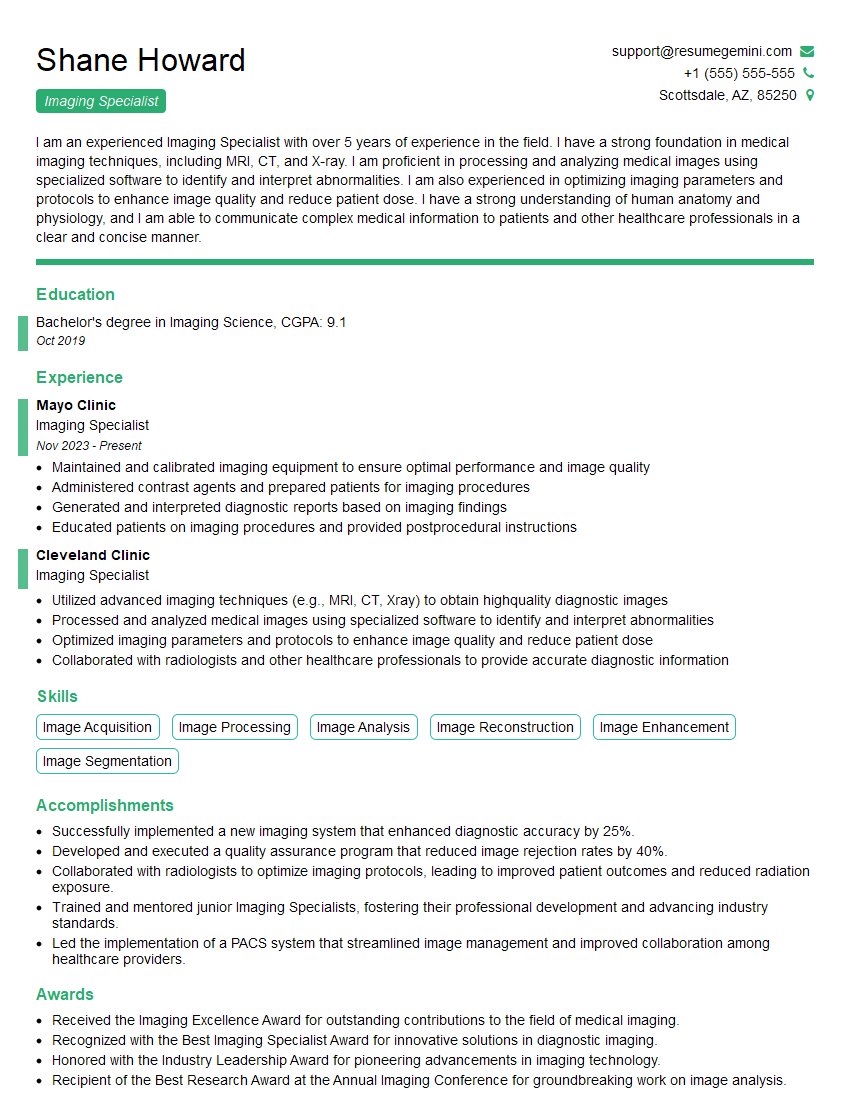
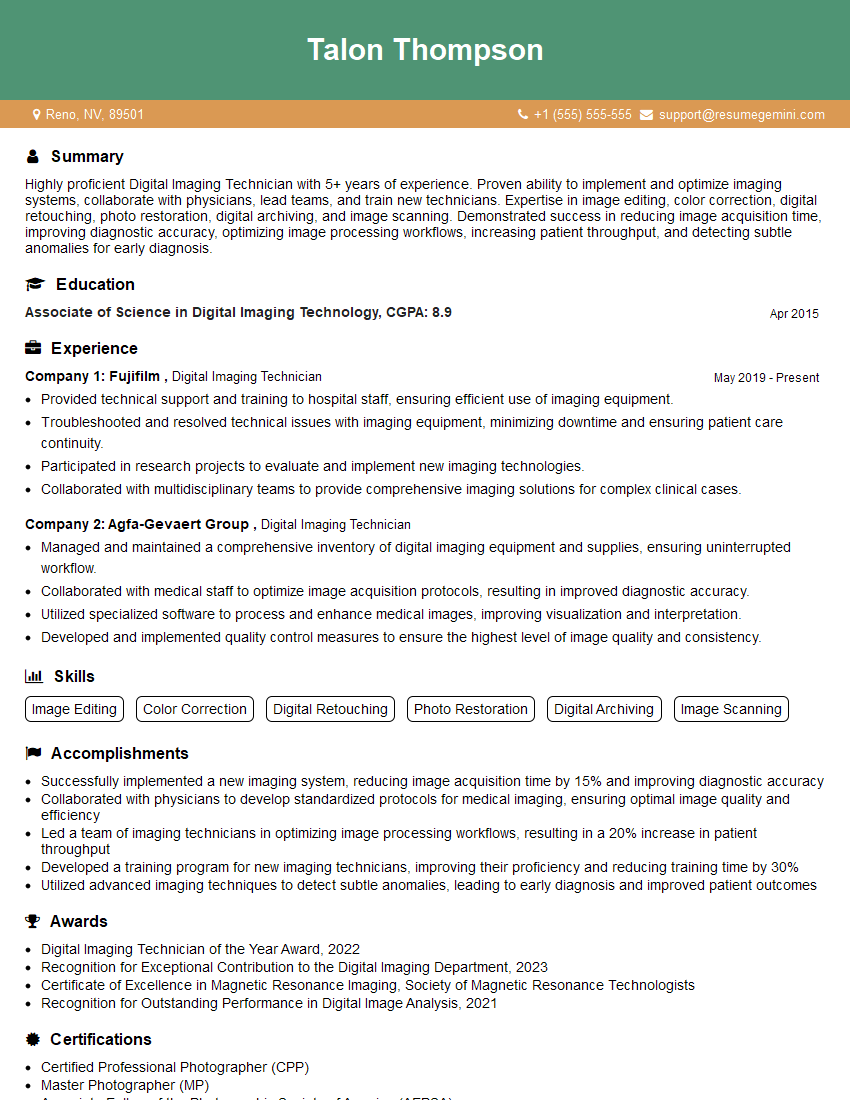
Mastering the operation of high-resolution scanners, colorimeters, and densitometers is crucial for success in many fields, opening doors to advanced roles and higher earning potential. A strong understanding of these technologies demonstrates technical proficiency and attention to detail, highly valued by employers. To significantly boost your job prospects, create an ATS-friendly resume that highlights your skills effectively. ResumeGemini is a trusted resource to help you build a professional resume that showcases your capabilities in operating this specialized equipment. Examples of resumes tailored to this skill set are provided to help guide your resume creation process.




Explore more articles
Users Rating of Our Blogs
Share Your Experience
We value your feedback! Please rate our content and share your thoughts (optional).
What Readers Say About Our Blog
Very informative content, great job.
good