The thought of an interview can be nerve-wracking, but the right preparation can make all the difference. Explore this comprehensive guide to Ability to translate technical concepts into clear and concise language interview questions and gain the confidence you need to showcase your abilities and secure the role.
Questions Asked in Ability to translate technical concepts into clear and concise language Interview
Q 1. Explain a complex technical concept to a non-technical audience in under 60 seconds.
Imagine a complex machine with many parts working together. Data analysis is like understanding how those parts interact to achieve a goal. We collect information (data) from different parts, analyze it to find patterns, and use those patterns to make better decisions or predictions, such as predicting the next best seller.
Q 2. Describe a time you had to simplify complex technical information for a specific audience. What strategies did you use?
I once had to explain a complex database migration to a group of non-technical stakeholders. Instead of using technical terms like ‘schema normalization’ or ‘replication,’ I focused on the benefits: faster website loading times, improved security, and enhanced data accuracy. I used analogies: Imagine moving from a messy filing cabinet to a perfectly organized system, improving access to information. I also created a simple visual flowchart illustrating the steps of the migration process, making it more approachable and understandable.
Q 3. How would you explain the concept of cloud computing to a child?
Imagine a giant toy chest in the sky, holding all your favorite games and toys. Cloud computing is like that toy chest. Instead of keeping your games and toys at home, you keep them in this giant toy chest. You can access them anytime, anywhere, using the internet. Different companies rent out space in the toy chest (like Amazon, Google, Microsoft), so you don’t have to worry about the storing.
Q 4. How would you explain blockchain technology to your grandparents?
Think of a shared notebook that everyone in the family can write in. Blockchain is like that notebook, but it’s special. Every time someone writes something new (a transaction), everyone gets a copy of the updated notebook. This makes it very secure because no one can erase or change past entries without everyone noticing. It’s like a shared ledger that is completely transparent and secure.
Q 5. How would you explain the difference between machine learning and artificial intelligence to a potential client?
Artificial intelligence (AI) is the broad concept of machines mimicking human intelligence. Machine learning (ML) is a specific type of AI where machines learn from data without explicit programming. Think of AI as the overall goal (creating intelligent machines), and ML as one of the ways to achieve that goal. ML helps AI systems learn and improve from experience, rather than relying solely on predefined rules. For example, an AI system might power a spam filter (the overall AI goal), while an ML algorithm could learn to identify spam emails based on analyzing previous emails.
Q 6. You’re tasked with explaining a new software update to users. How would you approach this to ensure clarity and understanding?
To explain a new software update clearly, I would follow a structured approach: First, a concise overview of what’s new and its key benefits. Then, a step-by-step guide with screenshots or short videos demonstrating the new features. I would also include FAQs addressing common questions and concerns. Finally, provide multiple channels for support: email, phone, and a comprehensive knowledge base. The goal is to make the update feel user-friendly and valuable, not disruptive.
Q 7. How would you explain the implications of a new data privacy regulation to a group of executives?
Explaining new data privacy regulations to executives requires a focus on potential risks and opportunities. I would start by outlining the key requirements of the regulation, emphasizing the potential penalties for non-compliance (fines, lawsuits). Then, I would present a risk assessment, identifying areas of vulnerability and proposing concrete steps to achieve compliance, such as investing in data encryption and employee training. Finally, I would highlight the opportunities, such as enhanced customer trust and improved brand reputation that come with demonstrating strong data protection practices. The overall message would be that compliance is not just about avoiding penalties but about building a stronger, more sustainable business.
Q 8. How would you create a user-friendly manual for a complex software application?
Creating a user-friendly manual for complex software requires a strategic approach focusing on the user’s perspective and needs. It’s not just about explaining features; it’s about guiding users to achieve their goals.
- Audience Analysis: First, I’d identify the target audience – are they novice users, experienced professionals, or somewhere in between? This dictates the level of technical detail and the overall tone.
- Task-Oriented Approach: Instead of structuring the manual by software features, I’d organize it around common user tasks. For example, instead of a chapter on ‘Database Management,’ I might have chapters on ‘Creating a New Report,’ ‘Exporting Data,’ and ‘Troubleshooting Database Errors.’ This makes it easier for users to find what they need.
- Clear and Concise Language: I’d use simple, everyday language, avoiding jargon and technical terms whenever possible. If a technical term is unavoidable, I’d define it clearly and concisely.
- Visual Aids: Screenshots, diagrams, and flowcharts are essential. A picture is worth a thousand words, especially when explaining complex processes.
- Step-by-Step Instructions: Each task should be broken down into clear, numbered steps, making it easy for users to follow along.
- Search Functionality: If the manual is digital, a robust search function is crucial for quick access to information.
- Testing and Feedback: Finally, I’d test the manual with members of the target audience and incorporate their feedback to refine it before release.
For example, imagine a manual for a graphic design software. Instead of a chapter on ‘Layer Masks,’ I’d create a tutorial on ‘Creating a Realistic Photo Effect using Layer Masks,’ guiding users through the process with clear steps and screenshots.
Q 9. Describe your process for creating clear and concise technical documentation.
My process for creating clear and concise technical documentation follows a structured approach, prioritizing user understanding and efficiency.
- Understanding the Context: I begin by thoroughly understanding the software, hardware, or process I’m documenting. This involves talking to developers, engineers, and end-users to grasp the intricacies and potential pain points.
- Defining the Scope and Audience: Next, I clearly define the scope of the documentation and identify the target audience. This helps determine the level of detail and technical depth required.
- Information Gathering and Organization: I gather all relevant information, including diagrams, code snippets, and technical specifications. I organize this information logically, usually following a hierarchical structure, breaking down complex topics into smaller, manageable chunks.
- Writing and Editing: I write in a clear, concise, and accessible style, avoiding jargon whenever possible. I use active voice and simple sentence structures. I then rigorously edit and proofread my work, ensuring accuracy and consistency.
- Review and Iteration: I conduct thorough reviews with subject matter experts and potential users to get feedback and identify areas for improvement. This iterative process ensures the documentation is accurate, user-friendly, and meets the needs of the target audience.
- Formatting and Publishing: Finally, I format the documentation for easy readability, using headings, subheadings, bullet points, and visual aids. I then publish the documentation using a suitable medium, be it a PDF, online help system, or wiki.
Q 10. How do you ensure your technical explanations are accessible to individuals with diverse backgrounds and technical expertise?
Ensuring accessibility for diverse audiences is paramount. My strategy involves several key steps:
- Plain Language: I consistently use plain language, avoiding technical jargon and complex sentence structures. I aim for a reading level suitable for the least technically proficient member of the target audience.
- Visual Aids: Visual aids like diagrams, flowcharts, and screenshots cater to different learning styles and make complex concepts easier to understand, regardless of technical expertise.
- Modular Design: I structure documentation in modules or sections, allowing users to selectively read only the parts relevant to their needs and expertise level. This avoids overwhelming less experienced users.
- Multiple Formats: I consider offering the documentation in multiple formats like PDF, online help, video tutorials, etc., to cater to diverse preferences and accessibility needs.
- Feedback and Iteration: Gathering feedback from diverse groups ensures I address potential ambiguities and tailor explanations to different backgrounds and understanding levels. This iterative process refines the document until it’s genuinely accessible.
- Accessibility Standards: For digital documentation, I adhere to accessibility standards like WCAG (Web Content Accessibility Guidelines) to ensure compatibility with assistive technologies used by people with disabilities.
For instance, explaining a complex algorithm might involve using both a textual explanation and a visual representation of the algorithm’s flow, making it understandable for both technical and non-technical users.
Q 11. How would you identify the key information and eliminate unnecessary jargon from a complex technical document?
Identifying key information and eliminating jargon requires a focused approach:
- Define the Core Message: Begin by identifying the core message or purpose of the document. What is the essential information the reader needs to know?
- Audience Analysis: Consider the technical expertise of the intended audience. This helps determine the appropriate level of detail and complexity.
- Jargon Identification and Replacement: Carefully review the document for jargon and technical terms. Replace these with simpler, more accessible language or provide clear definitions if they are essential.
- Information Prioritization: Organize the information according to importance, presenting the most crucial information first. Use headings, subheadings, and bullet points to improve readability.
- Redundancy Removal: Eliminate any redundant or unnecessary information that doesn’t contribute to the core message.
- Visual Aids: Incorporate visual aids such as diagrams, charts, and tables to simplify complex information and reduce the reliance on extensive textual explanations.
For example, a complex technical document discussing a database might use jargon like ‘relational database management system’ which can be simplified to ‘database’ for a non-technical audience while keeping the term and it’s definition for the technically savvy. The focus will shift to how the database is used, not its intricate inner workings if the audience is primarily non-technical.
Q 12. How do you handle feedback on your technical explanations, especially if it involves conflicting perspectives?
Handling feedback, particularly conflicting perspectives, requires careful consideration and diplomacy.
- Acknowledge and Validate: Begin by acknowledging all feedback received, demonstrating respect for all viewpoints.
- Analyze and Categorize: Categorize the feedback into themes and prioritize based on their impact on the document’s clarity and accuracy. Some suggestions may conflict, necessitating careful evaluation.
- Investigate Discrepancies: Investigate any conflicting perspectives. This might involve consulting with subject matter experts or conducting additional research to resolve the differences.
- Communicate Decisions: Clearly explain the rationale behind the decisions made when incorporating or rejecting feedback. Transparency fosters trust and understanding.
- Iterate and Refine: Incorporate the accepted feedback and revise the document accordingly. Consider creating alternative versions for different target audiences if the conflicting perspectives represent significantly different needs.
For example, if one group of users wants detailed explanations of every feature and another prefers concise summaries, I may create a long-form document and a concise overview for those different user groups. Addressing the needs of all user groups is important even if this means creating multiple documents.
Q 13. How would you use visuals or diagrams to enhance the understanding of complex information?
Visuals are indispensable for enhancing understanding of complex information. I use them strategically:
- Flowcharts and Diagrams: These visually represent processes and relationships, clarifying intricate steps or dependencies in a system or algorithm. For example, a flowchart can illustrate the steps involved in a user authentication process.
- Screenshots and Screencasts: Screenshots demonstrate specific functionalities and interfaces, guiding users through software interactions. Screencasts provide dynamic walkthroughs of tasks, illustrating real-time actions.
- Data Visualization: Charts and graphs present data in easily digestible formats, simplifying large datasets and revealing trends and patterns. This is particularly helpful in technical reports or performance analysis.
- Infographics: Infographics can visually summarise complex ideas into concise, easy-to-understand visuals. They can effectively communicate a topic’s main points without overwhelming readers with detail.
- Illustrations and Icons: Illustrations and icons can represent abstract concepts or key features, adding clarity and visual appeal to the documentation.
For instance, explaining a network architecture would be much clearer with a diagram showing the various components (servers, routers, clients) and their connections than solely relying on textual description. Similarly, showing the user interface of a software component with a screenshot is much easier to understand than a lengthy paragraph.
Q 14. Describe a time you had to translate a complex technical problem into a user-friendly solution.
I once worked on a project involving a complex data migration process for a client. The technical details—database schemas, transformation scripts, and error handling—were extremely intricate. However, the client, a non-technical marketing team, only cared about the outcome: seamlessly transferring their customer data to the new platform.
Instead of overwhelming them with technical jargon, I focused on a user-friendly explanation. I created a simple flowchart illustrating the stages of migration, highlighting key milestones and expected timelines. I also prepared a concise report focusing on the outcomes and risks, avoiding complex technicalities. Regular updates, communicated using simple language and visual summaries, ensured they were informed and confident about the process. This approach successfully transformed a complex technical challenge into a transparent and manageable experience for the client.
Q 15. How do you stay updated on the latest developments in technical communication?
Staying current in technical communication requires a multi-pronged approach. It’s not just about reading; it’s about actively engaging with the field.
- Professional Organizations: I’m a member of the Society for Technical Communication (STC), attending webinars and conferences to learn about emerging trends and best practices. These events often feature case studies and discussions led by industry experts.
- Publications and Journals: I regularly read journals like Technical Communication and Intercom, as well as industry blogs and newsletters focused on UX writing, content strategy, and information architecture. This keeps me informed about research and new techniques.
- Online Courses and Workshops: Platforms like Coursera, edX, and LinkedIn Learning offer valuable continuing education opportunities. I actively seek out courses on emerging technologies and their communication implications, such as AI writing tools or the latest advancements in user interface design.
- Networking: Attending industry events and connecting with other technical communicators through online forums and groups allows for the exchange of ideas and insights. Learning from the experiences of others is invaluable.
By combining these methods, I maintain a dynamic and comprehensive understanding of the ever-evolving landscape of technical communication.
Career Expert Tips:
- Ace those interviews! Prepare effectively by reviewing the Top 50 Most Common Interview Questions on ResumeGemini.
- Navigate your job search with confidence! Explore a wide range of Career Tips on ResumeGemini. Learn about common challenges and recommendations to overcome them.
- Craft the perfect resume! Master the Art of Resume Writing with ResumeGemini’s guide. Showcase your unique qualifications and achievements effectively.
- Don’t miss out on holiday savings! Build your dream resume with ResumeGemini’s ATS optimized templates.
Q 16. What are your go-to methods for ensuring clarity and conciseness in written communication?
Clarity and conciseness are paramount. My approach involves several key strategies:
- Know Your Audience: Before writing, I define my target audience and tailor my language accordingly. A document for software engineers will differ significantly from one intended for end-users.
- Structured Writing: I utilize a clear structure with headings, subheadings, bullet points, and visuals to break down complex information into digestible chunks. Think of it like building with LEGOs—smaller, manageable pieces that combine to create a whole.
- Active Voice and Strong Verbs: I prioritize active voice to enhance readability and avoid passive constructions that can obscure meaning. Strong verbs add impact and precision.
- Concise Language: I eliminate jargon and unnecessary words. Each sentence should serve a purpose. I regularly review my work, cutting out redundancies and simplifying phrasing.
- Peer Review: I always seek feedback from colleagues. A fresh pair of eyes can identify areas for improvement that I might miss.
For example, instead of writing “The report was compiled by the team,” I’d write “The team compiled the report.” This simple change improves clarity and conciseness.
Q 17. How do you assess the effectiveness of your technical explanations?
Assessing the effectiveness of my technical explanations requires a combination of quantitative and qualitative methods:
- User Testing: I conduct usability testing with target users, observing their interaction with the document or training material. This allows me to identify areas of confusion or difficulty.
- Surveys and Feedback Forms: I use surveys and feedback forms to gather user opinions on clarity, understandability, and overall satisfaction. This provides valuable quantitative data.
- Metrics: For online content, I track metrics such as time on page, bounce rate, and completion rates to measure engagement and comprehension. Low completion rates may signal areas needing improvement.
- Qualitative Analysis: I analyze user feedback comments to identify specific areas where explanations might be improved. This offers valuable qualitative insights.
- Knowledge Checks: Incorporating quizzes or knowledge checks in training materials allows for an immediate assessment of learning outcomes.
By combining these methods, I gain a holistic understanding of my explanations’ effectiveness and can make necessary improvements.
Q 18. How do you adapt your communication style based on the audience’s knowledge and understanding?
Adapting my communication style depends heavily on audience knowledge and understanding. I employ a tiered approach:
- Audience Analysis: I first determine the audience’s technical expertise, prior knowledge of the subject, and their learning style. Are they novices or experts?
- Language and Terminology: For novices, I use simple language, avoiding jargon and defining technical terms clearly. For experts, I can utilize more specialized terminology and assume a higher level of prior knowledge.
- Level of Detail: The level of detail varies based on the audience’s needs. Novices require more detailed explanations and step-by-step instructions, while experts might need only a high-level overview.
- Visual Aids: I strategically use visuals like diagrams, charts, and illustrations to enhance comprehension. The complexity of visuals also adapts to the audience’s technical knowledge.
- Communication Channels: The chosen communication channel also influences style. A presentation to a large group might differ from a one-on-one training session.
For instance, explaining network protocols to IT professionals requires a different approach than explaining the same concepts to a non-technical user. The former might involve detailed technical diagrams and discussions of specific protocols, while the latter would rely on simpler analogies and less technical language.
Q 19. How would you explain the benefits of a new technology to a skeptical audience?
Explaining a new technology to a skeptical audience requires a strategic approach that addresses their concerns head-on:
- Emphasize Benefits, Not Just Features: Focus on how the technology solves their problems or improves their lives. Connect features to tangible benefits.
- Address Concerns Directly: Anticipate skepticism and address potential drawbacks proactively. Transparency builds trust.
- Use Evidence and Data: Support claims with credible evidence, case studies, or data showing the technology’s effectiveness. Avoid unsubstantiated claims.
- Analogies and Real-World Examples: Use relatable analogies to explain complex technical concepts. This makes the technology easier to understand and less intimidating.
- Demonstrate, Don’t Just Explain: A live demonstration or a compelling video showing the technology in action is far more persuasive than a lengthy explanation.
- Encourage Questions and Discussion: Create an environment where skepticism is welcomed and questions are encouraged. Addressing concerns directly can alleviate apprehension.
Imagine explaining cloud computing to a small business owner concerned about security. Instead of focusing on technical details, I’d emphasize the benefits—cost savings, increased flexibility, and enhanced data security—while addressing their security concerns with concrete examples of security measures in place.
Q 20. How would you create a training module explaining a complex technical procedure?
Creating a training module for a complex technical procedure involves a structured and phased approach:
- Needs Assessment: Identify the specific knowledge and skills required by trainees. This informs the content and scope of the module.
- Learning Objectives: Define clear, measurable learning objectives. What should trainees be able to do after completing the module?
- Content Development: Break down the complex procedure into smaller, manageable steps. Use a variety of media: text, images, videos, and interactive exercises.
- Step-by-Step Instructions: Provide detailed, clear instructions for each step, using active voice and precise language. Include visuals where necessary to illustrate concepts.
- Interactive Elements: Incorporate interactive elements like quizzes, simulations, or branching scenarios to engage learners and assess their understanding.
- Assessment: Include a post-training assessment to evaluate the effectiveness of the module and identify areas needing improvement.
- Feedback Mechanism: Provide a mechanism for trainees to provide feedback, allowing for continuous improvement of the module.
For example, a training module for assembling a complex piece of machinery might involve step-by-step instructions with accompanying images and videos, interactive simulations to practice assembly, and a final quiz to test understanding.
Q 21. What are some common pitfalls to avoid when simplifying complex technical information?
Simplifying complex technical information presents several pitfalls to avoid:
- Oversimplification: While simplification is crucial, oversimplification can lead to inaccuracies or a loss of crucial details. Striking a balance between simplicity and accuracy is key.
- Ignoring Context: Failing to provide adequate context can leave the audience confused. Explain the “why” behind the “what.”
- Using Inappropriate Analogies: Analogies should clarify, not confuse. Ensure analogies are relevant and easily understood by the target audience.
- Jargon Creep: Even when aiming for simplicity, jargon can inadvertently creep in. Always define any specialized terminology.
- Lack of Visual Aids: Visuals can significantly improve understanding, but poorly designed or inappropriate visuals can hinder comprehension. Choose visuals carefully and ensure they are clear and concise.
- Neglecting Feedback: Failing to seek feedback from the target audience can result in explanations that miss the mark. Use feedback to refine and improve your communication.
For example, explaining quantum physics using a simple analogy might help, but if the analogy is fundamentally flawed, it will create misconceptions. Accurate simplification requires deep understanding of the subject matter.
Q 22. How do you balance accuracy and simplicity when communicating technical concepts?
Balancing accuracy and simplicity in technical communication is a delicate art. It’s about finding the sweet spot where the information is both correct and easily understood by the target audience. Think of it like baking a cake: you need all the right ingredients (accurate details) but you can’t overload it with complex techniques (jargon) that the average person won’t appreciate.
My approach involves:
- Identifying the core message: What’s the single most important thing the audience needs to know?
- Using analogies and metaphors: Complex systems can be explained using simpler, relatable concepts. For example, explaining network latency using the analogy of traffic congestion on a highway.
- Breaking down complex ideas into smaller, digestible chunks: Instead of one long paragraph, use bullet points, short sentences, and visual aids.
- Defining technical terms: If jargon is unavoidable, define it clearly and concisely the first time it’s used.
- Iterative refinement: Get feedback from the target audience to ensure the explanation is clear and understandable. This might involve asking for feedback on a draft or doing a pilot test.
For instance, explaining the concept of ‘Asynchronous JavaScript and XML (AJAX)’ to a non-technical audience, I’d avoid the formal definition. Instead, I’d explain that it’s like making a request to a server in the background without disrupting the rest of the website, just like ordering food online without refreshing the page every second for an update.
Q 23. Describe your approach to writing clear and concise email communications regarding technical issues.
My approach to writing clear and concise emails about technical issues prioritizes efficiency and understanding. I always follow a structured format:
- Subject Line: Concise and descriptive (e.g., ‘Urgent: Server Downtime – Production Environment’).
- Problem Summary: A brief, one-sentence explanation of the issue.
- Technical Details: Provide relevant technical information clearly, using bullet points or numbered lists when appropriate. For example, if it’s a database error, I’d include the error code and the affected table. I avoid jargon unless absolutely necessary, and if I do use it, I define it.
- Impact: Explain the consequences of the issue (e.g., ‘This is impacting user logins’).
- Proposed Solution/Next Steps: Outline the steps being taken to resolve the problem or the next steps required from the recipient.
- Call to action: Clearly state what the recipient needs to do (e.g., ‘Please review the attached log files’).
For example, instead of writing ‘The database connection string is invalid, resulting in an SQLException with code 08S01, impacting user authentication functionality,’ I’d write: ‘User logins are failing due to a database connection problem. We are investigating.’ I’d then follow up with the more technical details in a subsequent email or a shared document.
Q 24. How do you handle disagreements with engineers or technical specialists regarding the wording of technical explanations?
Disagreements about wording are common in technical communication. My approach focuses on collaboration and finding common ground:
- Active Listening: I carefully listen to the engineer’s perspective, understanding their rationale for choosing specific words.
- Identifying the Core Disagreement: Is it about accuracy, clarity, or tone? Pinpointing the specific issue helps focus the discussion.
- Data-Driven Approach: I might suggest A/B testing different wordings on a smaller audience to see which version is more easily understood.
- Compromise and Collaboration: We work together to find wording that’s both accurate and accessible to the target audience. Sometimes, this involves using a combination of different suggestions.
- Documentation: Once a decision is made, we document it to ensure consistency in future communications.
For example, if an engineer uses the term ‘semaphore’ while I believe a simpler term like ‘traffic signal’ would be better understood, I’d explain my reasoning. We might then agree to use ‘traffic signal’ with a parenthetical explanation for the technically inclined readers, ‘(semaphore)’ to maintain accuracy.
Q 25. How do you identify the target audience’s level of understanding when designing your communication strategy?
Identifying the target audience’s understanding is crucial. My strategy involves:
- Audience Research: Understanding their technical background, familiarity with the subject, and information needs.
- Contextual Clues: The purpose of the communication (a presentation for executives versus an internal technical report) will shape the language and level of detail.
- Pre-testing: Testing draft materials on a small sample of the target audience to gain feedback on clarity and comprehension.
- Adaptive Communication: Tailoring the language and level of detail to match the audience’s needs. For example, I’d use more technical terms with software engineers than with a board of directors.
For example, when explaining a new software update to the marketing team, I’d focus on the benefits to customers and avoid technical jargon. If explaining the same update to the development team, I’d provide detailed technical specifications and architectural changes.
Q 26. How would you design a presentation explaining a complex technical project to a board of directors?
Designing a presentation for a board of directors explaining a complex technical project requires a strategic approach focused on delivering key insights concisely and persuasively. My plan would involve:
- Executive Summary: Begin with a clear, concise overview of the project, its goals, and its anticipated impact on the business. Focus on the ‘why’ and ‘what’ before delving into the ‘how.’
- Visual Storytelling: Use high-quality visuals, charts, and graphs to illustrate key data points, avoiding technical jargon and overwhelming details.
- Key Metrics and Results: Highlight the key performance indicators (KPIs) and quantifiable results. Use visual representations to show progress and success.
- Risk Mitigation: Briefly address potential risks and challenges, and outline the mitigation strategies in place.
- Q&A Session: Allocate ample time for questions and answers, anticipating potential questions and preparing concise, informative responses.
- Keep it concise: Respect the board’s time; aim for a presentation that’s clear, impactful, and avoids unnecessary detail.
Instead of diving into complex code examples or detailed architectural diagrams, I would use high-level diagrams, metaphors, and analogies to explain the technical aspects without losing the audience’s attention. For example, illustrating data flow within the system using a simplified visual representation like a pipeline.
Q 27. What software or tools do you find most useful in creating and editing technical documentation?
My choice of software depends on the nature of the documentation, but some of my go-to tools include:
- Microsoft Word/Google Docs: Excellent for creating and editing various types of documents, including reports, proposals, and internal memos. They also offer collaboration features.
- MadCap Flare/Adobe RoboHelp: For larger, complex projects requiring advanced features like single-sourcing, version control, and content reuse. These are specialized tools for creating professional-looking help systems and documentation.
- Draw.io/Lucidchart: Essential for creating diagrams, flowcharts, and other visual aids. These tools enhance comprehension by providing visual representations of complex processes or systems.
- GitHub/GitLab: These platforms are invaluable for collaborative editing, version control, and managing updates to technical documentation.
The choice of tools depends on the project’s size, complexity, and audience. For quick internal documents, Word might suffice. For larger projects needing collaboration and version control, I’d leverage a combination of MadCap Flare and a version control system.
Key Topics to Learn for Ability to Translate Technical Concepts into Clear and Concise Language Interview
- Identifying Your Audience: Understanding the technical background and knowledge level of your audience is crucial. This allows you to tailor your explanation to their comprehension level, avoiding jargon they may not understand.
- Simplifying Complex Information: Practice breaking down intricate technical concepts into smaller, digestible parts. Use analogies, metaphors, and real-world examples to illustrate abstract ideas.
- Choosing the Right Words: Select precise and unambiguous language. Avoid technical terms unless absolutely necessary, and when used, clearly define them.
- Structuring Your Explanation: A logical flow is key. Start with a clear overview, provide supporting details, and end with a concise summary. Consider using visual aids if appropriate.
- Practicing Active Listening and Feedback: During an interview, actively listen to the interviewer’s questions and clarify any ambiguities. Be prepared to adjust your explanation based on their feedback and understanding.
- Illustrating with Practical Examples: Prepare real-world examples from your experience that demonstrate your ability to translate complex technical concepts into clear and concise language. These examples should showcase your problem-solving skills.
- Mastering Non-Technical Communication: Refine your ability to explain complex topics to non-technical stakeholders, showing your ability to bridge the gap between technical and business audiences.
Next Steps
Mastering the ability to translate technical concepts clearly and concisely is invaluable for career advancement. It demonstrates strong communication skills, a critical asset in any technical role. This skill allows you to effectively collaborate with teams, present your work, and influence decision-making. To significantly increase your job prospects, focus on building an ATS-friendly resume that showcases this ability. ResumeGemini is a trusted resource to help you craft a professional and impactful resume that highlights your communication skills. Examples of resumes tailored to demonstrate your ability to translate technical concepts into clear and concise language are available within ResumeGemini’s resources.

Product Manager Resume Sample

Communications Manager Resume Sample

Knowledge Manager Resume Sample

Business Analyst Resume Sample
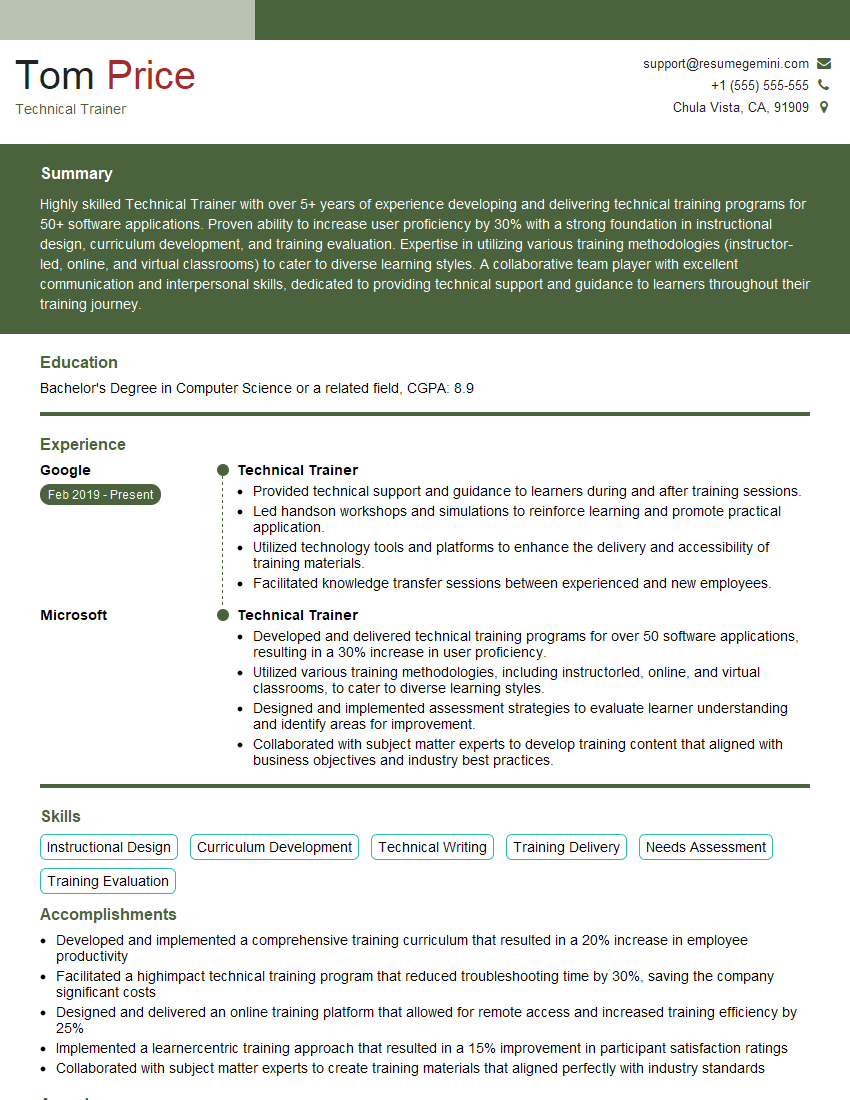
Technical Trainer Resume Sample

Training Specialist Resume Sample

Information Architect Resume Sample

Help Desk Analyst Resume Sample

Content Strategist Resume Sample

Documentation Specialist Resume Sample

Instructional Designer Resume Sample

Technical Editor Resume Sample
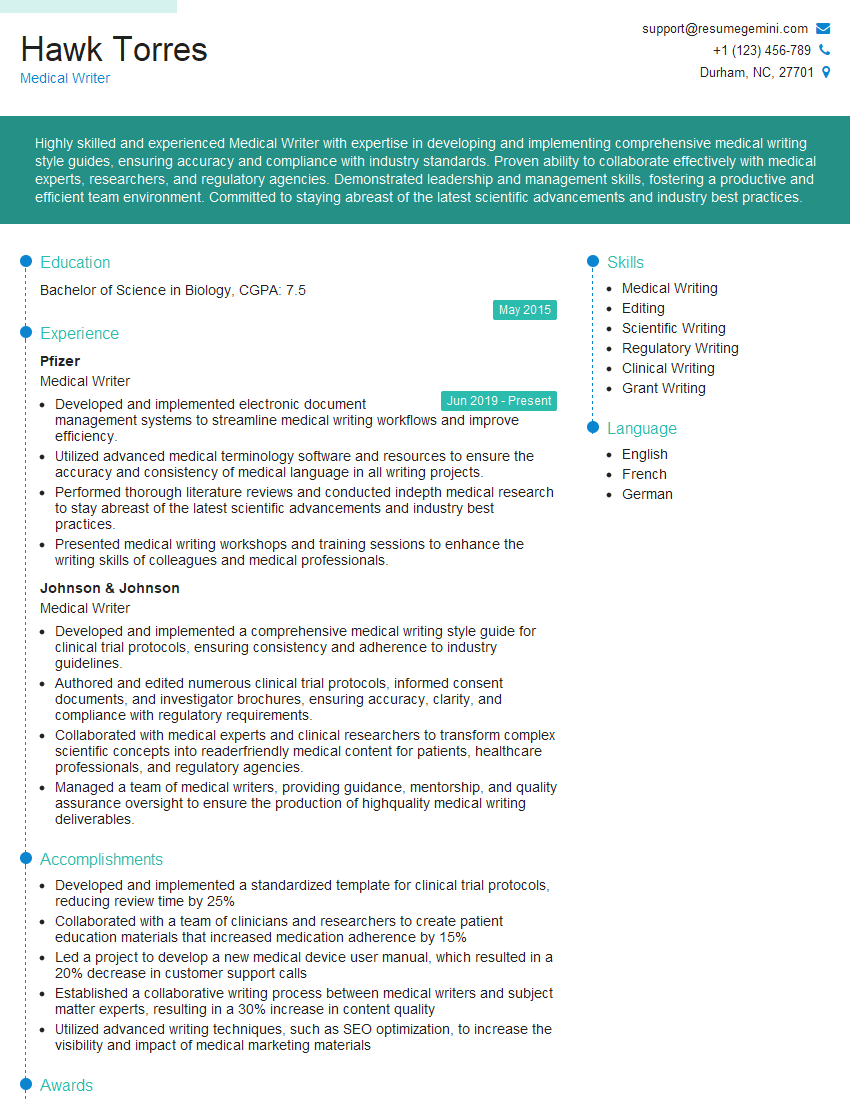
Medical Writer Resume Sample
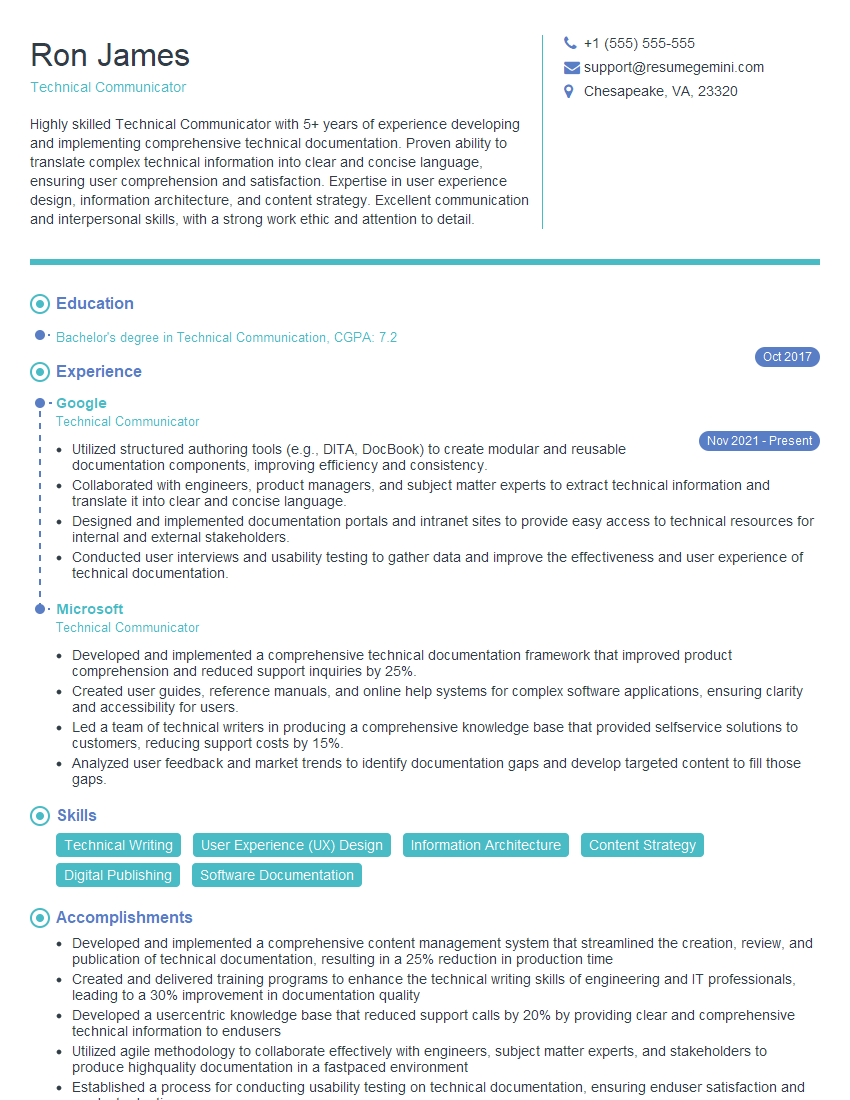
Technical Communicator Resume Sample

Technical Writer Resume Sample
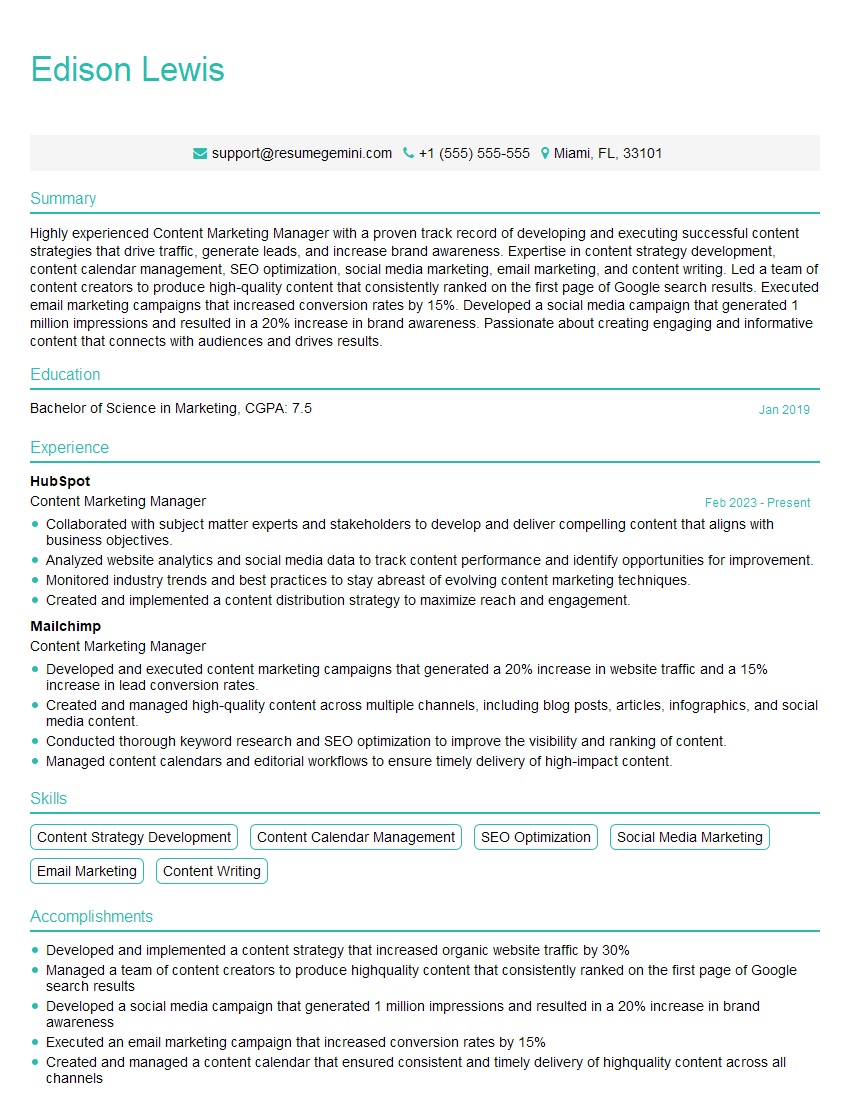
Content Marketing Manager Resume Sample
- Product Manager
- Communications Manager
- Knowledge Manager
- Business Analyst
- Technical Trainer
- Training Specialist
- Information Architect
- Help Desk Analyst
- Content Strategist
- Documentation Specialist
- Instructional Designer
- Technical Editor
- Medical Writer
- Technical Communicator
- Technical Writer
- Content Marketing Manager
Explore more articles
Users Rating of Our Blogs
Share Your Experience
We value your feedback! Please rate our content and share your thoughts (optional).
What Readers Say About Our Blog
Very informative content, great job.
good