Unlock your full potential by mastering the most common adjusting and maintaining offset printing machines interview questions. This blog offers a deep dive into the critical topics, ensuring you’re not only prepared to answer but to excel. With these insights, you’ll approach your interview with clarity and confidence.
Questions Asked in adjusting and maintaining offset printing machines Interview
Q 1. Describe the process of makeready on an offset printing press.
Makeready in offset printing is the crucial setup process before printing begins. Think of it as preparing the stage for a play – everything needs to be in its perfect place for a flawless performance. It involves several key steps:
Plate Mounting: Carefully attaching the printing plates (which hold the image) onto the plate cylinders. This requires precision to ensure proper registration (alignment of colors).
Blanket Cylinder Preparation: Cleaning and conditioning the blanket cylinders, which transfer the ink from the plate to the paper. A dirty blanket will result in blurry prints.
Ink and Dampening System Adjustment: This involves setting the correct ink and water balance. Too much water leads to pale prints; too much ink leads to muddy, smeared ones. We fine-tune this based on the paper type and ink being used.
Impression Cylinder Adjustment: Adjusting the pressure between the blanket cylinder and the impression cylinder (which presses the ink onto the paper). Too little pressure results in light prints; too much causes paper damage.
Registration Adjustment: Precisely aligning the colors if printing multiple colors. Even a slight misalignment leads to noticeable color shifts, making the print unsatisfactory. We achieve this through careful adjustment of the different cylinders.
Test Printing and Adjustments: Running a few test prints to check the color, density, and registration. This iterative process allows for fine-tuning before the full print run commences.
A well-executed makeready minimizes waste and ensures a smooth, high-quality print run. I’ve seen firsthand how a poorly executed makeready can lead to hours of wasted time and materials correcting errors.
Q 2. Explain the function of the dampening system in an offset press.
The dampening system in an offset press is vital; it controls the amount of water applied to the printing plate. Think of it as a crucial ingredient in a recipe – the right amount is essential for a perfect outcome. The water balances the ink on the plate, preventing the ink from sticking to non-image areas. This is crucial for crisp, clear prints. The system typically consists of a series of rollers that transfer fountain solution (a mixture of water and chemicals) onto the plate. The balance between water and ink is crucial:
Too much water: Leads to pale, washed-out prints and poor ink transfer.
Too little water: Results in ink piling up on the non-image areas, causing smearing and blurry images.
Adjusting the dampening system involves controlling the water level in the fountain, the roller pressure, and the distribution of water across the plate. This is where expertise comes into play – different papers and inks require varying water balances. It’s a delicate balancing act!
Q 3. How do you identify and correct problems with ink density on an offset press?
Ink density problems manifest as prints that are too light or too dark. Identifying the cause involves systematic troubleshooting. Here’s my approach:
Visual Inspection: Examine the printed sheet for uneven ink distribution, streaks, or patches. This often pinpoints the problem area.
Ink Key Settings: Check the ink key settings on the press. These control ink flow to each color unit. Adjustments here often resolve density issues. For instance, if a color is too light, we increase the ink key value for that unit.
Ink Viscosity: Check the ink’s viscosity (thickness). Thick ink leads to uneven coverage; thin ink leads to weak color. I use a viscosimeter to accurately measure and adjust.
Roller Condition: Inspect the rollers for wear and tear. Damaged rollers can’t transfer ink properly. We might need to clean, replace, or re-condition them.
Dampening System: An imbalance in the dampening system (too much or too little water) greatly impacts ink density. A proper balance is crucial.
Plate Condition: Worn or damaged plates can also cause variations in ink density. I’d check for scratches or debris on the plate.
I always start with the simplest solutions – adjusting ink keys – before proceeding to more complex issues, such as roller replacement or plate changes. This approach saves time and resources.
Q 4. What are the common causes of paper jams in an offset press, and how do you resolve them?
Paper jams are a common frustration in offset printing, but resolving them requires a methodical approach. The most frequent causes include:
Improper Paper Feeding: Paper misalignment, incorrect paper guides, or insufficient suction can cause jams at the feeder.
Paper Path Obstructions: Debris, misaligned rollers, or damaged parts in the paper path can obstruct the flow of paper.
Paper Moisture Content: Excessive moisture can cause the paper to stick together, leading to jams.
Incorrect Paper Specifications: Using paper that’s too thick or thin for the press can create problems.
Static Electricity: Static electricity can cause sheets to stick together or cling to other parts of the press.
My troubleshooting steps include:
Identify the Jam Location: Pinpoint where the jam occurred to focus my efforts.
Clear the Jam Carefully: Gently remove the jammed sheets, taking care not to damage any parts of the press.
Check Paper Path: Inspect the entire paper path for obstructions, misalignments, or damaged parts.
Adjust Paper Guides: Ensure that the paper guides are correctly aligned and providing the proper support.
Check Suction: Verify that the paper feed has adequate suction to pull paper smoothly.
Inspect Rollers: Check for any damaged or worn rollers that might be causing friction.
Preventive maintenance, such as regular cleaning and lubrication, drastically reduces the frequency of paper jams. I always stress the importance of using correct paper and machine settings.
Q 5. Describe your experience with different types of offset printing plates.
I’ve worked extensively with various types of offset printing plates, each with its advantages and disadvantages:
PS Plates (Photosensitive Plates): These are commonly used, relatively inexpensive, and require less specialized equipment for processing. They’re suitable for shorter runs and less demanding applications.
CTP Plates (Computer-to-Plate): These plates are imaged directly from a computer, eliminating the need for film. This leads to higher precision, faster turnaround times, and reduced costs in the long run. They’re ideal for longer runs and high-quality work. I have experience with both thermal and violet CTP plates, each requiring specific processing procedures.
Surface Plates: These are used for less demanding applications, generally offering lower cost but shorter lifespan and lower image quality than PS or CTP plates.
The choice of plate depends on factors such as the print run length, image complexity, budget, and available processing equipment. Understanding these factors is crucial for selecting the right plate and maximizing print quality.
Q 6. How do you maintain the rollers and blankets on an offset press?
Maintaining rollers and blankets is crucial for consistent print quality and press longevity. It’s like regular car maintenance – preventative care prevents major problems. My routine involves:
Regular Cleaning: I regularly clean rollers and blankets with appropriate cleaning solutions, removing ink build-up and debris. I pay special attention to the nip areas (where the rollers meet) to prevent ink build-up or scratches that impact print quality.
Roller Conditioning: Periodically, I condition rollers using specialized roller conditioners to maintain their surface integrity and prevent wear. This ensures even ink distribution and reduces the risk of image defects.
Blanket Washing: Blankets require regular washing to remove ink and debris that accumulate during printing. I use the appropriate cleaning agents and techniques to avoid damaging the blanket.
Inspection for Wear: I regularly inspect rollers and blankets for signs of wear and tear, such as scratches, nicks, or flattening. Damaged components need replacement to avoid print quality issues.
Proper Storage: When not in use, blankets are stored properly to prevent damage from environmental factors like UV exposure.
Ignoring roller and blanket maintenance leads to print defects like streaks, uneven ink coverage, and reduced print quality. It’s an investment in press longevity and print quality.
Q 7. Explain the importance of proper cleaning and maintenance of an offset press.
Proper cleaning and maintenance of an offset press are paramount for several reasons:
Print Quality: A clean press ensures consistent ink transfer and sharp images. Accumulated ink and debris lead to print defects.
Press Longevity: Regular maintenance extends the life of the press by preventing wear and tear on critical components. Think of it like regular check-ups for your body.
Reduced Downtime: Preventative maintenance reduces the frequency of unexpected breakdowns, minimizing production downtime and lost revenue.
Safety: A well-maintained press is a safer press. Regular cleaning and inspections identify potential safety hazards early on.
Reduced Waste: A well-maintained press minimizes waste due to print defects or malfunctions.
My cleaning and maintenance procedures are comprehensive, including daily cleaning, weekly inspections, and scheduled maintenance according to the manufacturer’s recommendations. I always document all maintenance activities, facilitating efficient troubleshooting and preventative strategies. It’s not just about fixing problems, but about preventing them before they occur.
Q 8. How do you troubleshoot and resolve issues with print registration?
Print registration refers to the precise alignment of colors or images printed on multiple plates. Troubleshooting registration issues involves a systematic approach, starting with the most likely culprits.
- Check the Plate Mounting: Incorrect plate mounting is a common cause. Verify that plates are securely fastened and perfectly aligned within the clamps. Imperfect mounting can lead to lateral or longitudinal misregistration.
- Inspect the Gripper Bars: Ensure the gripper bars are correctly adjusted and evenly gripping the sheet throughout its path. Uneven gripping can cause slippage, resulting in misregistration.
- Examine the Cylinder Alignment: Slight misalignment of the impression cylinder, plate cylinder, or blanket cylinder can lead to registration problems. Micrometer adjustments are typically used to correct cylinder alignment. A misalignment of even a few thousandths of an inch can cause noticeable problems.
- Assess the Paper Feed System: Problems with the paper feed, such as skewed sheets or inconsistent feeding, can result in registration errors. This often requires careful adjustment of the feed rollers and possibly replacing worn parts.
- Check the Dampening System: An uneven distribution of dampening solution can cause the ink to spread unevenly, impacting registration, particularly in multi-color jobs. Examine the rollers and adjust dampening solution accordingly.
- Consider the Ink Viscosity: Ink that is too thick or too thin can create problems. Thicker ink will be less likely to flow properly while thinner ink can lead to more spreading and potential for blurring.
For example, I once dealt with a registration issue that turned out to be caused by a worn-out gripper bar. After replacing the bar, registration was restored perfectly. A systematic approach is key—eliminate one potential cause at a time.
Q 9. What safety precautions do you take when working with an offset printing press?
Safety is paramount in offset printing. My routine includes several critical safety precautions:
- Lockout/Tagout Procedures: Before performing any maintenance or adjustments, I always follow strict lockout/tagout procedures to prevent accidental machine starts. This is non-negotiable.
- Personal Protective Equipment (PPE): I consistently use appropriate PPE, including safety glasses, gloves, and hearing protection. This is vital to protect against ink splashes, moving parts, and excessive noise.
- Machine Awareness: Before working near the machine, I thoroughly inspect it for any potential hazards. This could be a loose wire, a leaking fluid, or something more serious that can wait for qualified personnel.
- Proper Lifting Techniques: I use proper lifting techniques when handling heavy plates, cylinders, or other components to avoid injuries. It’s better to use mechanical aids whenever appropriate.
- Emergency Procedures: I am familiar with the emergency shutdown procedures and the location of fire extinguishers and other safety equipment. Knowing where things are in advance is crucial for a quick reaction to a problem.
- Chemical Safety: I’m aware of the hazards associated with the chemicals used in the process (inks, cleaners, dampening solutions), including appropriate handling, storage, and disposal procedures. Always refer to the SDS (Safety Data Sheets) before commencing any chemical-related activity.
A near miss once highlighted the importance of these precautions. A colleague failed to engage the lockout/tagout, resulting in a minor injury due to a sudden machine movement. This reinforced the vital need for adherence to all safety protocols.
Q 10. Describe your experience with different types of offset printing inks.
My experience encompasses a range of offset printing inks, each with unique properties:
- Conventional Inks: These are oil-based inks, known for their vibrant colors and excellent print quality. They require careful adjustments to ink viscosity and dampening solutions to prevent issues such as smearing and set-off (ink transfer to the back of the paper).
- UV-Cured Inks: UV inks cure instantly upon exposure to ultraviolet light, eliminating drying time and allowing for faster production. They offer vibrant colors and excellent scratch resistance but require specialized UV curing units, and can have some safety concerns.
- Vegetable-Based Inks: These inks are more environmentally friendly, made from renewable resources. They often provide slightly less vibrancy than conventional inks and have certain limitations regarding press speeds and drying time.
- Metallic Inks: Metallic inks deliver a special shimmering or reflective effect, often used for high-end applications. They require specific adjustments to the press to achieve an even spread and avoid clogging.
Each ink type presents unique challenges. For instance, UV inks require precise control of the UV lamp intensity and distance from the sheet to ensure proper curing. I have significant experience in finding the optimal press settings for each ink type to ensure consistent and high-quality printing.
Q 11. Explain your understanding of color management in offset printing.
Color management in offset printing is crucial for achieving accurate and consistent color reproduction. It involves a sophisticated workflow that begins long before the press starts.
- Profile Creation: Accurate color profiles are created for each component in the printing process: the monitor, the platesetter, and the printing press. These profiles characterize the color response of each device, ensuring that the intended colors are accurately reproduced.
- Color Separation: The process of separating a full-color image into its CMYK (Cyan, Magenta, Yellow, Black) components is vital. This requires precise control over the dot gain (the expansion of dots during printing) and ensures each color is reproduced accurately.
- Proofing: Soft proofing (on-screen) and hard proofing (printed proofs) are essential to verify that the intended colors will be achieved. Accurate proofing significantly reduces waste and ensures client satisfaction.
- Press Adjustments: Fine-tuning of the ink densities, dot gain, and other press settings is performed to match the proof. Color management software and measurement tools (spectrophotometer) assist in this critical process.
For instance, a spectrophotometer helps me objectively measure color values, enabling accurate adjustments during the print process, thereby achieving excellent color consistency.
Q 12. How do you maintain consistent print quality throughout a long print run?
Maintaining consistent print quality throughout a long print run requires diligent attention to detail and proactive maintenance.
- Regular Ink and Dampening Solution Checks: Monitor and adjust ink viscosity and dampening solution levels regularly throughout the run to ensure consistent ink transfer and color reproduction. Viscosity tends to change as temperature fluctuates during the print run.
- Paper Monitoring: Maintain consistent paper feeding and handling to avoid skewing or jamming, which can disrupt print quality and registration. Paper can gain or lose moisture during a long print run.
- Temperature and Humidity Control: Control of the environment (temperature and humidity) is vital since changes can affect both ink viscosity and paper properties, impacting quality.
- Regular Cleaning: Perform routine cleaning of rollers, blankets, and other components to prevent ink build-up and maintain consistent ink transfer. Regular cleaning significantly reduces the chance of poor ink transfer and contamination.
- Preventive Maintenance: Regular preventive maintenance, including lubrication and adjustments, is crucial to maintain the press in optimal condition.
- Color Control Strips: Regularly check color control strips throughout the run to monitor color consistency and make adjustments if necessary. These strips are usually printed at the beginning of each job.
I’ve had long runs (hundreds of thousands of prints) where consistent quality was achieved through strict adherence to these procedures. Proactive monitoring is key to preventing issues from escalating and causing major problems later on.
Q 13. What are the key performance indicators (KPIs) you monitor in offset printing?
Key Performance Indicators (KPIs) I monitor in offset printing include:
- Print Speed (impressions per hour): Measures the productivity and efficiency of the printing process.
- Waste Rate (percentage of spoiled sheets): Indicates the efficiency of the process and identifies areas needing improvement.
- Makeready Time (time taken to set up the press): An indicator of efficiency and experience.
- Color Consistency (measured using a spectrophotometer): Shows the accuracy of color reproduction.
- Registration Accuracy (measured in microns): Indicates the precision of alignment between colors.
- Press Downtime (percentage of time the press is not producing): Measures maintenance needs and identifies areas for improvement.
- Overall Equipment Effectiveness (OEE): A comprehensive metric combining the above factors to assess overall machine performance.
By tracking these KPIs, I can identify areas for improvement, optimize the press operation, and reduce waste, ultimately leading to higher efficiency and profitability.
Q 14. Describe your experience with pre-press processes and their impact on print quality.
Pre-press processes are critical for achieving high-quality offset printing. My experience highlights the profound impact of this stage.
- Image Preparation: Proper image resolution, color space conversion (to CMYK), and trapping are crucial to avoid problems during printing. Improper image preparation is a major cause of print defects.
- Platemaking: The quality of the printing plates directly impacts the print quality. Using the right platesetter technology and settings leads to better accuracy and consistency.
- Proofing: Soft and hard proofs allow for early detection of potential issues, allowing for timely corrections before the printing begins, minimizing waste and maximizing efficiency.
- Imposition: Correct imposition (arranging pages on the plate) is vital for efficient printing and accurate binding. Incorrect imposition can lead to wasted pages and production delays.
I’ve seen firsthand how inadequate pre-press preparation can severely impact print quality. For instance, insufficient resolution in the artwork led to blurry images, and improper trapping resulted in gaps between colors. A strong pre-press foundation leads to a smoother printing process and superior results.
Q 15. How do you handle unexpected breakdowns or malfunctions on the press?
Handling unexpected breakdowns requires a systematic approach. My first step is always safety – ensuring the press is shut down and the area is secure. Then, I perform a quick assessment to identify the problem. This might involve checking error codes displayed on the console, listening for unusual noises, or visually inspecting components for obvious damage.
For example, if the press suddenly stops during a run, I’d first check the power supply and circuit breakers. If that’s fine, I might move to examine the paper feed system for jams or the inking system for irregularities. I keep a detailed log of all malfunctions, including troubleshooting steps and solutions. This log helps me identify recurring issues and prevent future breakdowns. A well-maintained preventative maintenance schedule significantly reduces unexpected issues.
Once the problem is identified, I consult manuals, online resources, or contact the manufacturer’s technical support if needed. I prioritize solving the issue quickly and efficiently to minimize downtime, focusing on the most likely causes first before resorting to more extensive troubleshooting.
Career Expert Tips:
- Ace those interviews! Prepare effectively by reviewing the Top 50 Most Common Interview Questions on ResumeGemini.
- Navigate your job search with confidence! Explore a wide range of Career Tips on ResumeGemini. Learn about common challenges and recommendations to overcome them.
- Craft the perfect resume! Master the Art of Resume Writing with ResumeGemini’s guide. Showcase your unique qualifications and achievements effectively.
- Don’t miss out on holiday savings! Build your dream resume with ResumeGemini’s ATS optimized templates.
Q 16. Explain your experience with different types of offset presses (e.g., sheetfed, web).
My experience encompasses both sheetfed and web offset presses. Sheetfed presses, which print on individual sheets of paper, are ideal for shorter runs and higher-quality work demanding precise registration. I’m proficient in operating and maintaining various sheetfed models from Heidelberg, Komori, and Ryobi, handling everything from setup to adjustments and troubleshooting.
Web offset presses, on the other hand, print on continuous rolls of paper, making them suitable for large-volume jobs like newspapers or magazines. I’ve worked with web presses from Goss and MAN Roland, understanding their unique challenges related to web tension, register control, and high-speed operation. Each press type has its own intricacies; sheetfed requires meticulous attention to detail for accurate registration, while web demands understanding of sophisticated automation and roll handling. I’m comfortable adapting my skills to either type, focusing on delivering high-quality results regardless of the press.
Q 17. What are the common causes of slurring or ghosting in offset printing?
Slurring and ghosting are common printing defects, characterized by blurred images (slurring) and faint, secondary impressions (ghosting). Slurring often results from issues in the ink-water balance, specifically too much ink or too little fountain solution. Inconsistent dampening roller contact or a worn-out roller can also contribute.
Ghosting, however, usually stems from problems with the plate cylinder or blanket cylinder. For instance, a slightly damaged or dirty blanket cylinder can transfer a faint image from a previous sheet, causing ghosting. Improper plate mounting, leading to uneven pressure, can also contribute. In some cases, ink drying too slowly on the blanket can cause ghosting. Diagnosing the root cause requires careful observation and systematic troubleshooting, involving checks of the ink-water balance, blanket cylinder condition, plate mounting, and drying conditions.
Q 18. How do you adjust the ink and water balance on an offset press?
Adjusting the ink-water balance is crucial for optimal print quality. It’s a delicate dance between achieving sufficient ink transfer for vibrant colors and adequate dampening to prevent the ink from smearing. This involves manipulating the ink keys, fountain solution flow, and dampening roller pressure.
I typically start by checking the ink density using a densitometer. If the density is too low, I might increase the ink flow by adjusting the ink keys. Conversely, if it’s too high, I’d reduce the ink flow. Simultaneously, I monitor the fountain solution level and adjust it to achieve the right balance. The goal is to maintain a consistent and even ink film across the entire printing surface. This often involves fine-tuning several settings iteratively, observing the changes, and making adjustments until the desired result is achieved. I frequently use color bars and test prints to ensure consistency.
Q 19. Explain your knowledge of different types of paper and their suitability for offset printing.
Different papers have different properties that affect their suitability for offset printing. Factors to consider include paper weight, grain direction, coating, and moisture content. Coated papers, for example, provide a smooth surface ideal for high-quality images and sharp text, but they are more expensive. Uncoated papers offer a more textured look and feel, but might not produce the same sharpness.
The paper weight influences the press’s performance. Heavier stocks require more robust handling and adjustments to the press’s feeding mechanisms. The grain direction is critical for minimizing paper wrinkles and ensuring even printing. For instance, printing with the grain typically minimizes issues. Lastly, moisture content impacts how the paper handles in the press. Too much moisture can lead to problems with feeding and jamming. Choosing the right paper is crucial for producing high-quality prints and avoiding press issues; I always collaborate with the client to determine the best paper choice for the project.
Q 20. How do you perform routine maintenance checks on an offset printing press?
Routine maintenance is essential for ensuring optimal press performance and preventing breakdowns. My checks involve a thorough inspection of various components. This includes checking the ink and water systems for leaks or clogs, verifying the proper function of dampening rollers and their condition, inspecting the rollers, blankets, and plates for wear and tear, checking the paper feed system for jams, and ensuring proper registration.
I also clean the various components regularly to remove ink buildup and debris. Additionally, I lubricate moving parts as needed, ensuring smooth operation. These checks are conducted daily, weekly, and monthly, with a more thorough inspection scheduled every six months or annually. This scheduled approach keeps the press running efficiently and proactively addresses issues before they become major problems, minimizing downtime and improving print quality.
Q 21. Describe your experience with using different types of printing plates.
My experience includes working with various types of printing plates, including conventional metal plates, thermal plates, and computer-to-plate (CTP) plates. Conventional plates require manual processing, while thermal plates use heat to create the image, and CTP plates are directly imaged using digital technology. CTP plates provide higher precision and efficiency, streamlining the platemaking process.
Each plate type has its strengths and weaknesses. Conventional plates are cost-effective for small print runs but are more labor-intensive. Thermal plates offer a faster turnaround time, but their image quality might be slightly lower compared to CTP plates. CTP plates represent the most advanced technology, providing high precision, but require a substantial investment in imaging equipment. I’m well-versed in handling and processing each type, optimizing their use depending on the print job’s specifications and the client’s requirements for speed and quality.
Q 22. How do you troubleshoot and resolve issues related to paper feed problems?
Paper feed problems are a common headache in offset printing, often stemming from issues with the feeder’s rollers, sensors, or the paper itself. Troubleshooting starts with observation: Is the paper jamming consistently in the same spot? Is it misfeeding (feeding multiple sheets at once) or not feeding at all? Is the paper wrinkled or damaged?
- Roller Issues: Worn or improperly adjusted rollers are a prime suspect. They might not be gripping the paper correctly, leading to slippage or jams. The solution involves checking roller pressure (often adjustable via screws or levers), replacing worn rollers, and cleaning them of dust and debris. Think of it like trying to grip a slippery bar of soap – the rollers need the right amount of ‘grip’ to hold and feed the paper reliably.
- Sensor Problems: Optical sensors detect the presence of paper and signal the feeder to advance. If a sensor is dirty, misaligned, or malfunctioning, the feeder might not receive the correct signals. Cleaning the sensor and checking its alignment are essential first steps. If that fails, sensor replacement may be necessary.
- Paper Quality: Paper moisture content, static electricity, and even the type of paper itself heavily influence feeding. Too much moisture can cause paper to stick together; static electricity can cause sheets to repel each other. Ensuring proper paper storage conditions (temperature and humidity) and considering the paper’s suitability for the press are crucial. In one instance, we had recurrent misfeeds because the paper was poorly stacked and had uneven moisture content. We corrected this with proper paper conditioning prior to feeding.
- Mechanical Issues: Sometimes the problem is more mechanical, involving things like misaligned feeder guides, broken feed tray components, or even blockages within the feeder mechanism. Careful inspection and potential replacement of parts may be required. One time, we found that a small piece of metal had lodged in a critical gear causing a persistent jam.
A systematic approach, starting with the simplest checks and moving to more complex mechanical inspections, is key to effectively resolving paper feed problems.
Q 23. Explain your understanding of the impact of temperature and humidity on printing.
Temperature and humidity significantly impact offset printing. They affect both the paper and the inks. Fluctuations can lead to significant quality issues.
- Paper: Changes in humidity cause paper to expand or contract. High humidity can lead to paper stretching, causing register problems (images not aligning correctly) and even jams. Low humidity can cause paper to shrink, leading to similar issues. Maintaining a stable environment within the pressroom is paramount for consistent paper handling and registration.
- Inks: Temperature affects ink viscosity (thickness). High temperatures can thin the ink, making it run and creating fuzzy edges. Low temperatures can thicken the ink, leading to poor transfer to the paper and potentially causing mottling (uneven ink distribution). Ideally, ink should be stored and used at the temperature specified by the manufacturer.
Think of it like baking a cake: The correct temperature and humidity are essential for a perfect result. Similarly, in offset printing, controlling these factors ensures accurate and consistent printing. We routinely monitor the pressroom environment using hygrometers and thermometers and make adjustments such as using air conditioning or humidifiers as needed to maintain optimum conditions.
Q 24. How do you ensure accurate color matching in offset printing?
Color accuracy in offset printing is achieved through a combination of careful pre-press preparation, precise ink control, and ongoing monitoring. It’s a multi-step process requiring expertise and precision.
- Proofing: Creating accurate color proofs (like those using Pantone or other calibrated systems) is essential. These act as a reference for the final printed product. We use spectrophotometers and color management software to ensure our proofs are highly accurate.
- Ink Selection and Adjustment: Selecting the right inks and adjusting their density on press are crucial. This often involves making fine adjustments to the ink fountain keys, using color bars and densitometers to measure the density of the printed colors and ensuring they match the proof.
- Press Calibration: Regular calibration of the press itself, including color registration, is essential to maintain consistent color output. This is often performed using test sheets and adjusting the various settings (like the inking unit rollers and the dampening system) accordingly.
- Substrate Considerations: The type of paper used can also impact color reproduction. Different papers absorb and reflect light differently, thus affecting the final color. We often perform test prints on the specific paper stock that is going to be used for the project.
- Spectral Measurement: Modern technology involves using a spectrophotometer, which measures the exact color and provides numerical values, enabling precise adjustments to attain the intended hue.
Color matching isn’t an exact science; it’s an iterative process of careful adjustment and constant monitoring. It’s about understanding the interplay of all these factors and using the right tools and techniques to fine-tune the print.
Q 25. Describe your experience with different types of press controls and automation systems.
My experience encompasses a range of press controls and automation systems, from older, manually-operated presses to the latest computer-controlled models. This includes both sheetfed and web presses.
- Traditional Controls: I’m proficient with the manual adjustments found in older presses, including fine-tuning ink and dampening systems, adjusting register, and manually controlling paper feed. This hands-on experience provides a foundational understanding of the printing process.
- Computer-to-Plate (CTP) Systems: I have extensive experience with CTP systems, which streamline platemaking and improve color accuracy. I’m familiar with various workflow systems and their impact on press operation. The transition from traditional platemaking to CTP drastically improved our workflow speed and efficiency.
- Automated Press Controls: I’m adept at operating presses with advanced automation features, such as automatic blanket washing, automated ink adjustments, and sophisticated register control systems. These systems offer improved consistency and reduce the need for manual adjustments, leading to increased productivity and reduced waste. We saw a reduction in makeready times by 40% when we upgraded to our current automated press.
- Pre-press Software: My experience includes working with pre-press software to set up printing jobs, manage color profiles, and control various press parameters from a central console.
Understanding the nuances of different control systems, whether manual or automated, is crucial for efficient and high-quality offset printing. Adaptability and a willingness to learn new technologies are key in this constantly evolving field.
Q 26. Explain your understanding of the different types of offset printing processes (e.g., sheetfed, web, perfector).
Offset printing processes are broadly categorized into sheetfed, web, and perfector presses, each with its own characteristics and applications.
- Sheetfed Presses: These presses use individual sheets of paper, making them ideal for shorter runs and higher-quality print jobs requiring precision. They are commonly used for high-end print products like brochures, business cards, and packaging materials. The flexibility in paper stock is a major advantage.
- Web Presses: Web presses process paper continuously from a large roll (the web), making them suitable for high-volume, high-speed printing of newspapers, magazines, and large-format printed materials. The speed of web presses is a major advantage, but setup and make ready are more complex.
- Perfector Presses: Perfector presses print both sides of the sheet simultaneously in a single pass, doubling the printing speed compared to a conventional two-sided printing process. The speed efficiency is great for high-volume jobs, but may not be suitable for every type of paper and thickness.
The choice of press depends heavily on the job requirements – print volume, paper type, quality expectations, and budget. I have hands-on experience with all three types of presses and understand their strengths and weaknesses.
Q 27. How do you identify and correct problems with back-trapping?
Back-trapping, where a previously printed sheet is fed back into the press and printed again, is a significant problem causing duplicated prints and wasted materials. Identifying and correcting it requires a methodical approach.
- Inspection of the Delivery System: Begin by carefully inspecting the delivery system, looking for any obstructions or misalignments that could cause sheets to back up or fall back into the press. Issues such as pile height, incorrect delivery belt tension, or a poorly adjusted delivery table can be the culprit.
- Examine the Paper Path: Check the entire paper path for any irregularities or obstructions that might cause sheets to be misdirected. For instance, a poorly adjusted gripper bar or other mechanical issues. We’ve had instances where a slight bend in the paper path would cause this problem.
- Review the Press Controls: Ensure the press controls, particularly the sheet counting mechanism, are functioning correctly. Errors in counting can sometimes lead to sheets not being properly ejected, causing them to back-trap.
- Adjusting Mechanical Components: Fine-tuning mechanical components such as the pile turner and delivery mechanism might be necessary. This often involves subtle adjustments to angles and pressures.
Solving back-trapping often involves a combination of these solutions, requiring a keen eye for detail and a deep understanding of the press’s mechanics. One time, the root cause was a faulty suction system not fully pulling the printed sheets from the press, leading to a back-trap situation.
Q 28. What are some common problems encountered with the delivery system of an offset press and how would you resolve them?
Problems with the delivery system are common and can range from minor issues to major disruptions. These issues can lead to misaligned sheets, damaged prints, and reduced productivity.
- Sheet Misalignment: Misaligned sheets often result from issues with the delivery belts, guides, or the delivery table itself. Adjusting these components, ensuring they are properly aligned and free of obstructions, is essential. Slight misalignments can cascade and cause significant problems later.
- Sheet Jams or Double-Feeding: These often stem from issues with the delivery pile height, pile separation mechanisms, or the delivery belt speed. It’s critical to ensure these aspects of the press are functioning properly, and adjustments will correct these problems.
- Sheet Damage: Damage can occur due to worn or damaged delivery belts, improper pile height leading to excessive pressure, or other mechanical issues. Replacing worn belts, adjusting pile height, and checking for any sharp edges or protrusions are key to preventing damage. One time, a loose screw caused a sheet to become caught and crumpled in the delivery system.
- Delivery System Slowdowns: Slow downs can be due to worn belts or mechanical issues in the system. Checking and replacing worn parts and lubricating moving parts can significantly improve performance.
Addressing these issues involves a combination of preventative maintenance, regular inspection, and prompt troubleshooting. A proactive approach is essential for minimizing downtime and maintaining the integrity of the printed product.
Key Topics to Learn for Adjusting and Maintaining Offset Printing Machines Interview
- Understanding the Offset Printing Process: Grasp the fundamental principles of offset lithography, including the roles of the different units (plate cylinder, blanket cylinder, impression cylinder).
- Color Management and Registration: Learn about color theory as it applies to printing, techniques for achieving accurate color registration and troubleshooting misregistration issues. Practical application: Explain how you would adjust the impression cylinder to improve image sharpness.
- Paper Handling and Feed Systems: Understand the different types of paper used in offset printing and how to adjust the paper feed system to minimize jams and ensure consistent paper flow. Practical application: Describe your experience troubleshooting paper jams and optimizing paper feed settings for different paper weights.
- Ink Management and Balancing: Learn about ink properties, ink viscosity, and techniques for achieving consistent ink density and color balance across the printed sheet. Practical application: Explain how you would adjust ink keys and fountain solutions to address color variations.
- Plate Making and Mounting: Understand the process of creating and mounting printing plates, including quality control checks and troubleshooting plate-related issues. Practical application: Describe your experience with different plate types and your ability to identify and resolve plate-related problems.
- Preventive Maintenance and Troubleshooting: Develop a strong understanding of routine maintenance procedures, common machine malfunctions, and effective troubleshooting strategies. Practical application: Explain your approach to identifying and resolving a recurring problem with a specific machine component.
- Safety Procedures and Regulations: Demonstrate knowledge of safety protocols and industry regulations related to operating and maintaining offset printing equipment. Practical application: Describe your experience implementing and adhering to safety procedures in a printing environment.
- Machine Cleaning and Hygiene: Understand the importance of regular cleaning and the proper procedures for maintaining a clean and efficient printing environment.
Next Steps
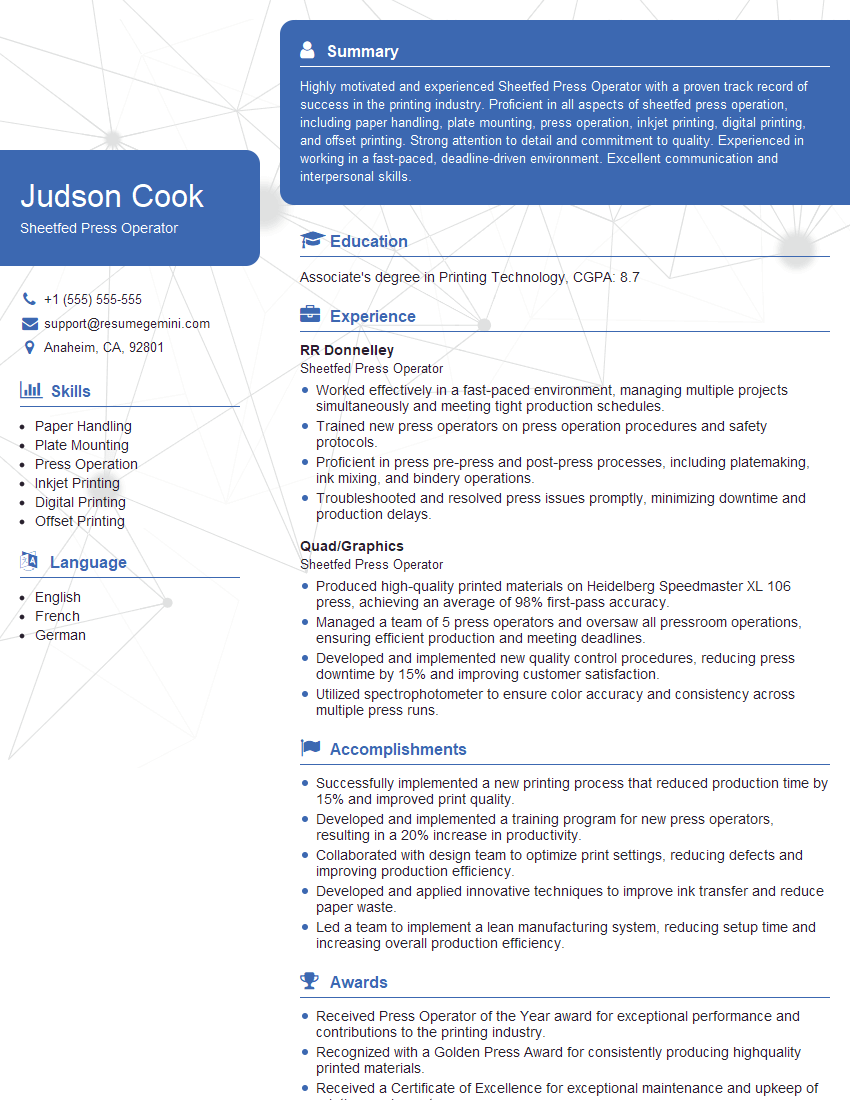
Mastering the adjustment and maintenance of offset printing machines is crucial for career advancement in the printing industry, opening doors to higher-paying roles and greater responsibility. A well-crafted resume is your key to unlocking these opportunities. Building an ATS-friendly resume significantly improves your chances of getting your application noticed by potential employers. We recommend using ResumeGemini to create a professional and effective resume that highlights your skills and experience. ResumeGemini provides examples of resumes tailored specifically for professionals in adjusting and maintaining offset printing machines, helping you showcase your qualifications effectively.



Explore more articles
Users Rating of Our Blogs
Share Your Experience
We value your feedback! Please rate our content and share your thoughts (optional).
What Readers Say About Our Blog
Very informative content, great job.
good