Every successful interview starts with knowing what to expect. In this blog, we’ll take you through the top Advanced Knowledge of DAW (Digital Audio Workstation) interview questions, breaking them down with expert tips to help you deliver impactful answers. Step into your next interview fully prepared and ready to succeed.
Questions Asked in Advanced Knowledge of DAW (Digital Audio Workstation) Interview
Q 1. Explain your experience with different types of audio editing software (DAWs).
My experience with DAWs spans over a decade, encompassing a wide range of software, from industry standards like Pro Tools and Logic Pro X to more specialized options such as Ableton Live and Cubase. I’ve worked extensively with each, leveraging their unique strengths for different projects. For instance, Pro Tools excels in its robust workflow for film scoring and post-production, while Ableton Live’s session view is unparalleled for live performance and electronic music production. Logic Pro X offers a fantastic balance of features and ease of use. My proficiency extends beyond basic recording and editing; I’m adept at utilizing advanced features like automation, complex routing, and advanced plugin processing within each DAW. I’ve also explored less mainstream options, gaining a broad understanding of the diverse capabilities within the digital audio landscape.
Q 2. Describe your workflow for mixing a song in your preferred DAW.
My mixing workflow in Logic Pro X, my preferred DAW, is a meticulous process built around iterative refinement. It begins with gain staging—ensuring appropriate levels throughout the signal chain to avoid clipping. Next, I focus on individual track processing, using EQ to sculpt the frequencies and compressors to control dynamics. I pay close attention to the stereo image, using panning and delay to create a sense of space and width. Then, I move to bus processing, grouping similar instruments (e.g., drums, vocals) to apply effects collectively. The next step is a careful consideration of overall balance, checking the mix in different listening environments. Finally, I use mastering techniques such as limiting and final EQ to create a professional, balanced, and loud finished product. Throughout, I constantly A/B compare and meticulously document my choices. This allows for easy recall and flexibility during the revision process.
Q 3. How do you handle latency issues in your DAW?
Latency, the delay between playing a note and hearing it, is a common nemesis in DAWs. I tackle it using a multi-pronged approach. Firstly, I ensure my audio interface’s buffer size is optimized—a smaller buffer reduces latency but may strain your computer’s processing power, while a larger buffer increases latency but enhances stability. Experimentation is key. Secondly, I minimize the use of CPU-intensive plugins, especially on input channels, opting for lighter alternatives or using them on output buses instead. Thirdly, I often utilize hardware monitoring which bypasses the DAW’s processing for near-zero-latency monitoring. Finally, I employ software compensation techniques—many DAWs allow for input and output delay compensation to align the audio signal in the mix. A systematic approach, coupled with performance tweaks to my system, is crucial in minimizing this problem.
Q 4. What are your preferred methods for troubleshooting audio glitches or errors?
Troubleshooting audio glitches involves a methodical process. My first step is always to isolate the problem: Does it affect all tracks, or just one? Is it consistent, or intermittent? I’ll then systematically check the most common culprits: Are my drivers updated? Is my audio interface correctly connected and powered? Have I accidentally muted or soloed the track? Are there any clipping indicators? If the problem involves plugins, I try bypassing or replacing them. If the issue persists, I might check the DAW’s preferences, restart the computer, or even reinstall drivers or the DAW itself as a last resort. Careful logging of the steps and findings helps prevent future recurrences.
Q 5. Explain your understanding of MIDI and its implementation within a DAW.
MIDI (Musical Instrument Digital Interface) is a crucial element in modern music production. Unlike audio, which records sound waves, MIDI transmits musical information—notes, velocity, pitch bend, etc.—as data. In a DAW, MIDI data is used to control virtual instruments (VSTs) or hardware synthesizers. For example, pressing a key on a MIDI keyboard sends MIDI data to the DAW, which then triggers a note in a virtual piano VST. This allows for extensive control over instruments and effects without the limitations of recording audio directly. I utilize MIDI extensively for composing melodies, creating drum patterns, automating parameters, and controlling synthesizers. The ability to edit MIDI data non-destructively—changing notes, velocities, and timings without affecting the audio—is a significant advantage in the creative process.
Q 6. How do you manage large projects efficiently in your DAW?
Managing large projects efficiently necessitates a well-organized approach. In my DAW, I heavily rely on folders and tracks to organize the project. I create separate folders for different instrument groups, effects, and stems. I also employ techniques like freezing and rendering tracks to reduce the CPU load during playback and editing. The ability to bounce down sections or tracks to audio files helps in reducing the number of active tracks that need to be processed. Regularly saving and backing up my projects is paramount, as is meticulous naming conventions. When a project becomes overly complex, I might even consider breaking it down into smaller, more manageable sub-projects, which are then combined later. Proper project organization is critical for both efficiency and maintainability.
Q 7. Describe your experience with audio routing and bussing techniques.
Audio routing and bussing are fundamental to professional mixing. Routing is the process of directing audio signals from one point to another, while bussing involves grouping multiple audio signals together to apply effects collectively. I leverage these techniques extensively to create complex and layered sounds. For example, I might route all my drum tracks to a drum bus, where I apply a compressor and EQ. Similarly, vocal tracks are commonly routed to a vocal bus for processing. This approach enables efficient processing and allows for consistent treatment of similar instruments. Careful bussing strategies contribute to a polished, cohesive mix. Mastering the art of effective routing and bussing significantly streamlines the workflow and enhances the overall quality of the final product.
Q 8. How do you use plugins to achieve specific effects in your mixes?
Plugins are like digital effects processors that enhance or modify audio within a DAW. I strategically utilize them to shape the sound, achieving specific effects depending on the musical context. For instance, a compressor on a vocal track might tame dynamic range for a smoother, more consistent sound. I might use a reverb plugin to add spaciousness and depth, creating a sense of atmosphere. EQ plugins allow precise frequency adjustments; I might cut muddiness in the low-mids or boost high frequencies for brightness. I carefully consider the interaction of plugins—overusing them can muddy the mix. For example, I might use a subtle saturation plugin after a compressor to add warmth without harshness, understanding the order of effects is crucial. Each plugin serves a distinct purpose, working in harmony to create a cohesive and polished final product. My selection depends entirely on the genre, the source material and the desired aesthetic.
For example, on a rock track, I might employ a distortion plugin on the guitar to add grit and edge, while on a jazz track, I might opt for a more transparent and subtle approach with EQ and light compression.
Q 9. What is your experience with automation in your DAW, and provide examples.
Automation in my DAW is essential for dynamic and engaging mixes. It allows me to control almost any parameter of a plugin or track over time. This could involve adjusting volume, panning, EQ, or effects parameters. I find automation indispensable for creating interesting musical movements and transitions.
For example, I might automate the volume of a synth pad to gently swell and fade throughout a song, creating a sense of drama. Or I might automate the pan of a guitar to subtly shift its position in the stereo field, adding movement. I also frequently use automation for effects like reverb or delay, gradually increasing or decreasing their intensity to match the dynamics of the track. Automation is rarely a static setting; I often use envelopes and curves to create smooth and natural changes rather than abrupt jumps. I frequently use automation clips, which let me visualise and edit my automation changes over time with a high degree of precision.
Consider a vocal line: I might automate the compressor’s threshold to respond dynamically to the singer’s performance, reducing compression during quieter passages and increasing it during louder phrases, maintaining natural dynamics while ensuring consistent overall levels.
Q 10. How do you approach the creation and management of virtual instruments within your DAW?
Managing virtual instruments (VIs) effectively is crucial for workflow efficiency. I organize them within my DAW using folders and color-coding. This allows me to quickly locate specific instruments. I often create templates for frequently used instruments. These templates pre-set the MIDI channel, effects chain, and other parameters, saving significant time and effort when setting up new tracks. For example, I might have a template for a specific acoustic piano VI with its EQ and reverb already dialed in, ready for immediate use in new projects. I also regularly update and maintain my VI library, ensuring all instruments are compatible with my current DAW version and that I have access to the most current libraries and patches.
Libraries can be enormous. To overcome this, I utilize the search function of my DAW, using keywords and tags to quickly find the instrument that best suits the music. A well-organized library is critical; it directly affects efficiency.
Q 11. Describe your understanding of different sample rates and bit depths.
Sample rate refers to how many audio samples are recorded per second, measured in Hertz (Hz). A higher sample rate captures more audio detail, resulting in a potentially higher-quality sound, but also requires more storage space and processing power. Common sample rates include 44.1kHz (CD quality) and 48kHz (standard for many professional applications), with higher rates like 96kHz and 192kHz used for situations demanding superior fidelity. Bit depth describes the resolution of each sample, representing how many bits of information are used to represent the amplitude of the audio waveform. Higher bit depth offers a greater dynamic range, reducing quantization noise, leading to cleaner and more transparent sound. Common bit depths are 16-bit and 24-bit. 24-bit is generally preferred in professional settings for its superior dynamic range, although 16-bit remains sufficient for many applications. Choosing appropriate sample rate and bit depth depends on factors like the intended use, the quality of the source material and the system’s capabilities. Higher values mean a better representation of sound but are also more demanding on processing power and storage capacity. This is a trade-off many professionals must consider.
Q 12. What techniques do you use for noise reduction and audio restoration?
Noise reduction and audio restoration are crucial for cleaning up recordings. I use a combination of techniques depending on the type and severity of the noise. For common hiss and hum, I often employ dedicated noise reduction plugins that analyze the noise profile and subtract it from the audio. Spectral editing is another useful tool: I can visually identify and remove unwanted frequencies. This is often very effective for removing clicks, pops, and other transient noise artifacts. For more complex restoration tasks, such as fixing damaged recordings or removing tape hiss, I may utilize more specialized restoration plugins that offer advanced tools for repairing artifacts and improving the overall clarity. Careful editing is crucial; too much noise reduction can lead to artifacts and a reduction in overall audio quality. The goal is to clean the sound, not destroy it.
For example, when restoring a vintage recording with tape hiss, I might use a de-hiss plugin carefully, adjusting its settings to balance noise reduction with the preservation of tonal quality. Each audio file presents unique challenges, demanding an adaptable strategy.
Q 13. Explain your process for mastering a track.
Mastering is the final stage of audio production. It involves preparing the mixed audio for distribution. My mastering process typically starts with analysis of the track’s overall dynamics, frequency balance, and loudness. I aim for a consistent and optimal sound across different playback systems. I often use EQ plugins to make subtle adjustments to the frequency response, ensuring the track sounds well-balanced across various frequencies. Compression and limiting are used to control dynamics and maximize loudness, while paying close attention to preserving the musicality and avoiding harshness. I also examine stereo imaging, ensuring a good balance and width, making sure elements in the mix are positioned accurately in the stereo field. Throughout this process, I frequently listen to the track on various playback systems, checking how it translates across different environments. The mastering stage ensures the track is ready for release, consistent and optimized for various listening situations. A well-mastered track will retain its quality and impact across various devices and platforms.
Q 14. How do you handle client feedback during the mixing and mastering process?
Client feedback is crucial and I manage it through open and clear communication. I provide regular updates, sharing progress and mixes at various stages of the process. This allows for early identification of any issues and ensures we’re on the same page. I use collaborative tools to share files and revisions easily. For constructive feedback, I ask for specific examples and reference points to ensure I understand their requests clearly. I also explain the technical aspects behind mixing and mastering decisions, helping the client understand the reasons behind certain choices. It’s a collaborative effort; my goal is not just to meet their requests but also to work with them towards achieving the best possible outcome. My experience allows me to help them understand what’s realistically achievable. Sometimes I need to delicately explain why a specific request might not work as intended, always aiming for a solution that maintains both technical integrity and artistic vision.
Q 15. Describe your experience working with different audio formats (e.g., WAV, AIFF, MP3).
My experience encompasses a wide range of audio formats, each chosen strategically depending on the project’s needs. Lossless formats like WAV and AIFF are my go-to for mastering and archiving, ensuring pristine audio quality without any compression artifacts. These are essential for maintaining the integrity of the original recording during mixing and post-production. For delivery and online distribution, I use lossy formats like MP3, carefully balancing file size with acceptable audio quality. I understand the trade-offs involved in compression – reducing file size usually results in some loss of audio detail. For instance, a high-bitrate MP3 (e.g., 320 kbps) will preserve more detail than a low-bitrate one (e.g., 128 kbps). My workflow is highly adaptive, using the best format for the job at each stage.
For example, I might record using WAV, edit in WAV, mix in WAV, and then export a master MP3 for client delivery. This ensures the highest fidelity during the production process and manageable files for final distribution. I’m always mindful of the specific requirements of different platforms and devices, ensuring compatibility and optimal listening experience.
Career Expert Tips:
- Ace those interviews! Prepare effectively by reviewing the Top 50 Most Common Interview Questions on ResumeGemini.
- Navigate your job search with confidence! Explore a wide range of Career Tips on ResumeGemini. Learn about common challenges and recommendations to overcome them.
- Craft the perfect resume! Master the Art of Resume Writing with ResumeGemini’s guide. Showcase your unique qualifications and achievements effectively.
- Don’t miss out on holiday savings! Build your dream resume with ResumeGemini’s ATS optimized templates.
Q 16. What is your experience with time-stretching and pitch-shifting algorithms?
Time-stretching and pitch-shifting are crucial tools for music production and audio editing. I’m proficient in using various algorithms, understanding their strengths and weaknesses. Older algorithms, like simple time-stretching via sample rate conversion, can often lead to artifacts and degradation of audio quality, especially with complex music. Modern algorithms, such as élastique, provide much better results, offering high-quality time manipulation with minimal distortion. The same is true for pitch shifting algorithms. Some methods, like simple transposition, can sound artificial, especially at larger intervals. More sophisticated algorithms incorporate spectral processing to maintain the timbral characteristics of the sound.
My choice of algorithm depends on the context. For delicate acoustic performances, I’d prioritize quality over processing speed, opting for a more advanced algorithm. In cases where speed is a priority, like quickly adjusting the tempo of a long audio clip for preview purposes, I might use a less computationally-intensive method. The key is to understand the limitations and artifacts each algorithm introduces and to choose accordingly. I consistently preview the results, ensuring the integrity and natural quality of the processed audio. I also know when to apply these techniques sparingly to avoid compromising the sonic quality of the source material.
Q 17. How do you organize your projects and sessions for maximum efficiency?
Project organization is paramount for efficient workflow. I use a consistent folder structure, categorized by project name, date, and track type (e.g., vocals, drums, instruments). Within each project, I meticulously label tracks clearly and color-code them based on instrument or function. This makes it simple to find any element within a complex project.
For instance, a typical project folder structure might look like this:
Project_Name/ Audio/ Vocals/ Drums/ Bass/ etc... MIDI/ Session_Files/ (DAW project file) Images/ Notes.txtI also heavily utilize the session features within my DAW to create organized groups, buses, and submixes. This modular approach allows for easier mixing and mastering, and simplifies troubleshooting.
Q 18. What are your preferred methods for collaboration in a DAW environment?
Collaboration in a DAW environment requires a structured approach. My preferred methods involve using cloud-based storage solutions (e.g., Dropbox, Google Drive) to allow team members access to the project files. We use version control to track changes and revert if needed. Clear communication channels (Slack, email) are crucial for exchanging ideas and updates. When necessary, we work with session templates that establish a consistent folder structure and naming conventions, which streamlines the collaborative process. It ensures that everyone on the team uses the same organization format, preventing confusion and conflicts. We also often hold regular project check-ins to discuss progress and address any issues.
For more advanced collaboration, some DAWs offer native features that allow multiple users to work on the same session simultaneously. This kind of real-time collaboration, however, needs to be managed carefully as it can sometimes introduce issues with conflicting edits. Thus, careful planning and communication are key.
Q 19. Explain your understanding of dynamic processing (compression, limiting, gating).
Dynamic processing is essential for controlling the level and dynamics of audio signals. Compression reduces the dynamic range by attenuating louder parts and boosting quieter parts, resulting in a more consistent overall volume. Limiting is a more extreme form of compression, preventing the signal from exceeding a specific threshold, avoiding clipping and distortion. Gating essentially silences a signal below a certain threshold. In essence, it’s like a volume knob that cuts off the signal when it’s too quiet.
For example, I might use compression on a vocal track to control variations in volume during performance. Limiting would be used on the master bus to ensure the final mix doesn’t exceed the desired loudness standards. Gating might be used on a drum track to remove noise or unwanted low-level sounds between hits. I always pay close attention to the character and nuance of each sound, ensuring that dynamic processing enhances the audio without making it sound artificial or compressed to the point of lifelessness.
Q 20. How do you use EQ to shape the sound of individual tracks and the overall mix?
EQ (Equalization) is fundamental to shaping the sound of individual tracks and the overall mix. I use EQ to sculpt frequency content, addressing issues like muddiness in the low-end, harshness in the high-end, or boosting specific frequencies to enhance certain characteristics of a sound. I use parametric EQs, offering precision control over frequency, gain, and Q (bandwidth). Subtractive EQ, where you reduce frequencies, is usually my first step to remove unwanted elements. Then I use additive EQ to boost frequencies. For example, I might use subtractive EQ to reduce the muddy low frequencies from a bass guitar, and additive EQ to bring out the clarity in the high-mids.
In mixing, I approach EQ holistically, considering the entire frequency spectrum and the interplay between different instruments. I might use subtle EQ cuts on several tracks to create space and avoid frequency clashes. For example, I may carve out the low-mids from certain instruments to prevent a muddy low end. It’s about balancing the frequencies for a cohesive and clear mix.
Q 21. Describe your experience with reverb and delay effects.
Reverb and delay are time-based effects that add depth and space to a mix. Reverb simulates the acoustic characteristics of a room or space, creating a sense of ambience. Delay creates echoes by repeating a sound at set intervals. I use a variety of reverb algorithms, from simple plate reverbs to more complex convolution reverbs (which use real-world recordings of spaces). The choice depends on the desired effect: a large hall reverb for a grandiose sound, or a smaller room reverb for a more intimate feel.
Delay is similarly versatile. I might use a short delay for rhythmic thickening, a longer delay for creating spacious echoes, or a combination of multiple delays to create complex rhythmic patterns. I’m mindful of avoiding overusing these effects; subtle application is key to enhance the mix without making it sound artificial or cluttered. I carefully adjust the parameters (decay time, pre-delay, feedback) to integrate the effects seamlessly and complement the overall sonic picture.
Q 22. What are your strategies for achieving a balanced and polished final mix?
Achieving a balanced and polished final mix is a multifaceted process that requires careful attention to detail and a deep understanding of audio engineering principles. It’s like baking a cake – each ingredient (instrument, vocal, effect) needs to be carefully measured and combined to create a delicious (and sonically pleasing) whole. My strategy involves several key steps:
Gain Staging: I meticulously manage the levels of each track from the outset, ensuring no signal clips and maintaining headroom throughout the mixing process. This prevents unwanted distortion and allows for greater flexibility later on. Think of it like building a foundation for a house – a strong base is crucial.
EQing: I use equalization to sculpt the frequency response of each track, removing muddiness in the low-end, clarifying the midrange, and adding air to the high frequencies. This is crucial for ensuring clarity and preventing instruments from clashing. It’s like tuning a musical instrument – you need to adjust each string to get the right sound.
Compression: I use compression to control dynamics and add punch and weight to sounds. I carefully select the threshold, ratio, attack, and release parameters to suit each instrument. This helps to glue elements together and create a cohesive sound. Think of it like smoothing out the peaks and valleys in a sound wave, creating a more even texture.
Panning and Stereo Imaging: I strategically position instruments in the stereo field to create a wide and spacious mix, utilizing stereo widening techniques when appropriate. This creates depth and interest in the mix. It’s like arranging instruments on a stage, positioning them so they all have their space without overlapping.
Automation: I use automation to create dynamic movement and interest throughout the mix. I automate levels, pans, and effects to add excitement and keep the listener engaged. This adds a sense of liveliness and emotion to the track.
Referencing: I regularly compare my mix to professionally mixed tracks in the same genre. This helps me identify areas where my mix might fall short in terms of balance or clarity. It’s like having a recipe to follow, allowing you to see what a finished product is meant to sound like.
Final Polish: Once everything is balanced, I focus on adding subtle details, such as reverb, delay, and other effects, to add depth and create a more polished sonic landscape.
Q 23. How do you ensure compatibility between different DAWs and plugins?
Ensuring compatibility between different DAWs and plugins is essential for workflow efficiency and project portability. The key is to understand the underlying standards and potential pitfalls.
Standard Formats: Sticking to industry-standard file formats like WAV and AIFF for audio and using VST or AU plugins that are compatible across different DAWs is crucial. This minimizes potential problems and allows for seamless transition between different software.
Plugin Management: Utilizing a dedicated plugin manager like Native Instruments’ Kontakt can help organize and manage plugins, regardless of DAW, and ensures consistency across projects. This solves the problem of plugins being lost when changing DAWs or computers.
Session Template: Creating a consistent session template with default settings for tracks, buses, and plugins reduces inconsistencies and speeds up the workflow when switching between projects or DAWs. This is akin to having a template for a document to ensure consistency in formatting.
Testing Compatibility: Before embarking on a major project, I always test the selected plugins in the targeted DAW to ensure they are compatible and functioning correctly. This proactive approach significantly reduces the risk of encountering issues later in the project. Think of it like a dry run before a major event.
Q 24. Explain your understanding of the importance of monitoring and its impact on mixing.
Accurate monitoring is the cornerstone of successful mixing. Imagine trying to paint a masterpiece in a dimly lit room; you wouldn’t be able to see the colors properly, leading to an unbalanced artwork. Similarly, poor monitoring can lead to a mix that sounds good in one environment but dreadful in another.
Acoustic Treatment: A well-treated listening environment is crucial. This minimizes unwanted reflections and resonances that can color the sound and mask important details in the mix. This involves using acoustic panels, bass traps, and diffusers to absorb or scatter sound waves.
Calibration: Regularly calibrating my monitors using measurement tools ensures that I’m hearing an accurate representation of the sound. This ensures that the frequencies I hear in the studio translate effectively to other systems.
Reference Tracks: Listening to professionally mixed tracks in the same genre, on the same monitoring system, allows me to compare my mix and identify areas for improvement. It’s like having a benchmark to assess my work.
Translation: I always check my mix on different playback systems, including headphones and speakers of various qualities and sizes. This helps me determine how well the mix translates to different listening environments. It’s the equivalent of showing your artwork in different lighting conditions to see how the colors appear in each.
Q 25. What is your experience with surround sound mixing?
My experience with surround sound mixing is extensive. It’s a fascinating world that demands a greater understanding of spatial audio and psychoacoustics. It’s more than just adding sounds to extra channels; it’s about creating a cohesive soundscape.
Spatial Awareness: Understanding how sound behaves in a three-dimensional space is critical. This involves carefully placing instruments and effects to create a sense of depth and width. It’s like being a director on a movie set, positioning each actor to convey specific emotions.
Immersive Experience: The goal is to create an immersive and engaging experience for the listener. The soundscape should feel realistic and natural, drawing the listener into the music.
Software and Hardware: I’m proficient in using DAWs that support surround sound mixing, as well as various plug-ins designed for spatial audio processing. I also have experience working with dedicated surround sound hardware, such as multichannel interfaces and monitoring systems.
Genre Specificity: Different genres require different surround mixing approaches. For instance, a classical piece might require a more realistic spatial representation, while a pop song might benefit from a more stylized and creative approach. Each type needs a tailored approach.
Q 26. Describe your troubleshooting approach for a situation where a plugin isn’t working correctly.
Troubleshooting a malfunctioning plugin involves a systematic approach to pinpoint the problem and find a solution. It’s like detective work, systematically eliminating potential causes.
Restart: The simplest solution is often the most effective. Restarting the DAW or even the computer can resolve temporary glitches.
Update: Check for and install the latest version of the plugin. Outdated plugins can have bugs or compatibility issues. This is like updating the software on your phone for better performance.
Reinstall: If an update doesn’t work, reinstalling the plugin is another step in troubleshooting. Sometimes, corrupted files can cause the plugin to malfunction.
Conflict Check: Check for potential conflicts with other plugins. Try disabling other plugins to see if one of them is interfering with the problem plugin. This is like isolating variables in a scientific experiment to identify the source of the issue.
DAW Settings: Ensure the DAW’s audio settings and preferences are correctly configured for the plugin. Incorrect settings can prevent plugins from loading or functioning correctly. This is a common source of errors for those newer to the setup.
Support: Contact the plugin developer’s support team if you cannot resolve the problem yourself. Often, there is an online community or support forum you can consult.
Q 27. How do you approach mixing for different genres of music?
Mixing different genres requires a flexible approach, adapting techniques to fit the specific sonic requirements of each style. It’s like learning different recipes – each dish requires a unique set of ingredients and preparation techniques.
Genre-Specific References: I carefully analyze commercially released tracks within the specific genre to understand typical levels, dynamic range, and overall tonal balance. This gives me a baseline.
Instrumentation and Arrangement: The instrumental makeup and arrangement significantly influence the mix approach. For example, a heavy metal mix will focus on a powerful low-end and aggressive guitars, while a jazz mix would prioritize a balanced, intimate feel.
Effects Usage: The type and quantity of effects vary drastically between genres. A pop mix might heavily employ reverb and delay, while a punk rock mix might favor raw, unprocessed sounds.
Dynamic Range: The dynamic range differs greatly between styles. A classical piece may have a wider dynamic range compared to a heavily compressed electronic track. This needs to be reflected in the final output.
Q 28. What is your experience with using external hardware with a DAW?
Integrating external hardware with a DAW significantly expands creative possibilities. This adds a layer of analog warmth and character that can’t be fully replicated in the digital domain. It’s like adding spices to a dish – it enhances the overall flavor profile.
Hardware Interfaces: I have extensive experience using various audio interfaces to connect microphones, instruments, and other hardware to my DAW. These act as the bridge between the analog and digital worlds.
Outboard Effects: I frequently use outboard processors, such as compressors, equalizers, and reverbs, to add color and character to the sound. This is like adding a unique touch to a painting.
Synthesizers and Samplers: I’m also proficient in integrating synthesizers, samplers, and drum machines into my DAW workflows. These add a dimension of creativity and sonic diversity. This expands the sonic palette at my disposal.
MIDI Controllers: Using MIDI controllers to control plugins and parameters within the DAW offers a more expressive and intuitive workflow. This adds a layer of tactile control.
Key Topics to Learn for Advanced Knowledge of DAW (Digital Audio Workstation) Interview
- Advanced Mixing Techniques: Understanding dynamics processing (compression, limiting, gating), equalization (parametric, graphic), and advanced panning techniques. Practical application: Demonstrate your ability to achieve a polished and professional mix with various instruments and vocal tracks.
- Mastering Principles: Gain staging, loudness standards (LUFS), mastering chain optimization, and the use of mastering plugins. Practical application: Explain how to prepare a mix for mastering and describe the considerations for achieving optimal loudness and clarity.
- MIDI Editing & Sequencing: Advanced MIDI editing techniques including quantization, automation, and score editing. Practical application: Illustrate your proficiency in creating and editing complex MIDI arrangements, demonstrating skills in creating interesting and dynamic musical parts.
- Signal Flow & Routing: Deep understanding of audio routing, bussing, aux sends, and returns within a DAW environment. Practical application: Explain how to efficiently manage a complex project with many tracks and effects, while maintaining audio clarity and organization.
- Automation & Workflow Optimization: Advanced automation techniques, including writing efficient scripts or macros for repetitive tasks. Practical application: Explain how you would create an efficient workflow for a large and complex project to maximize productivity.
- DAW-Specific Features & Advanced Plugin Usage: Demonstrate mastery of the specific DAW you are most proficient in, including advanced features and functionality. Practical application: Discuss the use of advanced plugins and tools to achieve specific creative and technical results.
- Troubleshooting & Problem-Solving: Understanding common audio issues (latency, clipping, phase cancellation), and having effective strategies for solving them. Practical application: Describe scenarios where you identified and resolved audio issues in a professional context.
Next Steps
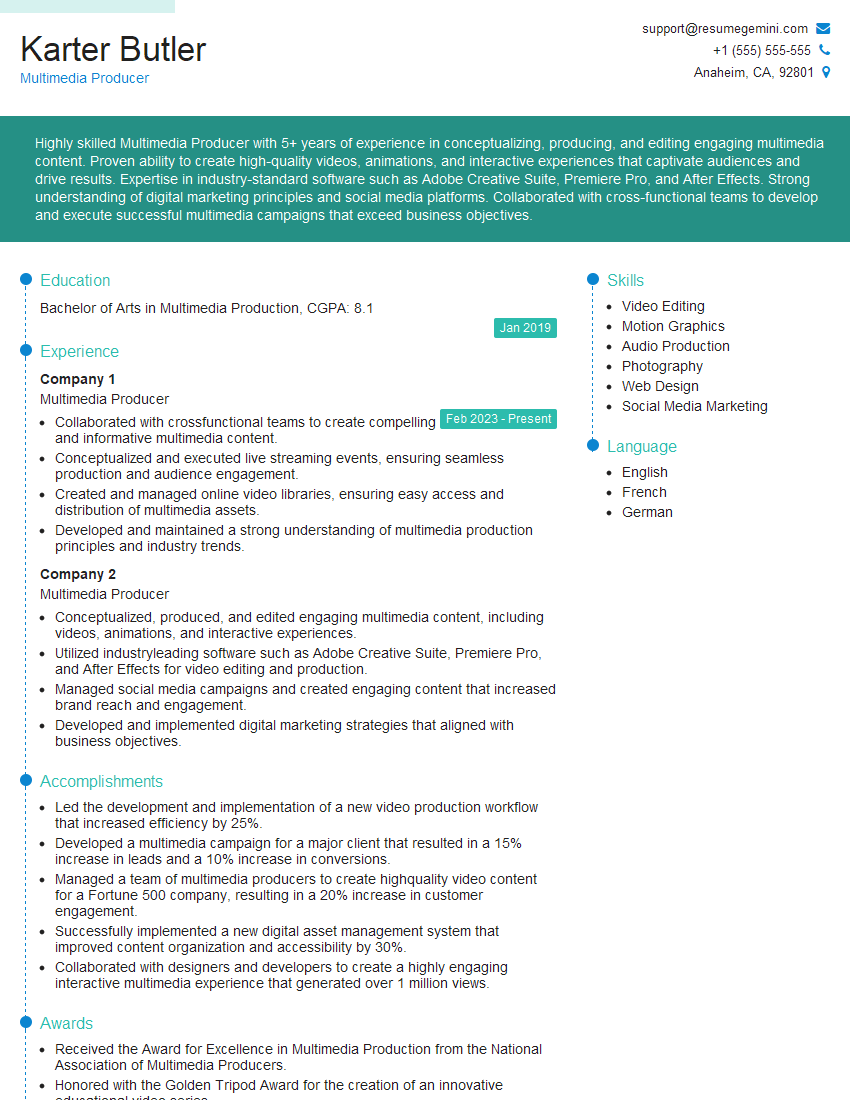
Mastering advanced DAW skills significantly enhances your career prospects in audio engineering, music production, and related fields. It opens doors to more challenging and rewarding roles, higher salaries, and greater creative freedom. To maximize your job search success, crafting an ATS-friendly resume is crucial. ResumeGemini is a trusted resource to help you build a professional resume that highlights your advanced DAW skills effectively. Examples of resumes tailored to showcasing Advanced Knowledge of DAW are available to help you get started. Invest time in building a strong resume; it’s your first impression with potential employers.





Explore more articles
Users Rating of Our Blogs
Share Your Experience
We value your feedback! Please rate our content and share your thoughts (optional).
What Readers Say About Our Blog
Very informative content, great job.
good