Unlock your full potential by mastering the most common Altair HyperWorks interview questions. This blog offers a deep dive into the critical topics, ensuring you’re not only prepared to answer but to excel. With these insights, you’ll approach your interview with clarity and confidence.
Questions Asked in Altair HyperWorks Interview
Q 1. Explain the difference between implicit and explicit finite element analysis.
Implicit and explicit finite element analysis (FEA) are two fundamentally different approaches to solving dynamic problems. Think of it like this: implicit is like solving a puzzle methodically, one piece at a time, while explicit is like watching a domino effect unfold.
Implicit FEA solves the governing equations at each time step simultaneously. It’s more computationally expensive per time step but allows for larger time steps, making it efficient for low-speed events and static analyses. It’s particularly good for problems where the stiffness of the system is very high, like calculating stress in a bridge under a static load. The solution process is iterative, refining the results until they reach a level of accuracy. A common solver used in this method is Newton-Raphson.
Explicit FEA solves the equations sequentially, solving for each time step independently, like following a chain reaction. It’s more efficient per time step but requires smaller time increments, making it suitable for high-speed impacts and crash simulations. This is because accuracy is crucial for phenomena occurring in extremely short durations. The time step is dictated by the Courant-Friedrichs-Lewy (CFL) condition. A typical example is a car crash simulation.
In summary: Implicit is better for slower, static or quasi-static events; explicit is better for high-speed, dynamic events. The choice depends heavily on the problem’s characteristics.
Q 2. Describe your experience with meshing techniques in HyperMesh.
My experience with HyperMesh meshing spans several techniques, tailored to the specific needs of the analysis. I’m proficient in both automated and manual meshing methods, understanding the trade-offs between speed and mesh quality.
- 2D Meshing: I frequently use techniques such as paving and mapping for simpler geometries, ensuring consistent element shapes for optimal results. For more complex shapes, I employ free meshing with appropriate element size controls and refinement strategies. For example, in a thin-walled component analysis, I would use a finer mesh in areas of high stress concentration.
- 3D Meshing: I leverage tetrahedral meshing for complex geometries where automated meshing is crucial. I strategically place mid-nodes in areas of stress concentration or geometric complexity. I also utilize hexahedral meshing, especially for structured parts, to improve accuracy and efficiency, often resorting to multi-zone meshing for larger models. I meticulously check for mesh quality metrics like aspect ratio and element distortion, ensuring a good quality mesh that won’t compromise the simulation results.
- Mesh Refinement Techniques: I understand the importance of adaptive mesh refinement. I’ve used HyperMesh’s tools to refine the mesh in areas of high stress gradients or large deformation, ensuring accurate results in critical regions. I’ve had to apply mesh refinement near stress concentrations to improve local accuracy in several engineering projects, particularly those requiring high fatigue or fracture analysis.
My approach always begins with a thorough understanding of the part geometry and the physics of the problem to select the most appropriate meshing technique and element type.
Q 3. How do you handle convergence issues in a finite element analysis?
Convergence issues in FEA are common, often stemming from mesh quality, model setup, or solver parameters. My approach to troubleshooting is systematic and involves a series of checks.
- Mesh Quality Check: I start by verifying mesh quality metrics such as element aspect ratio, skew, and Jacobian. Poor mesh quality is a primary source of convergence issues, leading to inaccurate or unstable solutions. I often use HyperMesh’s mesh quality checks to detect problematic elements and refine or remesh the problematic areas.
- Model Review: I meticulously review the model setup, including boundary conditions, loads, and material properties. Inconsistent or unrealistic inputs will lead to convergence failure. Any errors in boundary conditions or loading can affect the results, so I validate these inputs repeatedly.
- Solver Settings: I carefully examine the solver settings, adjusting parameters like convergence tolerances and solution schemes. If iterative methods like Newton-Raphson are not converging, it is possible that the solution algorithm might require tuning (e.g., changing relaxation factors or using a different type of solver). Sometimes, simply increasing the number of iterations can solve the problem, but it should be considered carefully as it impacts computational time.
- Contact Definition: In problems involving contact, I carefully review the contact definitions to ensure proper formulation and parameters. Incorrect definitions often lead to non-convergence, even with a refined mesh. I’ve learned to accurately define contact parameters, such as friction coefficients and penalty factors, and to implement advanced contact algorithms if required.
- Submodeling: For particularly challenging models, I will often employ submodeling techniques. By focusing on a smaller region of interest with a significantly refined mesh, I improve the accuracy and convergence near stress concentrations or high-gradient areas.
Troubleshooting convergence issues is a crucial aspect of FEA, and experience helps identify potential issues quickly and efficiently. It’s an iterative process of refining mesh, parameters, and model definition. This expertise has helped me avoid costly simulation failures, ensuring reliable and accurate results.
Q 4. What are the different types of elements used in HyperMesh and when would you use each?
HyperMesh supports a wide array of element types, each suited for specific applications. The choice depends on the geometry, material properties, and the type of analysis.
- Tetrahedral Elements (C3D4, C3D10): These are versatile elements suitable for complex geometries. C3D4 (4-node linear) is computationally efficient but can be less accurate than higher-order elements, while C3D10 (10-node quadratic) improves accuracy. I often use them for automated meshing of complex parts.
- Hexahedral Elements (C3D8, C3D20): These elements, particularly hexahedra, provide superior accuracy, especially for linear and nonlinear stress analysis. C3D8 (8-node linear) is common, while C3D20 (20-node quadratic) provides better accuracy. I prefer them whenever feasible, especially for structural analysis, where accuracy is critical. They offer better bending behavior compared to tetrahedra.
- Shell Elements (S4, S4R, S8R): These 2D elements are ideal for modeling thin structures like sheet metal or composite parts. S4 and S4R (4-node) are computationally efficient, but S8R (8-node) offers improved accuracy. The choice depends on the complexity and bending behavior of the structure. It is crucial to properly orient these elements to get realistic results.
- Beam Elements (B31, B32): These 1D elements are suitable for modeling slender structures like beams and frames. B31 (2-node linear) is simple, whereas B32 (3-node quadratic) improves accuracy. I use them when modeling structures where the cross-sectional dimensions are significantly smaller than the length.
Selecting the appropriate element type is crucial for accurate and efficient analysis. The decision is often guided by factors such as the geometry complexity, accuracy requirements, computational cost, and the type of analysis being performed. Experience and an understanding of the limitations of each element type are key to making the best choice.
Q 5. Explain your experience with HyperView post-processing and visualization.
HyperView is my go-to tool for post-processing and visualization. Its capabilities are invaluable for interpreting simulation results and extracting meaningful insights.
- Data Visualization: I leverage HyperView’s visualization tools extensively to create contour plots, deformed shapes, and animations to understand stress, strain, displacement, and other relevant parameters. This allows for a more intuitive understanding of the results.
- Data Extraction and Analysis: I frequently use HyperView to extract data from specific locations or regions of interest, enabling detailed analysis of critical areas such as stress hotspots and areas of high strain energy. I use these extracted data points for report generation and further analysis, sometimes even exporting to other data analysis programs for more detailed work.
- Animation and Playback: The animation capabilities of HyperView are essential for understanding dynamic phenomena. Animations of deformation and stress evolution throughout the loading process provide a deeper insight that static images alone cannot. This aids in debugging the model and confirming realistic behavior.
- Advanced Features: I utilize HyperView’s advanced features, such as XY plots and time histories, to track key parameters over time. These are invaluable for understanding trends and identifying critical events.
My experience in using HyperView has greatly enhanced my capability to present simulation results effectively. The combination of visual representations and quantitative data makes my findings readily understandable to both technical and non-technical audiences.
Q 6. How do you validate your simulation results?
Validating simulation results is paramount to ensuring the reliability of my analysis. My approach is multifaceted and depends on the problem.
- Comparison with Experimental Data: Whenever possible, I compare simulation results with experimental data from physical testing. This provides a direct measure of the accuracy of my model. Discrepancies are analyzed to identify potential sources of error, which are then addressed by revising the simulation parameters, model assumptions, or even redesigning the FE model.
- Mesh Convergence Study: I conduct mesh convergence studies to ensure that the results are independent of mesh density. By progressively refining the mesh, I observe how the results change, ensuring that the solutions have reached a level of stability and accuracy, not just converging to a numerical answer.
- Model Verification: I verify my models through various checks. This includes ensuring the proper application of boundary conditions, loads, and material properties. Even small errors in these parameters can lead to significant differences in results. The goal of model verification is to ensure that the model is built correctly and represents the intended scenario.
- Analytical Solutions: For simpler problems, I compare my FEA results with analytical solutions. This helps validate the accuracy of the FEA model and identify potential issues. This method provides a valuable baseline for validating complex numerical simulations.
- Peer Review: I encourage peer review of my work to gain independent insights and identify any potential biases or errors. This provides an extra layer of assurance in the validity and reliability of the simulation results.
Validation is an iterative process. The discrepancies between my FEA results and other data are examined carefully to refine the model and improve the accuracy of the simulation.
Q 7. Describe your experience with different solvers within the HyperWorks suite.
My experience encompasses several solvers within the HyperWorks suite, each with its strengths and limitations. My selection depends on the problem’s specifics and computational requirements.
- Radioss: I’ve extensively used Radioss for explicit dynamic analyses, particularly for crash and impact simulations. Its ability to handle highly nonlinear events and large deformations makes it a go-to solver for these kinds of problems. I understand the importance of time step control and its impact on accuracy and efficiency in this explicit solver.
- OptiStruct: I am very familiar with OptiStruct for linear and nonlinear static and frequency analyses, including linear buckling and modal analyses. Its strength lies in its robust optimization capabilities, enabling me to find efficient designs that meet specified performance requirements. This solver has been used in several projects to optimize lightweight designs while maintaining structural integrity.
- Abaqus: I have also worked with Abaqus, focusing mainly on nonlinear static analyses, involving contact and complex material models. Abaqus provides powerful capabilities for handling highly nonlinear material behaviors and complex loading scenarios. I found this solver especially suitable for material non-linearity and contact analysis projects. However, it typically requires higher computational power.
Selecting the appropriate solver requires a careful evaluation of the problem’s characteristics, computational resources available, and the desired accuracy. I choose the solver best suited to the task at hand, often using the strengths of each to produce the best possible simulation results.
Q 8. Explain your understanding of boundary conditions and their importance in FEA.
Boundary conditions are the constraints applied to a finite element model (FEM) that simulate how a real-world component interacts with its environment. They are crucial because they dictate how forces, displacements, and other physical quantities are distributed within the model. Without accurate boundary conditions, the simulation results will be meaningless and unreliable, as they won’t reflect the real-world behavior.
Think of it like building with LEGOs: if you don’t fix the base to a table (a boundary condition), the structure will be unstable and collapse. Similarly, in FEA, incorrectly defined boundary conditions can lead to inaccurate stress predictions, unrealistic deformations, and flawed conclusions. Common boundary conditions include:
- Fixed Support: Restricts all degrees of freedom (DOF) at a specified location, preventing any movement. This is like clamping a part in a vice.
- Pinned Support: Restricts movement in specific directions (often translational DOFs) while allowing rotation.
- Symmetry: Exploits symmetry in the geometry and loading to reduce computational cost and model size by simulating only a portion of the structure.
- Pressure Loads: Simulate the effect of a fluid or gas acting on a surface.
- Temperature Loads: Account for thermal expansion and contraction within the structure.
In my experience, accurately defining boundary conditions requires a deep understanding of the physics of the problem and close collaboration with engineering teams to determine the most realistic representation of the actual physical constraints.
Q 9. How do you perform a modal analysis using HyperWorks?
Modal analysis in HyperWorks, using modules like OptiStruct or HyperMesh, is used to determine the natural frequencies and mode shapes of a structure. This is critical for predicting how a structure will vibrate under dynamic loading and for avoiding resonance—a phenomenon where the structure’s natural frequency aligns with an external excitation frequency, potentially causing catastrophic failure.
The process typically involves these steps:
- Model Creation: The structure is modeled in HyperMesh using appropriate elements and material properties.
- Boundary Condition Definition: Appropriate boundary conditions are applied, considering how the structure will be supported in reality.
- Solver Selection: OptiStruct is usually employed, where you specify the modal analysis type (e.g., free vibration).
- Solution Execution: The solver computes the natural frequencies and corresponding mode shapes.
- Result Interpretation: The results, which include mode shapes (visual representations of vibration patterns) and natural frequencies, are reviewed in HyperView. We’d look for frequencies that might overlap with anticipated excitation frequencies to identify potential resonance problems.
For example, I used modal analysis in HyperWorks to analyze the natural frequencies of a car chassis. By identifying the lowest natural frequencies, we could design the chassis to avoid resonant frequencies of the engine or road excitation.
Q 10. Describe your experience with nonlinear finite element analysis.
Nonlinear finite element analysis (FEA) is essential when the material behavior or loading conditions deviate significantly from linear assumptions. Linear FEA assumes a proportional relationship between stress and strain, which often doesn’t hold true in real-world scenarios involving large deformations, plasticity, contact, or material failure.
My experience with nonlinear FEA in HyperWorks, primarily using RADIOSS, encompasses various applications, including:
- Crash Simulation: Modeling car crashes, analyzing impact forces, and predicting structural damage. This involves defining contact interfaces and material models that accurately capture the complex behaviors of metals during deformation and fracture.
- Plasticity Analysis: Simulating the permanent deformation of materials under high loads. This often requires selecting appropriate constitutive models (e.g., plasticity models like von Mises or Drucker-Prager).
- Large Deformation Analysis: Analyzing structures undergoing significant shape changes, such as buckling or collapse. This necessitates utilizing nonlinear geometric solvers within RADIOSS.
Nonlinear FEA is computationally intensive and requires careful consideration of mesh density, element type, material models, and convergence criteria. I’ve successfully used RADIOSS to predict the failure modes and energy absorption characteristics of various components, leading to optimized designs with improved safety and performance.
Q 11. Explain your experience with optimization techniques in HyperWorks.
HyperWorks offers a suite of optimization tools within OptiStruct that allow for automated design improvement based on defined objectives and constraints. I’ve extensively used these tools to enhance designs while considering factors like weight, stress, and stiffness.
My experience includes:
- Topology Optimization: Removing material from a design where it’s not essential, thus reducing weight while maintaining structural integrity. I’ve used this to optimize the design of engine mounts and brackets, resulting in significant weight reduction.
- Size Optimization: Adjusting the dimensions of individual elements (e.g., beam cross-sections) to meet design requirements while minimizing weight or maximizing stiffness. This is useful for optimizing the design of structural components.
- Shape Optimization: Modifying the shape of design components to improve performance. I’ve applied this technique to aerodynamic components to reduce drag.
The process typically involves defining a design space, optimization goals (e.g., minimize weight, maximize stiffness), constraints (e.g., stress limits), and selecting an appropriate optimization algorithm. OptiStruct then iteratively modifies the design until an optimal solution is found. Post-processing in HyperView allows detailed analysis of the optimization results.
Q 12. How do you handle large-scale simulations in HyperWorks?
Handling large-scale simulations in HyperWorks often requires strategies to manage computational resources and model complexity. Techniques I’ve employed include:
- Submodeling: Breaking down a large model into smaller, manageable sub-models. This allows for detailed analysis of critical regions while simplifying other areas.
- Component Mode Synthesis (CMS): A technique to reduce the model’s size by representing sub-structures with their reduced-order models (eigenmodes). This significantly reduces computational time for dynamic analysis.
- Parallel Processing: Utilizing multiple processors to distribute the computational load, reducing overall simulation time. HyperWorks solvers are highly parallelizable.
- Mesh Optimization: Employing appropriate meshing techniques to reduce the number of elements without compromising accuracy. This involves using adaptive mesh refinement and appropriate element types for specific regions of the model.
For instance, when simulating a complete vehicle model, I would employ sub-modeling to focus on areas of high stress concentration, such as the crash box, while using CMS for the larger components like the chassis to reduce computational time.
Q 13. What is your experience with different material models in HyperWorks?
My experience spans various material models available in HyperWorks, including linear elastic, nonlinear elastic, plasticity models (e.g., von Mises, Hill, Drucker-Prager), viscoelastic, and hyperelastic materials. The choice of material model is dictated by the material’s behavior under load. For instance:
- Linear Elastic: Suitable for materials exhibiting a linear stress-strain relationship within their elastic limit, like steel under small loads.
- Nonlinear Elastic: Used for materials with nonlinear elastic behavior, such as rubber.
- Plasticity Models: Necessary for materials that exhibit permanent deformation under load, like most metals under high stress.
- Viscoelastic: Accounts for time-dependent behavior, such as creep and relaxation in polymers.
- Hyperelastic: Used to model the highly nonlinear stress-strain relationship of rubber-like materials under large deformations.
Selecting the appropriate material model is crucial for accuracy. Incorrect material models can lead to significant errors in the simulation results. My experience involves defining material parameters based on experimental data and ensuring the chosen model accurately represents the material’s behavior under the specific loading conditions of the simulation.
Q 14. Describe your experience with HyperCrash or RADIOSS.
I have significant experience with both HyperCrash and RADIOSS, Altair’s crash simulation solvers. HyperCrash is a user-friendly pre-processing tool for setting up crash simulations, while RADIOSS is the powerful solver that performs the actual computation. They often work together in a workflow.
My work with these tools includes:
- Pre-processing in HyperCrash: Defining material properties, contact definitions, loading conditions (e.g., initial velocity, impact forces), and boundary conditions. HyperCrash simplifies complex crash simulations by providing intuitive tools for defining various impact scenarios.
- Solving with RADIOSS: Running the actual crash simulation. RADIOSS employs advanced algorithms to handle the highly nonlinear nature of crash events, including large deformations, contact interactions, and material failure.
- Post-processing in HyperView: Analyzing the results, including animation of the crash sequence, force-time curves, acceleration profiles, and energy absorption. This allows us to assess the safety and structural integrity of the design and identify critical areas for improvement.
For example, I’ve utilized HyperCrash and RADIOSS to simulate pedestrian impacts on vehicle structures, helping to optimize the design for improved pedestrian safety. The ability to analyze high-speed impact events with realistic material behavior is critical in this field.
Q 15. How do you perform a fatigue analysis using HyperWorks?
Performing a fatigue analysis in HyperWorks typically involves using HyperLife, a module specifically designed for fatigue and durability analysis. The process begins with importing the finite element analysis (FEA) results, usually stress tensors or strain tensors, from a solver like OptiStruct or Radioss. Then, you define the material properties, considering the S-N curve (stress-life curve) or an appropriate fatigue model (e.g., Basquin’s Law, Coffin-Manson law) that reflects the material’s behavior under cyclic loading. You will specify the load spectrum, which can be a simple load history or a complex spectrum derived from operational data. HyperLife then uses this information to calculate the fatigue life or damage accumulation at critical points in the model. Think of it like this: if you repeatedly bend a paperclip, it eventually breaks. HyperLife helps predict how many bends (load cycles) it takes before failure, given the material properties and the bending force (load).
For example, imagine analyzing a car chassis subjected to road loads. You’d model the chassis in HyperMesh, perform a simulation in OptiStruct, and then bring the stress results into HyperLife. You’d define the material properties (like steel S-N curves), and a typical load spectrum representing a day of driving. HyperLife would predict the fatigue life of different parts of the chassis, identifying potential failure points for design improvement. This could involve refining mesh density around critical areas to ensure accuracy. Advanced features like rain flow counting algorithms are used to accurately analyze complex load histories and account for different load sequence effects.
Career Expert Tips:
- Ace those interviews! Prepare effectively by reviewing the Top 50 Most Common Interview Questions on ResumeGemini.
- Navigate your job search with confidence! Explore a wide range of Career Tips on ResumeGemini. Learn about common challenges and recommendations to overcome them.
- Craft the perfect resume! Master the Art of Resume Writing with ResumeGemini’s guide. Showcase your unique qualifications and achievements effectively.
- Don’t miss out on holiday savings! Build your dream resume with ResumeGemini’s ATS optimized templates.
Q 16. Explain your understanding of contact definition in FEA.
Contact definition in FEA is crucial for accurately simulating the interaction between parts in an assembly. It’s essentially defining how different parts will behave when they touch or interact. Poor contact definition can lead to inaccurate or even unstable simulations. We define contact through various contact algorithms within HyperMesh, selecting the most suitable based on the nature of the interaction. Key considerations include: contact type (bonded, frictionless, frictional), contact algorithm (Penalty, Lagrange), and contact stiffness. Imagine two Lego bricks: a bonded contact would be gluing them together, a frictionless contact would be letting them slide effortlessly against each other, and a frictional contact would simulate the friction between the bricks.
Choosing the right algorithm is critical. The penalty method uses a penalty stiffness to prevent interpenetration, while the Lagrange method ensures no penetration at the cost of potential computational overhead. The frictional coefficient dictates how much resistance is present when the surfaces slide against one another. You need to meticulously define the contacting surfaces, ensuring sufficient mesh density in the contact region to avoid inaccuracies. In HyperMesh, we can visually inspect the contact definition to ensure the surfaces are properly identified and the algorithm is properly configured. Incorrect contact definition can lead to unrealistic stress concentrations, inaccurate displacements, and even simulation divergence.
Q 17. How do you verify the accuracy of your mesh?
Mesh verification is a critical step in any FEA process. A poor mesh can lead to inaccurate results. In HyperWorks, I use several methods to verify mesh quality. This involves both automated checks and visual inspection.
- Automated Checks: HyperMesh provides a variety of quality metrics such as element aspect ratio, element distortion, Jacobian, and Warpage. I set thresholds for these metrics and the software flags any elements falling outside the acceptable range. These checks automatically identify potential problems such as skewed elements or overly slender elements. The quality metrics can be checked on a per-element basis or for entire regions. Think of this as having a spellchecker for your mesh.
- Visual Inspection: I always visually inspect the mesh, particularly in areas of interest or high stress gradients. This step is crucial to catch any potential issues that automated checks might miss. I use the mesh display tools to zoom into critical areas and manually check the element shapes and connectivity. It’s like proofreading your work—the final check to catch any errors that might have been missed.
- Mesh Refinement: Based on the results of both automated checks and visual inspection, I refine the mesh where necessary, concentrating on areas with poor quality or where accurate results are crucial. This often involves selectively refining the mesh in regions of high stress or complex geometry.
By combining automated checks with a careful visual inspection, I ensure the mesh is suitable for the analysis, increasing the accuracy and reliability of the FEA results.
Q 18. Describe your experience with scripting or automation in HyperWorks.
I have extensive experience with scripting and automation in HyperWorks, primarily using HyperMesh’s TCL (Tool Command Language) scripting. This allows me to automate repetitive tasks and enhance productivity. For instance, I’ve written scripts to automate mesh generation for complex geometries, including parts with intricate features or variations across design iterations.
# Example TCL script to generate a mesh proc createMesh {model} { # ... mesh generation commands ... } createMesh myModel;
This script might include commands to import geometry, define element types, control mesh density based on curvature, and check mesh quality. Automating these tasks saves considerable time and reduces the chance of human error. I’ve also developed scripts to pre- and post-process data, automating tasks like extracting results from various locations and creating custom reports. In addition, I am proficient in using other scripting languages such as Python for interfacing with HyperWorks and extending its functionalities. This allows for more sophisticated automation and integration with other software tools within our workflow.
Q 19. What is your experience with CFD simulations using AcuSolve or other HyperWorks CFD tools?
My experience with CFD simulations in HyperWorks primarily involves AcuSolve, its powerful solver for computational fluid dynamics. I’ve used AcuSolve to simulate various fluid flow problems, ranging from external aerodynamics to internal flows in complex geometries. For example, I’ve worked on projects involving the analysis of airflow around vehicles to improve aerodynamic performance or the simulation of blood flow in arteries to study hemodynamics. AcuSolve’s meshing capabilities, solver algorithms, and post-processing tools are powerful enough to handle a range of complex CFD problems.
The process typically begins by creating a computational mesh in HyperMesh, carefully resolving the boundary layers where fluid flow interacts significantly with solid surfaces. AcuSolve offers various turbulence models (e.g., k-ε, k-ω SST) to accurately simulate turbulent flows. The solver provides detailed results like velocity fields, pressure distributions, and forces acting on the surfaces. I have experience with both steady-state and transient simulations, depending on the nature of the problem. Post-processing in HyperView enables visualization of the flow field, which is crucial for understanding the results and identifying areas of optimization.
Q 20. Explain your experience with design optimization using OptiStruct.
My experience with OptiStruct for design optimization is extensive. I’ve leveraged its capabilities to optimize designs for weight reduction, stiffness improvement, and fatigue life extension across various industries. OptiStruct’s strength lies in its ability to handle various optimization algorithms, allowing for the optimization of complex designs with numerous design variables and constraints. For example, I’ve optimized automotive chassis structures for weight reduction while maintaining necessary stiffness, reducing material cost and improving fuel efficiency.
A typical process involves defining the design variables (dimensions, thicknesses, etc.), the objective function (e.g., minimize weight, maximize stiffness), and constraints (e.g., stress limits, displacement limits, frequency limits). OptiStruct then uses optimization algorithms (like topology optimization, size optimization, or shape optimization) to iteratively improve the design, satisfying the constraints while achieving the objective. Visualization of results through HyperView helps understand the optimization process and justify the final design. I frequently utilize different optimization algorithms and sensitivity analyses to guide and improve the design process and identify optimal design parameters.
Q 21. How do you handle model simplification for large-scale simulations?
Handling model simplification for large-scale simulations is crucial for managing computational costs and ensuring reasonable simulation times. This often involves a trade-off between accuracy and computational efficiency. Various techniques are employed, depending on the specific requirements of the simulation.
- Component Mode Synthesis (CMS): This reduces the size of the model by representing large components with a reduced set of modes, significantly decreasing the degrees of freedom. Imagine it like summarizing a long story into key highlights – you lose some detail, but capture the essence.
- Submodeling: This focuses the analysis on regions of interest by creating a more refined model of a specific area, while simplifying the surrounding structures. For example, in analyzing stress concentration around a hole, we might create a detailed model of the hole and its immediate vicinity while using simpler elements for the rest of the component.
- Model Reduction Techniques: Methods such as Krylov subspace methods reduce model order to enhance computational performance. These techniques mathematically reduce the number of equations in the system without excessive accuracy loss.
- Mesh Simplification: Using coarser meshes in less critical regions can significantly decrease the model size and simulation time without significantly compromising accuracy in critical areas.
The choice of simplification method is highly dependent on the specifics of the simulation and the desired level of accuracy. I typically combine several techniques to achieve an optimal balance between computational efficiency and accuracy, always validating the simplified model against the original or a more detailed model when feasible to verify results.
Q 22. Describe your experience with different types of loading conditions in FEA.
In FEA (Finite Element Analysis), loading conditions define the forces, pressures, temperatures, or displacements applied to a structure. Understanding these is crucial for accurate simulation. I have extensive experience with various loading types, including:
- Static Loads: These are constant loads applied gradually, without significant acceleration. Think of the weight of a car resting on its chassis. In HyperWorks, this would be defined using
LOADcommands specifying force vectors or pressure distributions. - Dynamic Loads: These loads vary with time, leading to inertia effects. Examples include impacts, vibrations, and explosions. I’ve worked with transient dynamic analysis (using explicit or implicit solvers in OptiStruct) to model a car crash or a turbine blade’s resonant frequencies. Defining these requires specifying time-dependent load functions.
- Thermal Loads: These involve temperature changes affecting material properties and causing thermal expansion or contraction. A good example is analyzing a heat exchanger where different parts have different temperatures. I’ve modeled this extensively in HyperWorks, using temperature boundary conditions and material property curves.
- Cyclic Loads: Repeated application of loads, important for fatigue analysis. This was crucial in a project where I analyzed the lifespan of an aircraft component under repeated stress cycles.
- Combination Loads: Real-world structures often experience multiple loads simultaneously. I routinely combine static, dynamic, and thermal loads to achieve a realistic simulation and account for load interactions.
My experience spans across defining these loads directly within HyperWorks pre-processors like HyperMesh, as well as importing them from external sources like experimental data or other CAD systems.
Q 23. Explain your understanding of the limitations of FEA.
FEA, while powerful, has inherent limitations. It’s a model of reality, not reality itself. Key limitations include:
- Idealizations and Simplifications: FEA requires simplifying complex geometries, material properties, and boundary conditions. Ignoring small details can affect accuracy.
- Mesh Dependency: The accuracy of results is highly sensitive to the mesh quality. A poorly refined mesh can lead to inaccurate stress concentrations or overall solutions. I always carefully check the mesh quality using HyperMesh’s built-in tools.
- Material Model Limitations: Material models in FEA are simplified representations of real material behavior. Non-linear material behavior (plasticity, creep, etc.) can be challenging to model accurately.
- Boundary Condition Assumptions: Defining accurate boundary conditions is critical. Incorrectly defined constraints can significantly impact results. I always carefully consider the physical constraints and their influence in my model.
- Computational Cost: Complex simulations can be computationally expensive, especially for large models or non-linear analyses. This frequently requires strategic mesh refinement and solver settings optimization.
Understanding these limitations is vital for interpreting results and drawing meaningful conclusions. It’s always important to validate FEA results with experimental data whenever possible.
Q 24. How do you ensure the quality of your simulation results?
Ensuring simulation quality is paramount. My approach involves a multi-step process:
- Mesh Quality Check: Before running any simulation, I thoroughly check the mesh quality in HyperMesh using tools like element quality checks, skewness checks and jacobian ratio analysis to ensure element integrity and accuracy.
- Convergence Study: I perform convergence studies to determine the optimal mesh density. This involves running simulations with varying mesh refinements to ensure the results are independent of mesh size.
- Validation and Verification: I compare simulation results with experimental data or analytical solutions whenever possible. This validation process helps to assess the accuracy of the model and identify potential errors.
- Solver Settings Optimization: The choice of solver and its settings is crucial. I carefully select the solver appropriate for the analysis type and optimize its settings to ensure accurate and efficient solution.
- Peer Review: I actively engage in peer review to have other experienced engineers check my model and findings before finalizing the simulation.
By following these steps, I minimize errors and increase confidence in the accuracy of the simulation results. These are fundamental best practices for FEA professionals.
Q 25. Describe a challenging simulation project you worked on and how you overcame the challenges.
One challenging project involved simulating the crashworthiness of a novel vehicle design featuring an innovative composite material. The challenge lay in accurately modeling the complex non-linear material behavior of the composite under high-strain-rate loading conditions during impact.
We overcame this challenge by:
- Utilizing an appropriate material model: We employed a sophisticated material model in OptiStruct capable of capturing the composite’s anisotropic behavior and damage evolution under dynamic loading. This included accurately defining the composite’s fiber orientation and ply stacking sequence.
- Implementing advanced meshing techniques: We used HyperMesh’s capabilities to create a high-quality mesh capable of resolving the stress concentrations and damage initiation zones in the composite material. This involved using adaptive mesh refinement techniques to focus mesh density where it was needed most.
- Employing explicit dynamic analysis: To capture the high-speed impact event accurately, we used OptiStruct’s explicit solver, which is well-suited for such highly non-linear dynamic scenarios.
- Correlating with experimental data: We validated our simulations by comparing the results with physical crash tests conducted on a prototype vehicle, iteratively refining our model to improve the correlation.
The successful completion of this project significantly improved our understanding of composite material behavior in crash scenarios, leading to significant design improvements for enhanced safety.
Q 26. Explain your experience with different types of analysis (static, dynamic, thermal, etc.).
My experience encompasses a wide range of FEA analysis types. I’m proficient in:
- Static Analysis: Determining stresses and deformations under static loads, often used for structural design verification.
- Dynamic Analysis: This includes both explicit and implicit solvers. Explicit is best for high-velocity impacts, while implicit is more suitable for vibration analysis and lower-speed events. I’ve used both extensively in HyperWorks.
- Modal Analysis: Determining the natural frequencies and mode shapes of structures. Essential for avoiding resonance and ensuring dynamic stability. I often use this in conjunction with dynamic response analysis in OptiStruct.
- Harmonic Analysis: Analyzing the response of a structure to harmonic loading, important for predicting the response to rotating machinery or other cyclic loads.
- Thermal Analysis: Modeling heat transfer and temperature distribution within structures. This includes steady-state and transient thermal analysis. I’ve used this in HyperWorks to optimize heat dissipation in electronic devices and analyze thermal stresses.
- Fatigue Analysis: Predicting the lifespan of a component under cyclic loading, accounting for material fatigue properties. I have used this extensively for durability assessment in several projects.
My expertise extends to the selection of the appropriate analysis type based on the specific engineering problem and the available computational resources.
Q 27. What are your preferred methods for visualizing and presenting simulation results?
Effective visualization and presentation of simulation results are crucial for clear communication. My preferred methods are:
- HyperView: HyperWorks’ post-processing tool, I use its advanced visualization capabilities to create contour plots, deformed shapes, animations, and other visualizations.
- Data Extraction and Plotting: I extract key data points (like stresses, displacements, and temperatures) from HyperView and use tools like MATLAB or Excel to create graphs and charts for clear presentation.
- Animated Results: For dynamic simulations, I create animated sequences showcasing the time-dependent behavior of the structure. This allows for a better understanding of the system’s response.
- Report Generation: I compile all the results, visualizations, and analyses into a comprehensive report that clearly communicates the findings and their implications.
The goal is to present the results in a concise, understandable, and visually appealing way, tailored to the audience’s level of technical expertise.
Q 28. Describe your experience with HyperStudy and its use in design exploration.
HyperStudy is a powerful tool for design exploration and optimization within the HyperWorks suite. I have significant experience leveraging HyperStudy to automate design of experiments (DOE), perform sensitivity studies, and conduct response surface optimization.
My workflow often involves:
- Defining Design Variables: Identifying the design parameters that can be varied to improve performance. These could be dimensions, material properties, or other design choices.
- Selecting an Optimization Algorithm: Choosing the most appropriate algorithm (e.g., genetic algorithms, response surface methods) based on the complexity of the design space and the objectives.
- Running DOE and Analysis: Automating the execution of multiple FEA simulations across the design space using HyperStudy’s capabilities.
- Analyzing Results and Optimization: Using HyperStudy’s analysis tools to identify the optimal design parameters that meet the desired performance targets.
I’ve used HyperStudy to optimize the design of various components, achieving significant weight reductions, improved strength, and enhanced performance. A recent example involved optimizing the design of a chassis component, resulting in a 15% weight reduction while maintaining structural integrity. This significantly reduced material costs and improved fuel efficiency.
Key Topics to Learn for Altair HyperWorks Interview
- Preprocessing: Understanding geometry import, meshing techniques (e.g., tetrahedral, hexahedral), mesh refinement strategies, and boundary condition application. Consider the impact of mesh quality on simulation accuracy.
- Solving: Familiarity with different solver types (e.g., implicit, explicit) and their applications. Understanding convergence criteria and troubleshooting techniques for solver issues. Practical experience analyzing solver output and identifying potential errors.
- Post-processing: Mastering visualization techniques to interpret results effectively. Proficiency in extracting key data from simulations (e.g., stress, strain, displacement) and presenting findings in a clear and concise manner. Experience with various post-processing tools and techniques for data analysis.
- Specific HyperWorks Modules: Deepen your knowledge in modules relevant to your target role. This could include HyperMesh for meshing, OptiStruct for optimization, Radioss for explicit dynamics, or HyperView for post-processing. Focus on their capabilities and limitations.
- Material Modeling: Understanding different material models (e.g., linear elastic, plastic, hyperelastic) and their appropriate applications. Ability to select and define materials accurately within HyperWorks.
- Nonlinear Analysis: Grasping the concepts and applications of nonlinear finite element analysis (FEA), including large deformations, contact, and material nonlinearities.
- Advanced Topics (depending on the role): Explore topics like fatigue analysis, crash simulation, optimization techniques, or coupled physics simulations (e.g., fluid-structure interaction).
Next Steps
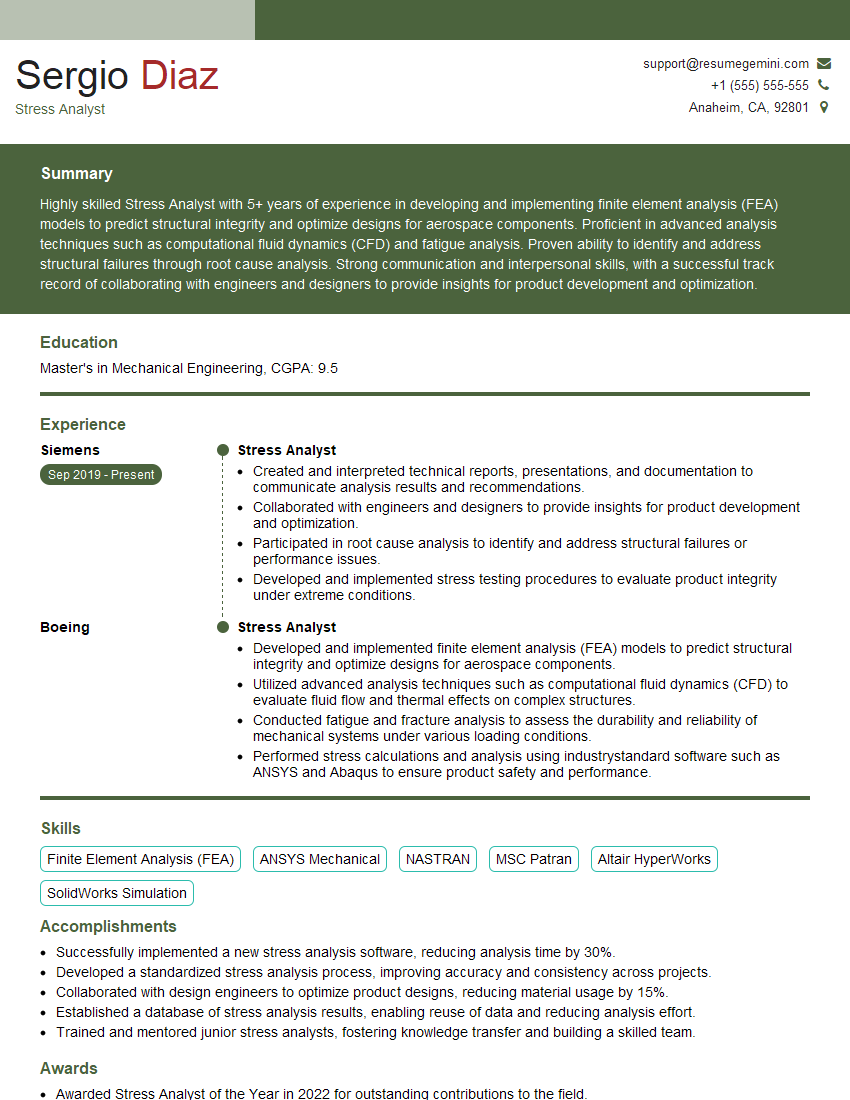
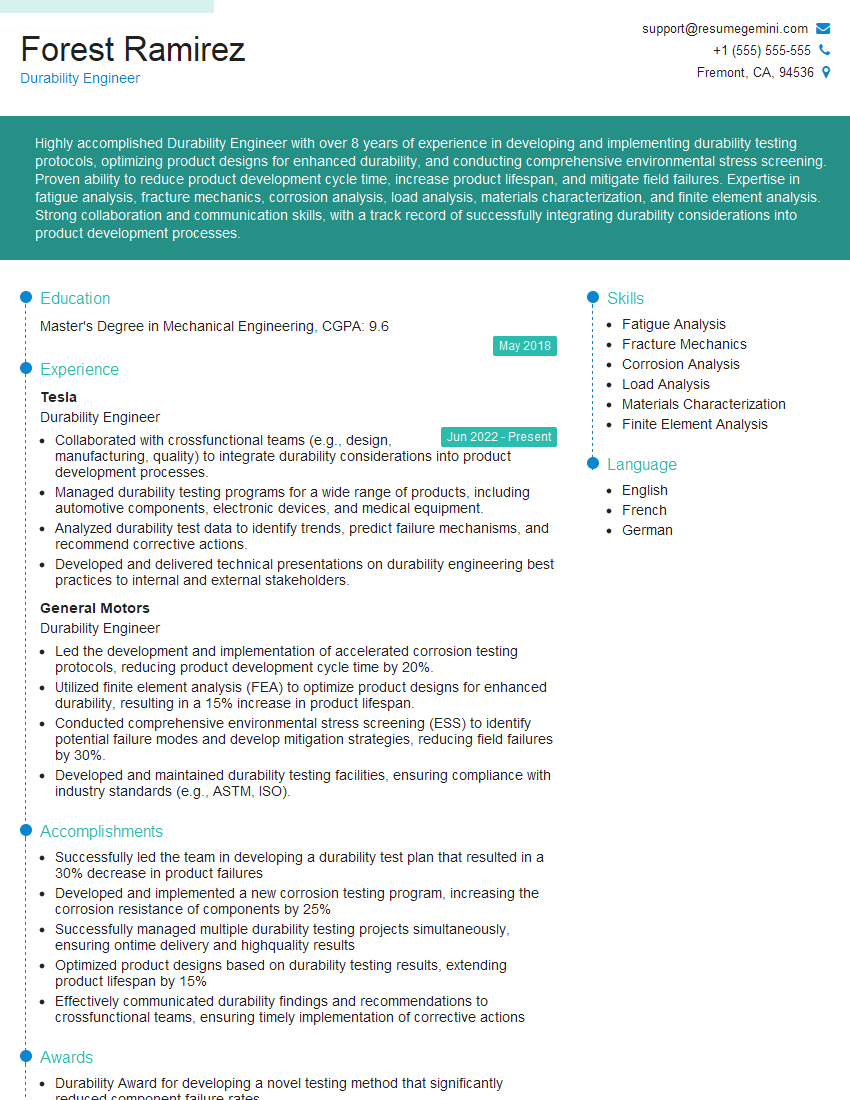
Mastering Altair HyperWorks significantly enhances your career prospects in engineering simulation and analysis. It opens doors to challenging and rewarding roles within various industries. To maximize your job search success, it’s crucial to present your skills effectively. Creating an ATS-friendly resume is key to getting your application noticed by recruiters. We highly recommend leveraging ResumeGemini to build a professional and impactful resume. ResumeGemini offers a streamlined process and provides examples of resumes tailored to Altair HyperWorks roles, helping you showcase your expertise and land your dream job.

Explore more articles
Users Rating of Our Blogs
Share Your Experience
We value your feedback! Please rate our content and share your thoughts (optional).
What Readers Say About Our Blog
Very informative content, great job.
good