Feeling uncertain about what to expect in your upcoming interview? We’ve got you covered! This blog highlights the most important Animation and Visual Effects interview questions and provides actionable advice to help you stand out as the ideal candidate. Let’s pave the way for your success.
Questions Asked in Animation and Visual Effects Interview
Q 1. Explain the difference between keyframing and tweening.
Keyframing and tweening are fundamental animation techniques. Think of keyframing as setting the major poses or milestones in an animation, like the start and end points of a jump. Tweening is the process of filling in the gaps between those keyframes, creating the smooth transitions. It’s like drawing the in-between frames of a flipbook.
For example, if you’re animating a ball bouncing, you’d keyframe the ball at its highest point and the point where it hits the ground. Tweening software would then automatically generate the frames in between, showing the ball’s smooth arc and compression.
- Keyframing: Manually setting specific poses or values at different points in time. This provides complete control over the animation’s details.
- Tweening: The automatic generation of intermediate frames between keyframes, creating smooth transitions. This speeds up the animation process.
In practice, most animation relies on a combination of both. You meticulously create keyframes to establish timing and expression, then use tweening to refine the motion and save time on repetitive tasks.
Q 2. Describe your experience with various rigging techniques.
My rigging experience spans several techniques, focusing on both character and object rigging. I’m proficient in creating both simple and complex rigs depending on the project’s needs. I’ve worked extensively with:
- Skeleton Rigging: This is the foundation of most character rigs, involving creating a hierarchical structure of joints mimicking the character’s bone structure. I’ve used this extensively to create rigs for bipedal, quadrupedal, and even more abstract characters, ensuring smooth and realistic movements. For example, I once rigged a complex dragon character for a short film, using custom constraints to ensure its wings moved realistically during flight.
- Spline IK (Inverse Kinematics): I utilize spline IK for creating more organic movements, particularly for limbs and tails, which allows for a more natural curve and avoids the ‘elbow-locking’ issues often seen with standard IK.
- Facial Rigging: Creating realistic and expressive facial animation requires detailed rigging with blend shapes and controls for individual muscles. I have experience creating rigs with precise controls for subtle expressions and accurate lip-sync. A recent project involved rigging a character’s face with over 50 different blend shapes for nuanced emotional performance.
- Deformers: Techniques such as skin clustering, lattice deformations, and NURBS (Non-Uniform Rational B-Spline) surfaces are used to control the shape of the model and deform it based on the movement of the underlying rig. This is vital for ensuring that the character’s skin moves realistically along its skeletal structure.
I always tailor the rigging technique to the specific needs of the project. A simple animation might require a basic skeleton rig, while a feature film character will benefit from a much more complex and sophisticated rig.
Q 3. What software are you proficient in (Maya, Houdini, Blender, etc.)?
I’m highly proficient in several industry-standard software packages:
- Autodesk Maya: My core animation and rigging software. I’m adept at all aspects, from modeling and rigging to animation and rendering.
- SideFX Houdini: I utilize Houdini primarily for procedural effects, generating realistic simulations of fire, smoke, water, and destruction. I find its node-based workflow particularly powerful for creating complex and reusable effects.
- Blender: A versatile tool I use regularly for quick prototyping, modeling, and even some animation tasks. Its open-source nature and extensive community support make it a valuable asset.
Beyond these, I have working knowledge of other software such as ZBrush for sculpting and Nuke for compositing. I’m always eager to learn and adapt to new tools as needed.
Q 4. How do you handle feedback on your work?
I consider feedback an integral part of the creative process. I approach it constructively, focusing on understanding the intent and improving the final product. My process generally involves:
- Active Listening: Carefully listening to the feedback, asking clarifying questions, and making sure I understand the specific concerns.
- Objective Assessment: Evaluating the feedback objectively, separating personal opinions from constructive criticism.
- Implementation: Implementing the necessary changes, always keeping the overall vision of the project in mind. Sometimes, I might even propose alternative solutions if I believe they better address the issue.
- Iteration and Refinement: The process is iterative; I might receive further feedback on the revisions. This collaborative approach leads to a higher quality product.
I value open communication and believe that a collaborative environment is key to creating successful animations. I’ve learned to approach feedback not as personal critique but as an opportunity for growth and improvement.
Q 5. Describe your process for creating realistic skin shaders.
Creating realistic skin shaders requires a multi-faceted approach, combining various techniques to simulate the complexity of human skin. My process usually involves:
- Subsurface Scattering (SSS): This is crucial for replicating the way light penetrates and scatters beneath the skin’s surface, creating a translucent effect. I often use specialized SSS shaders available in Maya or other software. Adjusting the scattering radius and color significantly impacts the realism.
- Normal Maps and Displacement Maps: These add fine details like pores, wrinkles, and blemishes, enhancing the skin’s micro-texture. High-resolution maps are essential for achieving a high degree of realism. I’ve found that using layered normal maps for greater control is very effective.
- Diffuse Color and Specular Highlights: Careful adjustment of these parameters creates a believable skin tone and highlights. The specular map should be carefully tuned to produce realistic shine, varying by area on the body.
- Layered Textures: Adding layers of textures (e.g., a layer for freckles, another for subtle redness) can add to the overall realism. This allows for very fine-grained control over the appearance.
- Ambient Occlusion: Adding ambient occlusion creates subtle shadows in the crevices of the skin, enhancing the depth and realism. It adds a sense of ‘natural’ shadowing.
The final shader is often the result of many iterations, tweaking parameters to match reference images and achieve the desired level of realism. I frequently consult real-life photographs and high-quality scans of human skin for accurate references.
Q 6. Explain your understanding of motion capture and its application in animation.
Motion capture (mocap) is a powerful tool for creating realistic and believable animation. It involves capturing the movements of actors using sensors and translating those movements into digital data for use in animation. My understanding of mocap encompasses several aspects:
- Data Acquisition: Different mocap systems exist, from optical systems using cameras to inertial systems using sensors. Each has advantages and limitations; choosing the right system depends on budget and project requirements.
- Data Processing and Cleaning: Raw mocap data often requires cleaning. This involves removing noise, correcting errors, and refining the captured movements to match the character’s rigging. Tools like Maya’s Motion Builder are essential for this process.
- Retargeting: Mocap data from a human actor needs to be transferred (‘retargeted’) to the animated character. This often requires manual adjustments to ensure the movements are realistic and fit the character’s proportions.
- Animation Integration: Once processed and retargeted, the mocap data is used as a base for the animation. This allows animators to focus on fine-tuning details, adding performance subtleties, and ensuring emotional expression.
Mocap isn’t a substitute for skilled animation; it’s a powerful tool that enhances the process. I use mocap to establish realistic movements and timing, then refine the animation using traditional animation techniques to add personality and expression. For example, in a recent project, we used mocap for the overall movement of a character, then added subtle hand gestures and facial animations by hand to create a more unique personality.
Q 7. How would you approach creating a realistic fire effect?
Creating a realistic fire effect is a complex undertaking, often requiring a blend of simulation and artistic techniques. My approach typically involves:
- Simulation: I’d leverage Houdini’s powerful simulation tools to generate the underlying fire dynamics. This often involves using solvers such as PyroFX or FLIP fluids. These solvers handle the complex physics of fire, including heat transfer, smoke interaction, and flame behavior.
- Volumetric Rendering: Volumetric rendering techniques are crucial to create a believable sense of depth and volume in the fire. Rendering the fire as a 3D volume, rather than just a surface, significantly enhances realism.
- Lighting and Shadows: Correctly illuminating the fire is essential. Using a combination of emissive shaders and dynamic lighting will create realistic interactions with the surrounding environment. The shadows cast by the flames and smoke greatly enhance realism.
- Particle Effects: Adding particles, such as embers and sparks, further adds to the detail and visual richness. Careful control of particle size, velocity, and lifespan is crucial for natural-looking results.
- Color Grading and Post-Processing: Color grading and post-processing techniques are applied to adjust the overall look, fine-tuning the color temperature, contrast, and saturation to match the desired mood and environment.
The final effect is often the result of many iterations, adjusting parameters and tweaking different aspects to achieve the desired visual impact. Experimentation and a thorough understanding of fire dynamics and lighting are key to creating a convincing effect.
Q 8. Describe your workflow for creating a believable character animation.
Creating believable character animation is a multi-step process that blends technical skill with artistic understanding. It starts with a strong understanding of the character’s personality, motivations, and backstory. This informs every movement, from subtle blinks to grand gestures.
My workflow typically begins with blocking, where I establish the main poses and key actions. Think of it like sketching the major beats of a song before adding the finer details. I then use refinement to smooth out the transitions between those poses, paying close attention to weight, timing, and spacing. This stage is where the character truly comes alive. Finally, I add secondary actions—small, subtle movements like a bouncing head or swaying hair—that add realism and enhance the performance. These secondary actions often react to primary actions, such as the head moving slightly as the character walks.
For example, in animating a tired character, the blocking might focus on slumped posture and slow movements. Refinement would focus on making these movements fluid and natural, perhaps even incorporating slight leg tremors or drooping eyelids. Secondary actions could include a subtle sigh or the character’s shoulders slumping even further with each step.
Throughout the entire process, I constantly evaluate the animation against reference material, whether that’s video footage of real actors or even animal movement studies. This ensures my animation is grounded in reality and feels believable to the viewer.
Q 9. What are your preferred methods for creating convincing lighting?
Convincing lighting is crucial for creating atmosphere and enhancing the realism of a scene. My preferred methods involve a blend of techniques, often utilizing a combination of global illumination solutions within a rendering engine and manual adjustments for finer control.
I often start with environment lighting, using image-based lighting (IBL) or HDRI environments to create realistic ambient lighting. I’ll then add key lights to define the main light source, creating shadows and highlights that establish the mood. Fill lights soften harsh shadows, and rim lights (also called backlights) separate the subject from the background, adding depth and volume.
For example, a night scene might rely heavily on a moon-lit IBL, a subtle key light from a distant streetlamp, and rim lights highlighting the character’s edges to create a sense of mystery. In a daytime scene, I might utilize multiple light sources—direct sunlight, reflected light from surfaces, and ambient bounce light— to achieve a more complex and realistic illumination.
Physical-based rendering (PBR) workflows are essential for achieving accurate and consistent lighting results across various materials and surfaces. I make extensive use of PBR shaders to ensure materials interact correctly with light, creating realistic reflections, refractions, and subsurface scattering. This often requires working closely with the surfacing team to ensure the shaders are appropriately authored and adjusted throughout the lighting process.
Q 10. Explain your experience with compositing techniques.
Compositing is where all the elements of a shot—live-action, CGI, effects, and more—come together to form the final image. My experience spans a range of techniques, from basic keying and rotoscoping to more advanced methods like depth compositing and 3D tracking.
Keying (or chroma keying) is a fundamental technique used to remove a background from a subject, typically using a green or blue screen. I use this often for integrating CGI characters or elements into live-action footage. I utilize various software packages to refine the key, minimizing spills and edge artifacts. Rotoscoping, which involves manually tracing the edges of a moving element, is applied for more complex situations where automated keying methods fall short.
For complex scenes, 3D tracking is crucial. I use camera tracking software to analyze live action footage and recreate its camera movement in a 3D environment. This allows for seamlessly integrating CGI elements, creating realistic depth and parallax. Depth compositing takes advantage of Z-depth information from 3D renders to control the layering and occlusion of different elements within a shot. This is essential for creating shots with complex depth of field effects.
The challenge often lies in seamlessly merging the different elements while maintaining photorealism and visual consistency. This involves careful attention to lighting, color matching, and ensuring the textures and details of different layers align correctly. I rely on extensive node-based compositing software to manage this complexity.
Q 11. How do you manage a large number of assets in a project?
Managing a large number of assets is a critical aspect of large-scale animation and VFX projects. Poor asset management can lead to significant delays and errors. My approach emphasizes a structured and organized system.
I rely heavily on a well-defined asset naming convention. This ensures consistency and makes finding specific assets quick and easy. For example, a consistent naming structure might look like this: Character_Name_Version_Element.ext (e.g., Hero_v03_Head.fbx).
I also leverage version control systems, like Perforce or Git, to track changes and collaborate effectively with other team members. This allows for easy rollback to previous versions if needed and ensures everyone is working with the most up-to-date assets.
Asset libraries and database systems are essential. These systems allow for centralizing and categorizing assets, facilitating efficient search and reuse. Efficient file organization within the project folder structure also contributes significantly. Creating clear and descriptive folder structures aids greatly in streamlining workflow and preventing confusion.
Lastly, regular asset audits help to identify and remove redundant or obsolete assets, keeping the project lean and reducing storage demands.
Q 12. Describe your understanding of color theory and its application to animation.
Color theory is fundamental to animation and VFX. A strong understanding allows me to create visually appealing and emotionally impactful work. My application of color theory spans numerous aspects, from character design to lighting and environment creation.
I use the color wheel to understand color relationships, using complementary, analogous, and triadic harmonies to create visually interesting palettes. Understanding the temperature of colors (warm vs. cool) is essential for establishing mood. Warm colors evoke feelings of comfort and energy, whereas cool colors tend to be calming and serene.
Saturation and value (lightness/darkness) are also crucial. Subtle variations in these aspects can significantly impact the overall look. For example, desaturating colors can create a more muted and realistic feel, while boosting saturation can inject vibrancy. I utilize various tools and techniques to adjust these properties, making sure each element in the scene contributes to the desired visual effect.
Color psychology plays a significant role. I choose colors considering their emotional impact on the audience. A scene intended to be scary might employ dark, desaturated colors, whereas a happy scene might utilize brighter, more saturated hues. Consistent application of color schemes throughout a project ensures visual cohesion and maintains a unified aesthetic experience for the viewer.
Q 13. Explain your process for troubleshooting technical issues in your pipeline.
Troubleshooting technical issues is an inevitable part of the animation and VFX pipeline. My approach is systematic and follows a structured process. First, I identify the problem precisely; vague descriptions hinder effective solutions.
Next, I systematically isolate the source of the problem. This often involves testing different components of the pipeline to determine where the issue originates. I may check individual software settings, asset files, or even hardware performance to pinpoint the problem area.
Once the source is identified, I search for solutions. This often involves consulting online resources, documentation, and fellow professionals. Experimenting with different solutions, keeping thorough records of my actions, helps track progress and potentially revert if needed.
Throughout this process, clear documentation is crucial. This includes logging the problem, the troubleshooting steps taken, and the eventual solution. This documentation proves invaluable for future reference and aids team communication, especially in collaborative environments. Detailed error messages, screenshots, and even video recordings are frequently used for this purpose.
Q 14. What are some common challenges you encounter in your work and how do you overcome them?
Several challenges are common in my work. One is meeting tight deadlines, especially on complex projects with numerous moving parts. I address this by careful planning and time management, prioritizing tasks effectively and using project management tools to track progress. Open communication with the team is crucial to identify and address potential roadblocks early on.
Another challenge is managing client expectations. This often involves balancing creative vision with technical feasibility and budget constraints. Clear and consistent communication, coupled with regular updates and feedback sessions, prevents misunderstandings and ensures the project aligns with the client’s goals. Presenting realistic timelines and managing expectations is crucial.
Technical limitations are another common hurdle. Software glitches, hardware limitations, and unexpected compatibility issues can derail progress. My strategy is to build in buffers and contingency plans for unexpected delays or technical difficulties. A robust backup strategy and utilizing alternative solutions when possible are essential.
Finally, collaborating effectively within a large team demands strong communication and organizational skills. I leverage version control systems and project management software to manage assets and workflows efficiently, ensuring seamless teamwork and clear communication channels.
Q 15. How do you ensure consistency in your animation across different shots?
Maintaining animation consistency across multiple shots is crucial for creating a believable and engaging visual narrative. It’s all about establishing a strong visual style guide and adhering to it rigorously throughout the production process. This involves meticulously tracking character rigs, camera angles, lighting conditions, and even the subtle nuances of movement.
Here’s a breakdown of my approach:
- Shot Breakdown and Style Guide: Before animation begins, I work closely with the director and art department to create a comprehensive style guide. This document outlines character designs, animation style, color palettes, and specific motion details to ensure everyone is on the same page. For example, the guide might specify the weight and bounce of a character’s walk cycle, or the specific way they react to certain stimuli.
- Reference Sheets and Animation Keys: Extensive reference sheets, including motion capture data or meticulously drawn animation keys (defining the major poses of an action), are created for each character. These serve as the foundation for maintaining consistency across the shots. Animators can refer to them to ensure their work aligns with the established style.
- Version Control and Collaboration Tools: We employ robust version control systems (like Perforce or Git) to track animation files and revisions. This minimizes conflicts and allows for easy collaboration among animators. Centralized asset libraries, accessible to the entire team, prevent conflicting interpretations of character designs and animation styles.
- Rigging Consistency: Properly rigged characters are essential for consistency. A well-built rig provides consistent control over character deformation and movement. Any issues with rigging can lead to inconsistencies between shots, so it is imperative that all characters are designed with uniform animation guidelines.
- Regular Reviews and Feedback: Frequent reviews and feedback sessions with the director and other team members help to identify inconsistencies early and prevent them from becoming major issues. This collaborative approach allows for immediate adjustments and ensures that the overall vision is maintained throughout the production.
Career Expert Tips:
- Ace those interviews! Prepare effectively by reviewing the Top 50 Most Common Interview Questions on ResumeGemini.
- Navigate your job search with confidence! Explore a wide range of Career Tips on ResumeGemini. Learn about common challenges and recommendations to overcome them.
- Craft the perfect resume! Master the Art of Resume Writing with ResumeGemini’s guide. Showcase your unique qualifications and achievements effectively.
- Don’t miss out on holiday savings! Build your dream resume with ResumeGemini’s ATS optimized templates.
Q 16. What is your experience with rendering techniques and optimization?
My experience with rendering techniques and optimization spans several years and encompasses a wide range of software, including Arnold, RenderMan, V-Ray, and Redshift. I understand the nuances of various rendering algorithms (path tracing, ray tracing, rasterization), and I’m adept at optimizing rendering settings to balance quality and render times.
Optimization Strategies:
- Proxy Geometry: Using lower-polygon proxy geometry during early stages of rendering significantly reduces render times, allowing for faster iteration and feedback. High-resolution models are only utilized for final renders.
- Smart Materials: Implementing efficient and optimized shaders (materials) can drastically reduce render times. Using simpler materials where possible, while still achieving the desired visual effect, can significantly improve performance.
- Render Layers: Separating different elements of the scene into individual render layers enables selective rendering, which is crucial for adjusting specific aspects without re-rendering the entire scene. This is particularly helpful for VFX shots where subtle changes might be needed repeatedly.
- AOVs (Arbitrary Output Variables): Utilizing AOVs helps in separating different components of the render (e.g., diffuse, specular, shadows) allowing for greater flexibility and control during post-production compositing.
- Render Farms and Cloud Rendering: I’m experienced in utilizing render farms and cloud-based rendering solutions for complex projects that require significant processing power. Distributed rendering accelerates the process dramatically, making large-scale projects feasible.
Example: In a recent project involving complex city environments, I optimized rendering time by 40% by employing a combination of proxy geometry, efficient shaders, and render layers. This allowed us to meet tight deadlines without compromising on visual quality.
Q 17. Explain your knowledge of different camera types and their effects on animation.
Camera work is a fundamental element in animation, capable of significantly impacting storytelling, mood, and emotional impact. Different camera types and techniques allow for specific expressive choices.
Types and Effects:
- Standard Lens: A general-purpose lens that provides a realistic perspective. It’s the foundation for most shots, offering a natural feel and easy understanding for the viewer.
- Wide-Angle Lens: Creates a wider field of view, exaggerating perspective and depth, often used to showcase vast environments or create a sense of scale. Think establishing shots of a sprawling city or a dramatic landscape.
- Telephoto Lens: Compresses depth, bringing distant objects closer while making the background appear shallower. This can create a sense of intimacy or isolate a specific subject within a scene.
- Fisheye Lens: Produces extreme distortion at the edges of the frame, creating a unique and often exaggerated visual style, typically used for comedic effect or to create a disorienting experience.
- Camera Movement: Dynamic camera moves like pans, tilts, zooms, and dollies can emphasize action, reveal hidden details, or guide the viewer’s attention. A slow zoom into a character’s face, for instance, heightens dramatic tension.
- Point of View (POV) shots: These shots place the viewer directly into the character’s perspective, creating an immersive and engaging viewing experience.
Practical Application: In one project, using a combination of wide-angle shots for establishing scenes and close-up telephoto shots to highlight the emotional reactions of our characters, helped to convey a deeper connection with the narrative.
Q 18. Describe your understanding of different animation principles (squash and stretch, anticipation, etc.)
Understanding and applying the 12 principles of animation, as defined by Disney animators, is crucial for creating believable and engaging characters. These principles form the backbone of expressive and natural motion.
Key Principles:
- Squash and Stretch: This principle gives weight and volume to objects and characters by distorting them as they move. Think of a bouncing ball – it flattens upon impact before springing back to its original shape.
- Anticipation: A preparatory action before the main action. For example, a character leaning back before jumping.
- Staging: Clearly presenting an idea so it is easily understood by the audience. Proper staging ensures that the character’s action and expression are clear and unambiguous.
- Straight Ahead Action and Pose to Pose: Two animation approaches: Straight ahead animation involves drawing frame by frame, while pose-to-pose animation involves defining key poses and filling in the in-betweens later.
- Follow Through and Overlapping Action: Parts of a character continue to move after the main action has stopped, giving a natural feeling of weight and momentum. A character’s hair or clothing might still be moving after they have stopped running.
- Slow In and Slow Out: Movement starts and ends gradually, mirroring real-world physics. This makes movement appear more natural and less jerky.
- Arcs: Most natural movements follow curved paths, not straight lines. Applying arcs to animation makes it more fluid and realistic.
- Secondary Action: Adding subtle actions to enhance the main action. A character’s hand movements while walking, for instance.
- Timing: The number of frames used to represent an action affects the perceived speed and weight. Precise timing is crucial for creating believable actions.
- Exaggeration: Emphasizing certain aspects of a movement to make it more expressive and engaging. Think of a cartoon character’s exaggerated reactions.
- Solid Drawing: Having a strong understanding of three-dimensional form and weight. This involves attention to details such as volume, perspective and anatomy.
- Appeal: Creating characters and actions that are visually engaging and interesting to the viewer.
Example: In animating a character jumping, I would use anticipation by showing the character bending their knees, then squash and stretch during the jump itself, and follow-through with their hair and clothing trailing behind.
Q 19. How do you handle the constraints of real-time rendering?
Real-time rendering places significant constraints on complexity and detail, necessitating careful optimization strategies to maintain acceptable frame rates. The focus shifts from achieving photorealism at all costs to achieving a visually appealing result within the performance limitations.
Strategies for Real-Time Optimization:
- Level of Detail (LOD): Using different levels of detail for geometry depending on the camera’s distance. Faraway objects can be simplified drastically, saving processing power.
- Occlusion Culling: Hiding objects that are not visible to the camera. This prevents unnecessary rendering calculations.
- Simplified Shaders: Using less computationally expensive shaders, sacrificing some visual fidelity for performance.
- Texture Optimization: Using lower-resolution textures and optimized texture compression techniques.
- Draw Call Optimization: Minimizing the number of draw calls (instructions to the GPU) by batching similar objects together.
- Instancing: Using instancing to reuse the same geometry multiple times, reducing the memory footprint and increasing rendering speed.
- Particle Systems Optimization: Using efficient particle systems with appropriate particle counts and simulation parameters.
Example: In a real-time game project, I optimized performance by implementing LOD for buildings and trees in a city environment. Far-off buildings were represented by simple geometry, while those closer to the camera had more detailed models. This allowed for a visually acceptable result even with hundreds of buildings in the scene, maintaining a consistent frame rate above 60 FPS.
Q 20. Explain your experience with procedural generation techniques.
Procedural generation is a powerful tool for creating vast and varied content efficiently. It involves using algorithms to generate content automatically, rather than manually creating each asset. This allows for the creation of complex and dynamic environments with minimal manual input.
My experience encompasses techniques like:
- Noise functions (Perlin, Simplex): These functions are used to create natural-looking variations in terrain, textures, and other elements. I’ve used Perlin noise to generate realistic-looking landscapes and cloud formations.
- L-systems: These are used to generate complex branching structures such as trees and plants. I’ve successfully implemented L-systems to procedurally generate forests with diverse tree types.
- Fractals: Fractal geometry is excellent for creating self-similar structures, from coastlines to mountain ranges. I’ve used fractals to design intricate patterns and realistic textures.
- Particle systems and simulations: Procedural generation is often integrated with particle simulations to create dynamic effects like fire, smoke, or water. I’ve used these in conjunction to generate realistic water streams and flowing rivers.
- Grammar-based systems: These systems use rules to generate structures, often used in procedural level design or city generation.
Example: In a project involving a massive space battle, I utilized procedural generation to create thousands of unique spaceships with varying shapes, sizes, and textures. This was achieved through a combination of L-systems for the hull design and noise functions for texturing. The result was a visually stunning and highly varied fleet of ships, without the need for manual modeling of each individual vessel.
Q 21. How would you approach creating a believable crowd simulation?
Creating believable crowd simulations requires a blend of technical skill and artistic understanding. The goal isn’t just to have a lot of people on screen, but to create a believable and engaging crowd that reacts naturally to its environment and the events taking place within the scene.
My Approach:
- Agent-Based Simulation: I use agent-based modeling techniques where each individual in the crowd is represented as an independent agent with its own set of behaviors and rules. This allows for emergent behavior, where complex group actions arise from the interaction of simple individual rules.
- Navigation and Pathfinding: The agents need a system to navigate their environment without colliding. I typically employ pathfinding algorithms like A* to ensure smooth and realistic movement. Navigation meshes are used to define walkable areas.
- Behavior Trees: These are used to define the decision-making process of the agents, allowing them to react to various stimuli such as obstacles, other agents, and events within the scene. For instance, an agent might react to a loud noise by turning toward it or fleeing.
- Animation Blending: To maintain performance, I’d utilize animation blending to switch between different animations (walking, running, idle) based on the agent’s current state and actions.
Example: In a recent film project, I developed a crowd simulation for a busy marketplace scene. By using agent-based modeling and carefully designed behavior trees, I was able to create a bustling crowd where individuals navigated naturally, reacted to obstacles, and interacted realistically with each other, enhancing the overall visual fidelity and realism of the scene.
Q 22. Describe your knowledge of different file formats and their uses.
Understanding file formats is crucial in VFX and animation. Different formats excel at storing specific types of data, impacting performance and workflow. Let’s explore some key examples:
- .fbx (Autodesk FBX): A versatile, interoperable format widely used for exchanging 3D models, animations, and textures between different software packages. It’s my go-to for transferring assets between Maya and Blender, for example.
- .obj (Wavefront OBJ): A simple, text-based format primarily for storing 3D geometry. It’s lightweight but lacks support for many features like materials or animations. Useful for sharing basic models or when compatibility is paramount.
- .ma (Autodesk Maya): Maya’s native scene file format. Stores all aspects of a scene, including geometry, animation, shaders, and lighting. Very powerful but proprietary, limiting interoperability.
- .abc (Alembic): A powerful cache format perfect for complex geometry or simulations. It allows for efficient playback of heavy scenes without impacting rendering performance. Imagine a massive crowd simulation – Alembic is perfect for caching its movement.
- .exr (OpenEXR): A high-dynamic-range (HDR) image format commonly used for compositing. It preserves a much wider range of light and color information than traditional formats like JPEG or PNG, resulting in significantly better quality in final renders.
- .png (Portable Network Graphics): A lossless image format used for textures and matte paintings. Its lossless compression maintains image quality, important for details in textures or artwork.
The choice of file format depends heavily on the application and the specific needs of the project. For example, I’d use .abc for a large-scale simulation and .png for a high-resolution texture.
Q 23. Explain your experience with version control software (e.g., Git).
Version control, specifically using Git, is indispensable in collaborative projects. It’s like a detailed history of every change made to our project files, allowing for easy collaboration and rollback to previous versions if needed.
My experience spans using Git through platforms like GitHub and Bitbucket. I’m proficient in branching, merging, resolving conflicts, and managing commits. Think of a scene with 5 artists working concurrently. Git prevents overwriting each other’s work, and enables a clean, organized history of edits. I use branching extensively; creating a branch for each task helps isolate changes and simplifies integration.
For instance, if an animator needs to fix a scene, they would create a new branch, make their changes, test them, and then merge them into the main branch when approved. This structured approach prevents chaos and keeps the project manageable. I am familiar with various Git commands, including git add, git commit, git push, git pull, git merge, and git checkout. Understanding conflict resolution is particularly vital, as it lets us resolve discrepancies that occur when multiple people modify the same file concurrently.
Q 24. How do you balance artistic vision with technical requirements?
Balancing artistic vision and technical feasibility is a constant tightrope walk in VFX and animation. It’s a dance between creativity and pragmatism.
My approach involves early collaboration with the art director and other stakeholders. We discuss the artistic goals, but also the limitations imposed by time, budget, and technology. For example, a highly detailed, photorealistic character might be artistically stunning, but technically demanding and time-consuming. We might need to simplify the geometry or texture details to make it achievable within our constraints without compromising the overall artistic vision.
Sometimes, creative compromises are necessary. For example, substituting a complex particle effect with a pre-rendered element might save significant render time without significantly sacrificing the visual quality. Open communication and iterative processes are key; we constantly iterate, adjusting the artistic goals based on technical feedback and vice-versa, ensuring both remain in sync.
Q 25. What is your approach to creating realistic cloth or hair simulations?
Realistic cloth and hair simulations demand a deep understanding of physics engines and simulation software. I’ve worked extensively with tools like Maya’s nCloth and XGen, as well as Houdini’s powerful simulation capabilities.
Creating believable cloth requires careful parameter adjustments within these tools. Factors like fabric type (stiffness, elasticity, drag), gravity, collisions with other objects, and wind forces all play a crucial role. Think of the way a flag ripples in the wind – achieving that requires setting up appropriate parameters for wind forces, drag, and the fabric’s physical properties. Similarly, for hair, we need to simulate individual strands interacting with each other and the environment. This involves setting parameters like hair stiffness, gravity, and friction. Often, multiple simulation passes are needed for optimization and refinement. Post-simulation work also involves tweaking the results through grooming techniques to achieve the desired look.
Q 26. Describe your experience with creating particle effects.
Particle effects are fundamental to creating visually captivating scenes, from explosions to rain or snow. My experience encompasses the use of various software like Houdini, Maya, and After Effects.
The creation process begins with defining the effect’s nature – is it an explosion, smoke, or rain? Each requires different particle settings. I’d typically start by defining the emitter (the source of the particles), setting parameters like emission rate, particle life, size, and velocity. Next, I’d define the forces acting on the particles, such as gravity, wind, turbulence, and collisions with other objects. Finally, I would adjust the particle rendering properties, such as color, transparency, and lighting, to achieve the desired visual outcome. For instance, creating realistic fire would involve manipulating parameters like temperature-based color changes and using turbulence forces to simulate the chaotic, flickering movement of flames. Advanced particle systems often involve feedback loops and procedural generation to ensure a natural and believable appearance.
Q 27. Explain your understanding of different shading models.
Shading models are crucial for defining how light interacts with surfaces, heavily impacting the realism and visual appeal of a rendered image.
- Lambert: A simple, diffuse shading model. It’s computationally inexpensive and good for basic surfaces, but lacks specular highlights (shiny reflections).
- Phong: An improvement over Lambert, adding specular highlights to simulate shininess. It’s a good balance between realism and performance, widely used for many materials.
- Blinn-Phong: A refined version of Phong, offering smoother highlights and improved efficiency.
- Subsurface Scattering (SSS): Models how light penetrates translucent materials like skin or wax, creating a soft, diffused look. Essential for realistic human skin and other similar materials.
- Physically Based Rendering (PBR): A modern approach based on physically accurate material properties (roughness, reflectivity, etc.) producing highly realistic results, often using metalness/roughness workflows.
Understanding different shading models allows me to choose the most appropriate one based on the project’s visual style and performance needs. For example, I’d use PBR for photorealistic rendering, but Lambert for stylized animation where performance is more critical.
Q 28. How do you maintain organization and efficiency in a collaborative environment?
Maintaining organization and efficiency in a collaborative environment is paramount. My approach involves a multi-pronged strategy:
- Clear Communication: Regular meetings, detailed task assignments, and frequent updates keep everyone on the same page. Using project management tools like Jira or Asana can help track progress and deadlines.
- Structured File Management: A well-organized project folder structure, with clearly named assets and scenes, prevents confusion and wasted time searching for files. We use a consistent naming convention to maintain clarity.
- Version Control (Git): As discussed earlier, Git is vital for collaboration. It prevents conflicts, allows for easy rollback, and provides a history of changes.
- Effective Teamwork: Open communication and respect for each team member’s role and expertise are crucial. We foster a collaborative environment where everyone feels comfortable sharing ideas and providing feedback.
- Regular Reviews: We conduct regular reviews of assets and progress, addressing potential issues early and preventing them from snowballing into larger problems.
By employing these strategies, I ensure a smooth, efficient workflow even in complex collaborative projects.
Key Topics to Learn for Animation and Visual Effects Interview
- 3D Modeling & Texturing: Understanding polygon modeling techniques, UV unwrapping, and texturing workflows. Practical application: Demonstrate your ability to create a realistic asset, detailing your process and choices.
- Animation Principles: Mastering the 12 principles of animation (e.g., squash and stretch, anticipation, follow-through). Practical application: Explain how you applied these principles in a specific project, highlighting the impact on the final result.
- Rigging & Character Animation: Knowledge of skeletal rigging techniques and character animation principles. Practical application: Discuss your approach to creating believable and expressive character animation.
- Lighting & Rendering: Understanding lighting techniques (e.g., three-point lighting, global illumination) and rendering software (e.g., Arnold, RenderMan, V-Ray). Practical application: Describe your approach to lighting a scene to achieve a specific mood or atmosphere.
- Compositing & VFX: Familiarity with compositing techniques and visual effects software (e.g., Nuke, After Effects). Practical application: Explain how you solved a specific compositing challenge in a project.
- Software Proficiency: Demonstrate strong command of industry-standard software (e.g., Maya, Blender, Houdini, Substance Painter). Practical application: Showcase your proficiency through portfolio examples and detailed explanations of your workflow.
- Workflow & Pipeline: Understanding the various stages of an animation or VFX pipeline and your role within it. Practical application: Explain how you collaborate effectively in a team environment.
- Problem-solving & Troubleshooting: Technical skills are crucial, but the ability to identify and solve problems creatively and efficiently is equally important. Practical application: Describe a technical challenge you overcame in a project.
Next Steps
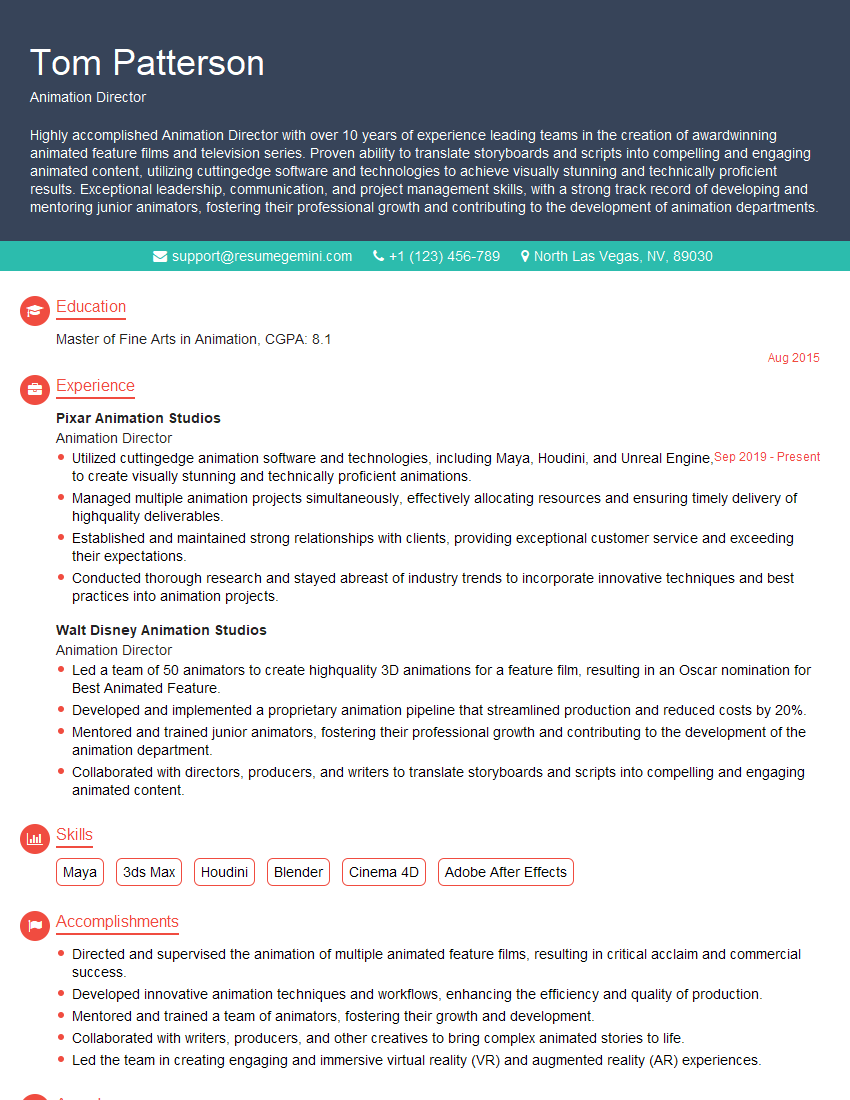
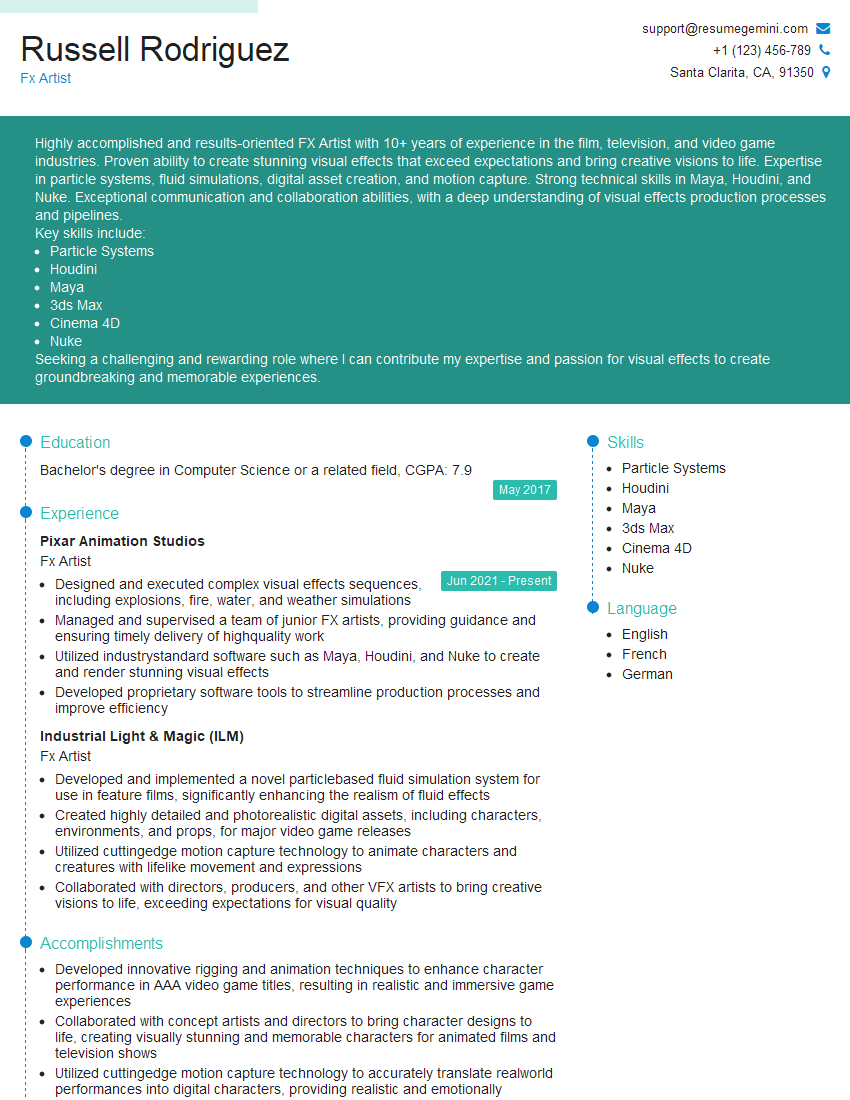
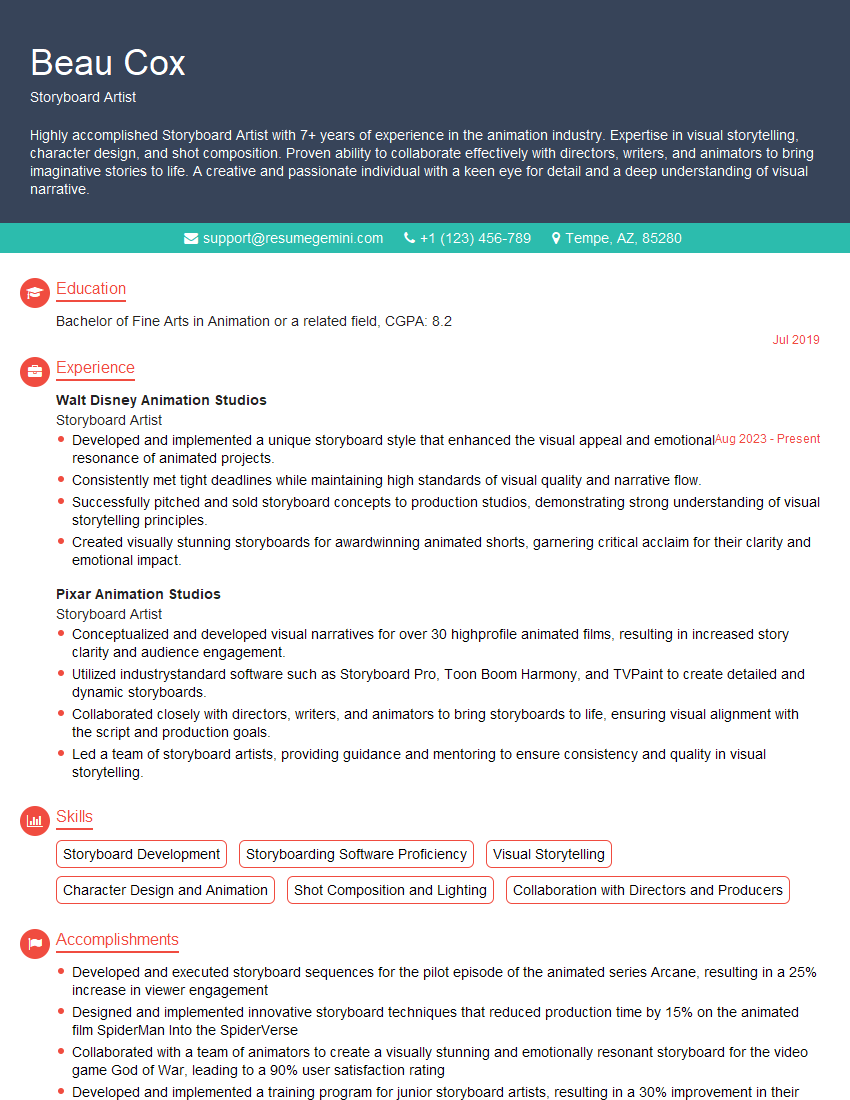
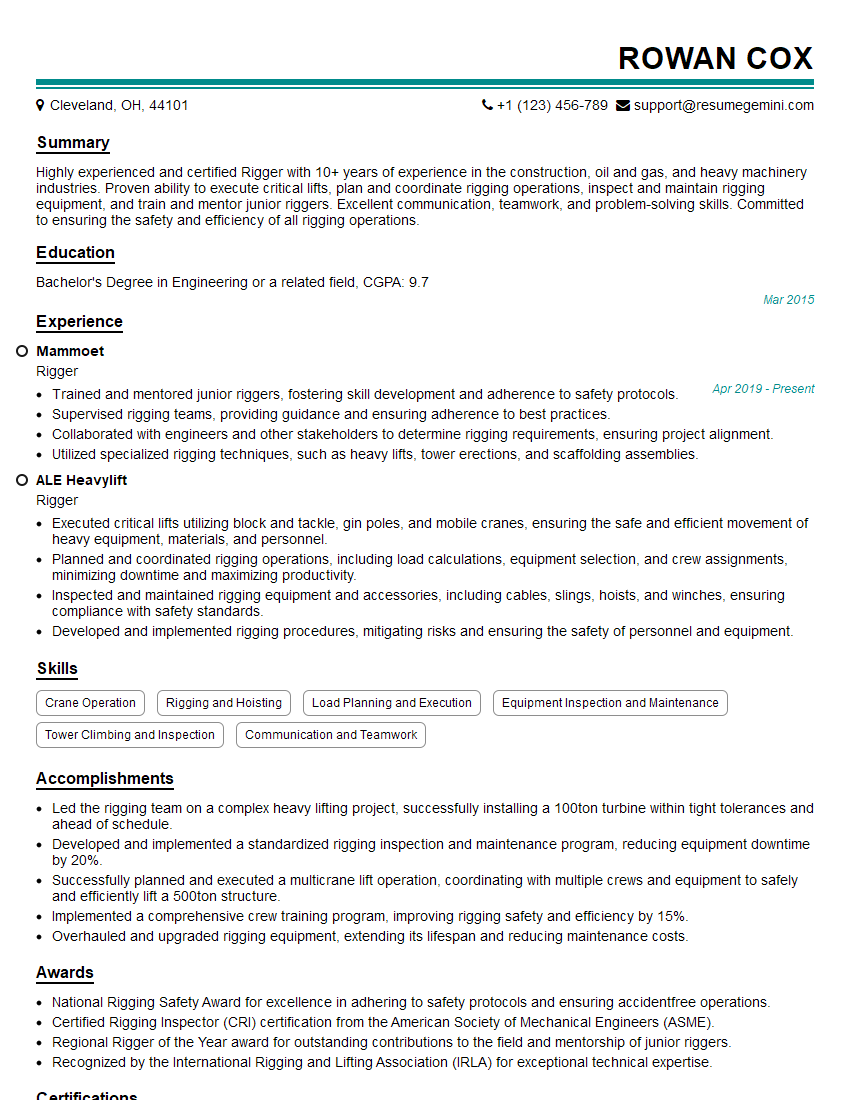
Mastering Animation and Visual Effects opens doors to exciting and rewarding careers in film, games, advertising, and beyond. To maximize your job prospects, crafting a compelling and ATS-friendly resume is crucial. ResumeGemini is a trusted resource that can help you build a professional resume that highlights your skills and experience effectively. Take advantage of their tools and resources to create a stand-out application. Examples of resumes tailored to Animation and Visual Effects are available to guide you.





Explore more articles
Users Rating of Our Blogs
Share Your Experience
We value your feedback! Please rate our content and share your thoughts (optional).
What Readers Say About Our Blog
Very informative content, great job.
good