Interviews are opportunities to demonstrate your expertise, and this guide is here to help you shine. Explore the essential Automated System Monitoring interview questions that employers frequently ask, paired with strategies for crafting responses that set you apart from the competition.
Questions Asked in Automated System Monitoring Interview
Q 1. Explain the difference between monitoring and observability.
Monitoring and observability are closely related but distinct concepts in automated system management. Think of monitoring as checking your car’s dashboard – you see the speed, fuel level, and engine temperature. You react to warnings, like a low fuel light. Observability, on the other hand, is like having a mechanic thoroughly examine your car’s engine; you can understand its internal workings, diagnose issues even without warning lights, and predict potential problems.
Monitoring focuses on predefined metrics and thresholds. It’s reactive, alerting you when something goes wrong based on pre-set rules. For example, monitoring CPU usage might trigger an alert if it exceeds 90%. It’s about knowing what is happening.
Observability, however, is proactive. It allows you to understand the system’s behavior, even when you don’t know exactly what to look for. You can ask questions like “Why is my application slow?” and get answers from distributed tracing and logs. It’s about knowing why something is happening.
In essence, observability enables better monitoring by providing the context needed to understand and resolve issues effectively. Good observability empowers proactive identification and resolution of problems, whereas monitoring alone often results in reactive firefighting.
Q 2. Describe your experience with various monitoring tools (e.g., Prometheus, Grafana, Datadog, Nagios).
I have extensive experience with a variety of monitoring tools, each with its strengths and weaknesses. I’ve used Prometheus for its powerful metrics collection and querying capabilities, often paired with Grafana for visualizing the collected data. This combination offers a highly flexible and customizable monitoring solution, perfect for microservices architectures. For example, I used Prometheus and Grafana to monitor a large-scale e-commerce platform, tracking metrics like request latency, error rates, and database performance. The visualizations were crucial in identifying bottlenecks and optimizing the system’s performance.
Datadog, on the other hand, provides a more unified and comprehensive platform, integrating metrics, logs, and traces into a single pane of glass. This is particularly useful for managing complex, hybrid cloud environments. I’ve used Datadog in a project involving containerized applications on Kubernetes, where its automated dashboards and centralized logging simplified system management significantly.
Finally, I have experience with Nagios, a more traditional monitoring tool often used for network and server infrastructure. Its strength lies in its simplicity and reliability for basic monitoring tasks. I used Nagios to monitor the availability and performance of critical servers in a legacy application environment.
Q 3. How do you design a monitoring system for a high-traffic web application?
Designing a monitoring system for a high-traffic web application requires a layered approach. The key is to monitor at different levels – infrastructure, application, and user experience.
- Infrastructure Monitoring: This includes tracking CPU, memory, disk I/O, and network usage of servers, databases, and load balancers. Tools like Prometheus, Datadog, or Nagios are essential here. We would monitor for resource exhaustion, high latency, and errors.
- Application Monitoring: This involves monitoring application-specific metrics like request latency, error rates, throughput, and queue lengths. Tools like Prometheus, Application Performance Monitoring (APM) tools, and distributed tracing systems are crucial. We need to understand where the bottlenecks are in the application code.
- User Experience Monitoring: This is about observing the end-user experience. We can use synthetic monitoring tools to simulate user traffic and measure response times. Real-user monitoring (RUM) helps understand actual user behavior and experience, giving insights into performance issues not visible at the application level.
For scalability, we need to use agents that can collect metrics efficiently from multiple sources without impacting application performance. Alerting should be tiered, with critical alerts triggering immediate action and less critical alerts providing insights for proactive improvements. Automated scaling and failover mechanisms are also vital to maintain high availability.
Q 4. What metrics are most important to monitor in a cloud environment?
Monitoring a cloud environment requires a focus on metrics that reveal both application performance and infrastructure health. Key metrics include:
- Resource Utilization: CPU, memory, disk I/O, and network bandwidth usage on virtual machines and containers. High utilization can indicate bottlenecks or the need for scaling.
- Network Performance: Latency, packet loss, and throughput between different cloud components. Network issues can significantly affect application performance.
- Database Performance: Query execution times, connection pool sizes, and error rates. Database issues are often performance bottlenecks.
- Application Performance: Request latency, error rates, and throughput of your applications. These provide insights into the health of your applications.
- Cost Monitoring: Cloud resource usage and associated costs. This is critical for budget management and optimization.
- Security Monitoring: Successful logins, failed attempts, and other security-related events. Continuous security monitoring is vital.
The specific metrics you choose will depend on your application and infrastructure. It’s crucial to prioritize the metrics that directly impact user experience and business objectives.
Q 5. How do you handle alerts and avoid alert fatigue?
Alert fatigue is a significant problem in automated system monitoring. It’s caused by excessive or irrelevant alerts, leading to engineers ignoring alerts and missing critical issues. To avoid it:
- Establish Clear Alert Thresholds: Set thresholds that are meaningful and based on historical data. Avoid setting thresholds too low, leading to many false positives.
- Prioritize Alerts: Categorize alerts by severity, ensuring critical alerts get immediate attention. This often involves using different escalation paths and notification methods.
- Use Alert Aggregation: Group similar alerts together to reduce noise. Instead of receiving individual alerts for every failed server check, receive one summarizing the number of failed servers.
- Implement Alert Deduplication: Avoid sending multiple alerts for the same issue. This can happen when several monitoring tools detect the same problem simultaneously.
- Regularly Review and Tune Alerts: Regularly review alert configurations, remove irrelevant alerts, and adjust thresholds based on observed behavior. This is an ongoing process that evolves with your system.
- Contextualize Alerts: Provide sufficient context in alerts to enable quick diagnosis. Include details like affected components, error messages, and relevant links.
By implementing these strategies, you can significantly improve the efficiency and effectiveness of your alerting system.
Q 6. Explain your experience with log aggregation and analysis tools.
I have significant experience with log aggregation and analysis tools like Elasticsearch, Logstash, and Kibana (ELK stack) and Splunk. These tools are essential for understanding system behavior, debugging issues, and ensuring security.
ELK stack is a powerful open-source solution I’ve used extensively. Logstash collects logs from various sources, Elasticsearch indexes and stores them, and Kibana provides powerful visualization and search capabilities. For instance, I used the ELK stack to analyze application logs to identify the root cause of a performance degradation in a microservice-based application. The ability to search and filter logs across multiple services was crucial for tracing the issue.
Splunk is a commercial solution offering similar functionality but with more advanced features and enterprise support. I’ve used Splunk in larger-scale deployments where its scalability and centralized management were vital. Specifically, I’ve used it for security monitoring and incident response, analyzing security logs to detect and respond to threats.
My experience includes not just using these tools but also designing and implementing effective log management strategies, including log rotation, retention policies, and access control measures.
Q 7. Describe your experience with creating dashboards and visualizations.
Creating effective dashboards and visualizations is critical for communicating monitoring data effectively. My approach focuses on:
- Understanding the Audience: Dashboards should be tailored to the needs of different users – developers, operations teams, and management. For example, a developer might need detailed application metrics, while management might focus on high-level summaries of system health and performance.
- Choosing the Right Charts and Graphs: Select chart types that effectively communicate the data. Line graphs are suitable for trends over time, while bar charts are better for comparisons. Avoid cluttering dashboards with too many charts.
- Using Color and Layout Effectively: Use color to highlight important information and guide the user’s eye. A well-organized layout improves readability and makes it easier to find the relevant information.
- Prioritizing Key Metrics: Focus on the most important metrics, and avoid overwhelming the user with irrelevant data.
- Using Interactive Elements: Include interactive elements, such as drill-downs and filtering, to enable users to explore data in more detail.
- Utilizing Tool-Specific Features: Leverage the visualization capabilities of the chosen monitoring tool (Grafana, Datadog, etc.) to create customized dashboards tailored to the data and needs.
In my experience, well-designed dashboards significantly improve team communication and facilitate faster identification and resolution of issues.
Q 8. How do you troubleshoot performance issues using monitoring data?
Troubleshooting performance issues with monitoring data is like being a detective. You gather clues (the monitoring data), analyze them, and identify the culprit (the performance bottleneck). The process involves several key steps:
Identify the Problem: Start by pinpointing the affected area. Is it a specific application, a database, the network, or the entire system? Monitoring dashboards provide a high-level overview, allowing you to quickly identify areas with unusual activity or errors.
Gather Data: Once you’ve identified the area of concern, delve deeper into the monitoring data. Look at metrics like CPU utilization, memory usage, disk I/O, network latency, and application response times. The specific metrics will depend on the nature of the problem. For example, if a web application is slow, you’ll examine response times, error rates, and the number of requests.
Analyze the Data: This is where your analytical skills come into play. Look for correlations between different metrics. For example, a sudden spike in CPU utilization coupled with increased response times might indicate a CPU bottleneck. A drop in network throughput might point towards a network issue. Many monitoring tools offer features like anomaly detection and alerting which can help significantly in this stage.
Isolate the Root Cause: Based on your analysis, narrow down the potential causes. Use logs, traces, and other diagnostic information to determine the root cause. For instance, slow database queries revealed in the logs might explain a web application’s performance degradation. Tools such as application performance monitoring (APM) provide deep insights into code performance allowing identification of slow queries or inefficient code segments.
Implement a Solution: Once the root cause is identified, implement the appropriate solution. This might involve upgrading hardware, optimizing code, tuning database settings, or resolving a network issue.
Monitor and Verify: After implementing a solution, continue monitoring the system to ensure the problem is resolved and the performance has improved. Regular monitoring also helps prevent similar issues from arising in the future.
For example, I once worked on a case where a web application was experiencing slowdowns. By analyzing monitoring data, I discovered a sharp increase in database query times. Further investigation revealed an inefficient query that was being repeatedly called. Optimizing the query resolved the performance issue.
Q 9. What are some common challenges in automated system monitoring?
Automated system monitoring, while incredibly beneficial, faces several challenges:
Data Volume and Velocity: Modern systems generate massive amounts of data. Processing and analyzing this data in real-time can be computationally expensive and require robust infrastructure.
Alert Fatigue: Too many alerts, especially false positives, can lead to alert fatigue, causing administrators to ignore important alerts. Careful alert configuration and filtering are crucial.
Complexity of Systems: Modern systems are often distributed, complex, and highly interconnected. Monitoring such systems requires a holistic approach, integrating data from multiple sources.
Integration Challenges: Integrating monitoring tools with different systems and applications can be difficult. This requires careful planning and consideration of APIs and data formats.
Cost: Implementing and maintaining a comprehensive monitoring system can be expensive, involving infrastructure, software licenses, and personnel.
Maintaining Accuracy: Ensuring the accuracy and reliability of monitoring data is paramount. Incorrect data can lead to wrong conclusions and ineffective troubleshooting.
Lack of Skill and Expertise: Setting up and managing a robust monitoring system requires specialized skills and expertise. A lack of trained personnel can hinder effective monitoring.
For example, a poorly configured alert might trigger every time a server’s CPU usage surpasses 80%, even during periods of normal activity. This leads to alert fatigue and reduces the responsiveness to real issues.
Q 10. How do you ensure the scalability and reliability of your monitoring system?
Ensuring scalability and reliability in a monitoring system involves careful consideration of several factors:
Horizontal Scalability: Design the system to easily add more monitoring agents and servers as the volume of monitored data increases. This ensures the system can handle growth without performance degradation.
Distributed Architecture: Utilize a distributed architecture with multiple data collection points and central aggregation servers. This distributes the load and enhances resilience. In the event of one component failing, the rest continue to function.
Redundancy: Implement redundancy at all levels – servers, network connections, and data storage – to ensure high availability. Redundancy protects against failures and guarantees continued monitoring.
Data Storage: Use a scalable data storage solution, like a distributed database or cloud storage, capable of handling the increasing volume of data. Consider long term storage solutions for historical analysis and reporting.
Efficient Data Processing: Optimize data processing pipelines to minimize latency and resource consumption. Employ techniques such as data aggregation, filtering, and sampling to reduce the processing load.
Automated Failover: Implement automated failover mechanisms to switch to backup systems in case of failures. This guarantees uninterrupted monitoring.
Regular Testing: Regularly test the system’s scalability and reliability through load tests and failover drills. This identifies weaknesses and allows for proactive improvements.
Consider using cloud-based monitoring solutions that inherently offer scalability and high availability as they leverage the provider’s infrastructure. These solutions often abstract away the complexities of managing infrastructure.
Q 11. Explain your experience with different types of monitoring (e.g., synthetic, real user monitoring).
My experience encompasses various monitoring types, each serving a unique purpose:
Synthetic Monitoring: This involves proactively testing the availability and performance of systems by simulating user interactions. I’ve used tools that mimic browser requests, API calls, or other system interactions to identify bottlenecks before they impact real users. This is proactive and identifies issues before they impact actual users, preventing service outages and ensuring performance.
Real User Monitoring (RUM): RUM tracks the actual experience of real users, providing insights into application performance from the user’s perspective. I’ve utilized RUM tools to pinpoint performance issues specific to certain browsers, devices, or locations. This provides granular visibility into user experience, highlighting areas for optimization.
Infrastructure Monitoring: This focuses on the underlying infrastructure, including servers, networks, and storage systems. I’ve extensively used tools to monitor CPU usage, memory consumption, disk I/O, network latency, and other vital metrics. This enables proactive identification and mitigation of infrastructural issues before they affect applications.
Log Monitoring: Analyzing log files from various system components provides valuable insights into application behavior and potential errors. I’ve integrated log management tools with central dashboards to provide comprehensive insights into operational activities.
In a previous role, I integrated synthetic monitoring with RUM to get a complete picture of application performance. Synthetic monitoring ensured basic functionality, while RUM provided insights into the user experience, allowing us to optimize the application for peak performance across various user scenarios.
Q 12. How do you handle monitoring in a microservices architecture?
Monitoring microservices architectures presents unique challenges due to the distributed nature of the system. A key strategy is to employ a distributed tracing system.
Distributed Tracing: This allows you to trace requests as they propagate across multiple services. Tools like Jaeger or Zipkin can track the flow of a request, identifying performance bottlenecks in individual services or communication delays between services.
Metrics per Microservice: Collect metrics for each microservice individually, including CPU, memory, request latency, and error rates. This enables granular performance analysis and quick identification of faulty services.
Service-Level Objectives (SLOs): Define SLOs for each service, setting expectations for performance and availability. This provides a clear benchmark against which to measure the performance of individual services.
Centralized Monitoring Dashboard: Consolidate metrics and logs from all microservices into a centralized dashboard. This provides a holistic view of the system’s health and performance.
Automated Alerting: Configure automated alerts for critical metrics or errors in individual services. This enables prompt response to service failures.
Health Checks: Implement health checks within each microservice to allow the system to dynamically identify and isolate failing services.
For example, I implemented a system where each microservice reported its health and key performance indicators to a central monitoring platform. This provided real-time visibility into the health of the entire system, allowing us to quickly identify and resolve problems.
Q 13. What are some best practices for designing effective monitoring alerts?
Designing effective monitoring alerts is crucial to avoid alert fatigue while ensuring timely notification of critical issues. The key principles are:
Specificity: Alerts should be specific and targeted, indicating the exact nature of the problem and the affected component. Avoid generic alerts like “System error” which provide little actionable information.
Context: Provide sufficient context in alerts. Include relevant metrics, timestamps, and affected resources. This helps quickly understand the situation.
Severity Levels: Utilize a clear severity level system (e.g., critical, warning, informational). This prioritizes alerts and ensures prompt attention to critical issues.
Appropriate Channels: Send alerts through appropriate channels, such as email, SMS, or paging systems, depending on the severity and urgency.
Filtering and Suppression: Implement mechanisms to filter out noise and suppress alerts for expected events or transient issues. This reduces alert fatigue without compromising detection of real problems. This often involves setting thresholds and applying time windows to ignore brief spikes.
Automation: Automate alert handling whenever possible, by using systems which execute runbooks or other automated responses to alerts such as automatically restarting services.
Regular Review: Regularly review and refine alert rules based on past incidents and system behavior. This ensures alerts remain effective and relevant.
For instance, instead of an alert saying “Database slow,” a more effective alert would say “Database query ‘SELECT * FROM users’ execution time exceeded 5 seconds on database instance ‘db-1’ at 14:30.”
Q 14. Describe your experience with implementing automated remediation strategies.
Implementing automated remediation strategies significantly reduces downtime and enhances system resilience. This involves automating responses to common issues, such as:
Automatic Server Restarts: Automatically restart servers after detecting critical failures, such as CPU or memory exhaustion.
Application Rollbacks: Rollback applications to a previous stable version after detecting critical errors or performance degradation.
Scaling Resources: Automatically scale computing resources (e.g., CPU, memory) up or down based on real-time demand. This ensures optimal resource utilization while avoiding outages during peak loads.
Database Failover: Automatically switch to a redundant database instance upon detecting a failure in the primary database.
Alert Routing and Escalation: Automatically escalate alerts to on-call engineers based on severity and escalation policies.
I have experience in implementing these strategies using tools such as Ansible, Chef, and Puppet to orchestrate automated responses. The key is to carefully define the conditions triggering automated actions and testing these thoroughly before deployment. Improper automation can lead to undesirable side-effects, hence careful design and testing are crucial.
For example, in one project, we implemented an automated system to restart application servers if their CPU utilization exceeded 90% for more than 5 minutes. This significantly reduced downtime caused by application crashes.
Q 15. How do you prioritize alerts and ensure that critical issues are addressed first?
Alert prioritization is crucial for efficient incident management. It’s about ensuring that the most critical issues – those with the biggest potential impact on the business – are addressed immediately. We achieve this through a multi-layered approach.
Severity Levels: We define clear severity levels (e.g., Critical, Major, Minor, Warning) based on the impact of the issue. A critical alert might indicate a complete system outage, while a warning could be a resource nearing capacity. This is often configured within our monitoring system using thresholds and rules.
Impact Analysis: We use monitoring data to assess the impact of an alert, considering factors like the number of affected users, the business function impacted, and the potential financial loss. For example, an alert indicating a database server outage would automatically be marked as critical due to its significant impact.
Prioritization Matrix: Sometimes a simple severity level isn’t enough. A prioritization matrix combines severity with urgency. A low-severity alert that’s been ongoing for a long time might need to be bumped up in priority, for example.
Automated Escalation: The system automatically escalates critical alerts to on-call engineers through various channels (e.g., SMS, email, phone) based on predefined schedules and roles.
Suppression and De-duplication: Smart alerting systems can suppress duplicate alerts or those related to known issues, reducing alert fatigue and preventing information overload. This requires a well-maintained knowledge base of resolved incidents.
Imagine a scenario where a web server goes down. The monitoring system detects high CPU usage and slow response times before the complete failure, issuing warnings. If these warnings are ignored, the eventual outage triggers a critical alert with immediate escalation to the on-call team.
Career Expert Tips:
- Ace those interviews! Prepare effectively by reviewing the Top 50 Most Common Interview Questions on ResumeGemini.
- Navigate your job search with confidence! Explore a wide range of Career Tips on ResumeGemini. Learn about common challenges and recommendations to overcome them.
- Craft the perfect resume! Master the Art of Resume Writing with ResumeGemini’s guide. Showcase your unique qualifications and achievements effectively.
- Don’t miss out on holiday savings! Build your dream resume with ResumeGemini’s ATS optimized templates.
Q 16. What is your experience with capacity planning and forecasting based on monitoring data?
Capacity planning and forecasting leverage historical monitoring data to predict future resource needs and prevent performance bottlenecks. My approach involves a combination of statistical analysis, trend identification, and predictive modeling.
Data Collection and Analysis: I begin by gathering relevant metrics from the monitoring system, such as CPU utilization, memory usage, network traffic, and disk I/O. These metrics are then analyzed to identify trends, seasonality, and anomalies.
Trend Identification: Tools and techniques like time-series analysis help to identify long-term trends in resource usage. For instance, we might see a steady increase in database size over time, indicating a need for future capacity expansion.
Forecasting Models: Predictive models, such as ARIMA or exponential smoothing, are employed to forecast future resource consumption based on historical trends. The accuracy of the forecast depends on the quality and quantity of historical data and the complexity of the underlying patterns.
Simulation and Stress Testing: To validate capacity plans, we often conduct simulation exercises and stress tests, simulating peak loads and unexpected surges in demand to identify potential vulnerabilities before they impact production.
Reporting and Communication: The results of the capacity planning process are documented in clear and concise reports, which are then communicated to stakeholders, including management and engineering teams.
For instance, by analyzing historical web server traffic data, we can predict peak usage during holiday seasons and adjust server capacity accordingly to prevent slowdowns or outages.
Q 17. Explain your understanding of different monitoring approaches (e.g., push vs. pull).
Monitoring approaches can be broadly classified as ‘push’ and ‘pull’. Both are valuable, and often used in combination.
Push-based Monitoring: In this approach, the monitored system actively sends metrics to the monitoring server. Think of it as the system ‘pushing’ its status updates to a central location. This is often implemented using agents or daemons installed on each monitored system. Advantages include lower overhead on the monitoring server and real-time updates. Disadvantages can be higher resource consumption on the monitored system and potential challenges in scaling.
Pull-based Monitoring: The monitoring server actively queries the monitored system for metrics at regular intervals. This is like the monitoring system ‘pulling’ the information. This approach is commonly used with SNMP (Simple Network Management Protocol) or APIs. It offers better scalability but might introduce latency due to the polling interval and increased load on the monitoring server if many systems are polled.
A hybrid approach, often the most efficient, combines both methods. Critical metrics might be pushed in real-time for immediate response, while less critical metrics can be pulled periodically. For instance, system errors might be pushed immediately, while disk space usage is polled every five minutes.
Q 18. How do you ensure data security and privacy in your monitoring system?
Data security and privacy are paramount in automated system monitoring. We employ a layered security approach to protect sensitive data.
Data Encryption: Data both in transit and at rest is encrypted using strong encryption algorithms (e.g., AES-256). This prevents unauthorized access even if the system is compromised.
Access Control: Role-based access control (RBAC) is used to restrict access to monitoring data based on user roles and responsibilities. Only authorized personnel can access sensitive information.
Secure Communication: Secure protocols like HTTPS and TLS are used for all communication between the monitored systems and the monitoring server. This ensures that data is not intercepted during transmission.
Auditing and Logging: All access attempts and changes to the monitoring system are logged and regularly audited. This helps to detect and investigate any security breaches.
Regular Security Assessments: We conduct regular security assessments and penetration testing to identify and address vulnerabilities in the monitoring system.
Data Anonymization and Aggregation: Where possible, we anonymize or aggregate data to minimize the risk of personally identifiable information (PII) exposure. For example, instead of storing individual user IDs, we might track aggregate usage patterns.
Regular security patches and updates are crucial to mitigate emerging threats and maintain the security posture of the entire monitoring infrastructure.
Q 19. What is your experience with integrating monitoring data with other systems (e.g., ticketing systems, incident management tools)?
Integrating monitoring data with other systems is essential for efficient incident management and problem resolution. I have extensive experience integrating monitoring data with ticketing systems and incident management tools.
Ticketing System Integration: Alerts from the monitoring system can automatically create tickets in a ticketing system (e.g., Jira, ServiceNow). This ensures that issues are promptly documented and assigned to the appropriate teams. The integration often includes linking alerts to existing tickets, avoiding duplicates. Often, the severity level from the monitoring system maps directly to the ticket priority.
Incident Management Tool Integration: Monitoring data can enrich incident management workflows by providing real-time insights into the health and performance of affected systems. For instance, incident management tools can display relevant metrics and graphs directly from the monitoring system, streamlining the troubleshooting process. Automated workflows can be triggered based on the severity of the monitored events, automatically updating incident status and involving appropriate teams.
API Integrations: APIs are the backbone of these integrations. Most monitoring systems and ticketing/incident management tools offer robust APIs for seamless data exchange. We use these APIs to build custom integrations or leverage pre-built connectors where available.
Data Transformation: Sometimes data transformation is required to map data from the monitoring system to the fields in the other systems. We might use scripting or ETL (Extract, Transform, Load) tools for data transformation.
Imagine a scenario where a database server slows down. The monitoring system detects this, creates a high-priority ticket in Jira, and automatically updates an existing incident in our incident management tool with performance metrics. This streamlines the response and ensures everyone is informed.
Q 20. Describe your experience with using Infrastructure as Code (IaC) for monitoring infrastructure.
Infrastructure as Code (IaC) is crucial for managing and maintaining the monitoring infrastructure itself. IaC enables us to define and manage the monitoring infrastructure (servers, agents, dashboards, etc.) using code, allowing for version control, reproducibility, and automation.
Declarative Configuration: IaC tools like Terraform or CloudFormation allow us to define the desired state of the monitoring infrastructure in a declarative manner. We specify what we want, and the tool manages the underlying infrastructure to match that state.
Version Control: The code defining our monitoring infrastructure is stored in a version control system (e.g., Git). This allows us to track changes, roll back to previous versions if necessary, and collaborate effectively.
Automation: IaC automates the provisioning, configuration, and deployment of the monitoring infrastructure, reducing manual effort and human error. We can easily spin up new monitoring instances in different environments (e.g., development, testing, production).
Consistency: IaC helps ensure consistency across different environments. The same code can be used to deploy the monitoring infrastructure in multiple locations, guaranteeing a uniform monitoring experience.
For example, we might use Terraform to define the infrastructure for our monitoring dashboards, automatically provisioning the necessary servers and configuring the necessary software. Changes are version-controlled and easily reproducible.
Q 21. How do you test and validate your monitoring system?
Testing and validating the monitoring system is as important as building it. We use a combination of techniques to ensure the system is accurate, reliable, and effective.
Unit Testing: Individual components of the monitoring system (e.g., data collectors, alert processors) are tested in isolation to verify their functionality.
Integration Testing: Different components are integrated and tested together to verify that they work correctly as a whole. This checks the flow of data and alerts across the system.
Synthetic Monitoring: We use synthetic monitoring tools to simulate user interactions and system behavior. This allows us to proactively detect issues before they impact real users. We use these tools to simulate loads, test response times, and verify the accuracy of the system.
End-to-End Testing: We simulate complete scenarios to verify that the entire monitoring system functions as expected. This involves simulating various events and verifying the correct alerts and responses.
Alert Validation: We regularly review and validate alerts generated by the system to ensure that they are accurate and not generating false positives or missing critical issues.
Performance Testing: We assess the system’s performance under varying loads to ensure it can handle the expected volume of data and alerts without performance degradation.
We might simulate a server failure to verify that the correct alerts are triggered, and then subsequently simulate recovery to ensure the resolution of the alert is captured accurately. Regular testing ensures that our monitoring system remains reliable and delivers accurate information.
Q 22. How do you handle failures in your monitoring system?
Handling failures in a monitoring system is crucial for maintaining uptime and ensuring business continuity. My approach is multifaceted and focuses on redundancy, alerting, and proactive remediation.
- Redundancy: I implement redundant monitoring agents and servers. If one fails, another takes over seamlessly. This might involve using geographically distributed monitoring systems or having backup agents ready to deploy.
- Alerting: A robust alerting system is paramount. This includes setting up thresholds for critical metrics (CPU usage, memory, disk space, etc.) and using multiple notification channels (email, SMS, PagerDuty) to ensure alerts reach the right people quickly. Alert escalation is key; if a primary contact doesn’t respond, the alert automatically goes to a secondary or tertiary contact.
- Automated Remediation: Where feasible, I automate the remediation process. For example, if a server’s CPU usage consistently exceeds 90%, an automated script can restart the relevant service or even trigger an automatic scaling event.
- Monitoring the Monitoring System: It’s critical to monitor the health of the monitoring system itself. We use self-monitoring tools to ensure the monitoring system is functioning correctly and can detect failures within itself.
For example, in a previous role, we used Prometheus and Grafana to monitor our infrastructure. We set up alerts that triggered PagerDuty notifications when critical services went down. Our automated remediation scripts, written in Python, could automatically restart failed containers in Kubernetes.
Q 23. Explain your experience with using scripting languages (e.g., Python, Bash) for automation.
Scripting languages are fundamental to automation in system monitoring. I’m proficient in both Python and Bash, leveraging their strengths for different tasks.
- Python: I use Python for complex tasks involving data analysis, custom metric calculations, and creating sophisticated alerting logic. Its extensive libraries (like
requestsfor API interactions andpandasfor data manipulation) are incredibly useful. For example, I’ve written Python scripts that fetch data from multiple sources, correlate it, and generate customized dashboards in Grafana. - Bash: Bash is my go-to for simpler automation tasks, like automating deployments, managing system configurations, and creating cron jobs for regular monitoring checks. Its direct interaction with the operating system makes it ideal for these operations. For instance, I’ve used Bash to create scripts that automatically check log files for errors and send email alerts.
Imagine needing to automate the process of checking the status of hundreds of servers. Using a scripting language allows you to write a single script that iterates through the servers, retrieves their status, and generates a report, saving hours of manual effort.
# Example Python snippet: fetching data from an API import requests response = requests.get('API_ENDPOINT') data = response.json() # Process the data...Q 24. Describe your experience with container monitoring (e.g., Docker, Kubernetes).
Container monitoring is crucial in modern infrastructure. My experience spans Docker and Kubernetes environments, focusing on monitoring resource utilization, application performance, and container health.
- Docker: I use tools like cAdvisor (container resource usage) and collectd (system-level metrics) to monitor individual Docker containers. This allows for fine-grained monitoring of resource consumption within each container.
- Kubernetes: In Kubernetes, I leverage built-in monitoring features like the Kubernetes metrics-server, as well as tools like Prometheus and Grafana for a comprehensive overview of the cluster’s health and application performance. I’m proficient in configuring monitoring probes and setting up alerts based on metrics specific to the pods and deployments within the cluster.
One real-world example involves monitoring a microservices application deployed on Kubernetes. By monitoring metrics like request latency, error rates, and CPU utilization, I identified a performance bottleneck in a specific microservice. This allowed for timely remediation, preventing a larger outage.
Q 25. What are your preferred methods for visualizing and analyzing large datasets?
Visualizing and analyzing large datasets requires the right tools and techniques. My preferred methods focus on leveraging the power of visualization and aggregation to derive meaningful insights from massive amounts of monitoring data.
- Grafana: Grafana excels at creating customized dashboards that provide a visual representation of various metrics. It’s highly flexible, supporting various data sources and allowing for insightful analysis through interactive visualizations.
- Prometheus: Prometheus’s time-series database capabilities are ideal for storing and querying monitoring data, providing the underlying data for Grafana’s visualizations.
- Data Aggregation: I employ data aggregation techniques to reduce the volume of data while preserving key information. This makes it easier to identify trends and anomalies in the data.
- Statistical Analysis: I use statistical methods, such as calculating moving averages and standard deviations, to identify patterns and anomalies. This helps differentiate between normal fluctuations and genuine problems.
For example, in a previous project, we used Prometheus to collect millions of data points per day from our infrastructure. Grafana dashboards provided a clear visual overview of key metrics, and using statistical analysis, we identified an unexpected increase in database query latency that had gone unnoticed previously. This early detection prevented a major performance degradation.
Q 26. How do you stay up-to-date with the latest trends and technologies in automated system monitoring?
Staying current in the rapidly evolving field of automated system monitoring requires a proactive and multi-faceted approach.
- Industry Conferences and Blogs: I actively participate in conferences such as Monitorama and follow influential blogs and online communities dedicated to system monitoring and DevOps.
- Online Courses and Tutorials: I regularly take online courses and tutorials on platforms like Coursera and Udemy to deepen my knowledge of new tools and technologies.
- Open-Source Projects: I actively engage with open-source monitoring projects such as Prometheus and Grafana, contributing where possible and learning from the community.
- Reading Research Papers: I stay informed about the latest research by reading relevant papers and publications in the field.
Continuous learning is crucial. The landscape of monitoring tools and technologies is always evolving, so it’s important to be receptive to new approaches and technologies. This ensures I can leverage the most effective methods for monitoring complex systems.
Q 27. Explain your approach to troubleshooting a complex system outage using monitoring data.
Troubleshooting a complex system outage using monitoring data is a systematic process. My approach involves the following steps:
- Identify the Impact: The first step is to determine the scope and impact of the outage. What services are affected? How many users are impacted? This provides context for the investigation.
- Gather Data: I leverage monitoring tools (logs, metrics, traces) to collect relevant data related to the affected services and infrastructure. This includes examining metrics for CPU utilization, memory, disk I/O, network latency, and error rates.
- Correlate Data: This is where experience and domain expertise are crucial. I correlate data from different sources to identify patterns and potential root causes. For instance, a spike in error rates might correlate with a sudden increase in CPU usage on a specific server.
- Isolate the Root Cause: Based on the correlated data, I isolate the most likely root cause of the outage. This might involve examining logs for specific error messages or investigating unusual network activity.
- Implement Remediation: Once the root cause is identified, I implement the necessary remediation steps. This might involve restarting a service, scaling resources, or deploying a fix.
- Postmortem Analysis: After resolving the outage, I conduct a thorough postmortem analysis to identify areas for improvement in the monitoring system and prevent similar incidents in the future. This includes documenting the root cause, remediation steps, and preventative measures.
For example, in a past incident, we experienced a widespread service outage. By analyzing logs and metrics, we discovered a cascading failure triggered by a database saturation. This led to implementing better capacity planning and improved alerting for database performance.
Key Topics to Learn for Automated System Monitoring Interview
- System Monitoring Fundamentals: Understanding the core principles of system monitoring, including metrics collection, data aggregation, and alert generation. Consider exploring different monitoring architectures (e.g., centralized vs. decentralized).
- Monitoring Tools and Technologies: Gain practical experience with popular monitoring tools like Prometheus, Grafana, Nagios, Zabbix, or Datadog. Understand their functionalities, strengths, and weaknesses, and be prepared to discuss your experience with specific tools.
- Alerting and Incident Management: Master the art of configuring effective alerts, minimizing false positives, and efficiently managing incidents. Discuss strategies for prioritizing alerts and escalating critical issues.
- Data Analysis and Visualization: Develop your skills in interpreting monitoring data to identify trends, pinpoint performance bottlenecks, and predict potential issues. Familiarize yourself with various data visualization techniques.
- Log Management and Analysis: Understand the importance of log aggregation and analysis for troubleshooting and security. Explore tools like Elasticsearch, Logstash, and Kibana (ELK stack) or similar solutions.
- Infrastructure as Code (IaC): Learn how IaC tools (e.g., Terraform, Ansible) can be integrated with monitoring systems to automate the deployment and management of monitoring infrastructure.
- Security Considerations in Monitoring: Discuss security best practices related to monitoring, including data encryption, access control, and securing monitoring tools themselves.
- Problem-Solving and Troubleshooting: Be prepared to discuss your approach to troubleshooting complex system issues using monitoring data. Showcase your analytical skills and ability to identify root causes.
Next Steps
Mastering automated system monitoring is crucial for career advancement in today’s technology-driven world. It demonstrates a valuable skillset highly sought after by organizations across various industries. To significantly boost your job prospects, focus on crafting an ATS-friendly resume that effectively highlights your expertise. ResumeGemini is a trusted resource that can help you create a compelling and professional resume tailored to the specific requirements of your target roles. Examples of resumes tailored to Automated System Monitoring are available within ResumeGemini to guide you in building a winning application.
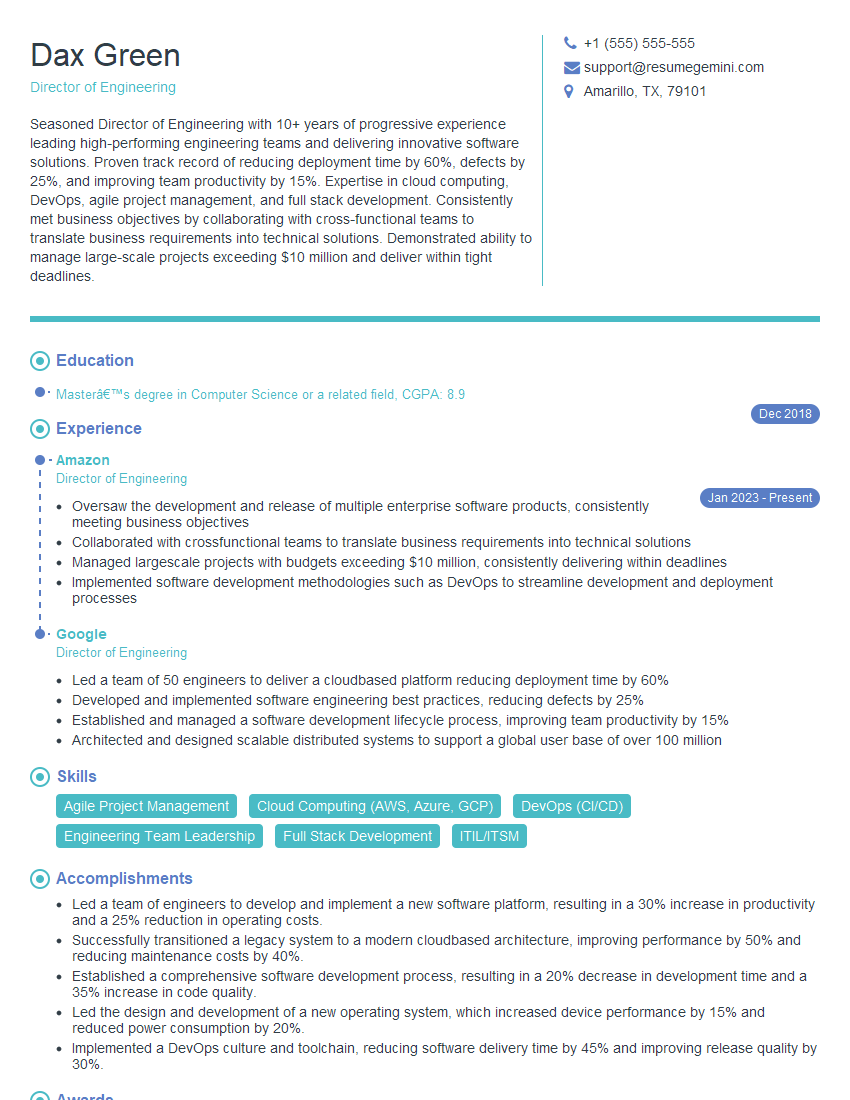
Director of Engineering Resume Sample

Principal Engineer Resume Sample

Systems Analyst Resume Sample

Automation Engineer Resume Sample

Infrastructure Engineer Resume Sample

System Administrator Resume Sample

IT Manager Resume Sample
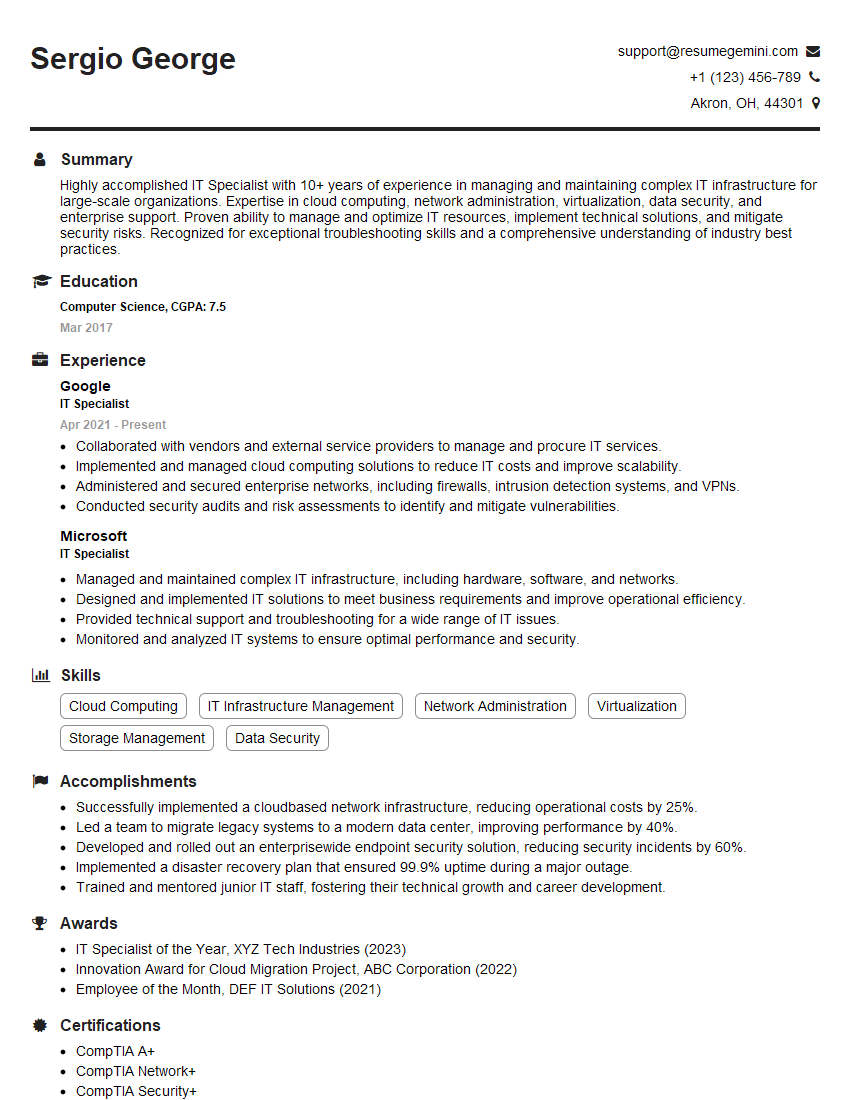
IT Specialist Resume Sample

Database Administrator Resume Sample

Technical Lead Resume Sample

DevOps Engineer Resume Sample
Explore more articles
Users Rating of Our Blogs
Share Your Experience
We value your feedback! Please rate our content and share your thoughts (optional).
What Readers Say About Our Blog
Very informative content, great job.
good