The thought of an interview can be nerve-wracking, but the right preparation can make all the difference. Explore this comprehensive guide to Bridge Communication interview questions and gain the confidence you need to showcase your abilities and secure the role.
Questions Asked in Bridge Communication Interview
Q 1. Explain the function of a network bridge.
A network bridge acts as a connector between two or more Local Area Networks (LANs), essentially extending a single network across multiple segments. Imagine it as a sophisticated traffic controller for network data. It examines the destination MAC address of each data packet and forwards it only to the segment where the intended recipient resides, thereby preventing unnecessary traffic congestion and improving network efficiency. This is particularly useful in larger networks where broadcasting packets across the entire network would lead to significant performance bottlenecks.
For example, a company might use a bridge to connect its marketing and sales departments, each operating on a separate LAN. The bridge ensures that data only travels to the relevant department, improving security and speed.
Q 2. What are the different types of network bridges?
Network bridges primarily fall into two categories based on their operational approach: transparent bridges and source-route bridges. While source-route bridges are largely obsolete, understanding them helps contextualize the advancements in bridging technology.
- Transparent Bridges: These are the most common type today. They learn the MAC addresses of devices on each network segment automatically, building a filtering table to forward data efficiently. They require no configuration concerning network topology.
- Source-Route Bridges: These older bridges require manual configuration. The source device specifies the exact path a packet should take through the network. This approach is less efficient and far more complex to manage compared to transparent bridges.
Q 3. Describe the difference between a transparent bridge and a source-route bridge.
The key difference lies in how they handle data forwarding decisions. A transparent bridge learns the MAC addresses of connected devices dynamically and automatically determines the optimal path for each packet. It simplifies network administration, requires minimal setup, and offers better scalability. Think of it as a smart traffic light system automatically adjusting to traffic flow.
In contrast, a source-route bridge requires the sending device to specify the exact route (path) the packet should take. This is highly inflexible, making it difficult to manage large or changing networks. Imagine manually directing each car in a city, a very inefficient system.
Q 4. How does a bridge learn MAC addresses?
A transparent bridge learns MAC addresses through a process called MAC address learning. Whenever a data packet is received, the bridge extracts the source MAC address and the port number it arrived on. It then adds this information to its filtering table (also called a forwarding table or MAC address table). This table maps MAC addresses to the specific ports connected to the bridge. The bridge uses this table to make forwarding decisions for future packets.
For instance, if a packet arrives on port 1 with a source MAC address of ‘AA:BB:CC:DD:EE:FF’, the bridge adds this information to its filtering table: {‘AA:BB:CC:DD:EE:FF’: port 1}. The next time it receives a packet destined for ‘AA:BB:CC:DD:EE:FF’, the bridge will know to forward it out port 1.
Q 5. Explain the concept of a bridge’s filtering table.
A bridge’s filtering table, also known as a MAC address table or forwarding table, is a database storing the MAC addresses of devices on each network segment and the corresponding bridge port they’re connected to. This table is crucial for efficient packet forwarding. The bridge consults this table to determine which port to send each data packet out of. Entries in this table are dynamically learned and updated as devices send and receive data.
Example:{'AA:BB:CC:DD:EE:FF': port 1, '11:22:33:44:55:66': port 2}
This table indicates that the device with MAC address ‘AA:BB:CC:DD:EE:FF’ is connected to port 1 and ’11:22:33:44:55:66′ is connected to port 2 of the bridge.
Q 6. What is a spanning tree protocol (STP) and why is it important?
Spanning Tree Protocol (STP) is a network protocol that prevents loops in a network that uses bridges and switches. Network loops occur when there are multiple paths between two devices, causing broadcast storms and network instability. STP solves this by intelligently disabling redundant paths. It does this by constructing a spanning tree, a tree-like topology that ensures only one active path between any two points in the network. Imagine it like a carefully designed road network preventing traffic jams caused by circular routes.
STP is vital because it ensures network stability and prevents broadcast storms which can cripple network performance. Without STP, network loops can lead to dropped packets, slow response times, and eventually, a complete network failure.
Q 7. Describe the role of a root bridge in a network.
In a network using STP, the root bridge is the designated bridge that acts as the central point of the spanning tree. All other bridges in the network will have paths leading back to the root bridge. The root bridge is elected based on a priority value (configurable) and its MAC address. The bridge with the lowest bridge ID (combination of priority and MAC address) becomes the root bridge. The root bridge is responsible for calculating the best paths through the network, ensuring a loop-free environment.
Think of it like the central hub in a transport system. Every train or bus route will eventually lead back to the central hub. This guarantees efficient and reliable connectivity across the entire network.
Q 8. How does STP prevent bridging loops?
STP, or Spanning Tree Protocol, prevents bridging loops by intelligently blocking redundant paths in a network. Imagine a network with multiple bridges creating a loop; data packets would endlessly circulate, clogging the network. STP solves this by constructing a tree-like topology. It does this by electing a root bridge, and then calculating the shortest path from every other bridge to this root bridge. Ports that aren’t part of this shortest path are put into a ‘blocking’ state, preventing loops. Think of it as selectively disabling certain roads in a city to avoid traffic congestion. Only the optimal routes remain open.
STP uses Bridge Protocol Data Units (BPDUs) to communicate between bridges, exchanging information about their position in the network and the paths available. This information helps each bridge determine its role in the spanning tree. The process involves assigning bridge IDs, calculating costs for different paths (usually based on port speeds), and transitioning ports between various states – listening, learning, forwarding, and blocking. The algorithm ensures that there is only one active path between any two network devices.
Q 9. What is Rapid Spanning Tree Protocol (RSTP)?
Rapid Spanning Tree Protocol (RSTP) is an improvement over the original STP. It significantly reduces the time it takes for a network to converge after a topology change – for example, when a link fails or a new bridge is added. In STP, it could take up to 50 seconds for the network to reconfigure itself. RSTP accelerates this process drastically. It achieves this by using more sophisticated algorithms and transition states that enable faster convergence. Think of it as a ‘fast-lane’ version of STP.
RSTP introduces the concept of edge ports, which are ports directly connected to end devices (computers, printers). These ports transition directly to the forwarding state, eliminating the lengthy listening and learning phases. RSTP also uses BPDUs to communicate but employs enhanced BPDU types and edge port detection for optimized convergence times. It’s a crucial advancement for modern networks that require high availability and fast recovery from failures.
Q 10. What is Multiple Spanning Tree Protocol (MSTP)?
Multiple Spanning Tree Protocol (MSTP) is the most advanced spanning-tree protocol. It addresses the limitations of both STP and RSTP, primarily focusing on supporting VLANs (Virtual LANs) across a network. Imagine a large enterprise network with many VLANs; each VLAN might require its own separate spanning tree. MSTP elegantly handles this. It combines multiple VLANs into a single spanning tree instance, known as the MST region. This centralized management simplifies administration and reduces the complexity of managing many individual spanning trees.
MSTP uses a concept called the Common and Internal Spanning Tree (CIST) to handle communication between different MST regions. It offers improved scalability and flexibility compared to STP and RSTP, especially in complex environments with multiple VLANs and interconnected networks. The superior scalability allows MSTP to be used in very large networks that STP and RSTP might struggle with.
Q 11. Explain the concept of VLANs and their relationship to bridges.
VLANs, or Virtual LANs, logically segment a physical network into multiple broadcast domains. This means that devices within a VLAN can communicate with each other as if they were on a separate physical network, even if they are connected to the same switches. Think of it as dividing a large office building into separate departments, each with its own communication system. This improves security and network performance by reducing broadcast traffic and collision domains. Bridges play a crucial role in implementing and managing VLANs.
The relationship between VLANs and bridges is fundamental. Bridges are used to forward traffic between VLANs. A bridge with VLAN capabilities can examine the frame’s VLAN tag and then decide which VLAN the traffic should belong to and forward it accordingly. Without bridges, devices on different VLANs wouldn’t be able to communicate unless they were physically connected to the same LAN segment.
Q 12. How are VLANs implemented using bridges?
VLANs are implemented using bridges (more often, switches with bridging capabilities) through VLAN tagging. Each frame is tagged with a VLAN ID, which identifies the VLAN to which the frame belongs. The bridge examines this VLAN tag, and only forwards the frame to ports belonging to the same VLAN. If a frame needs to be forwarded across VLANs, the bridge acts as a router, potentially encapsulating the frame within a new header.
For example, a frame from VLAN 10 destined for a device on VLAN 20 will be processed by the bridge. The bridge checks the VLAN tag (10), sees that the destination port belongs to VLAN 20, and then appropriately encapsulates or forwards it according to the VLAN configuration. This ensures that broadcast traffic is contained within the specified VLANs, improving security and performance. Modern switches often have advanced VLAN capabilities, allowing for sophisticated VLAN management and inter-VLAN routing.
Q 13. What are the advantages and disadvantages of using bridges?
Bridges offer several advantages, including:
- Improved network performance: By segmenting networks, bridges reduce collision domains and broadcast traffic, leading to higher throughput and efficiency.
- Enhanced security: VLANs implemented with bridges can isolate sensitive data and prevent unauthorized access.
- Simplified network management: Bridges allow administrators to manage network traffic more effectively by isolating different parts of the network.
However, there are also disadvantages:
- Increased complexity: Configuring and managing VLANs can be complex, especially in larger networks.
- Potential performance bottlenecks: If a bridge is overloaded or poorly configured, it can become a bottleneck, negatively impacting overall network performance.
- Single point of failure: A bridge failure can severely disrupt network connectivity.
Q 14. Compare and contrast bridges and routers.
Bridges and routers are both networking devices that connect different network segments, but they operate at different layers of the OSI model and have different functionalities. Bridges operate at the data link layer (Layer 2), examining MAC addresses to forward traffic. Routers operate at the network layer (Layer 3), examining IP addresses to forward traffic between different networks.
Here’s a comparison:
- Layer: Bridges operate at Layer 2; routers operate at Layer 3.
- Addressing: Bridges use MAC addresses; routers use IP addresses.
- Routing: Bridges use simple forwarding based on MAC addresses; routers use sophisticated routing protocols to determine the best path for data packets.
- Broadcast domains: Bridges can reduce broadcast domains; routers segment broadcast domains completely.
- Scalability: Bridges are less scalable than routers for larger and more complex networks.
In essence, bridges connect networks that share the same network address; routers connect networks that use different network addresses. Routers provide more advanced features like routing protocols and network address translation (NAT), which bridges lack.
Q 15. How do bridges handle broadcast traffic?
Bridges, unlike routers, operate at the data link layer (Layer 2) of the OSI model. They learn which devices are connected to which ports by examining the source MAC addresses in the frames they receive. When a broadcast frame arrives (like an ARP request), the bridge forwards it out all ports except the port it arrived on. Think of it like shouting a message in a hallway – everyone hears it except the person who initially shouted.
This flooding mechanism is crucial for local network communication. However, it’s important to note that excessive broadcasts can significantly impact network performance. Bridges help contain broadcast domains, preventing broadcast storms from impacting the entire network. For example, imagine a network with two departments, sales and marketing. If Sales sends a broadcast, it only reaches devices in the Sales segment thanks to the bridge, leaving Marketing unaffected.
Career Expert Tips:
- Ace those interviews! Prepare effectively by reviewing the Top 50 Most Common Interview Questions on ResumeGemini.
- Navigate your job search with confidence! Explore a wide range of Career Tips on ResumeGemini. Learn about common challenges and recommendations to overcome them.
- Craft the perfect resume! Master the Art of Resume Writing with ResumeGemini’s guide. Showcase your unique qualifications and achievements effectively.
- Don’t miss out on holiday savings! Build your dream resume with ResumeGemini’s ATS optimized templates.
Q 16. How do bridges handle unknown unicast traffic?
When a bridge receives a unicast frame (addressed to a specific MAC address) and it doesn’t know the destination MAC address, it floods the frame out all ports except the incoming port. This is similar to sending a letter without knowing the recipient’s exact address – you send it to everyone in the building hoping they will forward it. However, this behavior contributes to network congestion and is less efficient than directly sending it to the destination.
To improve efficiency, bridges use a learning mechanism. As they receive and process frames, they build a MAC address table (or learning table) that maps MAC addresses to interface ports. After learning the MAC address of a device, the bridge forwards unicast traffic directly to the appropriate port, thus avoiding unnecessary flooding. This process, called learning, greatly increases network efficiency. Think of it as creating a directory after enough people enter the building.
Q 17. What are some common troubleshooting techniques for bridge issues?
Troubleshooting bridge issues involves a systematic approach. First, check the physical connections: Ensure cables are properly connected to both the bridge and the devices. Next, verify the bridge’s configuration – examine the MAC address table using a command-line interface (CLI) or management interface to see if it’s correctly learning MAC addresses. If you suspect a loop in your network topology (a situation where frames endlessly circulate between bridges), employ tools like spanning-tree protocol (STP) to mitigate it.
- Check Link Lights: Verify that link lights on the bridge and connected devices are illuminated, indicating active connections.
- Examine Bridge Logs: Most bridges maintain logs of events; errors can provide clues about connectivity or configuration issues.
- Utilize Network Monitoring Tools: Tools like Wireshark can capture network traffic, showing frame flows and helping identify communication bottlenecks.
- Test Connectivity: Use the
pingcommand to check connectivity between devices that should be able to communicate. For example,ping.
Remember that loops in a bridged network are common causes of problems, so addressing them proactively is vital. STP is a critical technology that automatically prevents these loops by blocking redundant paths.
Q 18. Explain the process of configuring a bridge.
Bridge configuration varies depending on the specific vendor and model, but generally involves these steps:
- Physical Connection: Connect the bridge to the network segments you want to connect.
- IP Addressing (Optional): Some bridges require an IP address to manage the device. This isn’t always necessary if management is done locally.
- MAC Address Table Management (Usually Automatic): Bridges automatically learn MAC addresses; however, you may need to manually add or clear entries for some advanced configurations.
- Spanning Tree Protocol (STP) Configuration (Recommended): Configure STP to prevent bridging loops. This is typically done via a CLI or management interface using commands specific to the bridge’s firmware.
- Port Security (Optional): Configure port security features to prevent unauthorized devices from connecting. This might involve limiting the number of MAC addresses allowed on each port.
For example, a typical STP configuration might involve enabling the protocol and potentially specifying the bridge’s role within the network. The specific commands vary per vendor (Cisco, HP, etc.), but the core principles are consistent.
Q 19. How does a bridge contribute to network segmentation?
Bridges are fundamental to network segmentation. They divide a larger network into smaller, independent broadcast domains. This isolation prevents broadcast storms and limits the impact of network failures. For example, a broadcast from one segment won’t flood the entire network. Instead, it remains confined to its segment. Think of a large office building divided into departments. Each department is a separate network segment, connected but isolated by bridges.
Segmentation also enhances security. By isolating network segments, bridges limit the reach of malware or attackers. If one segment is compromised, the breach is less likely to spread to other parts of the network. This layered security approach improves overall network resilience.
Q 20. What are the security implications of using bridges?
While bridges enhance network security through segmentation, they also introduce some security considerations. If not properly configured, they can create vulnerabilities:
- MAC Flooding Attacks: An attacker could send a large number of frames with spoofed MAC addresses, overflowing the bridge’s MAC address table. This can lead to a denial-of-service (DoS) attack, flooding the network.
- Broadcast Storms: Improperly configured bridges can amplify broadcast traffic, creating a broadcast storm that overwhelms the network. This can disrupt services and overall network performance.
- Lack of Access Control: Bridges themselves may lack robust access controls, making them vulnerable to unauthorized configuration changes.
Mitigating these risks requires proper network design, including using STP to prevent loops and employing port security measures to limit MAC address entries on each port. Regular security audits and firmware updates are also crucial for maintaining bridge security.
Q 21. What are some performance considerations when using bridges?
Bridges, while essential for network segmentation, can introduce performance limitations if not carefully planned. Key considerations include:
- Excessive Flooding: Before a bridge learns MAC addresses, it floods traffic. In a large or poorly designed network, this can lead to significant performance degradation.
- Learning Latency: The time it takes for a bridge to learn MAC addresses can temporarily impact network performance. However, this is a short-lived issue.
- Processing Overhead: Bridges need to process frames, check MAC addresses, and forward them to the appropriate port. This processing introduces a slight delay compared to direct connections.
- STP Overhead: While essential for loop prevention, STP introduces overhead due to the protocol’s operation. The overhead is generally small, but it’s a factor.
Proper network design, choosing bridges with sufficient processing power, and employing STP are all crucial for optimizing bridge performance. Careful consideration of network topology and the number of segments are essential for maintaining an efficient network.
Q 22. How do bridges handle multicast traffic?
Bridges, unlike routers, operate at the Data Link Layer (Layer 2) of the OSI model. They forward traffic based on MAC addresses, not IP addresses. Therefore, handling multicast traffic is fundamentally different than how routers handle it. A bridge forwards multicast traffic to all ports except the port from which it received the multicast frame, unless the bridge is configured to perform multicast filtering. Think of it like this: if someone shouts an announcement in a room (multicast), everyone in the room hears it. The bridge acts as the ‘room,’ forwarding the announcement (multicast traffic) to all connected segments.
This ‘flooding’ behavior of multicast frames can lead to unnecessary network traffic, especially in larger networks. This is why more sophisticated multicast techniques, such as PIM (Protocol Independent Multicast) and IGMP (Internet Group Management Protocol), are often employed at the network layer (Layer 3) to control the distribution of multicast traffic more efficiently. A bridge simply facilitates the forwarding of the multicast traffic as it receives it, at the data link layer.
Q 23. Describe the impact of bridge failures on network connectivity.
Bridge failures can significantly impact network connectivity, causing complete or partial network outages depending on the bridge’s role in the network topology. If a bridge fails, any segments connected to that bridge become isolated from each other. Imagine a bridge connecting two wings of a building; if that bridge collapses, the two wings are cut off from one another.
The impact is especially severe if the failed bridge is a critical link in a network’s backbone or if it supports critical applications. The extent of disruption depends on the network’s redundancy: networks with redundant bridges or well-implemented spanning-tree protocols (STP) experience less severe disruptions, minimizing downtime.
In a non-redundant design, network segmentation allows some resilience against single point failures. However, complete network partitioning can still occur.
Q 24. What are some best practices for bridge design and implementation?
Best practices for bridge design and implementation focus on minimizing failures and ensuring efficient traffic flow. Key considerations include:
- Redundancy: Employ redundant bridges or use spanning-tree protocols (STP) like Rapid Spanning Tree Protocol (RSTP) or Multiple Spanning Tree Protocol (MSTP) to prevent single points of failure and maintain connectivity if one bridge goes down. STP dynamically learns the topology and prevents loops.
- Careful Placement: Strategically place bridges to avoid bottlenecks and optimize network segmentation for efficient traffic management. Consider traffic patterns and network load when determining placement.
- Proper Configuration: Ensure correct configuration of VLANs and security settings to effectively segment the network and restrict access as needed. Mistakes in configuration can lead to security vulnerabilities or network malfunctions.
- Regular Monitoring: Implement network monitoring tools to track bridge performance, identify potential issues, and proactively address problems. Regular checks prevent small issues from escalating into major network disruptions.
- Documentation: Maintain comprehensive network documentation, including bridge configurations and network topology, to streamline troubleshooting and maintenance.
Q 25. Explain the concept of a learning bridge.
A learning bridge dynamically builds its MAC address table by observing the traffic it handles. Unlike static bridges that require manual configuration of MAC addresses and their corresponding ports, learning bridges automatically learn the MAC addresses of devices on each connected segment. When a frame arrives, the bridge examines the source MAC address and adds (or updates) an entry in its MAC address table associating that MAC address with the port the frame arrived on.
Subsequently, when a frame arrives with a destination MAC address, the bridge checks its table. If it finds a matching entry, it forwards the frame only to the port associated with that destination MAC address. If no entry is found, the bridge floods the frame to all ports except the receiving port, effectively learning the MAC address in the next frame.
This learning process allows the bridge to forward traffic efficiently, only sending frames to the necessary ports and preventing unnecessary broadcasting or flooding. This is similar to a postal worker who learns the addresses of residents on their route.
Q 26. How does a bridge handle different network protocols?
Bridges operate at Layer 2 (Data Link Layer) and are primarily concerned with MAC addresses. They are therefore protocol-agnostic, meaning they don’t examine the data payload in a frame. This allows them to handle various network protocols like Ethernet, Token Ring (although now largely obsolete), and others, as long as they use a frame format that the bridge understands.
The key is that the bridge only ‘sees’ the MAC addresses in the frame header. It doesn’t interpret the higher-layer protocol information (IP, TCP, UDP, etc.) encapsulated within the frame. This allows the same bridge to handle traffic from numerous different protocols simultaneously.
Q 27. What is the role of a bridge in a virtual local area network (VLAN)?
A bridge plays a crucial role in VLANs (Virtual LANs) by providing Layer 2 segmentation. VLANs logically separate a network into multiple broadcast domains, even if those domains are physically on the same network infrastructure. Bridges, particularly those with VLAN support (most modern ones do), can be configured to forward frames only within their assigned VLANs. They act as the boundary and enforcement mechanism for VLAN isolation.
A frame’s VLAN tag (added by a VLAN-aware switch or router) indicates the VLAN to which it belongs. The bridge uses this tag to determine whether to forward the frame. Frames destined for different VLANs are not forwarded across VLAN boundaries by the bridge, maintaining isolation.
This is akin to a building with multiple apartments; the bridge acts as the internal mail system ensuring mail is delivered only to the correct apartments (VLANs), without crossing over into other apartments. This improves network security, performance, and manageability by reducing broadcast domains.
Q 28. Describe different methods for managing and monitoring network bridges.
Managing and monitoring network bridges involves various methods, combining both command-line and GUI tools. The specific tools depend on the vendor of the bridge and the overall network management system.
- SNMP (Simple Network Management Protocol): SNMP allows for centralized monitoring of bridge performance metrics such as CPU utilization, memory usage, interface statistics (packets sent/received, errors), and MAC address table entries. Network management systems use SNMP to gather this data for reporting and alerting.
- Command-Line Interface (CLI): Most bridges have a CLI that provides detailed access for configuration and troubleshooting. Commands vary by vendor, but typically offer options to view the MAC address table, interface status, Spanning Tree Protocol (STP) information, and other essential bridge parameters.
- Network Management Systems (NMS): NMS tools provide a centralized platform for managing and monitoring multiple network devices, including bridges. They often provide graphical user interfaces (GUI) for easy visualization of the network topology and performance data.
- Vendor-Specific Tools: Network device manufacturers often provide proprietary tools for specific configurations and management tasks related to their bridges.
Effective monitoring combines these methods to provide a comprehensive view of bridge health and performance. This proactive approach is crucial for minimizing downtime and ensuring network reliability.
Key Topics to Learn for Bridge Communication Interview
- Active Listening & Empathetic Responses: Understanding the nuances of verbal and nonverbal communication to effectively gauge needs and respond appropriately. Practical application includes role-playing scenarios where you practice responding to challenging situations with empathy and understanding.
- Nonverbal Communication & Body Language: Mastering the interpretation and projection of nonverbal cues to build rapport and ensure clear message delivery. Consider how your posture, facial expressions, and tone influence the effectiveness of your communication.
- Effective Message Structuring & Delivery: Crafting concise, persuasive, and easily understandable messages tailored to different audiences. Practice structuring your communication for maximum impact, considering factors like audience knowledge and communication channel.
- Conflict Resolution & Negotiation: Employing effective strategies to resolve disagreements and reach mutually beneficial solutions. Explore different negotiation styles and develop your ability to find common ground in challenging conversations.
- Cross-Cultural Communication: Recognizing and adapting your communication style to accommodate diverse cultural backgrounds and perspectives. Research best practices for navigating cultural differences in professional settings.
- Communication Technology & Tools: Demonstrating proficiency in various communication platforms and tools relevant to the role. This could include video conferencing, email etiquette, project management software and internal communication systems.
- Presentation Skills: Preparing and delivering impactful presentations that are clear, engaging, and tailored to the audience. Practice presenting complex information concisely and persuasively.
Next Steps
Mastering Bridge Communication is crucial for career advancement. Strong communication skills are highly valued in any professional setting, fostering collaboration, innovation, and overall success. To significantly improve your job prospects, creating an ATS-friendly resume is essential. ResumeGemini is a trusted resource to help you build a professional and impactful resume that highlights your communication abilities effectively. Examples of resumes tailored to Bridge Communication roles are available to further guide your preparation.

Network Manager Resume Sample

Systems Administrator Resume Sample

Solutions Architect Resume Sample

Systems Integration Engineer Resume Sample

Network Architect Resume Sample

Telecommunications Engineer Resume Sample

Technical Architect Resume Sample

IT Manager Resume Sample
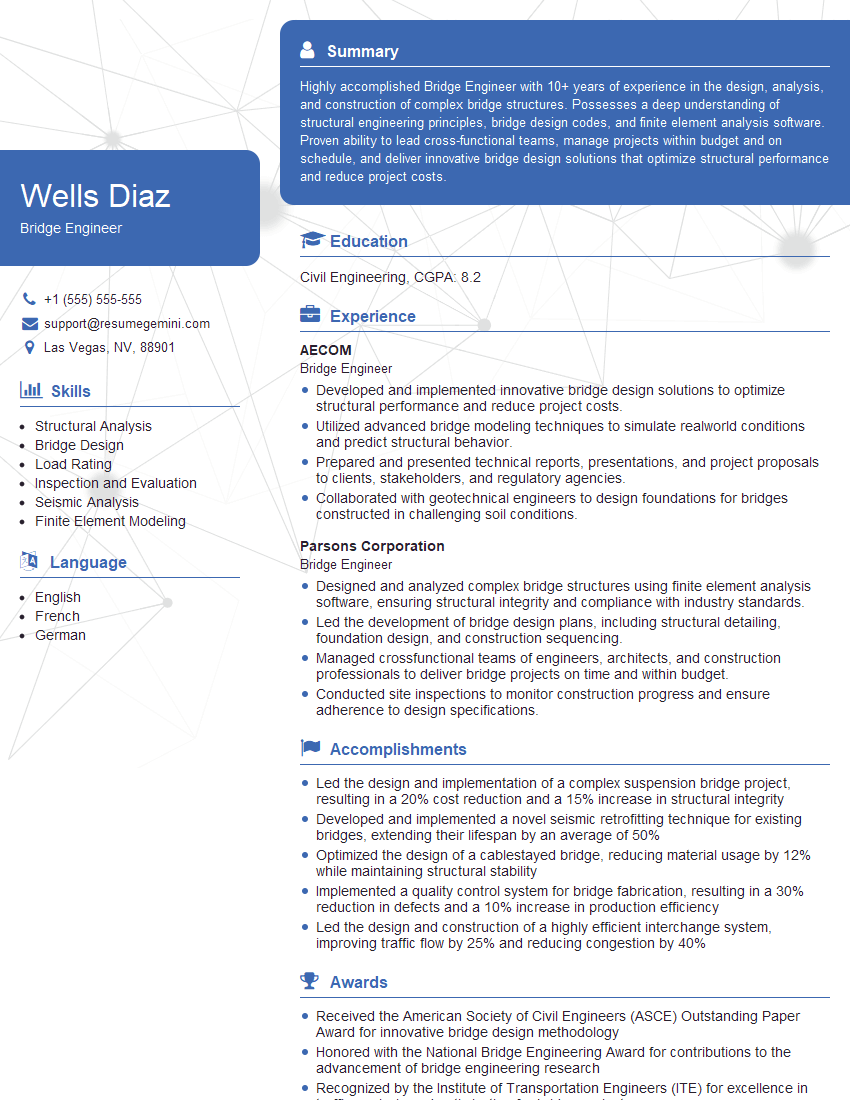
Bridge Engineer Resume Sample

DevOps Engineer Resume Sample
Explore more articles
Users Rating of Our Blogs
Share Your Experience
We value your feedback! Please rate our content and share your thoughts (optional).
What Readers Say About Our Blog
Very informative content, great job.
good