Every successful interview starts with knowing what to expect. In this blog, we’ll take you through the top CAD Knowledge interview questions, breaking them down with expert tips to help you deliver impactful answers. Step into your next interview fully prepared and ready to succeed.
Questions Asked in CAD Knowledge Interview
Q 1. What CAD software are you proficient in?
My core proficiency lies in Autodesk Inventor, AutoCAD, and SolidWorks. I’ve worked extensively with each, leveraging their strengths for different project needs. AutoCAD is my go-to for 2D drafting and detailed drawings, while Inventor’s parametric modeling capabilities are invaluable for complex 3D designs. SolidWorks, with its intuitive interface, is excellent for rapid prototyping and assembly modeling. My experience spans various industries, giving me a versatile skillset adaptable to diverse challenges.
Q 2. Describe your experience with 2D drafting techniques.
My 2D drafting experience encompasses the entire workflow, from initial concept sketches to final production-ready drawings. I’m proficient in creating various drawing types, including orthographic projections, isometric views, sections, and detailed assembly drawings. I understand the importance of adhering to standards like ANSI or ISO, ensuring clarity and precision. For example, during a recent project designing a custom jig, I used AutoCAD to create detailed 2D drawings showing dimensions, tolerances, and material specifications, which were then used directly in manufacturing.
- Creating accurate geometric representations.
- Developing clear and concise annotations and dimensions.
- Managing layers and drawing organization for efficient collaboration.
- Producing detailed fabrication and assembly drawings.
Q 3. Explain your experience with 3D modeling techniques.
My 3D modeling expertise spans various techniques, including solid modeling, surface modeling, and mesh modeling. I’m adept at utilizing features like extrusion, revolution, sweeping, and boolean operations to create complex geometries. I’ve worked extensively with parametric modeling, allowing for design changes to propagate throughout the model automatically. For instance, while designing a new consumer product, I used SolidWorks’ parametric modeling to efficiently iterate through different design options, adjusting dimensions and features while maintaining design integrity.
- Solid modeling: Creating 3D models from solid primitives.
- Surface modeling: Designing complex shapes using curves and surfaces.
- Mesh modeling: Creating models from polygons for use in rendering or animation (although less common in my design work).
- Parametric modeling: Creating models whose geometry is controlled by parameters, allowing for easy modification.
Q 4. How do you manage large CAD files efficiently?
Managing large CAD files efficiently requires a multi-pronged approach. Firstly, I utilize data management strategies, including proper file organization, version control using a system like Vault, and regular purging of unnecessary data. Secondly, I employ lightweight modeling techniques whenever feasible, avoiding unnecessary complexity. Finally, I leverage the performance optimization features built into the CAD software itself, such as layer management and xrefs. For extremely large assemblies, I often utilize techniques like component suppression or simplification to improve performance during simulation or rendering.
Q 5. What are your preferred methods for creating detailed drawings?
My preferred methods for creating detailed drawings emphasize clarity, accuracy, and ease of understanding. This starts with a well-defined modeling strategy. I ensure the 3D model is completely defined before creating 2D drawings. Then, I use the CAD software’s automated drawing generation features to create accurate projections, sections, and details. I supplement these with detailed annotations, including dimensions, tolerances, material specifications, and finish requirements. Finally, a thorough review process ensures everything is correctly represented. For instance, in a recent project involving a complex assembly, I used AutoCAD’s automated dimensioning and ballooning features, coupled with custom styles, to create highly detailed and visually organized drawings.
Q 6. Describe your experience using parametric modeling.
Parametric modeling is a cornerstone of my CAD workflow. I extensively use it to establish relationships between design parameters, allowing for efficient design iteration and modification. For example, if I’m designing a gear, I’ll define parameters such as module, number of teeth, and pressure angle. Changes to any of these automatically update the entire gear geometry, maintaining design integrity. This is incredibly efficient for managing complex designs and exploring design variations. I leverage this extensively in Autodesk Inventor, and SolidWorks offers similar functionalities.
Q 7. How do you ensure accuracy and precision in your CAD work?
Ensuring accuracy and precision in my CAD work involves a multi-step process. It begins with careful consideration of the design specifications and tolerances provided. I then employ precise modeling techniques, using constraints and parameters to define geometry accurately. Regular checks are performed throughout the process, utilizing geometric dimensioning and tolerancing (GD&T) where necessary. Finally, I rigorously review the final drawings and models, often employing independent verification checks to ensure the design meets specifications and is free from errors. A real-world example is designing parts for aerospace applications; I often need to employ a thorough review process and implement verification strategies to ensure quality standards.
Q 8. Explain your experience with CAD data management and version control.
Effective CAD data management and version control are crucial for preventing design chaos and ensuring project success. Think of it like organizing a complex recipe – you need to track each ingredient (design file) and every modification (version) to ensure you end up with the correct dish (final product).
My experience spans several platforms, including Autodesk Vault, SolidWorks PDM, and SharePoint. I’m proficient in using these systems to check in and check out files, create revisions, manage workflows, and track changes. For instance, on a recent project involving a complex mechanical assembly, we used Autodesk Vault to ensure every team member worked on the most up-to-date design, preventing accidental overwrites and maintaining a complete history of all modifications. We implemented a robust branching and merging strategy to accommodate parallel design efforts, using Vault’s built-in change management capabilities. This allowed us to effectively integrate different design iterations while maintaining a clear audit trail. This process is invaluable for resolving issues, auditing changes, and understanding the evolution of the design over time. We also employed a clear naming convention for files and revisions, further enhancing traceability and preventing confusion.
Q 9. How do you handle conflicting design requirements?
Handling conflicting design requirements is a common challenge in any design project. It’s like trying to fit a square peg into a round hole – you need a creative and systematic approach. My strategy involves a multi-step process:
- Clearly Define and Document Requirements: The first step is ensuring we have a completely clear and documented understanding of all conflicting requirements from different stakeholders. This often involves meetings and workshops to identify the source of conflict and understand the priorities of each party involved.
- Prioritization and Trade-off Analysis: Once the requirements are clearly documented, we perform a thorough prioritization exercise. This often involves weighing the importance of each requirement against potential compromises. We might use a weighted scoring system to quantify the relative importance of different needs.
- Creative Problem Solving: We then brainstorm potential solutions that address the conflicting requirements. This could involve redesigning components, modifying the overall design concept, or finding alternative materials or technologies. We often utilize design review sessions involving the stakeholders to discuss possible compromises and trade-offs.
- Documentation and Communication: Finally, we thoroughly document the chosen solution, clearly explaining the rationale behind the decisions made and the potential impact on the overall design. Open and transparent communication with all stakeholders is critical to ensure everyone understands and agrees on the final solution.
For example, on a recent project, we faced conflicting requirements for weight and strength. We ultimately opted for a lightweight composite material, which required adjusting design parameters to accommodate a slight reduction in overall strength. This was documented and approved by all stakeholders, ensuring a clear understanding of the trade-off.
Q 10. How do you collaborate with other team members on CAD projects?
Collaboration is the cornerstone of successful CAD projects. It’s like a well-orchestrated symphony – each instrument (team member) plays their part, resulting in a harmonious whole (successful project). My approach to collaboration involves:
- Utilizing Collaborative CAD Platforms: We leverage cloud-based platforms and shared workspaces like Autodesk Collaboration for AutoCAD or SolidWorks PDM to ensure everyone has access to the most up-to-date design files and revision history. This eliminates the need for manual file sharing and reduces the risk of version conflicts.
- Establishing Clear Communication Channels: We establish regular communication channels, using tools like Slack or Microsoft Teams for quick updates and discussions. We also conduct regular design review meetings to discuss progress, identify potential issues, and ensure alignment among team members.
- Defining Roles and Responsibilities: We clearly define each team member’s roles and responsibilities to avoid duplication of effort and ensure accountability. This helps us coordinate our activities efficiently.
- Employing Version Control Systems: We always implement a robust version control system to track changes and prevent conflicts. This ensures we can easily revert to previous versions if needed and maintain a comprehensive audit trail of all modifications.
For example, on a recent architectural design project, we used BIM 360 to collaborate with architects, structural engineers, and MEP engineers. The shared model ensured everyone had the latest information, and the platform’s tools helped us coordinate our design efforts effectively, preventing clashes and ensuring design integrity.
Q 11. Describe your experience with CAD customization and automation.
CAD customization and automation are key to boosting efficiency and productivity. It’s like having a skilled assistant who handles repetitive tasks, freeing up time for more creative and strategic work. I have extensive experience in:
- Developing Macros and Scripts: I’m proficient in developing macros and scripts using languages like VBA (Visual Basic for Applications), Python, and specialized CAD APIs to automate repetitive tasks such as generating drawings, creating reports, and performing complex calculations. For example, I developed a Python script to automate the generation of detailed assembly drawings, reducing the time required by 75%.
- Creating Custom Toolbars and Menus: I’ve created custom toolbars and menus within various CAD software to streamline workflows and improve user interface efficiency. This made frequently used commands easily accessible, saving time and reducing errors.
- Integrating CAD with other Software: I have experience integrating CAD software with other tools such as PLM systems, data analysis software, and simulation platforms to create a more integrated design workflow. For instance, I integrated SolidWorks with a Finite Element Analysis (FEA) software to automate stress analysis, providing valuable insights early in the design process.
These customizations streamline repetitive tasks, ensuring consistency, reducing errors, and ultimately, freeing up time for more creative problem-solving.
Q 12. Explain your understanding of different file formats used in CAD.
Understanding CAD file formats is essential for seamless data exchange and interoperability. It’s like knowing different languages – you need to understand each one to communicate effectively. I’m familiar with a wide range of formats including:
- Native Formats: These are the proprietary formats specific to individual CAD software (e.g., .sldprt for SolidWorks, .ipt for Inventor, .dwg for AutoCAD).
- Neutral Formats: These are industry-standard formats designed for data exchange between different CAD systems (e.g., STEP (.stp, .step), IGES (.igs, .iges), DXF (.dxf)).
- Other Formats: PDF (.pdf) for 2D drawings, STL (.stl) for 3D printing, and various image formats such as JPEG (.jpg) and PNG (.png) are also commonly used.
Choosing the right file format depends on the specific application. Native formats offer the most comprehensive data preservation, but neutral formats are vital for collaboration with teams using different software packages. For example, when collaborating with a supplier using a different CAD system, we would use STEP files to ensure compatibility and avoid data loss.
Q 13. How do you troubleshoot common CAD software issues?
Troubleshooting CAD software issues requires a methodical and systematic approach. It’s like detective work – you need to systematically identify clues and track down the root cause. My approach typically involves:
- Identifying the Symptoms: The first step is to precisely identify the issue. What is the specific error message? What are the conditions under which the problem occurs?
- Checking System Requirements: Ensure the CAD software meets the minimum and recommended system requirements. Insufficient RAM, hard drive space, or a graphics card that doesn’t meet specifications can cause crashes and other performance issues.
- Reviewing Recent Changes: If the problem is new, check recent software updates, driver installations, or changes to system settings that might have introduced the issue.
- Searching for Online Solutions: Consult online resources like the software vendor’s help pages, forums, and knowledge bases. Many common issues have well-documented solutions available.
- Restarting Software and System: A simple restart can often resolve temporary glitches or software conflicts.
- Reinstalling Software (if necessary): In persistent cases, reinstalling the software might be needed, ensuring a clean installation to remove any corrupted files.
- Contacting Support: If the problem persists, it’s often best to contact the software vendor’s support team for assistance.
I’ve had to troubleshoot various issues, from simple graphics card driver problems causing rendering glitches to more complex data corruption requiring file recovery techniques. A systematic approach helps to quickly identify and resolve most problems.
Q 14. What are your experiences using CAD for design review and approvals?
CAD plays a critical role in design review and approvals. It’s like having a shared whiteboard where everyone can see and comment on the design. My experience includes using various tools and techniques to facilitate these processes:
- Markups and Redlining: We utilize markups and redlining tools built into CAD software to annotate designs, highlight issues, and suggest changes. This allows for precise feedback and facilitates clear communication among stakeholders.
- 3D Model Review: For complex designs, we use 3D model review tools to allow stakeholders to visualize the design in three dimensions, improving understanding and facilitating better decision-making.
- Design Review Meetings: We conduct formal design review meetings using the CAD model as the central point of discussion. These meetings allow for collaborative feedback and ensure all stakeholders are on the same page.
- Generating Detailed Reports and Documentation: We generate detailed reports and documentation to track comments, revisions, and approvals, ensuring compliance with project requirements and regulations. This creates a clear and auditable record of the entire review and approval process.
- Version Control and Approval Workflows: We leverage CAD’s version control systems and approval workflows to manage revisions and ensure that only approved designs are used in the next stages of the project.
On a recent project involving a custom medical device, we used a dedicated 3D model review platform to allow doctors and surgeons to assess the design for functionality, ergonomics, and safety. This ensured the device met the stringent requirements of the medical industry and the approval process was swift and efficient.
Q 15. Describe your knowledge of different CAD standards and conventions.
CAD standards and conventions are crucial for ensuring design consistency, interoperability, and accuracy. They dictate how drawings are organized, dimensioned, and annotated, promoting clear communication between designers, manufacturers, and clients. My experience encompasses several key standards including:
- ISO standards: I’m proficient with ISO standards for technical drawings, including aspects like sheet sizes, line weights, and dimensioning techniques. For example, understanding ISO 2768-mK allows me to specify tolerances appropriately based on the part’s size and function.
- ANSI standards: I’m familiar with ANSI standards commonly used in the US, understanding their nuances in dimensioning, tolerancing (like ASME Y14.5), and geometric dimensioning and tolerancing (GD&T).
- Company-specific standards: I’ve adapted to various company-specific standards throughout my career, demonstrating my adaptability and commitment to adhering to established best practices. This includes understanding and implementing unique drawing templates, layer structures, and annotation styles.
Beyond specific standards, I understand the importance of consistent layer naming, proper use of blocks and symbols for reusability, and creating clear and concise title blocks containing essential project information. A well-structured drawing, following established conventions, is much easier to understand and maintain.
Career Expert Tips:
- Ace those interviews! Prepare effectively by reviewing the Top 50 Most Common Interview Questions on ResumeGemini.
- Navigate your job search with confidence! Explore a wide range of Career Tips on ResumeGemini. Learn about common challenges and recommendations to overcome them.
- Craft the perfect resume! Master the Art of Resume Writing with ResumeGemini’s guide. Showcase your unique qualifications and achievements effectively.
- Don’t miss out on holiday savings! Build your dream resume with ResumeGemini’s ATS optimized templates.
Q 16. How do you create and maintain accurate design documentation?
Creating and maintaining accurate design documentation is paramount for successful project completion. My approach involves a multi-faceted strategy:
- Version Control: I utilize version control systems like Vault or similar to track design changes, allowing for easy rollback to previous revisions if necessary and fostering collaborative work environments.
- Data Management: I employ robust data management practices to ensure all relevant files are organized, readily accessible, and appropriately named. This prevents version conflicts and data loss.
- Revision Control: I strictly adhere to revision control procedures, clearly identifying changes made to drawings with revision numbers and descriptions. This provides a clear audit trail of design evolution.
- Regular Backups: I employ regular data backups to prevent data loss due to hardware failures or unforeseen events.
- Detailed Annotations: All drawings include comprehensive annotations, dimensions, and specifications, leaving no room for ambiguity. This minimizes errors and ensures the design intent is clearly conveyed.
For example, I once had to troubleshoot a manufacturing issue stemming from unclear annotations on a previous revision. By using the revision history and detailed annotations, I quickly identified the root cause and corrected the issue, minimizing production downtime and cost.
Q 17. Explain your experience in producing detailed manufacturing drawings.
Producing detailed manufacturing drawings is a core competency of mine. This involves a thorough understanding of manufacturing processes and tolerances to create drawings that are both accurate and manufacturable. My experience covers:
- Detailed Views: I create comprehensive views, including sections, details, and auxiliary views, ensuring that all critical dimensions and features are clearly defined.
- Dimensioning and Tolerancing: I apply appropriate dimensioning and tolerancing techniques (GD&T), considering the manufacturing process and required precision. This is vital for ensuring parts fit correctly and function as intended.
- Material Specifications: I specify appropriate materials and finishes, ensuring that these are clearly indicated on the drawings.
- Bill of Materials (BOM): I create detailed BOMs, providing a comprehensive list of all components required for assembly.
- Surface Finish Specifications: I include detailed surface finish specifications using appropriate symbols and notations to ensure the desired surface quality is achieved.
For instance, in a recent project designing a complex assembly, I utilized GD&T to specify critical tolerances, enabling the manufacturer to produce parts that met the required precision without unnecessary over-engineering. This resulted in cost savings and improved production efficiency.
Q 18. What are your experience using CAD for FEA or CFD analysis?
I have extensive experience integrating CAD models with FEA (Finite Element Analysis) and CFD (Computational Fluid Dynamics) software. This allows for simulating real-world conditions and predicting the performance of designs before physical prototyping.
- FEA Integration: I’ve used CAD models to generate meshes for stress analysis, thermal analysis, and vibration analysis using software like ANSYS or Abaqus. This process involves exporting the CAD model in a suitable format (like STEP or IGES) and ensuring mesh quality for accurate results.
- CFD Integration: I’ve prepared CAD models for CFD simulations to analyze fluid flow and heat transfer, particularly for designs involving fluid dynamics, like pumps or aerodynamic components. This involves creating suitable boundary conditions and ensuring mesh quality in the areas of interest.
- Model Simplification: I understand the importance of simplifying CAD models for analysis to reduce computational time and resources without sacrificing accuracy. This requires careful consideration of which features are critical to the simulation.
In one project, we used FEA to optimize the design of a pressure vessel, reducing material usage by 15% while maintaining structural integrity. This was achieved by iteratively modifying the CAD model based on the FEA results.
Q 19. How do you ensure designs comply with relevant standards and regulations?
Ensuring designs comply with relevant standards and regulations is critical. My approach involves a proactive and systematic process:
- Standards Research: I thoroughly research and identify all applicable standards and regulations for a given project early in the design phase. This includes industry-specific standards, safety regulations (like CE marking or UL certifications), and building codes.
- Design for Compliance: I integrate compliance requirements into the design from the outset, rather than attempting to retrofit them later. This is a much more efficient and cost-effective approach.
- Regular Audits: I conduct regular audits to verify that the design continues to meet all compliance requirements throughout the design process and after revisions are made.
- Documentation: I meticulously document all compliance-related decisions and justifications.
For example, in a medical device design project, I ensured compliance with FDA regulations and ISO 13485, resulting in a design that successfully passed regulatory review without significant delays.
Q 20. Describe your experience with rendering and visualization techniques in CAD.
Rendering and visualization are key to communicating design intent and generating excitement around a project. My experience encompasses a range of techniques:
- Photorealistic Rendering: I’m proficient in creating photorealistic renderings using software like Keyshot or V-Ray, allowing for highly detailed and visually appealing presentations of designs. This helps clients better visualize the final product.
- Animation: I can create animations to showcase design features and functionality, making complex designs easier to understand.
- Virtual Reality (VR) and Augmented Reality (AR): I have some experience leveraging VR and AR technologies for immersive visualization of designs, providing a more engaging and intuitive experience for clients and stakeholders.
- Material and Lighting Studies: I use rendering software to explore different materials and lighting scenarios to optimize the visual appeal and functionality of the design.
In a recent architectural project, I used photorealistic renderings and animations to show clients the building’s exterior and interior spaces in great detail, aiding their decision-making process and leading to quicker approval.
Q 21. How familiar are you with BIM (Building Information Modeling)?
My familiarity with BIM (Building Information Modeling) is growing, and I’m actively expanding my expertise in this area. I understand its fundamental principles and its potential to revolutionize the architecture, engineering, and construction (AEC) industry.
- Data-Rich Models: I recognize that BIM goes beyond simple 3D modeling. It involves creating intelligent, data-rich models containing information about building components, their properties, and relationships.
- Collaboration: I see the importance of BIM in facilitating seamless collaboration among architects, engineers, and contractors throughout the project lifecycle.
I’m particularly interested in exploring the use of BIM for clash detection and coordination, ensuring that different building systems integrate seamlessly without conflicts. The potential for improved project efficiency and reduced errors is significant.
Q 22. Explain your knowledge of CAD integration with other software applications.
CAD integration with other software is crucial for streamlining workflows and maximizing efficiency in product development. It’s not just about importing and exporting files; it’s about a seamless data flow between applications. This integration allows for a holistic approach, where data created in one application is readily usable in others, minimizing data loss and discrepancies.
For example, a designer might use CAD software like SolidWorks to create a 3D model of a part, then directly import that model into a finite element analysis (FEA) software like ANSYS for stress testing. The results from ANSYS can then be fed back into the CAD model to inform design iterations. Similarly, CAD models can be seamlessly integrated with CAM (Computer-Aided Manufacturing) software for direct CNC machining programming, eliminating the need for manual data translation.
Other common integrations include Product Lifecycle Management (PLM) systems, which manage the entire product lifecycle from design to disposal, and visualization software for creating photorealistic renderings. The specific integration methods vary depending on the software involved, ranging from simple file import/export to sophisticated APIs and plugins that enable bi-directional data exchange.
Q 23. What are your experience with creating and managing CAD libraries?
Creating and managing CAD libraries is fundamental to maintaining consistency, efficiency, and reusability in design projects. A well-organized library saves time and ensures that standardized parts and components are used throughout a project, reducing errors and improving the overall design quality. I have extensive experience in creating and managing libraries, ensuring proper organization and metadata tagging for easy retrieval.
My approach involves a hierarchical structure, categorizing parts based on functionality, material, and other relevant parameters. This allows for efficient searching and prevents duplication. Metadata is crucial; I use a consistent naming convention and include attributes like dimensions, material specifications, and revision history. This is critical for version control and prevents using outdated components.
I’ve used various methods for library management, from simple folder structures within the CAD software to dedicated database systems for larger and more complex projects. The choice of method depends on the scale and complexity of the library and the overall design process.
Q 24. How do you stay up-to-date with the latest advancements in CAD technology?
Staying current in the rapidly evolving field of CAD technology requires a multifaceted approach. I actively participate in online forums, attend industry conferences and webinars, and subscribe to relevant industry publications and newsletters. This ensures I’m aware of new software releases, updates, and emerging trends.
Furthermore, I leverage online learning platforms for targeted skill development. Many vendors offer tutorials and training materials on their software, and platforms like Coursera and LinkedIn Learning provide broader educational opportunities related to CAD, design methodologies, and relevant technologies like additive manufacturing.
Continuous practical application is key. I actively seek opportunities to work on projects that utilize the latest features and techniques, allowing me to build practical experience and further hone my skills.
Q 25. Describe a challenging CAD project and how you overcame the difficulties.
One challenging project involved designing a complex assembly for a robotic arm with tight tolerance requirements and intricate geometries. The initial design faced issues with interference and assembly difficulties due to the number of components and their precise interactions.
To overcome these challenges, I implemented a modular design approach, breaking down the assembly into smaller, manageable sub-assemblies. This allowed for easier design and troubleshooting of individual components. I also utilized advanced CAD tools, such as interference detection and motion simulation, to identify and resolve clashes early in the design process. Furthermore, we employed design reviews with team members to gather input and identify potential issues before they became major problems. This iterative process, along with the use of advanced CAD features, led to a successful and robust design.
Q 26. What are your strengths and weaknesses in using CAD software?
My strengths lie in my proficiency with parametric modeling techniques, allowing me to create robust and easily modifiable designs. I am also highly skilled in surface modeling and possess a strong understanding of manufacturing processes, which helps me to design for manufacturability. My problem-solving skills are a key asset; I can efficiently diagnose and resolve complex design issues.
One area where I continuously strive for improvement is my proficiency in specific advanced rendering techniques within certain CAD software. While I can create functional renders, I’m aiming to improve my skills in creating photorealistic visualizations for enhanced presentation capabilities. I regularly undertake personal projects to enhance this aspect of my expertise.
Q 27. How would you approach optimizing the performance of a complex CAD model?
Optimizing the performance of a complex CAD model requires a systematic approach. A large model with high geometric complexity can strain system resources and slow down the design process. My strategy focuses on several key areas.
- Simplify Geometry: Removing unnecessary detail, such as excessive fillets or overly complex surfaces, significantly reduces file size and improves performance. This involves assessing the level of detail required for different parts of the model. For instance, a small, hidden component might not need a highly detailed representation.
- Use Appropriate File Formats: Choosing the right file format for storage and data exchange is crucial. Native file formats generally offer better performance than generic formats like STEP or IGES.
- Optimize Part Structures: Complex assemblies should be organized logically, using sub-assemblies to manage complexity and improve performance.
- Purge and Repair: Regularly purging unnecessary data, such as orphaned entities and history, keeps the model lightweight and efficient. Repairing corrupt geometry also improves performance.
- Hardware Upgrades: For extremely demanding models, upgrading system RAM and using a dedicated graphics card significantly improve performance.
The specific optimization techniques will depend on the CAD software and the model’s complexity, but a systematic approach addressing these aspects is essential for maintaining efficiency.
Q 28. Describe your understanding of CAD data exchange formats (e.g., DXF, DWG).
CAD data exchange formats, like DXF (Drawing Exchange Format) and DWG (Drawing), are crucial for interoperability between different CAD systems. Understanding these formats is essential for seamless collaboration and data transfer.
DXF is a neutral file format that can be exchanged between various CAD systems. It’s widely supported but might lose some native CAD-specific information during the conversion. It is often used when data needs to be shared between different software packages.
DWG is the native file format for AutoCAD and is widely used in the industry. It preserves most of the original CAD data, but direct compatibility with non-AutoCAD software can be limited. The latest versions of DWG offer improved interoperability, but backward compatibility remains a concern.
Other formats like STEP (Standard for the Exchange of Product data) and IGES (Initial Graphics Exchange Specification) are neutral file formats that support broader interoperability between CAD, CAM, and CAE systems. However, they often involve a level of data loss during the conversion process.
Choosing the appropriate format depends on factors such as the software used by collaborators, the level of detail to be preserved, and the complexity of the design. A deep understanding of these formats and their limitations is essential for efficient collaboration and data management in CAD.
Key Topics to Learn for a CAD Knowledge Interview
- Fundamentals of CAD Software: Understanding the core principles of various CAD software (AutoCAD, SolidWorks, Revit, etc.) including interface navigation, drawing tools, and file management.
- 2D Drafting Techniques: Mastering the creation of accurate and detailed 2D drawings, including geometric constructions, dimensioning, and annotation. Practical application: Developing shop drawings for manufacturing or construction.
- 3D Modeling Techniques: Proficiency in creating and manipulating 3D models, understanding concepts like wireframes, surfaces, and solids. Practical application: Designing complex parts or assemblies for product development.
- Design Principles and Best Practices: Applying engineering design principles to CAD modeling, considering factors like tolerances, material selection, and manufacturing constraints.
- Blueprint Reading and Interpretation: Accurately interpreting existing blueprints and translating them into CAD models or vice-versa. Practical application: Updating legacy designs or creating as-built documentation.
- Data Management and Collaboration: Understanding CAD data management practices, including version control, data sharing, and collaboration within a team environment. Practical application: Efficiently managing large CAD projects and collaborating with colleagues.
- Advanced Techniques (depending on the role): Familiarity with advanced CAD features such as parametric modeling, rendering, simulations, or specific industry-standard techniques.
- Troubleshooting and Problem-Solving: Demonstrating the ability to identify and resolve common CAD issues, and approach complex design challenges methodically.
Next Steps
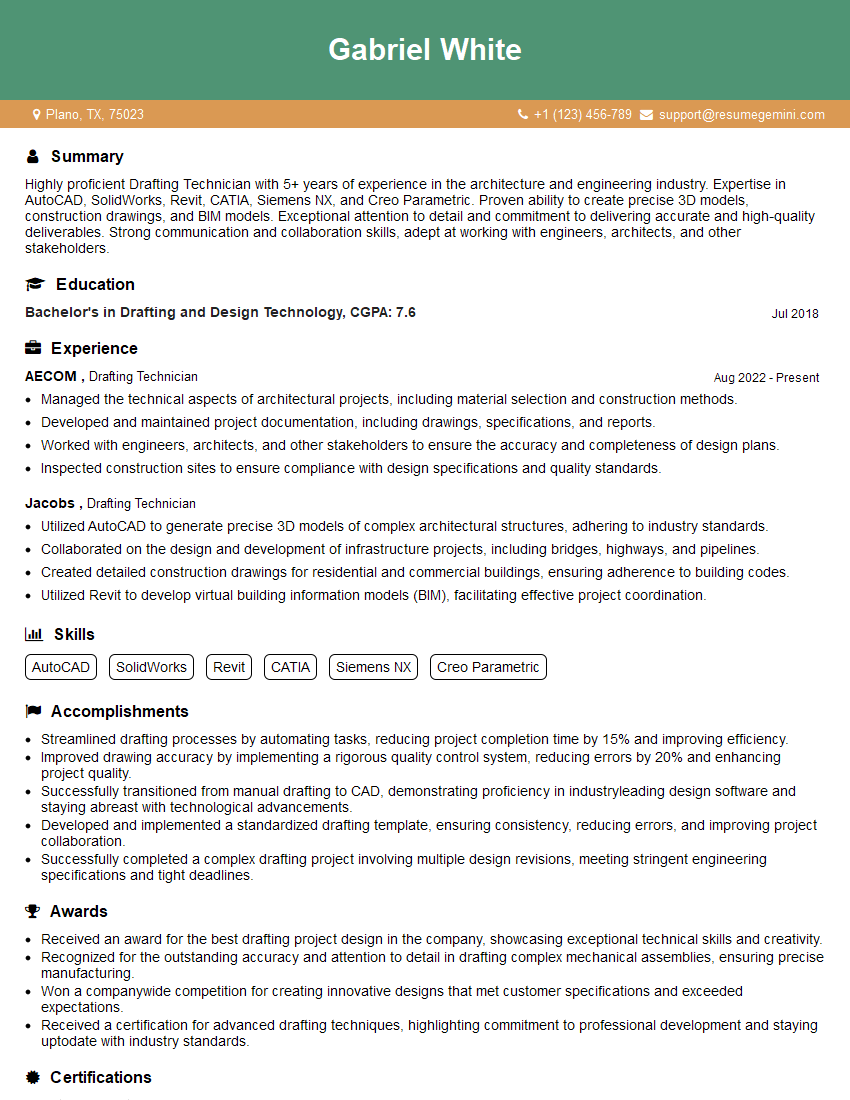
Mastering CAD knowledge is crucial for career advancement in engineering, design, and architecture. A strong understanding of these skills opens doors to exciting opportunities and higher earning potential. To maximize your job prospects, it’s essential to have an ATS-friendly resume that showcases your abilities effectively. We strongly encourage you to use ResumeGemini to craft a professional and impactful resume that highlights your CAD expertise. ResumeGemini provides valuable tools and resources to create a resume that gets noticed, and we have examples of resumes tailored specifically to CAD Knowledge available for your reference.


Explore more articles
Users Rating of Our Blogs
Share Your Experience
We value your feedback! Please rate our content and share your thoughts (optional).
What Readers Say About Our Blog
Very informative content, great job.
good