Are you ready to stand out in your next interview? Understanding and preparing for CAE (Computer-Aided Engineering) simulation expertise interview questions is a game-changer. In this blog, we’ve compiled key questions and expert advice to help you showcase your skills with confidence and precision. Let’s get started on your journey to acing the interview.
Questions Asked in CAE (Computer-Aided Engineering) simulation expertise Interview
Q 1. Explain the difference between implicit and explicit finite element analysis.
Implicit and explicit finite element analysis (FEA) are two fundamentally different approaches to solving the equations of motion in a system. The core difference lies in how they handle time.
Implicit methods solve for the system’s state at a future time step directly. Think of it like planning a whole trip in advance. You know your destination (future time step) and work backward to figure out each step. They are unconditionally stable, meaning you can use larger time steps, but each time step requires solving a large system of equations. This makes them computationally expensive, especially for nonlinear problems with many degrees of freedom. They are well-suited for quasi-static problems (slow, gradual loading) or problems with low-frequency dynamics.
Explicit methods, on the other hand, solve for the system’s state at a future time step based on the current state. Imagine taking each step of a journey without planning the whole trip beforehand. You simply calculate the next step based on where you are currently. They are computationally less expensive per time step than implicit methods, making them ideal for highly transient, high-speed events like impacts and explosions. However, explicit methods have a time step restriction based on the Courant–Friedrichs–Lewy (CFL) condition, meaning the time step must be small enough to capture the fastest wave propagation in the model. Violation of this condition leads to instability.
In short:
- Implicit: Stable, larger time steps, computationally expensive per step, suitable for quasi-static and low-frequency dynamics.
- Explicit: Unstable if time step is too large, smaller time steps, computationally cheaper per step, suitable for high-speed impacts and transient events.
For example, simulating a slow creep of a metal component under constant load would be better suited to an implicit approach, whereas simulating a car crash would be better handled with an explicit method.
Q 2. Describe the limitations of linear elastic material models.
Linear elastic material models are a simplification of reality, assuming a proportional relationship between stress and strain. This means that if you double the applied force, the deformation also doubles, and upon removal of the load, the material returns to its original shape perfectly. However, real-world materials exhibit far more complex behavior.
The limitations include:
- Nonlinearity: Many materials exhibit nonlinear behavior, meaning the stress-strain relationship is not linear. This can be due to plasticity (permanent deformation), hyperelasticity (large elastic deformations), or viscoelasticity (time-dependent behavior).
- Material Failure: Linear elasticity doesn’t account for material failure such as yielding, fracture, or cracking. A linear elastic model would predict infinite deformation before failure, which is unrealistic.
- Large Deformations: Linear elasticity is only accurate for small strains. For large deformations, geometric nonlinearity must be considered, affecting the stress-strain relationship.
- Temperature Effects: Temperature changes significantly impact material properties, often not captured in linear elastic models.
For example, a rubber band displays highly nonlinear elastic behavior and a steel component under significant load will experience plastic deformation and potentially fracture – behaviors that a linear elastic model cannot accurately predict. More sophisticated material models, such as plasticity, hyperelasticity, and viscoelasticity models, are necessary to capture these phenomena.
Q 3. What are the different types of mesh elements used in FEA, and when would you use each?
The choice of mesh element depends heavily on the geometry, the type of analysis, and the desired accuracy. Several common types exist:
- Linear Tetrahedra (4-node): Simple, easy to mesh complex geometries, but less accurate than higher-order elements. Suitable for preliminary analysis or when mesh generation speed is prioritized.
- Quadrilaterals (4-node): More accurate than tetrahedra for smooth geometries, and better for capturing bending behavior in shell and beam elements. Distorted quadrilaterals can lead to inaccuracies, however.
- Hexahedra (8-node): Most accurate for smooth geometries, ideal for stress analysis where high accuracy is needed. Difficult to mesh complex geometries, and require a lot of manual intervention for high-quality meshes.
- Higher-Order Elements (e.g., 10-node tetrahedra, 8-node or higher-order quads/hexes): Offer improved accuracy compared to linear elements, but are more computationally expensive. Suitable for problems requiring high precision.
- Shell and Beam Elements: Specialized elements for modeling thin structures (shells) and slender components (beams), respectively. They provide significant computational efficiency compared to solid elements for these types of geometries.
For example, a preliminary stress analysis of a complex casting might use tetrahedral elements for ease of meshing, whereas a detailed stress analysis of a thin-walled pressure vessel would benefit from shell elements to capture bending accurately. A high-precision simulation of a turbine blade might employ higher-order hexahedral elements to minimize error and capture detailed stress distributions.
Q 4. How do you handle convergence issues in FEA simulations?
Convergence issues in FEA simulations often stem from problems with the mesh, the applied loads, the material model, or the solver settings. Troubleshooting involves a systematic approach:
- Mesh Refinement: Check for excessive element distortion, overly large elements in critical regions, or insufficient element density. Try refining the mesh in areas of high stress gradients or geometric complexity.
- Load Application: Ensure loads are applied smoothly and realistically. Concentrated loads can lead to convergence issues. Try distributing loads over a larger area.
- Material Model: Verify that the selected material model is appropriate for the loading conditions. Incorrect material parameters or an unsuitable model can cause non-convergence.
- Boundary Conditions: Check if boundary conditions are correctly defined and applied. Inconsistent or incomplete constraints can lead to numerical instabilities.
- Solver Settings: Adjust solver parameters like convergence tolerances, nonlinear solution strategies (e.g., Newton-Raphson method with line search), and time step size. Experiment with different solution schemes if necessary.
- Element Type: Using inappropriate element types for the situation might lead to a lack of convergence.
A common strategy is to refine the mesh iteratively and monitor convergence until satisfactory results are achieved. Tools within FEA software packages often provide convergence history plots that can help identify the source of the problem. For instance, a slow convergence rate might indicate a need for tighter tolerances or a different solution scheme, while complete divergence suggests a serious modeling error.
Q 5. Explain the concept of mesh refinement and its importance.
Mesh refinement is the process of increasing the density of elements in a finite element mesh. It’s crucial for improving the accuracy of FEA simulations, especially in regions of high stress gradients or geometric complexity where coarse meshes can produce inaccurate results.
Importance of Mesh Refinement:
- Increased Accuracy: Finer meshes better capture complex stress distributions and gradients, leading to more realistic and accurate results.
- Reduced Error: Coarse meshes lead to discretization errors, which are reduced significantly with refinement.
- Improved Convergence: A well-refined mesh facilitates faster convergence of the numerical solution, especially for nonlinear analyses.
- Accurate Stress Prediction: In regions of stress concentration, adequate mesh density is crucial to avoid artificially high or low stress predictions.
However, excessive mesh refinement can lead to increased computational cost and time. A balanced approach is critical – refining only the necessary areas, achieving the required accuracy without unnecessary computation. Adaptive mesh refinement techniques automate this process, dynamically refining the mesh based on error indicators during the solution process.
Q 6. What are the different types of boundary conditions used in FEA?
Boundary conditions in FEA define how the model interacts with its surroundings. They are essential for a realistic and solvable simulation. Key types include:
- Fixed Supports (Displacement Constraints): Restrict the movement of specific nodes or surfaces in one or more directions. This represents a rigid connection.
- Pressure Loads: Apply a pressure force to surfaces. This is useful for simulating fluid pressure or gas pressure in containers.
- Force Loads: Apply a force to nodes or surfaces. This could represent gravity, impacts, or applied tension.
- Moment Loads: Apply a moment or torque to nodes or surfaces, useful for rotational loading.
- Temperature Loads: Apply a temperature field to the model, crucial for thermal stress analysis.
- Symmetry Boundary Conditions: Exploit symmetry to reduce the model size and computational cost. This requires careful consideration of the symmetry plane.
- Cyclic Symmetry Boundary Conditions: For structures with repetitive geometry like turbines or pumps, reduces computational cost significantly.
Incorrect boundary conditions can lead to completely inaccurate results. For example, not properly constraining a structure can lead to rigid body motion and instability, whereas applying excessive constraints can artificially restrict deformation and produce erroneous stress levels. Careful consideration of how the real-world structure is supported and loaded is crucial for accurately representing it within the FEA model.
Q 7. Describe your experience with different FEA software packages (e.g., ANSYS, Abaqus, Nastran).
Throughout my career, I’ve extensively used several FEA software packages, each with its strengths and weaknesses. My experience includes:
- ANSYS: I have extensive experience using ANSYS Mechanical for a wide range of linear and nonlinear analyses, including static, dynamic, thermal, and fluid-structure interaction (FSI) simulations. ANSYS’s robust pre- and post-processing capabilities and extensive material library are very useful.
- Abaqus: I’m proficient in Abaqus for highly nonlinear analyses, particularly those involving complex material models (like plasticity and hyperelasticity), large deformations, and contact problems. Abaqus’s explicit solver is particularly powerful for impact simulations.
- Nastran: I’ve utilized Nastran primarily for linear static and modal analyses, particularly in aerospace applications. Its efficient solution algorithms are well-suited for large-scale models.
My experience encompasses all stages of FEA, from model creation and mesh generation to solver settings, results interpretation, and report generation. I’m comfortable working with different element types, material models, and solution methods to address complex engineering challenges. I can adapt quickly to new software packages and am always eager to learn about new features and capabilities.
I’ve applied this expertise in various projects, including optimizing the design of automotive components for crashworthiness, analyzing the structural integrity of aircraft structures under extreme loads, and simulating the performance of medical implants under physiological conditions. This diverse experience has provided a comprehensive understanding of the strengths and limitations of different FEA software and methodologies.
Q 8. How do you validate your FEA results?
Validating FEA results is crucial for ensuring the accuracy and reliability of your simulations. It’s not simply about comparing your results to an experimental value; it’s a multi-faceted process involving several checks and balances. Think of it like baking a cake – you need to ensure your ingredients (input data), recipe (model), and oven (solver) are all correct to get the desired outcome (results).
- Mesh Sensitivity Study: We start by verifying that our results are independent of the mesh density. We systematically refine the mesh and observe the changes in our key results. If the changes are negligible, then we’ve achieved mesh convergence, indicating that our mesh is sufficiently fine to capture the important physical phenomena.
- Comparison with Experimental Data: Ideally, we have experimental data from physical tests to compare against. This could involve strain gauge measurements, displacement readings, or even full-field measurements using techniques like Digital Image Correlation (DIC). Discrepancies need to be analyzed; are they due to modeling assumptions, material property uncertainties, or experimental error?
- Benchmarking against Analytical Solutions: For simple geometries and loading conditions, analytical solutions might exist. Comparing simulation results with these analytical solutions provides a valuable benchmark for validation. For example, a simple cantilever beam under point load has a readily available analytical solution for deflection.
- Code Verification: We also verify the accuracy of the FEA software itself through independent checks and benchmark problems. This ensures that the software is correctly solving the underlying equations. This might involve comparing results against known solutions or using verification techniques like the method of manufactured solutions.
- Model Validation: Beyond the software, model validation focuses on confirming that the assumptions made in creating the FEA model are justified. This involves considering material properties, boundary conditions, and simplifications made in geometry. A critical aspect is understanding the limitations of the model and interpreting results within those constraints.
For example, in a simulation of a car crash, validating the results might involve comparing the predicted crush zone deformation with data from crash tests. Significant discrepancies would necessitate a review of the material model, contact parameters, or even the overall simulation setup.
Q 9. Explain the concept of model order reduction.
Model Order Reduction (MOR) is a powerful technique used to simplify complex Finite Element models, drastically reducing the computational cost without significantly compromising accuracy. Imagine trying to solve a massive jigsaw puzzle – MOR is like finding a simpler, smaller picture that still captures the essence of the larger image. It’s especially useful for large-scale simulations where solving the full model is computationally prohibitive.
MOR techniques create a reduced-order model (ROM) by projecting the original high-dimensional system onto a lower-dimensional subspace. This subspace is carefully chosen to capture the most important dynamic characteristics of the system. Several techniques achieve this, including:
- Proper Orthogonal Decomposition (POD): This method uses snapshots from a full-order simulation or experimental data to identify the dominant modes of the system. These modes are then used to construct the ROM.
- Krylov Subspace Methods: These methods build a subspace based on the system’s response to specific inputs or excitations. They are particularly effective for linear systems.
The advantages of MOR are numerous: reduced computational time and memory requirements, enabling faster simulations and design iterations. This is particularly important in real-time applications, such as virtual prototyping and control systems design. However, the accuracy of the ROM is dependent on the chosen reduction method and the quality of the data used to construct it. Careful consideration must be given to the balance between accuracy and computational efficiency.
Q 10. What are the different turbulence models used in CFD, and when would you use each?
Turbulence modeling in CFD is a crucial aspect, as turbulence significantly impacts fluid flow. We use different models depending on the complexity of the flow and the desired accuracy. Think of it like choosing the right tool for a job – a simple hammer is fine for some tasks, but you need a more sophisticated tool for intricate work.
- Spalart-Allmaras (SA): This is a one-equation model, relatively simple and computationally inexpensive. It’s well-suited for aerospace applications and external aerodynamics where the focus is on boundary layer effects. It’s a good starting point for many applications due to its robustness and efficiency.
- k-ε (k-epsilon): This is a two-equation model that solves for the turbulent kinetic energy (k) and its dissipation rate (ε). It’s widely used due to its relatively good balance between accuracy and computational cost. It’s applicable to a broader range of flows than SA, including free shear flows and internal flows.
- k-ω (k-omega): Another two-equation model, it solves for turbulent kinetic energy (k) and the specific dissipation rate (ω). It performs better near walls than k-ε, making it suitable for flows with significant wall effects. The SST (Shear Stress Transport) k-ω model is a particularly popular variant that blends the advantages of k-ε and k-ω models.
- Reynolds Stress Models (RSM): These are more complex and computationally expensive models that solve for the Reynolds stress tensor directly. They provide more accurate predictions for complex flows with strong anisotropy, but they require significantly more computational resources.
- Large Eddy Simulation (LES): This is a high-fidelity simulation technique that directly resolves the large-scale turbulent structures, modeling only the smaller scales. LES offers high accuracy but is extremely computationally demanding, typically reserved for specialized cases.
- Detached Eddy Simulation (DES): A hybrid technique combining RANS (Reynolds-Averaged Navier-Stokes) and LES approaches. It aims to capture large-scale unsteady turbulent structures while employing RANS in regions with less turbulence.
The choice of turbulence model depends heavily on the specific application. For example, a simple external aerodynamics study might use the Spalart-Allmaras model, while a complex internal combustion engine simulation might require a more sophisticated model like LES or DES. Careful consideration of computational resources and desired accuracy is paramount.
Q 11. Describe the difference between steady-state and transient CFD simulations.
The difference between steady-state and transient CFD simulations lies in how they handle time. Imagine watching a river – a steady-state simulation is like taking a snapshot of the river at a single moment, assuming the flow doesn’t change over time. A transient simulation, on the other hand, is like recording a video of the river, capturing how its flow changes over time.
- Steady-State Simulations: These assume that the flow field doesn’t change with time. The equations are solved until a converged solution is reached, where all variables remain constant. They are computationally less expensive and faster than transient simulations but are only applicable when the flow is truly steady or quasi-steady.
- Transient Simulations: These capture the evolution of the flow field over time. They solve the governing equations over a series of time steps, explicitly accounting for time-dependent changes. Transient simulations are essential for capturing unsteady phenomena like vortex shedding, wave propagation, and unsteady aerodynamics. However, they require significantly more computational resources and time.
For example, simulating airflow over a stationary airplane wing might use a steady-state simulation, while simulating the flow around a helicopter rotor, which is inherently unsteady, would require a transient simulation. The choice depends on the nature of the flow and the information you want to extract.
Q 12. How do you handle boundary layer effects in CFD simulations?
Boundary layer effects are crucial in CFD simulations, especially for viscous flows. The boundary layer is the region near a solid surface where the fluid velocity changes rapidly from zero at the wall to the free-stream velocity. Ignoring it can lead to significant inaccuracies. Think of it like the friction between a car’s tires and the road – neglecting it would lead to inaccurate predictions of acceleration and braking.
There are several ways to handle boundary layer effects:
- Mesh Refinement: The most common approach is to refine the mesh near the walls to accurately resolve the steep velocity gradients within the boundary layer. This often involves using inflation layers, which are a series of progressively finer mesh cells near the wall.
- Wall Functions: These are empirical equations that bridge the gap between the viscous sublayer and the fully turbulent region of the boundary layer. They simplify the computation by avoiding the need to resolve the very fine mesh required within the viscous sublayer, saving computational cost. However, they have limitations and may not be accurate for all flow conditions.
- Low-Reynolds Number Turbulence Models: Some turbulence models, like some k-ω variants, are specifically designed to handle the near-wall region without needing wall functions. This improves accuracy but increases computational cost.
The choice of method depends on the specific flow conditions and the desired accuracy. For flows with strong boundary layer effects and complex flow separation, using mesh refinement and low-Reynolds number models is preferable, even though this is computationally more expensive. Wall functions are a practical compromise for simpler flows where computational resources are limited.
Q 13. What are the different types of meshing techniques used in CFD?
Meshing is a critical step in CFD, directly affecting the accuracy and computational cost of the simulation. The mesh is a collection of elements (tetrahedra, hexahedra, prisms, etc.) that discretize the computational domain. Choosing the right meshing technique is vital for obtaining reliable results.
- Structured Meshing: This involves creating a grid of regularly arranged elements, typically using a Cartesian or cylindrical coordinate system. It’s simple to generate but less flexible for complex geometries. It’s often used for simple geometries where uniform mesh density is appropriate.
- Unstructured Meshing: This allows for greater flexibility in meshing complex geometries. The elements are not arranged in a regular pattern and can be tailored to resolve specific features such as sharp corners or thin boundary layers. It’s more computationally expensive but essential for handling complex shapes.
- Hybrid Meshing: Combines structured and unstructured meshes to leverage the advantages of both approaches. For example, structured meshes might be used in regions with simple geometry, while unstructured meshes handle complex areas.
- Adaptive Mesh Refinement (AMR): This automatically refines the mesh in regions where high gradients are detected. This ensures that computational resources are focused where they are needed most, improving accuracy without excessive computational cost.
The selection of meshing techniques depends on the complexity of the geometry, the flow features of interest, and available computational resources. For instance, a simulation of flow around a car might use a hybrid approach, with unstructured meshes around the car’s complex shape and structured meshes further away. A simple pipe flow might use a structured mesh.
Q 14. Describe your experience with different CFD software packages (e.g., Fluent, CFX, OpenFOAM).
Throughout my career, I’ve gained extensive experience using several leading CFD software packages. My proficiency spans a range of applications and complexities, allowing me to select the optimal tool based on project requirements.
- ANSYS Fluent: I have extensive experience with Fluent, utilizing its robust solver capabilities for a wide array of applications, including turbulent flow simulations, heat transfer analysis, and multiphase flows. I’m proficient in defining complex boundary conditions, meshing strategies, and post-processing techniques within Fluent’s interface.
- ANSYS CFX: I’ve also utilized CFX for several projects, particularly those involving rotating machinery and multiphase flows. Its advanced capabilities for handling complex geometries and turbulence modeling have proven invaluable in these applications. I find CFX particularly well-suited for industrial-scale simulations requiring high accuracy.
- OpenFOAM: I’m familiar with OpenFOAM’s open-source nature and its flexibility in customizing solvers and boundary conditions. This has been beneficial for tackling unique engineering challenges where existing solvers may not be perfectly suitable. It’s a powerful tool when you need a tailored approach and are comfortable with scripting.
My experience extends beyond simply using these packages; I have a solid understanding of their underlying numerical methods, which allows me to critically evaluate results and troubleshoot problems effectively. I can adapt my approach based on the specific demands of the project, and I’m confident in my ability to quickly become proficient in other CFD software if required.
Q 15. How do you validate your CFD results?
Validating CFD results is crucial for ensuring the accuracy and reliability of your simulations. It’s not just about getting a number; it’s about understanding if that number reflects reality. We use a multi-pronged approach, combining qualitative and quantitative methods.
Experimental Validation: This is the gold standard. If possible, we compare our simulation results to experimental data obtained from physical tests. This could involve wind tunnel tests for aerodynamic simulations, flow visualization experiments for fluid dynamics, or measurements from physical prototypes. For example, if simulating airflow around a car, we’d compare our predicted drag coefficient to wind tunnel measurements.
Grid Convergence Study (see Question 2): We systematically refine the mesh to ensure the results are independent of the mesh resolution. This demonstrates that our solution is numerically converged and not simply an artifact of the mesh.
Code Verification: We verify the CFD code itself by running benchmark problems with known analytical or experimental solutions. This helps ensure the solver is functioning correctly.
Qualitative Assessment: We visually inspect the results (velocity contours, pressure fields, etc.) to ensure they make physical sense. Are there any unrealistic flow patterns or discontinuities? For example, if simulating a flow around a cylinder, we expect to see the characteristic Von Kármán vortex street.
Uncertainty Quantification: We acknowledge that simulations always have inherent uncertainties due to model assumptions, input data inaccuracies, and numerical limitations. Quantifying these uncertainties helps us understand the confidence level we can place in our results.
The validation process is iterative. Discrepancies between simulation and experiment often lead to refinements in the model, mesh, or boundary conditions, and the validation process is repeated.
Career Expert Tips:
- Ace those interviews! Prepare effectively by reviewing the Top 50 Most Common Interview Questions on ResumeGemini.
- Navigate your job search with confidence! Explore a wide range of Career Tips on ResumeGemini. Learn about common challenges and recommendations to overcome them.
- Craft the perfect resume! Master the Art of Resume Writing with ResumeGemini’s guide. Showcase your unique qualifications and achievements effectively.
- Don’t miss out on holiday savings! Build your dream resume with ResumeGemini’s ATS optimized templates.
Q 16. Explain the concept of grid independence in CFD.
Grid independence in CFD refers to the situation where the solution becomes insensitive to further mesh refinement. Imagine trying to draw a very detailed picture – initially, coarse strokes might give a general idea, but you need finer detail to accurately capture the nuances. Similarly, in CFD, a coarse mesh might give a rough approximation, but finer meshes allow for better resolution of flow features.
However, excessively refining the mesh leads to increased computational cost without significant improvement in accuracy. The goal of a grid independence study is to find the optimal mesh resolution that balances accuracy and computational efficiency. This is typically done by performing simulations with progressively finer meshes and comparing the results. If the difference in key parameters (e.g., drag coefficient, lift coefficient) between successive meshes is negligible (within a predefined tolerance), then we consider the solution to be grid-independent.
Example: We might start with a coarse mesh, then refine it by halving the element size. We repeat this process until the change in our key parameters falls below, say, 1%. A table summarizing the results for different mesh sizes would help visually demonstrate grid independence.
Q 17. What is the difference between Lagrangian and Eulerian approaches in CFD?
Lagrangian and Eulerian approaches are two fundamental perspectives in CFD for tracking fluid motion. Think of it like observing a river: the Lagrangian approach tracks individual water molecules as they move downstream, while the Eulerian approach focuses on measuring the flow properties (velocity, pressure) at fixed points along the riverbank.
Lagrangian Approach: Follows individual fluid particles as they move through space and time. This is particularly useful for simulating phenomena involving particle tracking, like droplet dispersion or the motion of sediment in a river. The equations of motion are solved for each particle, following its path.
Eulerian Approach: Fixes a coordinate system and observes the fluid flow passing through that system. The fluid properties are calculated at fixed points in space as a function of time. This is commonly used in most CFD simulations as it’s computationally more efficient for many problems, especially those involving complex geometries or large-scale flows.
In summary: Lagrangian is particle-centric, Eulerian is location-centric. The choice depends on the specific problem; Lagrangian is better suited for tracking individual particles, while Eulerian is more efficient for large-scale flows and simpler to implement for complex geometries.
Q 18. Describe your experience with multiphysics simulations (e.g., fluid-structure interaction).
I have extensive experience in multiphysics simulations, particularly fluid-structure interaction (FSI). FSI problems involve the coupled interaction between fluid flow and the deformation of a solid structure. This is a highly challenging area requiring specialized techniques and software capabilities.
Example: I’ve worked on simulating the aeroelastic behavior of aircraft wings. Here, the airflow (CFD) causes pressure loads on the wing structure (FEA), causing it to deform. This deformation, in turn, alters the airflow, creating a complex feedback loop. Solving this requires coupling a CFD solver with a structural FEA solver through an iterative process, exchanging data between the solvers at each time step.
Another example involves simulating the blood flow in arteries. The blood flow (CFD) interacts with the artery walls (FEA), influencing the pressure and stress within the vessel and affecting blood flow patterns. Accurate modeling of this interaction is critical for understanding cardiovascular diseases.
My experience includes using commercial software packages such as ANSYS Fluent and Abaqus, which offer coupled solvers and interface tools specifically designed for handling such multiphysics problems. I am also proficient in implementing coupled FSI solvers using custom programming in languages like Python.
Q 19. How do you handle non-linear material behavior in simulations?
Handling non-linear material behavior in simulations is crucial for accuracy, especially when dealing with materials that exhibit significant changes in their mechanical properties under different loading conditions. Linear materials are relatively simple to model, following Hooke’s Law (stress is proportional to strain). However, many real-world materials exhibit non-linear behavior.
Approaches to handle non-linear material behavior:
Material Models: We employ constitutive models that mathematically describe the material’s non-linear response. These models can be empirical (based on experimental data) or physics-based (derived from micromechanical considerations). Examples include the plasticity models (e.g., von Mises, Tresca) for metals, hyperelastic models (e.g., Mooney-Rivlin, Ogden) for rubbers, and viscoelastic models for polymers which consider time-dependent effects.
Incremental Solution Procedures: Because non-linear problems don’t have closed-form solutions, we use iterative techniques. The simulation is broken down into small increments of load or time, and the material properties are updated at each increment. This process requires careful convergence monitoring to ensure accuracy.
Software Capabilities: Commercial FEA software packages offer a wide array of non-linear material models and solution algorithms, allowing us to select the most appropriate model for the specific material and loading conditions.
Example: Simulating a car crash involves dealing with the non-linear behavior of the steel components. We’d likely use a plasticity model to capture the material’s yielding and hardening behavior under large deformations. The iterative solution procedure would allow us to capture the progressive deformation and failure of the steel components during the impact.
Q 20. Explain the concept of contact modeling in FEA.
Contact modeling in FEA is essential for simulating interactions between components that come into contact. This involves defining the conditions of interaction between two or more bodies, such as the forces that arise as they touch and the amount of deformation that occurs at the point of contact.
Key aspects of contact modeling:
Contact Detection: The software must detect when and where contact occurs between bodies.
Contact Algorithm: Algorithms are used to determine the contact forces and displacements resulting from the interaction. Common algorithms include penalty methods, Lagrange multiplier methods, and augmented Lagrangian methods.
Friction Modeling: Friction forces can significantly affect the simulation. Coulomb friction is a common model used to represent the frictional behavior between contacting surfaces. It depends on the coefficient of friction, and the direction of relative motion between the bodies.
Contact Properties: Parameters like the coefficient of friction, the contact stiffness, and surface roughness affect the accuracy of the simulation.
Example: Simulating the assembly process of two parts requires accurate contact modeling to determine if the parts fit together properly and to predict the stresses generated during the assembly. In automotive simulations, contact modeling of tire-road interaction is critical for accurate prediction of vehicle dynamics.
Q 21. What are some common sources of error in CAE simulations?
CAE simulations, while powerful tools, are susceptible to various sources of error. These errors can lead to inaccurate and unreliable results, so it’s crucial to understand and mitigate them.
Meshing Errors: Poor mesh quality (e.g., skewed elements, excessively stretched elements, inadequate mesh density) can lead to inaccurate results. Mesh convergence studies (as described in Question 2) are critical for addressing this.
Modeling Errors: Simplifications and assumptions made during the modeling process (e.g., neglecting certain physical phenomena, using simplified material models) can introduce significant errors. Careful model validation is crucial.
Boundary Condition Errors: Incorrectly specified boundary conditions (e.g., pressure, temperature, velocity) will lead to inaccurate results. Careful consideration of the appropriate boundary conditions for the problem is vital.
Material Data Errors: Using inaccurate or incomplete material data (e.g., yield strength, Young’s modulus, coefficient of thermal expansion) will affect the accuracy of the simulation. Using reliable and well-characterized material data is essential.
Numerical Errors: Numerical errors arise from the inherent limitations of numerical methods used to solve the governing equations. These can include convergence issues, truncation errors, and round-off errors. Using appropriate solution strategies and solvers helps mitigate these errors.
Software Errors: Bugs or limitations in the CAE software itself can contribute to errors. Keeping the software updated and being aware of its limitations is important.
A thorough understanding of the potential sources of error, combined with careful validation and verification, is essential for obtaining reliable and meaningful results from CAE simulations.
Q 22. How do you ensure the accuracy and reliability of your simulation results?
Ensuring the accuracy and reliability of simulation results is paramount in CAE. It’s a multi-faceted process that begins long before the simulation even starts and continues through post-processing. Think of it like baking a cake – you need the right recipe (model), the right ingredients (material properties), and the right oven temperature (solver settings) to get a perfect result.
Mesh Quality: A crucial first step is generating a high-quality mesh. A poor mesh can lead to inaccurate results, regardless of the sophistication of the solver. I always carefully assess mesh density, element type, and aspect ratios to ensure they are appropriate for the problem’s complexity and desired accuracy. For example, in a stress analysis of a part with sharp corners, a refined mesh around those corners is essential to capture stress concentrations accurately.
Material Model Selection: Choosing the correct material model is critical. The material properties used in the simulation must accurately reflect the real-world behavior of the material being analyzed. For example, using a linear elastic model for a material that exhibits significant plastic deformation would lead to inaccurate predictions. I always verify the material properties against experimental data or established standards.
Solver Settings: The selection of appropriate solver settings significantly influences the accuracy and convergence of the simulation. These settings, which can include things like convergence criteria, time step size, and solution algorithm, should be carefully chosen based on the problem’s characteristics and computational resources available. Incorrect settings can lead to inaccurate, unstable, or non-convergent solutions.
Verification and Validation: Verification focuses on confirming that the simulation code is working as intended, while validation compares the simulation results to experimental data. I employ both techniques. For example, I might use a simple analytical solution to verify my FEA model for a basic cantilever beam before moving onto more complex geometries. Validation often involves comparing simulation results with experimental measurements, such as strain gauge data or displacement measurements.
Sensitivity Analysis: To understand the impact of uncertainties in input parameters, I perform sensitivity studies. This allows me to identify which parameters have the most significant influence on the results and focus on obtaining accurate values for those.
Q 23. Describe your experience with scripting or automation in CAE software.
Scripting and automation are essential for efficiency and repeatability in CAE. I’m proficient in several scripting languages, including Python and APDL (ANSYS Parametric Design Language). This allows me to automate repetitive tasks, such as mesh generation, model creation, and post-processing.
For instance, I’ve developed Python scripts to automate the creation of a series of finite element models with varying geometric parameters. This significantly reduces the time required to conduct design optimization studies. The scripts handle everything from creating the geometry and mesh to running the simulation and extracting relevant data. Here’s a snippet illustrating mesh refinement based on stress concentration:
import ansys.mapdl as mapdl #Example using ANSYS Python API
mapdl.clear()
# ... (Geometry and Mesh Generation) ...
stress = mapdl.get_value('NODE', 'N', 'S', 'X') #Extract stress values
for i, s in enumerate(stress):
    if s > threshold:
        mapdl.cm('refined_region', 'NODE', i) #Create a component for refinement
mapdl.mesh('refined_region') #Refine the mesh in the specified region
Similarly, I utilize APDL macros to streamline tasks within ANSYS Workbench, reducing manual intervention and ensuring consistency.
Q 24. Explain your understanding of design optimization techniques in CAE.
Design optimization in CAE involves systematically modifying design parameters to achieve a desired outcome, such as minimizing weight, maximizing stiffness, or reducing stress. It leverages numerical optimization algorithms to explore the design space efficiently. Popular techniques include:
Topology Optimization: This method determines the optimal material distribution within a given design space to achieve a specific performance goal. It’s like sculpting the design to remove unnecessary material without compromising strength.
Shape Optimization: This method modifies the shape of existing components to improve their performance characteristics. Think of subtly altering the contours of an airfoil to improve lift and reduce drag.
Size Optimization: This focuses on adjusting the dimensions of design elements (e.g., thickness of a beam, diameter of a shaft) to optimize performance.
Response Surface Methodology (RSM): RSM creates a mathematical model (often a polynomial) that approximates the relationship between design variables and objective functions. This model can then be used to efficiently locate the optimum design point.
In practice, I often use a combination of these techniques. For example, I might start with topology optimization to identify the optimal material layout, followed by shape optimization to refine the geometry and finally size optimization to fine-tune dimensions. The choice of the optimization method depends on the complexity of the design, computational resources available, and desired level of accuracy.
Q 25. Describe your experience with experimental validation of CAE simulations.
Experimental validation is the crucial final step in confirming the accuracy and reliability of CAE simulations. It involves comparing simulation results with experimental measurements from physical prototypes or tests. This isn’t just a simple comparison, but a thorough evaluation that considers potential sources of error in both the simulation and the experiment.
For example, in a project involving the design of a new automotive component, I conducted simulations to predict its stress distribution under various loading conditions. We then manufactured a prototype, instrumented it with strain gauges, and subjected it to the same loading conditions. The experimental strain data was then compared with the strain predicted by the simulation. Any discrepancies were analyzed, and potential sources of error were investigated (e.g., inaccuracies in material properties, mesh quality, or experimental setup).
This iterative process of comparing, analyzing and refining simulation inputs based on experimental results leads to an improved and highly reliable model. Without experimental validation, there’s always a degree of uncertainty regarding the accuracy of simulation results in real-world applications.
Q 26. How do you handle uncertainty and variability in your simulations?
Uncertainty and variability are inherent in many engineering problems, affecting both the input parameters and the simulation process itself. Addressing them is essential to ensuring that the simulation results are meaningful and robust. Here are some common approaches:
Probabilistic Methods: Instead of using single deterministic values for input parameters, I use probability distributions (e.g., normal, uniform) to represent their uncertainty. Monte Carlo simulations are then employed to generate many simulation runs with randomly sampled parameters. This provides a distribution of possible outcomes, highlighting the range of possible results and their likelihoods.
Sensitivity Analysis: As mentioned earlier, sensitivity analysis helps determine which parameters contribute most to the uncertainty in the output. This allows us to focus on accurately defining the critical parameters, reducing the overall uncertainty.
Design of Experiments (DoE): DoE techniques help efficiently sample the design space and determine the relationship between input parameters and output responses. This allows us to evaluate the impact of uncertainty in a structured manner.
For example, in a simulation of a wind turbine blade, I might consider uncertainties in wind speed, material properties, and blade geometry using probabilistic methods. The Monte Carlo simulations would provide a probabilistic prediction of the blade’s fatigue life, reflecting the range of possible outcomes given the uncertainties.
Q 27. What are some best practices for managing large CAE projects?
Managing large CAE projects requires careful planning, organization, and effective use of tools and resources. Key aspects include:
Version Control: Using a version control system (e.g., Git) is critical for tracking changes to models, scripts, and simulation results. It allows for collaboration, prevents data loss, and facilitates rollback to previous versions if needed.
Project Management Software: Using dedicated project management software (e.g., Jira, Asana) helps track tasks, deadlines, and resource allocation. This improves organization and ensures timely completion.
Data Management: Developing a robust system for organizing and storing simulation data is crucial, especially for large projects with numerous files and simulations. A well-structured folder system, combined with database management tools can be very useful.
High-Performance Computing (HPC): Large CAE projects often require significant computational resources. Leveraging HPC clusters or cloud computing platforms can significantly reduce simulation time.
Parallel Processing: Employing parallel processing techniques within the CAE software can shorten the run time of computationally intensive simulations.
Collaboration and Communication: Clear communication and collaboration among team members are essential for efficient project execution. Regular meetings and documentation are crucial for successful project management.
I’ve been involved in multiple large CAE projects where a well-structured workflow was instrumental. For instance, on a project involving the simulation of a complex aerospace component, we used a combination of Git for version control, Asana for task management, and an HPC cluster for faster simulations, leading to efficient and successful project completion.
Q 28. Describe your experience working with different engineering materials (e.g., metals, polymers, composites).
My experience encompasses a wide range of engineering materials, including metals, polymers, and composites. Each material requires a different approach in terms of material modeling and simulation techniques.
Metals: For metals, I typically use elastic-plastic material models, incorporating phenomena such as strain hardening, yielding, and potentially creep at elevated temperatures. Specific constitutive models (e.g., von Mises, Hill) may be employed depending on the material’s behavior and the loading conditions.
Polymers: Polymers exhibit highly nonlinear and viscoelastic behavior. I utilize material models that capture these characteristics, often employing hyperelasticity or viscoelastic models. Temperature dependency is often crucial for polymeric materials.
Composites: Composites require a more complex approach, often involving homogenization techniques to represent the behavior of the composite material as an equivalent homogeneous material. Alternatively, I might perform micromechanical modeling, simulating the behavior of individual fibers and matrix material, to accurately predict the composite’s macroscopic response. The choice depends on the material’s microstructure and desired accuracy.
For each material, proper material characterization and validation are essential. This often involves using experimental data, such as tensile tests, creep tests, or fatigue tests to determine the material’s constitutive parameters.
Key Topics to Learn for CAE (Computer-Aided Engineering) Simulation Expertise Interview
- Finite Element Analysis (FEA): Understand the theoretical foundation of FEA, including meshing techniques, element types, and solution methods. Be prepared to discuss practical applications in stress analysis, vibration analysis, and thermal analysis.
- Computational Fluid Dynamics (CFD): Familiarize yourself with the governing equations (Navier-Stokes), turbulence modeling, and different numerical methods used in CFD simulations. Be ready to explain applications in aerodynamics, heat transfer, and fluid flow.
- Software Proficiency: Demonstrate expertise in at least one major CAE software package (e.g., ANSYS, Abaqus, COMSOL, etc.). Highlight your experience with pre-processing, solving, and post-processing workflows.
- Material Modeling: Show a strong understanding of material properties and how they are implemented in simulations. Be able to discuss different material models (linear elastic, plasticity, viscoelasticity, etc.) and their limitations.
- Validation and Verification: Explain the importance of validating simulation results against experimental data and verifying the accuracy of the numerical methods used. Discuss techniques for ensuring the reliability of your simulations.
- Optimization Techniques: Demonstrate knowledge of optimization methods used to improve designs based on simulation results. This could include topics like design of experiments (DOE) and response surface methodology (RSM).
- Problem Solving and Critical Thinking: Be ready to discuss how you approach complex engineering problems using CAE simulations. Highlight your ability to interpret results, identify potential errors, and propose solutions.
Next Steps
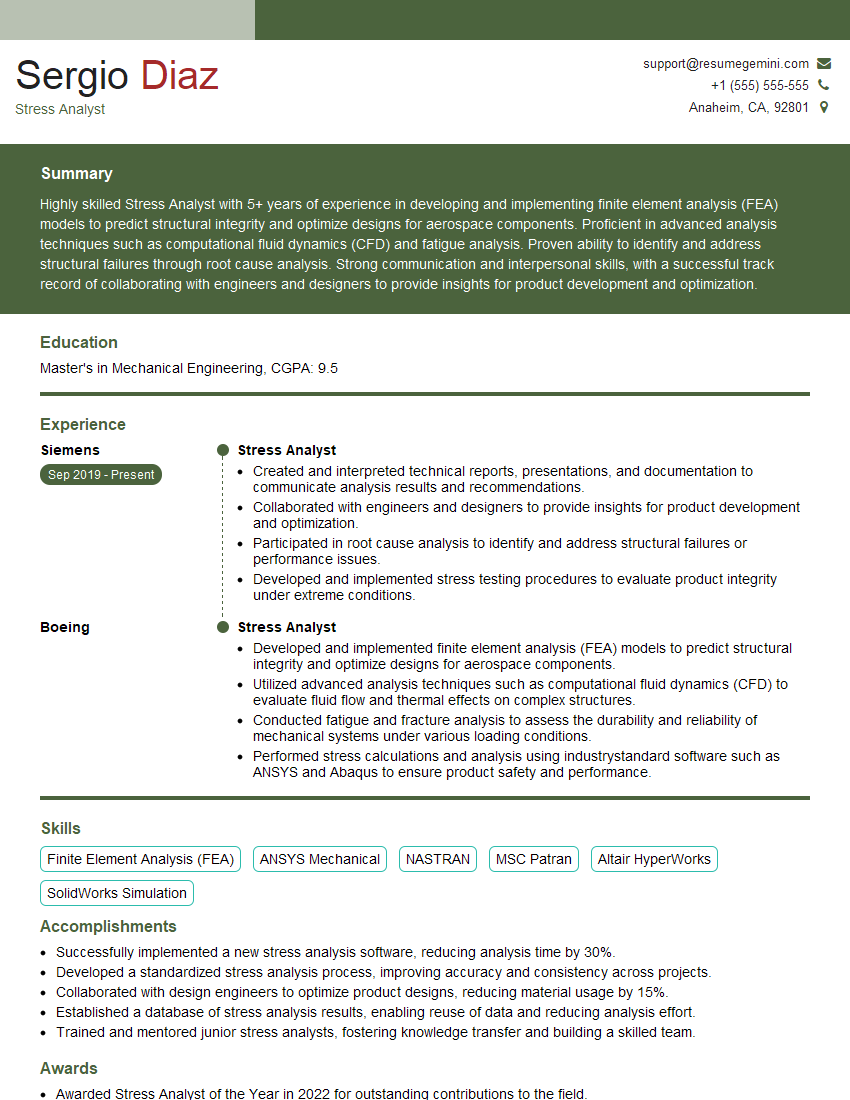
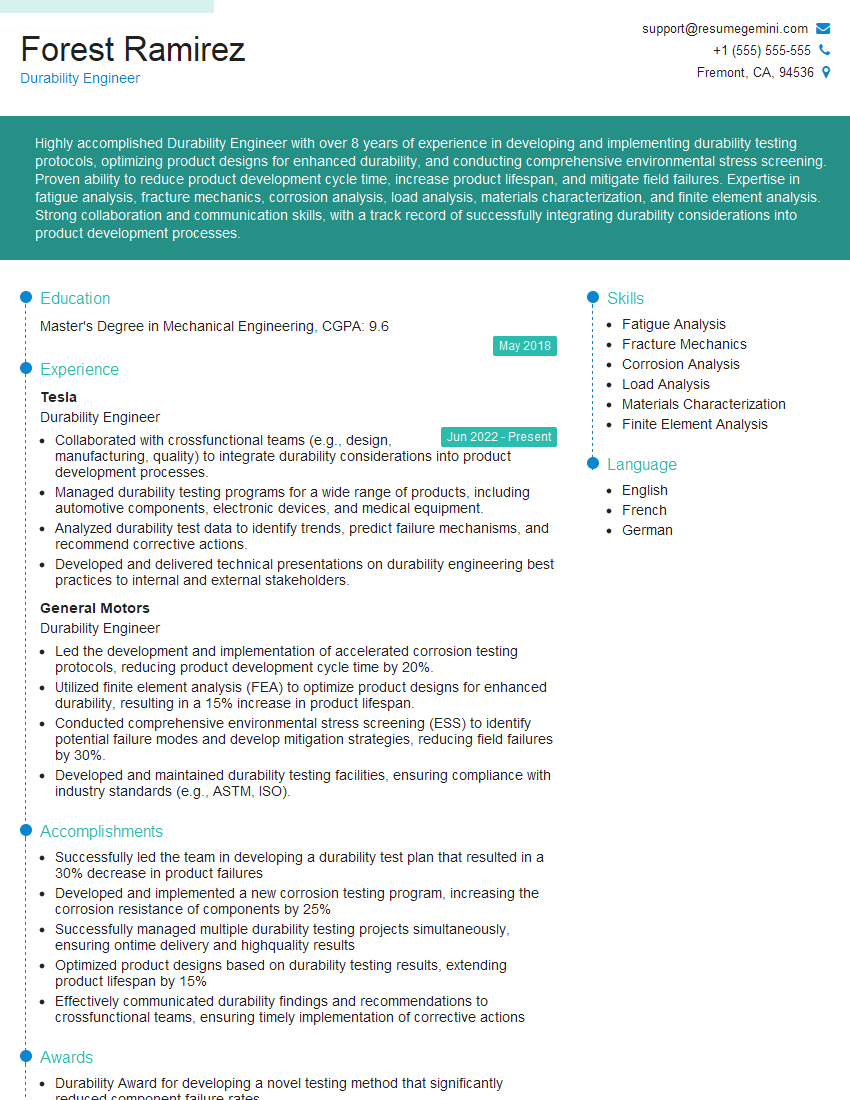
Mastering CAE simulation expertise opens doors to exciting and challenging career opportunities in various engineering fields. A strong command of these techniques significantly enhances your problem-solving capabilities and makes you a highly valuable asset to any engineering team. To maximize your job prospects, it’s crucial to present your skills effectively. Creating an ATS-friendly resume is key to getting your application noticed. ResumeGemini is a trusted resource that can help you build a professional and impactful resume that highlights your CAE simulation skills. Examples of resumes tailored to CAE (Computer-Aided Engineering) simulation expertise are available to guide you.
Explore more articles
Users Rating of Our Blogs
Share Your Experience
We value your feedback! Please rate our content and share your thoughts (optional).
What Readers Say About Our Blog
Very informative content, great job.
good