Every successful interview starts with knowing what to expect. In this blog, we’ll take you through the top CAE Software Proficiency (e.g., NASTRAN, ANSYS) interview questions, breaking them down with expert tips to help you deliver impactful answers. Step into your next interview fully prepared and ready to succeed.
Questions Asked in CAE Software Proficiency (e.g., NASTRAN, ANSYS) Interview
Q 1. Explain the difference between static and dynamic analysis.
Static analysis simulates structures under constant loads, ignoring time-dependent effects. Imagine weighing a bridge with a known amount of traffic – the forces are relatively unchanging. Dynamic analysis, conversely, incorporates time-varying loads and inertia effects. Think of a car crash test – the forces change dramatically over a short period. The core difference lies in whether the loading is considered constant or time-dependent. Static analysis is simpler and faster, suitable for situations where inertial effects are negligible, while dynamic analysis is essential for understanding responses to impacts, vibrations, and other time-varying forces, providing insights into the structure’s response over time.
In short: Static analysis = constant load; Dynamic analysis = time-varying load.
Q 2. Describe the process of meshing in FEA.
Meshing is the crucial step in FEA where the continuous physical model is discretized into a finite number of elements. Think of it like creating a digital LEGO model of your structure. Each element has nodes at its corners, and the interconnected elements represent the overall geometry. The process involves several steps: Geometry cleaning (removing imperfections), selecting the element type and size, generating the mesh, and finally checking the mesh quality. A poor mesh can lead to inaccurate or unconverged results. Mesh density is critical; finer meshes provide greater accuracy but increase computational cost. Adaptive meshing techniques automatically refine the mesh in areas of high stress concentration. In a real-world project, I might use a coarser mesh for less critical areas and a finer mesh near welds or other stress concentration points.
Q 3. What are the different types of elements used in FEA?
FEA utilizes various element types, each suited to specific applications. Common types include:
- Linear elements: Simplest, represented by straight lines (1D), triangles (2D), or tetrahedra (3D). They are computationally efficient but less accurate for curved geometries.
- Quadratic elements: More accurate than linear elements due to curved sides, offering better representation of curved geometries. They require more computational resources.
- Solid elements: Used for 3D modeling of solid bodies, often tetrahedral or hexahedral.
- Shell elements: Efficient for thin-walled structures like plates and shells, capturing bending behavior accurately.
- Beam elements: Ideal for modeling slender structural components like beams and columns, accurately representing axial, shear, and bending behavior.
The choice of element type depends on the geometry, material properties, and the desired accuracy. In a turbine blade design, for example, I would likely use shell elements for efficiency and accuracy, while a complex engine block may require a mix of solid and shell elements.
Q 4. Explain the concept of boundary conditions in FEA.
Boundary conditions define how a structure interacts with its surroundings. They constrain the model’s degrees of freedom, specifying displacements, forces, moments, pressures, or temperatures. These constraints mimic real-world supports and loadings. For instance, a fixed support might constrain all displacements (x, y, and z), while a pinned support might only constrain displacement in certain directions. Incorrect boundary conditions can lead to inaccurate or nonsensical results. Consider a cantilever beam analysis – if you forget to fix one end, your results will be entirely wrong. Improperly defining loads or constraints directly impacts the accuracy of your FEA analysis.
Q 5. What are the advantages and disadvantages of using ANSYS?
Advantages of ANSYS:
- Comprehensive capabilities: ANSYS offers a wide range of analysis types, including structural, thermal, fluid dynamics, and electromagnetics.
- User-friendly interface: Its graphical user interface (GUI) makes it relatively easy to learn and use, though mastering advanced features still requires expertise.
- Extensive library of elements: Offers a wide variety of element types suitable for various applications.
- Large community support: A large and active user community provides ample resources and support.
Disadvantages of ANSYS:
- High cost: ANSYS is a proprietary software package with a considerable licensing cost.
- Resource-intensive: Can be computationally demanding, requiring high-performance computing resources for complex models.
- Steep learning curve for advanced features: Although user-friendly in the basics, mastering advanced functionalities requires significant time investment.
Q 6. What are the advantages and disadvantages of using NASTRAN?
Advantages of NASTRAN:
- Robust solver: NASTRAN is known for its powerful and reliable solver, capable of handling large and complex models.
- Mature technology: A long-standing and well-established software with a proven track record in various industries.
- Open architecture: Allows for customization and integration with other software.
- Cost-effective in certain instances: Depending on the specific license and usage, it can be a more affordable alternative to ANSYS in specific scenarios.
Disadvantages of NASTRAN:
- Steeper learning curve: Its command-line interface and less intuitive GUI can present a greater learning challenge for beginners compared to ANSYS.
- Less user-friendly GUI (depending on version): Some versions have less user-friendly interfaces, especially compared to ANSYS’s highly graphical interface.
- Limited pre/post-processing features (in some versions): Depending on the version, it might lack some of the pre/post processing capabilities of other FEA software.
Q 7. How do you handle convergence issues in FEA?
Convergence issues in FEA arise when the solution doesn’t stabilize, indicating a problem with the model or the solution process. This can manifest as non-converging results or unrealistic stress/strain values. Here’s a systematic approach to handle them:
- Check the mesh: Poor mesh quality (e.g., distorted elements, excessively skewed elements) is a common culprit. Refine the mesh, especially in areas of high stress concentration, and ensure element quality is adequate.
- Review boundary conditions: Incorrectly applied boundary conditions can lead to non-convergence. Verify that supports and loads are correctly defined.
- Examine material properties: Check for errors in material properties, such as unrealistic values or inconsistencies.
- Adjust solver settings: Experiment with different solver settings, such as convergence tolerances, step size, or solution algorithm. Some solvers are better suited to certain problem types.
- Nonlinear analysis considerations: If it’s a nonlinear problem, ensure adequate load stepping is used to follow the nonlinear response accurately.
- Simplify the model: If all else fails, try simplifying the model, such as reducing the number of elements or simplifying geometry.
Remember, carefully documenting your process, and methodically checking each step increases the chance of identifying the issue and achieving convergence. Convergence issues are often not easily solvable and require careful diagnostics and iterative refinement of the simulation setup.
Q 8. Explain the concept of stress concentration.
Stress concentration refers to the localized increase in stress around geometric discontinuities or changes in cross-section within a component. Imagine a smooth, evenly loaded bar versus one with a sharp hole drilled through it. The hole dramatically increases stress in its immediate vicinity, even if the overall load on the bar remains the same. This localized high stress can lead to premature failure, even if the average stress is well below the material’s yield strength. Common examples include fillets (rounded corners), holes, keyways, and sudden changes in section thickness.
In FEA, stress concentration is often visualized using stress contours. High stress regions appear as intensely colored areas on the model. Understanding stress concentration factors (Kt) is crucial for safe design. Kt is the ratio of the maximum stress at a discontinuity to the nominal stress in the absence of the discontinuity. Designers often use techniques like adding fillets or using materials with higher yield strengths to mitigate stress concentrations.
Q 9. What are the different types of loads that can be applied in FEA?
Finite Element Analysis (FEA) allows for a wide variety of load types to be applied to a model, simulating real-world scenarios. These can broadly be categorized into:
- Static Loads: These are constant loads applied slowly, without any significant dynamic effects. Examples include gravity (dead weight), applied pressures (like fluid pressure in a pipe), or simply a force applied to a specific point. Think of a weight steadily placed on a shelf.
- Dynamic Loads: These loads vary with time, introducing inertial effects. Examples include impact forces (like a hammer strike), vibrations (from a running engine), or shock loads (sudden changes in velocity). Imagine the jolt experienced during a car crash.
- Thermal Loads: These are loads resulting from temperature variations within the structure. Temperature differences cause thermal expansion or contraction, leading to stresses. For instance, a bridge expanding in summer heat.
- Centrifugal Loads: Loads experienced due to rotational motion. A turbine blade is a prime example.
- Pressure Loads: These loads are distributed over a surface, such as internal or external pressure in a vessel. Consider a balloon being inflated.
The software handles these loads mathematically, producing accurate stress, strain, and displacement predictions.
Q 10. How do you validate your FEA results?
Validating FEA results is crucial to ensure their accuracy and reliability. This is a multi-step process involving comparison to experimental data and employing various checks:
- Experimental Verification: This is the gold standard. Comparing FEA predictions to experimental measurements (like strain gauge readings or physical tests) provides a direct assessment of the model’s accuracy. Any discrepancies need investigation.
- Mesh Convergence Study: Refining the mesh (increasing the number of elements) helps assess the independence of the results from the mesh density. If the results change significantly with mesh refinement, it indicates mesh dependency, requiring further refinement until convergence is reached.
- Comparison with Analytical Solutions: For simple geometries, analytical solutions may exist. Comparing FEA results with these solutions provides a valuable benchmark.
- Code Verification: Ensuring the FEA software is properly configured and the boundary conditions are correctly applied. Checking for any warnings or errors from the solver.
- Peer Review: Getting a second opinion from an experienced CAE engineer helps identify potential flaws or inconsistencies in the analysis.
It’s also important to understand the limitations of the model. Approximations in material properties or simplifying assumptions made during the model creation can affect the accuracy of the results.
Q 11. Explain the concept of modal analysis.
Modal analysis determines the natural frequencies and mode shapes of a structure. Think of it like finding the structure’s preferred ways of vibrating. Each mode shape represents a distinct pattern of deformation at a specific frequency. The lowest frequency is called the fundamental frequency, while higher frequencies are overtones.
This information is crucial in several engineering applications: to ensure a structure doesn’t resonate at operating frequencies (avoiding fatigue or failure), to understand how a structure will behave under dynamic loading, and to design effective vibration dampening systems. For example, designing a bridge to avoid resonance with wind loads or a car chassis to minimize vibrations from the engine.
In software, modal analysis is performed by solving the eigenvalue problem. The eigenvalues represent the natural frequencies (in Hz), and the eigenvectors represent the corresponding mode shapes.
Q 12. Describe the process of performing a fatigue analysis.
Fatigue analysis predicts how a component will behave under cyclic loading. Imagine a metal bracket repeatedly flexing. Over time, microscopic cracks will appear and propagate, eventually leading to failure, even if the stress in each cycle is below the yield strength. This is fatigue.
Performing a fatigue analysis typically involves these steps:
- Stress History: Defining the cyclic loading pattern (amplitude, frequency, and number of cycles).
- Stress-Life (S-N) Curves: Using experimental data or established material properties to determine the relationship between stress amplitude and the number of cycles to failure.
- Fatigue Analysis Software: Employing specialized fatigue analysis tools in FEA software to calculate fatigue damage at critical points.
- Fatigue Life Prediction: Predicting the number of cycles until failure based on the calculated fatigue damage and S-N curve.
- Safety Factor: Applying a safety factor to account for uncertainties in material properties, loading conditions, and the analysis itself.
This allows engineers to design components with sufficient fatigue life to withstand the anticipated loading conditions for their intended service life.
Q 13. What are the different types of nonlinear analysis?
Nonlinear analysis accounts for effects that deviate from linear elastic behavior. Linear analysis assumes a direct proportionality between load and response; however, many real-world scenarios don’t adhere to this simplification. The types of nonlinearity include:
- Material Nonlinearity: Occurs when the material’s stress-strain relationship is not linear (e.g., plastic deformation, hyperelasticity). Imagine bending a metal until it permanently deforms.
- Geometric Nonlinearity: Occurs when the structure’s geometry changes significantly under load, altering the stress distribution. This is common in large deformation problems like buckling or the collapse of a thin shell.
- Contact Nonlinearity: Occurs when two or more bodies come into contact, resulting in complex interactions (friction, separation). A perfect example is two parts fitting together.
Nonlinear analysis is computationally more expensive than linear analysis but is essential for accurate modeling of many real-world phenomena. It requires more sophisticated solution techniques and often iterative solutions.
Q 14. Explain the concept of buckling analysis.
Buckling analysis predicts the critical load at which a structural member loses its stability and undergoes significant deformation. Imagine a long, slender column subjected to a compressive load. At a certain load, it will suddenly buckle, rather than simply compressing further.
This analysis is crucial for designing slender structures like columns, beams, and shells to prevent catastrophic failure. The critical buckling load is determined using linear or nonlinear eigenvalue analysis. Factors like material properties, geometry, and boundary conditions significantly influence the buckling behavior. Engineers use buckling analysis to ensure adequate structural stability by designing structures with sufficient stiffness and strength to resist buckling under anticipated loads.
Software outputs include the critical buckling load and corresponding buckling modes (the shape the structure takes when buckling occurs).
Q 15. How do you handle contact problems in FEA?
Contact problems in FEA are crucial when dealing with interacting bodies. Imagine trying to simulate two parts bolted together – you need to model how those parts interact and transmit forces. We handle this using contact elements, which define the interaction between surfaces. These elements aren’t physical elements in the traditional sense but rather algorithms that enforce constraints.
Several aspects must be considered: defining the contact surfaces (master and slave), specifying the contact type (bonded, frictionless, frictional), and defining the contact behavior (stiffness, friction coefficient). Different FEA packages have different ways of defining these parameters, but the underlying principles remain similar.
For instance, in ANSYS, you might use the ‘Contact’ module to define contact pairs and then assign appropriate properties, while in NASTRAN, you would utilize similar features but with possibly different naming conventions and element types. Choosing the appropriate contact formulation is crucial, as an inappropriate selection could lead to inaccurate results or convergence issues. For example, a rough contact surface requires a frictional contact formulation, while two perfectly smooth surfaces might be better represented with a frictionless contact. Often, multiple iterations and different contact algorithms are tested before selecting the optimal approach. Proper contact modeling is often iterative and involves careful assessment of results to ensure accurate representation of physical phenomena.
Career Expert Tips:
- Ace those interviews! Prepare effectively by reviewing the Top 50 Most Common Interview Questions on ResumeGemini.
- Navigate your job search with confidence! Explore a wide range of Career Tips on ResumeGemini. Learn about common challenges and recommendations to overcome them.
- Craft the perfect resume! Master the Art of Resume Writing with ResumeGemini’s guide. Showcase your unique qualifications and achievements effectively.
- Don’t miss out on holiday savings! Build your dream resume with ResumeGemini’s ATS optimized templates.
Q 16. What are the different types of solvers used in FEA?
FEA solvers are the engines that crunch the numbers and solve the system of equations generated by the FE mesh. Think of them as the brains behind the operation, determining the final displacements, stresses, and strains. The choice of solver depends greatly on the problem’s nature and size.
- Direct Solvers: These solvers, like the frontal solver or Cholesky decomposition, solve the system of equations directly. They’re accurate and efficient for smaller problems but can become memory intensive and slow for larger models.
- Iterative Solvers: These solvers, such as Conjugate Gradient or GMRES, progressively improve the solution through iterations. They are better suited for large-scale problems as they require less memory than direct solvers. However, they might not always converge to a solution, depending on the problem’s stiffness matrix properties and the chosen pre-conditioner.
The selection of a direct or iterative solver depends on factors such as model size, available memory, and required accuracy. For a complex aerospace structure, an iterative solver might be necessary due to the sheer size of the model; whereas for a simple component, a direct solver might be sufficient and even faster.
Q 17. Explain the concept of mesh refinement.
Mesh refinement is the process of increasing the density of elements in a finite element mesh to improve the accuracy of the solution. Imagine trying to measure the length of a curved line with a ruler – using a ruler with smaller increments allows for a more precise measurement. Similarly, a finer mesh captures the details of a complex geometry and stress concentrations more accurately.
Refinement can be global, applying to the entire mesh, or local, focusing on specific regions of interest such as areas with high stress gradients or geometric complexities. Local refinement is usually preferred, as it’s more efficient than globally refining the entire mesh. Different strategies for mesh refinement exist, including h-refinement (reducing element size), p-refinement (increasing element order), and r-refinement (relocating nodes). The choice of refinement strategy depends on the specific problem and the desired level of accuracy. I frequently use adaptive mesh refinement in ANSYS and NASTRAN, where the software automatically refines the mesh based on error estimators, ensuring that computational resources are used efficiently.
Q 18. How do you choose the appropriate element type for a given problem?
Choosing the right element type is critical for obtaining accurate and reliable results. It’s like selecting the right tool for a job – using a hammer to tighten a screw won’t work! The choice depends on several factors including geometry, material properties, and the type of analysis.
- Linear elements (e.g., triangles, quadrilaterals): These are simpler and computationally less expensive, suitable for less complex geometries and analyses.
- Higher-order elements (e.g., quadratic elements): These offer increased accuracy but come at a higher computational cost, making them suitable for situations where higher accuracy is needed, such as capturing stress concentrations accurately.
- Solid elements (e.g., tetrahedra, hexahedra): Used for 3D analyses of volumes.
- Shell elements: Used to model thin structures like plates and shells.
- Beam elements: Used for modeling long, slender members like beams and columns.
For example, if you are modeling a thin sheet metal part, shell elements are usually the best choice. For a complex solid part with stress concentrations, higher-order solid elements might be necessary. A good understanding of element behavior is crucial for selecting the appropriate element type and generating a high-quality mesh that accurately reflects the physics of the problem.
Q 19. Explain the concept of error estimation in FEA.
Error estimation in FEA is crucial for assessing the quality and reliability of the results. Since FEA is an approximation method, errors are inevitable. Error estimation quantifies these errors to determine if the solution is sufficiently accurate for the intended purpose. Think of it as a quality control check for your simulation.
Several methods exist for error estimation, including:
- A-posteriori error estimation: This method estimates the error based on the computed solution. It can highlight areas of the model where the solution is less accurate, guiding mesh refinement strategies.
- h-refinement error estimation: Often used in conjunction with a-posteriori error estimators, this technique estimates error based on the element size and can be used to determine areas needing mesh refinement.
- p-refinement error estimation: Similar to h-refinement, but assesses the error associated with polynomial order to guide refinement.
By quantifying the error, we can determine if the solution is sufficiently accurate or if further refinement is needed. Acceptable error levels are problem-specific and often depend on factors like safety factors or design requirements. Software packages like ANSYS provide tools for error estimation and adaptive mesh refinement, allowing for efficient and accurate simulations.
Q 20. What are the different types of post-processing techniques used in FEA?
Post-processing is the final stage of FEA where we interpret the results of the analysis and visualize them in a meaningful way. It’s like analyzing the data from a scientific experiment to draw conclusions. Various post-processing techniques are available depending on the information we seek.
- Contour plots: These visually represent the distribution of a variable (e.g., stress, displacement, temperature) across the model.
- Deformed shape plots: These display the deformation of the model under load.
- X-Y plots: These are used to plot the variation of a variable against another (e.g., stress vs. strain).
- Animations: These can show the evolution of the model’s behavior over time (e.g., dynamic analysis).
- Data extraction: Extracting specific data points like maximum stress at a critical location.
The choice of post-processing techniques depends on the specific objectives of the analysis. For example, in a stress analysis, contour plots of stress are crucial to identify critical areas, while deformed shape plots help visualize the overall deformation. Efficient post-processing is key to obtaining valuable engineering insights from FEA simulations.
Q 21. Describe your experience with pre-processing in ANSYS or NASTRAN.
My experience in pre-processing with ANSYS and NASTRAN is extensive. I’ve created numerous FE models for various applications, from simple components to complex assemblies. Pre-processing involves creating the geometric model, defining material properties, applying loads and boundary conditions, and generating the mesh. This process is crucial as errors here will directly impact the accuracy of the results. I’m proficient in using both CAD import functionalities and native modeling tools within these software packages.
In ANSYS Workbench, I’m comfortable using DesignModeler for geometry creation, and I’m adept at using Meshing to generate high-quality meshes using different element types and mesh refinement techniques, ensuring appropriate mesh density for accurate results, particularly in regions with high stress gradients. I’ve employed techniques like mapped and free meshing depending on model complexity and accuracy needs.
Similarly, in NASTRAN, I’ve extensively used pre-processing tools to define elements, nodes, and material properties. I’m experienced in creating both bulk data input files and using graphical user interfaces to facilitate model creation. The generation of load cases and boundary conditions is a critical part of my pre-processing workflow, and I take great care to accurately represent realistic loading conditions and constraints. I’ve worked on large assemblies, employing submodeling techniques to manage model complexity and improve computational efficiency. My expertise includes generating and validating high-quality mesh to minimize errors before proceeding to the solution phase.
Q 22. Explain your experience with post-processing in ANSYS or NASTRAN.
Post-processing in ANSYS and NASTRAN is crucial for extracting meaningful insights from a Finite Element Analysis (FEA). It involves visualizing and interpreting the simulation results to understand the behavior of the analyzed structure or component. This typically includes examining stress, strain, displacement, and other relevant parameters.
My experience spans various post-processing techniques. I routinely use contour plots to visualize stress distributions, identifying areas of high stress concentration. I’m proficient in using animation to study the dynamic response of structures, particularly for modal analysis or transient dynamics. I also utilize XY plots to analyze the relationship between different parameters, like force vs. displacement. In ANSYS, I’m adept at using the APDL scripting language for customized post-processing tasks, automating the generation of reports and plots. In NASTRAN, I leverage the powerful visualization tools and scripting capabilities (e.g., using Python or the NASTRAN command language) for similar purposes. For example, I once used ANSYS to animate the vibration modes of a turbine blade, allowing us to identify and address resonance issues before physical prototyping.
Beyond basic visualizations, I frequently employ advanced techniques like path plots to analyze stress along specific lines or planes within a model, and element-based post-processing to investigate the internal state of individual elements. This granular level of analysis helps me identify localized phenomena that might be missed with contour plots alone. Finally, I’m experienced in generating detailed reports, combining graphical results with numerical data for clear and concise communication of findings.
Q 23. How do you interpret the results of a FEA analysis?
Interpreting FEA results requires a systematic approach and a deep understanding of the underlying physics. I begin by visually inspecting the results through contour plots, animations, and deformed shapes. This gives a quick overview of stress, strain, and displacement patterns. However, visual inspection is not enough. A thorough analysis requires comparing the results against design criteria, engineering standards, and expected behavior.
For instance, I’ll examine stress results against the material’s yield strength to assess the risk of failure. I’ll check displacement results to ensure they are within acceptable limits for functionality. Any unexpected results, such as localized stress concentrations or excessive displacements, require further investigation. This often involves refining the mesh, reviewing boundary conditions, or re-evaluating the material model. This process helps to determine whether the design is safe and meets functional requirements.
Furthermore, I carefully analyze the convergence of the solution. A lack of convergence could indicate issues with the model, mesh quality, or solution parameters. I also consider the limitations of the FEA method itself. FEA is an approximation, and the results should be interpreted within the context of these limitations. For example, I might use experimental validation where possible to validate the accuracy of my simulations and further refine the model.
Q 24. Describe a time you had to troubleshoot a complex FEA model.
During a project involving the analysis of a complex automotive chassis, I encountered significant convergence issues. The model, featuring thousands of elements and complex contact interactions, repeatedly failed to converge. The initial approach involved using a relatively coarse mesh.
My troubleshooting involved a systematic approach. First, I meticulously checked the model geometry for any inconsistencies, such as gaps or overlapping elements. Then, I refined the mesh gradually in areas of high stress concentration and contact regions. I also explored different contact algorithms and parameters within ANSYS to better model the contact behavior. The problem persisted, suggesting a more fundamental issue. After careful analysis of the element quality and load application, we realized a rigid body motion was occurring in the model. By applying appropriate constraints and fixing this rigid body motion, the convergence problems were resolved. This highlights the importance of carefully scrutinizing all aspects of the model setup and solution parameters. The experience underscored the need for thorough model validation and a systematic approach to problem-solving.
Q 25. How do you ensure the accuracy of your FEA results?
Ensuring accuracy in FEA is paramount. It’s a multi-faceted process beginning with model validation. I start by verifying the accuracy of the geometry and mesh. I ensure the mesh is sufficiently fine to capture important details, while avoiding excessive computational cost. This often involves mesh refinement studies to assess the impact of mesh density on the results. For example, I might compare results from different mesh densities to check for convergence.
Next, I carefully review the boundary conditions to make sure they accurately reflect the real-world conditions. I pay close attention to material properties, making sure they are appropriate for the specific application and temperature range. I also leverage independent verification methods whenever possible, such as comparing the FEA results with experimental data from physical testing. Any discrepancies between numerical and experimental results trigger a careful review of the entire process, from model creation to post-processing. This iterative process of verification and validation is essential for ensuring confidence in the accuracy of the FEA results. Finally, understanding the limitations of the chosen FEA method is critical for a proper interpretation of the results.
Q 26. What are some common mistakes to avoid when performing FEA?
Several common mistakes can lead to inaccurate or misleading FEA results. One frequent error is improper meshing. An insufficiently refined mesh, especially in areas of high stress gradients, can lead to inaccurate stress predictions. Conversely, an overly refined mesh, while potentially more accurate, is computationally expensive and can lead to unnecessary delays. Another common pitfall is neglecting to properly define boundary conditions. Incorrect constraints or load applications can significantly impact the simulation results.
Ignoring material nonlinearities is another significant issue. Many real-world materials exhibit nonlinear behavior under stress. Using linear elastic material models for highly non-linear situations can lead to grossly inaccurate results. Similarly, neglecting contact effects in models with interacting components can produce erroneous results. Finally, overlooking convergence issues is a crucial mistake. The software might not provide an accurate solution if the analysis fails to converge.
A systematic approach, rigorous mesh refinement studies, and careful verification of boundary conditions and material properties are key to avoiding these issues. Regular checks for convergence and a comparison of FEA results against experimental data can enhance the reliability of the analysis.
Q 27. How familiar are you with scripting or automation in ANSYS or NASTRAN?
I possess significant experience with scripting and automation in both ANSYS and NASTRAN. In ANSYS, I’m proficient in APDL (ANSYS Parametric Design Language), using it to automate repetitive tasks, such as mesh generation, model modification, and post-processing. For example, I’ve written APDL macros to generate parameterized models, allowing for efficient design exploration. This was crucial for a project involving optimization of a bracket design, where we automated the process of modifying the geometry and running multiple simulations to find the optimal design.
In NASTRAN, I utilize Python scripting extensively for pre- and post-processing. Python’s versatility allows for seamless integration with other tools and data sources, enhancing workflow efficiency and facilitating automation. For instance, I wrote a Python script that extracted data from NASTRAN results files, formatted it, and automatically generated reports. Automation techniques not only save time but significantly reduce the risk of human errors, leading to more reliable and efficient FEA workflows.
Q 28. Describe your experience with different material models in FEA.
My experience encompasses a wide range of material models in FEA, including linear elastic, nonlinear elastic, elastoplastic, viscoelastic, and hyperelastic materials. I understand the theoretical underpinnings of each model and know when to apply them appropriately. For instance, linear elastic material models, while computationally efficient, are only suitable for materials that exhibit a linear relationship between stress and strain within the operational range. This model is often used for initial design assessment. However, for applications involving significant deformation or complex loading conditions, nonlinear material models are necessary.
I’m experienced in implementing elastoplastic models to simulate the yielding and plastic deformation of metals. For materials exhibiting time-dependent behavior, such as polymers, I employ viscoelastic models, which account for creep and relaxation effects. Hyperelastic models are used for materials like rubber, demonstrating large elastic deformations without permanent deformation. The selection of the appropriate material model depends heavily on the application and the material properties. Improper selection can lead to inaccurate and unreliable results. Each model requires specific input parameters which must be carefully selected to accurately represent the material’s behavior. I also have experience with implementing user-defined material models in cases where standard models are inadequate.
Key Topics to Learn for CAE Software Proficiency (e.g., NASTRAN, ANSYS) Interview
- Meshing Techniques: Understanding different meshing methods (e.g., structured, unstructured, adaptive) and their impact on accuracy and computational cost. Practical application: Choosing the appropriate mesh type for a specific analysis.
- Material Modeling: Knowledge of various material models (linear elastic, nonlinear, plastic) and their application in different engineering scenarios. Practical application: Selecting the correct material model for a given component and loading condition.
- Boundary Conditions: Defining appropriate boundary conditions (fixed supports, loads, constraints) for accurate simulation. Practical application: Applying boundary conditions to replicate real-world loading scenarios.
- Solver Theory: Basic understanding of the underlying numerical methods used by the solvers (e.g., Finite Element Method). Practical application: Interpreting solver output and identifying potential convergence issues.
- Post-processing and Results Interpretation: Analyzing stress, strain, displacement, and other results to draw meaningful conclusions. Practical application: Identifying critical stress points and areas of failure in a component.
- Model Validation and Verification: Understanding the importance of validating simulation results against experimental data or analytical solutions. Practical application: Assessing the accuracy and reliability of simulation results.
- Advanced Features (Specific to Software): Explore advanced features unique to NASTRAN or ANSYS, such as optimization studies, fatigue analysis, or specific material models relevant to your field.
Next Steps
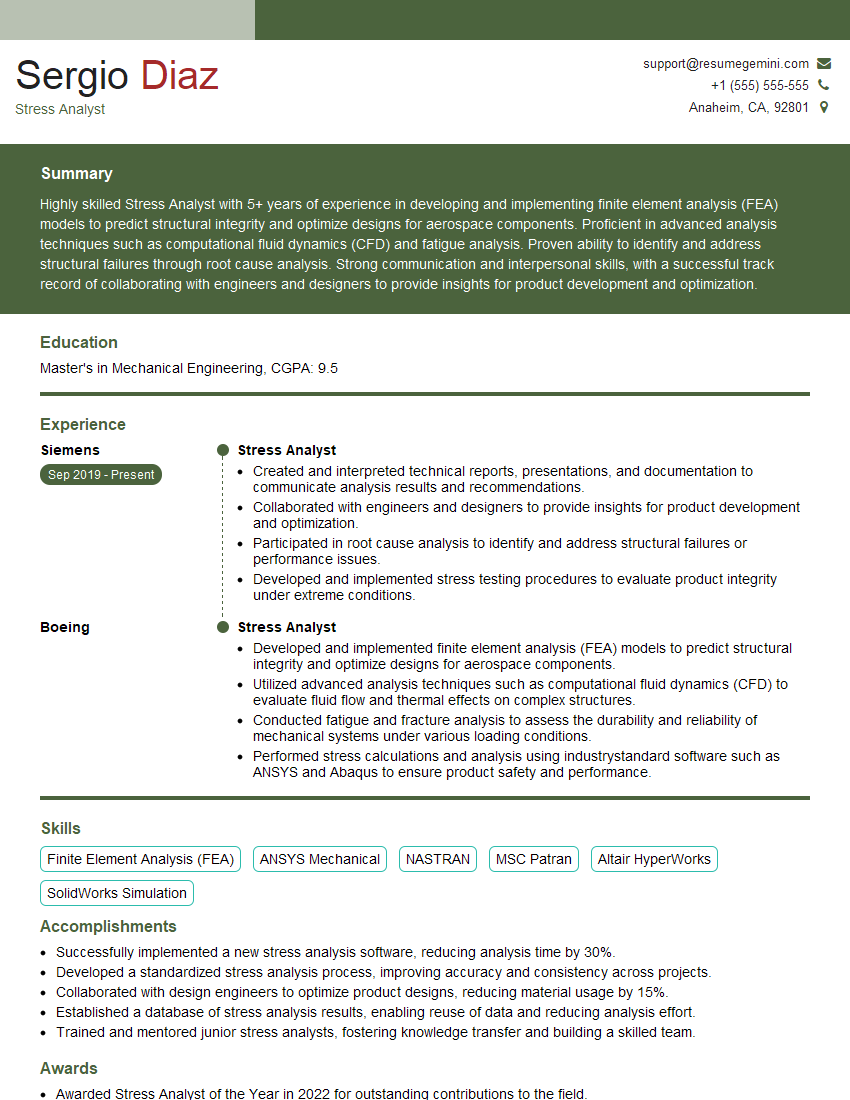
Mastering CAE software proficiency is crucial for career advancement in engineering and related fields. It demonstrates a strong understanding of theoretical concepts and their practical application, opening doors to exciting opportunities and higher earning potential. To maximize your job prospects, crafting a compelling and ATS-friendly resume is essential. ResumeGemini is a trusted resource that can significantly enhance your resume-building experience. They offer examples of resumes tailored to CAE Software Proficiency (e.g., NASTRAN, ANSYS) to help you present your skills effectively. Invest time in creating a professional resume that showcases your expertise – it’s a vital step in landing your dream job.
Explore more articles
Users Rating of Our Blogs
Share Your Experience
We value your feedback! Please rate our content and share your thoughts (optional).
What Readers Say About Our Blog
Very informative content, great job.
good