Interviews are more than just a Q&A session—they’re a chance to prove your worth. This blog dives into essential Cloud-Based Production interview questions and expert tips to help you align your answers with what hiring managers are looking for. Start preparing to shine!
Questions Asked in Cloud-Based Production Interview
Q 1. Explain your experience with CI/CD pipelines in a cloud environment.
CI/CD, or Continuous Integration/Continuous Delivery, is the practice of automating the process of building, testing, and deploying software. In a cloud environment, this automation is crucial for speed, reliability, and scalability. My experience involves designing and implementing CI/CD pipelines using various tools like Jenkins, GitLab CI, and GitHub Actions. I’ve worked with both simple pipelines for smaller projects and complex ones involving multiple stages, environments (dev, staging, prod), and automated rollbacks.
For example, in a recent project, we used Jenkins to build our application, run unit and integration tests, and then deploy to AWS using a combination of Elastic Beanstalk and CodeDeploy. This pipeline included automated testing to catch errors before deployment and rollback mechanisms to revert to the previous stable version if issues arose in production. The pipeline was triggered automatically by commits to the main branch, ensuring that every code change underwent a thorough and automated process.
Another example involved using GitLab CI with Kubernetes for a microservices architecture. Each microservice had its own pipeline, allowing for independent deployments and scaling. This decentralized approach greatly improved our deployment velocity and reduced the risk of impacting unrelated services during deployments.
Q 2. Describe your approach to monitoring and logging in cloud-based production systems.
Monitoring and logging are essential for maintaining the health and performance of cloud-based production systems. My approach is built around a centralized logging and monitoring system, using tools like CloudWatch (AWS), Azure Monitor (Azure), or Stackdriver (GCP), depending on the cloud provider. This system gathers logs from various sources – application servers, databases, infrastructure components – and aggregates them for analysis.
We use dashboards to visualize key performance indicators (KPIs) such as CPU utilization, memory usage, request latency, and error rates. Automated alerts are configured to notify us of critical events, like high error rates or resource exhaustion, allowing us to proactively address potential problems. We leverage log aggregation and analysis tools to identify root causes of errors and performance bottlenecks. This often involves using tools like Elasticsearch, Fluentd, and Kibana (the ELK stack) for advanced log analysis and visualization.
For example, we might set up an alert that triggers if the average response time of our web application exceeds 500ms. This alert provides immediate notification, allowing our team to investigate the issue and prevent it from escalating. Similarly, we analyze logs to identify patterns in errors, helping us prevent recurring problems and improve the overall reliability of our systems.
Q 3. How do you handle scaling challenges in a cloud-based production environment?
Scaling in a cloud environment is about adapting resources to meet fluctuating demands. My approach involves using autoscaling features provided by the cloud provider. This ensures that our applications automatically scale up or down based on real-time metrics, such as CPU utilization or request volume. For instance, with AWS, we might use Auto Scaling groups for EC2 instances, scaling them up during peak demand and down during off-peak periods. Similarly, we use Kubernetes’ Horizontal Pod Autoscaler to automatically adjust the number of application pods based on CPU or memory usage.
The key is defining appropriate scaling metrics and setting sensible thresholds. Over-provisioning resources is wasteful, while under-provisioning leads to performance degradation and outages. We carefully monitor resource usage to fine-tune our scaling policies and ensure optimal performance and cost efficiency. Strategies like queueing and caching also play vital roles in handling temporary spikes in demand. In essence, it’s a balance of automation, monitoring, and strategic resource management.
Consider a scenario where a marketing campaign suddenly drives a huge surge in website traffic. With autoscaling in place, our application will automatically provision additional server instances to handle the increased load, ensuring a seamless user experience, and then scale down when the traffic subsides without any manual intervention.
Q 4. What are your preferred cloud platforms (AWS, Azure, GCP) and why?
I’m proficient across AWS, Azure, and GCP, and my preferred platform depends heavily on the specific project requirements. However, I tend to lean towards AWS due to its mature ecosystem and extensive services. Its broad range of services, from compute and storage to databases and AI/ML, offers a comprehensive solution for most needs. The large community and extensive documentation also make troubleshooting and finding solutions easier.
Azure is a strong contender, especially when integration with existing Microsoft technologies is a priority. Its strong security features and hybrid cloud capabilities are compelling. GCP excels in data analytics and machine learning, making it ideal for projects requiring large-scale data processing and AI/ML applications.
Ultimately, the “best” platform is determined by factors like existing infrastructure, budget constraints, specific service requirements, and team expertise. I’m comfortable working with all three and choose the platform that best fits the project’s needs.
Q 5. Explain your understanding of containerization technologies (Docker, Kubernetes).
Containerization technologies like Docker and Kubernetes are crucial for modern cloud-based applications. Docker provides a way to package an application and its dependencies into a standardized unit (a container), ensuring consistency across different environments. This solves the “it works on my machine” problem by creating reproducible builds.
Kubernetes takes this further by providing an orchestration platform for managing and scaling containers across a cluster of machines. It handles tasks like scheduling containers, managing their lifecycles, and ensuring high availability. It allows for automated deployment, scaling, and management of containerized applications, significantly simplifying operations in a cloud environment.
For example, imagine deploying a web application using Docker and Kubernetes. We create a Docker image containing the application code, libraries, and dependencies. Then, Kubernetes orchestrates the deployment of multiple instances of this container across a cluster, allowing for horizontal scaling to handle increased traffic. Furthermore, Kubernetes manages health checks and automatically replaces failing containers, guaranteeing high availability.
Q 6. How do you ensure high availability and fault tolerance in your cloud deployments?
High availability and fault tolerance are paramount in cloud deployments. My approach involves several key strategies: First, we employ load balancing to distribute traffic across multiple instances of our application, preventing a single point of failure. This often uses load balancers provided by the cloud provider (like Elastic Load Balancing on AWS) or managed by Kubernetes. Second, we leverage redundancy at all layers – databases, application servers, and networks – using techniques like multiple Availability Zones (AZs) or regions.
Third, we implement automated failover mechanisms. If an instance fails, the system automatically switches to a healthy backup instance, minimizing downtime. This usually involves using features such as health checks and automatic scaling provided by the cloud platform or Kubernetes. Furthermore, we design our applications to be stateless, storing data externally in a highly available database system, further enhancing resilience.
For example, deploying an application across multiple AZs in AWS provides a natural layer of redundancy. If one AZ suffers an outage, the application continues running in the other AZs, ensuring uninterrupted service. Combining this with load balancing and automated failover makes the application highly resilient to failures.
Q 7. Describe your experience with infrastructure-as-code (IaC) tools (Terraform, Ansible).
Infrastructure-as-Code (IaC) tools, such as Terraform and Ansible, are essential for managing cloud infrastructure efficiently and reliably. IaC allows us to define and manage our infrastructure in code, enabling automation, reproducibility, and version control. This eliminates the risks associated with manual configuration, ensuring consistency across environments.
Terraform is primarily used for defining and provisioning infrastructure resources, such as virtual machines, networks, and databases, in a declarative way. We describe the desired state of our infrastructure, and Terraform automatically creates and manages it. Ansible, on the other hand, is a configuration management tool that excels at automating tasks on existing infrastructure, such as installing software, configuring servers, and deploying applications.
For example, we might use Terraform to create a new virtual private cloud (VPC) in AWS, configure subnets, and launch EC2 instances. Then, we could use Ansible to install and configure the necessary software on those instances, deploying our application. Using both tools allows for comprehensive infrastructure management, from the initial provisioning to ongoing configuration and management.
Q 8. How do you manage and troubleshoot cloud-based production issues?
Managing and troubleshooting cloud-based production issues requires a systematic approach. It starts with robust monitoring and logging. We leverage tools like CloudWatch (AWS), Stackdriver (Google Cloud), or Azure Monitor to track key metrics such as CPU utilization, memory usage, network latency, and error rates. These tools provide real-time visibility into the application’s health and performance. When an issue arises, the first step is to identify the root cause. This often involves analyzing logs, examining system metrics, and using debugging tools. For instance, if we see a spike in error rates, we would investigate the logs to pinpoint the specific errors and their frequency. This might reveal a bug in the application code, a database issue, or a network problem. Once identified, the solution depends on the nature of the issue. It could involve deploying a code fix, scaling resources, restarting services, or even rolling back to a previous version. A crucial element is having well-defined incident response plans that streamline the troubleshooting process. This involves clearly defined roles, communication channels, and escalation procedures, ensuring a swift and effective resolution.
For example, during a recent incident, high latency was detected impacting user experience. Through detailed log analysis and metric review, we found that the database server was overloaded. Our response involved scaling up the database instance to handle increased traffic, resulting in a rapid resolution. Regular post-incident reviews are crucial to learn and improve our response strategy, preventing future occurrences.
Q 9. Explain your experience with different deployment strategies (blue-green, canary).
Deployment strategies like blue-green and canary deployments are vital for minimizing disruption during releases. A blue-green deployment involves having two identical environments: ‘blue’ (production) and ‘green’ (staging). The new version is deployed to the ‘green’ environment, thoroughly tested, and then traffic is switched from ‘blue’ to ‘green’. If problems arise, traffic can be quickly switched back. This minimizes downtime and risk.
Canary deployments take a more gradual approach. A small subset of users is directed to the new version. This allows for monitoring the new version’s performance in a real-world setting with minimal risk. If everything works as expected, the rollout expands gradually to larger user groups until all users are on the new version. This minimizes the impact of potential issues and allows for early identification of problems.
In my experience, I’ve successfully implemented both strategies. For a high-traffic e-commerce application, a blue-green deployment was preferred for its speed and minimal downtime during updates. For a new feature with potential unknown issues, a canary deployment provided a safer and more controlled rollout.
Q 10. How do you implement security best practices in a cloud-based production environment?
Implementing security best practices in a cloud environment is paramount. It’s a multi-layered approach involving infrastructure, application, and data security. At the infrastructure level, this means using Virtual Private Clouds (VPCs) to isolate resources, enabling strong firewalls and intrusion detection systems, and regularly patching operating systems and applications. Access control is crucial; we employ the principle of least privilege, granting only necessary permissions to users and services. We leverage Identity and Access Management (IAM) tools extensively.
Application security involves secure coding practices, regular security audits, and penetration testing. Data security requires encryption both in transit and at rest, data loss prevention measures, and regular backups. We also adhere to compliance standards like SOC 2, ISO 27001, or HIPAA, depending on the application’s sensitivity. Regular security assessments and vulnerability scans are performed to identify and address potential weaknesses. For instance, we regularly conduct penetration testing and security audits to proactively identify and address vulnerabilities, and we implement multi-factor authentication (MFA) across all access points to enhance security.
Q 11. Describe your experience with cloud cost optimization strategies.
Cloud cost optimization is a continuous process requiring proactive monitoring and management. We use cloud provider tools to track resource usage and costs, identifying areas for potential savings. Strategies include right-sizing instances (choosing the appropriate instance size based on actual needs), utilizing reserved instances or committed use discounts for predictable workloads, and automating scaling to only provision resources when needed. We also leverage spot instances for non-critical workloads, achieving significant cost savings. We employ serverless architectures where appropriate since you only pay for the actual compute time used, resulting in significant cost savings compared to traditional server-based architectures. Regularly reviewing and optimizing resource utilization is crucial. For example, we implemented automated scaling based on real-time traffic patterns, resulting in a 30% reduction in compute costs.
Q 12. How do you ensure data security and compliance in the cloud?
Ensuring data security and compliance in the cloud involves a multi-pronged approach. Data encryption, both in transit (using HTTPS) and at rest (using encryption services offered by cloud providers), is fundamental. We use access control lists (ACLs) and IAM roles to restrict access to sensitive data. Regular data backups are crucial to ensure business continuity and data recovery in case of failures or attacks. Compliance with relevant regulations like GDPR, HIPAA, or PCI DSS necessitates adherence to specific security and privacy requirements. This involves implementing data governance policies, data retention strategies, and robust auditing capabilities. Data loss prevention (DLP) tools help monitor and prevent sensitive data from leaving the organization’s control. We conduct regular security audits and penetration testing to ensure compliance and identify potential vulnerabilities.
For example, a healthcare application required HIPAA compliance. We implemented stringent access controls, data encryption at rest and in transit, and regular audits to ensure adherence to HIPAA regulations, maintaining the confidentiality, integrity, and availability of patient data.
Q 13. What are your experiences with serverless computing?
Serverless computing offers a significant advantage in terms of scalability, cost-effectiveness, and ease of management. It abstracts away the complexities of server management, allowing developers to focus on writing code. Functions are triggered by events, eliminating the need to maintain always-on servers. This leads to significant cost savings since you only pay for the actual compute time consumed. I have extensive experience using serverless platforms like AWS Lambda, Azure Functions, and Google Cloud Functions. We’ve used serverless functions for various tasks, from processing images to handling background jobs, achieving significant improvements in scalability and cost efficiency. For example, we migrated a batch processing task to AWS Lambda, resulting in a 60% reduction in infrastructure costs and improved scalability.
Q 14. Explain your understanding of different cloud networking concepts (VPN, VPC).
Cloud networking concepts like VPNs and VPCs are crucial for secure and efficient communication within and outside the cloud. A Virtual Private Cloud (VPC) provides a logically isolated section of the cloud provider’s infrastructure, allowing for greater control over network configurations and security. It’s like having your own private data center within the public cloud. Within a VPC, you can create subnets, configure routing tables, and manage network security groups (NSGs) to control traffic flow.
A Virtual Private Network (VPN) creates a secure connection over a public network, such as the internet. It encrypts data transmitted between two points, ensuring confidentiality and integrity. VPNs are commonly used to connect on-premises networks to cloud resources, allowing secure access to cloud applications and data. In my experience, I’ve used VPCs extensively to create secure and isolated environments for various applications. We’ve leveraged VPNs to connect our on-premises data center to our cloud infrastructure, enabling secure access to cloud resources.
Q 15. How do you handle capacity planning for cloud-based applications?
Capacity planning in cloud-based applications is crucial for ensuring performance and cost-effectiveness. It’s essentially predicting future resource needs and proactively scaling resources to meet demand. We use a combination of techniques to achieve this.
- Historical Data Analysis: We analyze historical metrics like CPU utilization, memory consumption, network traffic, and database queries to identify trends and patterns. This allows us to forecast future resource requirements based on past performance.
- Load Testing: Before launching an application or implementing significant changes, we conduct thorough load tests to simulate peak user traffic. This helps us determine the infrastructure’s breaking point and identify potential bottlenecks.
- Forecasting Models: We employ forecasting models, sometimes leveraging machine learning, to project future resource needs based on anticipated growth and seasonal variations in usage.
- Auto-Scaling: Cloud platforms provide auto-scaling capabilities. We configure these to automatically adjust resources (e.g., adding or removing server instances) based on real-time metrics. This ensures optimal resource utilization while maintaining performance under fluctuating demand.
- Right-Sizing: Regularly reviewing resource utilization helps us ensure we’re not over-provisioning resources. Right-sizing involves optimizing resource allocation to match actual demand, minimizing unnecessary costs.
For example, during a major marketing campaign, we might anticipate a significant spike in website traffic. Based on historical data and load tests, we’d preemptively increase server capacity and configure auto-scaling to handle the surge. Post-campaign, we’d right-size the infrastructure, reducing costs while maintaining a reserve for future growth.
Career Expert Tips:
- Ace those interviews! Prepare effectively by reviewing the Top 50 Most Common Interview Questions on ResumeGemini.
- Navigate your job search with confidence! Explore a wide range of Career Tips on ResumeGemini. Learn about common challenges and recommendations to overcome them.
- Craft the perfect resume! Master the Art of Resume Writing with ResumeGemini’s guide. Showcase your unique qualifications and achievements effectively.
- Don’t miss out on holiday savings! Build your dream resume with ResumeGemini’s ATS optimized templates.
Q 16. Describe your experience with monitoring tools (Prometheus, Grafana, Datadog).
I have extensive experience with Prometheus, Grafana, and Datadog, using them in various projects to monitor applications and infrastructure. Each tool serves a unique purpose:
- Prometheus: A powerful open-source monitoring system that excels at collecting time-series metrics. We use it to scrape metrics directly from our applications and infrastructure components. Its querying language, PromQL, provides flexibility in analyzing the collected data.
- Grafana: A fantastic visualization tool, often paired with Prometheus. It allows us to create custom dashboards to monitor key performance indicators (KPIs), visualize alerts, and identify trends in our data. This helps us quickly identify performance issues or anomalies.
- Datadog: A comprehensive monitoring platform offering a wide range of features including metrics, tracing, logs, and APM (Application Performance Monitoring). Datadog’s strength lies in its centralized platform and ability to integrate with various cloud providers and tools, offering a holistic view of the entire system. I’ve used it for complex monitoring setups where multiple integrations and dashboards are required.
In a recent project, we used Prometheus to collect metrics from our Kubernetes cluster, Grafana to visualize those metrics and create alerts, and Datadog to integrate with our cloud provider’s logging and tracing systems for a complete overview of the application performance.
Q 17. How do you manage and automate database deployments in the cloud?
Managing and automating database deployments in the cloud involves utilizing infrastructure-as-code (IaC) tools and employing strategies to minimize downtime and ensure data integrity. Key steps involve:
- Infrastructure as Code (IaC): Tools like Terraform or CloudFormation are used to define and manage the database infrastructure declaratively. This ensures consistent and repeatable deployments across different environments (dev, test, prod).
- Version Control: Database schema changes are managed using version control systems (e.g., Git). This allows for tracking changes, collaboration, and rollbacks if needed.
- Database Migration Tools: Tools like Liquibase or Flyway are used to manage database schema migrations. They track changes and apply them automatically during deployments, ensuring consistency across environments.
- Blue/Green Deployments or Canary Deployments: These strategies minimize downtime during deployments. With blue/green, a new version of the database is deployed alongside the existing one; after validation, traffic is switched. Canary deployments gradually roll out changes to a subset of users before fully deploying.
- Automated Testing: Automated tests are crucial to validate database schema changes and ensure data integrity before deploying to production. This includes unit tests, integration tests, and potentially end-to-end tests.
For example, when deploying a new database feature, we’d use Terraform to provision the necessary infrastructure, Liquibase to manage the schema migrations, and automated tests to verify the changes before switching traffic to the new database instance. This automated approach minimizes human error and ensures faster and more reliable deployments.
Q 18. Explain your experience with different load balancing strategies.
Load balancing is crucial for distributing traffic across multiple servers to prevent overload and ensure high availability. I’ve worked with various strategies:
- Round Robin: Distributes requests sequentially across servers. Simple but may not account for server load differences.
- Least Connections: Directs requests to the server with the fewest active connections. Effective in handling variable server loads.
- IP Hash: Distributes requests based on the client’s IP address, ensuring consistent server assignment for each client. Useful for applications needing session persistence.
- Layer 4 (Transport Layer) Load Balancing: Operates at the TCP/UDP level, primarily focusing on connection management. Suitable for stateless applications.
- Layer 7 (Application Layer) Load Balancing: Inspects the HTTP headers and content to make routing decisions, allowing for more sophisticated traffic management based on application logic (e.g., routing to specific application versions).
In a recent project, we used Layer 7 load balancing to route traffic to different application versions during a phased rollout of a new feature. This allowed us to monitor performance and revert to the previous version if issues arose. For our API servers, we implemented least connection load balancing to optimize resource utilization and ensure responsiveness under varying load.
Q 19. Describe your experience with implementing disaster recovery and business continuity plans in the cloud.
Implementing disaster recovery (DR) and business continuity (BC) plans in the cloud requires a multi-faceted approach focusing on redundancy, backups, and automated recovery procedures. Key aspects include:
- Data Backup and Replication: Regular backups and replication of data across multiple availability zones or regions are crucial. This ensures data availability even in case of regional outages.
- High Availability Architecture: Designing applications with redundancy in mind, using multiple instances and load balancers, ensures continued operation even if individual components fail.
- Automated Failover Mechanisms: Automated failover mechanisms are implemented using cloud provider features or custom scripts. These automatically switch traffic to backup resources in case of failure.
- Disaster Recovery Drills: Regular disaster recovery drills are essential to test the plan’s effectiveness and identify any weaknesses. This helps ensure the plan is up-to-date and will work when needed.
- Recovery Time Objective (RTO) and Recovery Point Objective (RPO): Defining RTO (the maximum tolerable downtime) and RPO (the maximum acceptable data loss) guides the design and implementation of the DR plan.
For a recent e-commerce platform, we implemented a geographically redundant architecture with automated failover to a backup region, ensuring minimal downtime in case of a regional outage. We also performed regular backups and tested the failover mechanism during scheduled maintenance windows. The RTO was set to 30 minutes, and the RPO to 15 minutes.
Q 20. How do you use automation to improve efficiency in cloud-based production?
Automation is essential for improving efficiency in cloud-based production. We leverage it throughout the entire software development lifecycle (SDLC):
- Infrastructure as Code (IaC): Automating infrastructure provisioning and management using tools like Terraform or CloudFormation allows for consistent and repeatable deployments.
- Continuous Integration/Continuous Delivery (CI/CD): Automating the build, test, and deployment processes ensures faster release cycles and reduces manual errors.
- Configuration Management: Using tools like Ansible or Chef to manage server configurations automates repetitive tasks and ensures consistency across environments.
- Monitoring and Alerting: Automating monitoring and alerting helps identify and address issues proactively, minimizing downtime.
- Automated Scaling: Cloud platforms provide auto-scaling capabilities that dynamically adjust resources based on demand.
Automating our deployment process reduced our deployment time from hours to minutes, minimized human error, and enabled more frequent releases. Auto-scaling saved us significant costs by ensuring we only used the resources we needed.
Q 21. What are the key differences between IaaS, PaaS, and SaaS?
IaaS, PaaS, and SaaS are three different cloud service models offering varying levels of control and management:
- IaaS (Infrastructure as a Service): Provides virtualized computing resources like servers, storage, and networking. You manage the operating systems, applications, and databases. Think of it like renting a bare-bones data center. Examples: AWS EC2, Azure Virtual Machines, Google Compute Engine.
- PaaS (Platform as a Service): Provides a platform for developing, running, and managing applications without managing the underlying infrastructure. You manage the applications and data, but the provider manages the servers, operating systems, and middleware. Think of it as renting a pre-configured apartment. Examples: AWS Elastic Beanstalk, Google App Engine, Heroku.
- SaaS (Software as a Service): Provides ready-to-use software applications over the internet. You don’t manage anything other than your user accounts and configuration settings. Think of it as renting a fully furnished apartment. Examples: Salesforce, Gmail, Office 365.
Choosing the right model depends on your needs and expertise. If you need maximum control, IaaS is suitable. If you want to focus on application development, PaaS is a better choice. If you need a ready-to-use application, SaaS is the most convenient option.
Q 22. Explain your understanding of microservices architecture in the cloud.
Microservices architecture in the cloud involves breaking down a large application into smaller, independent services. Think of it like assembling a Lego castle – instead of one giant, monolithic structure, you build it from many smaller, self-contained blocks. Each microservice focuses on a specific business function, making it easier to develop, deploy, and scale independently. This contrasts with a monolithic architecture where all components are tightly coupled, leading to challenges in maintenance and scalability.
- Improved Agility: Changes to one service don’t necessitate rebuilding the entire application. This dramatically speeds up development cycles.
- Enhanced Scalability: Individual services can be scaled independently based on demand, optimizing resource utilization. If one part of your application experiences a surge in traffic, only that specific service needs more resources.
- Technology Diversity: You can use different technologies for different microservices based on their specific needs. For instance, a service handling image processing might utilize Python with specialized libraries, while another dealing with database interactions employs Java.
- Fault Isolation: A failure in one microservice doesn’t bring down the entire application. The other services continue to operate normally, enhancing resilience.
For example, an e-commerce platform might have separate microservices for user authentication, product catalog, shopping cart, order processing, and payment gateway. Each service can be deployed and updated independently, allowing for continuous delivery and faster innovation.
Q 23. How do you choose the right cloud provider for a specific project?
Choosing the right cloud provider depends heavily on the project’s specific requirements and constraints. It’s not a one-size-fits-all decision. I consider several key factors:
- Cost: Each provider offers different pricing models (pay-as-you-go, reserved instances, etc.). Analyzing the projected costs based on resource usage is crucial.
- Services Offered: Does the project require specific services like machine learning, serverless functions, or managed databases? Some providers excel in certain areas.
- Geographic Location and Latency: For applications requiring low latency, selecting a provider with data centers close to your target audience is essential. Consider data sovereignty regulations as well.
- Security and Compliance: Does the project handle sensitive data? Providers offer varying levels of security features and compliance certifications (e.g., HIPAA, ISO 27001).
- Scalability and Reliability: How easily can the infrastructure scale to meet future demand? Provider’s uptime and service level agreements (SLAs) are key factors.
- Integration with Existing Systems: Ease of integration with existing on-premises infrastructure or other cloud services is crucial.
- Community and Support: A strong community and responsive support team can be invaluable during development and troubleshooting.
For example, a small startup might opt for a provider with a generous free tier and easy-to-use tools, while a large enterprise with stringent security requirements might choose a provider offering robust security features and compliance certifications.
Q 24. Explain your experience with cloud-native applications.
Cloud-native applications are designed specifically to leverage the benefits of the cloud environment. They are built using microservices architecture, deployed in containers (like Docker), and managed using orchestration tools (like Kubernetes). These applications are inherently scalable, resilient, and easily deployable.
My experience includes designing, developing, and deploying numerous cloud-native applications using various technologies. This involves:
- Containerization: Packaging applications and their dependencies into Docker containers for consistent execution across environments.
- Orchestration: Using Kubernetes to manage the deployment, scaling, and networking of containerized applications.
- Serverless Computing: Utilizing serverless functions (like AWS Lambda or Azure Functions) for event-driven architectures.
- Microservices Design: Implementing applications as a collection of loosely coupled microservices.
- CI/CD Pipelines: Setting up Continuous Integration and Continuous Delivery pipelines for automated building, testing, and deployment.
I’ve worked on projects where cloud-native architectures allowed us to quickly scale applications during peak demand, reducing costs by only paying for the resources used. The ability to deploy updates quickly and independently has also significantly reduced downtime and improved the overall development cycle.
Q 25. Describe your process for troubleshooting network connectivity issues in a cloud environment.
Troubleshooting network connectivity issues in a cloud environment requires a systematic approach. I typically follow these steps:
- Identify the Scope: Determine the specific service or application experiencing connectivity problems. Is it isolated to a single instance, a group of instances, or the entire application?
- Check Cloud Provider Monitoring Tools: Utilize the cloud provider’s monitoring tools (e.g., AWS CloudWatch, Azure Monitor) to analyze network metrics like latency, packet loss, and errors. These tools often provide alerts and visualizations of network issues.
- Inspect Security Groups and Firewalls: Ensure that the appropriate security groups or firewalls allow traffic between the affected components. Incorrectly configured security rules are a common source of connectivity issues.
- Verify Routing and DNS: Confirm that the correct routing tables and DNS configurations are in place. Incorrect routing can prevent communication between instances or services.
- Examine Network Interfaces: Check the network interfaces of the affected instances or services to ensure they are correctly configured and have valid IP addresses.
- Utilize Network Tools: Use tools like
ping,traceroute, andtcpdumpto diagnose network connectivity problems from the affected instance. This helps to pinpoint where the communication breaks down. - Review Logs: Check application and system logs for any error messages related to network connectivity issues.
- Contact Cloud Provider Support: If the problem persists, contacting the cloud provider’s support team can be helpful. They have access to detailed network information and can assist in diagnosing more complex issues.
For example, if a microservice cannot reach a database, I would first check the security groups to make sure the correct ports are open. Then, I’d use ping and traceroute to pinpoint where the connection fails. If the issue lies within the cloud provider’s network, I’d contact their support team for assistance.
Q 26. How do you maintain code quality and version control in cloud-based projects?
Maintaining code quality and version control in cloud-based projects is paramount for collaboration, maintainability, and scalability. I rely heavily on a combination of practices:
- Version Control System (VCS): Utilizing a robust VCS like Git is essential. This allows for tracking changes, branching for feature development, and collaboration among developers.
- Code Reviews: Regular code reviews are critical for catching bugs, enforcing coding standards, and knowledge sharing. This peer review process improves the code quality and prevents issues from reaching production.
- Automated Testing: Implementing a comprehensive suite of automated tests (unit, integration, end-to-end) is crucial. This ensures that changes don’t introduce regressions and enhances confidence in the code’s functionality.
- Continuous Integration/Continuous Deployment (CI/CD): Setting up a CI/CD pipeline automates the build, testing, and deployment process, ensuring frequent and reliable releases. This improves the development speed and reduces the risk of errors during deployment.
- Code Style Guides and Linters: Enforcing consistent code style using style guides and linters improves readability, maintainability, and collaboration.
- Static Code Analysis: Employing static code analysis tools helps identify potential bugs and security vulnerabilities before they reach production.
For example, using a platform like GitHub or GitLab allows for collaborative coding, pull requests for code reviews, and automated tests triggered on every commit. Our CI/CD pipeline automatically builds, tests, and deploys the code to a staging environment, allowing for thorough testing before deploying to production.
Q 27. Explain your approach to performance testing and optimization in a cloud environment.
Performance testing and optimization in a cloud environment require a multifaceted approach. It’s not just about raw computing power; it’s about understanding the application’s bottlenecks and optimizing for scale and efficiency.
My process generally includes:
- Define Performance Goals: Clearly define the key performance indicators (KPIs) like response time, throughput, and error rate. These targets should align with business requirements.
- Load Testing: Simulate realistic user loads using tools like JMeter or Gatling to identify performance bottlenecks under stress. This helps determine the application’s capacity and resilience.
- Profiling and Monitoring: Use profiling tools to identify performance hotspots within the application’s code. Cloud provider monitoring services provide insights into resource utilization (CPU, memory, network).
- Database Optimization: Database performance is often a major bottleneck. Optimize database queries, schema, and indexing to improve response times.
- Caching Strategies: Implement appropriate caching mechanisms (e.g., Redis, Memcached) to reduce database load and improve response times.
- Code Optimization: Identify and address performance issues within the application’s code. Optimize algorithms, data structures, and I/O operations.
- Autoscaling: Leverage cloud provider’s autoscaling capabilities to automatically adjust resources based on demand, ensuring optimal performance and cost efficiency.
- Content Delivery Network (CDN): Utilize CDNs to distribute static content closer to users, reducing latency and improving loading times.
For example, during load testing, we might discover that a specific database query is causing significant delays. By optimizing the query, adding an index, or implementing caching, we can significantly improve overall performance. Autoscaling helps us handle traffic spikes without manual intervention, preventing performance degradation during peak loads.
Key Topics to Learn for Cloud-Based Production Interview
- Cloud Platforms: Deep understanding of at least one major cloud provider (AWS, Azure, GCP) including their core services relevant to production environments (compute, storage, networking).
- Containerization and Orchestration: Practical experience with Docker and Kubernetes, including deployment strategies, scaling, and monitoring.
- Microservices Architecture: Design principles, benefits, and challenges of building and deploying microservices in a cloud environment. Understanding of service discovery and communication patterns.
- DevOps Practices: Familiarity with CI/CD pipelines, infrastructure as code (IaC), and monitoring tools for ensuring continuous delivery and operational excellence.
- Cloud Security: Implementing security best practices in cloud-based production, including access control, data encryption, and vulnerability management.
- Serverless Computing: Understanding of serverless functions and their application in building scalable and cost-effective applications.
- Monitoring and Logging: Experience with setting up and analyzing logs and metrics to troubleshoot issues and optimize performance in a cloud production environment. Knowledge of various monitoring tools.
- Database Management in the Cloud: Choosing and managing appropriate database solutions (relational and NoSQL) within the cloud environment, focusing on scalability and high availability.
- Cost Optimization: Strategies for optimizing cloud spending and resource utilization, including right-sizing instances and leveraging cost management tools.
- Troubleshooting and Problem-Solving: Demonstrate your ability to diagnose and resolve issues related to cloud infrastructure, applications, and services.
Next Steps
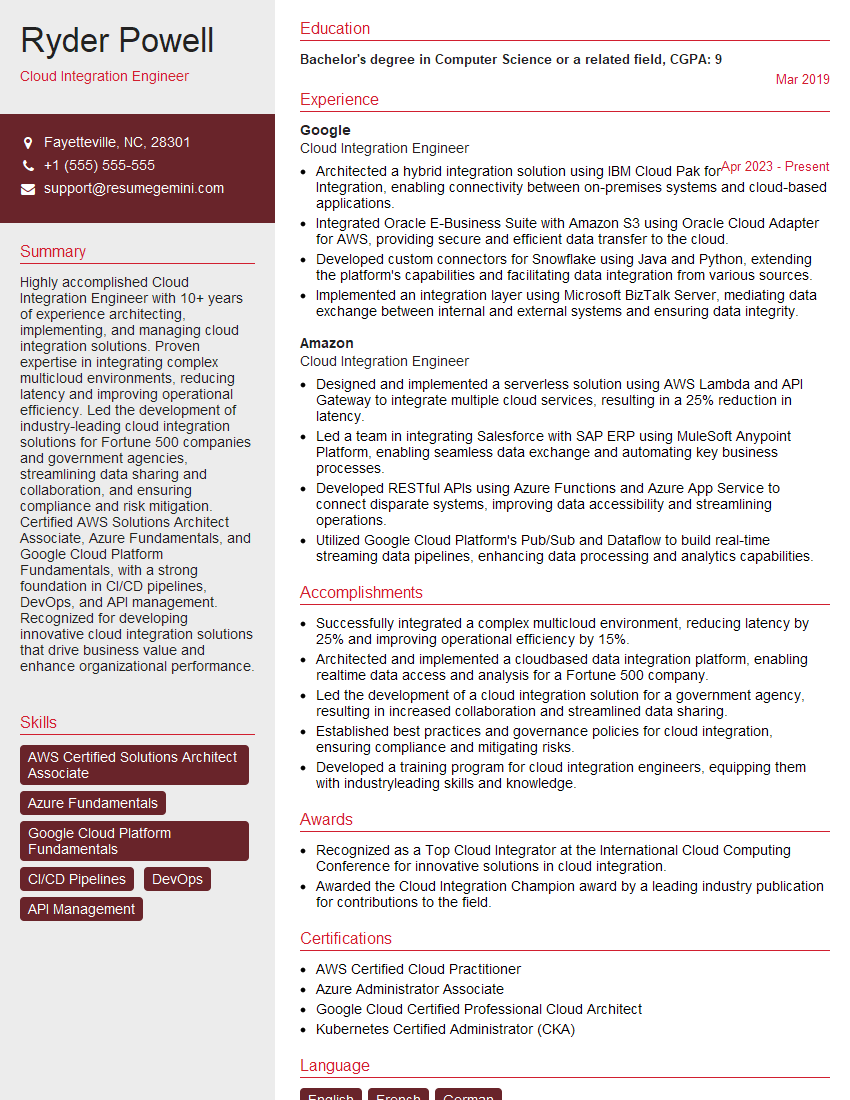
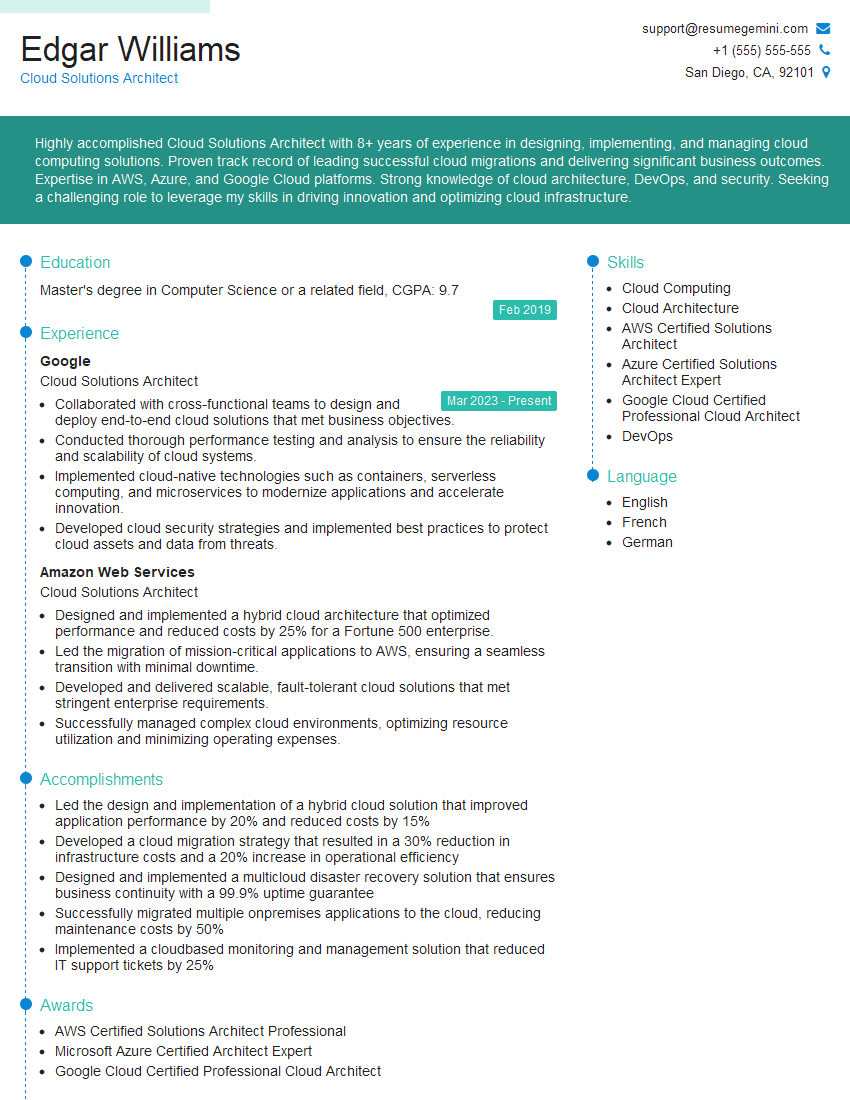
Mastering Cloud-Based Production is crucial for career advancement in today’s tech landscape. It opens doors to high-demand roles with excellent growth potential and competitive salaries. To maximize your job prospects, creating an ATS-friendly resume is paramount. A well-crafted resume highlights your skills and experience effectively, increasing your chances of landing interviews. We strongly encourage you to leverage ResumeGemini, a trusted resource for building professional resumes. ResumeGemini provides examples of resumes tailored to Cloud-Based Production, helping you showcase your qualifications effectively. Take the next step towards your dream career – build your best resume with ResumeGemini.

Explore more articles
Users Rating of Our Blogs
Share Your Experience
We value your feedback! Please rate our content and share your thoughts (optional).
What Readers Say About Our Blog
Very informative content, great job.
good