Interviews are more than just a Q&A session—they’re a chance to prove your worth. This blog dives into essential Computer Forensics and Investigation interview questions and expert tips to help you align your answers with what hiring managers are looking for. Start preparing to shine!
Questions Asked in Computer Forensics and Investigation Interview
Q 1. Explain the process of securing a crime scene involving a computer.
Securing a computer crime scene is paramount to preserving the integrity of digital evidence. It’s like handling a delicate puzzle; one wrong move can ruin the entire investigation. The process begins with immediate isolation of the suspect computer from any network connection – both wired and wireless. This prevents remote access and potential data alteration or deletion. Then, meticulously photograph and document the scene’s physical state, including the computer’s position, surrounding objects, and any visible damage. Next, create a forensic image of the hard drive(s) and other storage devices using write-blocking hardware to ensure no accidental modification of the original data. This creates an exact copy for analysis, leaving the original untouched. Finally, chain of custody documentation begins, meticulously tracking who handled the evidence and when.
For instance, imagine a case involving a suspected financial fraud. Securing the computer used by the suspect involves immediately disconnecting it from the internet and company network, taking photos showing its position at the desk and any visible external devices such as USB drives. Only then would a forensic image be created using a write-blocking device. The original hard drive would be securely stored in evidence bag with a unique identification number and logged into the chain of custody document.
Q 2. Describe different data recovery techniques.
Data recovery techniques vary depending on the extent of the data loss and the storage medium. Imagine a hard drive as a library, with files stored in different sections. Simple data recovery might involve using built-in operating system tools to restore files from the Recycle Bin or undelete functionality. More complex scenarios call for specialized software that can recover files from deleted areas of the hard drive, using techniques such as file carving which reconstructs files based on their header and footer signatures. For severely damaged drives, hardware-based solutions such as a cleanroom environment and specialized equipment might be needed to repair physical damage before recovery. Additionally, techniques like recovering deleted partitions or recovering data from backups, can be employed.
- File Carving: Reconstructs files based on their headers and footers, even if the file system metadata is damaged.
- Partition Recovery: Recovers data from lost or deleted partitions on the drive.
- Data Backup Restoration: Retrieving data from previously saved backup copies.
Q 3. What are the challenges in recovering data from SSDs compared to HDDs?
Recovering data from Solid State Drives (SSDs) presents unique challenges compared to Hard Disk Drives (HDDs). HDDs store data magnetically on spinning platters, making the data relatively easier to access, even if damaged, using specialized tools. SSDs, on the other hand, use flash memory, which works differently. When a file is deleted on an SSD, it’s not immediately erased. Instead, the space is marked as available, but the actual data might persist until overwritten. The challenge lies in the fact that modern SSDs use techniques like wear leveling and garbage collection, which actively move and erase data, making recovery more difficult. Furthermore, the wear leveling process can scatter data fragments across the drive making data recovery even more challenging. Secure erase features can also make the task considerably harder than it is with an HDD.
For example, recovering a deleted file from an HDD might involve simply recovering the file from unallocated space. However, on an SSD, the same deleted file might have been overwritten, moved, or erased during garbage collection, making recovery extremely difficult or even impossible.
Q 4. How would you handle a situation where evidence is encrypted?
Encountering encrypted evidence is a common hurdle in digital forensics. The approach depends on the type of encryption and the available information. If the encryption key is known, decryption is relatively straightforward. However, if the key is unknown, we might need to employ several strategies. One approach is to try common passwords and password cracking techniques. This involves using software that tries various password combinations or dictionary attacks. Another method involves exploring potential vulnerabilities in the encryption software itself. Advanced techniques like exploiting known weaknesses in the encryption algorithm or attempting side-channel attacks to infer the key from the system’s behavior may also be used. However, such techniques require a high level of technical expertise. Remember, ethical considerations and legal constraints always guide these activities; unauthorized decryption attempts could be illegal.
For instance, if we encounter a BitLocker encrypted drive, we may try to obtain the encryption key from the user. Otherwise, we would explore other avenues such as potential key recovery techniques associated with BitLocker, keeping within legal and ethical boundaries.
Q 5. Explain the concept of chain of custody in digital forensics.
Chain of custody in digital forensics is the unbroken and documented trail showing who had possession of the digital evidence at every stage of the investigation. It’s like a relay race, with each person passing the baton (evidence) to the next while documenting the handoff. This meticulous documentation ensures the integrity of the evidence and its admissibility in court. Each transfer requires documentation including date, time, individual receiving and transferring the evidence, reason for transfer and a signature.
Imagine a scenario where a laptop is seized as evidence. The officer who seized it meticulously documents this, including the serial number and date. Then, it’s transferred to a forensic lab where another individual signs it over and updates the chain of custody. Any deviation or gap in this chain can compromise the evidence’s validity and its weight in court.
Q 6. What are the common file systems and their vulnerabilities?
Various file systems organize data on storage devices, each with its own strengths and vulnerabilities. Common file systems include NTFS (New Technology File System), used primarily in Windows, and ext4 (fourth extended file system), widely used in Linux. NTFS offers features like encryption and access control lists (ACLs), but it can be vulnerable to metadata corruption and certain types of malware attacks. ext4 is known for its journaling capabilities, enhancing data integrity, but it’s still susceptible to attacks that exploit file system vulnerabilities or those targeting its journaling features.
- NTFS: Vulnerable to metadata corruption, certain types of malware attacks.
- ext4: Susceptible to attacks that exploit file system vulnerabilities or its journaling features.
- FAT32: Older file system, less secure and vulnerable to data loss.
Understanding these vulnerabilities is crucial for investigators to appropriately analyze evidence and develop effective recovery strategies. For instance, knowing that FAT32 lacks robust security features could guide investigators to focus on other potential sources of evidence in an investigation.
Q 7. How do you identify and analyze malware?
Identifying and analyzing malware involves a multi-step process. First, we use signature-based detection, which compares the malware’s characteristics against a database of known malware signatures. This is like using a fingerprint database to identify a suspect. If a match is found, the malware is identified. However, many malware samples are polymorphic or metamorphic; they frequently change their code to evade signature detection. Thus, heuristic analysis is used, which examines the malware’s behavior to determine if it’s malicious. This is analogous to observing a suspect’s actions to determine their guilt. Sandboxing is also used, running the malware in an isolated environment to monitor its behavior without impacting the system. Finally, static and dynamic analysis provide a more in-depth look into the malware’s code to understand how it functions, propagates, and affects the system. Tools like disassemblers and debuggers can help in this process.
For example, a suspicious file might be initially analyzed through signature-based detection. If unsuccessful, sandboxing and heuristic analysis are employed to understand its behavior before resorting to static and dynamic analysis using dedicated tools to uncover its functionality and malicious intent.
Q 8. Describe different types of computer forensic tools and their functionalities.
Computer forensic tools are specialized software and hardware used to investigate digital evidence. They help in preserving, identifying, extracting, and documenting data from various sources like computers, mobile devices, and networks. These tools can be broadly categorized into several types:
- Disk Imaging Tools: These tools, like FTK Imager and EnCase, create bit-stream copies (forensic images) of hard drives or other storage media. This ensures the original evidence remains untouched while a copy is analyzed, maintaining its integrity. Think of it like making a perfect photocopy of a document – you’re working with the copy, not the original.
- Data Recovery Tools: Tools like Recuva and PhotoRec help recover deleted files or data from damaged storage devices. They work by searching for file signatures and remnants of data even after deletion, much like piecing together a shattered photograph.
- File Carving Tools: These tools, often integrated into larger forensic suites, recover files without relying on the file system’s metadata. They identify file headers and footers to reconstruct the original file, a crucial skill when dealing with fragmented or damaged drives.
- Network Forensics Tools: Tools like Wireshark and tcpdump capture and analyze network traffic, helping investigators understand online activities, communication patterns, and potential intrusions. Imagine it as a detailed log of every conversation taking place on a network.
- Mobile Forensics Tools: Cellebrite UFED and Oxygen Forensic Detective are examples of tools used to extract data from mobile devices, including call logs, text messages, and application data. This is critical in cases involving smartphones and other handheld devices.
- Hashing Tools: Tools that calculate cryptographic hash values are vital for verifying data integrity. MD5 and SHA-256 algorithms are commonly used. A change as small as a single bit will result in a drastically different hash value, ensuring any tampering is quickly detected.
The choice of tools depends on the specific investigation’s requirements, the type of evidence involved, and the available resources.
Q 9. Explain the importance of hashing in digital forensics.
Hashing is a fundamental process in digital forensics that involves generating a unique ‘fingerprint’ (a hash value) for a file or data set. This fingerprint is a fixed-length string of characters created using a cryptographic hash function (like MD5 or SHA-256). The importance of hashing stems from its ability to:
- Verify Data Integrity: By comparing the hash value of a piece of evidence with its original hash value, investigators can confirm whether the evidence has been tampered with. Any alteration, no matter how small, will result in a different hash value.
- Authenticate Evidence: Hash values can be used to prove the authenticity of evidence by comparing hashes across different copies or versions. This ensures that the evidence presented in court is the same as the one collected at the crime scene.
- Identify Duplicate Files: Hashing allows for quick identification of duplicate files, which can be useful for determining the extent of data duplication or identifying copied files potentially used in illegal activities.
Imagine a detective needing to ensure the crime scene photos haven’t been altered. Hashing provides the digital equivalent of a tamper-evident seal, ensuring the integrity of the digital evidence.
Q 10. What are the legal and ethical considerations in computer forensics?
Legal and ethical considerations are paramount in computer forensics. Investigators must adhere to strict rules and regulations to ensure the admissibility of evidence in court and maintain public trust. Key considerations include:
- Search Warrants and Legal Authority: Investigators typically require a warrant or other legal authorization before seizing computer systems or accessing digital data. This safeguards individual privacy rights and prevents unauthorized access.
- Chain of Custody: Maintaining an unbroken chain of custody is crucial. This meticulous documentation of every person who has handled the evidence, along with the date and time, is essential to prove its authenticity and prevent claims of tampering.
- Data Privacy and Confidentiality: Investigators must protect the privacy of individuals whose data is being examined. Only relevant and necessary information should be collected and analyzed. Confidential data should be handled with the utmost care and protected from unauthorized access.
- Data Integrity: Ensuring the integrity of the evidence is critical. This includes using appropriate forensic techniques and tools to prevent data alteration or contamination.
- Professional Ethics: Forensic examiners must maintain a high level of professional ethics, including objectivity, impartiality, and adherence to professional codes of conduct. This builds trust in the forensic process.
Violating any of these considerations can render the evidence inadmissible in court and damage the credibility of the investigation. A well-documented, legally sound process is the cornerstone of successful digital forensics.
Q 11. How do you perform network forensics?
Network forensics involves the investigation of network events to gather evidence for criminal or civil cases. It involves capturing, analyzing, and interpreting network traffic data to identify malicious activities, security breaches, or other relevant events. The process generally involves these steps:
- Network Monitoring: Setting up network monitoring tools (like Wireshark or tcpdump) to capture network packets. This may involve deploying monitoring equipment directly on the network or using remote access.
- Data Acquisition: Capturing network traffic data. This often involves capturing large amounts of data, requiring significant storage space and efficient filtering techniques.
- Data Analysis: Analyzing captured network traffic using specialized tools and techniques. This involves identifying suspicious patterns, protocols, and communication events. Examining packet headers, payload data, and timestamps is essential.
- Correlation and Interpretation: Correlating network data with other types of evidence to establish context and draw conclusions. This often involves analyzing logs from servers, firewalls, and other network devices.
- Reporting: Creating a detailed report summarizing the findings of the network forensic investigation. This report should clearly outline the methodology, results, and conclusions.
Imagine a company experiencing a data breach. Network forensics would help identify the source of the attack, the techniques used, and the data compromised by analyzing the network traffic during the incident. It is similar to detective work, but focusing on the digital communication pathways.
Q 12. Explain the concept of volatile and non-volatile memory.
In computer forensics, understanding the difference between volatile and non-volatile memory is critical. It dictates how and when data must be acquired to ensure evidence isn’t lost.
- Volatile Memory (RAM): This is temporary memory that loses its contents when the power is turned off. Think of it as a whiteboard – the information is there until it’s erased or the board is wiped clean. Data in RAM, like currently running processes, open files, and user activity, is crucial evidence but requires immediate acquisition during an investigation.
- Non-Volatile Memory (Hard Drive, SSD, Flash Storage): This type of memory retains its data even when power is lost. It’s like a permanent record, akin to writing on paper – the information remains there even after the power is turned off. This includes files, folders, operating system files, and more. These data sources can be imaged and analyzed at a more convenient time, allowing for thorough examination.
In a live system investigation, collecting data from volatile memory is a top priority to capture real-time activity before it’s lost. Then, the non-volatile memory can be analyzed to piece together the bigger picture.
Q 13. Describe the process of acquiring data from a mobile device.
Acquiring data from a mobile device requires specialized tools and techniques due to the device’s complexities and security measures. The process generally involves:
- Physical Acquisition: This involves directly connecting the mobile device to a forensic workstation using a specialized cable or dock. This allows for the extraction of data using software such as Cellebrite UFED or Oxygen Forensic Detective. This is the most thorough method but requires physical access to the device.
- Logical Acquisition: This extracts only accessible data from the device, similar to a standard backup. This method is less intrusive but may not recover all data, especially deleted or hidden information.
- Chip-off Acquisition: A more advanced technique where the memory chip from the device is removed and data is extracted directly from it. This method is used in very serious cases where all data is needed even if it is encrypted or protected by other security measures.
- Cloud Data Acquisition: Many mobile devices sync data with cloud services, which need to be legally and ethically accessed and collected as part of a comprehensive examination.
Before extraction, the device’s state needs to be documented (including the power state, any passcodes, and the model), creating a detailed chain of custody record. The specific method used depends on the legal authority, the nature of the investigation, and the type of mobile device being examined.
Q 14. How do you handle deleted files and data recovery?
Deleted files and data aren’t actually completely erased when deleted; rather, the space they occupied is marked as available for new data. Data recovery involves retrieving this data before it’s overwritten. The process typically involves:
- Identifying the File System: Determining the type of file system (e.g., NTFS, FAT32) used by the storage device is crucial because different file systems manage deleted data differently.
- Using Data Recovery Software: Tools like Recuva, PhotoRec, or specialized forensic software can scan the storage media for traces of deleted files. They search for file signatures and data remnants within the ‘free space’.
- File Carving: In cases where file system metadata is damaged or missing, file carving techniques can reconstruct files based on their header and footer information. It’s akin to reassembling a puzzle based on the shape of the pieces.
- Analyzing Undeleted Data: Even undeleted files can provide significant information, especially metadata like creation dates, modification dates, and file attributes. This context is crucial for accurate interpretation.
The success rate of data recovery varies based on factors like the type of storage media, how the data was deleted, and whether the space has been overwritten. The earlier the recovery attempt, the higher the likelihood of successful retrieval. It’s important to remember that any recovered data needs to be handled with appropriate forensic techniques to maintain its integrity and admissibility.
Q 15. What are the differences between live and static forensic acquisition?
Live forensic acquisition involves analyzing a system while it’s running, allowing for the examination of volatile memory (RAM) and real-time processes. Think of it like observing a suspect in action. Static acquisition, on the other hand, involves creating a forensic image of a system after it’s been powered down. This is like examining a crime scene after the perpetrator has left, focusing on persistent data stored on hard drives and other storage media. The key difference lies in the data captured: live acquisitions capture ephemeral data that disappears upon shutdown, while static acquisitions focus on persistent data that survives a power cycle.
For example, imagine investigating a malware infection. A live acquisition would allow us to capture the malware’s running processes and network connections in real-time, providing crucial information about its behavior. A static acquisition would reveal the malware’s files on the hard drive and registry entries, providing insights into its installation and persistence mechanisms. The choice between live and static acquisition depends on the specific objectives of the investigation.
Career Expert Tips:
- Ace those interviews! Prepare effectively by reviewing the Top 50 Most Common Interview Questions on ResumeGemini.
- Navigate your job search with confidence! Explore a wide range of Career Tips on ResumeGemini. Learn about common challenges and recommendations to overcome them.
- Craft the perfect resume! Master the Art of Resume Writing with ResumeGemini’s guide. Showcase your unique qualifications and achievements effectively.
- Don’t miss out on holiday savings! Build your dream resume with ResumeGemini’s ATS optimized templates.
Q 16. Explain different types of forensic imaging techniques.
Forensic imaging techniques focus on creating bit-by-bit copies of digital evidence, ensuring data integrity. Several methods exist, each with strengths and weaknesses:
- Bit-stream copy: This is the gold standard, creating an exact duplicate of the entire storage device, including unallocated space. It’s like photocopying a document, but at the bit level. Tools like FTK Imager or dd are commonly used.
- Logical imaging: This method only copies specific files and folders, useful when dealing with large storage devices or when focusing on specific evidence. Think of it as photocopying only selected pages from a document.
- Sparse imaging: This technique optimizes storage space by only copying used sectors of a drive. It’s efficient for large drives with significant unallocated space, similar to compressing a large document before photocopying.
The choice of technique depends on the investigation’s scope and available resources. Bit-stream imaging is preferred when comprehensive analysis is required, while logical or sparse imaging can be more efficient for targeted investigations.
Q 17. How do you handle data integrity issues during an investigation?
Data integrity is paramount in digital forensics. Any alteration compromises the admissibility of evidence in court. To maintain integrity, we employ several methods:
- Hashing: Before and after any operation, we calculate cryptographic hash values (e.g., SHA-256) of the evidence. Any discrepancy indicates alteration. It’s like using a unique fingerprint for each version of the data.
- Write-blocking devices: These prevent writing to the original evidence, ensuring no accidental or malicious modification. It’s like using a read-only copy of the document.
- Chain of custody: We meticulously document every step of the process, including who handled the evidence, when, and where. This detailed record creates an unbroken chain of custody.
- Using validated forensic software: Employing well-established and regularly updated forensic tools reduces the risk of software bugs compromising data.
Maintaining data integrity is an ongoing process, demanding meticulous attention to detail throughout the entire investigation. Failure to do so can severely jeopardize the credibility of the investigation.
Q 18. Describe your experience with various forensic software.
Throughout my career, I’ve extensively used various forensic software tools. My experience includes:
- EnCase: A powerful suite for disk imaging, data recovery, and analysis. I’ve utilized EnCase to process large datasets, recover deleted files, and analyze file metadata.
- FTK Imager: A versatile tool primarily focused on creating forensic images. I’ve relied on FTK Imager for its speed and reliability in creating bit-stream and sparse images.
- Autopsy: An open-source digital forensics platform, often used for its flexibility and extensibility. I’ve employed Autopsy for its powerful plugin ecosystem and ability to analyze various data types.
- The Sleuth Kit: A command-line toolset that complements graphical interfaces. I’ve used specific tools within The Sleuth Kit for detailed analysis of file systems and disk structures.
My familiarity with these tools allows me to select the most appropriate software depending on the complexity of the case and the nature of the evidence.
Q 19. How do you analyze logs for security breaches?
Analyzing logs for security breaches requires a systematic approach. It’s like searching for clues in a detective novel. First, I identify the relevant logs (system, application, network, etc.). Then, I correlate events across multiple logs to establish a timeline of the breach. I look for unusual activities such as failed login attempts, unauthorized access, data exfiltration, or unusual network traffic. Regular expressions (regex) are invaluable for filtering and searching through massive log files. For example, searching for "failed login" can quickly highlight suspicious login attempts.
Once suspicious activities are identified, I analyze the data to understand the methods used by the attacker and the extent of the compromise. Tools like ELK stack (Elasticsearch, Logstash, Kibana) can be exceptionally helpful in managing and analyzing large volumes of log data. Finally, I document my findings, creating a comprehensive report that explains the breach’s root cause and recommends mitigation strategies.
Q 20. Explain your experience with incident response methodologies.
My incident response methodology follows a structured approach based on established frameworks like NIST’s Cybersecurity Framework. This involves:
- Preparation: Establishing incident response plans, defining roles and responsibilities, and ensuring access to necessary tools and resources. It’s like preparing a toolbox before tackling a repair job.
- Identification: Detecting and confirming a security incident. This often involves analyzing logs, monitoring network traffic, and receiving alerts from security systems.
- Containment: Isolating the affected systems to prevent further damage and data exfiltration. Think of quarantining an infected patient.
- Eradication: Removing the threat and restoring systems to their pre-incident state. This may involve removing malware, patching vulnerabilities, or resetting compromised accounts.
- Recovery: Restoring systems to operational status, testing functionality, and ensuring business continuity. It’s like getting the patient back on their feet.
- Lessons Learned: Conducting a post-incident review to identify weaknesses and improve future response capabilities. We learn from mistakes and improve our procedures.
I have experience leading incident response efforts, coordinating with various stakeholders, and documenting the entire process meticulously to ensure compliance and facilitate future responses.
Q 21. What is your understanding of the different types of cyberattacks?
My understanding of cyberattacks encompasses a wide range of threats, categorized by their objectives and methods. Some key examples include:
- Malware: Malicious software such as viruses, worms, Trojans, ransomware, and spyware. Ransomware, for instance, encrypts data and demands a ransom for its release.
- Phishing: Deceptive attempts to obtain sensitive information such as usernames, passwords, and credit card details. This often involves fraudulent emails or websites.
- Denial-of-Service (DoS) attacks: Overwhelming a system or network with traffic to make it unavailable to legitimate users. Imagine flooding a server with requests until it crashes.
- SQL Injection: Exploiting vulnerabilities in database applications to execute malicious code. This allows attackers to access, modify, or delete data.
- Man-in-the-Middle (MitM) attacks: Intercepting communication between two parties to eavesdrop or modify the exchanged data. It’s like secretly reading someone’s mail.
- Zero-day exploits: Attacks that target previously unknown vulnerabilities. These attacks are particularly dangerous because there are no patches available.
This is not an exhaustive list, but it covers common attack vectors. Understanding these threats allows me to develop effective security measures and perform thorough investigations.
Q 22. How do you prioritize tasks during a complex forensic investigation?
Prioritizing tasks in a complex forensic investigation requires a structured approach. Think of it like solving a puzzle – you need to assemble the pieces in a logical order to reveal the full picture. I typically employ a risk-based prioritization methodology, considering factors such as the potential for data loss, the volatility of evidence, and the legal implications of delays.
- Immediate Actions (High Priority): Securing the scene, creating a forensic image of volatile memory (RAM), and preserving any potentially ephemeral data like temporary files or network logs. This ensures that crucial evidence isn’t lost or altered.
- Time-Sensitive Evidence (Medium Priority): Examining data that might be readily overwritten or deleted, such as web browser history or recently deleted files. The order here depends on the specific case, but we aim for evidence most susceptible to loss or modification first.
- Long-Term Analysis (Low Priority): Analyzing less volatile data sources like hard drives or cloud storage, often involving more time-consuming tasks like database extraction or network traffic analysis. These investigations are often performed concurrently, or after high-priority items are completed.
For example, in a case involving a suspected ransomware attack, my first priority would be to secure the affected system and create a forensic image of the RAM to identify the malware and its command and control server. Only then would I move onto analyzing the hard drive for encrypted files and searching for ransom notes.
Q 23. Explain your experience with cloud forensics.
My experience in cloud forensics encompasses various cloud service providers, including AWS, Azure, and Google Cloud Platform. I’m proficient in using cloud-specific forensic tools to collect and analyze data from various cloud-based services, such as email, storage, and virtual machines. A crucial aspect is understanding the unique challenges posed by the distributed nature of cloud environments. This includes dealing with API limitations, data encryption at rest and in transit, and the complexities of virtualized infrastructure.
For example, I’ve worked on cases involving data breaches where the compromised data was stored in cloud storage services. In these instances, obtaining court orders to access data logs and virtual machine images from the cloud provider is essential. The process often involves coordinating with legal teams and working closely with the cloud provider’s security and legal departments.
I’m also experienced in analyzing cloud-based logs to track malicious activities, identifying the source and extent of the intrusion, and reconstructing the timeline of events. This often involves correlating data from various logs and services, requiring both technical expertise and strong analytical skills.
Q 24. What are the challenges of investigating crimes in the Dark Web?
Investigating crimes on the Dark Web presents unique challenges due to its anonymous and encrypted nature. Think of it as trying to find a specific needle in a massive, ever-shifting haystack, where the haystack is deliberately designed to be hard to navigate.
- Anonymity and Encryption: The use of tools like Tor and VPNs obscures the identities and locations of perpetrators, making it difficult to trace their activities.
- Jurisdictional Challenges: Criminals often operate across international borders, making it difficult to establish jurisdiction and coordinate with law enforcement agencies in multiple countries.
- Technical Expertise: Investigators need specialized skills to access and analyze data from the Dark Web, including the ability to use specialized tools and techniques to bypass encryption and anonymity measures.
- Data Volatility: Content on the Dark Web is often ephemeral, meaning it might disappear quickly. The ability to act quickly and decisively is critical.
Overcoming these challenges often involves collaborating with specialized law enforcement units, using advanced forensic techniques, and leveraging open-source intelligence gathering. Tracing cryptocurrency transactions and analyzing communication patterns can sometimes help to unmask the identities of actors operating on the Dark Web.
Q 25. How do you ensure the admissibility of digital evidence in court?
Ensuring the admissibility of digital evidence in court hinges on demonstrating its authenticity, integrity, and relevance. This is crucial; otherwise, the evidence may be deemed inadmissible, severely impacting the case.
The process involves meticulously documenting every step of the investigation, adhering to strict chain-of-custody procedures, and using validated forensic tools and techniques. This includes:
- Chain of Custody: Maintaining a detailed and unbroken record of who handled the evidence, when, and under what circumstances. This ensures that the evidence hasn’t been tampered with or compromised.
- Hashing: Creating cryptographic hashes of the evidence at each stage of the investigation to verify its integrity. Any alteration of the data will result in a different hash value.
- Forensic Sound Tools: Utilizing industry-standard forensic software and hardware, ensuring that they are regularly updated and certified. This ensures reliability and repeatability.
- Detailed Reports: Writing comprehensive reports outlining the methods used, findings, and interpretations, detailing the entire forensic process clearly and concisely.
- Expert Witness Testimony: Being prepared to explain the methodologies used, the analysis results, and their significance in court.
For example, failure to properly document the chain of custody or using an unvalidated tool can render evidence inadmissible. The process necessitates rigorous attention to detail and adherence to established best practices.
Q 26. Describe your experience with forensic analysis of databases.
My experience with forensic analysis of databases involves extracting, analyzing, and interpreting data from various database systems, including SQL Server, Oracle, MySQL, and others. This often involves recovering deleted data, identifying patterns of suspicious activity, and correlating database records with other forms of digital evidence.
I’m proficient in using forensic database tools and techniques such as:
- Data Extraction: Using specialized tools to create forensic images of databases, ensuring that the original data remains untouched.
- Data Carving: Recovering deleted or fragmented data from databases.
- SQL Querying: Using SQL queries to identify relevant data and patterns of interest. For example, querying transaction logs to identify suspicious financial activity.
- Timeline Analysis: Creating timelines of database activity to reconstruct events and identify anomalies.
In a recent case involving an insider threat, I analyzed the database logs to identify unusual access patterns by an employee. This led to the discovery of sensitive data being exfiltrated, helping to build a strong case.
Q 27. What are your strengths and weaknesses in computer forensics?
Strengths: My strengths lie in my methodical approach, attention to detail, and my ability to quickly grasp complex technical issues. I’m adept at using various forensic tools, and I possess strong analytical and problem-solving skills. I also thrive in collaborative environments, recognizing that effective investigations require teamwork.
Weaknesses: While I’m proficient in many areas of computer forensics, I’m always striving to expand my knowledge of emerging technologies like blockchain forensics. Staying current with the rapid advancements in technology requires continuous learning and adaptation – a challenge I actively address through ongoing professional development and training.
Q 28. Where do you see yourself in five years in the field of computer forensics?
In five years, I envision myself as a recognized expert in computer forensics, specializing in advanced techniques like cloud forensics and blockchain analysis. I hope to lead complex investigations, mentor junior investigators, and contribute to the development of new forensic tools and methodologies. I’d also like to be involved in shaping forensic standards and best practices within the industry.
My long-term goal is to leverage my skills to contribute to a safer digital world, helping to combat cybercrime and protect individuals and organizations from the ever-growing threat of digital attacks.
Key Topics to Learn for Computer Forensics and Investigation Interview
- Data Acquisition: Understanding various data acquisition techniques (e.g., disk imaging, memory dumps) and their legal implications. Practical application: Explaining the importance of maintaining a chain of custody.
- Network Forensics: Analyzing network traffic and logs to identify intrusions, malware, and other security incidents. Practical application: Describing how to investigate a Distributed Denial of Service (DDoS) attack.
- Malware Analysis: Reversing and analyzing malicious software to understand its functionality and impact. Practical application: Explaining the process of identifying and neutralizing a zero-day exploit.
- Digital Evidence Analysis: Examining digital evidence to determine its authenticity, integrity, and admissibility in court. Practical application: Discussing the challenges of handling fragmented or encrypted data.
- Incident Response: Developing and implementing incident response plans to mitigate the impact of security breaches. Practical application: Outlining the steps involved in responding to a ransomware attack.
- Legal and Ethical Considerations: Understanding relevant laws and regulations (e.g., Fourth Amendment, data privacy laws) and ethical guidelines for conducting forensic investigations. Practical application: Discussing the importance of obtaining proper warrants and consent.
- Forensic Tools and Technologies: Familiarity with common forensic tools (e.g., EnCase, FTK, Autopsy) and their capabilities. Practical application: Comparing and contrasting different forensic imaging tools.
- Report Writing and Presentation: Effectively communicating findings and conclusions through clear and concise reports and presentations. Practical application: Structuring a forensic report to meet legal standards.
Next Steps
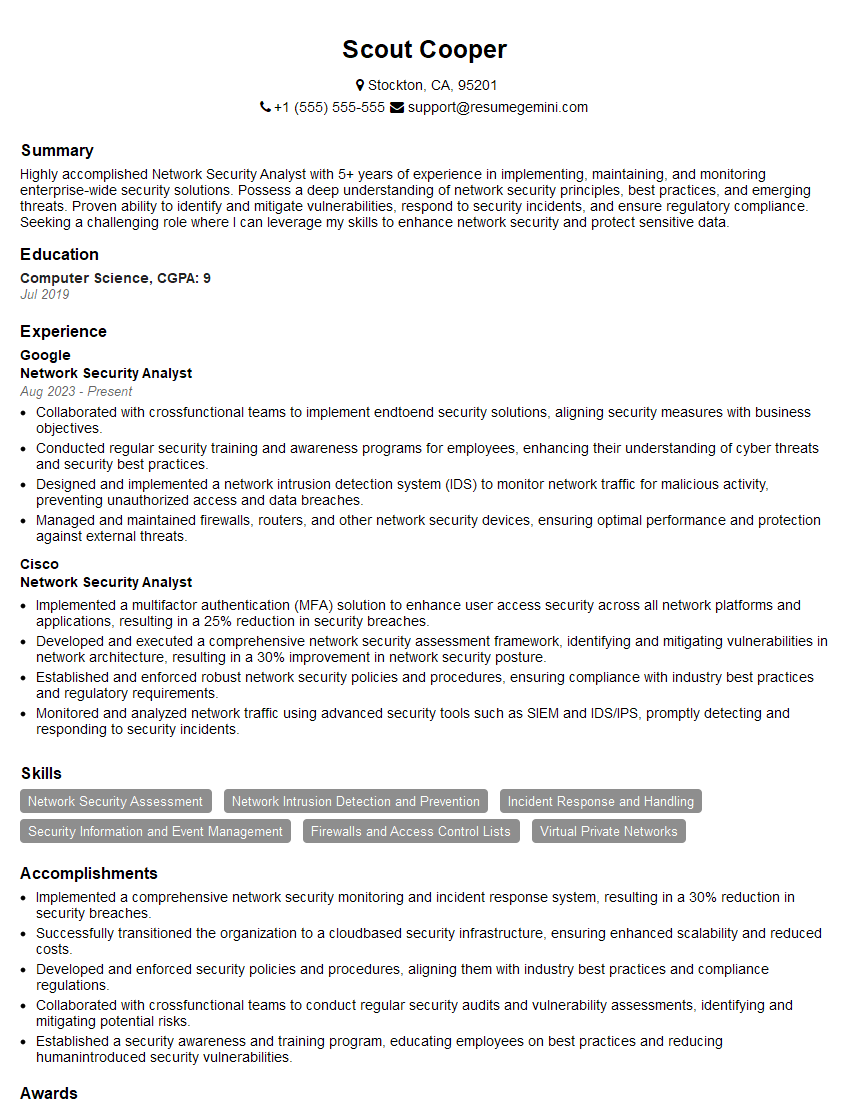
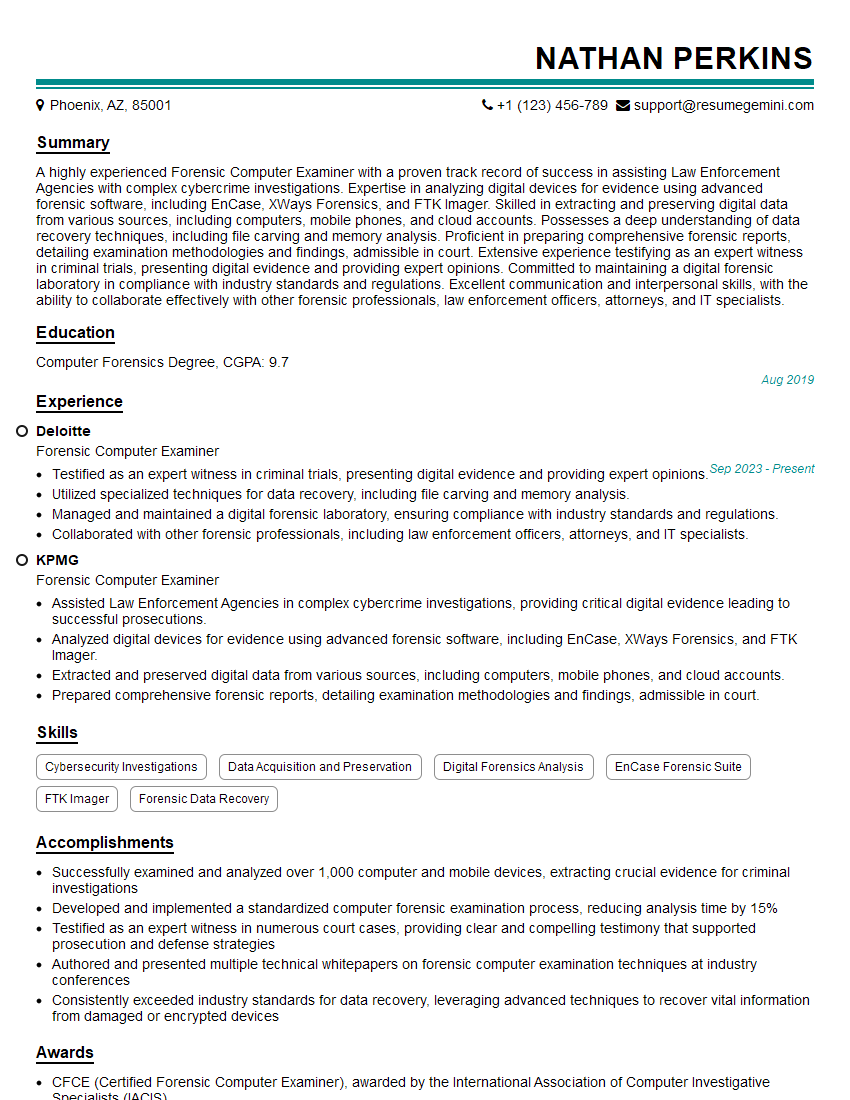
Mastering Computer Forensics and Investigation opens doors to exciting and impactful careers in cybersecurity, law enforcement, and private industry. To maximize your job prospects, focus on crafting a compelling and ATS-friendly resume that showcases your skills and experience. ResumeGemini is a trusted resource to help you build a professional and effective resume. They provide examples of resumes tailored to Computer Forensics and Investigation roles, helping you present your qualifications in the best possible light. Invest the time to build a strong resume – it’s your key to unlocking your career potential in this dynamic field.




Explore more articles
Users Rating of Our Blogs
Share Your Experience
We value your feedback! Please rate our content and share your thoughts (optional).
What Readers Say About Our Blog
Very informative content, great job.
good