Unlock your full potential by mastering the most common Configuration Management Tools (e.g., ServiceNow, BMC Remedy) interview questions. This blog offers a deep dive into the critical topics, ensuring you’re not only prepared to answer but to excel. With these insights, you’ll approach your interview with clarity and confidence.
Questions Asked in Configuration Management Tools (e.g., ServiceNow, BMC Remedy) Interview
Q 1. Explain the importance of a Configuration Management Database (CMDB).
A Configuration Management Database (CMDB) is the central repository of all IT assets within an organization. Think of it as a comprehensive inventory, but far more powerful. Its importance stems from its ability to provide a single source of truth about everything from servers and network devices to software licenses and applications. This single source of truth is crucial for several reasons:
- Improved Incident Management: When an incident occurs, technicians can quickly identify affected components and their relationships, accelerating resolution times.
- Enhanced Change Management: Understanding the impact of changes before implementation is paramount. The CMDB allows for impact analysis by showing dependencies between different IT assets.
- Better Service Level Management: By tracking performance metrics linked to specific assets, organizations can better manage and optimize service levels.
- Effective Capacity Planning: The CMDB provides data on current resource utilization, aiding in forecasting future needs and preventing bottlenecks.
- Reduced Costs: By optimizing asset utilization and preventing redundant purchases, the CMDB contributes to significant cost savings.
For example, imagine a server failure. With a well-maintained CMDB, you instantly know which applications rely on that server, who the impacted users are, and what alternative solutions might be available. This drastically reduces downtime and associated costs.
Q 2. Describe your experience with ServiceNow or BMC Remedy workflows.
In my previous role, I extensively utilized ServiceNow’s CMDB capabilities. I was involved in designing, implementing, and maintaining workflows for various ITIL processes. This included:
- Incident Management: Automating the identification of affected CIs (Configuration Items) based on incident descriptions and linking them to the appropriate resolution groups.
- Change Management: Implementing workflows to automatically assess the impact of changes on related CIs, ensuring approvals and mitigating risks.
- Asset Management: Developing workflows for automated asset discovery, reconciliation, and retirement processes, including integration with external tools.
A specific example involves automating the creation of change requests. Whenever a new server was added to our network, the automated discovery process in ServiceNow would populate the CMDB with details of that server. This automatically triggered a change request, streamlining the approval process and ensuring proper documentation.
While I haven’t had direct experience with BMC Remedy, I understand its core functionalities and believe the workflow principles would be very similar. The focus would be on creating efficient and automated processes to manage the lifecycle of IT assets within their CMDB.
Q 3. How do you ensure data accuracy within a CMDB?
Ensuring data accuracy in a CMDB is crucial for its effectiveness. Several strategies are essential:
- Automated Discovery: Implementing tools that automatically discover and populate the CMDB with information about IT assets, minimizing manual data entry errors.
- Regular Reconciliation: Regularly comparing the CMDB data with data from other sources (e.g., network inventory tools) to identify discrepancies and resolve them.
- Data Validation: Setting up rules and validation checks to prevent incorrect data from being entered into the CMDB. This might involve data type validation, ranges, and required fields.
- Data Governance: Establishing clear roles and responsibilities for data management and maintenance within the CMDB. This involves training, documentation, and communication.
- Data Cleansing Processes: Implementing procedures to regularly clean and update the CMDB, removing duplicate entries, resolving inconsistencies, and updating outdated information.
Imagine a scenario where incorrect IP addresses are entered into the CMDB. This could lead to technicians attempting repairs on the wrong devices during an outage. Implementing thorough validation checks prevents such issues.
Q 4. What are the key differences between ServiceNow and BMC Remedy?
ServiceNow and BMC Remedy are both leading ITSM platforms with robust CMDB capabilities, but they differ in several key aspects:
- Architecture: ServiceNow is a cloud-based platform, offering greater scalability and accessibility. BMC Remedy can be cloud-based or on-premises, providing flexibility but requiring more infrastructure management.
- User Interface: ServiceNow typically has a more intuitive and user-friendly interface, while BMC Remedy can sometimes feel more complex for less technical users.
- Customization: Both platforms offer customization options, but ServiceNow’s low-code/no-code approach generally makes it easier to implement changes and extend functionality.
- Pricing Model: ServiceNow usually employs a subscription-based model, whereas BMC Remedy offers various licensing options.
- Integration Capabilities: Both platforms offer strong integration capabilities, allowing for seamless data exchange with other tools.
The best choice depends on specific organizational needs, technical expertise, and budget constraints. For instance, a smaller organization might prefer Remedy’s on-premises option for greater control, while a larger, rapidly growing enterprise might favor ServiceNow’s scalability and ease of use.
Q 5. Explain your understanding of ITIL processes and their relation to CMDB.
ITIL (Information Technology Infrastructure Library) processes are a set of best practices for IT service management. The CMDB plays a vital role in supporting several key ITIL processes:
- Incident Management: The CMDB enables rapid identification of impacted services and assets, facilitating quicker resolution.
- Problem Management: By analyzing data from multiple incidents related to a specific CI, the CMDB assists in identifying underlying problems and implementing preventative measures.
- Change Management: The CMDB is essential for assessing the impact of changes and ensuring that they don’t disrupt critical services.
- Release Management: The CMDB helps track the deployment of new releases and ensure that they are properly integrated with existing systems.
- Asset Management: The CMDB is the core repository for all IT assets, enabling accurate tracking of their lifecycle.
For example, during a change implementation, the CMDB allows administrators to check dependencies between assets, ensuring that modifications to one system don’t adversely affect others. This minimizes disruption and enhances service availability.
Q 6. How do you handle conflicting data within a CMDB?
Conflicting data within a CMDB can arise from various sources, including manual data entry errors, integration issues, or discrepancies between different data sources. Handling these conflicts requires a systematic approach:
- Identify the Conflict: Use automated tools and reports to identify discrepancies in the CMDB data.
- Investigate the Root Cause: Determine the origin of the conflicting data. This might involve checking the source systems or reviewing audit logs.
- Prioritize Resolution: Focus on resolving conflicts that have the greatest impact on critical services first.
- Resolve the Conflict: This may involve correcting the inaccurate data, merging duplicate entries, or using a defined process to determine the most accurate value.
- Document the Resolution: Record the steps taken to resolve the conflict and the rationale behind the decision.
A practical example would be two entries for the same server with different IP addresses. I would investigate the source of the discrepancy – perhaps one entry was outdated – and update the CMDB with the correct information. The resolution process would be documented to prevent the issue from recurring.
Q 7. Describe your experience with CMDB reconciliation processes.
CMDB reconciliation involves comparing data from the CMDB with data from various other sources to identify and resolve discrepancies. My experience includes utilizing both automated tools and manual processes. Automated tools typically scan network devices, databases, and other systems to gather information about IT assets, comparing this against the CMDB’s existing data. Manual processes, on the other hand, often involve reviewing reports and spreadsheets to identify and rectify discrepancies. This could involve identifying missing records, updating outdated information or resolving conflicts.
A crucial aspect of reconciliation is establishing a clear process and schedule. This involves defining what data sources to reconcile, the frequency of reconciliation, and the procedure for resolving conflicts. I typically start by identifying the key discrepancies through comparing data points from various systems. This can be done through reports and dashboards provided by the CMDB tools itself or by running scripts to compare data directly. Following this, I would verify the discrepancy and then update the CMDB with the most accurate information, documenting each change made.
For instance, I’ve used scripts to automatically compare the CMDB’s list of servers against the output of a network discovery tool. Any discrepancies, such as servers missing from the CMDB or those listed with outdated specifications, were automatically flagged for review and correction. This automated process significantly reduced manual effort and improved data accuracy.
Q 8. What are the best practices for managing changes in a CMDB?
Managing changes in a CMDB (Configuration Management Database) effectively requires a structured approach emphasizing control and accuracy. Think of it like managing a complex Lego castle – you wouldn’t just randomly add or remove pieces. Best practices involve a robust change management process tightly integrated with the CMDB updates.
- Strict Change Control: All changes to CIs (Configuration Items) must be documented, approved, and tracked within the change management system before implementation in the CMDB. This ensures traceability and minimizes errors. For example, before deploying a new server, a change request detailing its specifications, location, and impact would be approved, then the CMDB updated accordingly.
- Automated Processes: Automate CMDB updates whenever possible using APIs or scripting. This minimizes manual intervention, reducing human error and improving speed. For instance, automated discovery tools can populate the CMDB with details of newly deployed servers without manual entry.
- Version Control: Maintain a history of changes to each CI. This allows for rollback in case of errors and provides valuable audit trails for compliance and troubleshooting. This is akin to saving different versions of a document, so you can always revert to an earlier stage.
- Clear Roles and Responsibilities: Define who’s responsible for updating which parts of the CMDB to avoid conflicts and ensure accountability. A well-defined RACI (Responsible, Accountable, Consulted, Informed) matrix is helpful.
- Regular Audits: Periodically audit the CMDB for data accuracy and completeness. This involves comparing CMDB data to reality and identifying discrepancies for remediation. Think of it as a regular inventory check to make sure everything is accounted for.
Q 9. How do you ensure the CMDB remains up-to-date and accurate?
Keeping a CMDB current and accurate is crucial for its value. It’s like keeping a detailed, constantly updated map – an outdated map is useless. Here’s how I ensure accuracy:
- Automated Discovery: Implement automated discovery tools that regularly scan the IT infrastructure to identify and update CI information. These tools can detect new devices, changes in configurations, and decommissioned assets.
- Data Synchronization: Integrate the CMDB with other IT systems, such as ITSM tools, monitoring systems, and ticketing systems. This ensures data consistency across platforms. For example, if a server is decommissioned in the ITSM tool, this change should automatically reflect in the CMDB.
- Data Validation: Establish data validation rules and automated checks within the CMDB to catch inconsistencies or errors during data entry. For example, a rule could prevent the entry of an IP address that’s already assigned to another device.
- Regular Reconciliation: Regularly reconcile CMDB data with the actual IT infrastructure. This could involve manual verification for critical CIs or using automated tools for a broader sweep.
- Data Governance: Implement a robust data governance process with clearly defined roles, responsibilities, and processes for managing CMDB data. This includes data quality checks, access controls, and data cleansing procedures.
Q 10. Describe your experience with reporting and analytics using a CMDB.
My experience with CMDB reporting and analytics is extensive. I’ve used CMDBs to generate reports for various stakeholders, from IT operations to executive management. The key is understanding what questions need to be answered and tailoring reports accordingly.
- Capacity Planning: I’ve used CMDB data to analyze server utilization, storage capacity, and network bandwidth to proactively plan for future capacity needs. This involved creating visualizations showing trends and predicting future demand.
- Incident Management: CMDB data has been instrumental in accelerating incident resolution by providing a centralized view of impacted CIs and their relationships. For example, quickly identifying all devices connected to a faulty network switch during an outage.
- Cost Optimization: I’ve used CMDB data to identify underutilized or redundant assets, leading to cost savings through optimization or decommissioning. This involves reporting on asset utilization and identifying opportunities for consolidation.
- Compliance Reporting: CMDB data can be used to generate reports for compliance audits, demonstrating adherence to regulatory requirements. For example, identifying all devices with sensitive data and their security configurations.
- Custom Dashboards: I’ve developed custom dashboards to provide key performance indicators (KPIs) related to CMDB health, data accuracy, and change management effectiveness. These dashboards offer real-time insights and facilitate proactive management.
I’m proficient in using both built-in reporting features and custom scripting (e.g., using ServiceNow’s scripting capabilities or Remedy’s APIs) to create tailored reports and analyses.
Q 11. How do you integrate a CMDB with other IT systems?
Integrating a CMDB with other IT systems is crucial for maintaining data accuracy and providing a holistic view of the IT infrastructure. Think of it as connecting different parts of a puzzle to form a complete picture.
- ITSM Tools: Integration with ITSM (IT Service Management) tools like ServiceNow or BMC Remedy is essential. This allows changes made in the ITSM tool (e.g., incident resolution) to automatically update the CMDB, ensuring consistency.
- Monitoring Systems: Integrating with monitoring tools provides real-time data on CI performance and status. This allows for proactive identification of potential problems.
- Discovery Tools: Integrating discovery tools automates the population and update of CI information in the CMDB.
- Asset Management Systems: Linking with asset management systems provides a complete picture of IT assets, including their lifecycle and financial information.
- Network Management Systems: Integration with network management systems allows for tracking network devices and their configurations within the CMDB.
Integration methods typically involve APIs, middleware, or ETL (Extract, Transform, Load) processes. For example, I’ve used ServiceNow’s REST APIs to integrate the CMDB with our monitoring system, automatically updating CI statuses based on real-time monitoring data.
Q 12. Explain your experience with scripting or automation within a CMDB tool.
Scripting and automation are critical for efficiently managing a CMDB. They allow for streamlining tasks, reducing manual effort, and improving accuracy.
- Automated Discovery Scripts: I’ve written scripts (e.g., using PowerShell or Python) to automate the discovery and import of CI information from various sources, such as network devices, servers, and databases. This reduces manual effort and ensures data consistency.
- CMDB Data Enrichment: I’ve used scripting to enrich CMDB data by automatically pulling information from other systems. For example, using API calls to retrieve server performance metrics and automatically update related CIs in the CMDB.
- Custom Reports and Dashboards: I’ve leveraged scripting capabilities (like those in ServiceNow or Remedy) to create customized reports and dashboards tailored to specific business needs. This ensures that stakeholders get the specific information they require.
- Automated Change Management: I’ve implemented scripts to trigger automated CMDB updates upon completion of change requests in the ITSM tool. This ensures that the CMDB reflects the current state of the IT infrastructure.
- Data Cleansing and Validation: I’ve developed scripts to automate data cleansing and validation tasks, improving data quality and reducing manual intervention.
Example (pseudocode): //ServiceNow script to update a CI upon successful change closure function update_ci_on_change_close(change_record){ var ci = new GlideRecord('cmdb_ci'); ci.addQuery('sys_id', change_record.cmdb_ci); ci.query(); if(ci.next()){ //update CI attributes based on change request } }
Q 13. How do you troubleshoot common CMDB issues?
Troubleshooting CMDB issues requires a systematic approach. It’s like detective work – you need to gather clues to find the root cause.
- Data Discrepancies: Investigate discrepancies between the CMDB data and the actual IT infrastructure. This often involves comparing CMDB data with information from other systems or manual verification.
- Integration Problems: Troubleshoot integration issues between the CMDB and other IT systems. This might involve checking API connections, data mappings, or ETL processes.
- Performance Issues: Analyze CMDB performance issues, such as slow query response times or high resource utilization. This often requires analyzing system logs and optimizing database queries.
- Data Quality Issues: Address data quality issues, such as missing data, incomplete information, or inconsistent data formats. This often involves reviewing data validation rules and implementing data cleansing procedures.
- User Access and Permissions: Troubleshoot user access and permission problems, ensuring that users have the appropriate level of access to CMDB data.
My approach involves using system logs, debugging tools, and querying the CMDB database directly to identify the root cause. I also leverage the built-in diagnostic features of the CMDB tool itself.
Q 14. What are the challenges of managing a large and complex CMDB?
Managing a large and complex CMDB presents unique challenges. Think of it like managing a vast city – the bigger it gets, the harder it is to maintain.
- Data Volume and Complexity: The sheer volume and complexity of data in a large CMDB can make it difficult to maintain data accuracy and consistency.
- Data Silos: Large organizations often have multiple data sources that may not be integrated, leading to data silos and inconsistencies.
- Scalability: The CMDB needs to be scalable to accommodate future growth and changes in the IT infrastructure.
- Performance: Maintaining acceptable performance as the CMDB grows can be challenging.
- Data Governance: Implementing and enforcing robust data governance processes is crucial to maintain data quality and consistency.
Addressing these challenges requires a well-defined data governance strategy, automation of data management tasks, and investment in robust CMDB technologies. Regular data cleansing, optimized database design, and clear roles and responsibilities are essential for long-term success.
Q 15. Describe your experience with CMDB security and access control.
CMDB security and access control are paramount to maintaining data integrity and preventing unauthorized modifications. Think of it like a high-security vault – you wouldn’t want just anyone accessing sensitive information about your organization’s infrastructure. In my experience, robust security involves a multi-layered approach.
- Role-Based Access Control (RBAC): This is fundamental. Different roles (e.g., IT Operations, Development, Security) are assigned specific permissions, limiting access to only the CIs (Configuration Items) and data relevant to their responsibilities. For example, a developer might have read-only access to production CIs but full access to development CIs.
- Data Encryption: Sensitive data within the CMDB, such as passwords or API keys, should be encrypted both in transit and at rest to protect against data breaches. This is crucial for compliance with regulations like GDPR and CCPA.
- Auditing and Logging: A comprehensive audit trail is essential for tracking all changes made within the CMDB. This allows for accountability and helps in identifying and addressing potential security incidents. This often involves detailed logging of user activities, including who made changes, what changes were made, and when.
- Regular Security Assessments: Periodic security reviews and penetration testing are crucial to identify vulnerabilities and ensure that security measures remain effective. This might involve vulnerability scanning tools or simulated attacks to check for weaknesses.
- Integration with other Security Systems: The CMDB should ideally integrate with other security tools, such as Identity and Access Management (IAM) systems, to leverage existing authentication and authorization mechanisms and provide a holistic security posture.
In my previous role at Acme Corp, we implemented RBAC using ServiceNow’s built-in features, resulting in a 30% reduction in unauthorized access attempts within the first quarter. We also integrated the CMDB with our SIEM (Security Information and Event Management) system to proactively detect and respond to security threats.
Career Expert Tips:
- Ace those interviews! Prepare effectively by reviewing the Top 50 Most Common Interview Questions on ResumeGemini.
- Navigate your job search with confidence! Explore a wide range of Career Tips on ResumeGemini. Learn about common challenges and recommendations to overcome them.
- Craft the perfect resume! Master the Art of Resume Writing with ResumeGemini’s guide. Showcase your unique qualifications and achievements effectively.
- Don’t miss out on holiday savings! Build your dream resume with ResumeGemini’s ATS optimized templates.
Q 16. How do you manage relationships between CIs within the CMDB?
Managing relationships between CIs is the backbone of a useful CMDB. Without accurate relationship mapping, the CMDB becomes a mere inventory list, losing its power for impact analysis and problem solving. Think of it like a family tree – each individual (CI) has connections to others. We use several approaches to manage these relationships:
- Standard Relationship Types: We define standard relationship types (e.g., ‘owns’, ‘contains’, ‘depends on’, ‘installed on’) to ensure consistency and clarity across the CMDB. This ensures all users understand the meaning of the connection.
- Automated Discovery and Relationship Mapping: Tools can automatically discover relationships between CIs through network scanning or API integrations. For instance, discovering that a specific server is running a particular application.
- Manual Relationship Creation: In cases where automated discovery isn’t sufficient, manual creation is necessary, often relying on subject matter experts’ knowledge. This includes carefully documented relationships to avoid ambiguity.
- Relationship Diagrams and Visualizations: Tools offer visualization capabilities to represent CI relationships graphically. This is often more intuitive and shows interconnectedness far better than a table of data.
- Data Validation Rules: Implementing validation rules ensures data integrity. For example, preventing a relationship from being created if certain conditions aren’t met (e.g., a server cannot be ‘installed on’ a non-existent rack).
For instance, at Beta Solutions, we used automated discovery to map the relationships between our network devices and servers, drastically reducing the time required for impact analysis during planned maintenance activities. We also regularly reviewed and updated relationships manually based on changes in our infrastructure.
Q 17. What are the key performance indicators (KPIs) you monitor for a CMDB?
Key Performance Indicators (KPIs) for a CMDB are crucial to monitor its health, accuracy, and effectiveness. They reveal whether the CMDB is delivering value and achieving its objectives. The KPIs I focus on usually include:
- CI Accuracy: Percentage of CIs with complete and accurate attributes. A low percentage indicates data quality issues.
- Relationship Accuracy: Percentage of relationships between CIs that are accurate and up-to-date. Inaccurate relationships render the CMDB inaccurate for problem solving.
- CMDB Completeness: Percentage of CIs that are included in the CMDB compared to the total number of CIs in the organization’s IT infrastructure. A lack of CIs leads to poor insight and visibility.
- Data Freshness: Average age of data in the CMDB. Outdated information limits value and decision making capabilities.
- User Adoption Rate: Number of users actively using the CMDB and the frequency of their access. This reflects how helpful the CMDB is to the users.
- Time to Resolution: Time taken to resolve incidents, using the CMDB for information gathering.
- Number of Change Requests Related to CMDB Issues: High numbers suggest issues in data quality or the CMDB process.
For example, at Gamma Industries, we tracked CI Accuracy and Completeness, leading to improvements in data quality and, ultimately, a 15% reduction in incident resolution time.
Q 18. Explain your understanding of CI identification and classification.
CI identification and classification are critical for a successful CMDB. It’s like organizing a library – you wouldn’t be able to find a book without a proper classification system. The process involves:
- Identifying CIs: This begins with determining what constitutes a CI within your organization’s context. This includes hardware (servers, routers, printers), software (applications, operating systems), and services. Often the first step involves detailed discussions with various IT groups to understand all IT assets.
- Classifying CIs: Once identified, CIs are classified using a predefined taxonomy or classification scheme. This commonly involves using a classification scheme based on type (hardware, software), location (data center, cloud), and function. Consistent classification is essential.
- Using a Standard Classification Scheme: Adopting a standard classification framework (like ITIL) promotes consistency and allows for better data integration.
- Attribute Definition: Each CI type needs a set of defined attributes to store relevant information. This includes details such as model number, version, owner, location, etc.
- Regular Reviews: The classification scheme requires periodic review and updates to reflect changes in the IT infrastructure. As new technologies are implemented, adjustments are essential.
At Delta Corp, we implemented a hierarchical classification scheme based on ITIL, which greatly improved the organization and consistency of our CMDB data. This made searching and retrieving information much easier.
Q 19. How do you handle data migration to a new CMDB system?
Migrating data to a new CMDB system is a complex undertaking that demands careful planning and execution. It’s akin to moving house – you need a well-defined plan to avoid chaos. The key steps involve:
- Data Assessment: Thoroughly assess the current CMDB data, identifying data quality issues and duplicates.
- Data Cleansing: Cleanse the data to ensure accuracy and consistency before migration. This might include data transformation, standardization, and deduplication.
- Data Mapping: Map the existing data fields to the new CMDB’s data model. This ensures accurate transfer of data.
- Migration Strategy: Choose a migration strategy – big bang or phased approach. Phased migration allows for incremental testing and validation.
- Data Validation: Validate the migrated data in the new CMDB to ensure data integrity and accuracy. This is critical for ensuring the information in the new CMDB is correct.
- Testing: Rigorous testing is essential to identify and resolve any migration-related issues before full cutover.
- Post-Migration Monitoring: Continuously monitor the CMDB after migration to identify and address any issues that emerge.
At Epsilon Systems, we used a phased approach to migrate our CMDB to ServiceNow, migrating data in stages and validating each stage before proceeding. This minimized disruption and ensured a smooth transition.
Q 20. Describe your experience with CMDB lifecycle management.
CMDB lifecycle management encompasses the entire lifecycle of a CI, from creation to decommissioning. It’s like managing the lifespan of a product – from design to disposal. Effective lifecycle management includes:
- CI Creation: Accurate and timely entry of new CIs into the CMDB as soon as they are provisioned. This ensures the CMDB always remains up-to-date.
- CI Updates: Regular updates to CI attributes throughout their lifecycle. For example, updating software versions or replacing hardware.
- CI Retirement: Properly handling the decommissioning of CIs. This usually includes a procedure to properly remove the CI from the CMDB after it’s been removed from the infrastructure.
- Change Management Integration: Tight integration with change management processes ensures that all changes to CIs are reflected in the CMDB. This ensures that the CMDB is always an accurate representation of the IT landscape.
- Automation: Automating CMDB tasks like discovery, updates, and retirement reduces manual effort and improves efficiency.
At Zeta Technologies, our automated discovery process ensured timely updates to the CMDB and minimized manual intervention, increasing efficiency and reducing errors.
Q 21. What are the benefits of using a CMDB?
The benefits of using a CMDB are numerous and contribute significantly to improved IT operations and business outcomes. Imagine having a single source of truth about your entire IT infrastructure – that’s the power of a CMDB.
- Improved Incident Management: Faster resolution times by providing quick access to CI information during incidents.
- Enhanced Change Management: Reduced risk of unplanned outages by ensuring all changes are documented and analyzed.
- Better Capacity Planning: Accurate resource utilization information enables better planning for future growth.
- Reduced IT Costs: Identifying redundant or underutilized resources leads to cost savings.
- Streamlined IT Operations: Automating CMDB tasks improves efficiency and reduces manual effort.
- Improved Compliance: Supports compliance with regulations by providing a comprehensive inventory of IT assets.
- Better Asset Management: Provides a detailed inventory of all IT assets, improving accountability and control.
In my previous roles, implementing and effectively utilizing CMDBs resulted in reduced downtime, improved efficiency, and significant cost savings.
Q 22. How do you ensure compliance with IT governance policies related to the CMDB?
Ensuring compliance with IT governance policies related to the CMDB is crucial for maintaining data accuracy, security, and auditability. This involves a multi-pronged approach.
- Defined Processes and Roles: We establish clear processes for CMDB data entry, updates, and approvals, assigning ownership and accountability to specific roles. This ensures data consistency and minimizes errors. For instance, we might have a dedicated team responsible for validating data from different sources before entry into the CMDB, following a pre-defined checklist.
- Data Governance Framework: A robust framework defines data quality standards, validation rules, and access control measures. This framework acts as a central reference for all CMDB activities, including data cleansing, reconciliation, and regular audits. We frequently use data quality rules within the CMDB tool (e.g., ServiceNow or BMC Remedy) to automatically flag inconsistencies, such as missing fields or conflicting information.
- Regular Audits and Compliance Reporting: We conduct periodic audits to verify data accuracy and compliance with established policies. Automated reporting tools are leveraged to track key metrics such as data completeness, accuracy, and timeliness. These reports are then used to identify areas for improvement and demonstrate compliance to internal and external auditors.
- Integration with other Systems: We ensure the CMDB integrates with other IT systems, such as inventory management, change management, and security tools, to maintain a single source of truth and reduce manual data entry. This helps enforce data consistency across systems and facilitates compliance checks.
For example, in a recent project, we implemented a workflow automation in ServiceNow to automatically update the CMDB whenever a new server is provisioned, ensuring immediate and accurate reflection of the IT infrastructure.
Q 23. Explain your experience with different CMDB data models.
My experience spans various CMDB data models, ranging from simple hierarchical structures to more complex, relationship-rich models.
- Hierarchical Models: These models organize CIs (Configuration Items) in a tree-like structure, suitable for simpler environments. They are easy to understand and implement but can struggle to capture complex relationships between CIs.
- Relationship-Based Models: These models are more sophisticated, using relationships to link CIs and represent complex dependencies. They are ideal for large, complex environments where relationships between IT assets are critical for accurate impact analysis. For instance, we might model the relationship between a server, its associated network devices, and the applications it runs. This allows for better incident management and change impact analysis.
- ITIL-aligned Models: These models align with ITIL best practices, emphasizing the relationships between CIs and business services. This enables better alignment between IT operations and business objectives.
I’ve worked with several tools that support various data models, such as ServiceNow’s flexible schema and BMC Remedy’s customizable configurations. The choice of model is determined by the specific needs of the organization, the size and complexity of its IT environment, and the chosen CMDB tool’s capabilities. Adapting the data model to fit a specific organization’s needs is often crucial for successful CMDB adoption.
Q 24. How do you optimize CMDB performance?
Optimizing CMDB performance involves a combination of technical and process-oriented strategies.
- Data Cleansing and Deduplication: Regularly cleansing the CMDB of outdated, duplicate, or inaccurate data is vital. This reduces the size of the database and improves query performance. We often employ automated data cleansing tools to identify and correct inconsistencies.
- Database Optimization: Proper database indexing, partitioning, and tuning are essential. Understanding the database structure and query patterns helps optimize its performance. This can include working with database administrators to optimize indexes and query execution plans.
- Efficient Reporting and Querying: Developing efficient queries and reports is crucial. Avoiding complex joins and using appropriate filters are key to rapid response times. We often use pre-built reports and dashboards to avoid on-the-fly queries which can impact performance.
- CMDB Tool Selection and Configuration: The choice of CMDB tool and its configuration significantly impacts performance. Tools with robust performance features and optimized architectures are preferred. Regular upgrades and performance monitoring are essential.
- Data Synchronization Strategies: Efficient data synchronization between the CMDB and other systems is crucial to avoid performance bottlenecks. Strategies like change data capture (CDC) can improve efficiency.
For example, in one project, we improved query performance by 70% by implementing proper database indexing and optimizing data synchronization processes, leading to faster incident resolution and improved IT service delivery.
Q 25. Describe your experience with different CMDB implementation methodologies.
My experience covers various CMDB implementation methodologies, each with its own strengths and weaknesses.
- Big Bang Approach: This involves a complete, simultaneous implementation of the CMDB across the entire organization. It’s a fast-paced approach but carries a higher risk of failure due to the large scale of the changes involved.
- Phased Approach: This approach involves a gradual implementation, starting with a pilot project in a specific area before expanding to other parts of the organization. This minimizes risk and allows for iterative improvements based on feedback. This is often the preferred approach for its lower risk profile.
- Iterative Approach: This approach focuses on continuous improvement, with regular cycles of planning, development, testing, and deployment. It allows for flexibility and adaptation to changing requirements.
- Agile Approach: This approach aligns with Agile methodologies, prioritizing iterative development, collaboration, and continuous feedback. It is particularly well-suited for dynamic IT environments.
The selection of the right methodology depends heavily on factors like organizational structure, IT environment complexity, budget, time constraints, and risk tolerance. We often tailor our approach to the specific needs of each client, adopting a hybrid approach that blends elements from different methodologies for maximum effectiveness.
Q 26. How do you prioritize CMDB tasks and projects?
Prioritizing CMDB tasks and projects requires a well-defined framework that balances business needs and technical feasibility.
- Alignment with Business Objectives: We start by aligning CMDB initiatives with overall business goals. This ensures that our efforts directly support critical business functions.
- Risk Assessment: We assess the potential risks associated with each task or project. High-risk items are usually prioritized to mitigate potential negative impacts.
- Impact Analysis: We analyze the impact of each task or project on IT service availability, performance, and security. Items with significant impacts are given higher priority.
- Cost-Benefit Analysis: We conduct a cost-benefit analysis, considering both the costs and potential benefits of each initiative. High-return initiatives usually take precedence.
- Dependency Management: We manage dependencies between tasks to ensure efficient workflow and avoid delays.
Using a prioritization matrix (like MoSCoW – Must have, Should have, Could have, Won’t have) helps to visualize and communicate priorities to stakeholders effectively. This framework ensures a balanced approach that considers both business needs and technical feasibility, leading to successful CMDB implementation and management.
Q 27. What are some common challenges faced when implementing a CMDB?
Implementing a CMDB presents several common challenges:
- Data Accuracy and Consistency: Maintaining data accuracy and consistency across the organization is challenging, especially in large, complex environments. Data silos and manual data entry contribute significantly to this problem.
- Data Integration: Integrating the CMDB with other IT systems can be complex, requiring significant effort and expertise. Differences in data formats and structures can pose significant hurdles.
- Resource Constraints: Implementing and maintaining a CMDB can be resource-intensive, requiring dedicated personnel, budget, and time. Lack of resources can impede progress and lead to suboptimal outcomes.
- Stakeholder Buy-in: Securing buy-in from stakeholders across the organization is essential. Lack of engagement and support can result in inadequate data quality and underutilization of the CMDB.
- Tool Selection: Choosing the right CMDB tool can be challenging given the wide variety available. The tool must align with the organization’s specific needs and budget. Poor tool selection can lead to integration problems and inefficient workflows.
Addressing these challenges requires careful planning, a phased approach, and strong stakeholder engagement. Proactive communication and training are also crucial to ensure adoption and successful implementation.
Q 28. How do you communicate the value of the CMDB to stakeholders?
Communicating the value of the CMDB to stakeholders requires tailoring messages to their individual needs and perspectives.
- Business Value Focus: Emphasize how the CMDB improves business processes, such as faster incident resolution, reduced downtime, and better change management. Use clear, concise metrics to quantify the benefits.
- IT Operations Efficiency: Highlight how the CMDB improves IT operations efficiency, such as streamlined workflows, improved asset tracking, and better capacity planning.
- Risk Management: Show how the CMDB helps reduce IT risks, such as improved security posture, minimized vulnerabilities, and better compliance.
- Data-Driven Decision Making: Emphasize how the CMDB provides data-driven insights that support better decision-making, such as capacity planning, cost optimization, and resource allocation.
- Regular Communication and Demonstrations: Maintain regular communication with stakeholders, providing updates on progress, highlighting successes, and addressing concerns. Conducting regular demonstrations showcasing the CMDB’s capabilities can effectively demonstrate its value.
For example, in one organization, we presented a cost-benefit analysis showing how improved incident resolution due to the CMDB reduced downtime costs by 20%, demonstrating its tangible value to the business.
Key Topics to Learn for Configuration Management Tools (e.g., ServiceNow, BMC Remedy) Interview
- Core Concepts: Understand the fundamental principles of Configuration Management, including CMDB (Configuration Management Database), CI (Configuration Item), and relationships between CIs. Grasp the differences between Configuration Management and Change Management.
- Workflow and Process Automation: Familiarize yourself with the automation capabilities of the tools. Be prepared to discuss how these tools streamline IT processes, such as incident management, change management, and release management.
- Reporting and Analytics: Learn how to generate reports and analyze data within the chosen tool to track performance, identify trends, and improve efficiency. Understand key performance indicators (KPIs) relevant to Configuration Management.
- Data Modeling and Relationships: Understand how to model configurations and relationships within the CMDB. Be prepared to discuss the importance of accurate data and its impact on reporting and decision-making.
- Security and Access Control: Familiarize yourself with the security features of the tools, including access control, auditing, and data encryption. Understand how to maintain data integrity and security within the CMDB.
- Integration with other systems: Explore how Configuration Management tools integrate with other IT systems, such as ITSM platforms, monitoring tools, and ticketing systems. This demonstrates a holistic understanding of IT operations.
- Problem-Solving and Troubleshooting: Be prepared to discuss how you would troubleshoot common issues related to configuration management, such as data inconsistencies or workflow bottlenecks. Focus on your analytical and problem-solving skills.
- Best Practices and Methodologies: Familiarize yourself with industry best practices for Configuration Management and how they are implemented within the specific tool you are being interviewed for. ITIL framework knowledge is beneficial.
Next Steps
Mastering Configuration Management Tools like ServiceNow and BMC Remedy is crucial for career advancement in IT. These tools are in high demand, and proficiency significantly increases your value to potential employers. To maximize your job prospects, it’s essential to have a strong, ATS-friendly resume that highlights your skills and experience effectively. ResumeGemini is a trusted resource to help you craft a professional and compelling resume that gets noticed. We provide examples of resumes tailored to Configuration Management Tools like ServiceNow and BMC Remedy to help you get started.

Automation Engineer Resume Sample
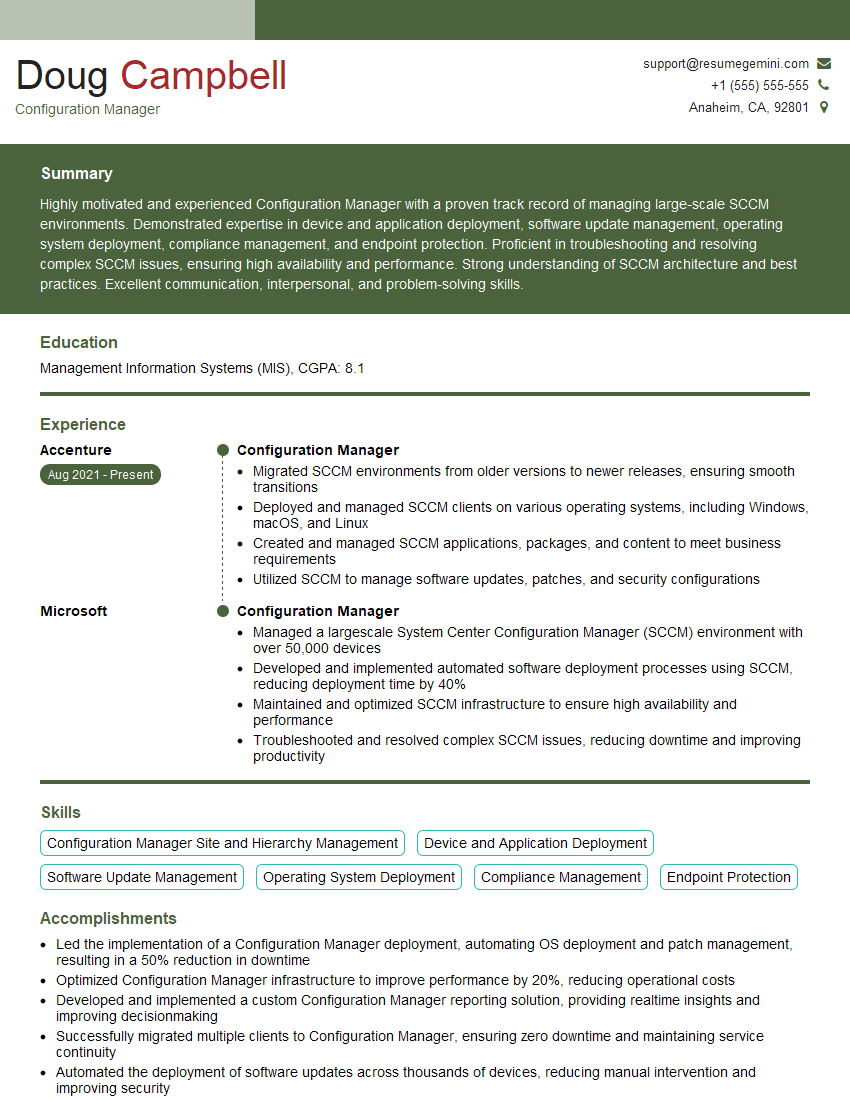
Configuration Manager Resume Sample

Infrastructure Engineer Resume Sample

System Administrator Resume Sample
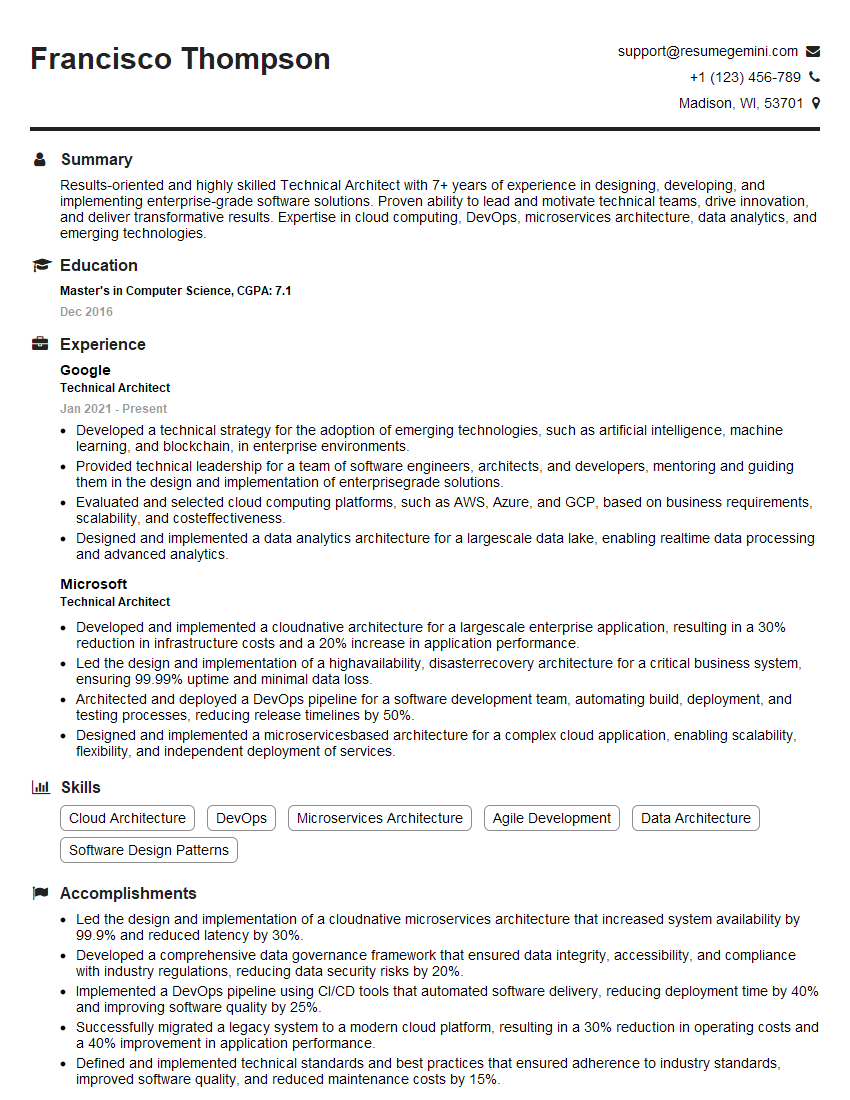
Technical Architect Resume Sample

IT Project Manager Resume Sample

Release Manager Resume Sample

Database Administrator Resume Sample

DevOps Engineer Resume Sample
Explore more articles
Users Rating of Our Blogs
Share Your Experience
We value your feedback! Please rate our content and share your thoughts (optional).
What Readers Say About Our Blog
Very informative content, great job.
good