Preparation is the key to success in any interview. In this post, we’ll explore crucial CST Studio Suite interview questions and equip you with strategies to craft impactful answers. Whether you’re a beginner or a pro, these tips will elevate your preparation.
Questions Asked in CST Studio Suite Interview
Q 1. Explain the difference between Finite Element Method (FEM) and Finite Difference Time Domain (FDTD) methods in CST Studio Suite.
Both Finite Element Method (FEM) and Finite Difference Time Domain (FDTD) are numerical techniques used in CST Studio Suite to solve Maxwell’s equations, but they differ significantly in their approach.
FEM discretizes the problem domain into a mesh of elements, typically tetrahedra, and approximates the solution within each element using basis functions. It’s particularly well-suited for complex geometries and materials, offering high accuracy in areas with significant field variations. Think of it like building a complex structure with many small, interlocking pieces. Each piece represents an element, and their interaction approximates the overall electromagnetic field.
FDTD, on the other hand, discretizes both space and time, directly solving Maxwell’s equations in a time-stepping manner on a grid of points. It’s computationally efficient for relatively simple geometries but can struggle with highly complex structures and materials. Imagine it like taking a series of snapshots of the electromagnetic field as it propagates through space and time. The accuracy depends on the size of the grid and the time step.
In CST, the choice between FEM and FDTD depends on the specific application. For instance, a simulation of an antenna with a complex structure might benefit from FEM’s accuracy handling intricate geometry, while a simulation of a simple waveguide structure could efficiently utilize FDTD.
Q 2. Describe your experience with different solvers in CST Studio Suite (e.g., frequency domain, time domain).
My experience with CST Studio Suite encompasses a wide range of solvers, including the frequency domain solver, time domain solver, and transient solver. The frequency domain solver, based primarily on FEM, is ideal for steady-state simulations, providing efficient calculations of S-parameters, far-field patterns, and resonant frequencies. I’ve extensively used this for antenna design and optimization, for example, determining the optimal dimensions of a patch antenna for a specific frequency band.
The time domain solver, using FDTD, excels at analyzing transient effects, such as pulse propagation and scattering. This is crucial for modeling short pulses, wideband signals, and nonlinear phenomena. I’ve applied this solver in high-speed interconnect analysis to study signal integrity and reflection losses.
Furthermore, I have experience with the transient solver which is particularly useful for simulating complex interactions of electromagnetic fields with time-varying phenomena. For instance, I used it for analyzing the transient response of a circuit to a sudden voltage change.
The choice of solver depends critically on the nature of the problem being simulated. Understanding the strengths and weaknesses of each allows for optimal simulation setup and results interpretation.
Q 3. How do you handle mesh refinement in CST Studio Suite to optimize accuracy and simulation time?
Mesh refinement is crucial in CST Studio Suite to achieve the desired accuracy while managing computational resources. Crude meshes lead to inaccurate results, while excessively fine meshes drastically increase simulation time and memory consumption. The goal is to find a balance.
CST Studio Suite offers various mesh refinement techniques. Adaptive mesh refinement automatically refines the mesh in areas with high field gradients, effectively concentrating computational resources where needed. This is particularly useful for problems with complex geometries or sharp features, such as antenna edges or discontinuities in materials. I often use this feature to pinpoint regions of high electromagnetic field concentration.
Manual mesh refinement allows for precise control over the mesh density in specific regions. This approach is advantageous when prior knowledge of critical areas exists or if adaptive mesh refinement fails to produce accurate results. For example, I’ve manually refined the mesh near the feed point of a horn antenna to better capture the field distribution near the critical transition area.
The key is to monitor convergence by comparing results from simulations with progressively finer meshes. Once the results stabilize, it indicates that the mesh resolution is sufficient for the required accuracy, optimizing both precision and efficiency.
Q 4. Explain the concept of boundary conditions in CST Studio Suite and their importance.
Boundary conditions in CST Studio Suite define the behavior of electromagnetic fields at the edges of the simulation domain. They are essential for simulating realistic scenarios and preventing unphysical reflections that can distort results. Incorrect boundary conditions can dramatically affect the accuracy of the simulation.
Common boundary conditions include: Perfect Electric Conductor (PEC), simulating a perfectly conducting surface; Perfect Magnetic Conductor (PMC), representing a perfectly magnetically conducting surface; Open (Radiation), simulating free space radiation; and Periodic, used for simulating infinite periodic structures such as arrays.
The choice of boundary condition depends on the specific application. For example, when simulating an antenna in free space, an open boundary condition is necessary to absorb outgoing radiation. If you’re simulating a waveguide, you would likely use periodic boundary conditions along the waveguide axis, making it theoretically infinite in that direction.
Careful selection of boundary conditions is crucial for obtaining accurate and reliable simulation results. Improperly defined boundaries can introduce spurious reflections or inaccuracies, leading to misinterpretations of the electromagnetic behavior.
Q 5. How do you define and use different excitation types (e.g., plane wave, waveguide port) in CST Studio Suite?
Defining and using excitation types in CST Studio Suite is fundamental to setting up accurate simulations. The choice depends on the specific problem and the characteristics of the device being analyzed.
Plane wave excitation is often used to simulate the interaction of electromagnetic waves with objects, such as radar cross-section calculations. The angle of incidence, polarization, and frequency of the plane wave need to be specified. For example, I have used this to analyze the scattering from a complex structure such as an aircraft model.
Waveguide port excitation is commonly used for simulating waveguide components and structures. It defines the electromagnetic field at the waveguide port’s input. Parameters such as mode type, frequency, and impedance need to be specified. This is crucial for analyzing the performance of waveguide filters, couplers, or other microwave components. I’ve used this extensively while characterizing the performance of various waveguide components.
Other excitation types include lumped ports (for simulating circuits), voltage sources, current sources (to excite specific regions of the structure), and dipole sources for modeling radiating elements. Appropriate excitation selection is crucial for accurate and relevant simulation results.
Q 6. Describe your experience with post-processing results in CST Studio Suite, including far-field patterns and S-parameters.
Post-processing results in CST Studio Suite is a critical step to extract meaningful information from simulations. CST provides a wide range of tools for visualizing and analyzing data.
Far-field patterns, which represent the radiation characteristics of an antenna, are readily calculated and displayed as radiation patterns in 3D and 2D plots. I commonly use these to analyze the antenna gain, directivity, sidelobe levels, and beamwidth, information essential in antenna design.
S-parameters, representing the scattering characteristics of a network, are crucial in characterizing passive components such as filters and couplers. CST automatically calculates and displays S-parameters across a frequency range. I use this information to evaluate parameters like insertion loss, return loss, and isolation.
Beyond these standard metrics, I frequently utilize other post-processing capabilities such as field visualization (E-field, H-field, power density), surface current distribution, and time-domain responses, providing comprehensive insights into the electromagnetic behavior of the simulated structure.
Q 7. How do you validate your simulation results in CST Studio Suite?
Validating simulation results is a crucial step to ensure the accuracy and reliability of the simulation. It is not enough to simply run the simulation and take the results at face value.
Several techniques are used for validation:
- Comparison with analytical solutions: For simpler geometries, analytical solutions might exist and are ideal for verifying the accuracy of the simulation. I have compared the results of a simple dipole antenna simulation with analytical calculations from theoretical formulas.
- Comparison with experimental data: This is the most robust validation method. If experimental data from a similar structure is available, I compare the simulated results with those obtained in measurements, looking for consistent trends and quantitative agreement. The level of agreement provides a confidence level in the simulations.
- Mesh convergence studies: By gradually increasing the mesh density and observing the convergence of the results, this confirms the independence of the results from the discretization. This also helps find the optimal balance between accuracy and computational cost.
- Benchmarking against known results: I have used benchmark studies, such as published results for well-known structures, to validate the simulation setup and obtain a confidence estimate.
A combination of these validation techniques establishes a high degree of confidence in the accuracy and reliability of the simulation results, making them trustworthy for practical applications.
Q 8. Explain your experience with using different materials in CST Studio Suite, including defining their properties.
Defining material properties in CST Studio Suite is crucial for accurate simulations. CST offers a comprehensive material library, but you often need to define custom materials. This involves specifying parameters like permittivity (εr), permeability (μr), conductivity (σ), and potentially even temperature dependence or nonlinear behavior. For example, designing a microstrip antenna on a FR4 substrate requires defining the FR4’s dielectric constant (εr ≈ 4.4), loss tangent (tan δ), and conductivity. You’d do this within the material properties dialog, specifying the values either directly or by importing data from external sources. More complex materials might require defining a Debye model or other dispersion models to account for frequency-dependent behavior. For metals, you’d typically use the conductivity parameter, but might need to specify surface roughness for higher accuracy in some scenarios. I’ve extensively used this feature for various projects, from designing antennas embedded in biological tissues (requiring specific tissue models) to analyzing the electromagnetic performance of high-frequency circuits using exotic materials with unique properties. The accuracy of the simulation directly depends on how precisely these material properties are defined.
Q 9. How do you troubleshoot convergence issues in CST Studio Suite?
Convergence issues in CST are often caused by meshing problems, inappropriate solver settings, or complex geometries. My troubleshooting approach follows a systematic process. First, I visually inspect the mesh for excessively distorted elements, which can often be resolved by refining the mesh locally or globally using adaptive mesh refinement. Next, I carefully review the solver settings. For instance, choosing the wrong solver (e.g., using a time-domain solver for a problem better suited for a frequency-domain solver) can lead to non-convergence. I also check the termination criteria—adjusting parameters such as the maximum number of iterations or the convergence tolerance. Finally, I analyze the simulation logs for clues. The error messages often provide insights into the source of the problem. I’ve encountered situations where simplifying complex geometries or using symmetry to reduce computational load resolved convergence issues without compromising accuracy. In one instance, a seemingly minor geometry imperfection caused significant convergence problems. By meticulously refining the model and employing adaptive meshing techniques, I successfully obtained reliable results.
Q 10. Describe your experience with parametric sweeps in CST Studio Suite and their applications.
Parametric sweeps are essential for optimizing designs in CST. They allow you to systematically vary one or more parameters and observe the effects on simulation results. For example, you might sweep the length of a dipole antenna to find the resonant frequency, or sweep the substrate thickness of a microstrip antenna to optimize bandwidth. CST offers various sweep types, including frequency sweeps, parameter sweeps, and optimization sweeps. I frequently use these sweeps for antenna design and optimization. In one project, we used a parametric sweep to optimize the impedance matching of a patch antenna by varying the feedline position. This allowed us to identify the optimal configuration for a desired impedance, maximizing power transfer. Another application is exploring the effects of environmental factors (temperature, humidity) on device performance. Parametric sweeps provide a highly efficient way to explore a design space, speeding up optimization processes and reducing the need for tedious manual adjustments. The results of parametric sweeps are often presented graphically, providing an intuitive visual understanding of the design’s behavior.
Q 11. Explain your understanding of near-field and far-field calculations in CST Studio Suite.
Near-field and far-field calculations are fundamental concepts in electromagnetic simulations. The near-field represents the region close to the radiating source, where the electromagnetic fields are complex and highly dependent on the source’s geometry. The far-field, on the other hand, is the region far from the source, where the fields exhibit a simplified, spherical wave-like behavior. CST allows you to calculate both near-field and far-field patterns. Near-field calculations are useful for detailed analysis of the field distribution near the antenna, while far-field calculations provide information on radiated power, directivity, and gain—parameters critical for antenna performance assessment. For example, near-field data can be used to analyze the coupling between closely spaced antennas, while far-field data is used to create radiation patterns illustrating the antenna’s directionality and strength of emission in various directions. In practice, I have extensively utilized far-field calculations to design antennas that meet specific radiation pattern requirements. The transition between the near-field and far-field regions is usually defined by the Fraunhofer distance, which depends on the antenna’s dimensions and operating frequency.
Q 12. How do you optimize simulation time in CST Studio Suite?
Optimizing simulation time in CST involves several strategies. Firstly, appropriate meshing is crucial. Overly fine meshes increase computational time without necessarily improving accuracy. Employing adaptive mesh refinement, focusing higher mesh density on areas of interest, can significantly reduce simulation time without sacrificing accuracy. Secondly, leveraging symmetry is beneficial for reducing the computational domain. If the structure has symmetry (e.g., rotational or planar symmetry), you can model only a portion of it, significantly reducing the number of elements in the mesh. Thirdly, choosing the right solver is important. Time-domain solvers are generally more computationally intensive than frequency-domain solvers. Selecting the most appropriate solver for a specific problem can dramatically reduce simulation time. Lastly, leveraging multi-processing capabilities of the computer is highly recommended. In one particular instance where I was simulating a complex antenna array, the simulation time reduced from over 24 hours to under 8 hours by using adaptive mesh refinement and taking advantage of our cluster’s multi-core processors and increasing the number of processing cores utilized.
Q 13. Explain your experience with script writing and automation in CST Studio Suite (e.g., using VBScript or Python).
Scripting is critical for automating repetitive tasks and parameterizing simulations in CST. I’m proficient in both VBScript and Python. VBScript, which is integrated directly into CST, is well-suited for simple tasks such as automating parameter sweeps and post-processing data. Python, on the other hand, provides greater flexibility and power for complex automation and data analysis. I use Python with libraries like matplotlib for plotting and numpy for numerical analysis to create efficient workflows. For example, I’ve developed Python scripts to automate the creation of numerous antenna models by varying multiple geometrical parameters, run simulations in batch mode, post-process results, and generate customized reports. These scripts save significant time and improve the efficiency of design and optimization processes. Example VBScript snippet: Dim oProject, oDesign, oSolver Set oProject = Application.ActiveProject Set oDesign = oProject.ActiveDesign Set oSolver = oDesign.Solver oSolver.Run. This shows a very basic example, but with VBScript’s API you can access almost every feature of CST.
Q 14. How would you model a specific antenna design in CST Studio Suite (e.g., patch antenna, dipole antenna)?
Modeling antennas in CST is straightforward. For a patch antenna, you’d start by creating a rectangular patch on a dielectric substrate using the CST geometry editor. You’d define the dimensions of the patch and substrate, along with material properties. Then, you’d add a feedline, typically a microstrip line connected to the patch. Appropriate boundary conditions (e.g., open add space) would be added. For a dipole antenna, you’d create two conducting wires of a specific length and separation, with a feed between them. For both, you’d specify the operating frequency range and select a suitable solver (usually frequency domain for these designs). Meshing the structure is crucial for accuracy; adaptive mesh refinement is recommended around the antenna and feedline. After defining excitation and boundary conditions, you’d run the simulation to obtain the S-parameters, radiation patterns, and other relevant performance metrics. In real-world applications, I’ve used this process for various antenna types, and often need to use simulation to fine-tune antenna parameters for optimal performance, accounting for real-world factors like impedance matching and manufacturing tolerances.
Q 15. Explain your experience with electromagnetic compatibility (EMC) simulations in CST Studio Suite.
My experience with EMC simulations in CST Studio Suite is extensive. I’ve used it to analyze and mitigate electromagnetic interference in a variety of designs, from consumer electronics to automotive systems. This involves setting up models that accurately represent the device under test (DUT) and its surrounding environment, including cables, enclosures, and other components. The key is defining appropriate excitation sources, such as radiated emissions from internal circuitry or conducted emissions from power lines. The simulation then predicts the electromagnetic fields emitted by the DUT, enabling identification of potential EMC issues. For example, I once used CST to identify a resonant frequency in a circuit board design causing significant radiated emissions, leading to a redesign that significantly reduced the emissions below regulatory limits. This process typically involves using the time-domain solver for transient analysis or the frequency-domain solver for steady-state analysis, depending on the specific EMC problem.
I’m proficient in using different boundary conditions to accurately model the environment, for instance, using perfectly matched layers (PMLs) to absorb outgoing waves and prevent reflections, and employing periodic boundary conditions for repetitive structures. Post-processing the results involves analyzing electric and magnetic field distributions, calculating radiated emissions using far-field calculations, and evaluating conducted emissions through ports. This allows for a comprehensive understanding of the device’s electromagnetic behavior and its compliance with relevant EMC standards.
Career Expert Tips:
- Ace those interviews! Prepare effectively by reviewing the Top 50 Most Common Interview Questions on ResumeGemini.
- Navigate your job search with confidence! Explore a wide range of Career Tips on ResumeGemini. Learn about common challenges and recommendations to overcome them.
- Craft the perfect resume! Master the Art of Resume Writing with ResumeGemini’s guide. Showcase your unique qualifications and achievements effectively.
- Don’t miss out on holiday savings! Build your dream resume with ResumeGemini’s ATS optimized templates.
Q 16. How do you analyze the results of an electromagnetic interference (EMI) simulation in CST Studio Suite?
Analyzing EMI simulation results in CST Studio Suite involves a multi-step process focusing on both visualization and quantitative analysis. First, I visually inspect the electromagnetic field distributions to identify areas of high field strength or potential sources of EMI. CST offers excellent visualization tools, allowing for 3D plots of electric and magnetic fields, current densities, and power loss. This visual inspection often helps to pinpoint the problem’s location and nature. For example, a high concentration of electric field near a connector might indicate potential radiation.
Quantitatively, I analyze parameters like radiated emissions (using far-field calculations), conducted emissions (using port data), and near-field data to understand the severity of the EMI. Specific parameters like the electric field strength at a given distance, the power spectral density, and the total radiated power are crucial in determining compliance with standards. I also perform parameter sweeps and sensitivity analyses to understand how design parameters affect the EMI levels. The results are typically compared against regulatory limits (like FCC or CISPR standards) to evaluate design compliance. This detailed analysis helps in identifying the sources of interference and optimizing the design to minimize EMI.
Q 17. Describe your experience with using CST Studio Suite for designing microwave components.
My experience with designing microwave components in CST Studio Suite is extensive. I’ve designed various components including antennas, filters, couplers, and waveguides. The software’s accuracy and capabilities make it an invaluable tool for this task. The process typically involves defining the geometry of the component precisely, choosing the appropriate solver (usually frequency domain solver for high-frequency applications), defining excitation ports and boundary conditions, and running simulations to obtain S-parameters or other relevant performance metrics.
For instance, I’ve designed a microstrip patch antenna using CST, starting with a basic geometry and then iteratively optimizing its dimensions and substrate properties to achieve the desired radiation pattern and impedance matching. The solver provided crucial data, like the resonant frequency, gain, and return loss, which guided the optimization process. Similarly, I’ve designed various filters by choosing appropriate structures (like waveguide filters or microstrip filters), defining the physical geometry, specifying the desired frequency response, and optimizing for performance. The ease of modifying the design in CST and re-running simulations significantly accelerates the design cycle, reducing the need for costly and time-consuming prototyping.
Q 18. How would you troubleshoot errors related to meshing in CST Studio Suite?
Troubleshooting meshing errors in CST Studio Suite requires a systematic approach. The most common errors are related to mesh density, element quality, and model geometry. The first step is to carefully examine the mesh convergence plots provided by CST. These plots show how the simulation results change as the mesh density increases. A lack of convergence might point to issues with the model geometry or material properties.
If convergence is slow or not achieved, I refine the mesh in areas of high field gradients or geometric complexity. CST offers various mesh refinement techniques, including adaptive mesh refinement which automatically refines the mesh in regions requiring higher accuracy. If the problem persists, I scrutinize the model geometry for any sharp edges, tiny features, or intersecting surfaces which might cause meshing problems. Cleaning up the geometry using CAD tools often solves these issues. If element quality is poor, I try modifying the mesh settings, like adjusting the maximum and minimum element sizes or switching between different mesh types. Finally, for intricate geometries, breaking down the model into smaller, manageable parts and then merging them can significantly improve mesh quality. CST’s documentation and support resources are also very useful in understanding the causes and solutions of meshing errors. Careful geometry preparation and understanding the meshing algorithm are key to avoiding these problems.
Q 19. How do you ensure the accuracy of your simulations in CST Studio Suite?
Ensuring simulation accuracy in CST Studio Suite involves several crucial steps. Firstly, meticulous model creation is paramount. The model’s geometry must accurately represent the real-world device, including all relevant dimensions, materials, and boundary conditions. Incorrect geometry or material properties directly impact the simulation results. Secondly, appropriate solver settings are essential. Choosing the right solver (time-domain, frequency-domain, etc.) is crucial based on the type of problem and frequency range. The solver settings, like mesh accuracy, convergence criteria, and excitation parameters, should be carefully chosen to balance accuracy and computational cost.
Thirdly, validation is critical. Whenever possible, I validate the simulation results against measured data or results from other simulation tools. Discrepancies require careful examination of the model, solver settings, and assumptions. Finally, rigorous post-processing is essential to avoid misinterpretation. Thorough analysis of the results, including checking for convergence, assessing statistical error, and understanding any limitations of the simulation setup, is needed to interpret the results accurately and draw reliable conclusions. Understanding the limitations of the software and the underlying physics is just as important as the simulations themselves.
Q 20. Explain your experience with different types of ports and their applications in CST Studio Suite.
CST Studio Suite offers a variety of port types, each suited for specific applications. Waveguide ports are used for modelling waveguides, coaxial ports for coaxial lines, and lumped ports for simulating discrete components. Each port type has its specific advantages and limitations. Waveguide ports accurately model the propagation of waves within waveguides, providing accurate S-parameters in the waveguide mode. Coaxial ports accurately simulate the transmission line characteristics of coaxial cables. Lumped ports are useful for representing discrete components like resistors and capacitors and are particularly useful when dealing with circuit elements.
The choice of port type depends on the specific application. For example, when modelling an antenna connected to a coaxial cable, a coaxial port is appropriate. If the antenna is fed via a waveguide, a waveguide port would be used. When dealing with integrated circuits, lumped ports are often more suitable. I have extensive experience using each port type and understanding their applicability in different contexts. Improper port selection can lead to inaccurate results, so this choice is critical in setting up reliable simulations. I’ve encountered instances where incorrect port selection led to misinterpretations of results, emphasizing the importance of careful consideration during the simulation setup.
Q 21. How do you interpret S-parameters obtained from a CST Studio Suite simulation?
S-parameters are a crucial output of many CST Studio Suite simulations, particularly those involving microwave components and antenna design. They describe the scattering of waves at ports of a network, offering insight into the reflection and transmission characteristics. S11 represents the reflection coefficient at port 1, indicating how much power is reflected back from the port. A low S11 (ideally close to 0) suggests good impedance matching. S21 represents the transmission coefficient from port 1 to port 2, indicating how much power is transmitted through the device. A high S21 (close to 1) shows efficient power transfer.
Interpreting S-parameters requires understanding their magnitude and phase. The magnitude indicates the power ratio, while the phase indicates the relative time delay between input and output signals. For example, a high magnitude of S11 indicates significant reflection, while a high magnitude of S21 indicates good transmission. The phase information can reveal resonance effects and other critical characteristics. I regularly use S-parameter plots (typically magnitude and phase as a function of frequency) to analyze the performance of various components such as filters, couplers, and antennas, making design decisions based on this data. I also frequently use Smith charts to visualize S-parameters, allowing for quick identification of impedance mismatches and resonant frequencies.
Q 22. Explain your experience using the different visualization tools in CST Studio Suite.
CST Studio Suite offers a rich set of visualization tools crucial for understanding simulation results. My experience encompasses using 2D and 3D plotters to analyze field distributions (electric, magnetic, etc.), S-parameters, and far-field patterns. I’m proficient in creating various plot types, including surface plots, contour plots, and 3D vector plots, tailoring them to effectively highlight key performance indicators.
For instance, when analyzing an antenna’s radiation pattern, I’d use a 3D polar plot to visualize the gain and directivity across different angles. To understand the internal field distribution within a waveguide, a 2D contour plot showing the electric field intensity would be ideal. Furthermore, I utilize the post-processing capabilities to create animations of time-domain simulations, providing an intuitive understanding of transient phenomena. The ability to customize these visualizations, including color palettes, labels, and legends, ensures clear and effective communication of results.
Beyond basic plotting, I’m comfortable using advanced visualization features like streamlines to visualize current flow, and I regularly leverage the ability to cut planes through 3D models to examine internal field distributions at specific locations. This detailed visualization allows for precise identification of hotspots, areas of high field concentration, or potential design flaws.
Q 23. Describe a challenging simulation project you tackled using CST Studio Suite and how you overcame the challenges.
One challenging project involved simulating a high-frequency, high-power amplifier incorporating complex PCB structures and embedded components. The challenge stemmed from the extremely large model size, leading to long simulation times and significant memory requirements. The complexity arose from the need for accurate modeling of the electromagnetic interactions between the various components, including transmission lines, passive components, and active devices.
To overcome this, I employed a multi-pronged approach. First, I leveraged CST’s adaptive meshing capabilities to refine the mesh only in critical regions, reducing the overall number of unknowns without sacrificing accuracy. This significantly decreased simulation time. Second, I utilized the parallel processing capabilities of CST Studio Suite, distributing the computational load across multiple cores to further speed up the process. Third, I employed model simplification techniques wherever appropriate without compromising the fidelity of the simulation results. This involved replacing complex components with equivalent circuits where suitable. Finally, I carefully analyzed the results, focusing on the most critical parameters, to ensure efficient use of computational resources.
This iterative process of optimization and verification allowed me to successfully complete the simulation and generate accurate results that matched experimental validation closely, meeting the tight deadlines of the project. The project highlighted the importance of understanding computational limitations and employing strategic optimization techniques for efficient and successful simulations in CST.
Q 24. How do you handle large and complex models in CST Studio Suite?
Handling large and complex models in CST Studio Suite requires a strategic approach focused on optimization and efficient resource management. I typically start by employing techniques like hierarchical modeling, where complex sub-structures are pre-simulated and the results are imported as equivalent circuits or boundary conditions into the main model. This significantly reduces the overall model size and complexity.
Furthermore, I leverage the adaptive mesh refinement capabilities of the software, focusing computational resources only on areas needing high mesh density, leaving less critical regions with coarser meshes. This approach effectively reduces the number of unknowns without compromising simulation accuracy. Parallel processing is essential; I routinely employ multiple cores to drastically reduce computation time. This is particularly critical for frequency sweeps or time-domain simulations. Moreover, I utilize CST’s efficient solver algorithms, carefully selecting the appropriate solver based on the specific application and model characteristics.
Finally, regular model validation and simplification are crucial. I periodically check the simulation results against simplified models or analytical solutions to confirm the accuracy and identify areas where the model can be streamlined without compromising fidelity. This iterative approach ensures efficient management of computational resources and reduces simulation time, enabling the handling of even the most complex models.
Q 25. Explain the importance of using appropriate solver settings for different applications in CST Studio Suite.
Selecting the appropriate solver settings is paramount for achieving accurate and efficient simulations in CST Studio Suite. Different solvers excel in different frequency ranges, model types, and simulation objectives. For instance, the Integral Equation (IE) solver, like the frequency domain solver, is highly accurate for electrically small structures, but can become computationally expensive for large models. The Finite Integration Technique (FIT) solver, commonly used in time domain simulations, offers better performance for electrically large structures and transient analysis.
When simulating a microstrip antenna at microwave frequencies, I would typically utilize the frequency domain solver with an appropriate mesh refinement near the antenna structure. For transient analysis of a high-speed interconnect, the time domain solver would be the appropriate choice. The choice also depends on the desired accuracy. A finer mesh generally increases accuracy but at the cost of increased computational demands. Therefore, a careful balance needs to be struck between accuracy and computational efficiency. I also meticulously define the boundary conditions, ensuring they are realistic and appropriately represent the physical environment of the simulated device.
Incorrect solver settings can lead to inaccurate results, longer simulation times, or even simulation failure. A deep understanding of the different solvers and their limitations is critical for successful simulations in CST Studio Suite. Experience allows for efficient selection and optimization of the solver settings, leading to accurate and efficient simulations.
Q 26. Describe your experience with the various analysis types available in CST Studio Suite.
My experience with CST Studio Suite’s analysis types is extensive. I’m proficient in performing various simulations including frequency domain (S-parameters, far-field radiation patterns), time domain (transient analysis, impulse response), eigenmode analysis (resonant frequencies and quality factors), and modal analysis (propagation characteristics in waveguides).
For example, when designing a filter, I would utilize S-parameter simulations to analyze its frequency response and determine its insertion loss and return loss. For antenna design, far-field radiation patterns are crucial to understand directivity and gain. Time-domain simulations help analyze transient responses in high-speed circuits and determine signal integrity. Eigenmode analysis is crucial for determining the resonant frequencies of cavities and filters. Modal analysis provides insight into the propagation modes in waveguides and transmission lines.
The choice of analysis type depends heavily on the specific application and the information required. I always choose the most suitable analysis type to address the specific design goals and interpret the results accordingly. The ability to perform and interpret these different analysis types is vital for successful electromagnetic simulations.
Q 27. How familiar are you with the CST Studio Suite’s capabilities in different frequency ranges?
CST Studio Suite’s capabilities span a broad range of frequencies, from static to optical. My experience includes simulating devices across various frequency bands, including DC, low frequency, RF, microwave, millimeter-wave, and even THz applications. The choice of solver and meshing strategy greatly depends on the frequency range of interest. At lower frequencies, simpler solvers and coarser meshes might suffice, while at higher frequencies, more sophisticated solvers and finer meshes are necessary to capture the details of electromagnetic interactions.
For instance, simulating a power transformer operating at 50Hz is vastly different from simulating a 5G antenna operating at 28GHz. The former may require a lower-frequency solver and less stringent meshing, while the latter necessitates a high-frequency solver and very fine meshing near the antenna structure to capture the intricate details of the electromagnetic fields. Furthermore, the choice of material models also changes according to the frequency; dispersion and conductivity models become important at higher frequencies.
I have successfully used CST Studio Suite across this broad frequency spectrum, adapting the solver settings and simulation techniques to suit the specific requirements of each project. This adaptability is crucial for effectively addressing diverse design challenges across different frequency ranges.
Q 28. How would you approach setting up a simulation to analyze the performance of a specific device in CST Studio Suite?
Setting up a simulation to analyze a specific device in CST Studio Suite involves a systematic approach. First, I would accurately model the device geometry using either CAD import or built-in modeling tools. The geometry needs to be sufficiently detailed to capture all relevant electromagnetic interactions. Then, I define the material properties of all components within the model. Accurate material properties are vital for obtaining realistic results.
Next, I would define the excitation source appropriate for the device. This could range from a voltage source for a circuit simulation to a plane wave for antenna analysis. The excitation should accurately represent the intended operating conditions of the device. Finally, I meticulously define the boundary conditions to represent the surroundings of the device and prevent unwanted reflections or radiation. These could include perfectly matched layers (PMLs), periodic boundary conditions, or absorbing boundary conditions, depending on the specific application.
Once the model is set up, I select the appropriate solver based on the frequency range, device type, and desired analysis. After the simulation is completed, I carefully analyze the results using the visualization tools, focusing on relevant parameters, like S-parameters, far-field patterns, or field distributions, to assess the device’s performance. Iterative refinement of the model, solver settings, and boundary conditions is often necessary to ensure the accuracy and efficiency of the simulation.
For example, to analyze a waveguide filter, I’d use a frequency domain solver, defining waveguide ports as excitation and measuring S-parameters. For an antenna, a far-field analysis would provide directivity and gain. This structured approach guarantees a robust and accurate simulation that aligns perfectly with the design requirements.
Key Topics to Learn for CST Studio Suite Interview
- Electromagnetic Simulation Fundamentals: Understand the underlying principles of electromagnetic field simulations, including Maxwell’s equations and their application within CST Studio Suite.
- Solver Types and Selection: Learn the strengths and weaknesses of different solvers (e.g., frequency domain, time domain, integral equation) and how to choose the appropriate solver for a given problem. Practical application: Selecting the optimal solver for simulating a high-frequency antenna versus a low-frequency inductor.
- Modeling Techniques: Master the creation of accurate 3D models of components and systems within CST Studio Suite. This includes meshing strategies, boundary conditions, and material properties. Practical application: Modeling a complex PCB structure with different dielectric materials and accurately setting boundary conditions to represent a real-world scenario.
- Post-processing and Data Analysis: Develop skills in interpreting simulation results, including S-parameters, far-field patterns, near-field distributions, and power loss calculations. Practical application: Analyzing antenna radiation patterns to optimize design for specific applications.
- High-Frequency Circuit Design: Understand the application of CST Studio Suite in the design and optimization of high-frequency circuits, such as filters, couplers, and power dividers. Practical application: Simulating and optimizing the performance of a microstrip filter.
- Optimization and Parameter Sweeps: Learn how to utilize CST Studio Suite’s optimization tools to improve designs and explore the impact of design parameters. Practical application: Optimizing an antenna’s gain and bandwidth through parameter sweeps.
- Advanced Topics (depending on role): Explore areas like particle-in-cell simulations, transient analysis, or specific application areas relevant to your target role (e.g., antenna design, microwave circuits, EMC/EMI analysis).
Next Steps
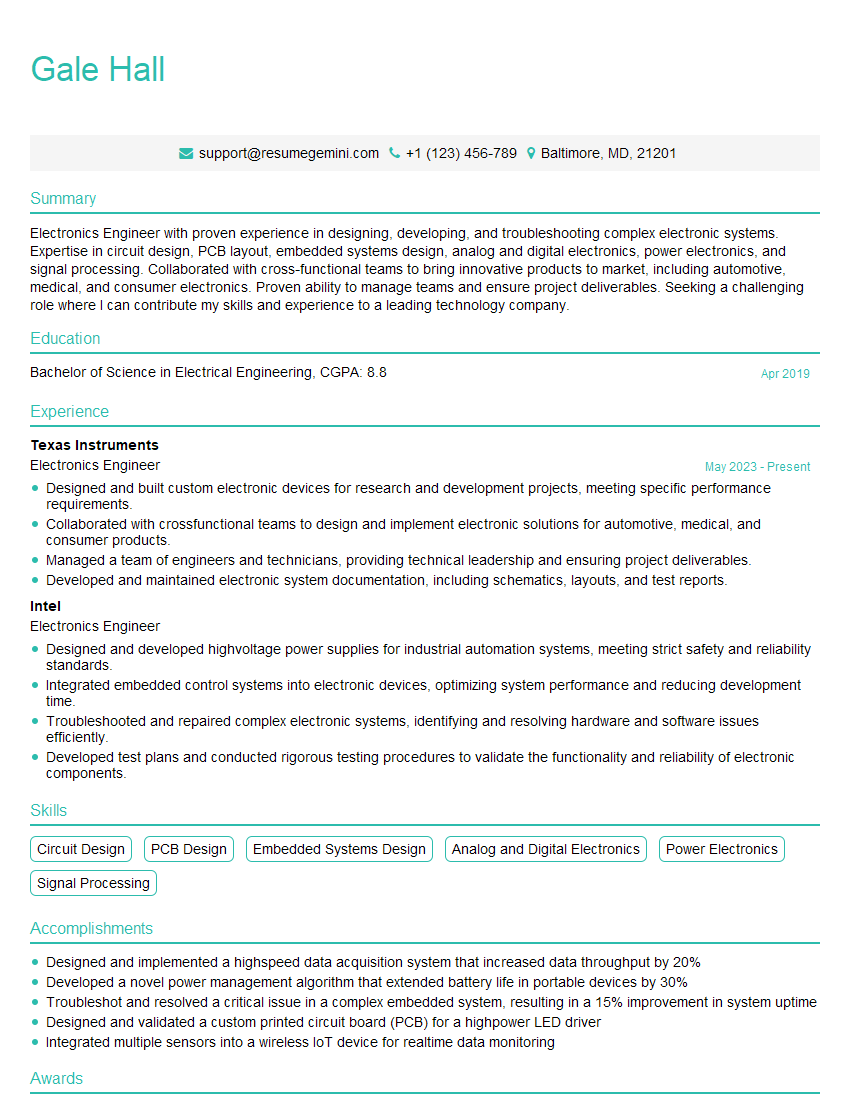
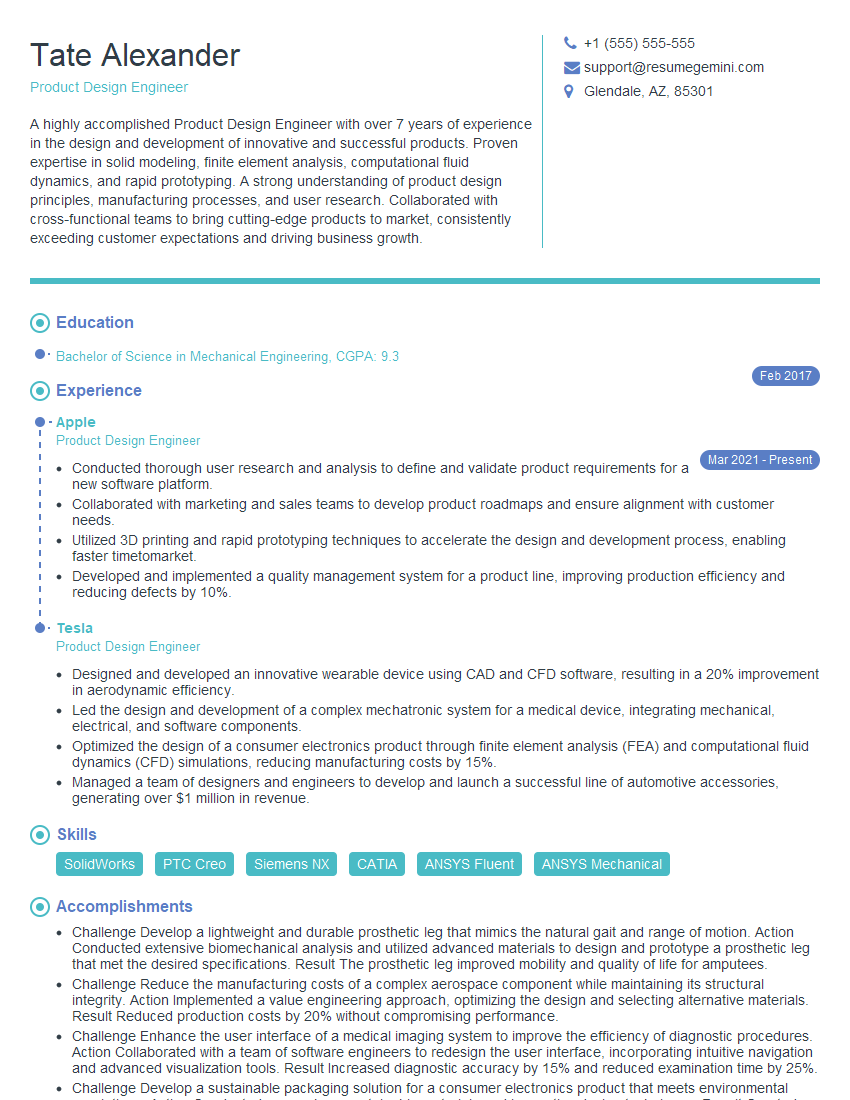
Mastering CST Studio Suite significantly enhances your career prospects in electromagnetic simulation, opening doors to exciting opportunities in research, development, and engineering. To maximize your chances of landing your dream role, creating a strong, ATS-friendly resume is crucial. ResumeGemini is a trusted resource that can help you build a professional and impactful resume, tailored to highlight your CST Studio Suite expertise. Examples of resumes tailored to CST Studio Suite are available to guide you.


Explore more articles
Users Rating of Our Blogs
Share Your Experience
We value your feedback! Please rate our content and share your thoughts (optional).
What Readers Say About Our Blog
Very informative content, great job.
good