Are you ready to stand out in your next interview? Understanding and preparing for Cybersecurity Awareness and Protocols interview questions is a game-changer. In this blog, we’ve compiled key questions and expert advice to help you showcase your skills with confidence and precision. Let’s get started on your journey to acing the interview.
Questions Asked in Cybersecurity Awareness and Protocols Interview
Q 1. Explain the importance of multi-factor authentication (MFA).
Multi-factor authentication (MFA) significantly enhances security by requiring users to provide multiple forms of verification before accessing a system or account. Think of it like a security door with multiple locks – even if someone gets past one, they’re still locked out.
Instead of just relying on a password (something you know), MFA adds another layer, such as a one-time code sent to your phone (something you have) or a fingerprint scan (something you are). This makes it exponentially harder for unauthorized individuals to gain access, even if they’ve stolen your password.
- Increased Security: MFA adds a robust layer of protection against unauthorized access, even if credentials are compromised.
- Reduced Risk of Data Breaches: By making it much harder for attackers to succeed, MFA dramatically reduces the risk of data breaches and associated financial and reputational damage.
- Compliance: Many industries are mandated to use MFA to meet regulatory compliance standards.
Example: Imagine your online banking account. With just a password, a thief who obtains your password can easily access your funds. However, with MFA enabled, even with your password, they’d need access to your phone to receive the one-time code, making unauthorized access significantly more difficult.
Q 2. Describe different types of phishing attacks.
Phishing attacks are deceptive attempts to obtain sensitive information, such as usernames, passwords, and credit card details, by masquerading as a trustworthy entity in electronic communication. These attacks come in various forms:
- Spear Phishing: Highly targeted attacks focusing on specific individuals or organizations. Attackers often research their victims beforehand to personalize the message, making it more believable.
- Whaling: A type of spear phishing specifically targeting high-profile individuals, such as CEOs or executives, to gain access to sensitive company information.
- Clone Phishing: Attackers duplicate legitimate emails, modifying them slightly to include malicious links or attachments.
- Smishing: Phishing attacks conducted via SMS text messages.
- Vishing: Phishing attacks carried out over the phone.
Example: A spear phishing email might impersonate your bank, warning you about suspicious activity on your account and urging you to click a link to verify your details. This link would lead to a fake website designed to steal your login credentials.
Q 3. What are the key elements of a strong password policy?
A strong password policy is crucial for protecting sensitive data and systems. Key elements include:
- Minimum Length: Passwords should be at least 12 characters long. Longer passwords are significantly harder to crack.
- Complexity Requirements: Passwords should include a mix of uppercase and lowercase letters, numbers, and symbols. This adds complexity and makes brute-force attacks more difficult.
- Password Expiration: Passwords should expire regularly (e.g., every 90 days) to encourage users to create new, stronger passwords and reduce the window of vulnerability.
- Password Reuse Restrictions: Users should not be allowed to reuse old passwords. This prevents attackers from exploiting previously compromised credentials.
- Password History: The system should store a history of previously used passwords, preventing users from reusing recently used ones.
- Account Lockout Policy: After a certain number of incorrect login attempts, the account should be temporarily locked to prevent brute-force attacks.
Example of a strong password: P@$$wOrd123! (This password meets many criteria and will be difficult to crack)
Q 4. How do you educate employees about social engineering tactics?
Educating employees about social engineering tactics is vital to building a strong cybersecurity culture. This involves a multi-pronged approach:
- Security Awareness Training: Regularly conduct training sessions that cover various social engineering tactics, such as phishing, baiting, and pretexting. Use real-world examples and simulations to make the training engaging and relatable.
- Simulated Phishing Campaigns: Periodically send simulated phishing emails to test employee awareness and reinforce training. This provides hands-on experience and immediate feedback.
- Gamification: Incorporate game-like elements into the training to make it more enjoyable and memorable.
- Real-World Examples: Share news articles and case studies of successful social engineering attacks to highlight the real-world consequences.
- Clear Communication Channels: Establish clear communication channels for reporting suspicious emails or phone calls. Empower employees to be vigilant and report potential threats.
Example: A training scenario could involve showing employees a sample phishing email and guiding them through steps to identify its malicious nature, such as checking the sender’s email address and the URL of any links.
Q 5. What is the difference between a vulnerability and an exploit?
A vulnerability is a weakness in a system’s design, implementation, operation, or internal controls that could be exploited by a threat actor. An exploit is the actual attack that takes advantage of that vulnerability.
Think of it like a house (system) with a broken window (vulnerability). The thief (attacker) using the broken window to enter the house (exploit) is the exploit. The broken window itself is the vulnerability.
Example: A vulnerability might be a software bug that allows an attacker to execute arbitrary code on a server. The exploit would be the malicious code that the attacker uses to take advantage of this bug, potentially gaining control of the server.
Q 6. Explain the concept of least privilege access.
The principle of least privilege access dictates that users and processes should only have the minimum necessary permissions required to perform their tasks. This limits the potential damage caused by a security breach or malicious insider.
By granting only essential access rights, the impact of a compromised account is reduced. If a user account is compromised, the attacker will have limited access, reducing the potential for widespread damage.
Example: A database administrator might need full access to the database for administrative tasks, but a regular user should only have read-only access to specific data relevant to their job role. This prevents a regular user from accidentally or maliciously modifying or deleting sensitive data.
Q 7. Describe the process of incident response.
Incident response is a structured process for handling security incidents, such as data breaches or malware infections. It typically involves these stages:
- Preparation: Develop an incident response plan, define roles and responsibilities, establish communication protocols, and create a secure communication channel.
- Identification: Detect and identify the security incident. This may involve monitoring security logs, receiving alerts from security systems, or responding to reports from employees.
- Containment: Isolate affected systems to prevent further damage and contain the spread of the incident. This could involve disconnecting affected computers from the network or shutting down affected services.
- Eradication: Remove the cause of the incident, such as malware or unauthorized access. This might involve deleting malware, resetting passwords, or patching vulnerabilities.
- Recovery: Restore affected systems and data to their normal operational state. This could involve restoring data from backups or reinstalling software.
- Post-Incident Activity: Analyze the incident to identify root causes and lessons learned. Implement preventative measures to reduce the likelihood of future incidents. Document everything thoroughly.
Example: If a ransomware attack hits a company, the incident response team would first contain the spread of the ransomware by isolating infected systems. Then, they would eradicate the ransomware, recover data from backups, and finally analyze the attack to improve future security practices.
Q 8. What are common security protocols like TLS and SSL?
TLS (Transport Layer Security) and SSL (Secure Sockets Layer) are cryptographic protocols designed to provide secure communication over a computer network. Think of them as digital envelopes that protect your data as it travels between your computer and a website or server. SSL was the predecessor to TLS, and while SSL is largely obsolete, you might still see it mentioned. TLS is the current standard.
They work by establishing an encrypted connection using certificates and encryption algorithms. This ensures that any data exchanged, such as credit card information or login credentials, is unreadable by eavesdroppers. The process typically involves a handshake where both the client (your browser) and server (the website) verify each other’s identities and agree on encryption methods before data transmission begins. This handshake process is what the padlock icon in your browser signifies.
In simple terms: Imagine sending a postcard. SSL/TLS is like putting that postcard in a sealed, locked box before sending it, making it impossible for anyone to read the message without the key (the encryption key).
Q 9. How do you conduct a security awareness training program?
A successful security awareness training program is built on several key pillars. It needs to be engaging, relevant, and repeated regularly. I’d start by conducting a needs assessment to understand the current security posture and identify specific vulnerabilities or knowledge gaps within the organization.
- Modular Training: I’d break the training into manageable modules focusing on specific topics like phishing, password security, social engineering, data handling, and physical security. This allows for targeted instruction and better knowledge retention.
- Interactive Methods: Instead of just lectures, I’d incorporate interactive elements like quizzes, simulations, and real-world scenarios. Phishing simulations, for example, are incredibly effective in teaching employees how to recognize and avoid phishing attacks.
- Regular Refresher Courses: Security threats evolve constantly. Therefore, regular refresher courses are crucial to ensure that employees stay updated on the latest threats and best practices. These could be short, bite-sized training sessions delivered through email or learning management systems.
- Gamification: Introducing game-like elements, such as points, badges, or leaderboards, can make the training more enjoyable and increase engagement.
- Metrics and Evaluation: The effectiveness of the program needs to be tracked. Pre and post-training assessments, along with regular phishing simulations, provide valuable data on employee understanding and behavior change.
Example Scenario: After a successful phishing simulation where employees are shown how easy it is to fall prey, I’d use the results to reinforce learning points in subsequent training sessions, tailoring the content to address specific weaknesses observed.
Q 10. What are the key components of a business continuity plan?
A comprehensive business continuity plan (BCP) ensures an organization can continue operating during and after disruptive events. Think of it as a roadmap guiding the company through a crisis.
- Risk Assessment: Identifying potential threats, such as natural disasters, cyberattacks, pandemics, and supply chain disruptions.
- Business Impact Analysis (BIA): Determining the impact of each threat on business operations. This includes identifying critical business functions and their recovery time objectives (RTOs) and recovery point objectives (RPOs).
- Recovery Strategies: Developing strategies to recover from disruptions. This might involve creating backup systems, having a disaster recovery site, establishing alternate work arrangements, or developing communication plans.
- Testing and Training: Regularly testing the plan through simulations and drills to ensure effectiveness and training employees on their roles and responsibilities.
- Communication Plan: Establishing clear communication channels to keep stakeholders informed during and after an event. This plan will detail how to communicate with employees, customers, and other critical parties.
- Documentation: Maintaining detailed documentation of the plan, including contact information, recovery procedures, and essential resources.
Practical Application: Imagine a company impacted by a hurricane. A well-defined BCP would outline how the company will continue operations, ensuring employee safety, maintaining communication with clients, and recovering critical data.
Q 11. How would you handle a suspected data breach?
Responding to a suspected data breach requires a swift, coordinated, and methodical approach. The first step is to contain the breach to prevent further damage.
- Incident Response Team Activation: Immediately activate the incident response team (IRT), a pre-defined group responsible for handling such events. The IRT should have clearly defined roles and responsibilities.
- Containment: Isolate affected systems to prevent further data exfiltration. This might involve disconnecting servers from the network or blocking malicious IP addresses.
- Evidence Collection and Preservation: Gather evidence meticulously, preserving all logs, system images, and other relevant data. This will be crucial for the investigation.
- Notification: Notify relevant stakeholders, including affected individuals (if applicable), regulatory bodies, and law enforcement, as per legal and regulatory requirements.
- Investigation: Conduct a thorough investigation to determine the root cause of the breach, the extent of data compromised, and the methods used by the attackers.
- Remediation: Implement corrective actions to fix vulnerabilities and prevent future breaches. This may involve patching software, improving security controls, or retraining employees.
- Recovery: Restore affected systems and data from backups.
- Post-Incident Review: Conduct a thorough post-incident review to identify lessons learned and improve the organization’s security posture.
Example: If a phishing email leads to a credential compromise, the IRT would immediately disable affected accounts, investigate the email’s origin, and review employee training on recognizing phishing attempts.
Q 12. What are some common security vulnerabilities in software?
Software vulnerabilities are weaknesses that can be exploited by attackers to gain unauthorized access or control. They are common and varied; here are some examples:
- SQL Injection: This allows attackers to inject malicious SQL code into database queries, potentially gaining access to sensitive data.
- Cross-Site Scripting (XSS): This allows attackers to inject malicious scripts into websites, stealing user cookies or redirecting users to malicious websites.
- Buffer Overflow: This occurs when a program attempts to write data beyond the allocated buffer size, potentially leading to crashes or code execution.
- Cross-Site Request Forgery (CSRF): This allows attackers to trick users into performing unwanted actions on websites they are already authenticated to.
- Denial-of-Service (DoS): This occurs when an attacker floods a system with traffic, making it unavailable to legitimate users.
- Unpatched Software: Failure to update software with security patches leaves systems vulnerable to known exploits.
Real-World Example: The infamous Heartbleed vulnerability (CVE-2014-0160) allowed attackers to steal sensitive data from vulnerable OpenSSL servers due to a buffer overflow in the software.
Q 13. Explain the importance of patching and updating software.
Patching and updating software is paramount for maintaining a secure environment. Software developers constantly release updates to address newly discovered vulnerabilities and improve security.
Importance:
- Vulnerability Mitigation: Patches directly address known security flaws, reducing the risk of exploitation.
- Improved Security: Updates often include enhancements to security features and protocols, bolstering the overall security posture.
- Compliance: Many industry regulations and standards mandate regular software patching to maintain compliance.
- Reduced Risk: By promptly applying patches, organizations significantly reduce their attack surface, lowering the likelihood of successful cyberattacks.
Consequences of Neglect: Failing to patch software can result in data breaches, system compromises, financial losses, and reputational damage.
Example: Regularly updating operating systems and applications like browsers and antivirus software ensures that the latest security patches are applied, minimizing vulnerability to known exploits.
Q 14. What are the benefits of using a Virtual Private Network (VPN)?
A Virtual Private Network (VPN) creates a secure, encrypted connection between your device and the internet. Think of it as a private tunnel through the public internet.
Benefits:
- Enhanced Privacy: VPN encrypts your internet traffic, making it unreadable to eavesdroppers. This protects your browsing history, login credentials, and other sensitive data.
- Secured Public Wi-Fi: Using a VPN on public Wi-Fi networks significantly enhances security, as your data is encrypted even when using unsecured networks.
- Bypass Geo-Restrictions: VPNs can mask your IP address, allowing you to access content and services that might be restricted in your location.
- Improved Security: VPNs add an extra layer of security by hiding your IP address from potential attackers, making it harder for them to track your online activity.
Real-World Example: A journalist working in a country with strict internet censorship might use a VPN to access blocked news websites and communicate securely with sources.
Q 15. How do you assess the effectiveness of a security awareness program?
Assessing the effectiveness of a security awareness program requires a multi-faceted approach that goes beyond simple training completion rates. We need to measure behavioral changes and demonstrate a reduction in risky actions.
- Metrics-driven approach: We should track key metrics like the number of phishing email clicks, the number of reported security incidents, and the overall reduction in security-related vulnerabilities. For instance, a significant drop in successful phishing attacks after a training program indicates its effectiveness.
- Simulated phishing campaigns: Regularly conducting simulated phishing attacks allows us to gauge employee awareness and response rates. This helps pinpoint areas needing improvement in the training program.
- Surveys and feedback: Employee feedback through surveys can uncover areas where the training might be unclear or ineffective. This also helps in understanding the knowledge gaps and tailoring future training to address those gaps.
- Security incident analysis: Analyzing the root causes of security incidents can highlight weaknesses in the awareness program. If incidents stem from a lack of understanding, the training needs revision.
- Knowledge assessments: Pre- and post-training assessments can quantitatively measure knowledge gained. A significant increase in scores demonstrates the training’s efficacy.
Ultimately, a successful security awareness program should demonstrably reduce the organization’s attack surface and improve its overall security posture. It’s not just about ticking boxes; it’s about changing behavior.
Career Expert Tips:
- Ace those interviews! Prepare effectively by reviewing the Top 50 Most Common Interview Questions on ResumeGemini.
- Navigate your job search with confidence! Explore a wide range of Career Tips on ResumeGemini. Learn about common challenges and recommendations to overcome them.
- Craft the perfect resume! Master the Art of Resume Writing with ResumeGemini’s guide. Showcase your unique qualifications and achievements effectively.
- Don’t miss out on holiday savings! Build your dream resume with ResumeGemini’s ATS optimized templates.
Q 16. What are the key elements of a data loss prevention (DLP) policy?
A robust Data Loss Prevention (DLP) policy outlines the measures an organization takes to prevent sensitive data from leaving its control. It’s a crucial aspect of information security.
- Data identification and classification: The policy must clearly define what constitutes sensitive data (e.g., Personally Identifiable Information (PII), financial data, intellectual property). This allows for targeted protection measures.
- Data access control: Access to sensitive data should be strictly controlled through role-based access control (RBAC) and least privilege principles. Only authorized personnel should have access, and their access should be limited to what is absolutely necessary for their role.
- Data encryption: Data both in transit and at rest should be encrypted to protect against unauthorized access. This is particularly important for sensitive data stored on laptops, mobile devices, and cloud storage.
- Data monitoring and alerting: The policy should include measures to monitor data movement and access patterns. Alerting systems should be in place to notify security personnel of any suspicious activity. Examples include DLP tools that monitor network traffic for sensitive data exfiltration attempts.
- Incident response plan: In the event of a data breach or suspected data loss, a clear and well-defined incident response plan must be in place. This outlines the steps to be taken to contain the breach, investigate its cause, and mitigate its impact.
- Employee training and awareness: Employees need to be educated about the DLP policy and their responsibilities in protecting sensitive data. This includes understanding data classification, access controls, and the consequences of data breaches.
- Regular audits and reviews: The DLP policy should be regularly audited and reviewed to ensure its effectiveness and to adapt to changing threats and technologies.
For example, a healthcare organization would have a much stricter DLP policy than a small retail store, focusing heavily on HIPAA compliance and the protection of patient health information (PHI).
Q 17. Explain the concept of risk assessment and mitigation.
Risk assessment and mitigation are fundamental processes in cybersecurity. Think of it like this: risk assessment identifies potential threats and vulnerabilities, while mitigation aims to reduce the impact of those threats.
- Risk Assessment: This involves identifying assets, threats, and vulnerabilities. We then analyze the likelihood and potential impact of a successful attack. This is often done using a framework like NIST Cybersecurity Framework or ISO 27005.
- Risk Mitigation: Once risks are identified and assessed, mitigation strategies are implemented to reduce their likelihood or impact. These strategies can include technical controls (firewalls, intrusion detection systems), administrative controls (policies, procedures), and physical controls (access controls, security guards).
For example, imagine a company using outdated software. The risk assessment would identify the outdated software as a vulnerability and the potential for malware infection as a threat. The impact could be data loss, financial losses, and reputational damage. Mitigation would involve upgrading the software, implementing patching procedures, and perhaps investing in endpoint detection and response (EDR) solutions.
This process is iterative. As threats and vulnerabilities change, the risk assessment and mitigation strategies need to be reassessed and updated accordingly.
Q 18. Describe different types of malware and their impact.
Malware is malicious software designed to damage, disrupt, or gain unauthorized access to computer systems. There are many types, each with its own impact:
- Viruses: These self-replicating programs attach themselves to other files and spread when those files are executed. They can corrupt files, damage the operating system, or steal data.
- Worms: Unlike viruses, worms are self-replicating and can spread independently without needing to attach to other files. They can consume network bandwidth and disrupt services.
- Trojans: These disguise themselves as legitimate software to trick users into installing them. Once installed, they can perform various malicious actions, such as stealing data, installing other malware, or creating backdoors for attackers.
- Ransomware: This encrypts files and demands a ransom for their decryption. The impact can be severe, including data loss, financial losses, and business disruption.
- Spyware: This secretly monitors user activity and collects personal information, such as passwords, credit card numbers, and browsing history. The impact is a breach of privacy and potential identity theft.
- Adware: This displays unwanted advertisements, often slowing down computer performance and potentially leading to other malware infections.
- Rootkits: These hide their presence on a system, making them difficult to detect and remove. They can grant attackers persistent access to a system.
The impact of malware can range from minor inconvenience to catastrophic data loss and financial ruin. Effective security measures, including antivirus software, firewalls, and security awareness training, are crucial to mitigating the risk.
Q 19. What are the key considerations for cloud security?
Cloud security presents unique challenges and requires careful consideration of several factors:
- Data security and privacy: Protecting sensitive data stored in the cloud is paramount. This involves employing encryption, access controls, and data loss prevention measures.
- Identity and access management (IAM): Strong IAM practices are critical to controlling who has access to cloud resources. This includes multi-factor authentication (MFA), role-based access control (RBAC), and regular audits of user privileges.
- Network security: Securing the network connection to the cloud is essential. This involves using virtual private networks (VPNs), firewalls, and intrusion detection systems.
- Compliance and regulations: Organizations must comply with relevant regulations and industry standards, such as HIPAA, GDPR, and PCI DSS, depending on the type of data they store in the cloud.
- Third-party risk management: Cloud providers are responsible for the security of their infrastructure, but organizations must also manage the risk associated with third-party vendors and applications they use in the cloud.
- Security monitoring and logging: Continuous monitoring and logging of cloud activity is necessary to detect and respond to security incidents. This includes using Security Information and Event Management (SIEM) systems.
- Disaster recovery and business continuity: Organizations need to have a plan in place to recover from data loss or service disruptions in the cloud.
For instance, choosing a reputable cloud provider with strong security certifications and regularly auditing their security practices is a critical step in mitigating cloud risks.
Q 20. What are the ethical considerations in cybersecurity?
Ethical considerations in cybersecurity are paramount. Security professionals have a responsibility to use their skills responsibly and ethically. Key considerations include:
- Privacy: Protecting user privacy is essential. This involves handling personal data responsibly, complying with privacy laws, and avoiding unnecessary data collection.
- Transparency: Security professionals should be transparent about their activities and the security measures they are implementing. This fosters trust and collaboration.
- Due diligence: Security professionals should conduct thorough assessments of risks and vulnerabilities before implementing any security measures.
- Data integrity: Maintaining the integrity of data is crucial. This involves protecting data from unauthorized modification and ensuring its accuracy and reliability.
- Accountability: Security professionals should be held accountable for their actions and the effectiveness of their security measures.
- Avoiding malicious use of skills: Cybersecurity professionals should never use their skills for malicious purposes, such as creating malware or launching attacks.
A real-world example would be a security researcher who discovers a vulnerability in a software system. Ethically, they should responsibly disclose the vulnerability to the software vendor, allowing them to fix the issue before it can be exploited by malicious actors, instead of publishing it publicly or using it for personal gain.
Q 21. How do you stay up-to-date on the latest cybersecurity threats?
Staying up-to-date on the latest cybersecurity threats is critical for any cybersecurity professional. It’s a continuous learning process.
- Subscribe to security advisories and newsletters: Organizations like the SANS Institute, NIST, and CERT provide valuable information on emerging threats and vulnerabilities.
- Follow security researchers and experts: Many security professionals share their insights and research on social media platforms, blogs, and podcasts.
- Attend security conferences and workshops: These events provide opportunities to learn from experts and network with other professionals in the field.
- Read security-related publications: Stay informed by reading reputable security publications, journals, and news websites.
- Use threat intelligence feeds: Many security tools incorporate threat intelligence feeds that provide real-time information on emerging threats.
- Participate in online security communities: Engaging with online security communities can provide valuable insights and access to collective knowledge.
Think of it like being a doctor who needs to constantly update their medical knowledge. The threat landscape is constantly evolving, so continuous learning is essential for effective cybersecurity.
Q 22. What are some common methods of implementing access control?
Access control is the selective restriction of access to a resource. Think of it like a bouncer at a club – only those with the right credentials (like a ticket or membership card) are allowed entry. Common methods for implementing access control include:
- Role-Based Access Control (RBAC): Users are assigned roles (e.g., administrator, editor, viewer) that determine their access rights. This is efficient for managing access in large organizations. For example, an administrator might have full access, while a viewer only has read-only access.
- Attribute-Based Access Control (ABAC): Access is granted based on attributes of the user, the resource, and the environment. This is highly granular and flexible, often used in cloud environments. For instance, access could depend on the user’s location, time of day, or device type.
- Rule-Based Access Control: Access is controlled by predefined rules. These rules can be complex and based on various factors. For example, a rule could state that only employees from a specific department can access certain files after working hours.
- Discretionary Access Control (DAC): The owner of a resource decides who can access it. This is simple but can lead to security risks if owners grant access inappropriately. Think of it like sharing a personal file – you control who can see it.
- Mandatory Access Control (MAC): Access is controlled by a central authority based on security labels assigned to both users and resources. This is often used in highly secure environments like government or military settings. Access is determined by a security clearance level.
The choice of method depends on the specific security needs and the complexity of the system.
Q 23. Explain the difference between symmetric and asymmetric encryption.
Symmetric and asymmetric encryption are two fundamentally different approaches to securing data. The core difference lies in the keys used for encryption and decryption.
Symmetric Encryption: Imagine a secret code known only to you and your friend. Both of you use the *same* key (the secret code) to encrypt and decrypt messages. This is fast and efficient, but the challenge is securely sharing that single key. Examples include AES (Advanced Encryption Standard) and DES (Data Encryption Standard).
Asymmetric Encryption: This is like having two separate keys – a public key and a private key. The public key is shared widely, like a mailbox where anyone can drop a message (encrypted data). Only the owner possessing the private key can open the mailbox and read the message (decrypt the data). This solves the key distribution problem of symmetric encryption but is slower. Examples include RSA (Rivest–Shamir–Adleman) and ECC (Elliptic Curve Cryptography).
In practice, often a hybrid approach is used, combining the speed of symmetric encryption with the security of asymmetric encryption for key exchange.
Q 24. Describe the role of firewalls in network security.
Firewalls are like the gatekeepers of your network, controlling the flow of traffic in and out. They act as a barrier between your internal network and the external internet, inspecting network traffic and blocking unauthorized access attempts. They work by examining packets of data based on predefined rules (like allowing only specific ports or protocols) and blocking anything that doesn’t match.
Think of it as a security guard at a building entrance. They check IDs and only let authorized people pass. Firewalls can be:
- Packet filtering firewalls: These inspect the headers of network packets and block or allow them based on rules.
- Stateful inspection firewalls: These keep track of the state of connections, allowing them to better identify malicious traffic.
- Application-level gateways: These inspect the contents of packets, providing more granular control over applications.
- Next-Generation Firewalls (NGFW): These integrate multiple security functions, such as intrusion prevention and malware detection, along with traditional firewall capabilities.
Firewalls are a critical component of any network security strategy, significantly reducing the risk of unauthorized access and attacks.
Q 25. What are some best practices for securing mobile devices?
Securing mobile devices is paramount because they are often the weakest link in an organization’s security posture. Best practices include:
- Strong Passcodes/Biometrics: Enforce strong, unique passcodes or utilize biometric authentication like fingerprint or facial recognition.
- Mobile Device Management (MDM): Implement MDM software to remotely manage and secure devices, including enforcing security policies, wiping data remotely, and controlling app installations.
- Regular Software Updates: Ensure the operating system and apps are always up-to-date to patch security vulnerabilities.
- VPN Usage: Require the use of a Virtual Private Network (VPN) when connecting to public Wi-Fi networks to encrypt data.
- Data Encryption: Encrypt sensitive data stored on the device itself.
- App Permissions: Carefully review and manage app permissions to limit access to sensitive data.
- Security Awareness Training: Educate users about mobile security threats and best practices.
- Device Tracking: Enable device tracking capabilities in case of loss or theft.
By adopting these practices, organizations can significantly reduce the risk of data breaches and other security incidents involving mobile devices.
Q 26. Explain the concept of data encryption and its importance.
Data encryption is the process of transforming readable data (plaintext) into an unreadable format (ciphertext) using an encryption algorithm and a key. This ensures that even if the data falls into the wrong hands, it remains confidential and protected. Imagine sending a postcard with a secret message written in code – only someone with the code (the decryption key) can decipher the message.
The importance of data encryption cannot be overstated. It is vital for protecting sensitive information such as:
- Financial data: Credit card numbers, bank account details
- Personal information: Social Security numbers, medical records
- Intellectual property: Trade secrets, software code
- Confidential communications: Emails, instant messages
Data encryption is a cornerstone of data security, protecting data at rest (stored on hard drives, databases) and in transit (sent over networks).
Q 27. How would you respond to a denial-of-service (DoS) attack?
A Denial-of-Service (DoS) attack floods a target system with traffic, making it unavailable to legitimate users. Responding effectively requires a multi-pronged approach:
- Mitigate the attack: Implement traffic filtering rules on firewalls to block malicious traffic based on source IP addresses or other identifying characteristics.
- Identify the source: Investigate the origin of the attack to understand its nature and scale.
- Increase capacity: If possible, add more bandwidth or server resources to handle the increased traffic.
- Utilize a Content Delivery Network (CDN): Distribute traffic across multiple servers to prevent overload on any single server.
- Implement rate limiting: Restrict the rate at which requests are processed from any given IP address.
- Engage your hosting provider: They often have mechanisms in place to mitigate DDoS attacks.
- Post-mortem analysis: After the attack subsides, analyze logs and identify weaknesses to prevent future attacks.
Effective response requires a proactive approach with established incident response plans and the necessary tools and infrastructure in place.
Q 28. What are the key aspects of a comprehensive security awareness program?
A comprehensive security awareness program is crucial for protecting an organization from cyber threats. Human error is often the weakest link, and a well-designed program empowers employees to be the first line of defense.
Key aspects include:
- Regular Training: Provide employees with regular training on various security topics, including phishing awareness, password security, social engineering tactics, and safe browsing habits. Use interactive modules, simulations, and real-world examples.
- Phishing Simulations: Conduct regular phishing simulations to test employees’ awareness and response to phishing attempts. This provides valuable insights into vulnerabilities and allows for improvement.
- Policy Enforcement: Implement clear security policies and ensure employees understand and adhere to them.
- Communication: Regularly communicate security updates, incidents, and best practices to keep employees informed.
- Reporting Mechanisms: Establish clear reporting mechanisms for security incidents or suspicious activity. Encourage employees to report without fear of reprisal.
- Gamification: Incorporate gamification elements into the training to increase engagement and retention.
- Metrics and Evaluation: Regularly evaluate the program’s effectiveness through metrics such as phishing simulation success rates and incident reporting numbers. This helps in continuously improving the program.
A successful security awareness program is an ongoing process that requires continuous improvement and adaptation to the evolving threat landscape.
Key Topics to Learn for Cybersecurity Awareness and Protocols Interview
- Risk Management & Assessment: Understanding and applying methodologies for identifying, analyzing, and mitigating cybersecurity risks. Practical application: Developing a risk mitigation plan for a hypothetical scenario involving phishing attacks.
- Security Policies & Procedures: Knowledge of common security policies (e.g., acceptable use, data loss prevention) and their practical implementation within an organization. Practical application: Analyzing a given security policy for gaps and recommending improvements.
- Incident Response & Handling: Understanding the stages of incident response (identification, containment, eradication, recovery) and the importance of proper documentation. Practical application: Describing your approach to handling a data breach scenario.
- Data Security & Privacy: Knowledge of data protection regulations (e.g., GDPR, CCPA) and best practices for securing sensitive data. Practical application: Explaining the differences between various data encryption methods.
- Network Security Fundamentals: Understanding basic network security concepts like firewalls, intrusion detection/prevention systems, and VPNs. Practical application: Explaining how a firewall protects a network from external threats.
- Social Engineering & Awareness Training: Understanding common social engineering tactics and the importance of employee training in mitigating these risks. Practical application: Describing effective techniques for conducting security awareness training.
- Access Control & Authentication: Understanding different access control models (e.g., RBAC, ABAC) and authentication methods (e.g., multi-factor authentication). Practical application: Evaluating the security implications of different authentication methods.
- Vulnerability Management: Understanding the process of identifying, assessing, and remediating vulnerabilities in systems and applications. Practical application: Describing a systematic approach to vulnerability scanning and patching.
Next Steps
Mastering Cybersecurity Awareness and Protocols is crucial for a successful and rewarding career in this rapidly evolving field. It demonstrates your commitment to protecting valuable assets and showcases your understanding of critical security principles. To maximize your job prospects, create an ATS-friendly resume that effectively highlights your skills and experience. ResumeGemini is a trusted resource that can help you build a professional and impactful resume, tailored to the specific requirements of cybersecurity roles. Examples of resumes tailored to Cybersecurity Awareness and Protocols are available to help guide you. Take the next step towards your dream career today!

Compliance Officer Resume Sample

Security Analyst Resume Sample

Security Engineer Resume Sample
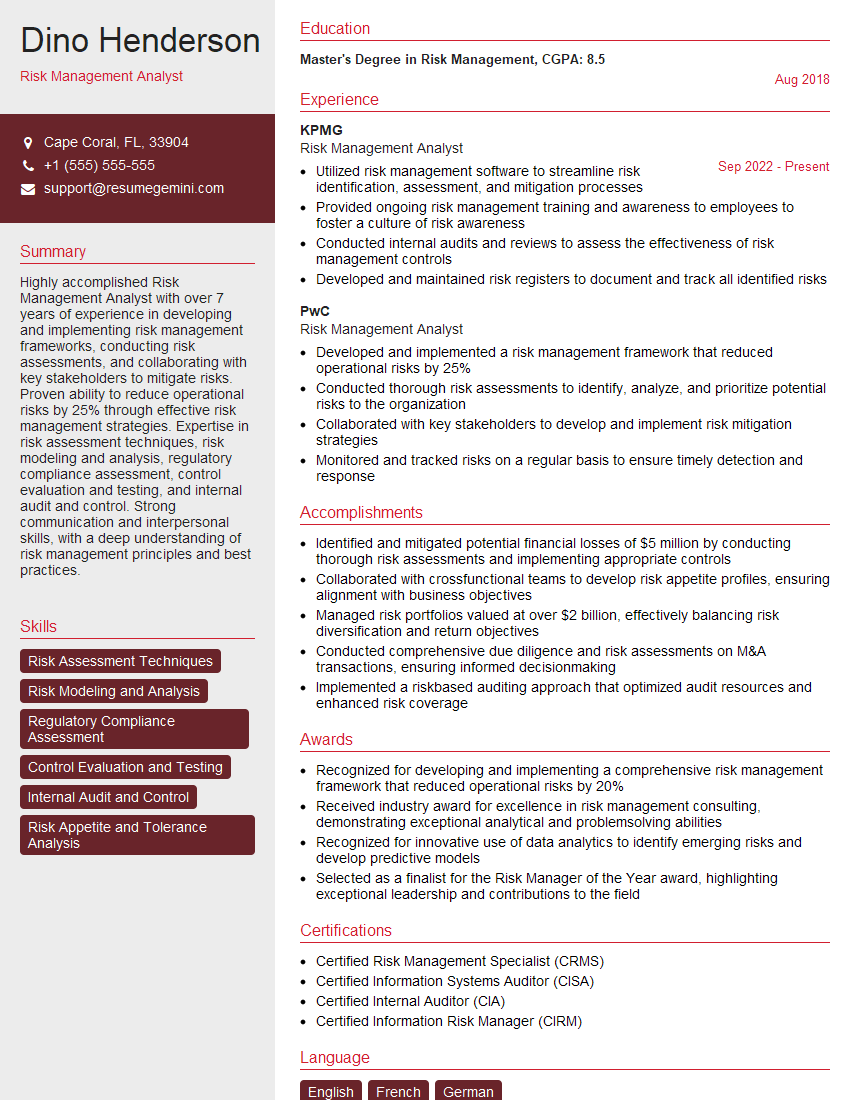
Risk Management Analyst Resume Sample
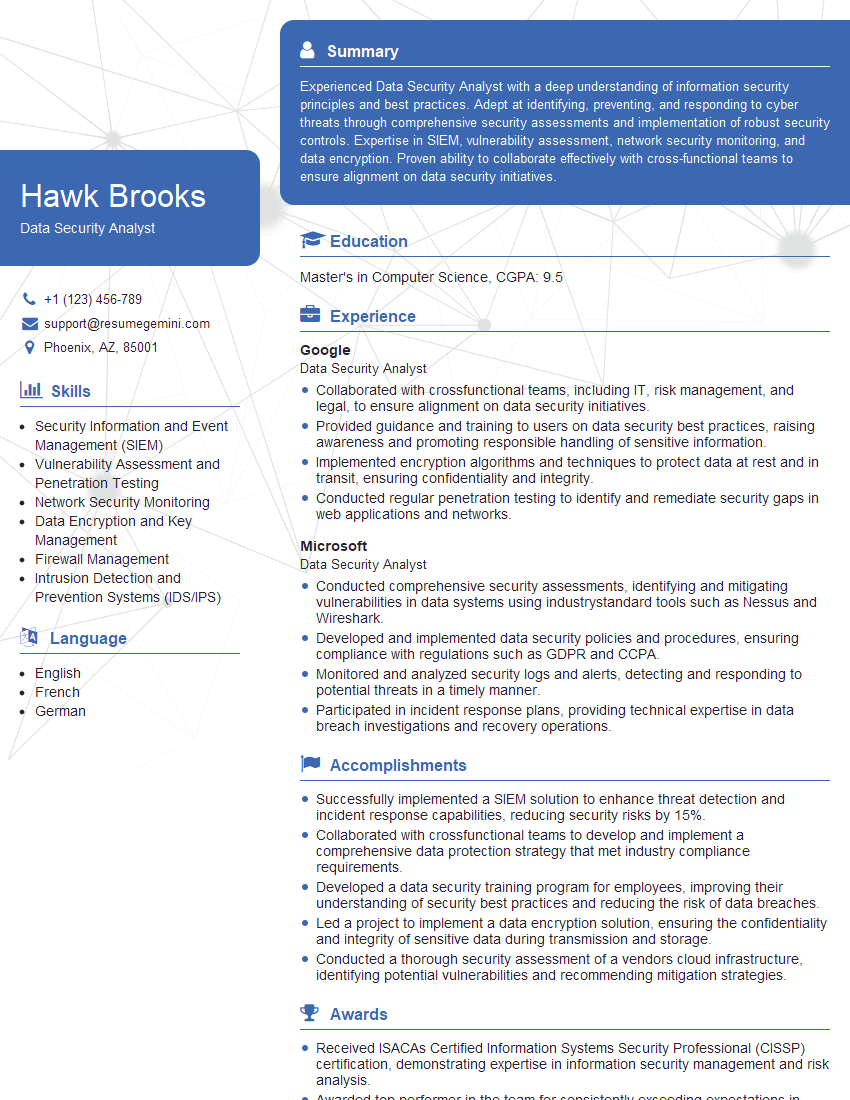
Data Security Analyst Resume Sample

Information Security Analyst Resume Sample
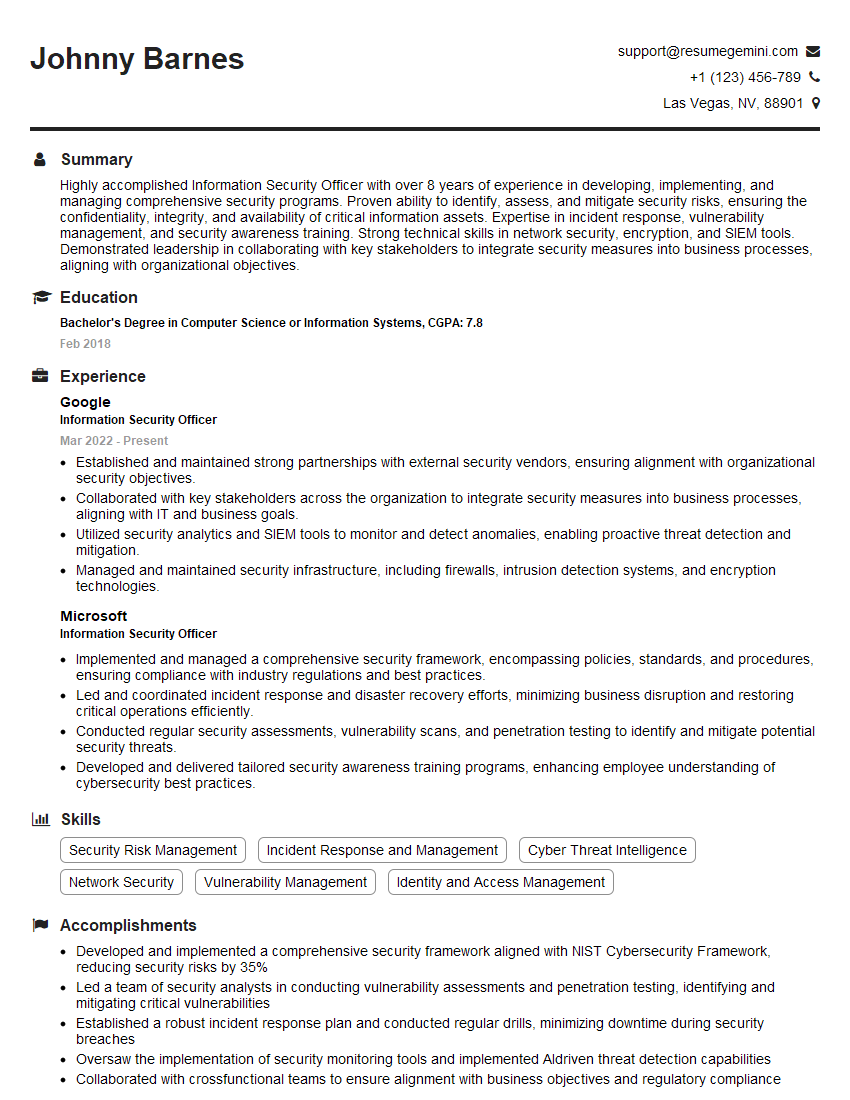
Information Security Officer Resume Sample

Security Architect Resume Sample
Explore more articles
Users Rating of Our Blogs
Share Your Experience
We value your feedback! Please rate our content and share your thoughts (optional).
What Readers Say About Our Blog
Very informative content, great job.
good